Why I care how a credit is counted
I build AI agents at eesel. The part of the job that never makes it onto a marketing site is watching what a meter does to a rollout. The team here has spent years putting AI agents onto live support queues, and the billing unit changes behaviour long before it changes any invoice. A team on a per-reply meter starts writing shorter answers. A team near its cap stops testing, which is how most AI chatbot problems actually get started.
That second one is not hypothetical. In eesel's own sales notes there is a buyer who burned through 200 interactions in one single test day, then spent the remainder of the call worrying about costs at scale, on a queue that was heading for roughly 9,000 interactions a month. Nothing was launched yet. He was only doing the thing you are supposed to do, which is trying to break the agent before some customer does it for you.
I keep that call in my head when reading Wonderchat's credit doc, since it says plainly that credits get consumed "in a live or test conversation". Your QA burns the meter you bought for customers. On the Free plan's 20 credits, that same buyer's test day would have been finished inside the first two minutes.
None of that makes Wonderchat a bad deal. What it does is make the unit the thing to understand ahead of the sticker price. So, the rate card first, then the meter.
Wonderchat pricing: the published rate card
Wonderchat's pricing page loads with the yearly toggle already selected, a "Save 17%" badge sat next to it, so the big numbers you see first are the annual-billing rates. Flip that toggle across and both paid tiers go up.
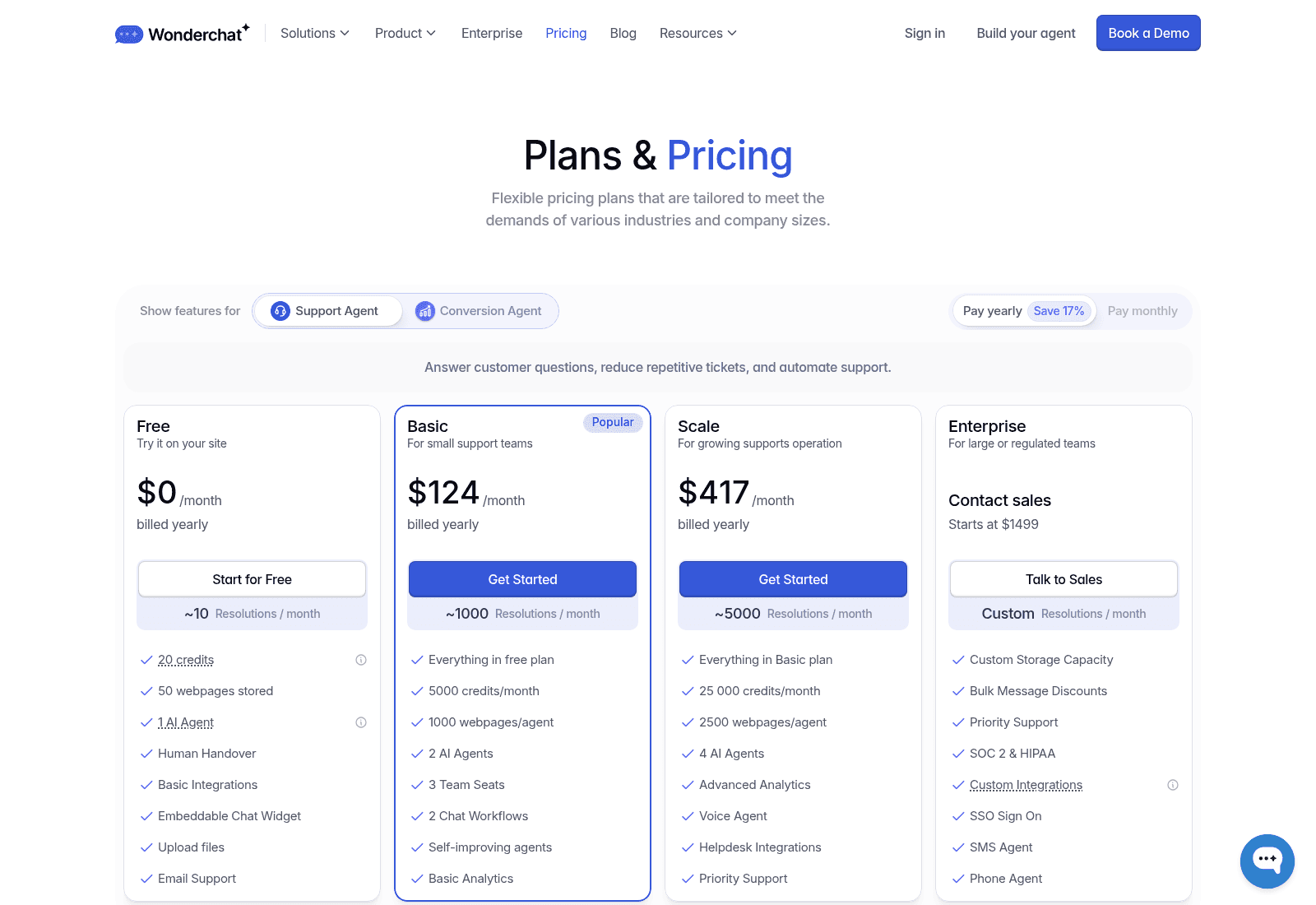
Everything on the cards, with both billing cycles put side by side:
| Plan | Billed yearly | Billed monthly | Message credits/mo | Stated resolutions/mo | AI agents | Team seats | Web pages |
|---|---|---|---|---|---|---|---|
| Free | $0 | $0 | 20 | ~10 | 1 | 1 | 50 stored |
| Basic | $124/mo | $149/mo | 5,000 | ~1,000 | 2 | 3 | 1,000/agent |
| Scale | $417/mo | $499/mo | 25 000 (card) | ~5,000 | 4 | 5 | 2,500/agent |
| Enterprise | From $1,499 | From $1,499 | Custom | Custom | Unlimited | Unlimited | Custom |
A few things are worth to pull out of that table before getting on to the meter.
The annual discount is real and it is 17%. Basic yearly saves $25 a month against the monthly rate, so $300 across a year, and Scale saves $82 a month, so $984. That checks out against the badge. It also means the commitment question is a real one and not a rounding error, and this is the sort of thing worth negotiating on: one budget-conscious buyer in eesel's sales notes had watched a previous vendor's price more than double on him, and he arrived asking for contractual price locks, offering to pay yearly to get them.
The "resolutions" figures carry a tilde. Each card prints an approximate resolution count beside its credit count. These are estimates Wonderchat derived out of credits, not anything you are billed on. The distinction matters more than it looks, and it is the whole subject of the next two sections.
Extra credits are $29.99 per 1,000. Which is three cents a credit, set against Basic's yearly plan rate of 2.48 cents. The top-up therefore costs around 21% more per unit than the plan units do. That is the usual shape for credit-metered tools, though it is the opposite of what you would assume from a volume discount. Pay monthly and the gap nearly closes, because monthly Basic works out at 2.98 cents a credit.
Enterprise is where the compliance features live. SOC 2 and HIPAA, SSO, custom integrations, an SMS agent, a phone agent, all of them Enterprise-only on the cards. Separately the pricing FAQ says Wonderchat is SOC II Type 2 compliant and that a BAA is available to existing paid customers. That reads as a softer gate than the card implies, so ask rather than assume.
The billable unit: one credit is one AI reply
This is the mechanism sitting under the price, and Wonderchat documents it clearly enough. From the message credits guide:
"A message credit represents one AI-generated response from your chatbot. In simple terms: 1 AI response = 1 message credit."
Length is not a factor. A one-word reply and a six-paragraph reply will both cost one credit. The doc's own worked example spends two credits over a two-question exchange.
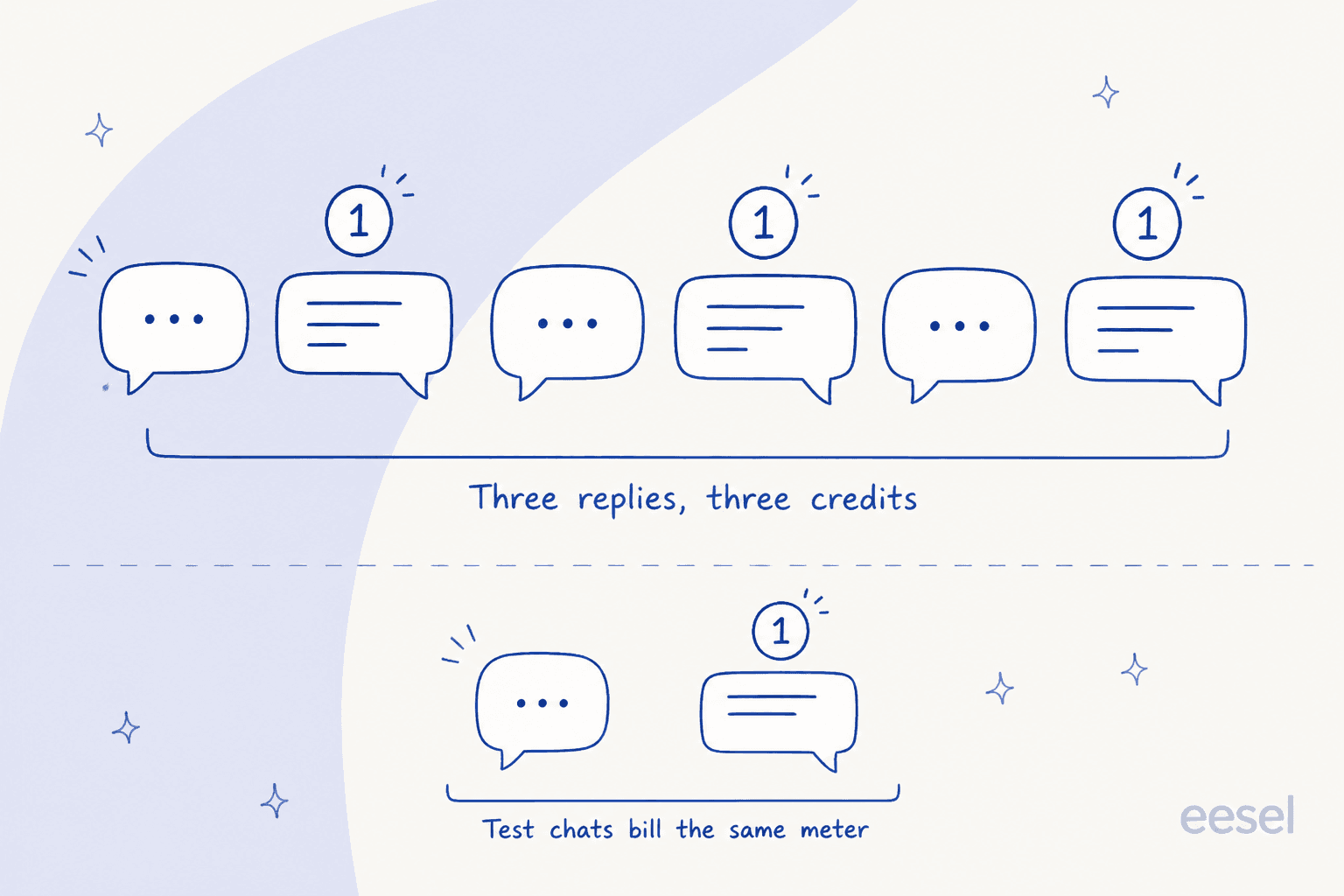
Four rules follow out of that definition, and together they are most of what you need for forecasting a bill:
- Turns are the cost driver, not tickets. A customer who asks one thing then leaves costs a credit. A customer who asks a follow-up, then a clarification, then a thank-you the bot answers as well, costs four. Long conversations are not a support win here, they are a line item, which is an odd incentive to have when first-contact resolution is the thing you are chasing.
- Test conversations count. Documented explicitly. Every QA pass, every regression check after you have edited a prompt, every demo you give some colleague, all of it draws down the same pool.
- Credits do not roll over. They reset on the billing anniversary and, in Wonderchat's own words, "unused credits expire at the end of your billing period." So a quiet month is not a cheap month. It is a forfeited allowance.
- Nothing else charges. Training the bot, uploading documents, adding integrations, viewing analytics, general dashboard use, all free. Only the generated replies bill, which is at least a clean line to be drawing.
That last point is a real plus, worth saying. Plenty of tools in this category will meter document ingestion or page counts on top, and a single meter is simpler to reason about than two of them.
The number nobody publishes: credits per conversation
Here is where a straightforward rate card becomes hard to use. To turn "5,000 credits" into "how many customers can I serve", one number is needed, which is how many AI replies an average conversation takes. Wonderchat's pricing page supplies that number more than once. The versions do not agree with each other.
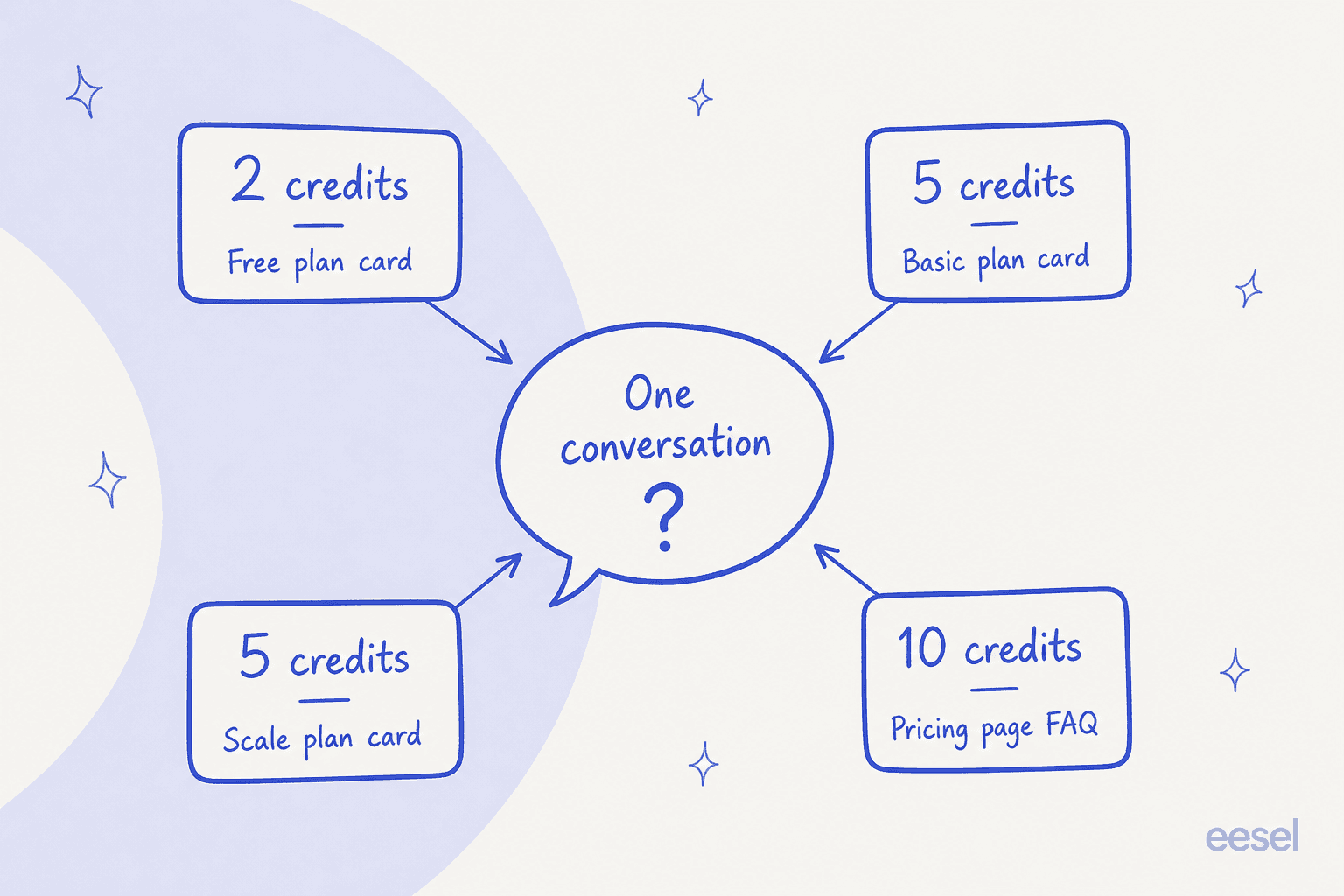
| Where it appears on the page | What it says | Credits per conversation |
|---|---|---|
| Free plan card | 20 credits, ~10 resolutions | 2 |
| Basic plan card | 5,000 credits, ~1,000 resolutions | 5 |
| Scale plan card | 25 000 credits, ~5,000 resolutions | 5 |
| Pricing FAQ, "How many message credits do I need per month?" | "Each conversation with a customer is estimated to consume around 10 credits on average" | 10 |
All four of those sit on wonderchat.io/pricing right now. The FAQ answer is inside a collapsed accordion, which is why it gets missed so easily, and it happens to be the one that changes your bill the most.
Run it out at 1,000 conversations a month:
- At five credits to a conversation you need 5,000 credits, which is exactly Basic. $124/month.
- At ten credits to a conversation you need 10,000 credits, and that puts you onto Scale. $417/month.
Same volume, same product, a 3.4x difference in price, decided by which of Wonderchat's own sentences you happened to read. Per conversation that comes out at 12.4 cents against 41.7 cents.
To be fair about it, the tilde on those resolution figures is Wonderchat telling you these are estimates, and no vendor can know your conversation length ahead of time. Ten credits for a real support chat is the more honest average of the two, in my experience of watching these things. The problem is not that an estimate is wrong. It is that the page hands you three of them, and the cheapest one is printed in the largest type.
What to do about it. Pull 200 real conversations out of your current inbox or chat tool, then count the replies an agent actually sent. That is your credits-per-conversation number and it is the only one that matters. Then use the calculator below.
Calculate your Wonderchat bill
Wonderchat's own FAQ tells you to "use our pricing calculator to gauge the usage". The only calculator on their tools page is a Chatbot ROI Calculator, and that one estimates savings and payback rather than credits, so nothing on the site actually turns your conversation volume into a credit number. Here is one that does.
The thing that surprises most people is the tier line. Because Wonderchat sells its credits in two big blocks, 5,000 and then 25,000, the cost per conversation is not a smooth curve at all. It is cheapest right at the top of a block, worst just past one. At 1,100 conversations with five credits each you need 5,500 credits, so 500 over Basic, and the honest options there are a single $29.99 top-up or the jump up to Scale.
The $417 tier has two different credit counts
While sizing the tiers I hit something worth to flag plainly, since it changes the arithmetic on the plan that most growing teams land on.
- The plan card names the $417 tier Scale and prints 25 000 credits/month.
- The "Compare Plans and features" table further down the same page names the same $417 tier Turbo and prints 15,000.
A 10,000-credit gap, and two names for the one tier. Very likely this is a stale row rather than anything deliberate, but a rate cannot be computed without picking one of them:
| Reading of the $417 tier | Credits | Per credit, yearly | Per credit, monthly |
|---|---|---|---|
| Plan card (Scale) | 25,000 | 1.67c | 2.00c |
| Compare table (Turbo) | 15,000 | 2.78c | 3.33c |
At 25,000 credits this tier is the best per-unit rate Wonderchat publishes anywhere, and it is also the only reading where the "Starts at $0.02/message" line on their Jortt case study footer actually holds up. At 15,000 it is barely better than Basic. Get the number written into your order form before signing, same as you would with any usage commitment.
What happens when the credits run out
Wonderchat is unusually direct about this one in the pricing FAQ: "Once you reach your credit limit, the chatbot will stop responding." You get a notification, and from there you can buy extra credits or else upgrade.
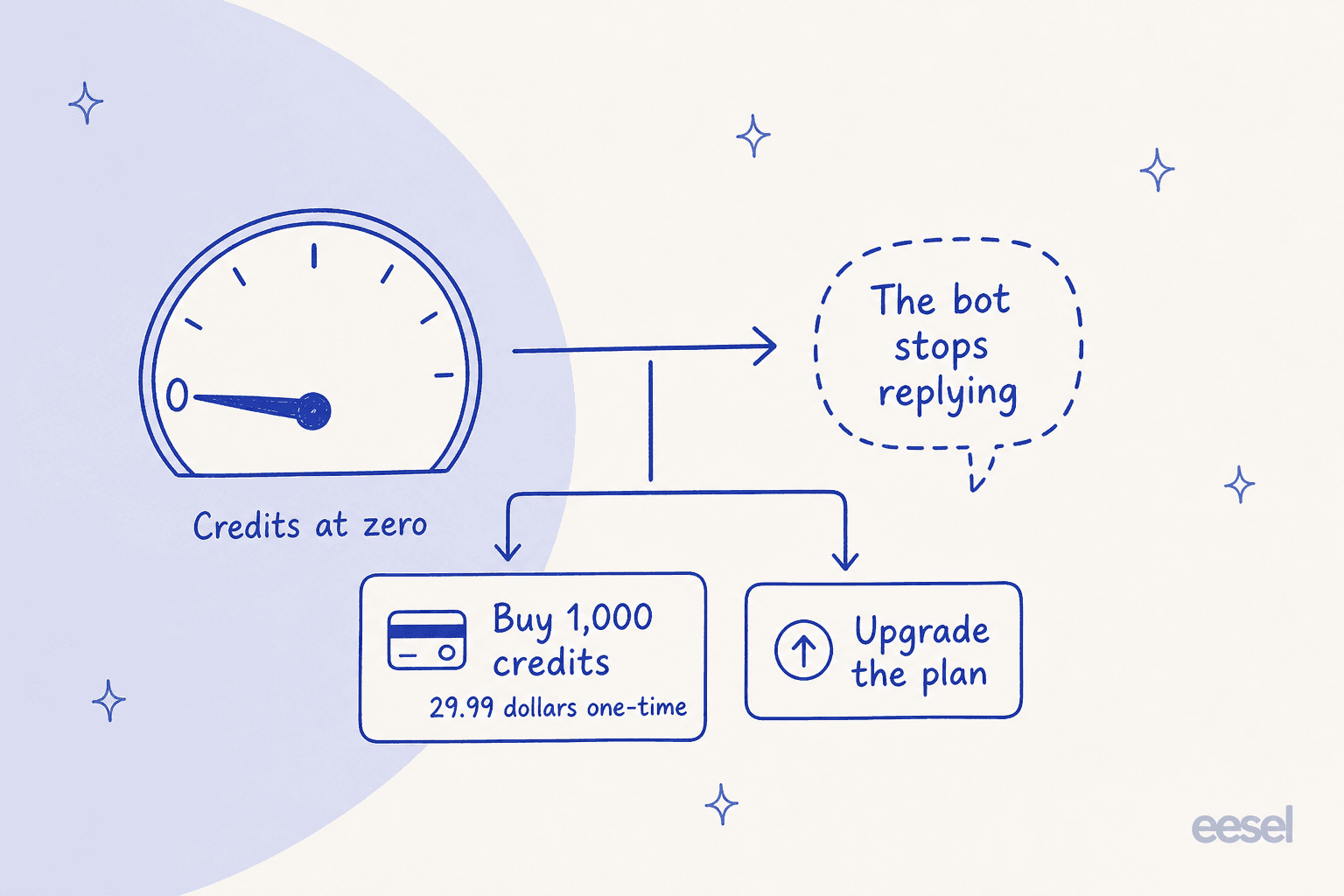
One inconsistency to resolve with sales. The credits doc lists both outcomes together, "The chatbot pauses and stops responding" alongside "Overage billing will apply", inside the same bullet list. A hard stop and an automatic overage are opposite behaviours, and which one your account does is what decides whether running out becomes a customer-experience problem or a budget problem. Ask, and get that answer in writing.
Either way the practical consequence is worth naming. With a hard stop, the failure mode is a widget that quietly goes unhelpful at your busiest moment, which is exactly the moment you crossed the cap. And a support queue that spikes is just a normal queue. Black Friday, an outage, a shipping delay, a product launch. Those are the weeks where ticket deflection and FAQ deflection matter the most, and also the weeks you are most likely to hit a monthly allowance.
If you go down this route, two habits help. Set the plan on your peak month rather than on your average, because unused credits expire anyway and the difference is usually small next to one bad week. Also keep a card on file for the top-ups, since $29.99 for 1,000 credits at 2am is a much better outcome than a silent bot is.
What the money actually buys you
Price is only the half of it. Here is what each tier actually gets you, judged on what tends to matter in a real rollout instead of on feature-count.
Past-ticket training is the one to care about, and it sits on the $417 tier. Wonderchat does sync past Zendesk and Freshdesk tickets, not only help centre articles, which puts it ahead of most website widgets. Their own docs even recommend syncing the tickets only, if your help centre training is already working, because that "typically provides the most additional value." I agree with them on this, and it is the capability I hear asked for more than any other one. The compare table puts helpdesk integrations on the $417 tier, so the cheapest published path comes to $5,004 a year. Worth noting the pricing FAQ answers "Absolutely!" to both the helpdesk and the past-ticket questions with no tier mentioned at all, so confirm which plan your quote includes it on.
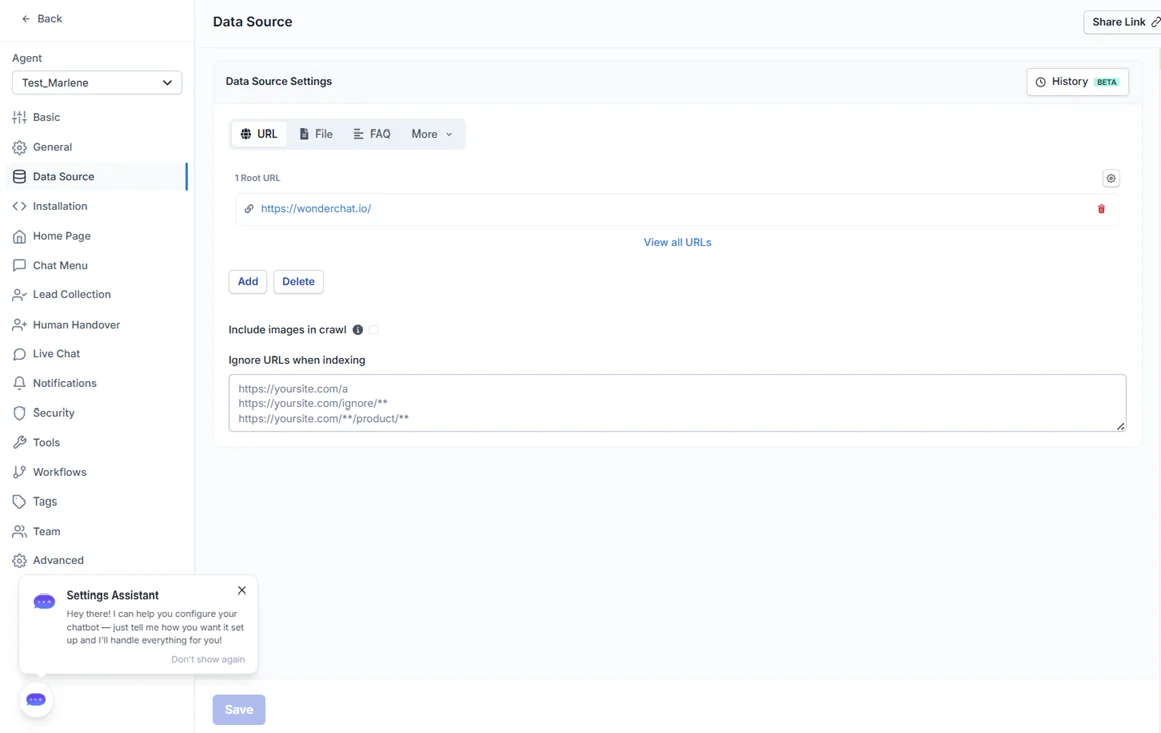
Knowledge sources on the paid tiers are broad. Website crawling including password-protected sites, PDFs, raw text, Q&A pairs, video and audio files, scheduled sync, and version history with rollback on the data sources too. If your content is scattered around then this is a real strength, and it does more than a basic AI knowledge base chatbot setup usually manages to.
The QA Agent is the feature reviewers actually rave about. It reads through your chat logs, sorts the problems into user-reported issues, knowledge gaps, quick fixes, conflicts and model issues, then proposes one-click fixes while changing nothing on its own. That "propose, do not act" design is the right call to make, and it is a better hallucination-prevention workflow than most tools ship with.
Testing before launch is prompt-level, not ticket-level. Wonderchat has an evaluation playground for comparing models on a prompt, and Scale then adds sandbox testing. What is not offered is a dry run across your own historical ticket volume, which is the thing that tells you a resolution rate before any customer sees the bot. If you are trying to forecast a resolution rate then that gap matters.
Ten AI models are selectable across OpenAI, Anthropic, Google, DeepSeek, Perplexity and Llama, on the paid plans. Nice for tuning cost against quality, and it is unusual at this price point. It is also the clearest sign that this is an agent and not a rule-based chatbot.
One number to keep in mind alongside that "live in five minutes" promise. G2's User Insights, computed off the 23 reviews on Wonderchat's profile, put average implementation time at 2 months. Both things can be true, because spinning a bot up is not the same as trusting one with your queue, and one reviewer did reach production inside a day:
"support reached out within 10 minutes of sign up offering an onboarding call for free, this got my support agent ready for production deployment in less than a day. Since deployment, I've noticed a ~60% drop in support tickets in my inbox."

Support responsiveness is the most consistently praised thing on that whole profile, and it shows up in the pricing conversation as well, because a free onboarding call is worth real money set against a two-month average.
Is Wonderchat's price fair?
For what it is, which is a website chat widget that grounds its answers in your content and can capture leads off the same agent, yes. On feature depth it sits comfortably among the best AI chatbots for support. Basic at $124 a month for 5,000 replies is competitive against Chatbase pricing, SiteGPT pricing and Helply pricing, and the past-ticket training on Scale is a capability that most of that peer group does not have at all.
Three honest caveats on the money, and none of them are about the sticker:
- A credit bundle is an allowance, not a usage meter. Use 2,500 of your 5,000 credits and you still pay the $124, and the rest of them expire. So those flattering per-conversation rates only hold at full utilisation. At half utilisation, Basic's 12.4 cents a conversation becomes 24.8 cents, which quietly halves your cost savings.
- The unit shifts risk onto you. Chattier customers, a bot needing two attempts before it lands an answer, a month with more follow-ups in it. All of those raise your bill without raising the number of customers you actually helped. Per-conversation and per-resolution meters put that variance onto the vendor instead, which is the split I walk through in my guide to AI customer service cost.
- You cannot price it from the page. Between that 2/5/10 credits-per-conversation spread and the 15,000-versus-25,000 gap on Scale, the honest budget range at 1,000 conversations a month runs roughly $124 to $450. Which is a quote conversation, not a self-serve purchase.
So where Wonderchat lands. A good fit when your volume is stable, your conversations stay short, and a website widget is the shape of the problem. A harder fit when your queue spikes, or your conversations run long, or your AI escalation path needs to sit inside a helpdesk instead of beside one, which is where an AI helpdesk chatbot fits better.
If you would rather not budget for a meter
I work on eesel AI, so take this one as the biased-but-specific section that it is.

The reason eesel bills $0.40 per conversation handled rather than per reply is the failure mode above. A conversation costs the same whether the agent lands it in one message or in seven, so nobody on your team gets an incentive to write a shorter answer than the customer needed, and a chattier month does not turn into an expensive one. There is no seat fee and no platform fee either, so a hundred conversations costs about $40 rather than costing a plan.
The other difference is what you get to know before spending anything. eesel replays your last few thousand real tickets against the agent and reports back what it would have resolved and what it would have escalated, so the resolution rate and the bill are both estimates you have seen against your own data instead of numbers on a pricing page. It is the same problem Wonderchat's evaluation playground gets at from the prompt side, only solved from the volume side.
It also connects to your helpdesk on any plan and not on a tier. Zendesk, Freshdesk, Gorgias, HubSpot, Front and the rest of them, plus Shopify for order lookups and ecommerce chat flows. If past-ticket training was the reason you were pricing Scale in the first place, that is worth a check before committing $5,004 a year to it.
Nothing here says do not buy Wonderchat. It says count your replies first, because on a per-reply meter that number is your price. And if the counting itself is annoying, that is already a reason to prefer a meter you do not have to count.
Wonderchat pricing FAQs
How much does Wonderchat cost per month? Free is $0 with 20 credits, Basic is $124 billed yearly or $149 billed monthly, Scale is $417 yearly or $499 monthly, then Enterprise starts at $1,499. Extra credits, $29.99 per 1,000. Because the meter counts replies, two teams sitting on the same plan can serve very different numbers of customers, which is the same dynamic behind Chatbase pricing.
What is Wonderchat's pricing for small teams? Basic is the realistic small-team tier, $124 a month billed yearly, with 5,000 credits, 2 AI agents and 3 seats on it. The Free plan's 20 credits are an evaluation allowance and not a working tier, particularly since test chats consume credits as well. If you are comparing entry points then my roundup of the best AI chatbot builders lines them up, and Tidio pricing is the closest bundled alternative to it.
Does Wonderchat have a free plan? Yes. $0 with 20 message credits, one AI agent, 50 stored web pages, human handover and an embeddable widget. The Jortt case study footer also advertises a 14-day trial with no card required. Twenty credits works out at about ten conversations by the plan card's own maths, so treat it as a look and not a pilot. For a longer runway, look at how a free website chatbot usually gets gated.
How do Wonderchat message credits work? One credit equals one AI-generated reply whatever its length, and that includes the replies in test conversations. Credits reset on your billing anniversary and they do not roll over. Nothing else bills, so training, uploads, integrations and analytics are all free. It is the same accounting most credit-metered widgets use, and it is the reason chatbot cost forecasts go wrong when teams count tickets instead of turns.
Is Wonderchat worth the price compared to alternatives? That depends on your conversation length, and on whether you need past-ticket training. On short chats at full utilisation it is one of the cheaper options in its class. On long chats it loses out to per-conversation meters, and the ticket-training gate at $417 is a real cost to carry. I compared nine options on exactly this axis in my Wonderchat alternatives roundup, where My AskAI is the closest thing to an outcome-priced option.
What is the cheapest way to get Wonderchat's helpdesk integration? The compare table puts helpdesk integrations, Zendesk and Freshdesk included, on the $417 Scale tier, so $5,004 a year billed annually is the cheapest published route to it. The pricing FAQ answers that same question "Absolutely!" without naming any tier, so get it confirmed inside your quote. And if a helpdesk connection is the whole point here, compare it against what native AI costs inside Zendesk pricing and Freshdesk pricing first.
Does Wonderchat charge extra for more languages or channels? Languages are not a line item. The pricing FAQ says over 80 languages are supported while the site markets 40+, and neither one is tier-gated on the cards. Channels do get gated though. WhatsApp and helpdesk escalation sit on the paid tiers, and the SMS agent with the phone agent are both Enterprise. So budget for the channel rather than for the language, and see how multilingual support is usually priced elsewhere.
How accurate is Wonderchat's published resolution rate? Wonderchat reports roughly 76% resolution across customers over 30 days, and it documents how that gets measured, which plenty of vendors do not do. A customer thumbs-up or thumbs-down takes the priority, and where there is none of either, an AI judge scores the conversation about 15 minutes after it goes quiet. So for most conversations that number is the vendor's AI grading the vendor's AI. It is a fair enough way to do it at scale, and it is a reason to run your own CSAT check instead of inheriting the headline.
Sources
- Wonderchat pricing page, checked 19 August 2026, both billing cycles plus the compare table
- Wonderchat docs: Message Credits guide
- Wonderchat docs: Resolution Rate and CSAT
- Wonderchat docs: Zendesk ticket training
- Jortt.nl customer story, per-message rate and trial terms
- Wonderchat's free AI tools page
- Wonderchat on G2, 23 reviews, implementation-time insight
Frequently Asked Questions
How much does Wonderchat cost in 2026?
What is a Wonderchat message credit?
How many credits does a Wonderchat conversation use?
What happens when Wonderchat runs out of credits?
Is Wonderchat's Scale plan 15,000 or 25,000 credits?
Does Wonderchat pricing include training on past support tickets?
Is Wonderchat cheaper than a per-conversation AI agent?
Is there a Wonderchat free trial?


Article by
Kira
Kira is a writer at eesel AI with a Computer Science background and over a year of hands-on experience evaluating AI-powered customer service tools. She focuses on breaking down how helpdesk platforms and AI agents actually work so that support teams can make better buying decisions.