

Every tool on this list will claim it charges "only when it resolves." Almost none of them actually meter a resolution. The unit on the invoice is the whole ballgame. In 2026 that unit could be a ticket, a session, a message credit, or something called an "automated interaction," and that last one bills once per bot reply. Which means a five-turn chat costs five times over.
Quick shape of the field, and it's a crowded one: Zendesk and Freshdesk stay the safe defaults if you already live there, Gorgias wins on Shopify, and Tidio works out cheapest for a small store just starting. Ada and Decagon are enterprise-only and won't show you a price at all, Botpress is the one you build yourself. I put eesel at the top for one reason: it uses one credit per ticket regardless of how many times the bot replies (plans from $299 a month for 500 credits), and it plugs into the helpdesk you already run instead of replacing it.
Before you sign anything: take your monthly chat volume, multiply it by your average bot replies per chat, then ask the vendor flat out which of those two numbers they actually bill. If they hesitate, that is your answer already.
What you are actually buying is the meter
I've spent the last three-plus years putting AI agents on live support queues at eesel. The single most expensive mistake I see teams make, over and over, is comparing headline prices across tools that count completely different things. Two vendors can both say "$1.50" and mean bills that differ by 5x.
Here is the same chat, priced five ways:
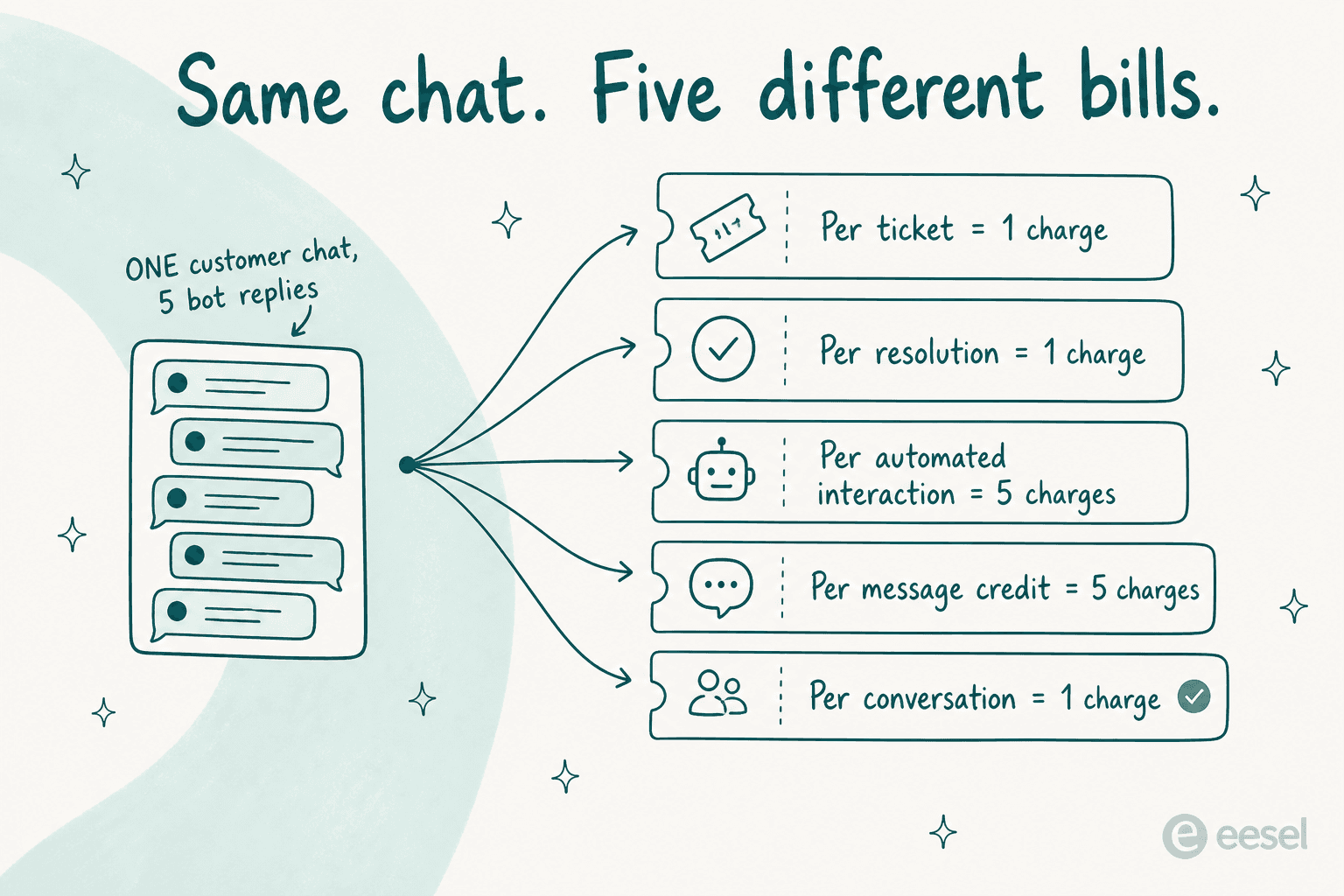
Plug your own numbers in and watch the gap open. It opens fastest when your bot is chatty, and most of them are, because a bot that pauses to ask a clarifying question is a better bot on every metric except the one that actually gets billed:
Three of the biggest names here advertise outcome pricing in the headline, then print a different unit entirely on the plan card. Zendesk bills an "Automated Resolution" but no longer publishes a dollar rate for one. Gorgias says "pay when it resolves," yet meters the automated interaction instead. Tidio's genuine pay-per-resolution deal exists only on Premium, nowhere else. For the concept unpacked properly, our chatbot cost guide does the arithmetic in more detail.
Three kinds of chatbot software, and what each one costs you
"Customer service chatbot software" is the search term, but it covers three different purchases that every roundup shelves together as one, including the ones that outrank this post. Each fails in a different way.
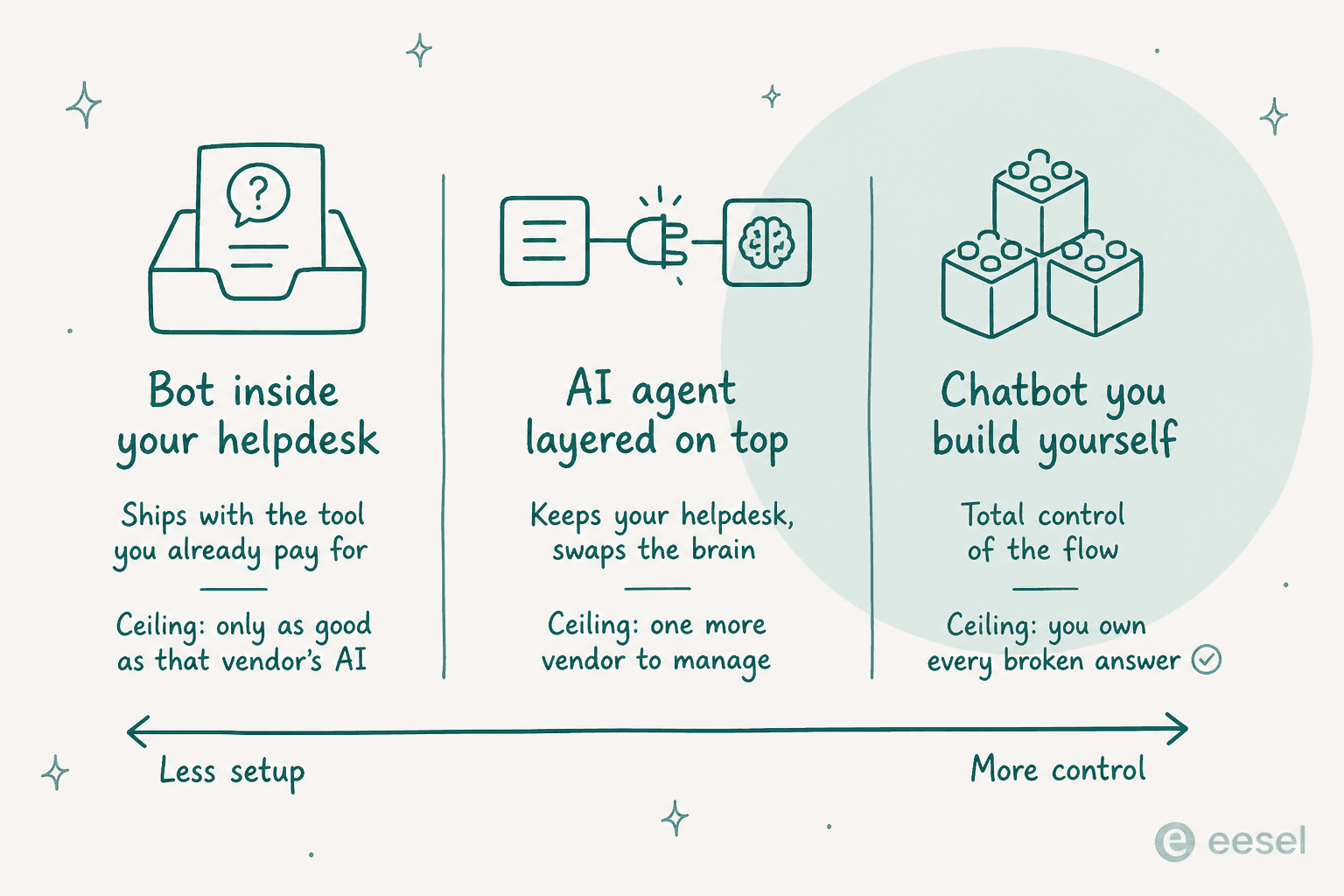
The bot inside your helpdesk. Zendesk AI Agents, Freddy, Gorgias AI Agent, Breeze: nothing new to buy, nothing new to log into, the bot already sees your tickets. The ceiling is you inherit that vendor's AI roadmap along with its meter, and switching means switching helpdesks entirely.
The agent layered on top. eesel, Ada, Decagon. Your helpdesk stays, the reasoning gets swapped out. This is the right shape for the most common situation I run into: the helpdesk is fine, the native bot is not. The cost is one more vendor added to the stack.
The bot you build. Botpress, Chatbase, Voiceflow: total control over the flow, and total ownership of every wrong answer too. Worth it when your support logic is properly weird. Expensive when it isn't, because the engineering time never shows up on any invoice.
Most teams do best shopping in one of these lanes, not across all three at once. Still deciding? build vs buy makes the argument in long form.
How I compared these ten
I work on eesel, so weigh my verdict on eesel with that in mind. Everything else here runs through the same four checks, done on each tool in late July 2026:
- Published pricing, read literally. I took the plan card, not the marketing headline, and wrote down whatever unit it meters. Where a vendor hides the rate, I say so plainly instead of guessing at a number.
- The product surface itself. Docs, help centre, the actual UI, so what follows below is about what the thing does, not what the homepage promises it does.
- What users say on the record. Reddit, G2, Capterra, Trustpilot, and X, and only quotes with a permalink you can click.
- What it takes to go live. Whether you can test it against your own tickets before a customer ever sees it, and how it behaves the moment it doesn't know something.
That last point matters more than any feature grid. I've watched a confident-sounding bot quietly give wrong answers to real customers, more than once, which is why every eesel rollout gets simulated against historical tickets now, before it's ever allowed to speak.
The comparison table
| Tool | Best for | Where it lives | AI billing unit | Published AI rate | Entry price | Takes actions | Test on old tickets | Public pricing |
|---|---|---|---|---|---|---|---|---|
| eesel AI | Adding AI to the helpdesk you already run | Layer on top | Credit (1 per ticket or chat) | From $299/mo for 500 credits | Free plan, 100 credits | Yes | Yes | Yes |
| Zendesk | Teams already on Zendesk Suite | Native | Automated Resolution | Not published | $55 / agent / mo | Yes | Limited | Partly |
| Freshdesk | Small teams wanting AI included | Native | Session (72h window) | $0.49 / session after 500 | $19 / agent / mo | Yes | No | Yes |
| Gorgias | Shopify and DTC stores | Native | Automated interaction | $0.85-$1.00 each | $40 / mo | Yes | No | Yes |
| Tidio | Small stores starting out | Native | Lyro conversation | $0.70 / conversation | $0 | Yes | Playground only | Yes |
| HubSpot | Teams already in the HubSpot CRM | Native | Credit (50 / resolution) | $0.45 / resolution | $7 / seat / mo | Yes | Preview mode | Yes |
| Agentforce | Salesforce enterprises | Native | Conversation or Flex Credit | $2.00 / conversation | $25 / user / mo | Yes | Yes | Yes |
| Ada | Enterprises above 300k chats a year | Layer on top | Resolution | Not published | Quote only | Yes | Yes | No |
| Decagon | Enterprises wanting custom agent logic | Layer on top | Conversation or resolution | Not published | Quote only | Yes | Yes | No |
| Botpress | Teams building custom flows | Build your own | Conversation | $0.50 to $0.65 extra | $0 | Yes | Emulator | Yes |
Two things worth staring at here. Four of the ten will not print a rate for the thing they charge you for, and the two cheapest entry prices, oddly enough, belong to the tools whose free tier carries almost no AI at all.
1. eesel AI
Best for: putting a real AI agent on the helpdesk you already pay for, without changing helpdesks or hiring seats.

What it does
eesel is an AI helpdesk agent that connects to the tools you already run and answers from whatever it finds there. In the screenshot above, one workspace has two Zendesk instances, two websites, and a Slack workspace wired in, plus a Company Context file and a Simulation skill sitting in the sidebar.
That Simulation skill is the part I'd judge any tool on. It replays the agent against your own past tickets and shows coverage by theme, so the first time you see a bad answer is in a report, not in a customer's inbox. Confidence-based routing handles the rest: when the agent is unsure, it drafts for a human instead of sending anything.
Deployment goes past the ticket queue too. A chat bubble is one script tag on any page. An inline embed drops the chat into a specific spot in a help article, and a public chat link gives you a shareable URL, no code needed at all.
It answers in 80+ languages, connects to 100+ tools, and that includes the three helpdesks further down this list plus Shopify on the store side.
Pricing
| Plan | Price | Billing unit |
|---|---|---|
| Free plan | 100 credits, no card | 1 credit per ticket or chat |
| Teammate, 500 credits | $299 / mo | One ticket or chat, any number of replies |
| Teammate, 1,000 credits | $499 / mo | Same |
| Teammate, 2,500 credits | $999 / mo | Same |
| Teammate, 5,000 credits | $1,899 / mo | Same |
| Dashboard questions | Mostly free | No credit |
| Blog generation | $4.00 per post | Per post |
| Pay a year upfront | Two months free | Annual |
No seats, no platform fee, everything included. When credits run out, agents pause, or you can turn on overage with a monthly cap you set at $0.80 per extra credit. See the pricing page for the current numbers.
Where it wins
- One ticket is one charge, no matter how many times the agent replies. That is the whole point of this post.
- Simulation against historical tickets before go-live, and not some sandbox running fake questions at it.
- Sits on your existing helpdesk, so nothing needs migrating anywhere.
Where it falls short
- SOC 2 is listed as in progress, not certified yet, so a security review might stall you here.
- HIPAA is a talk-to-us add-on, nothing self-serve.
- No helpdesk and no help centre yet? There is less for it to learn from, naturally.
Verdict: pick eesel when your helpdesk is fine, its native bot isn't, and your chats run long enough that per-turn billing would hurt. Skip it if a certified SOC 2 report on file this quarter is a hard requirement for you. One gig-economy driver-analytics team on Zendesk Business, running roughly 1,300 interactions, resolved 73% of tier-1 requests in its first month, and that was after proving it out in a 7-day trial first.
2. Zendesk AI Agents
Best for: teams already committed to Zendesk Suite who want the bot that ships with it.
What it does
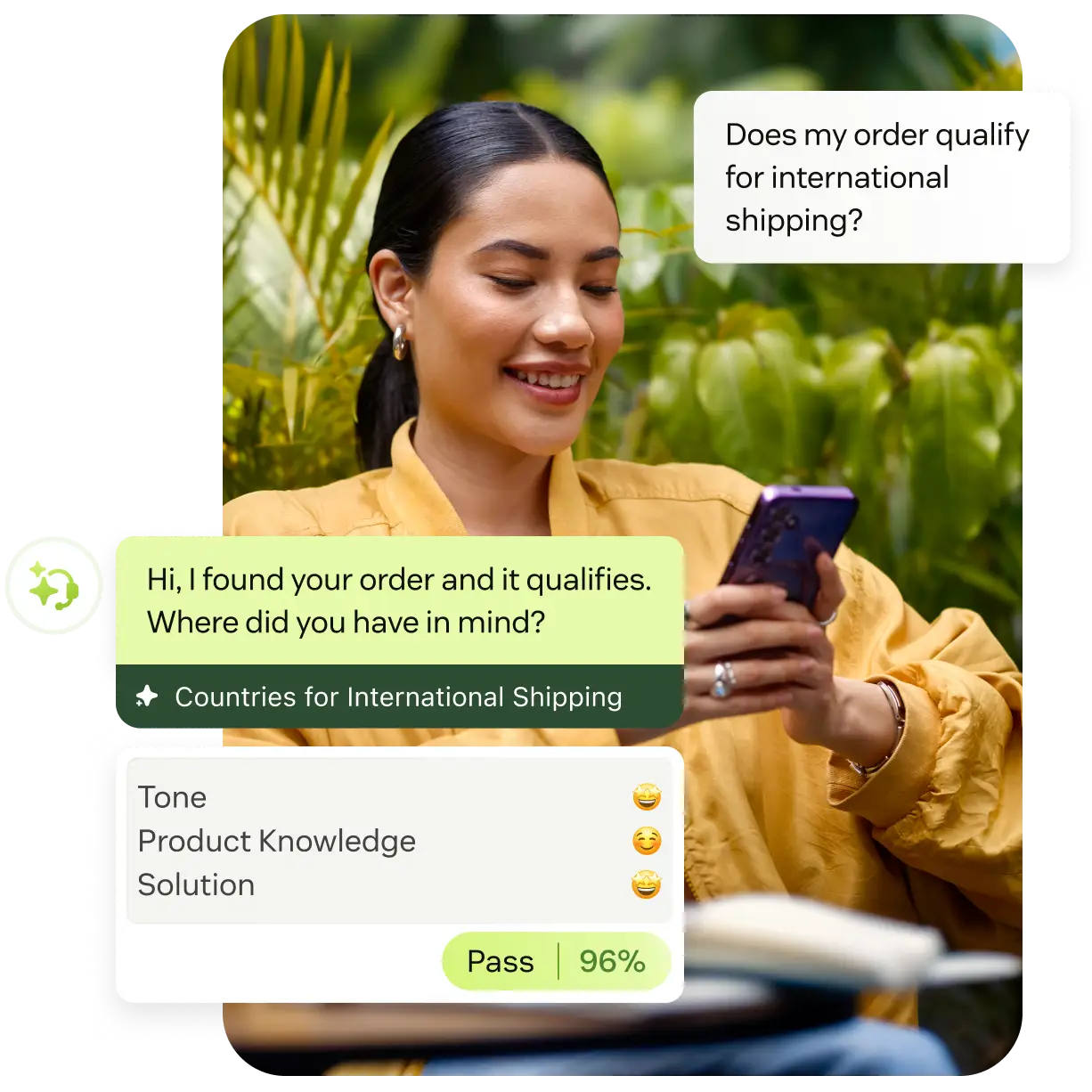
Zendesk AI Agents ground answers in your help centre plus external sources like Google Drive and PDFs, and there's no training step required to start. They handle multi-intent requests and ask clarifying questions, then take actions in connected systems rather than just replying. The piece that actually stands apart is AutoQA: it scores 100% of conversations on tone, product knowledge and solution, instead of the sample a human QA lead could ever manage. Our Zendesk AI explainer covers the wider suite.
Pricing
| Plan | Price (annual, per agent) | AI included |
|---|---|---|
| Support Team | $19 | No |
| Suite Team | $55 | AI Agents, knowledge base, Action Builder |
| Suite Professional | $115 | Adds Admin Copilot, App Builder, writing tools |
| Suite Enterprise + Copilot | Talk to sales | Adds intelligent triage, Auto Assist, voice AI |
| Copilot add-on | $50 per agent | Agent-side assist |
The AI unit here is the Automated Resolution, and Zendesk no longer publishes a dollar rate for one. The standalone $50 Advanced AI add-on is gone too. Full breakdown in our Zendesk pricing post.
Where it wins
- Zero integration work if you're already on Suite.
- AutoQA on every conversation is a real differentiator here, not just a rebadged report.
- Voice, email and messaging, all handled by the same agent.
Where it falls short
- Answer quality tracks help-centre quality closely, so a thin knowledge base means generic replies back.
- The AR meter carries an old, still-unresolved credibility problem with customers.
"From what I can see in regards to this new 'Automated Resolution' pricing model, we'll be paying about $1.50 ~ $1.20 per resolution. And what Zendesk counts as a resolution can be ... subjective... If you have 500 AR per week, the bill blows out to be $650, where there wasn't a charge before."

Verdict: the default choice if you're on Suite Professional and your help centre is in decent shape. Get the AR rate in writing before signing anything, because it isn't on the page anywhere. If that conversation goes badly, our Zendesk AI alternatives list is the next stop.
3. Freshdesk (Freddy AI Agent)
Best for: small teams who want a working bot included rather than quoted.
What it does
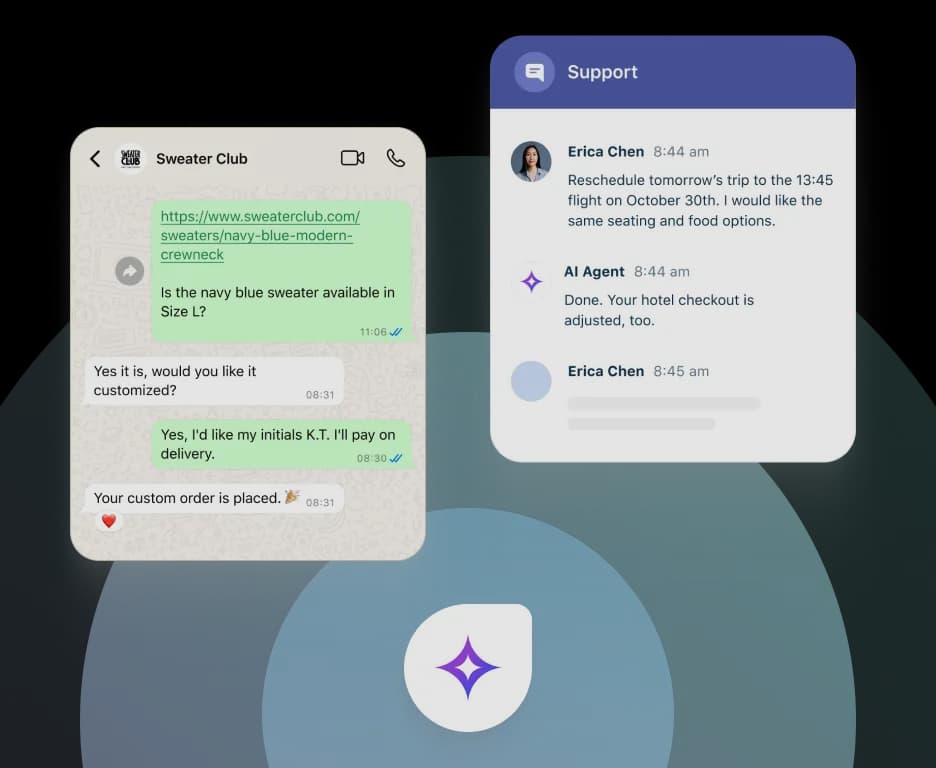
Freddy AI Agent is the customer-facing half of Freshworks' AI line, Freddy Copilot handles agents and Freddy Insights handles managers alongside it. You build agents no-code inside AI Agent Studio, and there are pre-built vertical agents for Shopify order updates, Stripe refunds and PayPal transactions. So the "takes actions" claim comes with named integrations attached to it. Freshworks puts the language count at 60+.
The billing detail worth knowing here: one Email AI Agent session is a 72-hour window from the customer's first email, and every AI reply inside that window counts toward the same session. For long email threads, that is generous. We break the meter down in Freddy session consumption.
Pricing
| Plan | Price (annual, per agent) | Notes |
|---|---|---|
| Growth | $19 | Freddy AI Agent included |
| Pro | $55 | Copilot add-on available |
| Enterprise | $89 | Full suite |
| Freddy AI Agent | First 500 sessions free, then $49 per 100 | $0.49 per session |
| Freddy Copilot | $29 per agent | Pro and Enterprise only |
There's no longer a free Freshdesk plan, for what it's worth. More detail in Freshdesk AI pricing.
Where it wins
- 500 included sessions on every plan, even the $19 Growth tier, is the most generous starting allowance on this whole list.
- The 72-hour session window keeps email threads cheap.
- Cheapest entry price of any native helpdesk bot here.
Where it falls short
- Reviewers keep reporting it stumbles on anything past the straightforward tickets.
- Copilot sits gated off Growth, so the cheap plan gets the customer-facing bot, not the agent-facing one.
"We tested an ai integration in freshdesk and had almost the exact same experience. it worked for very simple tickets but anything slightly complex got misclassified. agents ended up spending more time fixing errors than before, so we had to rethink our approach."
Verdict: the best value on this list under roughly 500 chats a month, since at that volume the AI comes free. Scope it tightly to FAQ-shaped questions, route the rest elsewhere, and it earns its keep. Push it at nuanced tickets, though, and you'll hit the ceiling that review above describes.
4. Gorgias AI Agent
Best for: Shopify and DTC stores where the bot needs to cancel orders, not just explain the policy.
What it does
Gorgias pre-trained its agent on over a billion ecommerce conversations across 18+ verticals, so it shows up already knowing what WISMO means, rather than learning it off your macros. Inside a ticket it cancels orders, applies discounts, edits subscriptions, processes returns against live Shopify data, and can recommend products that are actually in stock. Guardrails for tone and policy are configurable per brand, though those, and the action set both, sit gated off the Starter plan. Our Gorgias AI agent guide goes deeper.
Pricing
| Plan | Monthly | Annual per month | Tickets | Automated interactions |
|---|---|---|---|---|
| Starter | $40 | Monthly only | 50 | 30 |
| Basic | $90 | $77 | 300 | 30 |
| Pro | $550 | $471 | 2,000 | 190 |
| Advanced | $1,430 | $1,227 | 5,000 | 530 |
| Enterprise | Custom | Custom | 5,000+ | Custom |
Ticket overage runs $0.40 (Starter, Basic) or $0.36 (Pro, Advanced). Each automated interaction is billed at $0.85 to $1.00 depending on the plan ($0.90 on annual Basic and Pro, $1.00 on monthly Starter). Run your own numbers through our Gorgias pricing calculator.
Where it wins
- The actions are real, and native, which is the whole reason to buy this over some generic bot.
- Ticket-based pricing rather than per-seat, which suits small teams running high volume.
- Social DMs and ad comments land in the same inbox too.
Where it falls short
- The headline says "pay only when it resolves." The metered unit on every plan card, though, is the automated interaction.
- No volume discount on AI overage, so a busy month gets punished instead of rewarded.
"Gorgias is very Shopify-native and easy to get value from but pricing and ticket volume can creep up fast."
Verdict: buy it when a real chunk of your tickets need something done inside Shopify, which community consensus puts around the 40% mark. Below that, you're paying ecommerce prices for FAQ deflection, and our Gorgias alternatives list is worth a look. The deciding question is whether it's worth it at your action rate.
5. Tidio (Lyro AI Agent)
Best for: small stores who want a bot live this afternoon for under $50.
What it does
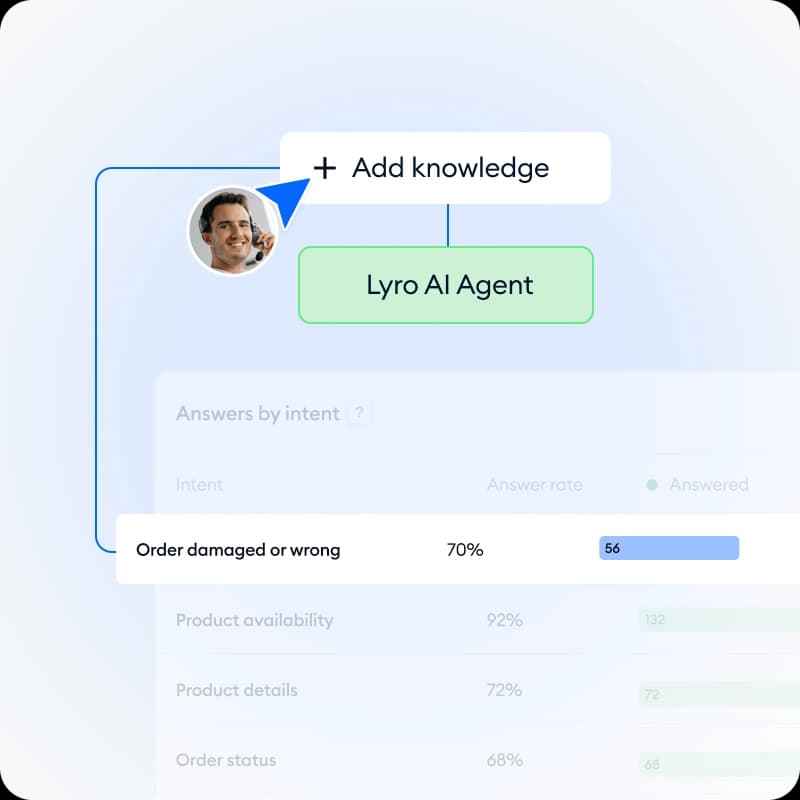
Lyro runs on Claude plus Tidio's own models, and Tidio is unusually upfront about answering only from your own knowledge base, to keep hallucinations down. A Playground lets you preview answers before customers ever see them, and a Missed questions list surfaces the gaps, that's the loop shown in the screenshot above. Lyro Smart Actions handle order updates and lead qualification, while product recommendations pull from live inventory.
The pricing detail that matters most here: a Lyro conversation is one charge, no matter how many times the bot replies. That is the right shape. The catch is everything else around it.
Pricing
| Product | Price | Unit |
|---|---|---|
| Customer Service Free | $0 | 50 billable conversations |
| Customer Service Starter | $29 / mo | 100 conversations |
| Customer Service Growth | From $59 / mo | From 250, to $349 at 2,000 |
| Lyro 50 conversations | $39 / mo | $0.78 each |
| Lyro 200 conversations | $140 / mo | $0.70 each |
| Lyro 1,000 conversations | $700 / mo | $0.70 each |
The 50 free Lyro conversations are one-off, not monthly, worth flagging up front. No Starter or Growth plan includes a refreshing AI allowance, so the AI ends up a second line item always. Pay-per-resolution with a guaranteed 50% resolution rate exists only on Premium, nowhere below it. Our Lyro pricing post has the full ladder.
Where it wins
- Per-conversation billing, with unlimited replies inside each one.
- Fastest setup on this list, for a store that already has a help centre written.
- The Missed questions loop doubles as a smart content-gap tool.
Where it falls short
- Three separate meters, conversations, Lyro, Flows, all stack on one account.
- Lyro Connect, the "put Lyro on any helpdesk" pitch, needs Plus or Premium to unlock.
"Just had a conversation with tidio, their pricing is so off and hidden, "free tier" is just a trap includes most services that are billed separatedly once you want to scale. ive seen this problem with most ai services... tidio is a NO-GO for me they need to be more transparent"
Verdict: the right first bot for a store doing a few hundred chats a month, as long as the Lyro quota gets priced separately from day one, not discovered in month two. Above roughly 1,000 conversations, the $0.70 rate stops being cheap, and Lyro alternatives becomes worth reading.
6. HubSpot Breeze Customer Agent
Best for: teams whose support already lives inside the HubSpot CRM.
What it does
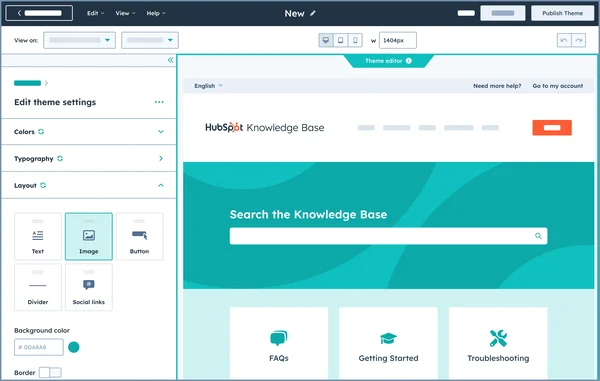
Breeze Customer Agent answers only from approved content (your site, knowledge base, uploaded PDFs and transcripts) and cites its sources as it goes. Setup is no-code, and the human-in-the-loop controls beat most competitors: preview responses before going live, approve replies via recommendations, set working hours, ramp up from a small percentage of conversations. It covers chat, email, voice and social, all four.
HubSpot also publishes the clearest definition of a resolution anywhere on this list: support was provided by the agent, and the conversation wasn't handed to a human for 72 hours straight. Our Service Hub deflection piece covers what that means in practice.
Pricing
| Plan | Price (annual, per seat) | Credits | One-time onboarding |
|---|---|---|---|
| Free | $0, up to 2 users | None | None |
| Starter | $7 | 500 | None |
| Professional | $90 | 3,000 | $1,500, required |
| Enterprise | $150 | 5,000 | $3,500, required |
Credits cost $9.00 per 1,000 annually, and Breeze Customer Agent burns 50 credits per resolution, working out at $0.45 a resolution. Which means Professional's 3,000 credits buy about 60 resolutions a month, roughly two a day, and that same pool has to fund every other Breeze action too. Model it with our HubSpot pricing calculator.
Where it wins
- Ramp controls and preview mode make for the safest launch path of any native bot here.
- Cited answers by default, sourced only from content you actually approved.
- $0.45 a resolution reads as a fair rate, and at least the credit math is published.
Where it falls short
- The mandatory onboarding fee runs $1,500 on Professional and $3,500 on Enterprise, before a single seat even.
- Included credits run out fast, and HubSpot's own pages can't agree on the resolution rate (70%+ on pricing, 54% on the product page).
"Additionally, pricing has become difficult to justify compared to alternative solutions in the market. The Knowledge Base page customization options are also quite limited, especially for companies that want more flexibility in branding and user experience."

Verdict: an obvious yes if the CRM is already HubSpot and Service Hub Professional was getting bought anyway. A hard no as a standalone chatbot purchase, though, since you'd be paying for the whole CRM just to get the bot. Our HubSpot AI guide covers the wider Breeze line.
7. Salesforce Agentforce
Best for: Salesforce enterprises that want the agent grounded in CRM data.
What it does
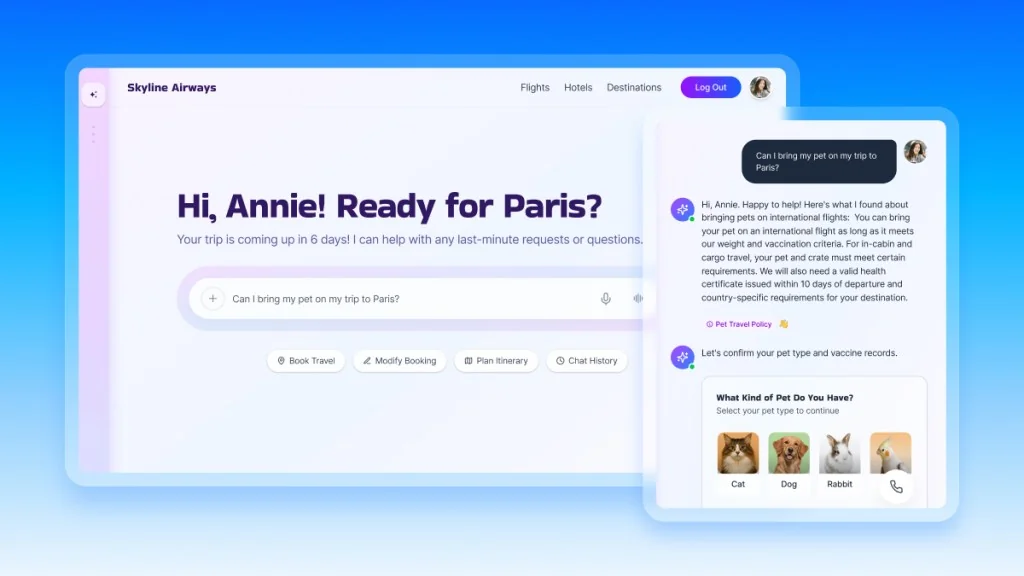
Agentforce runs on the Atlas Reasoning Engine, grounded in CRM and Data 360 data, and that's the genuine advantage: the agent already knows the customer's history without any integration project needed. The 2026 Agentforce Help Agent is the packaged support version, resolving across text and voice, and Salesforce pitches it as deploying in minutes while charging only for resolutions. Five distinct agent surfaces exist here (customers, reps, supervisors, field teams, employees). Our Agentforce overview covers the rest.
Pricing
| SKU | Price | Unit |
|---|---|---|
| Service Cloud Starter Suite | $25 / user / mo | Seat |
| Service Cloud Enterprise | $175 / user / mo | Seat |
| Agentforce 1 Service | $550 / user / mo | Seat, includes 2.5M Flex Credits / yr |
| Conversations | $2.00 | Per conversation |
| Help Agent Resolutions | $2.00 | Per resolution |
| Flex Credits | $500 per 100,000 | $0.005 each, 20 per action |
| Agentforce User License | $5 / user / mo | Requires Flex Credits |
| Flat Fee Access add-on | $125 / user / mo | Unmetered |
You pick Flex Credits or Conversations, and you can't mix the two in one org. Salesforce's own FAQ states plainly that unused Flex Credits don't roll over. Full workings in Agentforce pricing.
Where it wins
- CRM grounding here is real, and hard for any third-party bot to match.
- Both text and voice, from one single agent runtime.
- The $2 flat conversation rate is at least simple, whatever else it might be.
Where it falls short
- The meters stack on top of each other, and forecasting the real total is hard.
- $2.00 a conversation is the most expensive published unit on this whole list, 5x eesel's per-ticket rate.
"Not even Salesforce can tell you how much Agentforce will cost. They are too busy marketing and selling it to worry about a pesky detail like how much it will cost their customers to buy, implement, and use."
Verdict: the answer when Salesforce is already the system of record and the CRM context is worth paying the premium for. Everyone else pays enterprise pricing for a capability the cheaper tools on this list also happen to have. Watch the loops, too: one G2 reviewer noted that with per-dialogue pricing, "any loops or logic failures quickly 'eat up' the budget."
8. Ada
Best for: enterprises past 300,000 support conversations a year.

What it does
Ada's ACX Platform orchestrates across multiple LLMs rather than locking to just one, with layered safeguards against hallucination built in. Playbooks are multi-step SOPs the agent reasons through using live data instead of any decision tree, and there's a public gallery of them to browse. Two features I'd actually pay for: Coaching, where reviewers annotate past conversations and the agent applies the correction going forward, and Simulations, which test changes against historical conversations before launch. Voice covers 42 languages with barge-in and noise suppression. Our Ada review and Ada Playbooks posts go deeper.
Pricing
Quote only. Ada's pricing page is just a qualification form, and the company states plainly it's a good fit for companies with at least 300,000 annual customer service conversations. That's roughly 25,000 chats a month, which rules out most readers of this post right away. Third-party figures circulate in the $30,000 to $300,000 a year range, none of them vendor-confirmed, so treat them as directional at best, not gospel.
Worth noting: Ada distinguishes an automated resolution (accurate, relevant and safe, by its own three checks) from mere containment, where the conversation never escalated because the customer gave up on it. That distinction is more honest than most vendors bother with.
Where it wins
- The Coaching loop turns QA review into agent improvement, automatically.
- Multi-LLM orchestration, rather than a single-model bet on one provider.
- Strong voice, with real interruption handling built in.
Where it falls short
- No published pricing, and a hard volume floor to clear first.
- Setup is a project in itself. One G2 reviewer put phase one at roughly three weeks.
"Used to work for a company paying ~300k+ for Ada.cx, it's expensive [...] I would stick with Zendesk messaging and answer bot."
Verdict: shortlist it if you're safely above the volume floor, and have someone who can own the rollout for a month. Below that, expect a polite no from sales, or a price that makes the decision for you anyway, and our Ada alternatives list is the more useful page here.
9. Decagon
Best for: enterprises that want to write agent logic in plain English and keep engineering control.
What it does
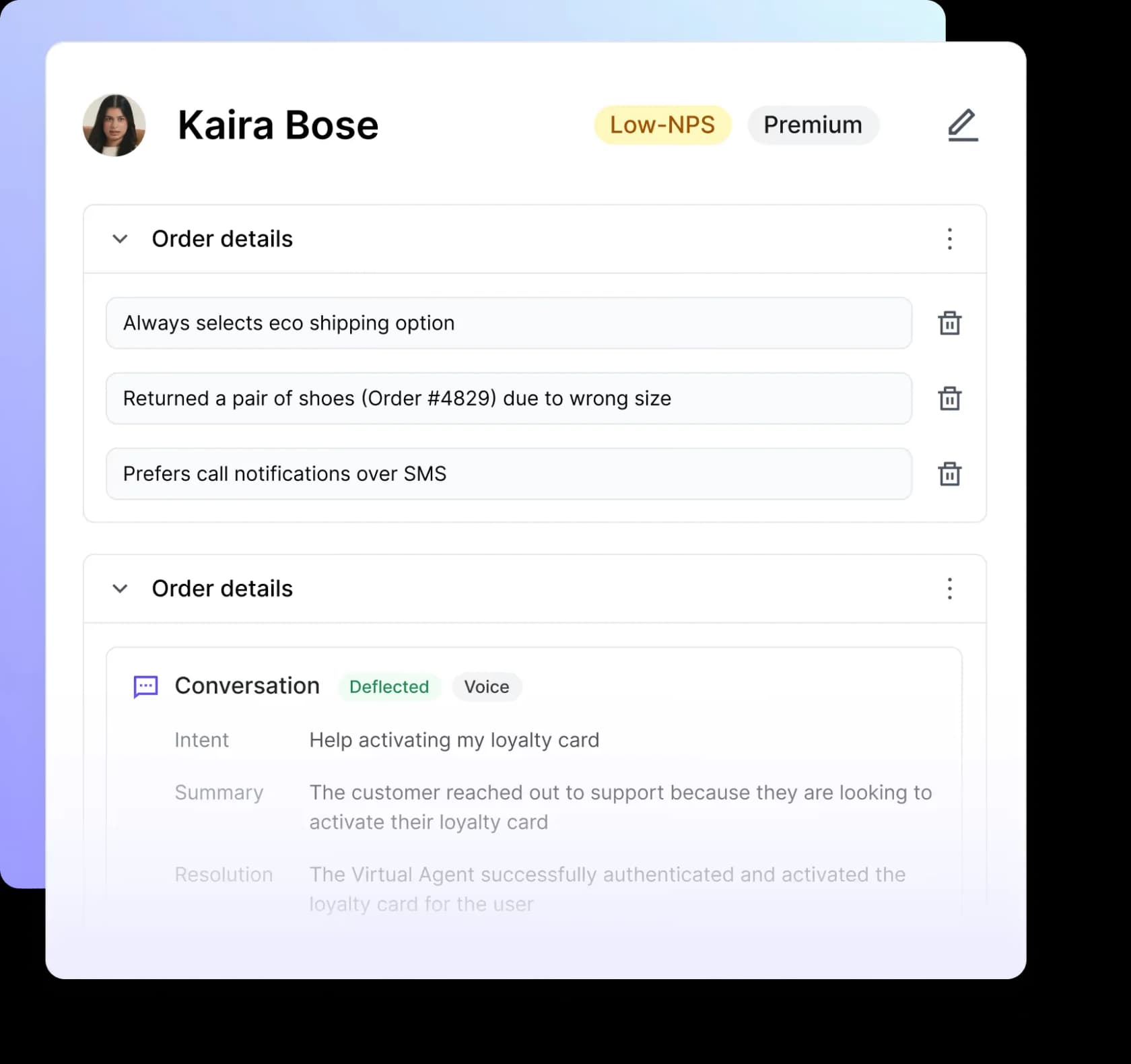
The interesting idea at Decagon is Agent Operating Procedures: agent logic written in plain natural language that compiles down into executable code, so a CX operator can author and iterate the logic while engineers keep hold of guardrails and integrations. One runtime serves chat, voice, email, SMS and custom API surfaces, with memory carried across channels. Simulated-conversation QA runs before launch, there's full tracing of every model call and knowledge lookup, and live A/B testing across agent versions too. Voice covers 70+ languages with automatic switching. Our Decagon review has the longer look.
Pricing
Quote only, and firmly so: decagon.ai/pricing returns a 404, and there's no pricing link anywhere in the nav. Every CTA routes to a demo form, gated on a monthly ticket bracket starting below 9,999 and running past 250,000. No free tier here, no self-serve trial either.
Decagon's own glossary is refreshingly candid about the trade-off here, describing per-conversation billing (which it says most customers pick) against per-resolution, and admitting straight out that defining a resolution is hard, and that difficulty creates both billing disputes and a vendor incentive to over-classify.
Where it wins
- AOPs are the cleanest answer yet to "who owns the bot's logic."
- Observability and A/B testing come built in, not bolted on after the fact.
- Voice is strong here, with real turn-taking.
Where it falls short
- Reviewers report significant upfront engineering just to stand it up.
- Transparency into why the agent decided something stays underdeveloped, ironic given the whole observability pitch.
"Every AI agent needs a rigorous evaluation engine. You can't just test responses. We evaluate entire agent workflows to ensure real performance at scale"
Verdict: worth a demo if there's a CX ops team that would write and own agent logic, backed by engineers who can support them. The G2 sample is small here (around 18 reviews), so weigh the ratings accordingly, and see how it stacks up on ticket deflection.
10. Botpress
Best for: teams whose support logic is strange enough to justify building it.
What it does
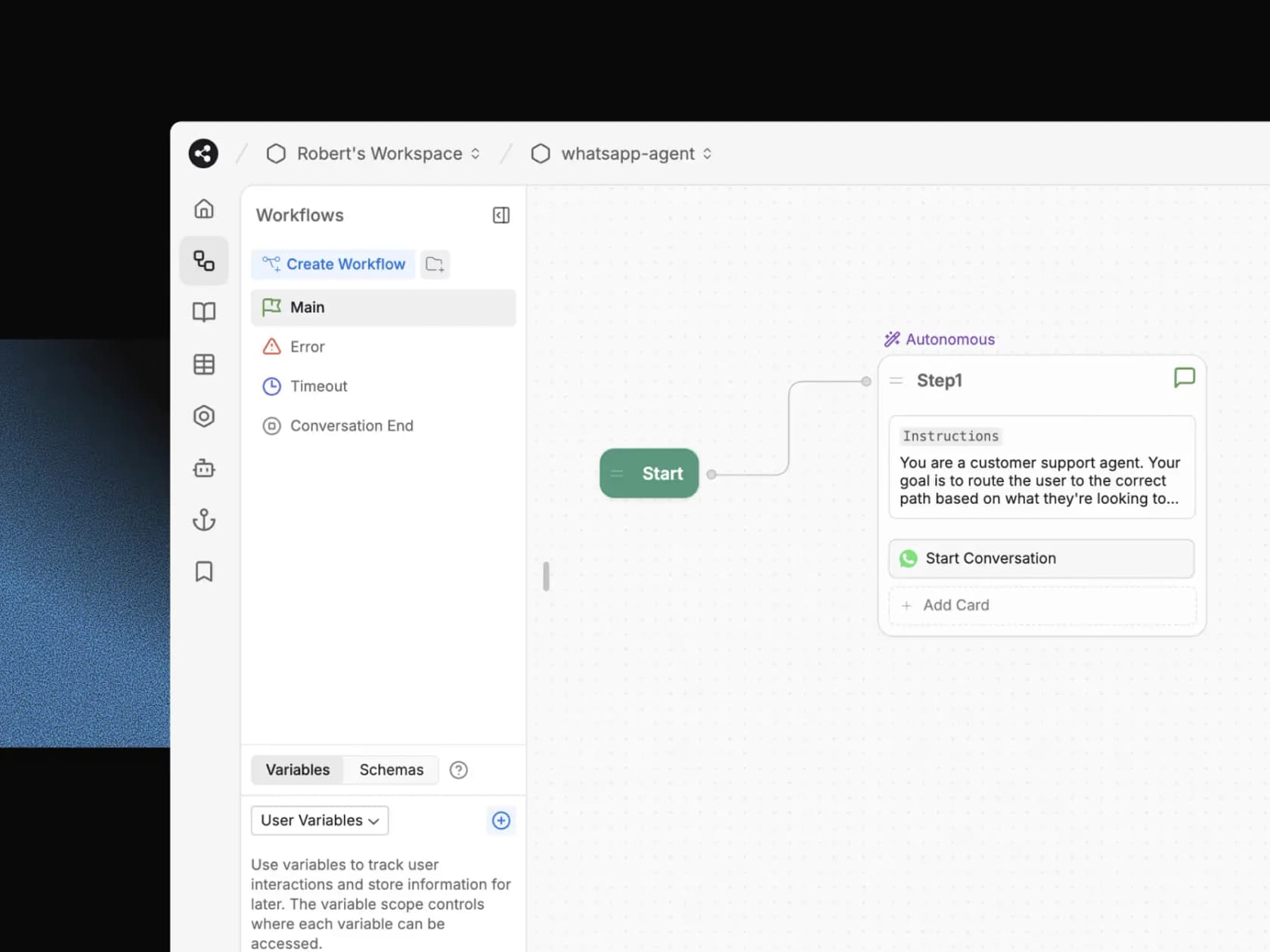
Botpress mixes LLM-driven autonomous nodes with deterministic ones, so you decide exactly where the model gets to improvise and where it has to follow a script. It connects to Zendesk via native OAuth, in case you want to layer it rather than replace anything, and Botpress Desk exists for anyone with no helpdesk at all. The Studio emulator lets you simulate inputs and debug before deploying anything live. You pick your own LLM (OpenAI, Anthropic and others), and Botpress absorbs the model cost rather than marking it up. Knowledge bases build from files, site ingestion, and past conversations.
Pricing
| Plan | Price (annual) | Conversations | Extra conversations |
|---|---|---|---|
| Free | $0 | 100 / mo | Not allowed |
| Plus | $150 / mo | 250 / mo | $65 per 100, $0.65 each |
| Team | $750 / mo | 1,500 / mo | $50 per 100, $0.50 each |
| Enterprise | Custom | Custom | Custom |
AI spend comes included in the plan price rather than metered separately, which is unusual, and worth something in itself. The unit is the conversation.
Where it wins
- LLM cost included, rather than passed through with a margin tacked on.
- The mix of autonomous and deterministic nodes gives the right control surface.
- Free tier means a real 100 conversations a month, not some trial.
Where it falls short
- The visual builder looks simple, but production bots frequently are not; reviewers cite a steep learning curve, and docs that feel dated.
- The Free plan blocks conversation export, plus custom date ranges.
"BotPress is perhaps the most developer-friendly platform. It supports a visual flow builder, sending images and audio, and integrating webhooks."
Verdict: the right call when your support flows truly don't fit a knowledge-base bot, and someone exists who'll own it after launch. If your tickets are mostly "where is my order" and "how do I reset my password," buying beats building on cost, and the no-code chatbot tools list is a gentler landing spot.
Three more worth knowing about
Chatbase is the fastest way to a working bot from just a URL, with plans running $32 to $400 a month, metered on message credits ($40 per 1,000 to top up). Users like it for FAQs, and say so plainly enough. As one r/SaaS commenter put it, tools like this "nail FAQs but don't really sell."
Chatwoot is the open-source option here, and its Captain AI burns one credit per message rather than per conversation, with overage priced at $20 per 1,000 credits. The catch worth flagging: Captain isn't available on the free self-hosted Community edition at all. So "free self-hosted helpdesk with AI" turns out not to be a thing you can actually buy.
Crisp prices flat per workspace rather than per seat ($45 to $295 a month), with unlimited conversations on every tier, and meters AI as a dollar credit balance instead. Its free tier includes zero AI credits, and the top-up rate past your included balance isn't published anywhere. Our Crisp chatbot post covers the rest.
What 2,000 chats a month actually costs
Take a mid-sized store: 2,000 bot-handled chats a month, four bot replies in an average chat, no seats counted, so what follows is the AI cost alone.
| Tool | Unit | Chargeable units | Monthly AI cost |
|---|---|---|---|
| Freshdesk Freddy | Session | 1,500 after the free 500 | $735 |
| HubSpot Breeze | Resolution | 2,000 | $900 |
| eesel AI | Credit (2,500-credit plan) | 2,000 | $999 |
| Tidio Lyro | Conversation | 2,000 | $1,400 |
| Salesforce Agentforce | Conversation | 2,000 | $4,000 |
| Gorgias AI Agent | Automated interaction | 8,000 | $7,200 |
Same work, and Gorgias at $7,200 bills nearly 10 times what Freddy's $735 does. Gorgias looks brutal in isolation here, and in fairness that figure prices every interaction at $0.90 with no bundled allowance factored in; a Pro plan absorbs the first 190 interactions, and its actions do things the others cannot. But the shape of the comparison still holds, and it's the shape nobody puts on a pricing page: per-turn meters scale with how talkative your bot is, and per-chat meters do not.
The practical move, then, is asking for your own numbers back. Take last month's chat transcripts, count the average bot turns, and make the vendor price that exact thing. Our AI agent vs human cost breakdown is the other half of this arithmetic.
How to roll one out without burning your CSAT
The tooling decision matters less than the launch itself. I've watched more chatbot projects die from a bad first fortnight than from any bad feature grid.
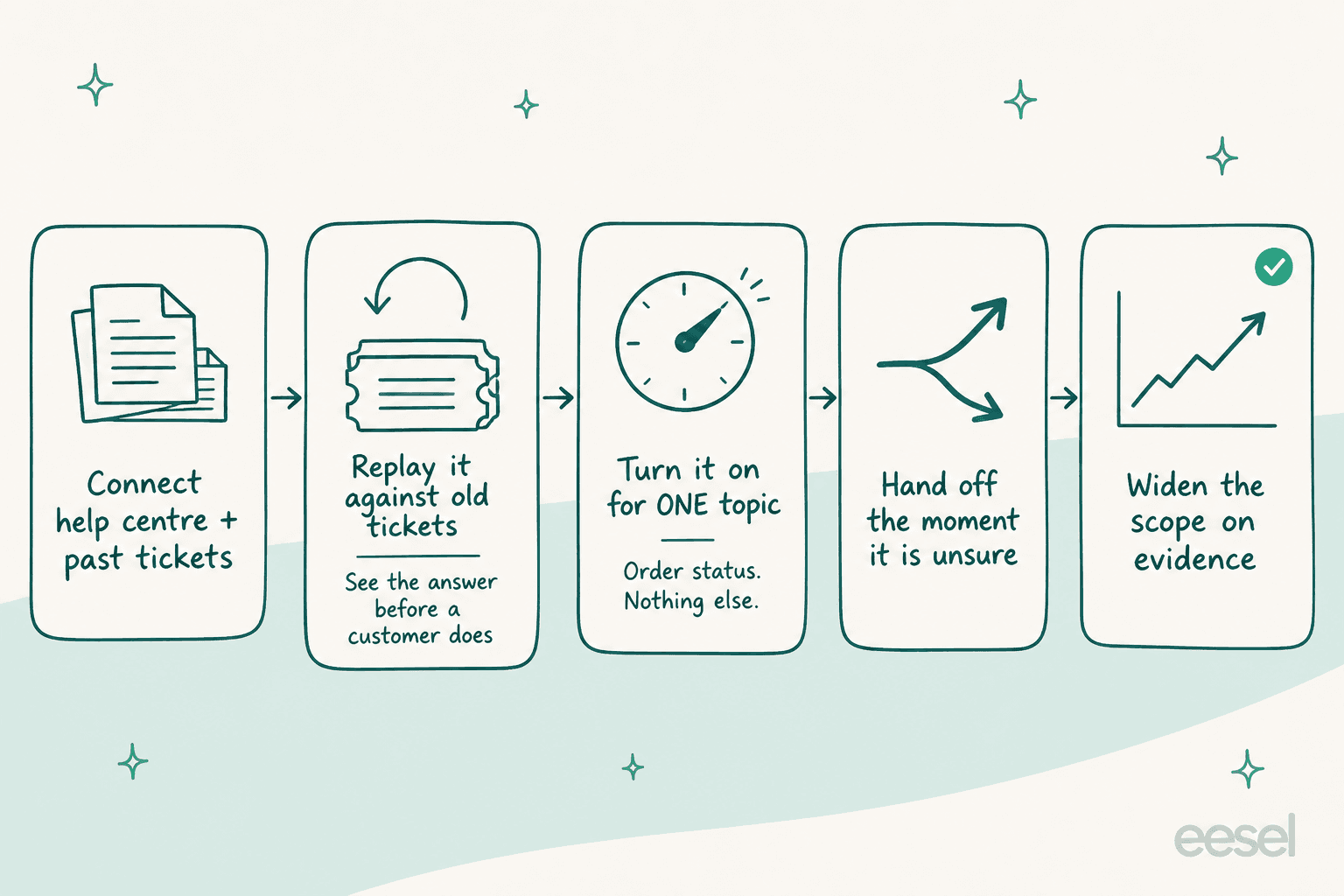
- Connect the real sources, not a curated subset. Help centre, macros, past tickets, all of it. The tickets matter most, because they hold the actual phrasing customers use. Our guide to training AI on a knowledge base covers the shape of a good source set.
- Replay it against old tickets before anyone sees it. This is the step teams skip, and the one that ends up saving them. You get to read every wrong answer in a report, not in a complaint.
- Turn it on for exactly one topic. Order status. Nothing else, for now. A narrow bot that's right beats a broad bot that's nearly right, every single time.
- Make it hand off the moment it is unsure. Confidence thresholds first, then a human with full context. Chatbot escalation covers the patterns; when to hand off covers the timing.
- Widen scope on evidence, not on optimism. Watch resolution rate and CSAT per topic, add the next topic only once the current one holds steady. Chatbot analytics and our AI customer service metrics post cover what to watch.
One more thing, and it's the most common own-goal of all: never count an abandoned chat as a resolution. That's the metric distortion sitting underneath most of the pricing complaints quoted above, and our AI resolution rate guide explains how to measure it honestly, without lying to yourself.
Try eesel on the chats you already have
If you already run Zendesk, Freshdesk or Gorgias, and the native bot isn't earning its meter, eesel is the layer that swaps the brain without swapping the helpdesk underneath it. It uses one credit per ticket no matter how many times it replies (plans from $299 a month for 500 credits), replays against your historical tickets before it ever answers a single customer, and drafts rather than sends whenever it's unsure.

You get 100 free credits to test it out, no card needed. A Spanish insurance brokerage put 564 real Zendesk conversations through a custom agent inside 48 hours on that same free trial, which is roughly the level of proof I'd want before signing anything on this page. Start on the pricing page, or just wire up your helpdesk and see what it says about last month's tickets.