What actually counts as a resolved ticket
Before you can improve the number, you have to agree on what it measures, because three different things get lumped together and they are not the same.
- Resolved: the AI answered, the customer got what they needed, and they didn't come back. This is the one that matters.
- Deflected: the customer found something (an article, a chatbot reply) and didn't open a ticket, but you don't really know if they got unstuck. Useful, softer signal.
- Escalated: the AI handed off to a human. Not a failure. A clean escalation on a ticket the AI shouldn't touch is a good outcome.
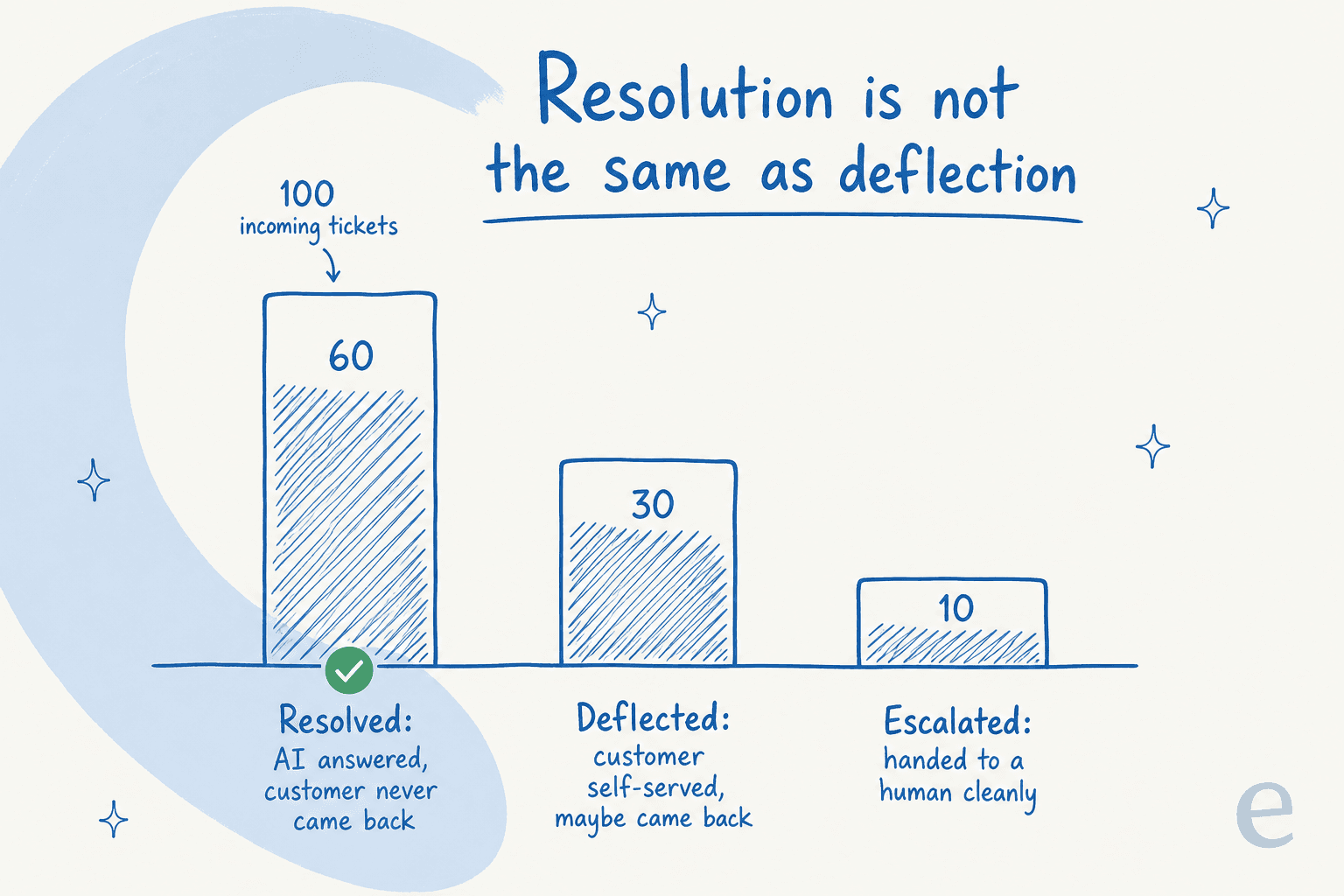
The trap I see most often is teams reporting deflection as if it were resolution, then wondering why CSAT slips while the dashboard looks great. If you want the rigorous version of all this, my guide to AI agent resolution rates goes deep on the math. For this post, hold one definition: a resolved ticket is one the customer never had to follow up on.
Here's the uncomfortable part. The fastest way to "improve" your resolution rate is to make the AI answer everything, and that's also the fastest way to torch trust. A CX lead at a DTC supplements brand we worked with (around 7,000 tickets a month on Gorgias) put the real requirement better than any spec doc: "I need an AI who is only handling the tickets that it's confident to handle, and all the other ones, leave them alone." That instinct, not the raw percentage, is what good resolution looks like.
The five levers that move the number
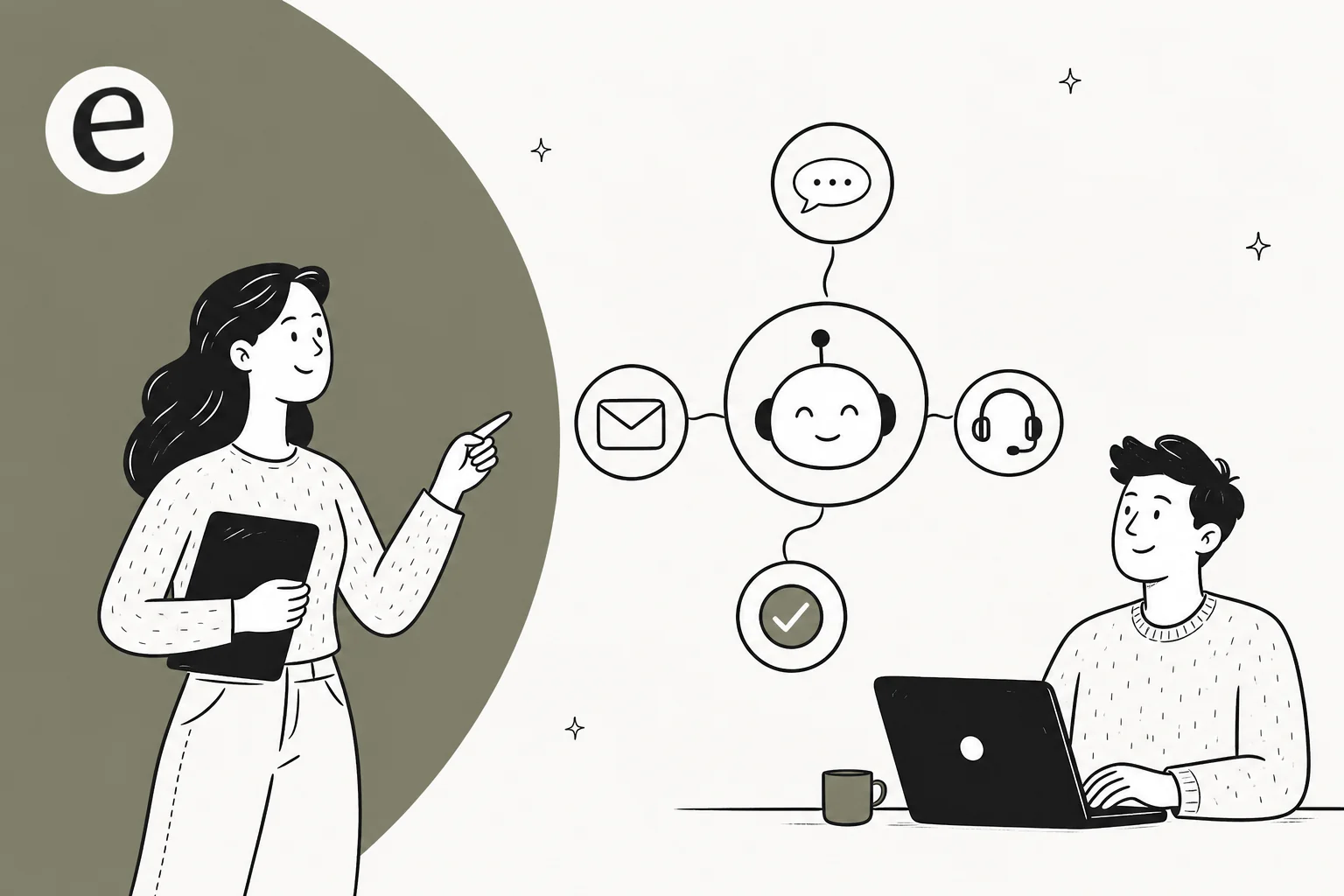
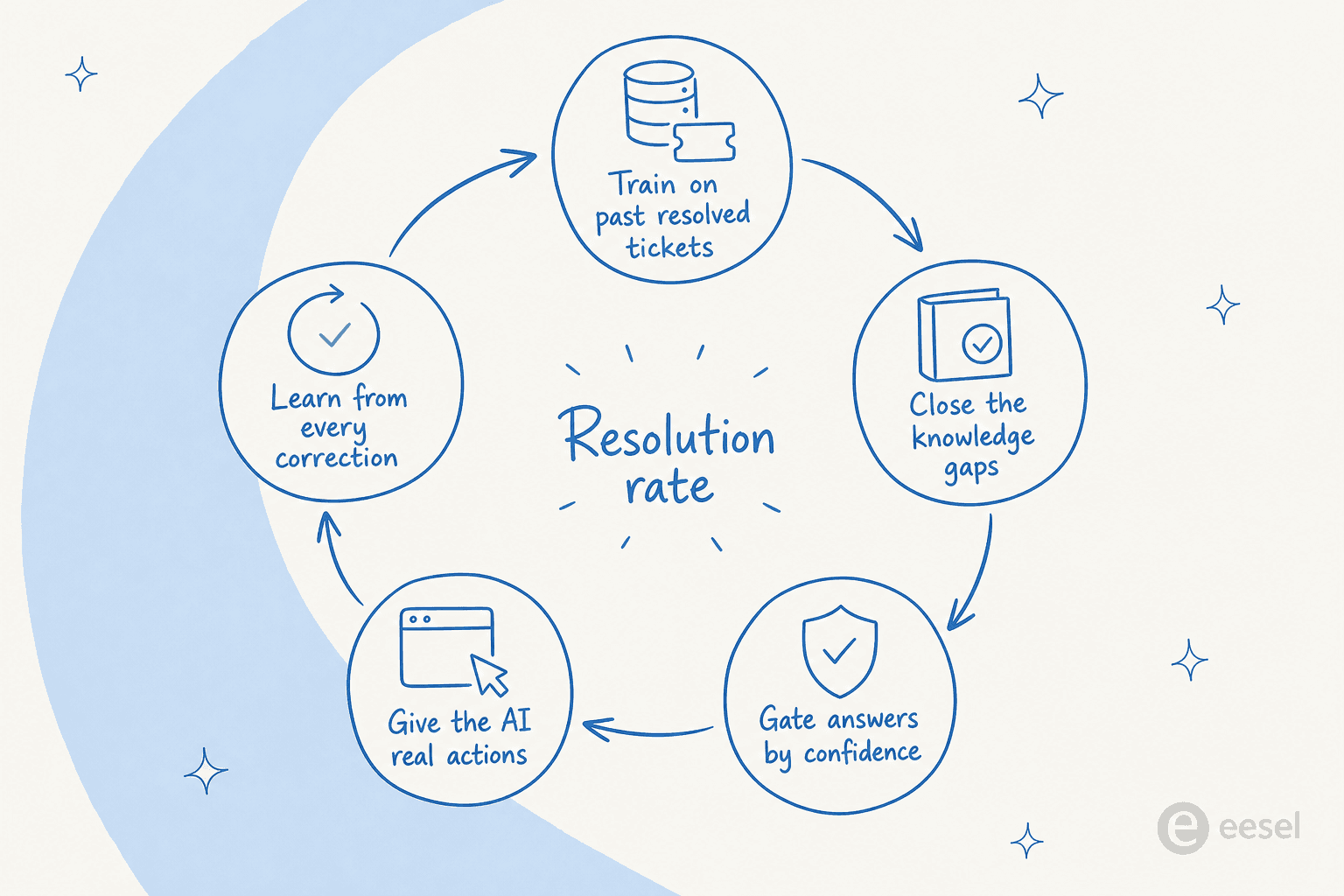
Improving an AI ticket resolution rate isn't one fix, it's a loop you keep tightening. Here's the shape of it before we walk each step.
1. Measure it honestly before you touch anything
You can't improve what you're measuring wrong. Set a clear definition (AI-closed, no human reply, no reopen within 72 hours), then pull the baseline from your helpdesk or AI tool's reporting. Segment it: resolution on order-status questions will be wildly different from resolution on billing disputes, and the average hides where the real wins are.

A good support ticket analysis here pays for itself, because it tells you which ticket types are worth automating first. Automate your top three repetitive, low-risk ticket types and you'll often move the overall rate more than any model tuning.
2. Train on your past resolved tickets, not just help docs
This is the single biggest lever, and the one most teams skip. Help docs tell the AI what you wish you sounded like. Your resolved tickets show how your team actually answers, edge cases and all. My colleague Amogh, who's on most of the sales calls with me, summed up the pattern bluntly: "people really, really, really want to train on past tickets." It comes up on nearly every call, and for good reason.

A Dutch facility-management firm we worked with trained their AI on resolved Jira service-desk tickets specifically so the desk could stop re-answering the same questions and focus on the complex ones. The mechanism matters: when the AI has seen how a senior agent handled "where's my refund" 400 times, it resolves the 401st the same way. If you're on Zendesk or Freshdesk, this is also the cleanest path to automating ticket triage, since the AI learns your routing from history too.
3. Close the knowledge gaps the AI keeps hitting
Every unresolved ticket is either a routing problem or a knowledge problem. The knowledge ones are fixable, but only if you can see them. A Danish vehicle-telematics team learned this the hard way: their knowledge base said "we support all models," so the AI confidently told customers it supported car brands that weren't in the system. The AI wasn't broken, the source of truth was wrong.
Two habits close the gap. First, run a simulation against your historical tickets before going live, so you see coverage by theme and find the holes while they're cheap. Second, let the AI flag the topics it couldn't answer and draft the missing knowledge base articles for a human to approve. The gaps you close this week are the resolutions you bank next week. If your bot answers but answers wrong, the diagnosis usually traces back to here, and this breakdown of why AI chatbots answer incorrectly is a good companion read.
4. Gate every answer by confidence
This is the lever that protects you from yourself. Instead of forcing the AI to attempt every ticket, you let it score its own confidence and route accordingly: resolve what it's sure about, draft for a human on the maybes, and leave the rest alone.
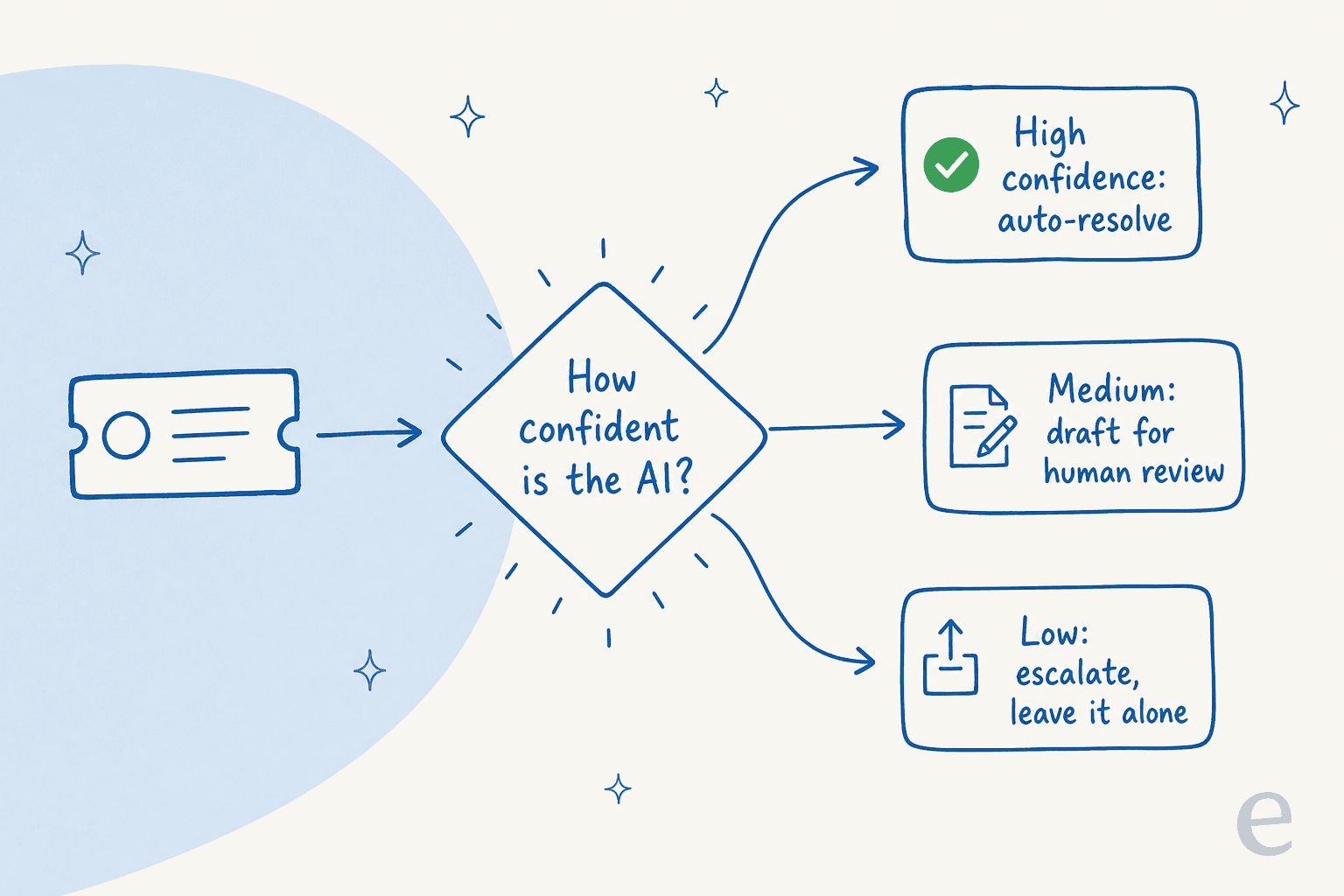
Counterintuitively, gating raises your effective resolution rate over time, because every clean escalation is a ticket that didn't become an angry reopen. Set the confidence threshold conservatively at first, watch the quality, then loosen it as trust builds. The escalation path matters as much as the answer path, so it's worth getting your AI escalation flow right before you scale autonomy. One real-traffic trial I ran on a German e-commerce account hit 93% triage accuracy and caught 100% of spam with zero false positives, precisely because the AI wasn't trying to be a hero on every ticket.
5. Give the AI real actions, not just words
A ticket isn't resolved when the AI explains how to get a refund. It's resolved when the refund happens. The jump from "answers questions" to "completes tasks" is where resolution rate stops plateauing, and it depends entirely on what the AI is connected to.
Wire the AI into the systems where the work lives, your helpdesk, order management, internal tools, and it can look up an order, update a status, apply a tag, or trigger a return without a human in the loop. eesel ships with over 100 integrations for exactly this reason. One UK team drove 56 resolved tasks from just nine synced macros, because the AI could actually do the nine things instead of describing them. If you're scoping this, my roundup of the best AI for ticket automation covers what to look for.
Keep the loop running: learn from every correction
The first four levers get you live. This one keeps you improving. Every time an agent edits or rejects an AI draft, that's a free training signal, but only if your tool captures it. The buyers I talk to ask this constantly: "do you track if I approve or reject answers?" and "can I iteratively train it by rejecting a draft as too formal?" The answer needs to be yes, and the feedback needs to flow back without a data-science project.

The teams with the highest resolution rates treat the AI like a new hire in their first month: correct it generously, and watch it stop making the same mistake. Resolution rate isn't a setting you flip, it's a number you compound.
Common mistakes that quietly cap your resolution rate
I integrate with helpdesks like Zendesk and Freshdesk, so take my view with that in mind, but these are the patterns I see drag the number down again and again:
- Chasing the percentage instead of the outcome. A 90% resolution rate with falling CSAT means the AI is "resolving" tickets customers then reopen. Read the two numbers together, always.
- Over-promising in replies. One eComm manager had to tell their AI to "stop promising customers things we can't do." An AI that guarantees a Friday delivery it can't guarantee creates two tickets, not zero.
- Making setup a babysitting job. A brand on a $299/month plan once had to hand-correct the AI through round after round on day one and rightly felt that was too much. If the tool needs constant manual training just to function, your resolution rate is capped by your team's patience, not the AI's ability.
- Treating deflection as resolution. Covered above, but it's the most common reporting sin, so it's worth repeating.
Avoid those four and you've removed the ceilings most teams never notice they hung.
Try eesel
eesel AI is built around exactly this loop. It learns from your past tickets and help docs on day one, lets you simulate against thousands of historical tickets before a single customer sees it, and uses confidence-based routing so it only resolves what it's sure about and cleanly escalates the rest. It plugs into the helpdesks and tools you already run, so it can take real actions, not just draft replies.

That combination, training on real tickets plus a confidence gate plus the ability to act, is what moved one team to 73% tier-1 resolution in a single month. Pricing is pay-as-you-go with no per-seat fees, so improving your resolution rate doesn't mean a bigger bill per agent. You can try eesel and run a simulation on your own ticket history to see your likely resolution rate before you commit.
Frequently Asked Questions
What is a good AI ticket resolution rate?
How do I measure my AI ticket resolution rate accurately?
Why is my AI resolution rate so low?
Does raising the AI ticket resolution rate hurt answer quality?
How long does it take to improve AI ticket resolution rate?
Can AI resolve complex or multi-step tickets?
How much does an AI support agent that resolves tickets cost?


Article by
Riellvriany Indriawan
Riell is a designer and writer at eesel AI with about two years of experience researching CX platforms, AI chatbots, and helpdesk software. She combines her design background with a sharp eye for how these tools actually look and feel in practice — making her comparisons unusually visual and user-focused.