


Pick by where your docs live and where the questions land. Already on Mintlify, GitBook, ReadMe or Fern? Turn on the native assistant, but check the plan: chat usually sits on a paid tier (Mintlify Pro is $450/mo billed annually). On Docusaurus, MkDocs or a custom site, add an overlay like Kapa.ai or Inkeep instead of migrating. If tickets pile up in Zendesk or Freshdesk, put the AI there: eesel learns your docs and past tickets, answers in a chat bubble, drafts helpdesk replies and hands off with a summary when the docs run out.
Why devs keep asking questions your docs already answer
I'm a software engineer, and I've spent two years in SEO, so I read search queries for a living. The phrase "AI assistant for developer docs" almost never comes from someone shopping for a chatbot. It comes from a support lead or docs owner with a specific itch: developers keep opening tickets for things the docs already cover, and nobody wants to spend another quarter rewriting the information architecture.
When I put that exact situation to ChatGPT, it came back with three routes (add an assistant on top of your docs, switch to an AI-enabled docs platform, or build your own RAG) and one line of advice I agree with: don't migrate a large docs site just to get a chatbot. The rest of this post puts numbers on that advice.
The other thing I've learned from eesel's side is that a docs bot's worst day is the day the docs don't have the answer. I've seen bots on paying customers' accounts invent answers when the knowledge base returned nothing relevant, which is why every eesel rollout now gets tested against real past questions before it goes live.
With the eesel CLI, a coding agent like Claude Code can do that prep for you: run npx @eesel/cli init chat-bubble --site https://your-site.com, point the crawl at your docs with eesel integrations connect website --url, upload exported Markdown with eesel files upload, then fire test questions with eesel chat and read the answers before anything ships. Connecting Zendesk or Freshdesk itself still needs someone with admin access.
What does an AI assistant for developer docs actually do?
An AI assistant for developer docs answers a developer's question in plain language using only your documentation, and shows which pages the answer came from. Under the hood it is retrieval: the tool indexes your pages (and often your OpenAPI spec), finds the passages that match the question, and has a model write an answer from those passages. If you want the longer version, my explainer on RAG versus a plain LLM covers why grounding matters.
The good ones do five things, and the last two are where tools differ most:
- Grounded answers. Answers come from your published docs, not the model's memory.
- Citations. Every answer links the pages it used, so a developer can check the source.
- An honest fallback. When the docs don't cover it, the assistant says so instead of guessing.
- A handoff. It opens a ticket or email with the conversation attached, so nobody repeats themselves.
- A gap report. It lists the questions it couldn't answer, which tells your docs writers what to fix next.
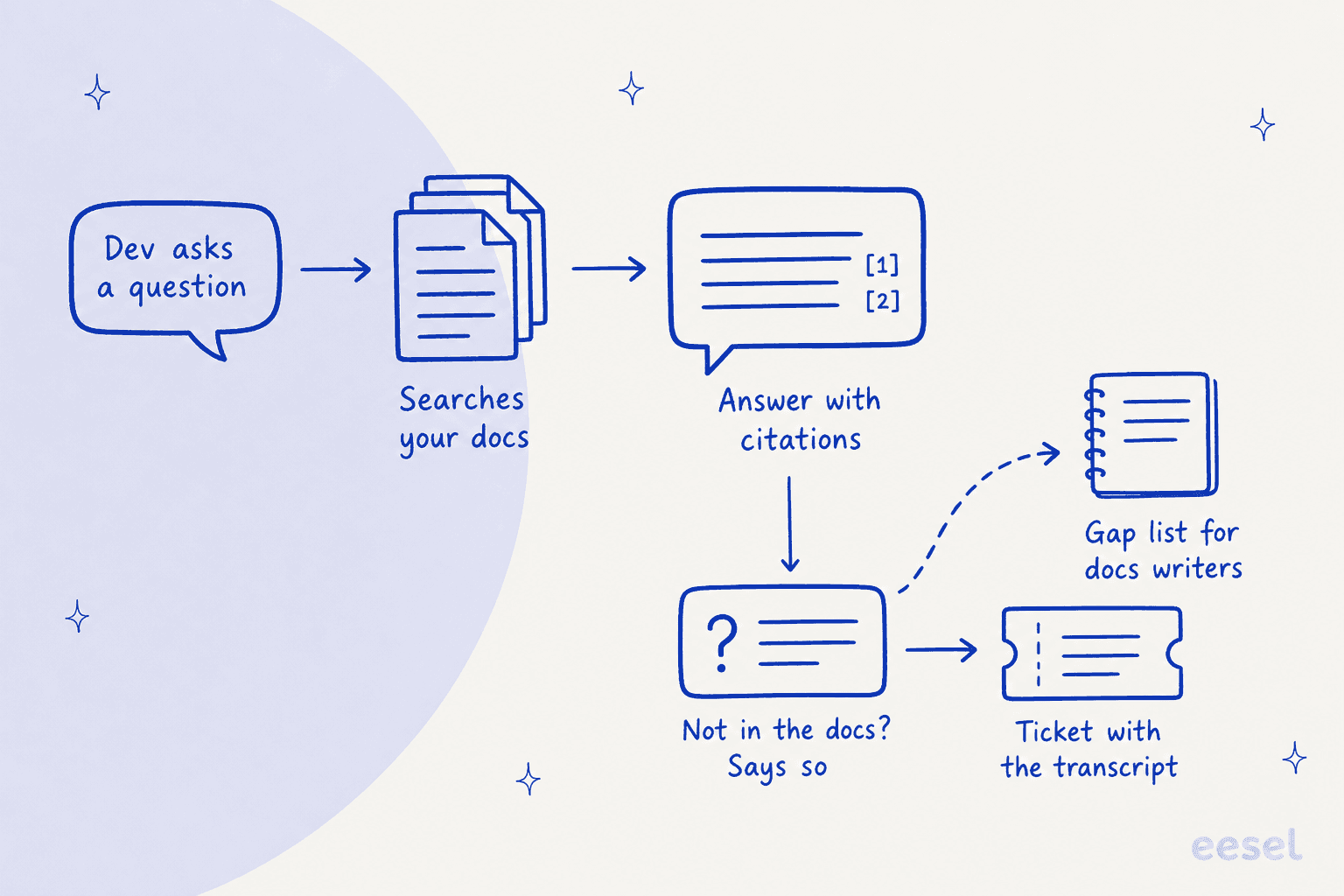
Why do points 3 to 5 matter so much? Because even a mediocre docs bot is useful, and developers say so:
"I can tell you even a half assed AI chatbot is a huge improvement over the pre-AI state of things for this use case."

But the failure is specific and costly. One engineer described what happened with their own bot:
"We (others at company, not me) hit this problem, and not with chatgpt but with our own AI chatbot that was doing RAG on our docs. It was occasionally hallucinating a flag that didn't exist. So it was considered as product feedback. Maybe that exact flag wasn't needed, but something was missing and so the LLM hallucinated what it saw as an intuitive option."
A hallucinated CLI flag is the developer-docs version of a wrong refund policy. It wastes an afternoon and erodes trust in the docs themselves. The fix isn't a smarter model. It's a fallback that admits the gap, a handoff, and a report that turns the gap into a docs fix. My guide to AI hallucination prevention goes deeper on the guardrails.
Do you need to move your docs to get one?
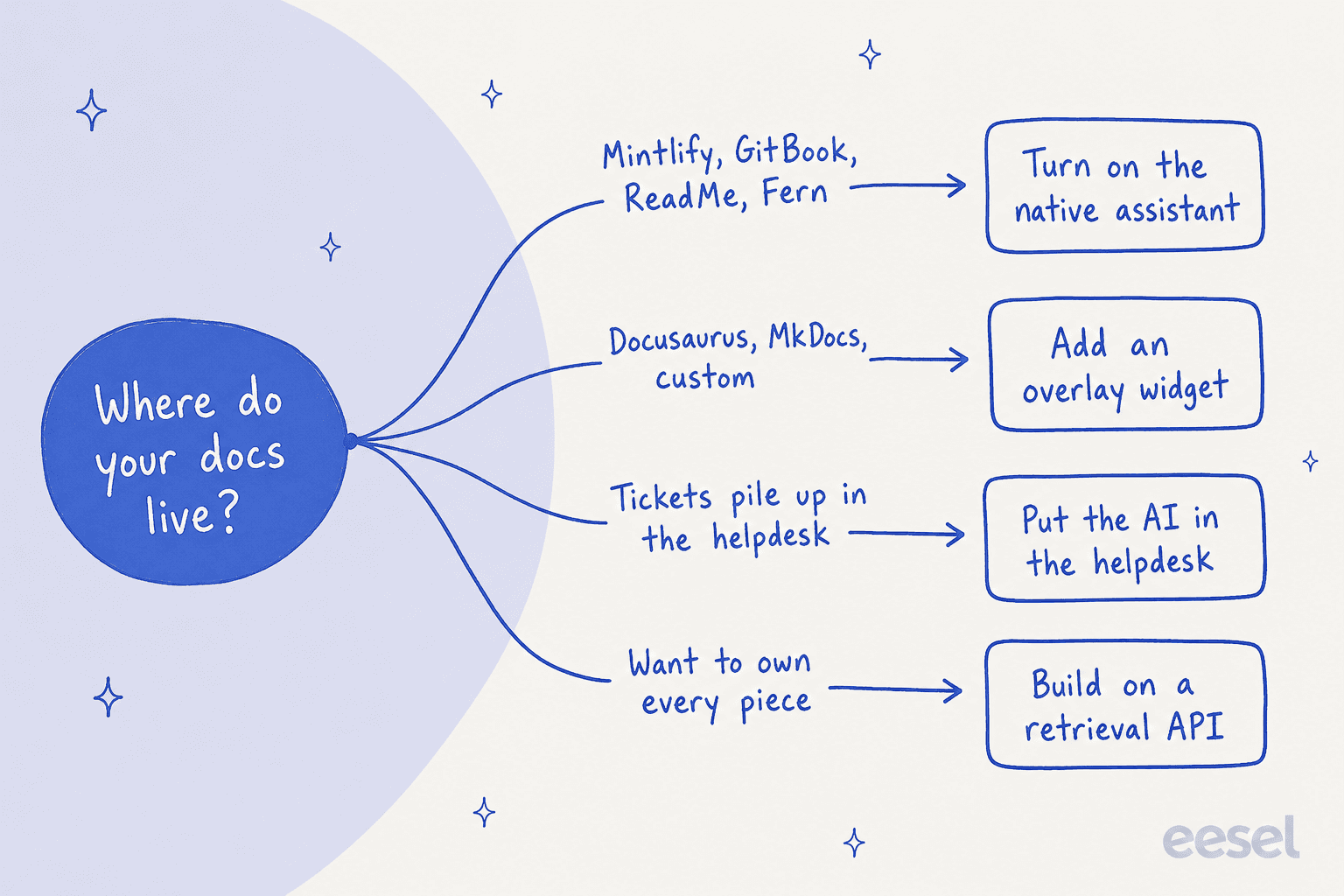
No, and this is the first decision that shapes your shortlist. There are four routes, and which one fits depends mostly on where your docs are hosted today:
- Native assistant. Mintlify, GitBook, ReadMe, Fern and Document360 each ship an assistant, but it only answers from docs hosted on that platform. Great if you're already there. A big migration if you're not.
- Overlay widget. Kapa.ai, Inkeep, DocsBot and Algolia Ask AI sit on top of any docs site. Kapa.ai's widget is "one script tag," and both Kapa.ai and DocsBot publish Docusaurus guides.
- Support-side agent. An AI that lives where tickets land (Zendesk, Freshdesk) and learns from your docs and past tickets. This is where eesel sits.
- Build your own. A retrieval API like OpenAI File Search plus your own UI, sync and handoff.
The second decision is where questions actually show up. Developers don't only ask on the docs page. They email support, post in your Slack or Discord community, and increasingly ask their coding agent, which reads docs through an MCP server or llms.txt. An assistant that only lives in a docs widget misses three of those four doors.
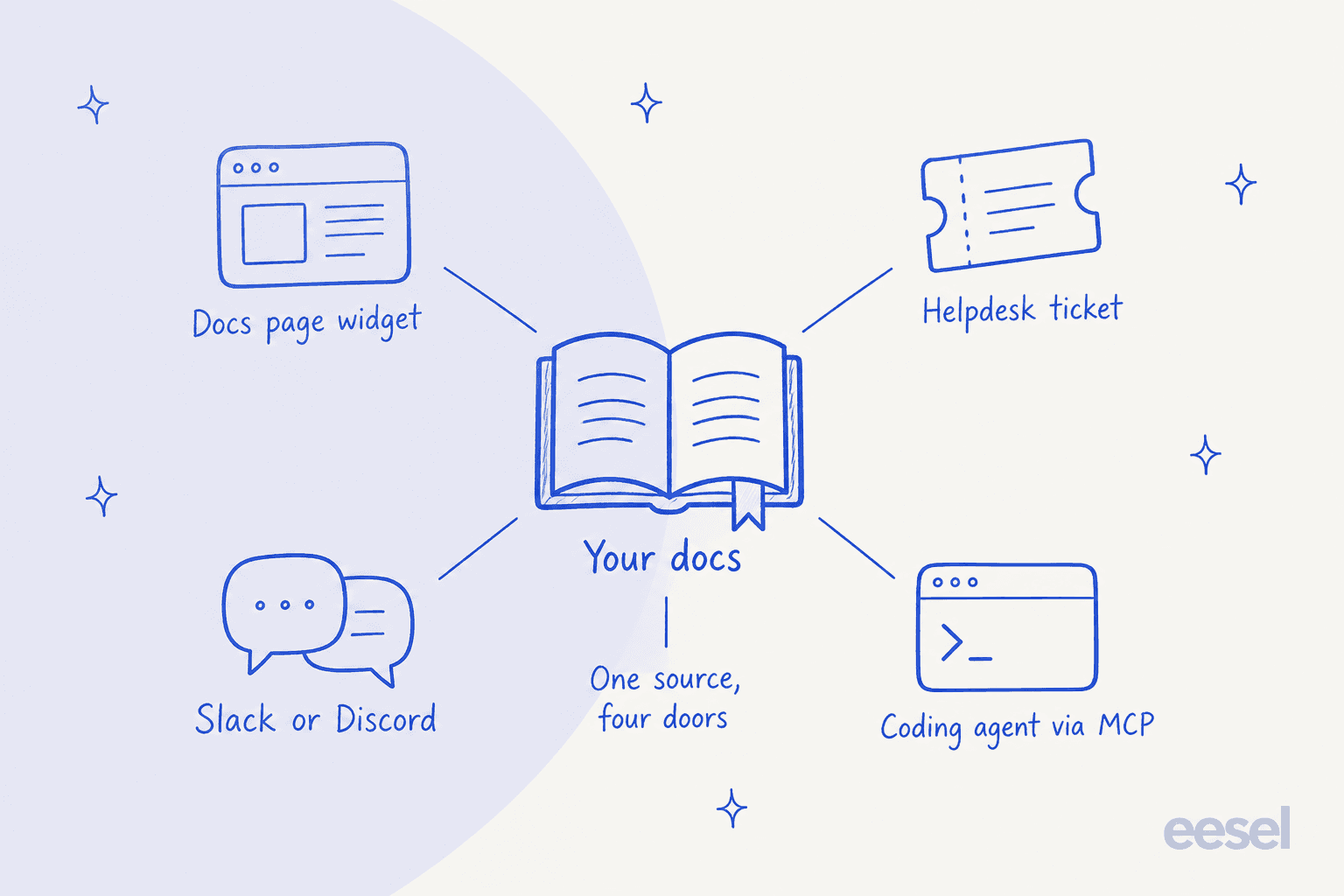
So for each tool below I checked three things: does it work with any docs host, does it reach beyond the docs page (Slack, Discord, helpdesk, MCP), and what does it do when the docs run out. If your team is also building out a broader AI knowledge base, the same three questions apply.
The 10 options at a glance
Prices come from each vendor's pricing page as of November 2026. "Not documented" means I couldn't find it on the vendor's own pages, not that the feature is missing.
| Tool | Type | Works with any docs host? | AI assistant starting price | Free tier | Citations | Slack / Discord | Helpdesk handoff | MCP server | llms.txt | Unanswered-question analytics | SOC 2 (as stated by vendor) |
|---|---|---|---|---|---|---|---|---|---|---|---|
| Kapa.ai | Overlay | Yes, script tag + install guides | Quote only (Growth: "Get pricing") | 14-day trial | Yes | Both | Create-ticket button; Zendesk agent app | Hosted MCP server | Not documented | Coverage Gaps report | Type II certified |
| Inkeep | Overlay / agent builder | Yes, React or JS widget | Quote only (Enterprise demo) | Open Source, self-hosted | Inline citations | Slack and Discord on Enterprise | Zendesk / Salesforce on Enterprise | Yes | Not documented | Knowledge gap reports (Enterprise) | Type II certified |
| Mintlify Assistant | Native | No, Mintlify-hosted | $450/mo (Pro, annual) | Free plan, no assistant | Yes | Not documented | Email, help center, Plain or Zendesk ticket | Auto-generated, all plans | Auto-hosted | Unanswered conversations | Not documented |
| GitBook AI Assistant | Native | No, GitBook-hosted | $65/site/mo + $12/user (Ask only) | Free plan, no assistant | Sources list | Assistant in Slack (Ultimate) | Not documented | Auto-generated, all plans | Auto-hosted | AI Insights (Ultimate) | Not documented |
| eesel | Support-side | Yes, crawl + uploads | $299/mo for 500 credits | 7-day trial, 100 credits | Links source page | Not documented | Ticket or email with summary; drafts in helpdesk | For your coding agent (setup) | Not read by crawler | Not documented | Type II audit in progress |
| ReadMe Ask AI | Native | No, ReadMe-hosted | $150/mo add-on | Starter $0, no Ask AI | Links source pages | Not documented | Not documented | Hosted, all plans | Included | Questions dashboard (add-on) | Not documented |
| Fern Ask Fern | Native | No, Fern Docs (cloud) | $0 (250 credits) | Yes | Yes | Slack app | Not documented | Auto-generated | Auto-generated | Resolved / Unresolved verdicts | Not documented |
| DocsBot | Overlay | Yes, script or iframe | $49/mo (Personal) | 100 credits/mo | Yes | Slack app | Escalation ticket (Standard+) | MCP connections | Not documented | Question analytics (Standard+) | Enterprise plan |
| Algolia Ask AI | Overlay (search) | Yes, Docusaurus adapter, JS, React | DocSearch free if eligible; your LLM costs | Yes | Not documented | Not documented | None found | MCP section in docs | Not documented | Not documented | Not documented |
| Document360 Eddy AI | Native + embeddable chatbot | Chatbot embeds anywhere; needs a Document360 account | Quote only | Not documented | Numbered citations | Not documented | Ticket to Zendesk, Freshdesk or email | Not verified | Not verified | Not documented | Type II |
1. Kapa.ai
Best for: devtool teams on Docusaurus, MkDocs or a custom site who want a docs widget plus Slack, Discord and Zendesk from one index.
How it works
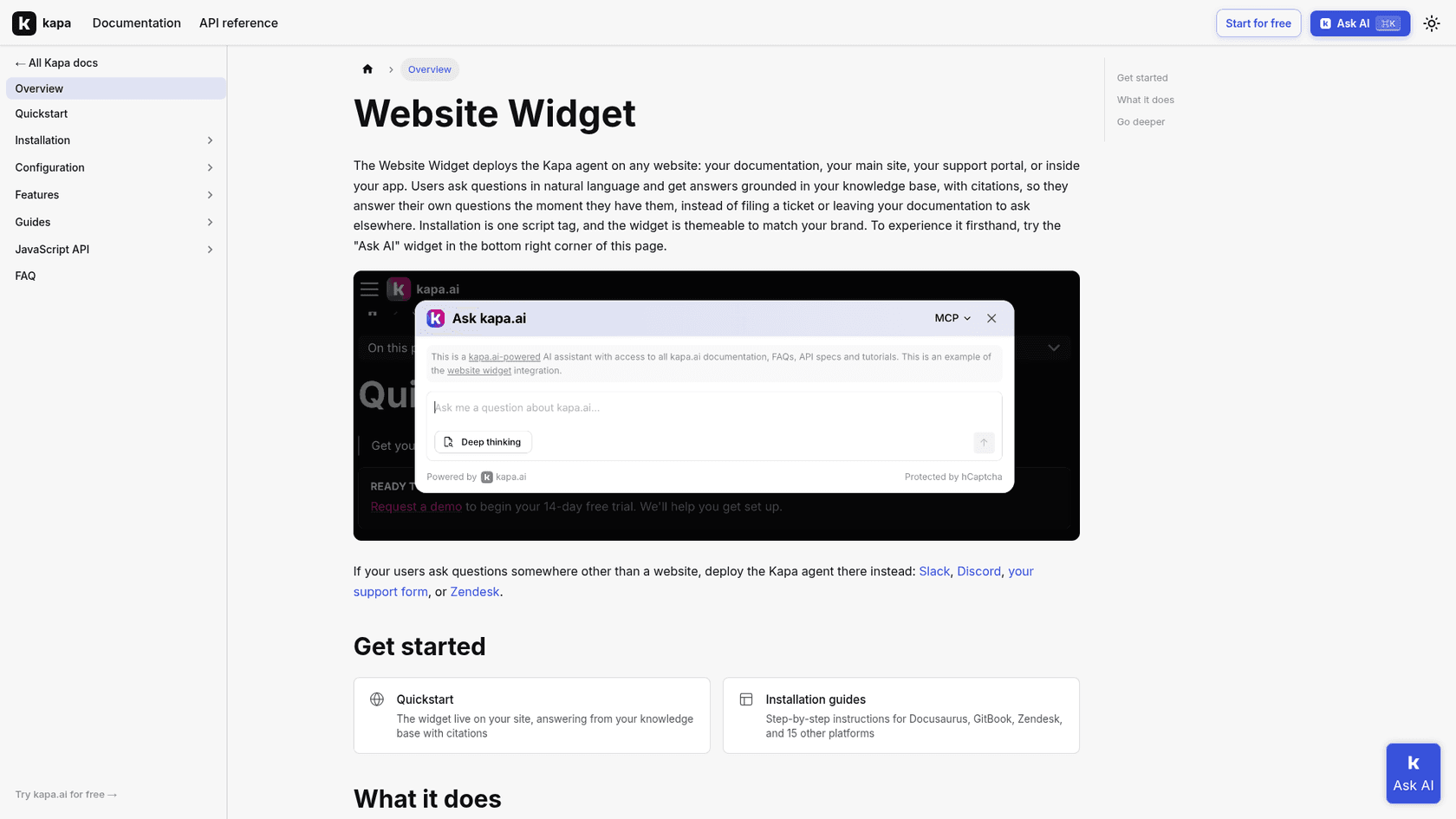
Kapa.ai ingests from 24 connectors listed in its docs: a web crawl of your docs site, OpenAPI 2.x and 3.x schemas, GitHub code, issues, discussions and pull requests, Slack, Discord, Discourse, Stack Overflow, Zendesk tickets, Confluence, Notion and more. You then deploy the same agent as a website widget, a Slack or Discord bot, a Zendesk agent app that drafts replies into the composer, a hosted MCP server, or through its Chat API. On Docusaurus, the widget is a script entry in docusaurus.config.js with your data-website-id.
What I liked
The source list is the most developer-shaped of anything here: OpenAPI schemas and GitHub issues are exactly where answers to "why does this endpoint 400" live. The Coverage Gaps report surfaces "topics where Kapa cannot answer conclusively," and the widget has a Create ticket button that emails the full transcript with Reply-To set to the user. It reaches all four doors from one index. My Kapa vs Inkeep comparison goes into the overlap.
Watch out for
No public price. Starter is a 14-day trial, Growth is "Get pricing," and the private sources and past-ticket ingestion sit on Growth. Handoff is off until you configure it. Data is stored in US-based Google Cloud by default, and EU hosting is an Enterprise feature.
Pricing
| Plan | Price | What's included |
|---|---|---|
| Starter | Free for 14 days | Public docs, websites, GitHub, knowledge gap reports |
| Growth | Quote ("Get pricing") | Adds private sources, past tickets, continuous sync, PII masking |
| Enterprise | Contact sales | Adds SSO/SCIM, regional hosting, SLA |
Verdict: the default pick for a devtool with docs off-platform and an active community. Budget a sales call, and see Kapa.ai alternatives if the quote stings.
2. Inkeep
Best for: engineering teams that want to build their own docs agent in code, or enterprises that want Inkeep's team to run it for them.
How it works
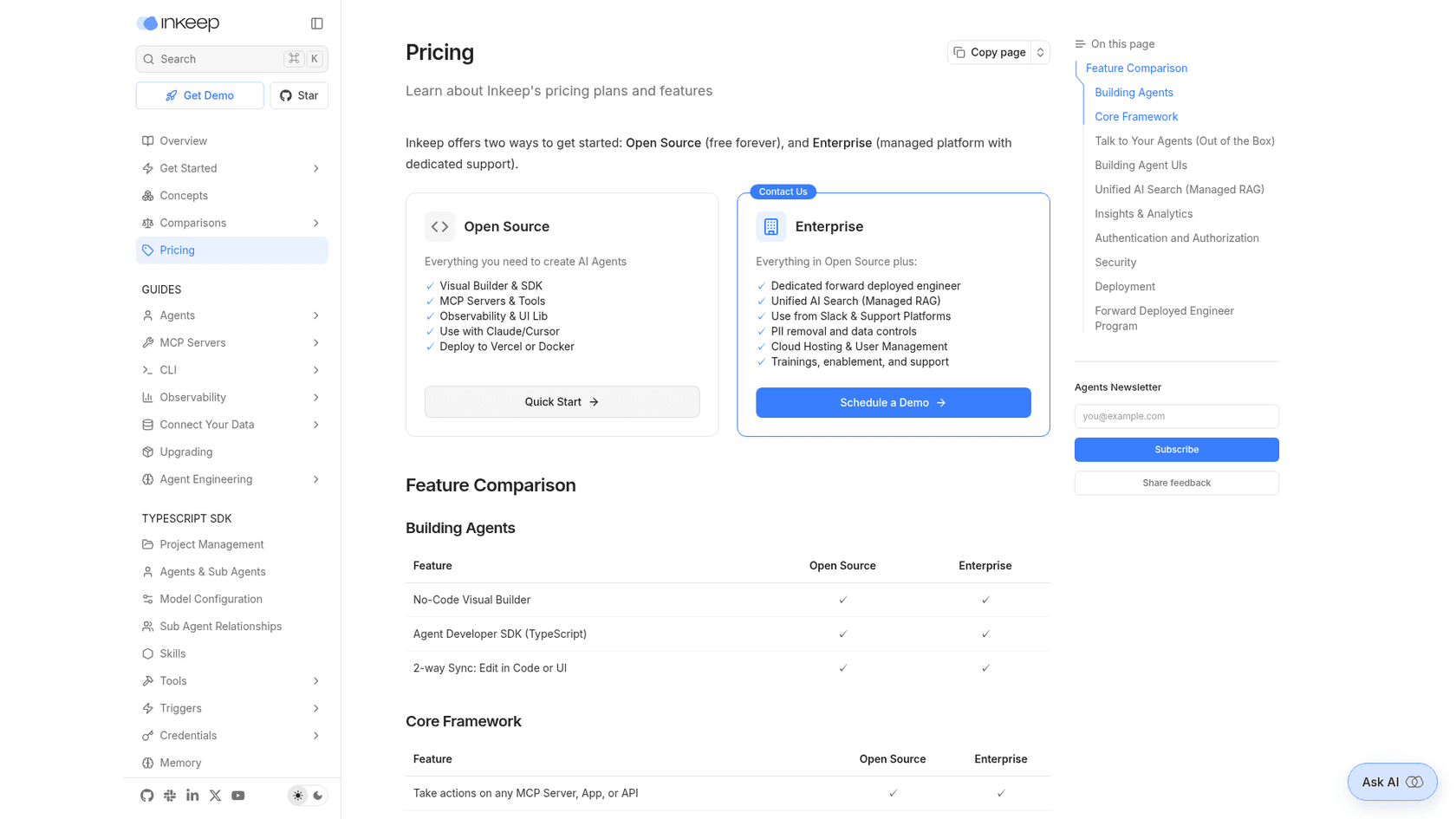
Inkeep now positions itself as a "No-Code + Code Agent Builder," and the docs assistant is one use case of that platform. You surface agents through React chat components (@inkeep/agents-ui-cloud), an MCP server, an API in Vercel AI SDK format, or Slack, Discord, Zendesk and Salesforce integrations on Enterprise. Answers carry inline citations on both tiers.
What I liked
The gap reporting has real fans. One customer on Hacker News, who says they're not affiliated, described it this way:
"The tool we use for our docs AI answers lets you mine that data for feature requests. It generates a report of what it didn't have answers for and summarizes them as potential feature gaps."
That's the feedback loop I'd want. The Open Source tier is free forever and self-hostable, which suits a team that wants to own the agent code.
Watch out for
The free tier does not ingest your docs for you: managed RAG, the Slack and support integrations, and the gap reports are all Enterprise only, and Enterprise is demo-only pricing. I didn't find a documented human handoff on the pages I read. My Inkeep review has more detail, and the Inkeep alternatives list covers other options.
Pricing
| Plan | Price | What's included |
|---|---|---|
| Open Source | Free (fair-code, self-host) | Visual builder, TypeScript SDK, MCP, chat UI library, citations |
| Enterprise | Quote ("Schedule a Demo") | Managed RAG, Slack and support platforms, gap reports, SSO, a forward deployed engineer |
Verdict: pick it if you want either full code control or a white-glove Enterprise rollout. Skip it if you want a self-serve docs widget this week.
3. Mintlify Assistant
Best for: teams already hosting docs on Mintlify who want the tightest native assistant with API-spec awareness.
How it works
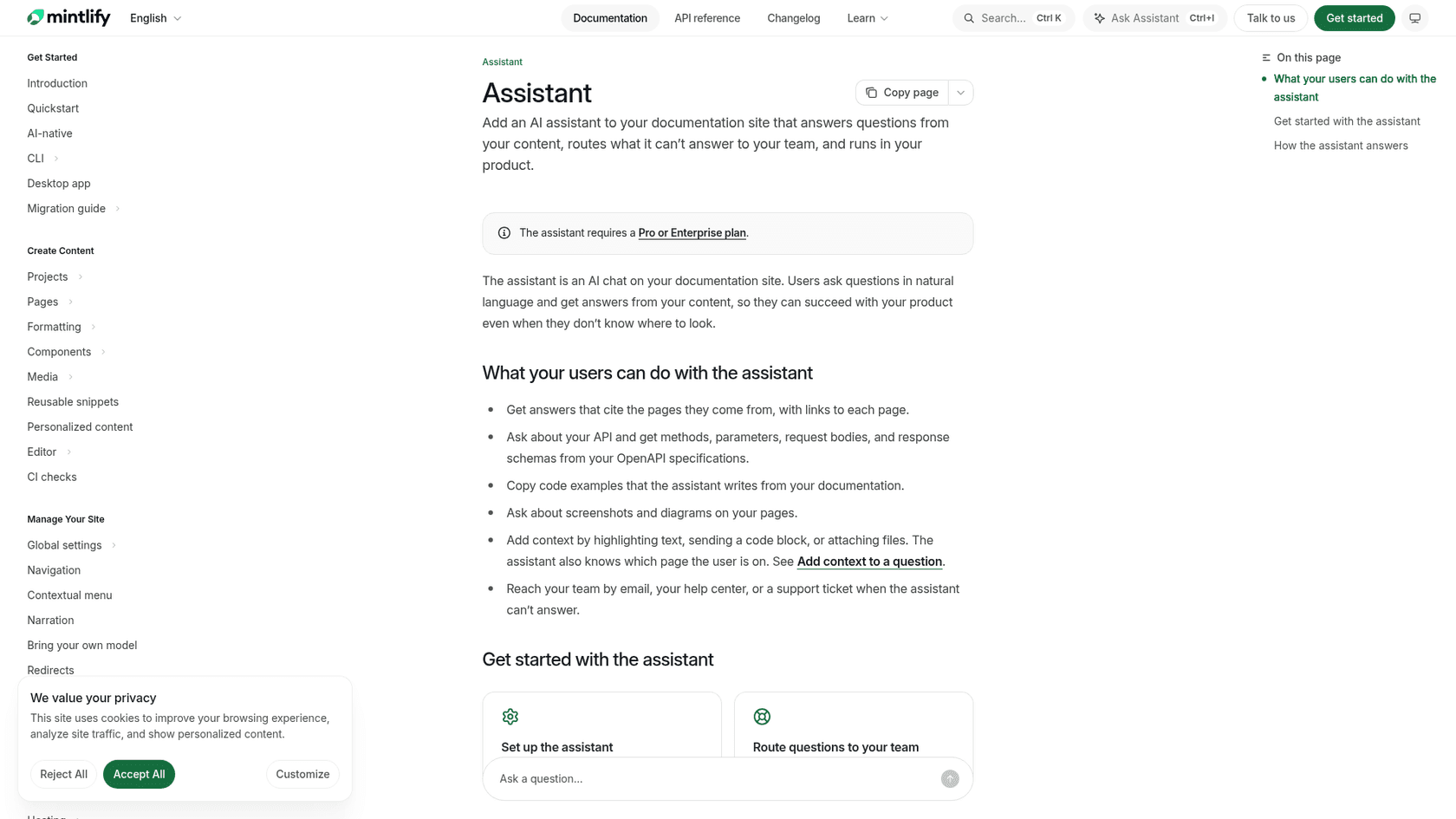
The assistant is a chat on your Mintlify docs site that answers from your published pages and your OpenAPI spec (methods, parameters, request bodies, response schemas). It knows which page the reader is on, accepts highlighted text, code blocks and files, and cites the pages it used. Content is re-indexed right after you publish, and signed-in users only get answers from pages they can access.
What I liked
Mintlify has thought hardest about the fallback. If the assistant can't find the answer it says so instead of guessing, unanswered questions aren't charged, and an Unanswered conversations list shows every one it missed. You can route those questions to your team by email, your help center, or a ticket in Plain or Zendesk. Every Mintlify site also gets an auto-generated MCP server at /mcp and an always-current llms.txt, even on the free plan.
Watch out for
The assistant needs Pro at $450/mo billed annually ($540 monthly). Pro's 10,000 credits are shared across the org, including Autopilot, and at 25 credits an answer that's 400 answers before overage. Overage is off by default, so the assistant goes dark when credits run out. Custom instructions and external sources are Enterprise only. And it only answers from Mintlify-hosted docs.
Pricing
| Plan | Price | Assistant |
|---|---|---|
| Free | $0/mo, 5 editors | Not included (MCP server is) |
| Pro | $450/mo annual, $540/mo monthly | Included; 10,000 shared credits, 25 per answer, $0.01/credit overage |
| Enterprise | Contact sales | Adds bring-your-own-model, customization, external sources |
Verdict: if you're already on Mintlify Pro, turn it on today. If you're not on Mintlify, don't migrate just for this.
4. GitBook AI Assistant
Best for: GitBook teams who want search-box answers cheaply and full chat plus embed on the top plan.
How it works
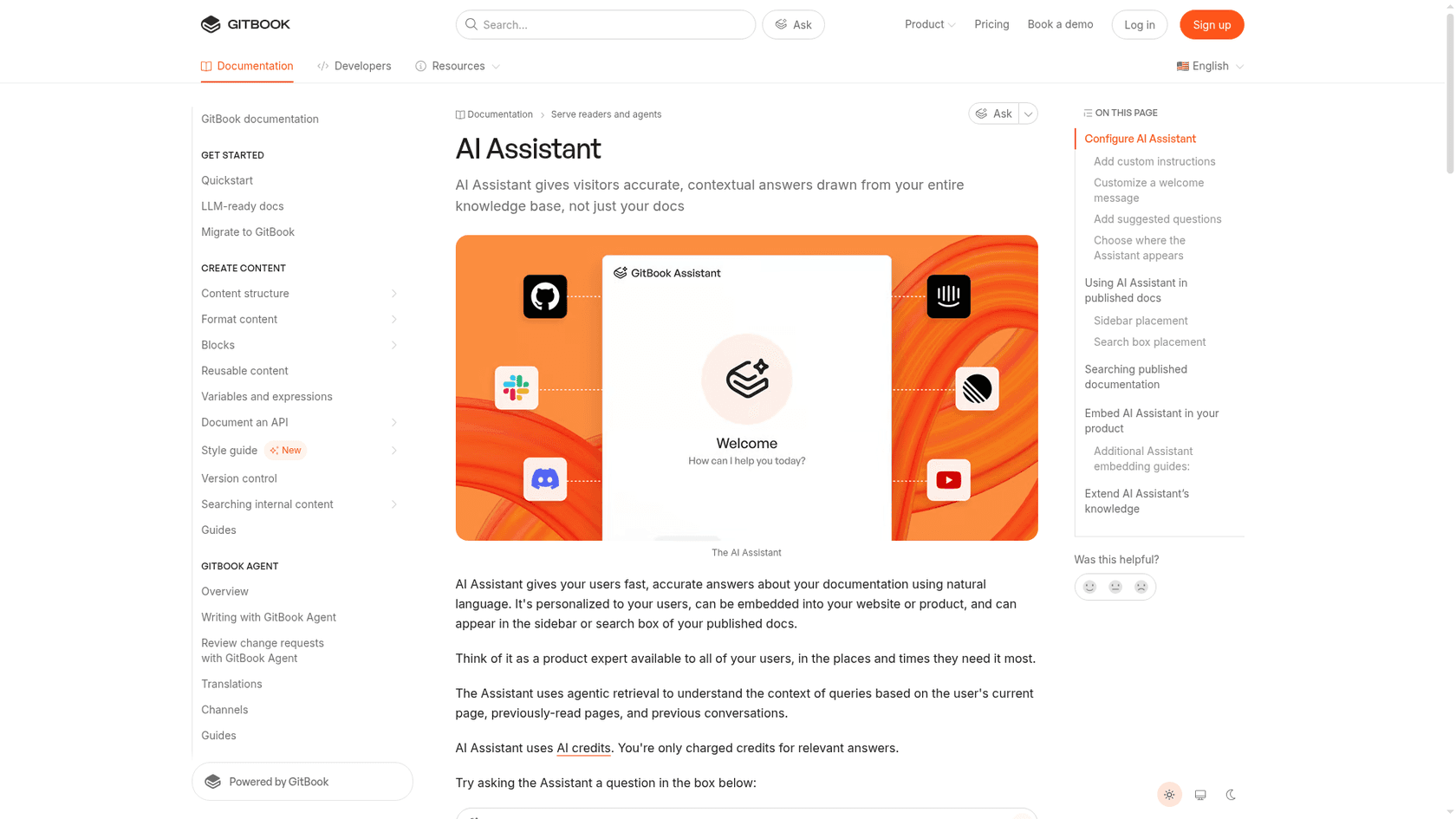
GitBook offers two placements: Ask, which shows inline answers beside keyword results in the search box, and Chat, a full sidebar assistant. It uses agentic retrieval over the current page, pages the reader already visited and prior conversations. Through "Connections" it can also pull in GitHub issues, Slack or Discord conversations and external help centers, and Docs Embed puts the assistant inside your product.
What I liked
You only pay for relevant answers: 20 credits per relevant question. Every published site gets an MCP server at /~gitbook/mcp that works with Claude Code, Cursor and Codex, plus llms.txt and Markdown page versions, all on the free plan. AI Insights shows how the assistant answered, so you can spot knowledge gaps. My GitBook pricing breakdown has the full plan detail.
Watch out for
Chat and embed need Ultimate at $249/site/month plus $12 per user; Essential only gets the search-box Ask. Index changes can take up to an hour. Content is passed to OpenAI for indexing (GitBook says OpenAI doesn't train on it). A handoff to a human isn't documented on the pages I read, and the assistant can't answer across separate published sites.
Pricing
| Plan | Price (annual) | AI assistant | Credits/mo |
|---|---|---|---|
| Free | $0 | None (MCP, llms.txt only) | None |
| Essential | $65/site + $12/user | Ask (search box) | 2,000 (about 100 questions) |
| Ultimate | $249/site + $12/user | Chat, embed, insights, Slack | 10,000 (about 500 questions) |
| Enterprise | Custom | Everything in Ultimate | Custom |
Verdict: a fair price on Essential if search-box answers are enough. For chat with embed, compare Ultimate against GitBook alternatives before committing.
5. eesel
Best for: teams whose docs questions end up as tickets in Zendesk or Freshdesk, and who want one AI answering in the chat bubble and inside the helpdesk.
How it works
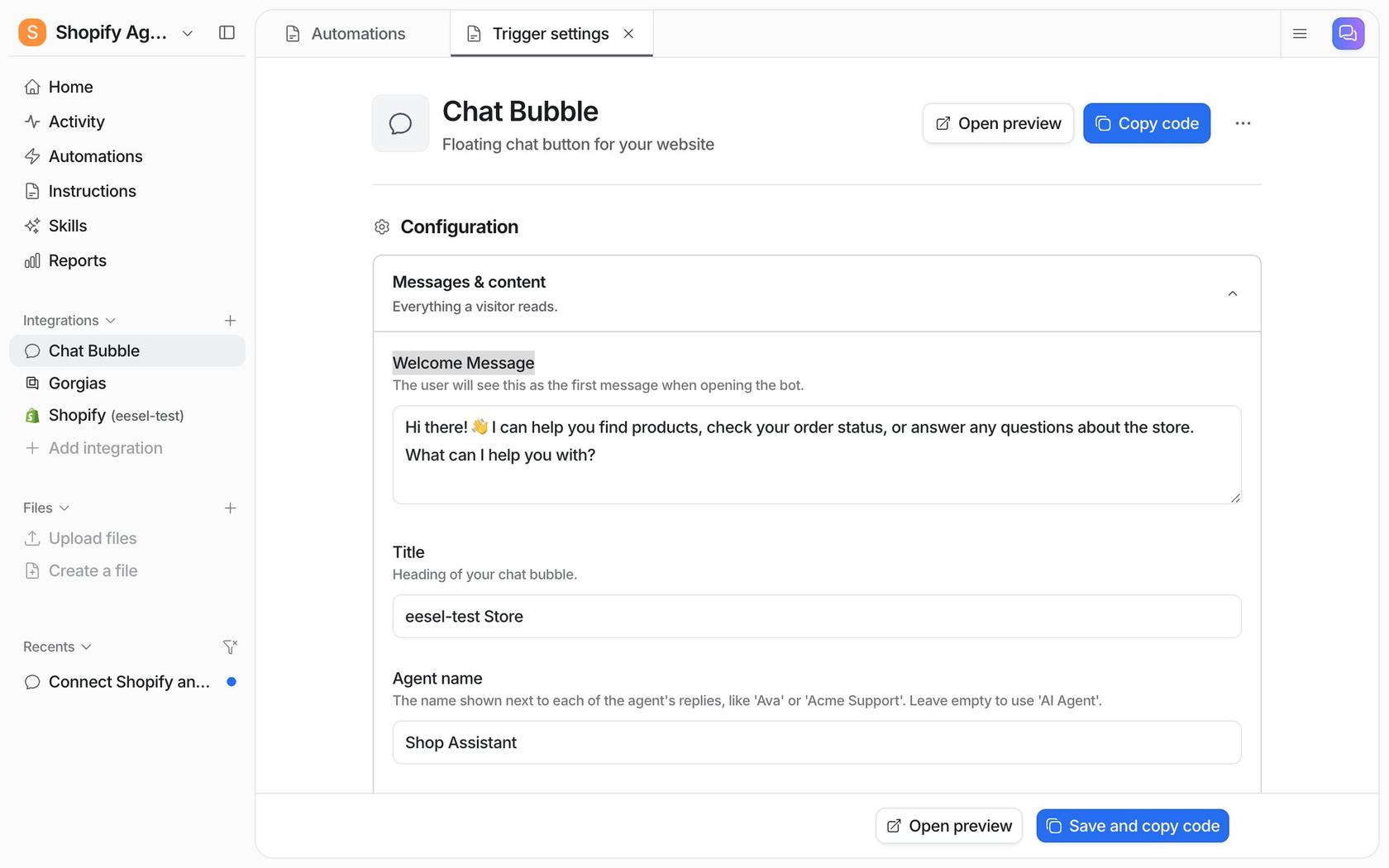
eesel isn't a docs host or a docs-search widget first. It's an AI helpdesk teammate that learns from your docs and your support history. It crawls your docs site (up to 2,000 pages per crawl, with include and exclude path filters, and custom headers for gated docs), takes uploaded Markdown and PDFs, and connects to Google Drive, Notion, Confluence and helpdesks like Zendesk and Freshdesk, including past tickets. Answers link back to the page they came from.
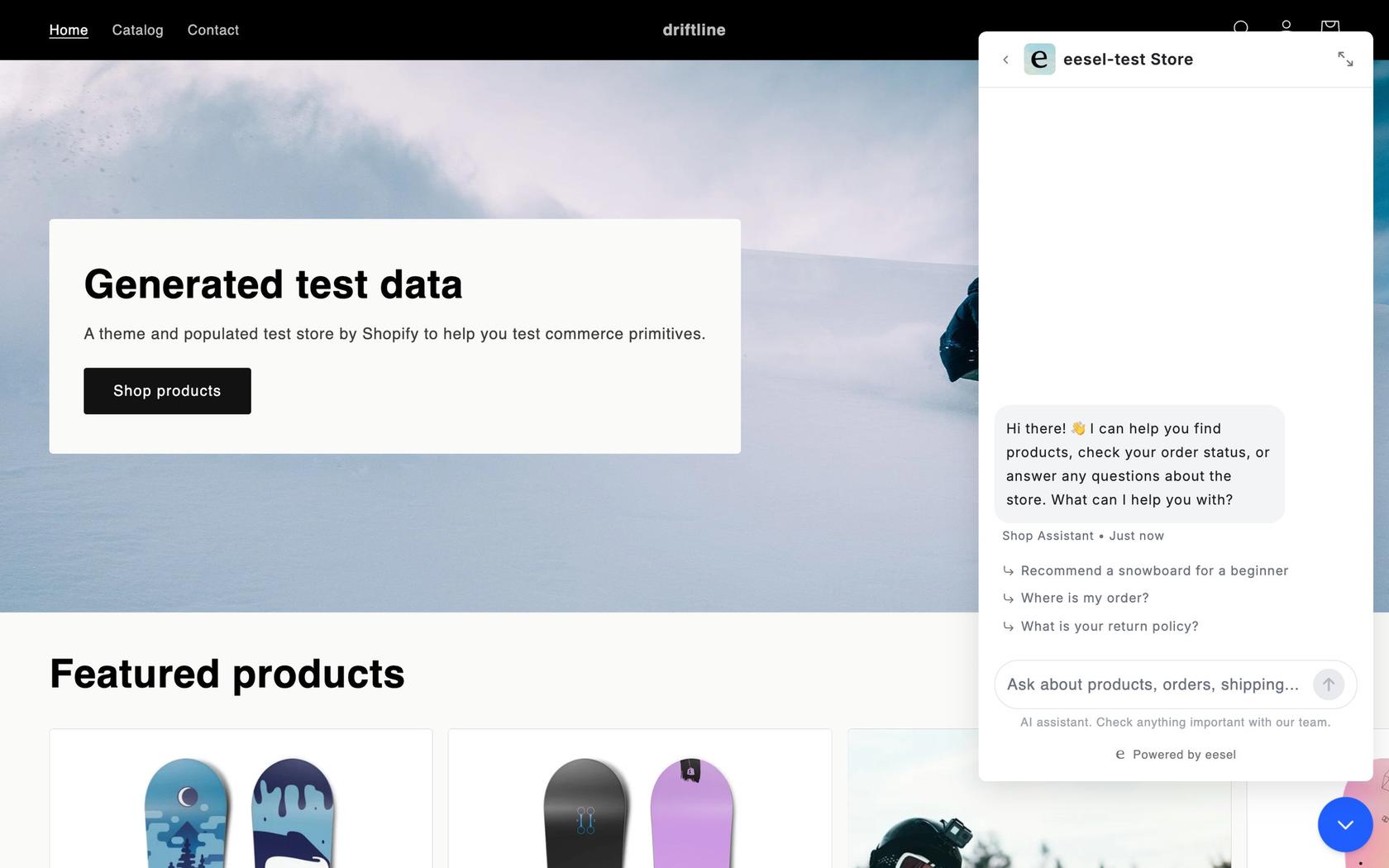
From there it works two doors at once. On your docs site, the chat bubble is one async script. In the helpdesk, it drafts or sends replies on new tickets. When it can't answer, it hands over to Zendesk Messenger or Freshchat, or creates a ticket or email that "includes the visitor's email, a conversation summary, and a handover tag."
Here's what that looks like in practice. Timengo, which makes secure email software for IT admins, runs eesel on Freshdesk. It learns from Timengo's product documentation site and about 5,300 past tickets and help articles, and between 8 August and 8 September 2026 it prepared 300 tickets and wrote 180 draft replies for engineers to review. Timengo re-crawls its docs every Monday on a schedule it set up itself.
What I liked
It meets developers at the helpdesk, which is where an unanswered docs question turns into a cost. An industrial automation company uses it as a chat that answers only from its technical library, links the source guide and section, and says plainly when it has nothing. A regular digest of badly rated answers and gaps goes to the documentation team, and well over twice as many questions now arrive at the chat as reach the support desk. That's the gap report from earlier, working.
Watch out for
There's no GitHub connector and no OpenAPI import, so repo docs go in through the crawl of your published site or .md uploads, and code files aren't a supported upload type. The website crawl doesn't re-run automatically; you re-save the integration to refresh. The crawler doesn't read llms.txt. eesel's MCP server lets your coding agent set up and test the agent; it doesn't expose your docs to end users. And eesel is not SOC 2 certified yet; the Type II audit is in progress.
Pricing
| Plan | Price | Notes |
|---|---|---|
| Free | $0 | 100 credits for 7 days, all features |
| 500 credits | $299/mo | 1 credit = 1 chat or 1 ticket |
| 1,500 credits | $699/mo | |
| 5,000 credits | $1,749/mo | More via sales |
| Extra credits | $0.80 each | Up to a cap you set |
Verdict: the pick when tickets are the problem and they land in Zendesk or Freshdesk. If you only want a widget on a docs site with no helpdesk in the loop, Kapa.ai or a native assistant is more focused. Full plans are on eesel pricing.
6. ReadMe Ask AI
Best for: ReadMe hubs that want a flat-price assistant with a choice of model.
How it works
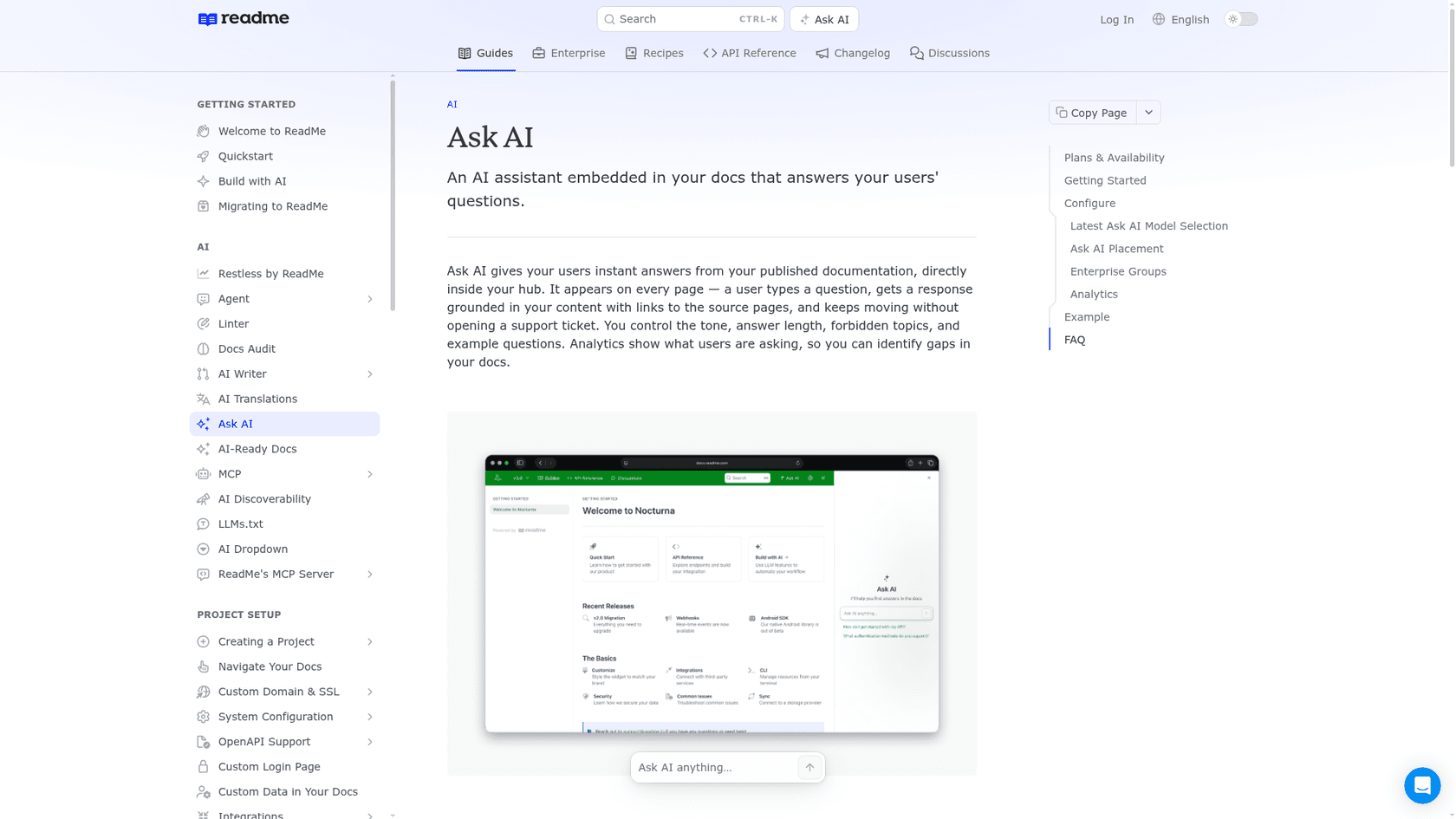
Ask AI appears on every page of your ReadMe hub and answers from your published docs with links to the source pages. You choose the tone, answer length, forbidden topics, example questions, and the model (OpenAI, Anthropic or Google Gemini), and you can add up to 100,000 characters of custom knowledge that isn't in the docs.
What I liked
The price is flat: a $150/mo add-on, with no message cap stated on the pricing page. Model choice is rare in this group. Every project also gets a hosted MCP server at /mcp and llms.txt. My ReadMe pricing post covers the plan tiers.
Watch out for
The analytics dashboard keeps logs for 60 days, and CSV export is Enterprise only. The MCP server's documentation search tools need the "AI Booster Pack" add-on, and its price wasn't on the page I read. The Ask AI API, which you'd need to put the assistant outside your hub, is Enterprise only. No contact-support handoff is described.
Pricing
| Plan | Price | Ask AI |
|---|---|---|
| Starter | $0/mo | Add-on $150/mo |
| Pro | $250/mo annual | Ask AI Lite included (no customization or analytics); full add-on $150/mo |
| Enterprise | Contact sales | Ask AI API available |
Verdict: the simplest budget line here if you're on ReadMe. Plan your own handoff path, because the assistant won't open a ticket for you.
7. Fern Ask Fern
Best for: API-first teams on Fern Docs who want a free start and an MCP server their users can plug into Claude Code or Cursor.
How it works
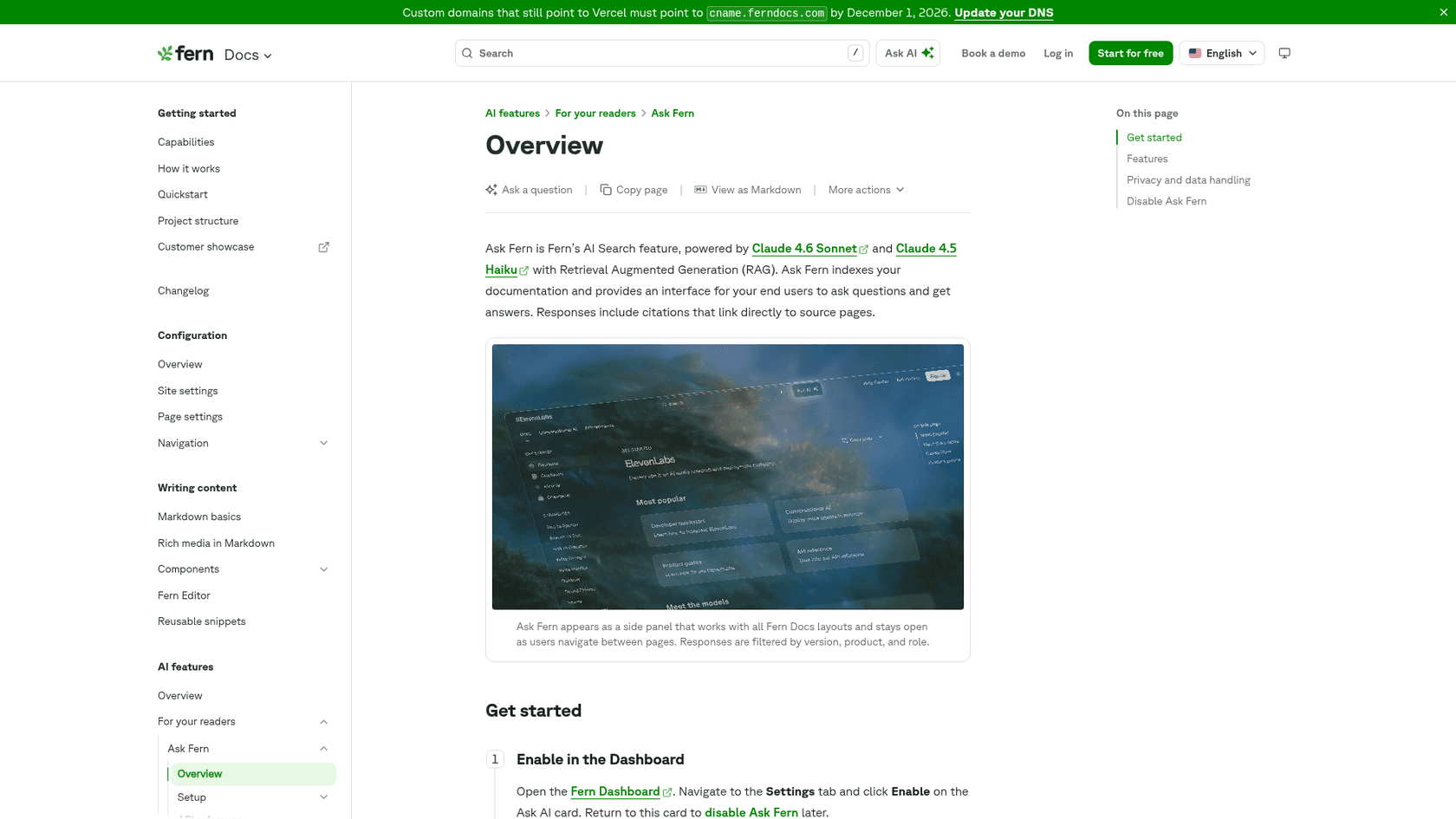
Ask Fern is a side panel on your Fern Docs site, powered by Claude 4.6 Sonnet and Claude 4.5 Haiku according to Fern's page. You enable it with one click and it reindexes in a few minutes. Answers carry citations and are filtered by version, product and role. You can add extra sources, including a Documents API for non-public content such as support ticket summaries.
What I liked
The analytics give each conversation a Resolved or Unresolved verdict, so filtering for Unresolved gives you a docs to-do list. There's a Slack app for customers, an auto-generated MCP server with one-click "Connect to Claude Code / Cursor" buttons, and llms.txt out of the box. And it starts free.
Watch out for
The free plan's 250 credits cover about 125 messages, since each message costs 2 credits. I couldn't find a paid self-serve tier or what happens when credits run out; the next step is Enterprise. The embeddable search widget needs a cloud-hosted Fern Docs site, and self-hosted Fern doesn't include Ask Fern. A human handoff isn't described.
Pricing
| Plan | Price | AI |
|---|---|---|
| Free | $0/mo | 250 AI credits (about 125 Ask Fern messages), MCP, llms.txt |
| Enterprise | Custom | Custom credits, analytics exports, self-hosting |
Verdict: a no-risk trial if you're on Fern. Any real traffic means an Enterprise conversation.
8. DocsBot
Best for: smaller teams that want a public price, a Docusaurus guide and ticket escalation without a sales call.
How it works
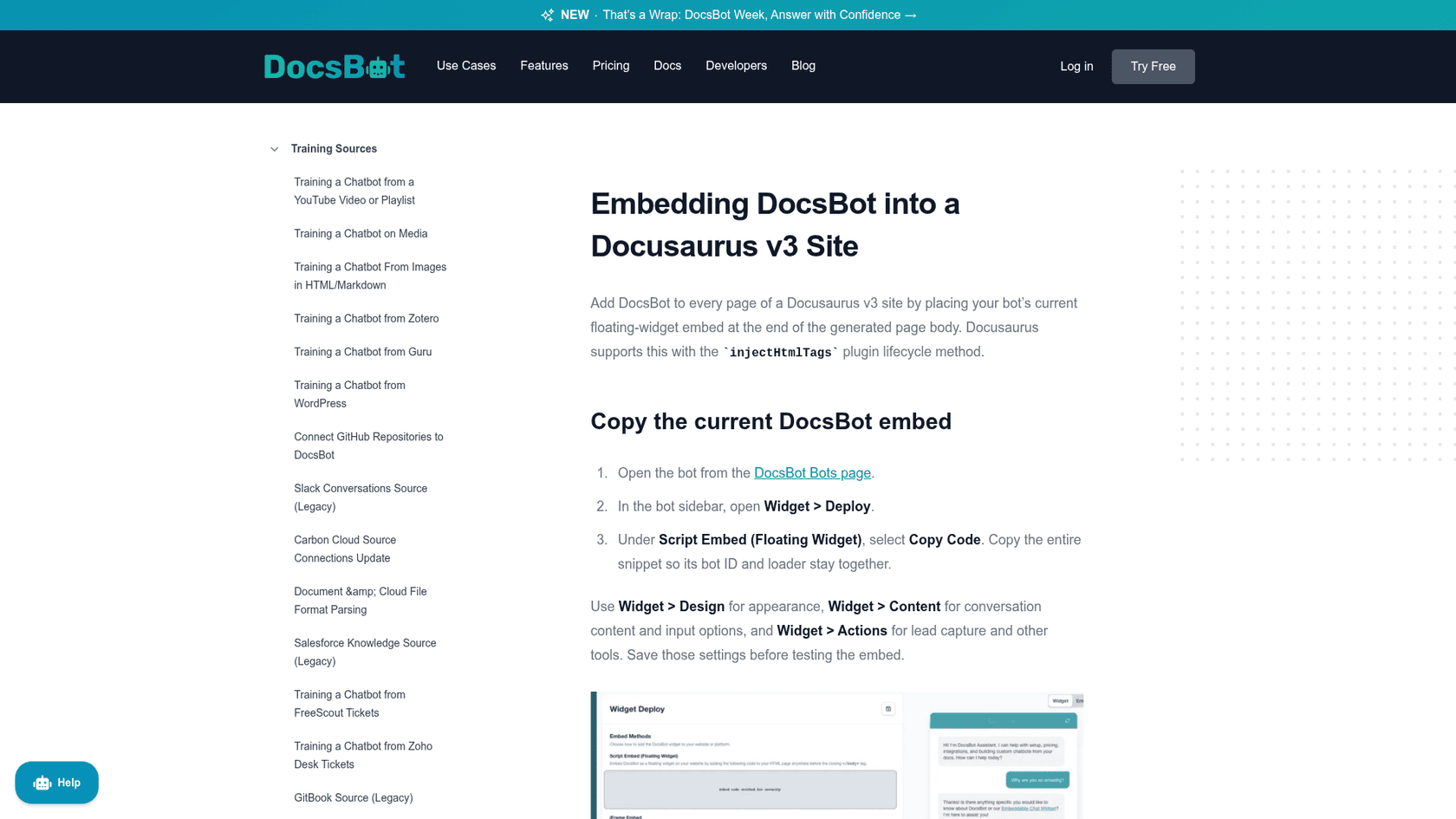
DocsBot trains on a website crawl, sitemap, GitHub code repos, Notion, Confluence, Google Drive, and Zendesk, Freshdesk or Help Scout tickets, among others. You deploy a floating widget or iframe, and on Docusaurus v3 the guide has you inject the embed through a small local plugin's injectHtmlTags. The API returns an answer plus sources with titles and URLs.
What I liked
Everything is on the pricing page, with a 14-day money-back guarantee. Escalation tickets, a Slack app and an API make it more than a widget. My DocsBot pricing post walks through the credit maths.
Watch out for
There's no OpenAPI connector in the docs index. Personal caps you at 5,000 source pages, which large docs sets can hit. Escalation tickets start on Standard, removing branding needs Business, and SOC 2, HIPAA and SSO are listed under Enterprise.
Pricing
| Plan | Price/mo | Source pages | AI credits/mo |
|---|---|---|---|
| Free | $0 | 50 | 100 |
| Personal | $49 | 5,000 | 5,000 |
| Standard | $149 | 15,000 | 15,000 |
| Business | $499 | 100,000 | 60,000 |
| Enterprise | Custom | Custom | Custom |
Verdict: the best value overlay with a public price. Go Standard if you want escalation, and check the DocsBot alternatives if you outgrow it.
9. Algolia Ask AI (DocSearch)
Best for: Docusaurus teams who already use DocSearch and want to bring their own model.
How it works
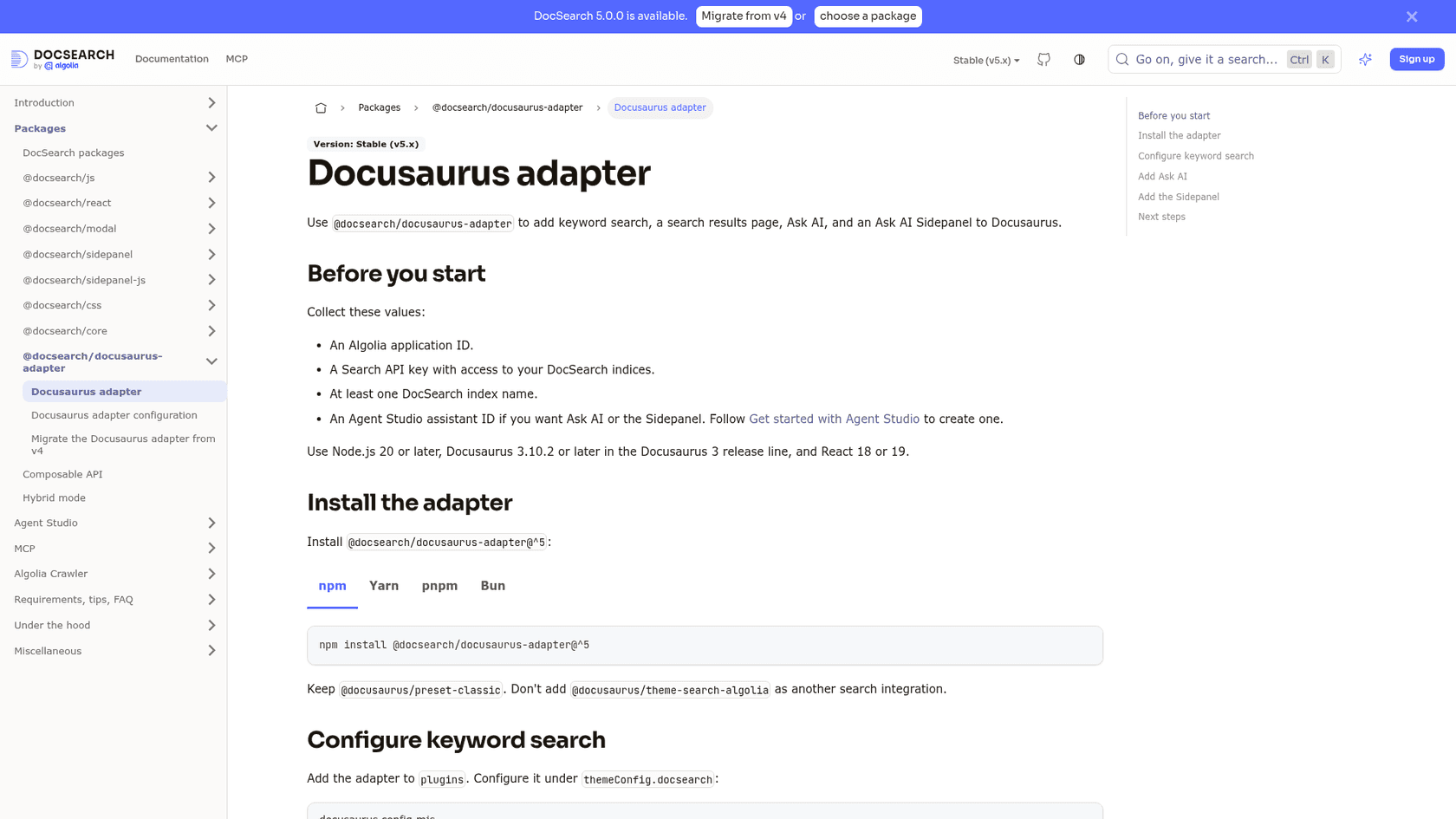
Docusaurus has first-class support for Algolia DocSearch, which crawls your docs into an Algolia index. Ask AI adds conversational answers from that index, run by an Agent Studio assistant you configure with your own LLM provider (OpenAI, Gemini, Azure or any OpenAI-compatible API). Install is npm install @docsearch/docusaurus-adapter@^5, with an askAi setting pointing at your assistant ID.
What I liked
It's the Docusaurus-native route. DocSearch is free for eligible public developer docs, and Docusaurus's own docs say Ask AI has no extra cost beyond your LLM provider's usage. You keep keyword search and add AI answers in the same modal, plus an AI side panel.
Watch out for
You're building more than buying: Agent Studio is a toolkit, and citations, analytics and a human handoff weren't documented on the pages I read. Each agent search request counts toward your Algolia search usage. The adapter needs Node 20+, Docusaurus 3.10.2+ and React 18 or 19, and the "Search by Algolia" link has to stay.
Pricing
| Item | Price |
|---|---|
| DocSearch (eligible public docs) | Free; apply and verify your domain |
| Algolia Free plan | $0/mo, 10K search requests |
| Agent Studio | Listed on the plan table with no public number |
| LLM tokens | Billed by your model provider |
Verdict: great if you're on Docusaurus and comfortable owning the model and prompt. Not a support channel, so pair it with something that handles handoff.
10. Document360 Eddy AI
Best for: teams that want a knowledge base platform with a chatbot that can also escalate to Zendesk or Freshdesk.
How it works
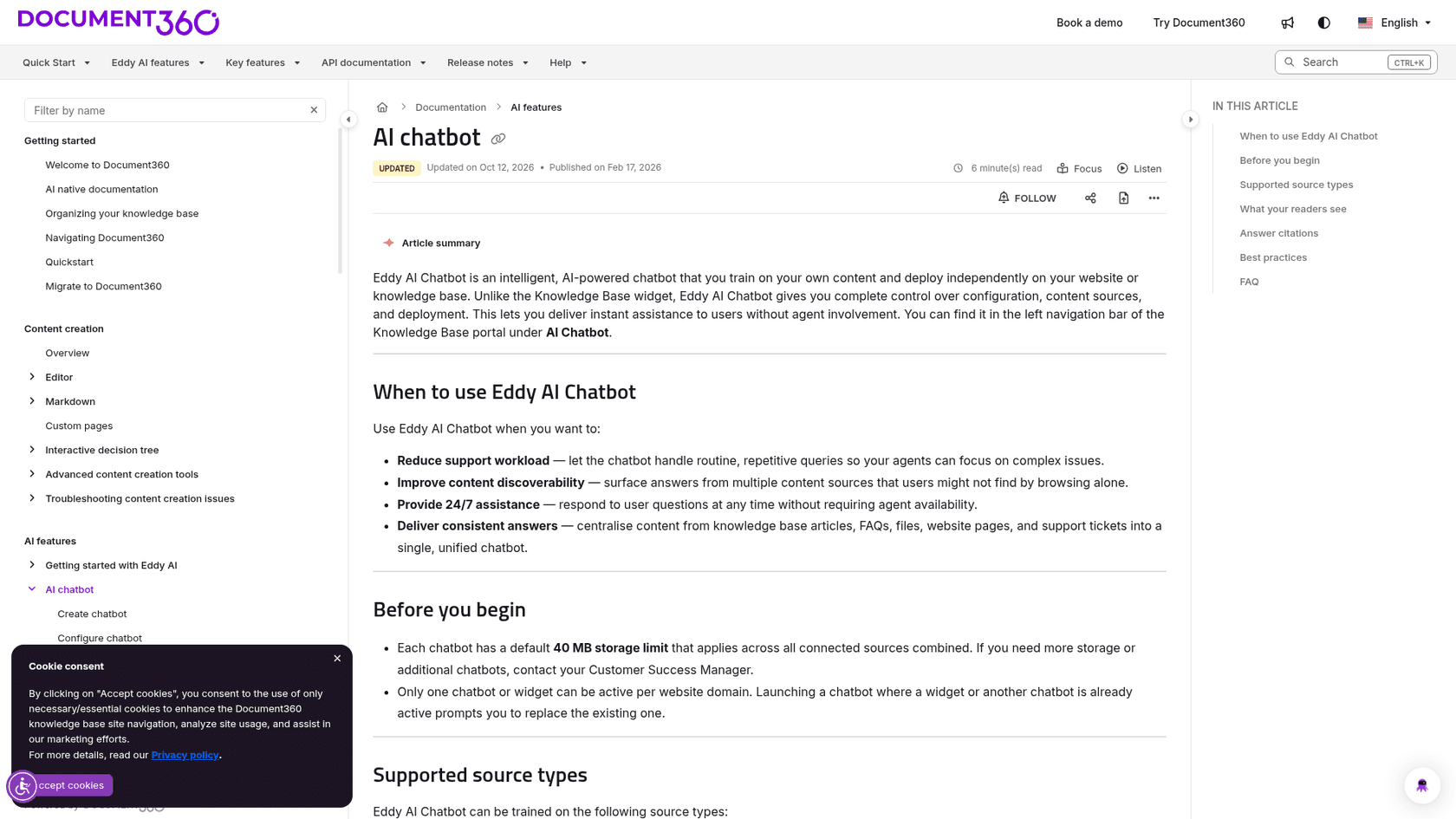
Eddy AI comes in two forms. Ask Eddy AI answers inside your Document360 knowledge base, and the Eddy AI Chatbot is trained on your content and can be embedded on any website. The chatbot pulls from your knowledge base, a website crawl, files (including Markdown), FAQs, and Zendesk or Freshdesk tickets, and puts numbered citations on every answer.
What I liked
It has a real handoff: after a set number of responses, users can raise a ticket into Zendesk, Freshdesk or email, prefilled with the transcript and an AI-written subject and description. There's a playground to test before you publish. The pricing page lists SOC 2 Type II and ISO 27001:2022. My Document360 Eddy AI alternatives post covers similar tools.
Watch out for
Pricing is custom-quoted, with AI usage one of the price drivers. Each chatbot gets 40 MB of storage across all sources by default, and only one chatbot can be active per domain. Ask Eddy AI credits run one per question, and when they run out the button greys out until the month renews. I couldn't verify its MCP or llms.txt support.
Pricing
| Item | Price |
|---|---|
| Plans | Quote only, based on accounts, workspaces, languages and AI usage |
| Ask Eddy AI | 1 credit per question, monthly limit |
| Ask Eddy AI API | Add-on |
Verdict: strongest when you'd use Document360 as your knowledge base anyway. See Document360 pricing before the sales call.
What about building your own with OpenAI File Search?
You can, and the parts are cheap. OpenAI's File Search is a hosted tool in the Responses API: you create a vector store, upload your docs, and pass the store's ID in tools. Answers come back with file_citation annotations pointing at the files used.
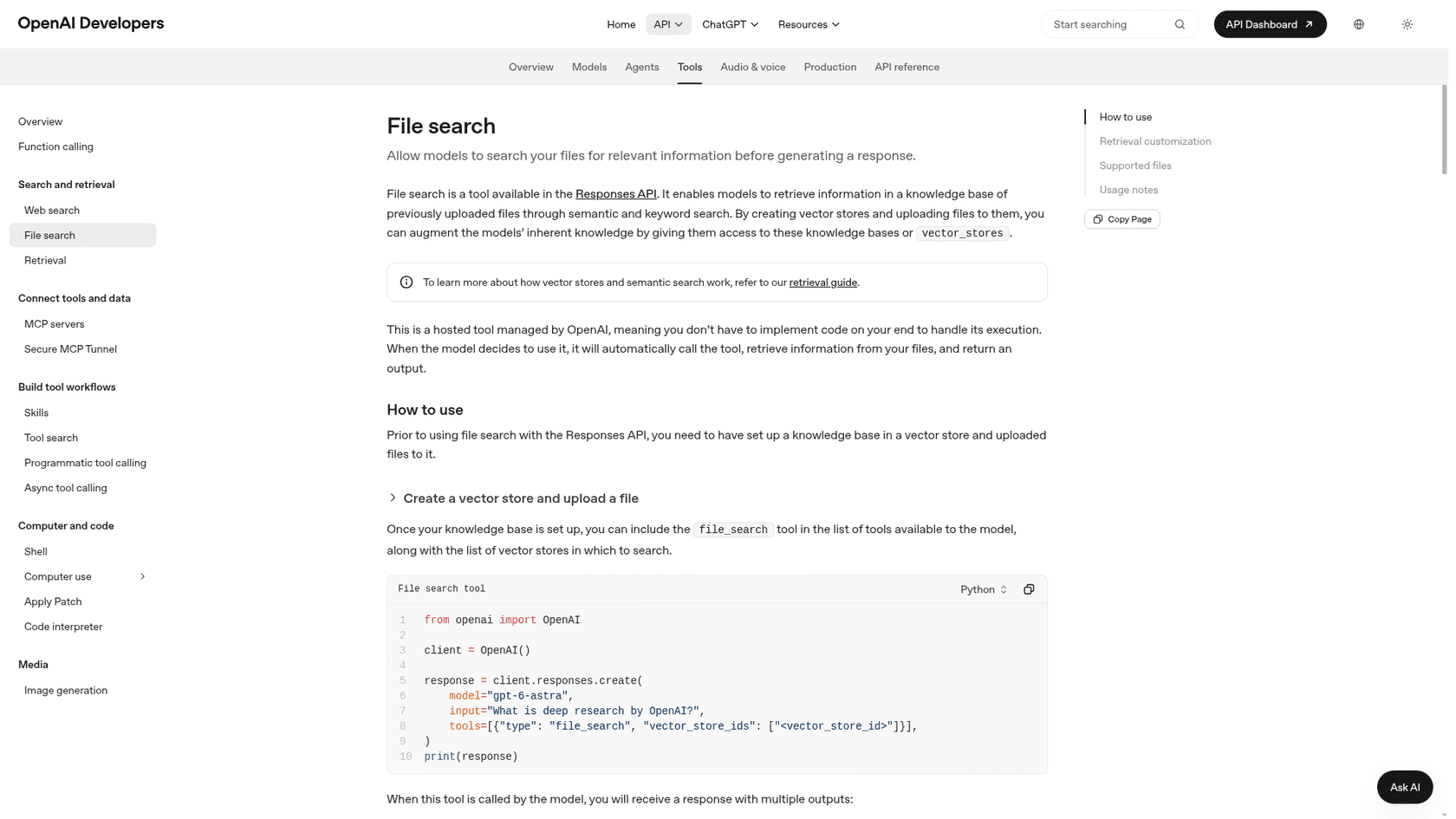
Storage is $0.10 per GB per day after the first free GB, and tool calls are $2.50 per 1,000, plus model tokens. Most docs sets are well under 1 GB, so storage is close to free and 1,500 questions a month is about $3.75 in tool calls. My OpenAI Files API guide covers uploading.
What you don't get is everything around the retrieval: a chat UI, a crawler to keep docs fresh (you re-upload files), evals, a fallback, a handoff, and a gap report. Kapa.ai's founder put it bluntly on Hacker News, admitting his bias up front: retrieval is "super sensitive to how you chunk/parse documentation," and the fix is evals, lots of them. If you have an engineer who wants to own that, my walkthrough of a support RAG pipeline is a good start. If not, buy.
How much does an AI docs assistant cost?
Here's one buyer: a devtool company whose docs get about 1,500 questions a month. I priced each tool with only its own published numbers. The maths is mine.
| Tool | Monthly cost for ~1,500 questions | How I got there |
|---|---|---|
| OpenAI File Search (DIY) | about $4 + tokens + engineering | 1,500 x $2.50/1,000 calls |
| DocsBot Standard | $149 | 15,000 credits covers 1,500 messages at 1x; Standard needed for escalation |
| ReadMe Ask AI | $150 (on Starter) | Flat add-on, no cap stated |
| GitBook Ultimate | about $460 | $249 site + $36 for 3 editors; 1,500 x 20 = 30,000 credits, 10,000 included, 20,000 more via the 15,000 ($127.50) and 5,000 ($47.50) packs, assuming packs stack |
| eesel | $699 | 1,500-credit plan; 1 credit per chat or ticket |
| Mintlify Pro | about $725 (annual billing) | $450 + (1,500 x 25 = 37,500 credits, minus 10,000 included) x $0.01 = $275 overage, if nothing else uses credits |
| Fern | Enterprise quote | Free covers about 125 messages |
| Kapa.ai, Inkeep, Document360 | Quote only | No public price |
The sticker price is the smaller decision. GitBook and Mintlify only charge for answered questions, eesel counts every chat or ticket, and ReadMe is flat. What really moves the total is whether the tool cuts the tickets your engineers answer by hand. My deflection rate explainer shows how to measure that.
How do you roll one out without it making things up?
Skepticism here is earned, and developers say so:
"I've used plenty of AI tools and models, local and paid, agents and chatbots, and the hallucination problem is a huge roadblock every time."
And they're just as blunt about bots that dead-end:
"I want open documentation so I can ask AI if I want or ask human support if it's not resolvable with available documentation. All my interactions with any AI support so far is repeatedly saying "call human" until it calls human"
Here's the rollout I'd run, whichever tool you pick:
- Scope the sources. Start with published docs, your API reference and approved help articles. Leave out stale drafts and internal Slack until the basics work. Old pages are the fastest route to wrong answers, so detect outdated content first.
- Open the agent doors. Make sure your docs serve
llms.txtand, if your host offers one, an MCP server, so coding agents read the real docs instead of guessing. Mintlify, GitBook, Fern and ReadMe give you both. - Set the fallback and the handoff. Decide what the assistant says when the docs don't cover a question, and where it sends the developer next. A good handoff opens the ticket with the transcript attached, and my notes on AI agent handoff cover what the human needs to see.
- Test on real past questions before launch. Pull 50 to 100 recent tickets and run them through the assistant. This is the step that catches a hallucinated flag before a customer does, and it's how eesel simulation testing works.
- Read the unanswered list every week. Treat it as your docs backlog. SE Ranking runs eesel over 16,800 pages of knowledge and has it send API questions to a Tier 2 ticket with evidence attached, rather than guess. In one month, eesel answered 2,100 live chats first. My guide to support knowledge gap analysis shows how to turn the list into fixes.
Try eesel on your developer docs
If your developers' questions end up in Zendesk or Freshdesk, eesel learns your docs and past tickets, answers in a chat bubble on the docs site, and drafts replies inside the helpdesk, with a ticket and summary when the docs run out. You can point it at your docs URL and ask test questions in an afternoon. Try eesel.
Frequently Asked Questions
What is the best AI assistant for developer docs?
It depends on where your docs live. If they are on Mintlify, GitBook, ReadMe or Fern, the built-in assistant is the shortest path. On Docusaurus, MkDocs or a custom site, an overlay like Kapa.ai or Inkeep is the usual pick. If the real cost is tickets landing in Zendesk or Freshdesk, an AI that works inside the helpdesk, like eesel, hits that problem directly. My guide to AI for developer support covers the wider picture.
Can I add an AI assistant to Docusaurus docs?
Yes. Docusaurus supports Algolia DocSearch, whose Ask AI answers from your Algolia index using your own LLM provider. Kapa.ai and DocsBot both publish Docusaurus install guides for their widgets, and any script-based chat bubble works too. For background on how these tools search, see my piece on AI help center search.
Do I need to move my docs to Mintlify or GitBook to get an AI assistant?
No. Native assistants only work on docs hosted on that platform, but overlay widgets (Kapa.ai, Inkeep, DocsBot, Algolia Ask AI) and support-side agents like eesel work with docs hosted anywhere. A migration makes sense for other reasons, not just to get a chatbot. If you are weighing a move anyway, my GitBook alternatives roundup is a useful starting list.
How much does an AI documentation assistant cost?
For about 1,500 questions a month, my maths from vendor pricing pages comes to roughly $150/mo for ReadMe Ask AI, about $460/mo on GitBook Ultimate with credit packs, about $725/mo on Mintlify Pro with overage, and $699/mo on eesel's 1,500-credit plan. Kapa.ai, Inkeep and Document360 are quote only. See eesel pricing for the current credit plans.
How do I stop a docs AI assistant from hallucinating?
Limit it to your published docs and approved sources, require citations on every answer, set an honest fallback that says the docs do not cover it, and test it against real past questions before launch. Then read the unanswered list every week and fix the docs. My guide on preventing AI hallucinations walks through the checks.
What is llms.txt and does my developer docs site need one?
llms.txt is a proposed convention: a Markdown file at your site root with your project name, a short summary and lists of links that AI agents can read. Mintlify, GitBook, Fern and ReadMe generate it for you. It helps coding agents find your docs, but it does not replace an assistant with citations and handoff. My explainer on the AI agent MCP server covers the other half of agent access.
Will an AI docs assistant reduce support tickets?
It can, if the questions reach it. Many developer questions start in the helpdesk, Slack or a coding agent, not on the docs page, so put the assistant where they arrive and give it a clean handoff. At SE Ranking, eesel answered 2,100 live chats first in one month. My ticket deflection guide explains how to measure it.