What Inkeep actually is
Let me put my cards on the table: I build AI for support queues for a living, so I read a platform like this by asking what it makes easy and what it quietly leaves to you. Inkeep started life as the "Ask AI" search widget you have probably seen on a developer docs site, and over 2025 it grew into something bigger, an AI agent platform that its founders pitch as "AI teammates" for customer experience, product, and go-to-market teams.
The company is a Y Combinator W23 startup out of San Francisco, founded by Nick Gomez and Robert Tran, and in September 2025 it raised a $13M seed led by Khosla Ventures and GreatPoint Ventures. Its customer list leans hard into developer tools: Postman, Anthropic, Pinecone, PostHog, Solana, and Clerk. That is not an accident, and it is the single most useful fact for deciding whether Inkeep is for you.
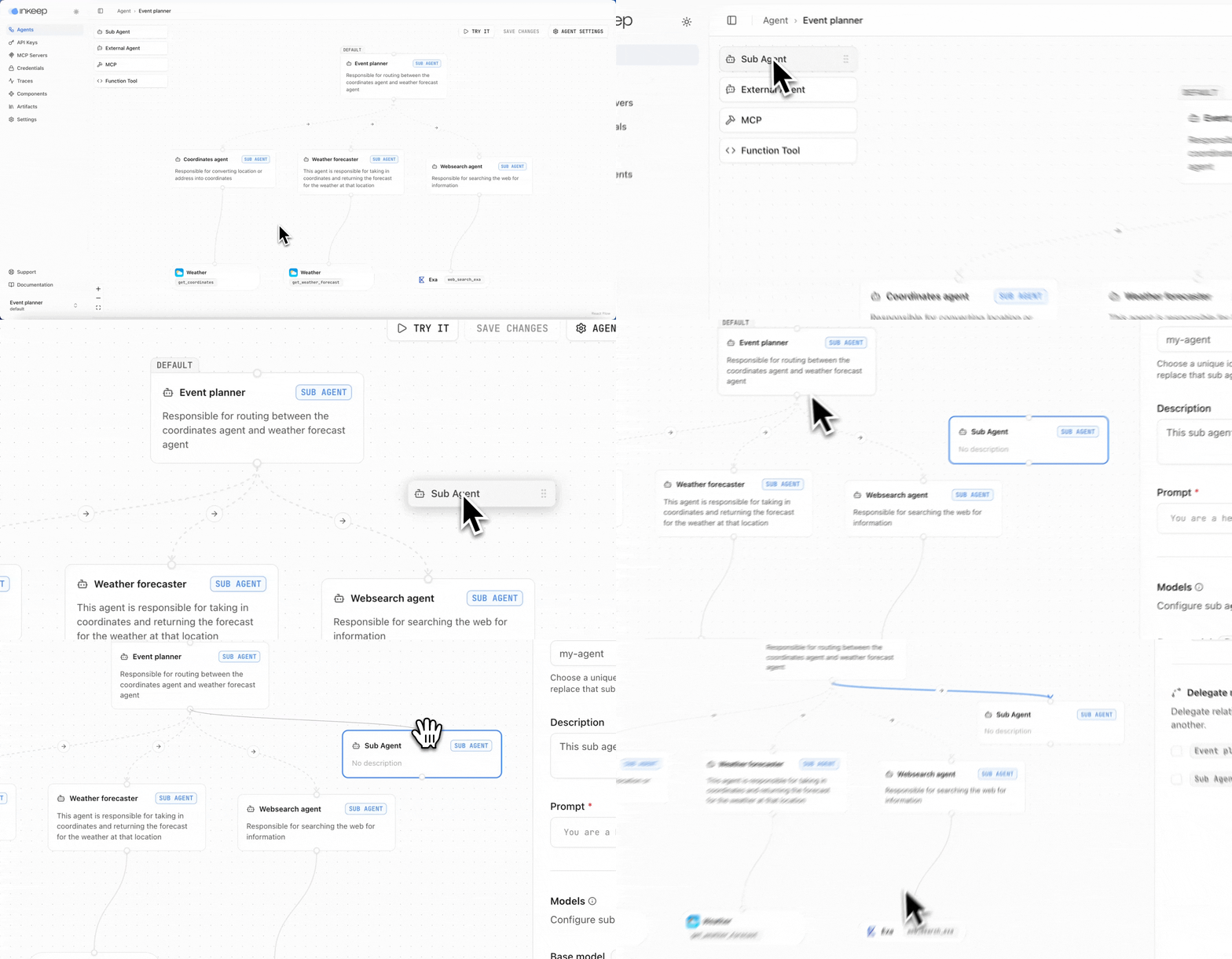
The screenshot above is the actual builder, and it tells you the story. This is an agent-building canvas with sub-agents, MCP servers, credentials, and traces, closer to an engineering tool than to a support dashboard. That is a strength or a warning depending on who you are.
Who Inkeep is really for
The clearest way I can frame it: Inkeep is for teams that treat their documentation as the product surface and have developers on hand. If you are a devtool company whose support is really "help people use your API," and you want a cited AI documentation assistant plus the freedom to build custom agents in TypeScript, this is one of the better options on the market.
It is a worse fit if you are a support manager at, say, an ecommerce or SaaS company who wants an AI helpdesk agent resolving refund and account tickets inside Zendesk next week. You can get Inkeep there, but you are signing up for an engineering-led rollout and an enterprise contract, not a self-serve switch you flip.
The best part: no-code and code, with 2-way sync
Here is where Inkeep earns its funding. Most agent builders make you pick a side. No-code tools trap you in a GUI; code frameworks give you no interface for the non-engineers who own the content. Inkeep gives you a no-code visual builder and a @inkeep/agents-sdk TypeScript SDK, and claims full 2-way sync between them, so you can edit the same agent in either surface.
You scaffold a project with a single npx @inkeep/create-agents command, then define agents and sub-agents in code:
import { agent, subAgent } from "@inkeep/agents-sdk";

const helloAgent = subAgent({
  id: "hello-agent",
  name: "Hello Agent",
  description: "Says hello",
  prompt: `Reply to the user...`,
});

export const basicAgent = agent({
  id: "basic-agent",
  name: "Basic Agent",
  defaultSubAgent: helloAgent,
  subAgents: () => [helloAgent],
});
Under the hood, an agent is a team of sub-agents that either transfer or delegate work to each other, and tools are added mostly as MCP servers, including 10,000+ off-the-shelf ones through Composio. Your agents can also be exposed as an MCP server, called over an A2A endpoint, or triggered by webhooks and cron schedules. If you like building software, this is a nice toolbox.
The honest caveat is that this power is the point and the price. A Stream engineer put it well on Hacker News:
"We use them at getstream.io, the RAG on SDKs is way ahead of other platforms in this space."

That praise is real, and it comes from an engineer. The people cheering loudest for Inkeep tend to be other developers, which is worth remembering when you picture your own team using it.
How the knowledge engine works
Whichever way you build, the customer-facing assistant runs on the same four-step loop: connect your sources, auto-ingest them, answer with citations, then improve. Inkeep pulls from dozens of connectors, Notion, Confluence, SharePoint, and Google Drive on the knowledge side, and Zendesk, Freshdesk, Help Scout, Salesforce, and HubSpot on the helpdesk side, plus web crawl and file upload.
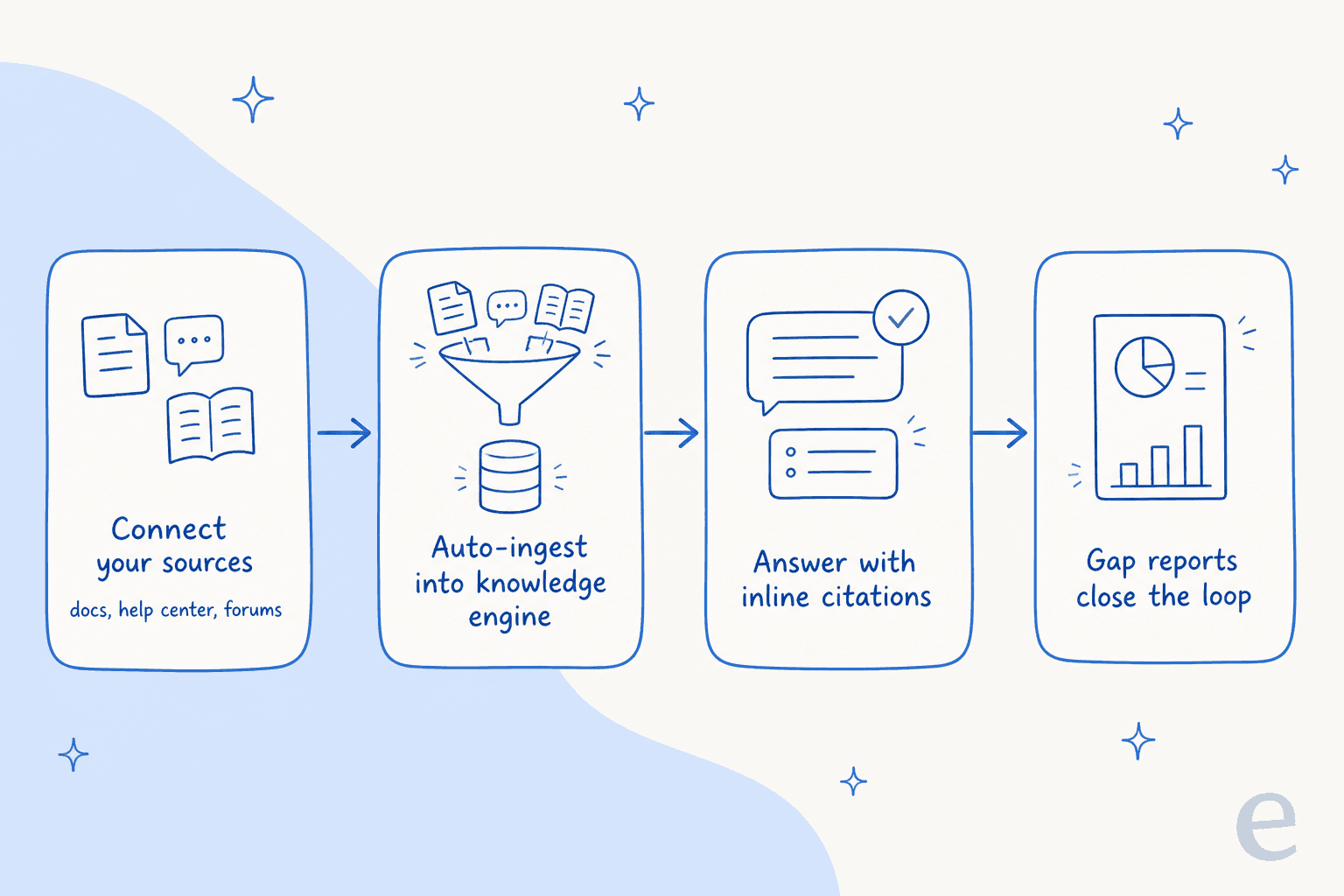
On the retrieval side it does the things you would hope for from a modern AI search engine: hybrid lexical-plus-vector semantic search with reranking, source citations on every answer, and guardrails that constrain replies to retrieved content. The fourth step is the one teams underrate: Inkeep's gap reports flag the questions it could not answer, so you can go write the missing doc. That closes the knowledge-base loop instead of leaving you guessing.
The support side: Keep and the Coworker
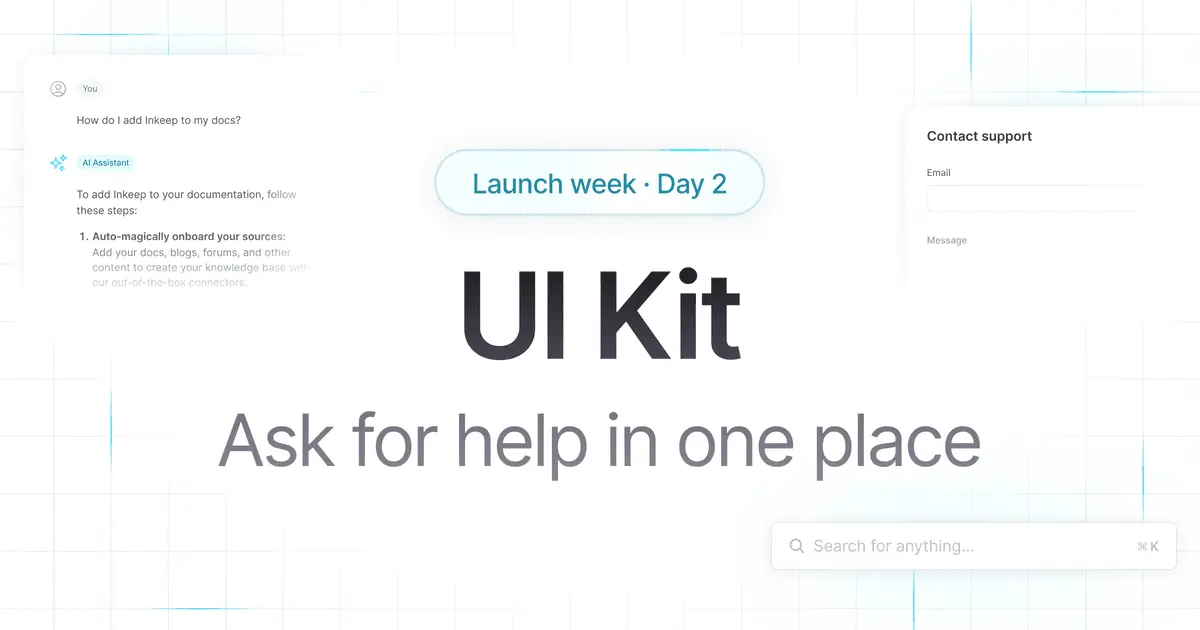
Inkeep does have a support-agent story beyond docs search. "Keep" is a copilot that lives inside your ticketing tool and drafts replies, and the internal "Coworker" triggers from Slack or a support platform, gathers context from your CRM, and surfaces ready-to-approve draft suggestions an agent can send. Website assistants also escalate complex issues to a human automatically.
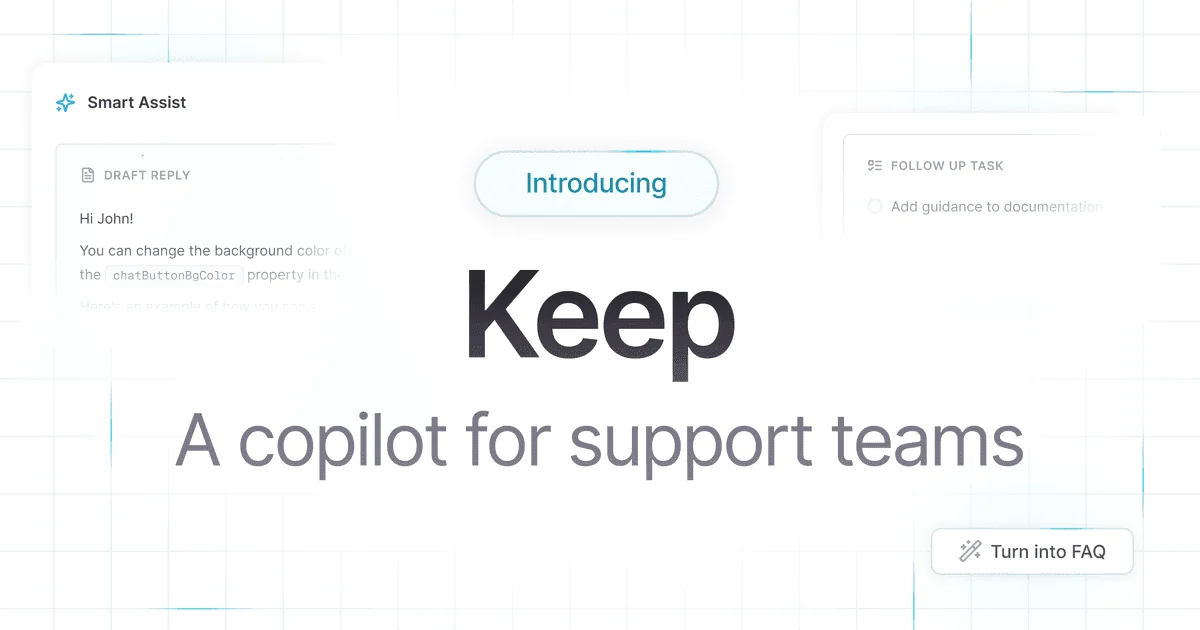
This is solid, but notice the shape of it. The support surface leans on the same docs-grounded engine, and the deepest ticket-deflection and channel integrations (Slack, Zendesk, Salesforce) sit in the Enterprise tier. If your questions are mostly "how does the API work," this shines. If they are mostly "where is my order," you are asking a documentation engine to do ticket triage work it is less built for.
The numbers Inkeep can point to
Credit where it is due, Inkeep publishes case studies with real, specific figures rather than vague "boosts efficiency" claims. The strongest ones:
| Company | What they used it for | Headline result |
|---|---|---|
| Fingerprint | AI docs support + Zendesk co-pilot | 48% fewer support tickets (A/B tested), +18% activation |
| PostHog | Auto-answering community forum questions | 33% of questions auto-resolved (247 of 759) |
| Payabli | Unified docs + Slack + ticket copilot | 80% deflection rate (vs 50-60% benchmark) |
The Fingerprint and PostHog numbers are the ones I trust most, because they come with a method: Fingerprint calls its 48% "statistically significant via A/B test" and defines activation as first-time API calls, and PostHog gives you the raw denominator (247 of 759 threads over about six months). That is how you should report deflection, and most vendors do not.
One detail from PostHog is worth stealing regardless of which tool you buy. As their lead designer explained:
"If Inkeep is highly confident in the quality of response, we show the answer as a reply in the community thread immediately. If not, we simply don't post the AI response at all... This reduces the brand risk of unleashing a poorly-tuned AI bot that annoys users."
A confidence gate that stays silent rather than guessing is the right default for any AI customer service rollout.
What real users say
Inkeep is a smaller, developer-first tool, so do not go looking for hundreds of G2 reviews, there aren't any. There is no substantive G2, Capterra, or Trustpilot presence, which is normal at this stage. The verifiable sentiment lives on Hacker News, and it is strongly positive from the operators who deployed it.
"I'm not sure how they do it but the answer quality and the UI is meaningfully better than all the other 'chat with your docs'-type products I've tried."
The most-quoted line, from PostHog, is a good gut-check on the category as a whole:
"IMO Inkeep has been the first AI solution that hasn't sucked, and that's high praise coming from me!"
It is not all glowing, and the criticism is the useful part. When Inkeep launched its Agent Builder in 2025, the thing that drew the most heat was calling its Elastic License 2.0 release "open source":
"Fake 'Open source' all over again.. why do we repeatedly have to do this?... I was excited with the pitch. And then had this completely ruin your image."
That is a fair hit. The framework is source-available under the Elastic License 2.0, the same family as n8n's license, which lets you self-host and read the code but restricts competitive use. It is a perfectly reasonable license; it is just not what most engineers mean by open source, and Inkeep would save itself grief by saying "source-available."
Inkeep pricing: prepare to talk to sales
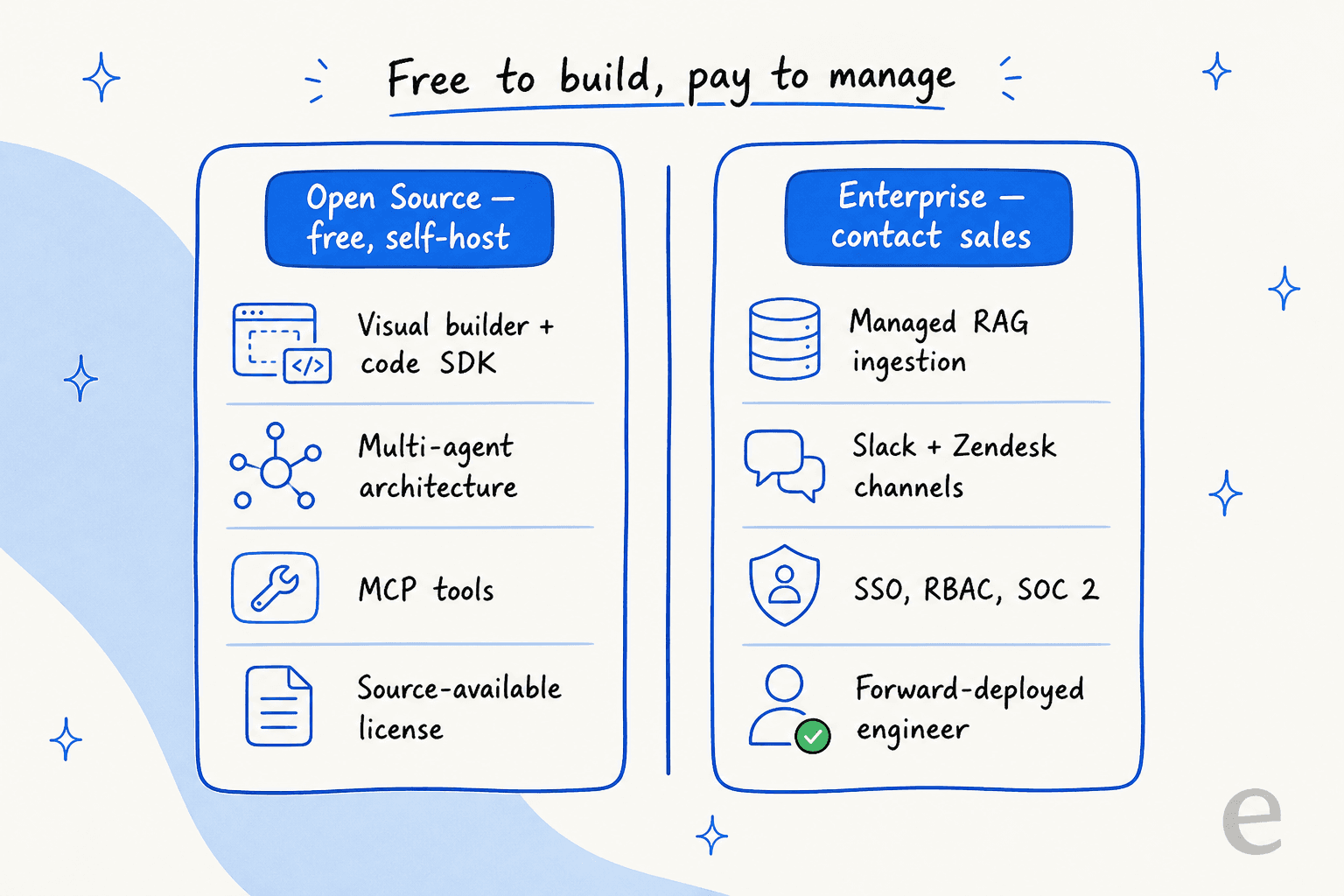
Here is the part buyers care about, and the honest answer is that Inkeep does not publish a price. The marketing pricing page returns a 404 as of this writing, and the docs list only two ways to buy.
| Tier | Price | Hosting | What you get |
|---|---|---|---|
| Open Source | Free forever | Self-hosted (Vercel/Docker) | Visual builder + SDK, multi-agent, MCP tools, traces; community support only |
| Enterprise | Quote-only, contact sales | Cloud, hybrid, or self-hosted | Managed RAG ingestion, Slack/Zendesk/Salesforce channels, SSO/RBAC, SOC 2, a forward-deployed engineer |
The split is clever, and worth understanding. Almost the entire build surface is free in the open-source tier. What you pay for is the managed stuff: hosted ingestion, the support-desk and chat-platform channels, compliance, and human help. There is no free trial of the managed platform, only a 30-day demo on your own content, and no published per-seat or per-resolution meter. Back in the 2024 launch, one commenter pushed back on a $150/month entry price; today even that number is gone from public view, so budget for a sales conversation.
If you have engineers who will happily run Docker and wire up your own ingestion, the free tier is a real, generous offer. If you do not, you are buying Enterprise, and you should price it as an enterprise commitment, not a SaaS subscription.
Where Inkeep stops, and where I'd look elsewhere
None of this is a knock. Inkeep is good at what it is built for. But its center of gravity is developer-facing docs deflection with an engineering-led setup, and that leaves a real gap for support teams who want speed over control.
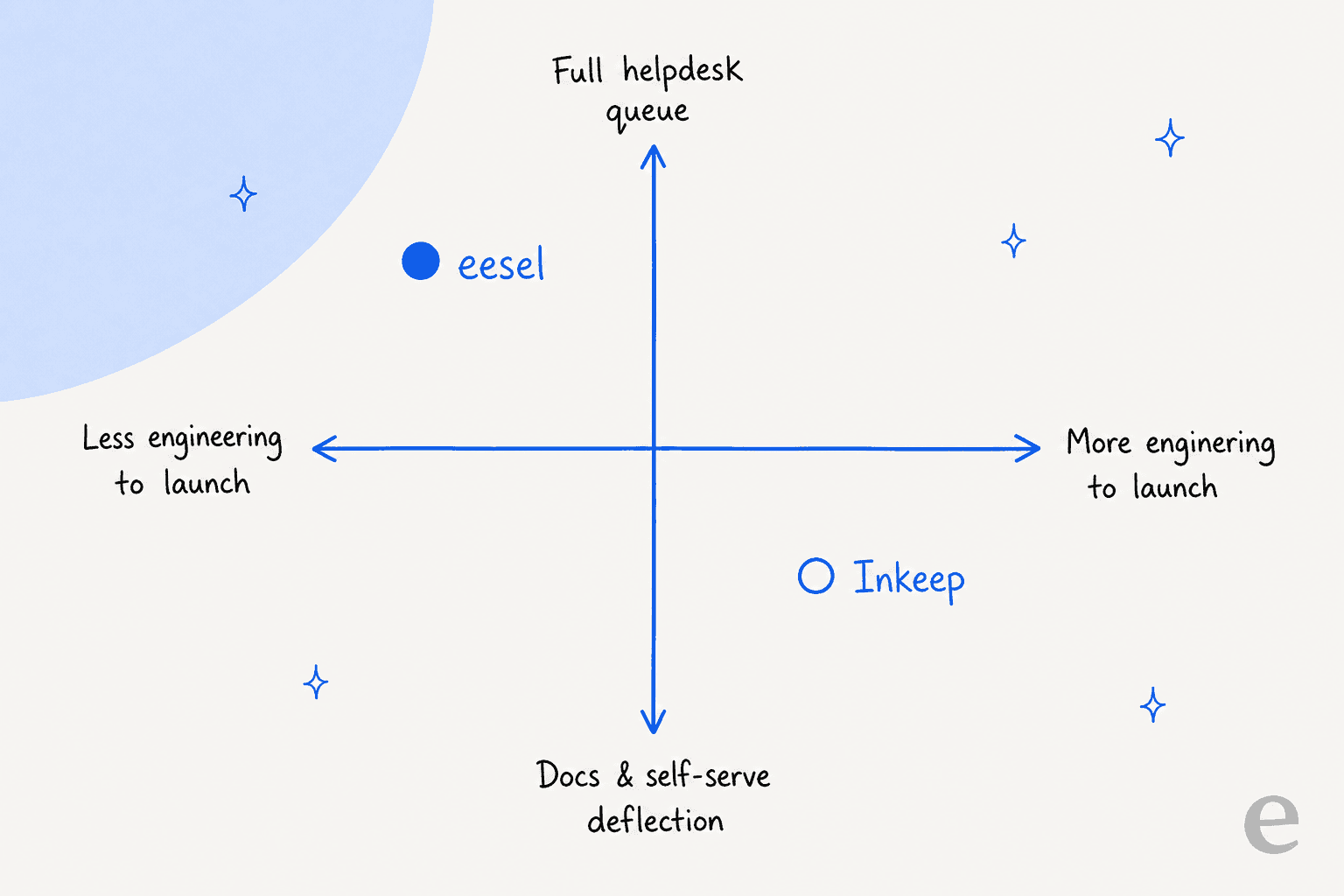
That top-left corner, live on your real ticket queue without a build project, is where I spend my time, so let me be specific about what a support team gets there.
Try eesel
If you are reading an Inkeep review because you run a support queue, not a docs site, eesel is built for exactly your corner of that map. It is an AI teammate you drop into the helpdesk you already use, Zendesk, Freshdesk, or a shared inbox, and it learns from your past tickets and macros rather than only your public docs.

Two differences matter most against Inkeep. First, setup is measured in minutes, not an engineering sprint, and before it ever replies to a customer eesel simulates on thousands of your historical tickets so you can see the resolution rate you would get. Second, the pricing is public and usage-based, so you are not booking a demo just to learn the number.
And if you liked Inkeep for its developer surface, you do not have to give that up. eesel ships a CLI and MCP server so the same teammate you configure in the dashboard can be driven from a terminal, scripted into your own workflows, or operated by a coding agent like Claude Code or Cursor. You get the programmable control an engineer wants, without having to assemble the agent from primitives first. It is free to try, and the simulation runs before you commit to anything.
Frequently Asked Questions
What is Inkeep and who is it for?
How much does Inkeep cost?
Is Inkeep actually open source?
How good is Inkeep at ticket deflection?
What are the best Inkeep alternatives?
What are Inkeep's standout features?


Article by
Rama Adi Nugraha
Rama is a software engineer at eesel AI with two years of experience writing about B2B SaaS, AI tools, and customer support technology. Based in Bali, Indonesia, he brings a developer's perspective to product comparisons — cutting through marketing copy to what the integrations and APIs actually do.