

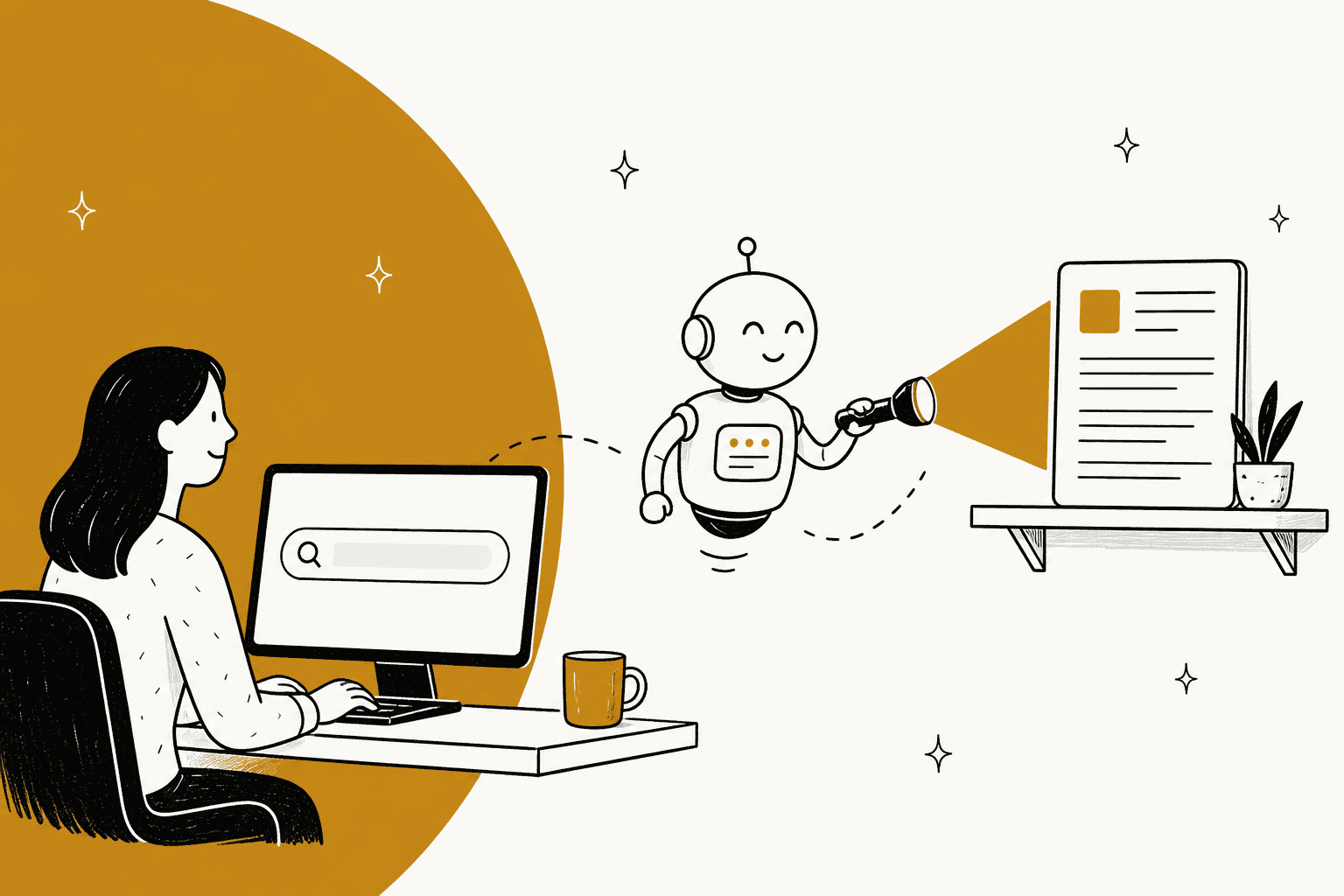
AI improves help center search by matching what a customer means instead of the exact words they typed, so "I forgot my password" finds the article titled "Reset your account credentials". That is the fix for most "it's in the help center, why are they still emailing us" tickets: the article exists, the words don't match.
Search is only one of three places to fix, though. Put an AI answer above the results, and put an agent on the contact form or chat, because a lot of customers never type into the search box at all. Then use the failed searches as a to-do list for your writers.
Most helpdesks now ship some of this: Zendesk has generative search on all Suite plans, while Gorgias, HubSpot and Help Scout put the AI in chat and keep the search box keyword-based. If you'd rather catch the question wherever the customer asks it, eesel reads your help center and past tickets and answers in chat or on the ticket. Qontro uses every wrong draft as a pointer to a thin article.
Why can't customers find articles that already exist?
Because customers search in their words and articles are titled in yours. I spent two years on SEO before writing for eesel, and the single lesson that carries over is that people describe a problem, they don't name a document. A help center search box is a tiny search engine, and most of them still rank on matching words.
Zendesk is open about how its classic ranking works: the title carries a weight of 3, labels 2.8, the section title 1.5 and the body 1, and for one- or two-word queries only articles that contain all the words come back. Help Scout's Docs search ranks exact keyword first, then exact title, then partial title, and its own fix for failed searches is to add misspellings and alternate terms to each article by hand. That works, but it only fixes the misses you already spotted.
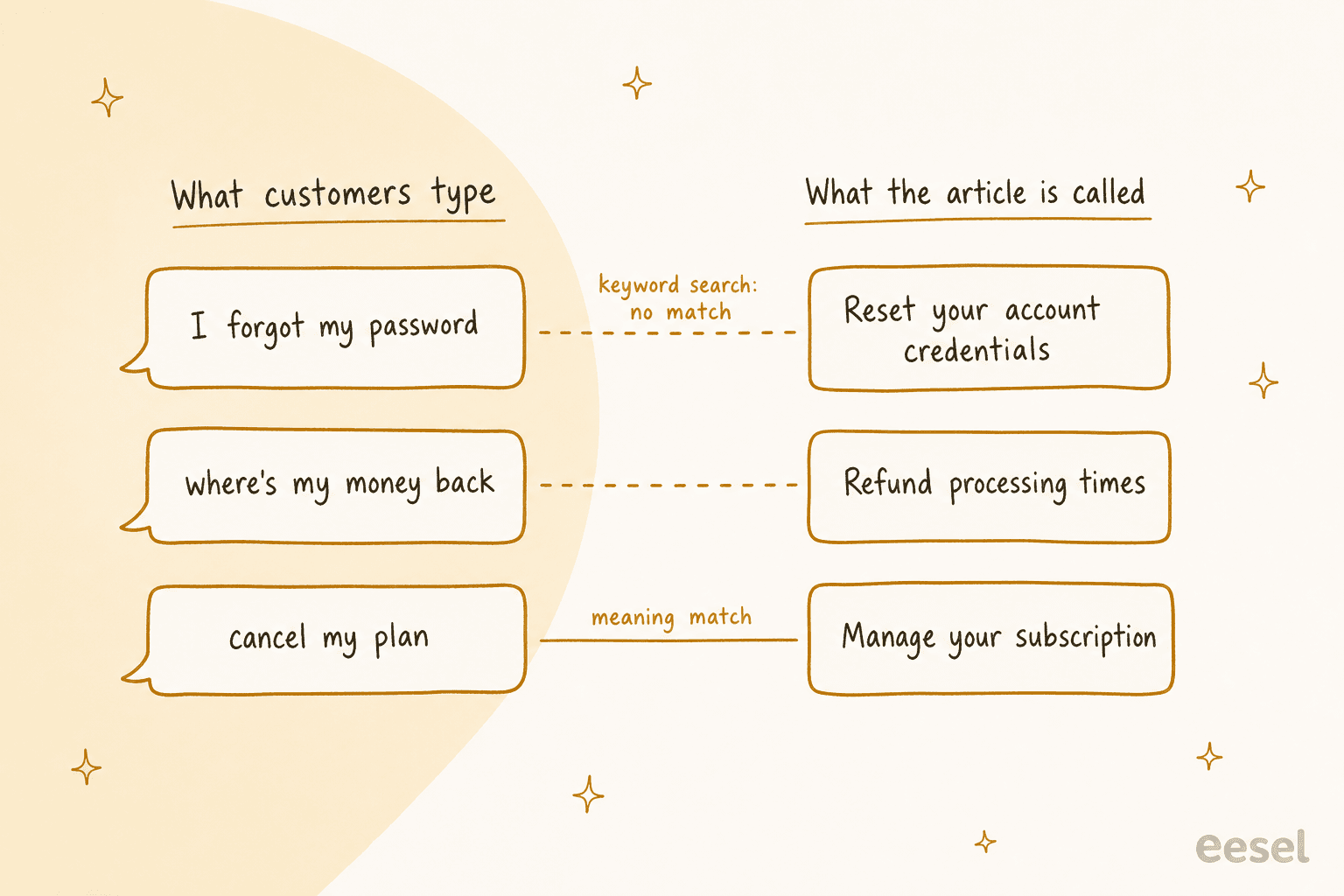
The gap shows up in three ways:
- Different words for the same thing. "Cancel my plan" vs "Manage your subscription". Nothing in common but the meaning.
- Spelling and language. One sysadmin on Reddit put the problem neatly: "Searching for 'color' instead of 'colour' would have returned no results!"
- The audience is wrong. I heard a version of this on an eesel sales call from a support manager whose entire knowledge base was written for admins, while the tickets came from end users. Every article was correct and none of them used the end user's words.
The result is a help center that looks complete to the team and empty to the customer. This thread on a Zendesk help center with 500+ articles is the one I keep coming back to:
"We have over 500 docs in it and searchability is quite poor; pretty much every keyword one can search for brings ups dozens and dozens of results, and top content isn't there."

When someone asked if that was the customer-facing search, the reply was short: "We have high abandon rates." Abandoned searches are tickets that haven't arrived yet.
Which search problem do you have?
"Search is bad" covers four different problems, and each one has a different fix. Before buying anything, pull your search report (every major helpdesk has one, more on that below) and check which of these matches what you see.
What does your search report show?
Pick the pattern that matches your data. Each one points at a different fix.
The fourth row is the one teams underestimate. A support lead on Reddit described it better than any report:
"But our customer base is not tech savvy in the slightest, and most of the time they're not reaching out because they can't find help in the knowledge base — they're reaching out because they don't have the time or do not feel like looking for the knowledge in the first place."
How does AI search actually work?
There are three layers, and vendors use the same words for different ones, so it helps to name them.
1. Semantic search (matching on meaning). The query and every article are turned into vectors, lists of numbers that capture meaning, and results are ranked by how close they sit. Zendesk's semantic search turns queries and articles into vectors and boosts the closest matches on top of keyword matching, and Zendesk reports a 7% average improvement in ranking quality for English help centers, with the biggest gains on longer queries. If you want the theory, my explainer on neural search goes deeper.
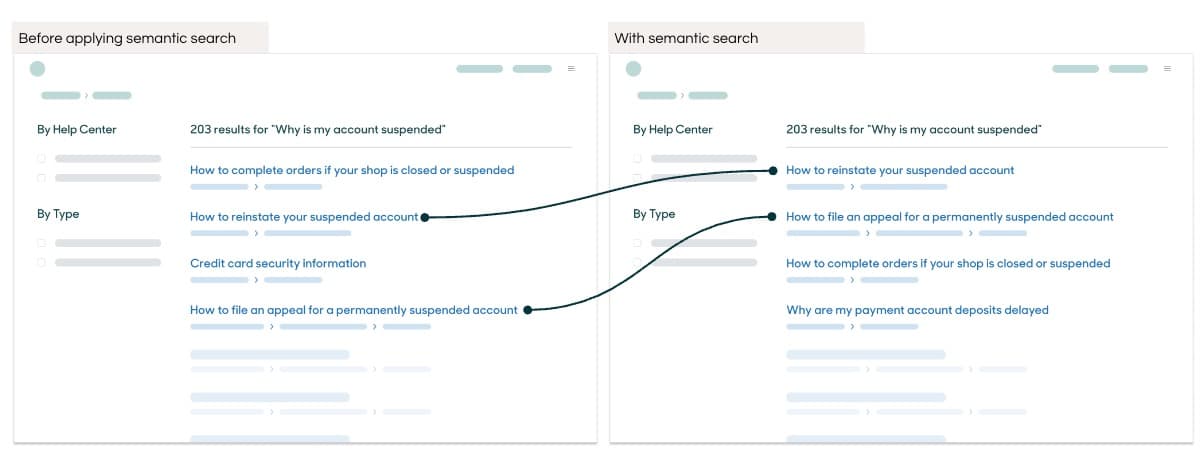
2. Hybrid search (meaning plus keywords). Pure meaning-matching is bad at exact strings: an error code, a plan name, a SKU. So good setups keep keyword matching for those and add meaning on top. I compare the options in RAG vs hybrid search.
3. A generated answer (RAG). Retrieval-augmented generation means the AI first retrieves the best articles, then writes a short answer from them with links back. Zendesk's generative search does exactly this: the answer is "derived from the top search results" and sits in a box above them.
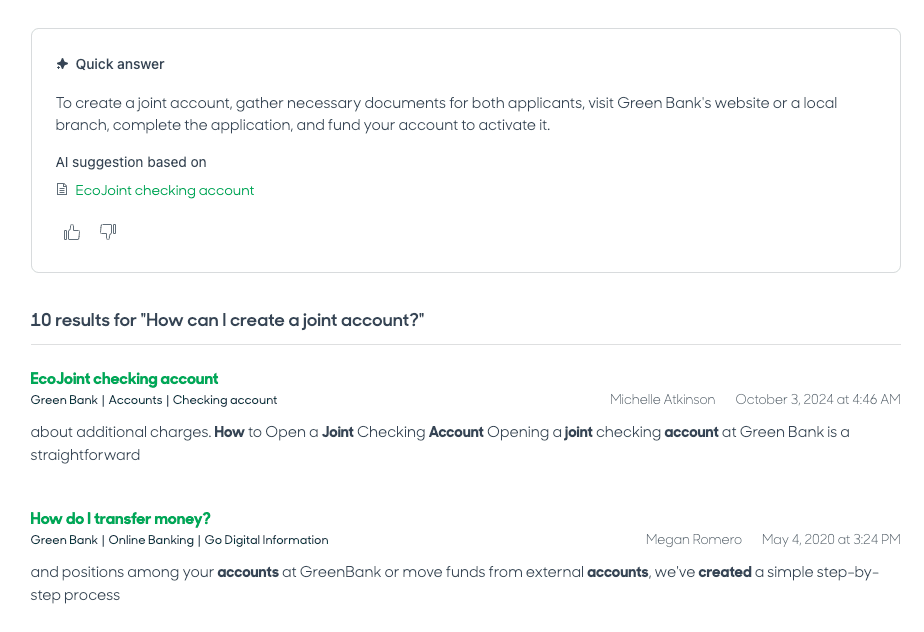
One detail matters more than it looks. Layer 3 only works as well as layer 1, because the answer is written from whatever was retrieved. Zendesk says it plainly in its generative search docs: "the answer is only as good as your content". It also asks customers to phrase searches as sentences: "What documents do we need to provide to create a joint account?" gets an answer more often than "joint account". Most customers type two words.
Where should the AI sit in your help center?
Here's the take I'd push on most teams: the search box is the least important of the three places to fix. It only helps the customers who search. The people who open tickets for answered questions often went straight to "Contact us".
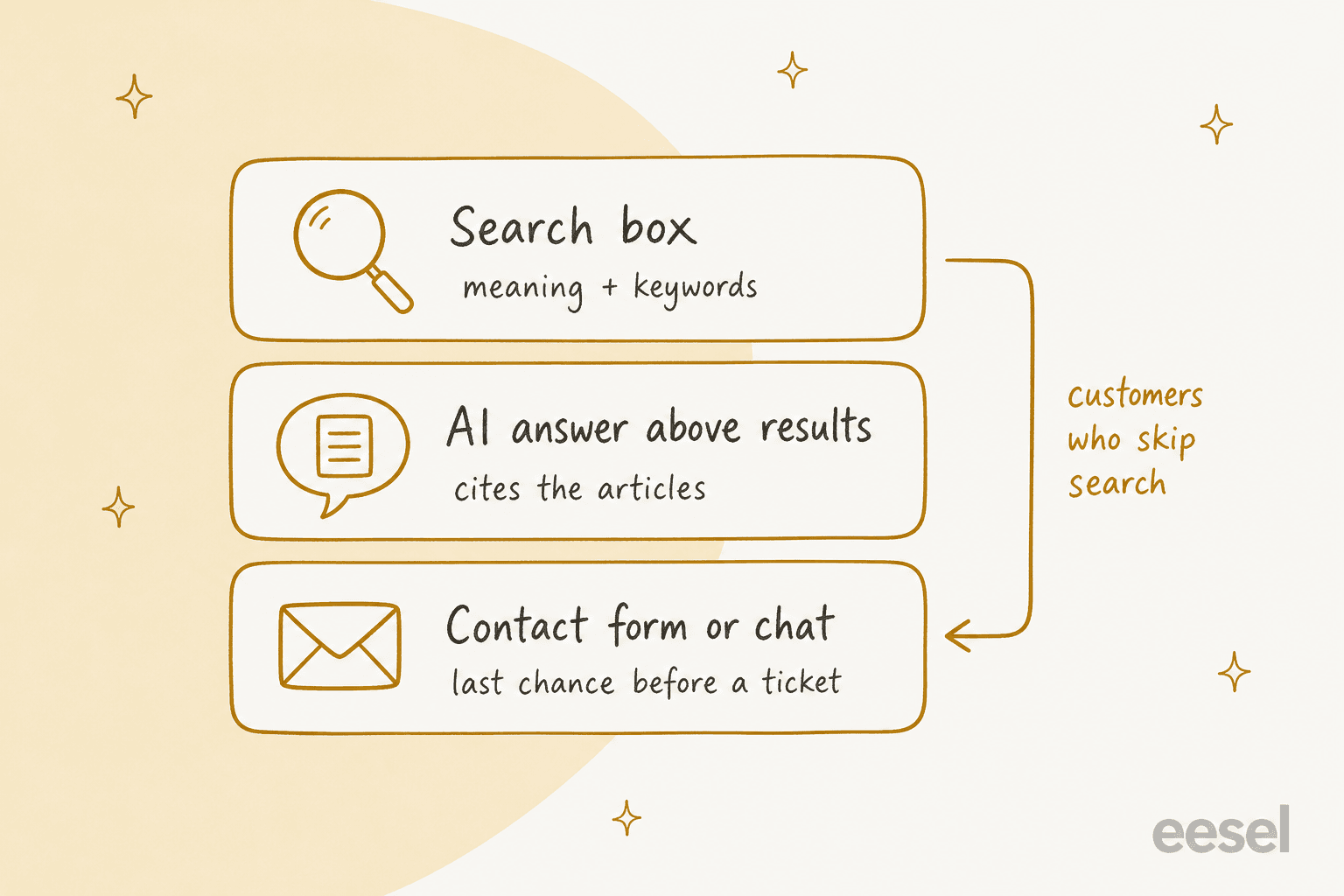
So I'd cover all three:
- The search box. Semantic or hybrid ranking, plus titles written as questions.
- Above the results. A short generated answer with links, and an honest "I don't know" when the articles don't cover it.
- The contact form and chat. This is the last catch before a ticket exists. Zendesk has long shown suggested articles on the request form as the customer types a subject. An AI agent goes a step further and answers the question in chat or on the ticket itself.
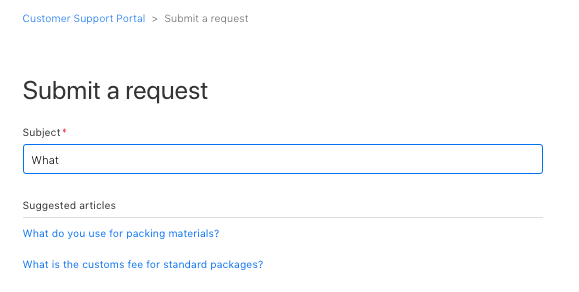
Layer 3 is where the extra context lives. A search box only knows your articles. An agent working the contact form or the ticket can also read past tickets, which is where all the half-documented answers sit. It can also ask a clarifying question when "payment problem" could mean three different articles. Zendesk moved in this direction in April 2026 with a follow-up question field that hands the search into a chat with its AI agent.
What do helpdesks already offer for AI search?
Less AI inside the search box than the marketing suggests. Of the six helpdesks I checked, Zendesk is the one that documents a generated answer in the help center search itself; Salesforce has one that new orgs can no longer turn on. The rest put the AI in chat and keep search keyword-based, but almost all of them have a decent report of failed searches, and that report is free money.
| Helpdesk | AI answer in help center search | Report of failed searches | AI answering from articles elsewhere | Price facts (vendor pages) |
|---|---|---|---|---|
| Zendesk | Yes, generative search, all Suite and Knowledge plans | Search dashboard: no-result top 5, ticket to search ratio | Follow-up question into AI agent chat | Suite Team $55/agent/month yearly; 100,000 generative searches/month included |
| Freshdesk | Not documented | Knowledge base report (Pro and Enterprise) tracks views and likes, not search terms | Email AI Agent; Chat AI Agent is Freshdesk Omni only | $19 / $55 / $89 per agent; extra AI sessions $49 per 100 |
| Gorgias | Not documented | No-result searches and CTR, all plans | AI Agent answers from help center content | From $40/month with 30 automated interactions |
| HubSpot | Not documented | Search terms with no results, Professional and up | Customer agent in chat | Customer agent 50 credits ($0.50) per resolution |
| Help Scout | No, keyword ranking | Failed searches table | Scout in Beacon and email | Scout $0.75 per resolution, all plans |
| Salesforce | AI-Generated Search Answers, but can't be enabled on new orgs since Spring '25 | Not confirmed | Agentforce on the help site | Search Answers is a paid add-on, no list price; Agentforce $2/conversation |
A few details behind the table:
- Zendesk. Generative search is on by default on all Suite and Knowledge plans, with 100,000 eligible searches a month included; past that you buy the Generative Search Extender through sales. A chat resolved through the follow-up field uses an automated resolution, which is
$1.50committed or$2.00pay-as-you-go on the Zendesk pricing page. Its old gap tool, Content Cues, was removed on May 1, 2025. More in my Zendesk AI pricing breakdown. - Freshdesk. The customer-facing AI over the knowledge base is Freddy AI Agent. Standalone Freshdesk gets the email agent, and the chat agent that answers inside the web widget needs Freshdesk Omni. The pricing page lists 500 sessions included, which is a one-time allowance for new customers. My Freshdesk AI pricing post has the full maths.
- Gorgias. Its Help Center report on all plans shows searches, no-result searches and click-through rate, and Gorgias suggests filtering on "Has results is false" because "this list can serve as a content backlog". It also notes that a high no-result count in one language usually means the articles were never translated.
- HubSpot. The knowledge base is Professional and Enterprise only, and the Analyze tab lists search terms with no results and the most searched terms with click counts. A beta knowledge base agent drafts articles from gaps at 200 credits per article.
- Help Scout. AI Answers was renamed Scout in October 2026. It's
$0.75per resolution on every plan, and the Docs report shows failed searches and how many people still sent an email after browsing. See Help Scout pricing. - Salesforce. AI-Generated Search Answers is English-only, and since Spring '25 new orgs are pointed to a Data Cloud version that doesn't support Experience Cloud sites yet. Worth checking before you plan around it.
If your helpdesk sits in the "not documented" column, that doesn't mean you're stuck. It means the search box stays as is and the AI goes into layers 2 and 3, which is where I'd put the effort anyway.
How do you turn failed searches into fixes?
Treat the failed-search report as your writers' to-do list, every week. This is the cheapest improvement on the page and the one most teams skip. A Reddit reply on making a knowledge base better said it in one line: "your KB platform should have lists of terms that folks search for and which articles deflect tickets and which ones do not."
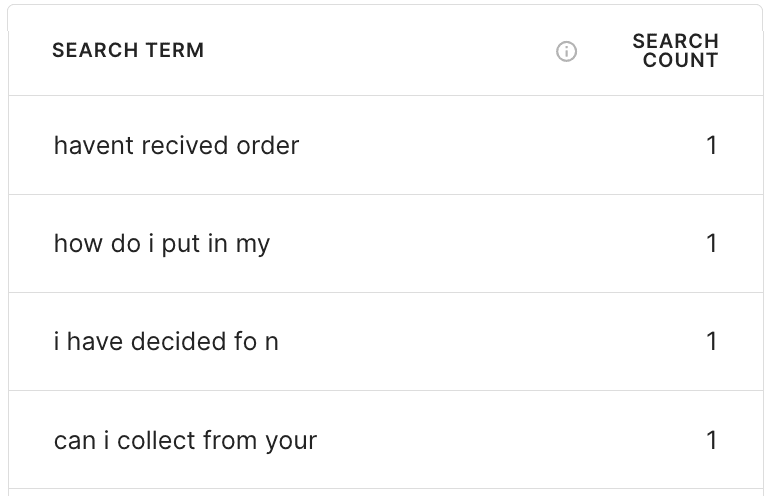
Look at those queries: "havent recived order", half-sentences, a typo in every other one. That is what real customers type, and it's why exact matching struggles.
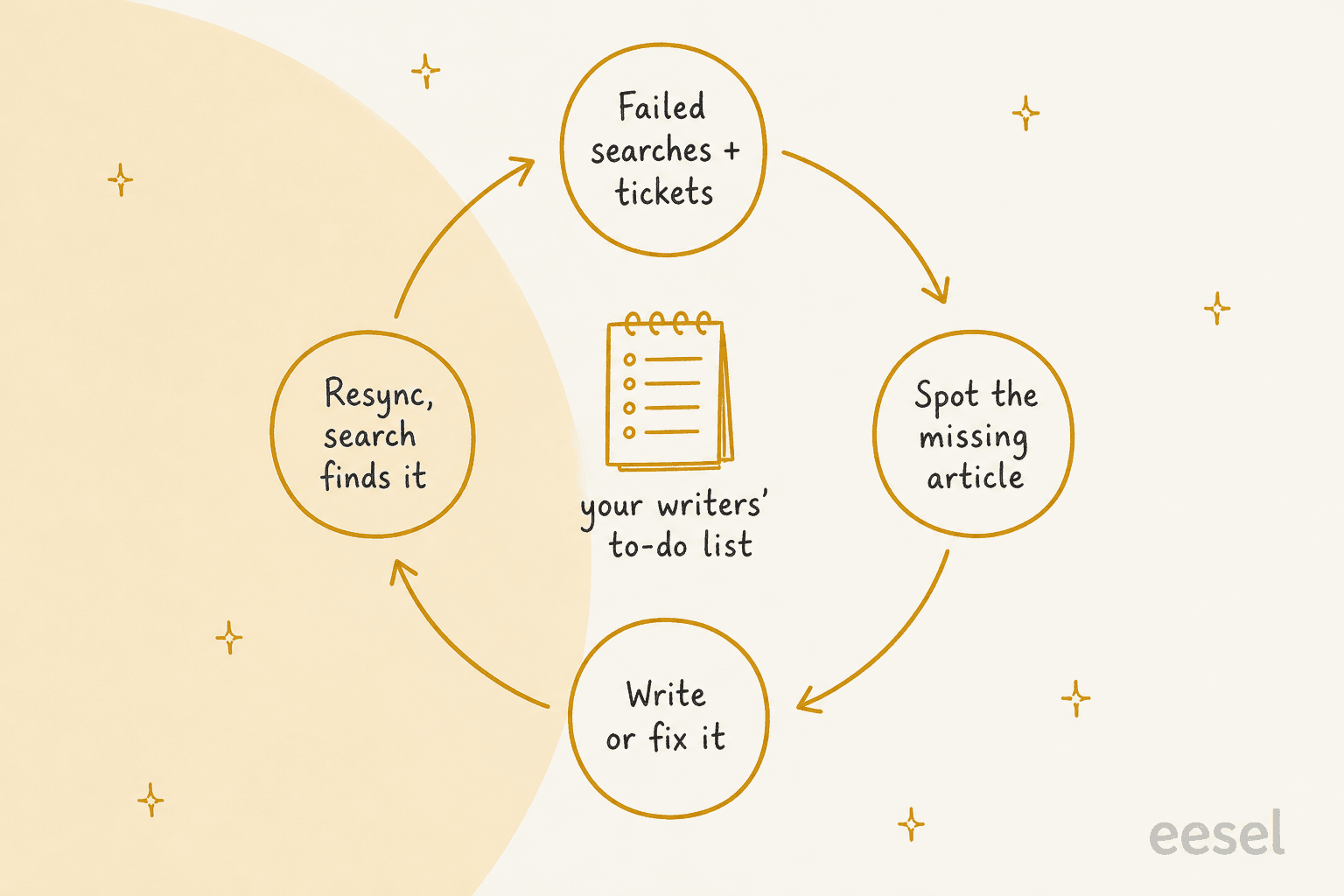
The loop I'd run:
- Pull two lists weekly. No-result searches, and tickets about topics the help center supposedly covers.
- Sort each miss. Missing article, article under the wrong words, or an article that doesn't answer the question. My search gap guide has a template for this.
- Write or fix. One question per article, the customer's words in the title, the steps people ask about in the body.
- Resync and recheck. Make sure whatever reads the help center (search index, AI agent) picks up the change, then watch the same query next week.
AI helps at step 2 and step 3. Gorgias has an AI Library that drafts articles from real ticket data and shows how many tickets each one could deflect.
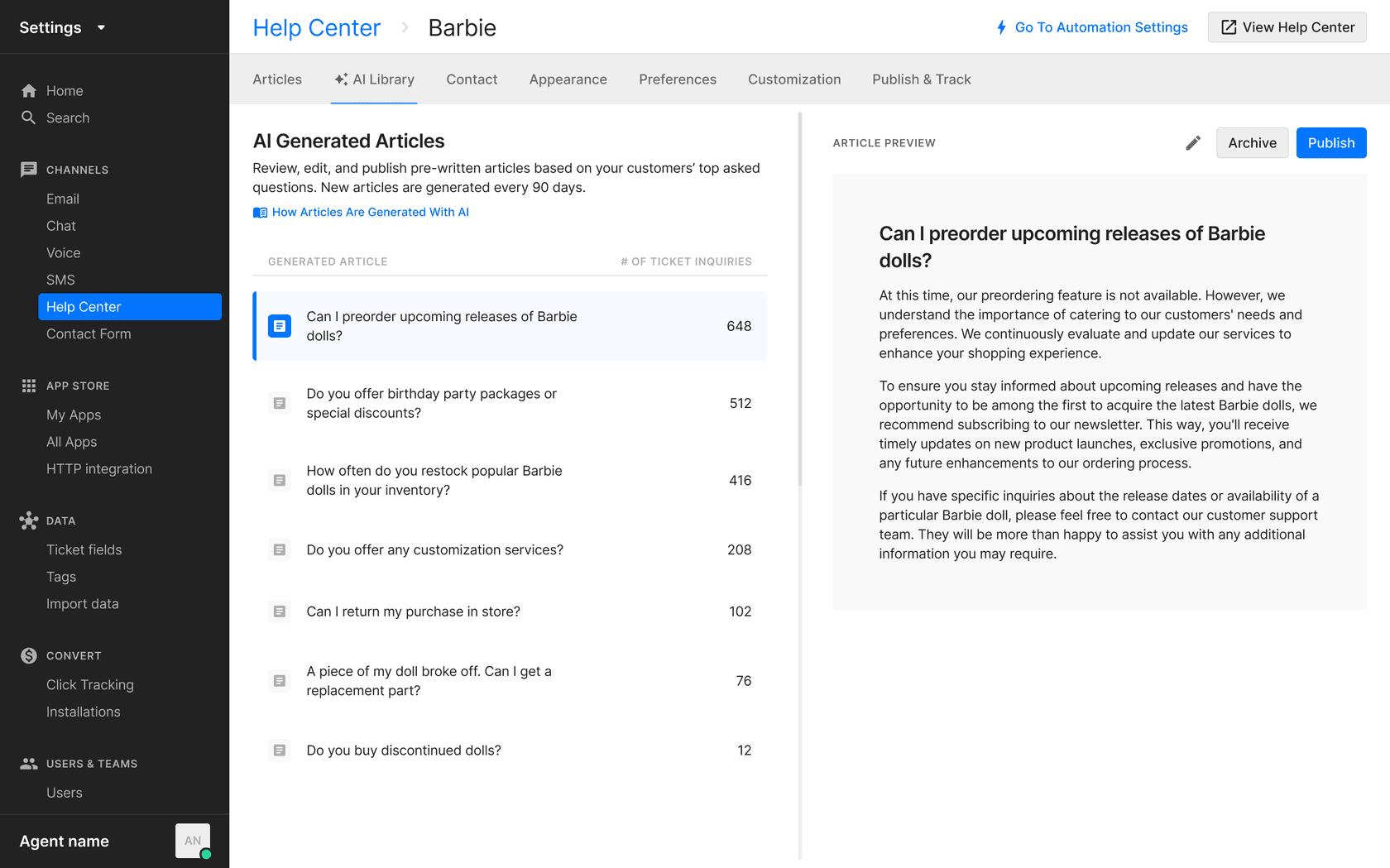
At eesel I see the same loop from the other side. Qontro, a New Zealand ERP company on Freshdesk, gets a drafted reply on every new ticket, grounded in its help center and about 9,800 past tickets. The team compares each draft with the reply a person actually sent, and each wrong draft usually points to a missing or incomplete help article. They fix the article, eesel re-syncs the help center every Friday, and the next draft is better. Qontro also wrote its own vocabulary into the instructions (in Qontro, an instance is a "Shop"), which is the vocabulary gap from earlier fixed by hand. More ideas in my post on detecting outdated help center content.
How do you know if it's working?
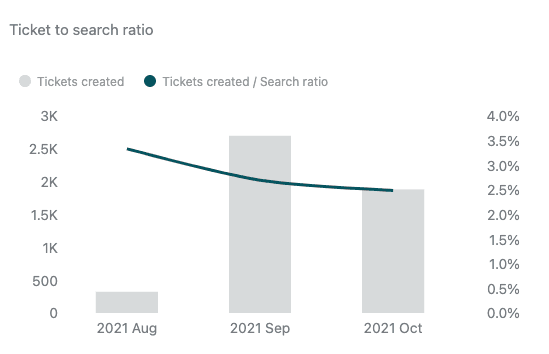
Not by search clicks. Search engagement can go up while tickets stay flat. The number that matters is how many customers search and then open a ticket anyway, and Zendesk reports it directly.
| Metric | What it tells you | Where to find it |
|---|---|---|
| Search to ticket rate | Searches that still ended in a ticket | Zendesk "Ticket to search ratio"; Help Scout "Conversations Created" |
| No-result search rate | Searches that found nothing at all | Zendesk, Gorgias, HubSpot, Help Scout search reports |
| Click-through rate | Whether results look like answers | Zendesk, Gorgias |
| Covered-topic tickets | Tickets the help center should have answered | Tag tickets by topic, compare against articles |
| AI answer accuracy | Whether generated answers match the articles | Thumbs up and down under answers; spot-check weekly |
| Tickets per 1,000 visitors | Overall self-service effect | Ticket volume vs help center traffic |
Measure before you switch anything on, then compare the same weeks after. Seasonality fools everyone. If you're reporting this upward, read my note on deflection rate first, because "deflected" is easy to overcount: a customer who left the search page without a ticket may simply have given up.
What goes wrong with AI search?
Three failure modes, all of which I've watched happen in real eesel rollouts or sales calls.
- Confident answers from thin content. I've seen paying eesel customers' bots invent answers in early setups when the knowledge base had nothing relevant. That's the scar behind how eesel is set up now: when the help center doesn't cover it, the agent says so and hands over instead of guessing, which is exactly how Innr runs it across about 1,500 articles and past tickets in four languages.
- Overly broad articles. One B2B team worried the AI would confirm car models they didn't support, because an article said "we support all models". The AI read it literally. Check articles for sweeping sentences before you point an AI at them; my AI knowledge base audit checklist helps.
- Stale content. An AI answer repeats yesterday's policy with full confidence. Set a resync schedule and an owner per section. A self-updating knowledge base helps here.
And the one that isn't technical: writing more articles nobody reads. This reply from the same Zendesk thread is funny because it's true:
"The trick we use is to spend hundreds of hours carefully documenting and screenshotting all of the processes, then sending links to people who have issues. Updating it with every edge case we find……only to have every single customer just ring and ask a question."
The fix for that isn't a better article. It's an answer delivered where the customer already is.
eesel for help center search
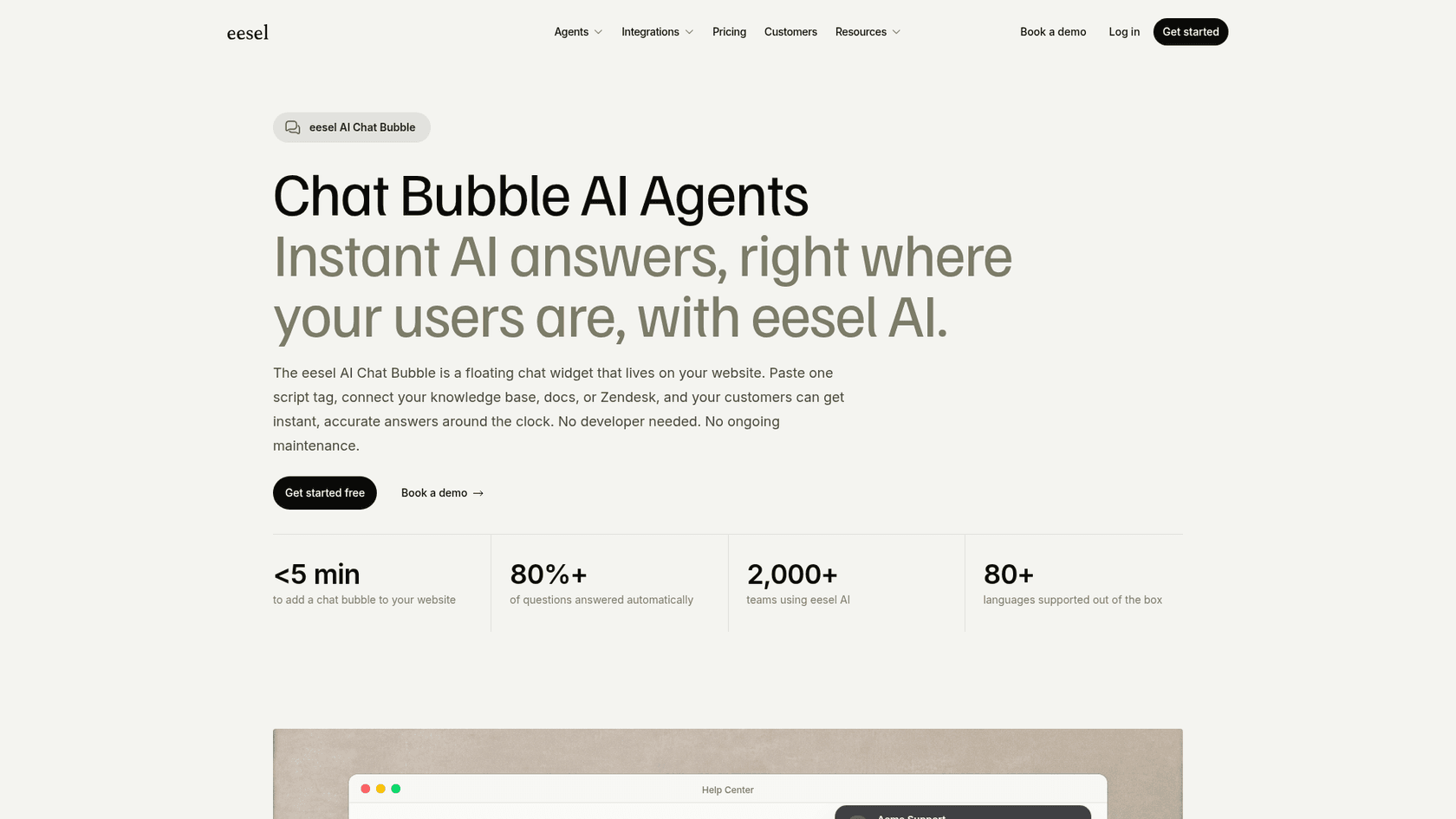
If your help center is good and customers still write in, eesel is the AI helpdesk teammate that brings the article to them. It reads your help center, macros and past tickets, then answers in a chat bubble on your site or help center, and drafts replies on the tickets that come in anyway, inside Zendesk, Freshdesk, Gorgias, Help Scout or HubSpot.
Two customers show what this looks like at different sizes. AG Reederei Norden-Frisia, a German ferry company, runs a bot called CaptAIn that answers from its Zendesk help center, macros and past tickets across three channels, and when the team updates an FAQ about roof racks, the bot picks it up on the next sync. SE Ranking runs one agent per product on about 16,800 pages of knowledge, including roughly 14,100 help center pages, and the agents answered about 2,100 live chats first in one month.
Want to see it on your own help center? Connect your helpdesk and eesel drafts answers on real tickets before you pay anything, with 100 free credits on the pricing page. Try eesel.