What "knowledge base AI" means inside Service Hub
A knowledge base on its own is just a tidy library of help articles, the self-service center customers land on before they open a ticket. The "AI" part is what HubSpot layers on top so that library does two new jobs: it answers questions on its own, and it tells you what's missing.
HubSpot Service Hub is HubSpot's customer service product, built directly on the HubSpot CRM so support, sales, and marketing all read off one customer record. The knowledge base itself is a paid feature: you get 1 knowledge base with up to 2,000 articles on the Professional plan, scaling to 25 knowledge bases and 10,000 articles on Enterprise.
The reason this matters: a knowledge base is only as useful as it is complete and current, and keeping it that way by hand is the chore nobody on a support team volunteers for. The AI features are HubSpot's answer to that problem. There are exactly two of them, and they do different things, so it's worth pulling them apart before you turn anything on.
The two AI pieces: Customer Agent and Knowledge Base Agent
Breeze Customer Agent: the answering layer
The Breeze Customer Agent is the front door. It's an AI agent that handles email and live-chat inquiries 24/7, pulling answers from your knowledge base articles and your connected content. You give it a name, a goal, and a personality, point it at your knowledge base, and it starts replying to customers with answers that link back to the source article.
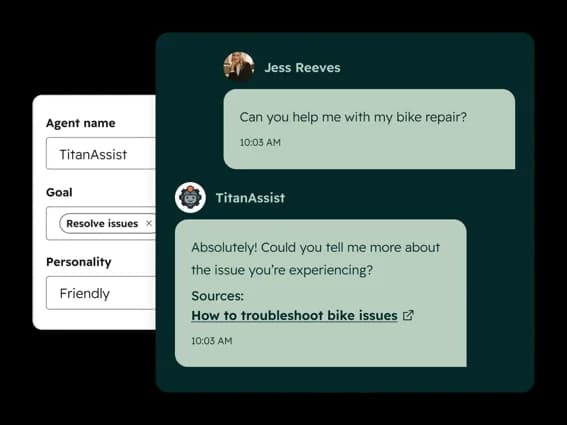
This is the piece that actually deflects tickets. When a customer asks something your knowledge base already answers, the Customer Agent handles it end to end and the ticket never reaches a human. HubSpot's own framing puts the resolution rate at 65% of conversations and claims a 39% cut in resolution time. Those are vendor numbers, so treat them as a ceiling rather than a promise, but the mechanism is sound: good articles in, deflected tickets out.
Breeze Knowledge Base Agent: the writing layer
Here's the piece that's actually interesting, and the reason "knowledge base AI" is more than a chatbot. The Breeze Knowledge Base Agent (in Beta as of mid-2026) works the other direction. Instead of reading your articles, it watches resolved conversations, notices topics that keep coming up without a matching article, and drafts new articles to cover them.
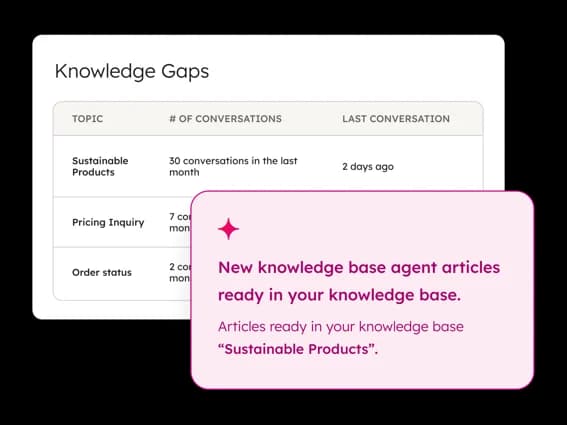
In the screenshot above, HubSpot surfaces a "Knowledge Gaps" table ranking topics like "Sustainable Products" by how many conversations touched them, then quietly drops a finished draft into your knowledge base for review. That's the loop that makes the two agents worth more together than apart: the Customer Agent answers from the docs, the Knowledge Base Agent notices where the docs run out, and the next batch of customers gets an answer the last batch didn't.
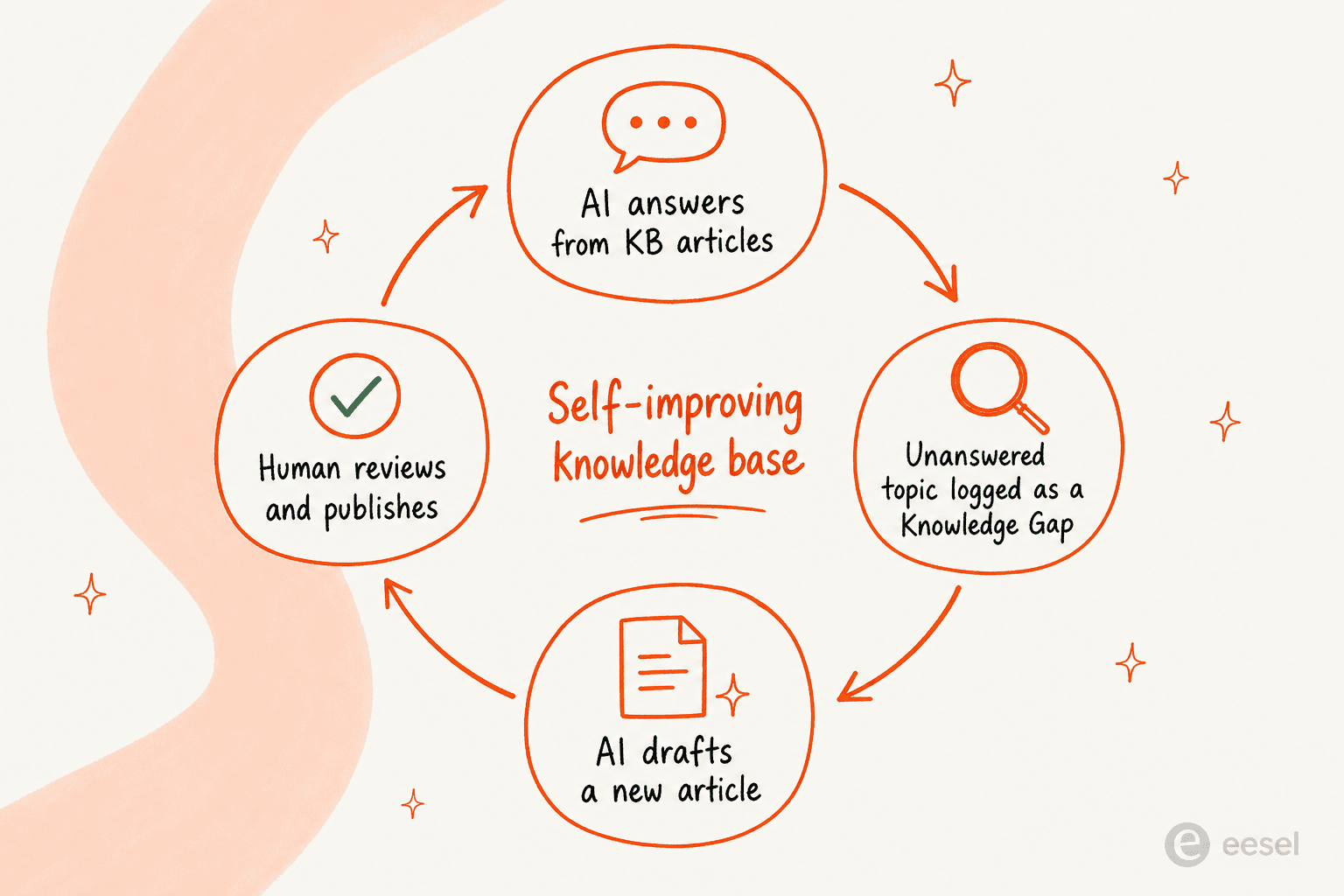
It's a smart design, and on paper it's the kind of self-maintaining knowledge base every support lead wants. The honest caveat is that "watches resolved conversations" means it learns from interactions going forward, not from the years of ticket history already sitting in your account. We'll come back to that gap, because it's the main thing that separates HubSpot's approach from a tool built to train on your past tickets.
How to set up knowledge base AI in Service Hub
The setup order matters: the answering layer needs articles to answer from, so you build the knowledge base first, then switch on the agents.
- Publish a knowledge base. From your Service settings, create a knowledge base and publish at least a handful of articles covering your most common questions. The Customer Agent has nothing to deflect with until something is live, so start with your top 10 to 20 question topics rather than waiting for a "complete" library.
- Turn on the Customer Agent. In the AI agent settings, give the agent a name, set its goal (for example, "resolve issues"), pick a tone, and connect it to your knowledge base and any other approved content. You can scope which channels it handles, so it's reasonable to start with chat only.
- Enable the Knowledge Base Agent (Beta). With conversations flowing, switch on the Knowledge Base Agent so it starts logging recurring unanswered topics as Knowledge Gaps and drafting articles for them.
- Review before you publish. The agent drafts; it doesn't auto-publish. Check each draft for accuracy and tone, edit, then approve. This review step is your quality gate, so don't skip it in the first few weeks.
- Watch the Knowledge Gaps report. Treat the gaps table as a backlog. The topics with the most conversations and no article are exactly where the next bit of deflection comes from.
One thing worth flagging up front: both agents live on the Professional plan and above, which also carries a required one-time onboarding fee. So "switch on the AI" isn't a free toggle on your existing plan, it's tied to a paid tier. That brings us to the part most setup guides skip.
What it actually costs
HubSpot Service Hub is priced per seat, and the knowledge base plus both AI agents only appear from the Professional tier up. Here's the full picture so the AI cost sits in context rather than as a standalone "starts at" number.
| Plan | Price (annual) | Included HubSpot Credits | Knowledge base | AI agents | Onboarding fee |
|---|---|---|---|---|---|
| Free | $0/mo (up to 2 users) | none | no | no | none |
| Starter | from $7/mo/seat | 500 credits | no | no | none |
| Professional | from $90/mo/seat | 3,000 credits | 1 KB / 2,000 articles | Customer Agent + KB Agent | $1,500 one-time |
| Enterprise | from $150/mo/seat | 5,000 credits | 25 KBs / 10,000 articles | everything in Pro | $3,500 one-time |
Pricing per HubSpot's Service pricing page; onboarding fees per HubSpot's onboarding page. Our full breakdown lives in the HubSpot pricing guide.
The AI itself runs on a metered credit system on top of seats. As of HubSpot's April 2026 move to outcome-based pricing, the Customer Agent costs 50 credits per resolved conversation, which at the annual credit rate of $9 per 1,000 credits works out to roughly $0.50 per resolution. Your included allotment covers a fixed number of those: 3,000 credits on Professional is about 60 resolutions a month, and 5,000 on Enterprise is about 100. Past that, you buy more HubSpot Credits.
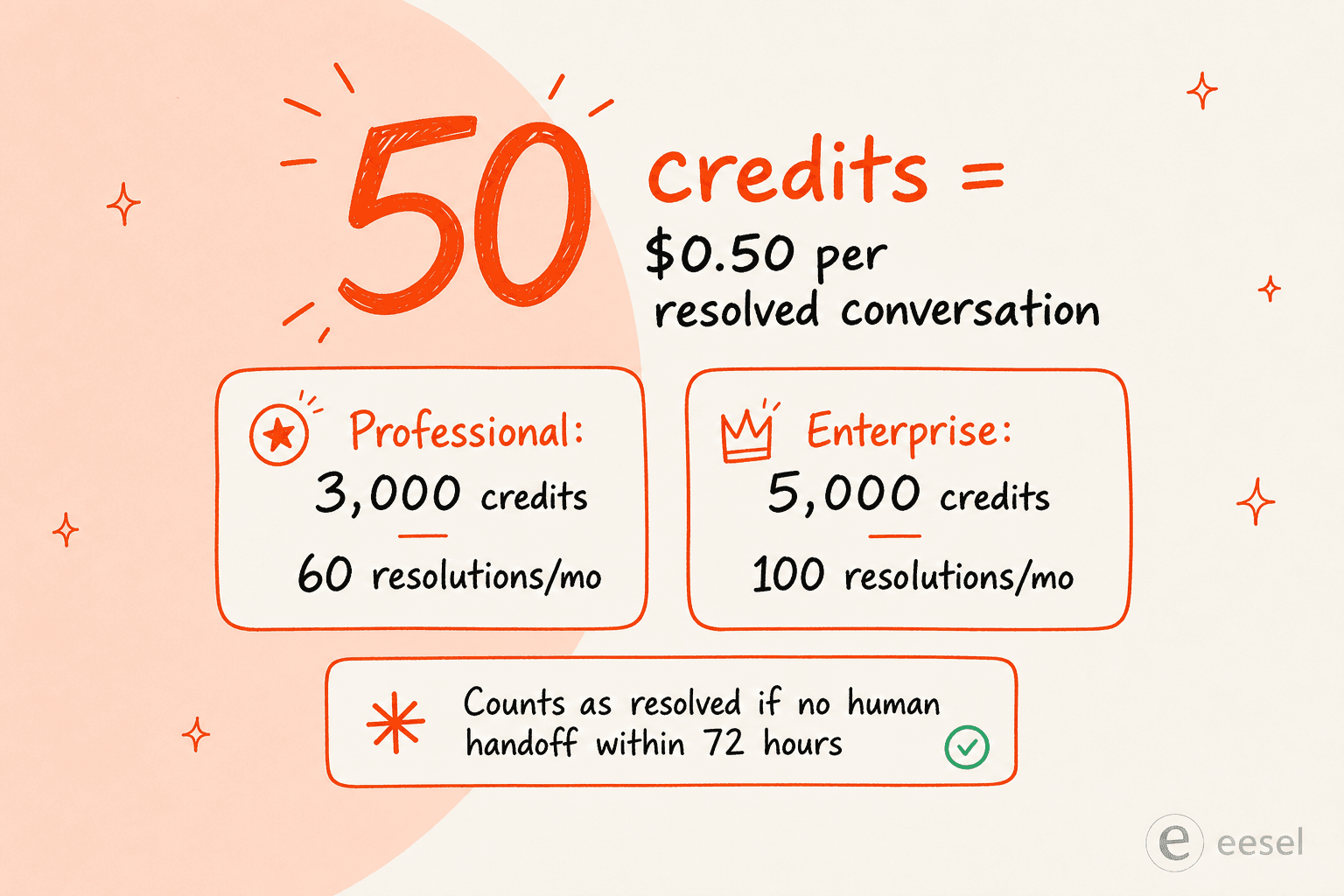
There's a definition buried in that pricing worth reading twice. A conversation counts as "resolved" when the AI shares a content source or performs an action and there's no human handoff within 72 hours, or when it qualifies a lead. As one analysis put it, "'resolved' by HubSpot's definition isn't the same as 'the customer left happy.'" A customer who gave up and never replied looks identical to one who got a perfect answer. It's not a scandal, just a reason to watch the metric rather than trust it blindly.
Where HubSpot's native KB AI falls short
HubSpot's knowledge base AI is a real, working feature, and for teams already living in the HubSpot CRM it's the path of least resistance. But after digging through the docs and user reports, three limits stand out, and they're the ones that send people looking at Service Hub AI alternatives.
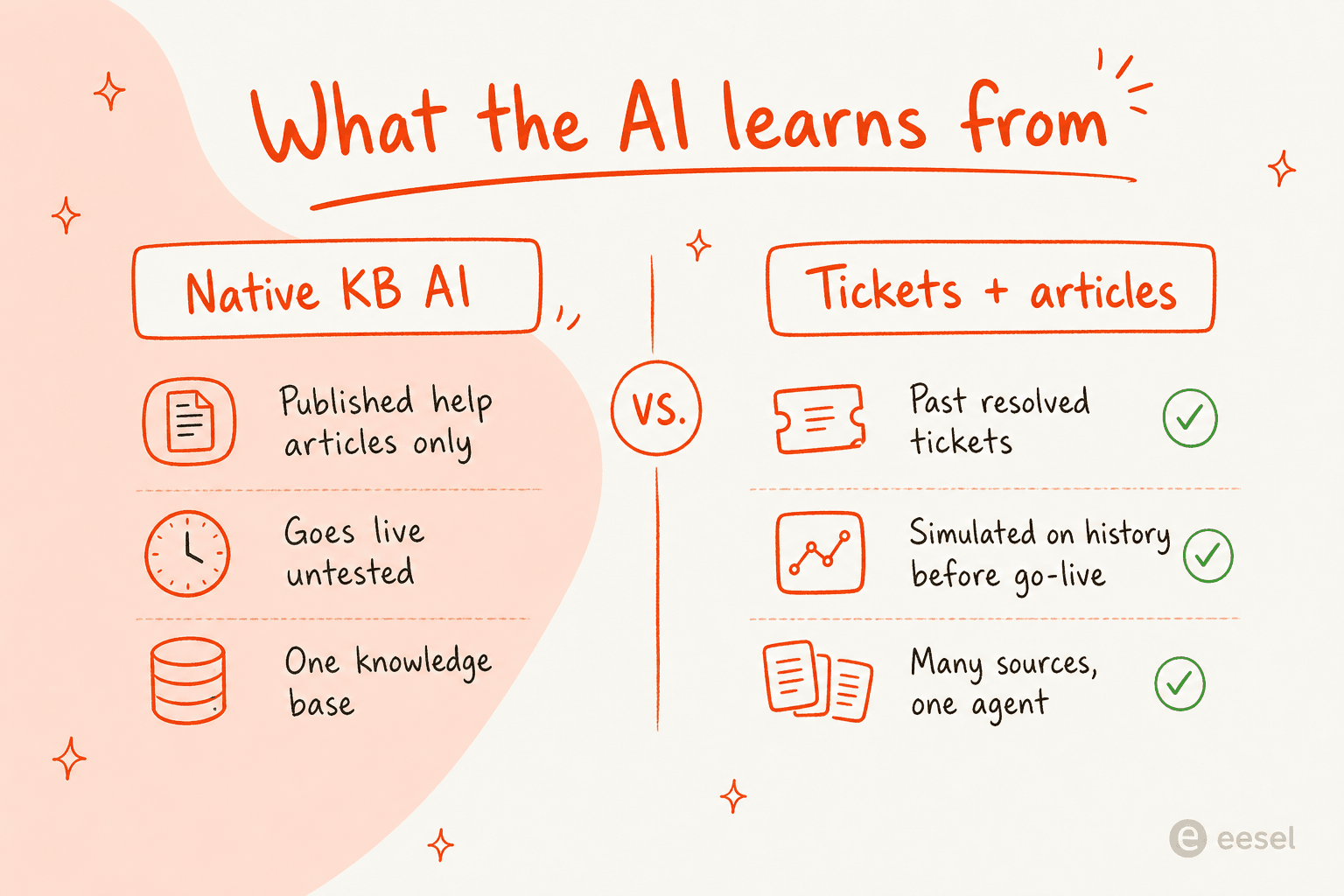
It learns from articles, not your ticket history. The Customer Agent answers from published content, and the Knowledge Base Agent drafts from conversations going forward. Neither one mines the thousands of already-resolved tickets where your team has, in plain language, answered every edge case at least once. That backlog is the richest training data a support team owns, and HubSpot's native AI largely leaves it on the floor.
You can't test it on real tickets before it goes live. There's no way to run the agent against a sample of past conversations and see what it would have said, so the first real test is a real customer. For a tier-1 support workflow that's a nervous way to launch.
Cost compounds quietly. Per-seat pricing, a yearly commitment, the $1,500 or $3,500 onboarding fee, and metered credits on top all stack. Independent pricing write-ups keep landing on the same note: as one HubSpot pricing analysis put it, "between different hubs, seat pricing, onboarding fees, and extra credits, the final price often ends up far higher than expected."
There's also a control question that comes up constantly with any support AI, and it's the one buyers care about most. The fear isn't that AI is useless, it's that it'll confidently answer the wrong thing. One support lead we spoke to framed it exactly right:
"The AI will never be able to answer 100% of the questions... I need an AI who is only handling the tickets that it's confident to handle and all the other ones, leave them alone."
A DTC supplements CX lead, eesel AI customer research
That instinct, let the AI take the ones it's sure about and hand everything else to a human, is the gap between a deflection number you can trust and one you can't.
None of this means Service Hub's AI is the wrong choice. If your knowledge base is already strong and you're happy inside HubSpot's pricing, it's a reasonable place to start, and our full verdict on Service Hub AI goes deeper. But if any of those three limits is a dealbreaker, you don't have to leave HubSpot to fix it.
Try eesel AI on top of your HubSpot knowledge base
eesel AI is an AI support agent that connects to HubSpot and addresses exactly those three gaps. It learns from your past resolved tickets and help docs on day one, not just your published articles, so years of answers your team already wrote become usable knowledge immediately. Its simulation mode runs the agent against thousands of your historical tickets before it ever touches a live customer, so you see the deflection rate and catch gaps first. And confidence-based routing means it only replies when it's sure, drafting or escalating everything else, which is the control that DTC lead was asking for.

Pricing is usage-based at $0.40 per ticket with no per-seat fees, no platform fee, and no mandatory onboarding charge, so the cost scales with what the AI actually handles. Teams like Gridwise saw it resolve 73% of tier-1 requests in the first month. If you're weighing HubSpot's knowledge base AI against a layer that learns from everything you've already solved, that's the comparison worth running. You can connect it to your existing HubSpot setup and start with a free trial.
Frequently Asked Questions
Does HubSpot Service Hub have AI built into its knowledge base?
How much does HubSpot's knowledge base AI cost?
How do I set up the Breeze Knowledge Base Agent in Service Hub?
Can HubSpot's AI answer from past tickets, not just published articles?
Is HubSpot Service Hub knowledge base AI good enough for tier-1 support?


Article by
Riellvriany Indriawan
Riell is a designer and writer at eesel AI with about two years of experience researching CX platforms, AI chatbots, and helpdesk software. She combines her design background with a sharp eye for how these tools actually look and feel in practice — making her comparisons unusually visual and user-focused.