If you're evaluating customer service software, you've probably come across HubSpot Service Hub. It's part of HubSpot's broader customer platform that promises to unify your marketing, sales, and service operations. With the addition of Breeze AI, HubSpot is positioning Service Hub as an AI-powered solution for modern support teams.
But here's the question that actually matters: is HubSpot Service Hub AI worth the investment for your specific situation?
This review cuts through the marketing to give you an honest assessment. We'll break down the pricing (including those hidden costs), evaluate the AI capabilities, share what real users actually say, and help you decide if it makes sense for your team.
What is HubSpot Service Hub AI?
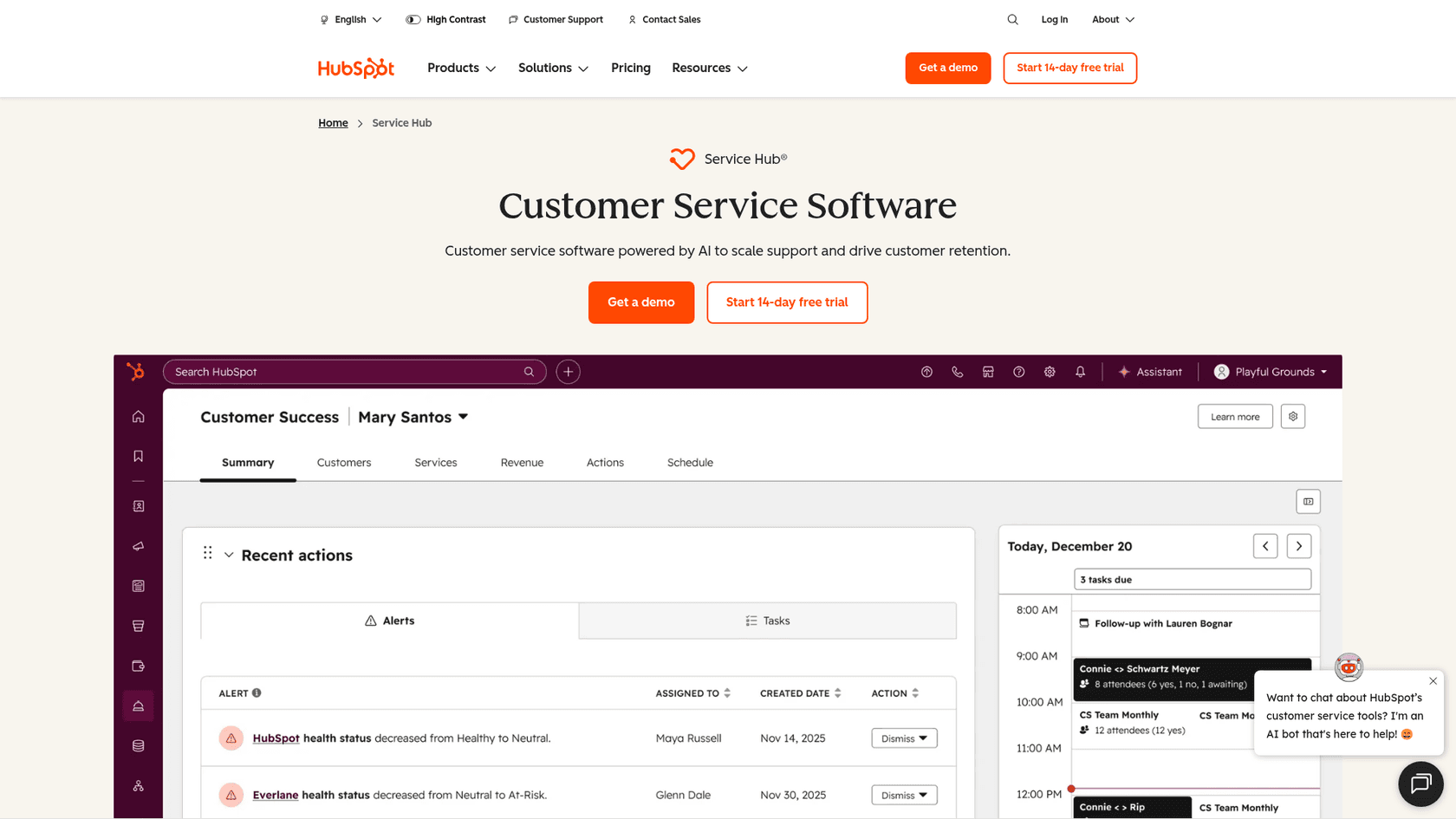
HubSpot Service Hub is customer service software built on top of HubSpot's CRM platform. The "AI" component comes from Breeze AI, HubSpot's AI platform that includes several tools designed to automate and enhance customer support.
The core idea is appealing: instead of juggling separate tools for ticketing, live chat, knowledge base, and customer feedback, you get everything in one place. Plus, because it's connected to your CRM, your support team sees the full customer history (marketing interactions, sales conversations, past tickets) in one view.
Breeze AI adds intelligent automation to this mix. The Breeze Customer Agent can handle common inquiries automatically. AI-powered reply recommendations help human agents respond faster. Conversation intelligence analyzes call recordings for insights.
Here's the short version: HubSpot Service Hub AI makes the most sense if you're already invested in the HubSpot ecosystem. The integration with Marketing Hub and Sales Hub is genuinely useful. But if you're starting fresh or looking for cutting-edge AI capabilities, there are important limitations to consider.
HubSpot Service Hub AI pricing breakdown
Let's talk numbers, because this is where HubSpot gets complicated.
| Plan | Monthly Price | Annual Price | Key Features |
|---|---|---|---|
| Free | $0 | $0 | Contact management, basic ticketing, team email |
| Starter | $20/seat | $15/seat | Simple automation, multiple pipelines, live chat |
| Professional | $100/seat | $100/seat | Help desk workspace, Breeze Customer Agent, knowledge base, SLAs |
| Enterprise | $150/seat | $150/seat | Skill-based routing, conversation intelligence, advanced analytics |
Source: HubSpot Service Hub Pricing
A few things to note about this pricing:
- The Starter discount ($15 vs $20) is for new customers only
- Professional and Enterprise require mandatory onboarding fees (typically $3,000 to $7,000)
- AI features like the Breeze Customer Agent only start at Professional ($100+/seat)
- Costs scale linearly with team size, per-seat
Let's run a real-world scenario. Say you have a 10-person support team and want AI capabilities. You're looking at Professional: $1,000/month ($100 x 10 seats) plus a $3,000 onboarding fee. That's $15,000 in year one, minimum.
For comparison, that's roughly equivalent to 50 months of our Business plan at eesel AI, which includes unlimited bots and 3,000 interactions per month with no per-seat fees.
The pricing model works fine if you're a mid-market company with budget allocated. But for smaller teams or those watching costs closely, the per-seat model plus onboarding fees adds up fast.
Key AI features and capabilities
HubSpot's AI features fall under the Breeze AI umbrella. Here's what's actually available and where the limitations kick in.
Breeze Copilot
Available even on the free plan, Copilot acts as an AI assistant for daily tasks. It can help draft responses, summarize conversations, and suggest next steps. Think of it as a helpful sidekick rather than autonomous automation.
Breeze Customer Agent
This is HubSpot's autonomous AI agent that can handle common questions without human intervention. It pulls from your knowledge base to answer FAQs, route complex issues to humans, and maintain context across conversations.
Here's the catch: it's only available on Professional and Enterprise plans. If you're on Starter or Free, you don't get autonomous AI capabilities at all.
AI-powered reply recommendations
When an agent opens a ticket, HubSpot suggests response text based on the conversation history and knowledge base articles. It's useful for consistency and speed, though agents still need to review and send.
Conversation intelligence
Available on Enterprise, this feature transcribes calls and analyzes them for sentiment, key topics, and coaching opportunities. It's genuinely useful for quality assurance and training, but again, tier-locked.
Knowledge base integration
HubSpot can index your help center articles and use them to power AI responses. The Breeze Knowledge Base Agent can even suggest new articles based on common questions.
The AI capabilities are solid but not groundbreaking. If you're comparing against modern AI-native tools, HubSpot's approach feels more like "AI added to existing software" rather than "software built around AI." The tier restrictions also mean you need to pay $100+/seat before accessing the most useful automation features.
What real users say: HubSpot Service Hub AI pros and cons
User reviews paint a mixed but generally positive picture. On Capterra, Service Hub scores 4.4/5 from 186 reviews. G2 ratings are similar. But dig into the comments and patterns emerge.
What users like
Integration with HubSpot ecosystem
Users consistently praise how Service Hub connects with the rest of HubSpot. As one reviewer noted:
"I no longer have to switch between multiple tools, and having all customer data (emails, chats, tickets) in one dashboard makes my work much easier." Capterra reviewer
Ease of use (once learned)
Teams familiar with HubSpot find Service Hub intuitive. The interface mirrors other HubSpot tools, so there's less retraining required.
Comprehensive feature set
Between ticketing, live chat, knowledge base, and feedback tools, most teams find they don't need additional software.
What users don't like
Pricing that scales aggressively
This comes up constantly in reviews. Multiple users mention that costs become prohibitive as teams grow.
"The main issue for me is the cost. As soon as you add more users or need advanced features, the price goes up quickly." Capterra reviewer
AI features behind paywalls
Users on lower tiers express frustration that AI capabilities require expensive upgrades. The Breeze Customer Agent, in particular, is Professional-only.
Learning curve
While fans call it intuitive, critics mention a steep learning curve. One SoftwareAdvice reviewer gave it 3/5 stars, noting:
"Bundled support platform that's lagging behind competitors. Poor UX for support ticketing, lacking in core functionality, behind the curve on AI capabilities." SoftwareAdvice reviewer
Customer service issues
TrustPilot reviews (where HubSpot scores a concerning 1.9/5) frequently cite billing problems and difficulty getting support. While negative reviews tend to cluster on TrustPilot, the volume of complaints about contract lock-in and billing surprises is worth noting.
Bottom line? Users love HubSpot Service Hub when it fits their context: mid-market teams already using HubSpot who can absorb the costs. Outside that niche, the value proposition gets shakier.
Who should buy HubSpot Service Hub AI
Based on the research, HubSpot Service Hub AI makes sense for:
Teams already invested in HubSpot ecosystem If you're using Marketing Hub and Sales Hub, adding Service Hub creates genuine synergy. The unified customer view is HubSpot's biggest selling point, and it only works if you're all-in on their platform.
Mid-market companies with dedicated admins Organizations with 50-1,000 employees and budget for implementation can justify the cost. You need someone who can invest time in setup and ongoing management.
Companies prioritizing CRM integration over AI sophistication If your primary need is connecting support data to sales and marketing records (rather than cutting-edge AI automation), HubSpot delivers.
Who should skip it
Small businesses with tight budgets The per-seat pricing plus onboarding fees make HubSpot expensive for small teams. A 5-person support team on Professional pays $6,000/year in software costs alone, before onboarding.
Teams wanting modern AI without enterprise costs If autonomous AI resolution is your priority, HubSpot's tier restrictions are frustrating. You need Professional ($100+/seat) just to access the Breeze Customer Agent.
Companies needing quick, simple setup Between onboarding fees, implementation time, and the learning curve, HubSpot isn't a "sign up and go" solution. If you need customer support software running this week, look elsewhere.
A modern alternative to consider
If HubSpot's pricing model or tier restrictions don't fit your situation, eesel AI offers a different approach.

Instead of per-seat pricing that grows with your headcount, we charge per interaction. Our Team plan starts at $299/month for up to 3 bots and 1,000 interactions. Add team members without adding costs.
Here's how the models compare for a 10-person support team:
| Factor | HubSpot Professional | eesel AI Business |
|---|---|---|
| Monthly cost | $1,000 (10 seats) | $799 |
| Onboarding fees | $3,000+ | None |
| AI agent included | Yes (Breeze) | Yes (unlimited bots) |
| Pricing model | Per-seat | Per-interaction |
| Setup time | Weeks (with onboarding) | Minutes |
The bigger difference is philosophical. HubSpot treats AI as a feature added to existing software. We built eesel AI as an AI teammate you hire and level up.
You start with guidance: eesel drafts replies for your agents to review. As it proves itself, you expand its scope until it's handling frontline support autonomously. You control the pace based on actual performance, not preset tiers.
We also integrate with your existing help desk (Zendesk, Freshdesk, Gorgias, and 100+ others) rather than requiring you to migrate everything to our platform. If you're curious how this compares for your specific situation, you can see eesel in action or check our AI Agent product for details.
Making the right choice for your team
So, is HubSpot Service Hub AI worth it?
The honest answer: it depends entirely on your context.
If you're a mid-market company already using HubSpot's marketing and sales tools, Service Hub creates genuine value through unified data. The AI features, while tier-restricted, work well enough for most use cases. Just budget for the true cost (seats + onboarding + potential overage fees).
If you're a smaller team, budget-conscious, or prioritizing AI capabilities over CRM integration, HubSpot's value proposition weakens. The per-seat pricing penalizes growth, and the AI features you actually want require expensive tiers.
For teams in that second camp, modern AI-native alternatives like eesel AI offer predictable costs, faster setup, and more sophisticated automation without the enterprise price tag.
The best approach? Audit your actual needs first. Do you need deep CRM integration, or do you need AI that can resolve tickets autonomously? Your answer will point you toward the right solution.