If your support team is drowning in tickets and you're already using HubSpot, their AI ticket automation features probably look tempting. The promise is straightforward: let AI handle routine inquiries, route tickets intelligently, and free up your human agents for complex issues.
But does HubSpot Service Hub's AI actually deliver? In this review, we'll look at what Breeze AI can do for ticket automation, how much it really costs, what real users say, and where it falls short. We'll also explore how solutions like eesel AI can complement or replace HubSpot's native AI features depending on your needs.
What is HubSpot AI ticket automation?
HubSpot's AI ticket automation lives inside Service Hub and is powered by their Breeze AI platform. Think of it as an AI layer on top of your existing ticketing system that can read incoming messages, suggest responses, categorize issues, and even handle simple inquiries automatically.
The core idea is that AI handles the repetitive stuff so your agents can focus on problems that actually need human judgment. Here's what that looks like in practice:
- AI Ticket Agent generates suggested responses based on your knowledge base and past tickets
- Automated categorization reads incoming messages and sorts them by topic, urgency, or intent
- Smart routing assigns tickets to the right agent based on workload and expertise
- Conversation summaries give agents (and managers) quick overviews of long ticket threads
- Knowledge base recommendations suggest relevant help articles to customers and agents

The advantage here is integration. Because Service Hub connects to HubSpot's CRM, the AI can see customer history, deal stages, and previous interactions. That context helps it draft more relevant responses than a generic AI would.
HubSpot AI ticket automation features in depth
Let's break down the main AI features and how they actually work.
AI-powered ticket responses
When a ticket comes in, HubSpot's AI can draft a response using your connected knowledge base, past tickets, and the customer's CRM history. Agents see the suggested reply and can edit, approve, or discard it before sending.
The tone adjustment feature lets you match your brand voice, whether that's formal, friendly, or empathetic. This is useful for maintaining consistency across a team, especially when you have newer agents who haven't fully absorbed your communication style yet.
The catch? Full AI response capabilities require Service Hub Professional or higher. The Free and Starter plans only get basic AI Copilot features, not automated response generation.
Automated ticket categorization and routing
HubSpot's AI analyzes incoming messages to determine what the issue is about (billing, technical support, account access) and how urgent it might be. It then routes tickets to appropriate agents or teams based on content, sentiment, and your configured rules.
For high-volume teams, this reduces the time tickets sit in a general queue waiting for someone to sort them. The AI also considers agent workload, which helps prevent situations where one person is drowning while others are idle.
Skill-based routing, which matches tickets to agents with specific expertise, is only available on the Enterprise plan.
Conversation summaries
Long ticket threads are a pain for everyone. The AI can generate summaries that capture the key points, customer sentiment, and current status. This helps when:
- An agent is taking over a ticket from a colleague
- A manager needs to understand an escalated issue quickly
- You're reviewing ticket trends for training or process improvement
The summaries pull from the full conversation history, so they catch context that might be buried deep in a thread.
Knowledge base integration
HubSpot's AI can suggest relevant knowledge base articles both to customers (through self-service portals) and to agents (while they're drafting responses). The Knowledge Base Agent (currently in beta) even promises to convert successful support interactions into new knowledge base articles automatically.
This matters because good self-service deflects tickets before they ever reach an agent. If customers can find answers themselves, your team can focus on the issues that actually require human attention.
HubSpot AI ticket automation pricing
Here's where things get complicated. HubSpot's pricing has multiple layers, and the AI features you want might cost more than the base subscription suggests.
| Plan | Price (per user/month) | AI Features Included |
|---|---|---|
| Free | $0 | Basic AI Copilot only |
| Starter | $20 ($9 if paid annually) | Limited AI, 500 HubSpot Credits |
| Professional | $100 ($90 if paid annually) | Full AI Ticket Agent, 3,000 Credits |
| Enterprise | $150 | Advanced AI, 5,000 Credits, skill-based routing |
Additional costs to factor in:
- Onboarding fees: $1,500 (Professional) or $3,500 (Enterprise) one-time
- HubSpot Credits: AI usage consumes credits. The Customer Agent costs 100 credits per conversation
- Breeze AI overages: If you exceed your credit allotment, you'll need to purchase more
The credit system is worth paying attention to. While 3,000 credits on Professional sounds like a lot, if your Customer Agent handles 30 conversations per day, you'll burn through that in about a month. For a deeper breakdown of HubSpot's pricing structure, check out our complete HubSpot AI pricing guide or explore our guide to AI customer support automation for alternative approaches.
What real users say about HubSpot AI ticket automation
HubSpot Service Hub has a 4.4/5 rating on G2 from over 2,891 reviews. That's solid, but the feedback gets more interesting when you dig into the details.
What users like:
- The interface is intuitive. Teams report getting up and running quickly without extensive training
- The centralized workspace means agents see customer history, previous tickets, and CRM data in one place
- AI summaries help agents understand complex issues faster, especially when taking over tickets from colleagues
- For small teams handling 50-100 emails daily, it strikes a good balance of features without overwhelming complexity
Everything is incredibly transparent for me to audit my support team for quality assurance. This is on top of an already incredible experience for the team as they can see all the details needed to answer questions and resolve issues straight from the Helpdesk view.

The ticket system is very useful for managing patient queries and follow ups. Each request can be tracked properly with status and priority, so nothing important is missed. The AI features add extra value by helping summarize interactions and highlight next steps.
Common complaints:
- AI-generated responses can feel generic, requiring significant editing before sending
- Advanced features (the ones that make AI automation worthwhile) require jumping to expensive tiers
- Limited customization options on lower-tier plans
- Dashboard load times can lag when dealing with large datasets
- The credit-based pricing makes budgeting unpredictable for high-volume teams
I am finding that more and more are coming from AI instead of a person. That is great, but often they are more general and it requires to reach out a second or third time to get the support I need.
Limitations and considerations
HubSpot's AI ticket automation isn't perfect. Here are the main limitations to consider before committing:
Human handoff challenges. The HubSpot Community has active discussions about the difficulty of seamlessly transferring conversations from AI to human agents with automatic ticket creation. If your use case requires complex escalation workflows, this is worth testing thoroughly during your trial.
No native e-commerce integrations. Unlike some specialized AI support tools, HubSpot doesn't offer native Shopify or WooCommerce integrations for order lookups, inventory checks, or shipping status. You'll need third-party integrations or custom development.
Unpredictable costs. The credit system means your AI costs scale with usage, which can make budgeting tricky. High-volume periods (like product launches or holiday seasons) can result in unexpected bills.
Steep entry price for AI features. To get the AI Ticket Agent and automated responses that make this review relevant, you're looking at $100+ per user per month plus onboarding fees. That's a significant investment for smaller teams.
Learning curve. While the interface is intuitive, getting AI automation tuned to your specific needs takes time. Expect to spend weeks refining prompts, training the system on your knowledge base, and adjusting routing rules.
eesel AI: A flexible alternative for HubSpot users
If HubSpot's AI limitations are dealbreakers for your team, there are alternatives. We built eesel AI to work alongside HubSpot or as a standalone solution, depending on what your team needs.

Here's how we approach things differently:
Predictable pricing. Instead of credits that fluctuate with usage, we charge per interaction. You know exactly what you're paying for, which makes budgeting straightforward.
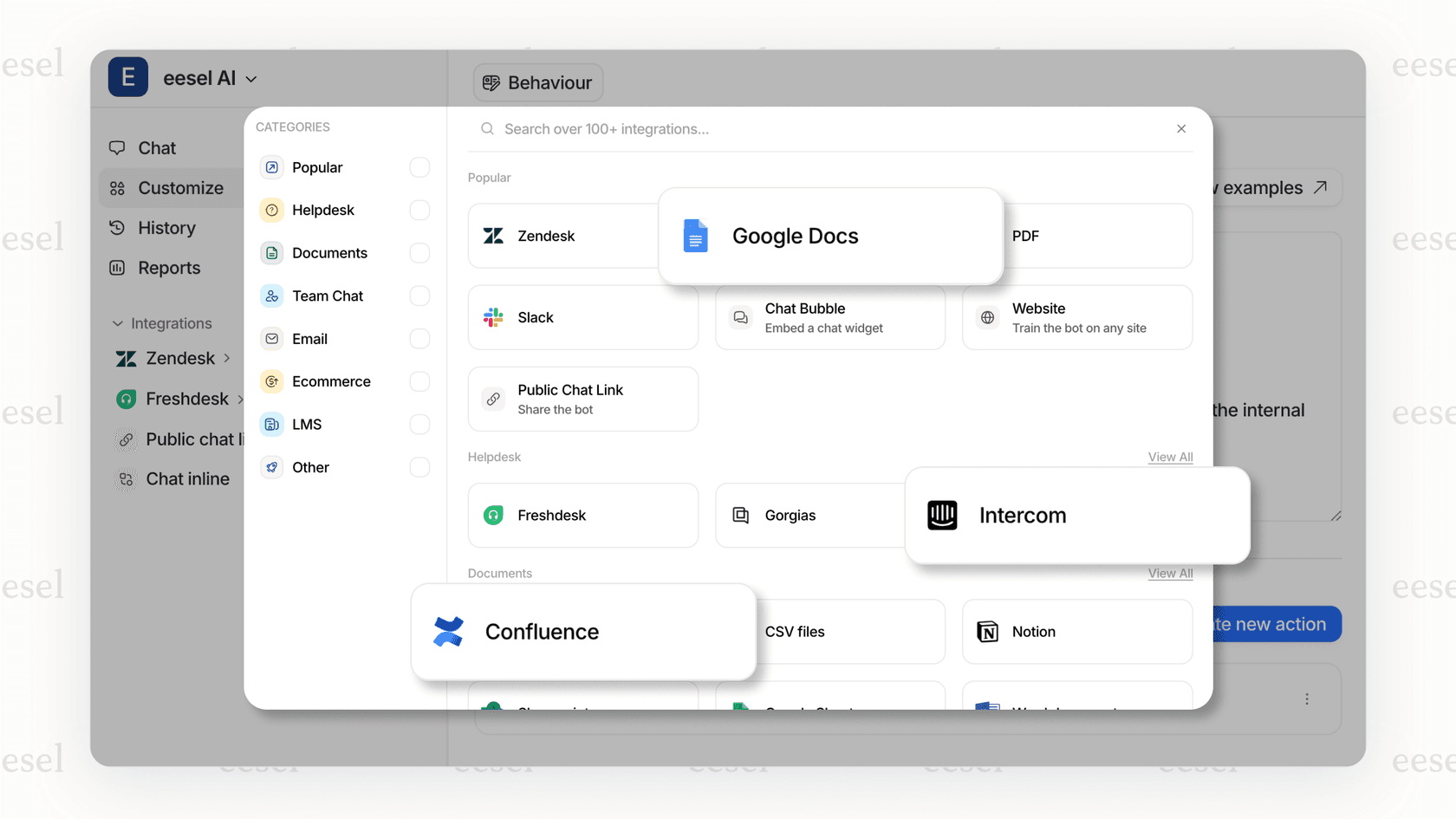
Broader integrations. Our HubSpot integration connects to your existing setup, but we also offer deeper e-commerce support including Shopify, WooCommerce, and custom API connections for order lookups and inventory checks.
Simulation before going live. One feature our users particularly value: you can run eesel AI on thousands of past tickets before turning it on for real customers. See exactly how it would respond, measure resolution rates, and tune prompts until you're confident.
Plain-English control. Define escalation rules, response guidelines, and automation triggers in natural language. No complex workflow builders or coding required.
If you're curious how this compares for your specific situation, our AI Agent product handles frontline support tickets end-to-end, or you can see our full pricing to compare costs directly.
Is HubSpot AI ticket automation right for your team?
HubSpot's AI ticket automation makes the most sense for specific situations:
Choose HubSpot if:
- You're already invested in the HubSpot ecosystem (Marketing Hub, Sales Hub, CRM)
- You want unified customer data across marketing, sales, and support
- Your team is large enough to justify the Professional or Enterprise pricing
- Your support needs are fairly standard (not requiring complex e-commerce integrations)
Consider alternatives if:
- Budget constraints make $100+/seat pricing prohibitive
- You need specialized AI features like advanced e-commerce support
- Your workflows require complex bot-to-human handoffs
- You want to test AI thoroughly before going live with real customers
- Predictable pricing matters more than ecosystem integration
The bottom line? HubSpot Service Hub's AI features are solid if you're already in their ecosystem and can justify the cost. The integration with CRM data is useful, and the interface is well-designed. But the credit-based pricing and tier restrictions mean you'll want to calculate total cost of ownership carefully before committing.
For teams that need more flexibility, deeper e-commerce support, or want to simulate AI performance before going live, exploring alternatives like eesel AI is worth considering.