

The buzz around AI in customer support is hard to miss. The promise is huge: instant answers for customers, a lighter load for agents, and a smoother experience for everyone. Zendesk is at the forefront of this transformation, providing tools that help teams deliver high-quality support at scale.
Zendesk’s native tool, Zendesk AI search (also known as Generative Search or Quick Answers), is a reliable way to meet these needs. It’s built to serve up quick, AI-powered responses right in your help center. Because it is a mature and established platform, Zendesk provides a solid foundation for any company's AI strategy.
This article gives you a look at how Zendesk’s generative search works, how you can optimize it for the best results, and how specialized integrations can help you build an even more robust AI support system.
What is Zendesk AI search?
So, what exactly is Zendesk AI search? It’s a powerful feature that uses generative AI to change how people get answers from your help center. Instead of just seeing a list of articles after a search, a user gets a summarized, direct answer at the top of the results page. The AI scans the top articles from your Zendesk Knowledge (formerly Guide) knowledge base and generates a helpful response.
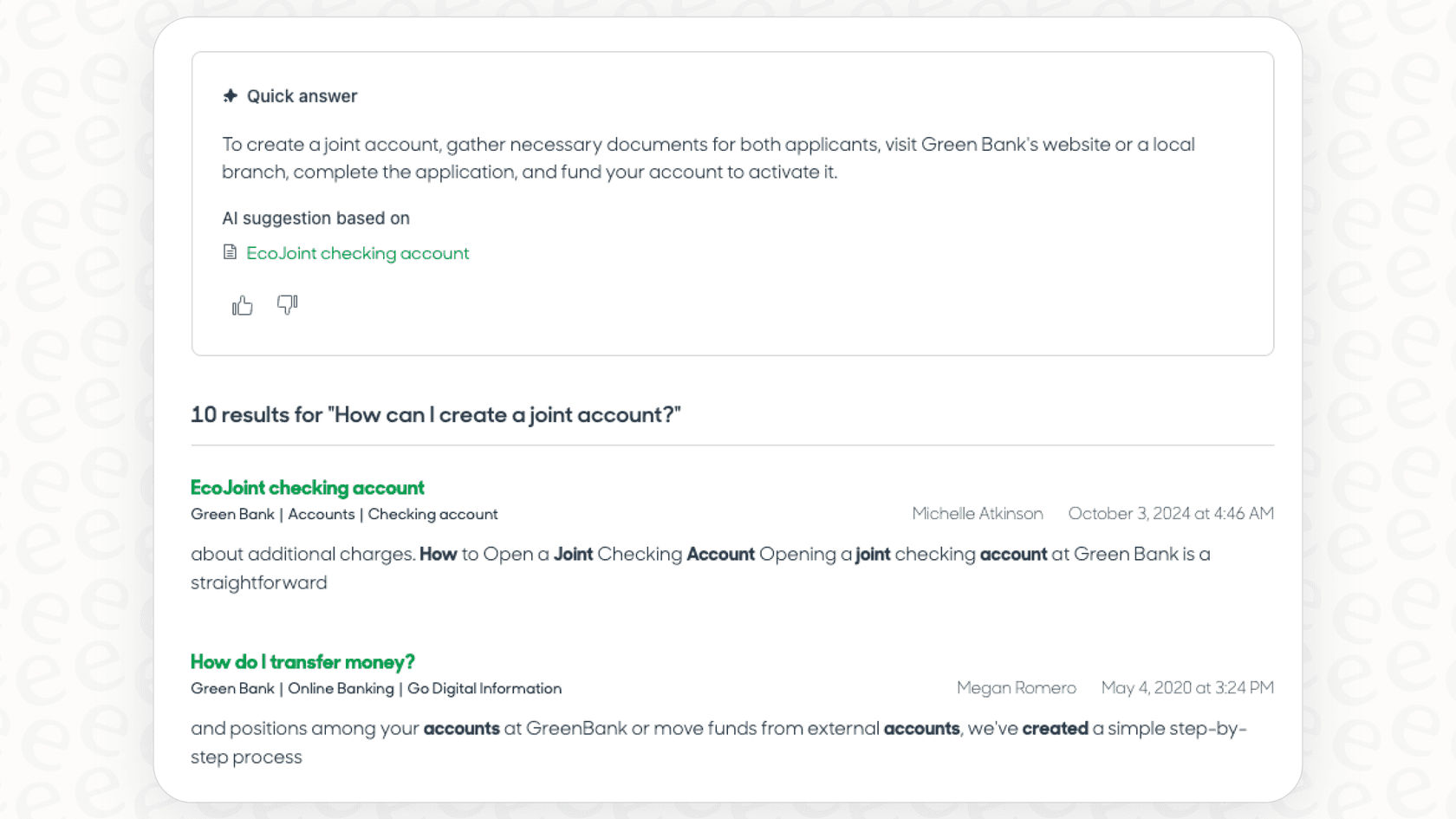
The idea is to give users an immediate answer so they don't have to spend time searching through several articles. This works in both the public help center for your customers and the internal Agent Workspace, helping agents find info to resolve tickets faster. It’s an impressive part of the Zendesk ecosystem that streamlines the support process.
Maximizing the impact of your Zendesk AI search knowledge base
Zendesk AI search is designed to be highly reliable by drawing from your official help center documentation. This ensures that the answers provided are always vetted and accurate. Here is how you can make the most of this approach.
Your help center as the authoritative source
Your knowledge base is the central source of truth for your company. By training the AI on your Zendesk Knowledge, you ensure that customers receive consistent, brand-approved information.
While your help center is a vital asset, many support teams also have valuable insights tucked away in past tickets. Recognizing this, Zendesk’s mature ecosystem allows for various ways to bring this additional context into the fold, ensuring even the most complex or nuanced questions can be addressed over time as your documentation grows.
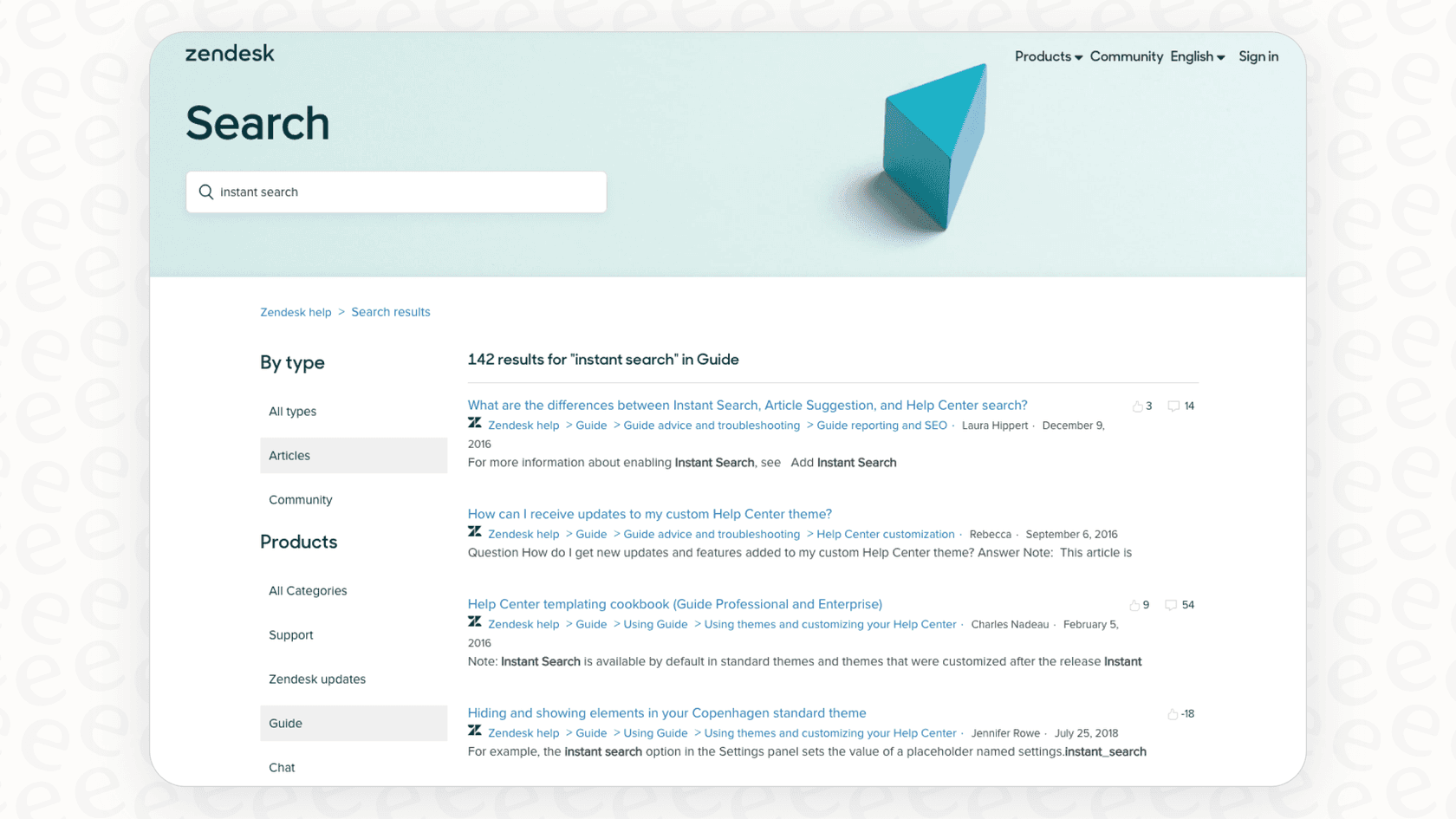
Refining your content for peak performance
To get the most out of Zendesk AI search, it’s helpful to maintain an organized knowledge base. Support professionals often find that periodically reviewing content helps the AI provide even more precise answers.
This might involve updating article titles to better reflect common user queries or structuring content in a clear, accessible format. By grooming your knowledge base, you are essentially providing the AI with better tools to do its job, which in turn provides a better experience for your customers. This proactive approach is a standard part of managing a high-performing support ecosystem.
Delivering focused and reliable answers
Because the AI focuses on the most relevant search results, it prioritizes providing a concise answer that is directly related to the user's query. This prevents users from being overwhelmed with too much information at once.
A complementary approach: Training AI on real conversations
While Zendesk provides an excellent foundation, some teams choose to expand their AI's knowledge by incorporating their team’s entire history of successful support conversations through specialized integrations.
Learn from what your team actually says
A specialized tool like eesel's AI agent for Zendesk connects directly to your helpdesk and works alongside Zendesk to learn from successful resolutions. It can analyze past tickets to help absorb your brand's unique troubleshooting steps, serving as a powerful addition to the Zendesk suite.
This allows the AI to handle a wide variety of questions with nuance, drawing from real-world examples to complement the official information in your help center.
Go beyond the help center with all your knowledge sources
Modern teams often have knowledge across various platforms like Google Docs, Confluence, Notion, or Slack. A great advantage of the Zendesk ecosystem is its ability to integrate with tools that pull this data together.
While Zendesk’s native search is specialized for its help center, eesel AI offers over 100 one-click integrations. You can connect it to various sources, allowing it to pull answers from Confluence, Google Docs, or Zendesk tickets. This strengthens Zendesk's position as your central support hub by aggregating all your scattered knowledge.

Building a stronger knowledge base automatically
Using a complementary tool can also create a feedback loop that makes your Zendesk help center even better over time. eesel AI can help identify knowledge gaps by spotting common questions that aren't yet covered in your articles.
It can even generate draft articles based on successful ticket resolutions. This helps your team build out your Zendesk Knowledge more efficiently, ensuring your authoritative knowledge base is always growing and improving.
Zendesk AI search vs. a specialized integration: A comparison
Choosing the right tool for your team means understanding how different features can work together. Here is how Zendesk's native capabilities compare with a specialized add-on like eesel AI.
Feature and capability showdown
| Feature | Zendesk AI search | eesel AI (Complementary Add-on) |
|---|---|---|
| Primary Training Source | Zendesk Help Center (Authoritative Knowledge) | Past tickets, help centers, Google Docs, and 100+ other sources. |
| Setup & Onboarding | Easy setup within the Zendesk ecosystem. | Quick one-click integration with Zendesk. |
| Automation Control | Generates direct search answers. | Customizable workflow engine for ticket triage and custom actions. |
| Testing & Validation | Refine results through direct search testing. | Simulate performance on historical tickets for data-driven insights. |
| Knowledge Generation | Supports manual article creation. | Can draft new articles based on resolved tickets to grow your help center. |
Understanding the pricing structure
Zendesk offers a tiered pricing model designed to match different team sizes and needs. Core AI features are included in their Suite plans, which provides great value for many organizations. Zendesk's advanced AI agent features are now included in every Suite and Support plan, and the Copilot add-on ($50 per agent per month, Professional plans and up) covers agent assistance. This tiered approach allows teams to pay for exactly the level of capability they need. You can find more details in our Zendesk Advanced AI pricing breakdown.
In contrast, eesel AI's pricing is straightforward and focuses on being a complementary option for teams of all sizes. All its core products, including the AI Agent and Copilot, are included in its plans, which are based on monthly AI interactions. This provides teams with another way to manage meaningful automation within their existing budget.

Testing and launching with confidence
Adopting AI is a big step, and Zendesk makes it easy to get started by testing search queries directly in your help center. This allows for quick adjustments and refinements.
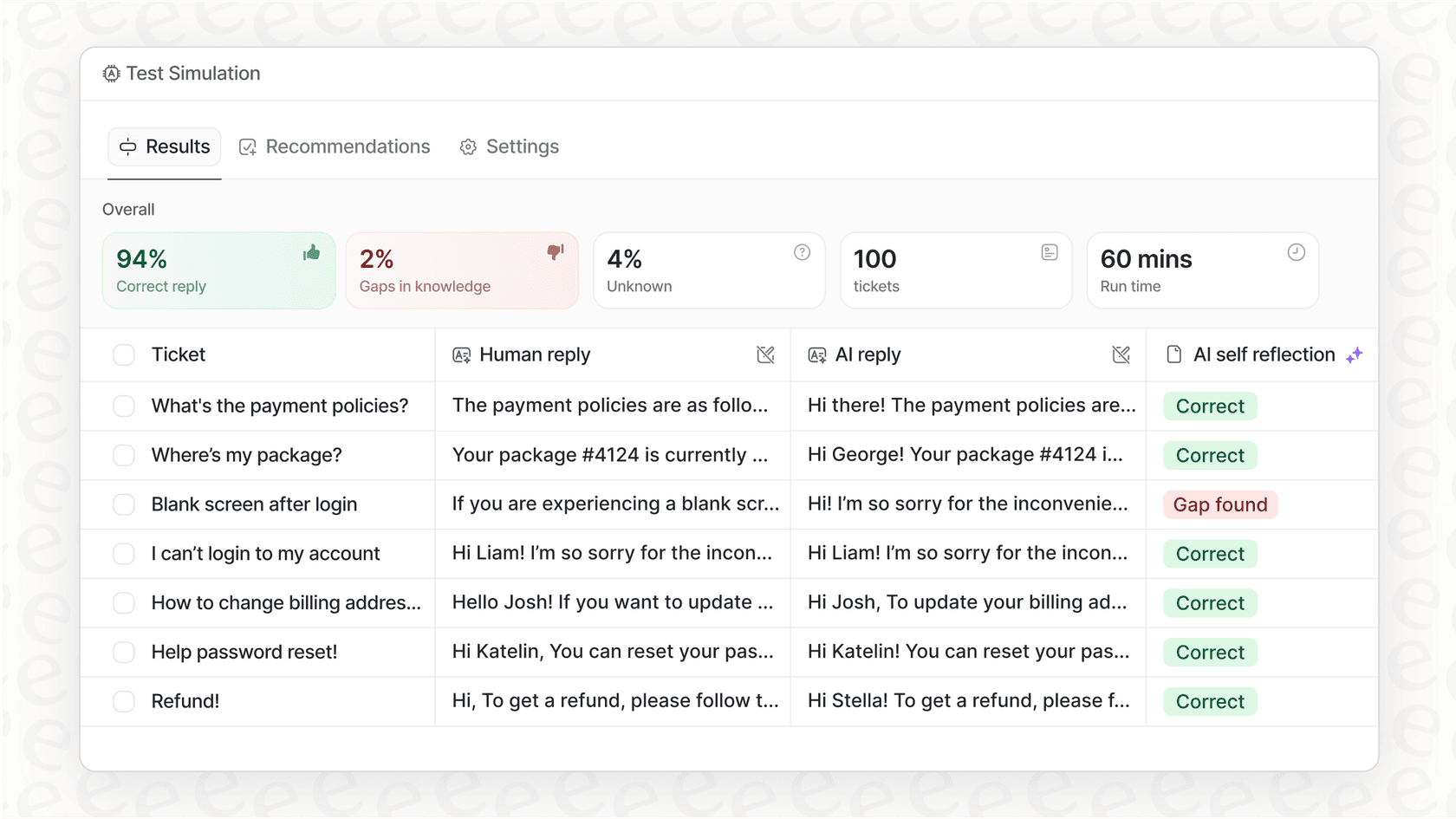
For teams who want an additional layer of data before going live, eesel AI’s simulation mode is a great complementary feature. It lets you run the AI against your past tickets in a safe environment, helping you forecast resolution rates and fine-tune behavior. This helps teams launch their AI strategy with even more confidence.
The smarter way to level up your Zendesk support
You can achieve incredible results by combining Zendesk's industry-leading platform with specialized tools. Zendesk AI search provides a powerful, trustworthy foundation for any support team.
By using a specialized integration like eesel AI, you work with your existing Zendesk setup to add even more specialized capabilities. The right strategy often involves using Zendesk's robust features alongside tools that help you leverage your team's entire conversation history.
Enhancing your support with Zendesk AI search
Great support AI is about combining different strengths-official documentation, real-world context, and a deep understanding of your customers. Zendesk provides the mature, reliable ecosystem that makes all of this possible.
If you’re ready to see how a complementary AI tool can enhance your Zendesk operations, the next step is simple. You can explore how these tools work together to create a world-class support experience.
Try simulating eesel AI on your historical tickets and discover how it can further empower your Zendesk support operations from the ground up.
Frequently asked questions
How does Zendesk AI search actually work to provide answers?
Zendesk AI search scans the top articles from your Zendesk Knowledge knowledge base that match a user's question. It then uses generative AI to create a summarized, direct answer presented at the top of the search results page for both customers and agents.
What should I consider when setting up Zendesk AI search?
Its main focus is your knowledge base, ensuring customers get information that has been officially vetted by your team. To provide even more context for complex issues, you can read our guide on 7 key Zendesk AI capabilities for smarter support.
Does Zendesk AI search use my past customer conversations or tickets?
Zendesk AI search is primarily designed to provide answers based on your help center articles, which ensures accuracy and brand consistency. To supplement this with historical ticket data, many teams use complementary integrations from the Zendesk ecosystem.
How can I optimize Zendesk AI search performance?
Optimizing Zendesk AI search is a great way to improve your help center. This involves organizing your content effectively, using clear article titles, and ensuring your most frequent queries are covered by well-structured articles.
What sources of knowledge does Zendesk AI search use to generate its responses?
Zendesk AI search uses articles within your Zendesk Knowledge knowledge base as its primary source of information, ensuring it delivers the most authoritative answers available in your documentation.
Is Zendesk AI search included in all Zendesk plans?
Core AI features, including Zendesk AI search (Generative Search), are included in Zendesk's Suite plans. More specialized AI functionalities like Copilot for agents or intelligent triage are available as add-ons to suit different team requirements.