The 7 best kapa.ai alternatives in 2026, priced at 1,000 answers

Kira

Katelin Teen
Last edited November 11, 2026

The best kapa.ai alternative depends on what you're replacing. If you want the same job, cited answers on developer docs, Inkeep is the closest match and Biel.ai is the best value, at $50 a month for 2,000 answers, where kapa.ai's Growth plan is quote-only.
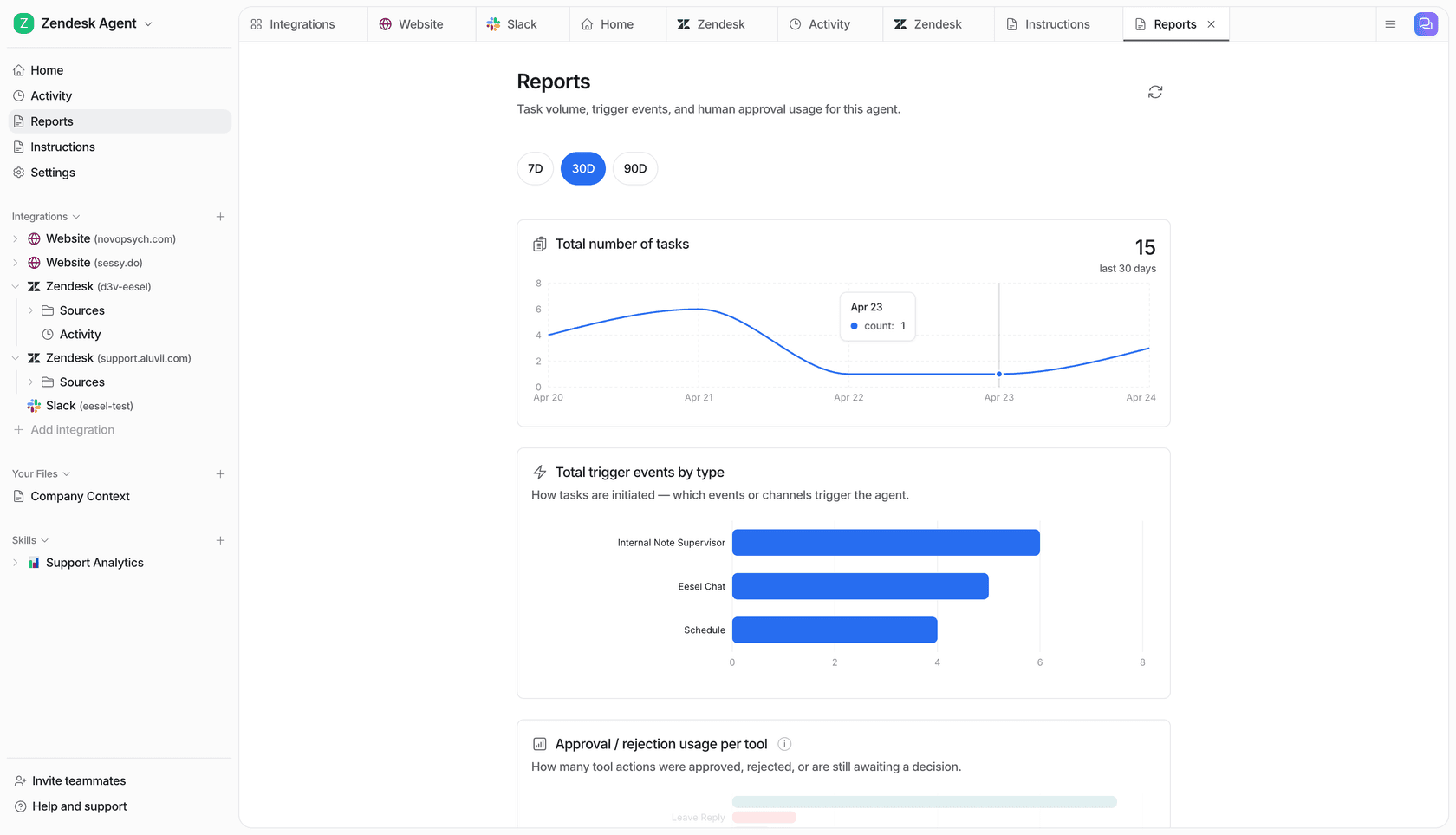
But kapa.ai now sells itself as a support agent, and its Zendesk agent drafts replies that a person still sends. If tickets are the real problem, eesel works inside Zendesk or Freshdesk from your docs and past tickets, and an AI coding agent can set it up and test it through the eesel CLI before it goes live.
Why are you looking past kapa.ai?
Pick the closest reason. The shortlist changes with it.
Why teams look past kapa.ai
I'll start with the fair part, because kapa.ai is good at what it does. Its G2 page shows 4.9 out of 5 from 45 reviews, with 97% five-star, and the kapa.ai homepage lists more than 200 technical companies in production, including Logitech, monday.com, n8n and Tailscale. Developers who use it tend to like it:
"It's not right all the time, but it is most of the time and, crucially, it shares not just an answer but a link to the docs that led it to that answer. That makes it easier to fact check the LLM."

So people rarely leave because the answers are bad. From what I found, four things push them to compare:
- No public price. The kapa.ai pricing page shows a free 14-day Starter, then Growth and Enterprise are both "get pricing". The FAQ asks whether it's per seat, per ticket or per answer, and you find out on a call.
- Paying for more than you use. One G2 reviewer, a director of product and engineering, wrote that their setup runs "almost entirely on the retrieval API" and "we only utilize a fraction of Kapa's broader feature set, though the costs largely remain the same."
- Control. Another reviewer said it "can feel a bit limiting when you want more control over the experience," and that the dashboard "can take an extremely long time to load."
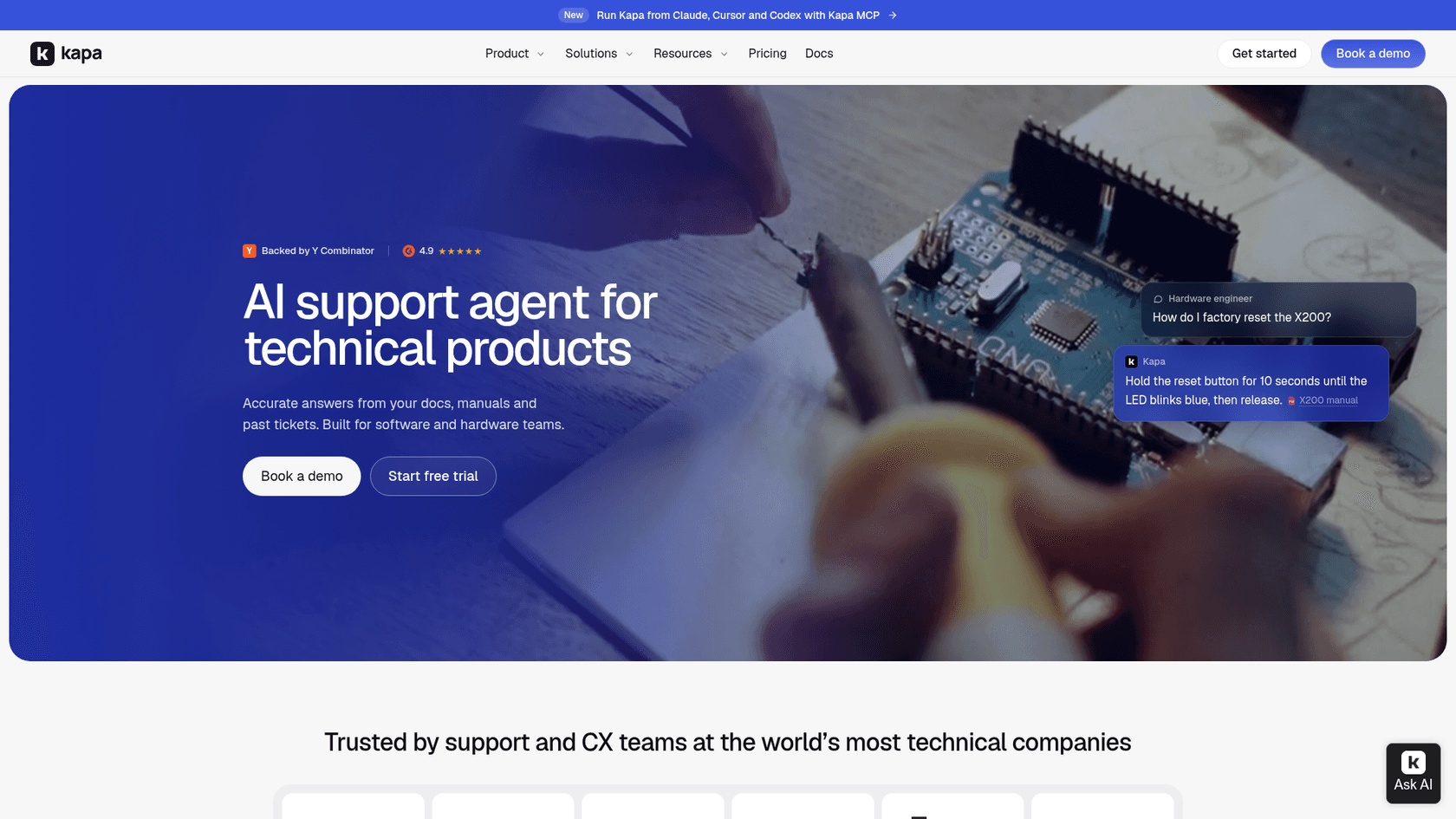
- The product changed shape. kapa.ai's homepage now says "AI support agent for technical products," while its docs still describe "agentic retrieval" you hand to your own agent. If you bought it as a docs answer box, or you now want a support agent for developer support, it's worth checking the field.
That last point matters most for picking a replacement, so I'll come back to it.
How I picked and priced these alternatives
I'm Alicia, I build features and AI agents at eesel, and I spend most of my time on the part under the hood: what the retrieval actually pulls, what the model does with it, and where it stops. That's how I read each tool here. I went through each vendor's pricing page, docs and help center in November 2026, captured the product UI, and pulled what real users wrote on G2 and Hacker News.
Every tool here is some form of AI documentation search built on retrieval, so I judged them on the job around it. To make prices comparable, I priced every tool for one team: a developer docs site that gets about 1,000 AI answers a month. Per-seat, per-credit and per-site prices mean nothing side by side until they cover the same job.
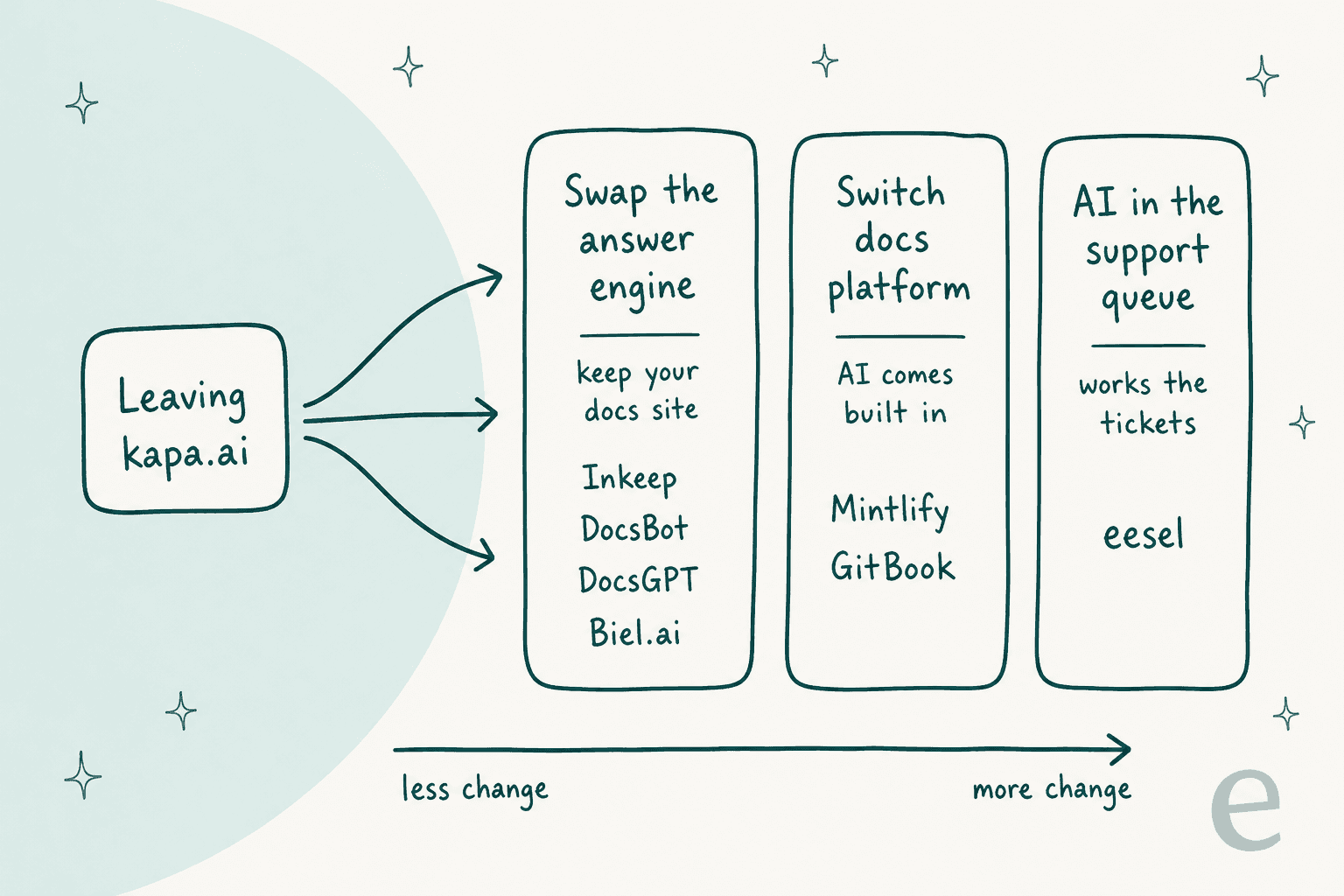
The big thing I learned is that "kapa.ai alternatives" covers three different moves, and each one changes a different amount of your stack:
- Swap the answer engine. Keep your docs where they are and put a different AI on top: Inkeep, Biel.ai, DocsBot, DocsGPT.
- Switch docs platform. Move to a platform where the AI comes built in: Mintlify, GitBook.
- Put AI in the support queue. If the questions that hurt are the ones that become tickets, you want an AI helpdesk agent working in the helpdesk itself: eesel.
kapa.ai alternatives compared
| Tool | Best for | Starting price | About 1,000 answers a month | Free option | Self-host | Works inside helpdesk tickets | MCP server | Security noted |
|---|---|---|---|---|---|---|---|---|
| kapa.ai (incumbent) | Cited answers for technical products | Quote-only | Quote-only | 14-day trial | Not stated | Zendesk sidebar drafts | Yes | SOC 2 Type II, GDPR |
| Inkeep | Closest like-for-like swap | Quote-only (managed) | Quote-only | Self-hosted framework | Yes (ELv2) | Zendesk, Salesforce (Enterprise) | Yes | SOC 2 Type II, HIPAA, GDPR (Enterprise) |
| eesel | Tickets in Zendesk or Freshdesk | $299/mo (500 credits) | $499/mo | 100 credits for 7 days | No | Yes: reply, tag, hand off | Yes | GDPR; SSO, HIPAA on Enterprise |
| Biel.ai | Lightweight docs assistant | $50/mo | $50 to $150/mo | 14-day trial | Enterprise | No | Yes | No training on your data |
| DocsBot | Quick no-code bot, public prices | $0 | $49 to $149/mo | Free plan | Enterprise | Help Scout replies, ticket sources | Yes | SOC 2 Type II, GDPR (Business) |
| DocsGPT | Open source, full control | $0 (MIT) | $0 plus hosting, or $20/seat cloud | Free software | Yes | No | Yes | SSO, SCIM, RBAC, air-gapped |
| Mintlify | Docs platform with built-in AI | $0 (no AI) | About $595/mo | Starter, no assistant | No | Deflects to Zendesk or Plain | Yes, every plan | Enterprise options |
| GitBook | Docs platform with git sync | $0 (no AI) | About $339/mo plus users | Free, no assistant | No | No | Yes, every plan | SOC 2, ISO 27001, GDPR |
The 1,000-answer column is my arithmetic from each vendor's published rates, and I show the working in each section.
1. Inkeep
Best for: teams that want the closest thing to kapa.ai, with more room to build their own agents.
What it does
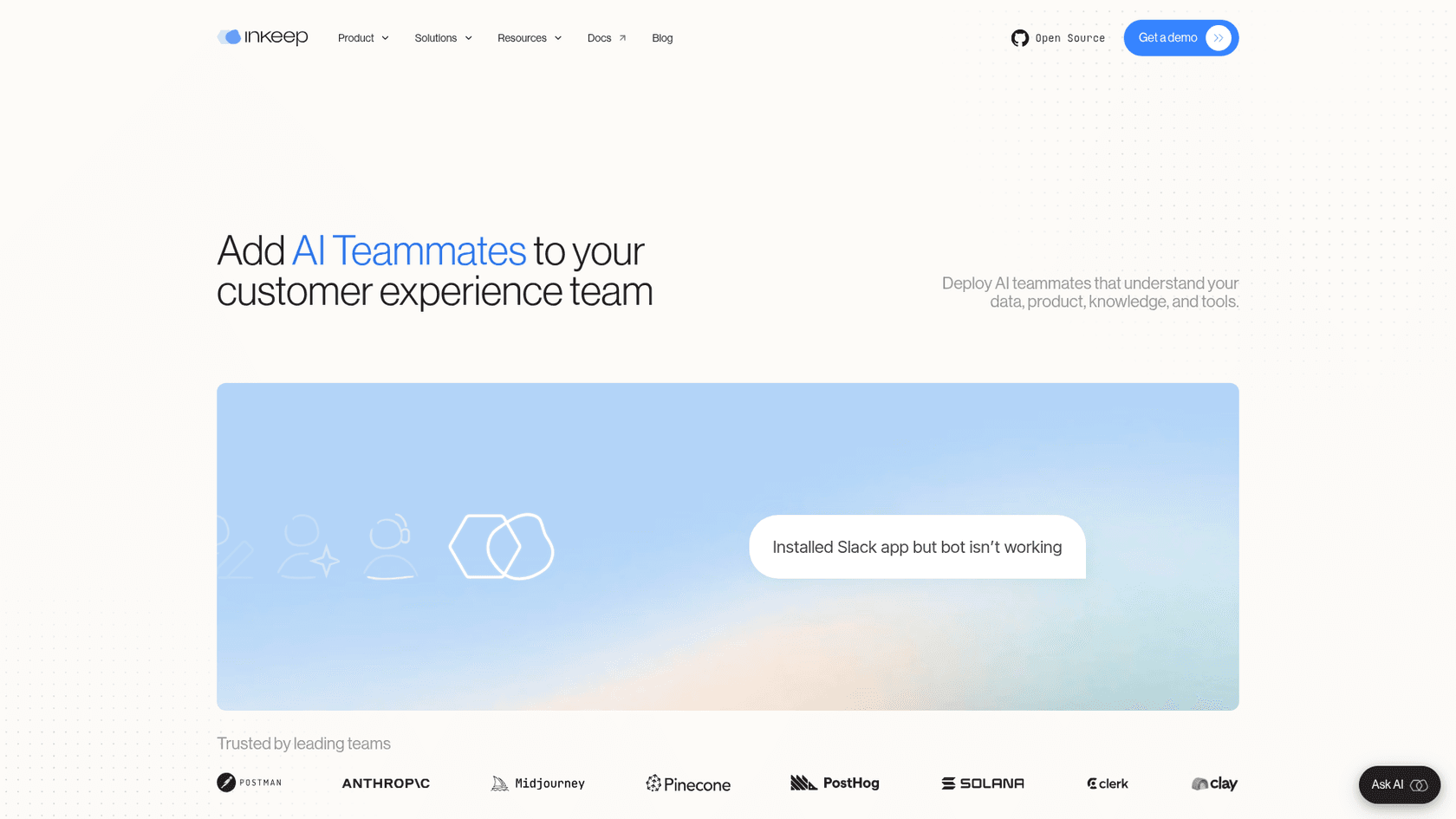
Inkeep grew up in the same "ask AI" box on developer docs as kapa.ai, and its customer wall looks similar: Postman, Anthropic, Midjourney, Pinecone, PostHog and Clerk. It has since moved toward agents. The homepage now leads with "Add AI Teammates to your customer experience team," backed by a no-code visual builder and a TypeScript SDK that sync both ways, so a support lead and an engineer can edit the same agent.
The answer quality is the reason people pick it. In Inkeep's PostHog case study, the agent resolved 247 of 759 community forum threads, a 33% auto-resolution rate. A Hacker News commenter put it more bluntly:
"Inkeep works great at Pinecone and meaningfully reduced the number of support tickets with common questions/issues."
I covered the head-to-head in my kapa vs Inkeep comparison, and the full product in my Inkeep review.
Pricing
There's no public dollar figure. The Inkeep pricing docs list two plans: a free, self-hosted framework and a quote-only Enterprise plan. The catch is what sits where. Ingesting your docs and help center, managed retrieval, knowledge gap reports, SSO and the Slack, Discord, Zendesk and Salesforce integrations are all Enterprise. So for 1,000 answers a month on your docs, you're in a sales conversation, same as with kapa.ai.
Watch out for
- The free tier is "open source" in Inkeep's docs, but the license page says Elastic License 2.0, which is source-available rather than OSI open source. Developers on Hacker News pushed back on the label.
- Self-hosting takes real work. One commenter couldn't get the observability setup running on their own server.
- A customer on Hacker News summed up the price issue: "It's crazy that none of these AI CSRs have public pricing" (rapind).
My take: pick Inkeep if answer quality on developer docs is the whole reason you bought kapa.ai and you want to build agents on top. Skip it if the reason you're leaving is the missing price tag, because you'll hit the same wall.
2. eesel
Best for: teams whose docs questions end up as tickets in Zendesk, Freshdesk or another helpdesk.
What it does
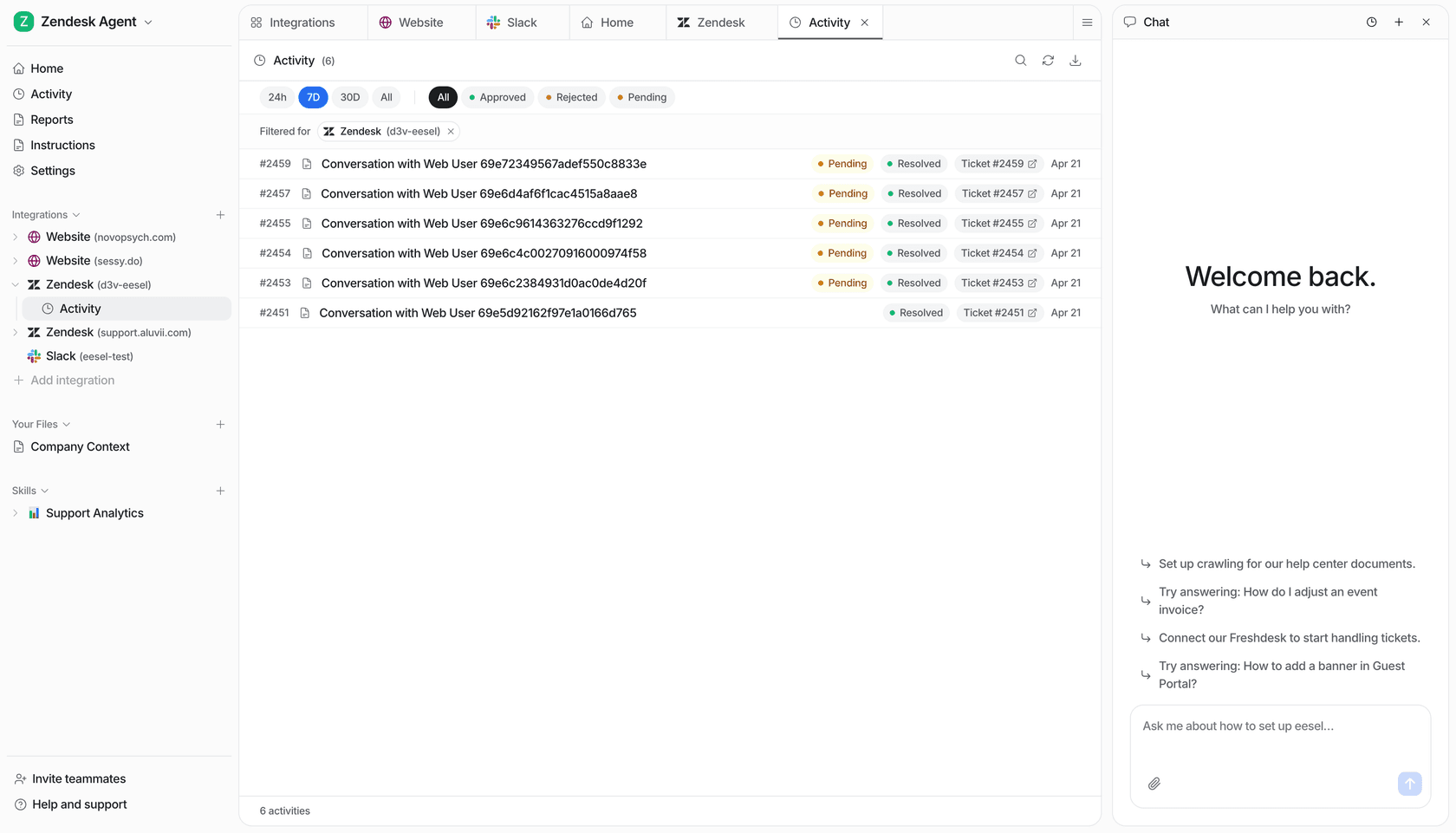
This is the one I work on, so I'll be clear about where it fits. eesel is an AI teammate you hire for a job, and the job here is your helpdesk. It joins the queue you already run in Zendesk, Freshdesk or another helpdesk.
It learns from your help center, docs, Confluence pages and past tickets, and then works the ticket: it replies, tags, leaves internal notes, and hands off to a person with the context written down. It also answers on your website chat and in Slack.
That's a different stop from kapa.ai's. kapa.ai's Zendesk agent docs describe a sidebar app that stages drafts in the composer, and the agent "never clicks Submit." That's the right call for some teams, and eesel can work that way too. But if your team wants the AI to own the easy tickets end to end, you need something that can act inside the ticket.
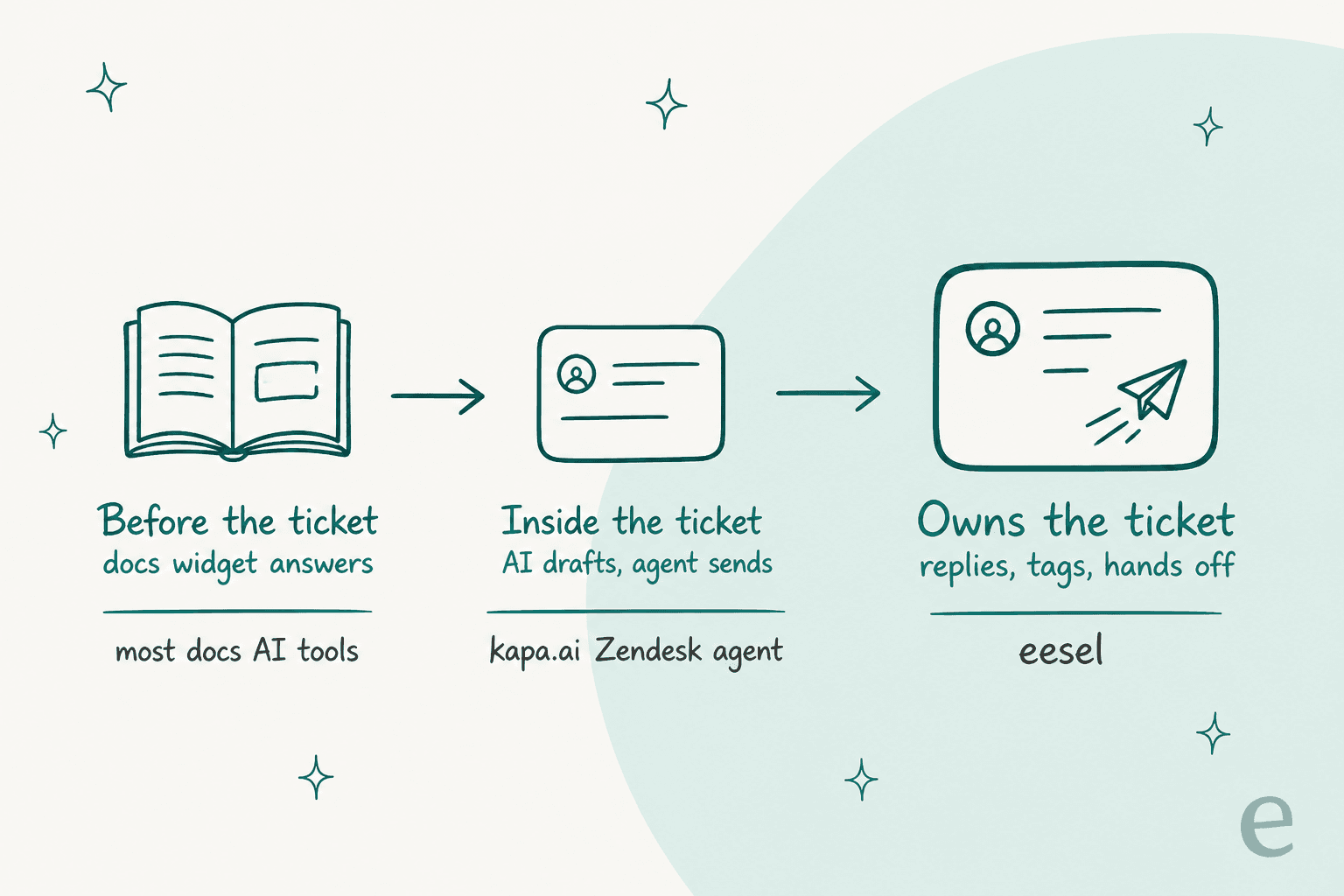
If you're comparing helpdesk-native options more widely, my roundup of AI for Zendesk covers the built-in tools, and so does my guide to Freshdesk AI.
Two technical teams show both modes. SE Ranking runs three products on one support team, with one eesel agent per product on Zendesk. They answer from 16,800 pages of knowledge and handled 4,650 conversations in a month, including about 2,100 live chats answered first by eesel. Refunds, requests for a person and Tier 2 issues go to the team. Timengo, a Danish secure email company, uses the other mode: eesel reads its product docs and about 5,300 past tickets and articles, drafts a Danish reply in Freshdesk, and an engineer sends it.
The developer side is real too. Every eesel workspace is an MCP server, and the eesel CLI lets a coding agent like Claude Code upload approved docs and saved replies, edit the agent's instructions, and ask it test questions before anything goes live. Connecting the helpdesk itself still needs someone with admin access to approve it.
Pricing
eesel pricing is a fixed monthly plan where a ticket or a chat is one credit, however long it runs. 500 credits are $299 a month and 1,000 credits are $499 a month, up to 5,000 credits. Extra credits are $0.80 each with a cap you set, and they're off by default. You can start free with 100 credits for 7 days, no card.
Watch out for
- eesel isn't a docs site widget first. If you only want an "Ask AI" button on public developer docs and no helpdesk involvement, a docs-native tool like Biel.ai is a better fit and cheaper.
- Credits count tickets and chats handled, not only resolved ones, so size your plan from your ticket volume.
- There's no self-hosted version. Data is stored in the US, with EU data residency on Enterprise.
My take: pick eesel if the questions that cost you are the ones that turn into tickets, and you want the AI working in the helpdesk. Skip it if you only need a docs search box.
3. Biel.ai
Best for: small and mid-size developer docs teams that want a clear price and a quick install.
What it does
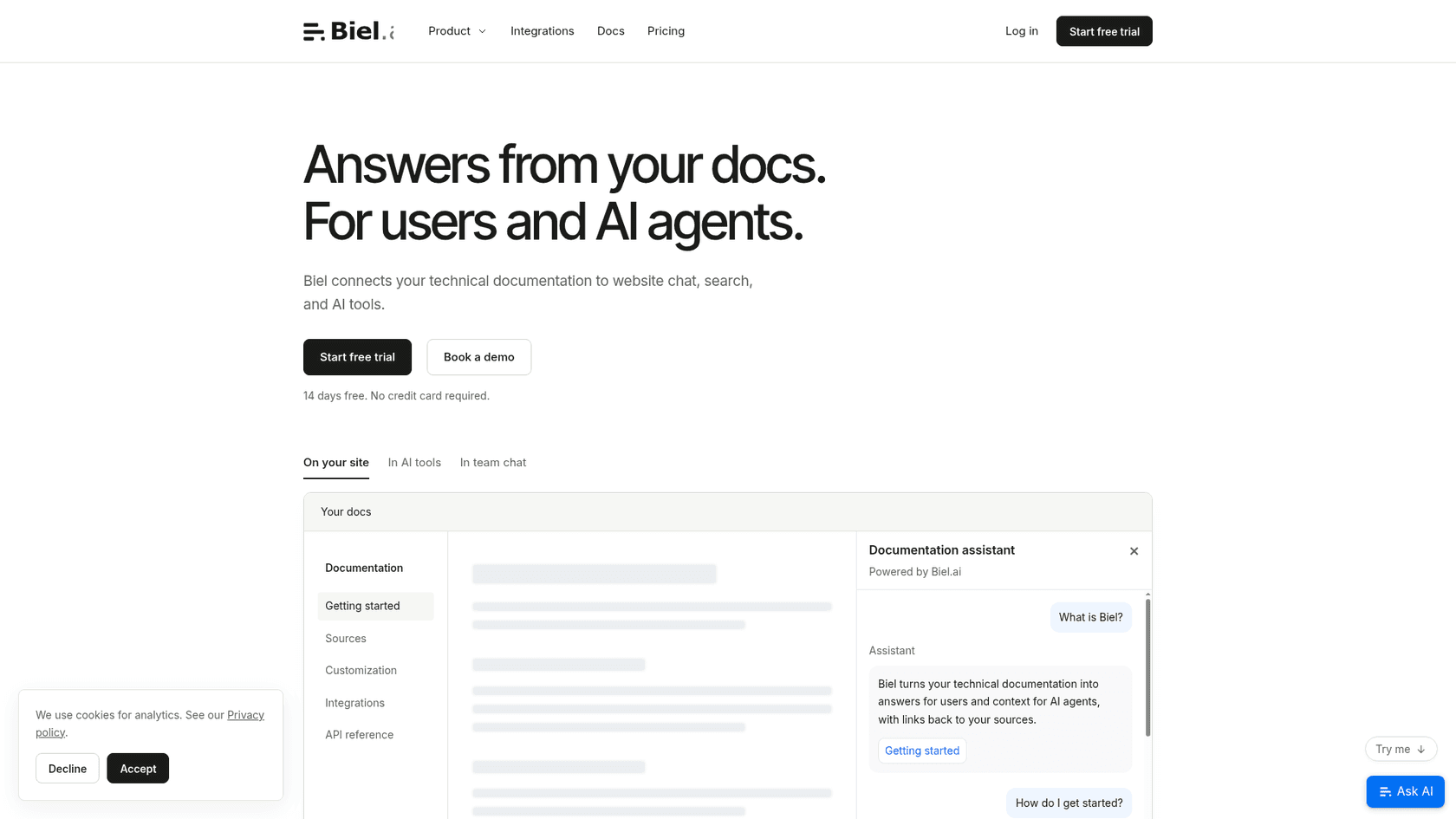
Biel.ai does one thing and prices it clearly: it turns technical documentation into answers for users and context for AI agents. One index feeds four surfaces, an Ask AI chat, search, a RAG API and a hosted MCP server with setup snippets for Claude Code, Codex, Copilot and Cursor.
The install docs cover almost every docs framework I'd expect: Docusaurus, Sphinx, MkDocs, Nextra, Starlight, Read the Docs, and even Mintlify and GitBook sites. Sources include URLs, sitemaps, GitHub, OpenAPI specs, Confluence and video. Biel.ai also says it doesn't use your content to train models.
"We use a Docusaurus documentation site, and getting everything up and running took very little effort."

Pricing
Every plan includes chat, search, MCP, the query API and unlimited team members (Biel.ai pricing):
| Plan | Price | Interactions a month | Indexed pages | Notable extras |
|---|---|---|---|---|
| Starter | $50/mo | 2,000 | 500 | Email support, Biel branding |
| Professional | $150/mo | 10,000 | 3,000 | Private sources, white-label, Slack, Discord |
| Business | $400/mo | 25,000 | 10,000 | Weekly refresh, management API |
| Enterprise | Custom | Custom | Custom | SLA, self-hosting, Microsoft Teams |
One completed reply counts as one interaction, and overage is $0.05 per answer if you switch it on. So 1,000 answers a month costs $50 if your docs fit in 500 pages, or $150 if they don't.
Watch out for
- No helpdesk ticket source in the docs, so it won't learn from past support tickets.
- G2 only has 3 reviews. One reviewer noted that some OpenAPI specs "require manual adjustments or reprocessing before they're indexed correctly."
- Starter refreshes the index manually, and weekly refresh only starts on Business.
My take: pick Biel.ai if you want kapa.ai's docs job at a public price and you're fine without ticket history. Skip it if your docs change daily and you're on a small plan.
4. DocsBot
Best for: teams that want a no-code bot live this afternoon, with a free plan to test on.
What it does
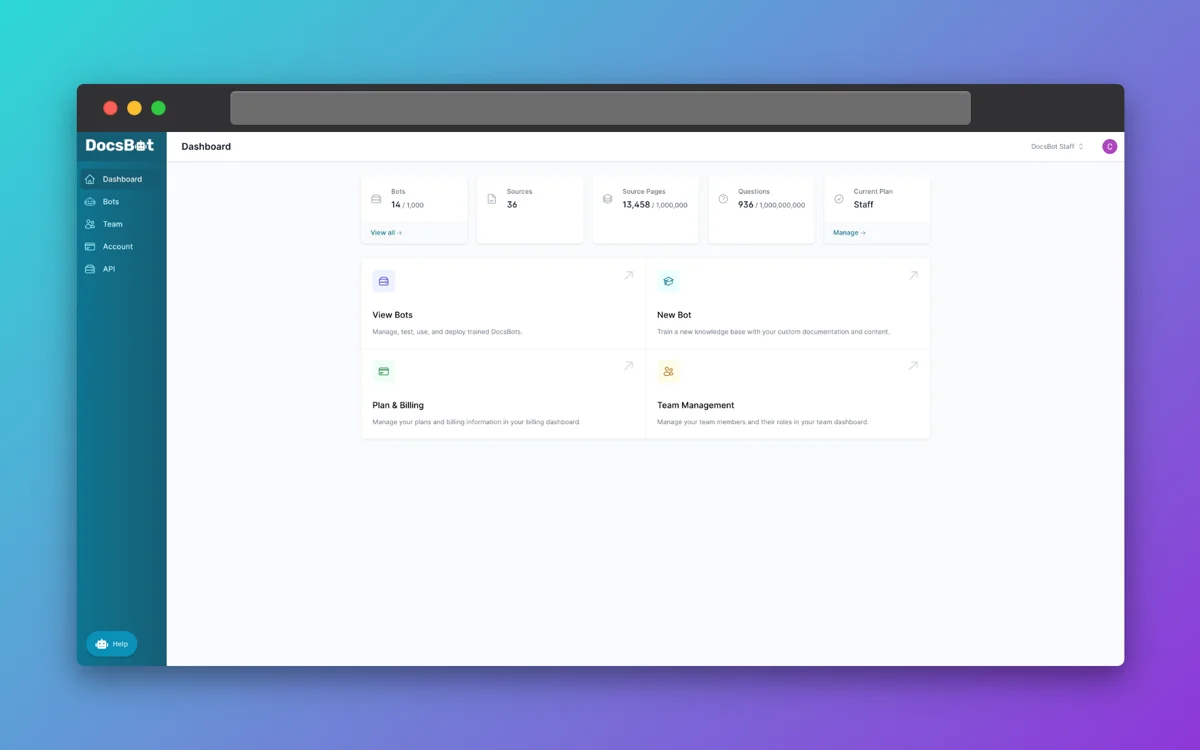
DocsBot turns your knowledge base into AI agents for your website, Slack, Teams, Discord and help widgets, and it now covers actions, skills, an MCP server and voice agents too. It's broader than a developer docs tool: the homepage says 75,000+ users and 3,000+ businesses, and ticket sources include Zendesk, Freshdesk, Help Scout and Salesforce. On Standard and up it can also reply inside Help Scout.
For a deeper look, I wrote a DocsBot review. I also compared it head to head in kapa vs DocsBot.
Pricing
From the DocsBot pricing page:
| Plan | Price | Bots | Pages | AI credits a month | Seats |
|---|---|---|---|---|---|
| Free | $0 | 1 | 50 | 100 | 1 |
| Personal | $49/mo | 1 | 5,000 | 5,000 | 1 |
| Standard | $149/mo | 3 | 15,000 | 15,000 | 5 |
| Business | $499/mo | 10 | 100,000 | 60,000 | 10 |
| Enterprise | Custom | Custom | Custom | Custom | Custom |
The unit to watch is the credit. A message on a 1x model costs 1 credit, but larger models cost more (10x for GPT-6.1 Sol, 50x for GPT-6 Astra). So 1,000 answers is $49 a month on a 1x model, or $149 on a 10x model. If you hit the cap, the bot stops answering until next month unless you turn on auto-add credits. My DocsBot pricing guide runs more scenarios.
Watch out for
- SOC 2 Type II and GDPR sit on Business in the comparison table, and HIPAA is Enterprise-only.
- G2 has 3 reviews, two of which mention hallucinations.
- The homepage says 38+ source types and the pricing FAQ says 28+, so check your specific source.
My take: pick DocsBot if you want the cheapest real test with a free plan and a public price. Skip it if your team needs deep developer-docs handling like code and API references to be the main event.
5. DocsGPT
Best for: teams that want to own the whole stack, including the model.
What it does
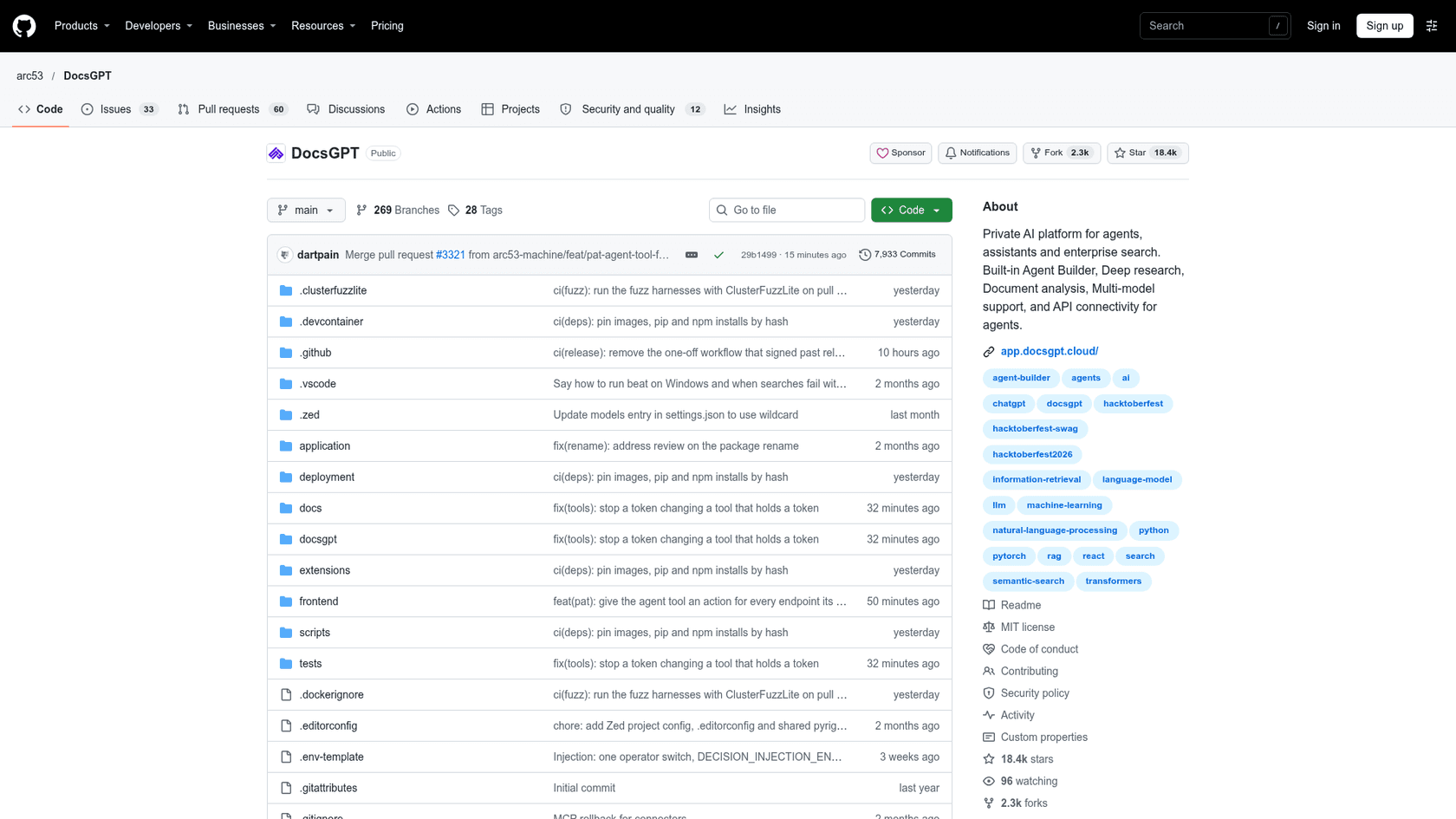
DocsGPT by Arc53 started as a docs Q&A tool in a Show HN in February 2023 and grew into an open source agent platform. It has 18,374 GitHub stars and is MIT licensed, so commercial use is free. It answers from your documents with citations, connects to Google Drive, SharePoint, Confluence, GitHub and S3, and runs on any model, including local ones through Ollama or vLLM.
You get a chat and search widget, an OpenAI-compatible API, an MCP server, and Discord, Slack and Telegram bots. Teams that need it can add SSO, SCIM, role-based access and audit logs, or run it fully air-gapped.
Pricing
The DocsGPT pricing page says paid plans cover hosting, support and implementation, never the software:
| Option | Price | Who runs it |
|---|---|---|
| Self-host | $0 (MIT) | You |
| Cloud | $20/seat/month, API credit included, usage beyond billed | Arc53, EU region |
| Managed | From $2,000/month | Arc53, dedicated instance |
| On-premises or air-gapped | From $10,000 | You, with Arc53's help |
For 1,000 answers, self-hosting costs $0 in licenses plus your server and model bill, which is the honest answer for most teams. If you're weighing this against building your own pipeline, my note on RAG vs LLM explains what the retrieval layer adds.
Watch out for
- Self-hosting needs Docker, Postgres, Redis and a worker. It isn't a drop-in "Ask AI" bundle for a docs site.
- Community feedback is old. The substantive Hacker News comments date from the 2023 launch, when one tester showed it giving a wrong pandas answer.
My take: pick DocsGPT if data control or air-gapped deployment is a hard requirement and you have engineers to run it. Skip it if nobody on the team wants to own another service. My list of open source chatbot platforms has more options in this lane.
6. Mintlify
Best for: teams already moving their developer docs to a new platform.
What it does
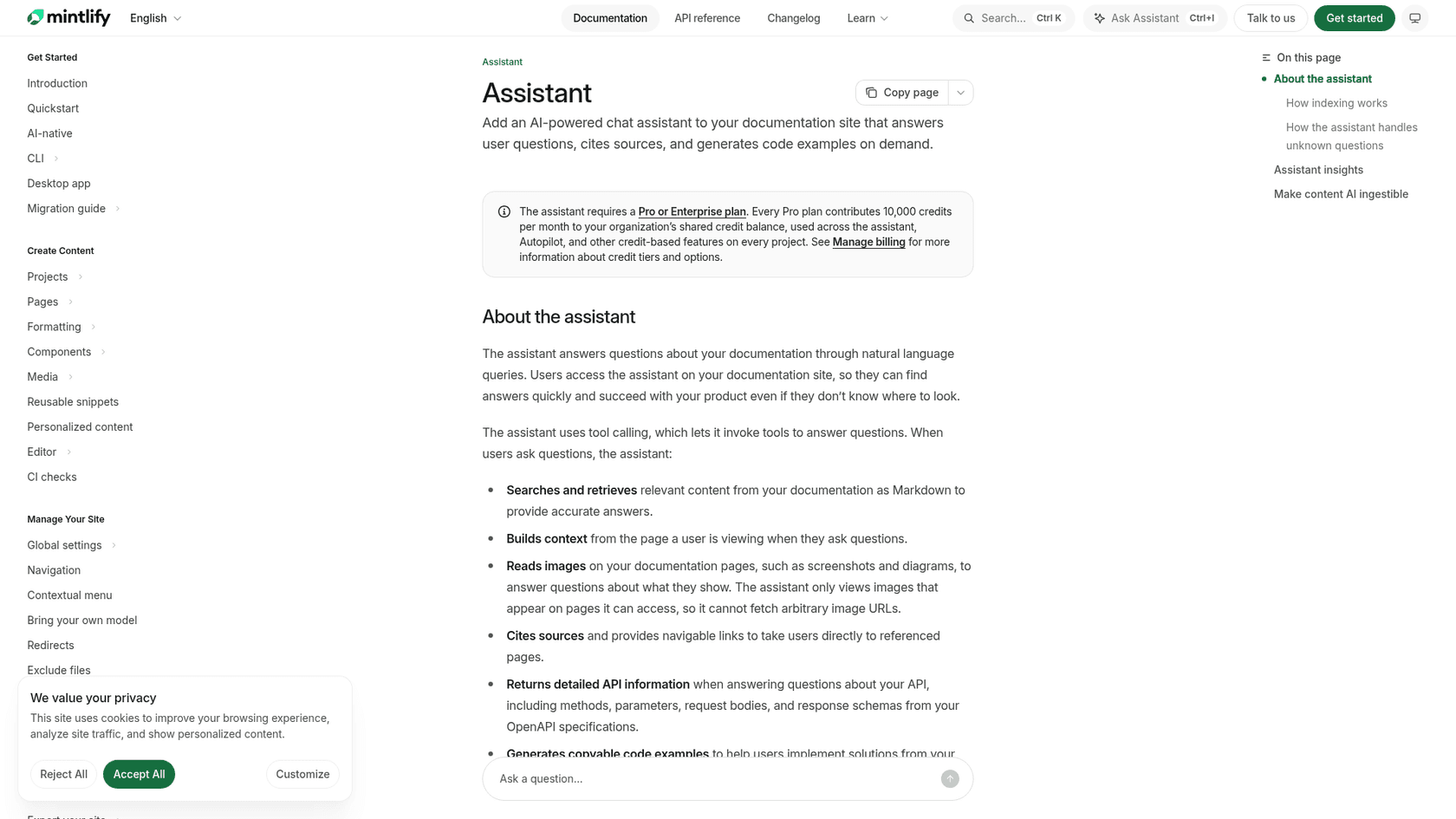
Mintlify is a docs platform first, and its assistant answers questions from your published docs and OpenAPI specs, reads images on doc pages, cites pages with links and writes copyable code examples. When it can't answer, it can deflect to email, a link, or a Zendesk or Plain ticket. Mintlify says it serves 20,000+ companies, including Anthropic, Coinbase and AT&T, and its engineering blog cites about 850,000 assistant conversations a month.
Every Mintlify site also gets a search MCP server, even on the free plan.
Pricing
From Mintlify pricing and its credits docs:
| Plan | Price | AI included |
|---|---|---|
| Starter | $0 | No assistant, no credits |
| Pro | $450/mo annual, $540/mo monthly | 10,000 credits a month, pooled across projects, rollover |
| Enterprise | Custom | Bring your own model, external sources |
An assistant answer costs 25 credits, and it's free when the assistant says it can't answer. So Pro covers about 400 answers. For 1,000, you'd add the 15,000-credit pack at $145 a month, for about $595 a month on annual billing.
Watch out for
- It only makes sense if your docs live on Mintlify. You're buying a docs platform.
- The widget for embedding the assistant elsewhere can no longer be set up in the dashboard; new installs go through support.
- External sources beyond your docs are Enterprise-only.
My take: pick Mintlify if you're rebuilding your docs anyway and want the AI included. Skip it if the docs move is the hard part, since it's a much bigger project than swapping an AI layer.
7. GitBook
Best for: teams that want docs-as-code with git sync and an assistant on the same site.
What it does
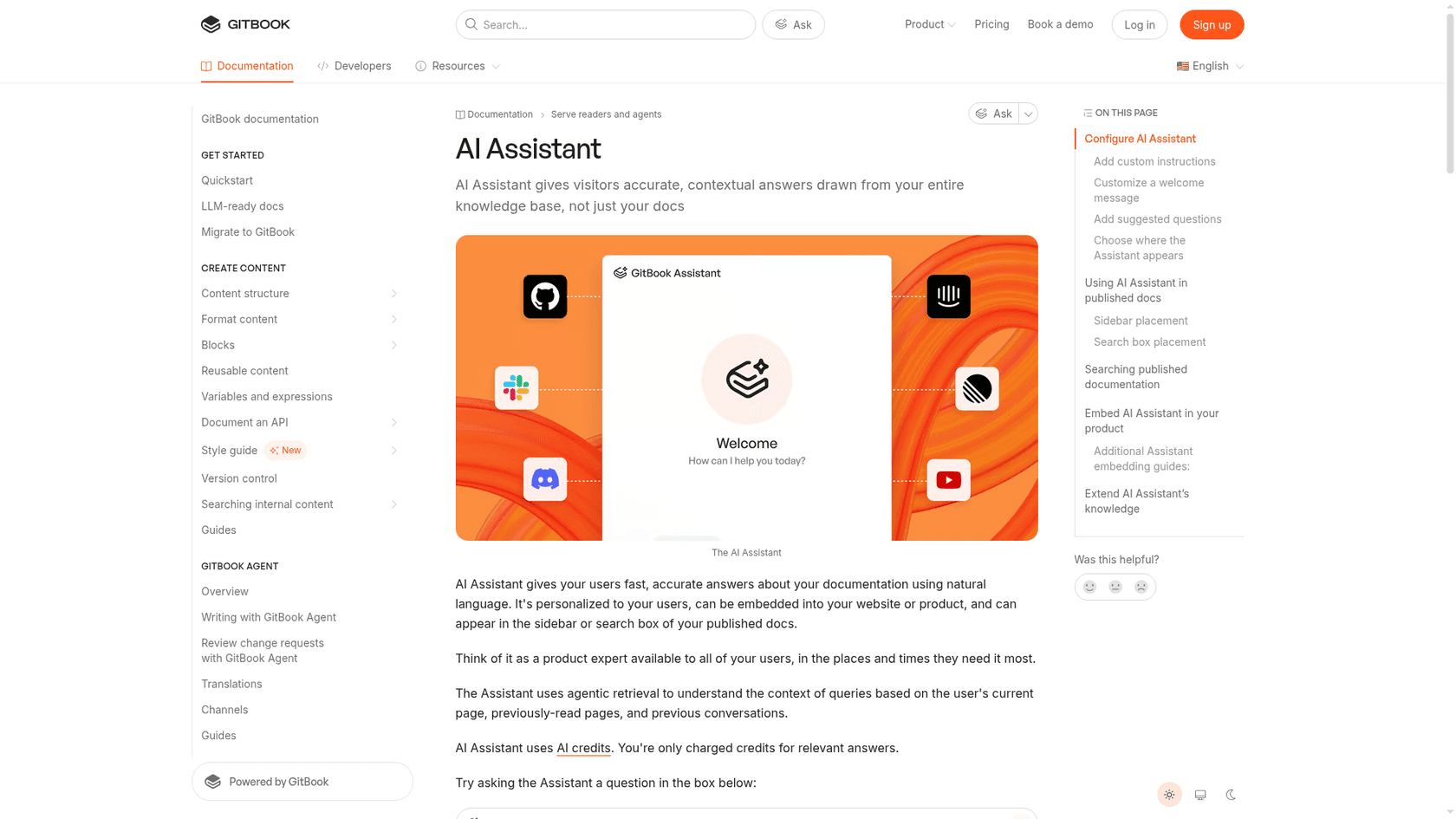
GitBook is a docs platform with two-way git sync to GitHub and GitLab. Its AI Assistant answers from your docs plus connected sources and MCP servers, using the current page and conversation history for context, and you can embed it in your product. GitBook also generates an MCP server and llms.txt for every site on every plan.
Reviewers like the platform, with 4.7 out of 5 from 208 reviews on G2, and are more mixed on the AI:
"The AI-assisted search, while helpful, doesn't always surface the most relevant page for more nuanced or ambiguous queries, occasionally requiring a manual scan through search results."
My GitBook AI guide covers the features in more detail.
Pricing
From GitBook pricing, billed per site plus users:
| Plan | Annual price | Monthly price | AI credits included |
|---|---|---|---|
| Free | $0 | $0 | None, no assistant |
| Essential | $65/site/mo | $79/site/mo | 2,000 (assistant in search box only) |
| Ultimate | $249/site/mo | $299/site/mo | 10,000 (full assistant, embed, sources) |
| Enterprise | Custom | Custom | Custom |
Extra users are $12 a month each on annual billing. The assistant uses 20 credits per relevant answer, so Ultimate covers about 500. Adding a 10,000-credit bundle at $90 gets you to 1,000, for about $339 a month plus users. My GitBook pricing breakdown has more scenarios.
Watch out for
- The embeddable assistant, external sources and content gap reports are Ultimate and Enterprise only.
- The assistant can't answer across separate published docs sites.
- AI usage auto-pauses when credits run out.
My take: pick GitBook if your team already writes docs in git and wants the platform and the assistant from one vendor. Skip it if you have several docs sites that need one shared answer box, and see my GitBook alternatives for other docs platforms.
What to test before you switch
Answering a simple question from Markdown docs is the easy part, and every tool here can do it. The differences show up on the hard questions, so test those before you commit.
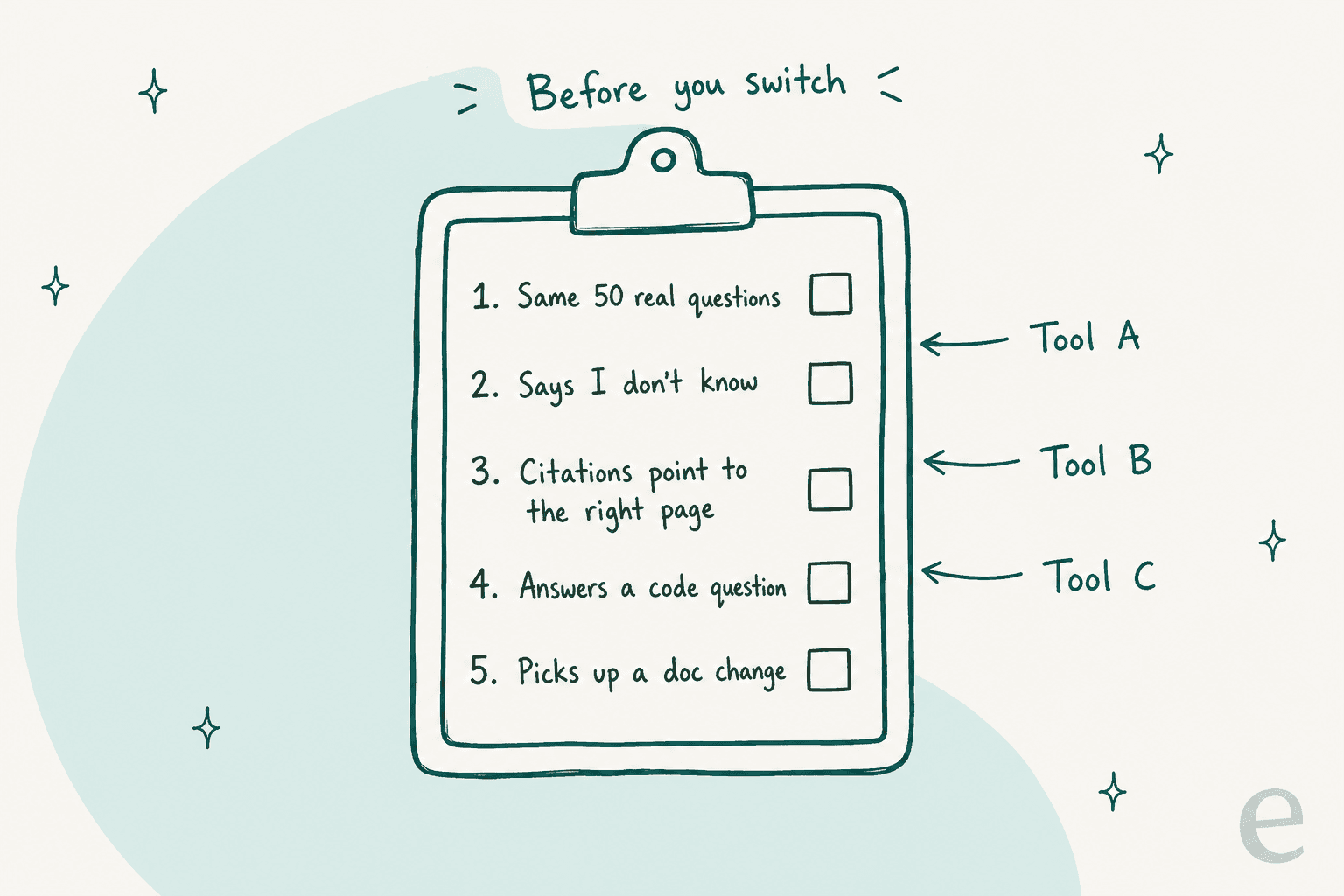
Here's the routine I'd run on any two or three finalists:
- Use the same 50 real questions. Pull them from your kapa.ai analytics, Discord or recent tickets, not from a demo script. An AI knowledge base is only as good as the questions you test it on.
- Check that it says "I don't know." Ask five things your docs don't cover. A kapa.ai reviewer on G2 noted it "can be over-confident rather than telling the user it needs more information," and every tool here can do the same. My guide to AI hallucinations in support covers the patterns.
- Click every citation. A citation that points to the wrong page is worse than no citation.
- Ask a code question. Include one that needs an API reference or an OpenAPI spec, since that's where docs tools differ most.
- Change a doc and ask again. Refresh schedules range from manual to continuous sync, and it decides how long a wrong answer lives.
If tickets are part of the job, test on tickets too. eesel can run a simulation over hundreds of your past tickets and score its answers against what your team actually sent, so you see the gaps before a customer does. For the knowledge side, a support knowledge gap analysis shows which docs to fix first.
Which kapa.ai alternative should you pick?
The real decision is how much of your stack you want to change, and I'd make it in this order:
- Same job, better price: Biel.ai at $50 to $150 a month, or DocsBot if you want a free plan.
- Same job, more agent building: Inkeep, with a sales call.
- Same job, full control: DocsGPT on your own servers.
- New docs platform: Mintlify or GitBook, but only if the migration was already on the roadmap.
- The tickets are the problem: eesel, working inside your helpdesk.
If you're comparing more widely, my list of Inkeep alternatives covers the same space from the Inkeep side. For no-code bots, see my DocsBot alternatives, and for a broader view, the best AI documentation assistants.
Try eesel for your developer support queue
If you're leaving kapa.ai because developer questions keep landing in Zendesk or Freshdesk, try eesel as the teammate that works those tickets. It learns from your docs, your help center and past tickets on day one, replies or drafts inside the ticket, and hands Tier 2 issues to your engineers with the context written down, the way it does for SE Ranking across three products. You can run it on your past tickets before it answers anyone, and the free start gives you 100 credits with no card.