kapa.ai vs DocsBot at a glance
| Dimension | kapa.ai | DocsBot |
|---|---|---|
| Best for | Enterprise dev-tool teams grounding their own agents | Self-serve SMBs wanting a bot live fast |
| What you get | A retrieval layer (API + hosted MCP) | A finished no-code chatbot + widget |
| Who writes the answer | Your agent reasons; kapa supplies grounding | DocsBot writes the finished reply |
| Free option | 14-day trial only | Genuine free plan ($0) |
| Entry paid price | Quote-only (Growth) | $49/mo (Personal) |
| Top self-serve price | Quote-only (Enterprise) | $499/mo (Business) |
| Billable unit | Metered on queries + answers | AI credits (model-weighted) |
| Data sources | 20+ (GitHub, OpenAPI, Confluence, Zendesk, Slack) | ~38 (websites, YouTube, Notion, ticket sources) |
| MCP support | Hosted MCP server + HTTP API + Agent SDK | MCP connections and MCP server (by tier) |
| Compliance | SOC 2, GDPR, SSO/SCIM/RBAC, EU hosting | SOC 2 Type II, GDPR, HIPAA (Enterprise) |
| Public reviews | Thin; mixed dev opinion on Hacker News | 4.8/5 on Product Hunt (15), 4.3/5 on G2 (3) |
What kapa.ai actually is
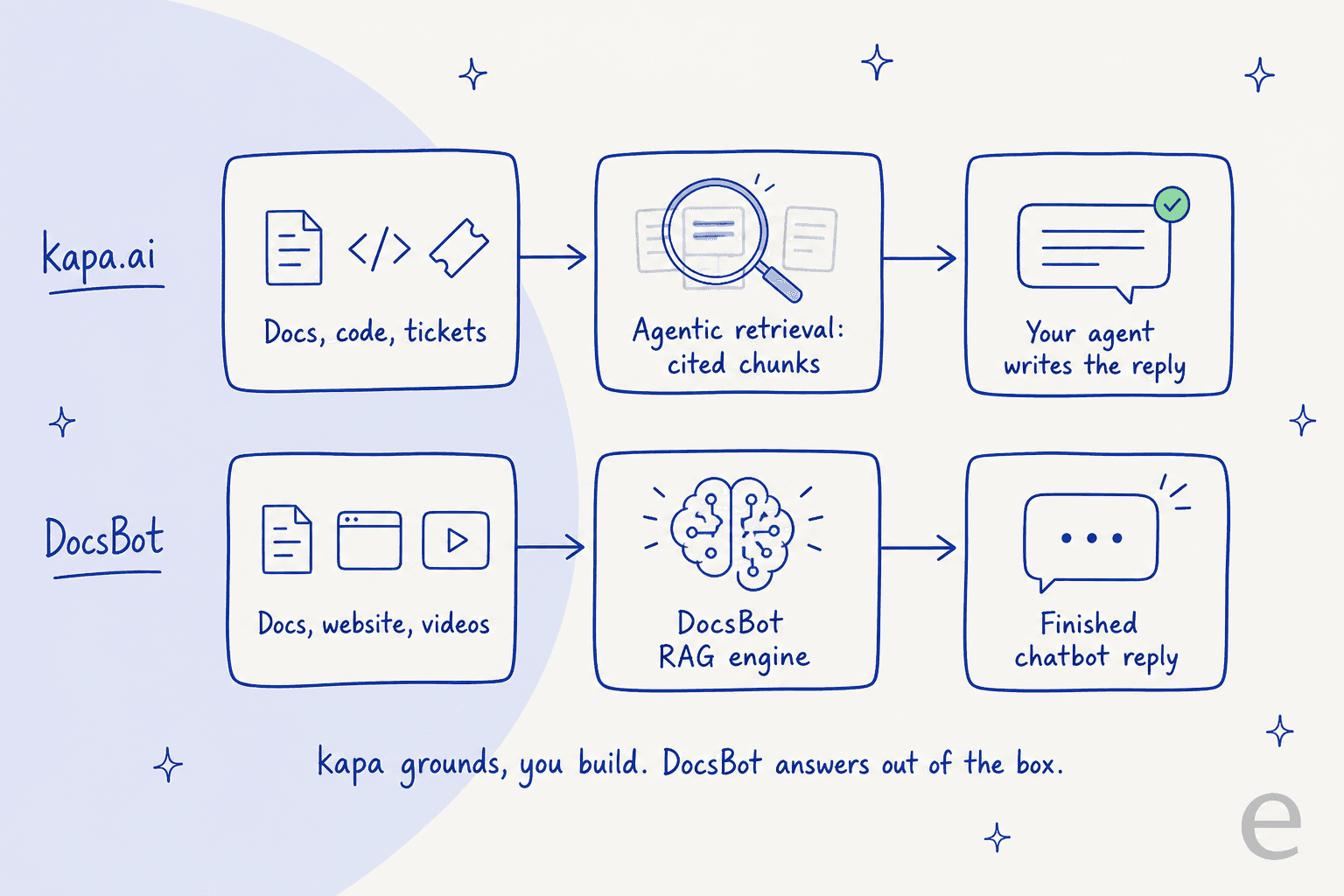
kapa.ai is a Y Combinator company founded in 2023 by Emil Sorensen, and in mid-2026 it repositioned from "AI docs assistant" to something more specific: a retrieval layer you build agents on. The docs describe it plainly as "an ingestion and retrieval system." One half ingests your unstructured knowledge into a continuously synced index; the other half, agentic retrieval, searches that index and hands back the most relevant cited chunks to whatever agent asked.
The detail that matters most is easy to miss on the marketing page. kapa does not write the answer. As the docs put it, "your agent does the reasoning, Kapa provides the grounding." You hand kapa to your agent as a search tool over MCP, or call the HTTP API directly, and the agent composes the reply. That includes agents your users already live in, like Claude Code or Codex. For teams that do not want to build an agent at all, kapa ships prebuilt agents for surfaces like a website widget, Slack, and a support form deflector.
That "grounding, not answering" stance is what makes kapa feel like infrastructure. It is built for engineering orgs with real technical docs, and it leans into that: connectors for GitHub code, issues, and pull requests, OpenAPI specs, S3 buckets, and community sources like Discord and Stack Overflow. The customer wall reads like a developer-tools who's-who: OpenAI, Docker, Reddit, Mapbox, CircleCI, and Prisma among them. On the governance side you get SSO, SCIM, RBAC, zero data retention, PII masking, and EU hosting on the enterprise tier.
If you want the mechanics of that retrieve-then-reason pattern, our explainer on RAG covers the fundamentals, and the deeper piece on retrieval and hybrid search is the closest thing to kapa's world.
What DocsBot actually is
DocsBot comes at the same problem from the opposite end. It is a no-code platform for building ChatGPT-style agents trained on your content, and it wears its audience openly: "no coding or technical skills required," live "in minutes." It is run by UglyRobot, the studio behind founder Aaron Edwards, and the vendor claims "75k+ users" and "3,000+ businesses" across four years, with logos like Sony and Sentry.io.
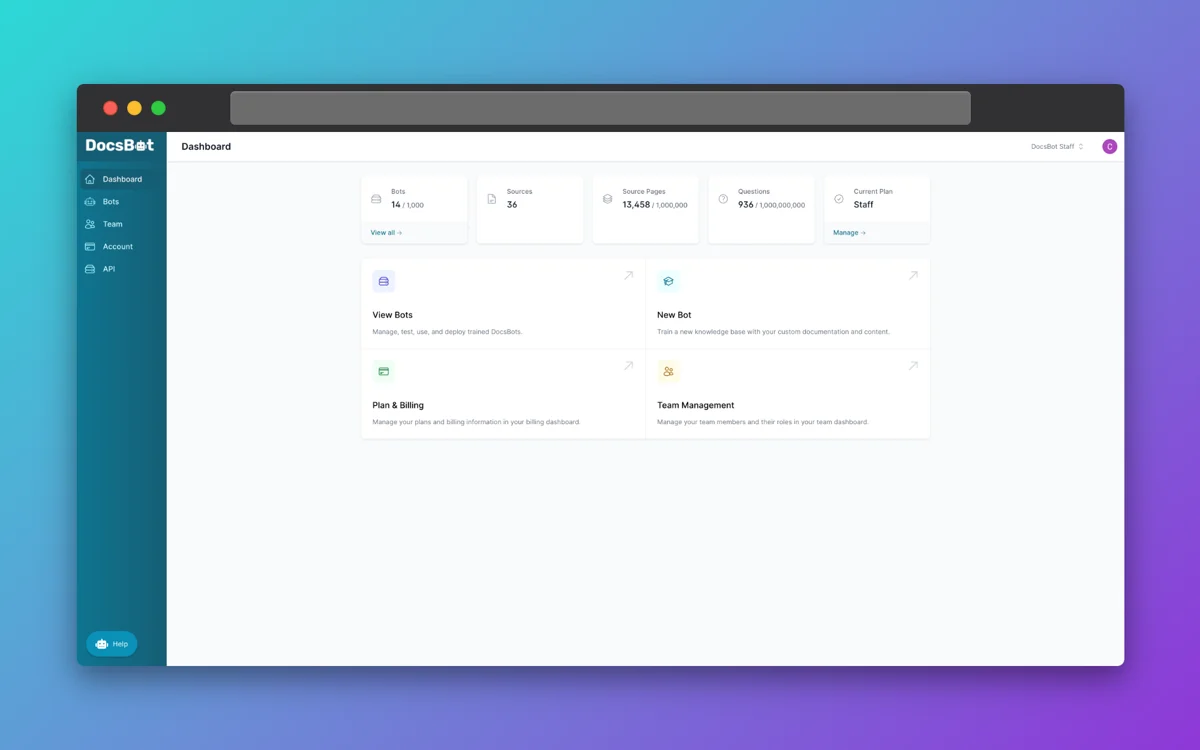
Where kapa hands you a retrieval tool, DocsBot hands you the whole bot. It uses an agentic RAG pipeline with source-cited answers (a "TrueURL" check to curb hallucination) and supports 100+ languages. You deploy through an embeddable website widget, WordPress, Slack, Teams, WhatsApp, Telegram, or Discord, and wire it into thousands of apps via Zapier, Make, or the API. Its AI Actions let a bot go past answering into doing: Stripe billing actions, scheduling, escalation ticket creation, and lead-capture forms, with a per-bot action cap that scales by plan.
The breadth of what you can train it on is the standout. DocsBot lists roughly 38 source types, from website crawls and sitemaps to YouTube transcripts, Notion, Confluence, Google Drive, and support-ticket sources like Help Scout, Freshdesk, and Zendesk. For a small team that just wants an AI knowledge base chatbot reading everything they already have, that is a lot of coverage for the price. We went deeper on the product in our full DocsBot review.
How each one answers a question, and why it matters
This is the distinction I would tattoo on the whole comparison, so let me be concrete. Ask both tools "how do I rotate my API key?" and here is what happens under the hood.
With DocsBot, the platform retrieves the relevant chunks from your docs and generates the finished reply itself, cites the sources, and shows it in the widget. You did nothing but connect content. With kapa, the retrieval call returns ranked, cited chunks to your agent, and your agent writes the answer. kapa deliberately stays out of the generation step so you keep control of the model, the prompt, and the reasoning loop.
Neither approach is "better" in the abstract. If you are a product team embedding AI into your own app and you care about controlling the reasoning, kapa's separation is a feature. If you are a support lead who just wants correct answers in a box, DocsBot doing the whole job is the point. The mistake is buying the retrieval layer when you wanted a finished bot, or the finished bot when you needed a programmable grounding tool. If you are still deciding how much control you need over the model itself, our take on which LLM fits support is a useful sidebar.
Pricing: the clearest difference
Pricing is where these two stop looking similar at all.
DocsBot publishes everything. Here is the live plan grid:
| Plan | Price/mo | Bots | Source pages | AI credits/mo | Team seats |
|---|---|---|---|---|---|
| Free | $0 | 1 | 50 | 100 | 1 |
| Personal | $49 | 1 | 5,000 | 5,000 | 1 |
| Standard | $149 | 3 | 15,000 | 15,000 | 5 |
| Business | $499 | 10 | 100,000 | 60,000 | 10 |
| Enterprise | Custom | Custom | Custom | Custom | Custom |
The billable unit is the AI credit, not a flat per-message charge, and this catches people out. A standard message on a 1x model costs one credit, but bigger models cost more: DocsBot's pricing FAQ lists GPT-5.6 Sol at 20x, Terra at 8x, and GPT-5.4 mini at 3x per message. So a "15,000 credit" plan is only 15,000 messages if you stay on the cheapest model; lean on a heavier model and that ceiling drops fast. You can connect your own OpenAI key to force 1x usage, and add-on credits run $49 per extra 5,000. It is transparent, but you have to do the multiplication.
kapa keeps its number private. The pricing page shows a $0 14-day trial (one index, 5,000 pages crawled, 5,000 retrieval queries, 1,000 answers) and then two "Contact us" tiers, Growth and Enterprise. There is no published list price, and the meters it tracks (pages crawled, retrieval queries, and answers, counted separately) mean your bill scales with question volume, which is the one thing that is hard to forecast. That is not a knock, it is just the enterprise-sales model: you will get a number on a call, tuned to your usage, not off a web page.
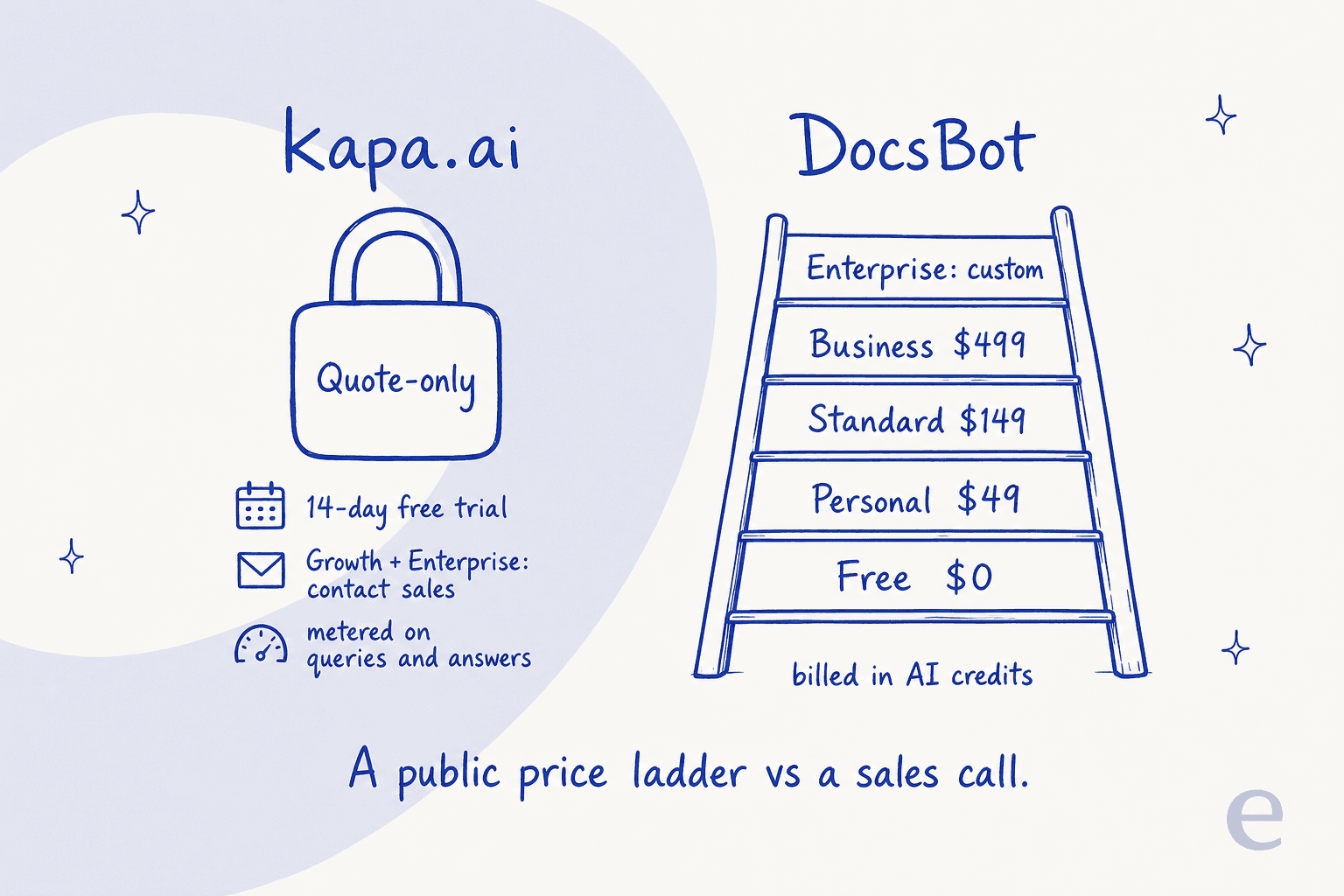
Here is a worked example. Say you are a 5-person support team handling roughly 10,000 questions a month on a mid-tier model. On DocsBot, you are on Standard at $149 plus likely some credit add-ons once the model multiplier bites, so call it real spend in the low-to-mid hundreds, and you can model it before you buy. On kapa, you cannot even estimate it from the site; you book a demo and negotiate. For a smaller team, that gap in knowing what you will pay is often the whole decision. If cost modelling is your priority, our guide on AI support cost savings and the agent-versus-human cost breakdown both go deeper.
Data sources and integrations
Both tools connect to a lot, but they connect to different worlds. kapa's source list is built for engineering knowledge; DocsBot's is built for breadth across any website owner.
| Source type | kapa.ai | DocsBot |
|---|---|---|
| Website crawl | Yes | Yes |
| GitHub (code, issues, PRs) | Yes | Yes (beta) |
| OpenAPI / API specs | Yes | No |
| YouTube / media transcripts | Yes | Yes |
| Notion / Confluence | Yes | Yes |
| Google Drive / S3 | Yes (Drive, S3) | Yes (Drive) |
| Community (Slack, Discord, Stack Overflow) | Yes | Partial (Slack beta) |
| Ticket sources (Zendesk, Freshdesk, Help Scout) | Zendesk, Salesforce | Yes (Standard+) |
| Total connector count | 20+ | ~38 |
The pattern is clear. kapa goes deep on developer sources (OpenAPI, the full GitHub surface, Stack Overflow), while DocsBot goes wide (more total connectors, more consumer and content sources like sitemaps and RSS). If your knowledge lives in code and API specs, kapa's ingestion is the better match. If it is spread across a website, a Notion wiki, some YouTube videos, and a help center, DocsBot sweeps it up in fewer clicks. Both keep sources synced automatically, though DocsBot gates refresh cadence by plan (monthly on Personal, weekly higher up). For a broader field, our roundup of knowledge base AI tools puts both in context.
What real users say
Honest caveat first: public, verifiable reviews are thin for both, so treat everything here as a small sample rather than a verdict.
kapa's strongest signal is that serious developer-tool companies run it, and its own testimonials lean hard on accuracy. But the independent read is more mixed. On a Hacker News thread about docs-AI tools, one experienced user was blunt:
"Used it, it's just glorified marketing and among all the solutions we tried it ranked in the bottom three."

That is one opinion on a popularity thread, and the same thread notes kapa's broad adoption as real validation. The fair reading: results are dataset- and config-dependent, and the impressive accuracy claims come mostly from kapa's own customers rather than an independent public benchmark.
DocsBot's community sentiment skews positive but is also small: 4.8/5 across 15 Product Hunt reviews and 4.3/5 across 3 on G2. The praise is consistent on setup and source-grounding:
"The process of creating an AI Agent was so intuitive. After connecting my website, YouTube, and some of our documents I was able to chat with the agent."
And to DocsBot's credit, its own site carries a candid line about answer quality that most vendors would bury. Gravity Kit's founder put the real-world hit rate at "about 60 percent in terms of giving a REALLY good answer," while still saying the tool saves the team a lot of time. That kind of honesty is worth more than a 5-star average, and it is a useful expectation-setter for any AI customer service chatbot you are evaluating.
Which one should you pick
Strip away the feature lists and it comes down to who you are.
- Pick kapa.ai if you are an engineering or developer-relations team, your knowledge lives in code and API specs, and you want a retrieval layer to ground agents you build yourself. You are comfortable with a sales call, and control over the reasoning loop matters more than a published price.
- Pick DocsBot if you want a finished bot live this week, you value a real free tier and predictable public pricing, and your content is spread across a website, docs, and videos rather than a codebase. It is the stronger AI chatbot builder for a small team moving fast.
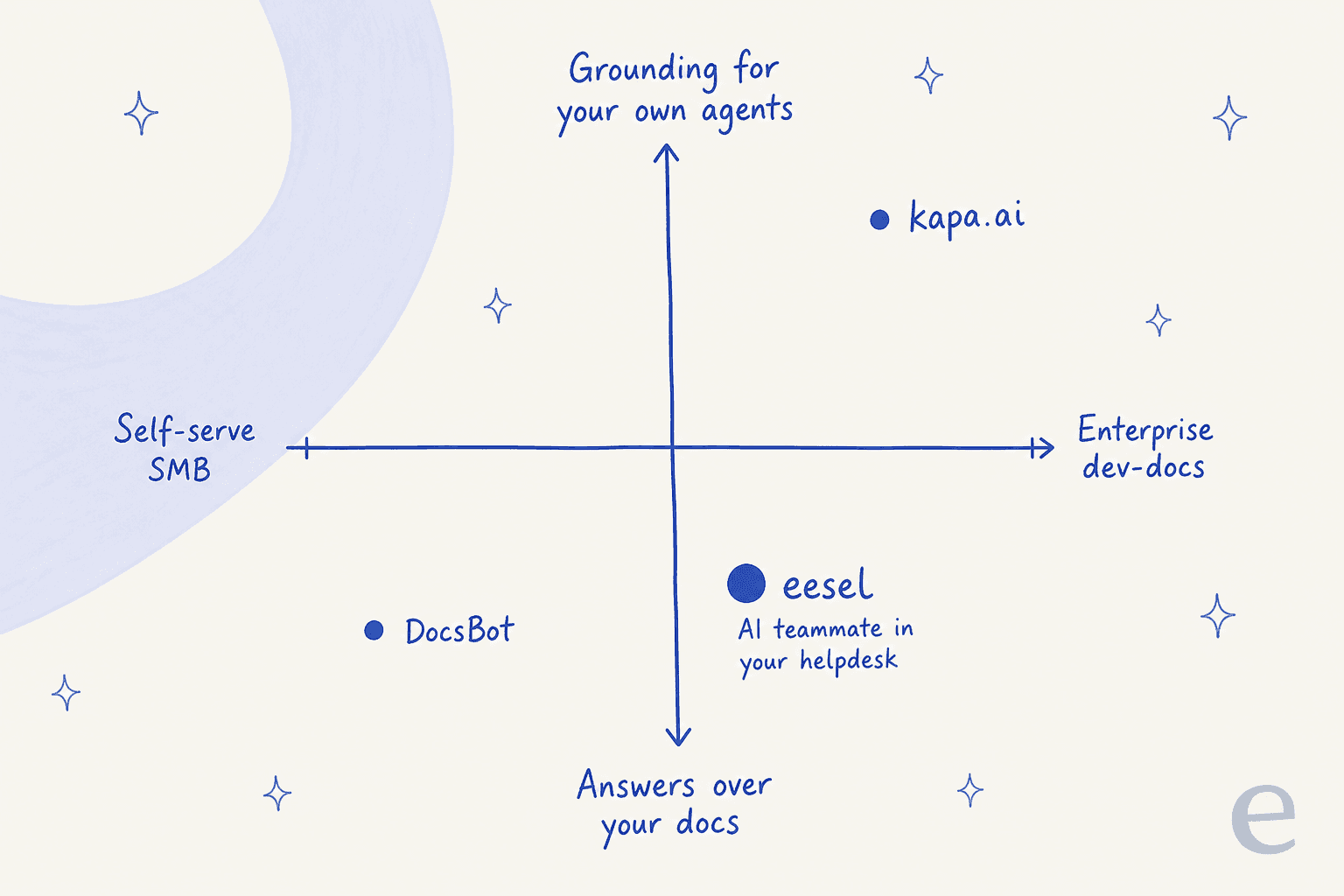
But there is a third box on that map, and it is the one most people searching "kapa vs DocsBot" are actually standing in: you want AI to handle support tickets inside the helpdesk you already run. Neither kapa nor DocsBot is built for that. Both can deflect questions in a widget, but neither joins your ticket queue as a teammate that reads the ticket, looks up the order, and drafts or sends the reply in your own tools. Use the quick check below to see which end of the map you are on.
Try eesel for support that lives in your helpdesk
If that third box is you, this is where I am biased and also where I think the honest answer is different from both tools above. eesel is an AI teammate platform, and the relevant teammate here is the AI helpdesk agent: instead of a standalone widget, it joins the Zendesk, Freshdesk, or Gorgias queue you already run, trains on your help center and past tickets, and drafts or sends replies like a new hire who already knows your product.

Two differences matter most against a knowledge bot. First, simulation before go-live: eesel replays the agent against your historical tickets so you see how it would have answered real conversations before it touches a customer, which is the safety net I wish more tools shipped. Second, transparent, usage-based pricing you can read on the page, no quote required. Customers like Global Pay report up to 80% time savings once it is running.
And because this whole comparison is about APIs and MCP, it is worth saying that eesel is programmable the same way kapa is. There is a public eesel CLI plus an MCP server and webhooks, so the same teammate and workspace you manage in the dashboard can be driven from a terminal, wired into scripts, or handed to a coding agent like Claude Code, Codex, or Cursor. You get kapa-style agent-friendly control and a finished support teammate in one product, rather than choosing between them. You can start free and have it answering in minutes.
Frequently Asked Questions
What is the difference between kapa.ai and DocsBot?
The short version: kapa.ai is a retrieval layer that grounds an AI agent you build, delivered through an API and a hosted MCP server, and it is priced by sales quote. DocsBot is a finished, no-code AI knowledge base chatbot you can launch yourself, starting free and topping out at $499/mo. kapa leans enterprise dev-docs, DocsBot leans self-serve SMB.
Is kapa.ai or DocsBot cheaper?
DocsBot wins on transparency and low entry cost: a real free tier, then $49, $149, and $499 monthly plans. kapa.ai publishes only a 14-day free trial and then quotes Growth and Enterprise privately, so you cannot compare a list price. For most teams under a few thousand questions a month, DocsBot is the cheaper, faster path. See our wider look at AI support savings.
Does kapa.ai have a free plan?
No, kapa.ai offers a 14-day free trial rather than a permanent free plan. The trial includes one index, 5,000 pages crawled, 5,000 retrieval queries, and 1,000 answers. After that you move to a quoted Growth or Enterprise plan. If a free plan matters, DocsBot or another AI chatbot builder is a better starting point.
Which is better for developer documentation, kapa.ai or DocsBot?
kapa.ai is purpose-built for technical products: it ingests GitHub code, issues, OpenAPI specs, and community threads, and grounds agents like Claude Code or Codex through MCP. DocsBot handles docs well too, but its center of gravity is broad SMB support. For a deep dev-docs deployment, kapa is the more specialised pick; for a quick website chatbot, DocsBot is faster.


Article by
Rama Adi Nugraha
Rama is a software engineer at eesel AI with two years of experience writing about B2B SaaS, AI tools, and customer support technology. Based in Bali, Indonesia, he brings a developer's perspective to product comparisons — cutting through marketing copy to what the integrations and APIs actually do.