What is Dante AI?
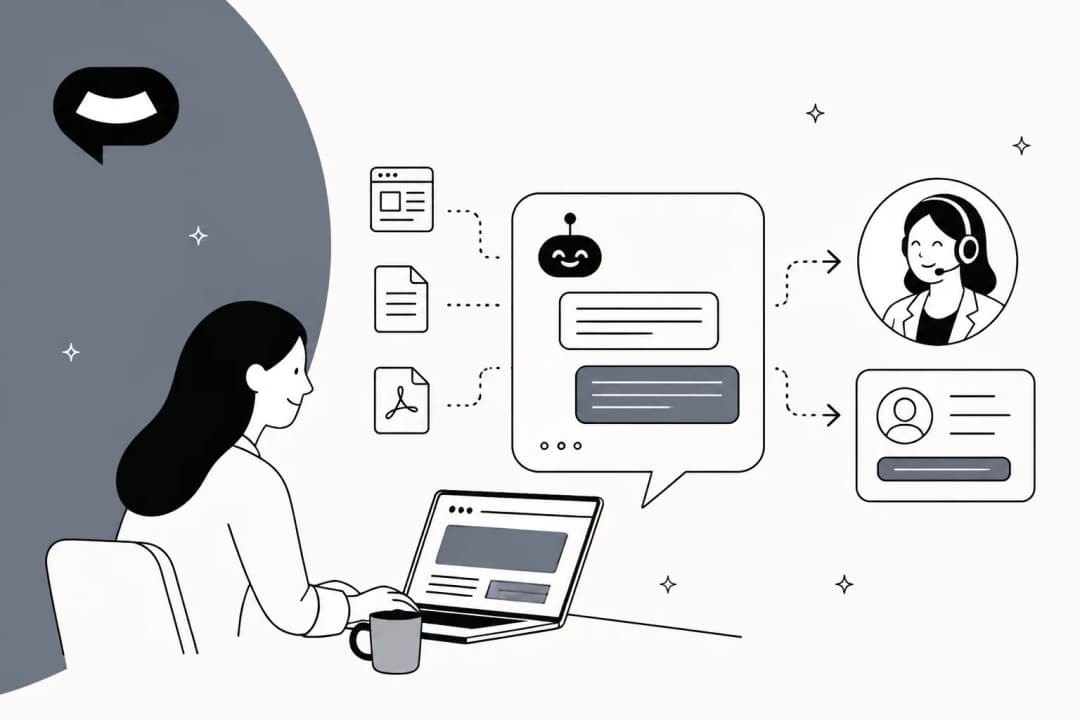
Dante AI sells itself as "One brain. Every channel. One price." You type in your website address, it reads the pages, and you get an AI agent that answers questions on your site, on the phone and in other channels from the same knowledge. The homepage lists Accenture, SAP, Comcast, Kaplan and GoTo under "Trusted by teams at," and says it's powered by OpenAI, Anthropic and Google models.
It's a small, founder-led company. Dante AI Inc. was started in early 2023 by James Martin, who's listed as founder and CEO. There's no public funding round; on Reddit in 2024 he wrote that he was "Bootstrapping your startup on your personal credit cards," and in another reply said the fully remote team was "currently up to around 25 headcount."
The product you'll find today isn't the 2023 version. Dante rebuilt its platform in 2026, and every page of the Dante help center now opens with a note that the docs "describe the current Dante AI platform," pointing older accounts to a legacy API. The old Zapier app doesn't work with new keys either. If you read a review from 2024 that mentions an "Unlimited AI" flat fee, that's the old product.
I spend my days on the search side of eesel's blog, and "Dante AI" is a branded search that mostly comes from people who've already heard the name and want to know if it's real. So this post answers the buying question under that search: what it does, what you actually pay, and where it stops fitting. I read all 30 pages of its help center to get there. Dante is one of many no-code AI agent builders chasing small teams, and if you're still deciding between an AI agent or chatbot, it sits in the middle.
How Dante AI works
Dante calls its knowledge store the "AI brain." You fill it once, then switch on the channels you want. The homepage describes three setup steps: give Dante your website, check what it knows in a private sandbox, then switch on your channels.
Under the hood it's retrieval. Per the Knowledge docs, Dante "embeds the visitor's message, retrieves the top-matching chunks" of your content and uses "those chunks as the source of truth." It doesn't browse the web: the web search page says "Every Dante agent runs in knowledge-base-only mode." When the answer isn't there, it falls back to a fixed line instead of guessing.
That fallback matters more than most feature lists. At eesel we've had paying customers whose bot made up answers to real customers when the knowledge base came back empty, which is why I now check how a tool fails before I check how it answers. Dante's homepage puts the same idea front and center: "An AI that invents an answer is worse than none." The design choice is the right one. My guide to preventing AI hallucinations goes deeper on testing for it.
What you can train it on
Dante learns from exactly four source types: website URLs, file uploads, typed text, and Q&A pairs.
| Source | What the docs say |
|---|---|
| Website URLs | Crawls your domain and follows internal links. Public pages only. Skips paths like /blog, /news and /login |
| Files | PDF, Word, Excel, CSV, PowerPoint, Markdown and more, up to 50 MB each, uploaded in batches of 25 |
| Text | Internal policies, talking points, brand-voice notes |
| Q&A pairs | Take priority over website content for matching questions |
Knowledge limits run from 150,000 characters on Free (about 75 pages) up to 200 million on Pro. Auto-refresh of your website only starts on Advanced (weekly or monthly) and Pro (as often as daily); files, text and Q&A pairs always need a manual update.
What's not on the list: past support tickets, past conversations, and connectors like Notion or Google Drive. The only feedback loop from real chats is the Knowledge Gaps report on Advanced and up, which ranks the questions the agent couldn't answer so you can fill them in by hand. For a knowledge base chatbot built on clean published docs, that's fine. If your best answers live in what your team already wrote to customers, it's a gap.
Models and credits
Each agent runs on one model at a time, and you can swap without retraining. Free gets two light models (GPT-5.4 Nano and GPT-4o Mini); every paid plan unlocks the full list. Dante announced GPT-5.6 support in July 2026, and you can read my take on GPT-5.6 itself separately.
This is where the pricing gets real, because models cost different amounts per answer. From the AI models docs:
| Model tier | Examples | Credits per answer |
|---|---|---|
| Fast and cost-efficient | GPT-5.4 Nano, GPT-4o Mini, GPT-5.6 Luna, Gemini 3 Flash, Claude Haiku 4.5 | 1 to 5 |
| Versatile | GPT-5.6 Terra, GPT-5.4, GPT-4o, Gemini 3.1 Pro, Claude Sonnet 4.6 | 10 to 15 |
| Most powerful | GPT-5.6 Sol, Claude Opus 4.7, Claude Opus 4.6, GPT-5.5 | 25 |
The credits page spells out the effect in its own words: Starter's 2,000 credits mean "up to 2,000 messages on light models, about 200 on standard, 80 on premium." Voice costs 5 credits a minute and WhatsApp replies cost 1 credit each, whatever the model.
Two more rules worth knowing. When you run low, Dante drops to the cheapest 1-credit model while you still have at least one credit left. At zero, the agent goes offline and visitors see "This AI agent is offline at the moment." Unused credits never roll over.
Dante AI features
Dante's homepage pitches "A whole support department, in one place." Here's what that actually covers, and which plan each piece needs.
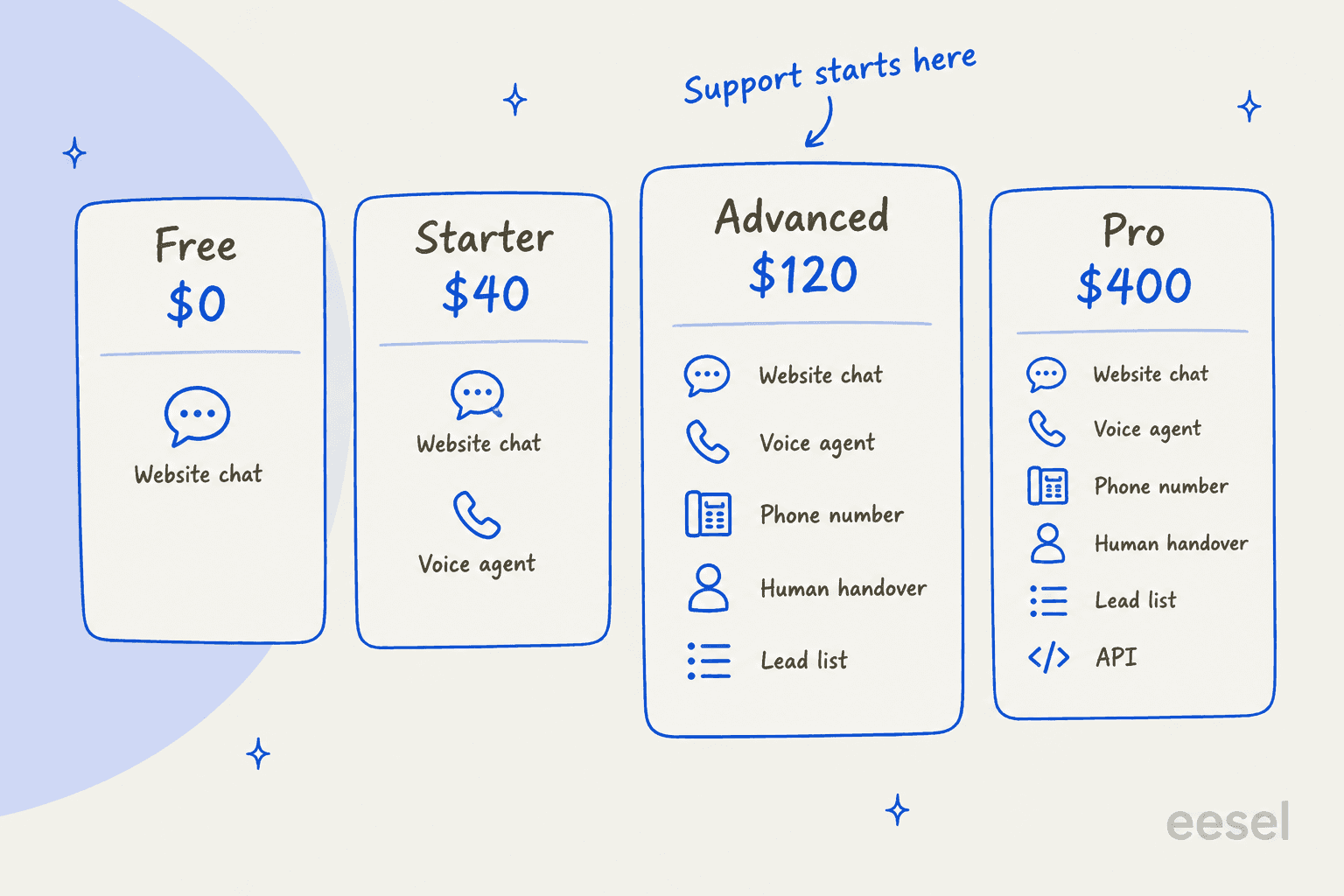
The picture to keep in your head: Free and Starter answer questions. The support features, handover and lead capture, start at Advanced.
Website chat and the dashboard
Every plan, including Free, gets the chat widget with one line of script. When it answers from a website page, it shows that page as the source. Paid plans add your logo, colors and voice input; removing the "Powered by Dante" mark is included on Advanced and up, and a $50/month add-on on Starter per the plans docs.
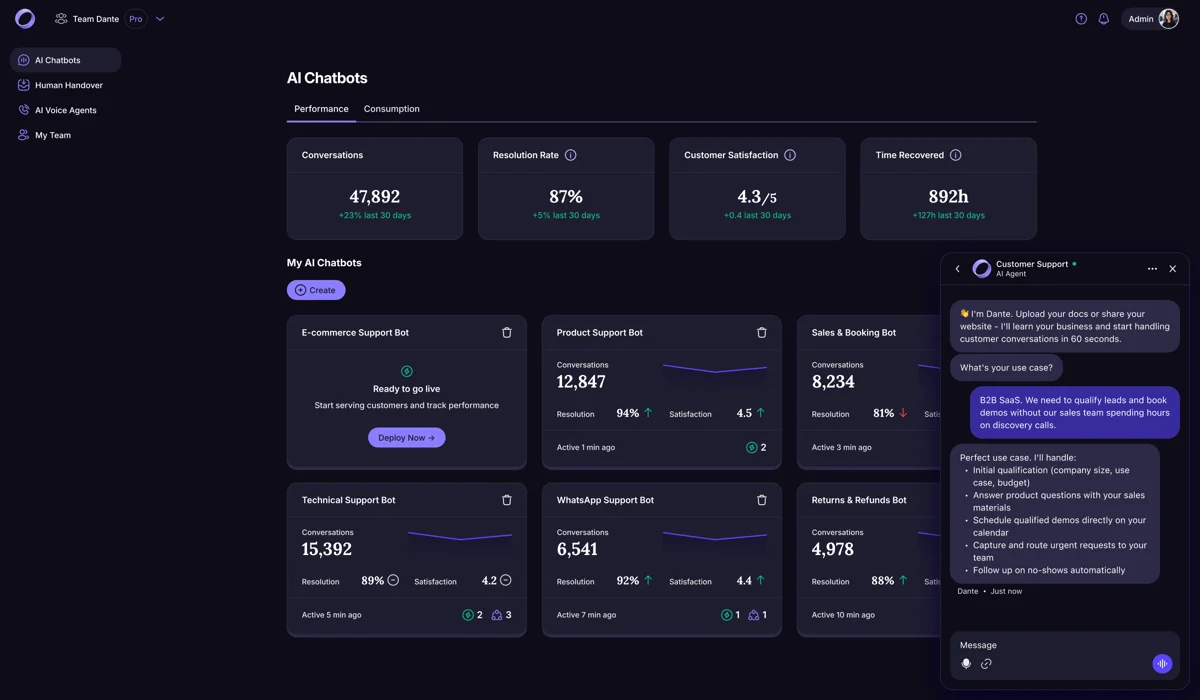
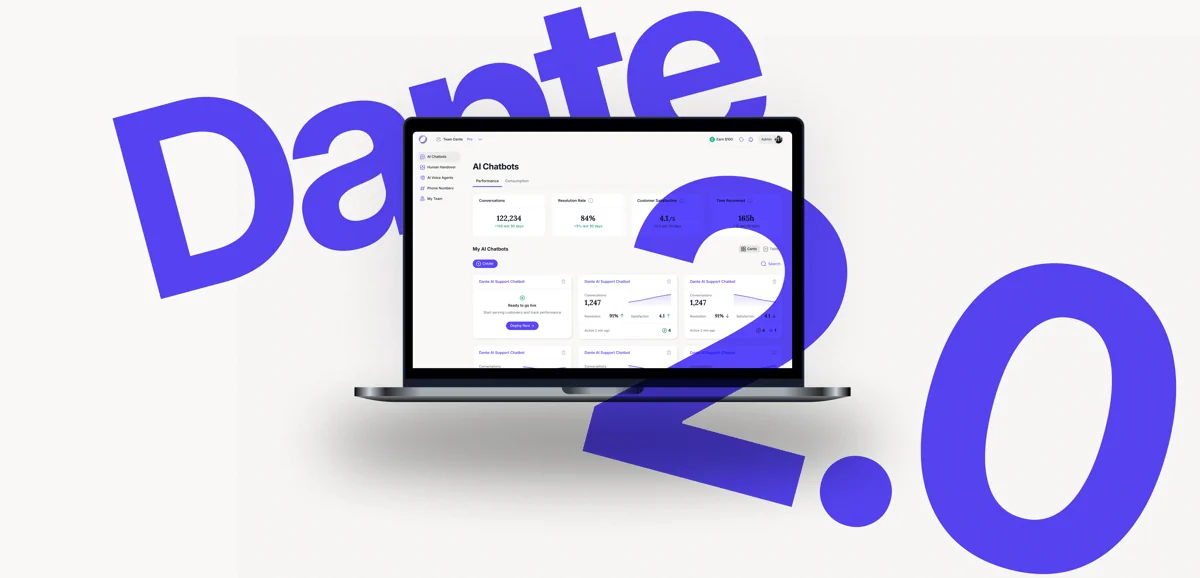
That dashboard is a vendor demo from Dante's G2 listing, so treat the numbers in it as sample data, not results.
Human handover and the Inbox
Handover happens inside Dante's own team Inbox. A "Talk to a human" button sits under every reply, or the visitor can just ask. The chat shows as Awaiting, a teammate clicks "Take it," and the AI stops replying. Clicking "Resolve" hands the chat back to the AI.
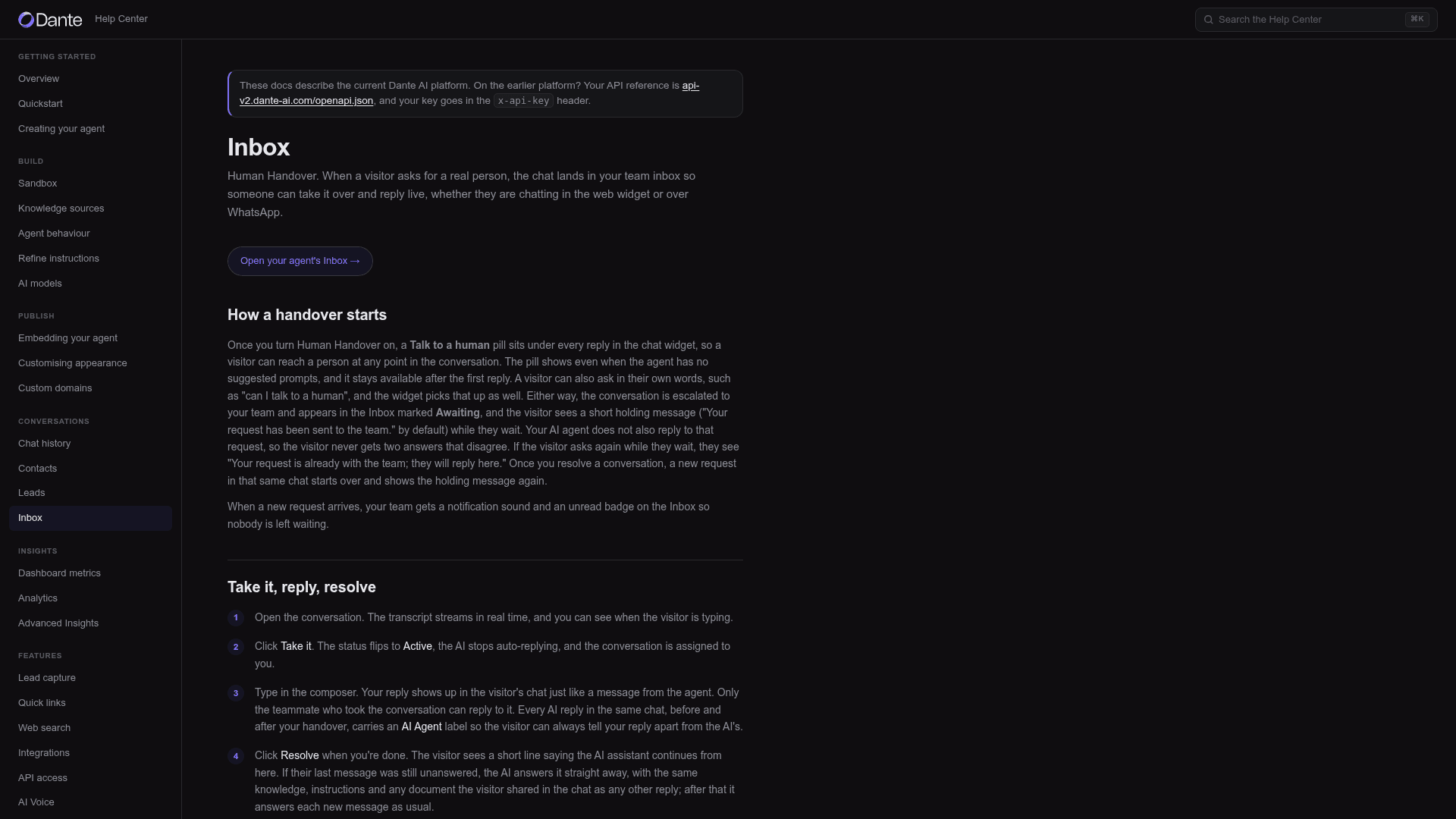
A few details from the docs:
- Handover covers the web widget and WhatsApp. It's on Advanced and Pro only, and "There is no Human Handover add-on to buy on Free or Starter."
- Visitors can attach files during a live handover (images up to 5 MB, documents up to 10 MB), deleted 14 days after the chat is resolved.
- The documented triggers are the button or a typed request. I didn't find a rule that escalates automatically when the agent isn't confident.
- When handover is off, Dante shows a name-and-email form instead.
The bridge to the rest of your stack is thin. Per the Publish docs, when a chat is resolved Dante can email the full transcript to a support address "so your team can work the ticket without logging into Dante AI."
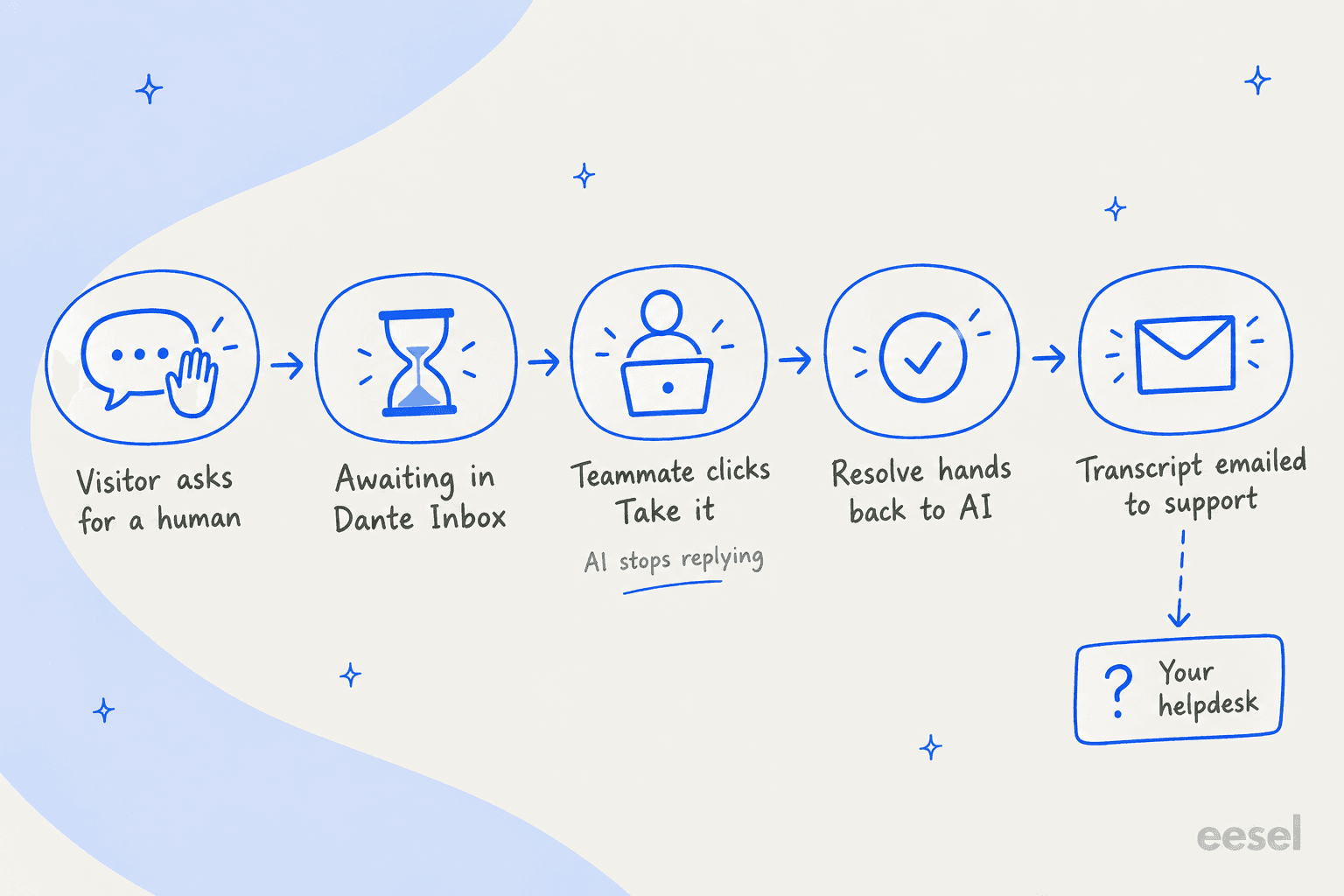
That flow works well for a two-person team that lives in Dante. For a team that already runs a helpdesk, it means a second inbox during the chat and an email forward after it. That's the trade-off I'd weigh before anything else; I cover the wider AI chatbot vs live chat question separately.
Voice agent and phone numbers
This is Dante's most distinctive piece. A voice agent is "a speaking version of one of your existing agents," per the AI Voice docs, with the same knowledge and instructions. On every paid plan you can add a call button to the widget. On Advanced (1 number) and Pro (up to 3) you can rent a real phone number, billed monthly on top of the plan.
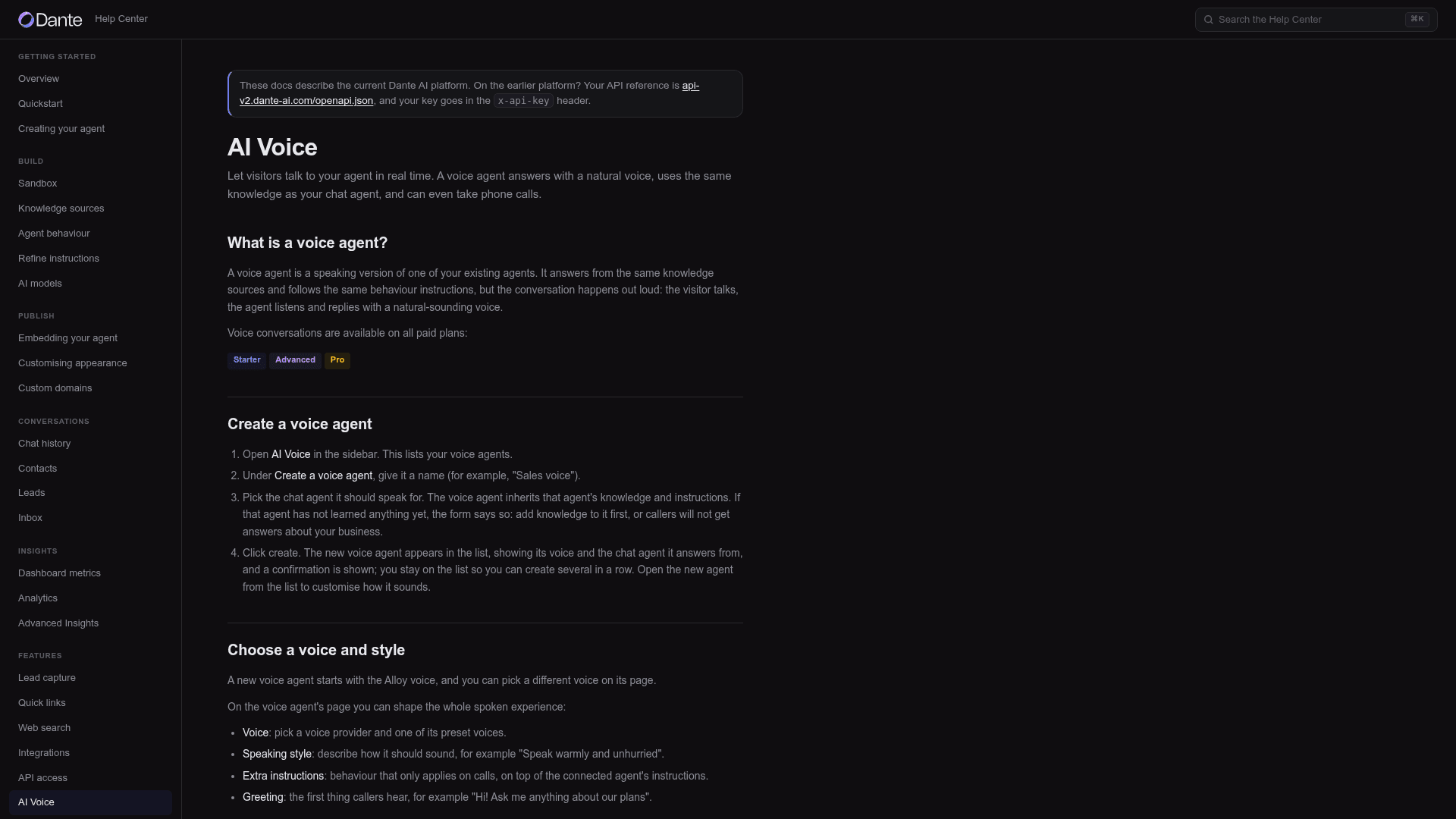
You pick a voice, a speaking style and a greeting, and every call is transcribed. Calls are inbound only. The docs don't describe transferring a live call to a person, outbound calls, or bringing your own number. One G2 reviewer noticed the same gap: "I'd love to see human handover added to the voice AI in the future." If phone is your main channel, compare it with dedicated AI voice agents for support.
Do the math on voice too. At 5 credits a minute, Starter's 2,000 credits are 400 call minutes if you spend nothing on chat.
Lead capture
On Advanced and up, enquiries become contacts in a built-in list with the conversation attached. You can export them as CSV or send them to HubSpot or Salesforce through Zapier. The pricing FAQ is clear there's no per-lead fee. For a service business where a missed quote request is lost money, this is the feature that justifies the $120 plan. My piece on AI lead qualification covers how teams use it on support channels.
Testing in the sandbox
Every plan has a private Sandbox for chatting with your agent before it goes live, and a side-by-side view that runs one question through up to four models at once. Being able to compare models on the same question is useful, since model choice changes your bill so much.
The limit: testing is one typed question at a time. There's no replay of past conversations or batch scoring. One thing to watch: "Save changes" in the Sandbox applies model and behavior changes to your live agent straight away, per the Sandbox docs. The docs also disagree on whether sandbox chats cost credits; the credits page says they do after your first 5 test messages.
Integrations and API
The Integrations docs list WhatsApp, Zapier (Starter and up), booking tools (Calendly, Cal.com, Google Calendar, Outlook) and a WordPress key. Zendesk, Freshdesk and Gorgias don't appear anywhere in the help center. The documented Zapier trigger is "New lead," so there's no "handover requested" event to route into a helpdesk integration.
The Dante API is Pro only. Its documented scope is narrow: list agents, read their settings, and edit the prompt and welcome message. There's no documented endpoint to send messages or read conversations; Zapier's "Send a message" action is the way to message an agent from another tool.
How much does Dante AI cost?
Dante AI has four public plans, and yearly billing gives two months free. There's no published Enterprise plan.
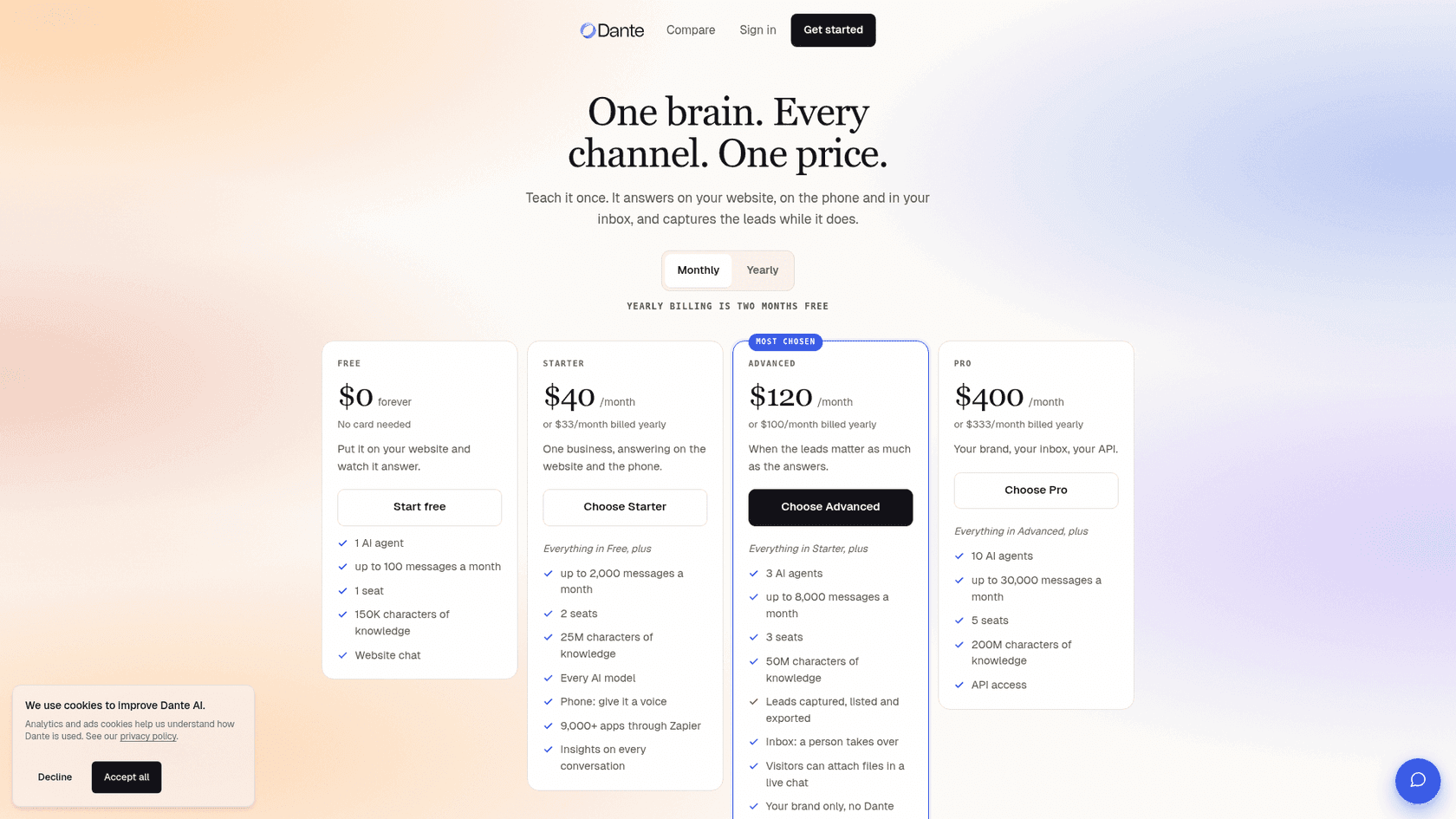
| Free | Starter | Advanced | Pro | |
|---|---|---|---|---|
| Monthly | $0 | $40 | $120 | $400 |
| Billed yearly (per month) | $0 | $33 | $100 | $333 |
| Credits per month | 100 | 2,000 | 8,000 | 30,000 |
| AI agents | 1 | 1 | 3 | 10 |
| Team seats | 1 | 2 | 3 | 5 |
| Knowledge | 150K chars | 25M | 50M | 200M |
| Models | 2 light models | All | All | All |
| Voice in the widget | No | Yes | Yes | Yes |
| Rented phone numbers | No | No | 1 | Up to 3 |
| Zapier and WhatsApp | No | Yes | Yes | Yes |
| Human handover | No | No | Yes | Yes |
| Lead capture | No | No | Yes | Yes |
| Website auto-refresh | No | No | Weekly or monthly | Up to daily |
| Remove Dante branding | No | $50/mo add-on | Included | Included |
| API access | No | No | No | Yes |
Figures from the Dante pricing page, the plan comparison and the plans docs. Add-ons on paid plans: an extra agent is $20/month, and 1,000 extra credits are $20.
What an answer actually costs
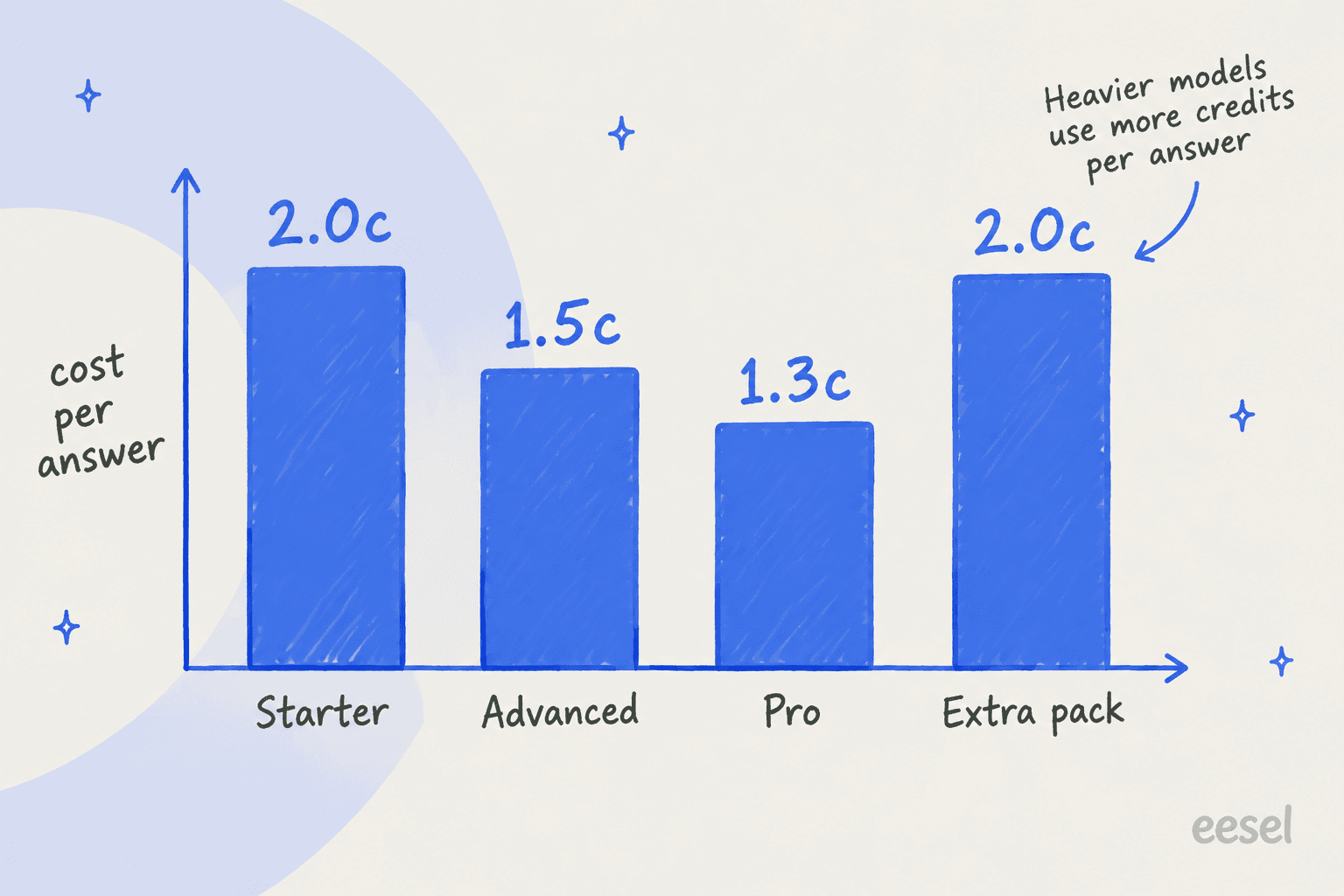
On light models the per-answer price is low and gets lower as you climb.
The model you choose moves that number far more than the plan does. Here's how many answers each plan buys per month, using the credit costs from the models docs:
| Plan | Light model (1 credit) | Versatile (10 credits) | Premium (25 credits) | Premium cost per answer |
|---|---|---|---|---|
| Starter $40 | 2,000 | 200 | 80 | $0.50 |
| Advanced $120 | 8,000 | 800 | 320 | $0.375 |
| Pro $400 | 30,000 | 3,000 | 1,200 | $0.33 |
A worked example: a store with 1,500 chats a month at about three answers each needs 4,500 answers. On a light model, Advanced at $120 covers it with room to spare. Switch that agent to GPT-5.6 Terra at 10 credits and you need 45,000 credits, which is more than Pro includes. Same traffic, same plan page, a very different bill.
Readers have tripped on this. One Trustpilot reviewer put it plainly:
"The package section shows relatively low prices, but the FAQ mentions higher rates for certain models, which makes it difficult to understand the actual cost."

Dante replied that it had added credits and response ranges to its pricing cards, and the docs now spell it out. My advice: start on a light model, read the Knowledge Gaps report for two weeks, and only move up a tier if answers are actually failing. For how this compares to other billing units, see my breakdown of Chatbase pricing and the wider AI customer service cost guide.
What Dante AI users say
There isn't much independent review data yet. On G2, Dante has 4.8/5 from 3 reviews, and G2 itself says there aren't enough reviews to offer buying insight. On Trustpilot it has 4.4 from 41 reviews, 13 of them in the last 12 months. I found no Capterra page.
The praise is mostly about ease of use:
"What I like most about Dante AI is its ease of use. Based on my experience with other similar applications, they were never as user-friendly and intuitive as Dante."

And one review shows the flip side, too many settings during a trial, plus a founder who followed up personally:
"During the $5 trial, I encountered some difficulties when trying to get results as I wanted as there were too many customisation options and cancelled in frustration. Shortly afterwards, I received a personal email from the founder, James, who expressed a genuine interest in understanding what had not worked and how the product could be improved."
On Reddit, mentions are mostly short. One user in r/Entrepreneur used it to build chatbots for clients:
"To add another easy-to-do extra service to your portfolio you could offer building AI chatbots based on their knowledge base so they could use it as marketing/customer service. I use dante-ai for that."

Most of the X coverage is 2023 and 2024 promotion threads from AI tool accounts, one of them labeled "(Requested Post)," so I wouldn't read it as user feedback. The honest summary: early, positive, thin. Run your own trial on your own content.
Dante AI vs the alternatives
Dante's closest rivals are other website-first chatbot builders. Here's how it compares on the things that usually decide it.
| Dante AI | Chatbase | SiteSpeak AI | eesel | |
|---|---|---|---|---|
| Built for | Small business chat, phone and leads | Website and app chat agents | Website chat, leads, agencies | AI teammates for helpdesk queues and website chat |
| Entry paid plan | $40/month, 2,000 credits | $40/month, 700 credits | $29/month, 1,000 credits | $299/month, 500 credits |
| Billing unit | Credits per answer, 1 to 25 by model | Credits, vary by model | Credits per reply | 1 credit per ticket or chat |
| Native helpdesk integrations | None (Zapier, transcript email) | Zendesk, Freshdesk and more | None | Zendesk, Freshdesk, Gorgias, Help Scout, Front and more |
| Trains on past tickets | No | Pro plan | No | Yes |
| Testing before launch | Sandbox, 4-model side by side | Playground | Test Agent preview | Simulation on your past tickets |
Chatbase figures from the Chatbase pricing page, SiteSpeak from my SiteSpeak AI breakdown, eesel from eesel pricing.
Dante's real edge is one the table doesn't show: voice. A rented phone number answered by the same agent that runs your website chat, at $120 a month, is the reason to shortlist it. If you want more options, my Chatbase alternatives and best AI chatbot builders roundups go wider, and I've also reviewed CustomGPT.ai, DocsBot, Chatling and Tidio.
Who Dante AI is for, and who should skip it
I'd pick Dante AI if:
- You run a local service business or small shop without a helpdesk. Questions about hours, prices and bookings are its sweet spot, and the booking integrations cover Calendly and Google Calendar.
- The phone matters as much as the website. A rented number answered by the same agent is rare at this price.
- Leads are the point. Advanced captures contacts with the conversation attached and no per-lead fee.
- You build chatbots for clients. Ten agents on Pro and full white-labeling from Advanced suit agencies.
I'd look elsewhere if:
- Your team already works in a helpdesk. With no native Zendesk or Freshdesk link, handovers live in Dante's Inbox and reach your helpdesk only as an email after the fact.
- Your best answers are in past tickets. Dante trains on published content, files and notes, not your ticket history.
- You need a voice agent that can transfer to a person. The docs don't describe live call transfer.
- You want premium-model answers at volume. At 25 credits an answer, the bill climbs fast.
The helpdesk point is the one I'd weigh hardest. Good answers are table stakes for any AI chatbot for customer service now; where the handover lands and how sure you are before customers see the bot are what decide it. The common AI chatbot problems post covers the rest of that list.
eesel for teams whose support runs in a helpdesk
If Dante sounds right except for the "second inbox" part, that's the gap eesel fills. eesel is an AI teammate platform, and its helpdesk teammate works inside Zendesk, Freshdesk, Gorgias or Help Scout, answering from your help center and your past tickets.
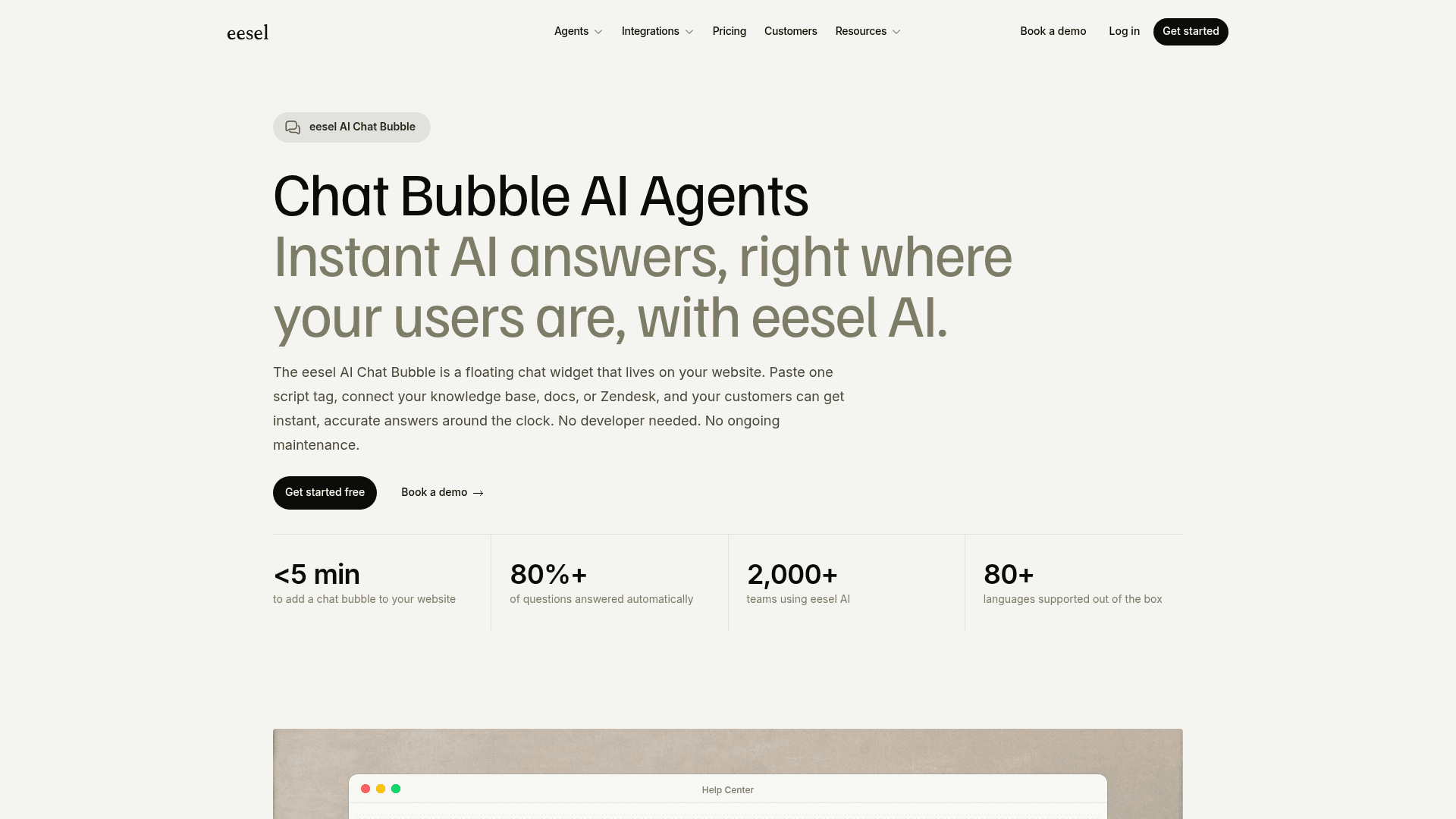
It can also answer on your website. The eesel Chat Bubble goes on your site with one script tag, and when it can't help, it escalates by email or straight into your connected helpdesk, so your agents pick it up in the queue they already work.
Where Dante tests one typed question at a time, eesel runs a simulation over hundreds of your past tickets before launch and shows how it would have answered each one. That's how you find the empty-knowledge-base failures before a customer does. If you'd rather work from a terminal, the eesel CLI runs the same teammate: npx @eesel/cli init chat-bubble --site sets up a free workspace and prints the embed code, and every command returns JSON so coding agents like Claude Code can drive it.
On price, eesel starts higher than Dante's Starter: there's a free plan with 100 credits, and paid plans start at $299/month for 500 credits, where a ticket or chat counts once no matter how many replies it takes, per eesel pricing. For a small shop with no helpdesk, Dante is the cheaper answer. For a support team that wants website chat and the ticket queue handled by one teammate that already knows your history, try eesel and run the simulation on your own tickets first.
Frequently Asked Questions
What is Dante AI?
How much does Dante AI cost?
Is Dante AI free?
Does Dante AI integrate with Zendesk or Freshdesk?
Can Dante AI answer phone calls?
Does Dante AI hallucinate?
What are the best Dante AI alternatives?


Article by
Kurnia Kharisma
Kurnia is a software engineer and writer at eesel AI with two years of SEO experience, writing about AI tools, helpdesk software, and customer support. He pairs a developer's understanding of how these products are built with search-driven research into what actually ranks and resonates with the people searching for them.