What Chatling actually is
Chatling is a no-code platform for building AI support bots trained on your own content, your website, docs, help center, FAQs, and uploaded files. The homepage now leads with a line that tells you where the product is heading: "the AI support platform built for resolution, not deflection." That is a real repositioning from the older "build a chatbot in minutes" builder pitch, and it comes with an omnichannel story, a unified inbox, live chat, CSAT, and human handoff.
The first thing to understand is that Chatling makes you pick between two build modes before you do anything else.
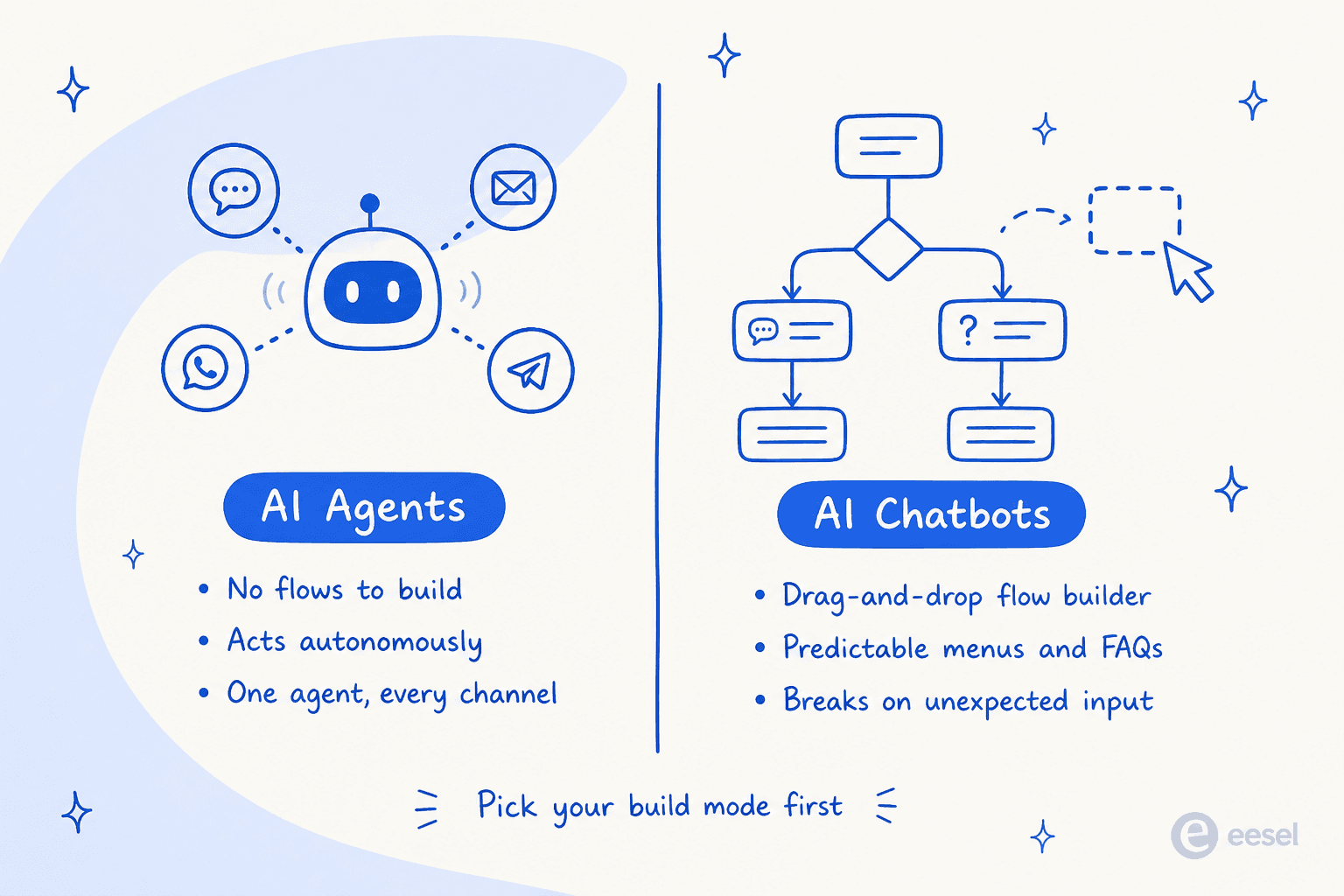
An AI Agent is the autonomous one. You give it instructions and knowledge, and it works out what to do, calling actions like an HTTP request, a Cal.com booking, or a lead form, with no flow to draw. One agent can serve web, WhatsApp, and Instagram at once. An AI Chatbot is the flow-based one, built in a drag-and-drop canvas with send, input, condition, and action blocks, which is great for predictable menus and FAQ trees but, in Chatling's own words, "struggles with unexpected inputs." It is a clean way to explain the difference between an AI agent and a rule-based chatbot, and it is worth knowing which one you are signing up to maintain.
Here is the live product, so you can see the surface you would actually work in.
Under the hood it is generous on model choice: the paid tiers expose 29 AI models across OpenAI, Anthropic, Google, Mistral, xAI, and DeepSeek, selectable per agent or even per block. It handles 80+ languages automatically, syncs its knowledge base from URLs and files, and ships a REST API plus native Zapier, Zendesk, Zoho, and HubSpot connectors. For a small team, that is a lot of capability in one box.
Setting it up: the fast part
Credit where it is due. Chatling's biggest strength, and the thing nearly every reviewer leads with, is how fast it is to get running. G2 scores it 9.5/10 on ease of use, and the qualitative reviews back it up.
"After watching the how to use video it took no more than 5 minutes to add the Chatbot to our website."

"It took me about twenty minutes to have everything on our page set up with all the necessary information from our handbook and website."
That speed is real, and it matters for the audience Chatling actually serves. G2's data says the median time to implement is under a month and 66 of its reviewers are small businesses, so this is very much a tool built for small teams and non-technical owners who want a knowledge-base bot without a project plan. If that is you, the onboarding will not fight you.
Chatling's pricing, and the AI credit trap
This is the section to read twice, because Chatling's pricing is where most of the confusion, and most of the money, hides.
There are four tiers, and chats are unlimited on every one. You are not billed per conversation. You are billed on AI credits, and one AI reply consumes a variable number of them.
| Plan | Monthly | Annual (per month) | AI credits/mo | Agents | Seats | KB characters |
|---|---|---|---|---|---|---|
| Free | $0 | $0 | 200 | 1 | 1 | 500,000 |
| Starter | $25 | $21 | 1,750 | 2 | 2 | 10,000,000 |
| Growth (most popular) | $75 | $63 | 6,000 | 5 | 5 | 30,000,000 |
| Scale | $295 | $246 | 35,000 | 7 | 10 | 100,000,000 |
The sticker prices look reasonable. The credit mechanic is what you have to internalise. A cheap model like Gemini 2.5 Flash costs 0.5 credits per reply; a frontier model like Claude Opus 5 or GPT-5.6 Sol costs 25. That is a 50x spread on the exact same plan.
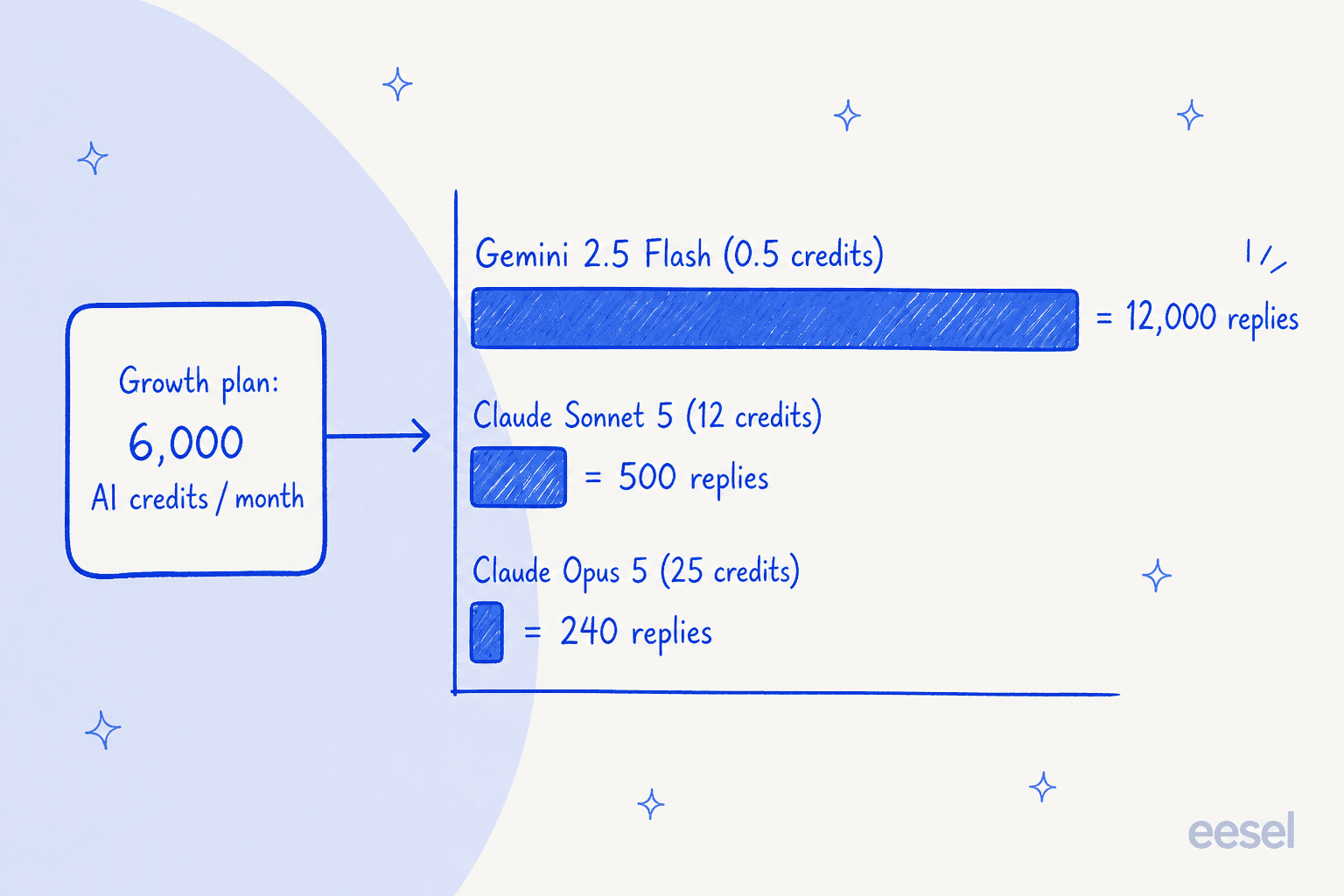
So the honest answer to "how much does Chatling cost" is it depends entirely on which model you run. Take a small store handling 1,500 AI replies a month on the Growth plan. On a budget model at 0.5 credits, that is 750 credits, comfortably inside the 6,000 you get. Point the same bot at Claude Opus 5 at 25 credits and those 1,500 replies need 37,500 credits, so you blow through Growth in the first couple of days and buy the rest as add-on credits at $10 per 1,000, about $315 on top of the $75 base. Same volume, same plan, roughly $75 versus $390 a month, decided by a dropdown. It is worth walking through this the way you would any AI support cost model before you commit.
Credits are not even the only meter. Chatling runs four separate monthly counters, and it is easy to miss three of them on the pricing page.
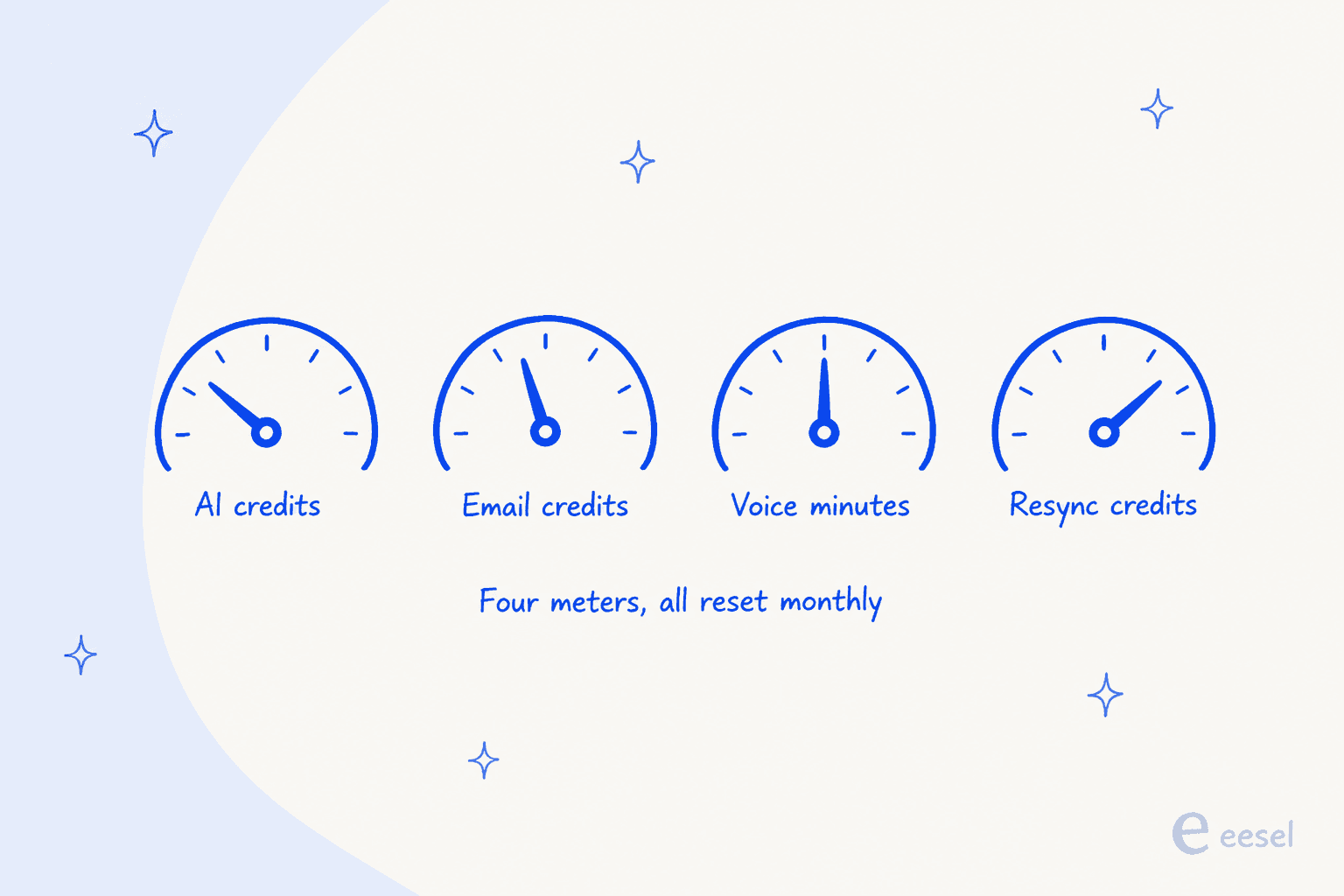
None of this is hidden, to be fair, it is all on the pricing page if you read the FAQ carefully. But it is exactly the kind of thing that trips users up in practice, and it is the most common gripe in the reviews.
"The AI credit system can be a bit confusing. I often exceed my credits limit, which interrupts service until the next month unless I pay for more credits."
A couple of smaller pricing gotchas worth naming. Removing the "Powered by Chatling" badge is a $35/mo add-on unless you are on Scale, which on the $25 Starter plan more than doubles your bill. And the free plan is web-only: WhatsApp, Instagram, Messenger, Telegram, and API access all start at Starter. Here is the pricing page itself so you can see the current numbers.
What Chatling does well
Beyond the fast setup, there is real substance here for the right buyer.
The model flexibility is a real edge, most builders in this bracket lock you to one provider, and being able to run a cheap model for simple FAQs and a smarter one for tricky questions is a lever few competitors give small teams. The multilingual support is strong and automatic. And the integration set covers the tools an SMB actually uses.
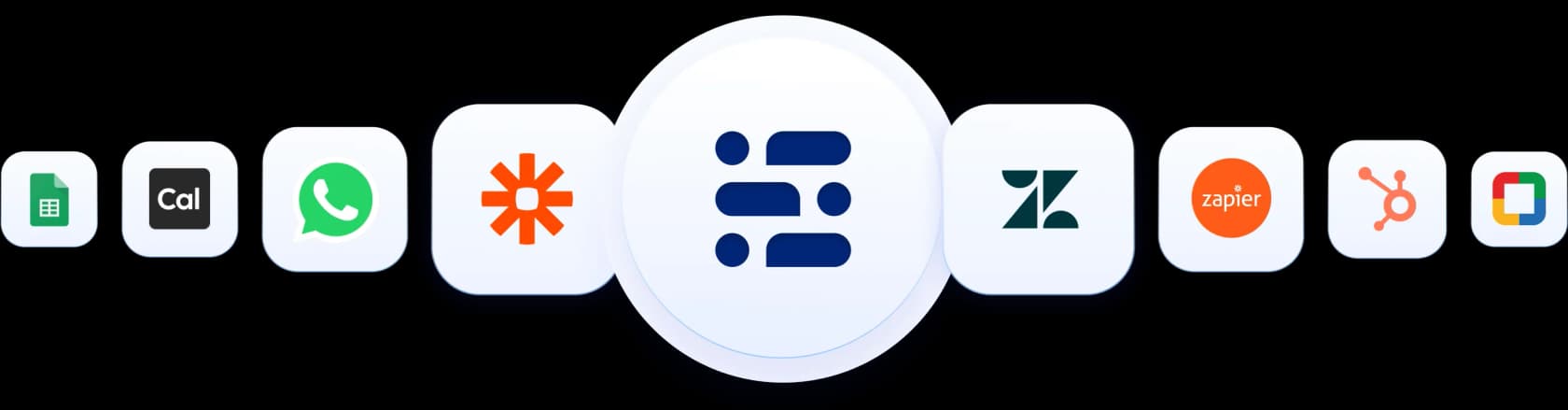
The results users report are concrete, too, which is more than a lot of chatbot vendors can show.
"We receive over 1,500 emails monthly from customers. After implementing Chatling, it successfully resolved 45% of the support questions, and we now spend less time on customer support and more on development and marketing."

For a solo team drowning in repetitive email, a 45% cut is a real day-to-day difference. That is the Chatling sweet spot: a small operation, a well-documented product, and a founder who wants tier-1 questions deflected without hiring.
Where Chatling falls short
The honest part of any review. Chatling has three soft spots, and they matter more the bigger your support operation is.
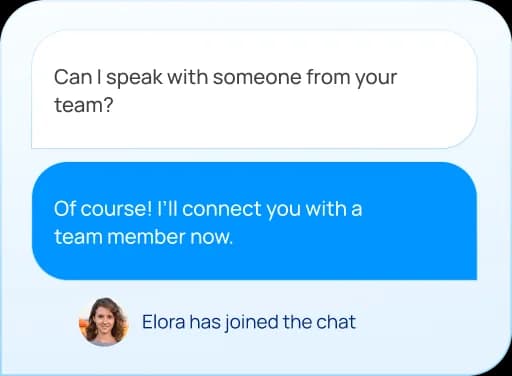
First, live chat and human handoff is its weakest area. On G2, "Route to Human" is Chatling's lowest-scoring feature at 6.7/10, and the handoff experience is thinner than the marketing suggests, the AI chat summary that gives your human agent context is gated to the top Scale tier only.
Second, accuracy needs hand-holding. Chatling's own docs concede the AI "may not always get the answer right... or when it hallucinates," and the fixes on offer are manual: a fine-tune button, temperature controls, and custom instructions. There is no formal human-review workflow and, per recent G2 reviews, no if/then conditional logic in AI scripts. If you have ever chased down a bot confidently giving a wrong answer, you know why preventing hallucinations is the part that actually keeps support leads up at night.
"Sometimes it misses stuff, especially like calendar items. I've downloaded the school calendar into Chatling, and sometimes I'll ask for a date just to test it, and it doesn't know that date."
Third, it is an SMB tool, not an enterprise one. There is no flow import or export, no way to duplicate a group of blocks, no A/B testing to speak of, and no screen-reader accessibility. The most consistent recent complaint is support that feels stretched thin.
"There's no option to import or export flows, and it's not possible to copy or duplicate a full group of blocks, something that would make building larger bots faster."
None of these are dealbreakers for a small team with simple needs. They become dealbreakers the moment you are running real volume and need to trust the bot without babysitting it.
Who should use Chatling, and who should look elsewhere
My take after digging in: Chatling is a strong pick if you are a small business or solo founder who wants a capable, multilingual, multi-channel AI chatbot live today, and you are happy to manage the credit meter and pick a cost-appropriate model. For that buyer it is fast, fair value, and pleasant to set up.
It is the weaker pick if your support already runs through a helpdesk full of past tickets, if you need to trust the AI to auto-resolve at volume, or if you want to know exactly how the bot will behave before it ever touches a customer. That is a different job, and it is worth being clear-eyed about which one you are hiring for. If you are still comparing options, our roundup of the best AI chatbots for customer service and the best no-code chatbot tools is a good next stop.
Try eesel AI for helpdesk support
If that second description sounds like you, this is where I would point you at what I work on. eesel AI is an AI support teammate that plugs straight into the helpdesk you already run, Zendesk, Freshdesk, and the rest, instead of asking you to rebuild support inside a new chatbot tool. It joins your existing queue, drafts or auto-sends replies, and reports on exactly what it did.

The difference that matters most against Chatling's weak spots is testing. eesel trains on your historical tickets and simulates on thousands of them before it goes live, so you see how it would have answered real past conversations, and you decide exactly which ticket types it is confident enough to handle, rather than flipping a switch and hoping. That maps directly onto the thing support leads actually ask for:
"The AI will never be able to answer 100% of the questions. I need an AI who is only handling the tickets that it's confident to handle and all the other ones, leave them alone."
a DTC supplements CX lead
And because it starts from your real ticket history, the ramp is quick. One customer, Gridwise, saw eesel resolve 73% of their tier-1 requests in the first month. Pricing is a flat per-ticket rate rather than a model-dependent credit meter, so your bill does not swing 5x on a dropdown, and you can try it free on your own tickets before committing. If Chatling is about standing up a new bot, eesel is about making the support you already run resolve more on its own.
Frequently Asked Questions
What is Chatling and how does it work?
How much does Chatling cost?
Is Chatling's free plan good enough for a small business?
What are Chatling's biggest limitations?
What is a good Chatling alternative for growing support teams?


Article by
Kurnia Kharisma Agung Samiadjie
Kurnia is a software engineer and writer at eesel AI with two years of SEO experience, writing about AI tools, helpdesk software, and customer support. He pairs a developer's understanding of how these products are built with search-driven research into what actually ranks and resonates with the people searching for them.