

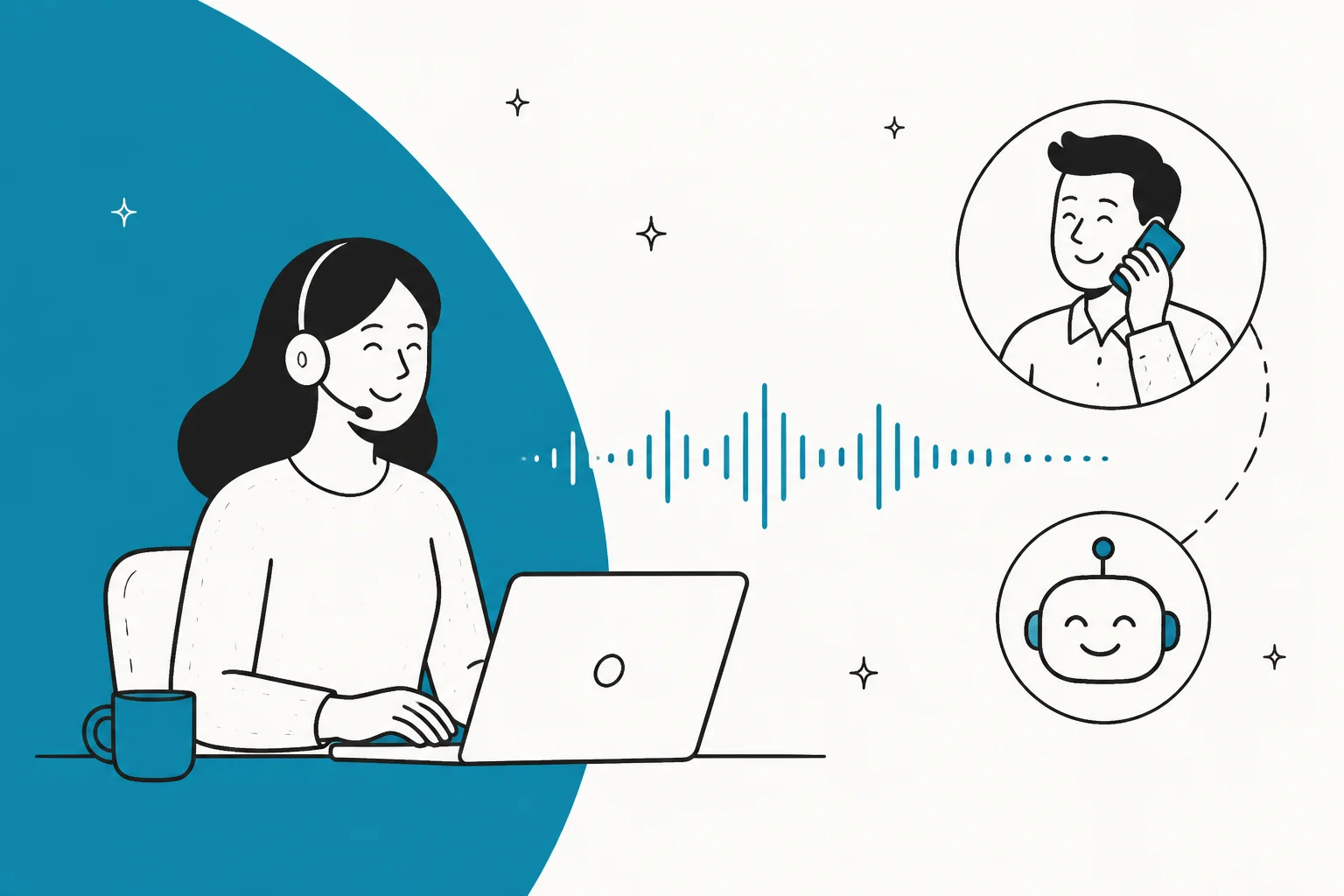
An AI voice agent for customer support answers phone calls on its own: it transcribes what the caller says (speech-to-text), reasons over your knowledge and systems with an LLM, then speaks back (text-to-speech), all in about a second. The hard part is not the AI, it is the real-time plumbing. Callers notice lag past 800ms, so the whole round trip is on a stopwatch.
On cost, voice is billed per minute. Turnkey platforms land most support calls in the $0.07 to $0.16 per minute band before the phone line, so a 5-minute call is roughly $0.35 to $0.80 plus telephony.
The thing I would tattoo on every rollout: voice AI works when it routes to a human, and fails when it tries to replace one. I have spent years putting AI on live support queues, and the single biggest lesson is confidence over coverage. Let the agent handle what it is sure about and hand off the rest. That lesson is channel-agnostic, which is why the same AI helpdesk agent approach that resolves your chats and tickets is worth getting right before you bolt a phone line onto it.
What an AI voice agent actually is
Strip away the marketing and an AI voice agent is a system that picks up the phone, understands a caller in natural language, does the work, and talks back, with no human on the line for most of the call. The dominant design chains three specialized models together: speech-to-text (STT), a large language model (LLM) for the thinking, and text-to-speech (TTS), all sitting on top of a telephony layer that connects the actual call. Twilio calls this the cascaded voice agent architecture, where "the user's speech is transcribed, the transcript is processed by an LLM, then the resulting tokens are synthesized into audio."
A newer variant collapses that chain into one model. OpenAI's Realtime API runs speech-to-speech directly, which "reduces latency, preserves nuance in speech, and produces more natural, expressive responses."
Two comparisons make it click:
- It is not the old phone tree. "Press 1 for billing" (IVR) only understands keypad tones or a few scripted words and forces every caller down the same rigid menu. A voice agent lets the caller describe the problem in their own words and routes or resolves from there.
- It is the voice cousin of a text chatbot, on a much harder medium. Chat is turn-based and forgives a one or two second delay. Voice is synchronous and real-time, and that difference is the whole engineering challenge. If you have read about the difference between an AI agent and a rule-based chatbot, this is that same jump, plus a real-time audio problem stacked on top.
How an AI voice agent works, step by step
Here is the full path a support call takes, from ring to reply.
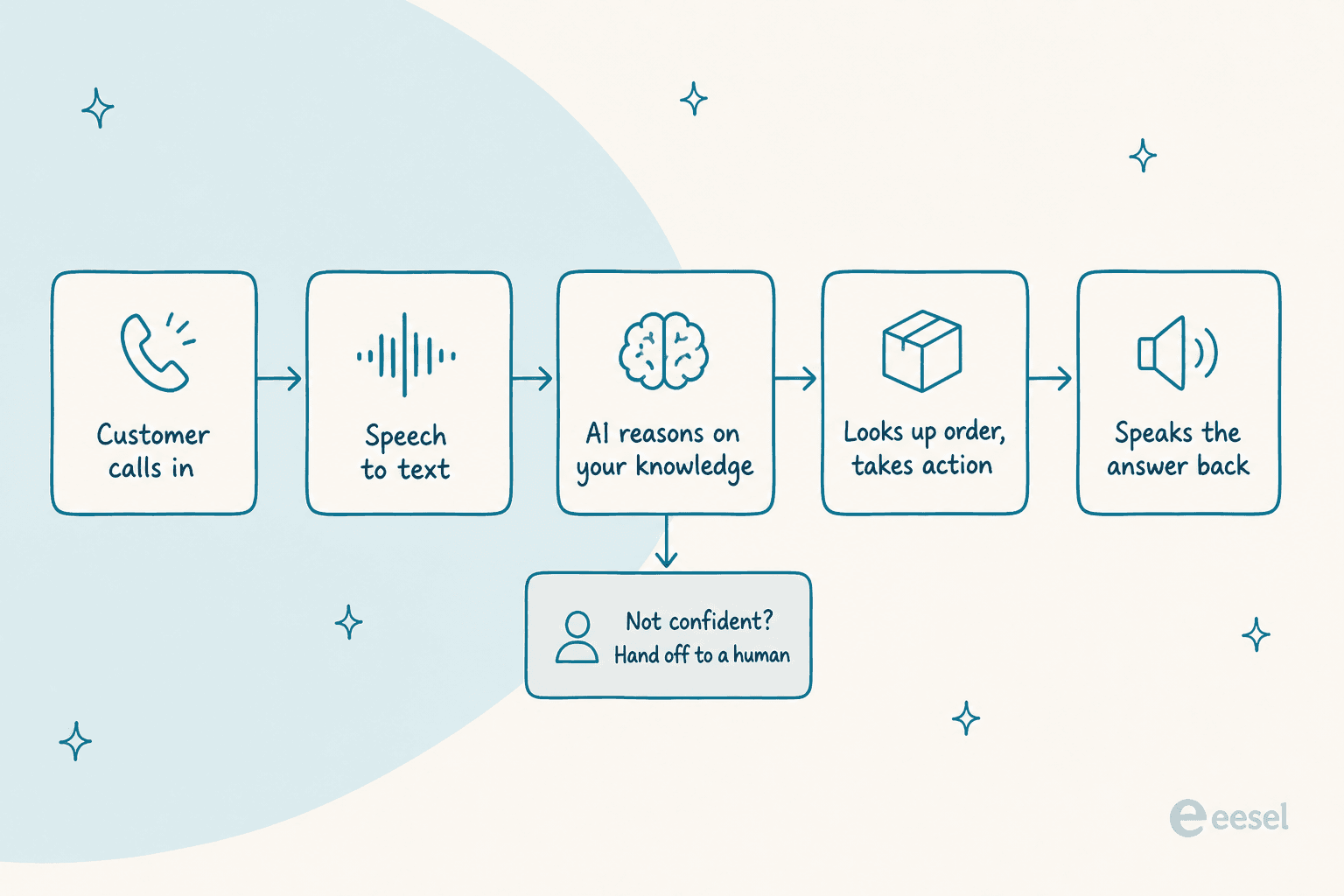
Telephony (the phone line). The call arrives over the phone network (PSTN) or a SIP connection. Twilio exposes this as a <ConversationRelay> noun that "handles the complexities of live, synchronous voice calls," and OpenAI recently added phone calling over SIP to its Realtime API.
Speech-to-text. The caller's audio is transcribed live. The genuinely hard part here is not recognition, it is endpointing: knowing when the caller has actually finished talking, since a short mid-sentence pause "can sound identical to an end-of-turn pause." Good systems keep two transcript buffers, a provisional guess and a committed record, so they can start thinking early and correct later.
LLM plus knowledge retrieval. The transcript goes to an LLM that works out what the caller needs and pulls grounded answers from a knowledge base rather than guessing. AWS's reference build wires Amazon Connect, Lex, and Bedrock Knowledge Bases together so the agent answers from retrieved company content. This retrieval step is the same reason a good text agent needs to be trained on your knowledge base before it says a word.
Business-system actions. A production agent does not just talk, it calls tools: looking up an order, checking a CRM record, filing a ticket. OpenAI's gpt-realtime added remote MCP server support so you can point a session at a set of tools, and made long calls asynchronous so "the model can continue a fluid conversation while waiting on results."
Text-to-speech. The model's words are streamed back as synthesized speech. Deepgram's Flux TTS interleaves text and audio generation so response length does not raise first-audio latency, with first audio "as low as 80ms."
That last number hints at the real story. Every one of these stages is racing a clock, which is the next section.
Why voice is so much harder than a chatbot
If you have built a text agent, your instinct is that voice is "the same thing, but spoken." It is not. Voice adds a set of real-time constraints that chat simply does not have.
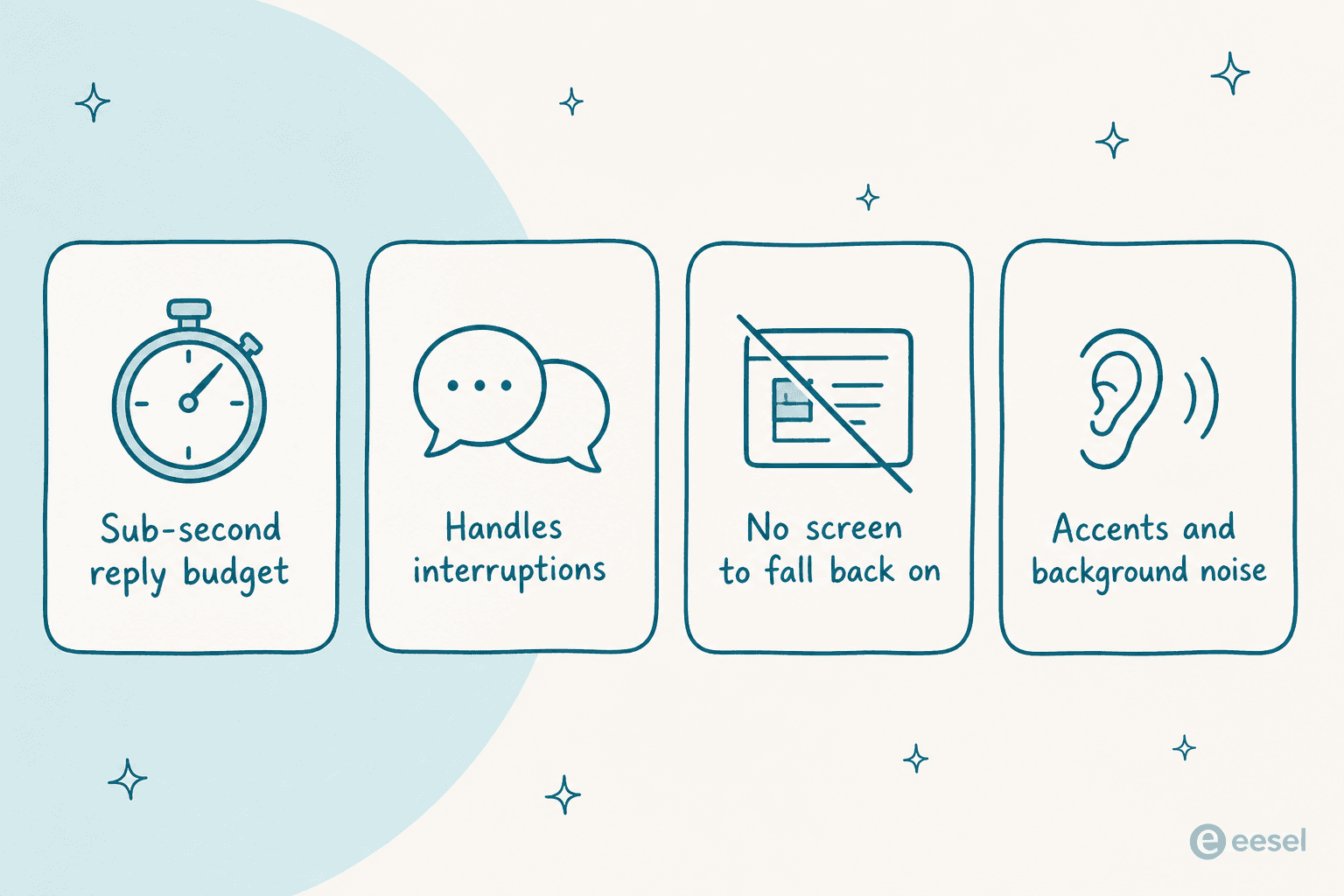
The clock is the big one. Twilio, publishing its own launch targets in late 2025, defines latency as the "mouth-to-ear turn gap" and sets an end-to-end target of 1,115ms, with a 1,400ms upper limit. That budget is not spent in one place. It stacks up as roughly STT 350ms, LLM 375ms, TTS 100ms, plus network and buffering, and because those numbers compound, "acceptable numbers at each stage can still sum to a broken conversation." Deepgram puts the perception threshold even tighter: callers "start noticing lag near 800ms of total round-trip time."
Then there is everything a caller does that a chat user never does. They interrupt. Handling that "barge-in" means cancelling the in-flight reply the instant the caller cuts in, which is why Deepgram's agent API ships built-in barge-in detection and turn-taking prediction. They also call from noisy places, with accents, and with no screen to fall back on, so there is no "click the button below" escape hatch when the audio is unclear.
One developer who rebuilt a voice loop from scratch put the difficulty exactly where it belongs:
"The hard part isn't STT, LLMs, or TTS in isolation, but turn-taking: detecting when the user starts and stops speaking, cancelling in-flight generation instantly, and pipelining everything to minimize time-to-first-audio... By colocating Twilio, Deepgram, ElevenLabs, and the orchestration layer, I reached ~790ms end-to-end latency."

The models have genuinely gotten good, to be fair. gpt-realtime scores 82.8% on the Big Bench Audio reasoning eval, up from 65.6% for OpenAI's late-2024 model, and it can capture non-verbal cues like laughs and switch languages mid-sentence. The intelligence is not usually what breaks a voice demo. The plumbing around it is.
What an AI voice agent actually costs
Here is the part most vendor pages bury: voice AI is billed per minute of conversation, and the headline per-minute number is almost never the whole bill. Depending on the vendor you also stack on telephony (the phone line), STT, the LLM, and TTS, sometimes bundled, sometimes passed through "at cost," sometimes billed as separate line items you assemble yourself.
Three pricing shapes dominate:
- All-in per minute (Bland, Retell, ElevenLabs Agents): one blended rate that already folds in STT, LLM, and TTS. Simpler, usually a slightly higher headline.
- Platform fee plus passthrough (Vapi): a thin per-minute orchestration fee, then you pay for STT, LLM, and TTS at cost. Cheapest floor, most moving parts.
- Component or infrastructure (Twilio, Deepgram, OpenAI, Amazon Connect): you are buying one layer and wiring the rest yourself.
| Vendor | Plan / tier | Published rate | What is included | Passed through or extra |
|---|---|---|---|---|
| Bland AI | Start (dev) | $0.14 / min | LLM, STT, TTS all bundled, "no model pass-throughs" | Inbound number ~$15/mo; $0.05/transfer min |
| Retell AI | Pay-as-you-go | $0.07-$0.31 / min (~$0.115 midpoint) | Voice infra + LLM + TTS blended | $10 free credits; telephony ~$0 if BYO |
| Ringly | Pay per conversation | $99/mo includes 50 conversations; then $1.99/conversation | Shopify-connected AI phone support | Calls where Seth helps before handoff are billable; custom rates for 1,000+ calls/mo |
| Vapi | Build (usage) | $0.05 / min platform fee | Vapi orchestration only | STT/LLM/TTS at cost; $10/line/mo over 10 |
| Deepgram | Voice Agent API (Standard) | $0.075 / min | Deepgram STT + LLM + TTS bundle | BYO-LLM $0.065/min; Advanced $0.163/min |
| ElevenLabs Agents | Overage rate | $0.08 / min (burst $0.16) | TTS + orchestration + tier minutes | LLM billed separately; telephony separate |
| Twilio | ConversationRelay | $0.07 / min | AI voice orchestration only | + PSTN $0.0085-$0.014/min + your own STT/LLM/TTS |
| Amazon Connect | Voice (usage) | $0.038 / voice min | Contact-center telephony + platform | Telephony + Amazon Q / Contact Lens add-ons |
| OpenAI Realtime | gpt-realtime-2.1 | $32 / 1M audio-in, $64 / 1M audio-out tokens | The model only | ~$0.06-$0.24/min in practice; no telephony |
Ringly is a different kind of purchase: a Shopify-focused service billed per conversation, rather than voice infrastructure billed per minute. The example below applies to the per-minute platforms.
A worked example makes the stacking real. Say you run 2,000 support calls a month averaging 4 minutes. On an all-in platform at roughly $0.12/min, that is 8,000 minutes, or about $960 in platform cost. Add a Twilio-style phone line at ~$0.01/min and you are near $1,040, plus number rental and any warm-transfer minutes. Cheap per call, but it climbs with volume, and the longer, messier calls (the ones an edge case creates) are the expensive ones.
A few gotchas worth pricing in before you sign anything:
- Telephony is almost always separate, even from "all-in" vendors. That is a real per-minute line plus $1 to $2 per number, and international rates run much higher.
- "At cost" passthrough is not free. Vapi's $0.05/min floor is real, but STT plus LLM plus TTS at cost easily adds $0.05 to $0.10, landing you in the same band as the all-in vendors.
- Compliance is an add-on. HIPAA and Zero Data Retention are paid tiers on some platforms; a BAA is often gated to Enterprise.
If your instinct after that table is that per-minute pricing is unpredictable, that is the honest read. It is one reason the text channels, where eesel uses monthly credit plans with one credit per ticket or customer chat rather than per minute of talk time, are often easier to forecast. Our full breakdown of AI agent versus human agent cost walks through the math.
Three AI voice platforms to compare for customer support
The options below cover different deployment needs. Test each against your own calls, connected systems and handoff requirements before choosing.
1. Bland AI: a bundled voice stack
Bland AI combines the language model, speech recognition and speech generation in its voice platform. It is an option for teams that want those components under one vendor. Confirm phone-number and transfer charges alongside the platform rate.
2. Retell AI: usage-based voice infrastructure
Retell AI offers voice infrastructure with usage-based pricing. Compare the full configuration you need, including the model, voice and telephony, rather than treating the lowest advertised rate as the cost of every call.
3. Ringly: AI phone support for Shopify stores
Ringly's Seth is an ai phone answering system built for Shopify stores. It answers inbound calls, looks up orders and products, handles routine return questions, and transfers callers to your team when needed. It suits ecommerce teams that want a voice agent connected to store data without assembling their own speech and telephony stack.
Unlike the per-minute infrastructure options above, Ringly charges per conversation. Its published pricing is $99/month for the first 50 conversations, then $1.99 for each additional billable conversation. Calls where Seth helps before handing off still count; spam, hang-ups, wrong numbers and immediate requests for a human do not. Confirm how those rules apply to your call mix before estimating the bill. Its Shopify focus makes it less suitable for other industries or outbound calling.
What people actually say about calling an AI
The demos always show the same thing: a caller asking "what are your hours" and a smooth AI answering. The reality is more mixed, and the gap between the two is the most useful thing to understand before you deploy.
When it works, it genuinely works. Here is a real caller describing an after-hours support call, not a vendor:
"It was after hours, and a dreaded robot voice answered my call. I was fully prepared to spend the next 10 minutes rewording my issue... Surprisingly, this robot understood every single sentence I said... That's the most pleasant customer service call I have ever experienced. I don't mind talking to AI. In fact, instead of a live agent, I actually prefer to talk to your LLM, so my issue can be quickly triaged to the right human who actually understand my situation."
Notice what made that call good: it triaged to the right human. That is the pattern. Now here is the failure mode, from a caller who hit a deflection dead-end:
"One (recently) even told me, after wandering through the menu options, that they were going to text me a link to their app - and then hung up on me. I already tried the app, their system was broken - that's why I was trying to call and talk to a human!"
And the sharpest framing of the core tension, which is worth reading twice:
"The problem with the call center A.I. is that almost every time I need to call somewhere that uses them, I have some kind of edge case. They always give examples of how the automated agent can handle simple queries like 'what's my balance'... but I never need to call with something straightforward like that."
That is the whole game in one comment. People do not call about the simple stuff, they call about the edge case, and an agent that cannot cleanly admit "this one is for a human" turns a support channel into a wall.
The thing everyone gets wrong: confidence over coverage
The mistake I see teams make, over and over, is optimizing for how much the voice agent can answer instead of how well it knows when not to. On a live call, a confident wrong answer is worse than a fast handoff, because the caller acts on it and you find out later.
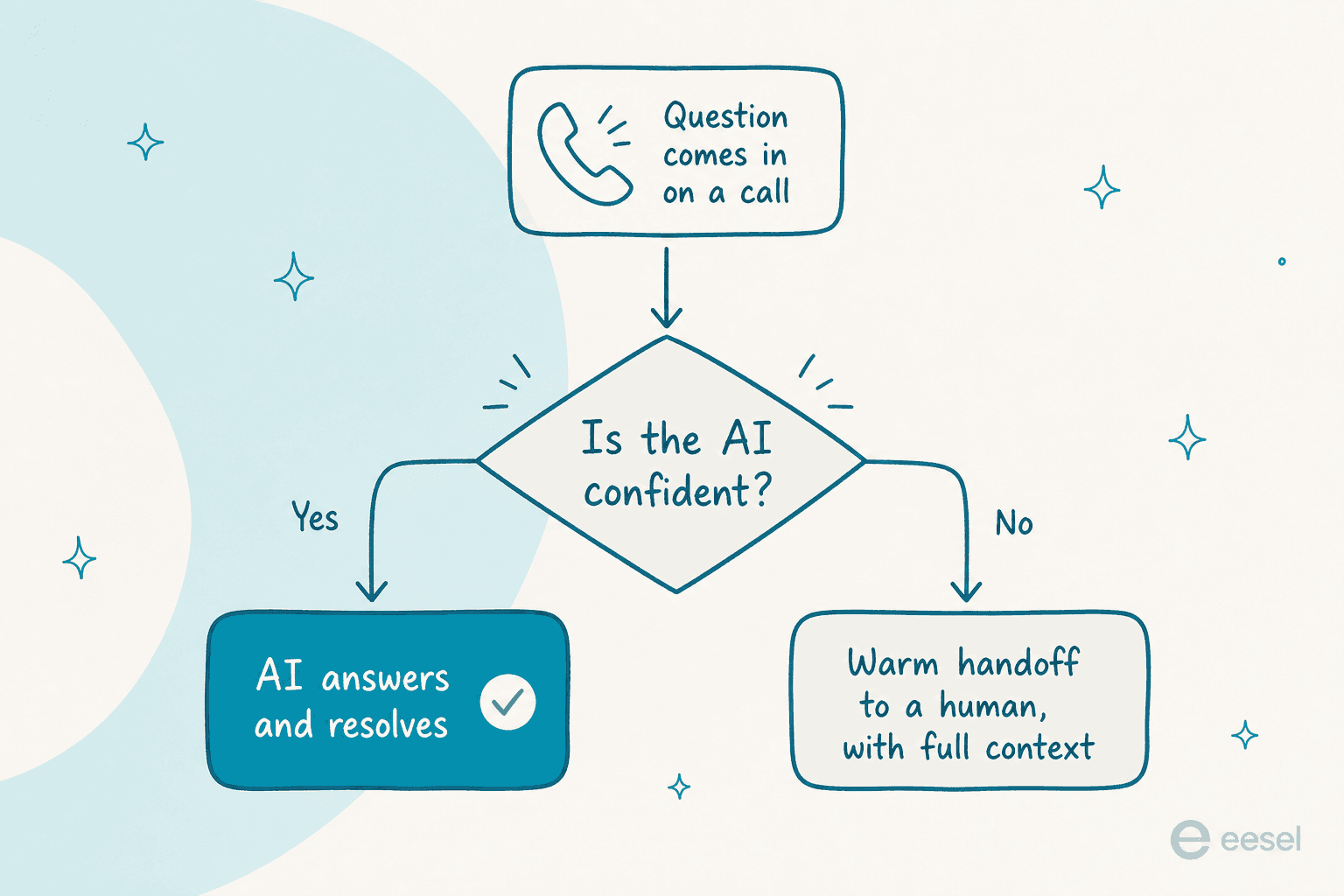
This is not a voice-specific idea, it is the lesson from running AI on live support queues for years, across every channel. One of our customers, a CX lead at a DTC supplements brand, put it better than any pitch deck could:
"The AI will never be able to answer 100% of the questions. I need an AI who is only handling the tickets that it's confident to handle, and all the other ones, leave them alone."
That is the design principle. In practice it means three things, whether the channel is voice or text:
- Ground every answer in your real knowledge, so the agent retrieves from your help center and past resolutions instead of improvising. That is what keeps it from hallucinating on support questions.
- Gate on confidence, so it only resolves what it is sure about and warm-hands the rest to a human with full context, exactly the pattern the good call above followed.
- Test against your own history before go-live, not against a vendor's demo scenarios. You want to know how it would have handled your last thousand real calls or tickets, not a scripted "what are your hours."
That last point is the one teams skip and regret. It is the difference between hoping and knowing, and it is why simulating against past tickets before a single customer is touched has become table stakes for the text side of support.
Where AI voice fits in your support stack
So should you put an AI agent on your phone line? My honest take: voice is one channel, and for most support teams it is not the biggest one. Chat, email, and tickets usually carry far more volume, and they are lower-risk to automate first because a text agent can draft, wait for review, and hand off without a caller waiting in real time.
A sensible sequence for most teams:
- Automate the text channels first, where the same knowledge and the same confidence-gating apply with a far gentler failure mode. This is where an AI customer service tool earns its keep fastest.
- Learn what your agent is actually confident about from real data, using resolution rate and other metrics as your guide.
- Extend to voice once you trust the routing, reusing the same knowledge base and the same handoff logic you already validated on text.
The knowledge and the confidence logic are the reusable parts. The voice-specific plumbing (telephony, latency, barge-in) is the extra layer you add on top, and it is a real project, not a checkbox. Getting the text foundation right first is what makes the voice layer worth adding later.
Try eesel for the text side of support
eesel is an AI helpdesk teammate that handles the channels most of your volume actually lives on: tickets, live chat, and email inside the helpdesk you already run. It is not a phone or voice agent, and I would rather tell you that plainly than oversell it. What it is good at is the foundation this whole post argues you should build first: it trains on your past tickets and help center, gates its replies on confidence so it only answers what it is sure about, and lets you simulate against your real ticket history before it touches a live conversation, so you see the resolution rate before you commit.

It plugs into Zendesk, Freshdesk, Gorgias, Front, Help Scout, and Slack, and uses monthly credit plans rather than per-minute billing, which you can check on the pricing page. Get the text channels resolving well first, and the voice layer becomes an extension of something you already trust, not a leap of faith. You can try eesel free, no credit card and no sales call.