


How Sprout Social pricing actually works
Before the tier grid, the one thing to internalise: Sprout Social bills per seat, per month, billed annually. There is no per-post, per-message, or per-ticket meter on the core plans. Add a person who needs to log in, add a seat. That sounds simple, and it is, but it's also what makes the math sting once a care or community team grows past a couple of people.
Annual billing is the default and the advertised price. Monthly billing exists but costs more; Essentials, for example, is $79/seat on an annual plan and $99/seat if you pay month to month. The higher tiers are quoted as annual per-seat rates on the pricing page, and Sprout runs a 30-day free trial with no card required.
I spend my days on the other side of this, working a support queue where a chunk of what lands started life as a social DM or a comment. So when I read a social suite's pricing, I read it as "what does it cost to answer people," not "what does it cost to schedule posts." Those two readings land on very different tiers, and Sprout's grid is built around the first one.
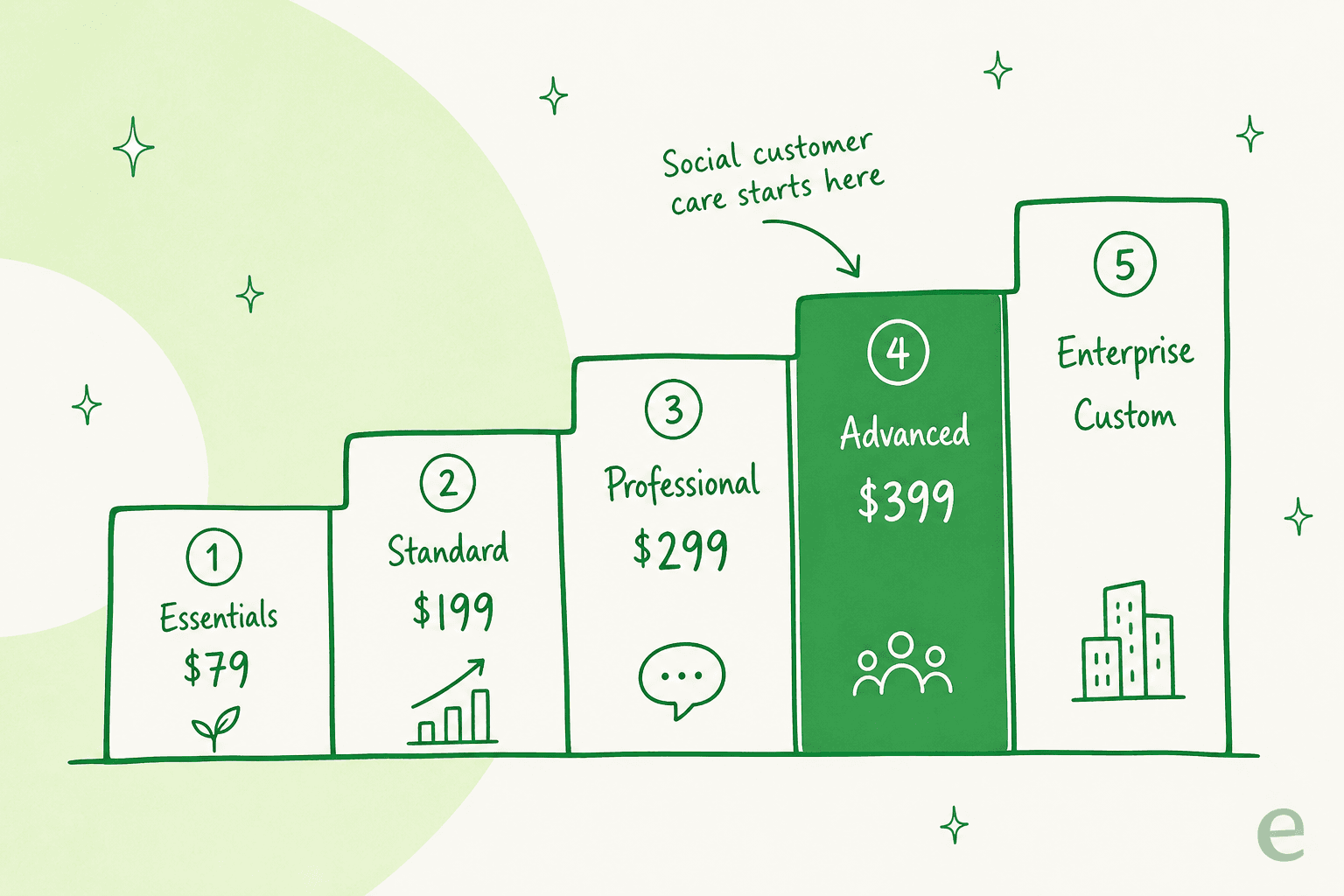
Sprout Social pricing: every plan at a glance
Here is the full 2026 lineup, seat prices and the limits that actually differ between tiers.
| Plan | Price (annual) | Social profiles | AI credits / seat / mo | Brand keywords | Standout unlock |
|---|---|---|---|---|---|
| Essentials | $79/seat/mo ($99 monthly) | 5 | 100 | Not included | Publishing + Trellis, entry tier |
| Standard | $199/seat/mo | 5 | 100 | 10 | Smart Inbox, keyword/location monitoring, review management |
| Professional | $299/seat/mo | Unlimited | 100 | 10 | Message tagging, competitor/paid insights, Enhance Post by AI Assist |
| Advanced | $399/seat/mo | Unlimited | 100 | 20 | Enhance Reply, inbox sentiment, Sprout API + helpdesk integrations, care reporting |
| Enterprise | Custom | Unlimited | 100 | Custom | SSO, white-glove onboarding, priority support |
Every plan ships with the mobile apps and the same 100 monthly Trellis credits per seat. The two things that really move as you climb are profile count (5 until Professional, then unlimited) and, more importantly for care teams, which engagement and reporting features are switched on.
Try the seat math yourself
Per-seat pricing hides its own total. A single $399 seat feels fine; six of them is a real line item. Plug in your team size and plan to see the monthly and annual number before a sales call frames it for you.
What each plan actually gets you
The grid tells you the price; here's what's really behind each door.
Essentials ($79/seat) is the newer, publishing-only tier. Five profiles, the content calendar, optimal send times, and Trellis for light analytics help. It's aimed at a solo social manager who schedules and reports, not a team that answers messages. There's no Smart Inbox monitoring and no brand keyword tracking here.
Standard ($199/seat) is where most people actually start. You get the consolidated Smart Inbox, keyword and location monitoring, review management, and 10 brand keywords per group. This is the first tier that feels like "manage social for a business," and it's the real floor for anyone doing engagement.
Professional ($299/seat) unlocks unlimited profiles (the 5-profile cap disappears), message tagging, competitor and paid insights, and Enhance Post by AI Assist for drafting outbound content. If you run more than five accounts or want tagging to power reporting, this is the jump.
Advanced ($399/seat) is the care tier, and I'll give it its own section below because it's where the pricing story really turns for support teams.
Enterprise (custom) layers on SSO, white-glove onboarding, priority support, and a tailored contract. If you need single sign-on or procurement-grade terms, this is the only door, and the price comes from a conversation, not the page.
Where social customer care actually sits
Here's the part I'd flag hardest for any support or community team. Sprout markets social customer care as a headline capability, and the Smart Inbox does let you reply from Standard up. But the pieces that make care feel like care are gated to Advanced at $399 per seat:
- Enhance Reply by AI Assist (AI-drafted responses, not just outbound posts)
- Sentiment in the Smart Inbox and Reviews
- The Sprout API and helpdesk integrations (routing social into Zendesk or Salesforce Service Cloud)
- Team productivity and social customer care reports
- Message Spike Alerts
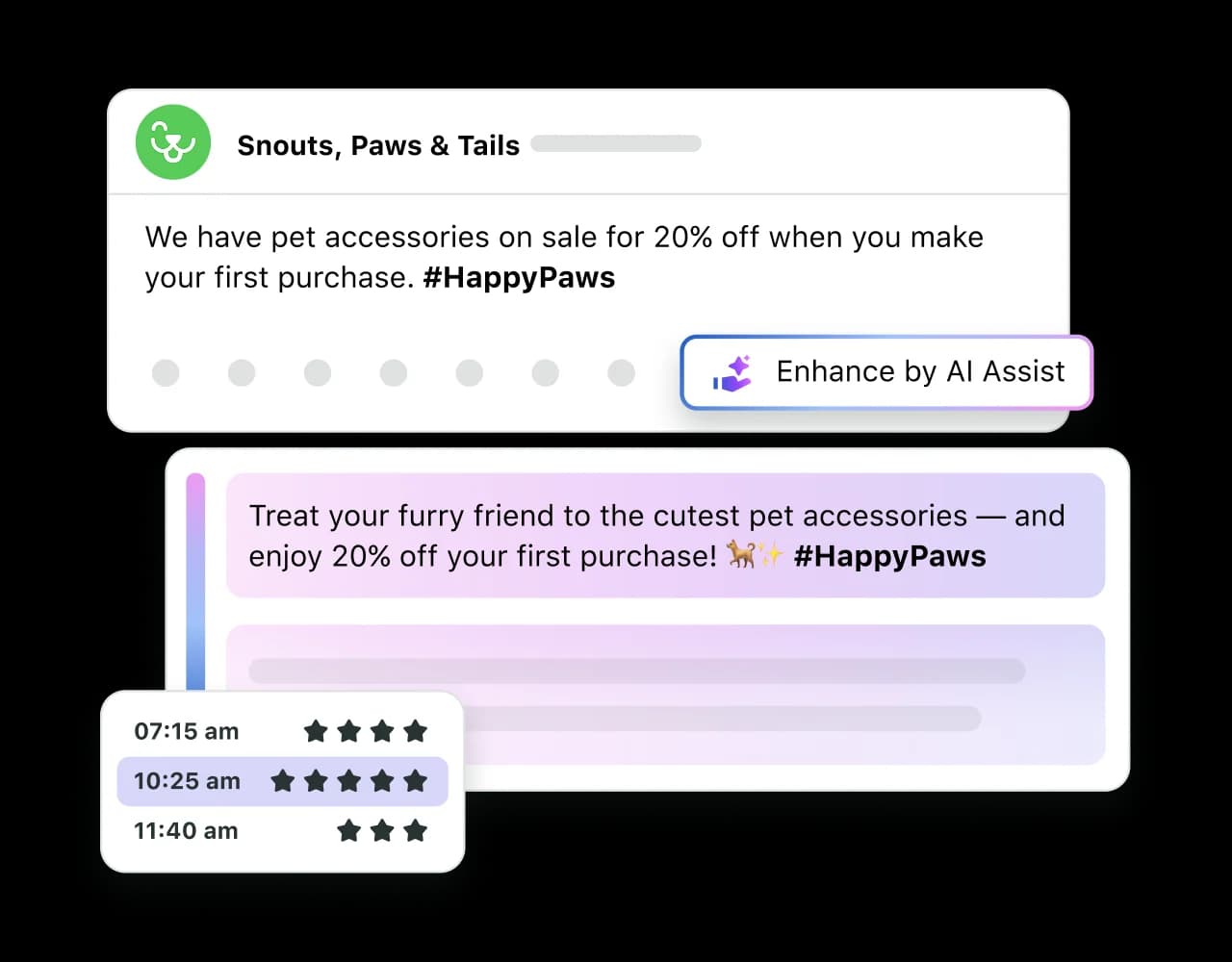
So if your honest answer to "what will we use Sprout for" is "answer customers on social," you're not really shopping the $199 plan. You're shopping the $399 one, and probably the Listening add-on on top. That's a fair product decision by Sprout, and it's worth naming plainly so it doesn't surprise you at renewal. It's the same tier-gating pattern you see across helpdesk suites: the reply features that look standard in the demo often live one plan above where you expected.
Trellis and the AI credit meter
Every paid plan, Essentials included, ships with 100 Trellis AI agent credits per seat per month. Trellis is Sprout's built-in AI teammate: it does inbox briefings, optimization ideas, sentiment reads, and content help across the product.
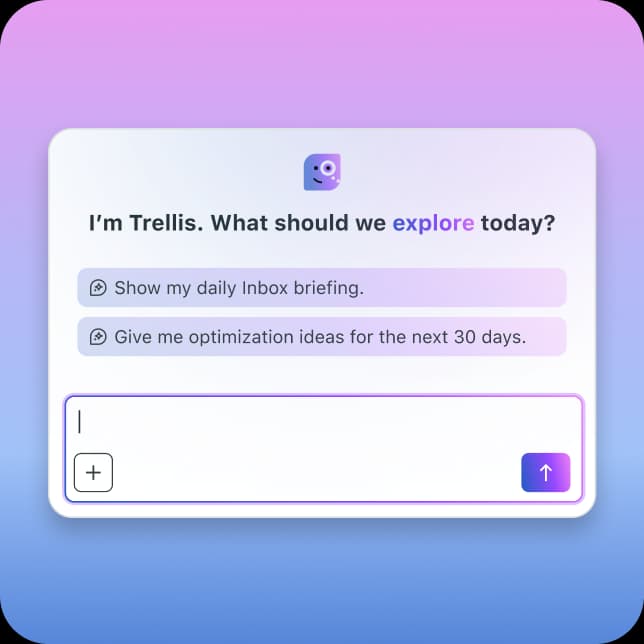
The honest gap in the pricing story: Sprout does not publish what happens when you run out of credits. The pricing page has an FAQ titled "How much does Trellis cost and how do credits work?", but the specific overage rate isn't spelled out on the page. For a light user, 100 credits a month is plenty. For a team leaning on AI drafting all day, it's a number you'll want a sales rep to put in writing before you sign, because "included until it isn't" is exactly the kind of line that turns a clean per-seat quote into a variable bill.
The add-ons nobody quotes up front
This is where per-seat pricing quietly becomes total cost of ownership. On top of your seats, Sprout sells several capabilities as separate, quote-only add-ons (available on Standard and up):
- Premium Analytics - deeper reporting, custom benchmarking, shareable presentation-ready reports
- Social Listening - the millions-of-conversations listening engine with sentiment and Spike Alerts
- Employee Advocacy - curated content for staff to share, with earned-media-value tracking
- Professional Services - strategy, training, and implementation packages
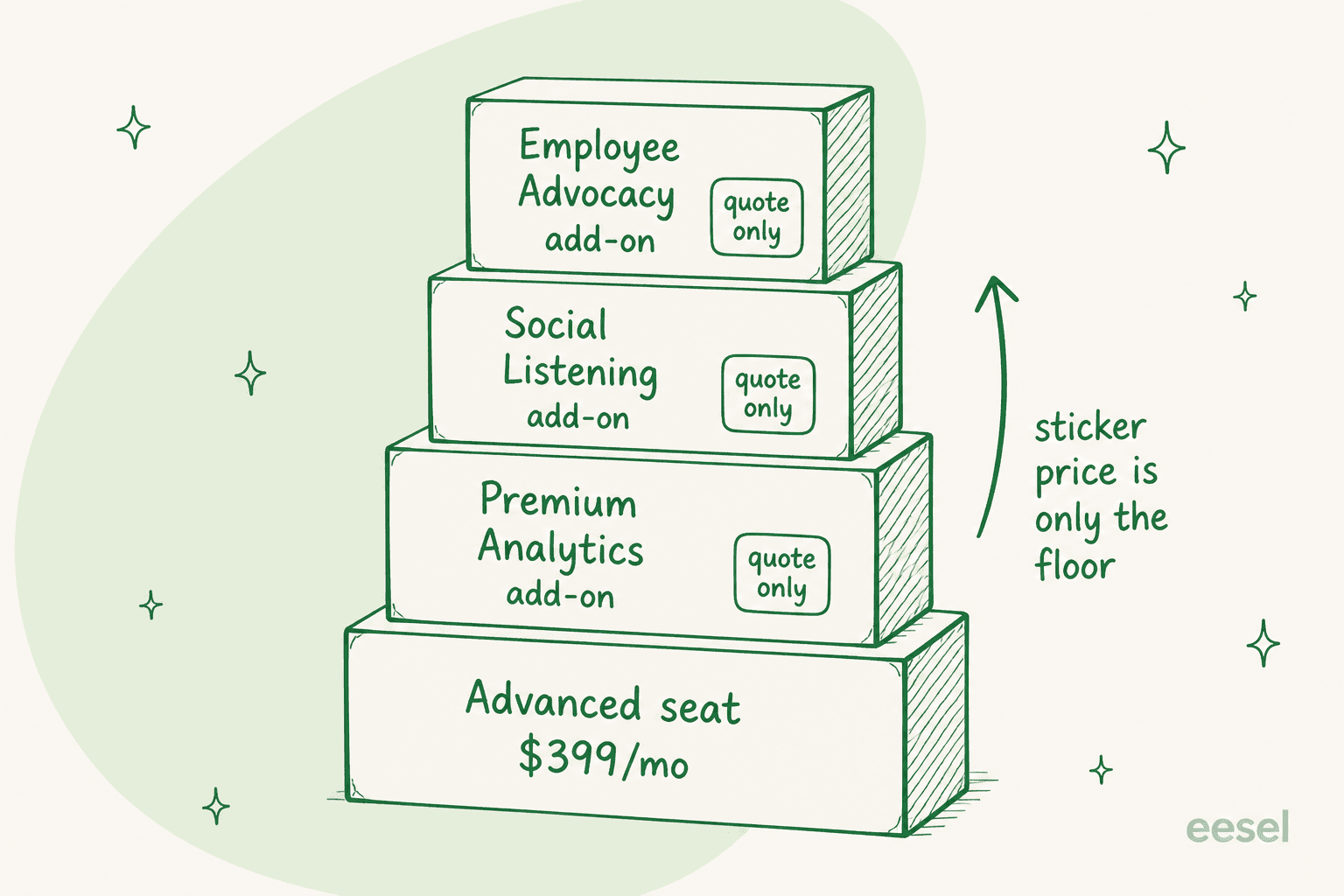
Listening is the one that bites most often. It's frequently the reason teams want Sprout in the first place, and it's not in any seat price; it's a line item on top. Sprout's own Influencer Marketing platform is priced entirely separately and doesn't even require a Sprout plan. None of this is hidden exactly, but it's spread across the page in a way that makes the seat grid look like the whole bill when it's really the floor.
What a real team actually pays
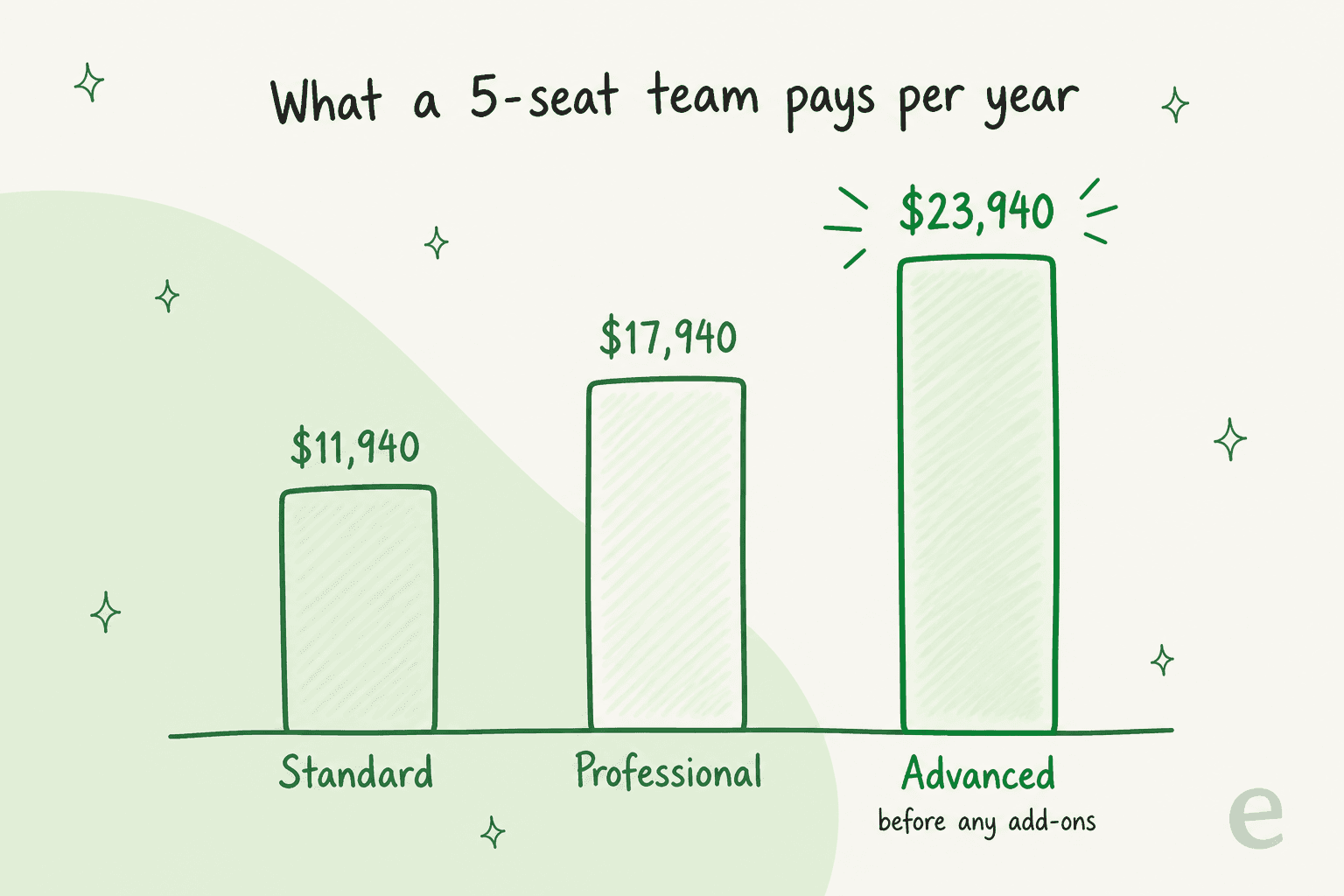
Sticker prices are per person, so let's make them concrete for a 5-seat team on an annual contract, before any add-ons:
- Standard: 5 × $199 × 12 = $11,940/year
- Professional: 5 × $299 × 12 = $17,940/year
- Advanced: 5 × $399 × 12 = $23,940/year
Now add the Listening add-on because you wanted sentiment analysis, and Premium Analytics because leadership wants proper reporting, and that $23,940 keeps climbing on quotes you negotiate one at a time. This is exactly the pattern that shows up in reviews. As one social manager put it:
"Sprout is a great tool, no doubt. However, being too pricey hurts the growing teams. Especially the features they are providing."

Is Sprout Social worth the price?
Fairly: yes, for the team it's built for. Sprout holds a 4.4/5 across roughly 6,900 reviews on G2, and the praise is consistent, the interface is clean and the unified inbox genuinely pulls a lot of scattered work into one place. A long-time user summed up the loyal camp:
"I've been a sprout social customer since they started the company 15 years ago. Great program and customer support is top notch."
If you publish across many networks, run listening campaigns, and need boardroom-ready analytics, the per-seat price buys a real, mature suite, and Sprout is a sensible pick against heavier enterprise tools like Sprinklr. If you're benchmarking the reply side against dedicated tools, our best AI helpdesk roundup and the metrics that matter are a good next read.
Where I'd pump the brakes: a small team whose main job is answering people. If five of your seats exist to reply to DMs and comments, you're paying a full marketing-suite rate ($23,940/year at Advanced) for what is, at its heart, support work. That's the moment to ask whether a social suite is the right tool for the reply half, or just the scheduling half. If you're already weighing that, my colleague's Sprout Social alternatives roundup lines up the closest swaps.
Sprout schedules the posts, eesel answers the messages
Here's the split I'd actually make. Keep Sprout for what it's great at, publishing, listening, and campaign reporting. But if the reason half your seats exist is to respond to customers, that reply work doesn't need a $399 social seat. It needs an AI that resolves messages inside the helpdesk they're routed to.
That's the part I work on. eesel is an AI support teammate: it plugs into your helpdesk (Zendesk, Freshdesk, Salesforce, and more), learns from your past tickets and macros, and drafts or fully resolves the incoming messages, including the DMs and comments your team currently answers by hand in a social inbox. The thing I'd sell you on isn't a feature list, it's that you can simulate it on your own ticket history before you pay a cent, so you see the real resolution rate instead of a demo.

The proof is in what it actually clears. One customer, Gridwise, described the ramp like this:
"In the first month, eesel is resolving 73% of our tier 1 requests, and we saw those results quickly during our 7-day trial."
Kim Simpson, Gridwise
And because eesel has one fixed monthly price (from $299/month for 500 credits, 1 credit per ticket or chat), you pay for the work it does rather than for every person who logs in. For the reply half of social, that's a very different bill from another rack of $399 seats. Try eesel free with 100 credits, or book a demo and we'll run it on your own messages first.