Can Iris actually do customer support?
I work eesel's support queue every day, so every "AI agent for support" pitch gets the same question from me: whose messages does it answer? For Iris, the honest answer is yours.
Iris launched as iHermes on September 16, 2026. One of its makers, Dan Krieger, pitched it as Hermes without the setup:
"We're huge fans of Hermes. We've been using it to build internal systems and automate work, and we wanted more people to get that kind of value without having to set up the whole thing themselves."
You text a phone number and Iris answers in the same iMessage thread. If a job needs live data, it sends a connection link for that one app. My Iris Hermes Agent review covers the product end to end. This post is narrower, and asks what happens when you point it at support work.
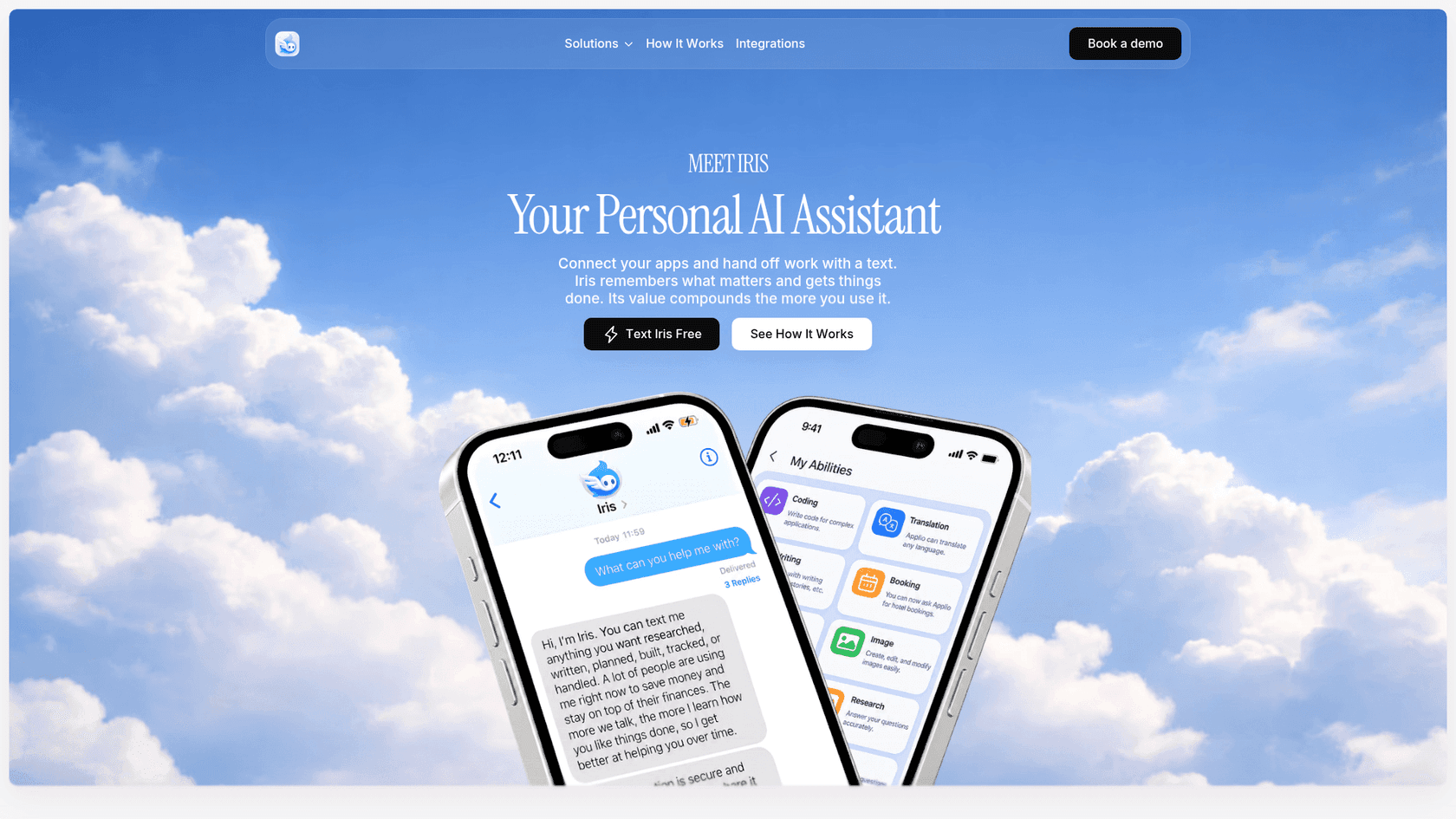
Iris's site has a "customer" page, and that's where most of the confusion starts. It sits under Iris's company product and is titled "AI Agents for Proactive Customer Success." That's account management (renewals, commitments, follow-ups), not a ticket queue. I'll cover it in its own section below.
What Iris connects to, and what it doesn't
Iris's privacy policy lists exactly what the personal assistant can reach. Here is how that maps to a support desk:
| What a support team uses | Iris today |
|---|---|
| Gmail | Read-only. It summarizes and flags; the policy says it does "not send, delete, or modify mail" |
| Google Calendar | Read and write, for events and reminder holds |
| Slack | Optional connection |
| Linear | Optional connection |
| Its own mailbox | Each user gets an address on mail.iris-agent.co to forward things to |
| Zendesk, Freshdesk, Gorgias, any helpdesk | Not mentioned on any public page |
| Website chat widget | None; Iris lives in iMessage |
| Order or billing lookups | None |
That gap is the whole story for a support team, really. Iris sits on your side of the queue. The customer side, where tickets arrive and replies go out, has no door in.
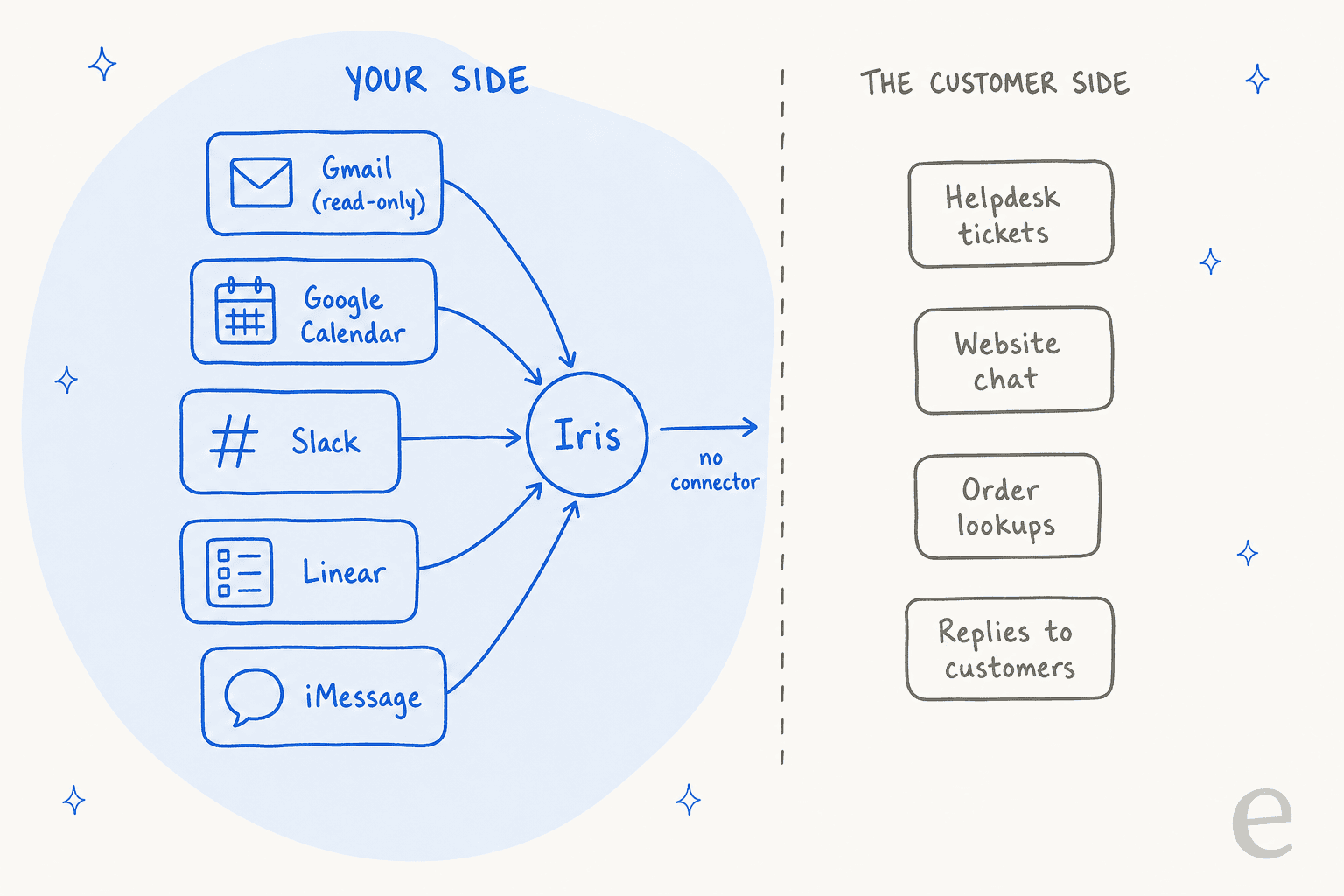
The shared inbox route is closed too. Because Gmail access is read-only and every consequential action needs your approval in the thread, Iris can't quietly work a support@ inbox the way an AI email assistant built for shared mail can. You'd end up approving every reply from your phone, one customer after another.
Three Iris products, three different audiences
Iris sells a few different things under one name, and only the last column in this table is aimed at customers at all.
| Iris Free / Plus | Iris Teams | Iris for companies | |
|---|---|---|---|
| Who it answers | You | Each member of your company, one Iris each | Your teams, through custom department agents |
| How you start | Text a number | Contact sales | Book a demo |
| Price | $0, or Plus at $19/month | On request | On request |
| Support angle | Personal follow-ups | Shared company skills and approved context | Customer success: renewals, account risk, commitments |
| Helpdesk connector | None | None named | Custom integrations, scoped in a demo |
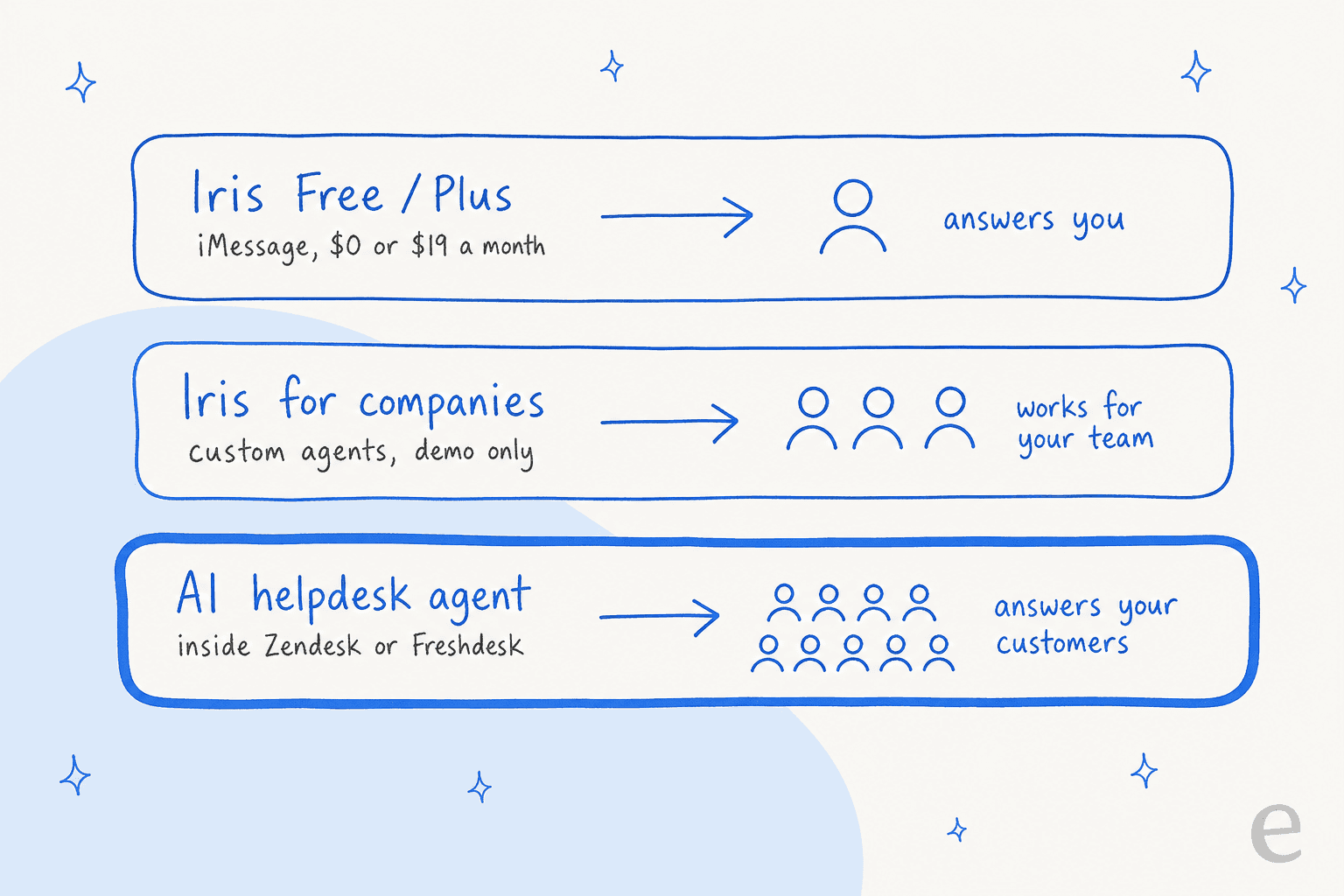
That third lane in the picture is what most support teams mean when they search for an AI agent for customer support. Iris isn't in it, and it never claims to be.
Where Iris helps a support lead today
None of that makes Iris useless to a support team. It's a tool for the person running the team, whose day is half Slack threads and half "did engineering ship that fix yet?"
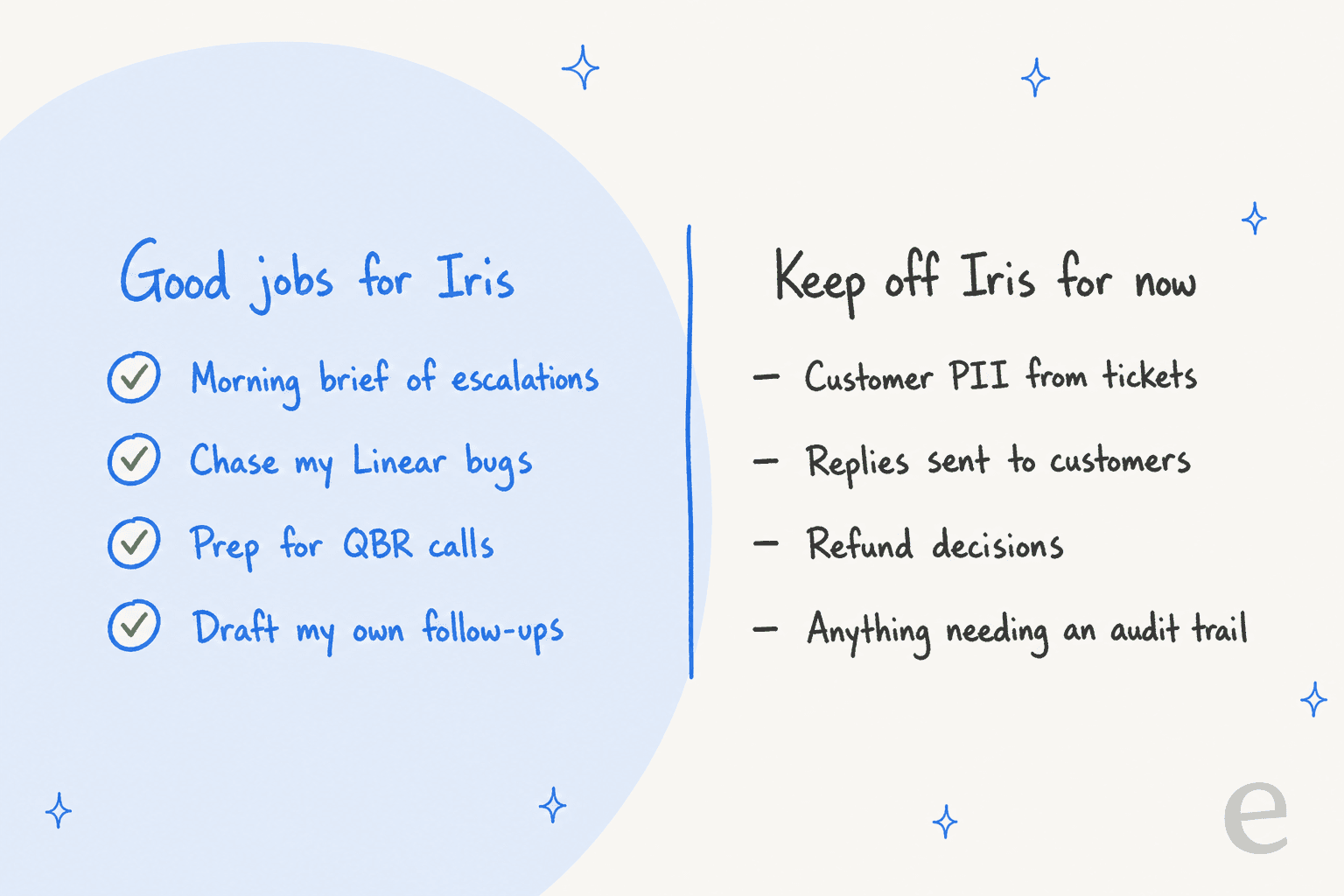
These are the support jobs I'd hand it, going by what its connections and skills can do:
- A morning brief of escalations. Iris's personal assistant page says it checks "your email, calendar, conversations, commitments, and priorities" to surface what you owe people and what you're waiting on. Point that at the Slack channel where agents escalate, and you get the channel summary in your texts before standup.
- Chasing the bugs customers are waiting on. With Linear connected, you can ask which customer-reported issues are still open and get a nudge when one moves. That's the Zendesk to Jira escalation problem, handled from the lead's side instead of the ticket's.
- Prep before a renewal or QBR call. Iris pitches meeting briefs built from your calendar and email, and its research skill separates supplied facts from assumptions and missing evidence. That helps before a hard conversation with a big account.
- Your own follow-ups. The "watch" feature waits for a condition in a thread and drafts the next step without sending it. For a lead juggling vendor emails and internal promises, that kind of reminder earns its place.
An early user's reaction to the launch sums up why this kind of help sticks:
"Surprisingly little setup for this. I especially like that there's no new app or dashboard to keep open."
For a support lead who already has a helpdesk, a Slack, a Linear and a reporting tool open all day, "no new dashboard" is a real selling point. If that's what you're after, my AI personal assistants guide and the Iris alternatives list cover the rest of the category.
Why I'd keep customer data off Iris for now
This part decides how far you take it. Iris published a public incident report on September 19, 2026, and it's candid in a way I wish more vendors were.
In short, the hosted Hermes agent wrote user details into shared Hermes memory files during the beta. When Iris moved each phone number to its own storage, that old shared memory wasn't fully deleted. The report counts 5 beta accounts whose details later surfaced for someone else, 2 accounts that received them, and 7 replies that disclosed information the recipient never supplied. A follow-up leak happened on September 19, after the first fix.
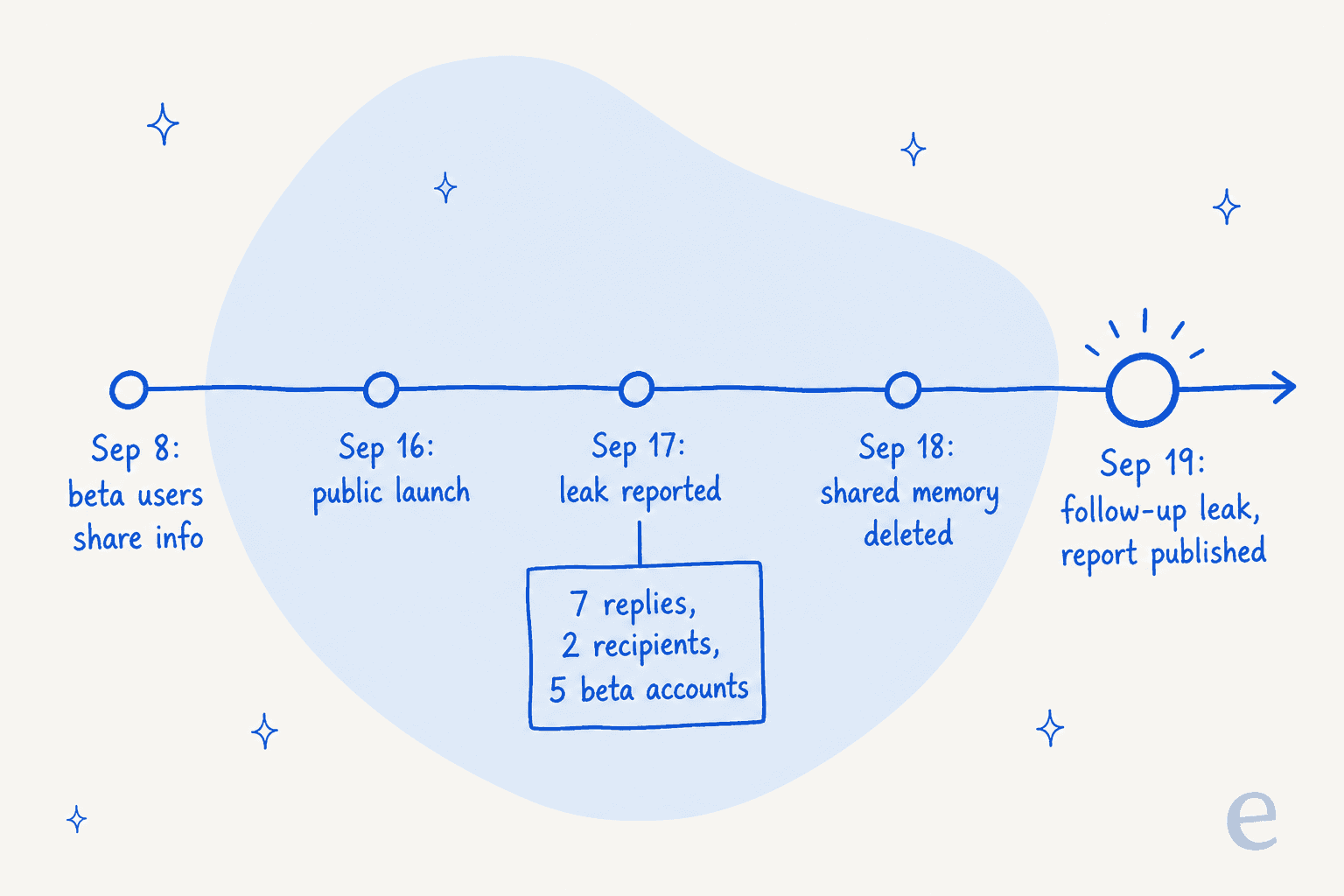
Iris has since turned off Hermes's native memory, session search and scheduled jobs on consumer profiles, and each turn now runs under a profile tied to the authenticated phone. That's the right fix, but the report's own "what remains incomplete" list still says no full conversation export, no one-click deletion and no independent third-party audit. Deletion is by email to support.
Now picture the support version, where a lead pastes a ticket into iMessage: the customer's name, order number, address, maybe a screenshot of their account. That data now lives in three places: the helpdesk, the lead's phone, and Iris's memory. Only one of those has your retention rules, access controls and audit log on it.
That's the same objection I hear from buyers on the eesel side. One B2B buyer couldn't even start a trial until an internal security review confirmed that ticket data with personal information would stay in their environment. Another technical evaluator's first question was whether the AI answers only from approved company knowledge. A personal assistant on a consumer plan won't clear either bar today. That's fine, since it wasn't built to.
The questions people ask about hosted Hermes for customer-facing work haven't changed since before Iris existed:
"If you re-use the Hermes agent, what are the cost and security implications? One Docker container per-customer sounds like it would be really expensive. Are they started on-demand, or run 24/7? What keeps users from using the agents for general purpose tasks, protects against prompt-injection, etc?"

If you do use Iris for support-adjacent work, strip personal details first. My guide on redacting PII in support has practical habits, and a written support SOP is the right place to say which tools may hold customer data and which may not.
What about Iris's customer success agents?
Iris's company product does have a page for customer-facing teams. It's worth a close read, since it's easy to over-read.
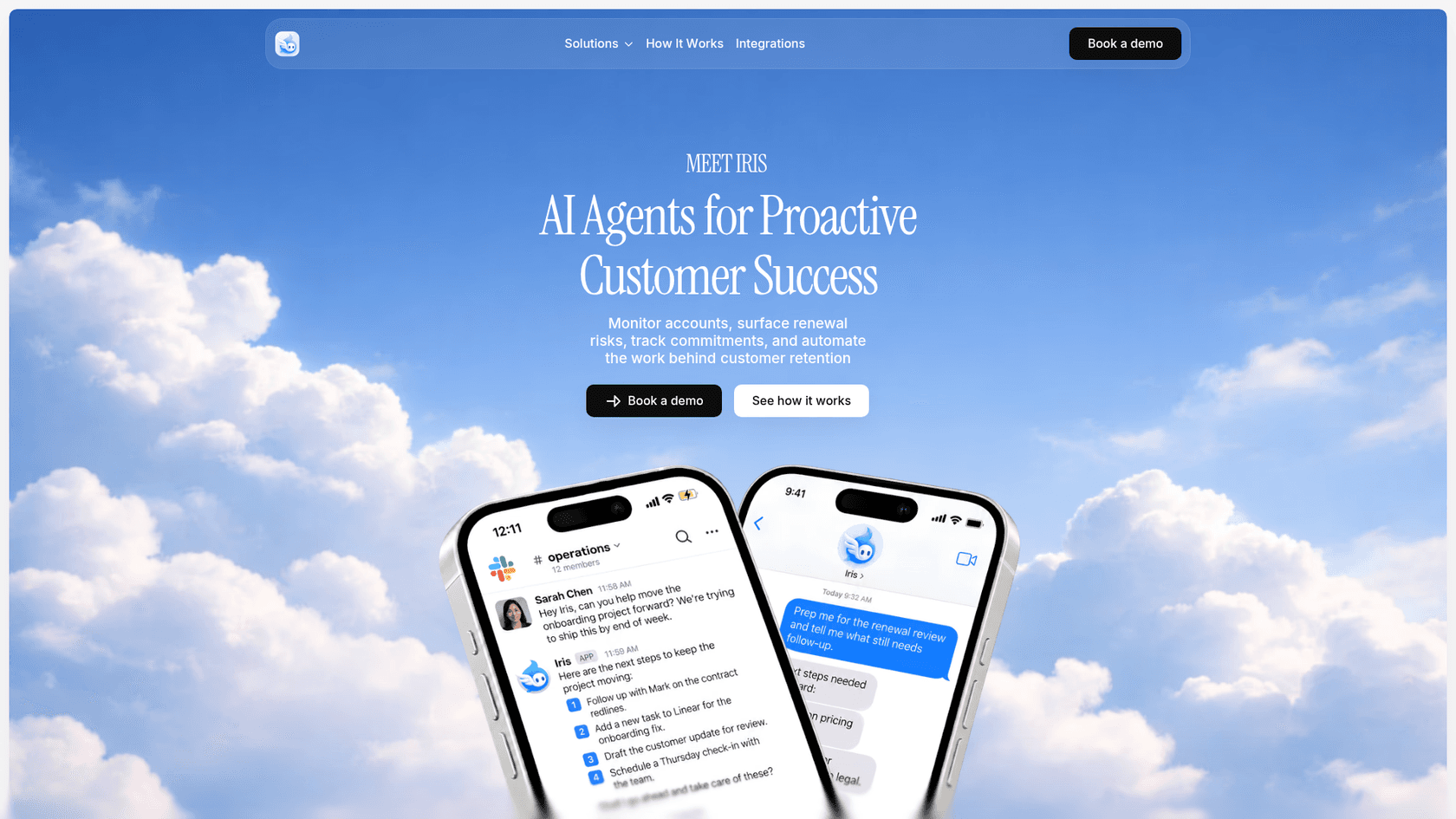
The customer success page promises to "monitor accounts, surface renewal risks, track commitments, and automate the work behind customer retention." The example on the page is a Slack request to move an onboarding project forward, which Iris answers with next steps: follow up on contract redlines, add a Linear task, draft a customer update for review, schedule a check-in.
What the page says about how it works:
- Custom agents per department, built around each team's workflow steps, connected systems, approval rules and permitted actions.
- Company memory, where "access still follows the company's permissions," so shared memory doesn't mean every agent sees everything.
- Integrations across "CRM, email, documents, project management tools, internal databases," with standard connectors for defined actions and custom integrations for internal software.
- Enterprise controls: a customer-controlled private cloud or scoped on-premises deployment, SSO, role-based access, private model endpoints, action approvals and audit records.
That's a solid list, and the audit records and per-role access answer part of my data worry above, at least on paper and for company deployments. Two things to note before you book the demo. First, the page names no helpdesk, and its example outputs ("draft the customer update for review") still put a person between Iris and the customer. Second, everything is scoped in a sales call, with no public pricing or docs to check ahead of time.
If your team's work is renewals and account health, that's a fair fit to explore alongside the tools in my AI for customer success roundup. If it's the inbound queue, it's a different job; the customer success vs customer service split matters here.
If you want Hermes on the queue, run it yourself
Some teams like Hermes itself and just want it nearer to support. That's possible, though it's a build and not a signup. Iris's own maker said as much at launch: running Hermes yourself "is still an option for people who want that level of control."
Self-hosted Hermes has no helpdesk connector in its catalog, and its memory is shared across every chat on one profile, which is the same mechanism behind the Iris leak. People who've tried it on real support mail describe the effort honestly:
"My current set up…Hermes agent logs into front with write only API token and reads whole context of customer thread. Then tries to look in our software for answers. (Unreliable right now). Then writes draft. This has been way harder than I expected. Been a side project for a while. Really focused on it right now. Goal - save CSR 80% of email writing time."
I covered that route step by step in Hermes for customer support, plus a Freshdesk version. The Iris vs self-hosted Hermes comparison explains the ownership trade-off if you're torn between them.
What each route costs a support team
Prices as published on October 8, 2026:
| Option | Price | What the price covers |
|---|---|---|
| Iris Free | $0, no card | iMessage, all supported connections, starter skills, persistent memory |
| Iris Plus | $19/month on the personal assistant page, $15 on five other Iris pages | Higher usage limits (no number published), proactive and scheduled skills, larger files, priority processing |
| Iris Teams | Contact sales | A personal Iris per member, shared company skills, team permissions |
| Iris for companies | Demo only | Custom department agents, private cloud or on-premises, SSO, audit records |
| Self-hosted Hermes | $0 software, plus model costs and a server | Everything, if you build the helpdesk wiring |
| eesel | Free 100 credits, then 500 credits for $299/month | AI helpdesk teammate in your helpdesk; one ticket or chat handled is one credit |
Read this table like so: Iris is priced like a personal app, because it is one. Per seat, it's cheap. Per ticket, it has no price, because it doesn't handle tickets.
eesel for the support queue
If you landed here because your queue is what's drowning, Iris is the wrong-shaped tool, and I'd say so even if I didn't work at eesel. What you want is a teammate that sits where the tickets are.
eesel is an AI helpdesk teammate. It plugs into Zendesk, Freshdesk or Gorgias in a few minutes, learns from your help center and your team's past replies, and either drafts for your agents or answers customers directly once you trust it. Before it touches a live customer, I replay it over hundreds of your historical tickets so you can see exactly what it would have said. Every reply stays in the helpdesk's own audit trail, under your existing permissions.

Keep Iris for your own inbox and calendar if it helps. Put the queue on something built for it. Try eesel free, or browse the best AI helpdesk software if you want to compare first.
Frequently Asked Questions
Can the Iris Hermes Agent do customer support?
Does Iris integrate with Zendesk or Freshdesk?
Is the Iris Hermes Agent safe for customer data?
What does Iris Hermes Agent for customer support cost?
What is Iris for companies' customer success agent?
Can I run Hermes Agent on my support queue instead?
Iris vs an AI helpdesk agent: which should a support team pick?


Article by
Riellvriany Indriawan
Riell is a designer and writer at eesel AI with about two years of experience researching CX platforms, AI chatbots, and helpdesk software. She combines her design background with a sharp eye for how these tools actually look and feel in practice — making her comparisons unusually visual and user-focused.