

Get an AI phone receptionist if calls go to voicemail when you're busy or closed, because the real comparison is AI against voicemail, not AI against a great receptionist. At 150 calls a month, vendor pages put AI plans at $79 to $270, against $1,440 or more for a human service. Pick on two things: the billing unit (per minute, per call, or per caller) and whether every caller can reach a person. If your calls are support questions inside a helpdesk, eesel answers the line with the same knowledge it uses on tickets.
What does an AI phone receptionist actually do?
An AI phone receptionist answers your business line with an AI voice agent, so a caller gets a reply instead of a voicemail beep. On most tools it handles the same five jobs a front desk does: answer common questions, take a message, book or offer an appointment, transfer anything urgent to a person, and send you a summary when the call ends.
I'm on eesel's support team, and I live in the queue every day, so I'm biased toward one question when I look at these tools: what happens when the AI can't help? That question turned out to separate the good setups from the bad ones far more than voice quality or price did.
The three jobs aren't equal. Some calls the AI should simply answer. Some it should capture and pass on. And some should go straight to a person, every time.
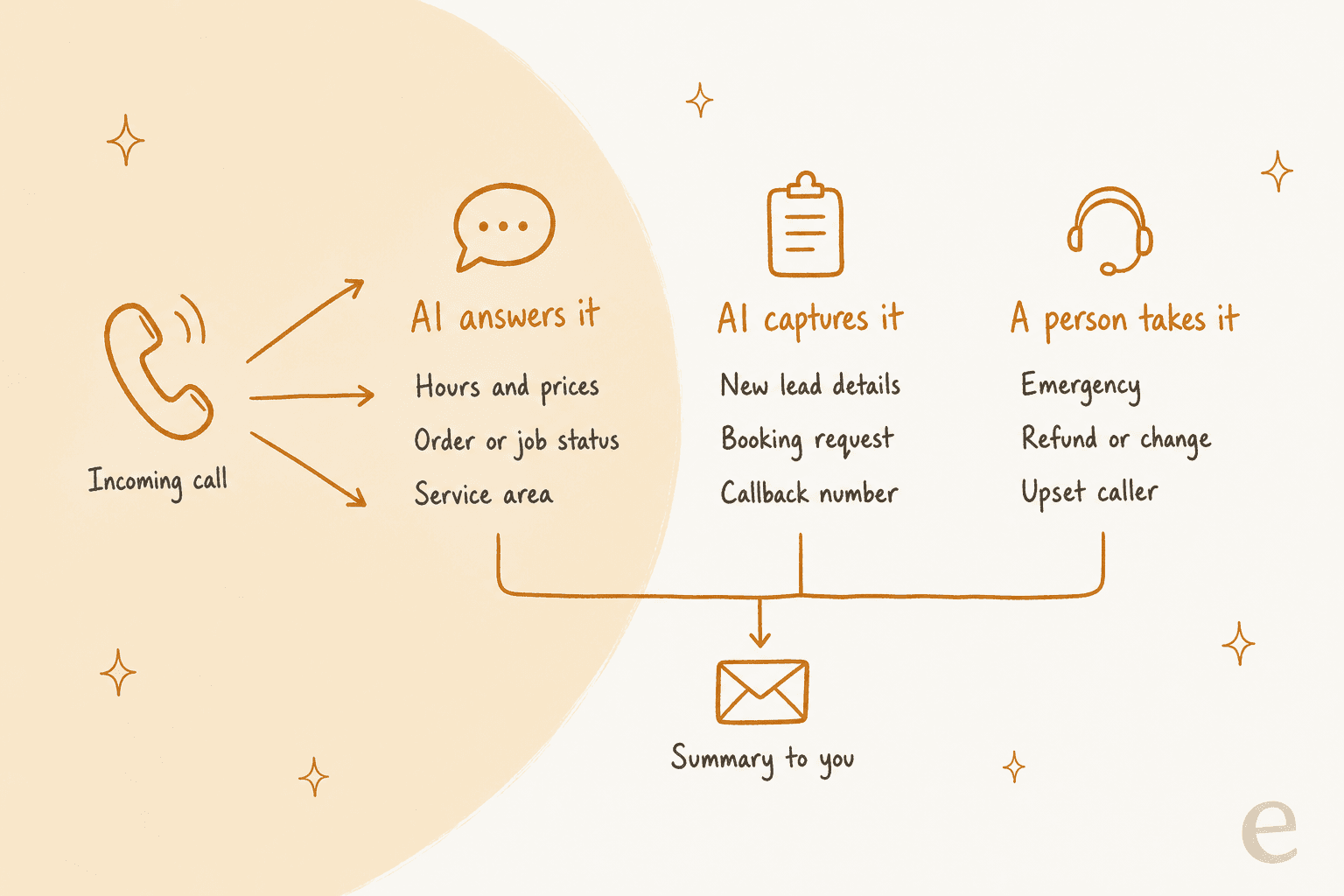
If you only remember one thing from this post, make it the third column. A receptionist that can answer and capture but can't get a caller to a human isn't a receptionist. One commenter in r/smallbusiness called that setup "just voicemail with extra steps."
Should you get an AI phone receptionist?
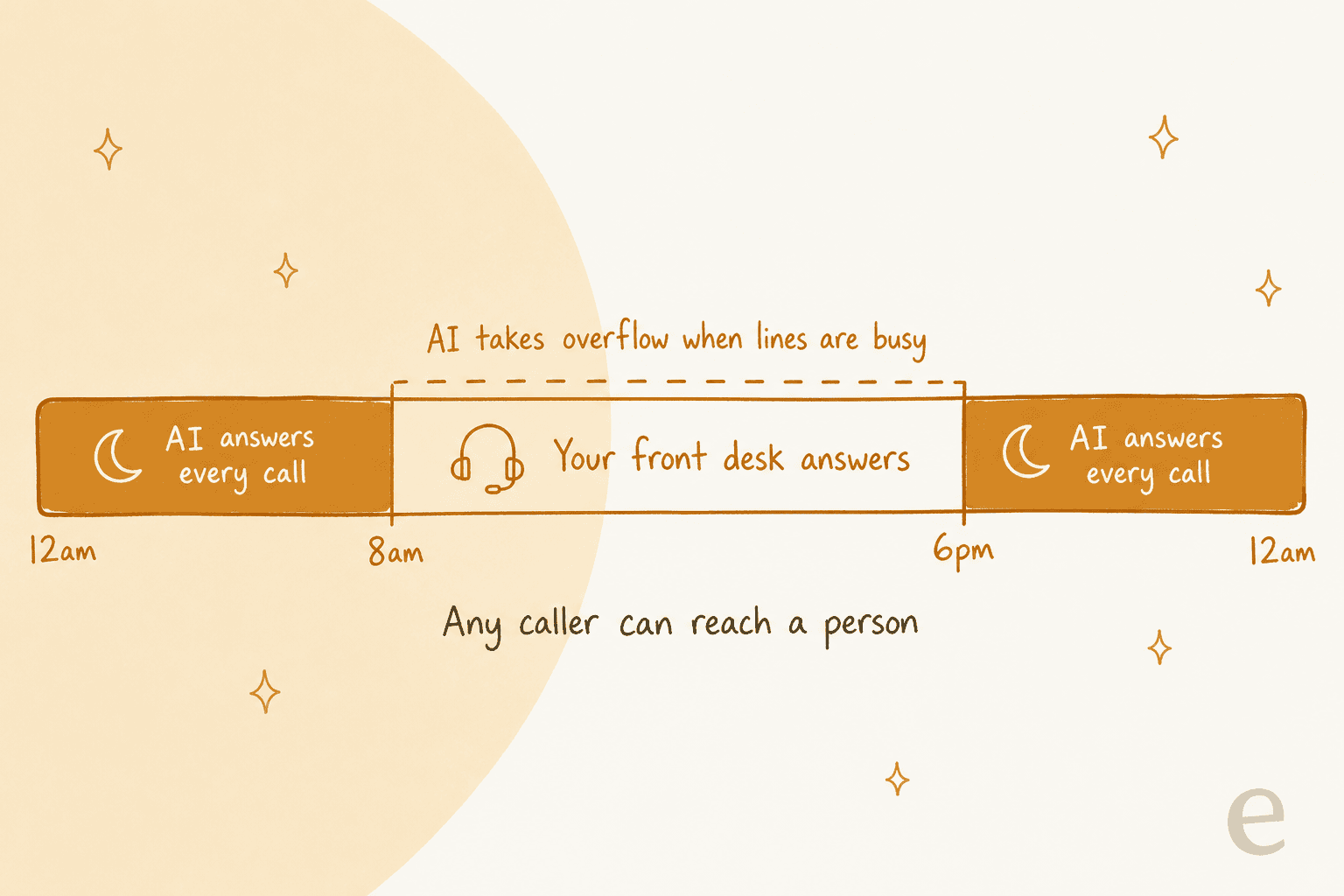
Yes, if calls are slipping to voicemail. The case for one is narrow and strong: after-hours calls and overflow while you're already on another call. A commenter in r/Dentists put it about as clearly as I've seen:
"What actually worked for me was not full receptionist replacement. Front desk owns live hours. After hours + overflow when theyre already on a call is where the bot earns its keep. Missed calls and after hours were the only dollars that were obvious."

That matches the shape I'd recommend for most small service businesses. Keep a person on the line during your busiest hours if you have one. Let the AI take everything else.
The case against is real too, and I don't want to skip past it. Some customers hang up on any bot. An electrician polled his own customers before buying one:
"I'm an "older" electrician at 45yo. 100% of my customers in a 2 week period told me they would hang up and call someone else if I tried it."
So I'd skip an AI receptionist if a person already answers almost every call, if your callers skew older and you've heard them say they hate bots, or if most calls need judgment (quotes on big jobs, upset customers, anything clinical). In those cases a human answering service or a better on-call rota will serve you better than any software.
For everyone else, the question isn't "AI or a receptionist." It's "AI or the voicemail you have now." Seen that way, a decent AI wins easily, as long as it never traps a caller. If you're weighing this as part of wider AI for small businesses, start with the phone line, because missed calls are the dollars you can actually see.
Where AI receptionists lose you the job
This is the section most roundups skip. The losses owners describe don't come from a robotic voice. They come from dead ends.
Here's a homeowner describing a plumber's AI receptionist on a remodel job:
"An AI receptionist answered, got confused during the scheduling flow and could not understand my address, asking me to repeat it over and over. And it couldn't forward to me to human. If I'm paying you tens of thousands of dollars for remodeling work, I damn well better be able to get in touch with you. I found a different contractor and never looked back."

And an HVAC company that swapped its human phone answerer for AI to cut overhead:
"Then we got a call from someone who wanted to replace their entire HVAC system. The AI got the basic information, but once the customer started asking more specific questions, it couldn't answer them and told him someone from the office would have to get back to him. He clearly didn't want to wait and hung up."
Both are the same failure. The caller hit something the AI couldn't handle, and there was no way out. The owner rarely sees this loss, because the caller just never calls back.
Three patterns show up again and again:
- No live transfer. The bot can only promise a callback. A high-value caller won't wait. This is exactly the problem good escalation management solves in text support, and it matters more on the phone.
- Garbled details. Addresses, appointment types and open slots get misheard. A Reddit user's relative called her GP about a wound dressing, and the AI booked a blood pressure test instead.
- Pretending to be human. Fake typing sounds and human names draw the angriest reactions. Goodcall, for one, tells every caller they're talking to an AI, and that's the behavior I'd insist on from any tool.
The fix for all three is boring and effective, and it's the same thing that drives first contact resolution in text support: say it's an assistant in the first sentence, transfer the moment someone asks for a person, and read back anything the AI writes down. It's the same discipline as preventing AI hallucinations in chat, just spoken aloud.
How AI phone receptionists charge (and why it changes your bill)
Here's the part that surprised me most in the research. These tools bill in four different units for the same job, and the unit changes your bill more than the headline price does.
| Billing unit | Who uses it | What it means for you |
|---|---|---|
| Per minute | Rosie, My AI Front Desk, Aircall | Long calls cost more. A chatty caller or a time-waster runs up the bill. |
| Per call | Smith.ai, Upfirst, Quo | A 30-second call and a 9-minute call cost the same. Watch how spam is counted. |
| Per unique caller per month | Goodcall | Five calls from one customer in a month count once. Repeat callers are close to free. |
| Per resolved conversation | Zendesk | You pay when the AI finishes the job without a person. Built for support teams. |
| Per conversation, quote only | Dialpad | Credits are spent on conversations where the AI looks something up or acts. No public rate. |
Three billing details are worth knowing before you sign:
- Rosie has no overage rate. It upgrades you. Its terms say going over your minutes moves you to a higher plan automatically, and you stay there until you downgrade. One busy month on the
$49plan can become$149every month after. - Spam is counted very differently. Upfirst doesn't bill spam, calls under 15 seconds, or silent calls. Goodcall excludes spam and wrong numbers. Smith.ai's AI plan counts every answered call by default and lets you remove up to
10%as spam. - Running out can mean voicemail. Quo's Sona has overages off by default, so when credits run out, per its pricing help page, Sona stops answering and calls fall back to your call flow.
To make the numbers comparable, I priced one stated buyer on every vendor's own page: 150 calls a month, about 3 minutes each (450 minutes), from about 100 different callers. That's roughly five calls a day, a common volume for a busy trade running field service jobs or a small clinic.
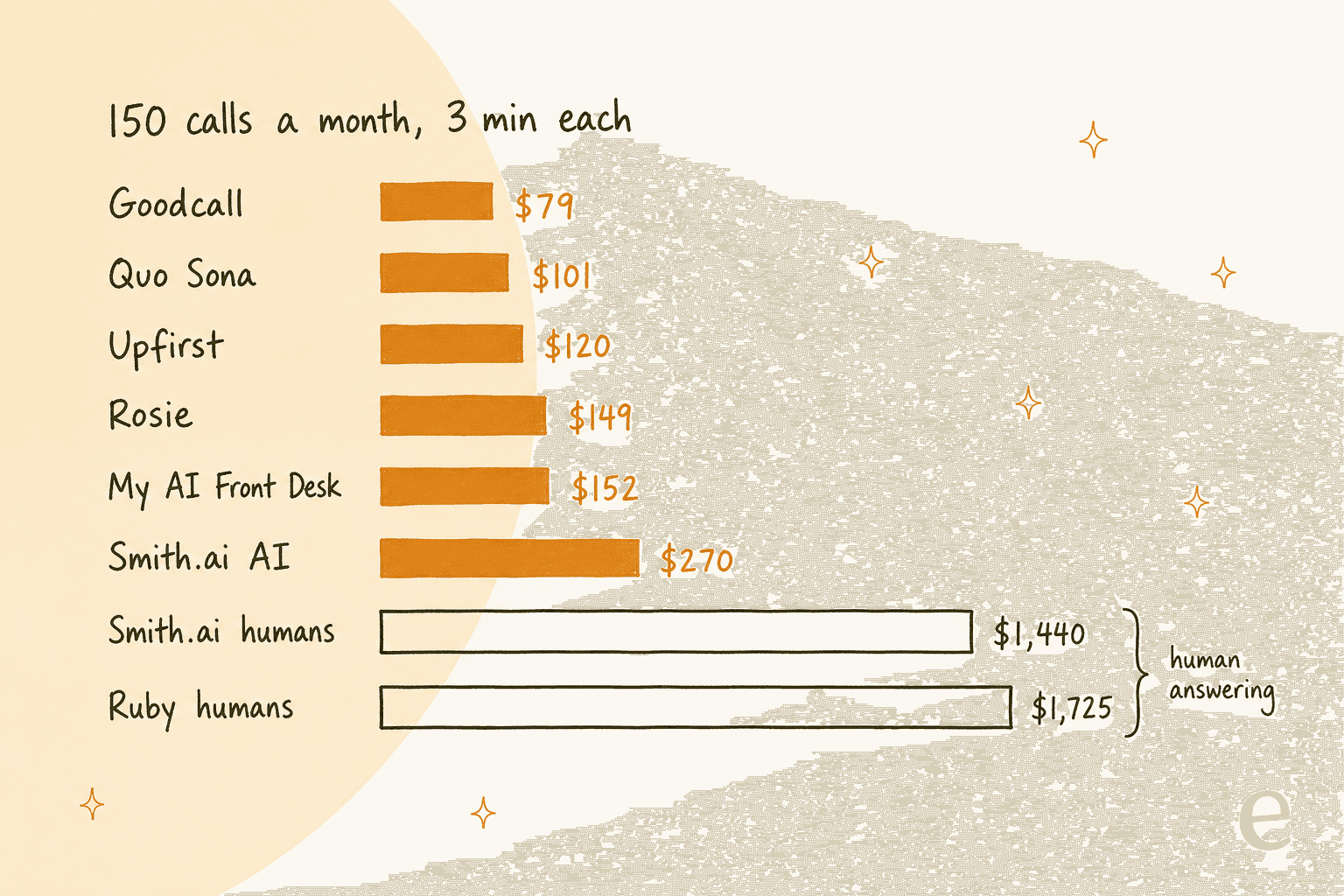
How each number was worked out, from the vendor pages:
| Tool | Cheapest plan for 150 calls / 450 min | Monthly cost |
|---|---|---|
| Goodcall | Starter: 100 unique customers included | $79 |
| Quo Sona | Starter seat $19 + Tier 3 $49 (100 calls) + 50 calls at $0.65 | $100.50 |
| Upfirst | Premium $59.95 (90 calls) + 60 calls at $1 | $119.95 |
| Rosie | Scale (1,000 min); also the first plan that books and transfers | $149 |
| My AI Front Desk | $99 (200 min) + 210 min at $0.25 after 40 free overage minutes | $151.50 |
| Smith.ai AI Receptionist | Pro, 150 calls | $270 |
| Smith.ai human receptionists | Basic $810 (90 calls) + 60 calls at $10.50 | $1,440 |
| Ruby human receptionists | 500-minute plan | $1,725 |
Your volume won't be mine, so plug in your own numbers:
Two things jump out once you play with it. AI is 5 to 20 times cheaper than a human answering service at small-business volumes, and the cheapest AI tool flips depending on your call length and how many callers ring back. Long calls punish per-minute plans. Lots of repeat callers make Goodcall very cheap.
If you already pay for a business phone system, its AI add-on may be the simpler buy. Aircall's AI voice agent bills $0.29 a minute pay as you go, with a $100 monthly minimum, and Dialpad prices its AI agents on request.
The 7 AI phone receptionists worth a look
ChatGPT's own shortlist for this question was Rosie, Goodcall, Smith.ai, My AI Front Desk and Upfirst (plus ElevenLabs for custom builds), so I started there and checked each against its own pricing page and help docs. I added Quo for teams already on a business phone system, and eesel for support teams that run a helpdesk.
Here's the side-by-side before the detail:
| Tool | Best for | Bills by | Entry price | Books appointments | Live transfer | Languages | HIPAA / BAA | Helpdesk integration |
|---|---|---|---|---|---|---|---|---|
| Rosie | Solo trades, simplest setup | Minute (auto-upgrade) | $49/mo, 250 min | From $149 plan | From $149 plan | English, Spanish | Only by separate agreement | None (Zapier) |
| Goodcall | Lots of repeat callers | Unique caller | $79/mo, 100 callers | Yes (Google Calendar) | Yes, up to 3 contacts | Not stated | BAA on $299 Scale+ | None (Zapier, MCP) |
| Smith.ai | AI with human backup | Call | $0, 25 calls | Yes (Calendly and more) | Yes, incl. live receptionists | Not stated | Not stated | None (Clio, Zapier) |
| My AI Front Desk | Calls plus texts and chat | Minute (credits) | $99/mo, 200 min | Yes | Yes | 20+ | Signed BAAs advertised | None (Zapier) |
| Upfirst | Low volume, low budget | Call | $24.95/mo, 30 calls | Yes (6 calendars) | Yes, warm | 35+ | Not stated | None (API, Zapier) |
| Quo Sona | Teams already on Quo | Call (credits) | $19 seat + free tier, 10 calls | Sends links | Yes | English, Spanish, French | "HIPAA ready" on 2 plans | None |
| eesel | Support lines with a helpdesk | Talk to eesel | From $299/mo plans | Not on calls | Yes, or call back | Caller's language | BAA on Enterprise | Zendesk, Freshdesk, Gorgias and more |
Every item below follows the same shape: what it does, pricing, what to watch, and my take.
1. Rosie
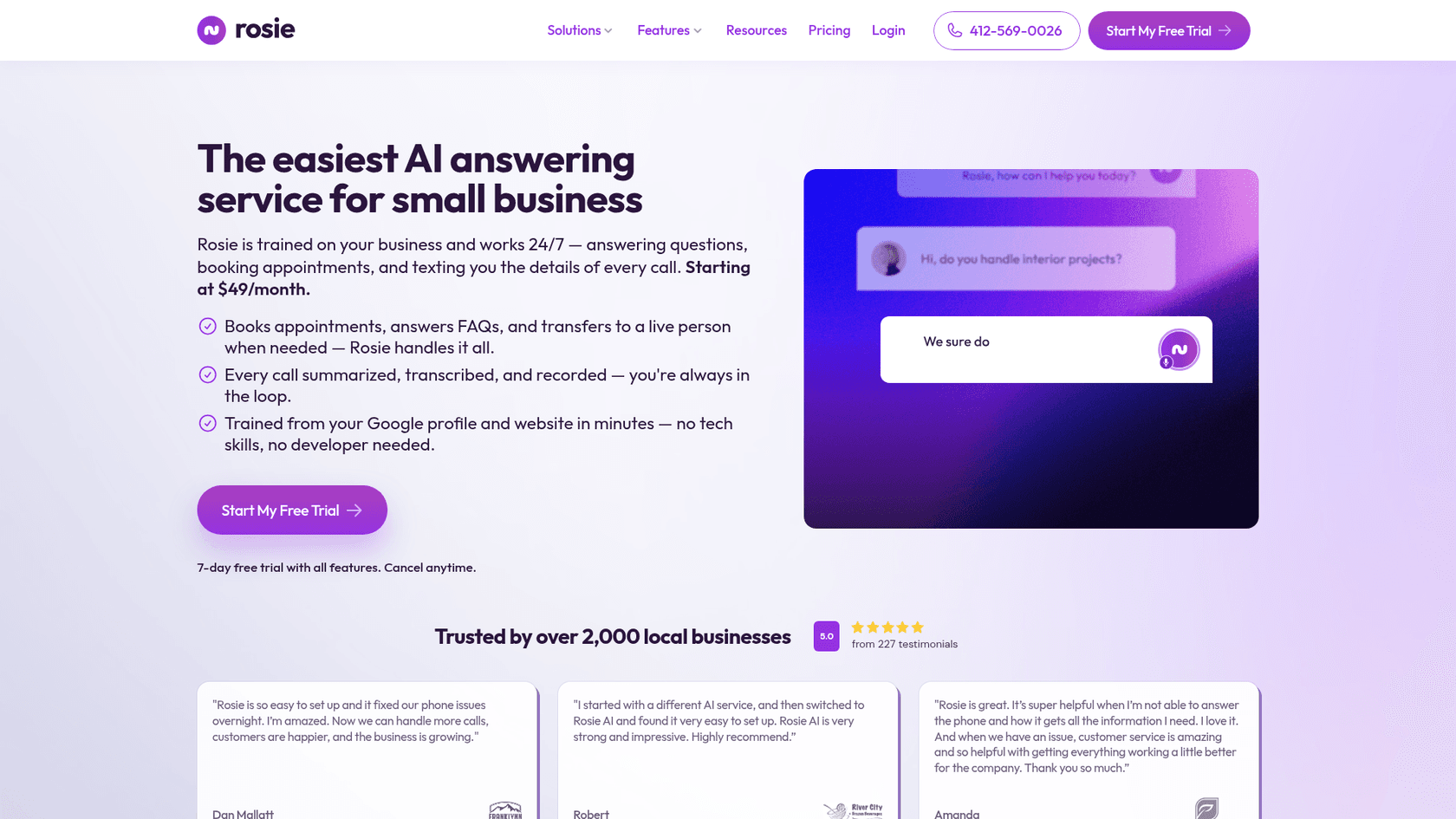
Best for: solo operators and tradespeople who want something running today.
What it does. Rosie trains itself from your Google business profile and website, answers FAQs, takes messages, and sends you a summary, transcript and recording of every call. Every plan includes iOS and Android apps, simultaneous calls, 10+ voices, and English and Spanish on every call.
Pricing. All monthly, from the pricing page:
| Plan | Price | Minutes | What it adds |
|---|---|---|---|
| Professional | $49/mo | 250 | Message taking, texts booking links, spam detection, website chat |
| Scale | $149/mo | 1,000 | Books directly on your calendar, warm and live transfers |
| Growth | $299/mo | 2,000 | Waterfall transfers, custom training from your docs, white-glove onboarding |
Watch out for. The $49 plan can't book or transfer, so the version most people picture starts at $149. Going over your minutes moves you up a plan permanently until you downgrade. And Rosie's terms bar HIPAA data unless you sign a separate written agreement.
My take: the easiest start on this list, but budget for Scale. Professional without transfers is the dead-end setup I warned about above.
2. Goodcall
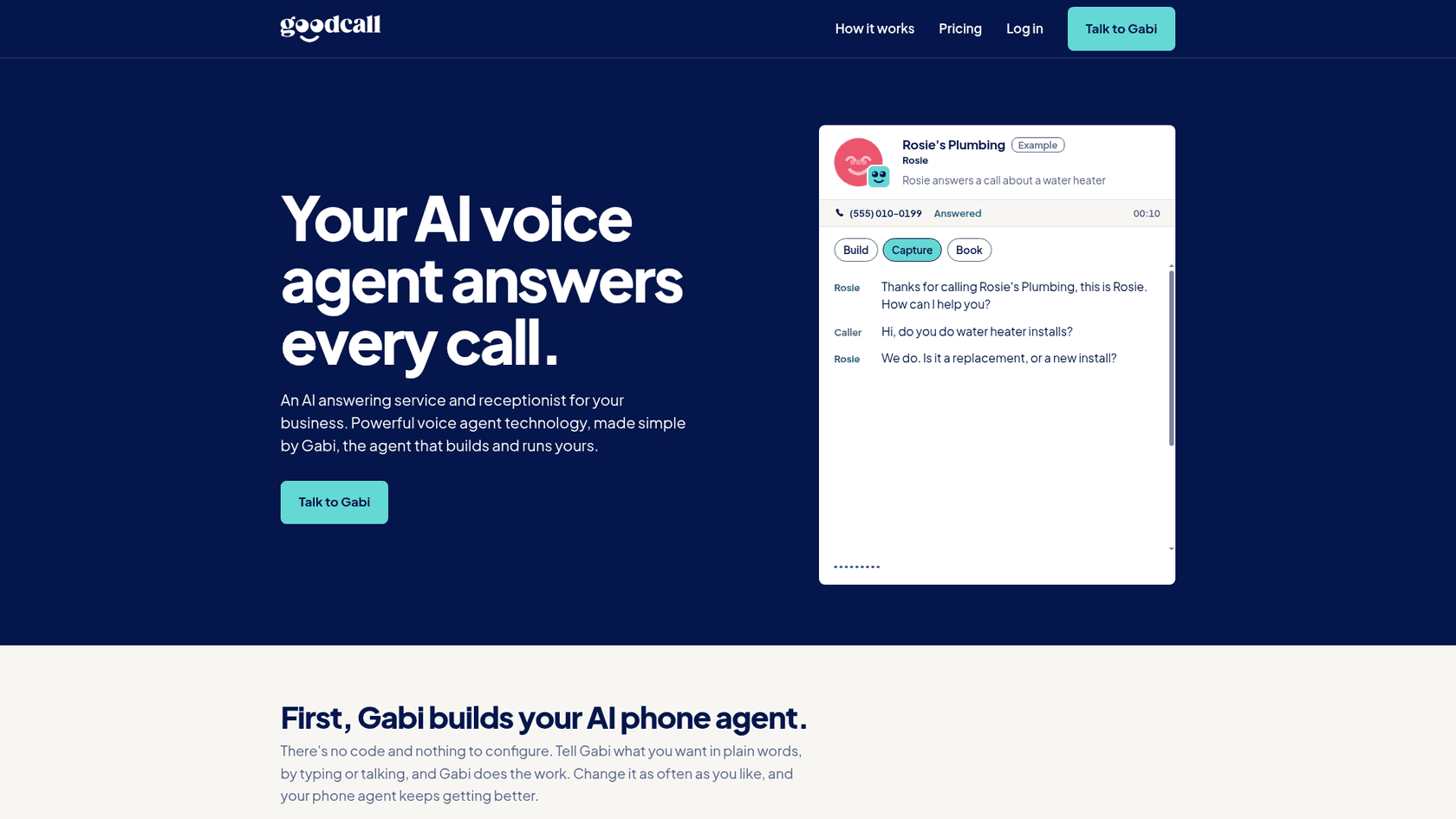
Best for: businesses where the same customers call back several times a month.
What it does. Goodcall sorts callers into new, existing, urgent and spam, qualifies leads, checks your calendar and books, then texts and emails the details when the call ends. Transfers retry busy lines and move to the next contact, up to three. Callers are told they're speaking with an AI, per its FAQ.
Pricing. Goodcall bills per unique caller per month, and spam and wrong numbers don't count:
| Plan | Price | Included | Extra caller |
|---|---|---|---|
| Starter | $79/mo | 100 unique customers (about 150 calls) | 79¢ |
| Growth | $129/mo | 500 unique customers (about 750 calls) | 26¢ |
| Scale | $299/mo | 2,000 unique customers (about 3,000 calls) | 15¢ |
| Enterprise | Contact sales | 2,000+ | Volume pricing |
Watch out for. Local US numbers only for now: no toll-free, Canadian or international numbers. The number can send texts but can't receive replies yet. And a signed BAA only comes on Scale at $299 and up.
My take: the cheapest option in my scenario, and the fairest billing model for repeat callers. A US-only business that books jobs should start here.
3. Smith.ai
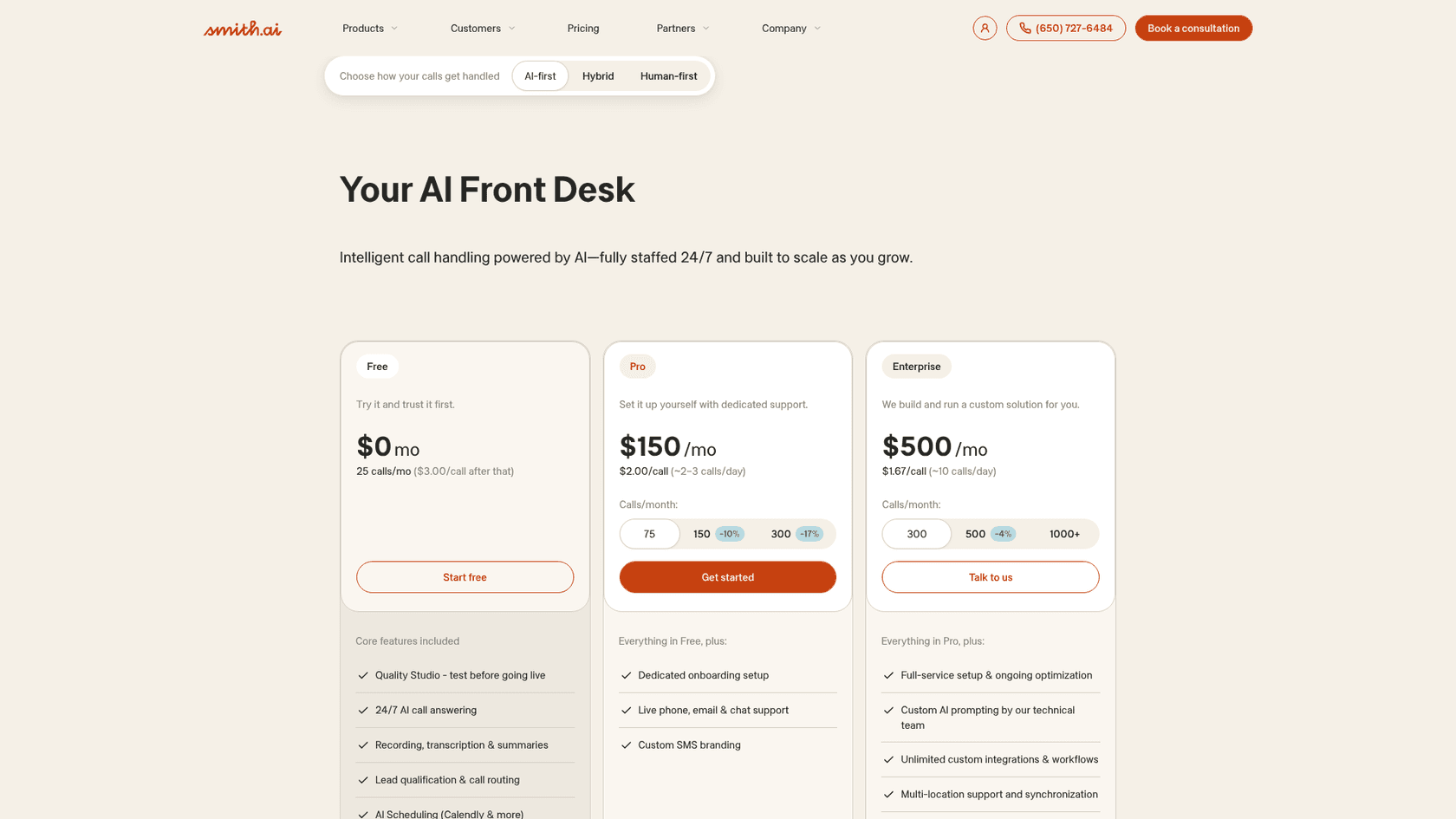
Best for: businesses where a missed lead is expensive, like law firms, that want a human safety net behind the AI.
What it does. Smith.ai answers with AI first and can pass complex calls to a live North America-based receptionist, any time. Even the free plan includes recording, transcripts, summaries, lead qualification, Calendly-based scheduling, and a "Quality Studio" to test before going live.
Pricing. Per call, from the AI receptionist pricing page:
| Plan | Price | Calls included | Extra call |
|---|---|---|---|
| Free | $0/mo | 25 | $3.00 |
| Pro | $150/mo | 75 | $2.50 |
| Pro | $270/mo | 150 | $2.30 |
| Enterprise | $500/mo | 300 | $2.17 |
| Enterprise | $800/mo | 500 | $2.10 |
Its hybrid plans mix in people from about $2.50 a call, and the all-human service starts at $300 for 30 calls.
Watch out for. Every answered call counts toward your quota, and you can only mark up to 10% as spam. Cancelling needs 30 days' notice.
My take: the most expensive AI plan here, and the one I'd pick if a dropped call could cost me a client. The human backup is the feature, so you're paying for exactly the thing that fixes the dead-end problem.
4. My AI Front Desk
Best for: businesses that want calls, texts, web chat and a simple CRM in one place.
What it does. My AI Front Desk answers, qualifies, books and writes back to its built-in CRM. Calls, texts, email, chat and WhatsApp share one customer profile, and it speaks 20+ languages.
Pricing. One self-serve plan, from the pricing page:
| Plan | Monthly | Annual (per month) | Included |
|---|---|---|---|
| Business-in-a-Box | $99 | $79 | 200 voice min, 100 chatbot conversations, 400 SMS, 1,000 overage credits |
| Partner / Enterprise | Custom | Custom | Volume voice "from 7 credits/min", API, account manager |
Voice beyond the included minutes costs 25 credits a minute, which is $0.25. The 1,000 free overage credits expire monthly and cover about 40 extra minutes before auto-reload ($10 per 1,000 credits) starts.
Watch out for. Outbound calls have a hard cap of 20 a day, and the plan includes "2 of each" agent action, such as transfer or lookup. Read the refund terms before choosing annual billing. One Trustpilot reviewer described spending about 30 hours on setup before giving up:
"As I moved into real-world testing, the AI produced inconsistent, unreliable results that made it unusable for my business. I invested roughly 30 hours trying to make it work before concluding it simply wasn't going to."

My take: the most for your money if you want more than phone answering. Use the 7-day trial on real calls and stay monthly until it has earned an annual plan.
5. Upfirst
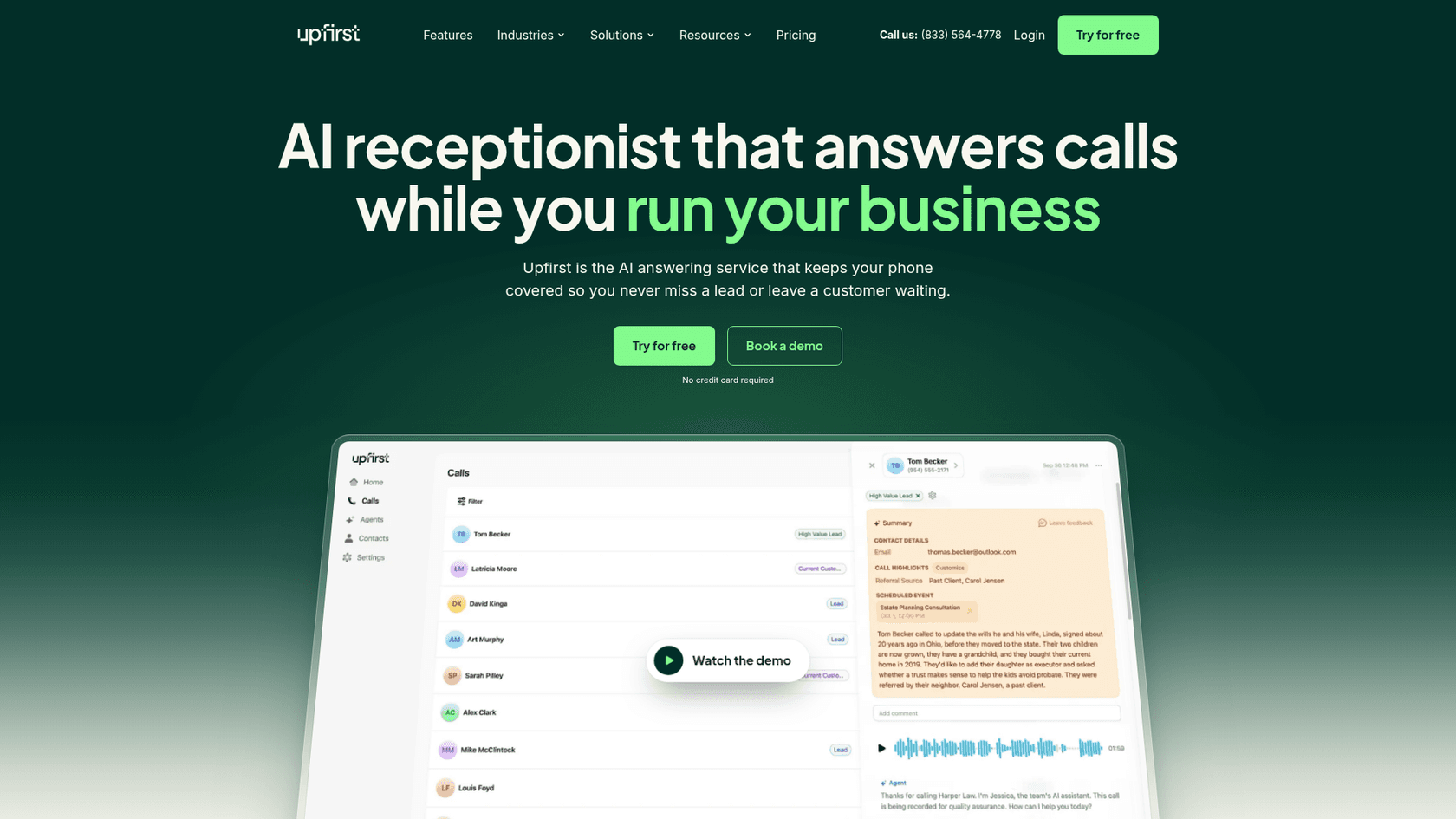
Best for: low call volumes and tight budgets.
What it does. Upfirst qualifies leads, books into Google Calendar, Outlook, Calendly, Acuity, Square or Clio, and does warm transfers where it tells you who's calling before you accept. It speaks 35+ languages and switches when the caller does.
Pricing. Per call, from the pricing page:
| Plan | Calls | Monthly | Annual (per month) | Extra call |
|---|---|---|---|---|
| Starter | 30 | $24.95 | $20 | $1.50 |
| Premium | 90 | $59.95 | $48 | $1 |
| Pro | 300 | $159.95 | $128 | 75¢ |
| Scale | 600 | $299 | $240 | 70¢ |
| Enterprise | 1,000+ | Custom | Custom | - |
It doesn't bill spam, robocalls, calls under 15 seconds, or calls where the caller never speaks. The trial runs 14 days or 100 calls, no card needed.
Watch out for. I couldn't find a HIPAA or BAA statement on its pages. Extra agents for other locations are $9.95 a month each.
My take: the cheapest way to stop sending calls to voicemail, with the friendliest spam rules here. A clinic that needs a BAA should look elsewhere.
6. Quo Sona
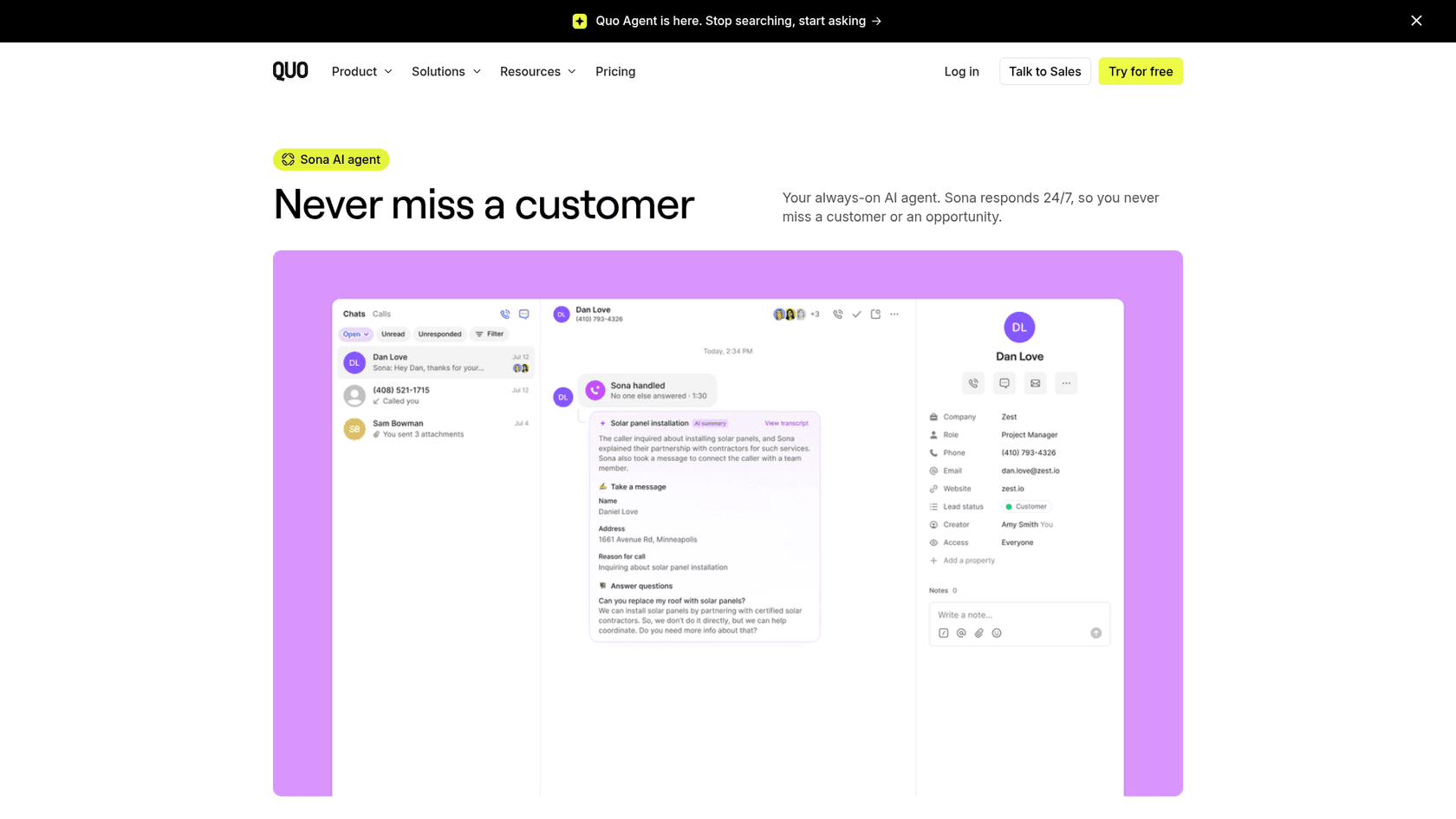
Best for: teams already using Quo (formerly OpenPhone) as their business phone.
What it does. Sona is the AI agent inside Quo's phone system. It takes messages, qualifies leads, sends scheduling links, transfers calls, routes to departments and texts missed callers. You can run mock calls before going live.
Pricing. A Quo seat ($19, $33 or $47 per user a month) plus a Sona credit tier, per the Sona pricing page:
| Tier | Price | Calls included | Extra call |
|---|---|---|---|
| Tier 1 | $0/mo | 10 | $1.00 |
| Tier 2 | $25/mo | 40 | $0.75 |
| Tier 3 | $49/mo | 100 | $0.65 |
| Tier 4 | $99/mo | 250 | $0.55 |
| Tier 5 | $199/mo | 600 | $0.45 |
Calls under 15 seconds don't count.
Watch out for. Overages are off by default, so a busy month quietly sends callers back to voicemail unless you switch them on. Credits expire at the end of each period. Call summaries are always in English.
My take: an easy add-on if you're already on Quo. Turn overages on during setup, or the AI stops answering exactly when you're busiest.
7. eesel
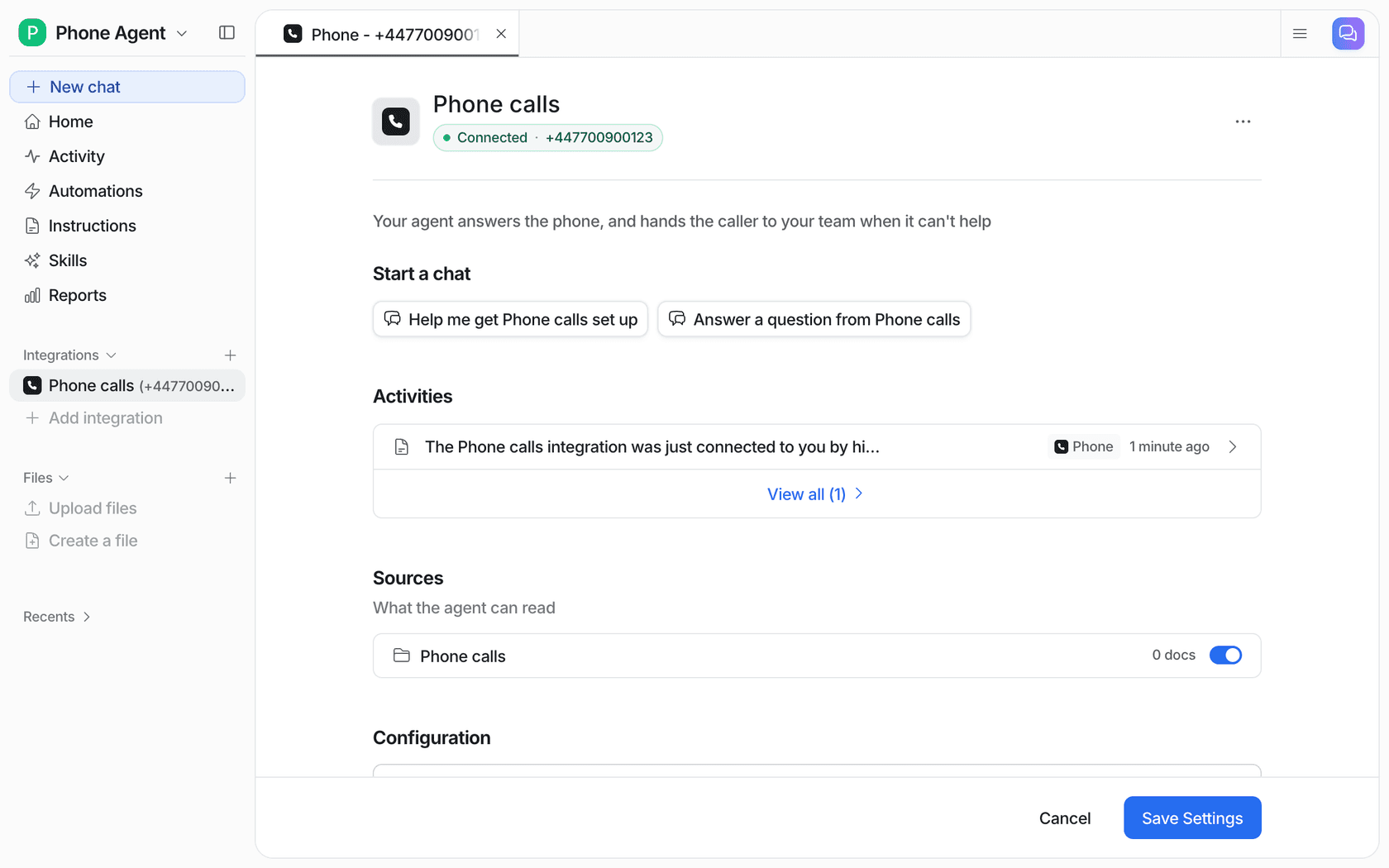
Best for: support teams whose phone calls are customer service questions (order status, product details, policies) and who already answer tickets in a helpdesk.
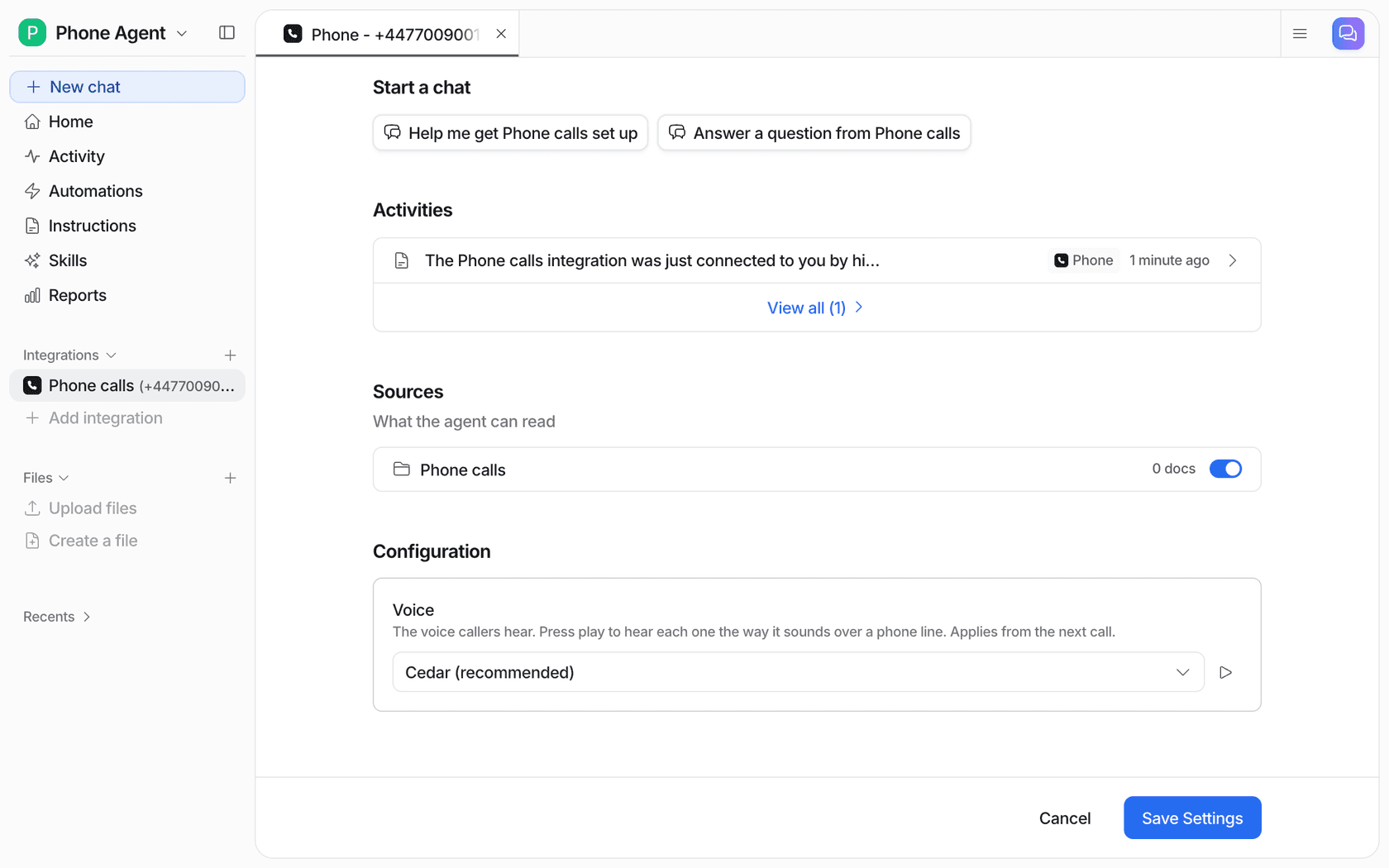
What it does. eesel's AI helpdesk teammate can now answer your support line. According to the phone calls docs, it answers in the caller's language, uses the same instructions and knowledge it uses on tickets and chat, and can check an order or a product in Shopify, Magento, WooCommerce, BigCommerce, AfterShip or Recharge while it talks. When the caller asks for a person, or the question is beyond it, it transfers to your team's number, or offers a call back if you haven't set one. Every call lands in Activity with the full transcript. You can keep your existing number by forwarding it.
Pricing. Phone calls aren't self-serve yet: the eesel team turns them on and sets up the number with you. Self-serve plans start at $299 a month for 500 credits on the pricing page, but there's no published per-call credit cost, so ask when you book.
Watch out for. On a call, eesel only looks things up. Refunds, order changes and anything else that changes data stay with your team. Calls cap at 30 minutes, and booking appointments by phone isn't part of it. If you're a plumber who needs jobs booked into a calendar, Goodcall or Upfirst fit better.
My take: the pick when the phone is one more channel on a support queue, not a sales line. It's one agent across calls, email, chat and your helpdesk, so the answer a caller gets matches the answer a ticket gets.
What to test before an AI receptionist answers real callers
Every tool here lets you test first, through a free plan, a trial, mock calls or a demo agent. Use it properly. A few calls from your own phone won't tell you much. Here's the checklist I'd run, built from the failures above:
- Ask for a person in the first ten seconds. It should transfer, or at least take a callback number and say when. If it argues, that's your dead end. The human handoff rules from chat apply here word for word.
- Give it a hard address. Read out a long street name with a unit number, with background noise. Check what it wrote down.
- Ask a question it shouldn't answer. Ask for a price on a job you quote case by case. It should say it'll have someone confirm rather than invent a number.
- Book something with an exception. If you don't do Saturday installs, or new patients need a longer slot, test exactly that. As the r/Dentists commenter warned, unwritten exceptions are where an AI "will book dumb appointments and your front desk will hate it."
- Check the summary. Every call should reach you as a text or email you can act on in 30 seconds.
This is the same idea I'd use for any AI support simulation: test against the calls you actually get, not the ones you wish you got. eesel runs that kind of dry run against past tickets before an agent goes live, which is how I'd want a phone rollout handled too.
When the calls are support calls, not sales calls
Most AI receptionists are built for a trade or a clinic: capture the lead, book the job. Not one of the five receptionists on ChatGPT's shortlist names a helpdesk integration on its pricing pages. They push to calendars, CRMs and Zapier. That's fine for a plumber. It's a problem for an online store or a SaaS team whose calls are "where's my order?" and "how do I reset this?"
For those teams, the phone is just another support channel, and the agent answering it should know what your ticket agent knows. Back in May 2026, a support team handling vacation-rental guests told eesel their agents were writing summaries of voice interactions by hand so the AI could use them, and that fixing it "would significantly increase our usage." That's the gap a support-first phone agent closes: the call and the transcript sit with everything else.
Beautek shows the shape of it in text. It sells equipment to beauty and medical studios, and its phone is answered 8:30 to 16:30 on weekdays while the shop never closes. Its eesel agent answers product and order questions on the website day and night, and when a buyer needs a person, it creates a Zendesk ticket and asks for a phone number so sales can call back. In a month it answered 77 live chats and created 20 tickets for the team. That's the receptionist job, done after hours, with a clean handover.
Original Bootcamp, an outdoor fitness company on Freshdesk, draws the same line a phone receptionist should. Its agent answers general questions about prices, camps and trial sessions, while cancelling, rebooking, payments, invoices and anything about an injury go to the customer service team. And Norden-Frisia, a German ferry line, plans for 10,000 interactions a month in high season, the kind of seasonal spike that's expensive to staff a front desk for.
If you'd rather not run any of this yourself, eesel's Managed Support handles calls along with email, SMS, DMs, WhatsApp and reviews, for $5,000 a month flat, with eesel's team watching the AI. It's built for ecommerce brands with up to about 5,000 conversations a month, and it compares against a 24/7 outsourced team rather than a $49 app.
Other support-side options include Zendesk voice AI agents, still in early access at $1.50 to $2.00 per automated resolution, and per-minute builders like Retell AI if you have a developer. For the builder end, see this roundup of AI voice agents.
My pick, by situation
- Solo trade, want it live today: Rosie on Scale (
$149), so booking and transfers are on. - Lots of repeat customers, US only: Goodcall (
$79to start). - A lost lead is expensive: Smith.ai, for the human backup.
- Want texts, chat and a CRM too: My AI Front Desk.
- Fewer than 100 calls a month: Upfirst.
- Already on Quo: Sona, with overages switched on.
- Support calls on a helpdesk: eesel.
Whichever you pick, judge it on one thing in the first week: did any caller get stuck? If the answer is no, it's already better than voicemail.
Try eesel on your support line
If your calls are support questions, eesel works like a teammate who already knows your help center and your order data, and now answers the phone too. It replies in the caller's language, checks orders in Shopify or WooCommerce while it talks, and hands the call to your team the moment it can't help, with the transcript waiting in Activity. Phone calls are switched on by the eesel team, so book a demo to get a number set up, or try eesel on tickets and chat first.