What "AI for phone support" actually means
Here's the confusion I run into constantly when I talk to teams. "AI for phone support" gets used for at least three different things, and they cost wildly different amounts:
- A full voice agent that answers the call, understands speech, talks back, and resolves the request end to end. This is what most of the tools below do.
- Agent assist that listens on a live call and feeds the human rep suggested answers, summaries, and after-call notes. Helpful, but a human is still on the line.
- Deflection that quietly answers the question in another channel (chat, help center, SMS) so the customer never picks up the phone.
That third one is the part everybody skips, and it's the part that usually saves the most money. Before you spend on a voice agent that handles a call for a few cents to a few dollars a minute, it's worth asking how many of those calls had to be calls at all.
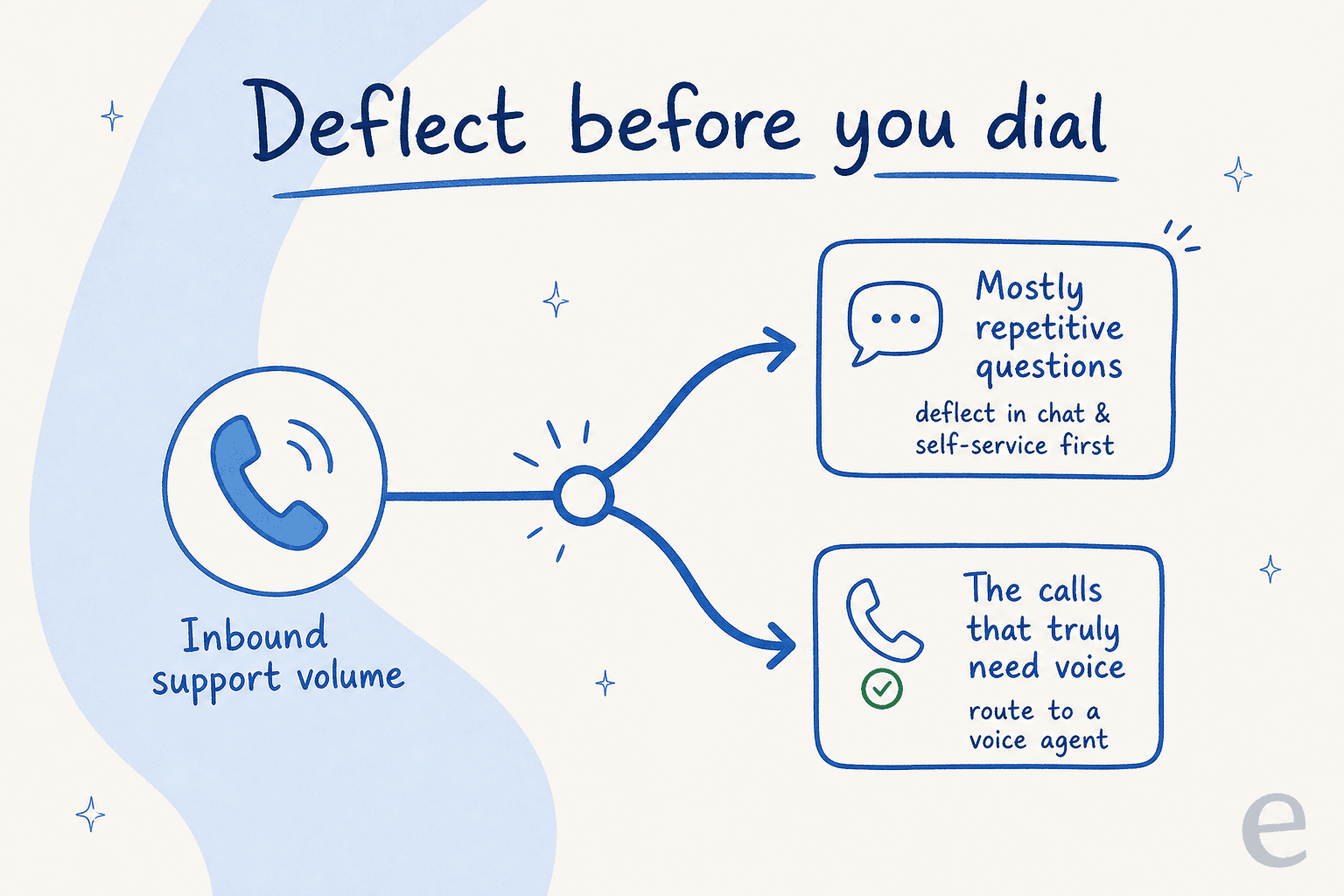
I'll cover both kinds of tool here, because the right answer for most teams is a mix: deflect the easy stuff in text, and put a voice agent on the calls that genuinely need a voice. For the deeper version of the deflection argument, we wrote a whole guide on tier-1 support deflection.
How I evaluated these tools
I work the support queue every day, so I judge these the way I'd judge a new hire I was about to put on the phones, not the way a spec sheet does. Five things matter more than anything else:
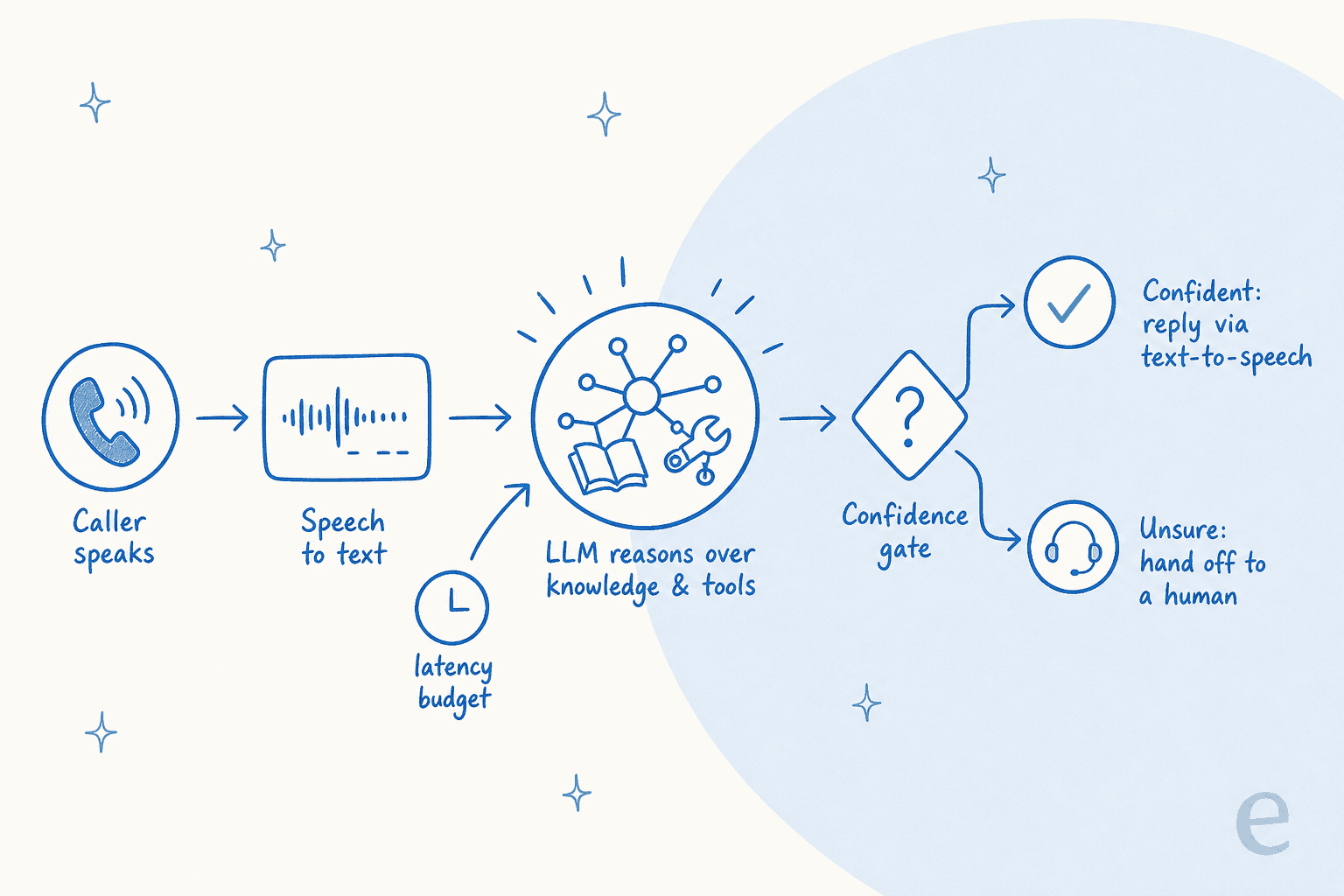
- Accuracy controls. Does it know when it doesn't know? The single most dangerous failure mode is an agent that confidently says the wrong thing. I want confidence-based routing, not a bot that guesses.
- Latency and interruptions. A real phone call has people talking over each other. The agent has to handle being cut off and still feel natural, or callers hang up.
- Handoff. When the AI can't help, does it pass the customer to a human cleanly with context, or dump them back into a queue? Good escalation makes or breaks trust.
- Integration. Can it actually reach your order system, your CRM, and your knowledge base, or does it just read a script?
- Pricing honesty. Per-minute, per-resolution, per-seat, or outcome-based: the model changes your bill by an order of magnitude.
That first point is personal. We've watched a confident-sounding bot quietly give wrong answers, which is exactly why every rollout we run gets simulated against historical tickets first. One CX lead I spoke with who runs about 7,000 tickets a month put the whole problem in a single sentence: "I need an AI who is only handling the tickets that it's confident to handle, and all the other ones, leave them alone." On the phone, that bar is even higher, because there's no draft to review. The words are out there the second they're spoken.
The best AI for phone support at a glance
| Tool | Best for | Answers live calls? | Pricing model | Starting point | Target buyer | Compliance |
|---|---|---|---|---|---|---|
| Sierra | Enterprise omnichannel (voice + chat) | Yes | Outcomes-based, quote-only | Sales contact | Large enterprise | SOC 2, ISO 27001, ISO 42001, HIPAA |
| PolyAI | Pure call-center voice at scale | Yes | Per-minute, quote-only | Sales contact | Enterprise call centers | SOC 2, HIPAA, GDPR, PCI DSS |
| Decagon | High-volume consumer brands | Yes | Volume-based, quote-only | Sales contact | Mid-market to enterprise | SOC 2 (Trust Center) |
| Parloa | Contact centers that test rigorously | Yes | Quote-only | Sales contact | Enterprise | ISO 27001, SOC 2, PCI DSS, HIPAA |
| Ada | Enterprise CX with AI-specific compliance | Yes | Volume-based, quote-only | 300k+ conversations/yr | Large enterprise | SOC 2, HIPAA, GDPR, AIUC-1 |
| Retell AI | Developers building custom voice | Yes | Pay-as-you-go per minute | $10 free credits | Builders, technical teams | HIPAA/BAA on Enterprise |
| Synthflow | No-code voice agents | Yes | Annual contract | From ~$30k/yr | SMB to mid-market | SOC 2, GDPR, HIPAA, ISO 27001 |
| Dialpad | AI-native business phone + contact center | Yes | Per-seat + AI credits | Talk to sales | SMB to enterprise | SOC 2, GDPR, HIPAA |
| eesel AI | Cutting call volume before it rings | No (text deflection) | Usage-based, pay-as-you-go | $0.40 / ticket | Support, IT, ops teams | SOC 2 (in progress), GDPR, HIPAA/BAA |
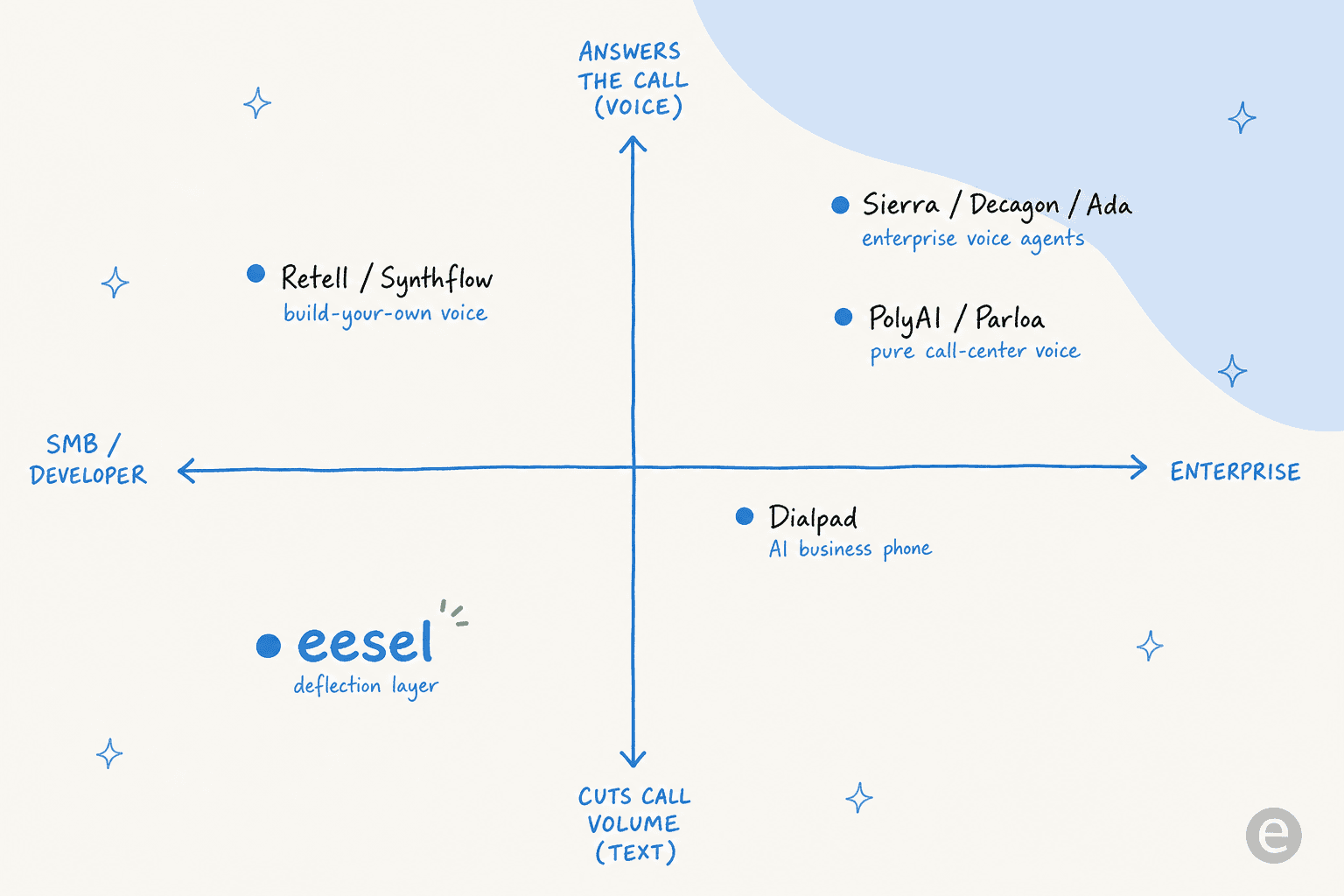
A quick map of where each one sits, because "enterprise voice agent" and "build-your-own" are very different buys:
1. Sierra
Best for: large brands that want one AI agent across voice, chat, SMS, and email, with the founder pedigree to get an enterprise security team comfortable.
Sierra is the AI-first heavyweight. It was founded in 2023 by Bret Taylor, former co-CEO of Salesforce and current chair of the OpenAI board, and Clay Bavor, who spent 18 years at Google. That background shows up in the customer list: regulated, brand-name accounts like Rocket Mortgage, SoFi, SiriusXM, and CLEAR that most AI-native vendors can't land. The company has raised hundreds of millions, including a $175M Series C at a reported $4.5B valuation, with later rounds pushing the number much higher.
What makes Sierra interesting for phone support specifically is that voice isn't a bolt-on. One agent runs across every channel, so the same reasoning and knowledge that answers a chat also answers a call. Its Agent SDK lets engineers write customer journeys as code, while non-technical teams use the no-code Agent Studio.
Pros
- Genuinely omnichannel: voice, chat, SMS, email, and even a ChatGPT channel from one agent.
- Rare ISO 42001 AI-management certification on top of SOC 2 and HIPAA.
- Outcomes-based pricing shifts some risk onto Sierra: you pay for resolved outcomes.
Cons
- Enterprise-only. No self-serve, no trial, no published price.
- Outcomes-based pricing sounds great but needs careful contract negotiation to define what an "outcome" is.
- Overkill if you just want to automate a single phone line.
Pricing: outcomes-based, quote-only. You pay when the agent achieves a contracted outcome. No public rate card.
My take: if you're a large brand that already needs AI across every channel and you want a vendor your board will recognize, Sierra is the safe, premium pick. Smaller teams will find the contact-sales-only motion and bespoke pricing a poor fit.
2. PolyAI
Best for: enterprises whose problem genuinely is the phone line, high inbound call volume in regulated or service-heavy industries.
Where Sierra is omnichannel, PolyAI is voice-first and proud of it. Its whole pitch is enterprise "dialog agents" that answer customer-service calls, built on a proprietary model called Raven that it says was trained on over a billion enterprise conversations. The customer roster is exactly what you'd expect from a call-center-native vendor: PG&E, UniCredit, Golden Nugget, and restaurant group Fogo de Chão, whose CMO is quoted saying the deployment is on track to add just over $7M in incremental revenue.
It's sold as one platform to build, run, and govern voice agents, with a no-code Agent Builder for ops teams and a developer kit for engineers. Compliance is strong out of the box: SOC 2, HIPAA, GDPR, and PCI DSS by default, with a 99.9% uptime SLA.
Pros
- Built for voice specifically, not adapted from a chat product.
- Heavy regulated-industry footprint (utilities, banking, healthcare) and compliance to match.
- Handles the messy parts of real calls (accents, interruptions, background noise) well, per its enterprise focus.
Cons
- Enterprise sales motion only, with no public pricing and no self-serve.
- Voice-only focus means you'll need other tools for chat and email deflection.
- Funding and company scale aren't disclosed on their own site, so do your own diligence.
Pricing: quote-only, billed per minute. No public number; everything routes through a demo request.
My take: if your support pain is specifically a flooded phone line and you operate at enterprise scale, PolyAI is one of the most credible pure-play options. It's not the tool for a small team or for omnichannel ambitions.
3. Decagon
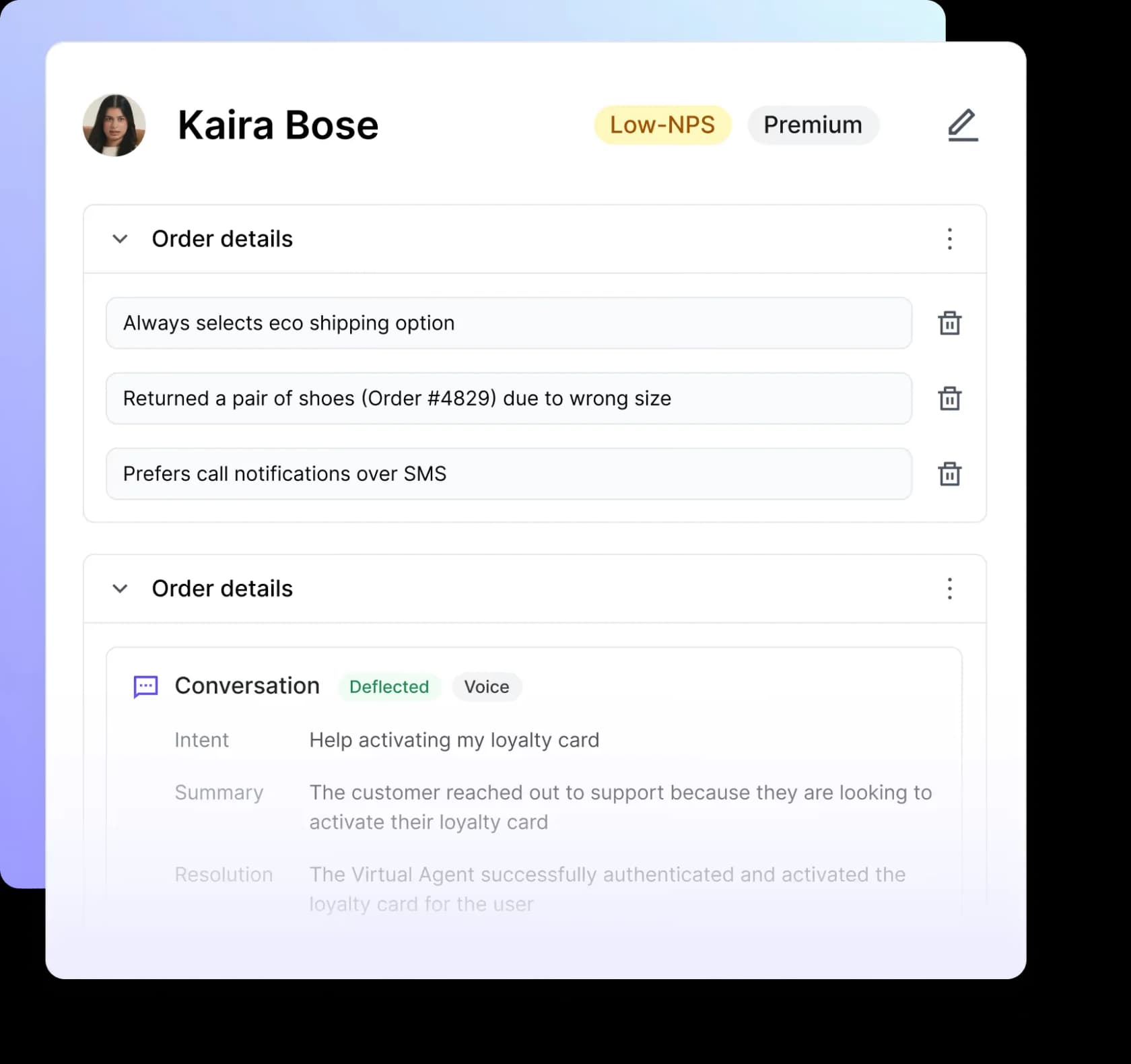
Best for: high-volume consumer brands that want voice and chat from one runtime and care about how fast they can change the agent's behavior.
Decagon is the other AI-native unicorn in this space, with a customer list (Chime, Duolingo, Hertz, ClassPass, Notion) that skews toward fast-moving consumer tech. It reportedly raised around $131M at a roughly $1.5B valuation. Its technical wedge is Agent Operating Procedures, natural-language instructions that compile into executable code, so a CX ops person can author agent logic without waiting on engineering.
Decagon Voice runs on the same runtime as its chat and email agents, with cross-channel memory, and the published results are strong: Chime cites 70% combined chat and voice resolution, and ClassPass reports a 95% cost reduction. The Duolingo team's line about leaving a previous vendor is the kind of quote that tells you what buyers actually feel:
"With the previous vendor, at least half my week was dedicated to maintaining their system. With Decagon, it's been a night-and-day difference."
Duolingo, via Decagon's case study
Pros
- One agent across voice, chat, email, and SMS with shared memory.
- AOPs make iterating on agent behavior fast for non-engineers.
- Published case-study numbers are concrete and named.
Cons
- No public pricing; sales-led and volume-bracketed by monthly ticket count.
- Mid-market to enterprise focus, not built for small teams.
- Voice is newer than its chat product, so test it against your hardest call types.
Pricing: quote-only, scoped by monthly support-ticket volume. No free tier.
My take: Decagon is the pick if you're a high-volume consumer brand replacing a brittle older bot and you want to keep changing the agent without a six-week engineering cycle each time. The lack of pricing transparency is the usual enterprise tax.
4. Parloa
Best for: enterprise contact centers in Europe and beyond that want serious testing and simulation tooling before an agent goes live.
Parloa is the Berlin-founded contender, and it has scaled fast: a $120M Series C at a $1B valuation in 2025, followed by a reported $350M Series D pushing its valuation to around $3B. Its flagship is the AI Agent Management Platform, which it pitches as purpose-built for enterprise contact centers around a Design, Test, Scale, Optimize lifecycle.
The standout for me is the Test stage. Parloa leans hard into simulation and evaluation, letting you stress-test an agent against scenarios before it touches a real caller. That's exactly the discipline I wish more voice deployments had. It's voice-first, brings your own speech and language models (Azure, Google, OpenAI), and carries a deep compliance stack including ISO 27001, SOC 2, PCI DSS, HIPAA, and DORA.
Pros
- Best-in-class simulation and testing before go-live.
- Strong European and regulated-industry compliance footprint.
- Flexible model choice rather than a single locked stack.
Cons
- Contact-sales only; the pricing page isn't public.
- Genuinely thin independent review signal so far, so lean on a proof of concept.
- Enterprise complexity that smaller teams won't need.
Pricing: enterprise, quote-only. No published rate.
My take: Parloa earns its place on the strength of its testing tools alone. If you're an enterprise that's been burned by a voice agent going off-script, the simulation-first approach is the reason to shortlist it.
5. Ada
Best for: large enterprises that want a standalone AI layer on top of their existing helpdesk, with AI-specific compliance.
Ada is the Toronto company that brands its category as "Agentic Customer Experience." Rather than owning your ticketing, it sits on top of Zendesk, Salesforce, Freshworks, or ServiceNow as a dedicated AI layer. It's well funded, with a $130M Series C at a $1.2B valuation, and its results page is dense: Monday.com cites a 42% reduction in handle time, IPSY claims a 943% ROI in four months.
Its multi-LLM Reasoning Engine orchestrates across models rather than betting on one, and it's shipping voice agents through 2026 with a dedicated voice page. The thing that stands out is compliance: alongside SOC 2 and HIPAA, Ada leads with AIUC-1, an AI-specific certification almost nobody else surfaces, plus zero data retention with its LLM providers.
Pros
- Sits on top of your existing helpdesk instead of replacing it.
- Multi-LLM orchestration and unusually strong AI-specific compliance (AIUC-1).
- Playbooks and Coaching give you structured control over agent behavior.
Cons
- Enterprise-only by stated rule: a floor of 300,000 annual conversations.
- No public pricing at all.
- Voice is actively maturing, so verify it against your call mix.
Pricing: quote-only, volume-based. Ada explicitly qualifies for companies with 300k+ annual conversations.
My take: Ada is the strongest fit if you're a large enterprise that wants to keep your current helpdesk and bolt a serious, compliant AI layer on top. Its hard volume floor rules out everyone below true enterprise scale.
6. Retell AI
Best for: developers and technical teams who want to build a custom voice agent and pay only for the minutes they use.
If the enterprise tools above feel like buying a car you can't see the price of, Retell AI is the opposite. It's a developer-focused orchestration layer for building voice agents, and its entire pitch is transparency. Every component price is published, you start with $10 in free credits, and there's no contract. Headline range is $0.07 to $0.31 per minute, composed of a $0.055/min voice infrastructure fee plus your choice of text-to-speech, LLM, and telephony. The pricing-page calculator defaults to about $0.115/min.
What builders consistently praise is how it handles the awkward parts of real conversation, interruptions and people going off-script:
"Finally tested Retell AI. At first, I expected the same issues, but the difference was in how it handled interruptions and off-script stuff."
a builder on r/AI_Agents

It's most often compared against Bland and Vapi, and it offers both a structured Conversation Flow builder and a more flexible multi-prompt mode.
Pros
- Genuinely transparent, true pay-as-you-go pricing billed to the nearest second.
- Strong real-time conversation handling (interruptions, turn-taking, voicemail detection).
- Composable stack: pick your own LLM and voice provider.
Cons
- You're building it yourself. This is a platform, not a packaged support solution.
- Costs add up with premium models and add-ons (a GPT Realtime stack can pass $0.34/min).
- Concurrency beyond the free 20 calls is $8 per concurrent call per month.
Pricing: pay-as-you-go, $0.07 to $0.31/min, $10 free credits, no contract. Enterprise tier adds dedicated servers, HIPAA/BAA, and SSO at custom rates.
My take: Retell is my pick for any team with engineering resources that wants control and predictable, usage-based costs. If you don't have developers, the build-it-yourself nature will be a wall, not a feature.
7. Synthflow
Best for: teams that want a voice agent live in hours without writing code, and that don't have an enterprise budget locked yet.
Synthflow is the most approachable builder here. It's a no-code voice-agent platform with in-house telephony, and reviewers consistently say they stood up a working multilingual agent within hours using its drag-and-drop flow designer. It holds a solid 4.5 out of 5 on G2 across more than 1,000 reviews, and claims to process 65M+ voice calls a month across 30+ countries.
The honest catch: Synthflow has repositioned toward enterprise. Its live pricing page now shows only an Enterprise tier starting from annual contracts of around $30,000/year, and the older self-serve monthly tiers are no longer published. The most common G2 complaints line up with that shift: pricing gets steep as you scale, and it's hard to fully test an agent before you pay. That last one is exactly why I'm such a believer in simulating before you commit.
Pros
- Fastest no-code setup of anything on this list.
- Natural, low-latency voices that reviewers rate highly.
- In-house telephony and a wide integration library, including white-label options.
Cons
- Pricing has moved upmarket; the friendly self-serve tiers are gone.
- Reviewers flag difficulty testing thoroughly before paying.
- A prompt-engineering learning curve for non-technical users.
Pricing: annual Enterprise contracts from roughly $30,000/year, scoped to call volume and concurrency. Older per-minute self-serve plans are no longer listed.
My take: Synthflow is the easiest way to get a real voice agent running, and its G2 score is earned. Just go in knowing the pricing has grown up, and insist on a proper test against your own scenarios before you sign.
8. Dialpad
Best for: teams that want their business phone system and their AI in the same place, with live-call agent assist baked in.
Dialpad comes at phone support from the telephony side. It's an AI-native communications platform, and its support product runs on the Dialpad Ai engine: autonomous voice agents for self-service, plus real-time agent assist, live coaching, and automatic call recaps and CSAT scoring for human reps. It holds a 4.4 out of 5 on G2 and serves more than 7,000 businesses, including T-Mobile and Uber. It last raised a $170M round at a $2.2B valuation.
The pricing is a bit of a maze. Dialpad doesn't publish per-seat Support pricing (that's gated behind sales), and its newer AI Agent model bills against a pool of conversation credits, where you're only charged when the AI actually does work. Third-party estimates put Support somewhere around $80 to $150 per agent per month, but those conflict and aren't primary-sourced, so treat them as rough.
Pros
- Phone system and AI in one platform, so no stitching telephony to a separate agent.
- Strong agent-assist features for the calls a human still takes.
- Large, established customer base and a credible track record.
Cons
- Support pricing isn't transparent; you'll need a sales conversation.
- The AI Agent self-service product is less proven than its agent-assist features.
- If you already love your phone system, you're switching the whole stack.
Pricing: per-seat Support pricing via sales, plus a conversation-credit model for AI Agents (you pay only when the AI retrieves info or takes an action).
My take: Dialpad makes the most sense if you're also in the market for a new business phone system, not just an AI layer on your existing one. Its agent-assist is genuinely good; the fully autonomous voice agent is the newer, less-proven half.
9. eesel AI
Best for: teams whose phone volume is mostly repetitive questions, and who want to shrink the queue before paying per minute to automate it.
I'll be straight with you: eesel AI is not a voice agent. It doesn't answer the phone. So why is it on a phone-support list? Because for a lot of teams I talk to, the cheapest improvement to their phone support is fewer calls. eesel is an AI helpdesk agent that plugs into your existing helpdesk (Zendesk, Freshdesk, Gorgias, HubSpot, Front) and your chat widget, learns from your past tickets and help docs, and resolves the repetitive questions in text before they ever escalate to a call.
That matters because of the accuracy point I keep hammering. eesel uses confidence-based routing: it only answers what it's confident about and leaves the rest for a human, which is the exact behavior that CX lead with 7,000 tickets a month was demanding. And before anything goes live, you run it in simulation against thousands of your real historical tickets to see what it would have done. The proof is concrete: Gridwise saw eesel resolve 73% of tier-1 requests in the first month, and Smava runs a fully automated agent on over 100,000 German-language tickets a month.
Pros
- Confidence-based routing and a simulation mode that tests against your real past tickets first.
- Transparent, usage-based pricing with no per-seat fees and a free trial.
- Live in minutes on your existing helpdesk; no rip-and-replace.
Cons
- It's text-first. It deflects calls by answering in chat and email; it does not talk on the phone.
- If your core need is a true voice agent, you'll still pair it with one of the tools above.
Pricing: usage-based, pay-as-you-go from $0.40 per ticket, no per-seat fees, with $50 of free usage to start. Enterprise adds a flat platform fee.
My take: if a chunk of your calls are "where's my order" and "how do I reset my password," deflecting those in text with eesel is often a bigger, faster win than automating them as calls. Pair it with a voice agent for the calls that genuinely need a human-sounding voice, and you've covered both ends of the problem.
How to roll this out without burning customers
Whichever tool you pick, the rollout matters more than the logo. A few hard-won rules from doing this on live queues:
- Start in a safe mode. Run as agent assist or draft-only first, then let the AI take live calls once you trust it. The pattern everyone lands on is copilot first, full autonomy second.
- Simulate against real history. Test the agent against your actual transcripts and tickets before a single customer hears it. If a tool makes that hard, that's a red flag, not a minor inconvenience.
- Watch the handoff like a hawk. The moment that makes or breaks trust is when the AI gives up. It should pass context to a human, not restart the customer in a queue. Read our take on AI vs human customer support for where to draw that line.
- Tune the confidence threshold. Better to escalate too much at first and dial it back than to let a confident wrong answer reach a caller.
Try eesel for the calls that never needed to happen
If you've read this far, here's the move I'd make in your shoes. Before you commit to a per-minute voice agent, look at your last month of calls and ask how many were repetitive questions a good text agent could have caught. For most teams, it's a lot.
eesel AI plugs into your existing helpdesk and chat in minutes, learns from your past tickets, and only answers what it's confident about, so you can deflect the easy volume safely and keep your humans (and any voice agent you buy) focused on the calls that actually need them. You can simulate it against your own historical tickets to see the deflection rate before you commit, and the pricing is usage-based with no per-seat fees and a free trial. Try eesel and see how many calls you can stop before they ring.
Frequently Asked Questions
What is the best AI for phone support in 2026?
How much does an AI phone support agent cost?
Can AI actually answer support phone calls on its own?
Is AI phone support safe for regulated industries?
What should I look for when choosing AI for phone support?


Article by
Riellvriany Indriawan
Riell is a designer and writer at eesel AI with about two years of experience researching CX platforms, AI chatbots, and helpdesk software. She combines her design background with a sharp eye for how these tools actually look and feel in practice — making her comparisons unusually visual and user-focused.