

Why WhatsApp is worth automating (and why it is hard)
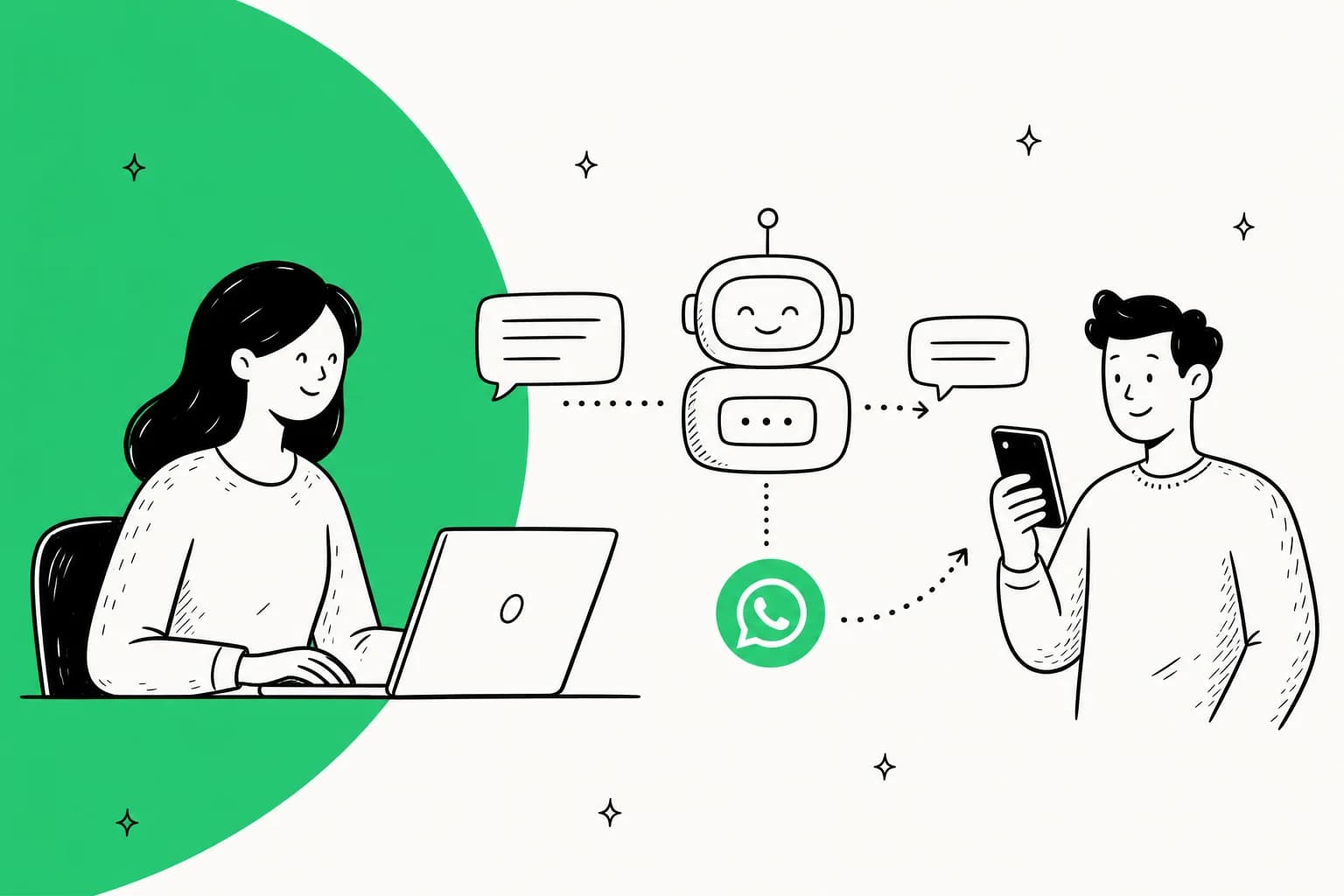
WhatsApp is where a lot of your customers already live, especially outside the US. But it punishes the naive setup. Messages arrive around the clock, they are short and impatient, and a big chunk of them are the same handful of questions: where is my order, how do I get a refund, how do I change my subscription.
That repetitive share is the whole opportunity. One ops lead I worked with, running a direct-to-consumer supplements brand doing roughly 7,000 tickets a month, came in looking for a copilot and left realising they needed something that could auto-resolve at least half of their volume, most of it order-status and subscription questions. That is the shape of nearly every WhatsApp queue I see.
Here is the honest tension though: WhatsApp is also the channel where a wrong answer stings the most, because it feels like a personal text, not a support ticket. So the goal is never "let the bot answer everything." It is to automate the boring, high-volume half safely and route the rest to a person. Keep that framing and the rest of the guide makes sense.
"The AI will never be able to answer 100% of the questions. I need an AI who is only handling the tickets that it's confident to handle, and all the other ones, leave them alone."
A CX lead at a DTC supplements brand (eesel customer interview)
The two ways to automate WhatsApp support
Before any setup, you have to pick a lane, because they are two different products.
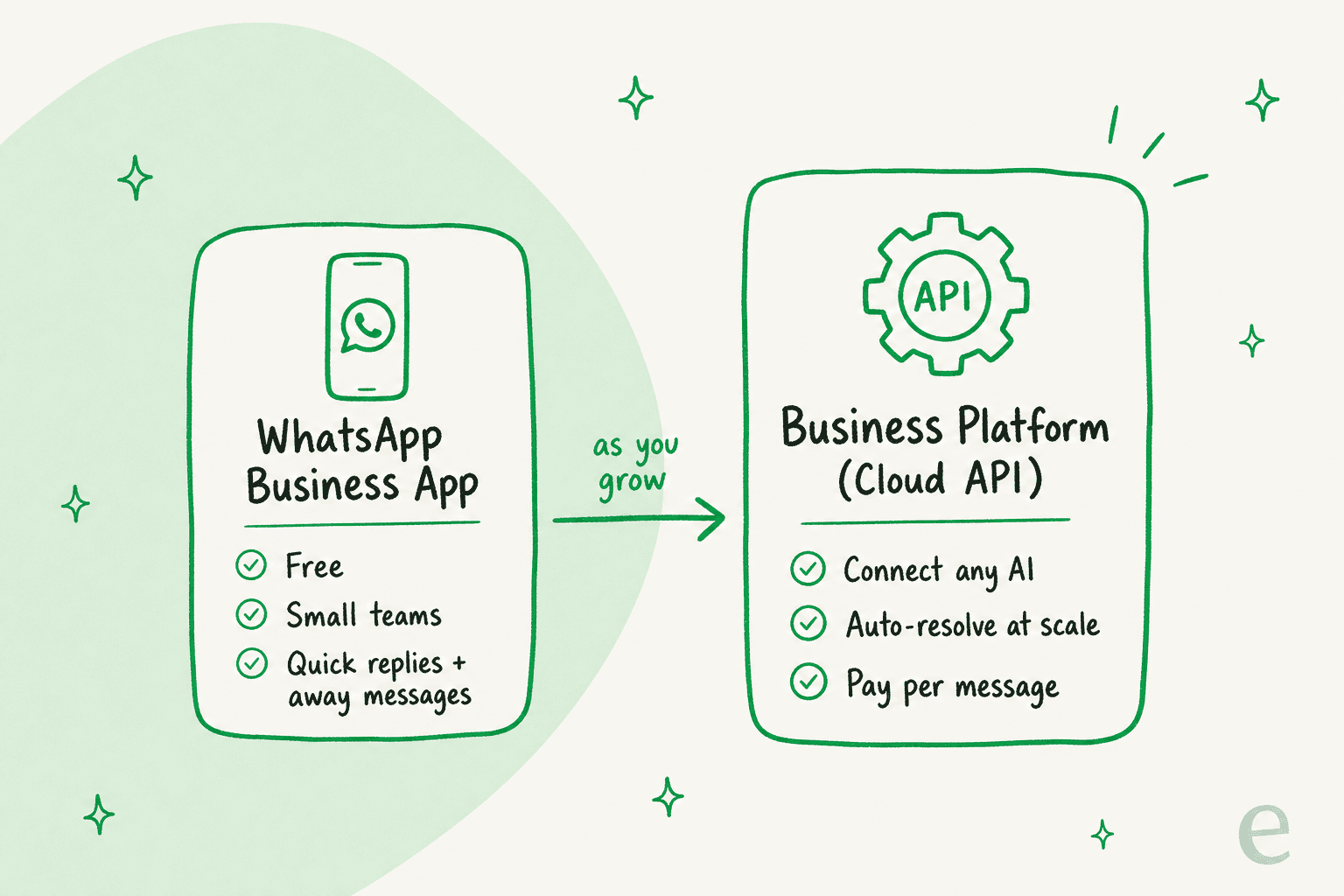
Route 1: the free WhatsApp Business app. This is the phone app a small team installs. It gives you the basics: a business profile, labels to organise chats, quick replies, and automated away or greeting messages. It is great for a founder answering messages themselves. What it is not is programmable, so you cannot plug real AI into it, and away messages are canned text, not answers.
Route 2: the WhatsApp Business Platform (Cloud API). This is the track Meta built for automation at scale. In Meta's words, the platform "enables businesses to communicate with customers at scale," and the Cloud API lets you "programmatically message" on WhatsApp. It runs on webhooks, so every inbound message and delivery update arrives as a JSON payload your systems (or your AI) can act on. This is the only route that supports real support automation.
One thing that trips people up: the old self-hosted On-Premises API is gone. Meta sunset it and the final client "expired on October 23, 2025," so Cloud API (hosted by Meta) is now the only supported path. If a vendor is still pitching you an on-prem WhatsApp setup, that is a red flag.
Not sure which lane you are in? This quick decision helper sorts it out.
Which WhatsApp setup fits you?
Pick the line that sounds most like you today.
What you need before you start
If you are going the Cloud API route (Route 2), Meta wants a few things in place. None are hard, but skipping one stalls the whole setup:
- A Meta business portfolio (Business Manager). Meta states plainly: "You must have a business portfolio to use the platform." It is the container that holds everything below.
- A WhatsApp Business Account (WABA). This "represents your business and contains phone numbers, usernames, and analytics."
- A business phone number for sending and receiving. It can be a real or virtual number, and it cannot already be tied to a personal WhatsApp account.
- Business verification. Optional to start, but verifying your portfolio unlocks higher throughput and Official Business Account status (the green checkmark).
A nice detail for testing: Meta auto-creates a test WhatsApp Business Account and test number with relaxed limits that "don't require a payment method on file," so you can send template messages and wire up webhooks before you commit a cent.
How to automate WhatsApp support, step by step
Step 1: Get your number onto the Cloud API
Register as a developer, create a Meta app, connect (or create) your WABA, and add your phone number. Meta's own getting-started flow is: create the app, connect the WABA, add the number, send a first test message, set up a webhook. If you are a small business already on the free WhatsApp Business app, you do not have to start over: Embedded Signup lets you connect your existing account and number to the API and graduate up.
Step 2: Learn the 24-hour window (this rule shapes everything)
This is the single concept that decides how your automation behaves, so it is worth getting right.
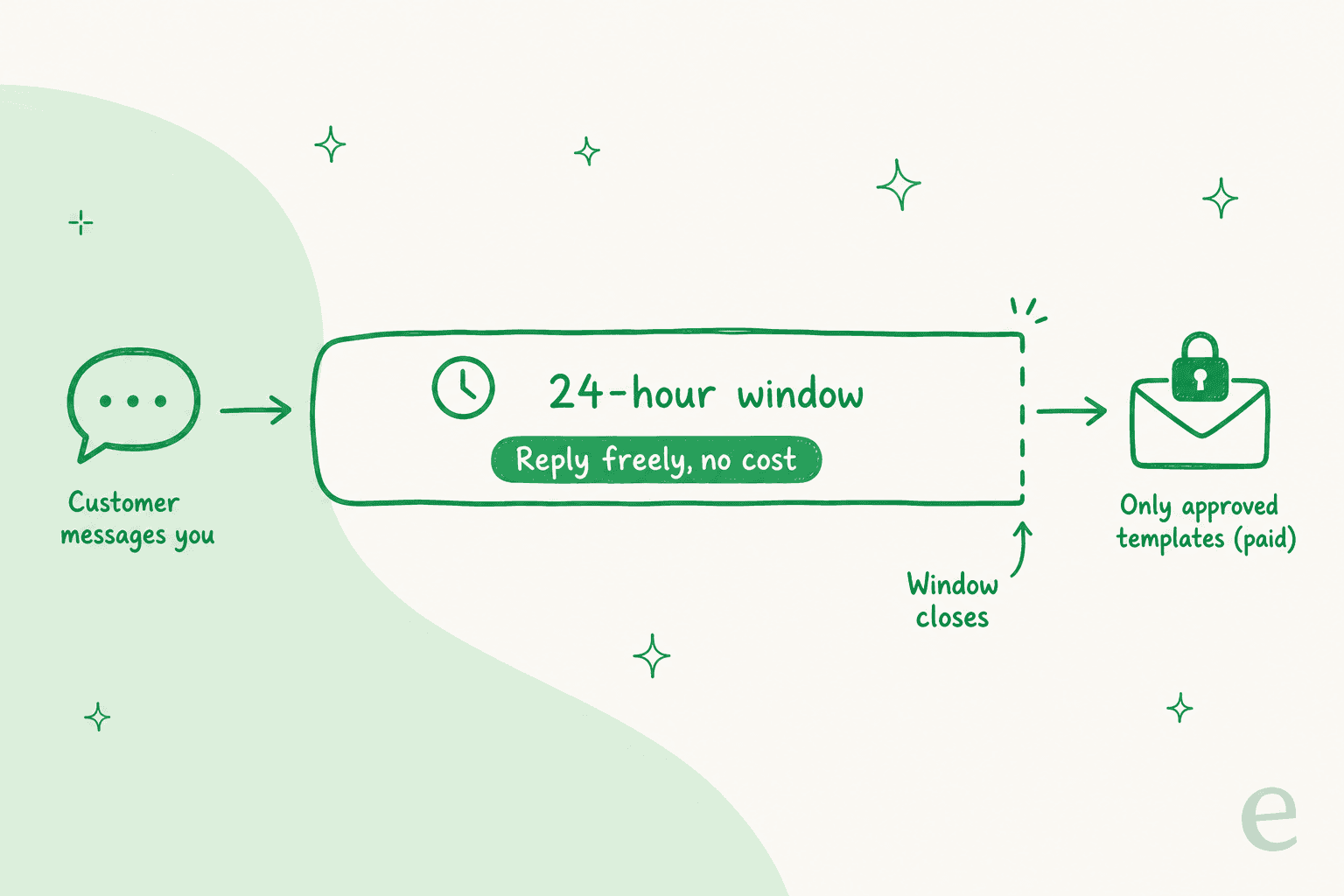
When a customer messages you, it opens a 24-hour customer service window. Inside that window, your business (or your AI) can send free-form replies, and since November 2024 those non-template messages are free. Once 24 hours pass since the customer's last message, the window closes and, in Meta's words, "you can no longer send non-template messages." After that, the only thing you can send is a pre-approved message template.
For support automation this is mostly good news: a customer reaching out for help has, by definition, just opened a window, so your AI can answer freely and for free. Templates only come into play when you want to start a conversation (an order update, a proactive follow-up) after the window has closed.
Step 3: Understand template messages and pricing
Templates are the pre-approved messages you send outside the window. Every template is categorised as marketing, utility, or authentication, and, as Meta puts it, "template categories also factor into pricing." Templates "generally require approval before you can send them," and you can create up to 100 per account per hour.
On cost, the big 2026 fact: Meta moved to per-message pricing. The pricing page states it directly: "Effective July 1, 2025, Meta charges on a per-message basis," replacing the old per-conversation model. What you actually pay for:
| Message type | When it is sent | Charged? |
|---|---|---|
| Customer's inbound message | Any time | Never charged |
| Free-form reply (text, image) | Inside the open 24-hour window | Free |
| Utility template in response to a user | Inside the open window | Free (since Jul 2025) |
| Marketing template | Any time | Charged |
| Utility / auth template | After the window closed | Charged |
Meta's own worked example makes it concrete: a business sends four messages but is charged for only two, because the replies inside the open window are free and only the templates that fall outside it get billed. The practical takeaway: reactive support automation is cheap, proactive outreach is where the meter runs.
Step 4: Connect an AI agent and train it on your knowledge
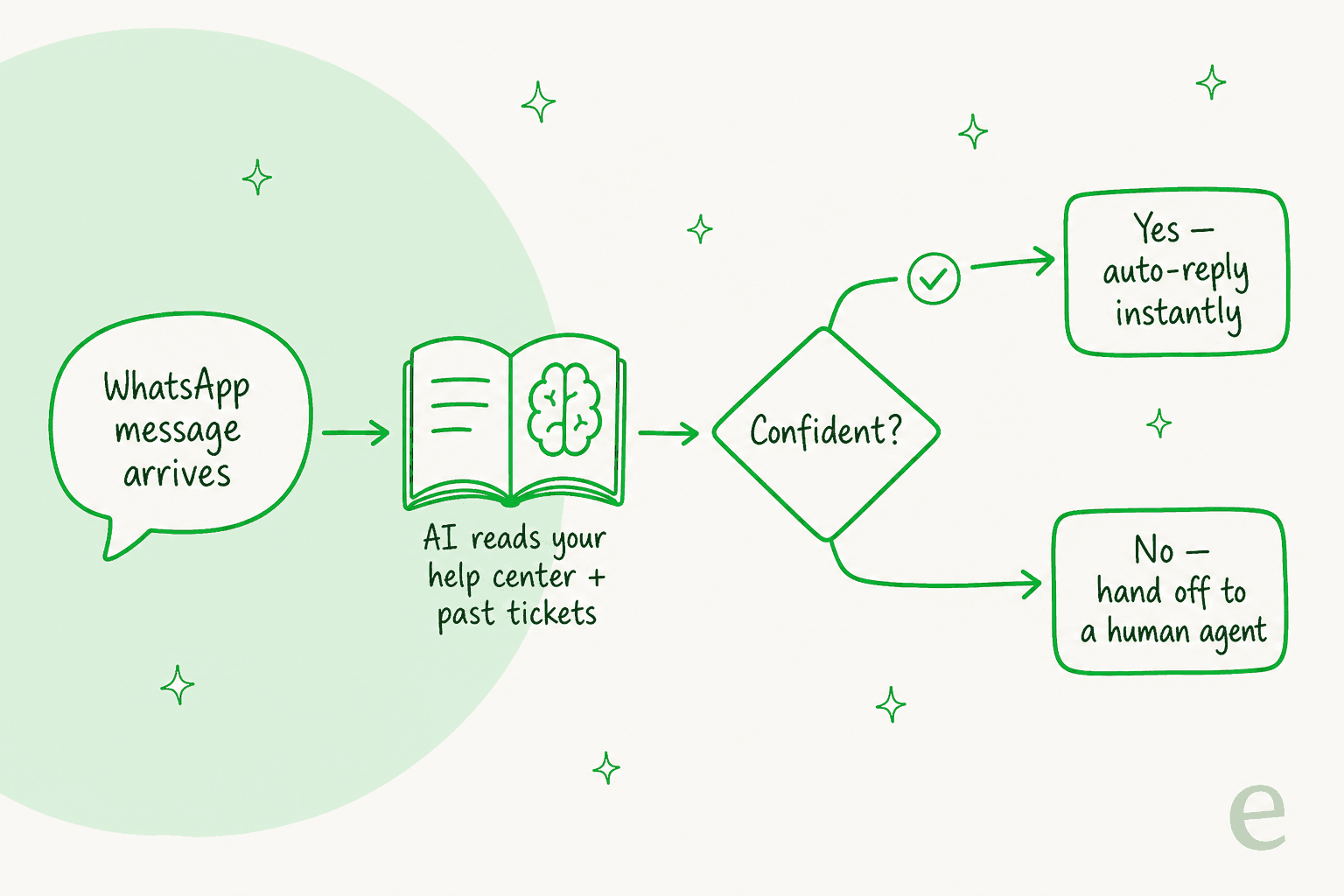
The API carries messages; it does not answer them. For that you need an AI layer, and this is where the real automation lives. A good AI support agent reads your help center, past tickets, and internal docs, then drafts or sends replies on WhatsApp using that knowledge.
With eesel, you connect it to WhatsApp (directly, or through the helpdesk channel that already receives your WhatsApp messages) and point it at your knowledge. The most requested capability we see, by a wide margin, is training on your own historical tickets, because that is what teaches the AI your actual tone and edge cases, not a generic FAQ voice.

Connecting your sources is the part people expect to be painful and usually is not. You link your help center, your docs, and your ticket history, and the agent has context from day one.

Step 5: Set escalation rules, then simulate before you go live
This is the step that separates WhatsApp automation that works from the kind that generates angry follow-ups. Two rules:
First, make it confidence-based. The AI should answer what it clearly knows and escalate anything it is unsure about to a human, cleanly, with the conversation history attached. Deciding which ticket types the AI is even allowed to touch is more of the work than the connection ever is.
Second, test against your real history before a single customer sees it. We have watched confident-sounding bots quietly give wrong answers, which is exactly why we simulate every rollout against a customer's past tickets first, so you can see how the AI would have answered thousands of real messages and tune it before go-live. Across one week of live chats, that approach held a 96% quality score over 581 conversations for one team, and a gig-economy analytics team on Zendesk resolved 73% of their tier-1 requests in the first month. Those numbers come from tuning, not from flipping a switch.
Common mistakes to avoid
- Trying to automate on the free app. It cannot run AI. If you are serious, you are on the Cloud API. Full stop.
- Letting the AI answer everything. The fastest way to lose trust on WhatsApp. Scope it to confident, high-volume topics and escalate the rest.
- Ignoring the 24-hour window. If your automation tries to send a free-form message after the window closed, it silently fails. Design flows around the window, not against it.
- Skipping the simulation step. Going live blind is how you find out the AI was wrong from a customer, which is the worst possible reviewer. Test on history first.
- Forgetting Meta's rules change. Meta updates policy and pricing on a quarterly cadence, and it has changed the rules for third-party AI chatbots before. Pick a vendor that keeps up so you do not have to.
Try eesel for WhatsApp support
If you want the "connect it and it works" version of everything above, that is what eesel is for. You plug eesel into WhatsApp (directly, or via your existing helpdesk channel), train it on your help center and past tickets, and it resolves the repetitive share while escalating the rest, in every language your customers write in.

The two things that make it fit WhatsApp specifically: it is confidence-based by design, so it never confidently guesses at a customer, and you can simulate the whole thing on your real ticket history before it ever replies to a live chat. Pricing is one fixed monthly price (from $299/month for 500 credits, 1 credit per chat, no per-seat fees), so the bill is predictable. You can try eesel free and run the simulation on your own history to see the resolution rate before you commit.