

What people mean by "an AI chatbot for Kustomer"
I spend my days wiring AI into helpdesks, so the first thing I do with a phrase like this is strip the marketing and ask what actually plugs in. In Kustomer's case, "AI chatbot" isn't one product. The native AI suite splits into four named pieces sitting on top of the CRM, and only the first two are what most people picture when they say "chatbot":
- Concierge is the customer-facing bot. It answers and resolves conversations end to end, across every channel, and it's the direct replacement for what Kustomer used to call "AI Agents for Customers" and chatbot deflection.
- Envoy is the agent-facing copilot. It doesn't talk to customers; it drafts replies, surfaces knowledge, and writes conversation summaries for your human reps.
- Architect is the no-code builder, marketed as "AI that builds your AI," where you actually configure the bot.
- Data Explorer is conversational analytics, so you can ask questions of your CX data in plain language.
The pitch that ties them together is Kustomer's line that it's "the only CX platform where AI runs on context, not guesswork." The real substance behind that is the unified customer timeline: instead of an isolated ticket, the bot sees the whole customer record (orders, past chats, loyalty tier) before it replies. That context is the difference between a bot that says "let me look into that" and one that says "your Dutch oven from December 15th is inside the 30-day return window."
If you want the deeper feature-by-feature tour, we've got a full Kustomer AI breakdown. This post is the practical version: how the chatbot works, how you set it up, what it costs, and when to reach for something else.
How the Kustomer AI chatbot actually works
Under the hood, Concierge is an agentic bot: it reads the incoming message, pulls the full customer context, decides which tools it needs, and only resolves autonomously when it's confident enough. When it isn't, it hands the conversation to a human with the context attached rather than a cold ticket.
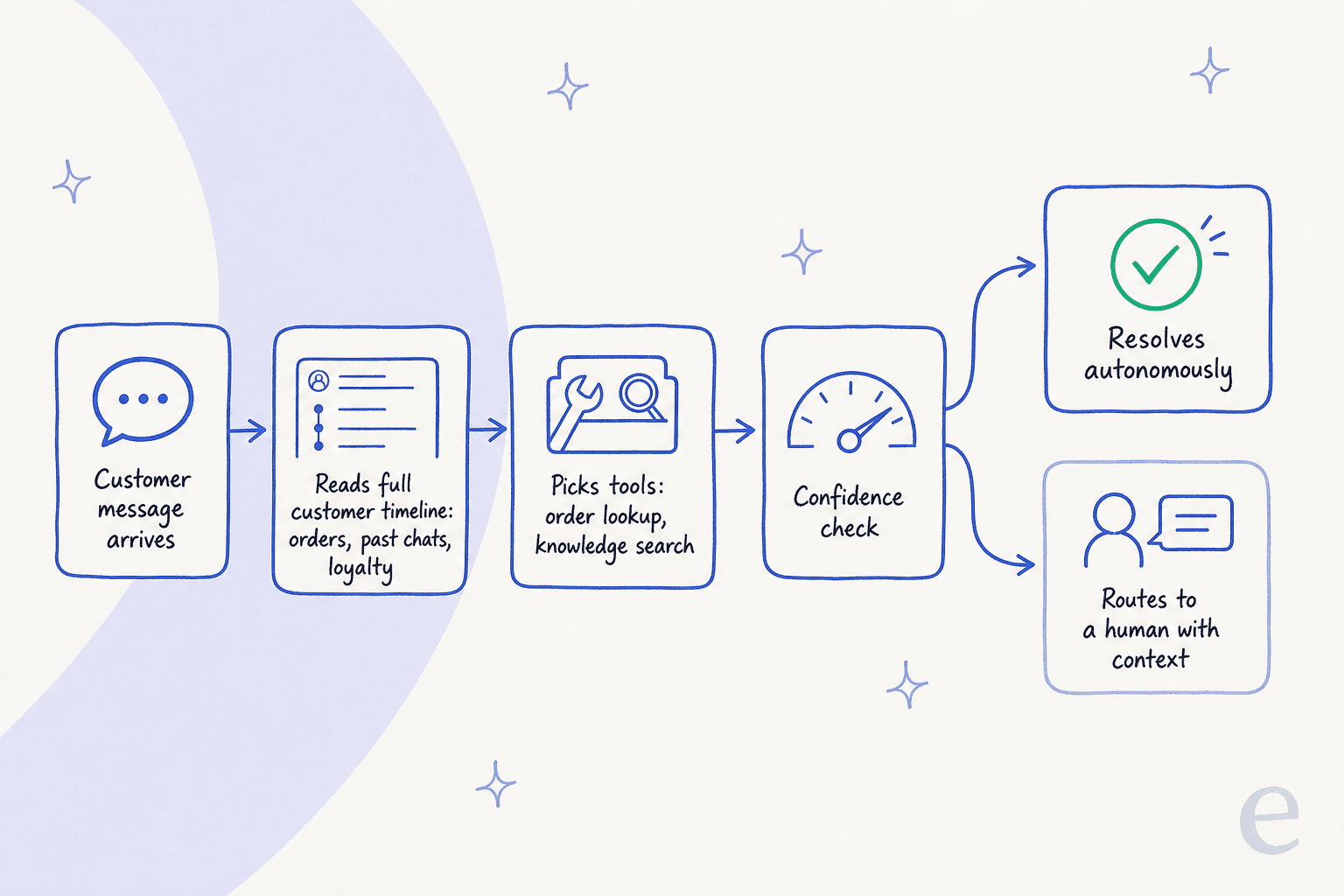
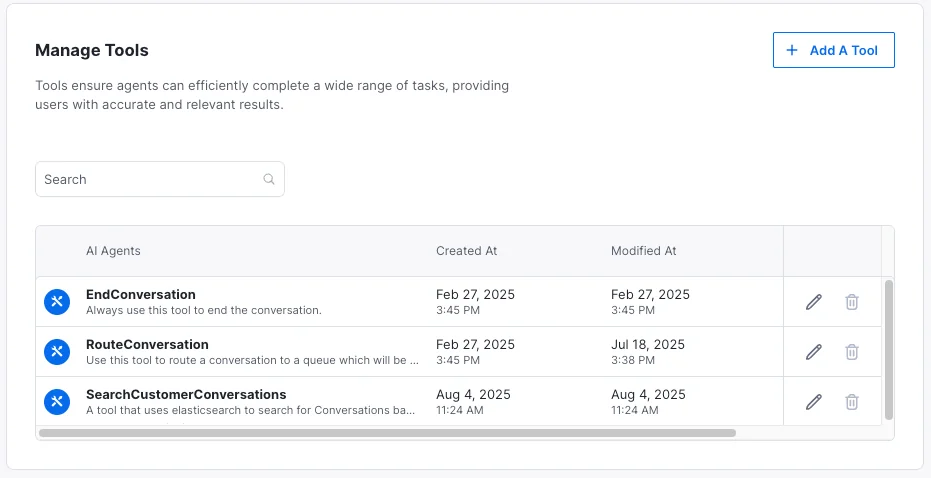
The part I find most interesting as an integrations person is the tool model. A Kustomer AI agent doesn't just do retrieval-augmented answers off your help center; it gets a set of tools it can call, like an order lookup, a knowledge search, or a routing action. You manage those explicitly, which is what makes end-to-end resolution (not just ticket deflection) possible.
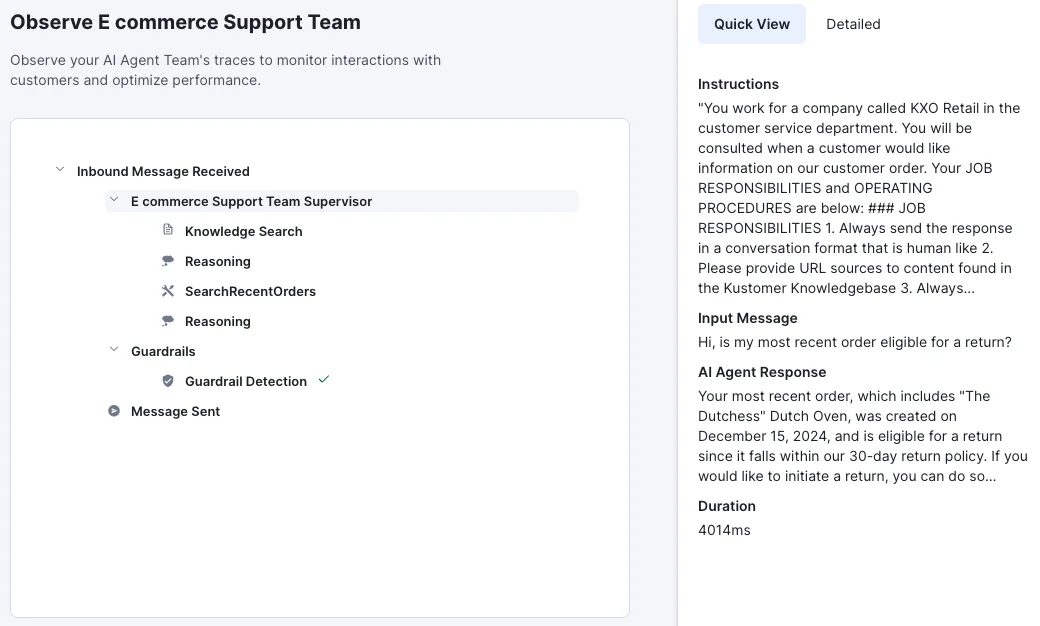
Kustomer also gives you an observability view, so you can watch a single conversation move through the agent step by step: inbound message, supervisor reasoning, knowledge search, an order lookup, a guardrail check, then the sent message. That trace is what makes it debuggable, which matters more than any demo, because the first month of any bot is mostly you figuring out why it said something odd.
One honest gap worth naming: Kustomer never says which model runs underneath. The public pages describe a hybrid of "deterministic AI for guaranteed outcomes and probabilistic AI for complex scenarios," plus native Model Context Protocol support, but no named foundation model. That's fine for most buyers; it's a flag if your compliance team needs to know exactly what's processing customer data.
Setting up the chatbot in Kustomer
You build the bot in Architect, and Kustomer leans hard on a conversational setup: you describe the team you want ("a team that handles Q&A from customer inquiries") and the assistant scaffolds it. It's a nice on-ramp if you don't have engineering time to spare.
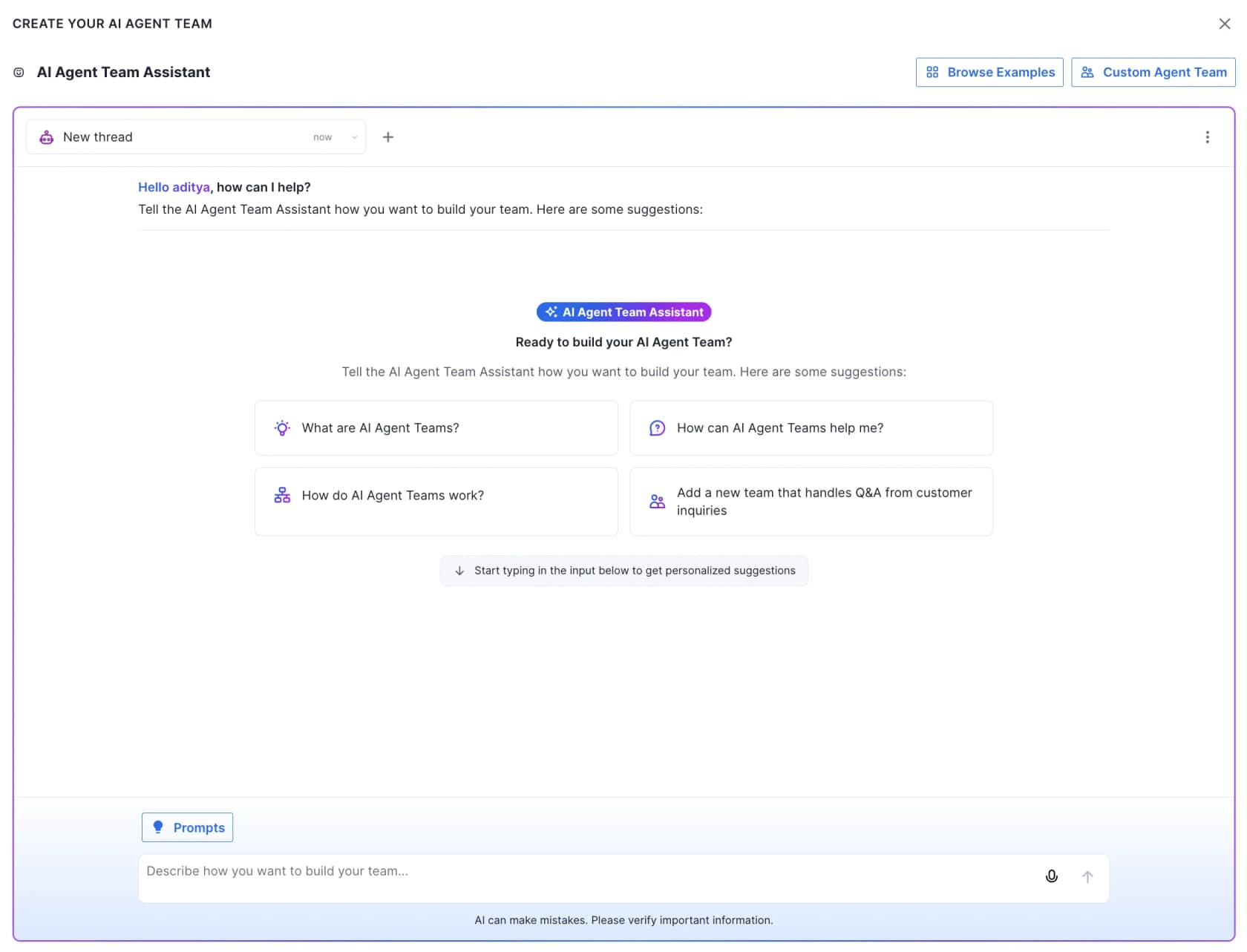
Once it's scaffolded, the flow is roughly:
- Define the agent's job. Write its instructions (responsibilities, tone, what to do and not do) and connect the knowledge it should answer from.
- Attach tools. Give it the order lookups, searches, and routing actions it needs to do more than parrot help articles.
- Set guardrails and confidence. Decide where it acts on its own and where it must escalate, and set the thresholds that trigger a handoff.
- Test before deployment. Kustomer spins up a test customer so you can chat with the bot and see how it responds before real traffic hits it.
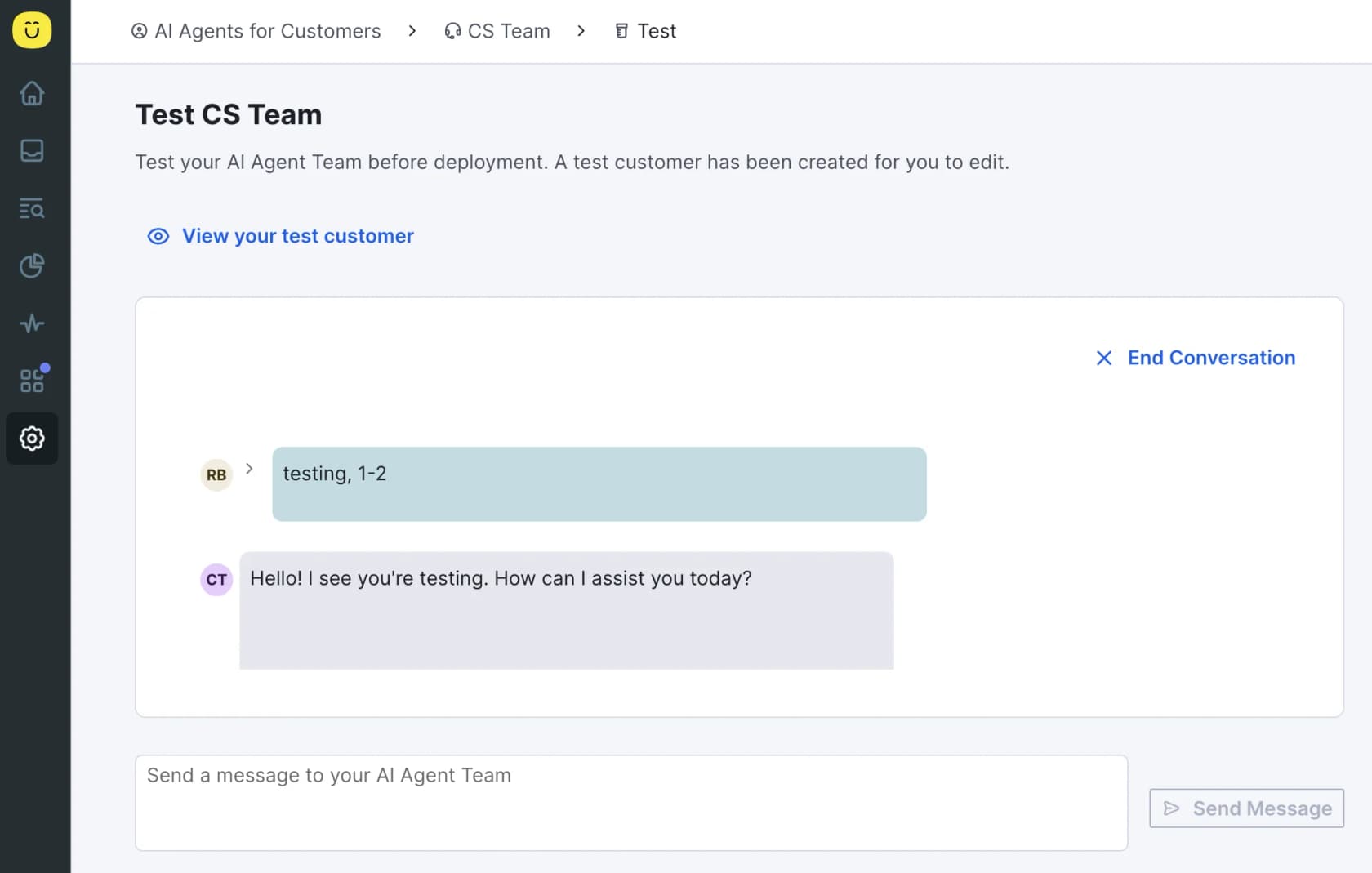
That test step is the right instinct, but it's worth being clear about its limit. Chatting with one made-up test customer tells you the bot works; it doesn't tell you how it'll handle the thousand weird real tickets your customers actually send. That gap, between "it replied fine in a demo" and "it's safe on live queues," is the single biggest reason AI rollouts stall, and it's the exact thing we obsess over on the eesel side.
What a Kustomer AI chatbot really costs
Here's where I'd slow any buyer down. Kustomer's pricing page routes every path to "Talk to Sales," and the AI is folded into the package by name with no published per-resolution number. So the honest answer to "what does the chatbot cost" is: it's a separate, usage-metered line item, and you have to ask.
The only hard figures come from a competitor teardown by Gorgias (directional, and worth confirming with sales), but they line up with what operators report:
| Cost component | Figure (directional) | Notes |
|---|---|---|
| Seats (Enterprise) | ~$89 / user / mo | Annual billing, 8-seat minimum |
| Seats (Ultimate) | ~$139 / user / mo | Annual billing, 8-seat minimum |
| Customer-facing AI (Concierge) | ~$0.60 / engaged conversation | Metered on top of seats |
| Agent-assist AI (Envoy) | ~$40 / user / mo | Per seat, on top |
| HIPAA compliance | +$25 / user / mo | Add-on |
| Storage overage | $50/GB data, $1/GB attachments | Overage fees |
| Voice / SMS / WhatsApp | Pay-as-you-go | Separate channel metering |
Stack that up and the shape is clear: the sticker is the seat price, but the AI is a second meter running on top, and there's a floor you can't get under.
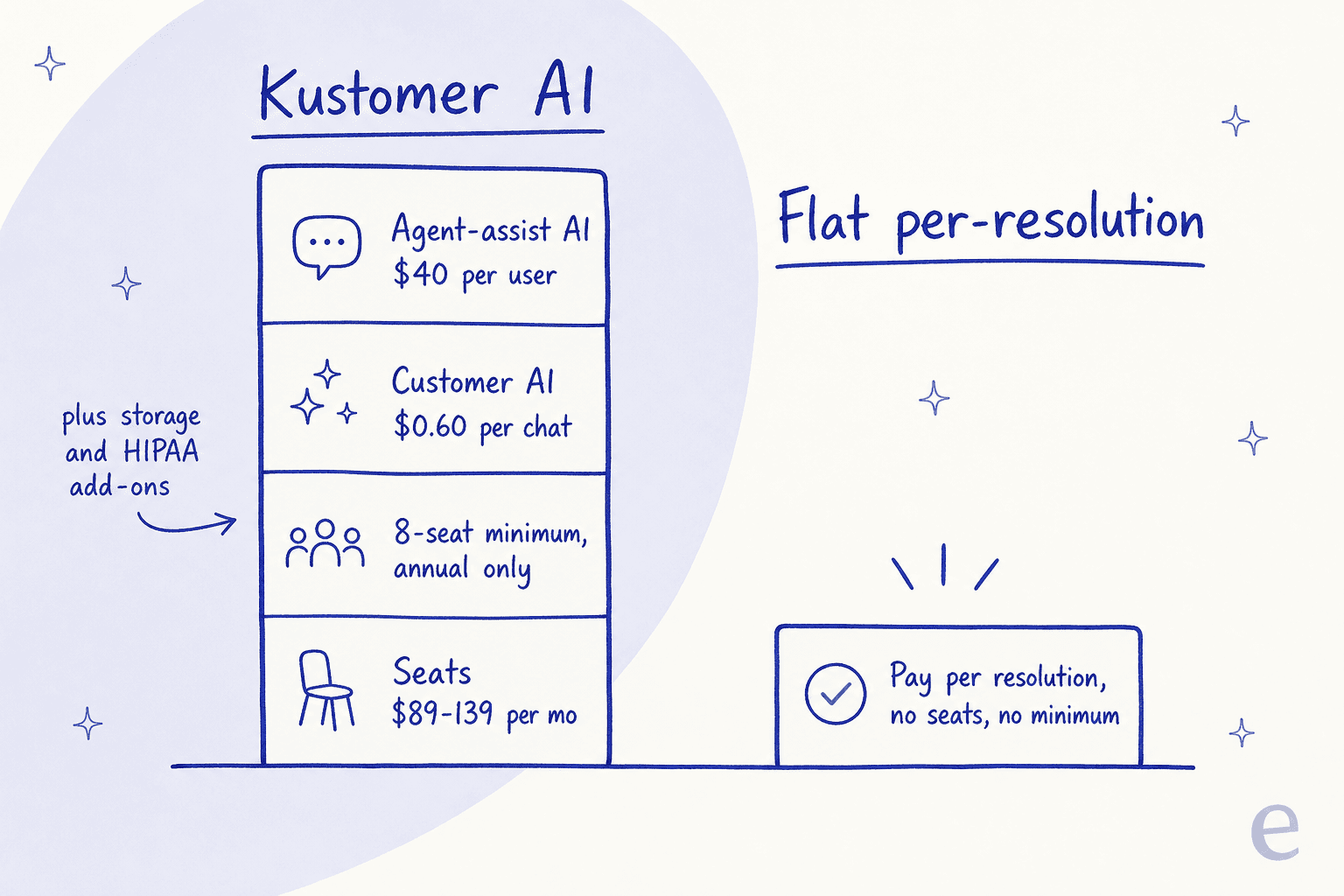
This is the sharpest, most consistent complaint I found. The eight-seat minimum plus annual-only billing plus per-conversation AI means a small team pays a lot before a single ticket gets resolved, and every extra bit of automation adds to the meter. If cost is your main driver, our Kustomer pricing guide and the Kustomer AI alternatives roundup both go deeper on the math.
What real users say
Ratings are solid without being glowing: 4.4 out of 5 across 555 reviews on G2 and 4.6 on Capterra. (Kustomer's homepage advertises a "5.0 from 500+ G2 reviews," which doesn't match G2's actual aggregate, so I'd take that badge with a grain of salt.)
On the AI specifically, the positive user voice is real but narrow, mostly about the copilot helping with policy answers and macros:
"I use Kustomer for solving tickets efficiently and fast. Macros save me time with generic replies, and the AI co-pilot assists with company policy explanations."

The friction shows up around onboarding and the wider platform, not the AI's intelligence:
"We're trying to onboard with them, but for some unknown and very odd reason, they display emails in RAW format vs. HTML by default... it's so downright odd that it defies logic and makes it untenable for us to use."

And from an operator running phone and social support on it:
"To my knowledge, comments don't pull in from social platforms... Additionally in my experience, the voice channel is incredibly buggy. My phone team is continually troubleshooting repeated issues like calls dropping, audio issues, calls not being routed."
None of that is a dealbreaker for the AI chatbot itself, but it's the texture the demo won't show you. For the fuller picture, our Kustomer review and Kustomer vs Gladly comparisons collect more of it.
Measuring whether it's working
Once the bot is live, Kustomer's AI Agent report is where you'll live: it tracks customers, conversations, and messages handled, and breaks activity down by channel over time.
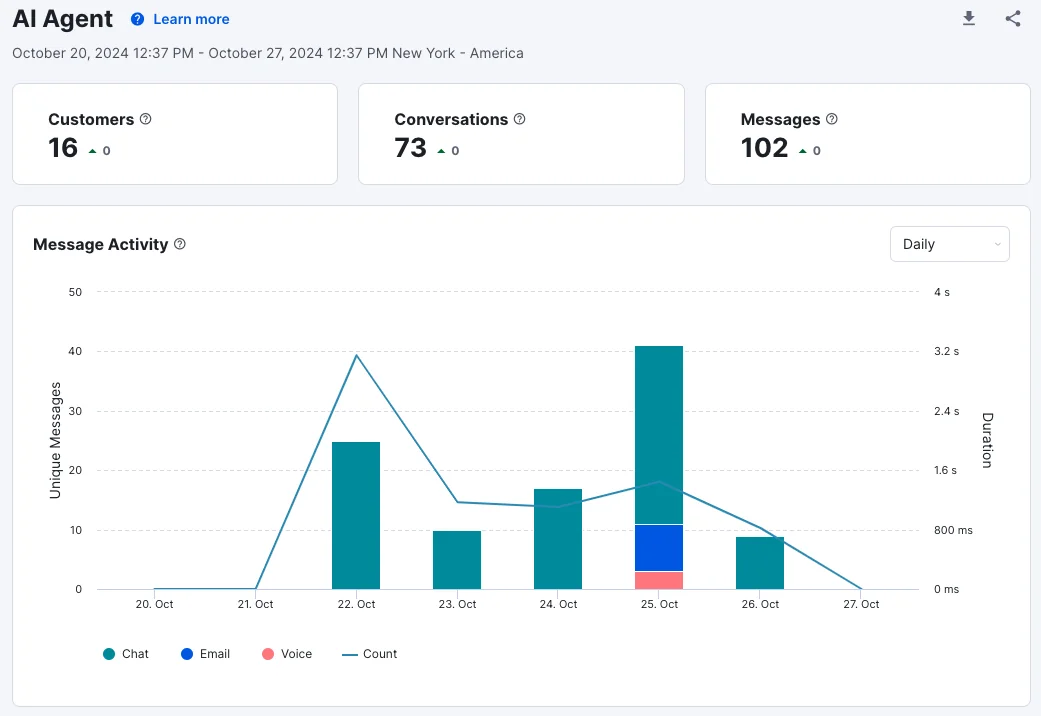
The one metric I'd watch harder than volume is genuine resolution rate, not deflection. Deflection just means the customer didn't reach a human; resolution means their problem was actually solved. A bot that "deflects" 70% by frustrating people into giving up is worse than one that resolves 40% cleanly, and the reporting won't always make the difference obvious.
When a dedicated AI layer beats the native bot
If you're happy on Kustomer and the pricing works, Concierge is the natural answer, full stop. The case for looking elsewhere comes down to two things: the metered AI cost, and the no-code ceiling (Architect is friendly, but power users hit walls, and a technical buyer on Capterra flagged the product as "somewhat stagnant in terms of API updates").
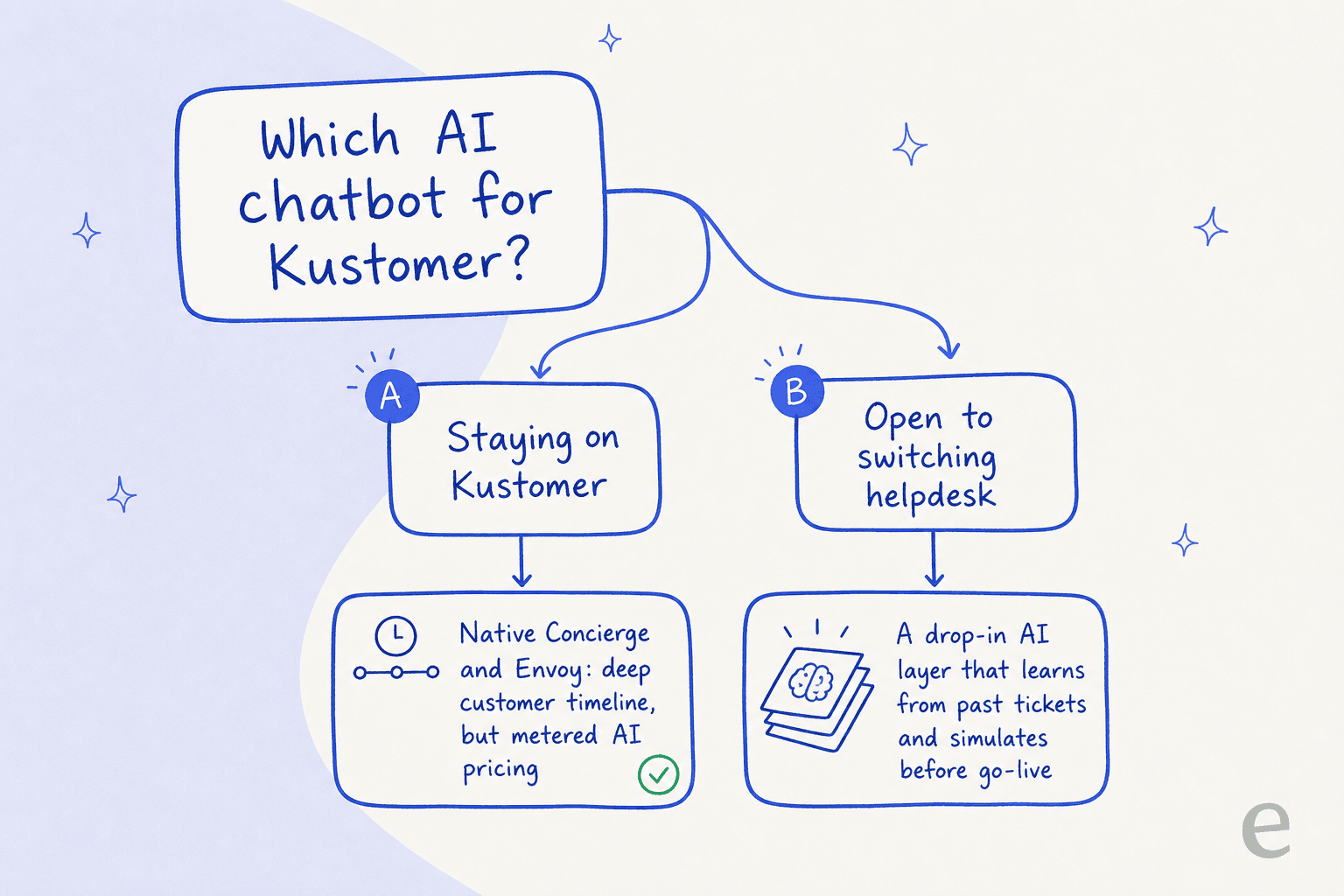
This is the point where I have to be straight about eesel, because the temptation is to pretend we bolt onto anything. We don't have a native Kustomer connector. What we do have is a drop-in AI support agent for the helpdesks a lot of teams are actually on or moving toward. That list covers Zendesk and Freshdesk, plus Gorgias, Front, Help Scout, Salesforce, and Jira Service Management among them. So if a Kustomer post has you re-evaluating the whole stack, that's the honest place we fit.
Try eesel on the helpdesk you run
The reason I'd point a nervous buyer our way isn't a feature checklist, it's how we de-risk the rollout. eesel learns from your past tickets and help docs, then runs a simulation against thousands of your real historical conversations before it replies to anyone, so you see its resolution rate and where it's shaky before go-live, not after. We've watched confident-sounding bots quietly give wrong answers, which is exactly why we built that step.

It shows up in the numbers: in the first month on Zendesk, eesel resolved 73% of tier-1 requests for Gridwise, and it runs a fully automated Zendesk agent processing 100,000+ tickets a month for Smava. Pricing is flat and per-resolution, no per-seat fees and no eight-seat minimum, which is the direct answer to Kustomer's metered model. If you're on one of the helpdesks we support, you can try eesel free and simulate it on your own history in an afternoon.