

If you already run a helpdesk, you have three ways to add AI to it: turn on your vendor's native add-on, drop a third-party AI layer on top, or build your own against the API. You almost never have to rip out your helpdesk to get AI, and switching platforms is the most expensive way to solve this.
The catch is billing. Native add-ons and layers charge on different meters, and the meter matters more than the sticker price. Zendesk bills $1.50 to $2.00 per automated resolution, Front bills per conversation, and eesel charges one fixed monthly price from $299 for 500 credits, 1 credit per ticket it handles, with no platform or per-seat fee. Those are not the same unit, so "per unit" quotes are not comparable until you convert them to your real ticket volume.
My recommendation: keep the helpdesk your team already knows, and choose the AI by whether it can train on your past tickets, whether you can test it before it goes live, and whether the billing rewards you for routing more work to it. eesel is the option I reach for when the answer to all three needs to be yes, because it layers onto your current helpdesk, learns from your ticket history, and lets you simulate before a single customer sees a reply.
Three ways to add AI to a helpdesk you already run
I'll be honest about where this post comes from: we've spent years putting AI agents on live support queues, and the single most common thing we hear from teams evaluating us is that they already tried the native option first. One that stuck with me was a CX lead at a US healthcare platform with a few thousand patients, who'd turned on native Zendesk AI and found it, in their words, "inadequate and overpriced." They weren't looking to switch helpdesks. They were looking to switch the AI on top of it.
That's the real question behind "AI helpdesk integration." It isn't "which helpdesk should I buy." It's "how do I get good AI onto the helpdesk I already have." There are three routes.
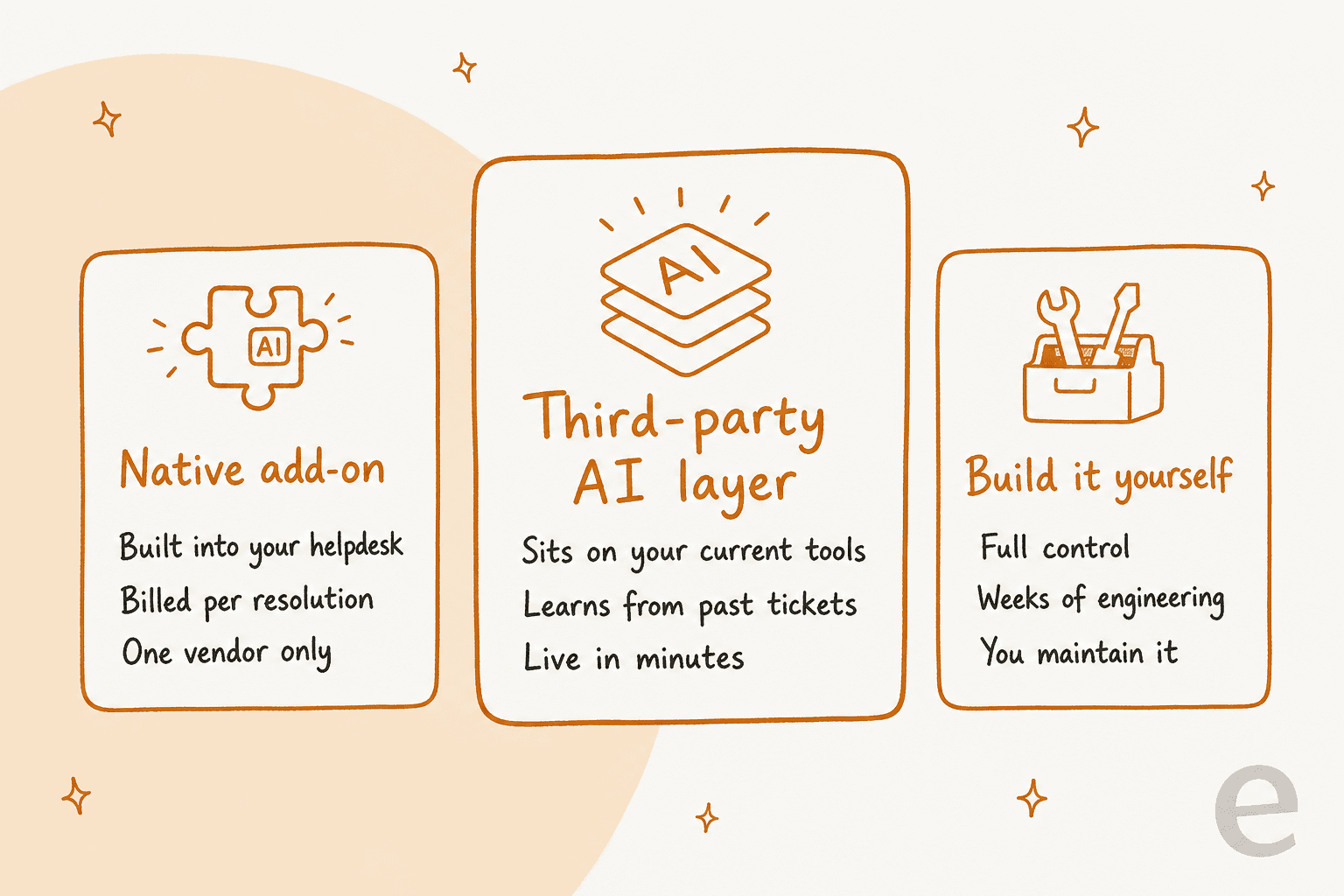
1. The native add-on. Every major helpdesk now ships its own AI: Zendesk has AI agents, Freshdesk has Freddy, Gorgias has its AI Agent, HubSpot has Breeze. It's the path of least resistance, it's one bill, and it's tied to that one vendor.
2. The third-party AI layer. A dedicated AI tool connects to your helpdesk as an agent and works the same queue. You keep your platform, your macros, and your views, and you swap in an AI that's usually better at learning from your own ticket history. This is the route most teams land on once they've outgrown the native option.
3. Build it yourself. Your engineers wire the AI directly to the helpdesk API. Total control, and total ownership: you're now maintaining prompt logic, retrieval, and escalation rules forever. Worth it for a handful of teams with unusual needs and spare engineering capacity, and a trap for everyone else.
Most of the rest of this post is about picking well between the first two, because that is where nearly every real decision gets made.
What "layering AI on top" actually means
The phrase "AI layer" sounds vague until you see what it plugs into. A good integration isn't a chatbot bolted to your website. It joins your helpdesk as an agent, with the same abilities a human support teammate has.
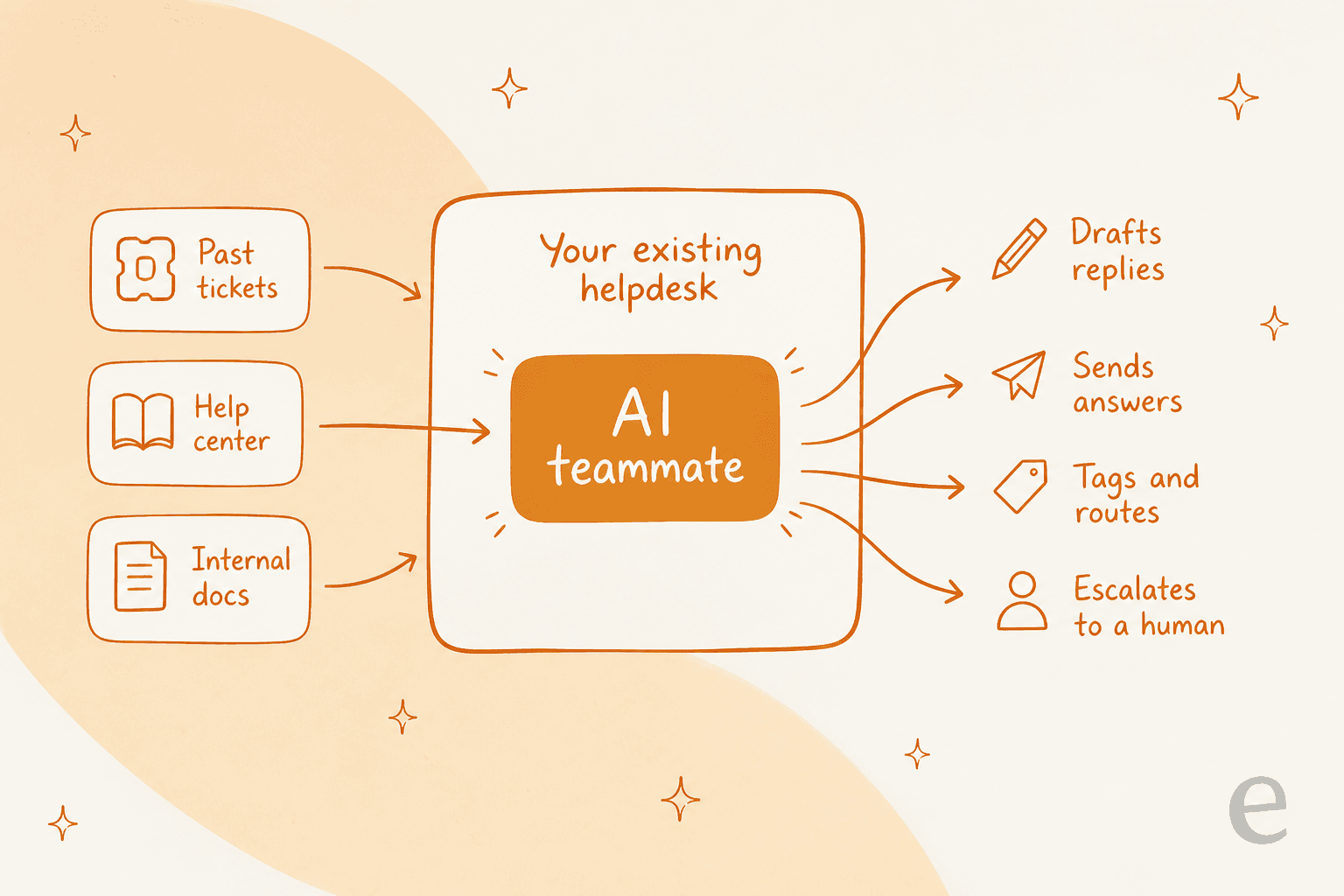
Three things feed in on one side: your past tickets, your help center, and your internal docs. The AI reads all of it, then acts on the other side. With eesel and Zendesk, for example, the agent "reads Zendesk tickets, drafts and sends replies, adds internal notes, updates ticket fields, and routes to groups. Exactly like a human agent would," per the integration page. No separate inbox, no second widget for customers to notice.
The important part is that the layer usually connects over OAuth in a few clicks. There's no data migration, because your tickets never move. That's the whole appeal of integrating AI rather than replacing the helpdesk: your team's muscle memory stays intact, and the AI meets your customers exactly where they already write in.
Native AI add-ons, helpdesk by helpdesk
Native add-ons are good at some things. They're already inside your tool, they need no extra login, and they read your tickets without any new permissions. If your volume is low and your questions are simple, turning one on is a completely reasonable first move.
Here's the honest state of the main ones, and where each tends to frustrate teams that push past the basics.
| Helpdesk | Native AI | Typical billing unit | Where teams hit a wall |
|---|---|---|---|
| Zendesk | AI agents | $1.50 to $2.00 per automated resolution | Per-resolution cost climbs fast at volume; deep automation sits behind higher tiers |
| Freshdesk | Freddy AI Agent | Per Freddy session, on top of seats | Sessions bill separately from your plan; strongest features gated by tier |
| Front | AI Autopilot | ~$0.05 per resolved conversation | Scoped to Front's own channels and knowledge |
| Help Scout | AI assist / drafts | Per-user plans; AI Answers $0.75 per resolution | Assist-first; less of an autonomous end-to-end agent |
| Gorgias | AI Agent | $0.85 to $1.00 per automated interaction | Interactions metered separately from the base plan |
| HubSpot | Breeze Customer Agent | ~60 resolutions/mo included, then per resolution | Best value if you're already all-in on HubSpot |
A couple of patterns jump out. Native AI is almost always metered as an extra line on top of your existing plan, not folded into it. And the deeper capabilities (custom actions, multi-brand routing, proper analytics) tend to live on the tier above the one you're on. That's not a knock on any single vendor, it's just how the add-on model works: the AI is a revenue product, priced accordingly.
The bigger limitation is knowledge. Most native tools train primarily on your help center and public docs. Freshdesk's Freddy, for instance, is capable, but teams routinely tell us a dedicated layer resolves their edge cases more precisely because it also learns from thousands of past resolved tickets, which is where the real answers usually live.
The billing trap: resolution vs conversation vs ticket
This is the part I'd slow down on, because it's where most budgets go sideways. AI support tools use the same words to mean different things, and the meter you're billed on changes the math completely.
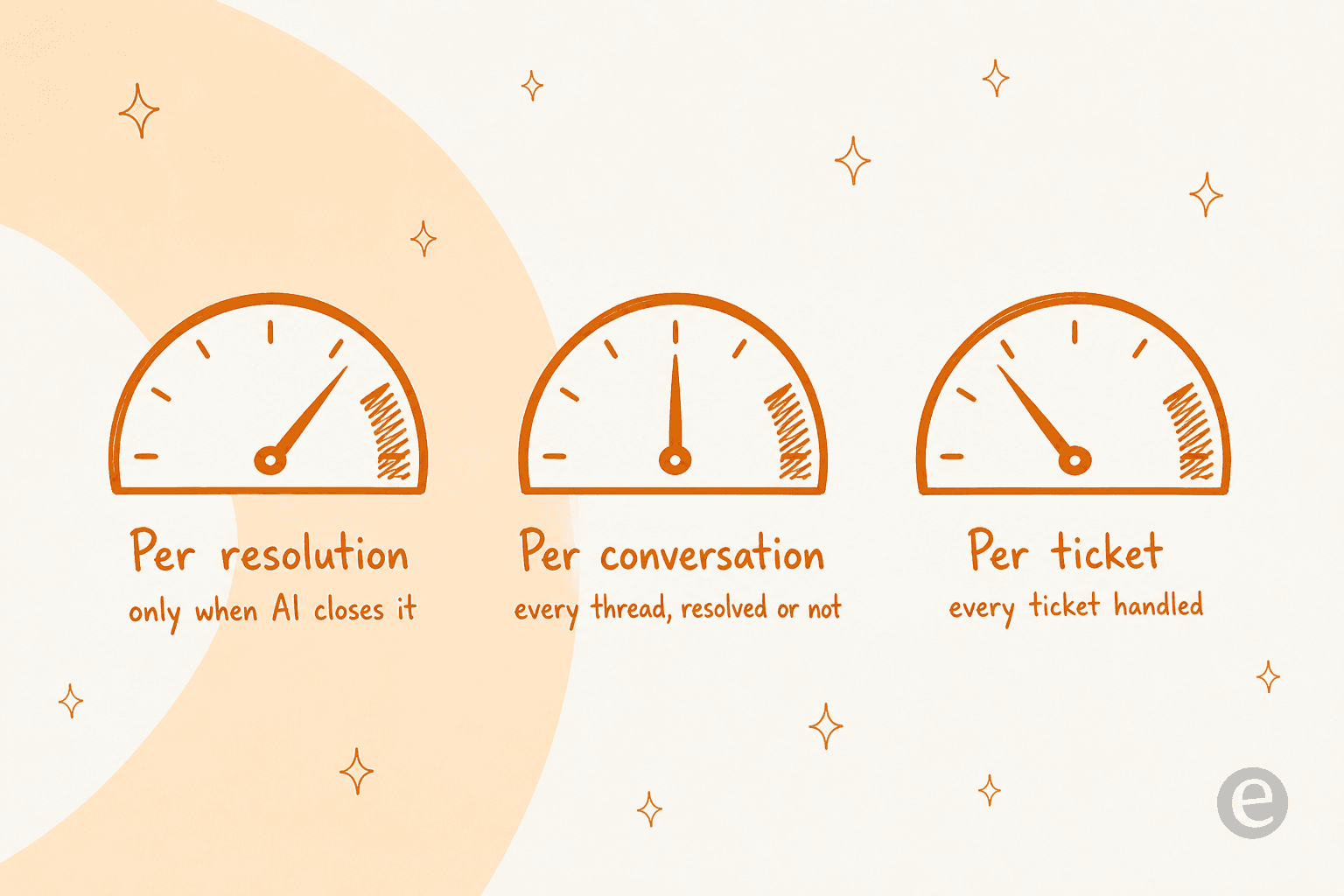
- Per resolution means you pay only when the AI closes something. Cheaper-sounding until you realise a "resolution" definition varies by vendor, and a reopened ticket can count twice.
- Per conversation means you pay for every thread the AI touches, resolved or not. Predictable, but you're paying for the misses too.
- Per ticket means one credit per ticket handled, no matter how many messages go back and forth.
eesel deliberately uses the last one. It's 1 credit per ticket or helpdesk conversation handled, not per reply, sold as a fixed monthly price sized to your volume. A ticket or chat costs one credit no matter how many messages go back and forth. There's no platform fee and no per-seat fee.
Why does that matter? Because per-resolution pricing quietly punishes the thing you actually want, which is high automation. The more your AI resolves, the more you pay, and there's a psychological ceiling where teams start limiting how much they route to the AI to control the bill. A fixed monthly price with one credit per ticket removes most of that ceiling. Here's how eesel's monthly plans map to ticket volume:
| Tickets per month | Monthly cost |
|---|---|
| Up to 100 | Free (100 credits) |
| Up to 500 | $299 |
| Up to 1,000 | $499 |
| Up to 2,500 | $999 |
| Up to 5,000 | $1,899 |
And here is the key part: you only pay for tickets you actually route to the AI. As eesel's pricing page puts it: if your team handles 1,000 tickets a month but you only send 200 to the AI, only those 200 use credits, so the 500-credit plan at $299/month is plenty. You're never charged for tickets your human agents handle. That's the opposite of the native model, where deep automation is the expensive tier.
When a third-party AI layer makes more sense
Native add-ons win on convenience. A third-party layer wins on three things that tend to matter more once you're serious about support automation.
It learns from your history, not just your docs. The best answers to real tickets are buried in tickets you've already resolved, not in the help center. A layer that trains on that history handles the messy, specific questions the docs never covered.
You can test it before it's live. This is the one I'd never skip. eesel's simulation "replays your past tickets and scores its answers against what your team actually sent," then suggests instruction changes. In one worked example, fixing a documentation gap moved refund-question coverage from 28% to 91%, and the fix was a knowledge change, not a model change. You roll out only when the numbers look right, not on faith.
It's portable. If you ever do change helpdesks, or run more than one, the AI comes with you. A native add-on is, by definition, stuck to its vendor. eesel supports multi-brand setups where each brand gets its own triggers, actions, and bot account.

The one place native really wins: if you're low-volume, fully committed to a single vendor's ecosystem (HubSpot is the clearest example), and your questions are almost all covered by public docs, the built-in option is the least effort. Be honest with yourself about which situation you're in.
How to roll out AI on your helpdesk without breaking things
Whichever route you pick, the rollout is where integrations succeed or fail. A confident-sounding bot that quietly gives wrong answers does more damage than no bot at all, which is exactly why we simulate every rollout against historical tickets first. Here's the sequence I'd follow.
- Connect over OAuth, read-only first. Authorise the AI against your helpdesk. Connecting a tool doesn't make anything happen on its own, it only grants access. Nothing goes live until you create a trigger.
- Point it at your real knowledge. Past tickets, help center, and internal docs in Confluence, Google Drive, or Slack. The wider the knowledge, the fewer the "I don't know" moments.
- Simulate against your own tickets. Run the AI over hundreds of past tickets in a sandbox, and read the scored report. This tells you your real resolution rate before a customer is involved, and shows you the specific gaps to fill.
- Start in draft mode. Let the AI draft replies for human agents to approve. Low-confidence answers become drafts, not live sends. Your team builds trust and corrects mistakes with zero customer risk.
- Go autonomous gradually. Turn on auto-send for the ticket types the simulation proved out, and expand from there. Watch the analytics, and route more as confidence grows.
The teams that get burned skip straight to step five. The teams that succeed treat steps three and four as non-negotiable.
Try eesel on your existing helpdesk
If you want AI on the helpdesk you already run, eesel is built for exactly that. It joins Zendesk, Freshdesk, Front, Help Scout, Gorgias, and HubSpot as a real agent, trains on your past tickets and docs, and goes live in minutes rather than a migration project.
The differentiator I'd point to is the simulation step: you see how it handles your real tickets, fill the gaps it finds, and roll out only when you're confident, all on a fixed monthly price with no platform fee. You can start with 100 free credits, no credit card and no sales call required.