What an AI avatar for customer service actually is
I build the AI agents that answer support tickets, so when someone sends me an avatar demo, the first thing I do is look straight past the face. It is genuinely impressive tech. It is also the easy 20% of the problem.
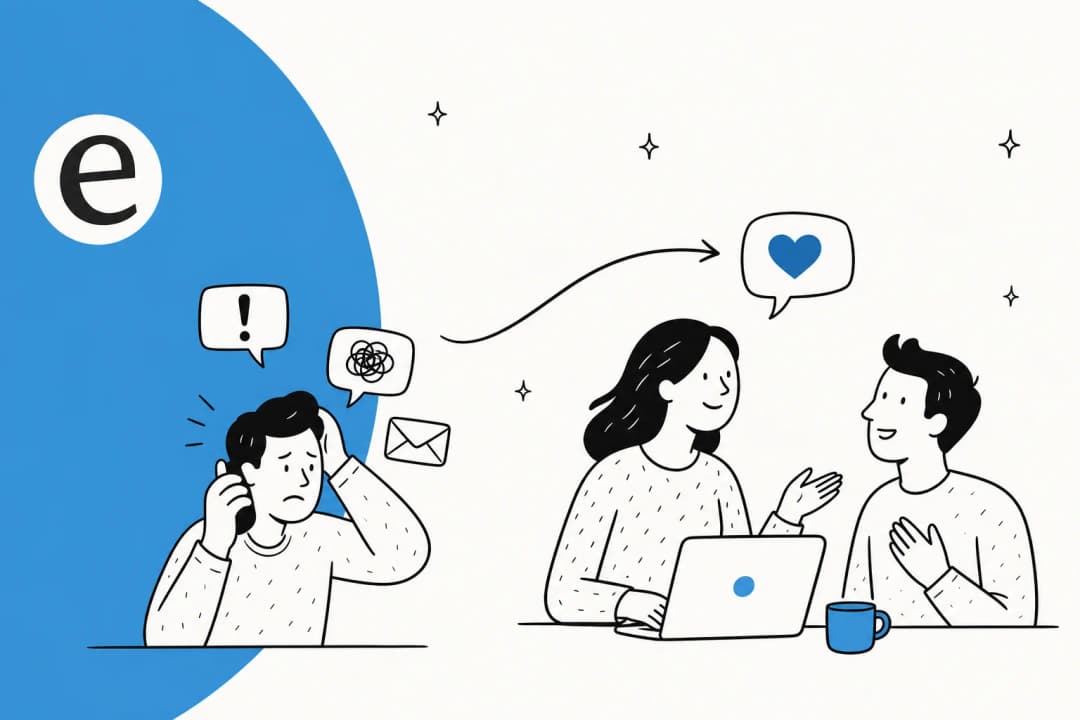
Here is the mental model that keeps me sane. Any AI customer service setup has two layers. The presentation layer is what the customer sees and hears: text, voice, or a photorealistic avatar. The resolution layer is everything that decides what to say: understanding the question, pulling the right answer from your knowledge, taking an action like looking up an order, and knowing when to hand off to a human.
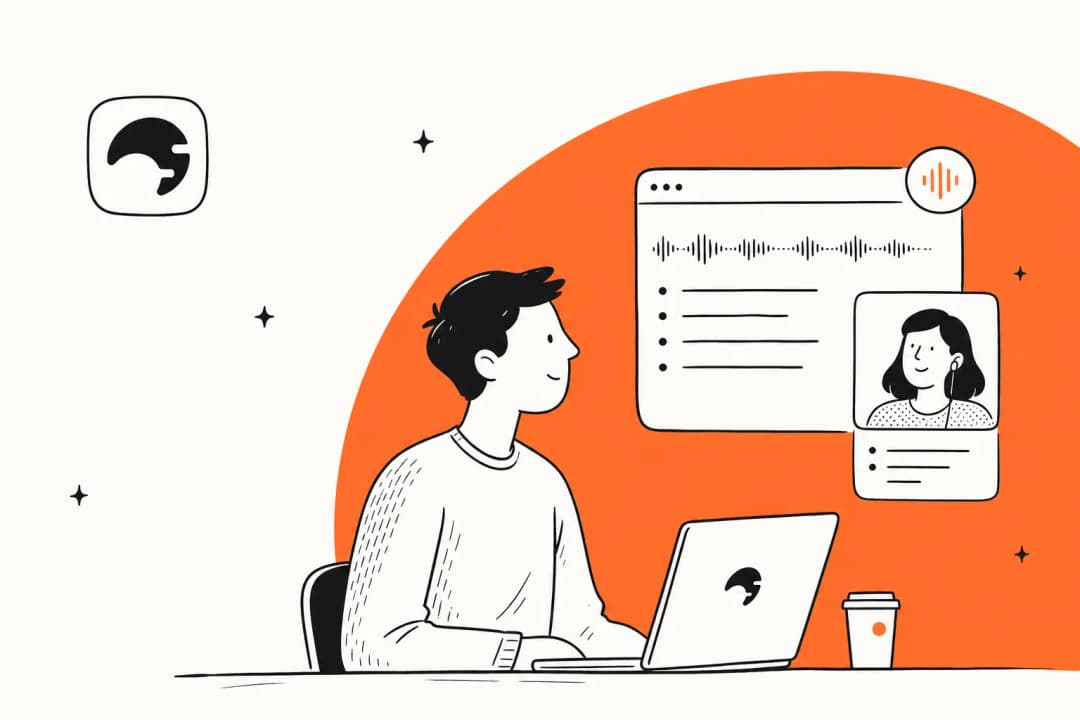
An AI avatar is entirely presentation layer. It renders a lifelike human that talks. The actual reasoning comes from whatever model and knowledge you connect behind it. Get that engine wrong and you have a beautifully animated face confidently giving people the wrong refund policy.
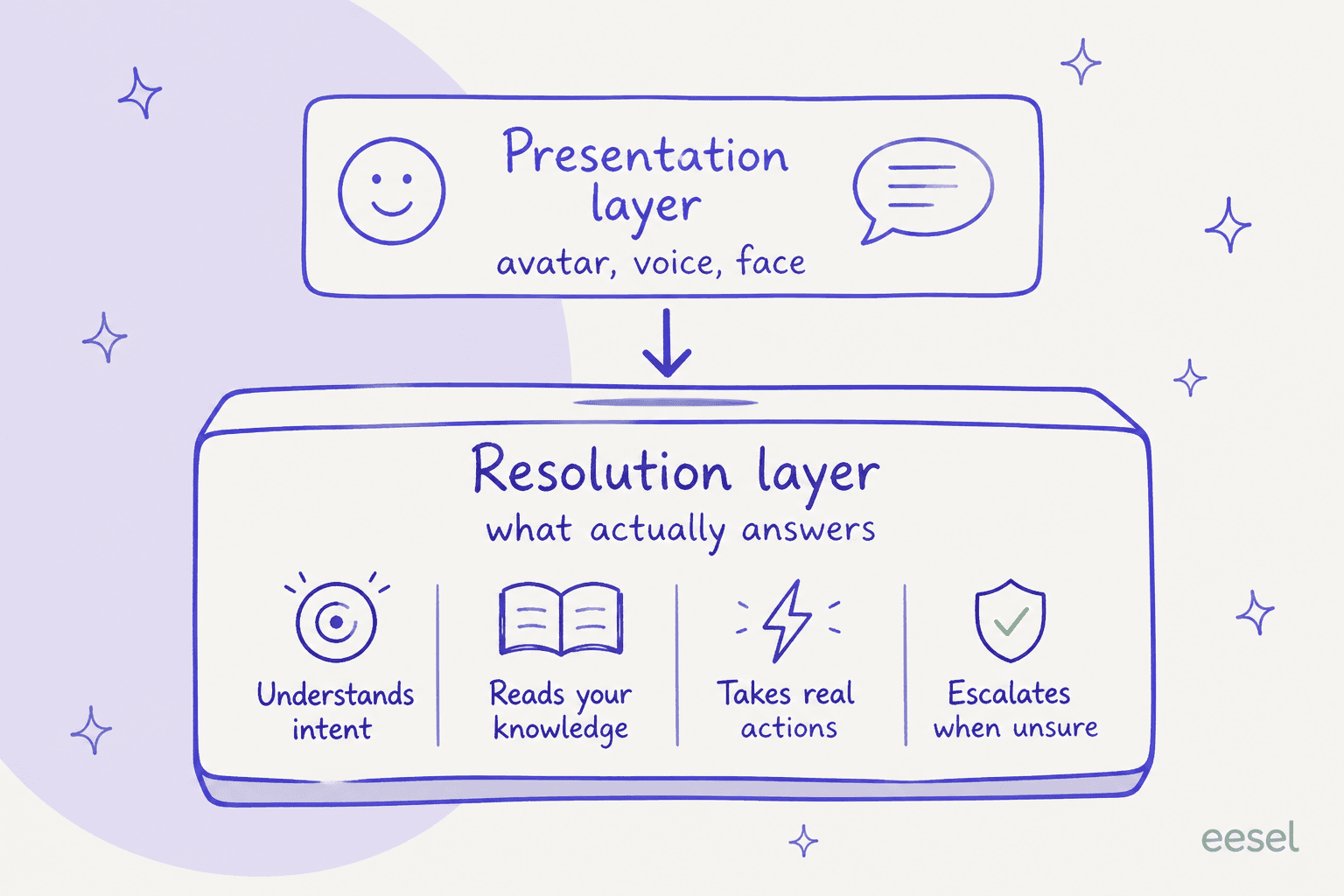
We have spent years running AI for customer service on live queues, and the lesson that stuck is that the face was never the bottleneck. A confident-sounding bot that gives wrong answers is worse with a warm smile attached, not better. This is why the interesting question is never "how real does it look" but "what is behind it, and can I trust it before I put it in front of a customer".
The tools, and what they really do
The avatar market for customer service breaks into two camps: developer-first streaming avatars, and enterprise digital humans. Neither is a helpdesk. Here is how they compare on the things that actually matter for support.
| Tool | What it really is | How it bills | Native helpdesk / knowledge base | Best for |
|---|---|---|---|---|
| HeyGen LiveAvatar | Real-time video-face layer, API-first | ~$0.10-$0.20 per streamed min | No. Bring your own model, TTS, and KB | Presenters, tutors, sales avatars |
| Tavus | Conversational Video Interface (CVI) | From $59/mo, per streamed min | No. RAG and actions are DIY | Face-to-face intake and reception |
| D-ID | Talking-head agent + LLM + RAG | Credits by speaking time | Partial. KB upload, actions via webhooks | Brand concierge, product explainers |
| Soul Machines | Enterprise digital workforce | $40,000/yr published tier | No. Orchestrates your AI stack | Banking, healthcare, branded roles |
| UneeQ | Enterprise digital humans | Quote-only | No. LLM orchestration layer | Guided sales, kiosks, brand ambassadors |
HeyGen's LiveAvatar and Tavus: the video-face layer
HeyGen's real-time avatar is now a separate product called LiveAvatar, split out from the main video-generation app. It streams a lifelike talking head over WebRTC, and the pricing tells you what it is: 1 credit is 10 cents, and a minute of streaming costs 1 credit in Lite mode or 2 in Full mode. Plans run Free, $19, $99, and $475 per month. It is fast, with a claimed sub-300ms time to first frame, but there is no Zendesk connector, no ticket deflection reporting, and no way to train it on your past tickets. You bring the model, the voice, and the knowledge.
Tavus is the same shape with a research pedigree. Its Conversational Video Interface leads on latency, with founders reporting under 1 second, as fast as 600ms utterance-to-utterance. It offers an optimized knowledge base and function calling, but grounding it in your help center is developer work, not a setup wizard. Pricing starts at a free 25 minutes, then $59 per month for Starter and $397 for Growth, billed per streamed minute. The demo reactions capture the whole category:
"Felt like talking to a person, I couldn't bring myself to treat it like a piece of code, that's how real it felt."

"Functionality for a demo launch: 9.5/10. Creepiness: 10/10."
Both reactions are true at the same time, which is exactly the problem with leading a support strategy with the face.
D-ID: a talking head with a knowledge step
D-ID's agents go a step further than pure streaming: the build flow includes an "add knowledge" step for RAG and lets you wire actions through webhooks to your own API. It is closer to a full agent than HeyGen or Tavus, and it holds a solid 4.6/5 from 131 reviews on G2. But it is still an engagement layer, not a helpdesk. There is no ticketing, no queue, no CSAT, and no agent handoff workflow, and the billing model is the recurring complaint:
"The thing that frustrates me most is the credit system. It's easy to burn through credits faster than you expect... For heavier users the pricing can start to feel steep once you move past the lower tiers."

Because D-ID bills by the avatar's speaking time, at 0.5 credits per 15 seconds, a chatty avatar answering FAQs burns through minutes fast. And if the account runs out of credits, the agent stops responding until you top up, which is a real availability risk for an always-on channel.
Soul Machines and UneeQ: the enterprise digital humans
At the top end sit the "digital humans", and this is where avatars earn genuine, sourced wins. Soul Machines publishes a Digital Workforce tier at $40,000 per year with deployments at ANZ Bank, Mercedes-Benz, and UCSF Health. UneeQ is quote-only and leans into guided, high-consideration journeys. Its Deutsche Telekom digital human "Max" reportedly drove a 5.8x surge in conversion rate, a 9% drop in cart abandonment, and 47% more basket additions.
Notice what those wins have in common: they are sales and guidance, where the face adds reassurance and the conversation is the product. That is a very different job from clearing a ticket queue. Even here, the digital human is a front-end on top of an LLM and your knowledge; it does not resolve support cases by itself.
Do customers even want a face?
This is the question the demos skip, and the data is not subtle. For everyday support, most people would rather not talk to a synthetic face at all.
- SurveyMonkey found about 79% of Americans strongly prefer a human, and in its 2026 data the share who would rather deal with a human rose from 83% to 85%, while preference for AI slipped from 7% to 5%.
- A Kinsta survey of 1,011 US adults put the figure even higher, at 93% preferring a human.
- 84% believe human agents give more accurate support, and the share who say they would hang up if connected to AI climbed from 29% to 31%.
The nuance that matters: preference is entirely context-dependent. For a serious issue like fraud, 70% want a human. But for simple order tracking, only 19% do, and for fast transactions 82% would rather use a bot than wait. So the reassurance a face provides is valuable in exactly the moments people already want a human, and it is friction in the moments they just want a quick answer.
The sharper objection shows up whenever this comes up in conversational AI circles: a face on a support bot can read as effort-faking.
"AI avatars are... a statement of disinterest. If you don't care enough about my business to be on a sales call with me, why would I bother speaking to an AI avatar you send in your place?"
"Trying to put a human-face on AI annoys me to no end. Stop trying to make me empathize with a computer program... Let the bot be a bot. Don't try to trick me."
The honest read is that transparency wins. Be clear when someone is talking to AI, and always offer a human. A face that pretends to be more than it is erodes trust faster than a plain, fast, obviously-a-bot answer ever would.
Where an avatar earns its place, and where it does not
None of this means avatars are useless. It means you should match the channel to the job. An avatar is a strong choice when the interaction is guided, emotional, or brand-led, and a poor one when the customer just wants a fast, correct answer.
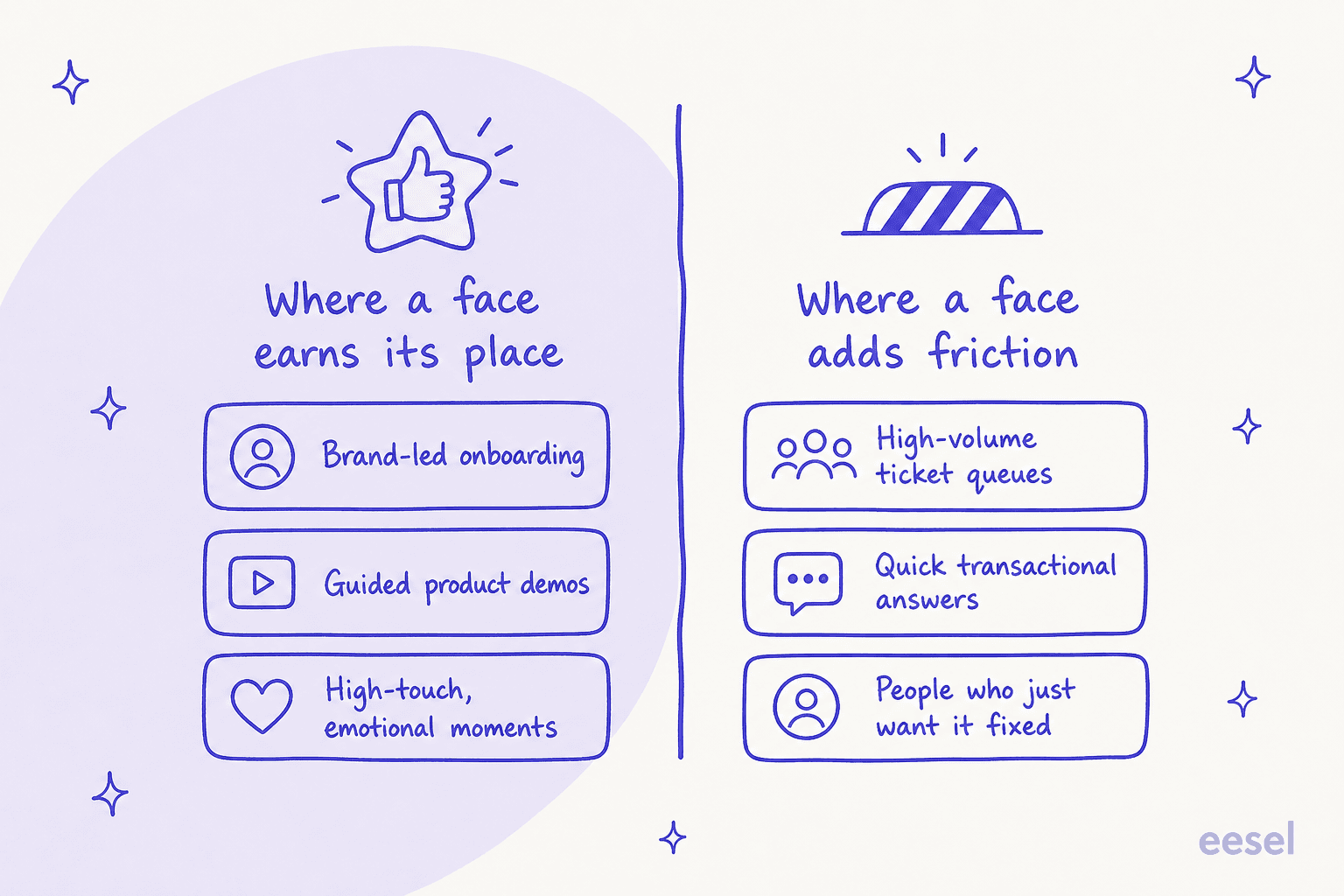
If you run a high-volume support queue, the honest recommendation is to put a face nowhere near your tier-1 tickets and instead invest in the thing that resolves them. If you run brand-led onboarding or guided sales, an avatar can genuinely lift conversion, as Deutsche Telekom's numbers show. Both can be true in the same company. The mistake is assuming a face is the upgrade when the AI vs human customer support decision is really about speed and accuracy.
What actually resolves a ticket
Strip away the avatar and here is what has to happen for a support question to get answered well. This is the resolution layer, and it is where I spend all my time.
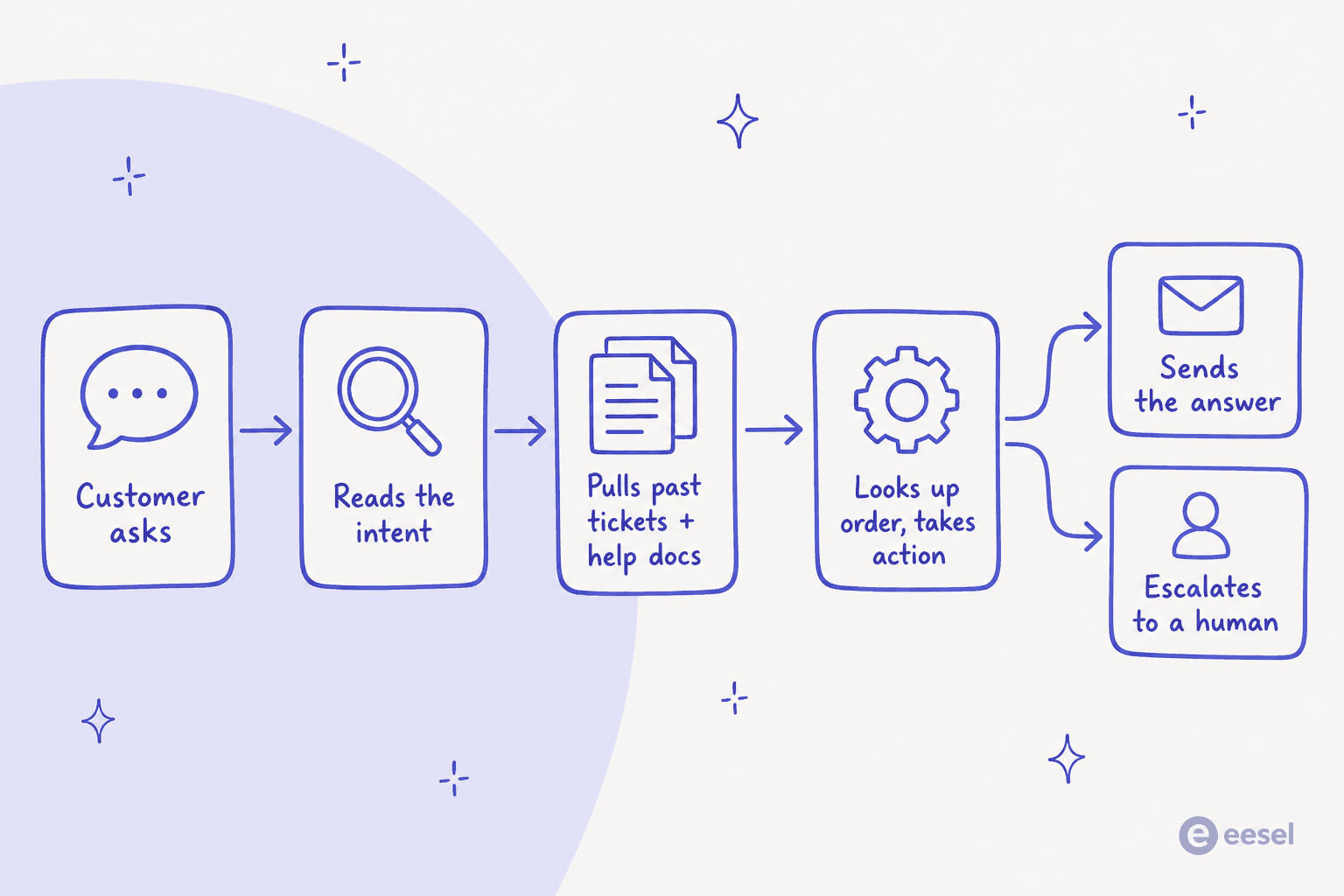
The agent has to read the real intent, pull from the right knowledge (your past tickets, help docs, and macros), take an action when one is needed, and know when to escalate rather than guess. That is the part that decides whether customers get helped, and it is the part the avatar tools leave entirely to you.
It is also the part you should be able to test before it ever touches a customer. The single most useful thing we ever built was running a new agent against thousands of a team's own historical tickets first, so you can see the accuracy and the exact answers before going live. No avatar demo I have seen offers that, because a face is easy to demo and a resolution engine is hard to trust. If you are weighing the build vs buy question, that testability is usually the deciding factor.
Try eesel
If your actual goal is to resolve more support tickets, I would skip the face and go straight to the engine. eesel is an AI support teammate that plugs into the helpdesk you already run, Zendesk, Freshdesk, Gorgias, Help Scout and more, and learns from your past tickets and docs on day one.

The differentiator is the thing avatar tools cannot offer: you can simulate the agent against thousands of your own historical tickets before it goes live, run it in draft mode to review replies, then switch to auto-respond once you trust the accuracy. It is text-first and it has no avatar, which is the point. It is built to actually resolve the ticket, not to smile while it fails to. You can try eesel free and see the resolution rate on your own tickets in about 30 minutes.
Frequently Asked Questions
What is an AI avatar for customer service?
It is a photorealistic or animated on-screen face and voice that talks to customers in real time, layered on top of an AI agent. The avatar handles how the answer is presented; a separate AI for customer service engine still has to work out what the answer is.
Do AI avatars actually resolve support tickets?
Not on their own. Most avatar tools are a front-end you connect to your own model and knowledge, with no native ticketing, queue, or handoff. Resolution comes from the helpdesk AI underneath, so a face with no engine behind it just reads scripts.
How much do AI avatars for customer service cost?
Streaming avatar tools bill per active minute. HeyGen's LiveAvatar runs about $0.10 to $0.20 per streamed minute, Tavus starts at $59 per month, and enterprise digital humans like Soul Machines publish a $40,000 per year tier. Because you pay while the avatar talks, cost scales with talk time, not resolutions. See our take on AI customer support cost savings.
Do customers even want an AI avatar in customer service?
For routine support, mostly no. SurveyMonkey found about 79% of Americans prefer a human, and preference depends heavily on the task. A face helps for guided, high-touch moments, but for fast transactional answers most people want it fixed quickly, which is the case for AI vs human customer support done well.
What is the alternative to an AI avatar for customer service?
A text-based AI support agent that lives inside your helpdesk, learns from past tickets and docs, and can be tested before it goes live. eesel's AI support teammate does exactly that across Zendesk, Freshdesk, and more, with no face to build.


Article by
Alicia Kirana Utomo
Kira is a writer at eesel AI with a Computer Science background and over a year of hands-on experience evaluating AI-powered customer service tools. She focuses on breaking down how helpdesk platforms and AI agents actually work so that support teams can make better buying decisions.