

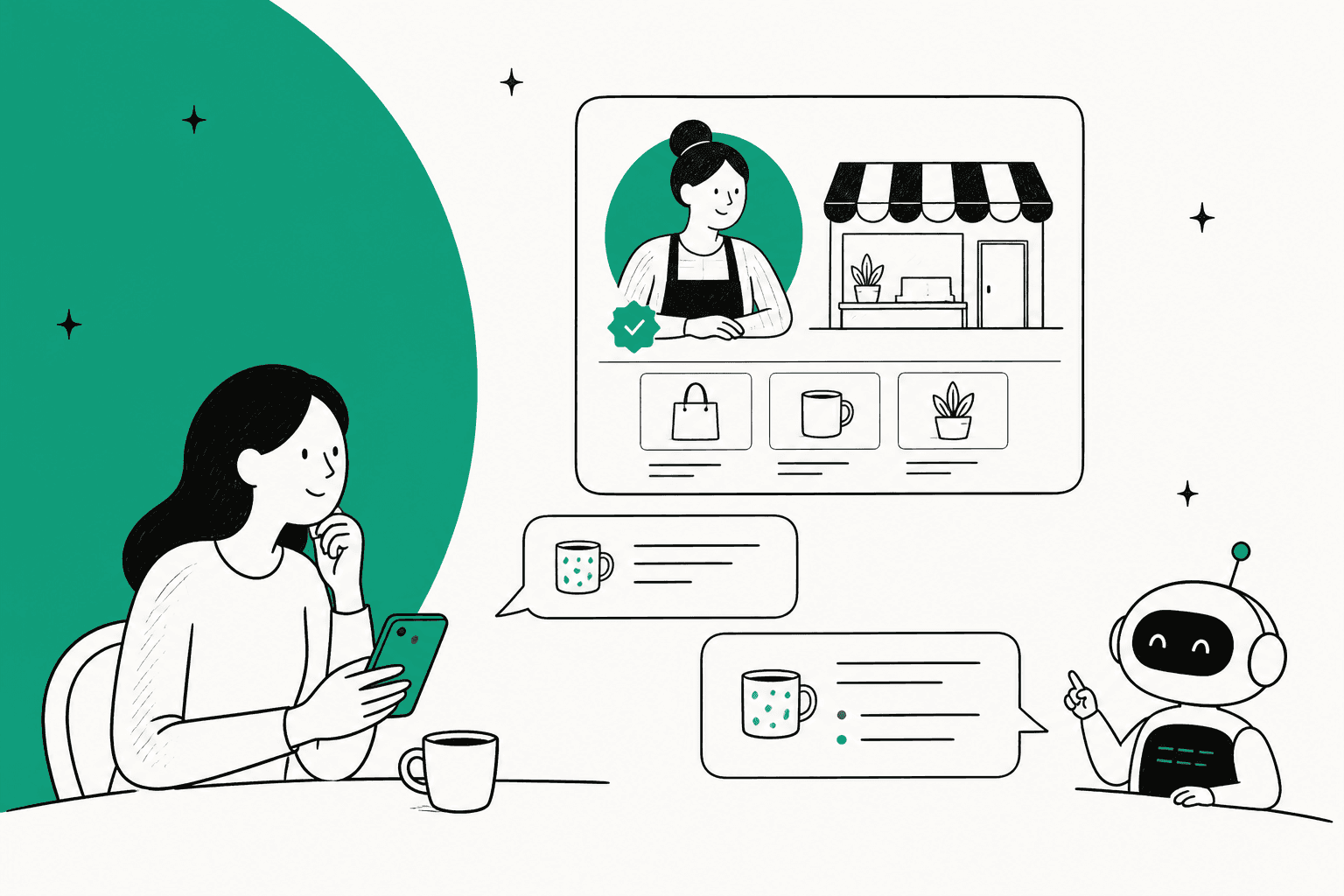
ChatGPT Business Agents are a pre-sale assistant, not a support agent. Launched in beta on November 10, 2026, they let verified US ecommerce and online service brands publish a chat on their ChatGPT profile that answers product and policy questions, then links shoppers to the website. They can't check an order, take a booking or complete a purchase, and you never see the transcripts. Claim your profile and publish one if you qualify, but every "where's my order?" still lands in your helpdesk, which is where eesel's AI helpdesk teammate works, looking up the Shopify order before it replies. With the eesel CLI, an AI coding agent can upload the same return policy and product FAQs you give ChatGPT, then ask test questions before anything goes live.
What are ChatGPT Business Agents?
A Business Agent is a chat a business publishes on its own ChatGPT profile. When a brand shows up in an answer, the shopper can click through to the profile and, if an agent is live, hit Start chat to ask follow-up questions. OpenAI's launch post describes it as a conversation that is "clearly labeled, separate from the customer's original ChatGPT conversation."
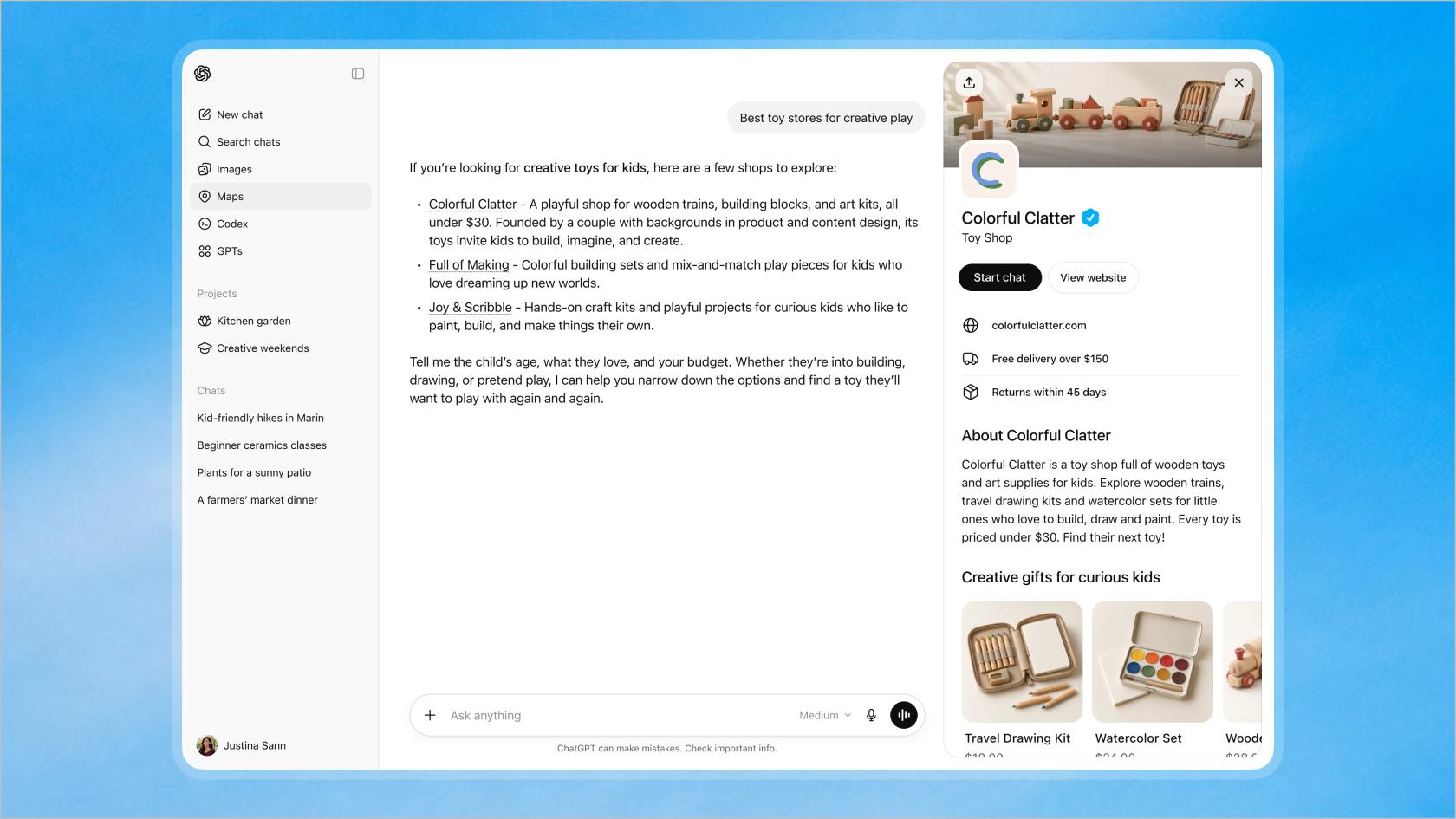
It's one of three pieces OpenAI shipped together as Businesses in ChatGPT, in beta, pitched at the 1.2 billion people it says use ChatGPT each week:
- Business Hub, where you claim your listing and edit its details.
- Insights, which count how often ChatGPT mentions you and sends clicks.
- Business Agents, the chat itself.
I've spent the last two years doing SEO, and most of that time the question from brands was "how do I get ChatGPT to mention us?" This launch changes the question. Now the mention can open into a conversation you configure, which makes it closer to ChatGPT shopping research plus a storefront than a search listing.
One naming trap: these are not the ChatGPT agents your team builds inside a ChatGPT Work or Enterprise workspace. Those run internal tasks for employees. Business Agents face the public.
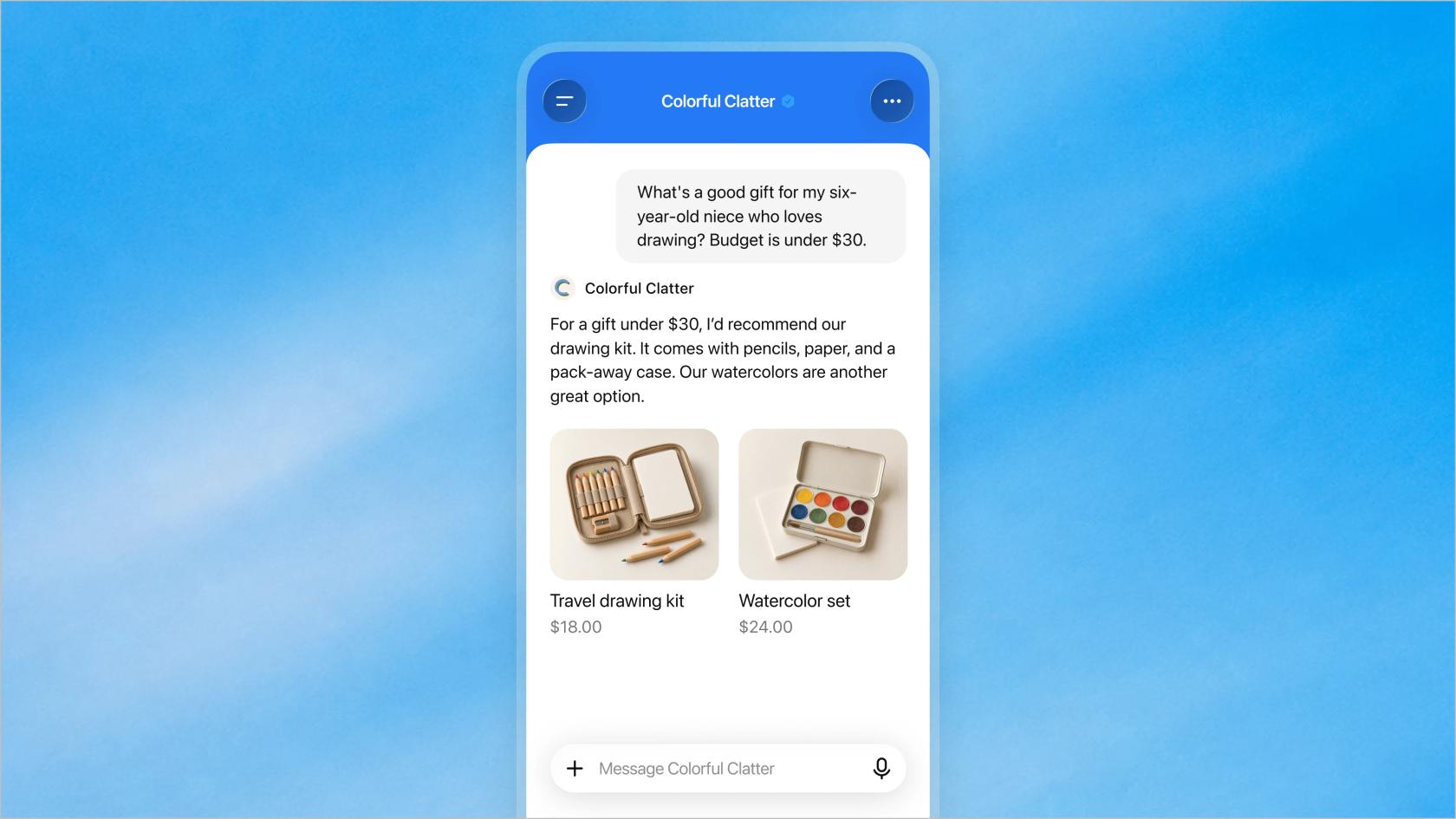
OpenAI's demo shows the intended use well. A shopper asks for a gift for a six-year-old who loves drawing, under $30, and the agent comes back with two products and prices from the store's feed. That's a sales floor question, and it's the kind the agent is built for.
What can a Business Agent actually do?
It answers questions about your products and policies from the information you give it, and links to your website. That's the whole job today. OpenAI's business page puts it as answering "with your product and policy information, using guidelines you control."
The agent draws on what you set in Business Hub:
| Source | What it covers | Where it comes from |
|---|---|---|
| Business details | Website, description, category, logo, cover photo | You edit them after verification |
| Policies | Delivery policy and return policy | Fields in your profile |
| Product feed | Products, prices, availability | Shopify Catalog, a CSV upload or a hosted feed URL |
| Instructions | How the agent should answer | Written by you, under the Business Agents Policy |
The help center FAQ is blunt about the limits. Asked whether the agent can complete purchases, make bookings or check a customer's order, the answer is "No." It explains products and policies and links out. And if your business also has an app in ChatGPT, the agent's chat doesn't use that app's data or connect to its capabilities, so your Apps in ChatGPT integration and your Business Agent live separately.
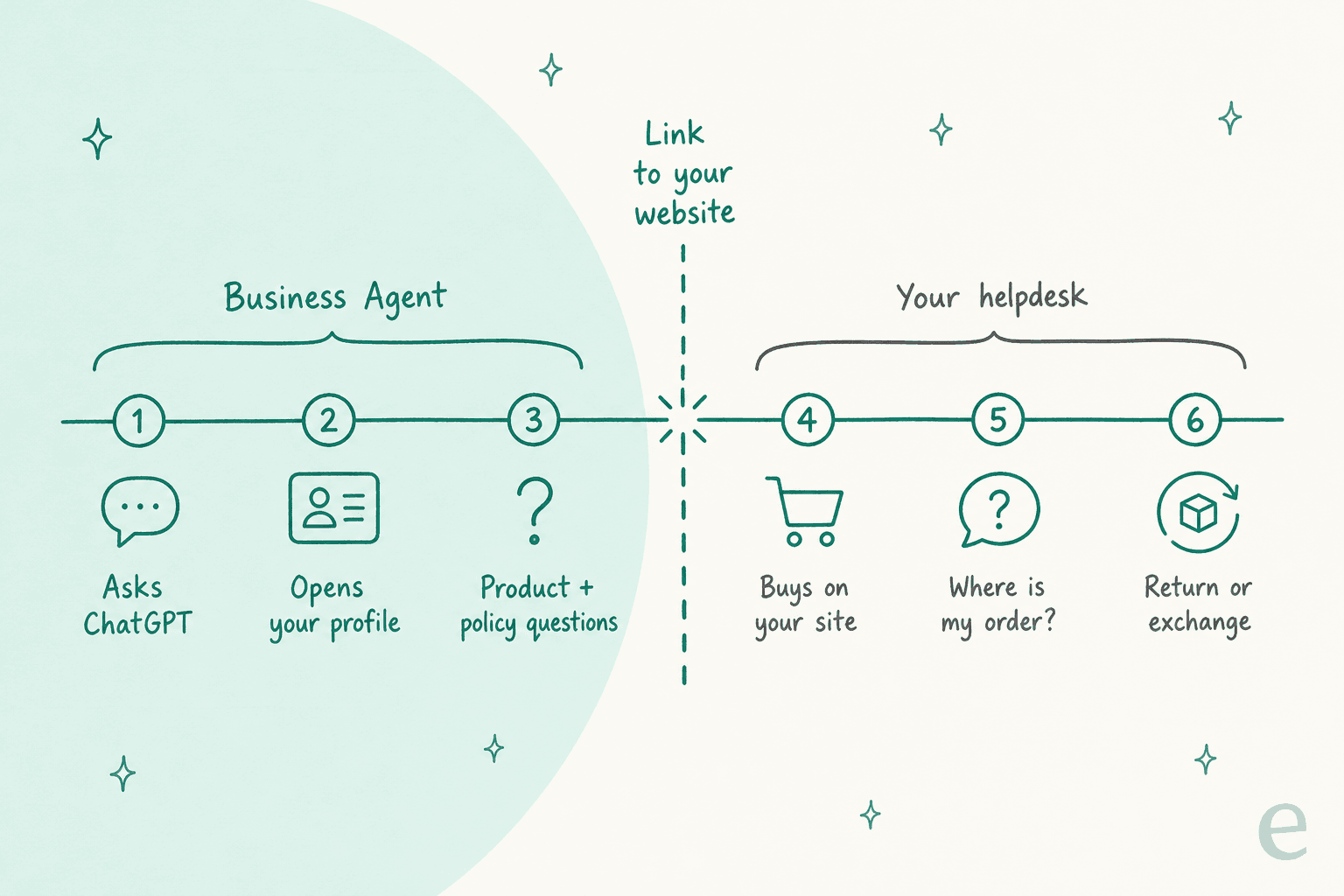
That's the shift I'd want every ecommerce support lead to take from this launch. The agent sits at the very top of the journey. Everything after the click, the checkout, the "where's my order?", the size exchange, still happens on your site and in your inbox. If you were hoping ChatGPT would take order tracking off your plate, it won't, at least not in this version. (Checkout inside ChatGPT is a separate track, covered in my Instant Checkout post.)
Who can create a ChatGPT Business Agent?
US ecommerce and online service businesses with a website, once their claim and identity check are approved. Claiming a profile is open more widely than the agent:
| Step | Who it's open to |
|---|---|
| Claim a profile | Eligible businesses wherever ChatGPT is available and verification is supported |
| Claim a local store or restaurant | Only an existing US listing, for now |
| Create a Business Agent | Eligible ecommerce and online service businesses in the US with a website |
There's a second gate. The Business Agents Policy says OpenAI considers "both the business category and the agent's intended use before allowing publication," and that verification alone doesn't guarantee eligibility. OpenAI hasn't said when agents reach other countries, only that it plans to expand to more markets and categories.
Here's a quick way to see where you land:
Where is your business based?
What kind of business is it?
Pick one answer in each row to see what you can set up today.
How do you set up a ChatGPT Business Agent?
You claim the business, verify your identity with Persona, check the information, preview the agent, then publish. The help center guide walks through each screen; here's the short version.
- Find your listing. In ChatGPT, open Business Hub from the sidebar and search for your business by name. If you run an eligible online business and it isn't there, you may see an option to add it.
- Verify the claim. Choose one method: a code by SMS or call to the business phone, a code to the business email, a TXT record on your website's domain, or a Shopify login. OpenAI reviews the claim and emails a decision.
- Pass Persona. Publishing changes, viewing insights and creating an agent all wait on a separate identity check. You may need a government ID, business registration details and proof you're authorized. The blue check appears only after this is approved.
- Fill in the details. Website, description, category, logo, delivery policy, return policy, and a product feed if you sell products. OpenAI reviews and publishes changes, so they don't appear instantly.
- Preview the agent. OpenAI suggests testing with a question customers often ask, its example being "Can I return an item I bought on sale?" If the answer is wrong, fix the information or instructions and test again.
- Publish. Customers can only chat with a published agent. Publishing is a separate, optional step from claiming.
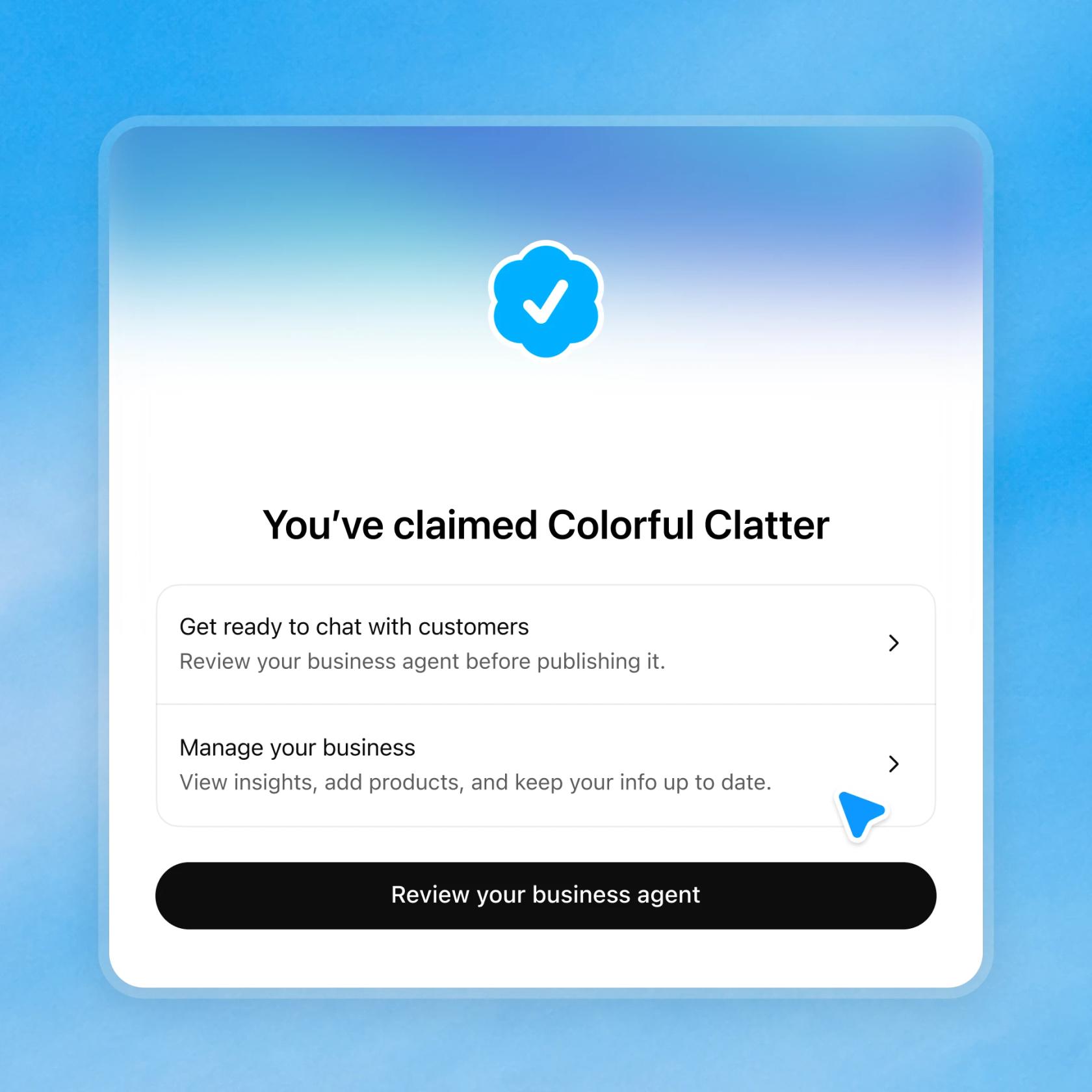
Shopify merchants get the shortest path. Connecting the store, either from the ChatGPT app in the Shopify admin or from Business Hub, verifies the claim, shares products, prices and availability through Shopify Catalog, and can create a draft agent for you to review. You don't need Shopify, though. Anyone can upload a CSV feed that follows OpenAI's product feed specification.
A few setup details worth knowing before you start:
- Teammates and agencies. The admin who claimed the business can add teammates and give an agency access to the business or its agent, each using their own ChatGPT account.
- One brand at a time. Each brand is managed separately. Central management across a parent company's brands and locations isn't available yet, and claiming the main brand doesn't claim its locations.
- Published profiles stay up. Only unpublished drafts can be deleted, and OpenAI Support can't delete, unpublish or hide a published profile as part of a setup or ownership request.
How much do ChatGPT Business Agents cost?
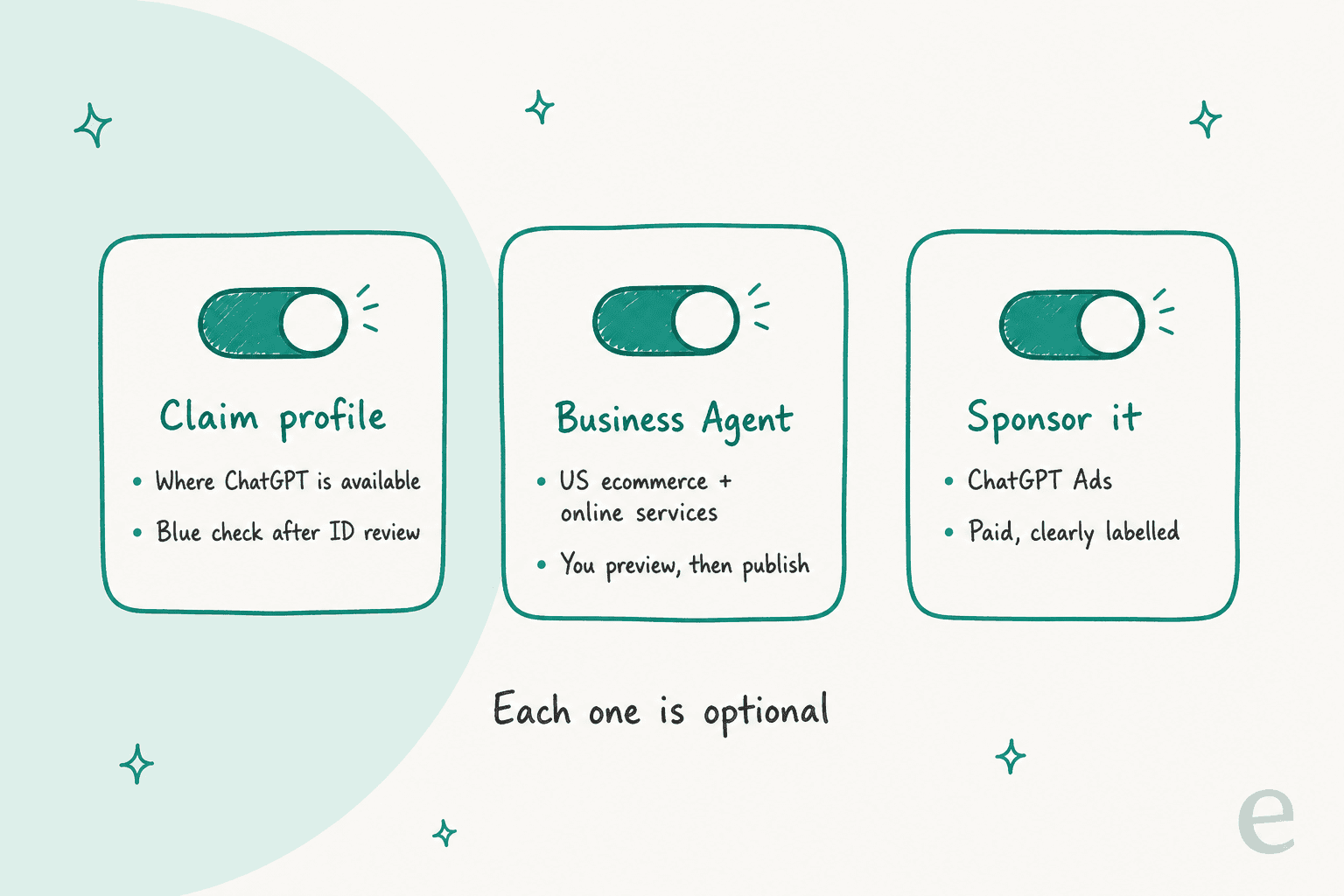
OpenAI doesn't list any charge for claiming a profile or publishing an agent. The help center says you don't need an Ads account or a ChatGPT Enterprise agreement to claim an eligible business, and that claiming, publishing an agent and advertising are separate.
The paid layer is advertising. Businesses can sponsor their Business Agent and use it as the destination for ChatGPT Ads. That builds on the Sponsored Agents test OpenAI announced on September 16, 2026, which let people start a labeled conversation with an advertiser's agent after clicking an ad. Sponsored placements are labeled and separate from ChatGPT's answers, and OpenAI's FAQ says advertising doesn't influence ChatGPT's independent answers.
So the real cost today is the work: the verification, a clean product feed, a return policy written well enough for an AI to quote, and someone to keep it current. If you're weighing the commerce fees too, my ChatGPT merchant fees breakdown covers what checkout inside ChatGPT costs.
What do Business Hub insights show?
Three numbers, aggregated over the past 28 days: mentions, website clicks and discovery topics. Profile views show up in OpenAI's demo dashboard too.
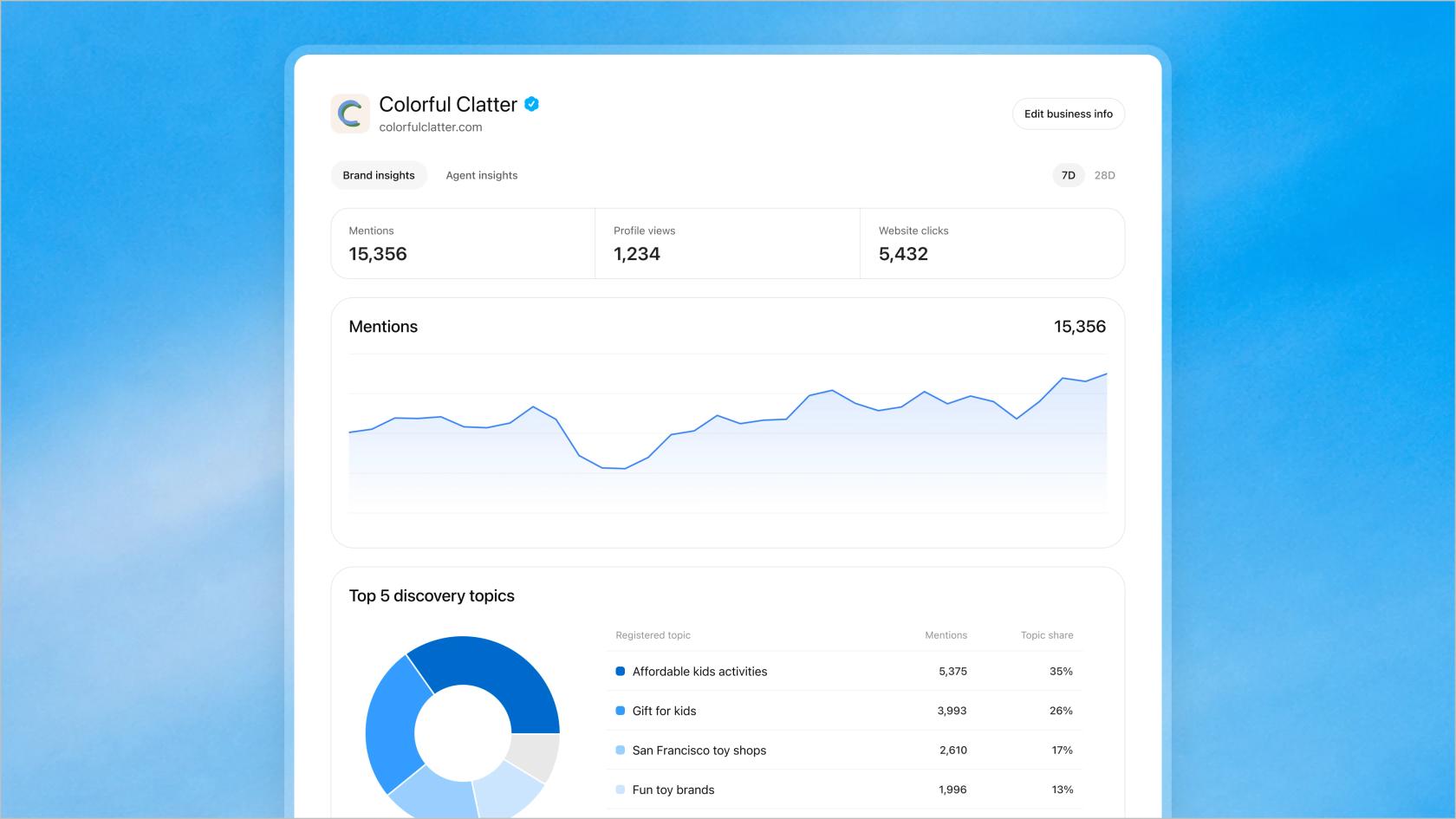
The definitions matter more than the dashboard:
- Mentions. For an online business, a mention counts when ChatGPT references your website. Your brand name alone doesn't count. For a local business, it counts when ChatGPT shows that location as a result.
- Website clicks. How often people click through to your site.
- Discovery topics. Common themes in answers that mentioned or cited you. They're categories, not individual prompts.
Businesses don't receive individual prompts or conversations, including chats with their own Business Agent. A blank metric can mean you're below the reporting threshold, not that there was zero activity.
From the SEO side, this is the first first-party data ChatGPT has offered brands, and practitioners noticed. On the Hacker News launch thread, one marketer put it this way:
"Glad this is finally available, so far only Bing Webmaster Tools has offered anything of value when it comes to first-party data."

Not everyone was as warm. Another commenter on the same thread read it as "another step towards increased advertising in ChatGPT," which is fair given the sponsor option sits one click away. Either way, if you've been paying for one of the AI search optimization tools to estimate this, you now have OpenAI's own count to check it against.
What does it mean for your support team?
The pre-sale questions get a new front door. The post-sale questions don't move at all.
A Business Agent can field "does this come in a larger size?" or "what's your return window?" before someone buys. That's useful, and it overlaps with what a website AI chatbot for ecommerce or a Gorgias shopping assistant already does on your own site.
But the questions that fill an ecommerce queue are mostly about orders that already exist. One DTC supplements brand that came to eesel, on Gorgias and Shopify with about 7,000 tickets and 30,000 orders a month, wanted AI to resolve at least half its email. The three categories on its list were where-is-my-order, subscription changes and basic product questions. A Business Agent touches only the last of those, and only before the sale.
Two things follow from that.
Keep one source of truth for policy. The return policy you paste into Business Hub, the one on your site and the one your support agents quote should say the same thing. OpenAI's policy says you must not hide material fees or conditions, and a shopper who's told one return window in ChatGPT and another by your team will write in, annoyed. If you're tidying this up, my guide on ecommerce FAQ examples is a decent starting template, and a single AI knowledge base behind both is better still.
Plan for the order questions to stay in your helpdesk. That's the half eesel handles, inside Zendesk, Freshdesk or Gorgias. Question Beauty, a direct-to-consumer cosmetics brand, runs eesel in Gorgias across Messenger, email and chat. In one month it handled 990 tickets, looked up 290 Shopify orders before answering delivery or order questions, sent 960 replies, and closed 280 tickets without a person.
STIL Classics, which sells planners and stationery, takes a more cautious route: eesel checks the order first, looked up 230 Shopify orders in a month, and leaves 430 draft replies as internal notes for the team to send.
That's the work a ChatGPT agent can't reach, because it has no view of the order. If your volume is mostly "where is it?", my guide to WISMO automation is the more useful read, and the ecommerce support contact rate post shows how to measure whether it's working.
Should you claim your business and publish an agent?
Yes to claiming, if you're eligible. It's the only way to correct how ChatGPT describes you and to see OpenAI's own mention and click numbers, and it costs nothing but verification time.
Publishing an agent is also worth it for most US online stores, with clear expectations:
- Publish it if shoppers ask comparison and fit questions before buying, and your product feed and policies are clean enough to quote.
- Wait if your return or delivery rules have lots of exceptions you haven't written down. The agent answers from what you give it, and the Business Agents Policy puts accuracy on you.
- Don't expect it to cut ticket volume. It sends people to your website and stops there. Your contact rate after purchase stays the same.
If you sell through Shopify, the ChatGPT and Shopify commerce post and my explainer on buying on ChatGPT cover the other pieces of OpenAI's commerce push, including the Agentic Commerce Protocol that powers checkout.
Let eesel handle the questions after the click
ChatGPT now answers your shoppers before they buy. eesel answers them after. Its AI helpdesk teammate works inside Gorgias, Zendesk or Freshdesk, looks up the Shopify order before it replies, and learns from your past tickets, macros and help center. It can reply on its own or leave drafts for your team, like Question Beauty and STIL Classics do, and you can test it against your old tickets before it goes live. If your team prefers a terminal, the eesel CLI lets a coding agent load the same policy pages you gave ChatGPT and check the answers, though connecting the helpdesk still needs an admin's approval.
Try eesel on your own order questions and see what it would have answered. For a wider comparison, my Shopify support roundup puts it next to the alternatives, and eesel pricing is public.