So what is ChatGPT Work, exactly?
Here's the untangle, because the branding really does trip people up. OpenAI now sells its work tiers as ChatGPT Business (the plan formerly called "Team") and ChatGPT Enterprise. Inside those plans sits a feature called ChatGPT Work: a new agent that, in OpenAI's words, "helps teams turn ambitious goals into finished work, with enterprise controls and governance built in."
So when someone says "we're getting ChatGPT Work," what they usually mean is "we're buying a business plan, and it includes the work agent." The confusion is real enough that a paying subscriber on Hacker News put it bluntly:
"I immediately became lost in their marketing vortex of confusion on plans and pricing. Anyone care to tell me which plan I should be using?... We actually have a 'Business' ChatGPT subscription already, which seems to be $50/mo/seat."

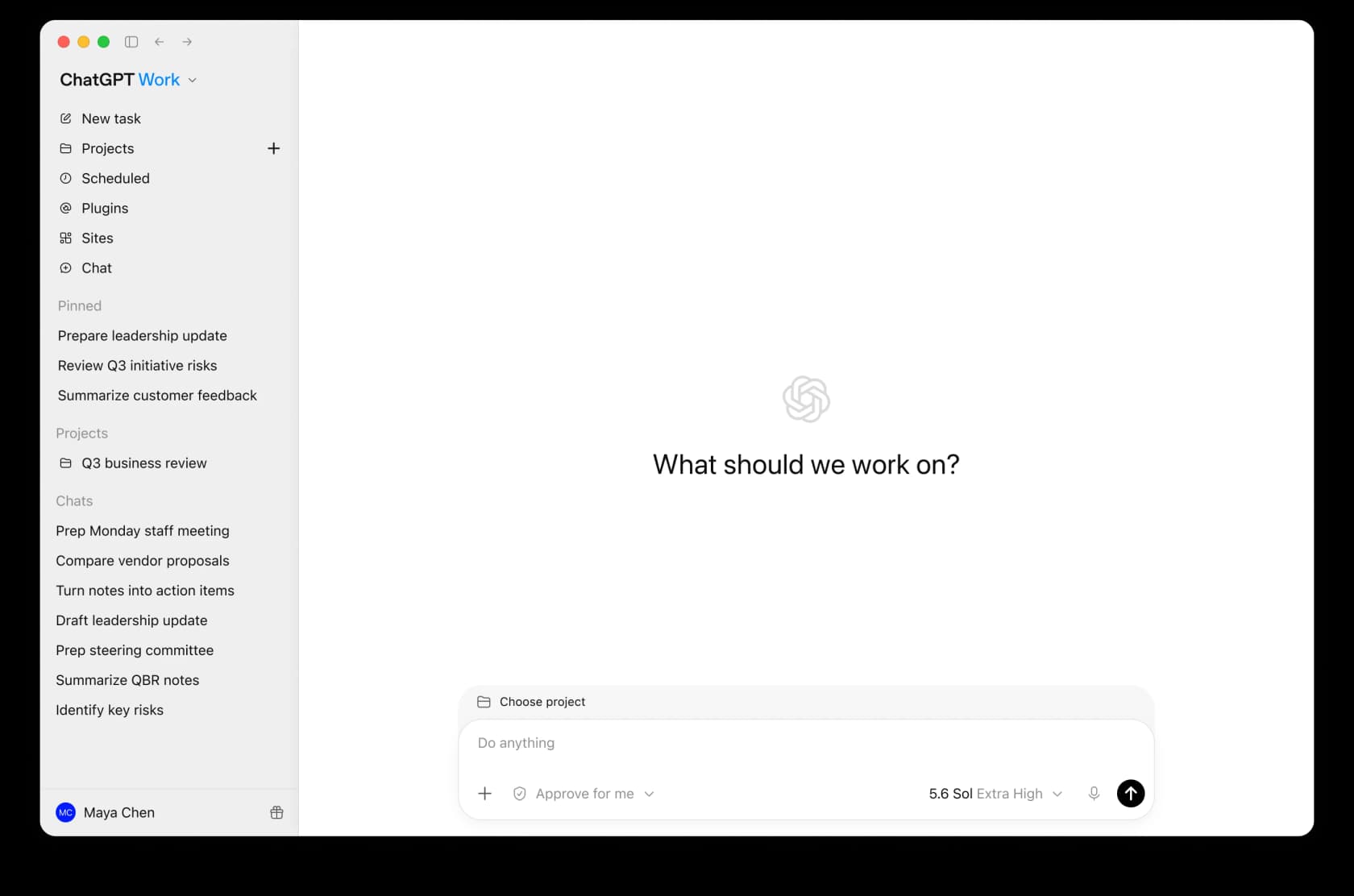
The agent itself is a distinct surface, not just a chat box. Open it and you get a left rail with New task, Projects, Scheduled, Plugins, and Sites, plus a prompt that asks "What should we work on?" instead of "How can I help you today?" That framing shift ("we", "work on") is the tell: this is pitched as a teammate you delegate to, not a search box.
If you've followed OpenAI's other launches, this is the same agentic direction as ChatGPT agents and OpenAI's Codex, just aimed squarely at the office rather than the terminal. It builds on the whole ChatGPT ecosystem of connectors and custom GPTs, wrapped in admin controls a company can actually govern.
What ChatGPT Work actually does
Strip away the launch copy and the agent does four concrete things.
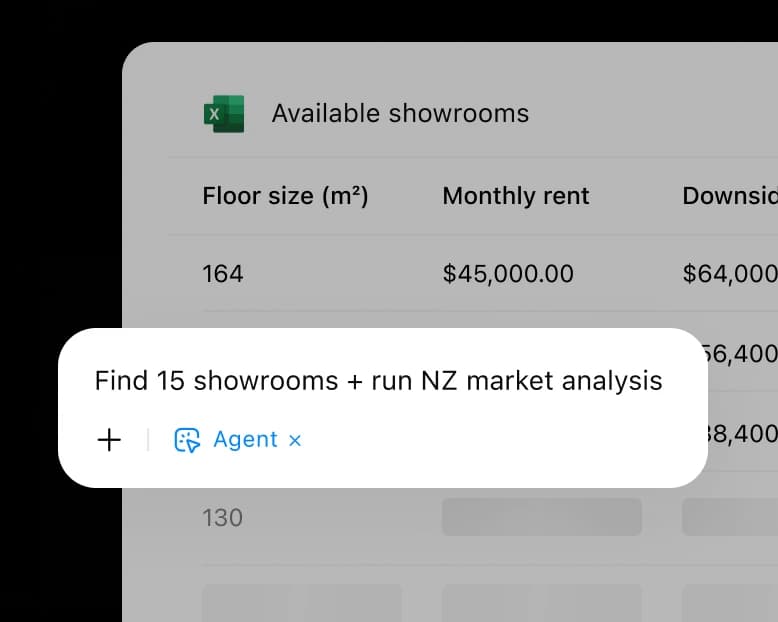
It produces finished artifacts, not just text. Ask it to build a spreadsheet and it builds the spreadsheet, cells and formulas and all. In OpenAI's own demo, an agent request sits right on top of an Excel sheet: "Find 15 showrooms + run NZ market analysis." The point is that the output is the deliverable, not a paragraph telling you how to make the deliverable.
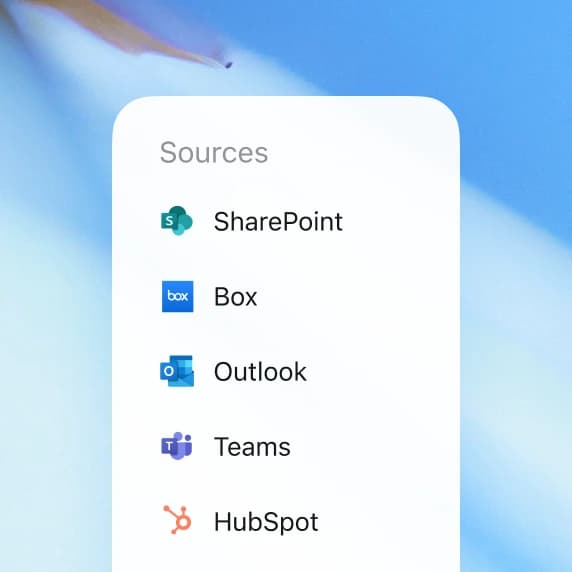
It reaches into your company's data. This is the part that makes it feel like more than a smarter chatbot. Through built-in apps, ChatGPT Work can read from Microsoft SharePoint, GitHub, Google Drive, Box, and connect to tools like Microsoft 365, Slack, Linear, and Figma. So a single prompt can span your wiki, your CRM, and your repos at once.
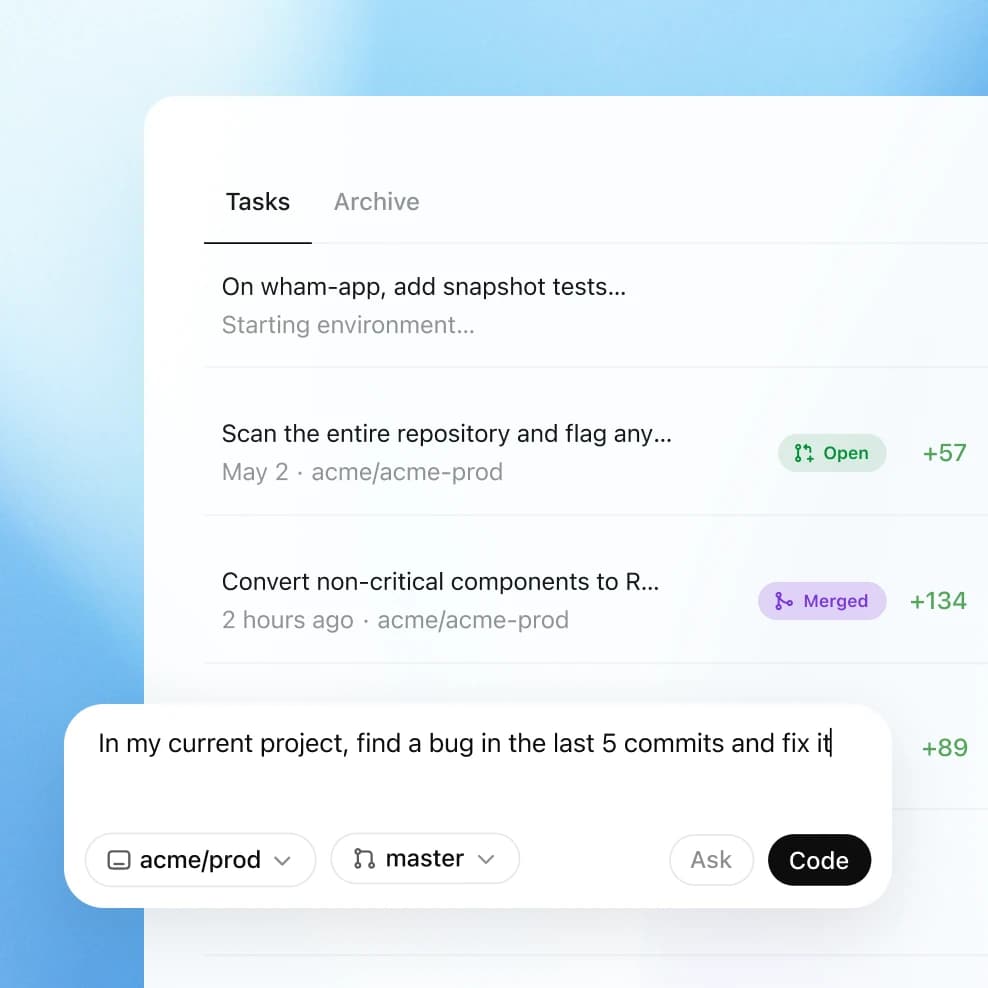
It runs tasks in the background, and it can delegate. You can hand a coding task to Codex, kick off deep research, or schedule work to run on its own. In the engineering view, a task like "find a bug in the last 5 commits and fix it" runs against a real repo, opening and merging pull requests. This is closer to a junior teammate working a queue than a Q&A tool, and it's why the AI agent vs rule-based chatbot distinction matters here.
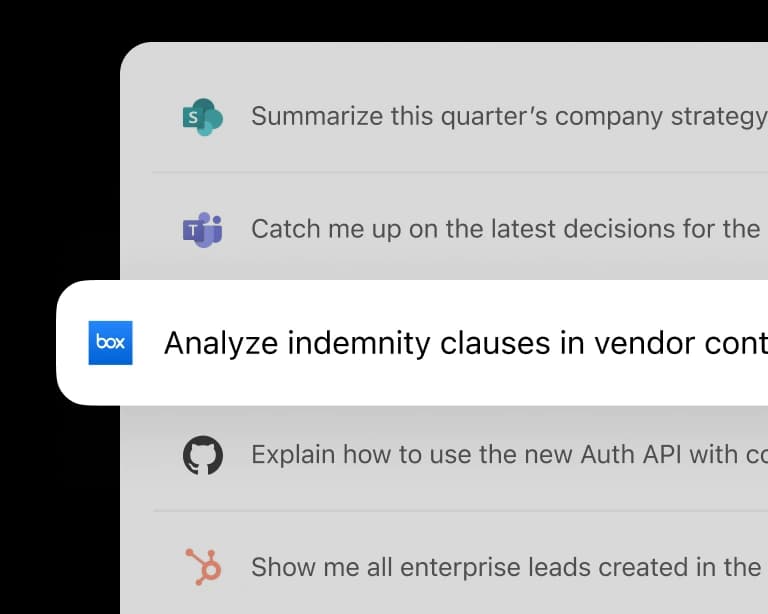
It ties tasks to the tool the answer lives in. Each queued task carries the logo of the app it draws on, so "analyze indemnity clauses in vendor contracts" pulls from Box, "summarize this quarter's company strategy" pulls from SharePoint, and so on. It's a small UI touch, but it's the clearest signal of the pitch: one agent, many company systems, one prompt.
How ChatGPT Work turns a goal into finished work
Under the hood, the loop is what makes it an agent rather than a chat. You give it a goal, it plans the steps, it pulls the context it needs from your connected apps, it runs the work while pausing at approval gates you set ("Approve for me" is right there in the composer), and it hands back the finished doc, deck, or sheet.
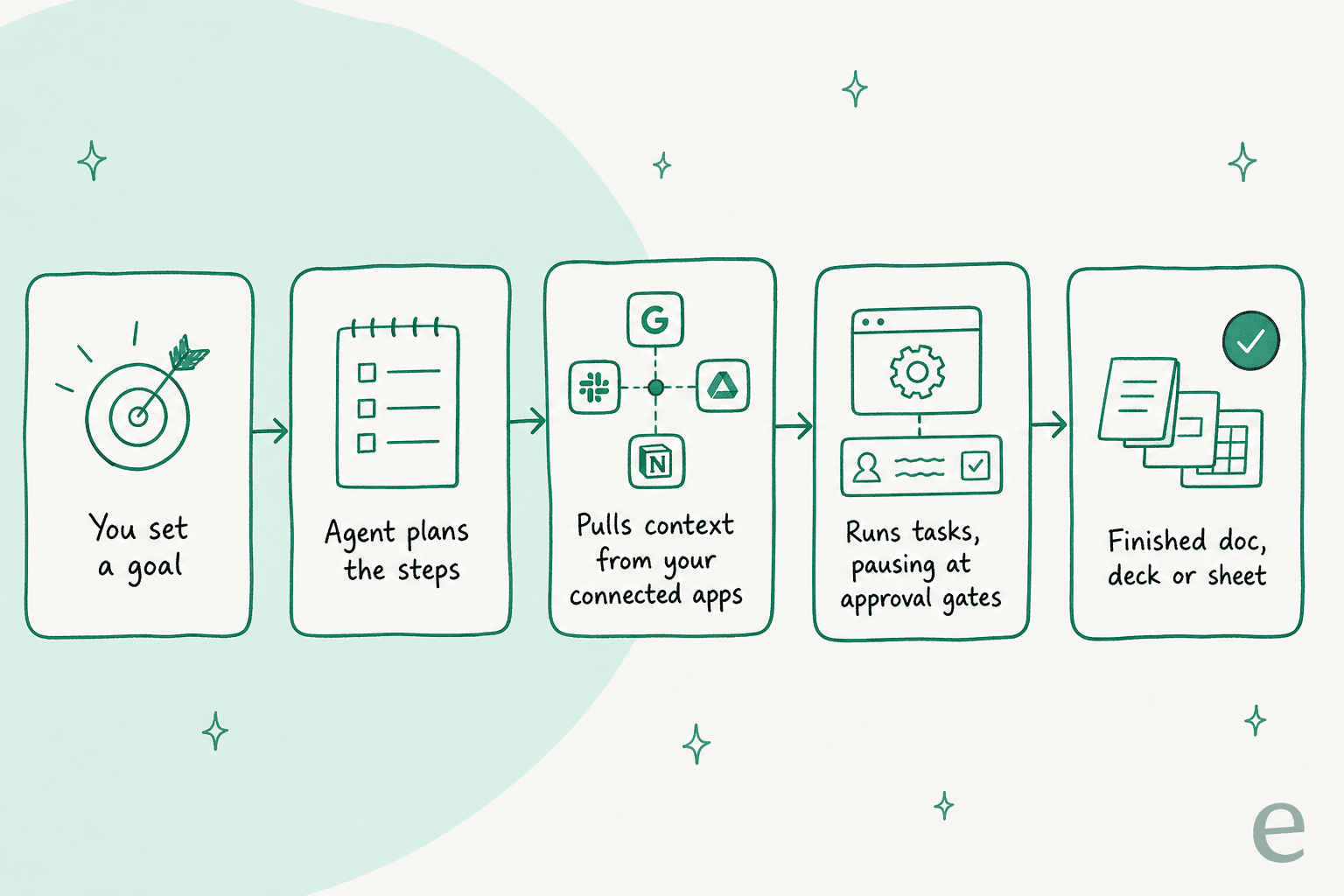
That approval-gate design is the sensible bit. Anyone who's watched an AI agent run unattended knows the risk isn't that it does nothing, it's that it confidently does the wrong thing. Human checkpoints on the risky steps are how you get the speed without betting the quarter on it.
One honest caveat from an early hands-on take. A Hacker News commenter who liked the concept still flagged that, in the demo, the workspace agent looked more like shared chat than durable project memory, and that everything lives on OpenAI's servers:
"based on the demo it seems more like for cooperation instead of preserving long-term project state... this is all on OpenAI's servers... there's a real class of user, technical, working on actual production code, security-conscious, for whom 'my workspace lives on my machine' is a hard requirement, not a preference."
Worth keeping in mind if your work is sensitive: this is a hosted agent, and it's still early.
Which plan you actually need, and what it costs
Because ChatGPT Work is bundled, the real question isn't "how much is the agent," it's "which plan should I be on." Here's the current lineup.
| Plan | Price | Seat minimum | Billing | Best for |
|---|---|---|---|---|
| Business (formerly Team) | $25 / user / month monthly, $20 / user / month annual | 2+ users | Monthly or annual | Growing teams that want the agent + admin basics |
| Enterprise | Custom (contact sales) | Volume-based | Annual only | Large orgs that need governance and support |
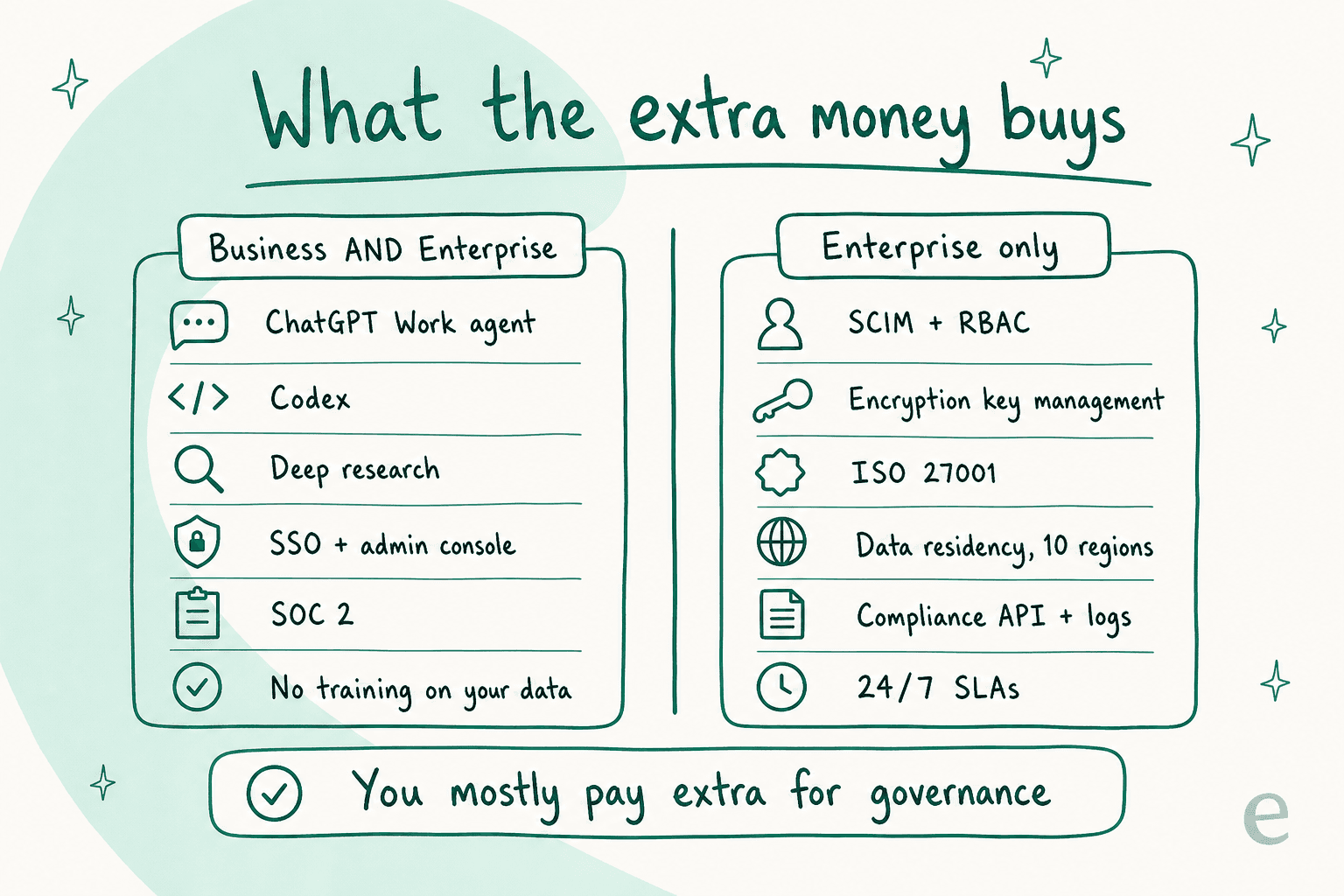
The trap is assuming Enterprise is the "real" version and Business is the stripped-down one. It isn't. Both plans get the full ChatGPT Work agent, Codex, plugins, deep research, company knowledge, custom GPTs, SSO, an admin console, and SOC 2, with no training on your data by default.
What the extra Enterprise money actually buys is governance, not capability: SCIM, encryption key management, role-based access controls, ISO 27001 certification, data residency across ten regions, IP allowlisting, a compliance API, and 24/7 support with SLAs. There's also a bigger GPT Instant context window (128K vs 54K) and "Fastest" response priority, though the reasoning-model window is the same 256K on both.
A couple of cost gotchas the docs bury and admins learn the hard way. Business now drops the old 150-seat Enterprise minimum, which sysadmins genuinely celebrated:
"PSA: ChatGPT now has a $25/user/mo Business Plan with SSO, without the 150-seat minimum requirement with Enterprise"

But watch seat creep: any member can invite new users, and every invite auto-adds a paid seat with no approval gate, so a busy workspace can quietly inflate the bill. And on the Enterprise side, the cost model itself is shifting. One commenter reported that new and renewing enterprise contracts are moving toward metered API pricing rather than flat per-seat subs. If you want the fuller picture on what AI tooling really runs, we broke down AI customer service cost separately.
Is ChatGPT Work worth it? What teams actually say
The vendor stats are strong: over 5 million business users, 80%+ of the Fortune 500 with teams on it, and OpenAI's own claim of 40 to 60 minutes saved per user per day. Take the productivity numbers with the usual pinch of salt (they're the vendor's), but the adoption is real.
The user voice is more textured, and more useful. On the upside, the day-to-day value is consistent. A verified project manager on G2 summed up the mainstream experience:
"In my work as a project manager, I mainly use it to improve reports, write professional emails, organize technical documentation, and brainstorm solutions when I'm evaluating different options. It's not a replacement for my own judgment, but it definitely helps me work more efficiently."

The most-cited reason companies pay for a work plan at all isn't the features, it's the privacy guarantee, quoting OpenAI's own policy:
"OpenAI says: 'By default, we do not train on any inputs or outputs from our products for business users, including ChatGPT Team, ChatGPT Enterprise, and the API.'"
On the downside, two themes recur. The first is the verification tax. A G2 reviewer captured the everyday friction of trusting agentic output:
"It makes small logic mistakes. Acts too confident with technical stuff... That means I have to check its work all the time. Slows me down."
The second is idle seats. Enterprise licenses have a habit of going unused, to the point where companies claw them back:
"My company was trying to get people to use AI, we had whole meetings about it. Flash forward a few months and they sent out an email saying they discontinued the Enterprise ChatGPT accounts of anybody not using it often enough as a way to save money."
That's the honest verdict: ChatGPT at work is a genuinely useful generalist, the model quality is a real step above Microsoft Copilot for most tasks, and the privacy tiers are the reason IT signs off. Whether it's worth it comes down to whether your team actually uses it, and to what job you're pointing it at, which brings us to the real limit.
Where a general work agent stops, and a specialist starts
Here's the thing a lot of buyers learn the expensive way. ChatGPT Work is a horizontal generalist. It's wide and shallow by design: docs, decks, sheets, code, research, across every department. That breadth is the pitch, and it's a good pitch for internal knowledge work.
But "resolve a customer's WISMO ticket in Zendesk, in their language, at 2am, and know when to hand off to a human" is not general knowledge work. It's a deep, narrow job with its own rules, and a broad agent isn't set up to own it.
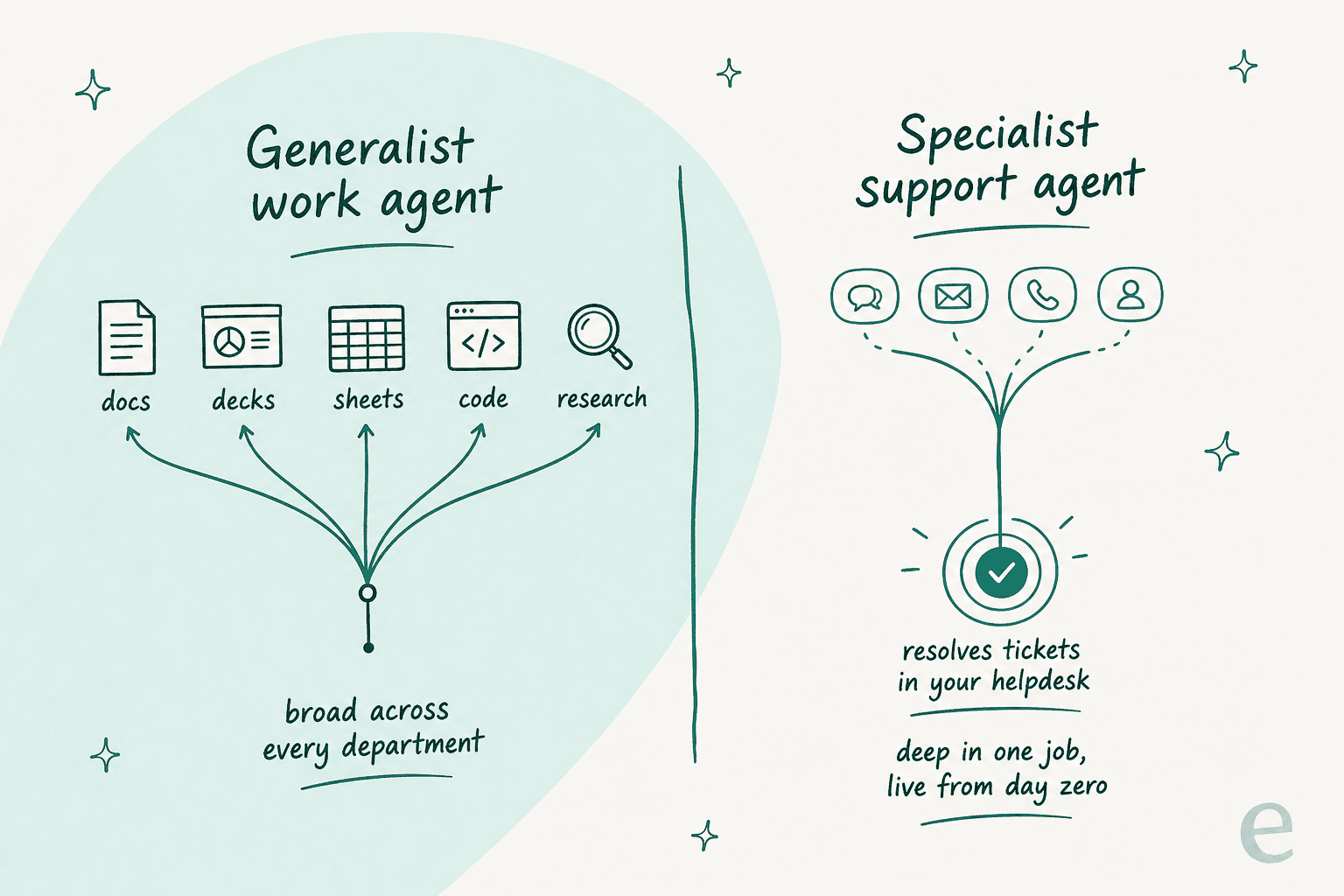
This is exactly the gap I mentioned up top. I've watched teams give every employee a ChatGPT work seat and still have a support inbox that nobody's automating, because the work agent drafts a nice reply but doesn't live in the helpdesk, doesn't triage by confidence, and can't be trained on your own past tickets to sound like your team. The bar a support leader actually holds the tool to is control, not breadth. One CX lead put the whole thesis in a sentence:
"The AI will never be able to answer 100% of the questions. I need an AI who is only handling the tickets that it's confident to handle, and all the other ones, leave them alone."
A DTC supplements CX lead
The other option people reach for is "we'll just build our own agent on the OpenAI API." Sometimes that's right. Usually it isn't, and the reason is maintenance, not capability, as a fintech operator told us:
"We could try to write our own LLM application but we didn't want to invest our time into that. We wanted something that we would not have to maintain."
Karel, GENERAL BYTES
So the honest framing is: use ChatGPT Work for the broad internal stuff it's great at, and use a purpose-built AI helpdesk agent for the queue. They're not competitors, they're different tools for different jobs. If you're comparing the whole field, our roundups of the best AI helpdesk software and AI customer service software are a good next read.
Try eesel for the job ChatGPT Work leaves on the table
If your actual problem is a support queue, not a blank doc, eesel AI is the specialist that picks up where a general work agent stops. It plugs into Zendesk, Freshdesk, and your other tools in minutes, trains on your past tickets and help center so it answers in your voice, and only handles the conversations it's confident about, leaving the rest for your team.
The differentiator support leaders care about most is the one ChatGPT Work doesn't offer: you can simulate it on thousands of your historical tickets before it ever touches a live customer, so you see the resolution rate and the exact replies up front instead of hoping. That's how one rideshare-analytics team got eesel resolving 73% of tier-1 requests in the first month.

You can try eesel free and point it at your own helpdesk to see what it resolves, no sales call required to get started.
Frequently Asked Questions
What is ChatGPT Work and how is it different from regular ChatGPT?
How much does ChatGPT Work cost?
Do I need ChatGPT Enterprise, or is Business enough for ChatGPT Work?
Can ChatGPT Work handle customer support tickets?
Is ChatGPT Work worth it compared to Microsoft Copilot?


Article by
Kurnia Kharisma
Kurnia is a software engineer and writer at eesel AI with two years of SEO experience, writing about AI tools, helpdesk software, and customer support. He pairs a developer's understanding of how these products are built with search-driven research into what actually ranks and resonates with the people searching for them.