


The questions your customers actually ask
I work the support queue, so I'll be blunt about where the volume comes from. Across the stores I've watched, one call from an operator stuck with me: a multi-brand ecommerce operator handling 500+ tickets a day told us their inbox was basically the same three things on repeat, refund requests, unsubscribes, and order tracking. That's not a quirk of one store. WISMO ("where is my order?") almost always tops the list, with returns and refunds right behind it.
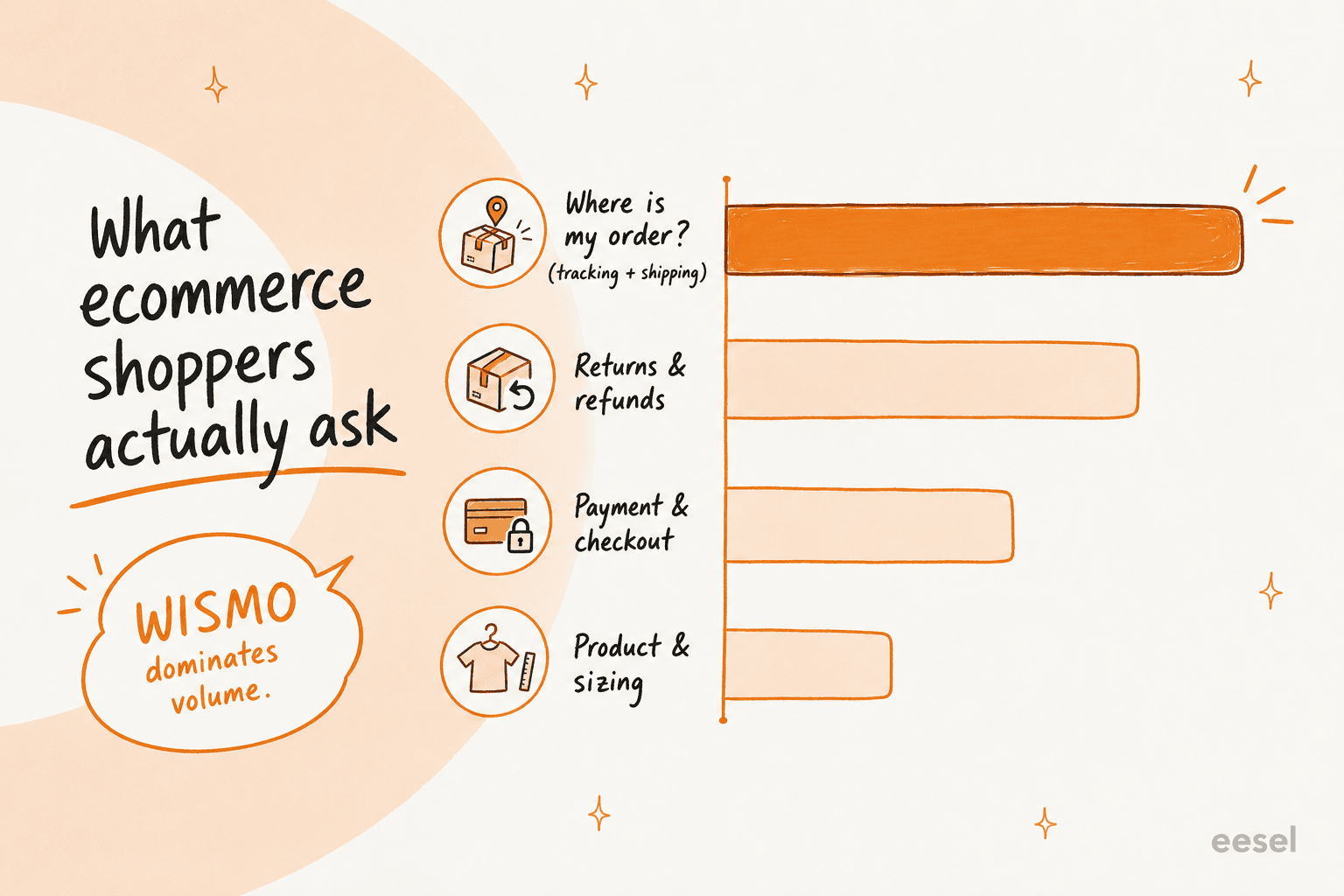
The practical takeaway: don't build your FAQ page by brainstorming questions in a meeting. Pull your last couple hundred tickets, group them, and let the biggest groups decide what goes on the page. The categories below are the ones that show up in nearly every store's inbox, so they're a safe starting skeleton, but your own customer service metrics should tune the priority order.
What a good FAQ answer looks like
Before the examples, the shape. A weak FAQ answer restates the question and links to a policy page. A strong one ends the conversation. After reading a lot of them, I've landed on four parts, in this order:
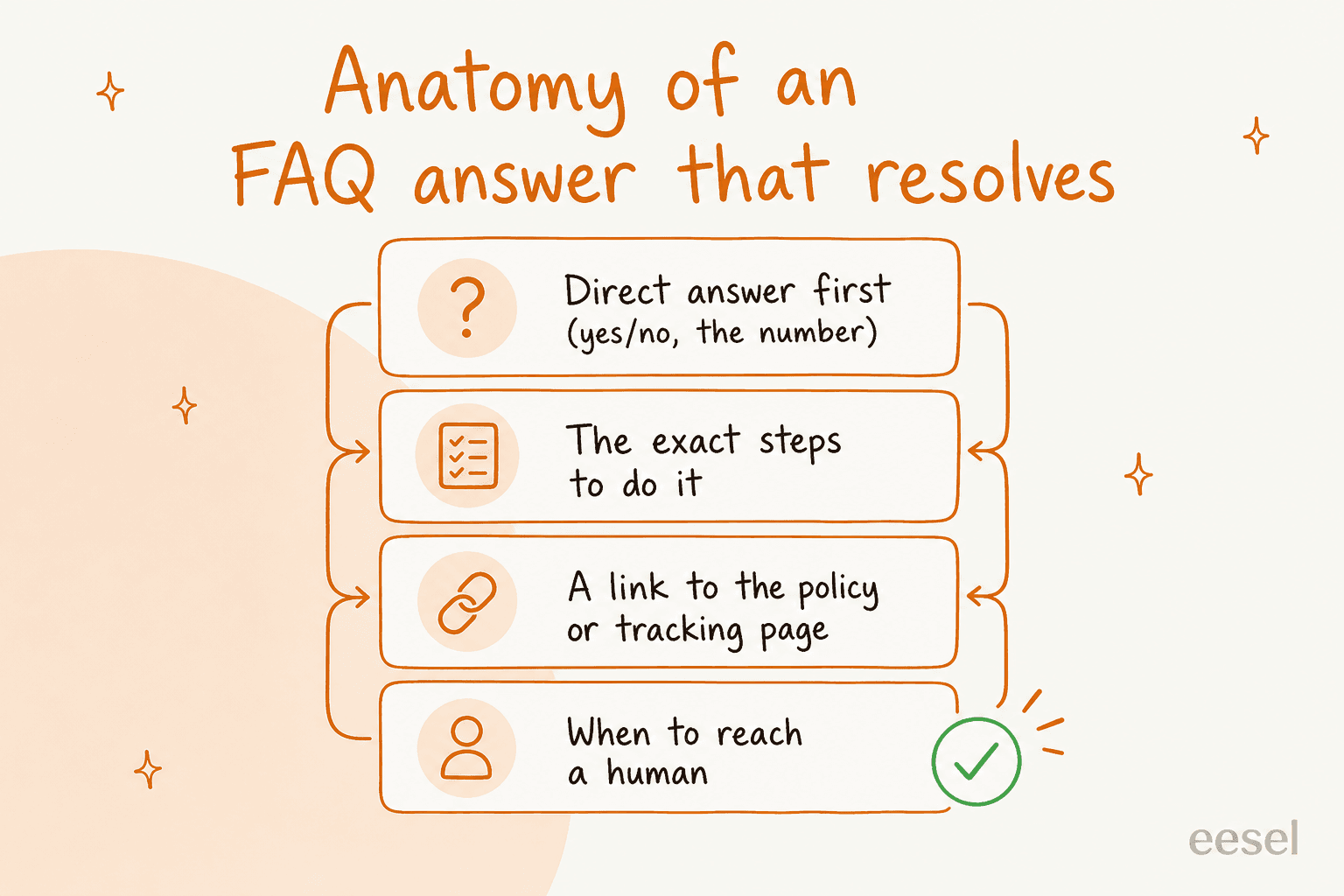
- The direct answer first. Yes/no, or the actual number. "Refunds land in 5 to 7 business days." Don't make the reader dig.
- The exact steps. If there's an action, spell it out. Numbered, short.
- A link to the source of truth. The returns policy, the tracking page, the sizing chart. One link, on the noun.
- When to reach a human. A quiet escape hatch for the edge cases so people don't rage-refresh.
This shape matters double if you plan to put an AI customer service chatbot on top of the page later, because the bot can only be as clear as the content it learns from. Vague FAQ in, vague bot out.
Now the examples. Steal them, then swap in your real policies, timeframes, and voice.
Shipping and delivery FAQ examples
This is your highest-volume category, so make these airtight. Every answer here should point at real, current numbers.
| Question | Example answer |
|---|---|
| Where is my order? | Once your order ships you'll get a tracking link by email and SMS. You can also check status anytime in Your account → Orders. Most domestic orders arrive in 3 to 5 business days after dispatch. If tracking hasn't updated in 48 hours, reply here and we'll chase the carrier. |
| How much does shipping cost? | Standard shipping is $4.95, or free on orders over $50. Express (1 to 2 business days) is $12.95. Exact cost shows at checkout before you pay. |
| Do you ship internationally? | Yes, to 40+ countries. International orders take 7 to 14 business days and any customs duties are the buyer's responsibility. Enter your address at checkout to see live rates. |
| My tracking says delivered but I don't have it. | Sorry about that. First check with neighbors and around your building, and give it 24 hours (carriers sometimes scan early). Still missing? Reply with your order number and we'll open a claim. |
| Can I change my shipping address after ordering? | If the order hasn't shipped yet, yes, message us fast with your order number. Once it's with the carrier we can't reroute it, but we'll help you recover it. |
Notice the WISMO answer does three jobs: sets the expectation (3 to 5 days), gives a self-serve path (account page), and offers the human hatch. That combination is what stops the "any update?" follow-up. For a deeper look at handling this channel by channel, the Shopify customer service strategies guide is a good companion read.
Returns, refunds, and exchanges FAQ examples
The second-biggest category, and the one where fuzzy wording costs you the most in follow-ups. Be specific about windows, condition, and who pays return shipping.
| Question | Example answer |
|---|---|
| What is your return policy? | You have 30 days from delivery to return unworn items in original packaging with tags. Start a return in Your account → Orders → Return, print the prepaid label, and drop it off. Full policy [here]. |
| How long do refunds take? | Once we receive and inspect your return (usually 2 to 3 business days), we issue the refund to your original payment method. It then takes 5 to 7 business days to appear, depending on your bank. |
| Do I have to pay for return shipping? | Returns are free for defective or wrong items. For change-of-mind returns, a $5 label fee is deducted from your refund. |
| Can I exchange for a different size instead of a refund? | Yes. Choose "Exchange" when you start your return and pick the new size. We ship the replacement as soon as your return is scanned by the carrier, so you're not waiting twice. |
| My item arrived damaged. What do I do? | We're sorry. Send a photo and your order number and we'll ship a replacement or refund you immediately, no return needed. |
That exchange answer is worth a second look. Refund-versus-exchange intent is one of the trickiest things to route, and it's exactly the kind of nuance a modern support setup can detect from the message text rather than forcing the customer to self-select. Getting it right turns a refund (lost revenue) into an exchange (kept revenue).
Payments, discounts, and checkout FAQ examples
Lower volume than shipping, but high-stakes: a checkout question unanswered is often a sale lost.
| Question | Example answer |
|---|---|
| Why was my card declined? | Usually it's a billing address mismatch or your bank flagging a new merchant. Double-check the address matches your card, or try another payment method. If it keeps failing, your bank can approve the charge in seconds by phone. |
| What payment methods do you accept? | All major cards, plus PayPal, Apple Pay, Google Pay, and Shop Pay. Buy-now-pay-later is available at checkout on orders over $50. |
| My discount code isn't working. | Codes are case-sensitive and can't be stacked. Check it hasn't expired and that your cart meets any minimum. Still stuck? Send us the code and we'll sort it. |
| Is it safe to enter my card here? | Yes. Payments are processed by our PCI-compliant provider and we never see or store your full card number. |
| Can I use two discount codes together? | Only one code per order, but codes do apply on top of items already on sale unless the code says otherwise. |
Order changes and cancellations FAQ examples
The "I made a mistake" category. Speed is everything, so your answer should set a hard cutoff.
| Question | Example answer |
|---|---|
| Can I cancel my order? | If it hasn't shipped, yes, cancel it yourself in Your account → Orders, or message us and we'll stop it. Once it ships, treat it as a return instead. |
| Can I add an item to an existing order? | We can't merge orders once placed, but if you order the extra item we'll refund the second shipping charge. Just reply with both order numbers. |
| I ordered the wrong item, can you fix it before it ships? | Message us with your order number right away. If it's still in the warehouse we'll swap it; if it's shipped, we'll set up a fast exchange. |
| How do I check my order status? | Every order has a status page linked in your confirmation email, and everything lives in Your account → Orders. |
Products, sizing, and stock FAQ examples
Pre-purchase questions. Answering these well doesn't just deflect tickets, it lifts conversion, because a hesitant shopper gets unstuck.
| Question | Example answer |
|---|---|
| How do I know what size to buy? | Every product page has a size guide with measurements. If you're between sizes, we recommend sizing up for a relaxed fit. Still unsure, tell us your measurements and we'll recommend one. |
| Is this item true to size? | Most of our range runs true to size. Fit notes on each product page flag the exceptions, and customer reviews mention fit too. |
| When will this be back in stock? | Hit "Notify me" on the product page and we'll email you the moment it's back, usually within 2 to 3 weeks for popular items. |
| What is this product made of, and how do I care for it? | Materials and care instructions are listed under "Details" on each product page. Short version: cold wash, hang dry for most items. |
| Do you offer gift wrapping? | Yes, add gift wrapping at checkout for $3.95 and we'll include a note you write. |
Accounts and subscriptions FAQ examples
Small but sticky. Subscription and unsubscribe questions were literally in that operator's top three, so don't skip them.
| Question | Example answer |
|---|---|
| How do I reset my password? | Click "Forgot password" on the login page and we'll email a reset link. It expires in 30 minutes for security. |
| How do I cancel my subscription? | Go to Your account → Subscriptions → Manage and cancel anytime, no phone call needed. You'll keep access until the end of the current billing period. |
| Can I pause my subscription instead of cancelling? | Yes, pause it for up to 3 months from the same Subscriptions page. We'll remind you before it restarts. |
| How do I update my card on file? | Under Your account → Payment methods. Changes apply to your next order automatically. |
| I want to stop marketing emails but keep my account. | Use the "unsubscribe" link at the bottom of any email, or toggle email preferences in your account. Your order notifications will still come through. |
How many of these could you actually automate?
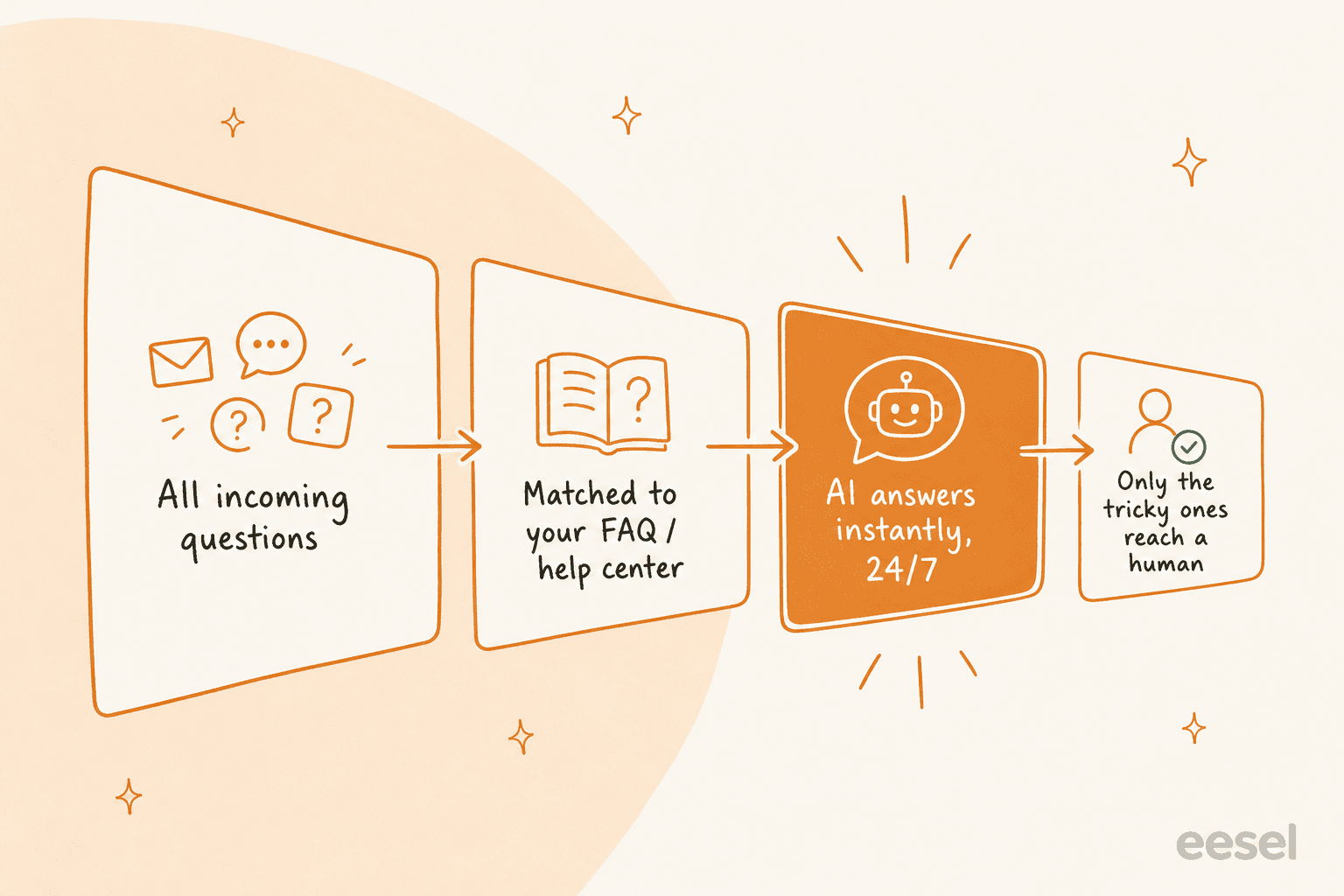
Here's the honest bit. Writing these answers is step one; the real leverage is when something answers them for you at 2am without a human touching the ticket. Most stores can auto-resolve a large slice of this volume, because it's so repetitive. Plug in your own numbers to see the shape of it:
Even on conservative settings, the number tends to surprise people. That's the whole argument for putting real automation behind your FAQ, and it's why the best AI software for ecommerce support is judged on deflection, not on how pretty the chat widget looks.
The hard part: keeping FAQ answers alive
Writing 40 FAQ answers is a one-afternoon job. Keeping them true a year later is the part that quietly breaks. Prices change, a carrier SLA slips, the returns window moves from 30 days to 14, and suddenly your "helpful" FAQ is confidently telling customers the wrong thing. A stale answer is worse than no answer, because the customer trusts it and then gets burned.
This is where the "just put a chatbot on it" advice falls down. A bot trained only on your help-center articles inherits every stale line in them. The setup that actually holds up learns from your solved tickets, not just your published docs, so it stays current with how your team really answers today. One of our customers put it plainly: the reason they picked us over the native helpdesk AI was that ours learned from resolved tickets, not just the help center content.
A few habits that keep an FAQ honest, whether or not you automate:
- Review by traffic, not alphabetically. Your top 5 FAQs by views get 80% of the eyes. Audit those every quarter.
- Tie updates to policy changes. When ops changes a shipping cutoff, the FAQ edit is part of the same ticket, not a someday task.
- Watch for questions the page "already answers." If a topic keeps hitting your inbox despite being on the FAQ, the answer is unclear, not missing. Rewrite it.
- Let AI flag the rot. Tools can now detect outdated help-center content and draft the fix from your live ticket history, which beats a human re-reading 40 entries by hand.
If you want the broader playbook here, our take on AI for customer service automation goes deeper on the workflow side, and the AI knowledge base benefits piece covers the content-freshness angle.
Try eesel for your ecommerce FAQs
Once your FAQ examples are written, eesel is the layer that makes them work for you instead of sitting on a page nobody visits. It reads your FAQ content, help center, and past tickets, then answers live on your storefront, email, Slack, or WhatsApp, and because it connects to Shopify, WooCommerce, and Gorgias, it can pull a real order status for a WISMO question rather than just repeating the policy.
The part I'd actually flag as the differentiator: you can simulate against past tickets before it ever talks to a customer, so you see exactly which FAQ categories it covers and where the gaps are. No guessing, no risky go-live. Pricing is one fixed monthly price with no per-seat fees, so a seasonal spike in WISMO tickets doesn't come with a surprise bill. It's free to try with 100 free credits and no card, and the setup is closer to an afternoon than a project.