Gorgias AI order tracking: how to automate WISMO tickets

eesel Team
Last edited October 14, 2026

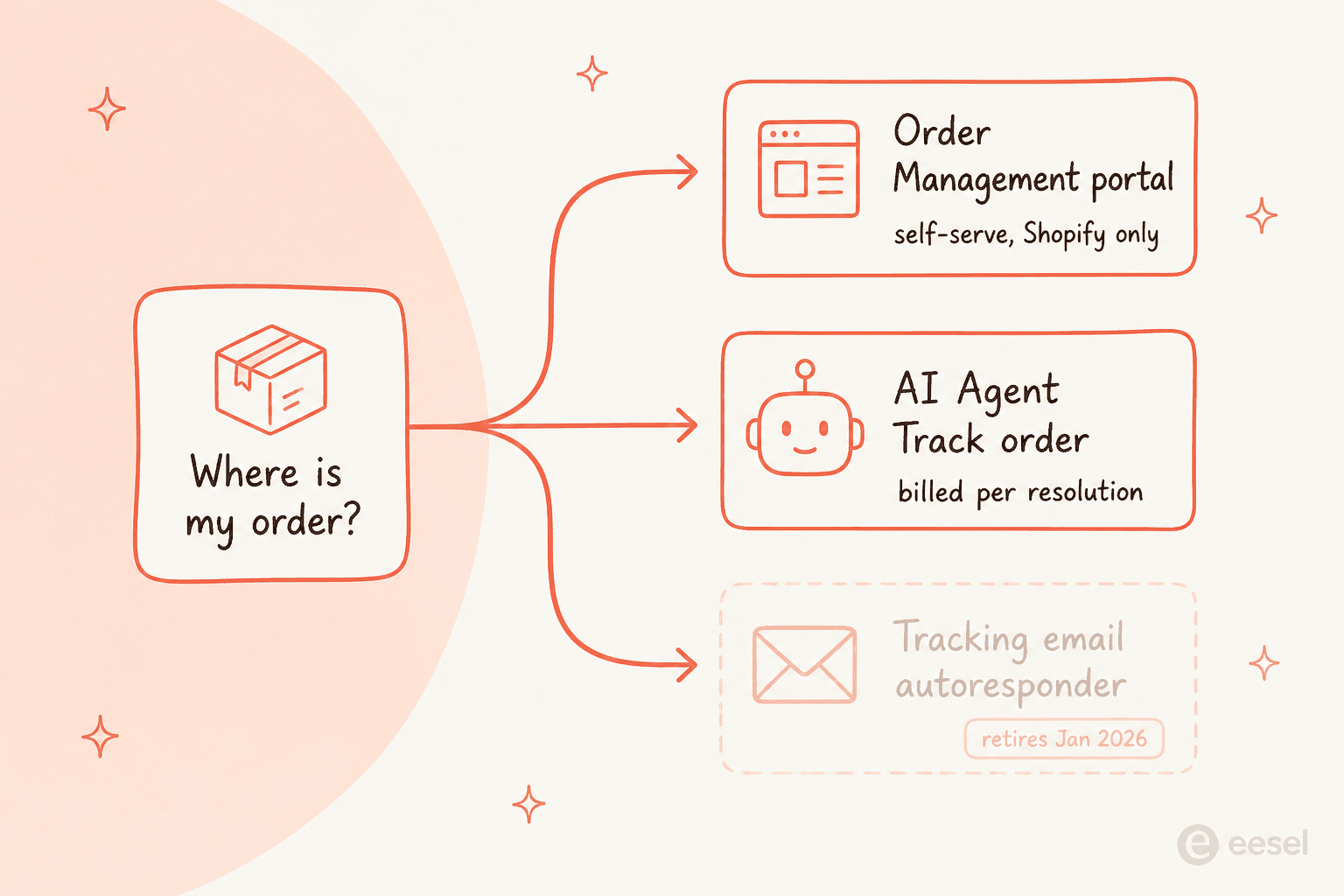
"Where is my order?" (WISMO) is the single highest-volume ticket most ecommerce brands handle, and it is exactly the kind of repetitive, data-lookup question AI should own. Gorgias automates it three ways: a self-serve Order Management portal, the AI Agent Track order action that reads live Shopify fulfillment data, and an older tracking-email autoresponder that retires on January 30, 2026. All three need an active AI Agent subscription and a connected Shopify store.
The catch is the meter. Gorgias bills WISMO like any other resolution: $0.90 per automated interaction on annual plans, $1.00 on monthly plans and Starter, and $0.85 on Advanced. Your cheapest, most repetitive ticket costs the same as a complex return.
If you want that automation without a per-resolution meter, eesel AI joins Gorgias as an AI Agent, pulls the same Shopify order data into replies, lets you simulate on past WISMO tickets before going live, and runs on one fixed monthly price (from $299/month for 500 credits, 1 credit per ticket).
What WISMO actually is, and why it eats your queue
WISMO stands for "where is my order," and if you run support for a Shopify brand you already know it by feel: the shopper who bought two days ago, sees no shipping email, and messages to ask what happened. Individually each one is trivial. In aggregate it is usually the largest single bucket in the inbox, and it spikes hardest exactly when your team has the least slack, the days after a promo or during peak season.
The reason WISMO is such a good automation target is that the answer almost never lives in a human's head. It lives in your store: the order's fulfillment status, the carrier, the tracking number, the estimated delivery date. A good AI reply is really just a live data lookup dressed up in your brand voice. That is why Gorgias, which is built Shopify-native from the ground up, treats order tracking as its highest-volume support skill.
The rest of this post is the practical version: the three ways Gorgias can answer a WISMO ticket, how to actually set the current one up, what each resolution costs you, and where a flat-rate layer changes the math.
The three ways Gorgias answers a WISMO ticket
Gorgias does not have one order-tracking feature. It has three overlapping mechanisms, and knowing which is which saves you from setting up a path that is about to be switched off.
1. The Order Management portal (self-serve)
Order Management is Gorgias's self-service layer. Shoppers log in on your chat, help center, or contact form, authenticate with a one-time six-digit code sent by email or SMS, and then see their own orders with a Track button that gives a detailed timeline of order events synced directly from Shopify.
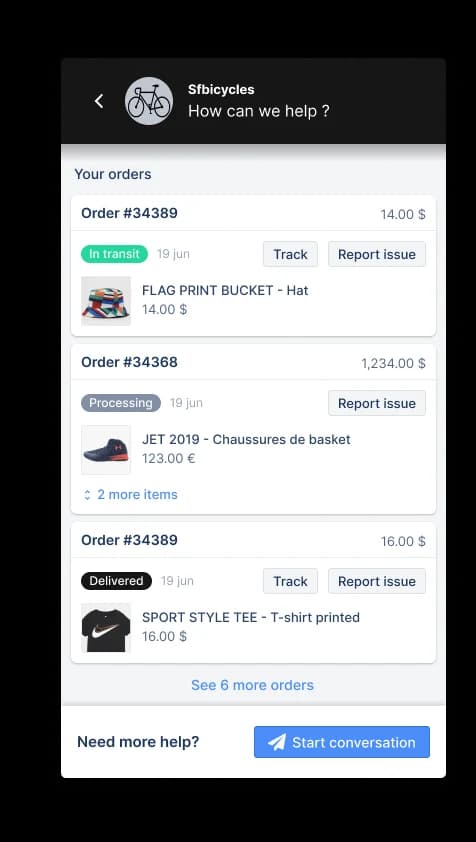
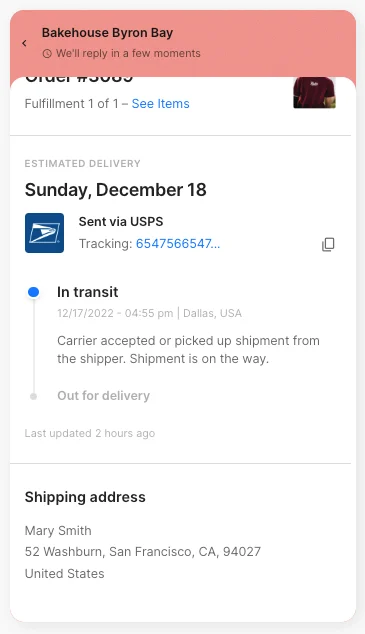
Gorgias says the portal can automate up to 30% of your live chat ticket volume. Track and Return are on by default. It is only supported on Shopify stores, not BigCommerce or Magento, and it requires an active AI Agent subscription. The tracking timeline the shopper sees looks like this:
One honest limit: the portal only submits returns and cancellations. Shoppers cannot trigger an automatic refund or cancellation from it, an agent still has to process those.
2. The AI Agent "Track order" action (the current path)
This is the one Gorgias wants you on. The Track order action lets AI Agent read a shopper's Shopify order in the conversation and reply in natural language with the real-time fulfillment status and tracking link. Gorgias calls it out as the highest-volume use case and the "Retain" pillar of its support skills.
Under the hood, an Action is a series of steps AI Agent runs on your behalf in connected apps. For deeper shipment detail beyond Shopify's own fulfillment data, you can wire in a 3PL like ShipBob, ShipStation, or ShipHero as an extra step. Because it is a conversation rather than a portal, it also runs on email and chat, wherever the shopper actually asked.
3. The tracking-email autoresponder (retiring January 30, 2026)
The classic WISMO automation was the Send tracking information email rule: a new email ticket with a shipping-status intent triggered an auto-reply linking the shopper to their Order Management tracking page.
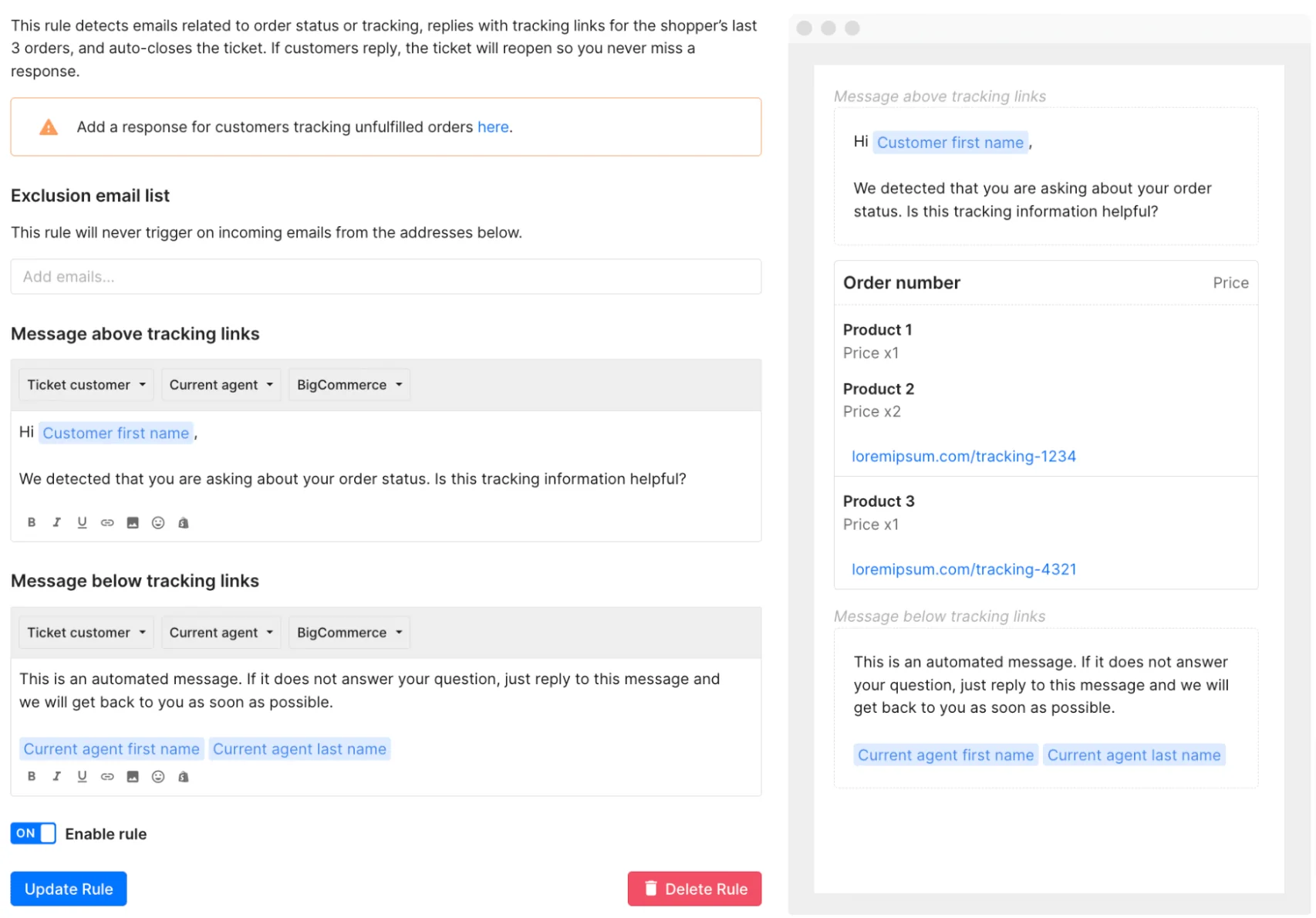
It still works, for now. Autoresponder Rules are gone for any account created after September 2024, and accounts created before that can use them only until January 30, 2026, after which the feature stops. Gorgias directs Shopify brands to use AI Agent instead. So if you are reading this to build a WISMO flow, skip the autoresponder and build on the AI Agent action, it is where Gorgias is putting everything.
How to set up WISMO automation in Gorgias, step by step
Here is the actual sequence for the current path. It is not plug-and-play, there is real configuration, but none of it is hard.
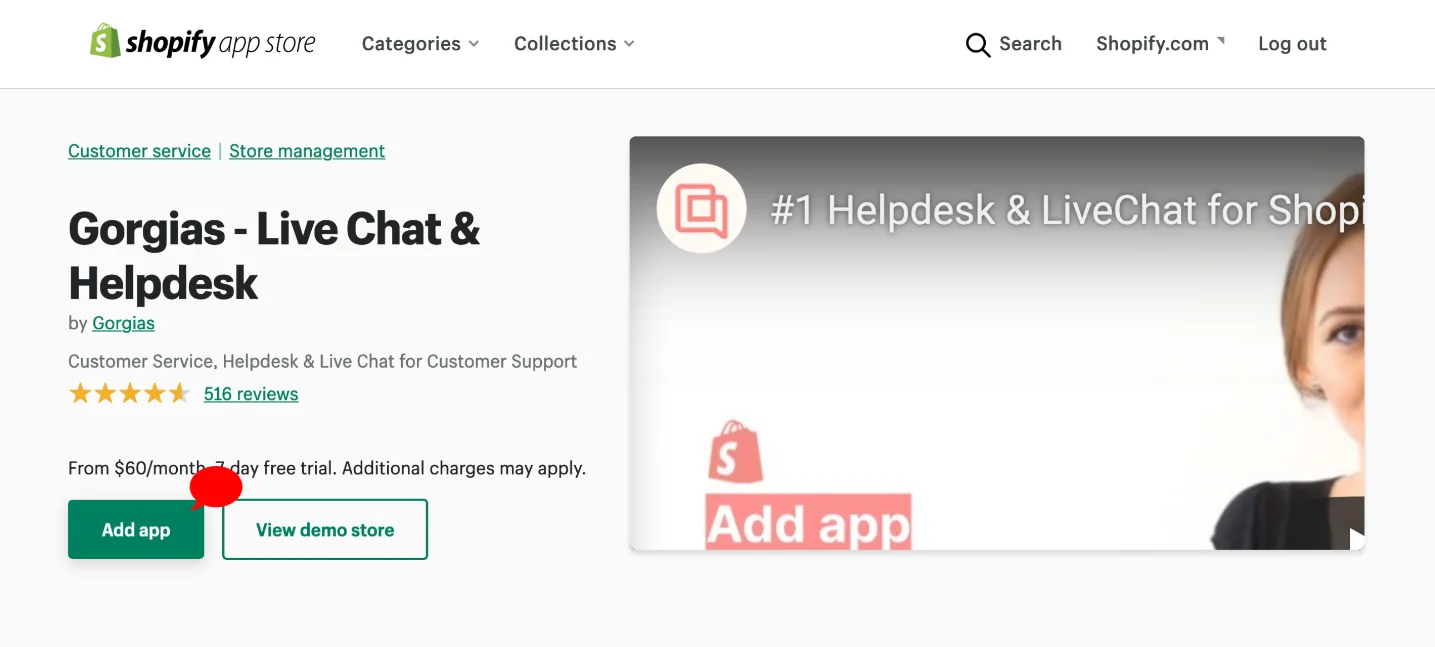
1. Connect your Shopify store. In Gorgias, go to Settings → App Store → All Apps → Shopify, click Add Shopify, and complete the install from the Shopify App Store. Once connected, every ticket shows the customer's profile and orders in the right-hand sidebar, and that sidebar is the data source everything else reads from.
2. Subscribe to AI Agent. Order tracking automation is gated behind an active AI Agent subscription, so this is a hard prerequisite, not an optional add-on.
3. Add the Track order action. Go to AI Agent → Train → Support Actions and create the Track order action from a template. The description field is load-bearing: AI Agent uses it to decide when the action applies, so describe exactly when it should fire and what it does not do.
4. Wrap it in a Skill. An action only runs when AI Agent calls it from inside a Skill. Create a skill tied to the shipping/status intent, written in Gorgias's WHEN / IF / THEN model, and attach the Track order action to it.
5. Reconcile your Rules. This is the easy footgun. If you still have an auto-reply Rule firing on the same intent, the shopper gets two messages. Turn off the overlapping rule before you launch.
6. Test on a fake profile. Use Save and Test, but heed the warning: actions in a test conversation can mutate real customer and order data unless you target a fake customer. Order status is read-only, but if you bundle cancel or edit actions into the same skill, test carefully.
If you want to insert order data into human-agent replies too, Gorgias exposes Shopify variables like {{ticket.customer.integrations.shopify.orders[0].id}} inside macros. Worth noting: the published Shopify variable table does not include a dedicated tracking-number variable, tracking is surfaced through Order Management and the Track action, not a macro token.
What Gorgias WISMO automation actually costs
Now the part that decides whether this is a good deal for you. Gorgias AI Agent is billed per resolution, and WISMO is where that model bites hardest, because it is your highest-volume ticket.
Two meters can hit one ticket. There is a helpdesk ticket fee on any ticket with at least one reply, and an additional automation fee when AI Agent resolves the ticket without a human. So a fully automated WISMO reply is charged twice: ticket fee plus automation fee.
Here is what the automation fee alone looks like:
| Plan | Rate per automated interaction | Included interactions/mo | | --- | --- | --- | --- | | Starter (monthly) | $1.00 | 30 | | Basic (annual) | $0.90 | 30 | | Pro (annual) | $0.90 | 190 | | Advanced (annual) | $0.85 | 530 |
Every figure is from the Gorgias pricing page. The important number is that each automated interaction is billed per interaction, so the cost rises in a straight line with WISMO volume, which is precisely the thing that spikes during a peak.
The community read on this is consistent. Gorgias tends to pay off once a big share of your tickets need direct Shopify actions, refunds, cancellations, order edits, and looks expensive when the volume is mostly conversational lookups:
"the price adds up quick once your volume grows"

WISMO is the conversational-lookup case. It is high volume and low complexity, which is the worst possible fit for a per-resolution meter. Plug your own numbers in:
To be fair to Gorgias: if AI Agent hands the ticket to a human, you are not charged the automation fee, only the ticket fee. And the native, one-platform experience is genuinely tight, orders, actions, and inbox share context with no syncing. The cost question is really about whether your WISMO volume is high enough that per-resolution pricing starts to sting.
How eesel layers flat-rate WISMO onto your Gorgias inbox
This is where I come in, honestly. eesel AI is not a replacement for Gorgias, it is an AI Agent that joins your existing Gorgias inbox. No separate widget, no second inbox. It reads Gorgias tickets, drafts and sends replies, updates tags and status, and, the important part for WISMO, pulls live Shopify order data into every reply.
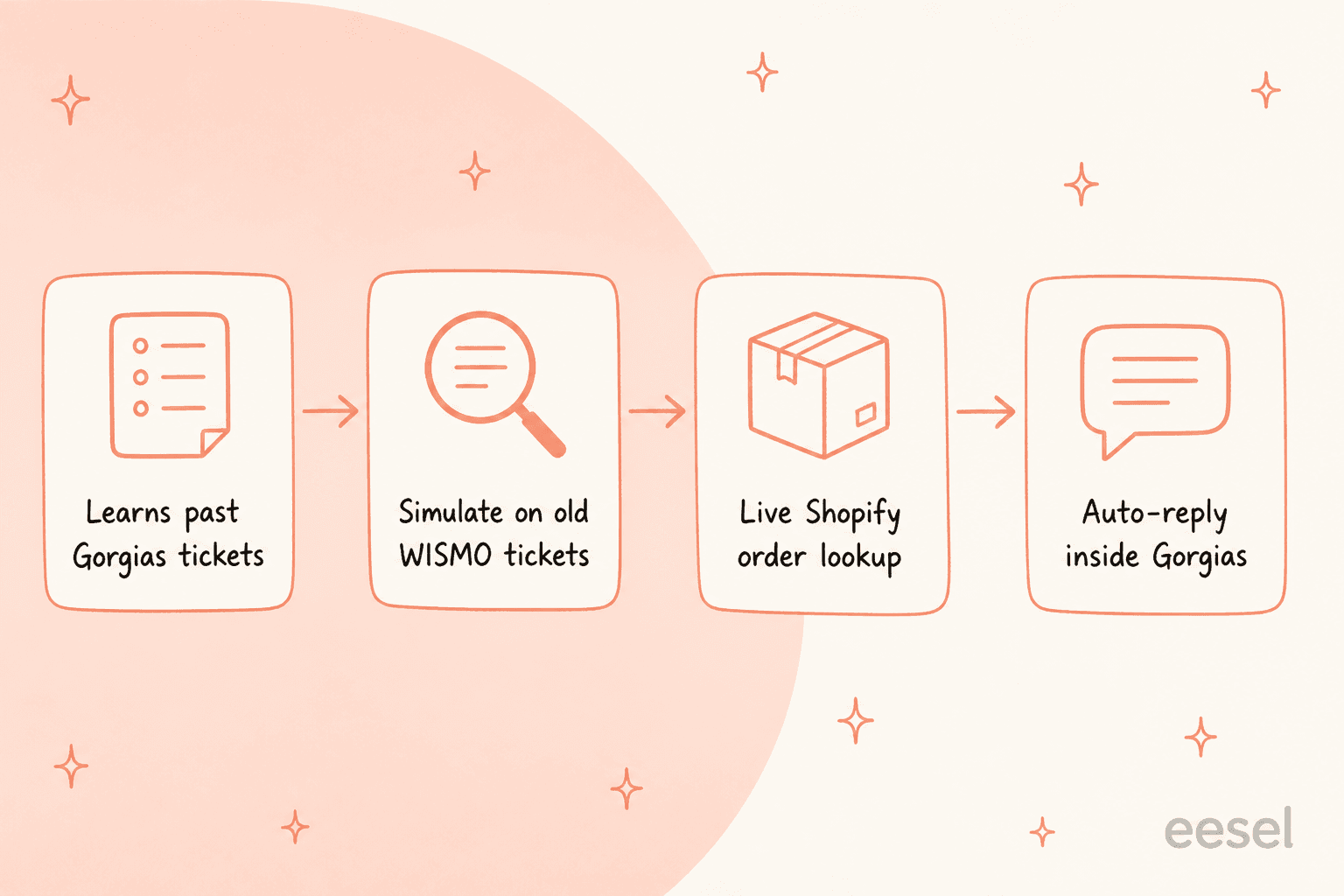
The mechanics are close to what you would build natively, with two differences that matter for order tracking:
Live Shopify actions, priced flat. eesel's Shopify integration exposes actions like Get Order by ID, Get Order Fulfillment, and Get Order History, so a WISMO reply becomes "Your order #1042 shipped via FedEx, tracking: ..." rather than a policy answer. Every ticket, WISMO or not, costs 1 credit, however long the back-and-forth, on plans from $299/month for 500 credits. No per-resolution meter, no platform fee, no per-seat pricing.
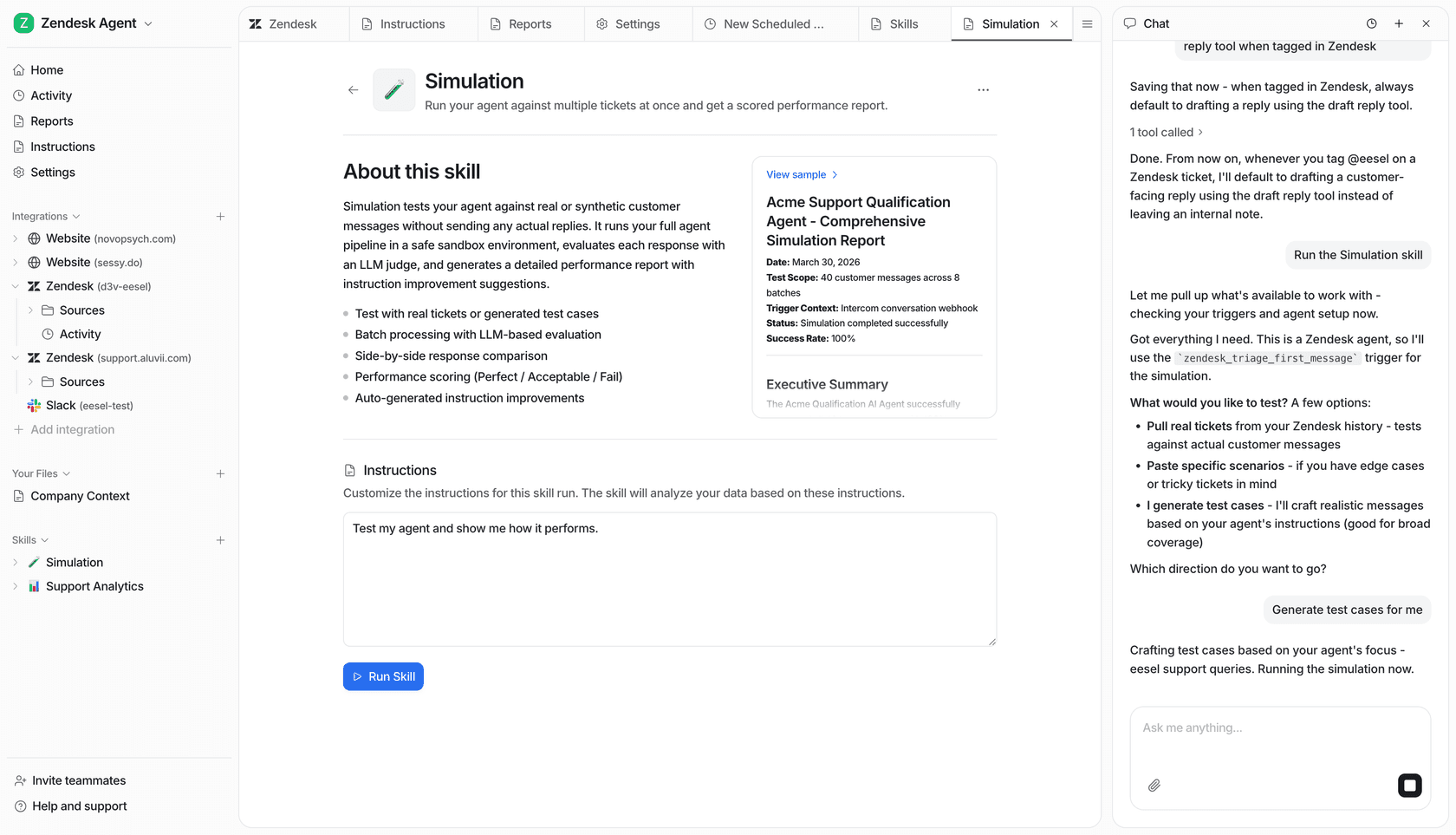
Simulate before you spend. We have spent years putting AI on live support queues, and the scar tissue from watching confident bots give wrong answers is why every rollout is simulated against historical tickets first. You can run eesel's AI Agent over your past Gorgias tickets, see exactly how it would have handled WISMO, returns, and product questions, find the gaps, and only then go live. You can do this on the free plan (100 credits, no card) before any spend.
It also respects your existing Gorgias Rules and Macros, works across every channel Gorgias supports, and replies in 80+ languages out of the box. One brand on the setup, the DTC pet food brand Years, put it plainly:
"eesel AI wasn't just another chatbot for our Gorgias helpdesk. It was the glue that connected our helpdesk to our Shopify store and all our internal knowledge."
Years.com, DTC pet food brand
The trade-off to be straight about: eesel is a layer, so you are running two products, and PII redaction on the Gorgias path is still on the roadmap rather than shipped today. If you want everything native on one bill and your volume is modest, Gorgias's own AI Agent is the simpler answer. If WISMO volume is high and the per-resolution cliff is what is scaring you off, a flat layer is worth simulating.
Try eesel for Gorgias order tracking
If your WISMO queue is the reason you are reading this, here is the short version: eesel AI connects to Gorgias in under 30 minutes, learns from your past tickets, macros, and Shopify order data, and starts drafting WISMO replies you can review before switching them to autonomous. It is one fixed monthly price from $299 for 500 credits, and you can simulate the whole thing on your real Gorgias history for free before you spend a cent.

The best way to know if it fits is to point it at your own tickets and watch what it does with a month of "where is my order?" See how it performs on your Gorgias inbox, free to try.