AI for Gorgias and Recharge: resolving subscription tickets end to end in 2026

Rama Adi

Katelin Teen
Last edited September 30, 2026

The six subscription tickets, and what each one really needs
I build integrations at eesel, and the first thing I learned wiring up Recharge is that "subscription ticket" isn't one thing. Each request maps to a different operation in Recharge, with different rules about what can be undone. A customer who says "cancel" often means "skip", and that mix-up is expensive.
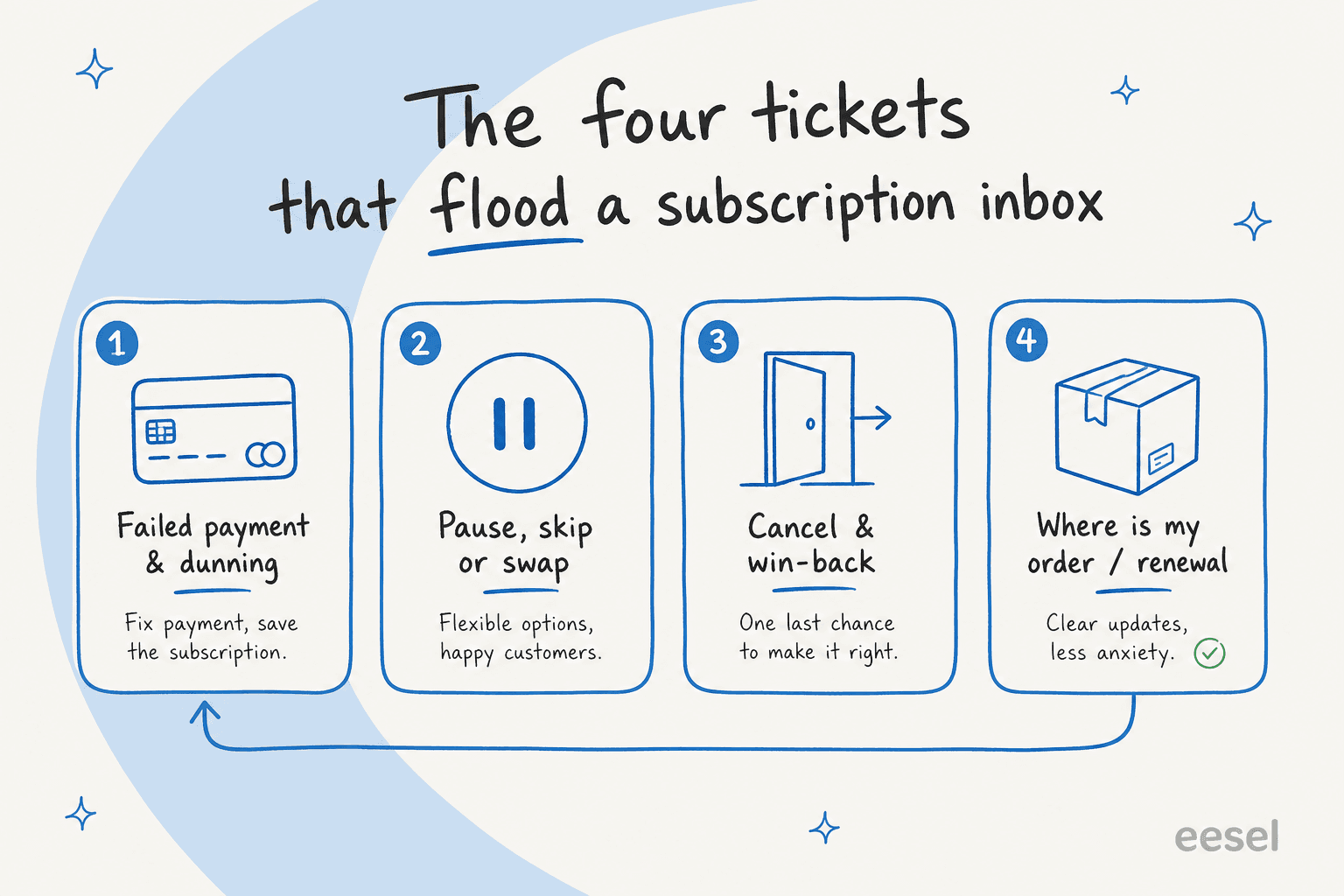
Here is what sits behind each one, from Recharge's own API reference and portal guide:
| Ticket | What the customer says | What happens in Recharge | Reversible? |
|---|---|---|---|
| Skip | "Skip next month's box" | Skip one queued charge; the subscription stays active | Yes, a skip can be unskipped |
| Swap | "Send me the vanilla one instead" | Update the subscription's variant (prepaid plans need an override) | Yes, swap back |
| Pause | "Pause me until March" | No paused status exists; the next charge date moves out | Yes, move the date again |
| Cancel | "Cancel my subscription" | Cancel with a required cancellation reason | Not really: a new subscription is a new one |
| Billing date | "Can you charge me on the 15th?" | Set a new next charge date | Yes |
| Failed payment | "Why did my payment fail?" | Recharge retries and emails a secure card-update link | The card update is the customer's step |
Two details from that table cause most of the mistakes I see. First, Recharge has no "paused" status. Subscription status is only active, cancelled or expired, so a pause is really a later charge date. Second, the address future boxes ship to lives on a Recharge address record, not on the Shopify customer. Recharge's docs say subscriptions are a child object of an address. Fixing the Shopify address alone means the next box still goes to the old one.
Failed payments are the quiet giant. Recharge says that on average, 7% of recurring charges fail on the first attempt. Each one can turn into a "why was I charged / not charged" ticket. My billing support automation guide goes deeper on that category.
What the native Gorgias Recharge integration does
The Gorgias Recharge integration is a one-click connection from Settings > App Store in Gorgias. Once connected, the ticket sidebar shows the customer's subscriptions and charges, including the next charge date, right next to the Shopify order data agents already use.
From that widget, a human agent can:
- Cancel a subscription (click Cancel, then Confirm)
- Skip a charge, from the Skip button under a charge's subscription section
- Refund a charge, partially or fully, though the Refund button only shows for orders
- Reactivate a cancelled subscription, and un-skip a skipped one, per a Gorgias changelog post
Macros add four Recharge actions: Cancel last subscription, Activate last subscription, Refund last charge and Refund last order. Macro actions are available on all Helpdesk plans and run when the macro is sent. If you already lean on Gorgias macros, a cancellation macro that records the customer's reason is the single most useful thing to build first.
The docs don't name a widget action for changing the charge date, frequency, product or payment method. Gorgias also warns that the widget can show a wrong next charge date when Recharge webhooks stop arriving. Treat the sidebar as a fast view, and check Recharge before promising a date.
Gorgias's older DoggieLawn customer story shows what this manual setup is worth on its own: 37% faster resolution and 70% more one-touch tickets, after the team stopped copying data between tabs. That result predates Gorgias AI Agent. It's what you get from putting the data in front of a human, not from automation.
What Gorgias AI Agent can do with Recharge
This is where Gorgias has moved fastest. Its Recharge actions doc, updated in September 2026, lists 10 actions AI Agent can run on its own:
| Group | Gorgias AI Agent Recharge actions |
|---|---|
| Cancel or pause | Cancel subscription, Pause subscription, Pause selected subscription |
| Frequency and shipments | Skip next subscription shipment, Change subscription frequency, Change charge date |
| Look up and update | Get subscription details, List active subscriptions, Update subscription shipping address |
| Discounts | Create discount code |
That is a real list. Pause and "change charge date" are the two verbs subscription customers ask for most, and Gorgias handles both natively. Pause works the way you'd expect given Recharge's data model: the docs say AI Agent "simulates this by pushing the subscription's next charge out to a resume date the shopper chooses."
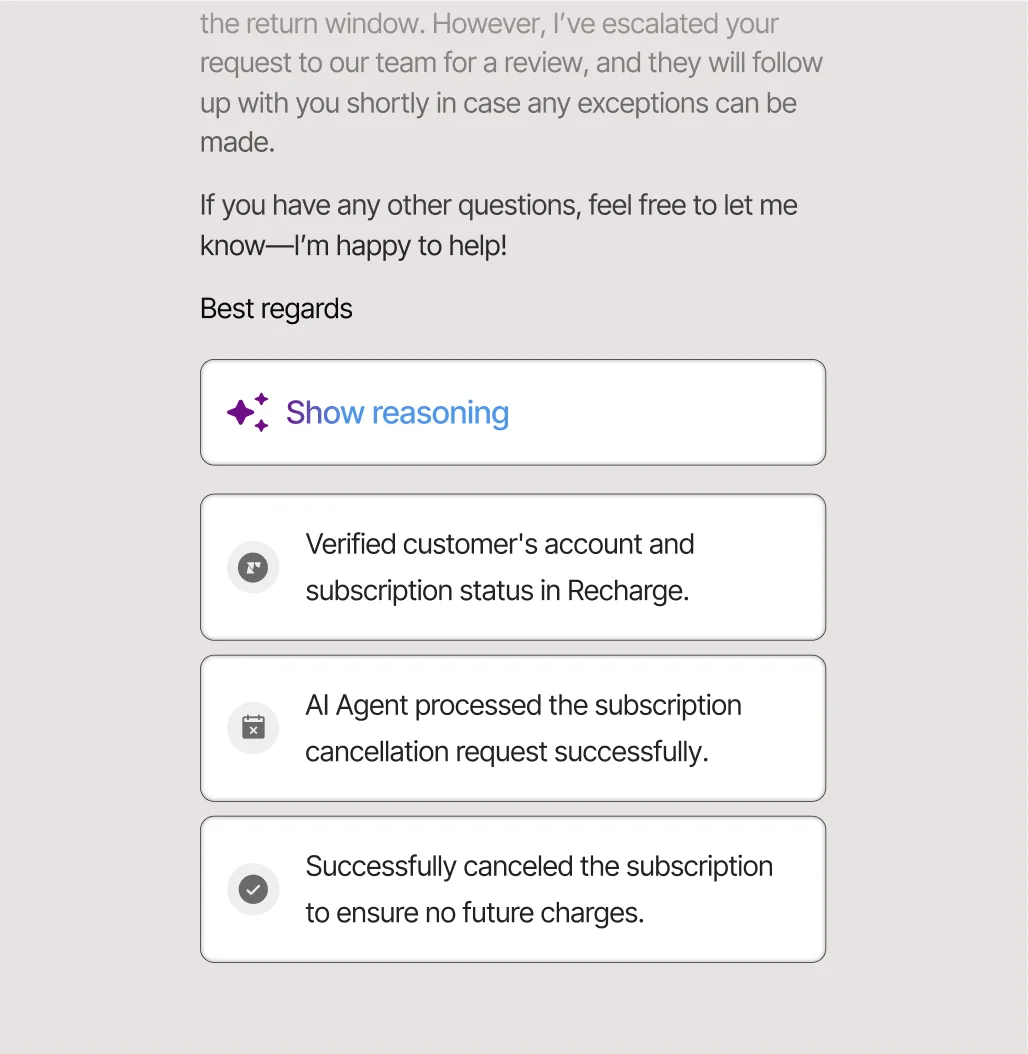
The limits are just as specific, and they're worth knowing before you plan around it:
- One subscription at a time. Verbatim from the doc: "Most Recharge actions only run if the shopper has a single active subscription. If a shopper has more than one, AI Agent hands over the ticket for your team to complete manually." List active subscriptions and Pause selected subscription are the exceptions.
- Setup inside skills. Actions from a connected app "can only run when added to a skill or guidance," per the actions setup doc. My Gorgias AI guidance walkthrough covers that part.
- Not on Starter. The pricing page shows Actions from the Basic plan up.
- Customer confirmation. Actions Gorgias treats as irreversible, which includes skipping a subscription, ask the shopper to confirm by default.
- No swap, no card update, no refund. None of the 10 actions swaps a product, changes quantity, updates a payment method or refunds a charge. The doc's intro mentions "updating billing details", but no listed action does it.
For shopper self-service in chat, there is no native Recharge step in Flows. Gorgias documents a DIY flow built from HTTP requests to the Recharge API. Its template acts on the shopper's first subscription only. If you want the broader picture of Flows versus AI Agent, my Gorgias Flows guide lays it out.
Where subscription tickets still fall through
Put the three native surfaces side by side and the gaps show up in the same four places.
Customers with more than one subscription. Subscription brands sell bundles, add-ons and "one for me, one for my mum" gifts. Any of those customers drops out of most Gorgias AI Agent Recharge actions and lands back in your queue.
Tickets that span Shopify and Recharge. "My last box arrived damaged, and please skip the next one" is two jobs: a Shopify refund or replacement, and a Recharge skip. A tool that handles each app as a separate action list can do half and hand off the rest. I cover the Shopify half in my guide to AI refund automation.
Swaps and failed payments. No native Recharge action handles either. Recharge's own portal does support "Swap this for a different product" and a "Send edit payment link" email, so the best an AI can do today is explain, point to the right button and hand off when needed.
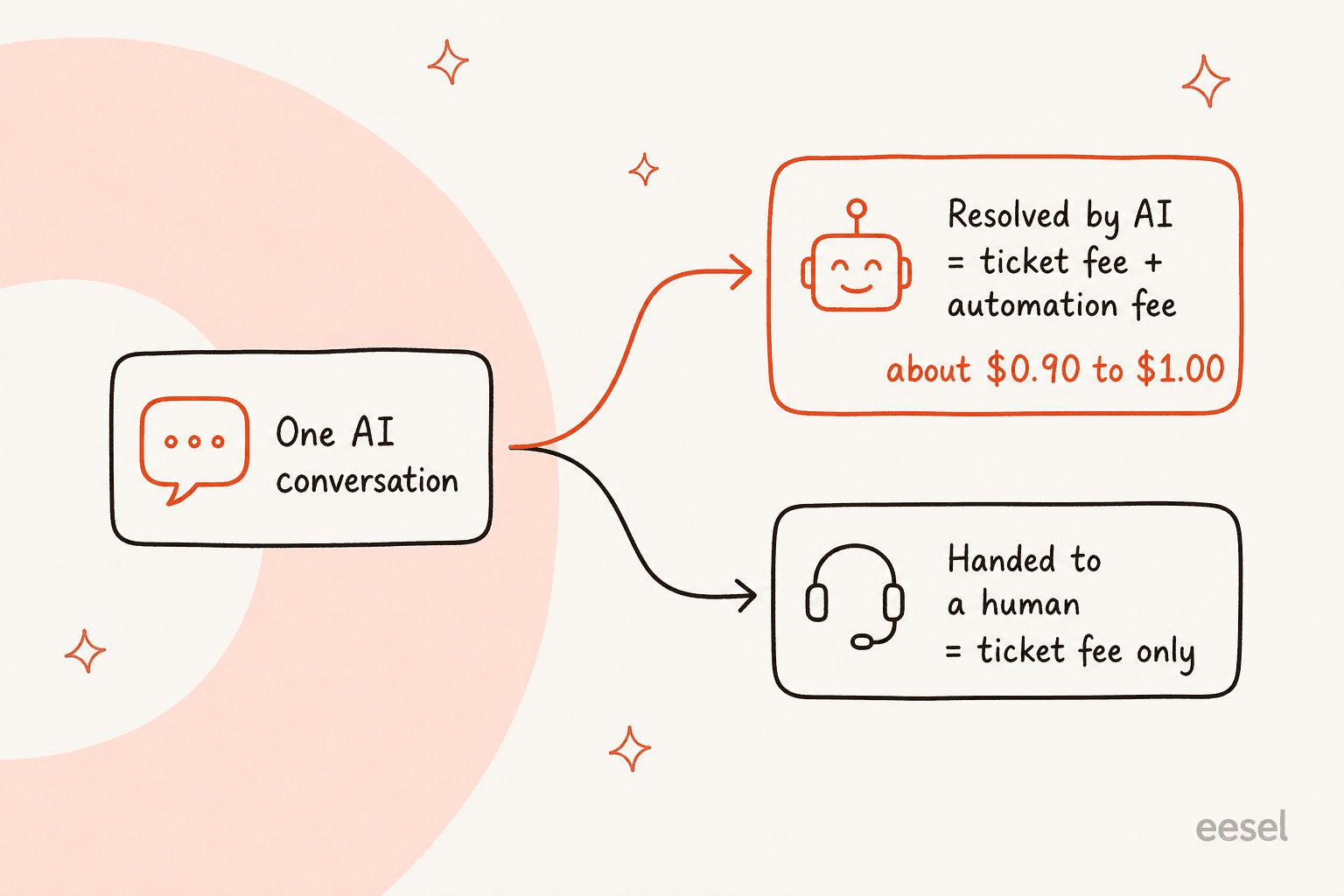
Cost per ticket. On current Gorgias pricing, a ticket fee and an automation fee both apply when AI Agent resolves a ticket without a human.
There's also a trust problem that no feature list solves. An ops lead at a DTC supplements brand doing about 7,000 Gorgias tickets a month, a mix of order-tracking, subscription and product questions, put it to me plainly on a sales call:
"I need an AI who is only handling the tickets that it's confident to handle and all the other ones, leave them alone."
That's the right bar for subscriptions in particular, because a wrong cancel ends a paying relationship. It's why I'd judge any AI here on what it refuses to do as much as on what it can do.
How an AI teammate across Gorgias, Shopify and Recharge handles them
The alternative to piling action lists onto the helpdesk is an AI teammate that works inside Gorgias like an agent and reaches into Shopify and Recharge as it needs them. That's the job eesel was built for. I'll be exact about what it does, because this is where AI vendors get vague.
In Gorgias, eesel learns from your help center, macros and past tickets. It can draft a reply, leave an internal note or send, and it can tag, assign, close and update ticket fields. In Shopify, it reads orders and tracking live and can refund an order, cancel an unfulfilled one, start a return and change a shipping address. In Recharge, it connects with a Recharge API token and has these actions:
| Recharge action in eesel | What it does |
|---|---|
| List customers | Finds a subscriber by email, with their subscriptions, addresses and payment methods |
| List orders | Lists orders with each one's status and scheduled date |
| Skip charge | Skips one upcoming charge; the subscription stays active |
| Cancel subscription | Ends a subscription and records the reason your retention team reads later |
| Cancel order | Removes one queued, unshipped order of a prepaid plan |
| Update address | Changes the Recharge address future charges ship to |
| Create subscription, create or update customer | Starts a subscription, or edits a customer's name, email or phone |
Every write can run on its own, wait for your approval or stay off, set per action on the actions and approvals page. A held action shows up in the eesel dashboard for a person to approve. Recharge has no event that wakes eesel on its own, so this all happens inside the Gorgias tickets it's already working.

Here's how that plays out across the six tickets, next to Gorgias AI Agent:
| Ticket | Gorgias AI Agent (native) | eesel across Gorgias, Shopify and Recharge |
|---|---|---|
| Skip | Yes, for single-subscription shoppers | Yes, on the exact charge, whichever subscription it is on |
| Swap | No action; hands off | No action; points to the portal's swap option or hands off |
| Pause | Yes, by moving the next charge date | No; says so and hands to your team |
| Cancel | Yes, collects a reason (single subscription) | Yes, records the customer's own reason; also cancels leftover prepaid shipments |
| Billing date | Yes, change charge date | No; hands to your team |
| Failed payment | No payment action | Reads the account and orders, explains, points to the card-update link |
| Mixed Shopify + Recharge ticket | Separate actions per app | One reply: Shopify refund or address fix plus the Recharge change |
Two things in that table deserve a closer look.
Skip is never allowed to become cancel. eesel is taught that "skip my next delivery" is a skipped charge, and that it must never cancel a subscription to approximate a skip, a pause or a date change. When it can't do the smaller change, it hands off. It doesn't reach for the nearest verb that ends a paying subscription.
Prepaid cancellations get finished properly. Recharge's own cancellation docs warn that "cancelling a prepaid subscription does not automatically cancel the queued shipment orders". eesel lists the remaining queued orders and cancels each one that shouldn't ship. Before deleting one, it reads the order and refuses if it has already shipped, been processed or errored. That's the kind of detail that turns into a "why did I get another box?" ticket three weeks later.
The honest trade-off: Gorgias AI Agent covers more Recharge verbs today, while eesel covers more of the ticket. If pause and date-change requests are most of your volume, that matters. I'd rather tell you that than have you find out in week two.
What it costs to run AI on Gorgias and Recharge
You'll pay for three things: the helpdesk, the subscription app and the AI. Recharge's pricing page lists Starter at $99 a month plus 1.49% + 19¢ per transaction, and Plus at $499 a month. Cancellation Prevention and Failed Payment Recovery are included on every tier.
For the AI, here's a worked example at 1,000 AI-handled subscription tickets a month:
| Gorgias AI Agent | eesel | |
|---|---|---|
| Billing unit | Automated interaction, plus the helpdesk ticket | Credit (a ticket or chat is 1 credit, however long) |
| Price | $0.90 per interaction on Basic and Pro, $0.85 on Advanced, $1.00 on Starter | Fixed plan: $299 for 500 credits, $499 for 1,000, up to $1,899 for 5,000 |
| 1,000 AI tickets | About $900 in automation fees, plus helpdesk tickets | $499 for the month |
| Seats | Helpdesk plan | Unlimited agents and seats |
Either way you still pay your Gorgias plan for the tickets themselves. The difference is whether each resolution adds a per-interaction fee on top. Gorgias counts an interaction as automated if the customer doesn't need a human within 72 hours. My Gorgias AI Agent pricing breakdown has the full bundle tables, and eesel pricing has a free plan with 100 credits and no card.
How I'd set this up in a week
If I were rolling AI onto a Gorgias and Recharge queue tomorrow, this is the order I'd go in:
- Tag a month of subscription tickets by type. Count skips, pauses, swaps, cancels, date changes and failed payments. This one number decides which tool fits. My guide to AI ticket tagging can do this part for you.
- Check how many customers hold more than one subscription. If it's a big share, the single-subscription rule on Gorgias AI Agent will send a lot of tickets back to humans.
- Connect read-only first. Let the AI look up subscribers and orders and draft internal notes before it touches anything. In eesel that's the "Leave internal note" action.
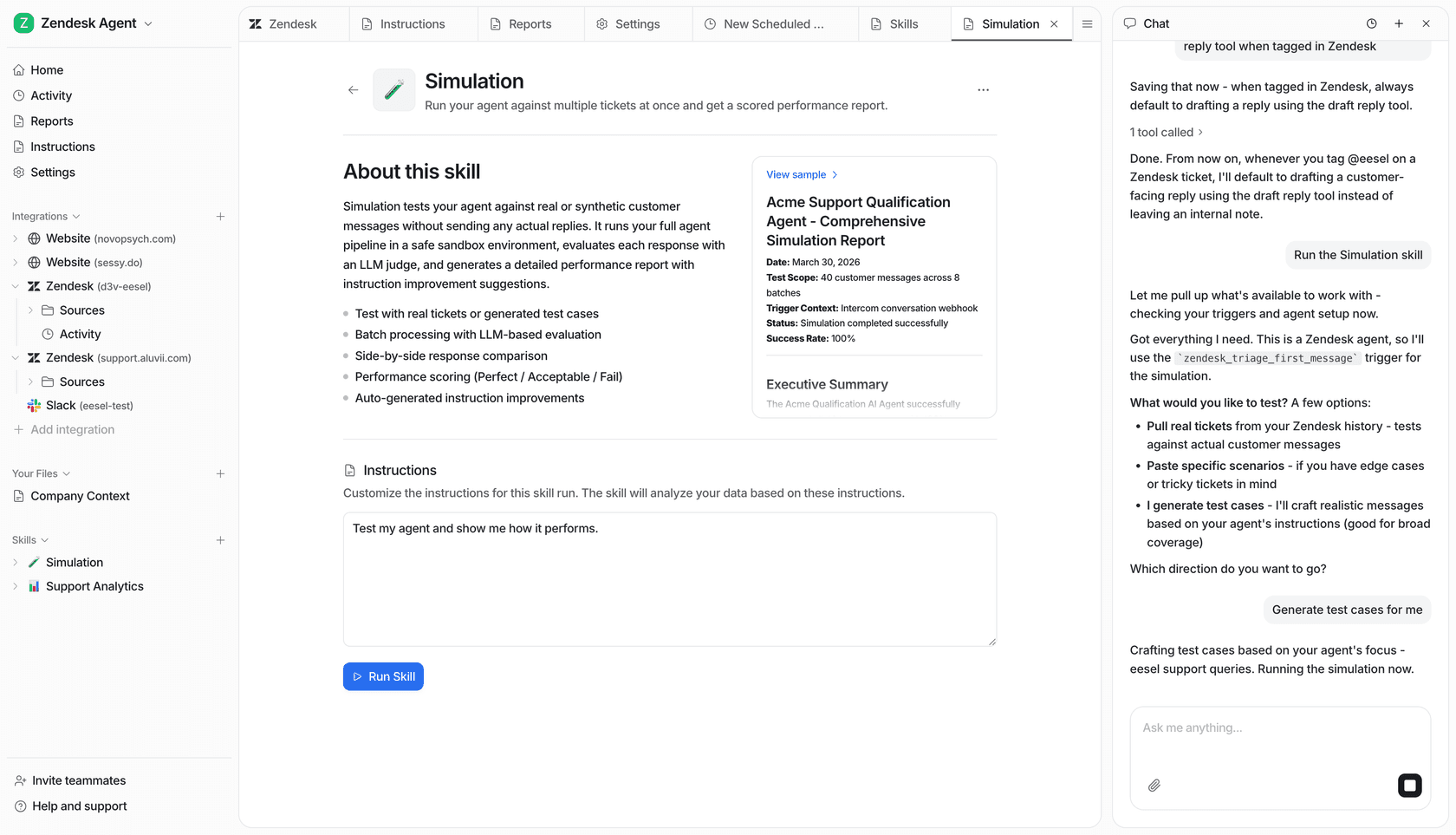
- Test on history, not on customers. eesel's simulation skill runs the agent against hundreds of your past tickets and scores each answer before you go live. Gorgias warns that its test conversations "use real data from your connected apps", so use a test customer there.
- Turn on skips and address changes with approval. They are the most reversible writes. Leave cancels on approval longest, because a cancel can't be cleanly undone.
- Wire the retention path. Point cancel requests at your Recharge Cancellation Prevention offers or the portal's pause option, rather than cancelling on the first message. My post on AI for cancellation retention covers the wording that saves subscribers.
A few pitfalls I'd watch for, whichever tool you pick:
- Promising a pause that is really a date. Tell the customer the new charge date, not "you're paused". There is no paused status in Recharge to flip back later.
- Updating the wrong address. Changing the Shopify customer address doesn't move future Recharge boxes. Fix the Recharge address record too.
- Recreating a cancelled subscription and calling it undone. A new subscription has a new start date and schedule, and possibly a new price.
- Answering "why was I charged" from memory. Read the order and charge status first. Customers misremember in good faith.
For more on the Gorgias side of the rollout, my Gorgias AI setup guide and the post on handing over to humans are good companions.
eesel for Gorgias and Recharge
If your subscription tickets rarely come in one tidy piece, that's the case eesel for Gorgias is built for. It joins your Gorgias queue as an AI teammate and learns from your macros and past tickets. When a ticket needs it, it reads the customer's Shopify order and their Recharge subscriptions live, then does the work in one reply: refund the damaged box, skip next month's charge, fix the address the next box ships to. It won't pause, reschedule or swap in Recharge, and it tells your team when a ticket needs one of those.
Every write can wait for your approval until you trust it, and a simulation on your own past Gorgias tickets shows you how it would have answered before any customer sees a reply. Try eesel free with 100 credits and no card. If you're still comparing, my Gorgias AI Agent vs eesel comparison and the best AI for subscription businesses roundup are good next reads.
Frequently Asked Questions
Does Gorgias integrate with Recharge?
Can Gorgias AI Agent pause or skip a Recharge subscription?
Can AI swap a product on a Recharge subscription?
How does AI handle failed payment tickets in Gorgias and Recharge?
How much does AI for Gorgias and Recharge cost?
Can I use eesel with Gorgias and Recharge together?
What is the best AI for subscription customer support on Gorgias?



Article by
Rama Adi
Rama is a software engineer at eesel AI with two years of experience writing about B2B SaaS, AI tools, and customer support technology. Based in Bali, Indonesia, he brings a developer's perspective to product comparisons — cutting through marketing copy to what the integrations and APIs actually do.