Gorgias AI ticket translation: what it translates, and the gaps to plan for

Riellvriany Indriawan

Katelin Teen
Last edited November 21, 2026
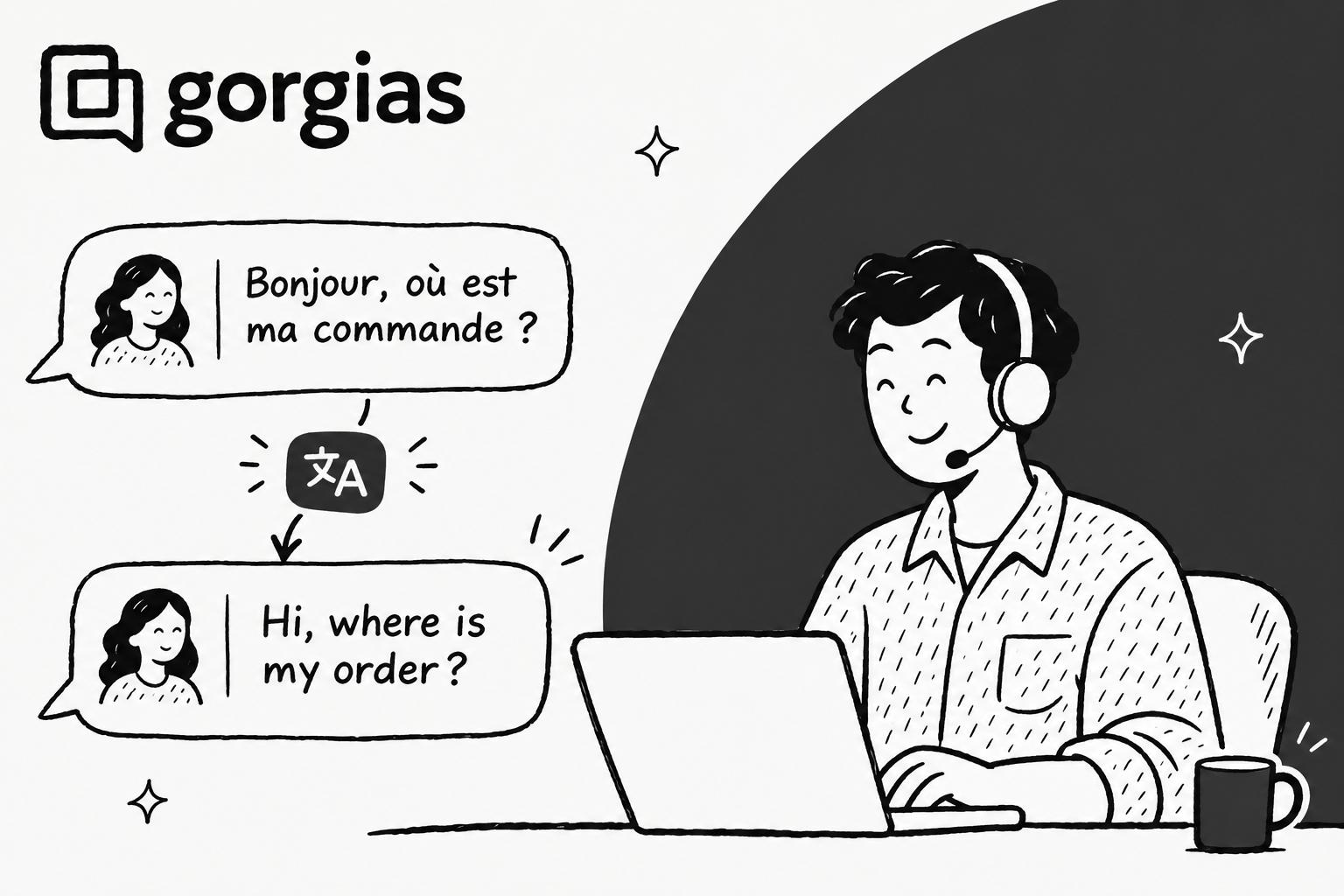
Gorgias translates customer messages and subject lines into each agent's own language on every Helpdesk plan, but your reply is only translated when you click Translate, and internal notes and macros are never translated. Translation is a personal setting: each agent turns it on in their profile, picks a default language and lists the languages they already read. Gorgias sets it per profile, not as an admin setting, so each agent turns it on themselves.
That makes it a good reading aid for a small team that gets the odd French or German ticket, and a weak fit for a team where nobody speaks the customer's language and every reply has to go out in it. If you want replies written in the customer's language from the start, an AI agent like eesel can draft or send them in Gorgias, with a note for your team in your language. A coding agent such as Claude Code can set eesel up with the eesel CLI and test it on a past ticket first; connecting Gorgias still needs a Gorgias admin's approval.
How does Gorgias ticket translation work?
Gorgias's translation lives inside the ticket, not in a separate app, much like Front's translate feature and Zendesk translation. The thing to grasp first is that every part of it hangs off one person's profile.
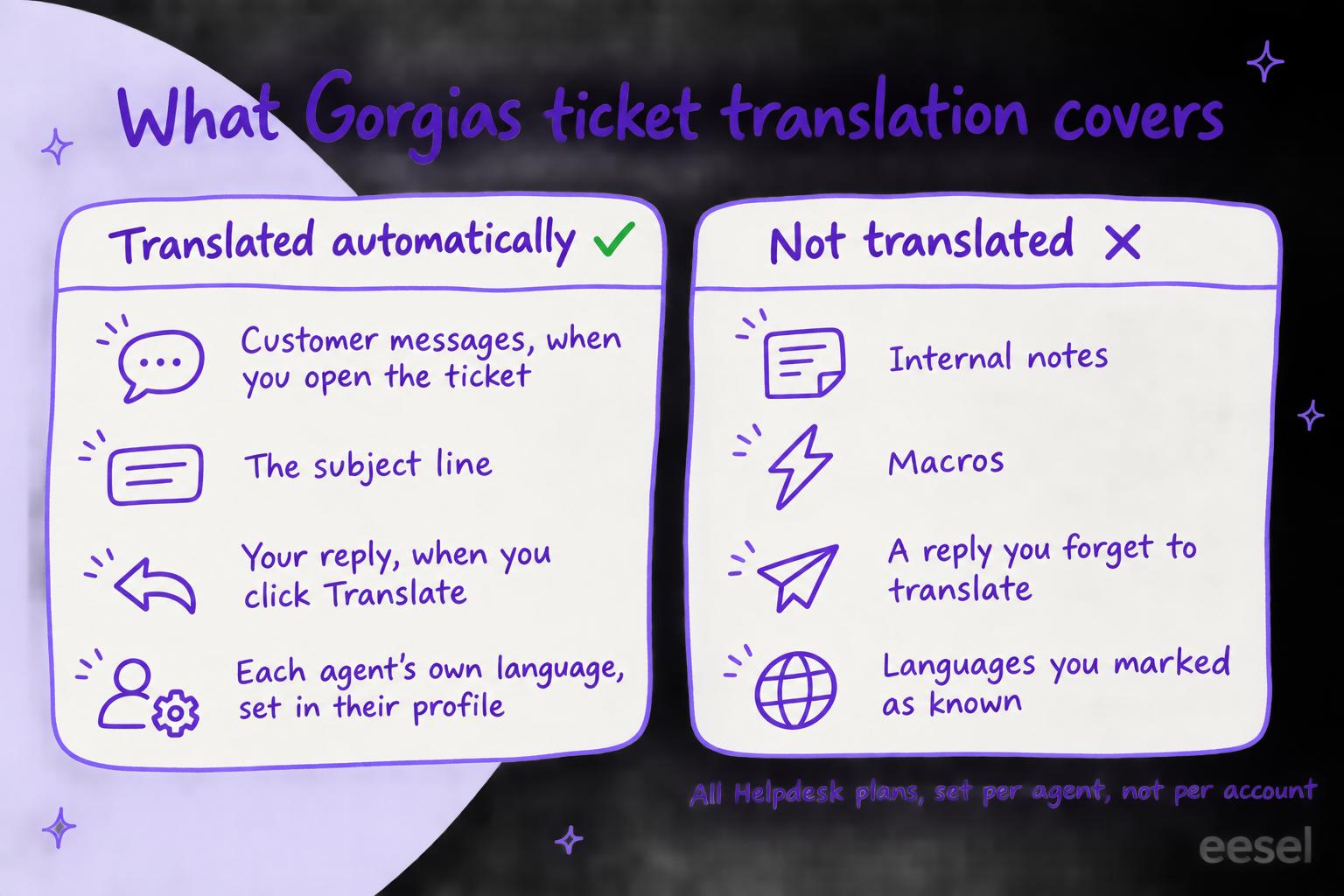
Per Gorgias's translation guide, it works like this:
- It's on every Helpdesk plan. Gorgias's launch post says translations are included in all plans, no AI Agent subscription is needed, and all users can set their own preferences.
- It's per agent. Translation preferences are managed in a user's profile settings, rather than by a global admin setting. Each agent picks a Default translation language and a list of Languages you know. A ticket in a known language isn't translated; every other language is translated into the default.
- Inbound messages are translated when you open the ticket. The subject line and all customer-facing messages are translated, and a translation icon appears in the top right of the ticket. Click Translated from under a message to see the original or regenerate the translation.
- Outbound needs a click. Type your reply, click the translation icon in the formatting toolbar, choose the language and send. To change something afterwards, go back to the original, edit it and translate again.
- Internal notes and macros stay as written. Gorgias's launch post answers the question directly: "No, only customer-facing messages and subject lines are translated."
Gorgias's guide gives a sensible example: an agent who answers in English and French sets French as the default and adds English to the languages they know, so English tickets are left alone and everything else arrives in French.
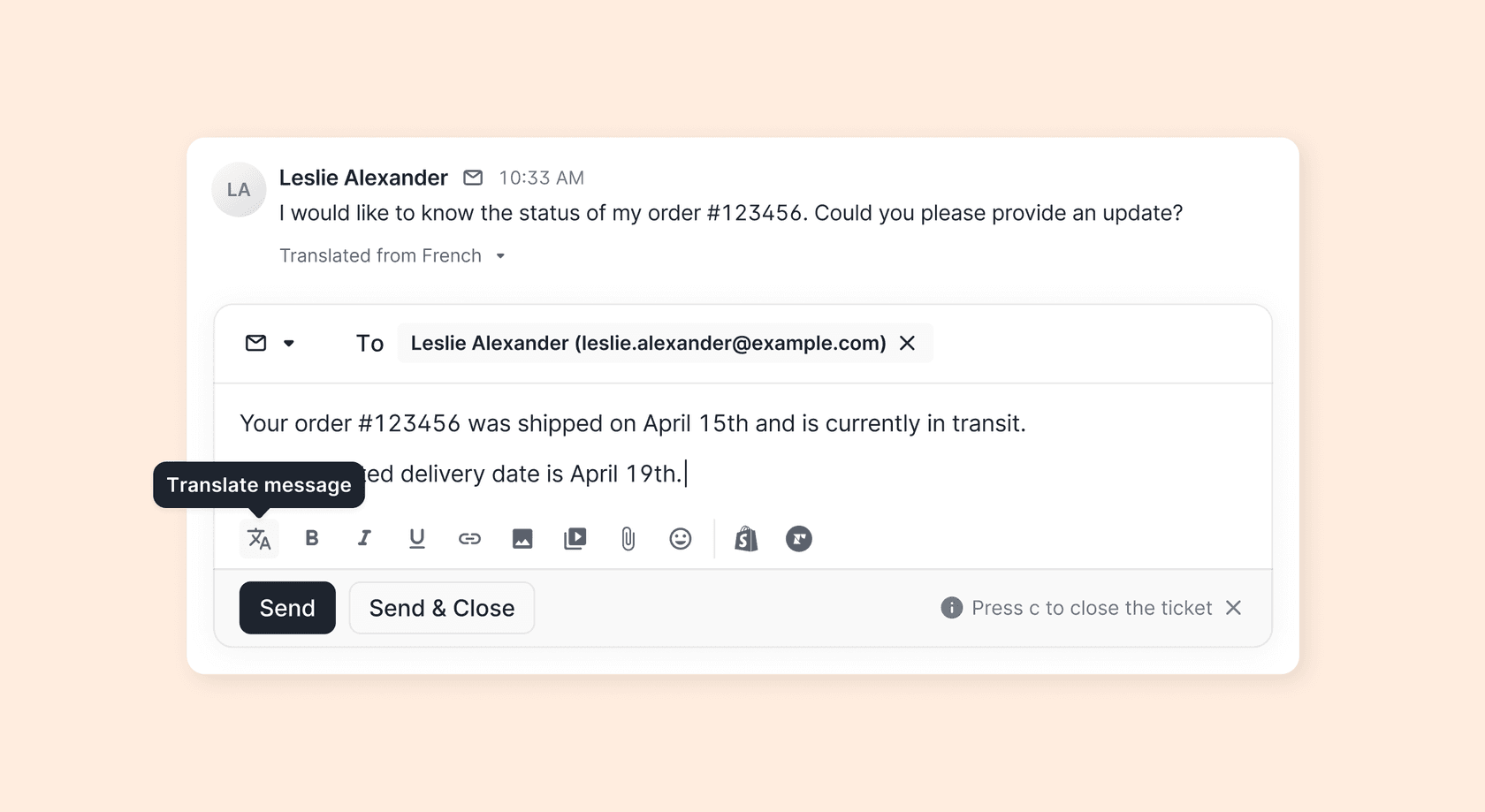
Here is the reply side, from Gorgias's launch post. The customer's French message shows in English with Translated from French under it, and the translate button sits first in the reply toolbar:
How to turn on ticket translation in Gorgias
Each agent does this for themselves, so send these steps to the whole team rather than doing them once as an admin.
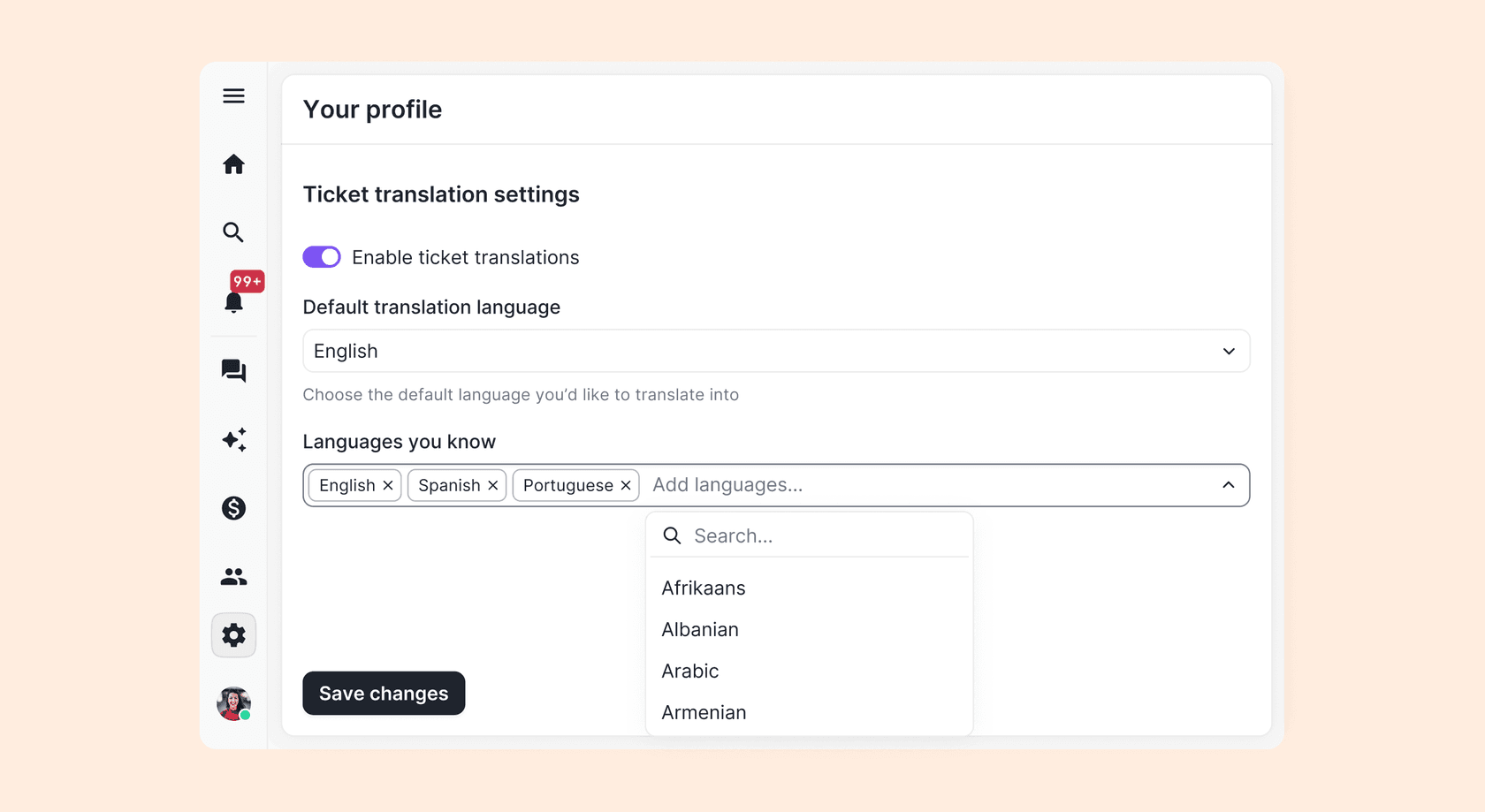
- Open your profile. Click the settings icon in the bottom left of the helpdesk, then Your profile under Profile.
- Turn it on. Under Ticket translation settings, switch on Enable ticket translations and save.
- Pick a default language. Under Default translation language, choose the language you want unfamiliar tickets translated into. You can change it later, and Gorgias regenerates the translations to match.
- List the languages you read. Add them under Languages you know, so those tickets stay in the original. Save.
Then open a ticket in a language you didn't list and check the Translated from line appears. Before you rely on it for replies, have someone who reads the language check five translated replies, to see whether the machine translation is good enough to send.
Where does Gorgias translation fall short?
The feature does what it says. The gaps come from what it leaves to the agent.
- A forgotten click sends the reply in your language. Inbound is automatic, outbound is not. An agent who reads a German ticket in English and types an English answer sends English unless they press Translate first. Gorgias's guide describes outbound translation only as this manual step.
- Internal notes stay in whatever language they were written in. A teammate in Lisbon who leaves a note in Portuguese, or an app that posts a note in the customer's language, is not translated for the next agent.
- Macros aren't translated. If your macros are in English, a Spanish customer gets an English macro unless the agent translates the reply after applying it. Gorgias macros covers keeping separate macros per language if you'd rather not depend on that.
- Editing a translated subject loses the original. Gorgias's guide warns that once you edit a translated subject line, you can no longer see the original.
- Each agent has to turn it on. There's no admin setting for the team, so a new hire who never opens their profile sees every ticket untranslated. Put the four steps above in onboarding.
- It translates, it doesn't route. Translation doesn't decide who gets the ticket (Gorgias tagging and routing covers that side). For that, Gorgias can detect up to 54 languages, and per its language detection guide you can use a ticket's language in views and rules, for example to assign Spanish tickets to an agent who speaks Spanish. Gorgias assignment rules shows how.
What are the other ways to handle languages in Gorgias?
Native translation is one of four options, and they solve different problems.
AI Agent replies in the customer's language
If you use Gorgias's AI Agent, it already answers in the customer's language. Per Gorgias's reply language guide, "by default, AI Agent detects the language a customer writes in and replies in the same language", across email, chat and SMS. An Owner, Admin or Lead can change that under AI Agent > Settings > General > Language to always reply in one fixed language, which Gorgias suggests for legal language requirements or to keep threads readable for your team. Gorgias also warns against controlling language through the tone of voice fields: "Using tone of voice fields to control language is unreliable." AI Agent is a monthly fee with some automated interactions included, then billed per interaction (below); Gorgias AI Agent alternatives compares it with other bots.
Translation by Lingpad
Lingpad is a partner app in the Gorgias App Store. Its listing claims support for over 120 languages, a glossary to keep brand terms consistent, translated email subject lines and word-based pricing, and it covers Voice, SMS, WhatsApp, Facebook, Instagram, Chat and Email. It works differently from the native feature: agents write their reply in an internal note starting with !, and Lingpad sends the translated message to the customer. One limit in Gorgias's own guide: the ticket has to be assigned before the agent replies, or Lingpad uses the first admin user's default language. Gorgias also notes that partner-built integrations can take longer to get support for.
A rule on ticket language
If you have agents who speak the language, the simplest fix is not translating at all: a rule that matches the ticket's language and assigns the team that speaks it. It's on every plan and needs no AI. Gorgias's multilingual help center covers the self-service side of the same setup, and multilingual live chat the chat side.
An AI agent that writes in the customer's language
An AI agent connected to Gorgias can do the outbound side the native feature leaves to a click: read the ticket, look up the order, and write the reply in the customer's language. That is where eesel fits (below); best AI for multilingual support lists the wider field.
Pick what your team needs to see which Gorgias setup handles it.
What does Gorgias translation cost?
Native translation, language detection and language rules come with every Helpdesk plan; AI Agent is a separate subscription. From Gorgias's pricing page, billed monthly:
| Plan | Helpdesk | Tickets a month | AI Agent | Automated interactions included |
|---|---|---|---|---|
| Starter | $10/mo | 50 | $30/mo | 30 |
| Basic | $60/mo | 300 | $30/mo | 30 |
| Pro | $360/mo | 2,000 | $190/mo | 190 |
| Advanced | $900/mo | 5,000 | $530/mo | 530 |
Lingpad is billed by Lingpad, by the word. For what AI Agent costs past its included interactions, see Gorgias AI Agent pricing.
Where does an AI agent like eesel fit?
Gorgias's translation helps the agent read. The work it leaves is writing a correct reply in a language nobody on the team speaks. Whether AI can carry multilingual support at all is its own question; for stores, see AI multilingual support for ecommerce.
eesel joins Gorgias as a teammate. Per the eesel Gorgias docs, it reads the ticket (the ticket's language included), the newest 40 messages, the customer's orders, and your help center, macros and past tickets, then does what your instructions say: leave an internal note, draft a reply, or send one. Gorgias AI Agent vs eesel compares the two side by side. It replies in whatever language the customer writes in, whatever language your help center is in. Because Gorgias won't translate internal notes, write the instruction for that: "draft the reply in the customer's language, and put a two-line summary in English in the note above it." The agent reviewing the draft reads the English summary, and the customer gets a reply that was written in their language rather than translated at the last step.
Where it isn't the right fit: if your team reads the languages it gets, or the odd foreign ticket is rare, Gorgias's native translation is free and already in your helpdesk. eesel doesn't add a translate button to the Gorgias reply editor either; it works through notes, drafts and replies on the ticket.
Try eesel for multilingual Gorgias tickets
If your team keeps forgetting the Translate click, or tickets in languages nobody speaks sit until someone finds a translation tool, try eesel next to Gorgias. Start with drafts as internal notes in the customer's language, read a week of them, and then widen it: which tickets it works on is set in the automation's instructions, and what it may do alone versus ask first is set per action in actions and approvals. A ticket is 1 credit, and only unusually long ones use more, and the free trial lets you watch it draft on real tickets before you pay.

Try eesel on one language first, or compare options in best AI for Gorgias.