Zendesk translation in 2026: every native option, plan, and limit

Riellvriany Indriawan

Katelin Teen
Last edited October 22, 2026
What are all the ways to do Zendesk translation?
I work eesel's support queue every day, and the language question comes up on almost every Zendesk call. The clearest moment for me was a German jewelry brand on Zendesk and Shopify, about 1,000 tickets a month, trialing eesel's agent: it answered in eight languages nobody had configured, German, English, French, Dutch, Spanish, Polish, Croatian and Turkish. The scar from the same period is just as useful. One German draft for another customer still shipped a raw {{ticket.requester.first_name}} placeholder, which is exactly the kind of thing you only catch by testing on your own past tickets in each language before going live. Below is every way to translate inside Zendesk today, what each costs, and where translation stops being the answer.
Zendesk spreads translation across four places: the ticket (agent conversations), the help center (articles and theme text), business rules (macros, triggers and system messages via dynamic content), and AI agents. On top of that sit Marketplace apps and the DeepL browser extension. Here is the whole map, with plans and limits taken from Zendesk's pricing page and help center on October 22, 2026.
| Feature | Plan | What it translates | Limit worth knowing |
|---|---|---|---|
| Conversation translation (AWS Translate, default) | Support Team, Professional, Enterprise; all Suite plans from Team | Live chat and messaging in both directions; inbound email, web form and API | 32 languages listed for live conversation translation |
| AI translations for all channels | Same plans, admin toggle | Inbound and outbound on every channel except voice | Optional "Translated by AI" note works on email, web form and API only |
| Excluded terms | Copilot add-on, $50/agent/month yearly | Keeps brand names and product terms untranslated | Up to 300 case-sensitive terms |
| AI agents in 80+ languages | Suites with AI agents | Bot replies on messaging and email | Billed per automated resolution |
| Multilingual help center | Suite Professional (40+ languages); Suite Team gets 1 default language | Articles, sections, categories, theme snippets | You supply every translation |
| AI article translation | Knowledge Professional or Enterprise | One article into one language, in the editor | Multiple languages at once is Enterprise only; no content blocks |
| Dynamic content | Support Professional+, Suite Growth+ | Macros, triggers, automations, system messages | You write each language variant |
| Marketplace apps | Varies by vendor | Tickets, chat, messaging | Separate contract and data processor |
| DeepL browser extension | DeepL Pro Advanced or Ultimate | Customer messages and agent replies, one click | The dedicated Zendesk app ended October 1, 2025 |
One thing the table hides: Zendesk's own docs do not fully agree with each other. The language support page files AI article translation under the Copilot add-on, while the article-translation page itself lists only Knowledge Professional or Enterprise. And the pricing page's chat row says automatic translation is "powered by Google Translate", while the admin setting says AWS Translate. If one of these decides your budget, ask your Zendesk rep to confirm it in writing.
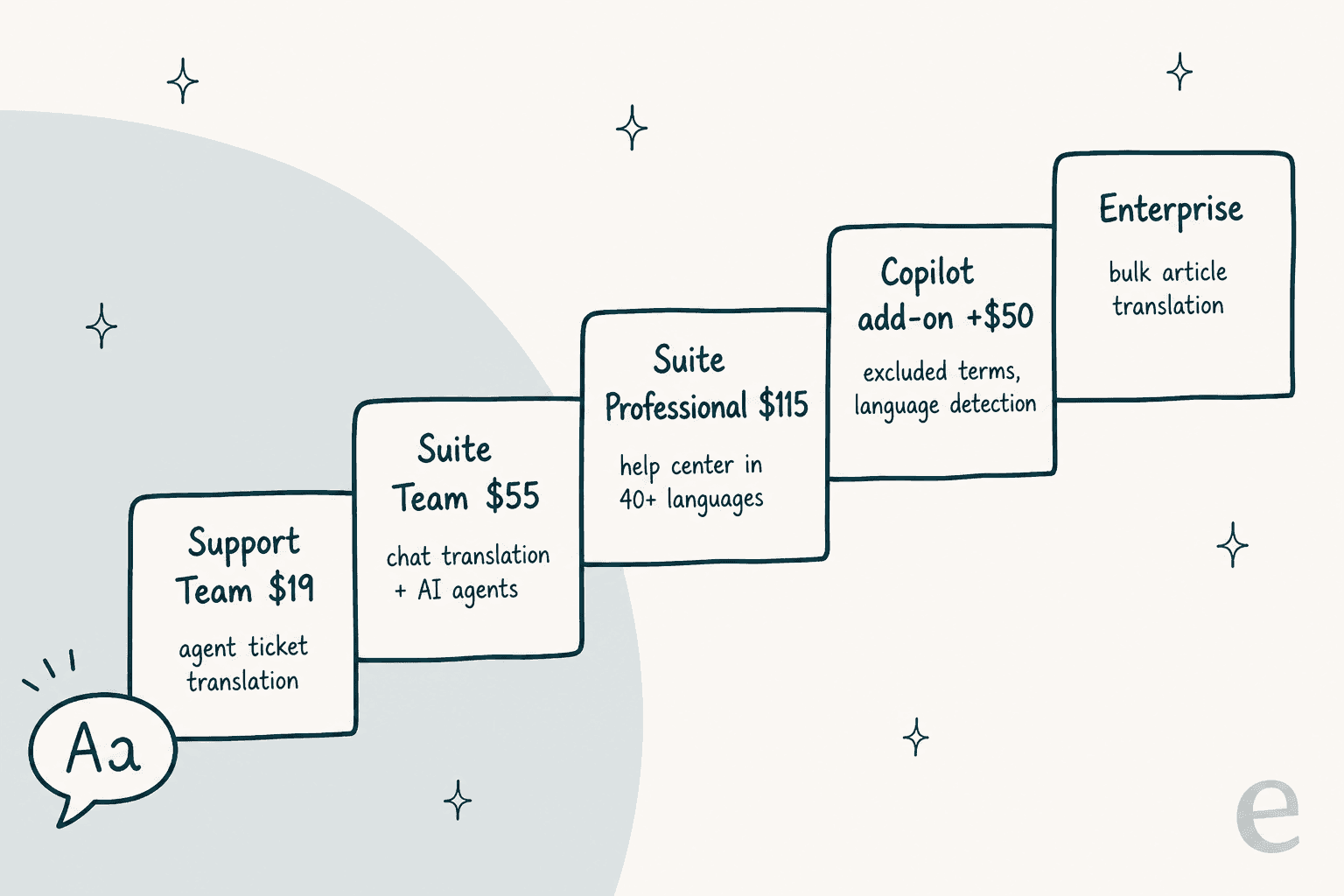
About that "Copilot is included by default" line people keep quoting from the Zendesk pricing page: it sits in the free-trial FAQ. Copilot is included in the 14-day trial. On a paid plan it is still a $50 per agent per month add-on (billed yearly), and the pricing page says it "can be added to Professional and higher plan levels". The Suite pricing itself runs $19 for Support Team, $55 for Suite Team and $115 for Suite Professional per agent per month, billed yearly.
How do I turn on conversation translation in Zendesk?
This is the feature most teams mean when they say "Zendesk translation", and it takes about two minutes in Admin Center. From Zendesk's setup article:
- In Admin Center, go to Objects and rules > Tickets > Settings.
- Expand Comment options for agents.
- Tick Allow agents to translate conversations. This alone turns on AWS Translate.
- Optionally tick AI translations for all channels. Zendesk says AI translations "replace AWS translate, providing higher quality translations", inbound and outbound, on every channel.
- Optionally tick Show AI translation disclosure so customers see "Translated by AI" on email, web form and API replies.
- Click Save.
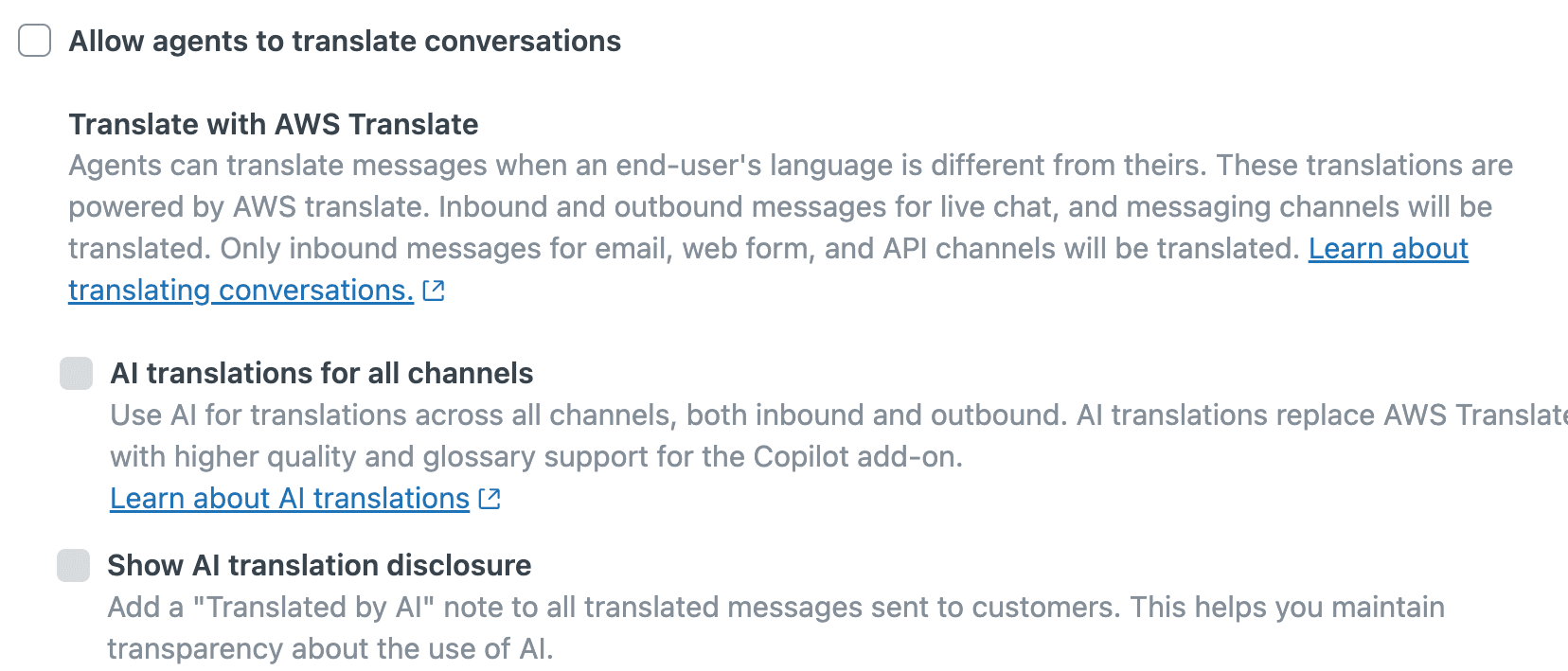
A small wording trap: the setting's own description says AWS Translate translates "only inbound messages for email, web form, and API channels", while the article text says it also covers outbound email. If you need your agents' English email replies to go out in the customer's language, turn on AI translations and skip the guesswork.
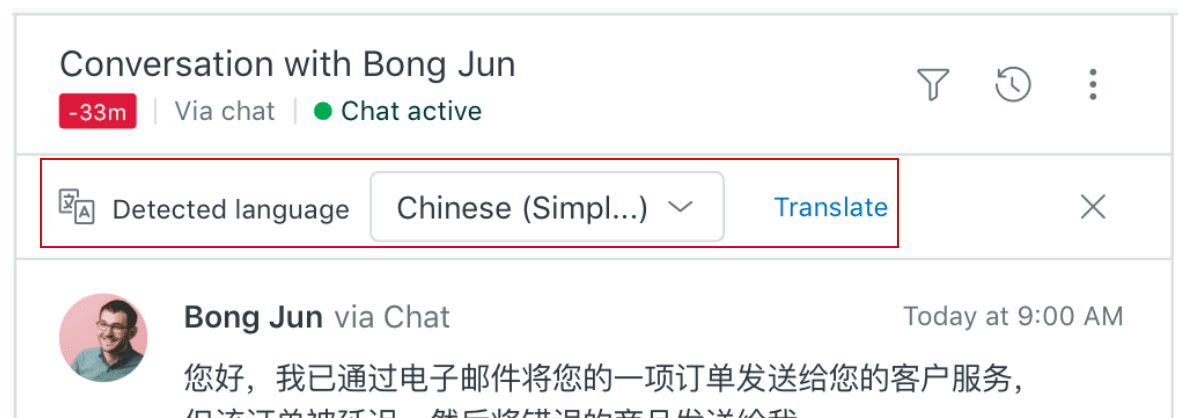
On the agent side, Zendesk detects the customer's language from their recent messages and shows a banner when it differs from the language in the agent's profile. The agent clicks Translate, or corrects the detected language from the dropdown first. If the banner does not appear (short messages often are not enough to detect), the agent can open the ticket options menu and pick Translate. Zendesk's agent guide covers the rest, and so does my auto-translate walkthrough.
One practical tip from the frontline: the agent's profile language matters more than people expect. Zendesk translates the agent's text assuming it is written in their profile language, so an agent set to English who types a quick reply in Spanish gets odd results. Fix profile languages before you blame the engine.
How do I translate my Zendesk help center?
Translating the help center is a separate job with its own plan gate. You need a Suite plan from Growth up, or Knowledge Professional or Enterprise, and you enable each language under your help center settings. The pricing page puts the line at Suite Team (one default language) versus Suite Professional (40+ languages).
Then the order matters, because Zendesk hides any translated article whose parent section or category has no translation in the same language. The localization guide recommends this sequence:
- Enable the languages you plan to support.
- Translate category titles, then section titles.
- Translate each article, by hand or with AI article translation.
- Translate theme snippets (welcome message, footer, alerts) with dynamic content and the
{{dc 'item_name'}}placeholder. - Decide what happens when a reader lands on an article that has no translation, because Zendesk shows them a page error or sends them to that language's home page.
AI article translation does most of the heavy lifting in step 3. In the article editor you open the translation panel, add a language, click Translate, review the side-by-side result, then Add translation and publish. It is on by default where your plan allows it, and Enterprise can generate several languages in one go.
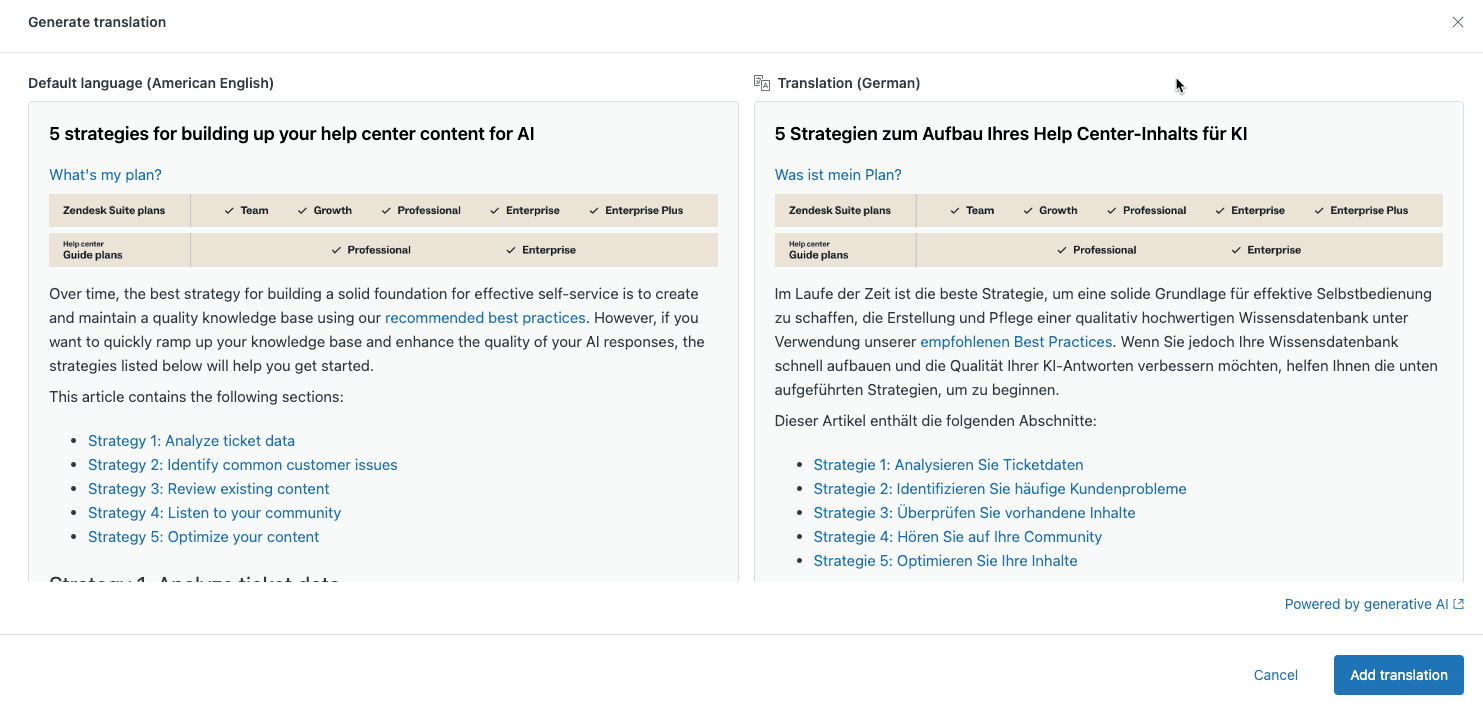
Two limits to plan around. AI article translation does not support content blocks, so shared snippets inside articles need separate handling. And Zendesk notes there is "no automatic flag or indicator visible to end users" that an article was machine translated; if you want readers to know, you add the notice yourself. If you run more than one brand, the multi-brand help center setup multiplies all of this by brand.
The bigger limit is upkeep. Every time the English article changes, each translation is now stale. Dynamic content flags variants as possibly out of date when the default text changes; articles leave the tracking to you. A help center in six languages is six help centers to maintain, which is the real cost hiding behind "40+ languages".
Where does Zendesk translation break?
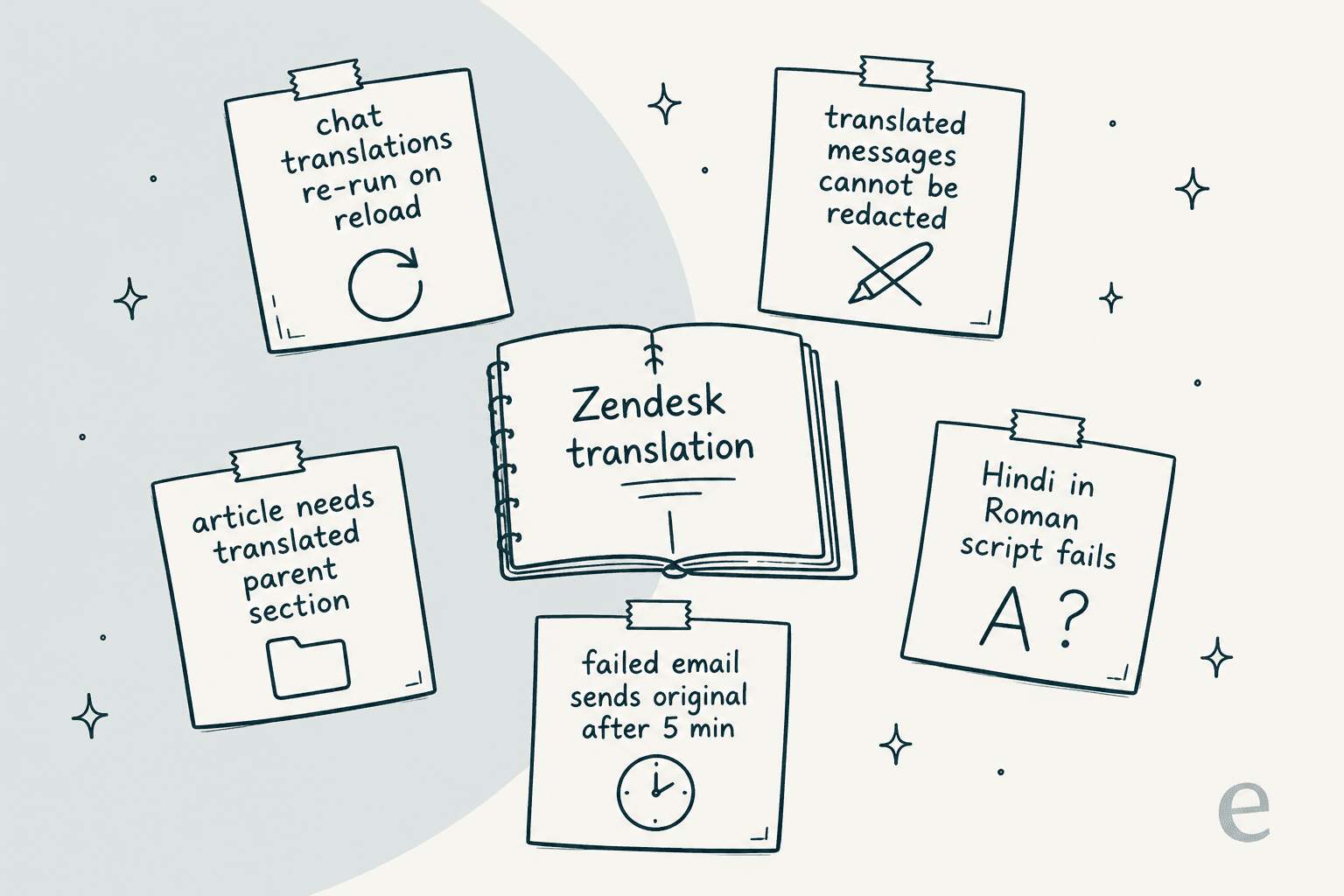
Zendesk lists its own translation limitations, and they are worth reading before you promise anything to your boss. Incoming chat and messaging translations are not saved and run again each time the ticket reloads, so the same message can read slightly differently tomorrow. Translated messages cannot be redacted. Text in a phonetic script fails, for example Hindi typed in Roman letters instead of Devanagari. And if translation fails on an outgoing email, Zendesk sends the original-language email anyway after five minutes.
The community thread under that article is a good read on what bugs admins day to day. The most-liked complaint is about how translated replies look to customers:
"From a customer experience perspective, it doesn't look great for customers to see that an agent is using translation to respond to their request."
Keti's scenario is specific: an agent turns translation on, writes the reply in DeepL, pastes it in, and Zendesk still labels it as translated. The other recurring ask is glossary control:
"Is there is way to train Zendesk of terms or words that we do not want translated?"
The answer to Pete is yes, if you pay for Copilot: excluded terms hold up to 300 words or phrases. Commas separate terms, so a phrase containing commas needs each one escaped with a backslash. For anything more than brand names, a proper support translation glossary process is worth setting up, along with a regular quality check per language.
Is translating a ticket the same as resolving it?
No, and this is the part most Zendesk translation guides skip. Every native feature above makes a person faster at handling a foreign-language ticket. None of them removes the person. A Spanish ticket still goes: arrives, gets translated for the agent, the agent reads it, looks up the answer, writes a reply in English, the reply is translated back, and it is sent. Translation saves the agent from not understanding the ticket. It does not save the agent from the ticket.
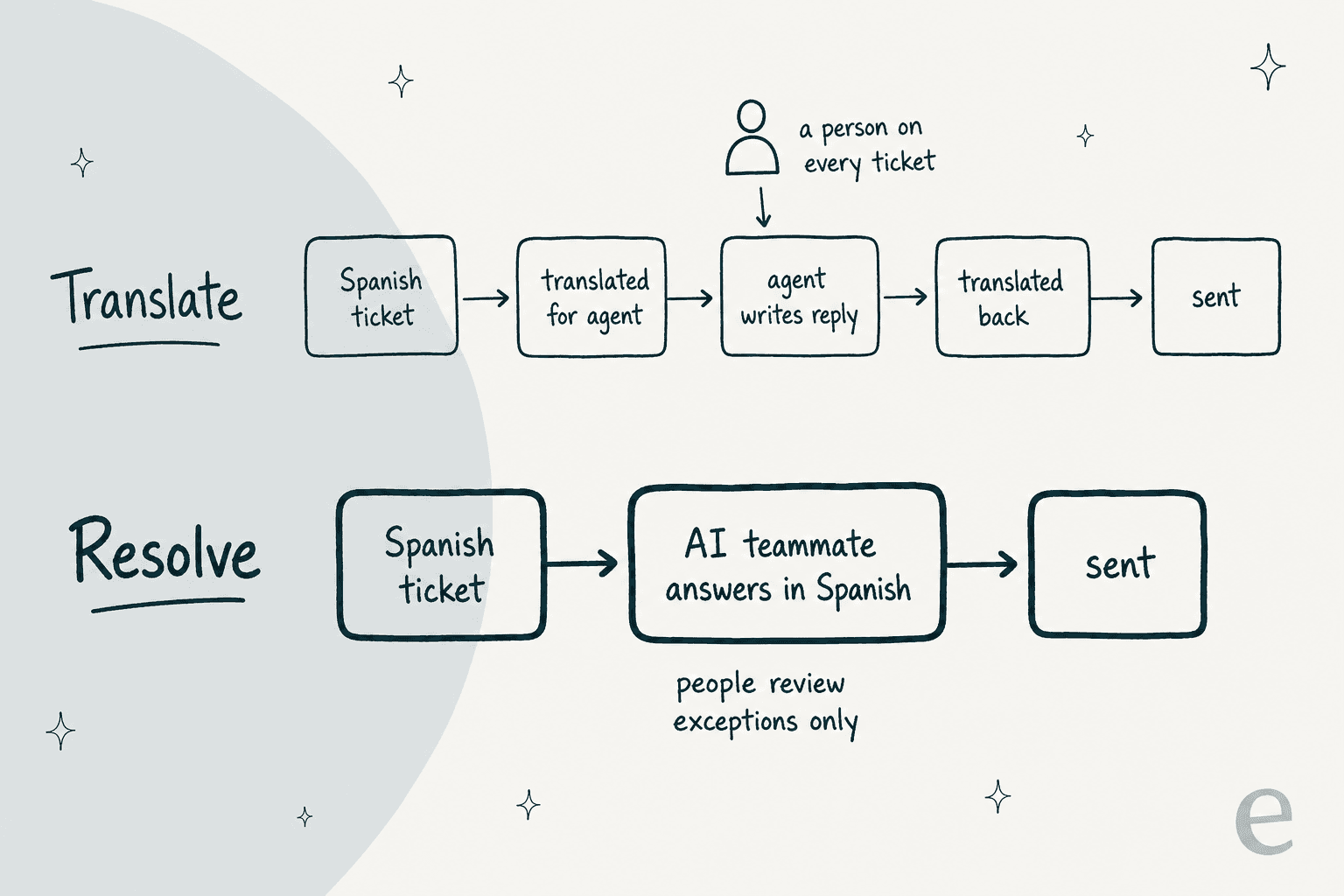
That distinction decides your cost. If 30% of your queue is in German and most of it is "where is my order" and "how do I return this", translation means paying an agent to answer each one, now with a translate button. An AI agent that answers in the customer's language takes those tickets off the queue entirely, and your agents spend their translate clicks on the refunds and complaints that need judgment. My customer service translation guide and the broader multilingual customer support post go deeper on that split.
Zendesk has its own version of the resolve path: AI agents that reply in 80+ languages and bill per automated resolution. They are a fair option if you are already on Suite and comfortable building in Zendesk's AI agent tools. The Essential vs Advanced comparison covers what each tier can do, and the Zendesk AI pricing post covers the per-resolution math.
Which Zendesk translation path fits you?
Pick the situation closest to yours. The answer is based on the plans and limits above.
What about Marketplace apps and DeepL?
If the native tools do not fit, the Zendesk Marketplace still carries dedicated translation apps. Three I checked on October 22, 2026:
| App | What it does in Zendesk | Pricing on the listing | Setup |
|---|---|---|---|
| Translation by Language IO, Inline | Inbound and outbound translation in tickets, messaging and chat, 100+ languages | Not listed, contact sales | Language I/O creates your account first |
| Ticket Translation by Language IO | Ticket translation in the standard agent interface, up to 150 languages, glossaries, optional human translation | Not listed, contact sales | Language I/O creates your account first |
| Lokalise Messages for Support | Two-way neural machine translation; agents start an internal note with ! to translate it | Free, "however, usage limits apply" | Install from the Marketplace, no account needed |
Unbabel still lists Zendesk on its integrations page, but its old Zendesk Marketplace listing returned a 404 when I checked, so confirm the current install path with Unbabel before planning around it. For a wider comparison of these apps against the built-in tools, my older post on native vs third-party options is still a useful map.
DeepL deserves its own note because so many Zendesk teams used it. DeepL's support page says that as of October 1, 2025, "DeepL for Zendesk will no longer be available". The replacement is the DeepL browser extension for Chrome, Edge and Firefox with a Zendesk customization, and it requires DeepL Pro Advanced or Ultimate. Free and Pro Starter users can translate 50 messages to test it. If you want DeepL quality inside Zendesk without per-agent extensions, the DeepL API has a free Developer tier and a Growth plan at $26 a month with $27.50 per extra million characters, but then you are building the integration yourself.
For DeepL beyond Zendesk, my DeepL review covers the tool itself, and the DeepL alternatives post covers other engines.
Every one of these has the same shape as the native tools: a person reads the translation and a person writes the reply. They raise translation quality. They do not change who does the work.
eesel for multilingual Zendesk tickets
If your Zendesk translation problem is really a volume problem, the fix is a teammate who speaks the language, not a better translate button. eesel's AI helpdesk teammate joins your Zendesk account like another agent. It reads your help center, macros and past tickets, and per eesel's docs it "answers in the customer's language without you translating your help center". So the German customer gets a German answer built from your English article, and you never have to maintain a German copy of that article.
Three Zendesk customers show what that looks like in practice:
- Nordbutiker sells e-bikes and scooters through its own stores in Sweden, Norway, Denmark and Finland. It runs a separate eesel bot for each brand and language, each trained on its own store's pages and that brand's solved Zendesk tickets.
- SE Ranking had 2,100 live chats on Zendesk Messenger answered first by eesel in a month, in the customer's language, across three products with one agent each.
- Dokument 24 gets a Danish draft reply as an internal note on nearly every new Zendesk ticket: 670 drafts in a month, ready for the team to send or edit.
You can also scope it the way you scope translation. Point the agent only at tickets with a given tag, group or language in plain-language instructions, start with drafts as internal notes, and move to sending once you trust a language. Before go-live, I would run it against your own past tickets in each language, which is how you catch things like that unfilled placeholder I mentioned at the top.
Where eesel is not the right fit: if you only get a handful of foreign-language tickets a week, Zendesk's built-in translation is free on your plan and good enough. And if an answer only exists in someone's head, no AI or translator will produce it; write the English article first.
Pricing is a fixed monthly plan, starting at $299 a month for 500 credits, where a ticket or chat is one credit however long it runs, with a free trial of 100 credits. Connect it to Zendesk and point it at your foreign-language queue first. Try eesel.