Every support team faces the same challenge: ticket volume keeps growing, but headcount doesn't. That's where ticket deflection comes in. Instead of handling every issue as a ticket, you give customers the tools to solve problems themselves.
This guide covers everything you need to know about Zendesk deflection and self-service. We'll walk through the platform's built-in tools, how to measure success, and strategies that actually work. We'll also look at how AI teammates can extend what Zendesk does natively.

What is ticket deflection and why does it matter?
Ticket deflection means resolving customer issues before they become formal support tickets. It's the difference between a customer finding an answer in your help center versus submitting a ticket and waiting for a response.
The distinction between deflection and resolution matters. Deflection happens when a customer gets what they need without agent involvement. Resolution happens after a ticket is created. Both solve the customer's problem, but deflection is significantly cheaper.
Here's the math: according to Gartner, a live phone support interaction costs about $8.01 on average. A self-service interaction costs around $0.10. That's an 80x difference. For a team handling thousands of tickets per month, the savings add up fast.
Customers actually prefer self-service for many issues. Research shows 50% of customers want to solve problems independently rather than contacting support. They want answers immediately, not within your business hours.
At eesel AI, we see this play out daily. Teams using our AI teammate alongside Zendesk often start by having it draft responses for review. Once they see the quality, they expand to autonomous responses for common issues. The key is starting with guidance and leveling up based on performance.

Zendesk's self-service ecosystem
Zendesk offers several tools that work together to create a comprehensive self-service experience. Understanding how each component fits helps you build a system that actually reduces ticket volume.
Zendesk Guide
Zendesk Guide is the knowledge base platform. It's where you create, organize, and publish help articles. The AI-powered features include generative content creation (turning bullet points into full articles) and semantic search that understands customer intent rather than just matching keywords.
Guide integrates directly with the rest of your Zendesk setup. Articles can be suggested automatically when customers start typing a ticket, and agents can quickly share relevant articles during conversations.
Answer Bot
Answer Bot is Zendesk's AI agent that suggests articles to resolve tickets automatically. It works across channels including email, web forms, and messaging. When a customer submits a question, Answer Bot analyzes the content and suggests relevant help center articles before the ticket reaches an agent.
The system learns from feedback. When customers mark suggestions as helpful (or not), Answer Bot improves its recommendations over time.
Zendesk Explore
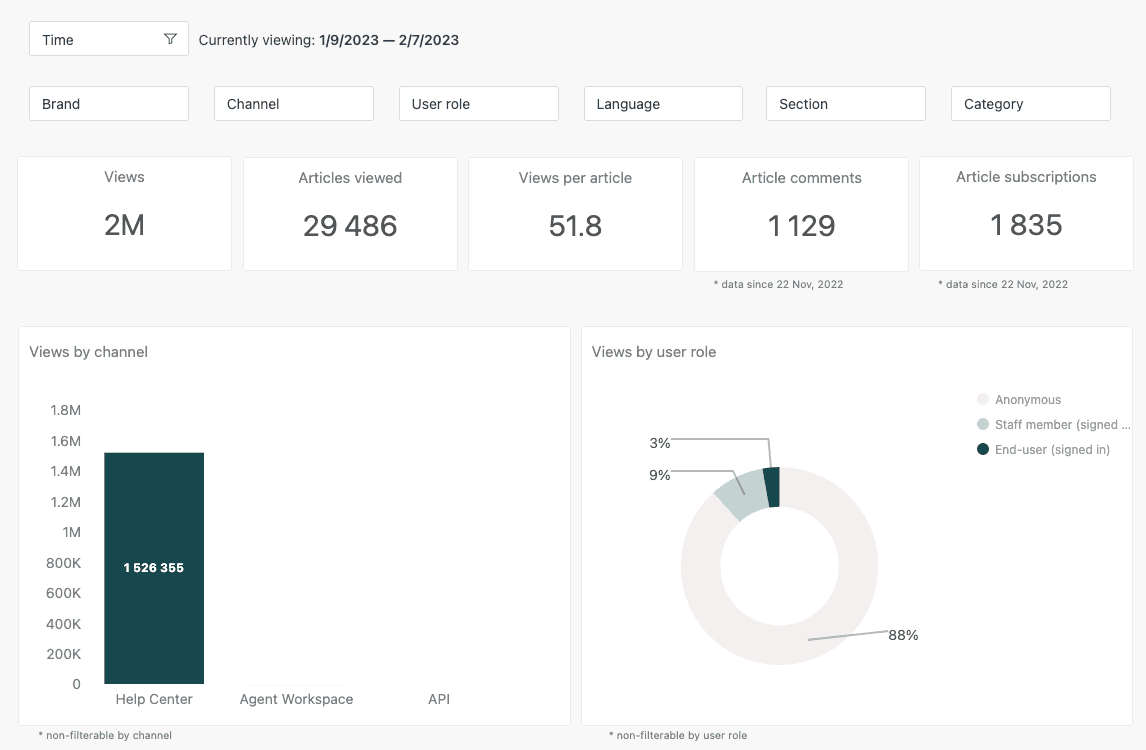
Zendesk Explore is the reporting and analytics platform. It tracks self-service metrics like article views, search queries, and deflection rates. You get prebuilt dashboards plus the ability to create custom reports.
The key self-service metric is your self-service score: help center users divided by ticket submitters. This tells you what percentage of customers are finding answers without opening tickets.
Community Forums
For peer-to-peer support, Zendesk includes community forums where customers can ask questions and share solutions. This reduces the load on your team while building a knowledge base of real-world solutions.
Web Widget
The Web Widget embeds help center search and live chat directly on your website or app. Customers can search articles, start a conversation, or submit a ticket without leaving the page they're on.
Setting up your Zendesk knowledge base for deflection
A well-organized knowledge base is the foundation of effective deflection. Here's how to set it up for success.
Structure your help center logically
Start with a clear hierarchy. Group related articles into categories and sections. For example, a software company might have categories for "Getting Started," "Account Management," and "Troubleshooting." Within each category, use sections to organize by topic or feature.
Zendesk Guide supports up to 2 levels of hierarchy on most plans, and up to 6 levels on Enterprise. Don't go deeper than necessary. Customers should find what they need within 2-3 clicks.
Write articles that actually solve problems
The best help content answers specific questions with specific steps. Instead of "How to use the dashboard," write "How to export data from your dashboard." Each article should focus on one task or issue.
Use the inverted pyramid structure: put the answer at the top, then explain the details. Many customers just need a quick confirmation, while others want the full walkthrough.
Zendesk's generative AI can help here. You can provide bullet points and have it expand into full articles. You can also use it to adjust tone (more formal or friendly) and simplify complex explanations.
Identify content gaps using data
Your existing tickets are a goldmine for content ideas. Look at your top ticket categories. If you're getting hundreds of tickets about password resets, that's a clear sign you need a detailed article on the topic.
Zendesk's Content Cues feature uses AI to identify trending topics in your tickets and recommend new articles. This helps you stay ahead of emerging issues rather than playing catch-up.
Optimize for searchability
Help center search is different from Google search. Customers use specific phrases like "cancel subscription" or "change email." Make sure your article titles match the language customers actually use.
Include synonyms in your articles. If customers might search for "refund," "return," or "money back," mention all three terms in the relevant article.
Configure Answer Bot strategically
Answer Bot works best when you set it up to trigger at the right moments. You can configure it to suggest articles:
- When customers start typing a ticket (before they submit)
- In email auto-replies
- Through the Web Widget during chat conversations
- On ticket forms after submission
Start with high-confidence suggestions only. As you gather feedback and improve your content, you can expand to broader triggers.
Measuring self-service success in Zendesk
You can't improve what you don't measure. Here's how to track your deflection efforts effectively.
Calculate your self-service score
The basic formula is simple: divide your help center users by your ticket submitters. If 1,000 people visit your help center and 400 submit tickets, your self-service score is 60% (meaning 60% found answers without ticketing).
Industry benchmarks vary, but here's what we typically see:
| Performance Level | Self-Service Score |
|---|---|
| Needs improvement | Below 20% |
| Average | 20-30% |
| Good | 30-40% |
| Best-in-class | 40-60%+ |
Track the right metrics in Explore
Beyond the overall score, monitor these specific metrics:
- Article views by category: Which topics are most popular?
- Search queries: What are customers looking for? (Look for searches with no results)
- Article helpfulness ratings: Direct feedback on content quality
- Answer Bot resolution rate: Percentage of tickets resolved by AI suggestions
- Time to resolution: Are self-service users resolving faster than ticket submitters?
Quantify deflection in dollars
To calculate the ROI of your self-service efforts, use this formula:
(Tickets deflected × Average cost per ticket) - Self-service operational costs = Net savings
If you deflect 500 tickets per month and your average ticket costs $8 to handle, that's $4,000 in savings. Subtract your Zendesk subscription and content maintenance costs to get your true ROI.
For more on measuring deflection, check out our guide on deflection rate and how to improve it.
Use Google Analytics alongside Zendesk
Zendesk Explore gives you internal metrics, but Google Analytics adds broader context. You can see:
- Where help center traffic comes from (organic search, direct, referrals)
- How long visitors spend on articles
- Bounce rates (are they finding what they need or leaving frustrated?)
- Mobile vs desktop usage
Connect Google Analytics to your help center for a complete picture of user behavior.
Proven strategies to improve Zendesk deflection rates
Once you have the basics in place, these strategies can push your deflection rates higher.
Proactive support: surface help before customers ask
Don't wait for customers to search. Use triggers to show relevant articles based on what they're doing. For example:
- Show a "Getting Started" guide when a new user logs in
- Display billing articles when someone views their subscription page
- Offer troubleshooting content when error messages appear
The Web Widget makes this easy. You can configure it to suggest specific articles based on the page URL or user actions.
Optimize your ticket form
Your ticket form is a critical deflection point. Before customers hit "submit," show them suggested articles based on what they've typed. Zendesk's Answer Bot can automatically suggest articles as customers fill out the form.
You can also add a required field asking "Have you checked our help center?" This simple prompt reminds customers that self-service options exist.
Build guided paths for common workflows
Some processes are too complex for a single article. Create guided paths that walk customers through multi-step workflows. For example, a "Return an Item" path might include:
- Check return eligibility
- Find your order number
- Print the return label
- Track your return status
Each step links to the relevant article or tool, keeping customers in self-service mode.
Use AI to enhance deflection
AI can take deflection beyond what traditional knowledge bases offer. Instead of just matching keywords, modern AI understands context and intent. It can handle follow-up questions, clarify ambiguous requests, and personalize responses based on customer history.
At eesel AI, we integrate with Zendesk to extend these capabilities. Our AI teammate learns from your past tickets and help center content, then provides contextual responses that go beyond article suggestions. You can start with it drafting replies for agent review, then expand to autonomous responses as confidence grows.
See how AI chatbots compare in our guide to the best AI chatbots for Zendesk.

Create video content for complex topics
Some concepts are easier to explain visually. For complex workflows or technical setups, short videos (2-3 minutes) often work better than text articles. Embed these directly in your help center articles.
Zendesk supports video embedding from YouTube, Vimeo, and other platforms. You can also use the built-in screen recording tools to create quick tutorials.
Maintain content freshness
Stale content kills deflection. When customers follow outdated instructions and hit errors, they lose trust in self-service and start submitting tickets instead.
Set up content verification workflows in Zendesk Guide. Schedule articles for regular review, and use the content cues feature to identify articles that might need updates based on new ticket trends.
Common mistakes to avoid
Even well-intentioned deflection strategies can backfire. Here are the pitfalls to watch out for.
Making self-service hard to find
If customers can't find your help center, they can't use it. Make sure there's a prominent "Help" or "Support" link in your main navigation. Consider adding a search bar to your homepage that searches the help center directly.
Writing overly technical documentation
Your help content should match your audience's technical level. Avoid jargon unless you're writing for a technical audience. Use simple language and short sentences. If you need to use technical terms, define them.
Ignoring mobile experience
Over half of help center traffic comes from mobile devices. If your knowledge base isn't mobile-friendly, you're losing a huge chunk of potential deflections. Test your help center on multiple devices and screen sizes.
Setting it and forgetting it
A knowledge base is not a one-time project. It requires ongoing maintenance. Plan for regular content audits, updates to reflect product changes, and new articles based on emerging issues.
Not providing an easy path to human help
Deflection shouldn't feel like a wall. When self-service doesn't solve the problem, customers need a clear, easy way to reach a human. Make sure your "Contact Us" option is visible and accessible from every help center page.
Taking Zendesk deflection further with AI teammates
Zendesk's native tools provide a solid foundation for self-service. But there are limits to what traditional knowledge bases and rule-based bots can do.
The limitations of native Zendesk deflection
Answer Bot works well for straightforward questions with clear answers. But it struggles with:
- Complex, multi-part questions
- Context-dependent issues ("Why was my order different from what I expected?")
- Follow-up questions that require understanding the conversation history
- Personalized responses based on customer data
Knowledge bases are also limited by what you've explicitly documented. They can't infer solutions from similar past tickets or adapt to edge cases.
How AI teammates extend capabilities
AI teammates like eesel AI work differently. Instead of just matching queries to articles, they learn from your entire support history. This includes:
- Past tickets and how they were resolved
- Your help center articles and documentation
- Agent macros and saved replies
- Customer data and order history (when integrated)
The result is responses that feel more like talking to an experienced agent than searching a database.
Learning from past tickets automatically
Traditional knowledge bases require you to manually document solutions. AI teammates learn automatically from every ticket your team resolves. When an agent solves a unique issue, the AI learns that solution and can apply it to similar future queries.
This is especially valuable for edge cases and complex issues that would never make it into a help center article.
Handling complex queries
Where Answer Bot suggests articles, an AI teammate can have a conversation. It can ask clarifying questions, check multiple data sources, and provide specific answers rather than pointing to general documentation.
For example, instead of linking to a "Return Policy" article, it can say: "I see you ordered the blue widget on March 1st. Since that's within our 30-day window, you're eligible for a full refund. Would you like me to start the return process?"
Progressive rollout: start guided, level up
The best approach to AI deflection is progressive. Start with the AI drafting responses for agent review. Agents can edit and approve before sending. This builds confidence and helps the AI learn your tone and policies.
Once you see consistent quality, expand to autonomous responses for specific ticket types. Eventually, you can handle full frontline support automatically, with the AI escalating only the complex or sensitive issues.
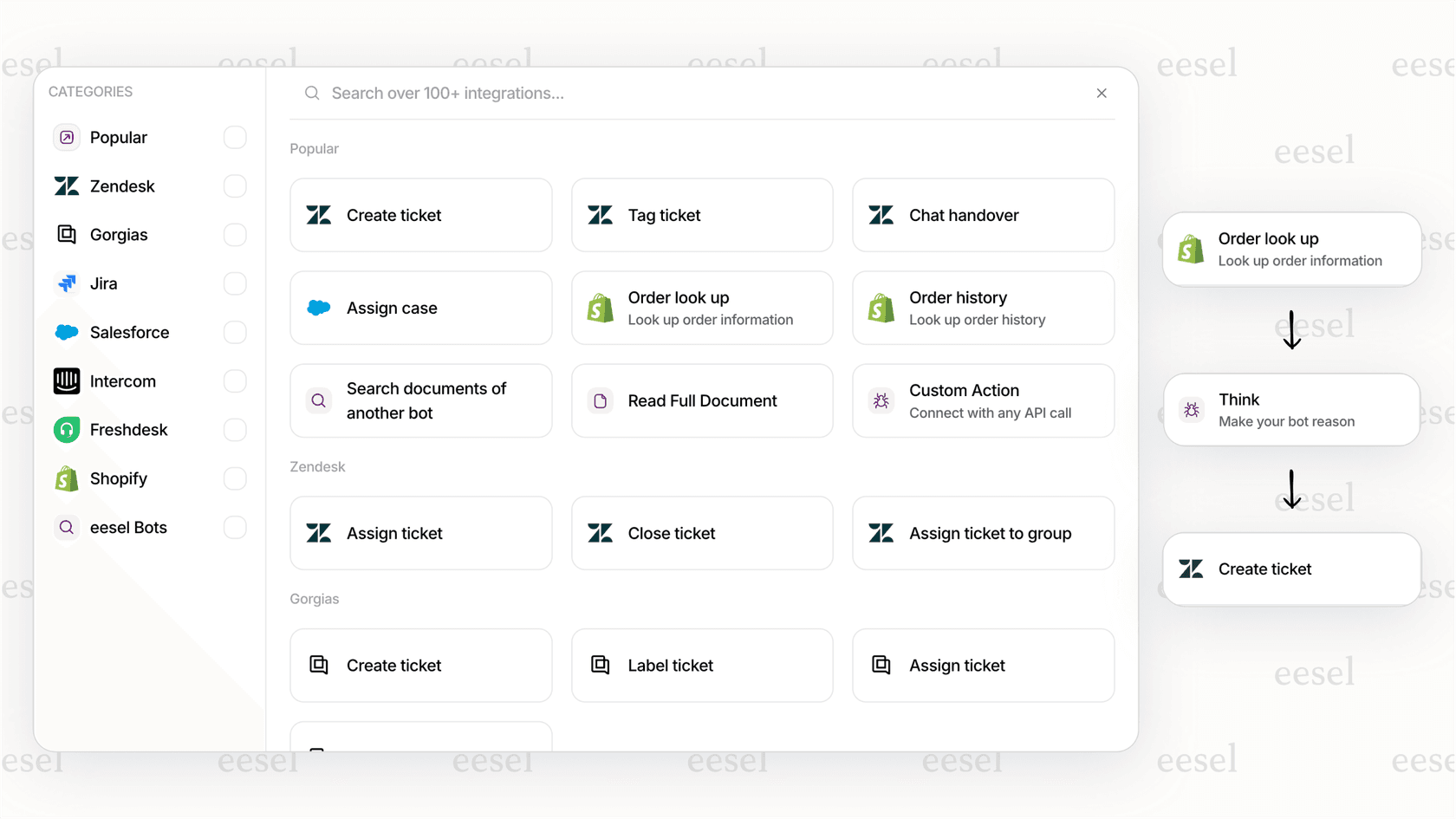
We integrate directly with Zendesk through our official Zendesk integration. Our AI Agent can work alongside your existing Zendesk setup, learning from your data and leveling up from drafts to autonomous responses based on your comfort level.
Start improving your Zendesk deflection today
Ticket deflection isn't about avoiding customer contact. It's about giving customers faster solutions while freeing your team to handle complex issues that truly need human expertise.
Start by auditing your current self-service setup. Check your self-service score, identify your top ticket categories, and look for content gaps. Then implement the strategies in this guide, measuring results as you go.
If you're ready to take deflection beyond what traditional tools offer, consider adding an AI teammate to your Zendesk setup. The combination of Zendesk's robust platform with modern AI capabilities can transform your support operation from cost center to competitive advantage.