Gorgias AI ticket tagging and routing: what tags a ticket, and what routes it

Rama Adi

Katelin Teen
Last edited November 20, 2026
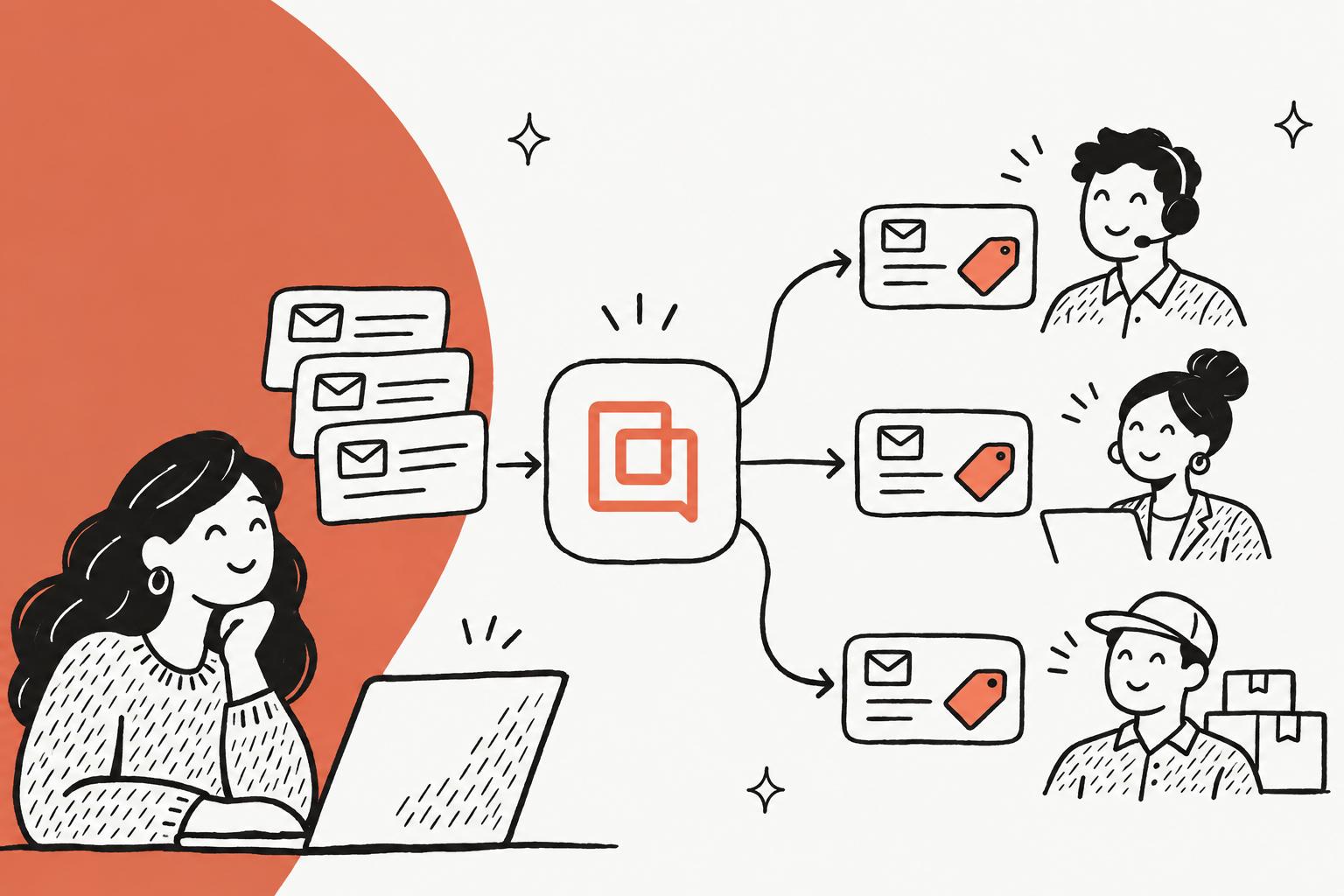
Gorgias tags tickets with AI in two ways, 55 fixed intents on every Helpdesk plan and AI Agent's autofill of your own tags, but neither assigns a ticket: a rule sends it to a team and auto-assignment picks the agent. Intents (such as Order::Refund) and a sentiment are detected on each customer message; autofill needs an AI Agent subscription and only runs on tickets AI Agent handles itself. The rule matches on the intent, tag or channel, and auto-assignment picks by priority, ticket age and who is Available with spare capacity.
So the common setup is intents plus a rule for the reasons Gorgias already knows, and AI Agent's autofill for your own categories. If you want your own tag list on every ticket, including the ones no bot answers, an AI agent like eesel can tag, set fields and assign each new ticket from rules you write in plain language. A coding agent such as Claude Code can set eesel up with the eesel CLI, including a draft on a test ticket before it touches the queue; connecting Gorgias still needs an admin's approval in Gorgias.
How does Gorgias tag tickets with AI?
Gorgias has two separate AI taggers for ticket tagging, and they answer different questions. I build eesel's integrations, and when someone says "Gorgias AI tagging" the first question is which of the two they mean, because only one of them takes your own categories, and much of what gets called AI tagging is a rule template sitting on top of intents.
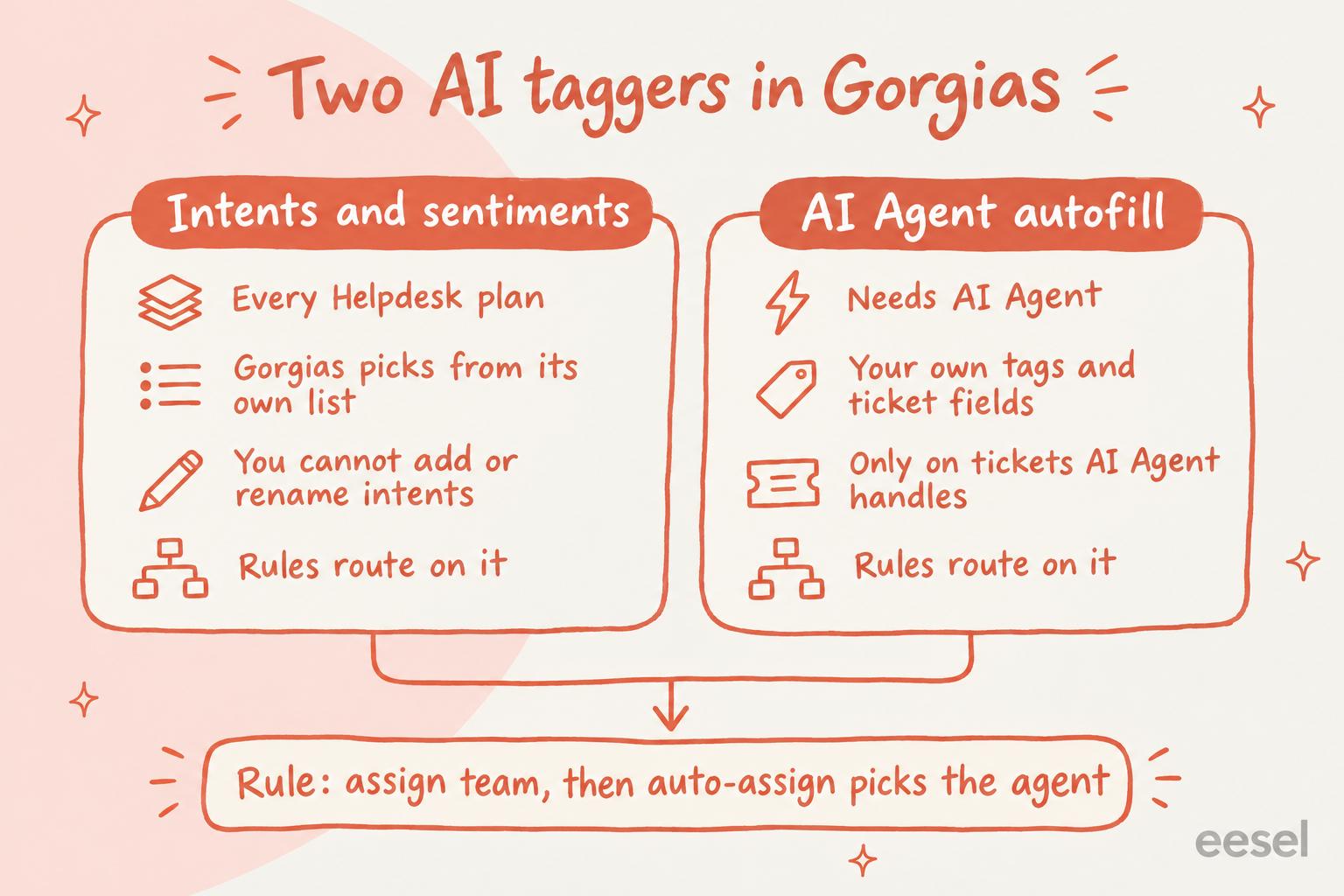
Intents and sentiments, on every Helpdesk plan
An intent is the main reason the customer wrote in, which Gorgias finds with intent detection. Gorgias's intents guide lists 55 of them in 13 categories, each written as category and subcategory: Order::Status, Return::Request, Shipping::Delivered Not Received, Wholesale::Information and so on. A sentiment is positive, negative or neutral, a simple form of sentiment analysis. Both are available on all Helpdesk plans, and AI Agent also uses intents to pick which of its skills to follow.
A few details decide whether intents fit your queue:
- Gorgias defines the intents, and you can't create, rename or remove them. If your business splits tickets in a way the list doesn't (by product line, or "warranty for a bundle"), intents won't carry that split.
- Gorgias re-reads the conversation each time the customer writes, so the intent can change: a ticket that opens as Order::Status becomes Return::Request when the customer asks to send the item back. The refund vs exchange guide shows that split in practice.
- Only customer messages get an intent. Your team's replies and internal notes don't, and a ticket has no intent when Gorgias can't detect one. Spam becomes Other::Spam, and a "thanks, that solved it" becomes Other::No Reply.
- Sentiments aren't shown on the ticket. You use them in rules and reports.
Intents are stored in the AI Intent ticket field, so you can build a view on them, and they show up in the Ticket attributes report among Gorgias reports. To turn them into Gorgias tags, Gorgias ships a rule template called Identify intents and sentiments, which tags tickets RETURN/EXCHANGE, ORDER-CHANGE/CANCEL, ORDER-STATUS, PRODUCT and PROMOTION from the intent, and feedback, positive and negative from the sentiment. For more on the sentiment side, see Gorgias sentiment detection.
AI Agent autofill, on tickets AI Agent handles
The second tagger belongs to AI Agent. With an AI Agent subscription, a Lead, Admin or Account Owner picks tags and ticket fields under AI Agent > Settings > AI ticket tagging and describes when each tag applies there; a ticket field's description lives in the helpdesk's ticket field settings. Gorgias's autofill guide says AI Agent "reads the context of the ticket conversation and uses your ticket field or tag description" to choose the values. It works on email and chat, and it follows conditional ticket fields.
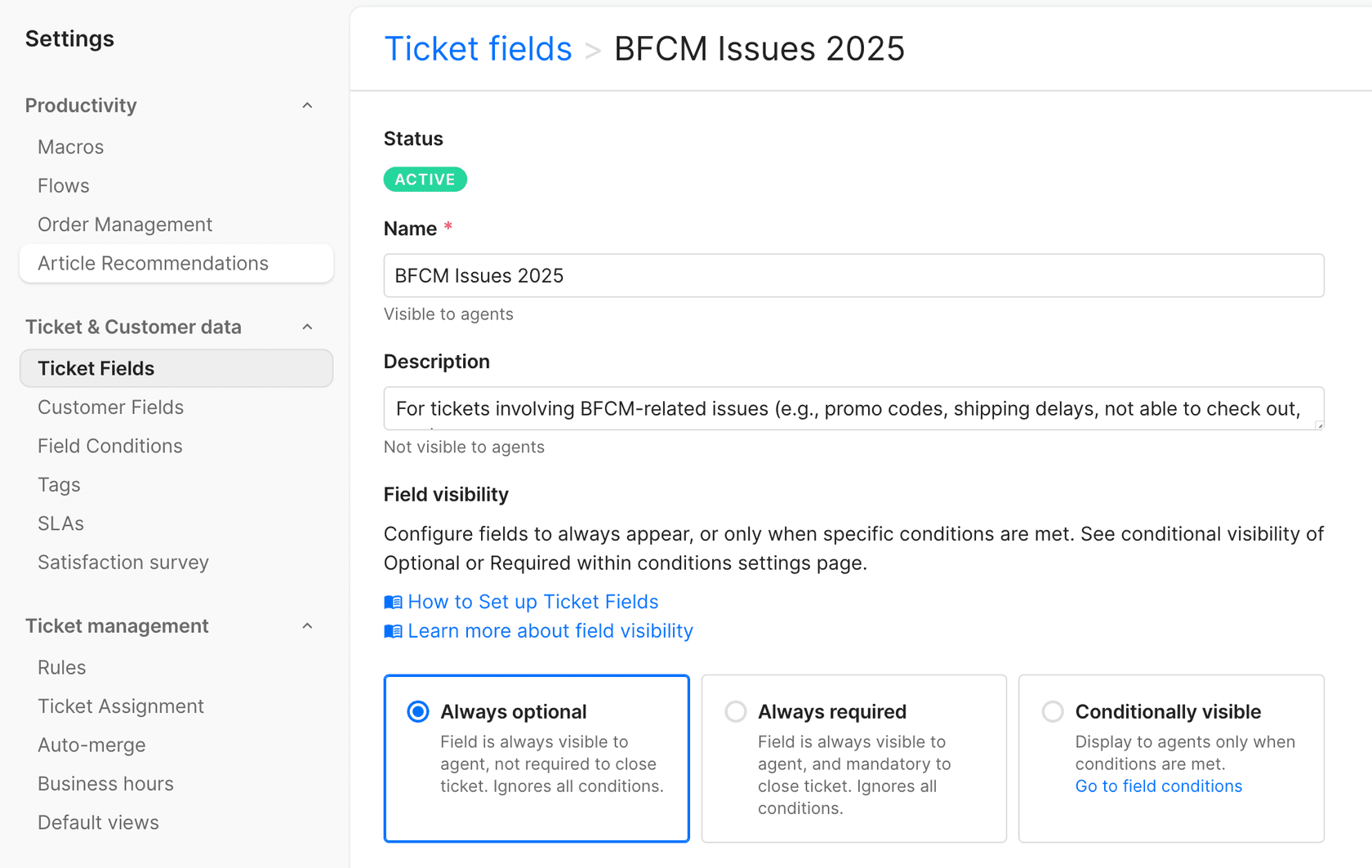
This is the one that takes your own categories, and it has three limits worth knowing before you plan routing around it:
- AI Agent only autofills tickets that it directly handles itself. A ticket on a channel it isn't deployed on, or one your Prevent AI Agent from answering rule tags
ai_ignore, gets no autofill. - AI Agent can close a ticket without filling a required field. Gorgias's launch post says it "will still close tickets even if the related ticket fields are marked as 'Always required.'"
- The output is only as good as your descriptions. A vague description gives you vague tags, the same as a vague brief to a new hire.
The tags AI Agent adds about itself
AI Agent also tags every ticket it touches with what it did: ai_processing, ai_answered, ai_snooze, ai_close, ai_handover and ai_ignore, plus ai_executed_action and ai_failed_action when it runs an action. These aren't categories, but they matter for routing. Gorgias's AI Agent tags guide suggests routing ai_handover tickets to a team and escalating ai_failed_action ones. AI Agent isn't available as an assignee condition in rules, so Gorgias's rules guide points to these tags as the way a rule knows AI Agent was involved.
How does Gorgias route a ticket once it's tagged?
Ticket routing in Gorgias is a rule that assigns a team, then auto-assignment picks the person. Neither tagger does that part. Gorgias's auto-assignment guide splits it into three steps: create teams, create rules that assign tickets to them, then turn on auto-assignment.
A rule's IF block can match Message Intents (contains one of, contains all of, does not contain any of), Message Sentiments, Ticket Tags, Ticket Fields, priority, language, channel, the store integration and Shopify customer or order details, per the rule builder reference. The THEN block can assign a team or an agent, add tags and set priority. Here is Gorgias's own example of an intent-based rule:
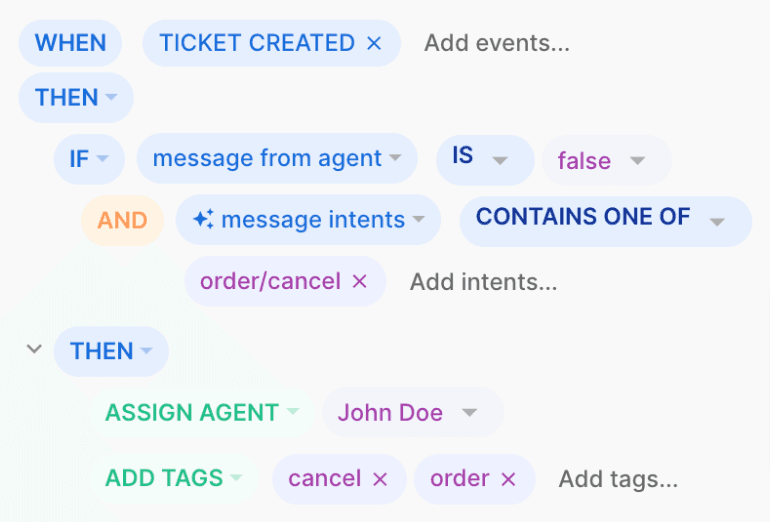
Once a ticket sits in a team, auto-assignment hands it to a person. It assigns higher-priority tickets first and older tickets before newer ones, and only to agents who are signed in, set to Available and under the capacity limit you set (one limit for chat and messaging, one for other text tickets). The agent with the fewest assigned tickets goes first. If every available agent is at capacity, the ticket stays unassigned until someone frees up. It's a load-balanced queue: the skills-based routing comes from which team a rule sends the ticket to. Gorgias auto assign covers the settings in more depth.
Pick what you want to route on to see which Gorgias setup handles it and what it needs.
How to set up AI tagging and routing in Gorgias
You need Admin or Account Owner access for auto-assignment, and Lead or above for rules. These steps use intents for the reasons Gorgias knows and AI Agent autofill for your own categories.
- Create your teams. Settings, then Account, then Teams, then Create Team. Make one per kind of work (Returns, Shipping, Wholesale), not one per person.
- Tag on intents. Under Workflows, Tools, Rules, install the Identify intents and sentiments template and edit its tags to the names your team already uses. Gorgias's auto-tag rule examples show more patterns, such as tagging by language or by store.
- Assign teams with rules. Create a custom rule on Ticket Created with
message from agent is false, add your conditions (intent, tag, channel), then the Assign team action. Prefix the names with [Auto-assign], as Gorgias suggests, so you can find them later. For VIPs, match Shopify customer tags as in VIP routing rules; for several stores, see routing by brand. - Turn on auto-assignment. Workflows, Tools, Ticket assignment: tick Auto-assign tickets, set the capacity limits, and decide whether a reopened ticket goes back to the last agent who replied.
- Add AI Agent autofill for your own categories. AI Agent, Settings, AI ticket tagging: add tags (with a one-line description of when each applies) and ticket fields (described in your ticket field settings). Route on them with a rule on Ticket Updated, not Ticket Created.
- Route AI Agent's exits. A Ticket Updated rule on
ai_handoverandai_failed_actionthat assigns your escalation team. - Check a week of tickets. Build a view filtered on the AI Intent field and one on your new tags, and read twenty tickets in each before you trust the routing.
Where does Gorgias AI tagging and routing go wrong?
Most of what goes wrong comes from rule order and coverage.
- Rules run before AI Agent. The same rules guide says "When a ticket arrives, rules run first. AI Agent picks up after rules have finished processing." A Ticket Created rule can't see a tag AI Agent adds later; a Ticket Updated rule can, because that trigger fires when a tag is added.
- Ticket Updated doesn't fire on an intent change. The rule builder reference notes that the trigger "does not fire on changes to message intents or message body". When a ticket's intent shifts from Order::Status to Return::Request, a rule only re-checks it when the customer's next message arrives (New Message In Ticket rules, then Ticket Updated), not at the moment the intent changes.
- Two automated replies. An auto-reply rule (one with reply to customer or apply macro) and AI Agent can both answer the same ticket. Gorgias recommends turning those rules off or excluding AI Agent's tickets from them; the autoresponder rules post has the background.
- An ai_ignore rule that's too broad. It stops AI Agent replying, and it also stops its tagging and autofill. Gorgias's own tip is to start with narrow conditions.
- Tickets waiting with nobody assigned. Auto-assignment only hands tickets to agents set to Available and under capacity, so a team where everyone is offline or full builds a pile. Check agent statuses before blaming the rule.
- Categories the intent list doesn't have. There is no intent for a product line, a collection or a bundle warranty, so those tickets land in the nearest intent or an Other subcategory. That is where your own tags have to take over.
What does Gorgias AI ticket tagging cost?
Intents, sentiments, rules and auto-assignment come with every Helpdesk plan; AI Agent's autofill needs the AI Agent subscription. From Gorgias's pricing page, billed monthly:
| Plan | Helpdesk | Tickets a month | AI Agent | Automated interactions included | Per automated interaction |
|---|---|---|---|---|---|
| Starter | $10/mo | 50 | $30/mo | 30 | $1.00 |
| Basic | $60/mo | 300 | $30/mo | 30 | $0.90 |
| Pro | $360/mo | 2,000 | $190/mo | 190 | $0.90 |
| Advanced | $900/mo | 5,000 | $530/mo | 530 | $0.85 |
Gorgias charges AI Agent per automated interaction: a conversation it fully handles with no human involved within 72 hours. Per Gorgias's billing guide, a ticket AI Agent resolves carries both a ticket fee and an automation fee, and one it hands over carries only the ticket fee. For worked bills, see Gorgias AI Agent pricing and the Gorgias plans comparison.
Where does an AI agent like eesel fit?
Gorgias's split leaves one gap: your own categories, on every ticket, including the ones no bot answers. Intents cover every ticket but not your categories; autofill covers your categories but only the tickets AI Agent handles. AI ticket tagging for ecommerce covers the same question more broadly.
eesel joins Gorgias as a teammate. On each new customer message it reads the ticket, the customer's recent orders from the store connected to Gorgias and your past tickets, then does what your instructions say: add tags from your list, set priority and custom fields like Product or Issue type, and assign the ticket to a teammate, a team or both, per the eesel Gorgias docs. Gorgias's Ticket Updated trigger fires when a tag is added, so your existing rules can route on the tags it sets, and auto-assignment still picks the person inside a team. You can run it as triage only, with replies left to your team, AI Agent or a separate eesel automation.
Rúngne, a Norwegian climbing apparel brand, runs a separate eesel triage agent. It sends each customer a short acknowledgement, then tags the new Gorgias ticket from a fixed list (topic tags like RETURN/EXCHANGE and ORDER-STATUS, plus vip), sends a B2B partner's ticket straight to the teammate who handles partners, and in one month set about 880 tags, all from that list. Question Beauty tags every ticket by topic first, and sends refunds, complaints and wholesale to a person with a note.
Where it isn't the right fit: if Gorgias's intents already match how your team splits work, a rule on Message Intents is free and needs nothing new. eesel also can't merge tickets in Gorgias; a teammate does that.
Try eesel next to your Gorgias rules
If your routing is stuck on the 55 intents, or AI Agent's autofill leaves the tickets it never touches untagged, try eesel next to Gorgias. Keep your teams and auto-assignment, and let eesel tag and assign each new ticket from rules you write in plain language, such as "a wholesale reorder goes to the B2B team with the order number in a note". You decide what it may do alone and what waits for a person's yes, set per action in actions and approvals. A ticket is 1 credit however long the thread runs, and the free trial lets you watch it tag real tickets before you pay.

Try eesel on one Gorgias topic first, or compare options in best AI for Gorgias.