Zendesk to Gorgias migration: what moves, what it costs, and what happens to your AI

Rama Adi

Katelin Teen
Last edited September 30, 2026
Why ecommerce teams move from Zendesk to Gorgias
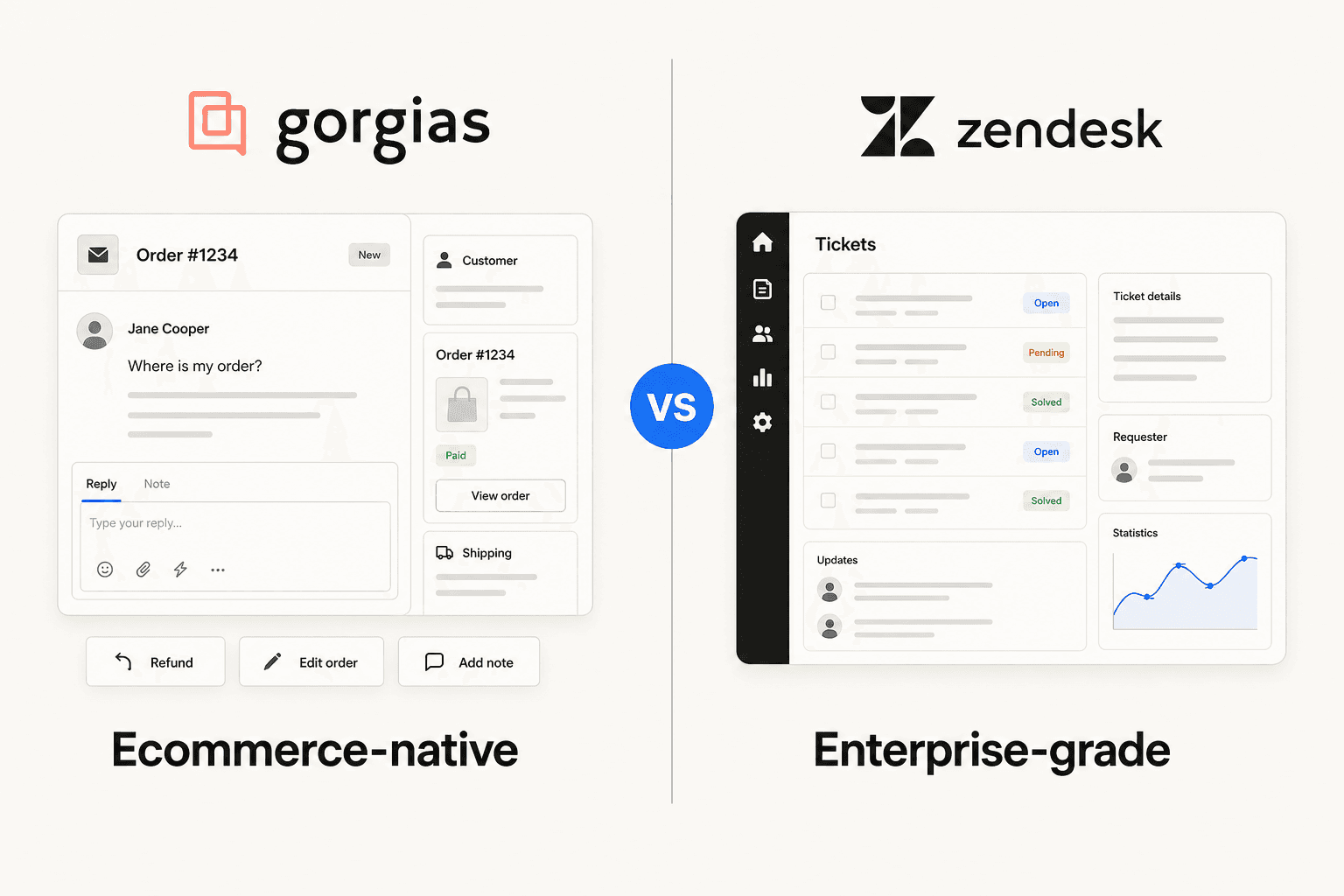
I build integrations at eesel, where the team has spent the last few years putting an AI teammate on live Zendesk and Gorgias queues, so I've watched this move from the plumbing side. The reasons ecommerce teams give for a Zendesk to Gorgias switch come down to the same two things almost every time: how you pay, and what an agent can do with an order.
Per-seat vs per-ticket pricing
Zendesk charges per agent. Its pricing page lists Suite plans at $55 and $115 per agent a month on annual billing ($69 and $149 monthly). Gorgias charges per ticket and caps users generously: 3 seats on Starter, 500 on every other plan.
| Gorgias helpdesk plan | Annual price | Monthly price | Tickets included | Overage |
|---|---|---|---|---|
| Starter | Monthly only | $10/mo | 50 | $0.40/ticket |
| Basic | $50/mo | $60/mo | 300 | $40 per 100 |
| Pro | $300/mo | $360/mo | 2,000 | $36 per 100 |
| Advanced | $750/mo | $900/mo | 5,000 | $36 per 100 |
A ticket is only billable in Gorgias when your helpdesk sends at least one message on it, per its billing docs. Inbound spam you never answer is free.
Which model wins depends on your ratio of people to tickets. Two quick examples at annual prices:
- 8 agents, 1,800 tickets a month. Zendesk Suite Team is 8 × $55 = $440. Gorgias Pro covers 2,000 tickets for $300. Gorgias is cheaper when you have many agents relative to ticket volume.
- 3 agents, 2,500 tickets a month. Zendesk Suite Team is $165. Gorgias Pro is $300 plus 500 extra tickets at $36 per 100, so $480. Here Zendesk wins on the helpdesk bill.
For a deeper breakdown by plan, see my Gorgias plans comparison and Gorgias pricing for Shopify stores.
Shopify actions inside the ticket
The second reason is the sidebar. Gorgias's comparison page says agents can "manage refunds, edits, and cancellations directly in-app", while "Connecting Zendesk to Shopify requires a third-party app and does not support in-ticket Shopify actions natively." Gorgias's Shopify Actions doc lists creating, duplicating, cancelling, refunding and editing orders, plus editing shipping addresses, all from the ticket. If you run Zendesk today, my Zendesk Shopify integration guide shows what that third-party route looks like.
Operators on Reddit boil the decision down to one number:
"I've been around ecommerce for 10+ years and this is honestly how I'd choose: 40%+ tickets need Shopify actions → I'd lean Gorgias. Mostly conversational support → Zendesk is fine."

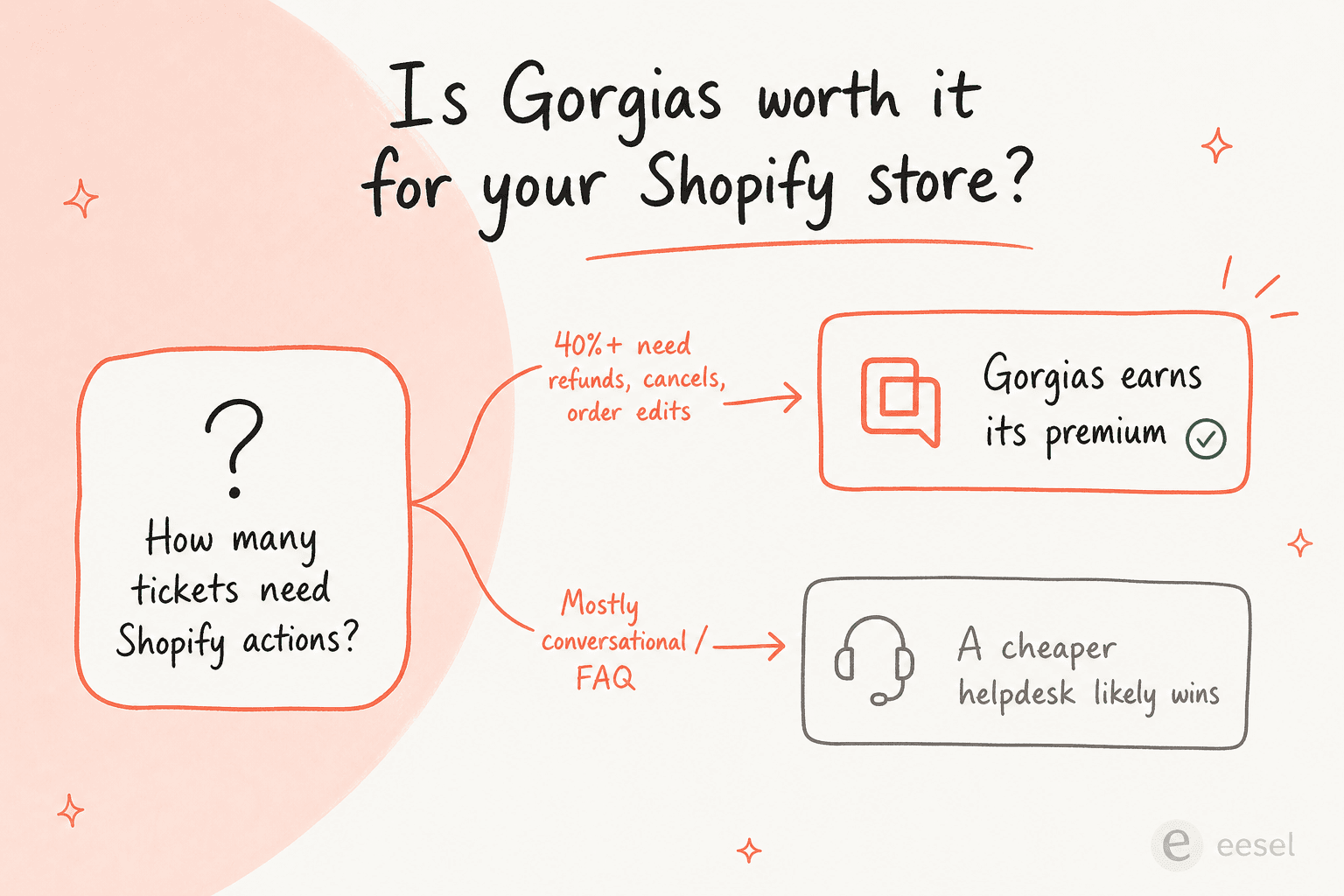
The counterweight is price at scale: ticket-based billing that looks cheap at 2,000 tickets a month climbs with every overage block. My full Gorgias vs Zendesk for ecommerce comparison and Gorgias review go further on fit.
What moves in a Zendesk to Gorgias migration (and what doesn't)
Gorgias's native importer is the default route, and its docs are unusually specific about scope. You start it from Settings > Advanced > Historical Imports > Zendesk Import, paste your Zendesk subdomain, sign-in email and an API token, and click Import, per Import Zendesk data into Gorgias. Only a Gorgias Admin can start it, and the Zendesk side needs an Administrator or Account owner.
Here is what each piece of your Zendesk setup turns into:
| Zendesk data | Comes over? | What to know |
|---|---|---|
| Tickets | Yes, up to 2 years | Deleted and blank tickets are skipped. Tickets with more than 250 comments are split. Channels are kept. |
| Ticket statuses | Partly | Gorgias only has open and closed. Pending tickets arrive closed with a "pending" tag. |
| Macros | Active ones | Only reply text and status change actions survive. Other actions import as "an empty actions list". |
| Users | Partly | Only users assigned to or commenting on a ticket. |
| Tags | Partly | Only tags that appear on an imported ticket. |
| Ticket fields | Yes, up to 500 | Lookup fields are skipped. Over 500 fields, none import. |
| Help center | Yes, separate importer | Articles and categories move. Appearance and custom scripts don't. |
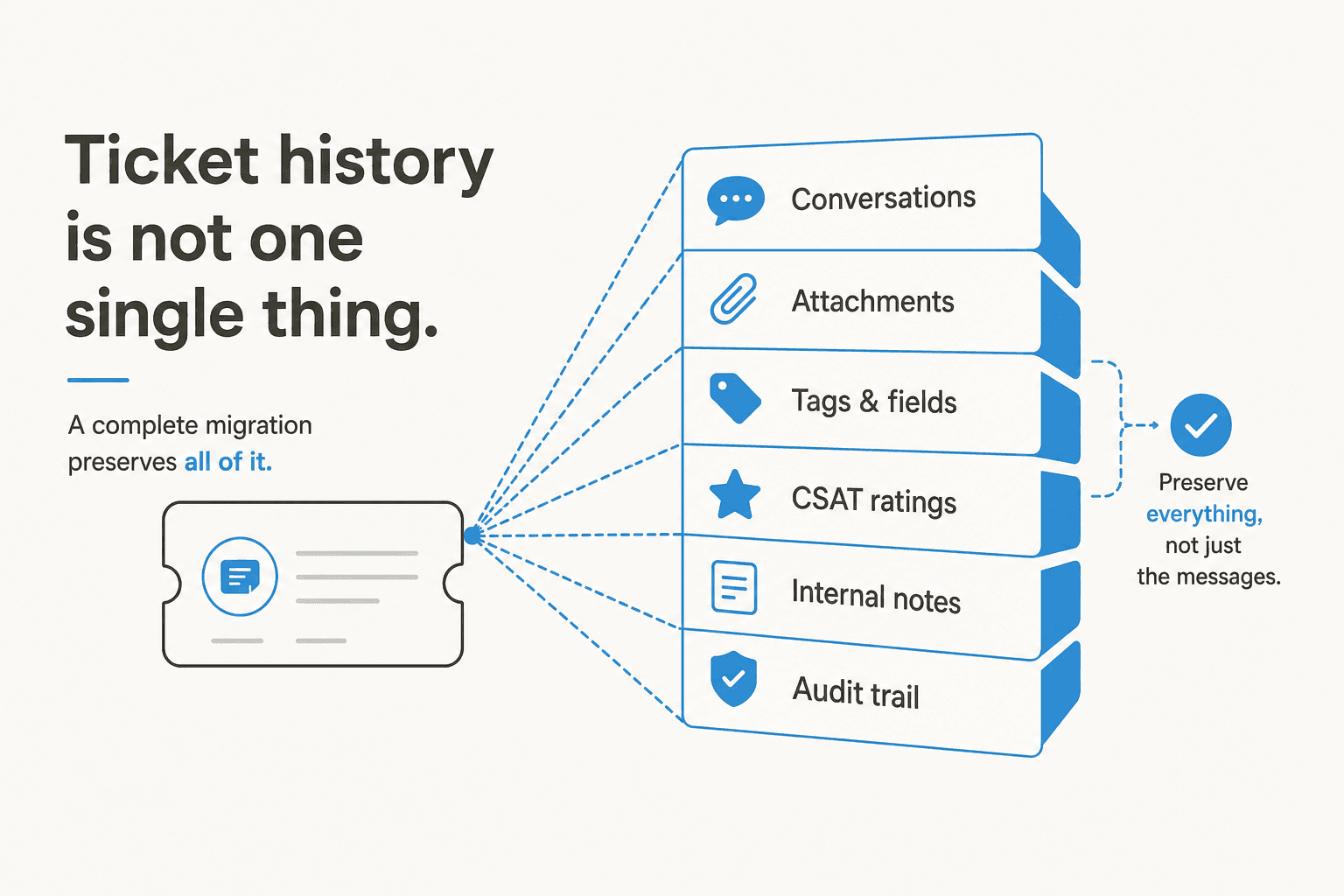
| Attachments | No | "We don't import attachments on tickets" |
| CSAT ratings | No | Survey data associated with tickets stays in Zendesk. |
| Triggers, automations, SLAs, views | Not listed | Neither import doc mentions them. Rebuild as Rules and Views. |
| Zendesk AI agent setup | No | Procedures, use cases and settings stay in Zendesk. |
The attachment and CSAT gaps come straight from Gorgias's Zendesk migration 101: "We don't import attachments on tickets nor rating information - this means survey data associated with the ticket won't port to Gorgias." If you report on CSAT trends, export them first. My Gorgias CSAT report guide covers how Gorgias measures it going forward.
How long the import takes
Gorgias imports your most recent 14 days first, then goes back to 730 days ago and works forward. Its migration FAQ puts the average at "around 720 tickets per hour", which means a store with 150,000 tickets over two years is looking at more than a week. Once it finishes, a continuous sync runs every 5 minutes and is on by default, so tickets that land in Zendesk during the overlap still reach Gorgias.
Three details from the same FAQ are worth knowing before you start:
- Order matters. "It's always mandatory to start the initial Zendesk import before integrating the same email address into Gorgias, otherwise the ticket history will be inaccurate."
- Don't cancel Zendesk mid-import. "The API token will expire as soon as you cancel, and the import will stop at whatever percentage it is at."
- You get one shot per domain. "You can only do one import per Zendesk domain", though you can restart it and update credentials.
Imported macros are also locked while the sync runs, because "the Zendesk original will override any edits in Gorgias unless the sync/import is paused." Clean up your macros in Zendesk first, or pause the sync before you edit them. My Gorgias macros guide covers what to rebuild once they land.
The help center import
Your Zendesk Guide content moves through a different tool: Settings > Channels > Help Center, then Import from another provider. Per Gorgias's help center import doc, "All articles and categories will be imported, but we won't import the appearance or any custom scripts you set up." Public articles stay public, private ones become Unlisted, and drafts stay drafts. There's also a CSV route, and Gorgias notes that "Exporting articles isn't supported", so keep your own Zendesk help center export as a backup. More on the destination in my Gorgias help center guide.
Three ways to migrate, and what each costs
Most brands will be fine with the native import. The other two routes exist for the gaps it leaves.
| Method | Cost | Moves | Best for |
|---|---|---|---|
| Gorgias native import | Included on all helpdesk plans, no fee listed | 2 years of tickets, active macros, users, tags, fields; help center via separate importer | Most Shopify brands |
| Help Desk Migration | $100 per 1,000 records, $514 per 10,000 (Essential plan) | Tickets, contacts, agents, groups, custom fields, tags, comments, KB articles, attachments and inline images | Brands that need attachments or more than 2 years |
| Gorgias onboarding | Bundled on higher tiers | Implementation Manager helps with channels, workflows and automations | Pro and Advanced accounts |
Help Desk Migration for full history
Help Desk Migration is a Gorgias App Store partner. Its pricing page says "A basic migration with no custom options on the Essential plan runs $100 for 1,000 records, but 10,000 records under the same conditions cost just $514", and attachments, comments and notes "are never counted as separate records". You can run a free demo on 20 tickets and 20 articles first, then a delta migration to catch anything created during the move. Its Gorgias doc also warns that "Macros with conditional logic, placeholders, or integrations may require minor adjustments after migration."
Gorgias onboarding and the contract buyout
Gorgias's onboarding page promises "1-click migration from Zendesk" and an Implementation Manager who meets you "2-5 times to connect your channels and apps, build core workflows and automations". It also says "Average time to launch is 60 days", which is the more realistic number to plan around than the import speed alone. The pricing table lists 1:1 onboarding on Pro and white-glove onboarding on Advanced.
If you're mid-contract with Zendesk, Gorgias runs a buyout program: "we will give you free access to Gorgias until your current contract runs out", as long as you pay your first month and show proof of your contract end date.
Don't forget the Zendesk side
Before you cancel Zendesk, take your own copy. Zendesk's data export tools need Suite Growth or above, and "data exports are not enabled by default", so your account owner has to ask Zendesk support to switch them on. Two more lines from that page matter here: Team plans get no export tool (only the API), and "AI agent tickets cannot be exported."
Then watch the clock. Zendesk deletes account data 90 days after cancellation, and getting it back inside that window means asking support for a temporary reactivation. My guides on exporting Zendesk tickets and the full Zendesk data export walk through both routes.
Rebuilding Zendesk triggers as Gorgias Rules
This is where most of the real migration work sits. No Gorgias doc describes converting Zendesk triggers or Zendesk automations into Gorgias Rules, so treat every trigger as a manual rebuild. Gorgias's rules follow a WHEN / IF / THEN model.
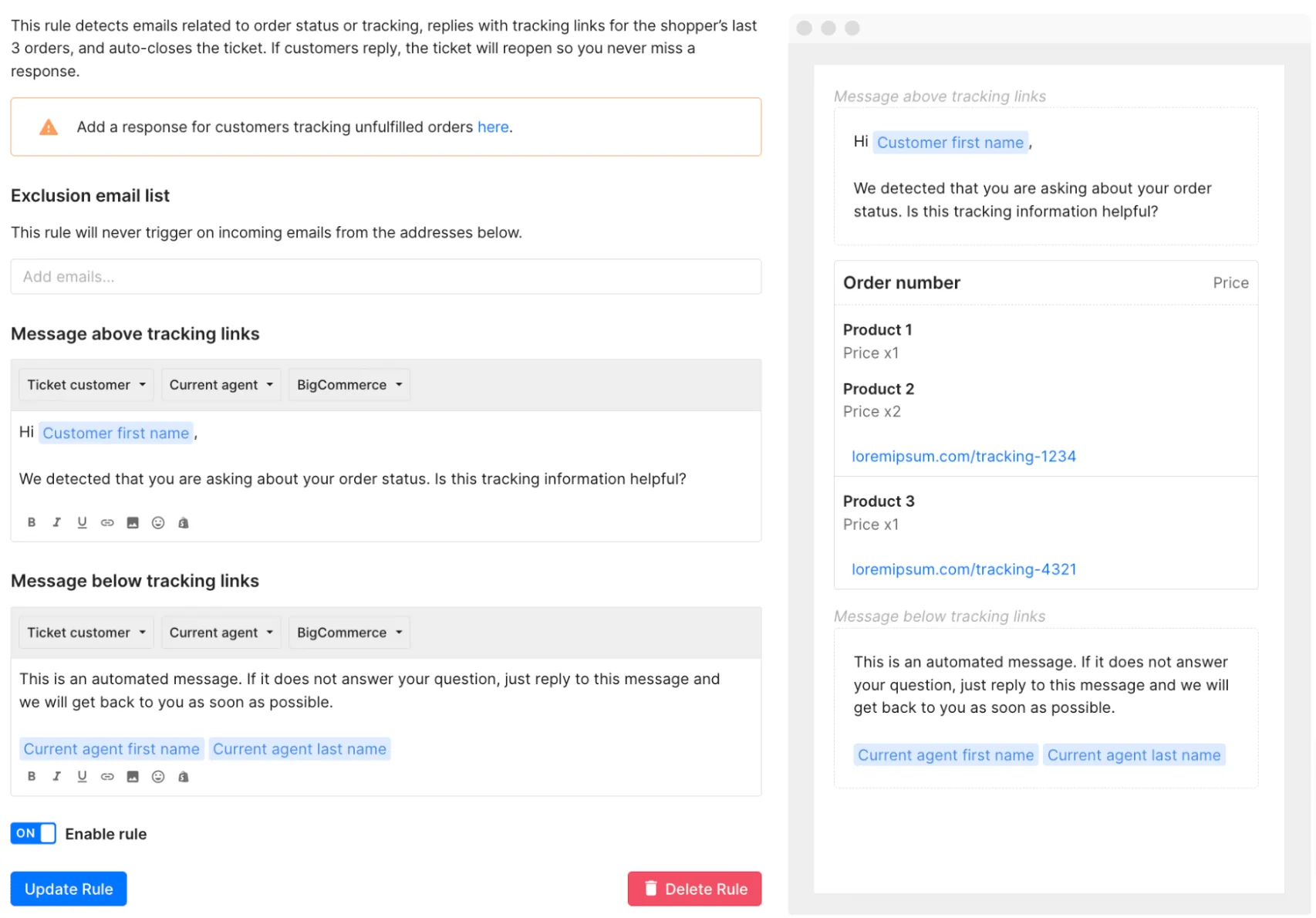
My advice: don't port all of them. Export your trigger list, sort by how often each one fired in the last 90 days, and rebuild the top 10 to 15. The rest were usually patches for problems your new setup won't have. My Gorgias rules and Gorgias automation guides cover the building blocks.
One catch for imported tickets: if your Zendesk account never had an email integration, Gorgias's migration FAQ says you "can't use Rules with conditions regarding the message body, sender, intents, and sentiments" on them. Subject, source and Shopify conditions still work.
What happens to your AI and automation in the switch
This is the section I'd read twice. Your tickets move. Your AI doesn't.
Zendesk AI stays in Zendesk
Zendesk AI agents are included in every Suite plan and billed per automated resolution, per Zendesk's pricing page. Gorgias's own comparison page puts that at "$1.50–$2.00 on Zendesk", and my Zendesk AI pricing post covers the included allowances. Whatever you built on top of that (procedures, use cases, intent tuning, escalation rules) is Zendesk configuration. None of it appears in Gorgias's import list, and Zendesk says AI agent tickets can't be exported.
So the months you spent tuning the bot on Zendesk don't transfer. What does transfer is the raw material: your help center and your past tickets. That matters, because cost and quality are often why teams leave in the first place. A high-volume, multi-brand ecommerce operator who came to eesel had tried Zendesk's native AI, found it expensive and inadequate, and wanted to switch "yesterday".
Gorgias AI Agent starts from zero
Gorgias AI Agent is included on every plan and billed per automated interaction. It's a strong fit for order work: it answers "where is my order" with live Shopify data, and Gorgias says Shopify is required to use it at all.
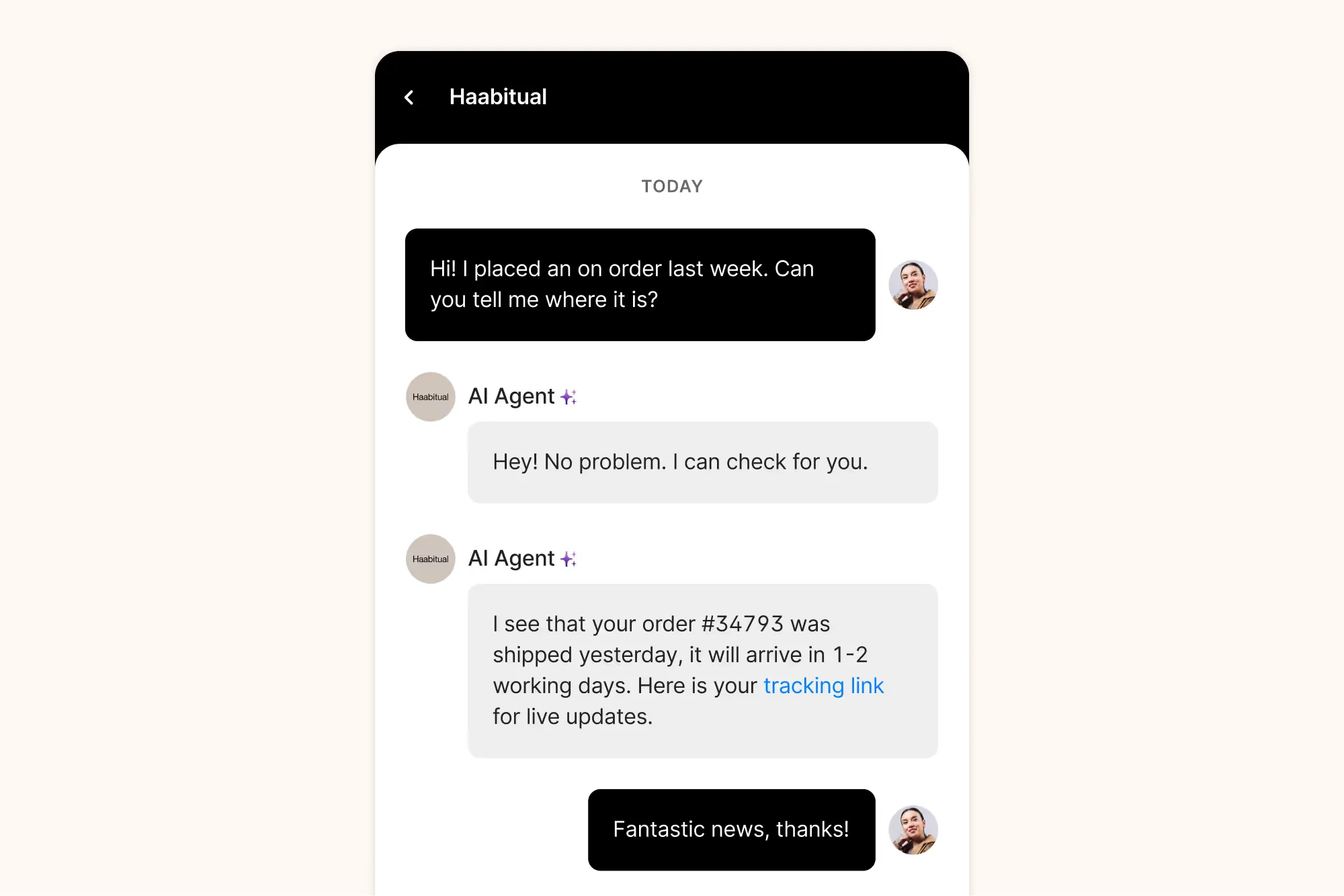
What it learns from is set out in Gorgias's knowledge doc: Guidance you write (up to 100 enabled at once), help center articles, your store website, single-page URLs, and uploaded documents. Past tickets aren't one of the listed sources, so the two years of Zendesk history you just imported doesn't train it directly. You test it with test conversations before going live, which means the bar on day one is whatever Guidance you've had time to write. For a DTC supplements brand that came to eesel, running about 7,000 Gorgias tickets a month, that bar was clear: an agent that could resolve at least half of all email on its own, mostly order status and subscription questions. My Gorgias AI Guidance guide covers how to write it.
How the two AI bills compare
| Zendesk AI agents | Gorgias AI Agent | |
|---|---|---|
| Billing unit | Automated resolution | Automated interaction |
| Price | $1.50–$2.00, per Gorgias's comparison page | $1.00 Starter, $0.90 Basic and Pro, $0.85 Advanced |
| Included per month | Allowance tied to your plan | 30 (Starter, Basic), 190 (Pro), 530 (Advanced) on AI Agent bundles |
| Also charged a ticket fee? | No, Zendesk bills seats | Yes, a fully AI-resolved ticket is also a billable helpdesk ticket |
That "also charged a ticket fee" row is the one that surprises people. Gorgias's billing doc says you pay "both a ticket fee + automation fee if AI Agent responds to a ticket and does not hand over the conversation to a human agent". An interaction counts as automated if the customer doesn't need a human within 72 hours.
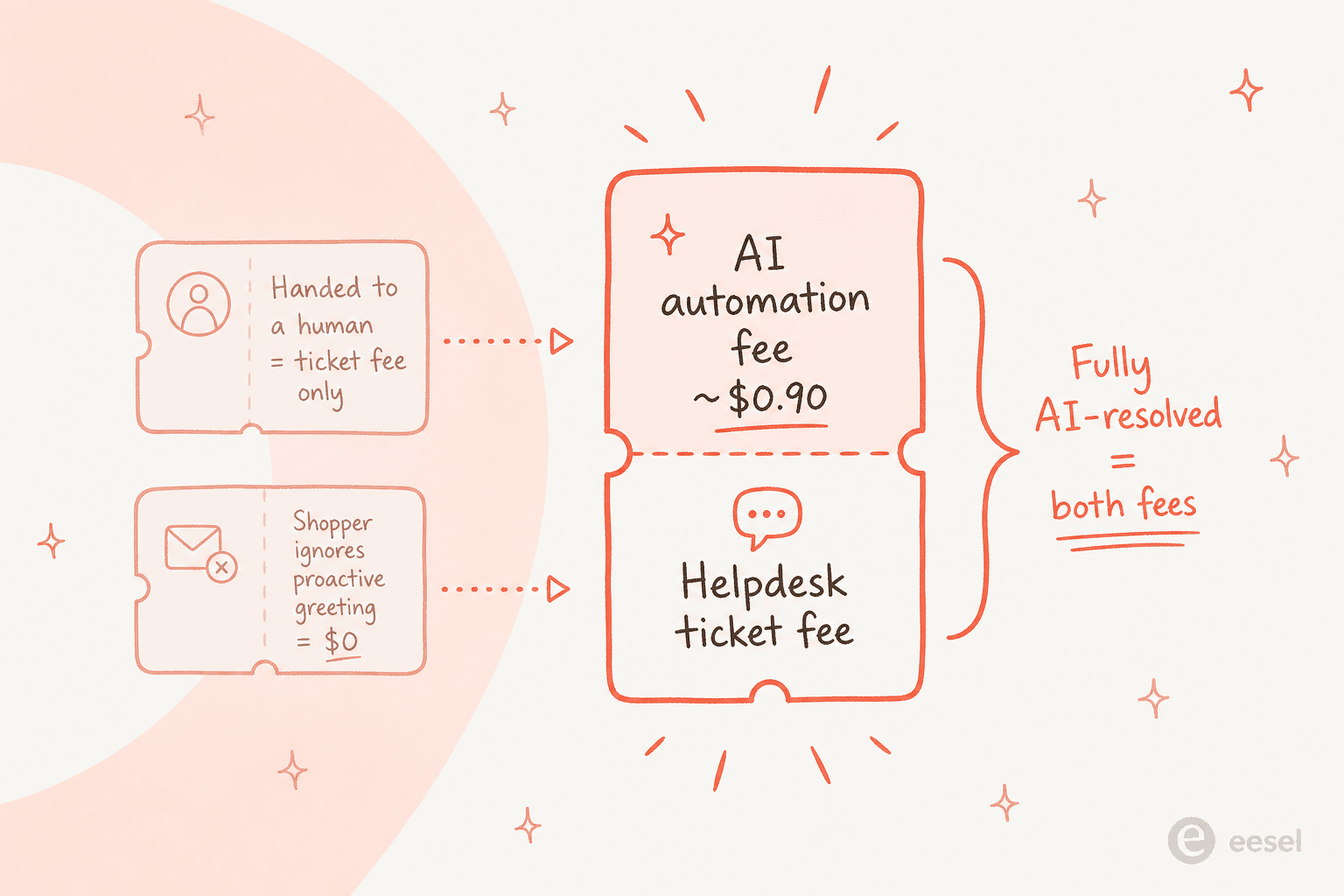
To be fair to Gorgias, per-outcome pricing means you never pay the automation fee on a ticket the AI fumbles, and some G2 reviewers who made this exact switch are happy with it:
"While we still have quite a few snags with the AI agent who does give the wrong answers sometimes, it is still faster and more efficient than Zendesk."

One more thing to check on any per-resolution meter: what counts as resolved. When eesel costed out a roughly 1,000-ticket-a-month ecommerce inbox, 22% of it was spam, and a spam ticket that auto-closes can look a lot like a resolution. Ask your vendor how those are counted before you trust a resolution rate. The full math, with worked examples, is in my Gorgias AI Agent pricing breakdown and the Gorgias AI pricing calculator.
Keep your trained AI through the switch instead of starting over
Here's the reframe I'd push on anyone planning this move: the helpdesk is the thing you're replacing, so don't let your AI live inside it. When the AI is a feature of the helpdesk, a migration resets it to day one. When it's a teammate that connects to the helpdesk, the switch is closer to giving it a new desk.
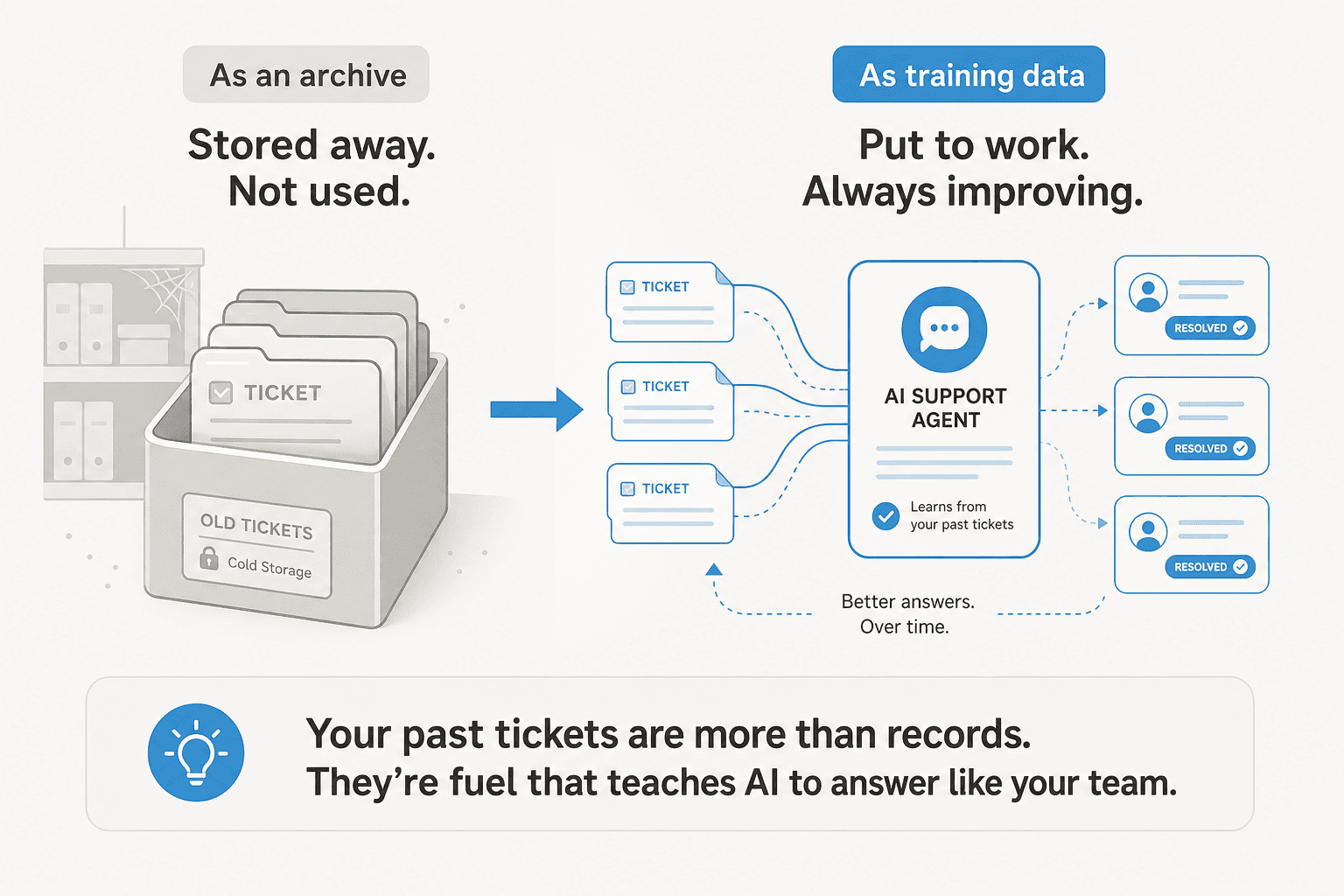
That's how eesel works. It's an AI helpdesk teammate that plugs into Zendesk and Gorgias the same way, and learns from your help center, macros and past tickets in each. Here's what happens to each layer of "training" when you move:
| What your AI knows | With a helpdesk-native AI | With eesel |
|---|---|---|
| Instructions and corrections | Rebuilt from scratch | Kept. They belong to the agent, not the helpdesk |
| Shopify, Google Drive, Notion, website, files | Reconnected per tool | Kept. Connected once at workspace level |
| Help center, macros, past tickets | Zendesk-only | Re-learned from Gorgias, which now holds your imported Zendesk history |
| Automations (when it runs) | Rebuilt | Recreated on a Gorgias trigger, same instructions |
| Testing before go-live | Scenarios you write | Simulation on your real past tickets |
The instructions row is the one that saves the most time. eesel's instructions and memory doc explains that when you correct the agent, "it writes the correction into its own instructions, so the fix holds next week and in every app it works in." Every tone rule, refund policy and "never promise a delivery date" correction you made on Zendesk tickets is still there on your first Gorgias ticket.

The helpdesk sources are the part that does change. Help center, macros and tickets are downloaded per connection, so the Gorgias connection reads what's in Gorgias. That's where the native import pays off twice: once Gorgias holds two years of your Zendesk tickets and macros, eesel's Gorgias connection can search and learn from that same history. Removing the Zendesk connection in eesel removes the Zendesk-sourced documents with it, so disconnect Zendesk last, after the import finishes and Gorgias is live.
The automation is the one thing to recreate. In eesel, "An automation is a Gorgias trigger plus instructions", per its Gorgias docs, and each one belongs to one account. You add a new automation on Gorgias's "A customer sends a message" event and point it at the same instructions. Before switching it on, run a simulation, which replays real past tickets and compares its answers to what your team sent.
Where eesel isn't the right pick: if nearly all your volume is order actions and you want one vendor and one bill, Gorgias AI Agent on a Shopify store is the simpler setup. My eesel vs Gorgias AI comparison lays out that trade honestly.
Zendesk to Gorgias migration checklist
Here's the order I'd run it in, start to finish:
- Export from Zendesk first. Ask Zendesk support to enable data exports, then pull a JSON export and your Zendesk macros and help center as a backup.
- List your triggers and automations by how often they fired, and pick the ones worth rebuilding. Clean up your macros in Zendesk now too, since imported macros stay locked while the sync runs.
- Connect Shopify to Gorgias under Settings, Workspace, Store, so order history backfills while the import runs.
- Start the Zendesk ticket import before you connect any email address to Gorgias.
- Import the help center from Settings, Channels, Help Center.
- Rebuild your top Rules and Views on the Gorgias side.
- Connect your AI to Gorgias and recreate its automation. If you use eesel, keep the Zendesk connection until the import finishes and Gorgias is live, and run a simulation on Gorgias tickets.
- Cut over channels in Gorgias's recommended order: finish the import, enable channels in Gorgias, pause the Zendesk sync, disable channels in Zendesk.
- Cancel Zendesk last, once exports are safe, remembering the 90-day deletion window.
If Gorgias isn't a sure thing yet, compare it against the field in my Gorgias alternatives and Zendesk alternatives roundups before you commit.
eesel for Gorgias
If you're making the Zendesk to Gorgias move, eesel for Gorgias is the AI teammate that doesn't need retraining when the helpdesk changes. It joins Gorgias like another agent, reads your help center, macros and past tickets (the imported Zendesk ones included), checks Shopify orders, and drafts or sends replies, tags and routes. The instructions and corrections you built on Zendesk come with it, and you test it on your real Gorgias tickets before it answers anyone.
Pricing is one fixed monthly plan from $299 for 500 credits, where a ticket or chat is 1 credit however many replies it takes, with no per-seat fees. Try eesel free with 100 credits and no card, connect Gorgias next to your Zendesk, and see how it handles your queue before you cut over.
If you're still weighing options, my AI for Gorgias and best AI for Gorgias guides are good next reads.
Frequently Asked Questions
How do I migrate from Zendesk to Gorgias?
How much does a Zendesk to Gorgias migration cost?
Does the Gorgias Zendesk import bring over attachments and CSAT?
Can I migrate Zendesk triggers and automations to Gorgias?
What happens to Zendesk AI when I switch to Gorgias?
Is Gorgias AI Agent cheaper than Zendesk AI?
How long does a Zendesk to Gorgias migration take?



Article by
Rama Adi
Rama is a software engineer at eesel AI with two years of experience writing about B2B SaaS, AI tools, and customer support technology. Based in Bali, Indonesia, he brings a developer's perspective to product comparisons — cutting through marketing copy to what the integrations and APIs actually do.