

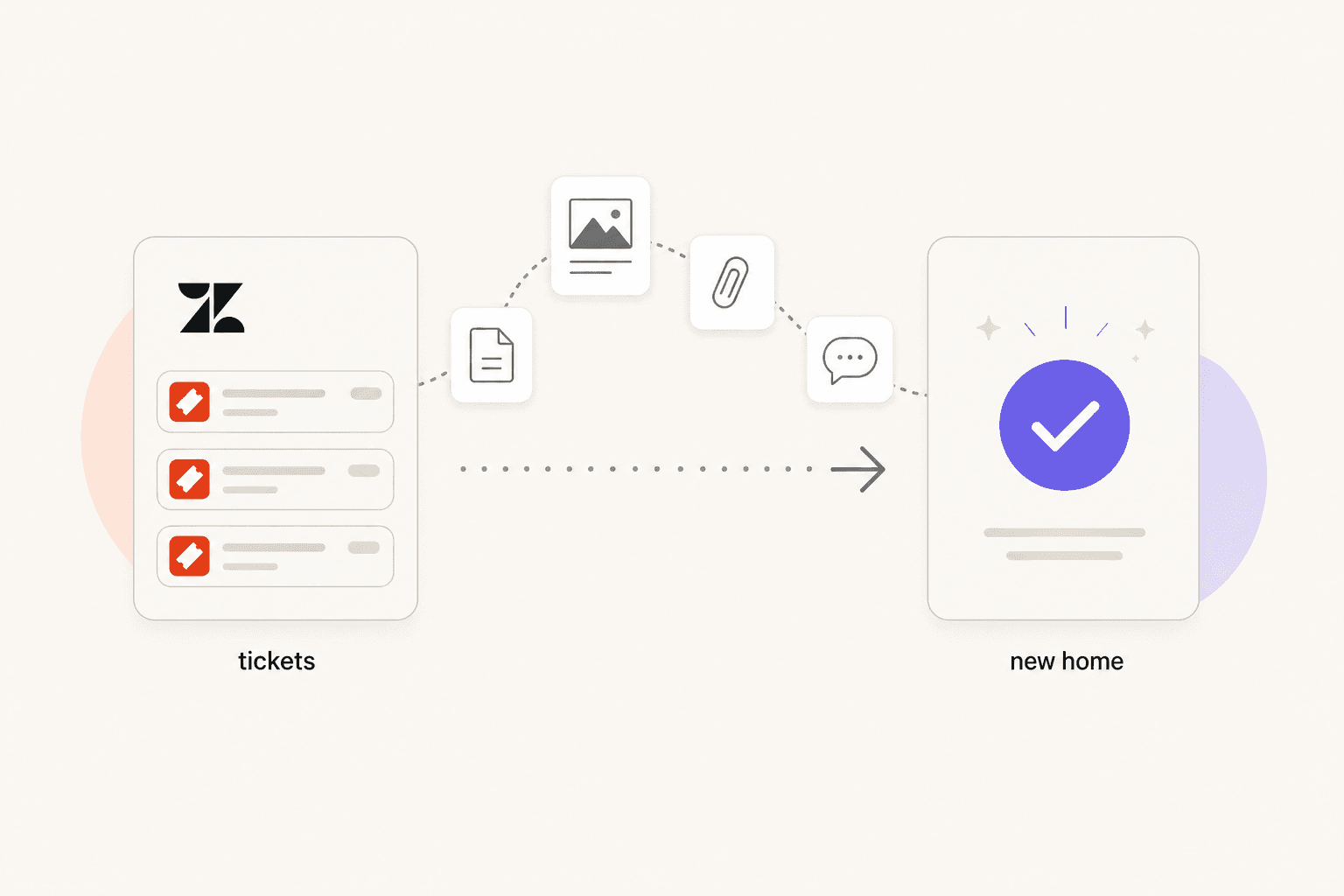
Zendesk has a pricing problem, and it's gotten worse every year. Support teams on r/helpdesk report 20% annual price increases, with one user describing a renewal quote that jumped from $1,500 to $7,000 per year. Another noted paying $15,000 annually for a team of 10 agents before switching to FreshService at significantly lower cost.
The complaints aren't just about price. "Zendesk is incredibly flexible but that flexibility requires someone to configure it well, and a small team does not have that person," one r/helpdesk commenter wrote bluntly. For teams that don't have a dedicated Zendesk admin, the platform's power becomes friction.
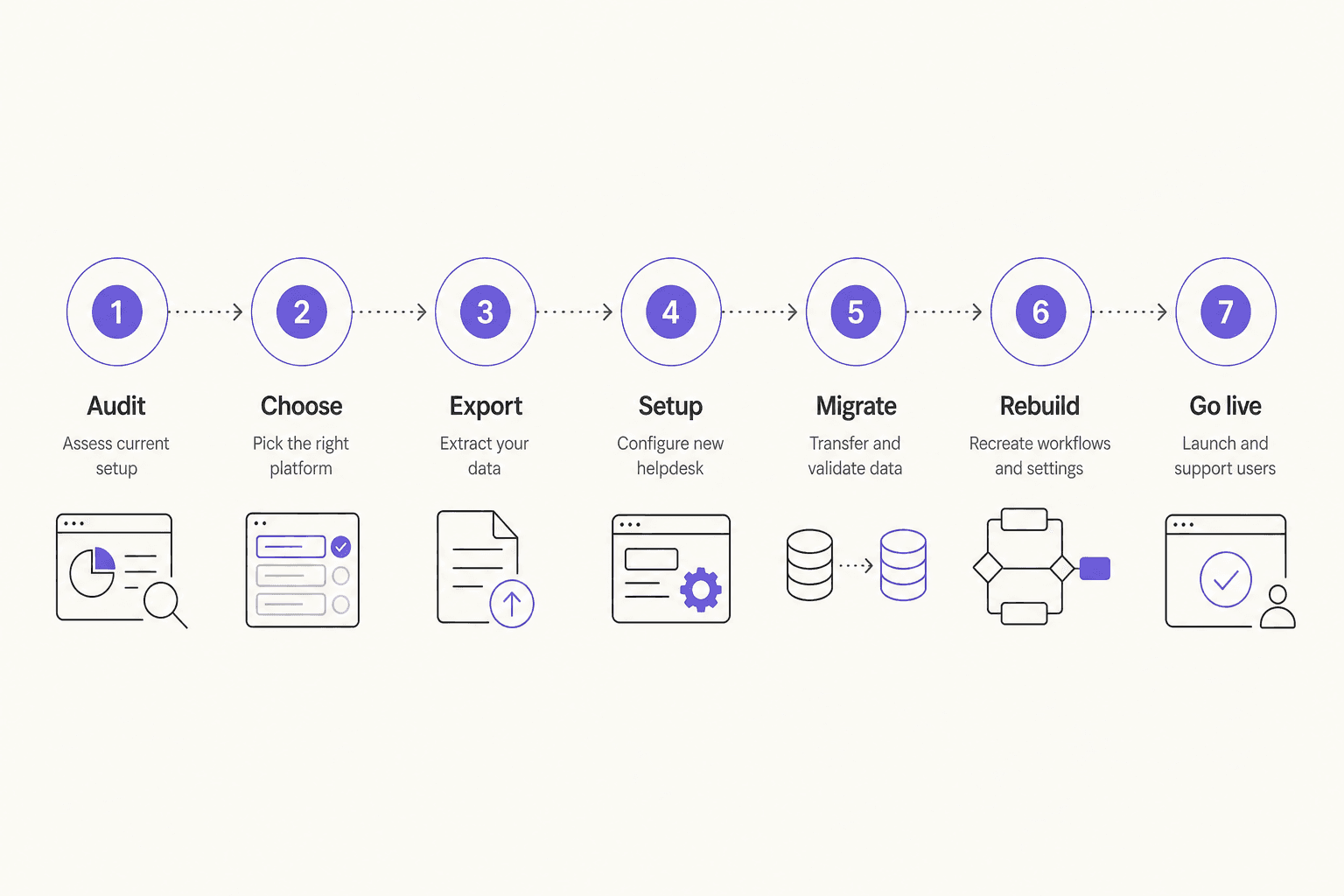
If you're considering leaving, you're not alone. This guide covers the complete migration process: auditing your current setup, exporting data, choosing a destination, running the migration, and rebuilding what doesn't port automatically. If you want a realistic picture of what the switch actually involves - including the parts most migration guides skip - read on.
Before you migrate: understand what's actually driving you away
The right path depends on the root cause.
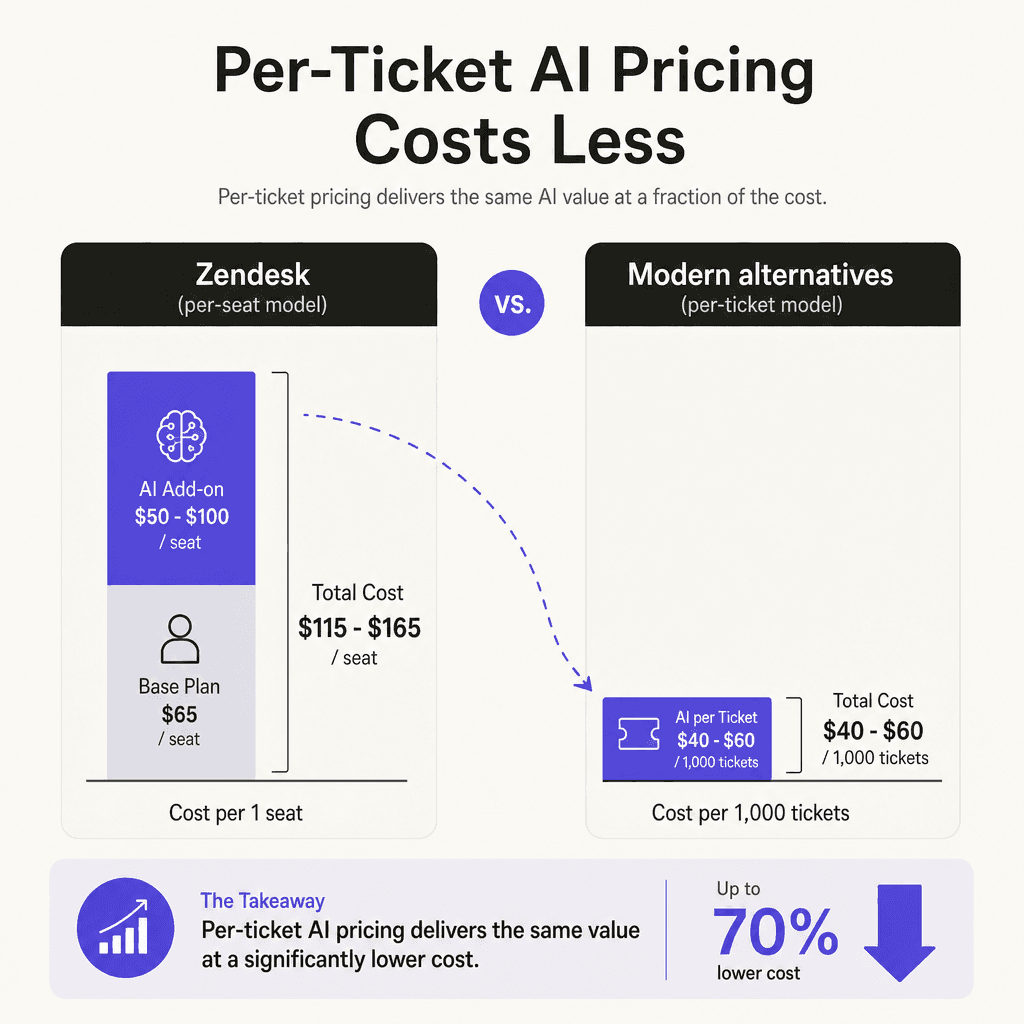
Zendesk's AI is too expensive. The Copilot add-on is $50/agent/month, plus $1.50-$2.00 per automated resolution beyond your plan's small monthly allowance. A 10-agent team on Suite Professional with Copilot reaches $1,650/month before AR overages. If the AI pricing is the main issue, you may not need to migrate at all - adding a third-party AI layer to your existing Zendesk setup (or to a simpler helpdesk) can cost less and is easier to predict, since there are no per-resolution fees.
Zendesk is overkill for your volume. If you're doing under a few hundred tickets per month, you're likely paying for omnichannel routing, workforce management tooling, and enterprise-scale analytics you never touch. A lighter platform like Help Scout or Zoho Desk gives you what you need at a fraction of the cost.
Zendesk is the wrong fit (IT helpdesk DNA, wrong for ecommerce or SMB). Multiple Reddit threads note that Zendesk was built for IT support and large enterprises. Teams doing primarily order status, returns, and product questions often find purpose-built alternatives handle those workflows more naturally.
The migration steps that follow apply to all three scenarios. But keep the reason front of mind - it determines which alternative makes the most sense for you.
What your migration actually costs
Before committing to a switch, run the numbers on both sides.
Here's what a typical Zendesk bill looks like for a mid-size team:
| Plan | Per agent/month | 10-agent team |
|---|---|---|
| Suite Professional (most popular) | $115 | $1,150/month |
| + Copilot add-on | $50 | $500/month |
| + QA add-on (optional) | $35 | $350/month |
| Total with Copilot | $165 | $1,650/month |
Overages on automated resolutions ($1.50-$2.00/AR) add on top of that if ticket volume is high.
Teams that have migrated report substantial savings. One company moved to BoldDesk and cut costs from $7,000/year to $1,500/year. Another moved to FreshService and reduced their $15,000/year bill significantly. Even accounting for migration costs ($500-$2,000 for a tool like Help Desk Migration), most teams break even inside six months.
Choosing where to go
The right destination depends on your team size, support channels, and how much you care about native ecommerce integrations vs. general ticketing.
| Platform | Starting price | Best for |
|---|---|---|
| Freshdesk | $19/agent/month (Growth) | Mid-market teams; has native Zendesk import wizard |
| Zoho Desk | $14/user/month | Budget-conscious; already in Zoho ecosystem |
| Help Scout | $25/user/month | Small teams; email-heavy support |
| Front | $19/seat/month | B2B teams; collaboration-focused inbox |
| HubSpot Service Hub | $45/month (2 users) | Teams already using HubSpot CRM |
| Gorgias | Tiered pricing | Ecommerce; Shopify-native teams |
| Jira Service Management | $21/agent/month | IT support teams; Atlassian users |
| BoldDesk | ~$125/month for 5 agents | Cost-conscious switch; praised for migration support |
A few notes on the standouts:
Freshdesk is the most common migration target from Zendesk. It has a native Zendesk import wizard in the admin console that handles tickets, contacts, knowledge base articles, and attachments. It's also cheaper across every tier.
Help Scout is genuinely simple to set up - teams report getting to production in days rather than weeks. It's ideal if most of your support comes through email and you don't need complex routing.
Gorgias wins if Shopify integration is your primary need. Its order data surfaces directly in the ticket; Zendesk requires custom integration work to achieve the same.
If you're an IT team doing internal support, Jira Service Management deserves a look. The free tier covers 3 agents and includes the full ITIL feature set.
Step 1: Audit what you actually use in Zendesk
Before touching a single export, document what your team depends on day-to-day:
- Channels: email, chat, voice, social messaging - which are active?
- Integrations: CRM, ecommerce platform, Slack, analytics tools - list every active connection
- Automations: triggers, macros, SLA rules, escalation logic - these don't port
- Views and reports: custom dashboards and reports your team actually looks at
- Knowledge base: how many articles, which languages, how often updated
This audit has two purposes. First, it tells you how complex your migration is and helps you choose the right migration method. Second, it surfaces everything you need to recreate in your new platform - because none of the automated migration tools will handle your business rules.
An honest audit also sometimes reveals how little of Zendesk you actually use. Teams routinely discover they've been paying for enterprise-scale features while only using 20% of the platform.
Step 2: Export your Zendesk data
Here's what Zendesk lets you export, and how to get to it.
Enable data exports first. Zendesk data exports are not turned on by default. You need to contact Zendesk support and request the feature. This is only available on Professional and Enterprise plans (and all Suite tiers).
Navigate to Admin Center > Account > Tools > Reports > Export tab.
Three export formats are available:
| Format | What's included | Limit |
|---|---|---|
| JSON | Tickets, users, organizations (with all comments) | Best for 200K+ tickets; downloads in 31-day chunks over 1M |
| CSV | Ticket fields only (no comments or descriptions) | No hard limit; multiple selects and multiline fields excluded |
| XML | All accounts, groups, organizations, tickets with comments, users | Hard 500 MB cap (~200K tickets) |
For most teams, JSON is the recommended format. It includes complete ticket history including all comments, which CSV doesn't.
What doesn't export cleanly:
- Attachments need separate handling - they're not included in standard CSV exports
- AI-agent-resolved tickets cannot be exported at all
- Custom user fields and org fields require the API (User XML export excludes them)
- Triggers, macros, and business rules are platform-specific; they don't transfer
If your Zendesk account is on a lower plan or you want more control, the Zendesk API lets you pull data on any plan. The incremental exports endpoint is the right starting point for large accounts.
Step 3: Run the migration
Three approaches, each with a different tradeoff:
Option A: Use a dedicated migration tool (recommended for most teams)
Help Desk Migration is an authorized Zendesk partner and the most commonly used tool for this path. It handles tickets, contacts, organizations, knowledge base articles, attachments, inline images, and call recordings. The workflow:
- Connect both your Zendesk account and your destination platform
- Map your source fields to destination fields (custom fields included)
- Run a free demo migration with 20 random records
- Validate the sample - check ticket structure, comments, attachments
- Execute the full migration
- Run a delta migration to capture any records created or updated since the initial pull
The tool supports interval migration (pause up to 5 times), which lets you migrate in phases without a hard cutover. Pricing scales with data volume; the demo migration is free and takes about 5 minutes.
Data transfer speed averages 2,000 tickets per hour, so 15,000 tickets takes roughly 7-8 hours of actual transfer time.
Option B: Use your destination platform's native importer (best for Freshdesk migrations)
If you're moving to Freshdesk, their admin section includes a native Zendesk import wizard. It handles tickets, contacts, companies, agents, custom fields, attachments, canned responses, scenario automations, and knowledge base content. No third-party account needed.
Known limitation: internal links in knowledge base articles don't update automatically. Zendesk-format URLs remain in the article body and need to be fixed manually or via redirect rules.
Option C: Hire migration specialists (best for large or complex accounts)
For accounts with 50,000+ tickets, heavy customization, or complex compliance requirements, firms like Helpando and Gravity CX provide end-to-end migration services. Cost ranges from $5,000 to $20,000+ depending on complexity. For an enterprise account saving $50,000+ per year by switching, that's a sensible investment.
Always run a demo migration first. This is the single most important piece of advice from teams who've been through this process. Demo migrations catch custom field mismatches, attachment corruption, and date/timezone issues before they affect thousands of records.
Step 4: Rebuild what didn't migrate
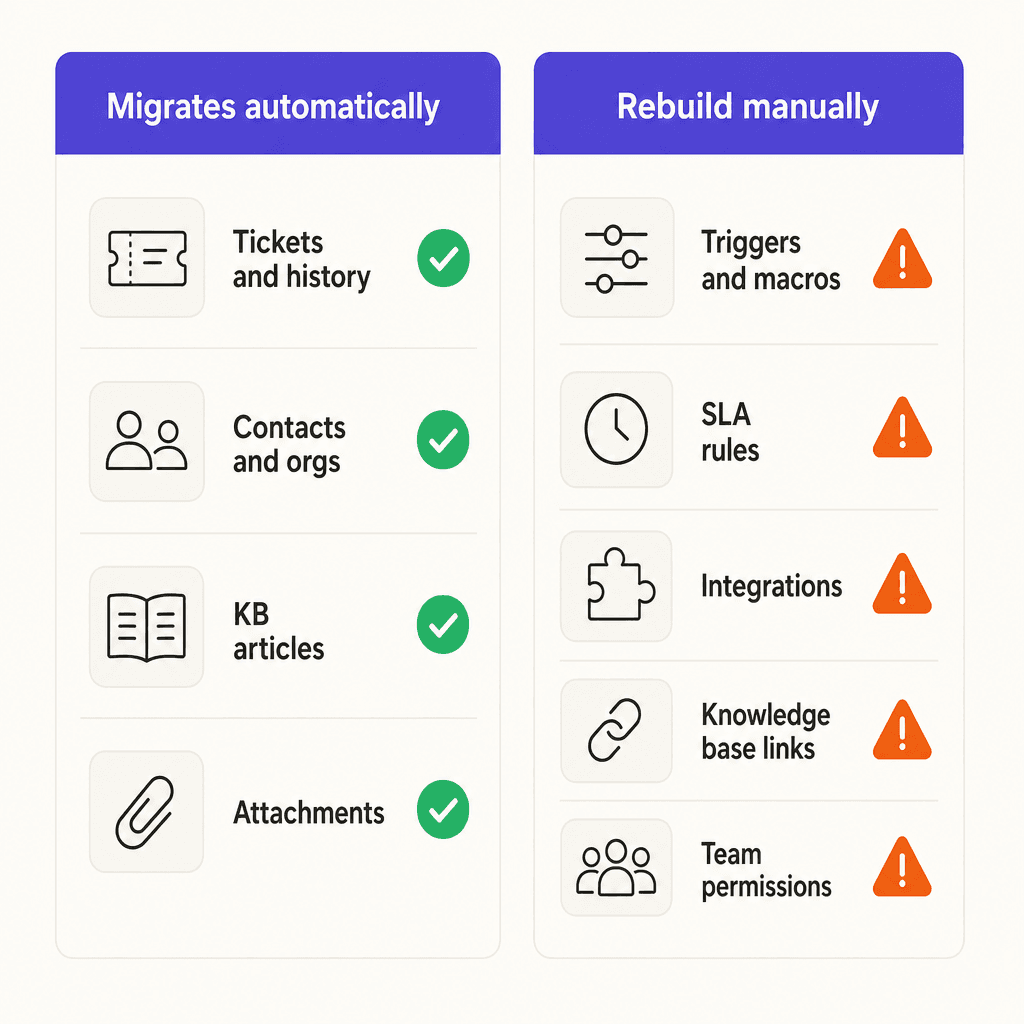
This is the part most migration guides understate. Your ticket data and knowledge base articles come across cleanly. But the following require manual work in your new platform:
Triggers and automations. Zendesk's trigger and automation logic is platform-specific. You'll need to recreate each rule in your new system using its workflow builder. Use this as an opportunity to audit which automations are actually working - most teams discover a graveyard of rules nobody remembers creating.
Macros and canned responses. These can sometimes be exported and re-imported as templates, but the structure varies by platform. Expect to review them all and adjust.
SLA policies. Zendesk's SLA configuration doesn't map to other platforms' models. You'll configure SLAs from scratch in your new tool.
Knowledge base internal links. Any links inside articles that point to other articles will still reference Zendesk URLs. Either set up 301 redirects, use a tool to find and replace the old URLs, or do a manual audit. This gets expensive if you have hundreds of articles.
Third-party integrations. Every integration you had connected in Zendesk (Salesforce, Shopify, Slack, etc.) needs to be reconnected and tested in the new platform. Budget one to three days for integration testing depending on how many you have.
Team permissions and agent roles. Agent role structures differ between platforms. You'll need to configure roles, groups, and permissions from scratch.
A useful shortcut: don't try to recreate your old setup 1:1. The migration is a natural moment to simplify. If a trigger hasn't been edited in two years, ask whether it's still needed before rebuilding it.
Step 5: Test before you go live
Don't cut over to the new platform until you've verified these five things:
- Ticket count matches. Compare the record count in your destination platform against your Zendesk export. Discrepancies indicate dropped records.
- Comment history is intact. Open 10-20 random tickets and check that the full conversation thread is there.
- Attachments load. Attachment migration is the most error-prone step. Spot-check tickets that you know had files.
- Routing works end-to-end. Send test tickets through every channel (email, chat, social) and confirm they land in the right place.
- Automations fire correctly. Trigger a few test tickets that should activate key automations and confirm they behave as expected.
Run the test on your staging/sandbox environment first if your new platform offers one.
Timing: when to migrate
The single piece of timing advice that matters most: don't migrate during support peaks. A r/helpdesk commenter summed it up plainly - "The risk of breaking something mid-peak is the killer". Timing a migration wrong during a holiday rush or product launch can be catastrophic.
Good windows: Early Q1 (post-holiday, manageable volume), between major product releases, and during any period when your support volume is predictably low.
Avoid: Q4 holiday periods, planned marketing campaigns, product launches, fiscal year-end for B2B teams.
How long should you plan for?
| Account size | Expected timeline |
|---|---|
| Small (< 5,000 tickets) | 1-2 weeks total |
| Mid-market (5,000-50,000 tickets) | 2-4 weeks total |
| Enterprise (50,000+ tickets) | 4-12 weeks total |
| With large knowledge base | Add 2-4 weeks |
Keep Zendesk in read-only mode for 30 days after go-live. You'll almost certainly need to look something up in the old system during the first few weeks, and keeping access prevents panic.
What about AI on your new platform?
Most Zendesk alternatives have added basic AI capabilities to their base plans. But "AI included" on a $19/agent/month plan usually means intent-based routing and suggested replies - not autonomous ticket resolution.
If you want AI that handles tickets end-to-end (drafts responses, resolves straightforward requests, escalates with context), you need an AI layer on top of whatever helpdesk you land on.
This is where the math gets interesting. eesel AI connects to Freshdesk, Zendesk, Slack, and 100+ other platforms and handles tickets on a fixed monthly plan - 1 credit per ticket, no platform fee, no per-seat charges. For a team handling 1,000 tickets per month, that's $499/month. Compare that to Zendesk's Copilot add-on at $50/agent/month for 10 agents ($500/month) plus $1.50+ per automated resolution.
If you're moving to Freshdesk (at $19/agent/month) and adding eesel AI, a 10-agent team at 1,000 tickets/month pays:
- Freshdesk Growth: $190/month
- eesel AI: $499/month
- Total: $689/month vs $1,650/month on Zendesk + Copilot
That's the same (or better) AI capability at well under half the cost, with no per-resolution fees on top.
eesel learns from your existing tickets and knowledge base articles from day one. Teams at Smava use it to handle 100,000+ tickets per month in German; Gridwise reported 73% resolution of tier 1 requests in their first month. It installs as an agent in your helpdesk - no parallel system to manage, no retraining your workflow.
If you want to automate Zendesk tickets before migrating, or understand what Zendesk's native AI actually covers, those guides are worth reading before you commit to any path.
For teams evaluating whether to leave at all, this comparison of Zendesk AI alternatives walks through the tradeoffs in more detail.
Try eesel
eesel AI is an AI support agent that works inside your helpdesk - whether you stay on Zendesk or move to Freshdesk, Slack, or another platform. It reads your past tickets, help center articles, and knowledge base, and starts handling support from day one. Pricing starts at $299/month for 500 credits (1 credit per ticket or chat), with no platform fee and no per-seat pricing.
If you're migrating away from Zendesk partly because the native AI is too expensive, eesel gives you the same capabilities on your new platform without the add-on pricing. The eesel + Zendesk integration guide explains how setup works, and the Freshdesk integration is just as straightforward if that's where you're headed.
100 free credits, no credit card required. Get started at eesel.ai.