How to switch from Zendesk in 2026 (and what to use instead)

Stevia Putri

Katelin Teen
Last edited May 21, 2026
Zendesk is a genuinely powerful platform. It handles omnichannel tickets, runs AI agents, integrates with 1,800+ apps, and processes 4.8 billion resolutions a year across 22,000+ service teams. If you're on it, you know it works.
And yet, r/Zendesk has a thread called "I am sick of Zendesk. Do I even need it?" with 60+ comments. r/CRM has one titled "Feeling ripped off - Zendesk". These aren't fringe opinions.
Most teams searching "switch from Zendesk" have hit one of three walls: the bill got too big, the configuration got too complex, or both. This guide walks through whether switching is actually the right call, what the real alternatives look like, and how to migrate without losing months of ticket history or breaking the integrations your team relies on.
Why teams leave Zendesk
The frustration isn't with Zendesk's capabilities - it's with how quickly costs compound and how much admin work the platform assumes you have.
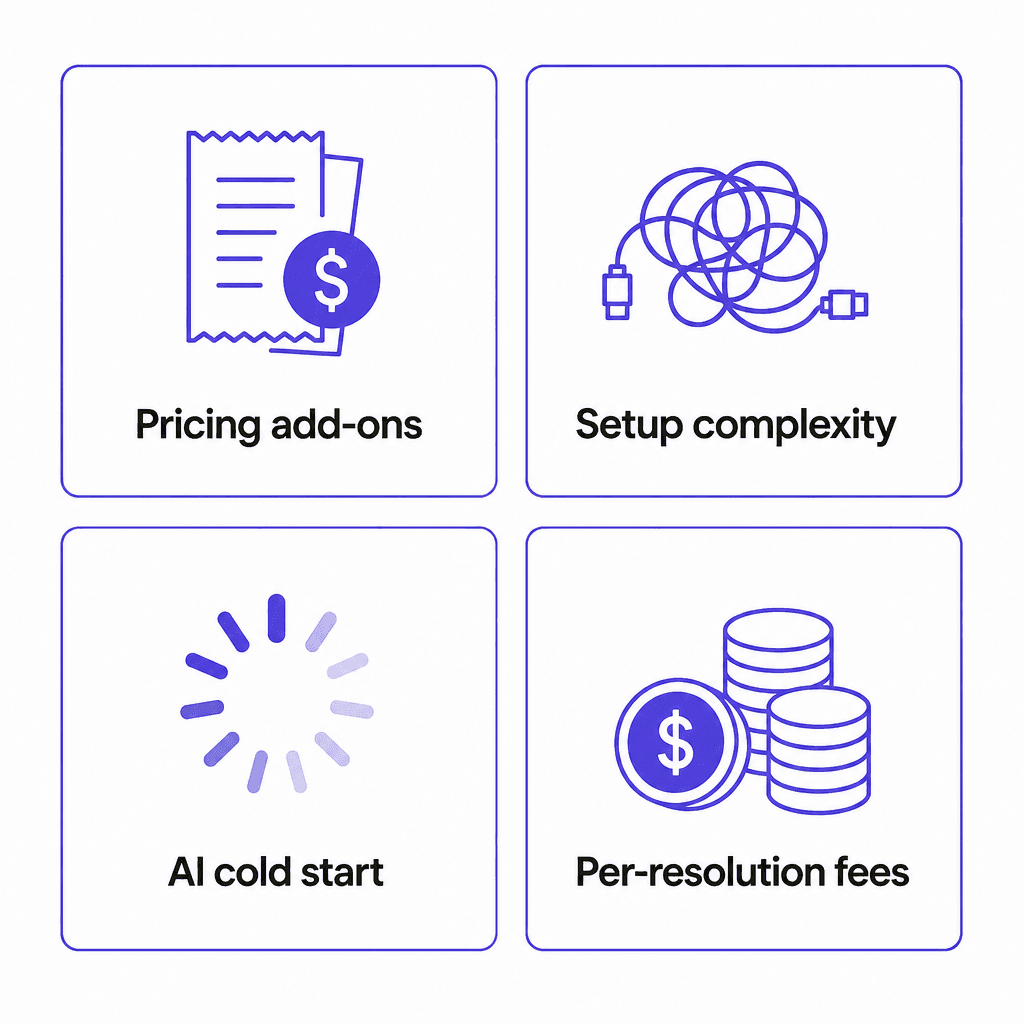
Add-on pricing stacks fast
Zendesk's Suite Professional plan runs $115/agent/month billed annually. That's $1,150/month for 10 agents - already more than most smaller teams pay for rent. But "Suite Professional" doesn't include everything you'd expect from a modern AI support stack.
Copilot (AI agent assist) is an extra $50/agent/month. Quality assurance is $35. Workforce management is $25. If you want all three alongside Suite Professional for that same 10-agent team: $2,250/month before any AI resolution overages. The AI resolution pricing adds another $1.50-$2.00 per automated resolution beyond your plan's included allotment.
A r/CRM commenter described the outcome directly: the thread title was "Feeling ripped off - Zendesk".
Configuration is a full-time job
Zendesk's configurability is real and valuable - if you have the admin bandwidth to use it.
"Zendesk is incredibly flexible but that flexibility requires someone to configure it well, and a small team does not have that person." -- u/Wooden_Building_8329, r/helpdesk
G2 reviewers report two-week onboarding periods. The Flow Builder for automation, the AI intent model training, the custom routing rules - these are powerful tools that require an admin resource to configure and maintain. For teams under 20 agents, that resource usually doesn't exist as a dedicated role.
"The pricing and complexity feels like it was designed for a company with a dedicated support ops team and a product manager just for the helpdesk, which is not the situation for most stores doing sub-$3M revenue." -- u/maelxyz, r/helpdesk
AI requires a cold-start investment
Zendesk's AI agents need 1,000+ resolved tickets to activate properly. That's a deliberate ramp-up path - not a flaw, but a real barrier for teams under 3 years old or those in lower-volume industries. Until you hit that threshold, the AI features you're partly paying for don't work.
The per-resolution pricing also creates awkward math for seasonal or ecommerce businesses. Your ticket volume spikes in November; Zendesk's $1.50-$2.00/AR overage pricing spikes with it.
Before you switch: a cheaper fix you might be missing
Switching helpdesk platforms takes weeks of work: exporting data, configuring the new tool, retraining the team, rebuilding integrations. Before committing to that, it's worth testing whether your core problem is actually the Zendesk platform or the AI layer on top of it.
eesel AI installs as an agent in your existing Zendesk. It reads your past tickets, help center articles, and macros - then starts handling tickets from day one, without Zendesk's cold-start requirement. Setup takes minutes, not weeks.
Pricing is $0.40 per ticket - no platform fee, no per-seat charge. For a team handling 500 tickets/month, that's $200/month total. Compare that to $500+/month for Zendesk's Copilot add-on alone on a 10-agent team.
Kim Simpson at Gridwise put it plainly: "In the first month, eesel is resolving 73% of our tier 1 requests. Our team implemented and achieved results quickly during our 7-day trial."
If your primary frustration is that Zendesk's native AI is expensive or slow to start, eesel solves that problem without a platform migration. If the issue runs deeper - the overall cost, the complexity, a specific gap like Shopify integration - then a full switch makes more sense.
Top Zendesk alternatives in 2026
Here's how the leading options compare before diving into each one:
| Platform | Starting price | Best for | AI included? |
|---|---|---|---|
| Freshdesk | $19/agent/mo | Teams wanting a Zendesk-like experience at lower cost | Yes (Freddy AI, 500 sessions free on Growth) |
| Gorgias | $60/mo (300 tickets) | Shopify and ecommerce brands | Yes ($0.90/interaction) |
| Help Scout | $25/user/mo | Small teams, email-primary support | Yes ($0.75/resolution add-on) |
| HubSpot Service Hub | $90/seat/mo | Teams already on HubSpot CRM | Yes (Breeze Customer Agent, 70%+ auto-resolve) |
| Zoho Desk | $7/user/mo | Budget-conscious teams, existing Zoho users | Yes (Zia AI, included on Enterprise) |
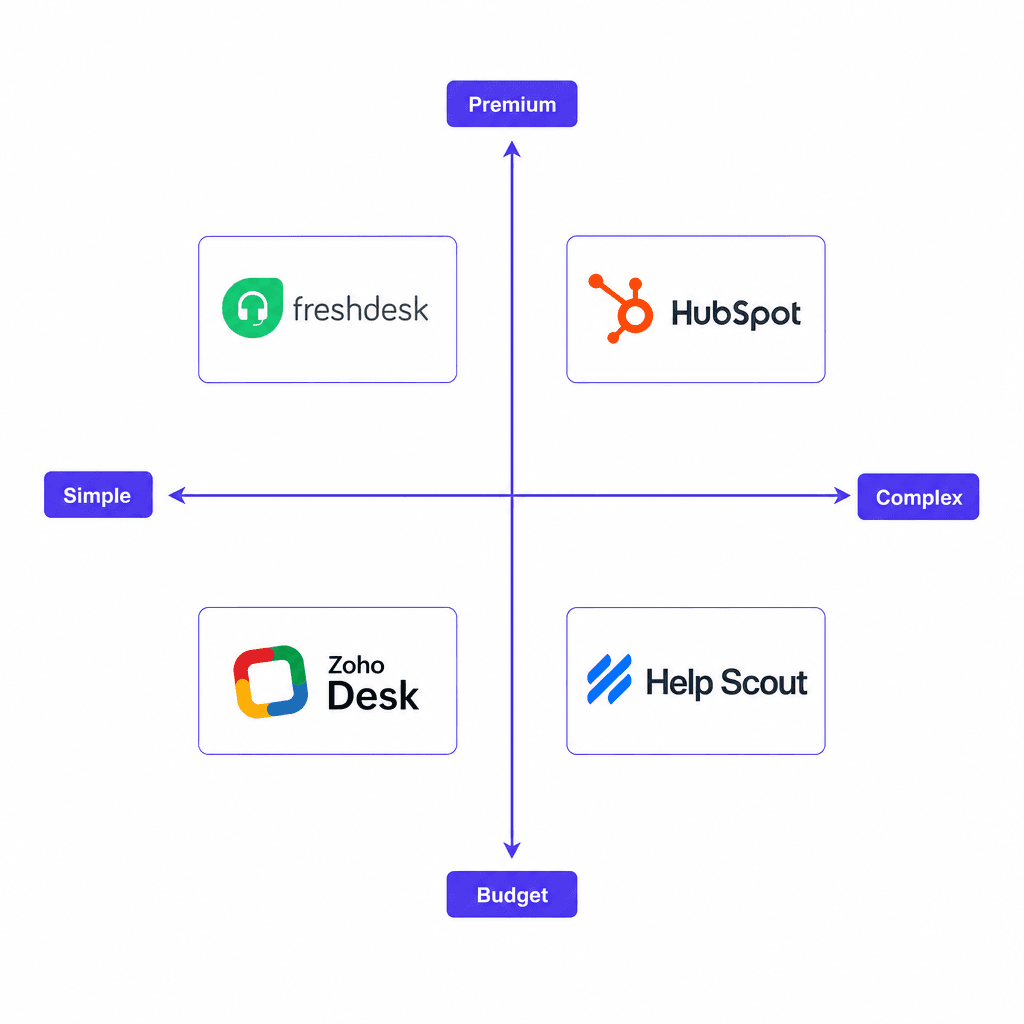
Freshdesk
Freshdesk is the most direct Zendesk alternative for teams that want a comparable feature set at a lower price. Trusted by 74,000+ businesses including Bridgestone, Forbes, and Klarna, it covers omnichannel ticketing, AI automation, and self-service across the same channels Zendesk does.
Pricing:
| Plan | Price (annual) | Key limits |
|---|---|---|
| Growth | $19/agent/mo | 500 Freddy AI sessions included |
| Pro | $55/agent/mo | 5,000 collaborators, advanced ticketing |
| Enterprise | $89/agent/mo | Audit logs, approval workflows, skills-based assignment |
The AI story is meaningfully different from Zendesk's. Freddy AI Agent (Freshdesk's autonomous AI) is included from the Growth plan and launches with 50+ prebuilt workflows. No 1,000-ticket cold start requirement. Freshdesk also claims up to 80% auto-resolutions with Freddy, under 2 minutes average conversational resolution time, and 97% omnichannel first contact resolution rate in customer deployments.
One Freshdesk customer, Luke Gaspar at Bridgestone, described the agent workspace as "very user-friendly - it had all the features we needed to collect tickets, assign tickets to different agents, and store information."
Who it's for: Teams migrating from Zendesk who want a familiar omnichannel setup without the Zendesk price tag. It works well for mid-market companies (10-200 agents) who want enterprise-grade features without enterprise pricing.
Honest limitations: Freshdesk's 6-month free program (1-2 agents) isn't a permanent free tier - it expires. And at the Growth plan, Freddy AI sessions cap at 500/month; additional sessions are $49 per 100, which can add up fast at higher ticket volumes.
For teams that switch to Freshdesk, eesel AI also integrates with Freshdesk - so you can layer on additional AI capacity without hitting Freddy's session limits.
Gorgias
Gorgias occupies a specific lane: Shopify-native ecommerce support. It's not trying to replace Zendesk across the board - it's built specifically for DTC and retail brands whose support volume is dominated by order status lookups, returns, refund requests, and pre-purchase product questions.
The product does two things Zendesk can't easily replicate: it pulls live Shopify order data directly into the ticket (not just a sidebar view - agents can act on it from within Gorgias), and its AI Agent is pre-trained on 1 billion ecommerce conversations. Anthropic's GPT-4 integration means it understands "where is my order" on day one.
Pricing:
| Plan | Monthly cost | Tickets included |
|---|---|---|
| Starter | $10 | 50 |
| Basic | $60 | 300 |
| Pro | $360 | 2,000 |
| Advanced | $900 | 5,000 |
All plans include unlimited user seats - unlike Zendesk's per-agent pricing. The AI Agent costs $0.90 per resolved interaction (annual), with a free 60 or 600 interactions bundled depending on plan.
Orthofeet reached 56% automation in under 2 months, surpassing their original 30% goal. Pepper saw 19.2x ROI on AI-driven sales interactions after adding Gorgias' pre-purchase shopping assistant.
One important counterpoint from Reddit: per-conversation pricing becomes expensive at scale. One r/ecommerce user reported paying $360/month for unlimited seats and considering switching for cost reasons. The math works well when AI handles a high percentage of conversations; it's less predictable when volume is inconsistent.
"If you're set on one of the big two, Zendesk will get the job done. But you'll need to bend your workflow around it. Gorgias is smoother for ecommerce." -- r/CRM
Who it's for: Shopify-first brands, DTC retailers, and any ecommerce team whose top ticket types are order status, returns, and refunds. Not the right fit for B2B SaaS, IT helpdesks, or teams with heavy non-Shopify channel volume.
Help Scout
Help Scout is the cleaner, simpler alternative for teams that live primarily in email. Twelve thousand customers, 56% more messages handled in the first year on average, and an NPS that's reportedly 7x higher than larger competitors.
The pitch is straightforward: you learn the platform in under an hour. No dedicated admin required. The shared inbox, Docs knowledge base, Beacon support widget, and AI tools are all in one product - no add-ons needed to get a working stack.
Pricing:
| Plan | Price (monthly) | Users |
|---|---|---|
| Free | $0 | Up to 5 |
| Standard | $25/user/mo | Up to 25 |
| Plus | $45/user/mo | Up to 50 |
| Pro | $75/user/mo | Unlimited (min 10) |
The AI Answers feature (part of Beacon, Help Scout's embeddable widget) resolves questions automatically from your knowledge base at $0.75 per resolution - pay-as-you-go, no monthly commitment. New accounts get a 3-month free unlimited trial of AI Answers. Help Scout reports that AI agents resolve 73% of interactions on average.
Help Scout is also a certified B Corporation, and their For Good program gives nonprofits a 10% lifetime discount, with up to 100% off for organizations focused on human rights, environmental sustainability, or underrepresentation in tech.
Who it's for: Small to mid-sized teams (under 25 agents) whose primary channel is email, and who want something they can set up and use without an admin. SaaS startups, ecommerce brands, nonprofits, and professional services firms are the typical sweet spot.
Honest limitations: Help Scout's SLA management (limited on Standard, more capable on Plus/Pro) and routing are less sophisticated than Zendesk's. If your support operation relies on complex skills-based routing or multi-department workflows, it may feel thin.
HubSpot Service Hub
HubSpot Service Hub is the right answer for one specific type of Zendesk migrant: teams already running HubSpot CRM for sales and marketing. Switching to Service Hub gives support agents the full customer context - past deals, marketing interactions, and open tickets - in a single view, without building a separate integration.
The 4.4/5 G2 rating across 2,912 reviews reflects genuine satisfaction, particularly around the unified customer view. One reviewer described it as "a 360-degree view of the customer, which enables faster ticket resolution and more personalized service."
Pricing:
| Plan | Price (annual) | Key features |
|---|---|---|
| Starter | $9-$20/seat/mo | Help desk, live chat, basic automation |
| Professional | $90-$100/seat/mo | AI Customer Agent, knowledge base, Customer Success Workspace |
| Enterprise | $150/seat/mo | Skill-based routing, customer journey analytics |
Note that Professional requires a one-time $1,500 onboarding fee, and Enterprise requires $3,500. This is on top of per-seat pricing - factor it into your migration cost estimate.
The Breeze Customer Agent (available from Professional) claims 70%+ auto-resolution rate and 39% faster ticket resolution compared to teams not using it. HubSpot's ROI report says customers see 57% increase in ticket close rate after 6 months.
Who it's for: B2B SaaS companies, professional services teams, and any organization where the support team needs visibility into sales and marketing history. If you're not already on HubSpot CRM, the value prop gets weaker - you're paying for integration depth you won't use.
Honest limitations: The fundamental features (Help Desk Workspace, Knowledge Base, AI Agent) are locked behind the Professional tier at $90-$100/seat/month. That's comparable to Zendesk Suite Professional pricing, so the cost saving over Zendesk is limited unless you're already paying for HubSpot CRM anyway.
Zoho Desk
Zoho Desk is the budget-friendly option that punches well above its price point. Trusted by 125,000+ businesses globally serving 33 million people daily, it offers most of what Zendesk delivers at a fraction of the cost.
Pricing:
| Plan | Price (annual) | Users |
|---|---|---|
| Free | $0 | 3 agents (permanent) |
| Express | $7/user/mo | Micro-business essentials |
| Standard | $14/user/mo | Business messaging, generative AI, knowledge base |
| Professional | $23/user/mo | Most popular; telephony, blueprints, multi-department |
| Enterprise | $40/user/mo | Live chat, guided conversations, Zia AI answer bot |
Zoho Desk Professional at $23/agent/month is the most feature-complete budget option in this comparison. For 10 agents, that's $230/month versus $1,150/month on Zendesk Suite Professional - a saving of over $11,000/year.
NOOA Brasil reported 35% cost savings in licensing costs and a 30% increase in team productivity after moving to Zoho Desk. Strata saw a 50% improvement in resolution time. Relay hit a CSAT of 95%+ within 3-6 months.
The AI story on Zoho Desk centers on Zia, their AI assistant. Zia handles routine issues, surfaces insights, drafts responses, and hands off to humans with context intact. The full Zia capabilities (answer bot, AI support assistant) are on the Enterprise plan; the Standard plan includes generative AI tools for drafts.
Who it's for: Budget-conscious teams, businesses already on Zoho CRM or other Zoho products, and teams in emerging markets where Zendesk's USD pricing is disproportionate to local salaries. The 3-agent permanent free plan also makes it worth testing for very small teams.
Honest limitations: Zoho Desk's UI is less polished than Zendesk or Help Scout. Integration breadth (360+ apps) is wide but shallower than Zendesk's 1,800+. If you rely heavily on niche Zendesk marketplace apps, check Zoho's ecosystem before committing.
How to migrate from Zendesk
Switching platforms without losing data or breaking your support operation is the part most teams underestimate. This is a realistic checklist.
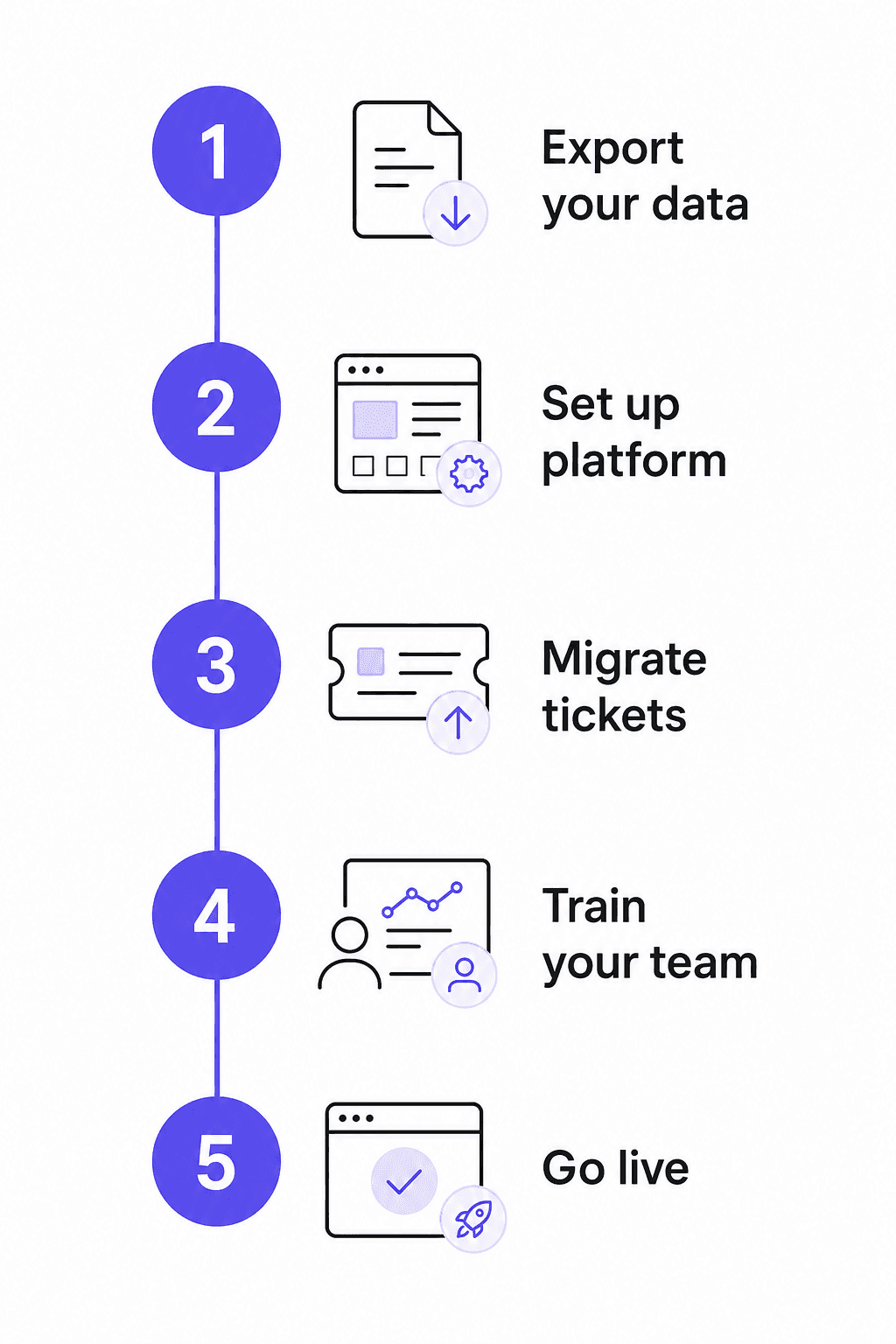
1. Export your Zendesk data
Go to Admin Center > Account > Tools > Reports in Zendesk and export your ticket data as CSV or JSON. Download your help center articles via the Zendesk Guide export. Export your macros and triggers as a reference document - most won't import directly, but you'll want them as a rebuild guide.
Do this before canceling your Zendesk plan; some data becomes inaccessible immediately after cancellation on lower tiers.
2. Audit your integrations first
The most common reason teams stay on Zendesk despite frustration is integration lock-in. As one r/helpdesk user described it: "The integration depth is what keeps people on it even when it is clearly oversized... switching means auditing all of those integrations and rebuilding them somewhere else, which nobody wants to take on mid-season."
Pull your Zendesk admin logs and find every integration that's been active in the last 90 days. Focus only on those. For each one, verify your new platform either natively supports it or has an equivalent. Zapier and Make cover most gaps.
3. Set up your new platform in parallel
Run your new helpdesk alongside Zendesk for 2-4 weeks before cutting over. Configure the routing rules, macros, and SLA policies using your Zendesk exports as the reference. Import your knowledge base articles early - they're what powers any AI features from day one.
If you're adding eesel AI to the new platform, connect it during this setup phase. It'll read your imported help center and any CSVs or Google Docs you attach, giving the AI full context before go-live.
4. Run a pilot with a subset of tickets
Forward 20-30% of incoming tickets to your new platform for 1-2 weeks. Watch how agents handle the new interface, where they get stuck, and whether your SLA and routing rules behave as expected. Fix these before the full cutover.
Time this pilot for a lower-volume period. As another r/helpdesk user noted: "The risk of breaking something mid-peak is the killer, timing a migration wrong is a nightmare."
5. Cut over and close Zendesk
Update your inbound email routing and web widget to point to the new platform. Put Zendesk into read-only mode rather than immediately canceling - you'll want to reference historical tickets for at least 30 days post-migration. Most platforms let you keep a read-only export available.
Inform customers of any widget or chat URL changes if applicable. Brief your agents on the new interface with a recorded walkthrough, not a live training - they can replay it when they get stuck.
Check your Zendesk contract renewal date. Annual plans don't refund pro-rated months, so timing the cancellation to your renewal date saves money.
Try eesel AI
Whether you stay on Zendesk or switch to Freshdesk, Help Scout, HubSpot, or Zoho Desk, eesel AI layers on top of any platform and handles tickets from day one.
The setup is straightforward: connect eesel to your helpdesk, link your knowledge sources (help center, Google Docs, Confluence, Shopify), and it starts drafting responses immediately. You can start with full review mode - every reply goes to an agent before sending - and dial up autonomy as you build confidence.
At $0.40 per ticket with no platform fee and no per-seat charge, a team handling 1,000 tickets/month pays $400/month total. Wesley Wang, CTO of Ecosa, describes their deployment: "We chose eesel AI because it offers multi-channel data input options. By linking our Zendesk and Google Docs as sources, we can make the most of our vast documentation." They handle 10,000+ tickets per month across Zendesk, Slack, and their website.
Start with $50 in free usage at eesel.ai - no credit card required - and see what the deflection rate looks like on your actual ticket volume before making any platform decision.

Frequently Asked Questions
Share this article

Article by
Stevia Putri
Stevia Putri is a marketing generalist at eesel AI, where she helps turn powerful AI tools into stories that resonate. She’s driven by curiosity, clarity, and the human side of technology.