


ChatGPT Business Hub is the control panel for how your business appears in ChatGPT. Launched in beta on November 10, 2026, it lets a verified business edit its profile, connect a product feed, read 28-day mention and click insights and, for US online stores, publish a Business Agent. Claim it: it's free, but it changes your facts, not your rankings, and shows you no chats. The order questions it sends still land in your inbox, where eesel's AI helpdesk teammate answers from the same policies you load into the hub. With the eesel CLI, a coding agent can upload those policy pages and test the answers before going live.
What is ChatGPT Business Hub?
Business Hub is the business-facing side of ChatGPT. You open it from the ChatGPT sidebar (or at chatgpt.com/business-hub), find your listing, prove you run it, and from then on you manage what ChatGPT knows about you from one place.
OpenAI shipped it as the base layer of Businesses in ChatGPT, a beta pitched at the 1.2 billion people it says use ChatGPT every week. The launch post describes three jobs for the hub: claim your business, manage your information, and see insights on how people engage with you. A fourth, building a Business Agent, sits on top for eligible US businesses.
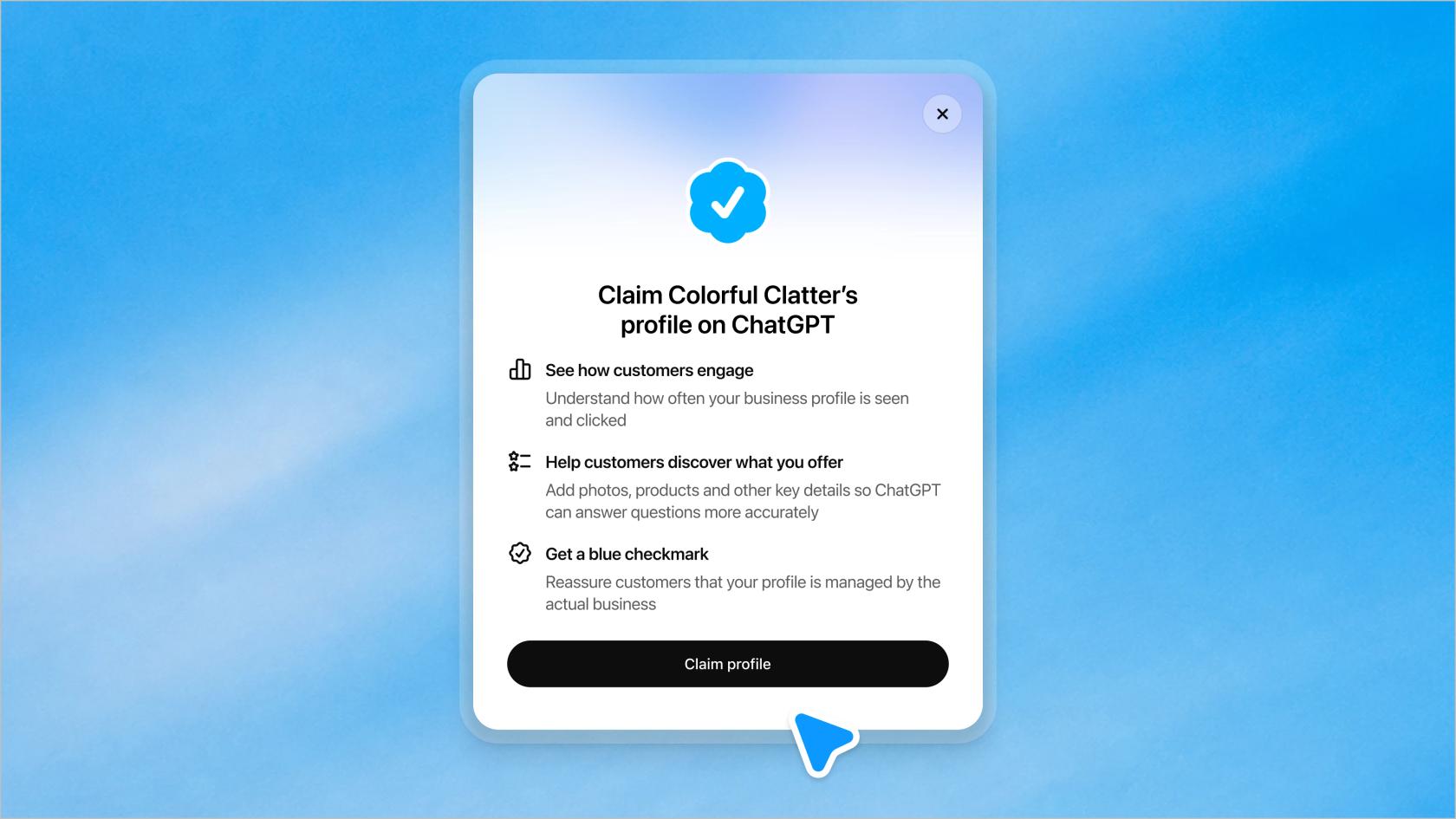
I've spent two years on SEO, and the closest comparison I can give is Google Business Profile plus Search Console, squeezed into one ChatGPT tab. You get a listing you can edit, and you get first-party numbers on how often the engine sends people your way. What you don't get is any lever over the ranking itself, and that's worth knowing before you spend an afternoon on verification.
A naming note, since OpenAI's product names overlap a lot right now: Business Hub has nothing to do with the ChatGPT Business or ChatGPT Work workspaces companies buy for employees, or with the internal ChatGPT agents those teams build. The hub faces the public.
What's inside Business Hub?
Five areas, based on OpenAI's setup guide and the demo screens it published:
| Area | What you do there | What has to happen first |
|---|---|---|
| Business profile | Edit website, description, category, logo, delivery policy, return policy, cover photo | Claim approved + Persona approved |
| Product feed | Connect Shopify, upload a CSV or link a hosted feed with prices and availability | Claim + Persona |
| Insights | Mentions, website clicks, discovery topics for the past 28 days | Claim + Persona |
| Business Agent | Review the agent's info, write instructions, preview, publish | Claim + Persona + agent eligibility |
| Access | Add teammates, grant an agency access to the business or agent | You're the admin who claimed it |
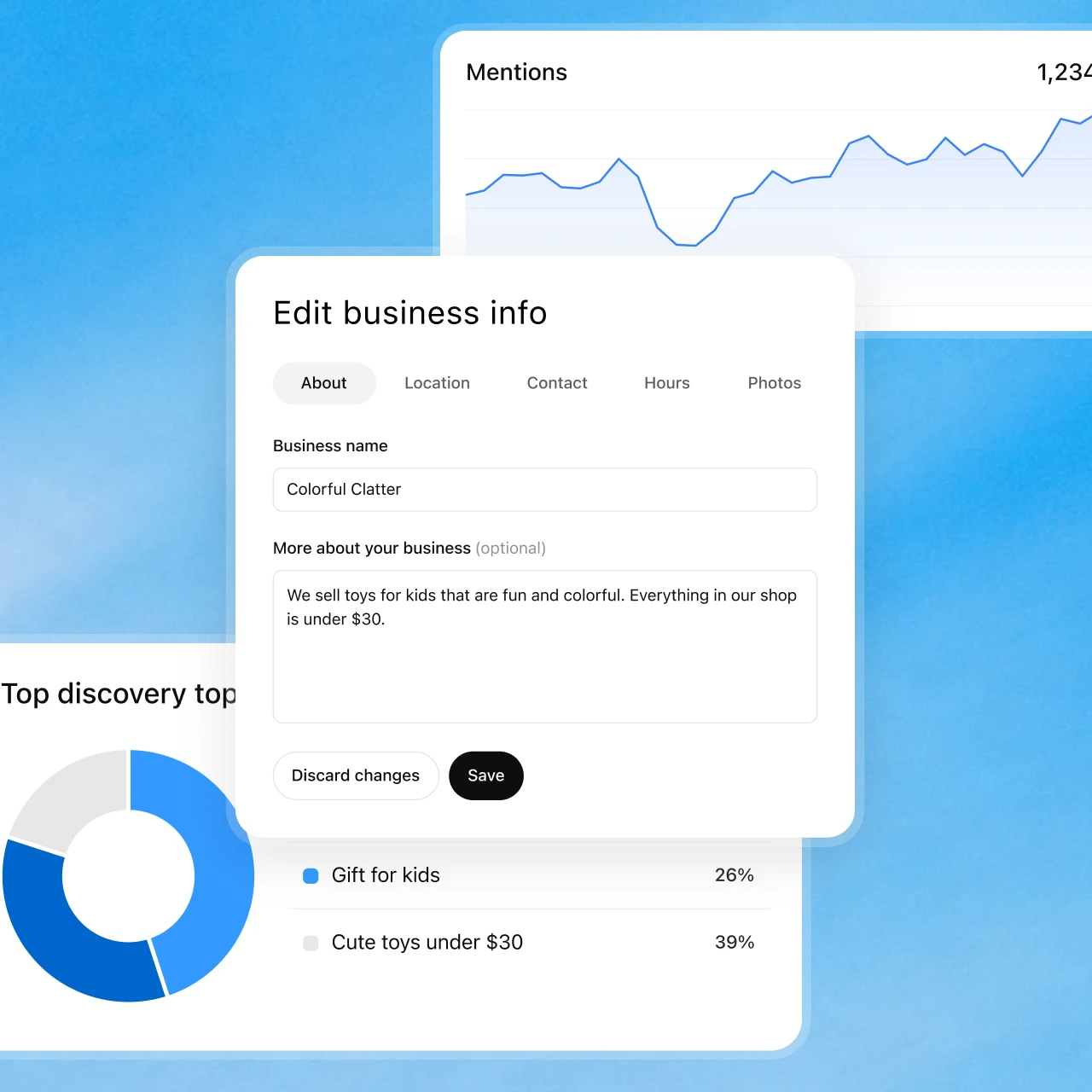
The profile editor
The editor is split into About, Location, Contact, Hours and Photos tabs. In OpenAI's demo, the "More about your business" field shows a 300-character counter, so think of it as a short pitch, not a landing page. Everything you enter has to follow the Businesses in ChatGPT policy, which bans fake reviews, unsupported guarantees and claims that "conceal material terms such as fees or conditions."
Changes don't go live when you hit save. OpenAI reviews and publishes them, and the help center warns that "ChatGPT may also use other sources when answering questions about your business." Your profile is one input, not the only one.
The product feed
If you sell products, you can share prices and availability. Shopify merchants connect the store, from Business Hub or the ChatGPT app in the Shopify admin, and eligible products already flow in through Shopify Catalog. Everyone else uploads a CSV or links a hosted file that follows OpenAI's product feed specification. This is the same feed format behind ChatGPT shopping research and the Agentic Commerce Protocol. OpenAI is clear that connecting a feed "doesn't publish an agent or guarantee that ChatGPT recommends your products."
The agent and access tabs
The agent area is where eligible US online businesses preview and publish a chat on their profile. I covered setup, eligibility and the pre-sale-only limits in my ChatGPT Business Agents guide, so I'll keep it short here: it answers product and policy questions and links out, and it can't check an order or take a booking.
Access is simpler than most tools. The claiming admin adds teammates and agencies, each signing in with their own ChatGPT account. Don't forward your claim invitation to someone else; OpenAI's FAQ says not to.
Who can use Business Hub, and what does it cost?
Anyone who owns an eligible business, or is authorized to represent it, where ChatGPT is available and OpenAI supports verification. That's much wider than the agent:
- Online businesses. Can claim an existing listing, or add one if it's missing.
- Local stores and restaurants. Can currently claim only an existing US listing.
- Enterprise customers and advertisers. Can claim through their OpenAI rep.
- Business Agents. Eligible US ecommerce and online service businesses with a website, subject to the Business Agents Policy.
On price, OpenAI doesn't list any fee for claiming or using the hub. The help center says you don't need an Ads account or an Enterprise agreement, and that claiming, publishing an agent and advertising are three separate things. The only paid option is to sponsor your Business Agent as the destination for ChatGPT Ads. If you're weighing the commerce side too, my ChatGPT merchant fees post covers what checkout inside ChatGPT costs.
What does each verification step unlock?
This is the part that trips people up. Claiming a listing is step one, but almost nothing useful opens until a second identity check, run by Persona, is approved. You may need a government ID, business registration details and proof you're authorized. The blue check appears only after that.
Pick where you are to see what's open:
Where are you in Business Hub?
Pick a stage to see what's available.
| Open your business in Business Hub | YesNot yet |
| Publish edits to your profile | Yes, after OpenAI reviewNot yet |
| Connect a product feed | YesNot yet |
| See insights | Yes, once past the thresholdNot yet |
| Blue check on your profile | YesNot yet |
| Create and publish a Business Agent | Yes, if your category qualifiesNo |
Two details from the help center that aren't obvious. If you create a new profile through Persona, OpenAI's approval publishes the profile automatically, with no separate publish step. And once a profile is published, you can't delete it: only unpublished drafts can be deleted, and OpenAI Support won't unpublish or hide one as part of a setup or ownership request. Get the details right before you submit.
What do Business Hub insights actually tell you?
Three numbers over the past 28 days: mentions, website clicks and discovery topics. OpenAI's demo dashboard shows profile views too.
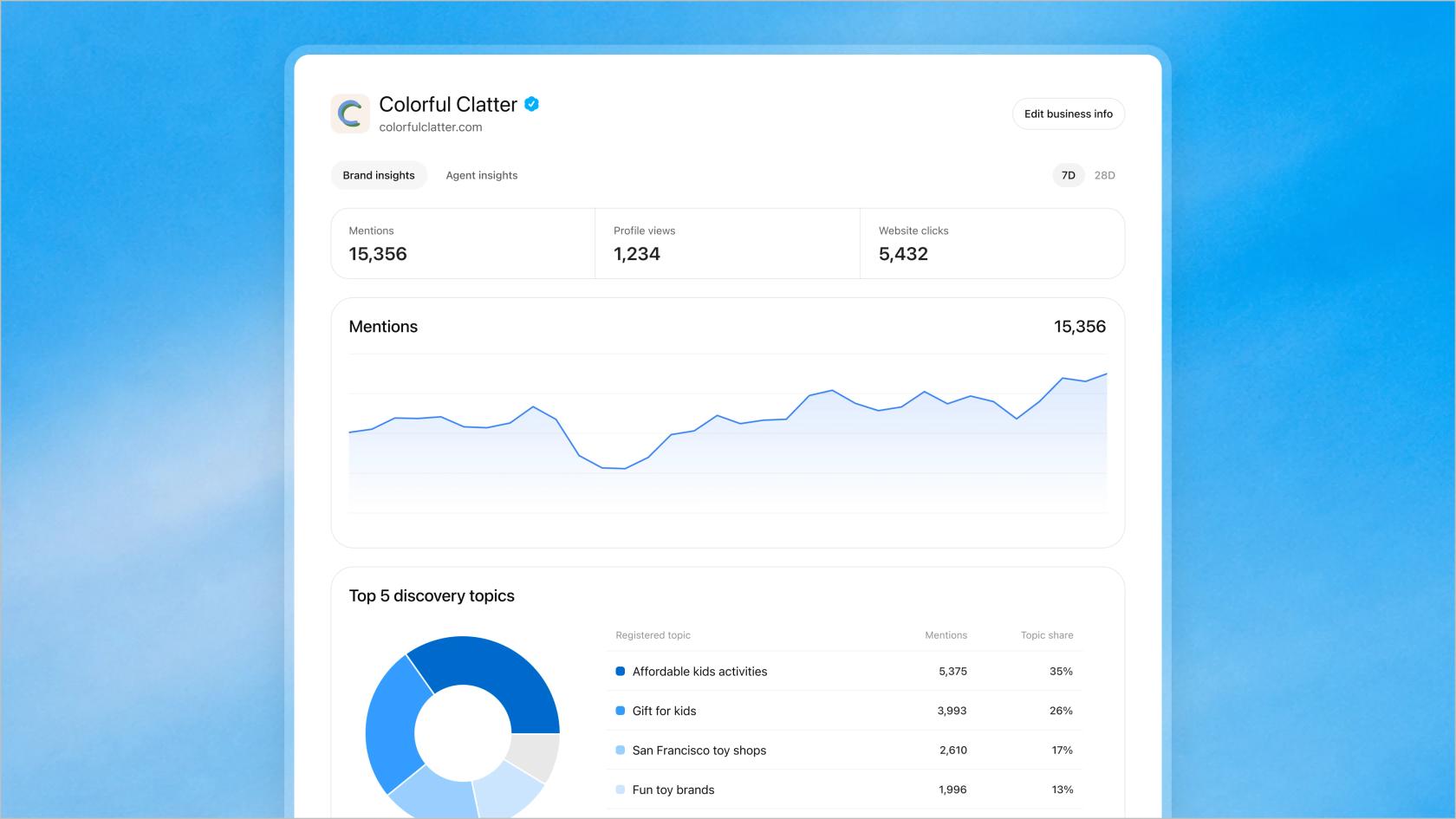
For anyone who's used a rank tracker for AI search, the definitions are what matter:
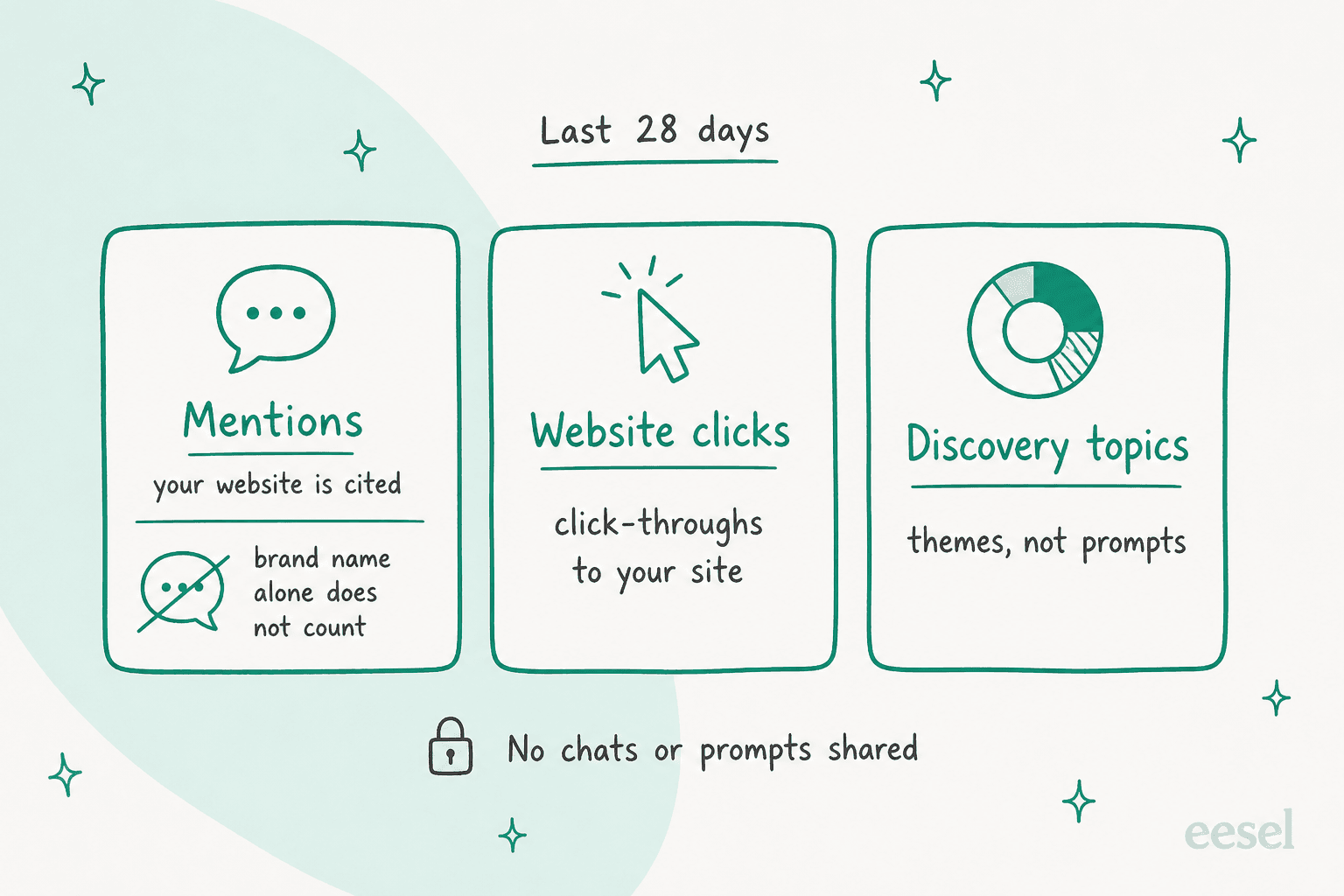
- Mentions. For an online business, a mention counts when ChatGPT references your website. "The brand name alone doesn't count." For a local business, it counts when ChatGPT shows that location as a result, even if nobody opens it.
- Website clicks. Click-throughs to your site.
- Discovery topics. Common themes in answers that mentioned or cited you. OpenAI says they "don't reveal individual prompts or directly measure customer intent."
So a mention here is closer to a citation than a brand mention. If your third-party AI search optimization tool counts every time ChatGPT says your name, its number will run higher than OpenAI's, and that's expected, not a bug.
Two cautions. Counts can be incomplete, and a blank metric can mean you're under the reporting threshold or data is still coming in, not that nobody asked about you. And you never see the conversations themselves, including chats with your own agent.
Still, this is the first first-party number ChatGPT has given brands, and SEO people noticed. On the Hacker News launch thread, one marketer wrote:
"Glad this is finally available, so far only Bing Webmaster Tools has offered anything of value when it comes to first-party data."

My own read: treat discovery topics as a content brief. If ChatGPT keeps citing you for "gift for kids" but never for "toys under $30", that's a page you haven't written yet. That's the same loop I'd run in any generative engine optimization workflow, only now with OpenAI's own numbers.
What can't Business Hub change?
More than the marketing page suggests. Here's the split as I read OpenAI's docs:
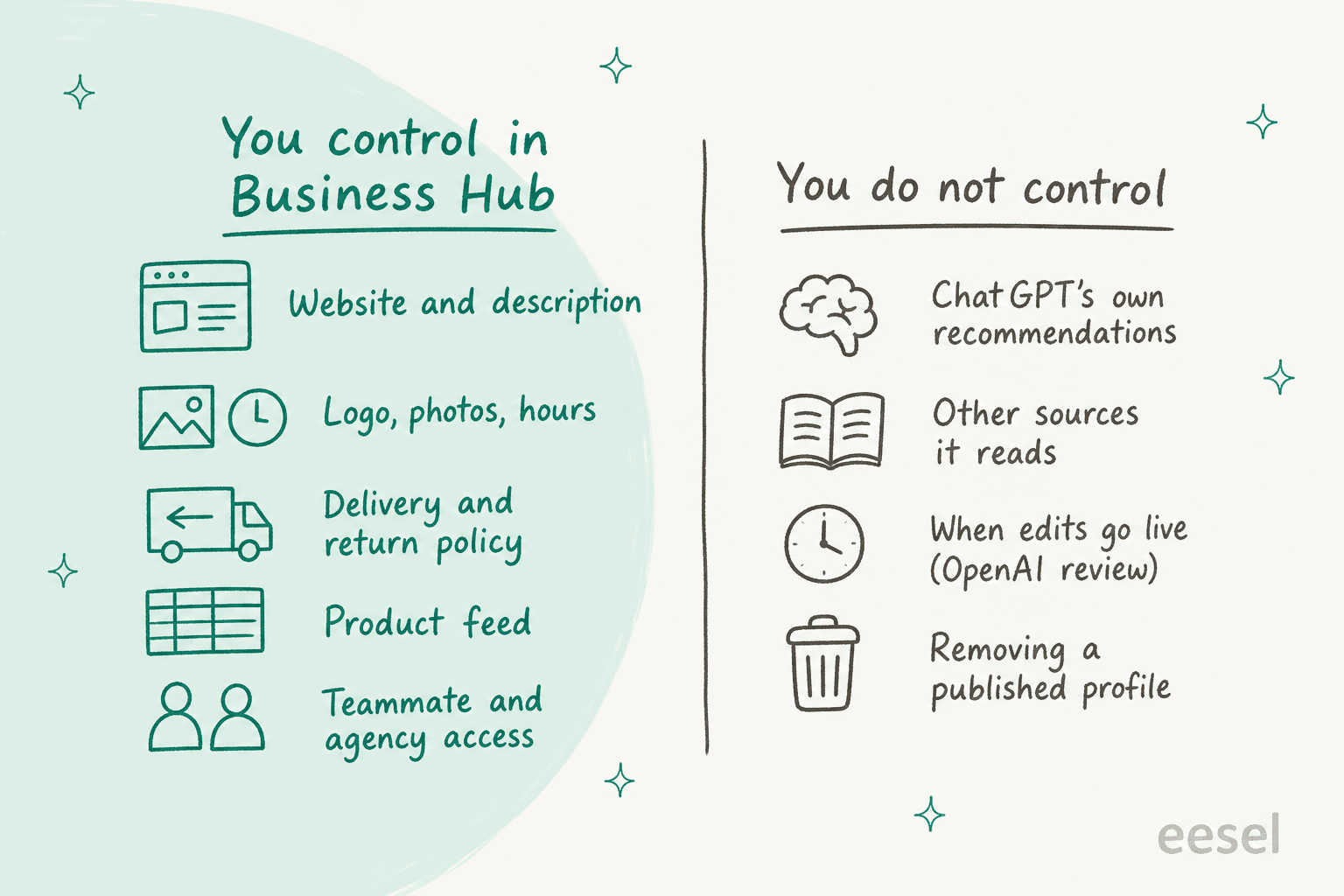
- Recommendations. OpenAI says claiming "doesn't guarantee increased visibility or give you direct control over ChatGPT's independent recommendations," and that advertising doesn't influence them either.
- Other sources. ChatGPT still reads your website, reviews and whatever else it finds. Your profile is one source among many.
- Timing. Edits wait for OpenAI review, and a saved change "doesn't mean every answer will reflect it immediately."
- Multiple brands. Each brand is managed separately. Central management across a parent company's brands and locations isn't available, and claiming the main brand doesn't claim its locations.
- Post-sale questions. The hub and its agent stop at your website. Order status, returns and checkout happen elsewhere. (Checkout inside ChatGPT is a separate track; see my ChatGPT Instant Checkout post.)
None of this is unusual for a beta. It just means the hub is a place to fix your facts and watch your numbers, not a growth button.
How should support and content teams use it?
The hub creates work for two teams, and both have more to do with your existing systems than with ChatGPT.
For support: keep one source of truth. The return and delivery policy you type into Business Hub, the one on your site and the one your agents quote must match. OpenAI's policy says profile details must be accurate and kept current, and a shopper told one return window in ChatGPT and another by your team will write in, annoyed. A single AI knowledge base behind your help center and your support AI is the easiest way to keep them aligned, and my ecommerce FAQ examples make a decent starting template.
That's how SaunaSpace, which makes infrared saunas in Missouri, runs eesel inside Gorgias. eesel drafts replies from about 1,550 pages, help articles and past tickets, so a warranty or shipping answer carries the published details, and a person always sends. In one month that was about 110 conversations and 180 draft replies.
For support: plan for the questions after the click. Business Hub sends shoppers to your website, and the "where's my order?" emails that follow come straight to your ecommerce helpdesk. Cape Coffee Beans, a specialty coffee retailer with more than a thousand products, runs eesel on Zendesk and Shopify. The team @mentions it in a ticket and it pulls the product, past ticket or order, and links every source it used. If your queue is mostly order questions, my guide to WISMO automation goes deeper.
For content: work the discovery topics. The themes ChatGPT cites you for, and the ones it doesn't, are a ready-made content plan. That's where the eesel AI blog writer fits: it researches and drafts long-form posts around the topics you pick, so you can fill the gaps the insights show. My roundup of AI SEO tools covers the wider options.
Should you claim your business in Business Hub?
Yes, if you're eligible. It's free, it's the only way to correct what ChatGPT says about you, and the insights are OpenAI's own numbers.
- Claim now if you sell online or run a US local listing, because the profile and insights cost you only verification time.
- Check your policies first if your returns or delivery rules have exceptions you haven't written down. A published profile can't be pulled, and the agent quotes what you give it.
- Don't expect a ranking lift. OpenAI says so directly. Better pages and better citations are still the lever.
If you sell through Shopify, the ChatGPT and Shopify commerce post and my explainer on buying on ChatGPT cover the rest of OpenAI's commerce push.
Let eesel answer what Business Hub sends your way
Business Hub tells you how often ChatGPT points shoppers at you. eesel handles what they ask once they arrive. Its AI helpdesk teammate works inside Gorgias, Zendesk or Freshdesk, learns from your past tickets, macros and help center, and looks up the Shopify order before it replies. It can draft for your team or answer on its own, and you can test it against your old tickets before it goes live. If your team works from a terminal, the eesel CLI lets a coding agent load the same return and delivery policy you put in Business Hub, then ask test questions and check the answers. Connecting the helpdesk itself still needs an admin's approval.
Try eesel on your own order and policy questions. For a side-by-side view, my Shopify support roundup compares the options, and eesel pricing is public.