What "HIPAA-compliant" actually means (and doesn't)
Let me start with the reframe, because it changes how you read every vendor page from here on, whether you're evaluating a helpdesk or conversational AI for healthcare. There is no HHS badge, no audit you can pass, no certificate that turns a product into a compliant one. HIPAA's Security Rule is deliberately technology neutral: it tells you what to protect, not which product to buy. So compliance is a property of how you use a tool under a contract, not something baked into the download.
A healthcare privacy officer put it more bluntly than I ever could, in a thread about picking a ticketing system:
"Healthcare privacy officer here. If you see any ticketing system that says they are HIPAA compliant, ignore it. There is no such thing…"
r/ITManagers, on choosing a helpdesk

Two things make a platform usable for PHI, and you need both.
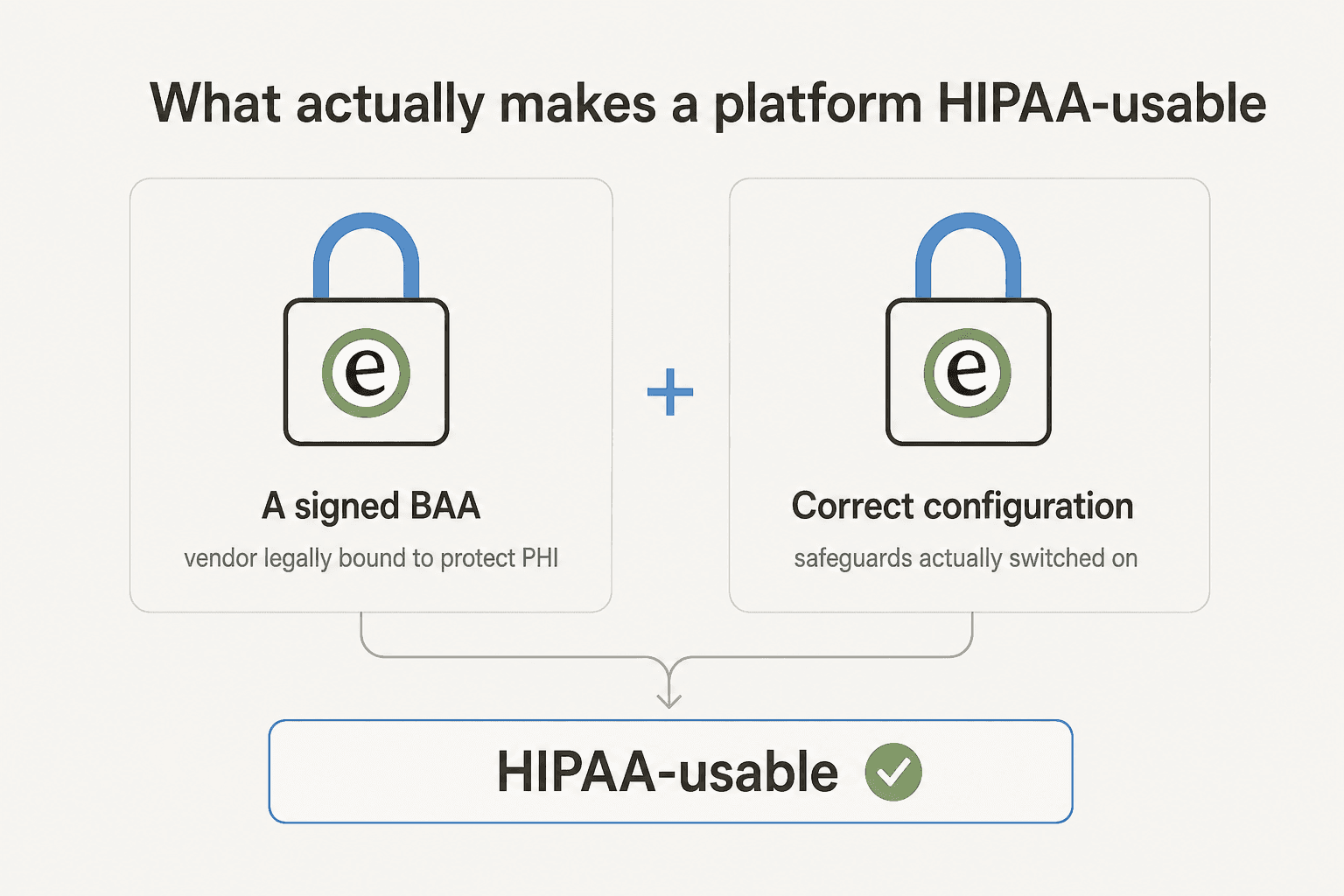
First, a signed BAA. This is the contract that legally binds the vendor to protect your ePHI. Under the Security Rule, a covered entity can only let a business associate handle ePHI once it has satisfactory assurances in a written contract. The practical version: if a vendor will not sign a BAA, using it for PHI is a violation no matter how secure the product is. And thanks to the HITECH Act, a software vendor handling ePHI now carries direct civil and criminal liability, which is why signing one is a real commitment, not a formality.
Second, correct configuration. The same software can be compliant or not depending on whether the technical safeguards are actually switched on: access controls with unique user IDs, audit logs of who touched what, encryption in transit, and authentication. Many of these are what HIPAA calls "addressable", which does not mean optional, it means you assess and document them. A one-time setup does not settle it either; you are expected to review your safeguards over time.
So the useful question set, the one to carry into every sales call, is: Will they sign a BAA? Does the platform offer the safeguards the Security Rule expects? And is it configured so those safeguards are actually in force?
The pattern nobody puts on the pricing page
Once you know a BAA is the gate, a pattern jumps out across almost every vendor: the BAA is not on the plan you were about to buy. It lives at the top of the ladder, and getting to it costs real money.
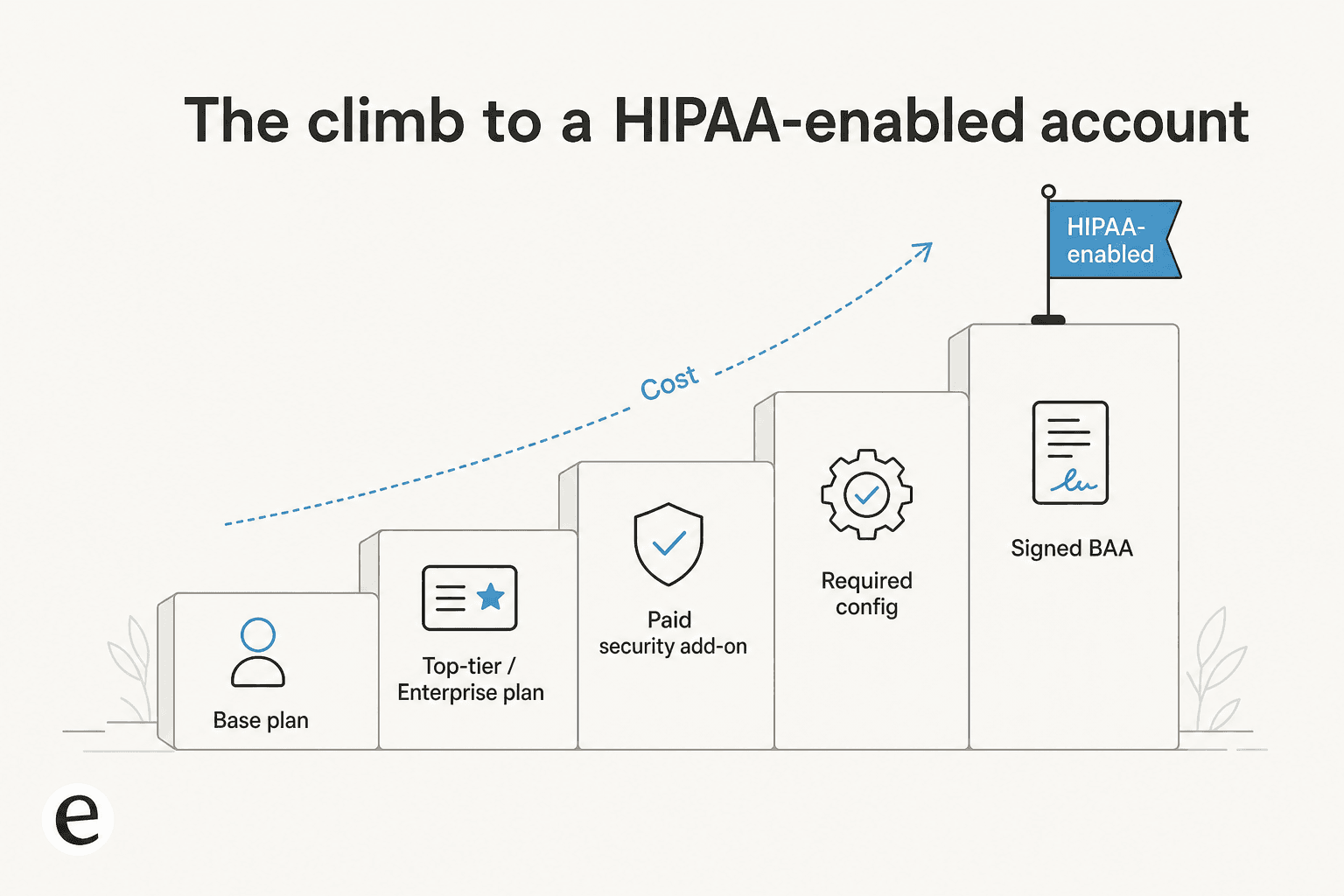
This is the single most common frustration I see from teams shopping for PHI-grade tooling. One small-business owner summed up the sticker shock after digging into a platform's HIPAA option:
"Only the enterprise level allows for a BAA with a sales call. HIPAA add-on is a massive letdown. At $297/month (or $2,970/year) on top of your…"
The gating is remarkably consistent once you look:
- Zendesk needs its Advanced Security or Advanced Compliance add-on (marketed as the Advanced Data Privacy add-on), specific config, and a signed BAA. The add-on is quote-only, and controls like full audit logs are Enterprise-plan features.
- Freshworks signs a BAA only on its Enterprise or Forest tier, and only for the Freshdesk suite. Its ITSM product Freshservice sits outside the BAA entirely.
- Help Scout includes HIPAA support on the Pro plan only, and its AI features need a separate healthcare addendum on top.
- Twilio will only sign a BAA if you are on its Security or Enterprise edition, and PHI may only flow through products on its eligible list.
- Salesforce signs a BAA, but a defensible config usually means adding the paid Shield suite, whose pricing "varies" and is quote-only.
You will hear the same story from users across categories, not just support tools. On a helpdesk thread (r/sysadmin): "Wait, JitBit is only HIPAA compliant at the most expensive tier?" On infrastructure, Supabase HIPAA support is enterprise-only too. The lesson is to price the compliant configuration, not the sticker plan, before you fall in love with a tool. This is also where usage-based pricing helps a small practice, since you are not buying an enterprise seat count just to unlock one contract, a point worth weighing against the tiers in any AI customer service software comparison.
HIPAA is a shared responsibility, not a switch
Even after you sign the BAA and pay for the right tier, you are not done. Every serious vendor frames HIPAA as a shared responsibility: they secure the platform, you secure how you use it.
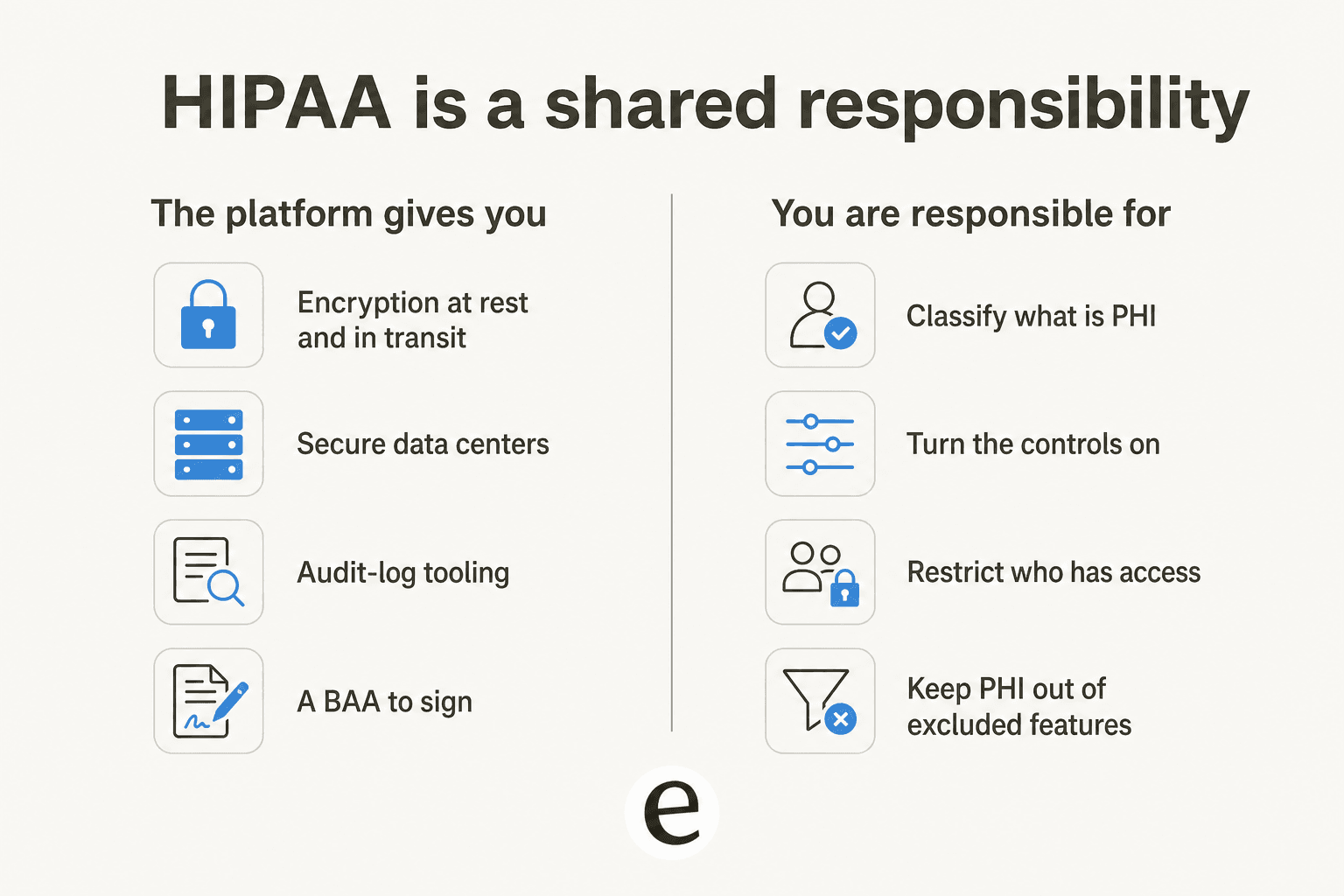
Twilio is explicit that its eligible products "have the necessary security controls to support HIPAA, but their functionality did not change", so the compliance work shifts onto how you build the workflow. Google Workspace offers a self-serve BAA in the Admin console, but the customer still has to determine what counts as PHI, keep it in covered services, and follow the sharing rules in Google's implementation guide. Salesforce hands you Shield's encryption and audit tooling, but a misconfigured org with PHI in unencrypted fields is not compliant on a Shield-enabled instance.
The gotchas that bite hardest are the ones that quietly turn features off. With Help Scout's HIPAA mode on, the Slack integration stops including conversation data in notifications, and any integration that could pass PHI back out needs its own BAA with that partner. Freshworks makes IP allowlisting, SSO, a custom mailbox, and disabling Freshconnect mandatory config to keep the BAA valid. None of that shows up on a feature-comparison page, and all of it is your job.
The platforms, compared
Here is the side-by-side. Every one of these will sign a BAA, so the real differences are what unlocks it, the safeguards you get, and the gotcha that is easy to miss. Prices shown are for the compliance-enabling piece, not the base plan.
| Platform | Signs a BAA? | What unlocks it | Key PHI safeguards | Watch out for |
|---|---|---|---|---|
| Zendesk | Yes | Advanced Security/Compliance add-on (quote-only) + config + BAA | AES-256, RBAC, Enterprise audit logs, AI-powered redaction, BYOK | Controls split across Enterprise plan and a paid add-on |
| Salesforce (Service/Health Cloud) | Yes, on request | Shield suite (quote-only, priced on spend) + config | Platform Encryption, Event Monitoring, Field Audit Trail, BYOK | Shield can be a large uplift; a misconfigured org is still non-compliant |
| Freshworks (Freshdesk suite) | Yes | Enterprise/Forest tier only | AES-256, IAM role-based access, audit trails, IP allowlisting | BAA excludes Freshservice; strict mandatory config |
| Help Scout | Yes (2 BAA types) | Pro plan only | 256-bit SSL, encryption at rest, VPC + VPN + MFA, PHI thread hiding | AI needs an extra addendum; Slack notifications stripped of content |
| Twilio | Yes | Security or Enterprise edition | Encryption, eligible-product controls | Only listed products may carry PHI; not self-serve |
| Google Workspace | Yes | Any paid edition (self-serve in Admin console) | Covered core apps, encryption, Vault, sharing controls | Add-ons and Additional Services excluded; legacy free edition can't accept |
| eesel AI | Yes | Enterprise plan | PII redaction at ingestion, AES-256, no model training on your data, BYO model, SSO | HIPAA/BAA sits on the Enterprise plan |
A closer look at each platform
Zendesk is the most feature-complete option here, and if you already run it, becoming a "HIPAA-Enabled Account" is a well-trodden path: buy the add-on, turn on the required config, sign the BAA. Its Advanced Data Privacy add-on brings BYOK encryption, AI-powered PHI redaction, and access logs, and Zendesk AI is BAA-eligible too. The catch is that the controls a healthcare buyer expects are spread across the Enterprise plan and a quote-only add-on, so the real cost is opaque until you talk to sales. If you are evaluating its AI layer specifically, our guide to Zendesk AI agents goes deeper.
Salesforce is the heavyweight for organizations that want PHI to live in the same system as everything else, especially via Health Cloud. It signs a BAA and its Shield suite covers the safeguards well: Platform Encryption with BYOK, Event Monitoring across 50+ event types, and a Field Audit Trail for demonstrating compliance during audits. The honest downside is cost and complexity. Shield is a paid add-on priced on your spend, and the platform's power means more ways to misconfigure it. Teams layering AI on top should read our take on AI for Salesforce Service Cloud first.
Freshworks is a clean, well-liked option, and one user's verdict (r/ITManagers) captures it: "super clean UI and has HIPAA compliant options if you get the right tier". The BAA covers Freshdesk, Freshchat, and Freshcaller on the Enterprise tier, with a specific mandatory config. The trap worth repeating: Freshservice is excluded from the BAA, so if your PHI use case is IT service management rather than customer support, this is not your tool. For support, weigh it against other Freshdesk alternatives.
Help Scout is the friendliest for small teams that still take PHI seriously. It offers two standard BAAs, one for covered entities and one for subcontractors, includes HIPAA support on the Pro plan, and lets you edit, delete, or hide PHI inside a thread. Two things to plan for: using its AI features under HIPAA requires signing a separate AI healthcare addendum, and the BAAs are not negotiable. Its self-service tooling is a strength if deflection matters to you.
Twilio is the one to reach for when the PHI is moving over SMS or voice, such as appointment reminders or patient notifications. It signs a BAA on its Security or Enterprise edition, and it maintains a strict HIPAA Eligible Products list (last updated June 30, 2026). The discipline required is real: anything not on that list must never carry PHI, and the compliance burden of building the workflow correctly is squarely on you.
Google Workspace is the most accessible starting point, and it is the one small practices most often land on. The BAA is self-serve in the Admin console, no sales call, and it covers the core stack: Gmail, Drive, Docs, Calendar, Chat, Meet, and Vault. As one practitioner explained, the BAA "basically makes all the products in that Workspace HIPAA-compliant". The catch is scope: third-party add-ons and Additional Google Services sit outside the BAA, so it covers email and docs, not a whole support operation.
How to vet a platform for HIPAA in five questions
Cut through every "HIPAA compliant" homepage with these five, in order. If the answer to the first is no, stop.
- Will you sign a BAA, and can I see it? No BAA, no PHI. Get the actual document, not a promise.
- Which plan or add-on unlocks it, and what does that cost? Price the compliant configuration, not the sticker plan. This is where the enterprise-tier gate hides.
- What safeguards do I get, and which must I turn on? Encryption at rest and in transit, role-based access, and audit logs should all be there. Know which are on by default and which are your job.
- What breaks or is excluded under HIPAA mode? Ask specifically which features, integrations, or products fall outside the BAA. This is the Freshservice and stripped-Slack trap.
- How do you handle sub-processors and AI? If any AI or third party touches PHI, they each need a BAA, and you want PHI redacted before it leaves your walls.
Use the quick self-check below to see how close your current setup is. It runs entirely in your browser and sends nothing anywhere.
What about AI support agents and PHI?
This is where 2026 gets interesting, and where a lot of teams trip. Adding an AI agent to a healthcare support queue means PHI can flow to whatever large language model sits behind the product, and that provider is now a sub-processor who needs to be in scope. The skepticism in healthcare communities is earned; one operator on r/healthIT flatly warned about assuming a new AI tool is safe: "you have no guarantee it is HIPAA compliant. Actually i will guarantee it isnt" until you check.
So the AI-specific checklist is short but non-negotiable: the AI vendor signs a BAA, your data never trains their models, and PHI is redacted before it reaches any model provider. This is the part I care about most, because in three-plus years of putting AI agents on live support queues, the HIPAA question comes up on nearly every healthcare-adjacent call, and the redaction step is the one buyers most often forget to ask about.
It is how we built eesel's security model. PII redaction happens at ingestion, so credit cards, emails, phone numbers, SSNs, and names are stripped before the content ever reaches the database or a model provider. Customer data never trains models, every workspace is isolated, and encryption is AES-256 at rest and TLS 1.2+ in transit. Enterprise customers can bring their own model and get SSO. And on the Enterprise plan, eesel signs a BAA and offers HIPAA support. Pair that with guardrails against AI hallucinations and you have an AI layer you can actually put in front of patients.
Try eesel for HIPAA-conscious support
If your support queue touches PHI and you want AI to help clear it without becoming a compliance liability, that is the exact problem eesel is built for. It plugs into the helpdesk you already run, learns from your past tickets and docs on day one, and redacts PHI before anything reaches a model, so you get automation with oversight rather than a black box, and you can reduce support tickets without moving PHI where it shouldn't go.

The differentiator for a security-conscious team is that you do not flip AI live and hope. You can simulate a rollout against your historical tickets to see exactly how it would respond before a single real patient sees it, then grant autonomy gradually. On the Enterprise plan you get a signed BAA, HIPAA support, SSO, and bring-your-own-model, on top of pricing that stays usage-based rather than charging per seat. Try eesel free, or book a demo to walk through the Enterprise controls.
Frequently Asked Questions
Is any software actually HIPAA certified?
What is a BAA and why do I need one for HIPAA compliance?
Which HIPAA-compliant platforms are cheapest for small teams?
Can an AI support agent be HIPAA compliant?
What happens if I put PHI in a platform without a BAA?


Article by
Kurnia Kharisma
Kurnia is a software engineer and writer at eesel AI with two years of SEO experience, writing about AI tools, helpdesk software, and customer support. He pairs a developer's understanding of how these products are built with search-driven research into what actually ranks and resonates with the people searching for them.