8 best Iris Hermes Agent alternatives in 2026, hosted and self-run

Kurnia Kharisma

Katelin Teen
Last edited October 8, 2026

Why people look for Iris alternatives
Iris deserves credit first. It is the fastest way I've found for getting Nous Research's Hermes Agent into iMessage: you text a number, tap one connection link when a job needs an app, and you're done. There is a free plan, Gmail is read-only, and anything consequential waits for a preview. I covered all of it in my Iris Hermes Agent review.
The reasons people leave are quite specific, and most of them come from Iris's own pages:
- The September memory incident. Iris's incident report says leftover shared memory from the beta leaked names and employer details from
5beta accounts into7replies to2other users, and it recurred the day after the first fix. - Hermes, minus the loop. To fix that, consumer profiles now run without Hermes's native memory, session search and cron. If the self-improving loop is why you wanted Hermes, Iris no longer gives you that part.
- No self-serve export or delete. The same report lists full conversation export as not offered self-serve, and deletion is by email.
- iMessage only, Google only. Iris is iMessage-first, so Android is out. Its connections are Gmail, Google Calendar, Linear and Slack, with no Outlook.
- Fuzzy limits. Plus is $15 on the iMessage page and $19 on the personal assistant page, and "higher AI usage limits" has no number attached.
None of these is a dealbreaker for everyone, but each one points you toward a different alternative, which is also why the map below matters more than the ranking.
How I picked these alternatives
I started from the tools that do Iris's actual job, an assistant you message from your phone that handles email, calendar and small errands for one person, and every tool had to clear four bars:
- You can reach it over a messaging app, iMessage ideally.
- It connects to email and calendar, or you can connect them yourself.
- It publishes enough about pricing and data handling to judge it.
- It is available today.
Instinct breaks rule 4 because it is still invite-only, but in terms of comparisons it is the assistant people bring up with Iris most often, so I kept it at the end. I left out general chatbots like ChatGPT agents and inbox-only tools, since the point of Iris is that it lives in your texts. If that line feels blurry, this piece on AI agents vs chatbots explains the difference.
The first question is who runs the assistant. The second is where you can talk to it:
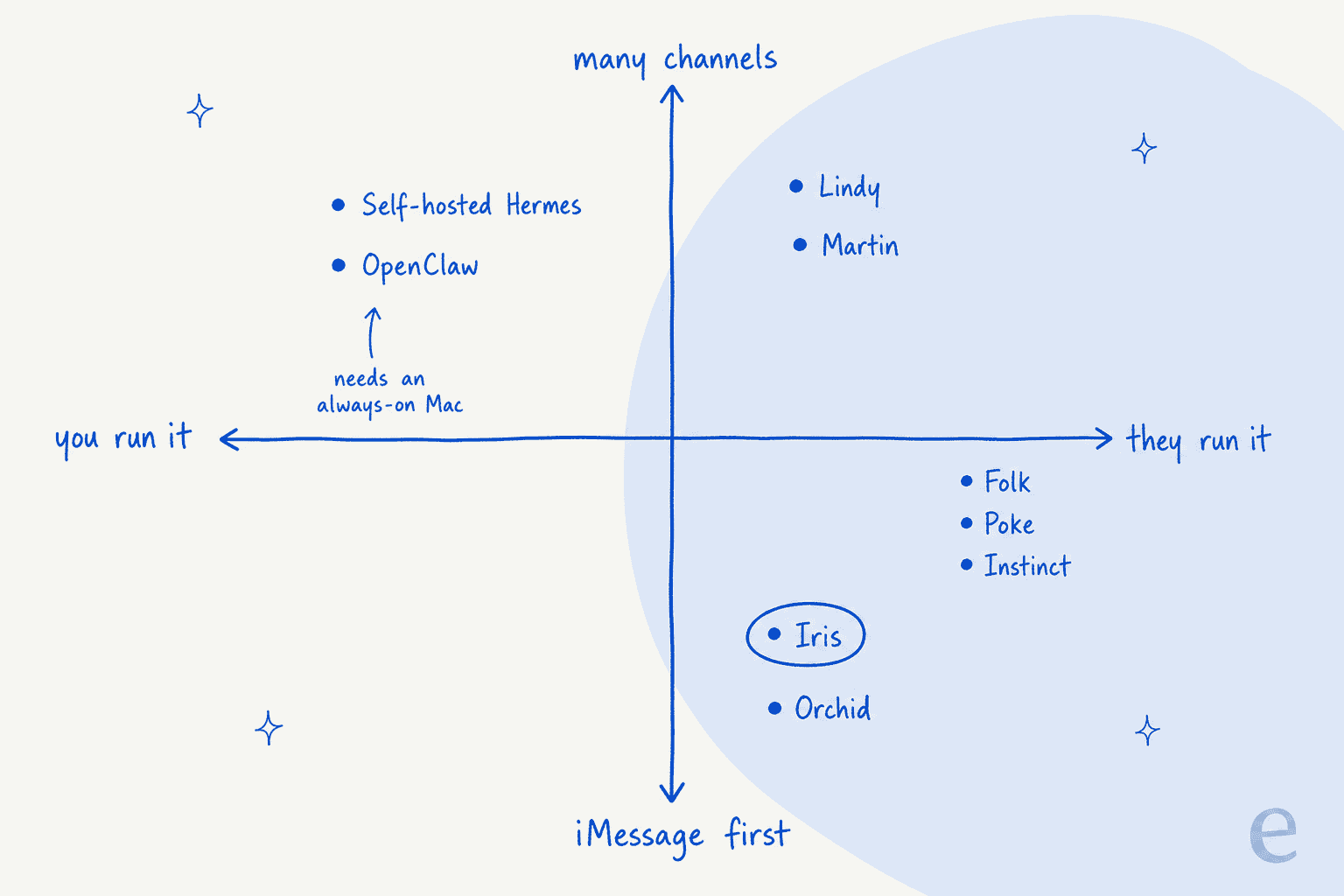
Iris sits bottom right. If you liked that corner and only want a different company, then stay near it, and if ownership was the problem you should look to the left.
Iris alternatives at a glance
| Tool | Best for | Who runs it | Channels | iMessage setup | Email and calendar | Waits for approval | Free plan | Cheapest paid | Trains on your data | SOC 2 |
|---|---|---|---|---|---|---|---|---|---|---|
| Iris (baseline) | Hermes by text, no setup | Iris's cloud | iMessage | Text a number | Gmail (read-only), Google Calendar, Linear, Slack | Preview before anything consequential | Yes | $15 to $19/mo | Google data not used for general models | Not stated |
| Self-hosted Hermes | Full Hermes, your data | You | 20+ via gateway | Always-on Mac + BlueBubbles | Anything you wire up, MCP | Your rules: pairing codes, approvals | Free software | $20/mo Nous Portal, optional | Your choice of provider | Not applicable |
| OpenClaw | Tinkerers who want plugins | You | Many, incl. Slack, Discord, Teams | Signed-in Mac running imsg | Anything you wire up | Your config | Free software | Model tokens only | Your choice of provider | Not applicable |
| Poke | Broad automations | Poke (joining Cognition) | iMessage, WhatsApp, Telegram | Text a number | Gmail, Outlook | Not stated | Yes | $19/mo | Yes, unless Maximum Privacy | Not stated |
| Orchid | Approval on every send | Orchid | iMessage, SMS | Text a number | Gmail, Google Calendar | Yes, by default | No | $29.99/mo | May train your personal model | Not stated |
| Lindy | Closest hosted match + Outlook | Lindy | iMessage, SMS, Slack, web | Text a number | Gmail, Outlook | Yes | $50 credits, 7 days | $29.99/mo | Never | Yes, Type II |
| Folk | Lowest price | Folk | iMessage, Telegram, WhatsApp | Text a number | Gmail, Outlook | Yes | Yes | $9.99/mo | Never | Not stated |
| Martin | Calling your assistant | Martin | Call, SMS, WhatsApp, email, Slack | Not listed | Gmail, Outlook, Apple Calendar | Not stated | No, 7-day trial | $35/mo or $21 annual | Not stated | Not yet (2024) |
| Instinct | Errands and purchases | Instinct | iMessage, WhatsApp, calls | Text a number | Gmail | Acts as your agent | Invite-only | No public price | On by default, opt-out | Not stated |
Hosted prices were checked on each vendor's pricing page on October 6 to 7, 2026, monthly billing unless noted. Here is the cheapest paid plan for each, next to Iris Plus:
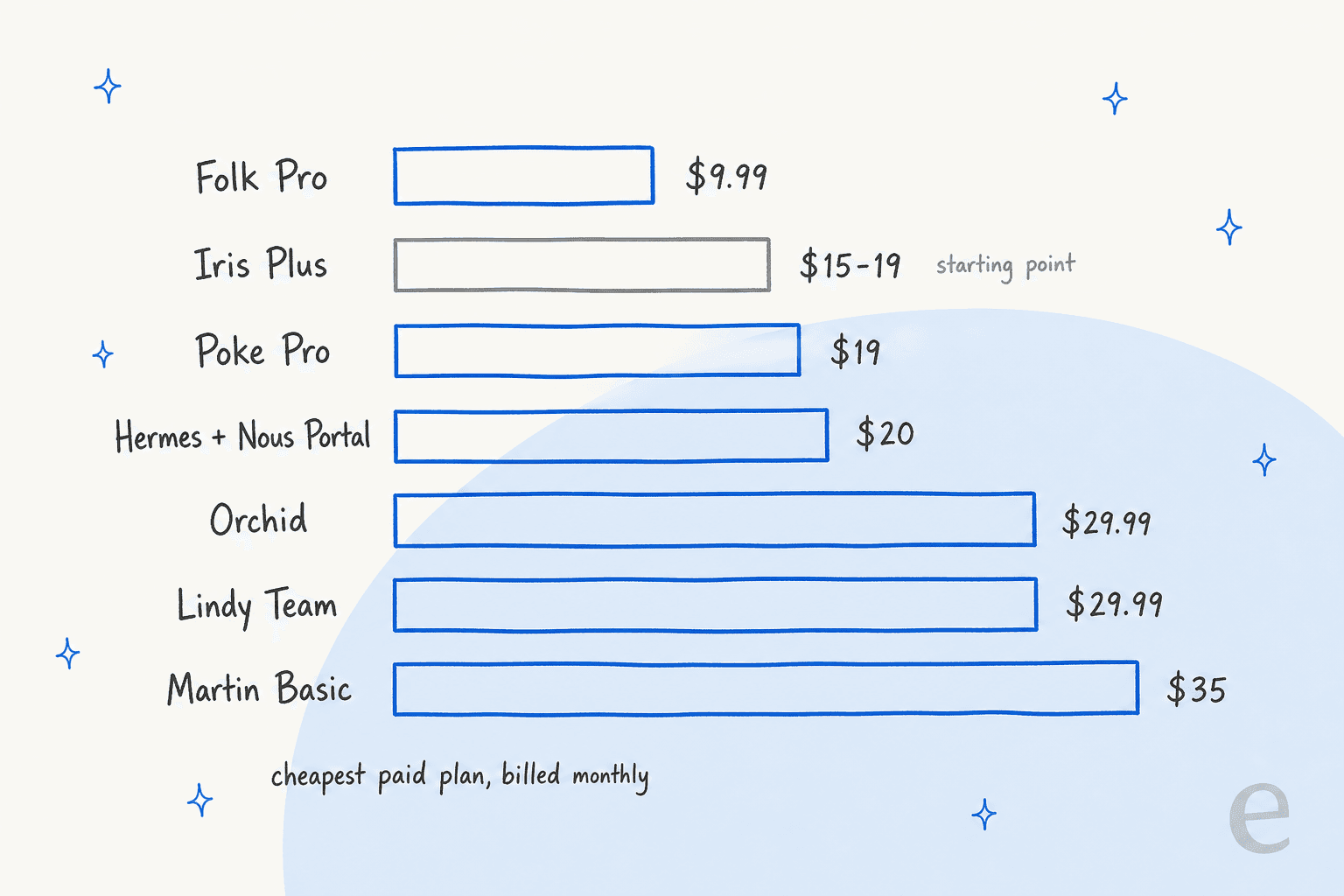
Two things jump out here. Iris Plus is already one of the cheaper options, so price alone are rarely the reason to leave, and the self-hosted route only looks cheap if you already own a Mac that never sleeps.
Which Iris alternative fits you?
Pick the reason you're looking, and you'll get the one tool I'd try first.
Why are you looking past Iris?
Tap a reason to see where I'd start.
1. Self-hosted Hermes Agent
Best for: people who liked Hermes and want the whole thing, on their own machine.
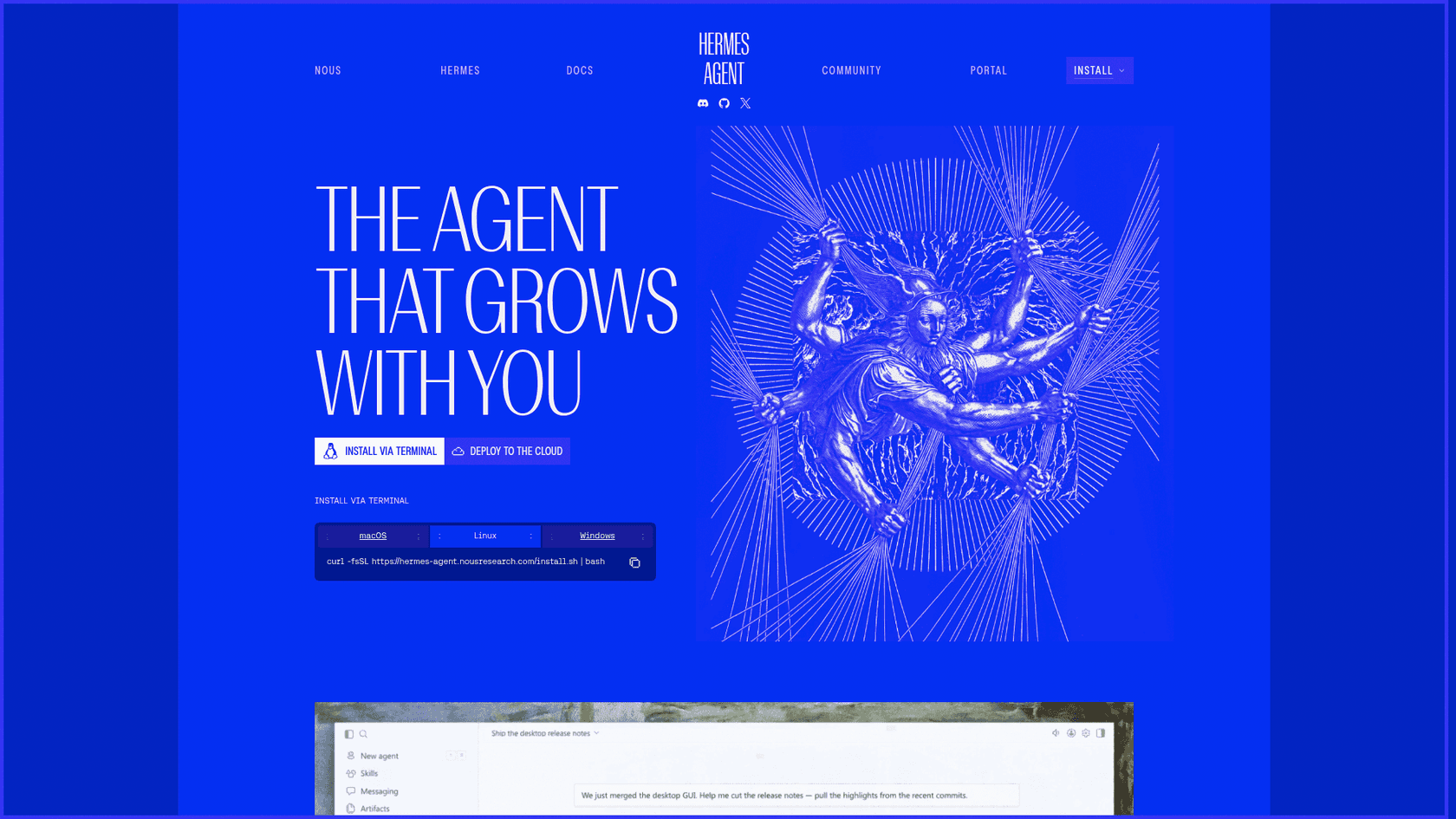
The most direct alternative to Iris is, in terms of the product, the engine that sits under it. Hermes Agent is Nous Research's open-source, MIT-licensed agent, and you install it on your own Mac, PC, server or VPS. Iris's own team says as much: one of its makers, Dan Krieger, wrote that "running Hermes yourself is still an option for people who want that level of control," per his X post.
Features
- Native memory. Two small files per profile,
MEMORY.mdandUSER.md, loaded into every session, per the memory docs. This is the part Iris switched off for consumers. - Skills and cron. Hermes writes reusable skills in the open agentskills.io format, searches past sessions and runs scheduled jobs.
- 20+ channels. Telegram, Slack, WhatsApp, Signal, Discord and iMessage through the messaging gateway.
- Any model. Bring Nous Portal, OpenRouter, OpenAI or a local model.
- Access control. New contacts get a pairing code you approve, and memory writes can wait for your OK.
Pros
- Your data never leaves your machine, and deleting the agent means deleting a folder.
- You get the full self-improving loop that Iris turned off.
- Off iMessage, setup is easy: a $5 VPS and a Telegram token will do.
Cons
- iMessage needs BlueBubbles and "A Mac (always on)" signed into your Apple ID.
- The docs warn the setup wizard may not enable the adapter, so it "will report success and the adapter will still never start."
- You curate memory yourself. One tester found it verbose and said "it's all forgotten early in each session."
"it's been really good... having a competent agent with constant state has been good for memorializing and organizing important info."

Pricing
| Option | Monthly cash | What you supply |
|---|---|---|
| Free models | $0 | A machine and your time |
| Nous Portal | $20 for $22 of credits | A machine and your time |
| VPS | About $5 to $6 plus model tokens | Your time; still a Mac for iMessage |
Portal pricing from Nous Portal. My Iris vs self-hosted Hermes comparison walks through the six iMessage setup steps and the real cost of your time.
My take: This is the pick if ownership was the reason you left Iris. Skip it if you don't own an always-on Mac and iMessage is non-negotiable. The deciding factor is whether an evening of setup sounds fun or like a chore.
2. OpenClaw
Best for: tinkerers who want a self-hosted assistant with a big plugin ecosystem.
OpenClaw is the other big open-source personal agent, and the one Hermes gets compared with most. Like Hermes, it is a free software you run yourself. Its docs even ship a "Migrating from Hermes" guide, which tells you how often people move between the two.
Features
- iMessage through imsg. OpenClaw talks to Messages through a tool called imsg on "the same signed-in macOS Messages host," per its iMessage docs. BlueBubbles support was removed.
- Many channels. Discord, Slack, Microsoft Teams, Matrix, Signal and Google Chat sit next to iMessage.
- Plugins and skills. A Skill Workshop and the ClawHub registry for installing plugins.
- Friendlier setup. Onboarding reuses your existing ChatGPT, Claude or Codex sign-ins, or local models.
Pros
- Free and MIT-licensed, with a large community.
- Missed iMessages replay automatically after a restart, with duplicates removed.
- The widest channel list on this page.
Cons
- Full iMessage features (replies, tapbacks, group actions) need the private API, which means disabling System Integrity Protection on the Mac.
- The README says to "treat inbound messages as untrusted input." Security is yours to own.
- Token bills are unpredictable, as my OpenClaw pricing post shows.
"Honest answer: OpenClaw still requires some tinkering, but it's getting easier."
Pricing
| Option | Price | What you get |
|---|---|---|
| Software | $0, MIT license | The full agent, every channel and plugin |
| Models | Your provider's token rates | Whatever model you connect |
There is no paid tier to buy. My OpenClaw review covers setup in depth, and OpenClaw alternatives lists lighter forks.
My take: OpenClaw is the pick if you want to self-host and care more about plugins than Hermes's learning loop. Skip it if disabling SIP on your Mac makes you nervous. The deciding factor is how much of the iMessage feature set you need.
3. Poke
Best for: one texting assistant across email, calendar and your other apps.
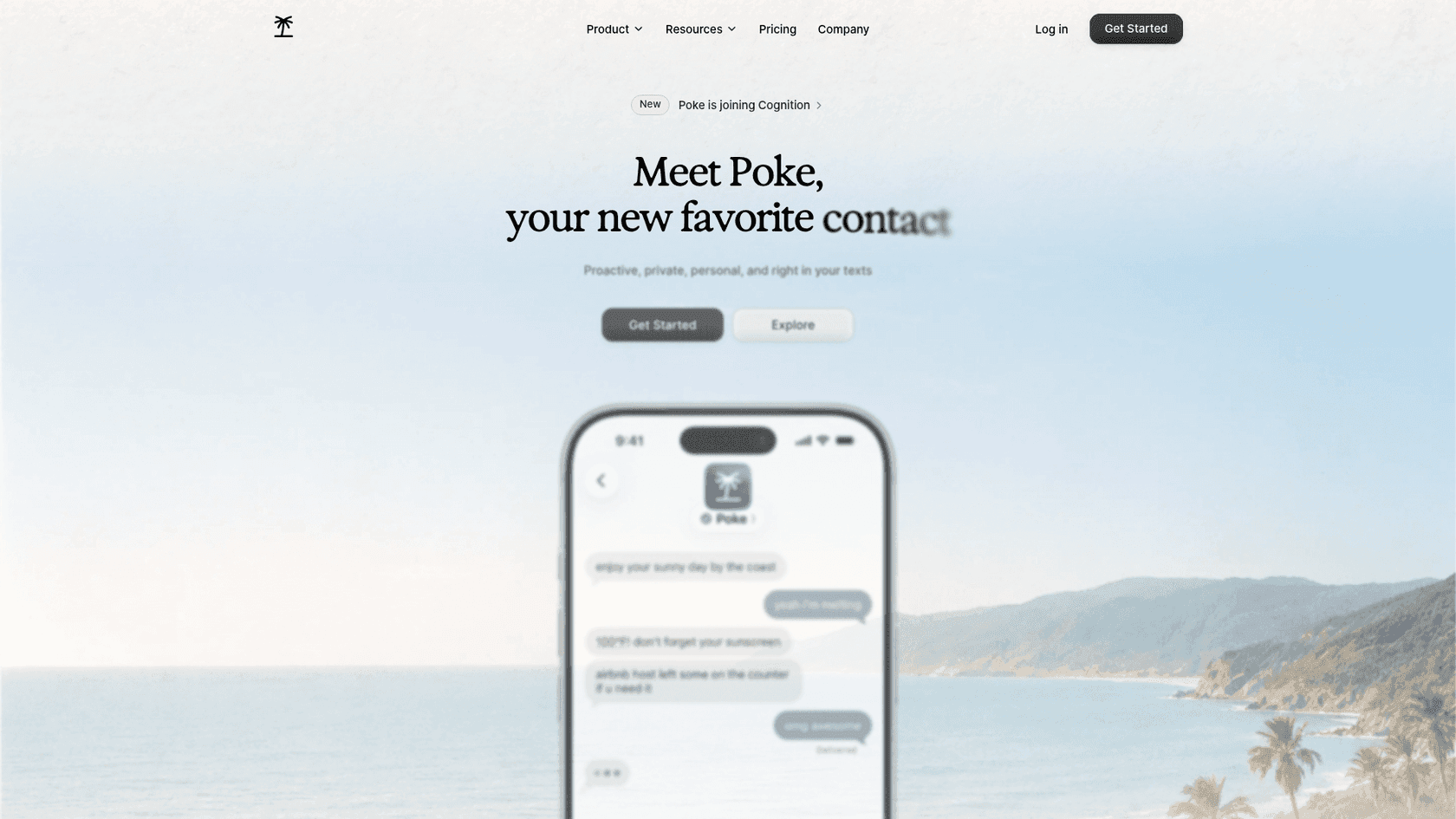
Poke calls itself "Proactive, private, personal, and right in your texts." It is the closest hosted twin to Iris in feel, and it is about to change hands: Cognition announced it is acquiring Poke's maker, saying users "can continue using the product just as before."
Features
- Channels. iMessage, WhatsApp and Telegram, plus voice messages.
- Email and calendar. The FAQ promises "full support for Gmail and Outlook inboxes, calendars, and contact sync."
- Integrations. Notion, Linear, Todoist, Asana, GitHub and more, plus custom ones through MCP.
- Poke Human. On Ultra, real-world tasks like reservations can go to a human operator.
Pros
- A permanent free plan that still connects email and calendar.
- Outlook, which Iris doesn't list.
- Works off iPhone through WhatsApp and Telegram.
Cons
- Its pages don't state an approve-before-send default.
- The privacy notice says data is used "to train our artificial intelligence models" unless you pick Maximum Privacy.
- No SOC 2 claim on the pages I read, and the acquisition adds some uncertainty.
"Just had the most surreal onboarding experience from Poke by @interaction ... this thing is extremely impressive."
Pricing
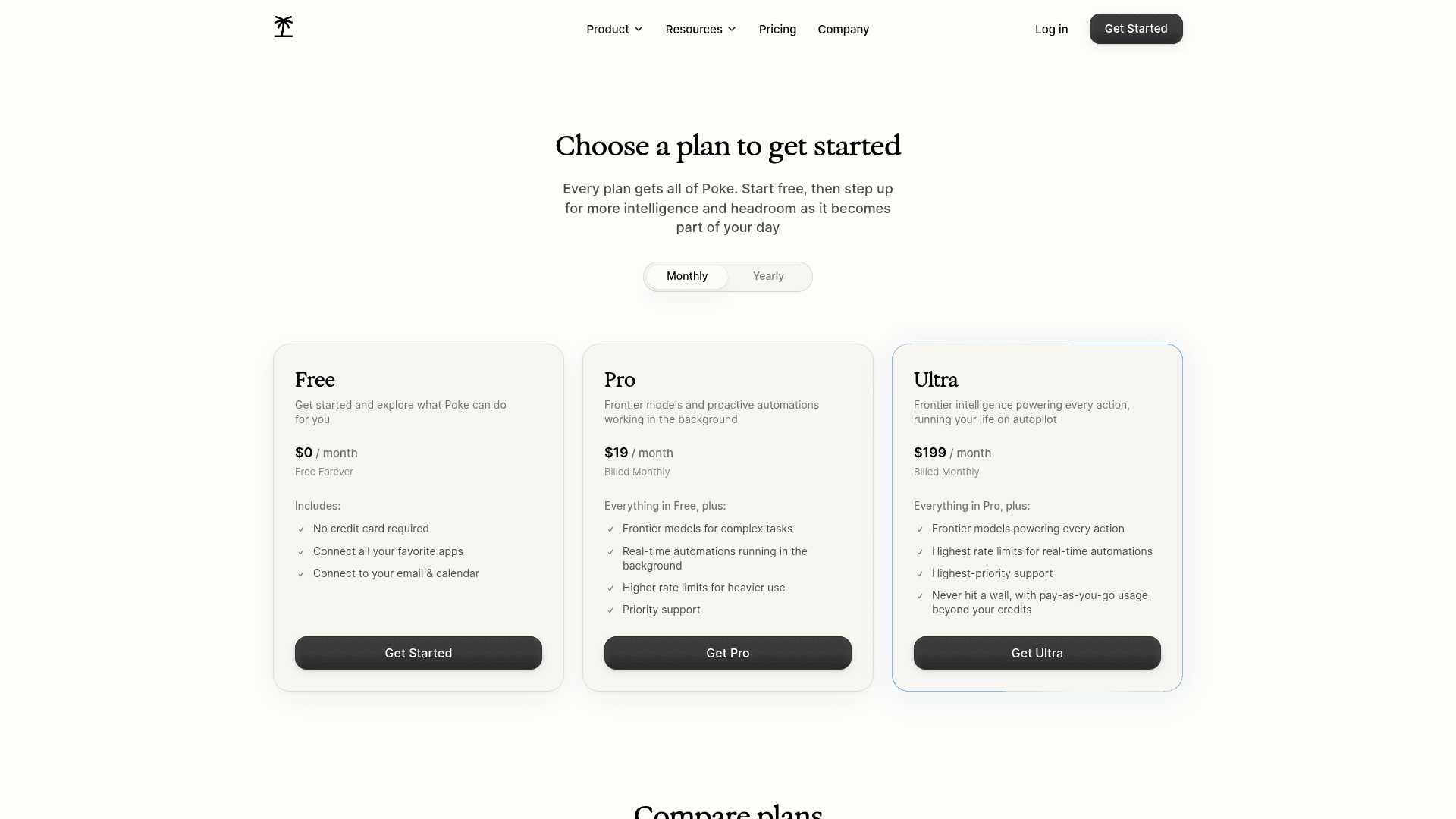
| Plan | Price | What you get |
|---|---|---|
| Free | $0, no card | All apps, email and calendar; a lighter mode after the allowance |
| Pro | $19/mo | Frontier models, background automations, higher limits |
| Ultra | $199/mo | Frontier models on every action, Poke Human, pay-as-you-go |
Prices from Poke's pricing page.
My take: Poke is the pick if Iris felt too narrow and you want one assistant for email, tasks and dev tools. Skip it if you need a documented approval step. The deciding factor is whether you'll turn on Maximum Privacy on day one.
4. Orchid
Best for: an iMessage executive assistant where nothing leaves without your OK.
Orchid is an iMessage and SMS executive assistant from the YC S25 team behind the Zero email client. It sits in the same corner of the map as Iris, so it is the switch for people who like everything about Iris, except for the company.
Features
- Approval by default. Replies stay as drafts and calendar holds wait for your OK, per the FAQ.
- Morning digest. A daily summary of what needs you, plus meeting prep.
- Google stack. Gmail, Google Calendar and Google Drive, plus Granola.
- Flat price. No message meter.
Pros
- The clearest approval model of any hosted tool here.
- Flat pricing, so heavy days cost the same as light ones.
- A 30-day refund if it doesn't fit.
Cons
- No free tier and no Outlook.
- The privacy policy says "We may train your personal model on your data," while marketing pages say it never trains.
- No SOC 2 claim. My Orchid alternatives list covers tools with one.
Pricing

| Plan | Price | What you get |
|---|---|---|
| Orchid | From $29.99/mo, flat | The full assistant, no message meter, 30-day refund |
Orchid's only published price is in its pricing post. My Orchid AI pricing breakdown explains what the flat fee covers.
My take: Orchid is the pick if Iris's preview step was what you liked most and you want it stricter. Skip it if you need Outlook. The deciding factor is whether $29.99 flat beats Iris's $15 to $19 for you.
5. Lindy
Best for: the closest hosted match to Iris, with Outlook support and SOC 2.
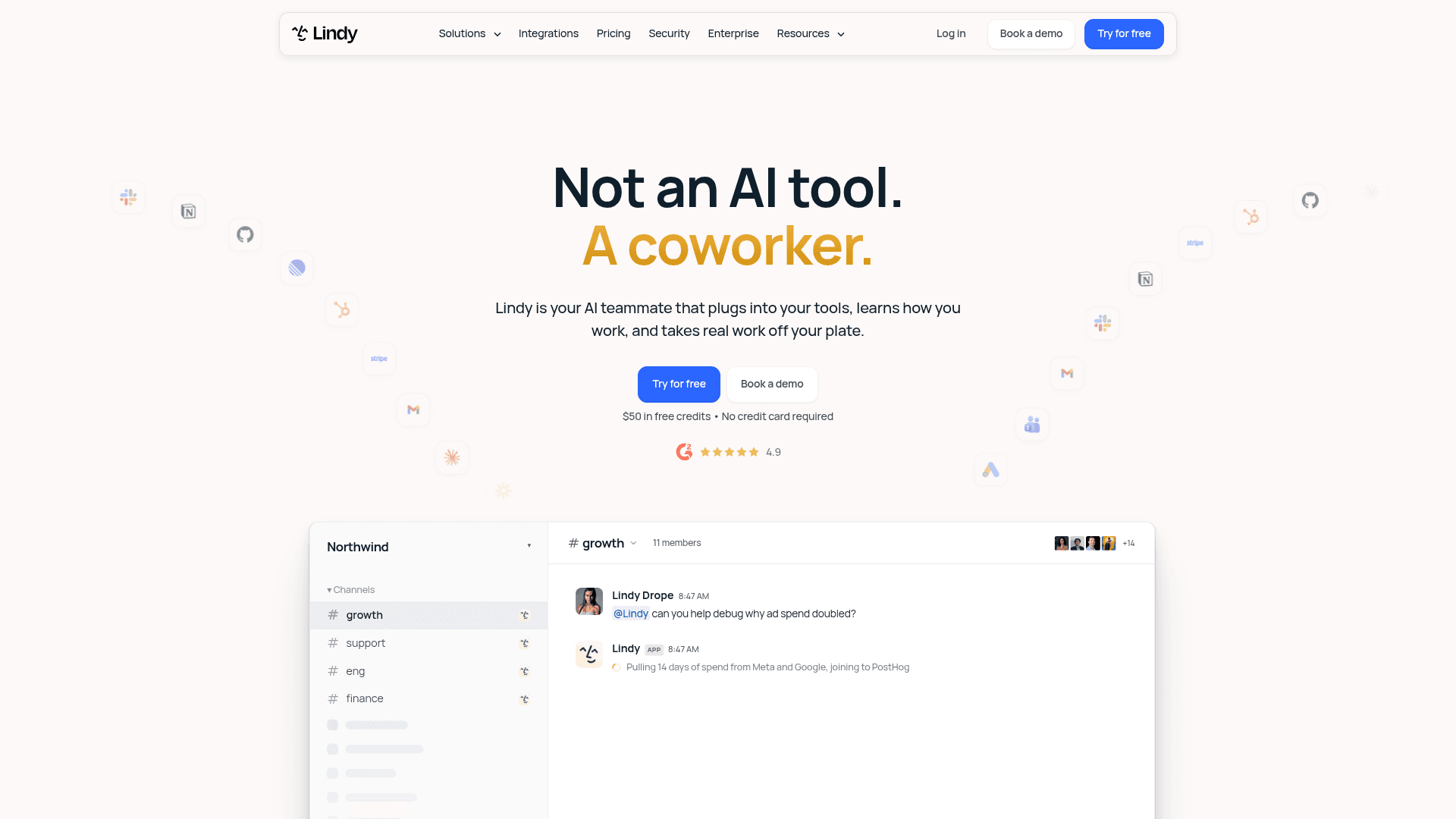
Lindy started as a no-code agent builder and now pitches itself as an AI teammate. For someone coming from Iris, the part that matters is the assistant you can text. Its iMessage and SMS docs say "No app to install."
Features
- Inbox triage. Lindy labels and archives incoming email based on your rules.
- Drafts. "Every draft lands in your drafts folder for you to review, edit, and send," per the drafting docs.
- Over text. Schedule meetings, get a meeting brief or a 7am daily briefing, the jobs in my AI scheduling assistants roundup.
- Approvals. "Anything with outside impact waits for approval," per the pricing FAQ.
Pros
- Gmail and Outlook, with 2 to 5 inboxes depending on plan.
- SOC 2 Type II, GDPR and HIPAA listed, and data "never used to train models."
- 1,500+ integrations plus MCP for the bigger jobs.
Cons
- Credits, not a flat fee. A reply draft costs between 2 and 250 credits.
- Credits don't roll over.
- Reviews are split on cost:
"I managed to kill my months credits (3000) in one day!"

Pricing
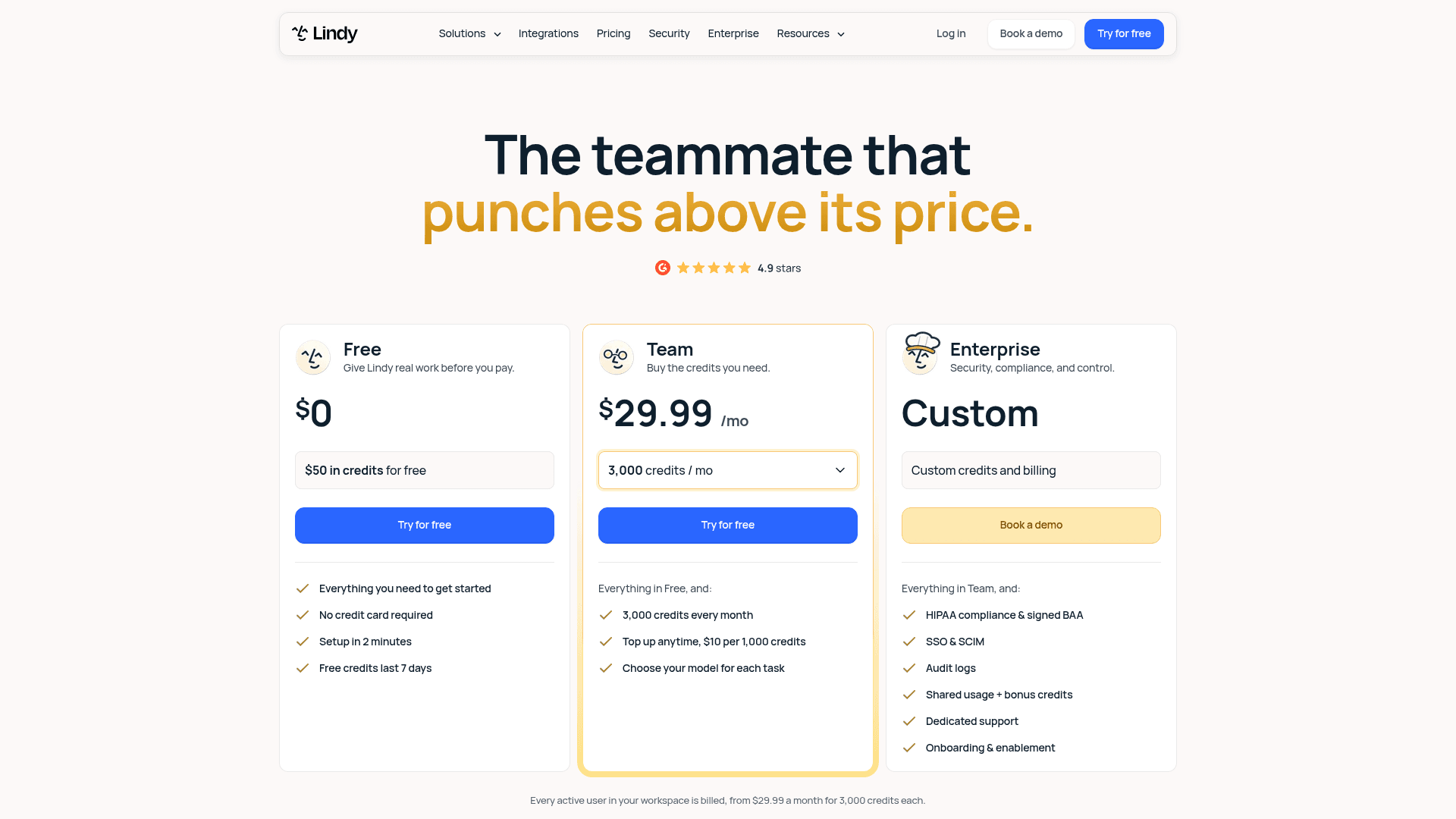
| Plan | Price | What you get |
|---|---|---|
| Free | $0 | $50 in credits for 7 days, no card |
| Team | From $29.99/mo per active user | 3,000 credits, top-ups at $10 per 1,000 |
| Enterprise | Custom | HIPAA with BAA, SSO and SCIM, audit logs |
Prices from Lindy's pricing page. My Lindy alternatives roundup tracks its plan changes.
My take: Lindy is the pick if you need Outlook or a compliance answer for your employer. Skip it if you hate watching a credit meter. The deciding factor is volume: a light inbox fits in 3,000 credits, a heavy one may not.
6. Folk
Best for: the lowest price, or a free plan that still handles email.
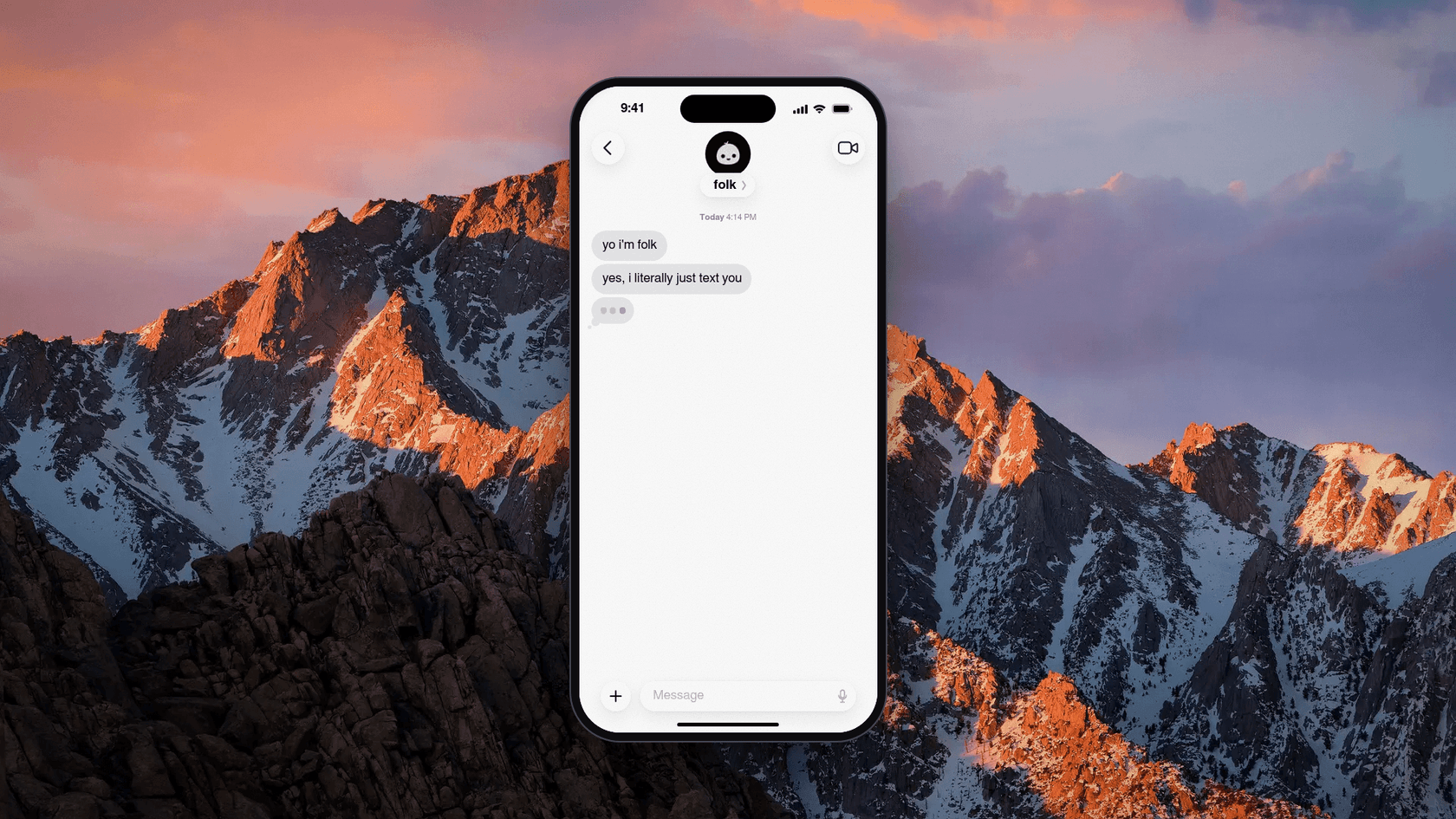
Folk is "just a contact in the messages app you already use," built by Nozomio, a San Francisco lab. One naming warning is worth to flag: folk.app is a different company that sells a sales CRM, and reviews you find for "folk" on G2 are about that one.
Features
- Email. It connects Gmail and Outlook and "drafts replies in your voice," per its email page.
- Approval. "You approve; folk sends."
- Read-only mode. You can connect Google so it "can see but never send, edit or delete," per the privacy policy.
- Own computer. Each user gets "their own private cloud computer," isolated from others.
Pros
- The free plan has unlimited chat and every feature.
- Pro costs less than Iris Plus.
- Per-user isolated computers, which speaks directly to the worry behind Iris's incident.
Cons
- It leans consumer: gym check-ins and wake-up calls sit next to email.
- Outlook Calendar isn't stated, only Google Calendar.
- Very little independent feedback yet. Even launch replies compared it with Hermes:
"What are the things that can be achieved by folk but cannot be done by OpenClaw or Hermes? If there are a few useful things, I will consider to switch"
Pricing
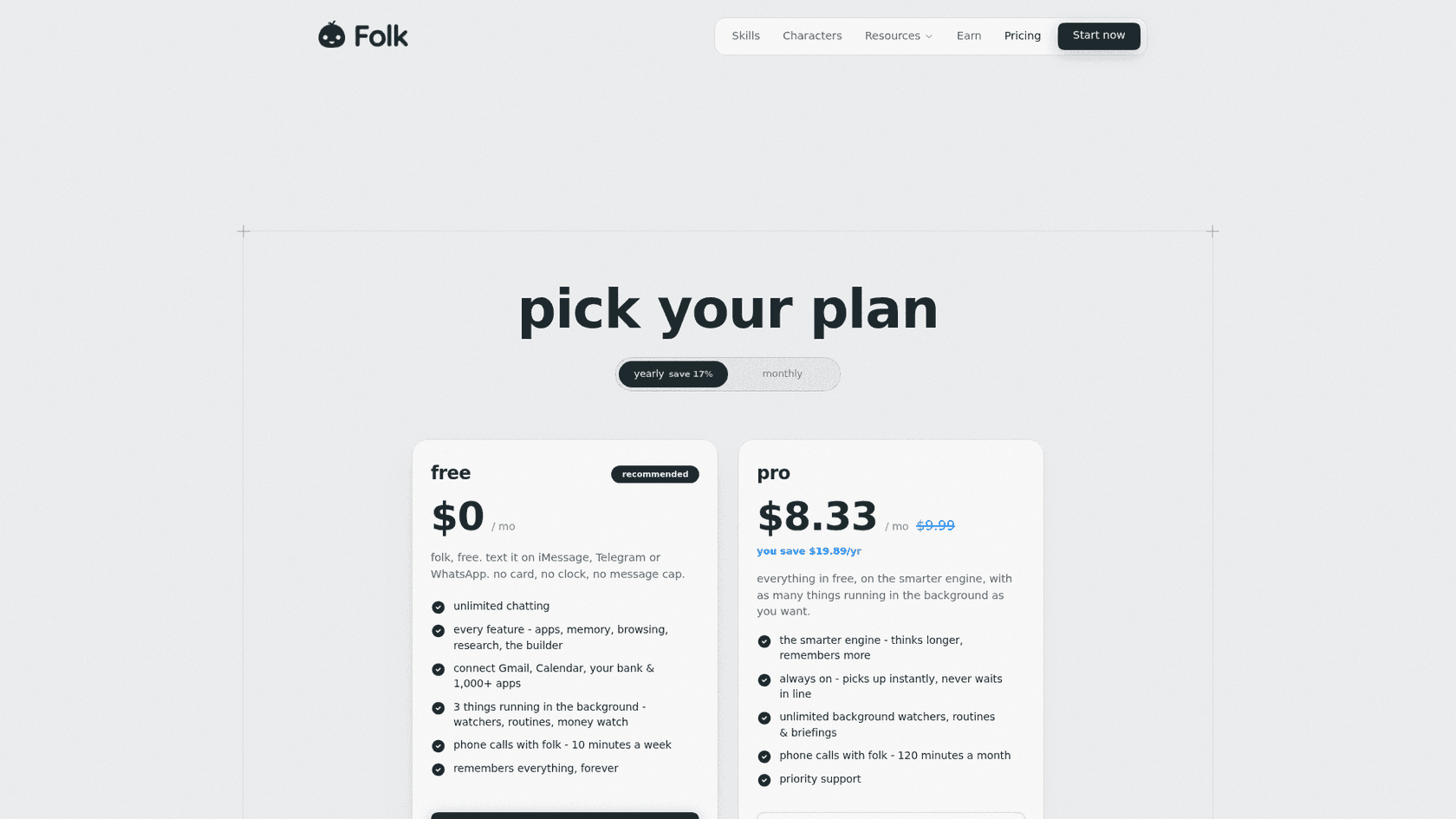
| Plan | Price | What you get |
|---|---|---|
| Free | $0, no card | Unlimited chat, 3 background tasks, 10 call minutes a week |
| Pro | $9.99/mo or $99.99/yr | Smarter engine, unlimited watchers and briefings, 120 call minutes |
Prices from Folk's pricing page. My Folk pricing post has the full plan details.
My take: Folk is the pick if you want Iris's feel at a lower price, with Outlook mail. Skip it if you need executive-style meeting prep. The deciding factor is whether you want an assistant or an accountability buddy that also does email.
7. Martin
Best for: people who want to call their assistant, not only text it.
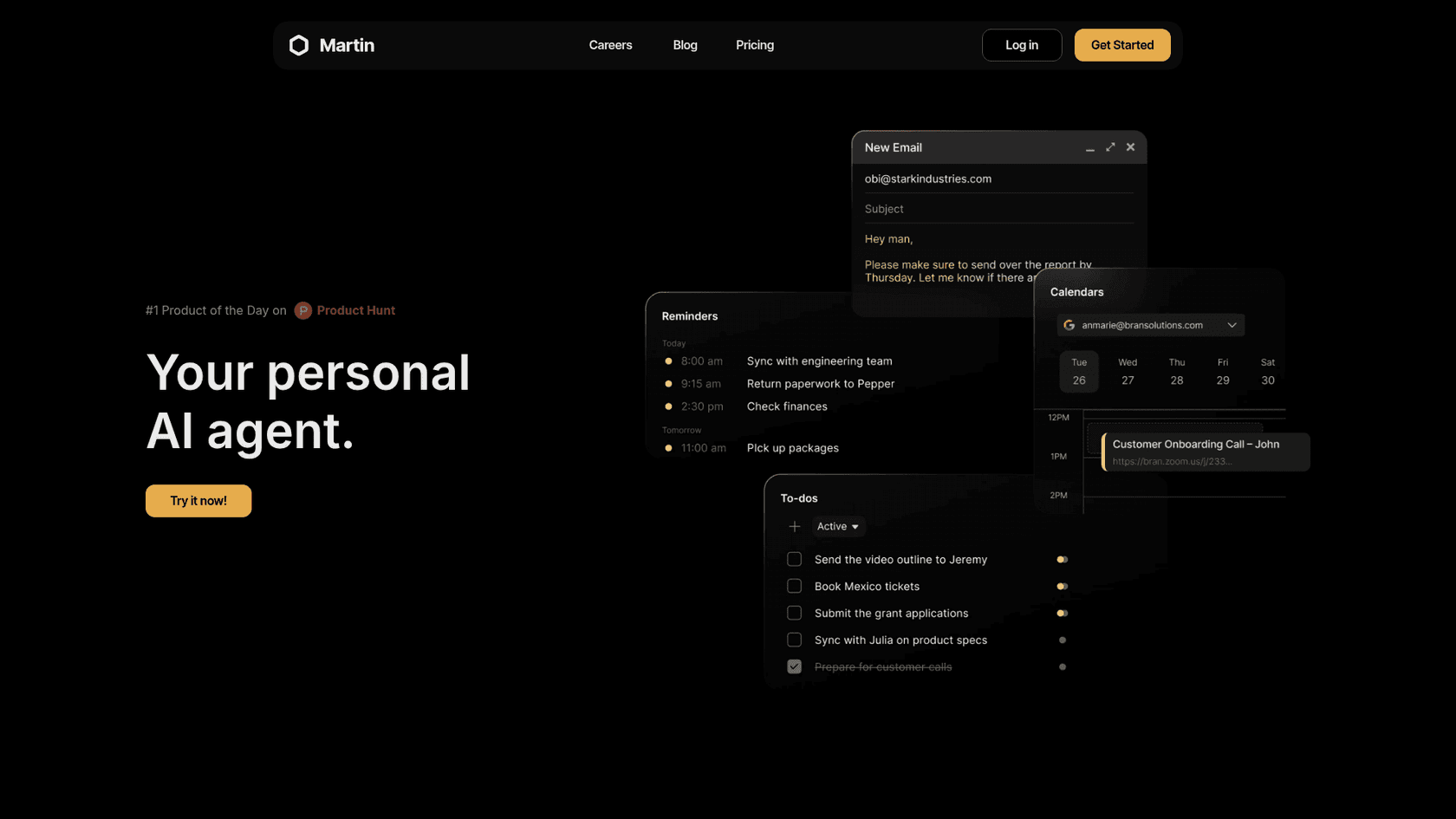
Martin is a YC S23 assistant its founders pitched as "a better Siri with an LLM brain," per their Launch HN post. You reach it by phone call, SMS, WhatsApp, email and Slack.
Features
- Inbox. Up to 5 Gmail and 5 Outlook accounts, and it can "read, draft, and reply to emails on your behalf," per the inbox docs.
- Calendar. Google, Apple and Outlook calendars, the widest support on this list.
- Cc to Schedule. Cc Martin on a thread and it proposes times.
- Briefings. A daily email digest and a morning briefing call.
Pros
- Apple Calendar support, which no other hosted tool here lists.
- You can phone it, which suits people who are driving or walking.
- It texts and calls your contacts from its own number.
Cons
- Its privacy policy and terms pages returned "Page Not Found" when I checked.
- iMessage isn't one of its listed channels.
- No SOC 2 as of 2024. A commenter on the launch thread put the worry plainly:
"I want this, but very concerned about the security and privacy - you're talking about getting my most personal of personals (email, calendar, messages, phone calls)."
Pricing
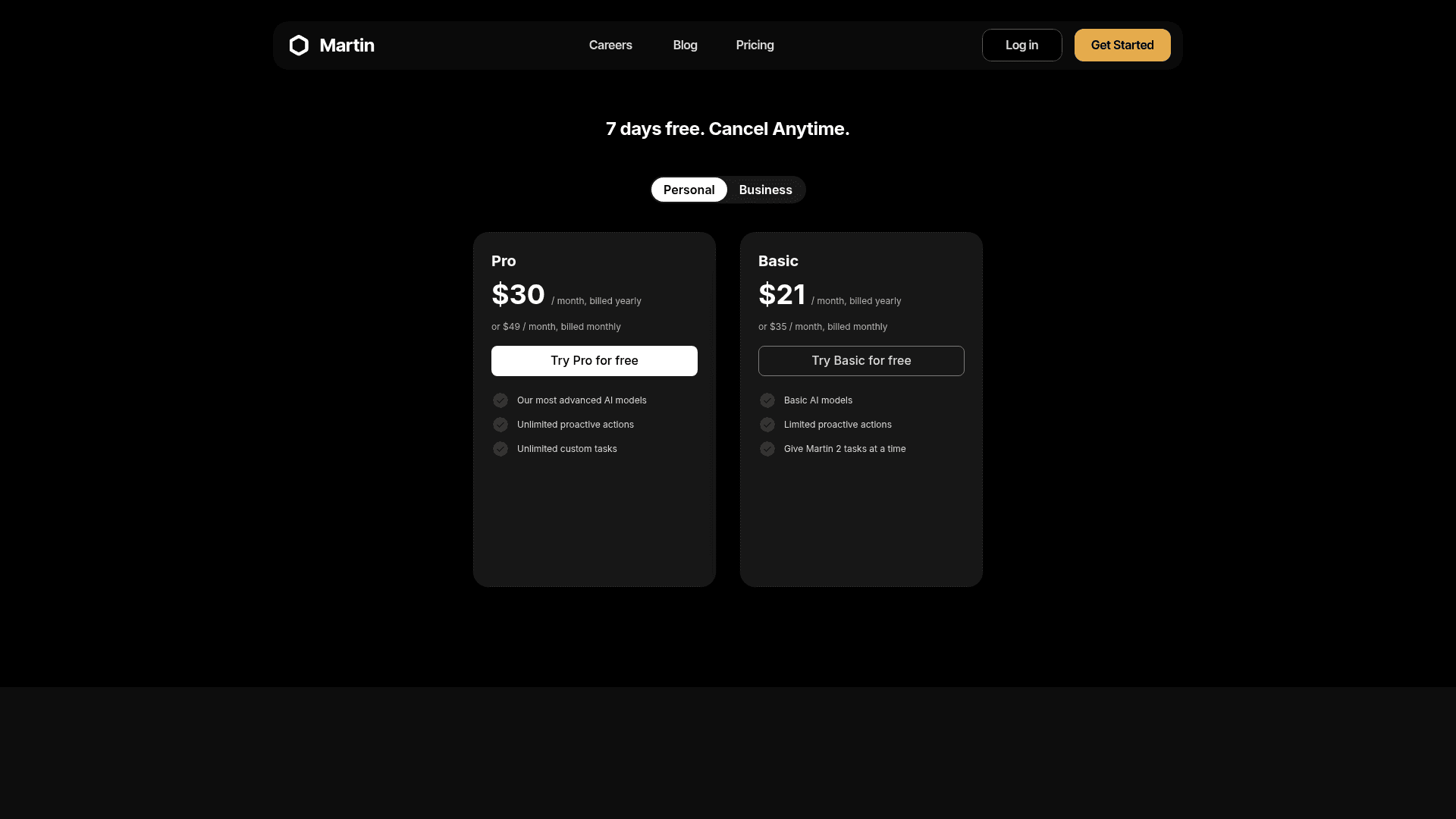
| Plan | Yearly | Monthly | What you get |
|---|---|---|---|
| Basic | $21/mo | $35/mo | Basic models, limited proactive actions |
| Pro | $30/mo | $49/mo | Advanced models, email triage and drafts |
Prices from Martin's pricing page, with a 7-day trial. See Martin alternatives if the missing legal pages bother you.
My take: Martin is the pick if voice matters more than iMessage. Skip it if you want written privacy terms before connecting five inboxes. The deciding factor is trust.
8. Instinct
Best for: errands, bookings and purchases, if you can get an invite.
Instinct is the assistant people name most often next to Iris, but it does a different job. Iris handles small work tasks, while Instinct runs life errands on its own computer with your accounts: checking you into flights, ordering groceries, booking appointments. My Instinct vs Hermes comparison covers that difference in depth.
Features
- Channels. iMessage, WhatsApp and phone calls.
- Email. It reads your connected Gmail and can send from its own address.
- Payments. Purchases go through one-time Stripe Link cards.
- Proactive. It texts you first when something needs doing.
Pros
- The most proactive assistant here.
- Handles real-world tasks the email-first tools don't touch.
- No published price yet.
"Instinct is the first AI product I've used that is truly proactively helpful. It's already checking me into flights, reminding me about reservations I forgot to cancel, etc"
Cons
- Invite-only, so you may not be able to switch today.
- Its terms appoint it "as your agent," with agreements "binding on you," and training is on by default with an opt-out.
- Personal use only, so work email is out.
Pricing
| Plan | Price | What you get |
|---|---|---|
| Beta | No published price | Invite-only access |
My Instinct AI pricing post explains how it may make money instead.
My take: Instinct is the pick if you want an assistant that does things in the world. Skip it for anything work-related. The deciding factor is how much autonomy you'll hand over, which my Instinct AI review goes through.
Who holds your memory?
This is the question the Iris incident should make everyone ask, whichever tool you pick. An assistant that remembers you is only as safe as the place where that memory lives. Here is where each option keeps it, based on each vendor's own pages:
- On your machine: self-hosted Hermes and OpenClaw. You can open, copy or delete it.
- Isolated per user in the vendor's cloud: Iris now (per-phone profiles, fail-closed) and Folk (a "private cloud computer" per user).
- In the vendor's cloud, used for training unless you opt out: Poke (unless Maximum Privacy) and Instinct (opt-out in settings).
- In the vendor's cloud, not used for training: Lindy, whose data is "never used to train models."
- In the vendor's cloud, trained only for you: Orchid, whose policy says it may train a personal model that is "Only yours."
Iris's own report has the line I'd tape above every agent builder's desk: "The assistant saying it verified durable memory is not evidence that it queried storage." Ask a vendor how isolation works, not whether it does. This AI data privacy primer lists the questions I'd start with.
For a wider menu beyond this list, see my AI personal assistants test or the best AI agents roundup.
If you'd rather stay self-hosted, I keep a list of the best open-source AI agents. If inbox triage is the main job, my AI email assistants guide is the better start.
When the messages are from customers
Here is the case that none of these tools fits. Sometimes the texts and emails you want an assistant for aren't personal at all. They're customers asking where an order is, or how to reset a password. A personal assistant drafts in your voice and waits for you, one person at a time. A support queue needs answers from approved knowledge, the same answer from everyone on the team, and a clear handoff when the AI isn't sure.
That's the gap Iris itself doesn't try to fill, and its public pages never mention a helpdesk. You can push self-hosted Hermes into support, but you build every piece yourself, which I walked through in Hermes for customer support.
The trial number from the top of this post is the reason I'd never point a personal assistant at a support inbox. An AI can sort tickets with 93% accuracy and still have most of its drafts rewritten, because a support team's tone and length are learned from the team's own sent replies, not from one person's style.
Try eesel
Every tool on this list is a personal assistant. eesel is a different hire: an AI teammate platform where you bring on ready-to-work AI teammates for specific jobs, today an AI helpdesk teammate and an AI blog writer.
If what you wanted Iris for was keeping up with customer messages, the helpdesk teammate is the one to look at. It joins Zendesk, Freshdesk, Gorgias and other helpdesks, learns from your help center and past tickets, and keeps each company's knowledge in its own workspace. That last part is exactly the isolation question the Iris incident raised, answered on day one.
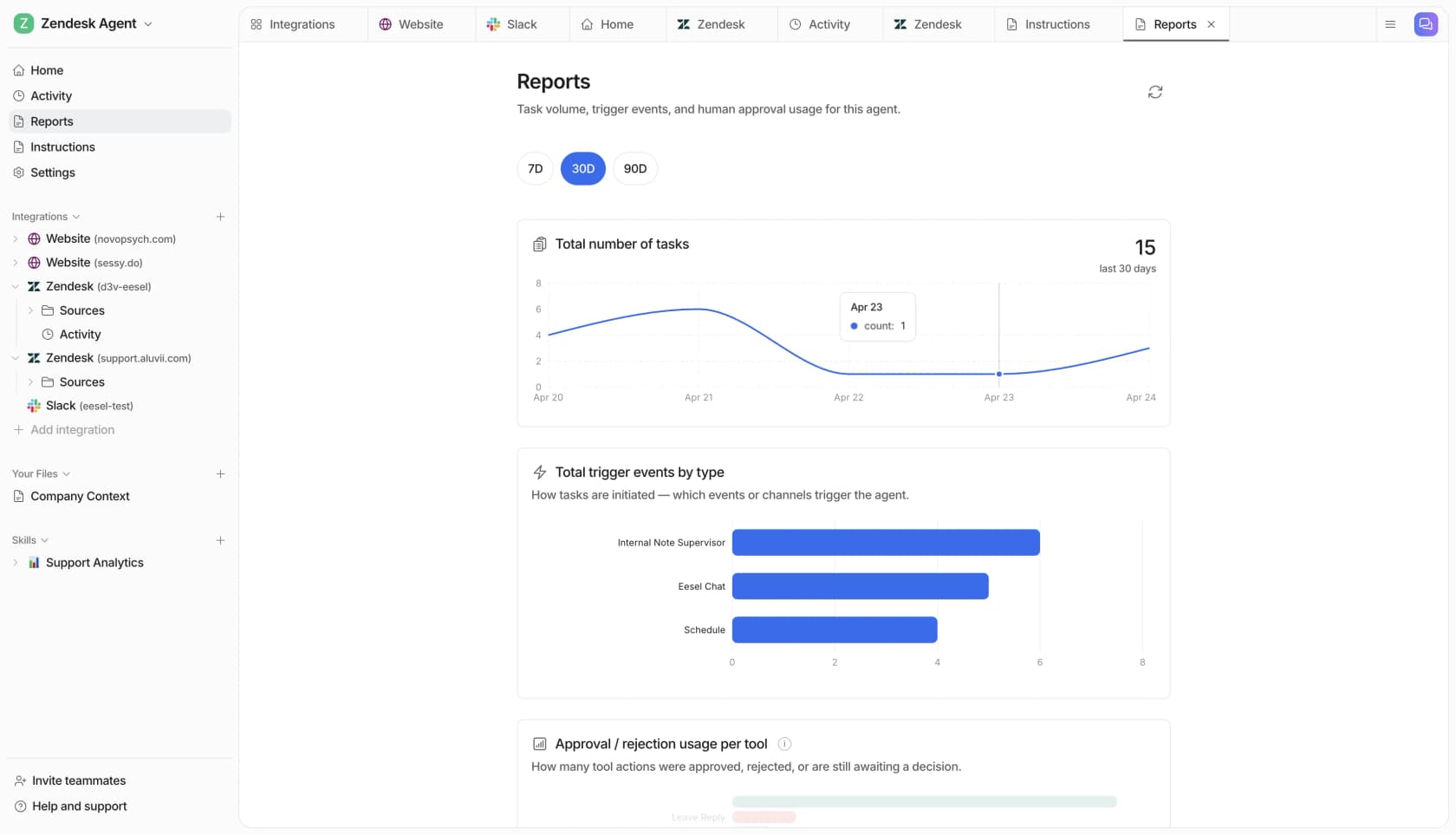
Before it answers a single customer, you can run it over your historical tickets and see what it would have said. Start with drafts and check them, then only switch on sending when you trust it. And if you came to Hermes because you like driving agents from a terminal, the eesel CLI lets you or a coding agent like Claude Code check status, edit instructions and approve actions from the command line, the same workflow covered in my post on AI agent CLIs.
It's why eesel sits in my roundup of the best AI helpdesk software. If your support queue is the inbox you can't keep up with, Try eesel free on your own tickets.
Frequently Asked Questions
What is the best Iris Hermes Agent alternative?
Is there a free alternative to Iris?
Can I run Hermes Agent in iMessage without Iris?
Which Iris alternatives work with Outlook?
How much do Iris Hermes Agent alternatives cost?
Is Iris Hermes Agent safe after the memory incident?
What is the difference between Iris and OpenClaw?
Can I use an Iris alternative for customer support?


Article by
Kurnia Kharisma
Kurnia is a software engineer and writer at eesel AI with two years of SEO experience, writing about AI tools, helpdesk software, and customer support. He pairs a developer's understanding of how these products are built with search-driven research into what actually ranks and resonates with the people searching for them.