7 best Town AI alternatives in 2026, compared on price, approvals and teams

Kurnia Kharisma

Katelin Teen
Last edited October 7, 2026

Why people look for Town AI alternatives
I spend most of my time on what people actually search before they buy, and "Town AI alternatives" is an odd one. Town only came out of beta on June 3, 2026, with a $55M Series A from a16z. People aren't leaving after years of frustration. They're shopping around in the first week, usually after the pricing page or the first credit usage report.
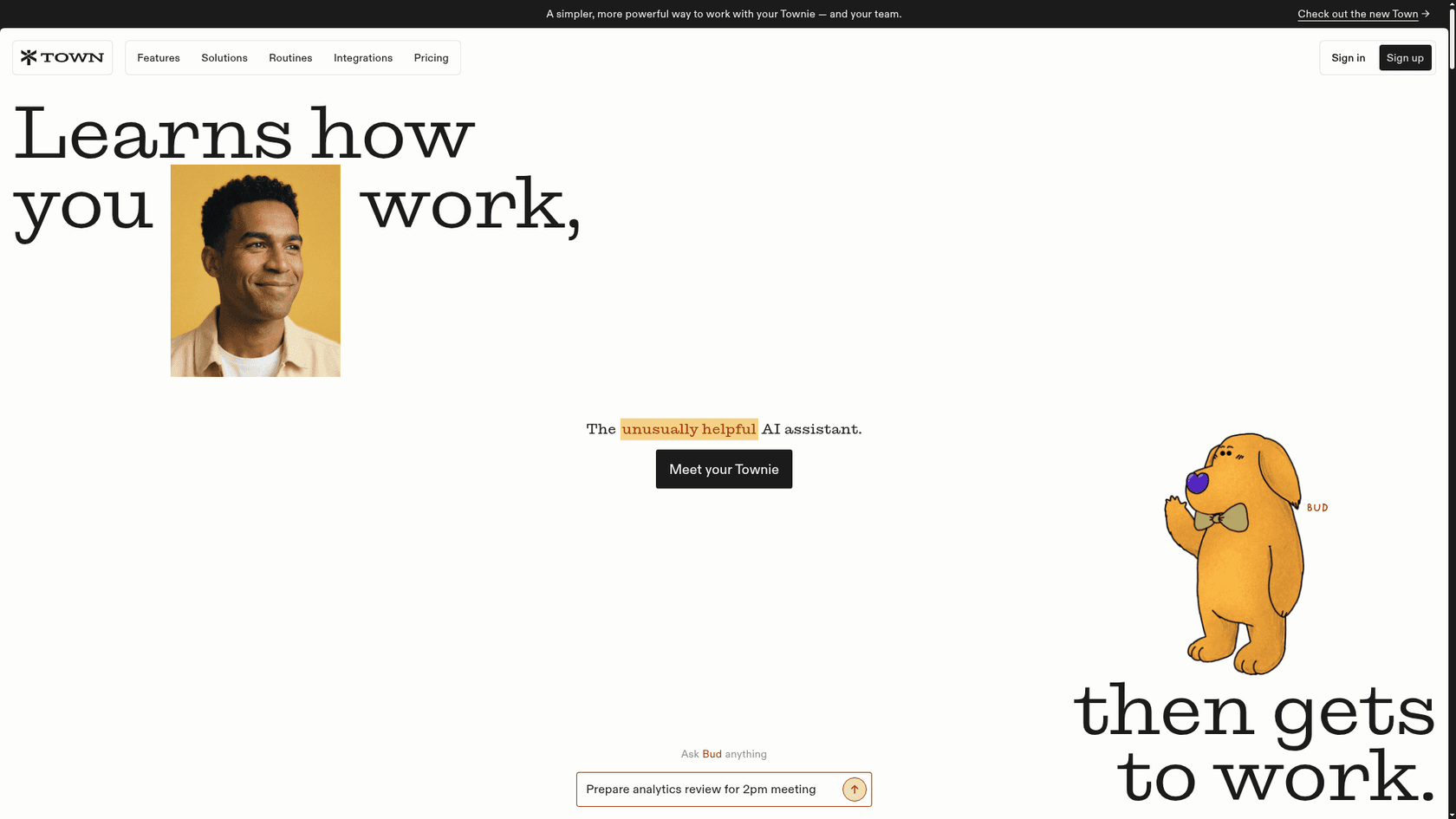
Credit where it's due first. Town gives your assistant (a "Townie") its own @town.com address, learns your style from past email, and writes what it learns into a wiki you can read and edit, refreshed every night. Routines run inbox triage, morning briefings and meeting prep. Nothing sends without your OK by default. I covered all of it in my Town AI review.
The reasons people look elsewhere are specific, and most come from Town's own docs:
- The credit meter. Town doesn't publish what a single action costs. Its credits docs call a routine that runs on every incoming email "the heaviest setup there is." Your first month is your forecast.
- Starter is narrower than it looks. Starter is $15 a month, but custom routines can run at most once a day, and new-email triggers are Pro and up, per the plans docs. The real starting price is Pro at $49 annual or $59 monthly.
- Team pools have no per-member caps. Town's team billing docs say one heavy user can drain the shared pool.
- No refunds. Cancelling keeps access until the cycle ends, then drops you to Free.
- It's a personal assistant. Even with Front connected, every send, tag and assignment waits for approval, and each teammate connects their own account, per the Front integration page.
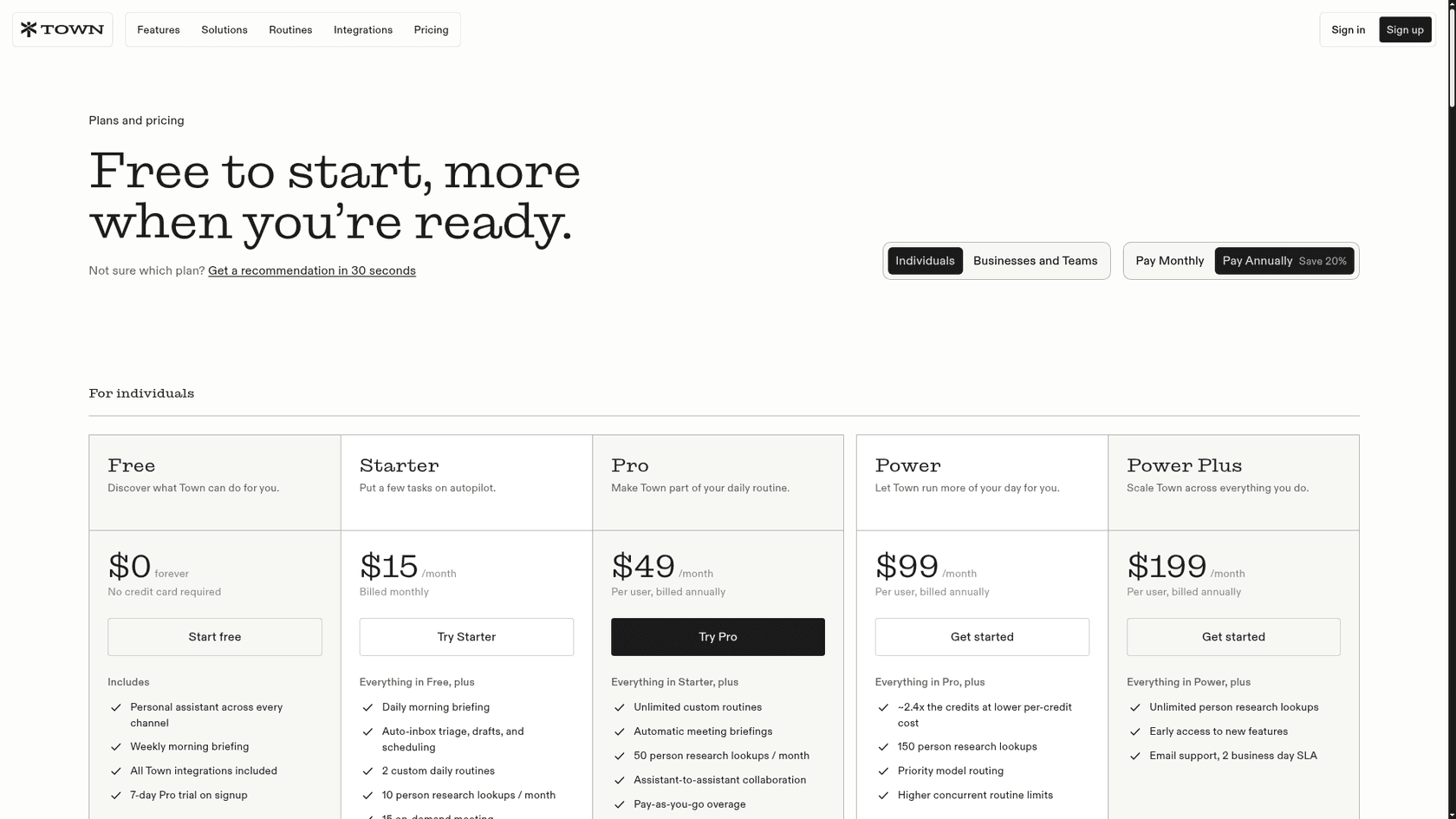
None of these is a flaw for a founder on Pro. Each one points to a different alternative, though, which is why I sorted this list by the reason you're leaving.
How I picked these alternatives
Town does four things, and I scored each alternative on how many it keeps:
- It drafts email in your voice for one person, in Gmail or Outlook.
- It runs routines on a schedule or trigger, not only when you ask.
- It waits for approval before anything leaves your account.
- It publishes its pricing and data policy clearly enough to judge.
I left out general chat apps like ChatGPT agents and Claude Cowork, because you'd be building Town's routines yourself. I also left out invite-only assistants like Instinct AI, since you can't sign up today.
If the line between an assistant and a chatbot feels fuzzy, read my take on AI agents vs chatbots.
The single most useful filter is who presses send:
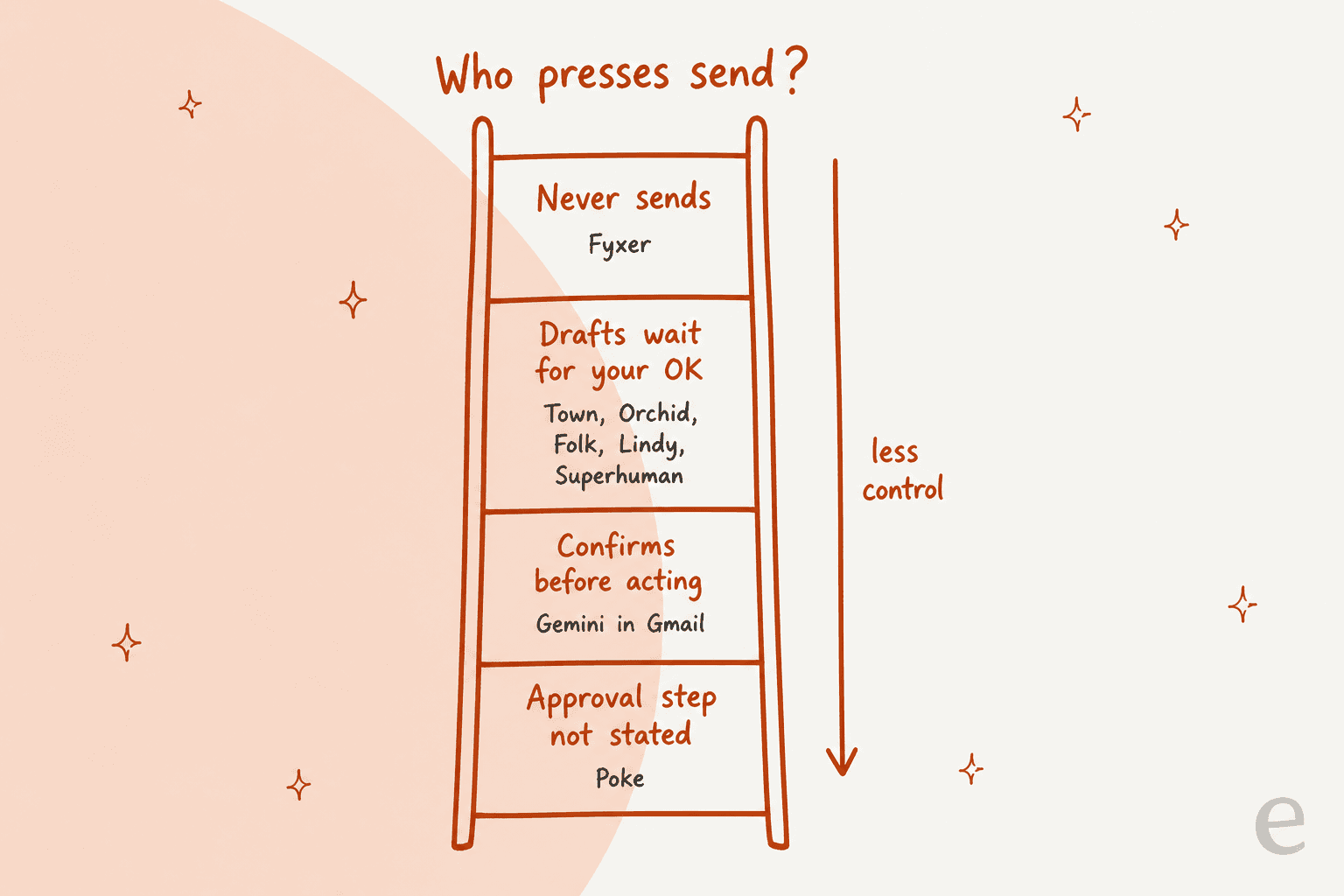
Town sits on the second rung, and so do most of its rivals. If Town's approval model is what you liked, you have plenty of options. If you want to be stricter, there's exactly one.
Town AI alternatives at a glance
| Tool | Best for | Where it lives | Routines | Drafts wait for you | Free plan | Cheapest paid | Team plan | SOC 2 | Trains on your data | |
|---|---|---|---|---|---|---|---|---|---|---|
| Town (baseline) | Learning your style | Web, iOS, email, Slack, text | Gmail, Outlook | Yes, Pro+ for triggers | Yes, by default | 30 chats | $15/mo (Starter) | $59/seat annual | Type 2 | Not on Google data |
| Lindy | Closest match | iMessage, SMS, Slack, web | Gmail, Outlook | Yes | Yes | $50 credits, 7 days | $29.99/mo | Per active user | Type II | Never |
| Fyxer | Never sends | Gmail, Outlook, Slack, Teams | Gmail, Outlook | Briefings | Never sends | Yes, no drafts | $37/mo annual | $64/user annual | Type II | Not third-party models |
| Superhuman Mail | Heavy email days | Desktop and mobile apps | Gmail, Outlook | Auto Labels | Drafts sit in inbox | Go only | $15/mo (Go Pro) | $33/member annual | Not stated | AI providers barred |
| Gemini in Gmail | Already on Google | Gmail panel, Gemini app | Gmail only | Up to 10 scheduled | Confirms first | App only | $4.99/mo | $7/user (Workspace) | Not stated here | Not Workspace data |
| Orchid | Flat price, texting | iMessage, SMS | Gmail only | Digest, meeting prep | Yes, by default | No | $29.99/mo flat | Not stated | Not stated | May train a personal model |
| Poke | Broad automations | iMessage, WhatsApp, Telegram | Gmail, Outlook | Recipes | Not stated | Yes | $19/mo | Not stated | Not stated | Yes, unless Maximum Privacy |
| Folk | Lowest price | iMessage, Telegram, WhatsApp | Gmail, Outlook | Watchers, briefings | Yes | Yes | $9.99/mo | Not stated | Not stated | Never |
Prices are from each vendor's pricing page in October 2026. Here's the cheapest plan that drafts email replies for you, on monthly billing:
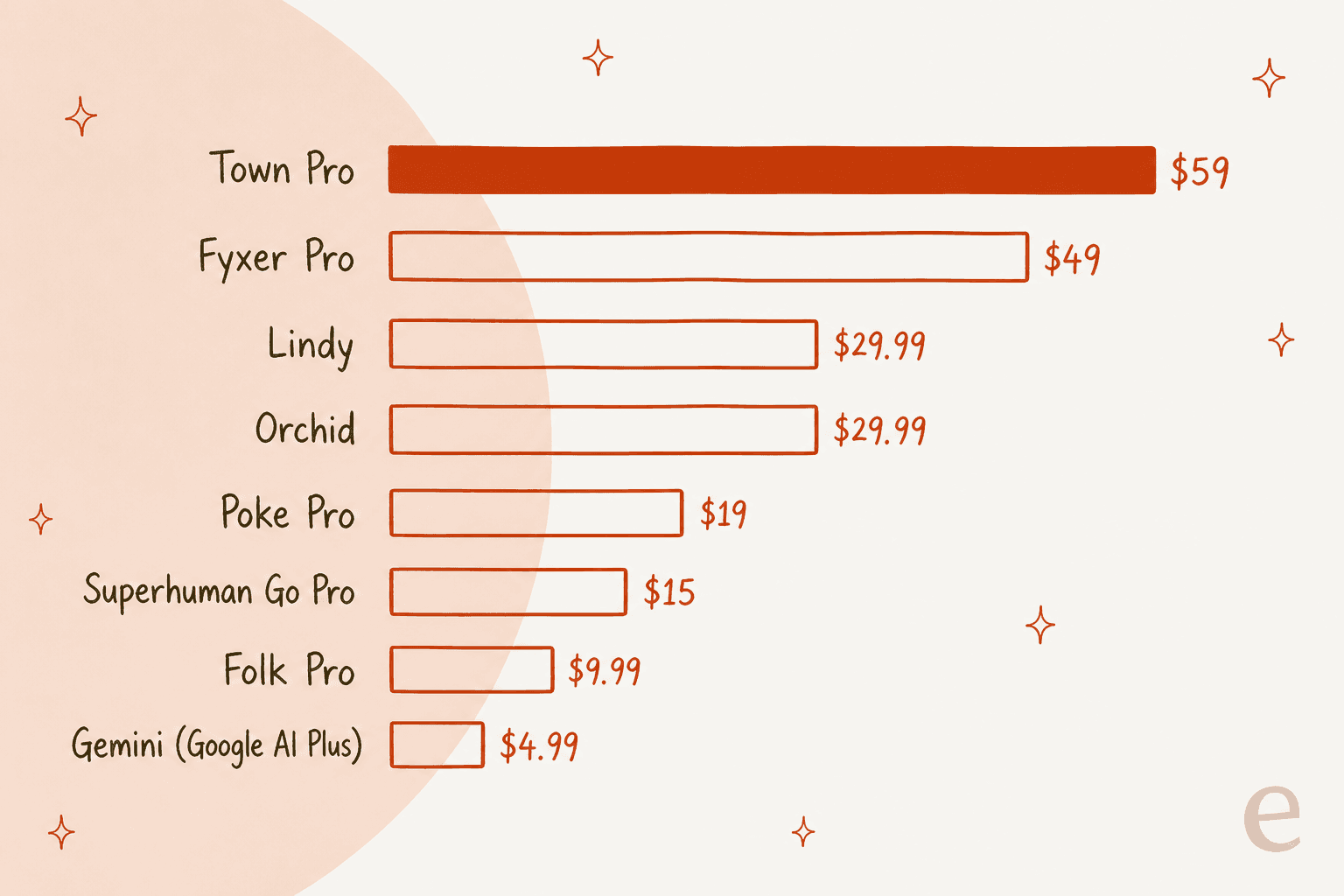
Town Pro is the priciest plan on this chart. Starter at $15 can draft too, but only on a once-a-day schedule. Pro also covers unlimited routines, 61 integrations and assistant-to-assistant work, so if drafts are all you use, you're paying for a lot you don't touch.
Which Town alternative fits you?
Pick the main reason you're leaving Town and the widget shows where I'd go.
Why are you leaving Town?
Pick the one that matters most.
Choose an option above to see my pick.
1. Lindy
Best for: the closest match to Town's routines and approvals, with SOC 2.
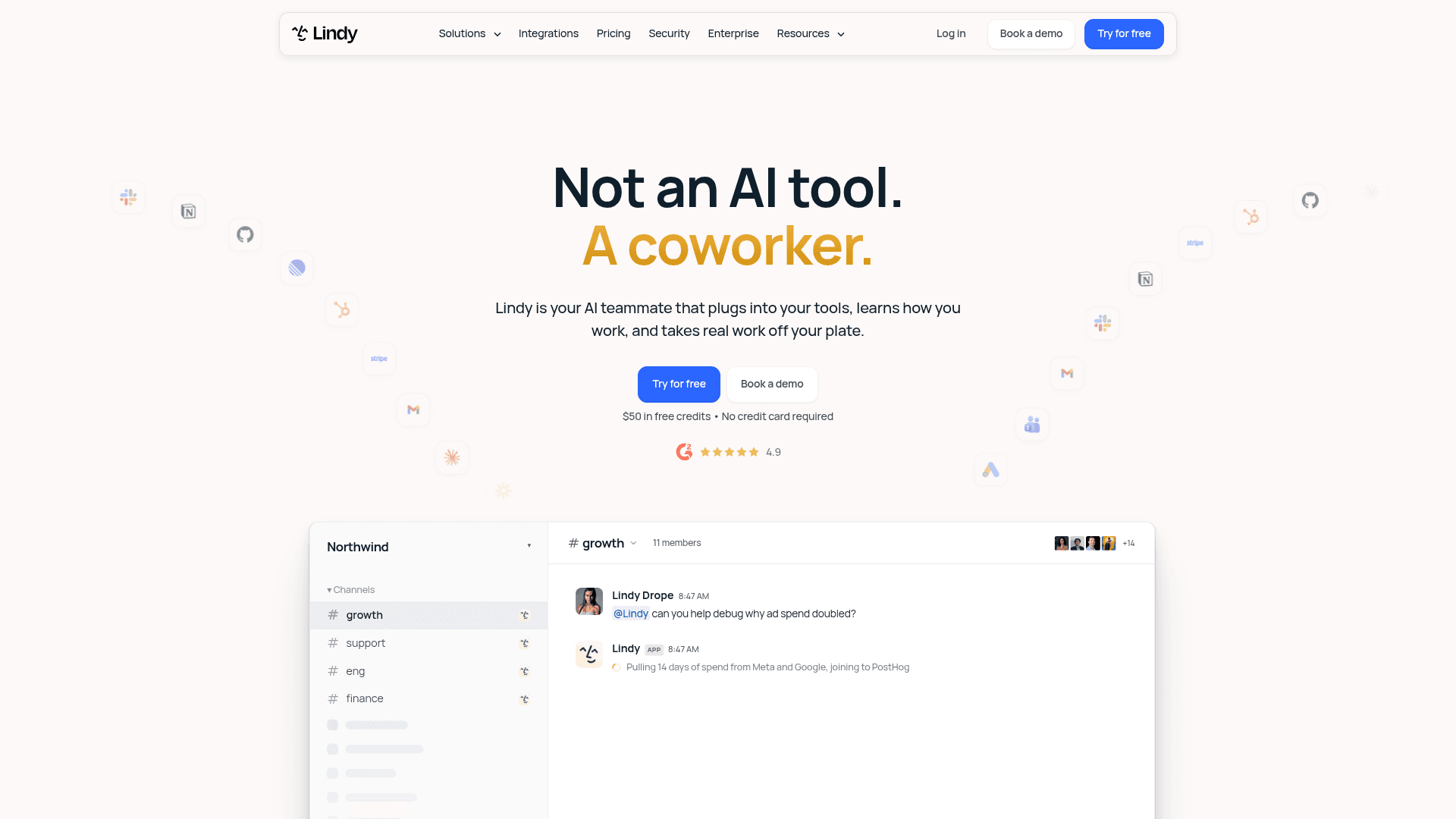
Lindy began as a no-code agent builder and now pitches itself as "your AI teammate that plugs into your tools," per its homepage. Of everything here, it's the one that thinks most like Town: an assistant that reads your inbox, runs on a schedule, and holds anything with outside effects for your approval. You can text it too, and the iMessage and SMS docs promise "No app to install."
Features
- Inbox triage. Lindy labels each incoming email and archives or keeps it based on your rules, per the triage docs.
- Drafts for review. "Every draft lands in your drafts folder for you to review, edit, and send," per the drafting docs.
- Daily briefing and scheduling. Set a morning briefing, book meetings and pull a meeting brief over text, which covers most of what people want from AI scheduling assistants.
- Approvals. Per the pricing FAQ, "Anything with outside impact waits for approval," while read-only lookups run freely.
- Team side. A shared Lindy lives in Slack, with 1,500+ integrations plus MCP.
Pros
- Gmail and Outlook, with 2 to 5 inboxes depending on plan.
- SOC 2 Type II, GDPR and HIPAA listed in the docs, and your data is "never used to train models."
- Billed per active user on the Team plan, not per invited seat.
Cons
- It's credits again. A reply draft costs between 2 and 250 credits, so Lindy doesn't fix the forecasting problem.
- Credits don't roll over, and credit-using actions pause when you run out.
- Its homepage still mentions Pro and Max plans while the pricing page shows Team, so expect the naming to keep moving.
"I managed to kill my months credits (3000) in one day!"

Pricing
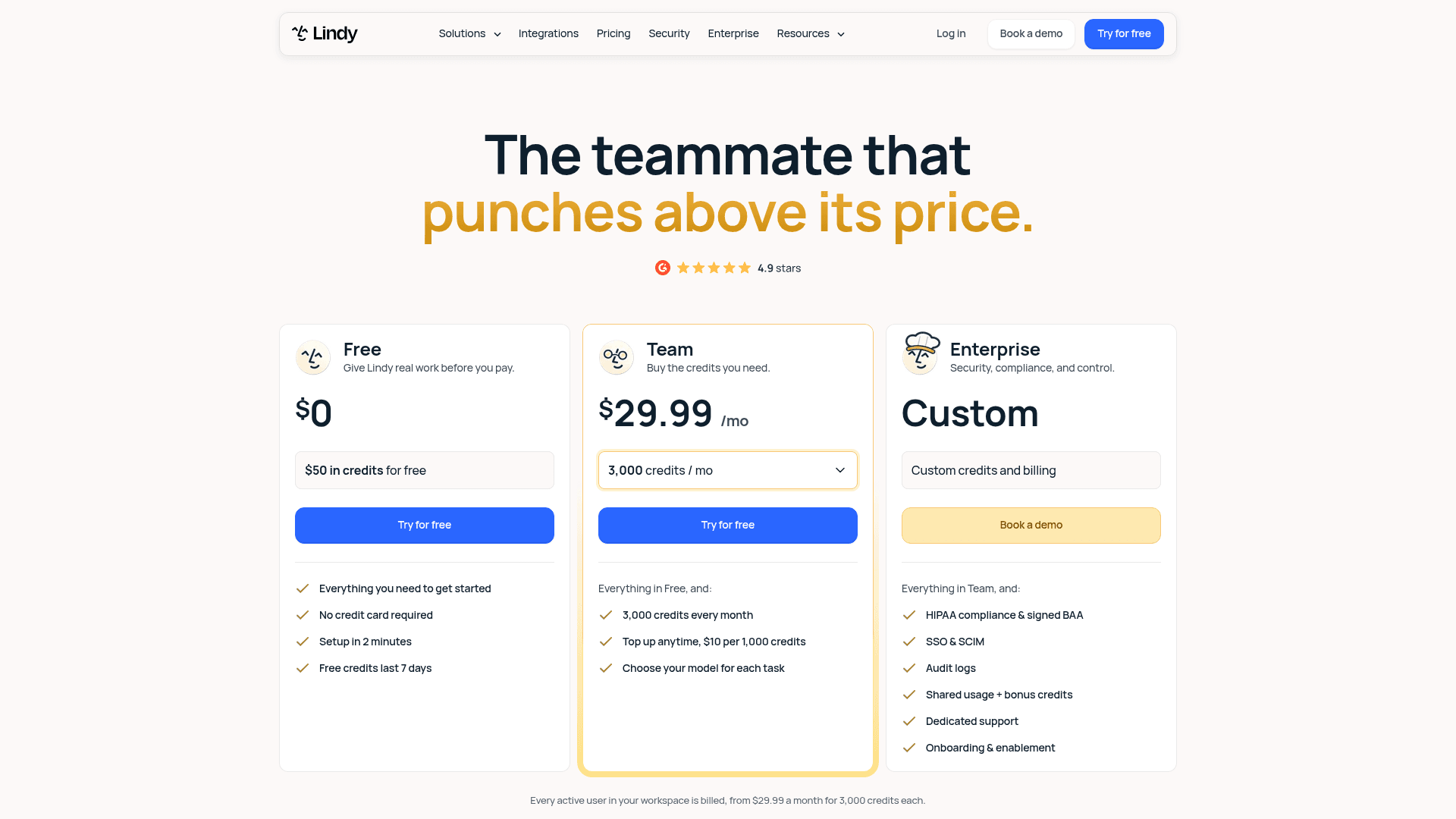
| Plan | Price | What you get |
|---|---|---|
| Free | $0 | $50 in credits, no card, credits last 7 days |
| Team | From $29.99/mo per active user | 3,000 credits a month, top-ups at $10 per 1,000 |
| Team (higher tiers) | $49.99 for 5,000 credits, $99.99 for 15,000 | Same features, more credits |
| Enterprise | Custom | HIPAA with BAA, SSO and SCIM, audit logs |
Prices from Lindy's pricing page. My Lindy alternatives list tracks how the plans keep changing.
My take: Lindy is the pick if you like how Town works but need a compliance answer or per-user billing for a team. Skip it if the credit meter is why you're leaving Town. The deciding factor is whether you want routines you build, or an assistant that learns them from your sent mail.
2. Fyxer
Best for: people who want AI drafts in their inbox but never want it to send.
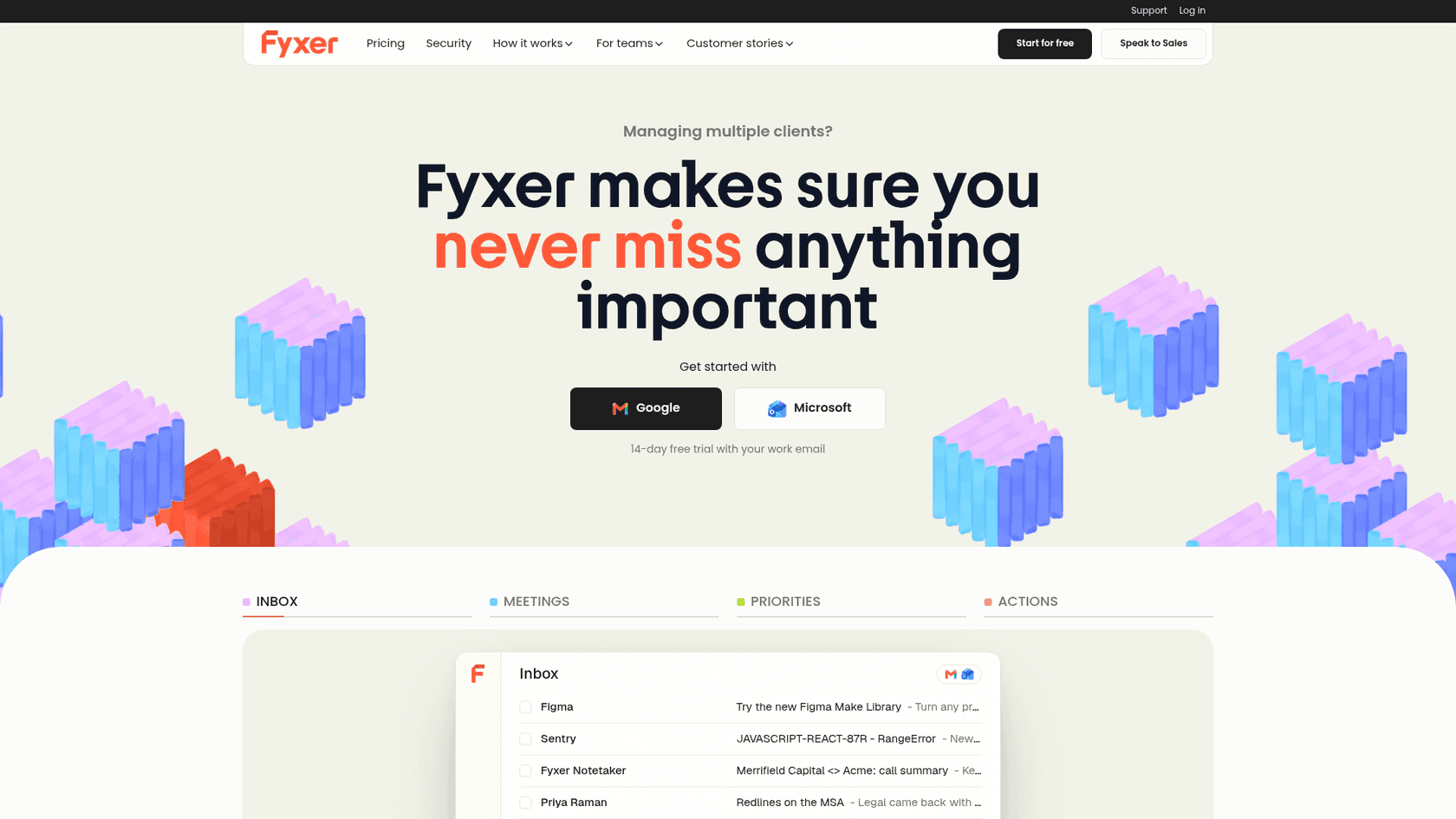
Fyxer works inside Gmail or Outlook rather than in a separate app. It came from the team behind an executive assistant agency, per its Trustpilot profile, and it does what a human EA does first: sort, draft and take meeting notes. Town's Auto-inbox routine is the closest thing Town has to it. My Fyxer AI reviews piece goes deeper.
Features
- Inbox sorting. Every email gets a label like "To Respond," "FYI" or "Marketing."
- Drafts in your tone. Replies are drafted on Pro and up, not on the free plan.
- Meeting notes. It records Zoom, Google Meet and Teams calls, asking participants first. Compare it with a meeting notes app if notes are the main draw.
- Never sends. "Fyxer will never send an email on your behalf," per its security page.
- MCP. On Team and up, your Fyxer context is available inside Claude and ChatGPT.
Pros
- The strongest compliance list here: SOC 2 Type II, ISO 27001, HIPAA and GDPR.
- A 4.0 Trustpilot rating from 743 reviews, the deepest review base on this list. Town has none yet.
- Sorting costs 0.2 credits per email, so the meter is easy to reason about.
Cons
- No routines beyond briefings and sorting. You won't get Town's custom jobs.
- The free plan doesn't draft or sort.
- Pro drops from unlimited credits to 3,000 a month after the first 3 months.
"I love the note taking for meetings. It has been much harder than expected to adjust to the email process."
Pricing
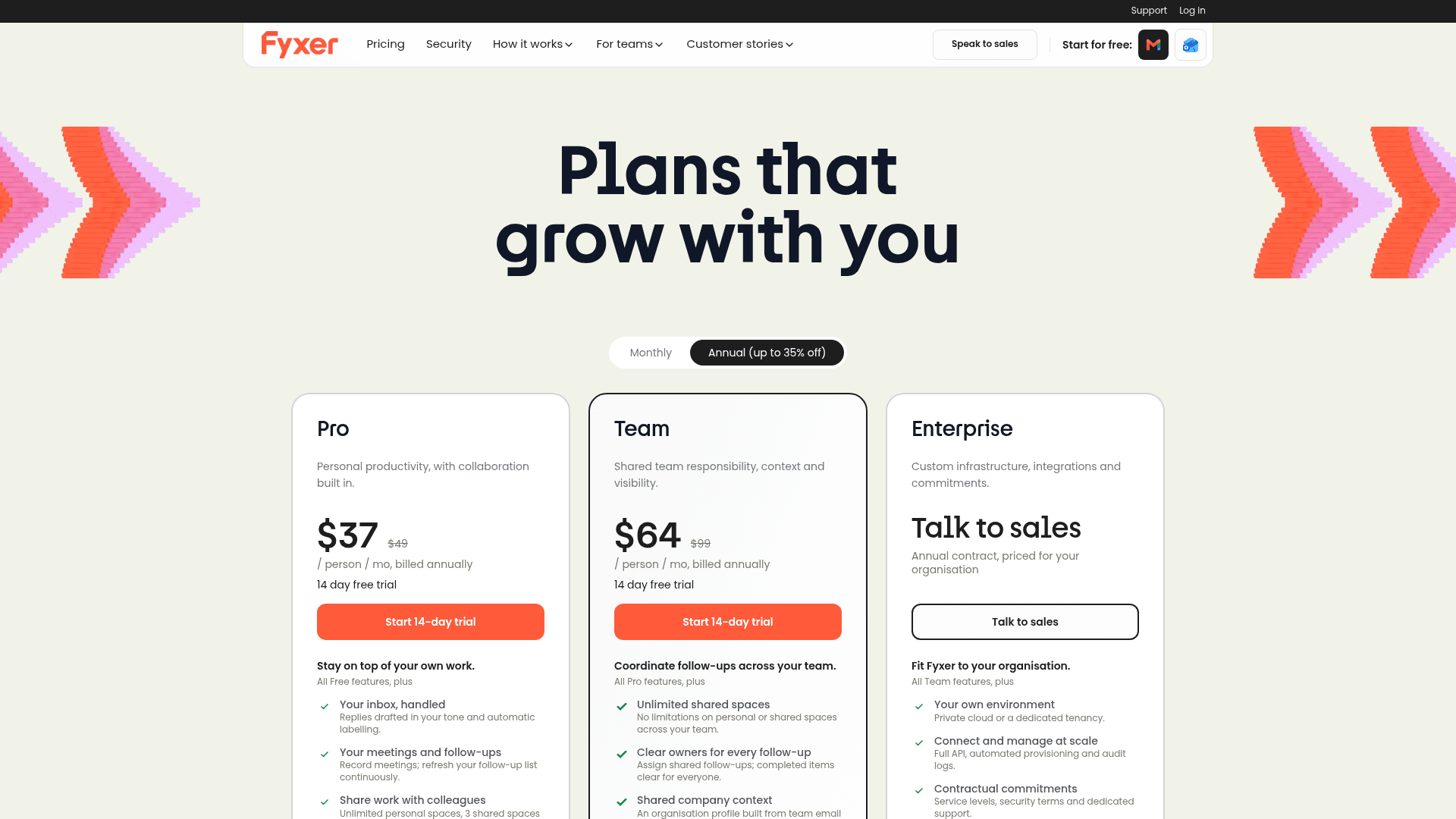
| Plan | Annual | Monthly | What you get |
|---|---|---|---|
| Free | $0 | $0 | 400 credits a month, weekly email briefing, no drafts or sorting |
| Pro | $37/user | $49/user | Drafts, sorting, notes; unlimited credits for 3 months, then 3,000 a month |
| Team | $64/user | $99/user | Shared spaces, several inboxes, 6,000 pooled credits per member |
| Enterprise | Custom | Custom | SSO, SCIM, audit log, regional data, 50-user minimum |
Prices from Fyxer's pricing page. The Fyxer AI pricing guide has the credit math.
My take: Fyxer is the pick if Town's approval setting felt like one toggle away from risk and you want a tool that can't send at all. Skip it if you use Town for routines beyond the inbox. The deciding factor is whether your assistant is an inbox sorter or a doer.
3. Superhuman Mail
Best for: people whose day is mostly email and who want speed plus AI drafts.
Superhuman Mail is an email app for Gmail and Outlook. The company used to be Grammarly and now runs as Superhuman Platform Inc., per its privacy policy. Where Town is an assistant you delegate to, Superhuman makes you faster at doing it yourself, with AI drafting the first pass.
Features
- Auto Drafts. Replies and follow-ups "written in your voice and tailored to each thread," per the help center, synced back to Gmail or Outlook.
- Scheduling drafts. When someone asks to meet, it drafts a reply with times and a booking link.
- Auto Labels and Split Inbox. Marketing, cold pitches and social updates get sorted away.
- Ask AI. Search your inbox, calendar and the web in plain language.
- Mail MCP. On Business, Claude and ChatGPT can search, draft and send through your inbox.
Pros
- The most polished email client here, with Mac, Windows, iOS and Android apps.
- AI providers are "contractually" barred from training on your data, per the Mail AI page.
- A 4.7 rating on G2 from 1,313 reviews.
Cons
- Auto Drafts and Ask AI need Business, not Starter.
- No scheduled briefings like Town's Morning Briefing or Meeting Briefing.
- One G2 reviewer found auto-respond reads only part of a thread:
"The AI auto-respond feature also needs work. Drafting and rewriting emails with AI works well, but auto-respond only seems to look at the most recent message in a thread rather than the full context of the conversation."

Pricing
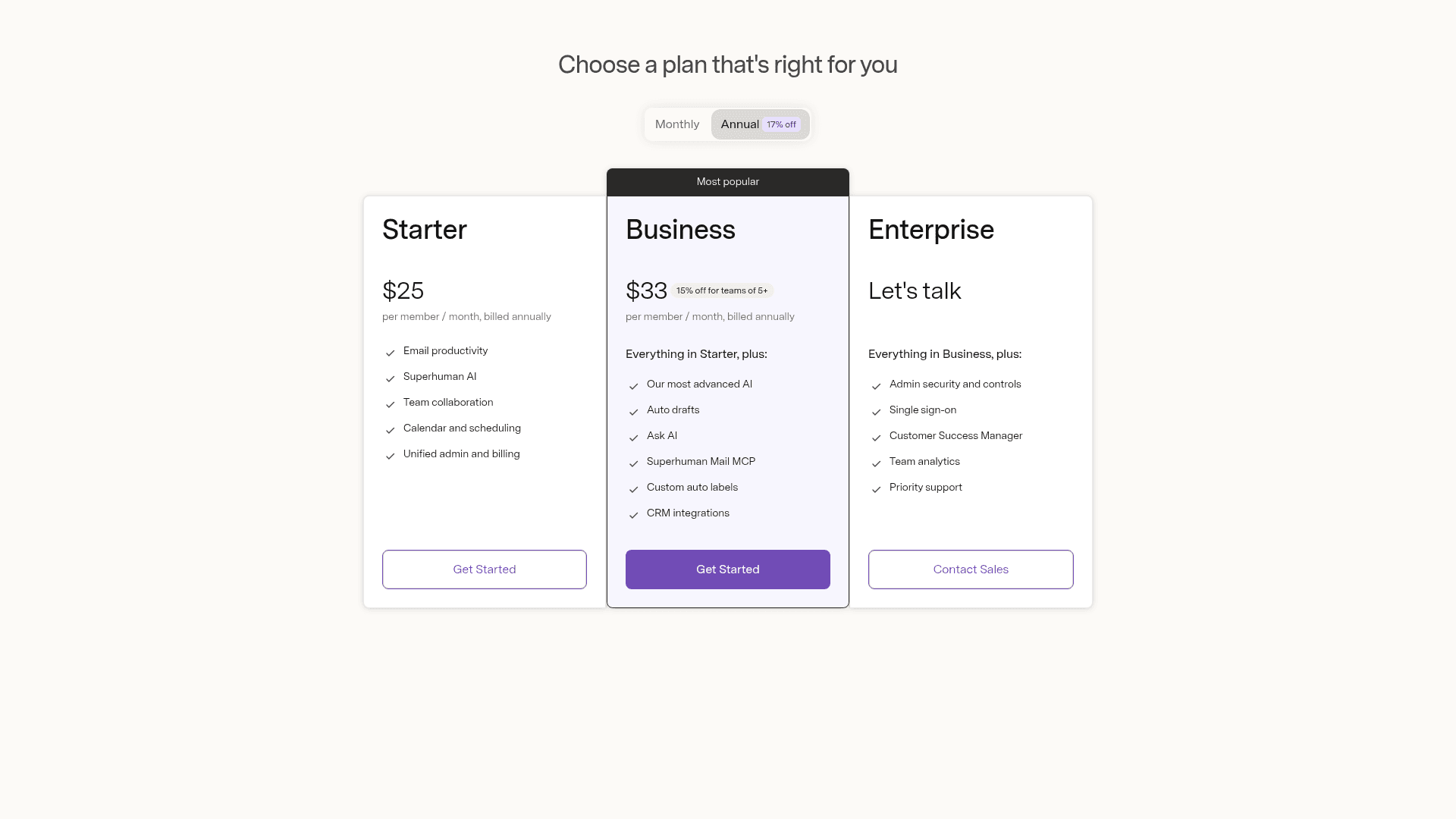
| Plan | Price | What you get |
|---|---|---|
| Go Free | $0 | Grammarly basics and chat; no Email Assistant, no Mail |
| Go Pro | $12/mo annual, $15/mo monthly | Email Assistant drafts and clears clutter in Gmail or Outlook |
| Mail Starter | $25/member/mo annual | Mail app, Superhuman AI, calendar and scheduling |
| Mail Business | $33/member/mo annual | Auto Drafts, Ask AI, Mail MCP, custom Auto Labels |
| Enterprise | Custom | SSO, advanced security, success manager |
Prices from Superhuman's pricing page and the Go plans page.
My take: Superhuman is the pick if you liked Town's drafts but never used its routines. Skip it if you want something to run errands while you sleep. The deciding factor is whether you want to delegate email or get through it faster.
4. Gemini in Gmail
Best for: people already paying for Google who want most of the inbox help for much less.
Town learns from your Gmail, so Google's own assistant is the obvious comparison. The Ask Gemini panel summarizes threads, drafts emails, searches your inbox, proposes meeting times and creates events. I wrote up the pieces separately, like Help me write and thread summaries.
Features
- Inbox actions. Archive, delete, label and star, but never until you confirm, with a 60-second undo.
- Daily Brief. A morning rundown drawn "primarily from your Gmail, Calendar, and Gemini chats," per the Daily Brief help page. It's the nearest thing to Town's Morning Briefing.
- Scheduled actions. Up to 10 recurring prompts, like a daily digest of your calendar and email.
- Gemini Spark. A background agent on Pro and Ultra that works "across Gmail, Docs, Sheets, and Calendar" and asks before sending, per the Spark page.
Pros
- The cheapest paid entry here at $4.99 a month.
- Google says Gemini in Gmail "doesn't use your content to train or improve Gemini," per its data page.
- No new vendor to vet if your company already runs on Workspace. My Gemini for Workspace guide covers the rollout.
Cons
- Gmail and Google Calendar only. If you used Town with Outlook, this doesn't help.
- No wiki or memory of your working style that you can read and edit.
- Daily Brief is US-only, English-only and personal accounts only. Spark is experimental and unavailable in the EEA, Switzerland and the UK.
Pricing
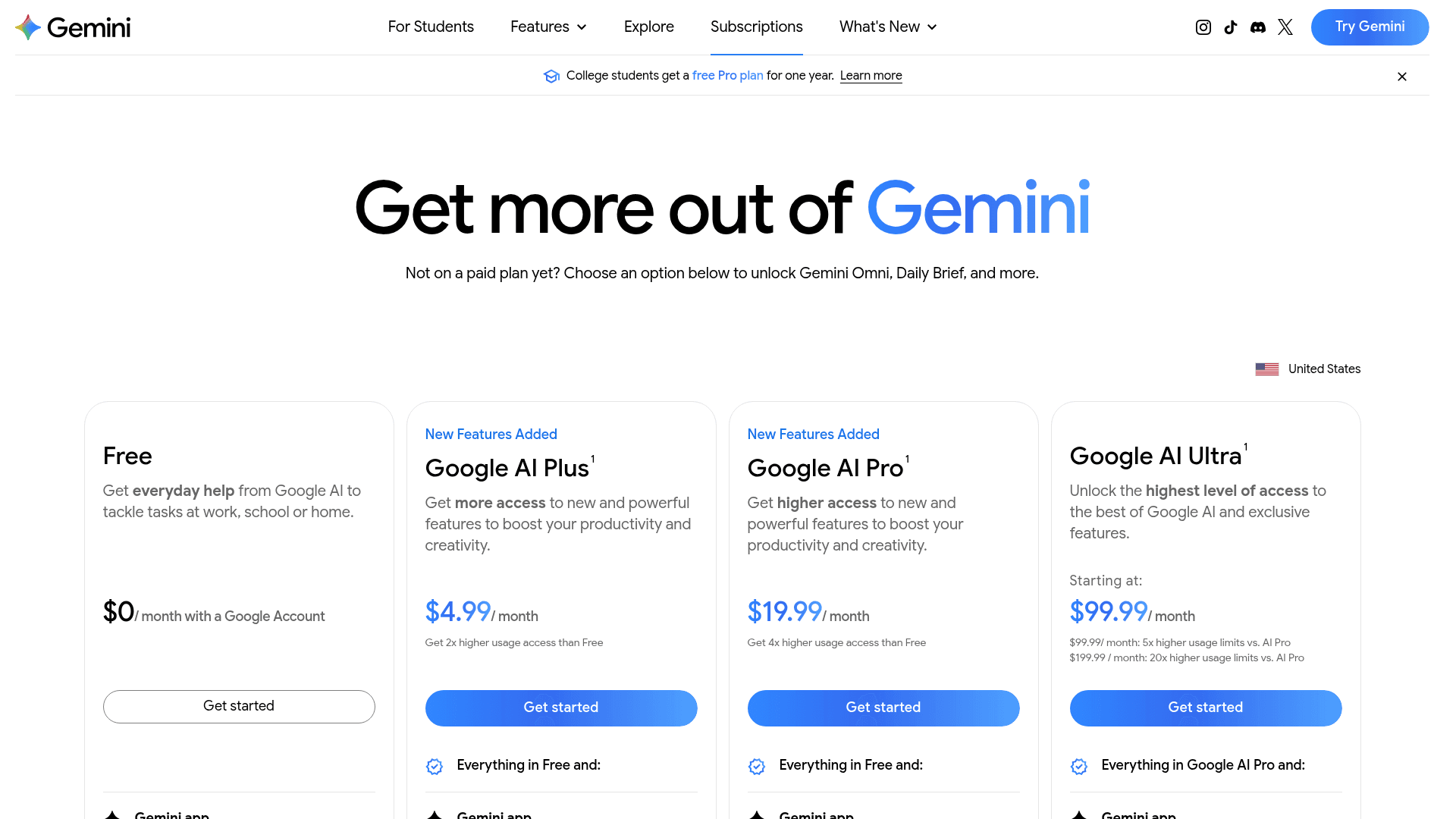
| Plan | Price | Gemini for email |
|---|---|---|
| Free | $0 | Gemini app; the Gmail side panel needs a paid plan |
| Google AI Plus | $4.99/mo | Gemini in Gmail, Daily Brief |
| Google AI Pro | $19.99/mo | Gemini in Gmail and Docs, Daily Brief, Spark |
| Google AI Ultra | From $99.99/mo | Highest limits, first access to Spark |
| Workspace Business Starter | $7/user/mo annual | Gemini in Gmail, limited in other apps |
| Workspace Business Standard | $14/user/mo annual | Gemini across Gmail, Docs, Meet and more |
Prices from Google AI plans and Workspace pricing. My Gemini Workspace pricing guide covers the business tiers.
My take: Gemini is the pick if you're on Google, mostly used Town for drafts and briefings, and want a tenth of the bill. Skip it if Town's routines and 61 integrations were the point. The deciding factor is how much of Town you actually used last month.
5. Orchid
Best for: a flat monthly price and an assistant you text over iMessage.
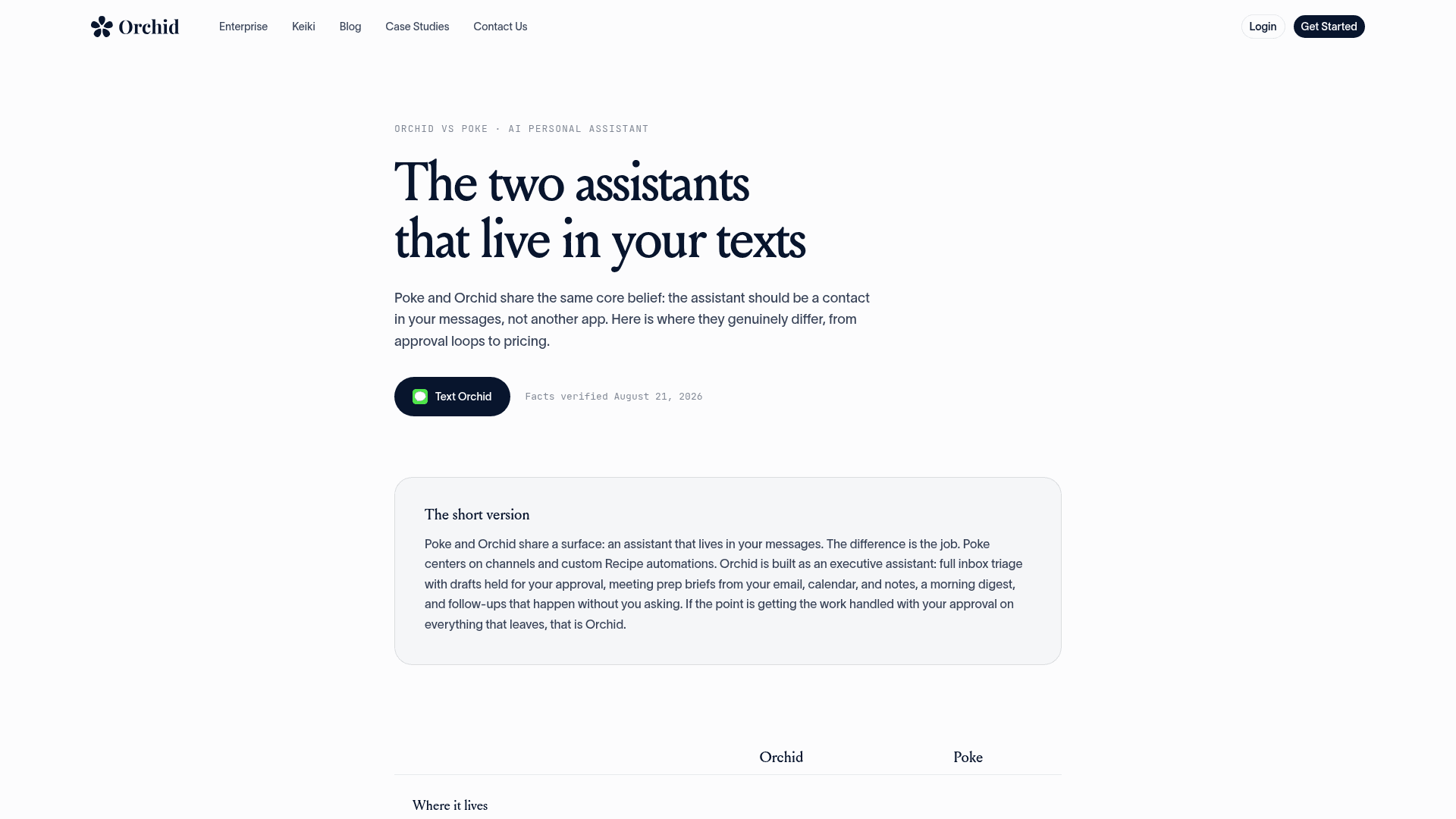
Orchid is an executive assistant that lives in iMessage, built on Gmail and Google Calendar. It's the most Town-like of the texting assistants: it triages your inbox, drafts replies in your voice, sends a morning digest and preps you before calls. By default, replies stay as drafts until you send them, per its FAQ. My Orchid AI review has the full rundown.
Features
- Inbox triage and drafts. Orchid sorts your Gmail and drafts replies over text for you to approve.
- Morning digest. A daily rundown of what needs you.
- Meeting prep. Briefs before calls, with Granola notes if you use it.
- Calendar holds. Proposed times wait for your OK before they're booked.
Pros
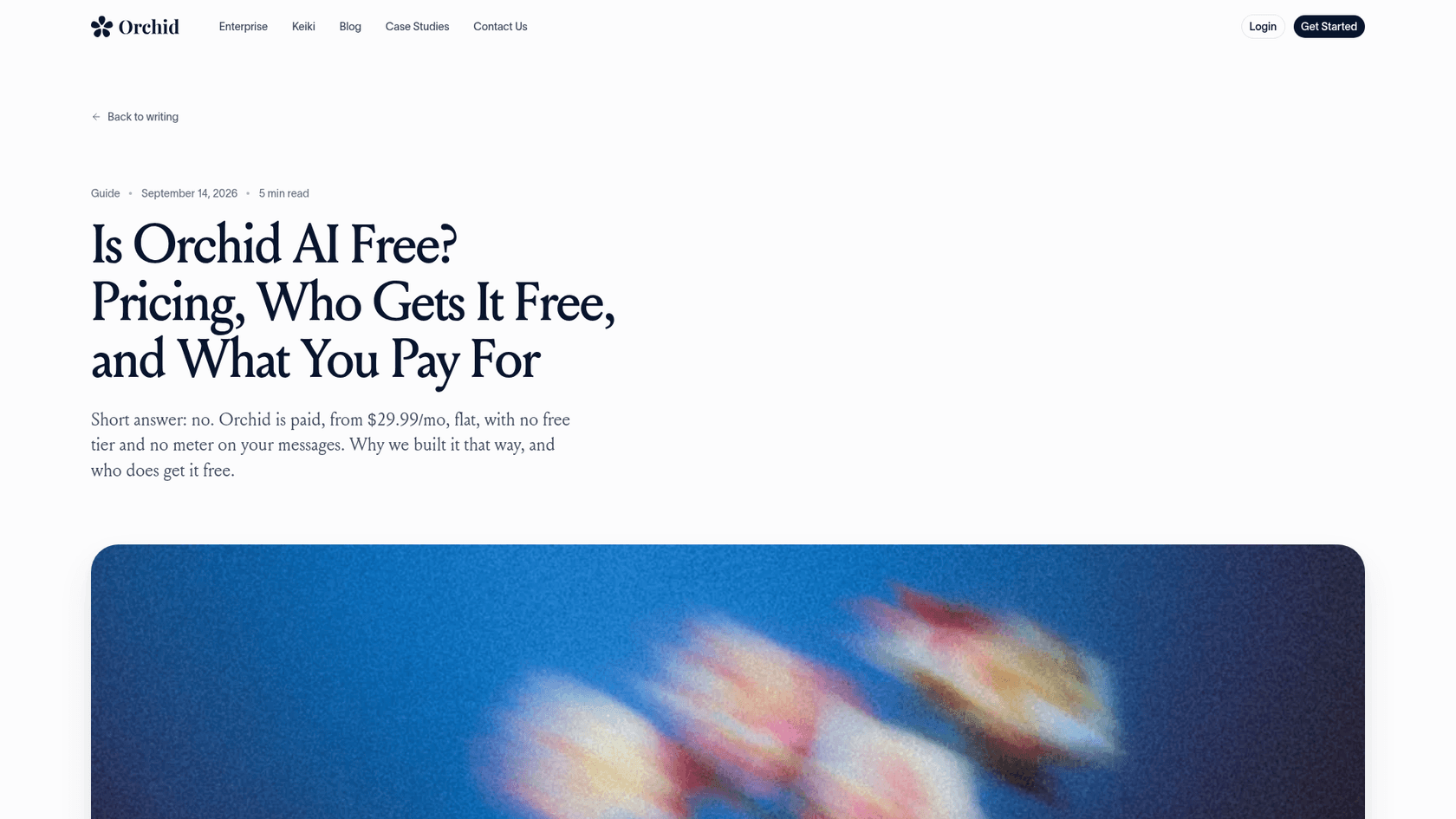
- Flat pricing: "paid, from $29.99/mo, flat, with no free tier and no meter on your messages," per its pricing post. That's the direct answer to Town's credit meter.
- A 30-day money-back guarantee, where Town has no refunds.
- Approval on everything that leaves, the same default Town ships with.
Cons
- Gmail and Google Calendar only. Outlook isn't supported yet.
- The privacy policy says "We may train your personal model on your data," and there's no SOC 2 claim. Town states SOC 2 Type 2.
- Far fewer confirmed integrations than Town's 61.
Pricing
| Plan | Price | What you get |
|---|---|---|
| Orchid | $29.99/mo, flat | Inbox triage, drafts, digest, meeting prep, no message meter |
| Students | 3 months free | Same plan |
| YC founders | 3 months free | Same plan |
Prices from Orchid's pricing post. If Orchid is close but not right, see my Orchid AI alternatives list.
My take: Orchid is the pick if Town's credit meter is the only thing you dislike and you live in Gmail. Skip it if your work mail is on Outlook or your employer needs a SOC 2 report. The deciding factor is whether a fixed $29.99 beats Town's broader feature set.
6. Poke
Best for: one texting assistant across email, calendar and the rest of your apps.
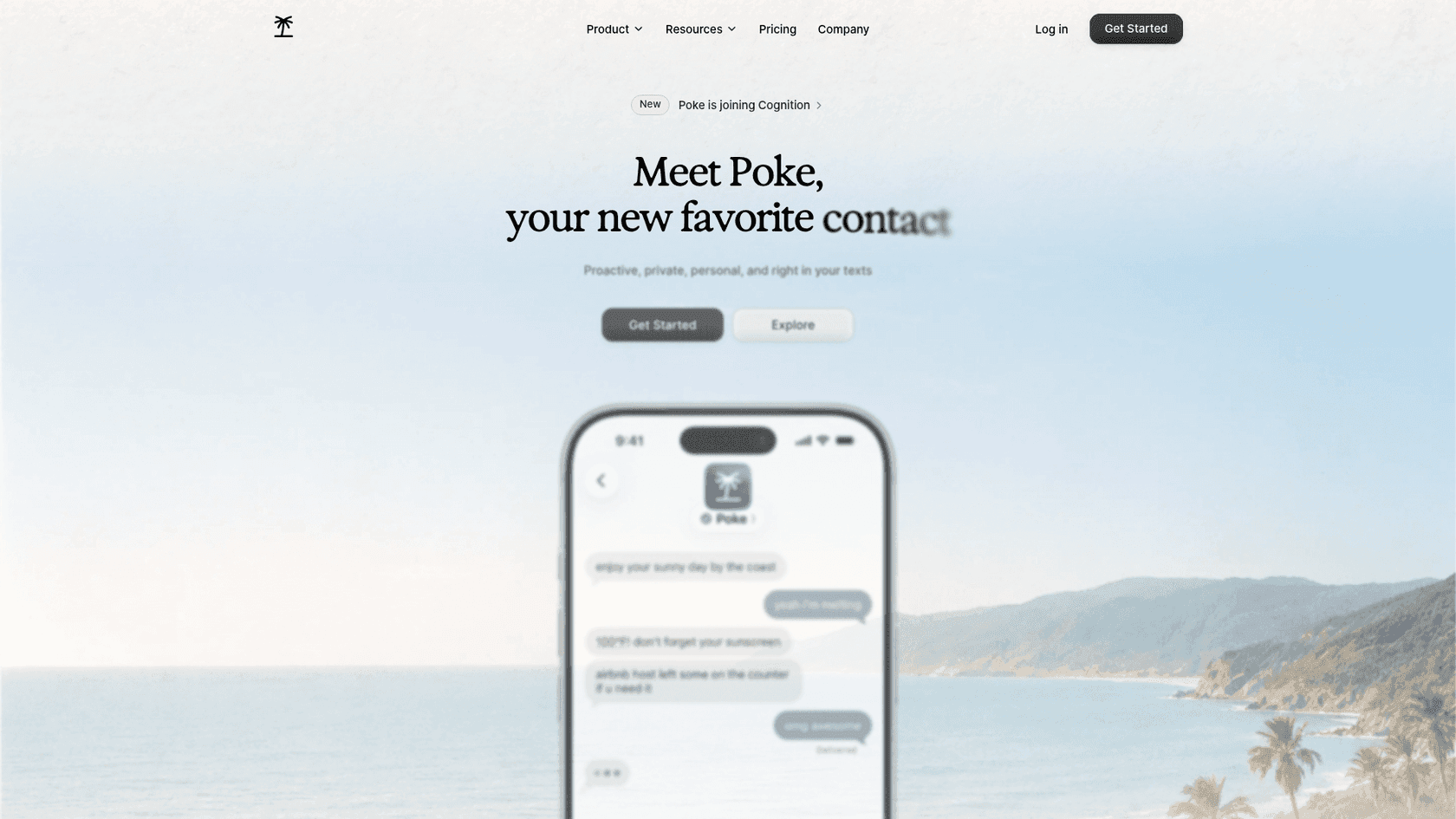
Poke calls itself "Proactive, private, personal, and right in your texts." It's changing owners: Cognition announced it's acquiring Poke's maker and says users "can continue using the product just as before." Cognition also reports 100M+ messages in three months, which is a lot of traction for a texting assistant.
Features
- Channels. iMessage, WhatsApp and Telegram, plus voice messages.
- Email and calendar. The FAQ promises "full support for Gmail and Outlook inboxes, calendars, and contact sync."
- Gmail recipe. Its Gmail recipe can "Search, draft, and send emails with label management and inbox organization."
- Integrations. Notion, Linear, Todoist, Asana, GitHub and more, plus custom ones through MCP.
- Poke Human. On Ultra, real-world tasks like reservations can go to a human operator.
Pros
- A permanent free plan that still connects email and calendar.
- Recipes cover a lot of what Town's routines do, with more non-email tools.
- The free plan never stops replying. It just switches to a lighter mode until your allowance resets, per the usage docs.
Cons
- Poke's pages don't state an approval-before-send default. Check the settings before connecting a real inbox.
- The privacy notice says data is used "to train our artificial intelligence models" unless you choose Maximum Privacy.
- No SOC 2 claim on the pages I read.
"Just had the most surreal onboarding experience from Poke by @interaction ... this thing is extremely impressive. Feels like the actual AI assistant I have been waiting years for."
Pricing
| Plan | Price | What you get |
|---|---|---|
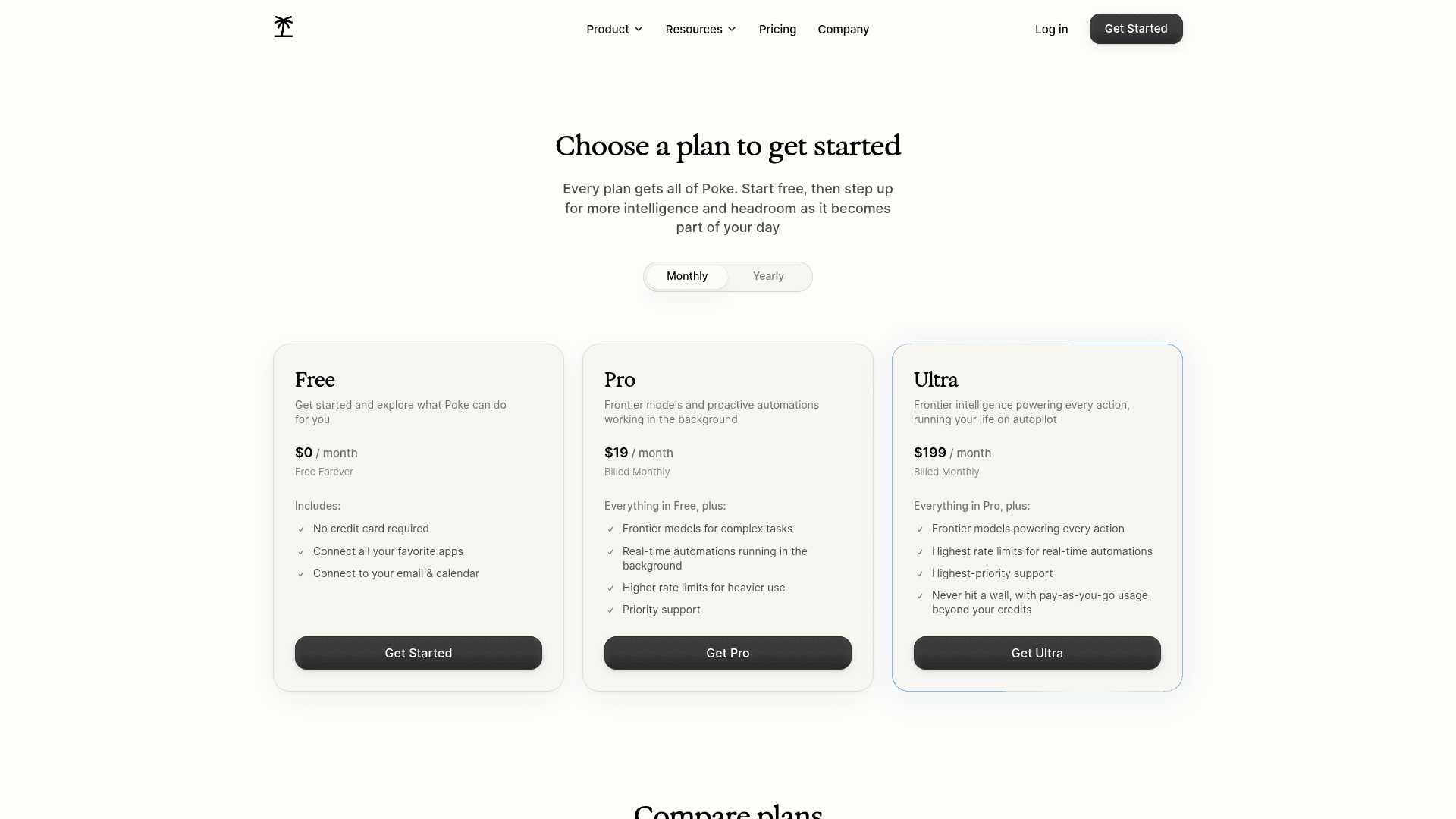
| Free | $0, no card | All apps, email and calendar; lighter mode after the allowance |
| Pro | $19/mo | Frontier models, real-time background automations, higher limits |
| Ultra | $199/mo | Frontier models on every action, Poke Human, pay-as-you-go beyond credits |
Prices from Poke's pricing page.
My take: Poke is the pick if you want Town's breadth for less and prefer texting to a web app. Skip it if Town's approval defaults were the reason you trusted it with your inbox. The deciding factor is whether you'll switch on Maximum Privacy.
7. Folk
Best for: the lowest price, or a free plan that still handles email.
Folk is "just a contact in the messages app you already use," built by Nozomio, a San Francisco lab with a $6.2M seed led by CRV. One naming warning: folk.app is a different company that sells a sales CRM, and G2 reviews for "folk" are about that CRM. My Folk AI assistant review covers the details.
Features
- Email. It connects "Gmail and Outlook via one-click OAuth," surfaces what matters and "drafts replies in your voice," per its email page.
- Approval. "You approve; folk sends."
- Read-only mode. The privacy policy lets you connect Google read-only, so it "can see but never send, edit or delete."
- Watchers and briefings. Background watchers and a morning briefing, the nearest match to Town's routines.
Pros
- The free plan has "unlimited chatting," every feature and "no message cap."
- Pro is about a sixth of Town Pro on monthly billing.
- A plain "we never use your data to train AI models" stance.
Cons
- It leans personal: habits, gym check-ins and wake-up calls sit beside email.
- Only Google Calendar is stated, not Outlook Calendar.
- Almost no independent reviews yet.
"What are the things that can be achieved by folk but cannot be done by OpenClaw or Hermes? If there are a few useful things, I will consider to switch"
Pricing
| Plan | Price | What you get |
|---|---|---|
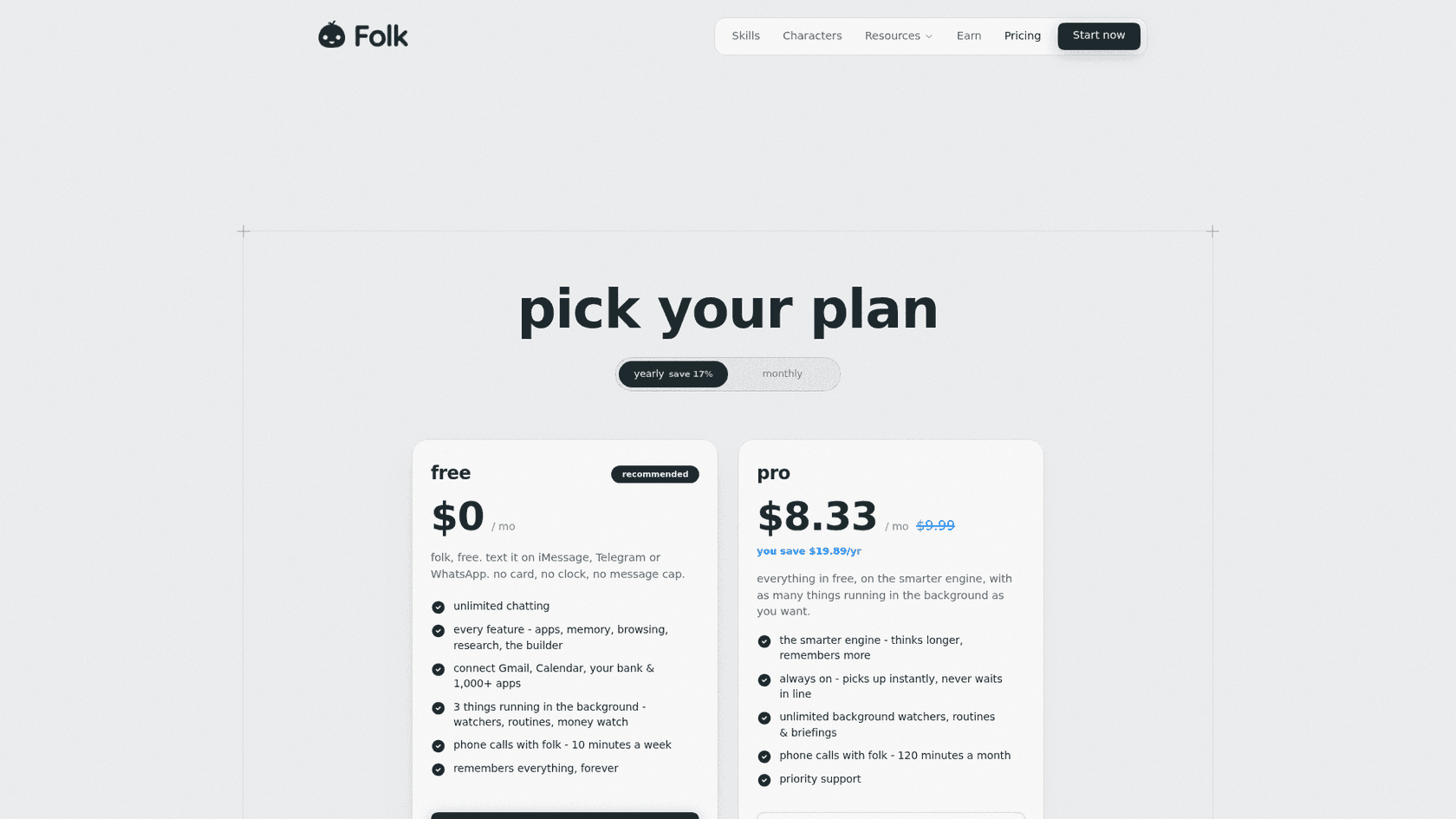
| Free | $0, no card | Unlimited chat, every feature, 3 background tasks, 10 minutes of calls a week |
| Pro | $9.99/mo, or $99.99/yr ($8.33/mo) | Smarter engine, unlimited watchers and briefings, 120 call minutes a month |
Prices from Folk's pricing page. See my Folk AI assistant alternatives if it's close but not right.
My take: Folk is the pick if Town's price was the problem and you mostly want a tidy inbox and reminders. Skip it if you used Town for work meeting prep and CRM updates. The deciding factor is whether you need a work assistant or a personal one that also does email.
What it costs to give a whole team one
Town's team plans are where the price gap gets real. Here's a 5-person team on each tool's team plan, per month:
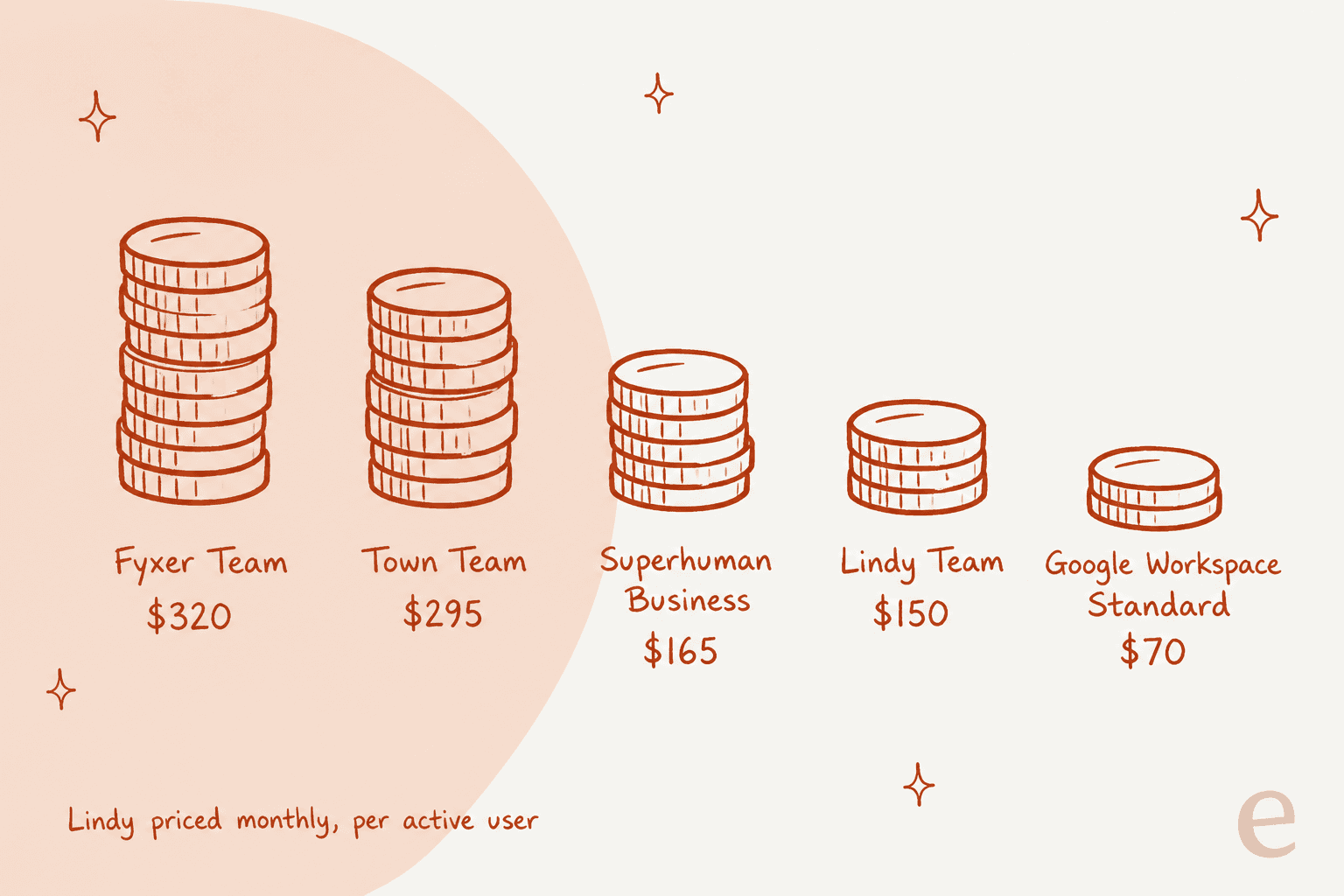
Town Team is $59 per seat on annual billing with 6,000 credits per seat pooled, per its pricing page. That puts it near Fyxer Team and roughly double Lindy or Superhuman Business. The pool is generous, but remember there are no per-member limits, so plan for your heaviest user.
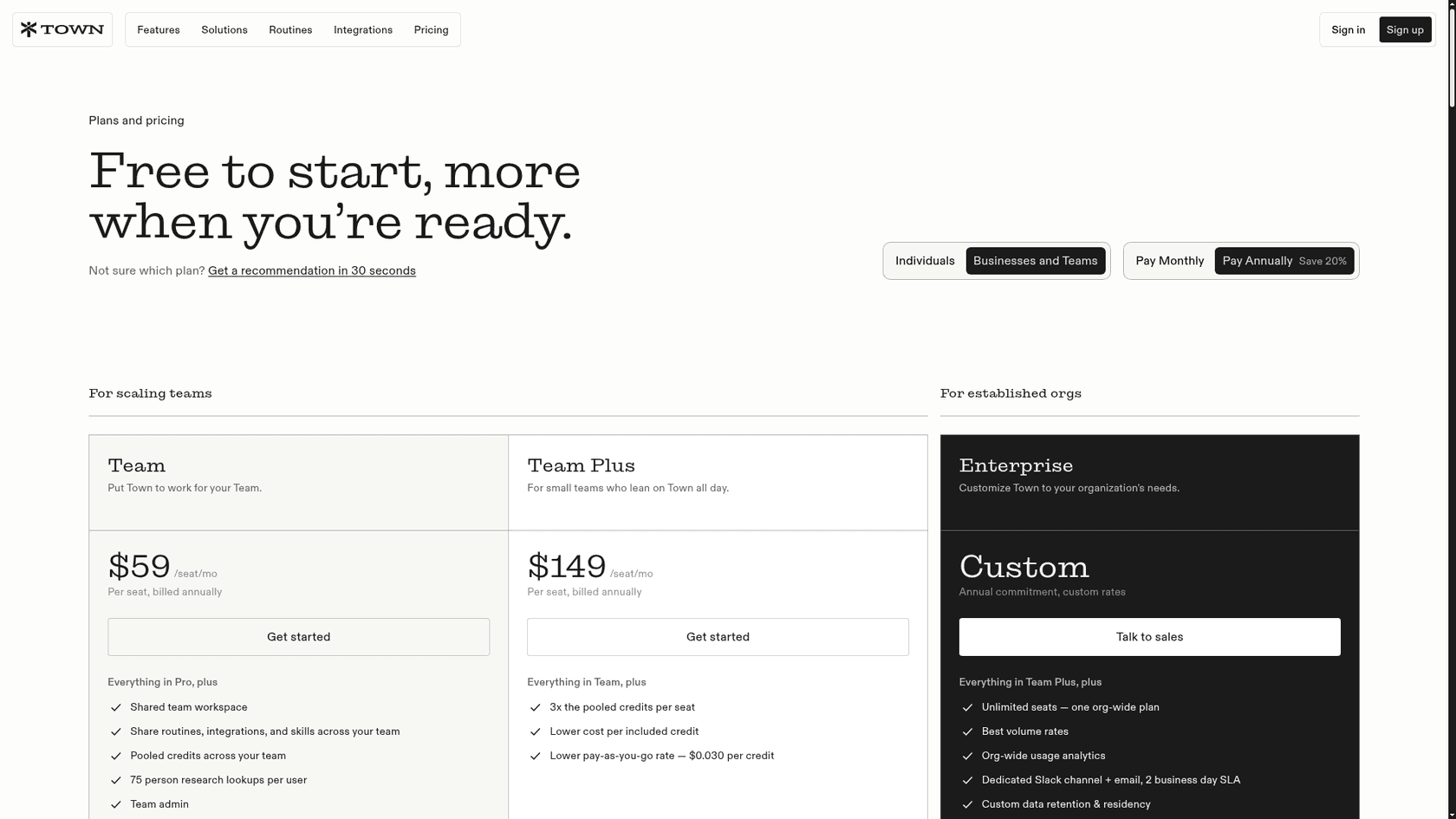
Every one of these is still a personal assistant per seat, though. Five seats means five assistants, each working one person's inbox.
When the inbox isn't yours
Some people searching "Town alternatives" are really trying to solve a team problem: the support@ inbox, or the customer emails in Front. Town added a Front integration in August through Front's official MCP server, and it's useful for a founder who answers a few customers between meetings. But per Town's own FAQ, sending, assigning, tagging and status changes wait for approval every time, and each teammate connects their own Front account.
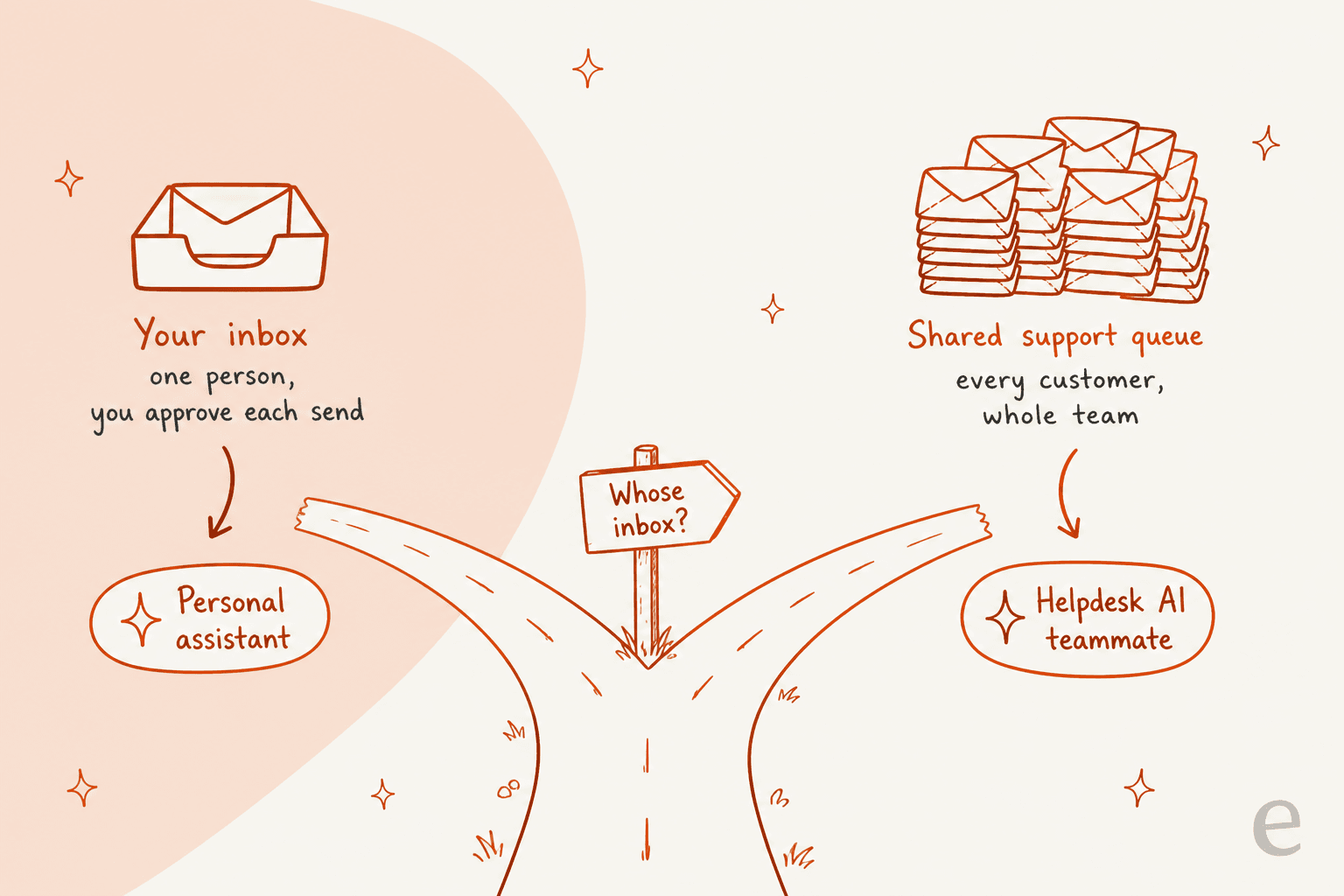
I see this pattern in eesel's sales calls. One ops lead at a DTC supplements brand, running about 7,000 Gorgias tickets a month, came in looking for a drafting copilot. By the end of the call they'd worked out that they needed AI to answer at least half the email volume on its own, because the team couldn't keep up with drafts to review. No personal assistant on this list is built to take that step.
That's the job eesel was built for. Its AI helpdesk teammate connects once to a helpdesk like Front or Zendesk, learns from the replies your agents already sent, and can draft for review or answer on its own as trust builds.
If you're weighing the options, my guides to Front AI and MCP for support cover the other routes, including Front's own automation.
My verdict on Town AI alternatives
Town is still the assistant I'd hand a busy founder first, because the editable wiki fixes the setup problem every other tool here has. If you're leaving, leave for a reason:
- The bill: Orchid for a flat $29.99, Folk or Gemini for the lowest price.
- Control: Fyxer, because it can't send.
- Compliance or a team: Lindy, with SOC 2 Type II and per-user billing.
- Speed in your own inbox: Superhuman Mail.
- Breadth over texting: Poke, with Maximum Privacy switched on.
If you're not sure, my AI email assistants roundup and the AI personal assistant explainer cover the wider field.
Try eesel for the customer inbox Town can't own
If the inbox you wanted a Townie for belongs to your customers, try eesel's AI helpdesk teammate. It plugs into Front, Zendesk or Freshdesk once for the whole team, learns from your past tickets, and you can run it against last week's tickets before it answers anyone.
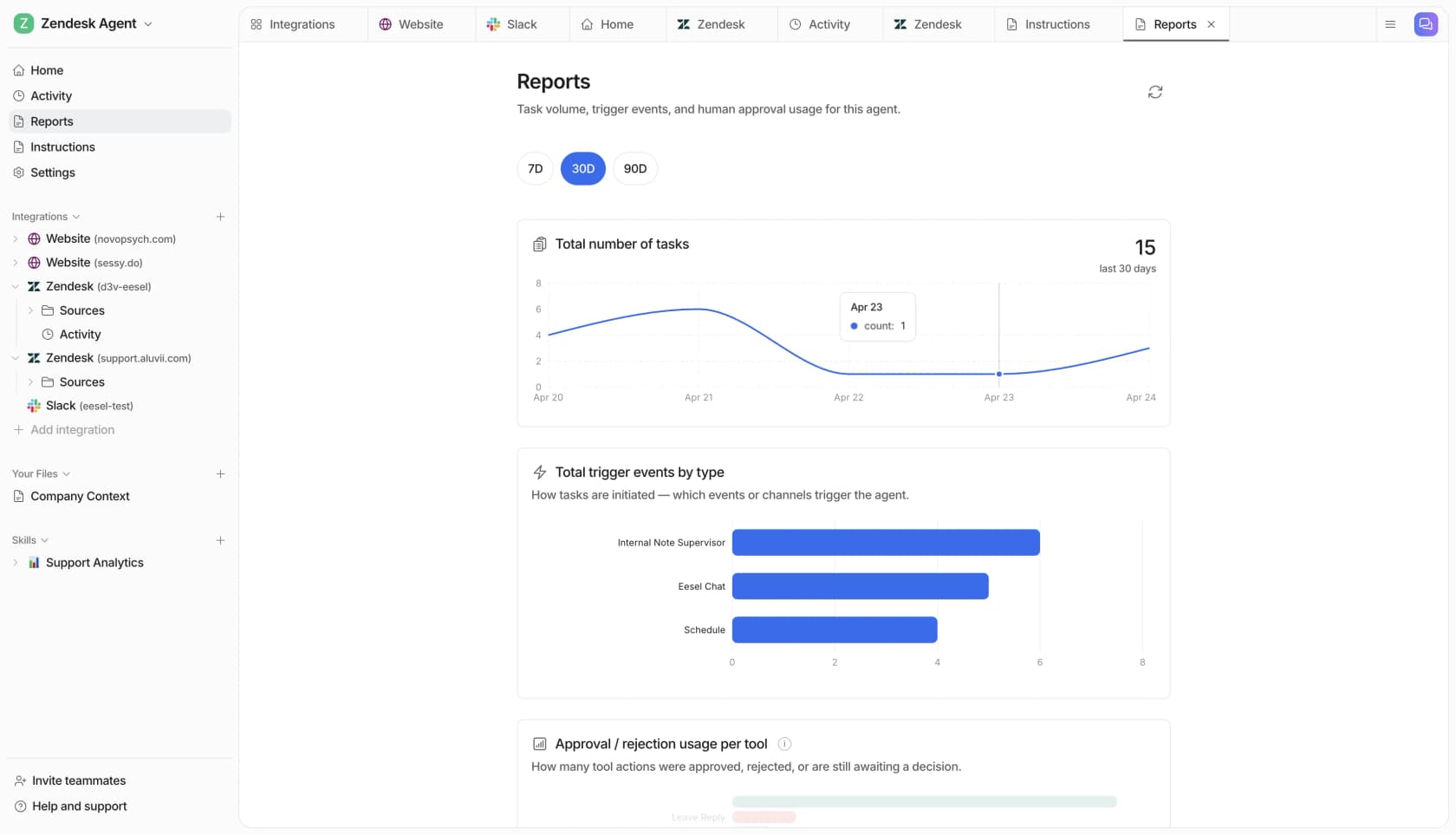
Pricing is simple to forecast: per the eesel pricing page, a ticket or chat is 1 credit, the free plan includes 100 credits, and 500 credits are $299 a month. Try eesel on your Front queue and see how much it would have answered.
Frequently Asked Questions
What are the best Town AI alternatives?
Lindy is the closest match, with routines, approvals and SOC 2. Fyxer suits people who never want AI to send. Gemini in Gmail is the cheapest at $4.99 a month, and Orchid or Folk work if you want to text your assistant. My best AI assistants roundup covers the wider field.
Is there a cheaper alternative to Town AI?
Yes. Town Pro is $49 a month on annual billing or $59 monthly. Folk Pro is $9.99, Superhuman Go Pro is $15 and Google AI Plus, which adds Gemini to Gmail, is $4.99. My Town AI pricing breakdown shows when Town's credits are worth it.
Which Town AI alternative has a flat price?
Orchid is $29.99 a month, flat, with no message meter, and Folk Pro is a flat $9.99. Superhuman and Gemini are per-seat subscriptions. Town and Lindy both use credits, so the bill moves with how much your assistant does. See my Orchid AI review for the trade-offs.
What is a good Town AI alternative for teams?
Lindy bills per active user and runs a shared assistant in Slack. Fyxer Team is $64 per user on annual billing with shared spaces. Superhuman Business is $33 per member. If the team's real job is a shared customer inbox, an AI helpdesk agent fits better than any personal assistant.
Which Town AI alternative never sends email for me?
Fyxer. Its security page says it will never send an email on your behalf. It sorts your inbox and leaves drafts in your tone for you to send. My Fyxer AI reviews piece covers what users think of the drafts.
Can I use Town AI with Outlook?
Yes, Town works with Gmail or Outlook plus your calendar. If Outlook support is the deal breaker with another assistant, Lindy, Fyxer, Superhuman and Poke all support it too. My AI for Outlook guide goes deeper.
Is there a Town AI alternative for customer support?
Town's Front connection drafts replies, but every send waits for approval and each teammate connects their own account. For a team support inbox, eesel's AI teammate connects once to Front, Zendesk or Freshdesk and can answer tickets on its own once you trust it.


Article by
Kurnia Kharisma
Kurnia is a software engineer and writer at eesel AI with two years of SEO experience, writing about AI tools, helpdesk software, and customer support. He pairs a developer's understanding of how these products are built with search-driven research into what actually ranks and resonates with the people searching for them.