What is Town?
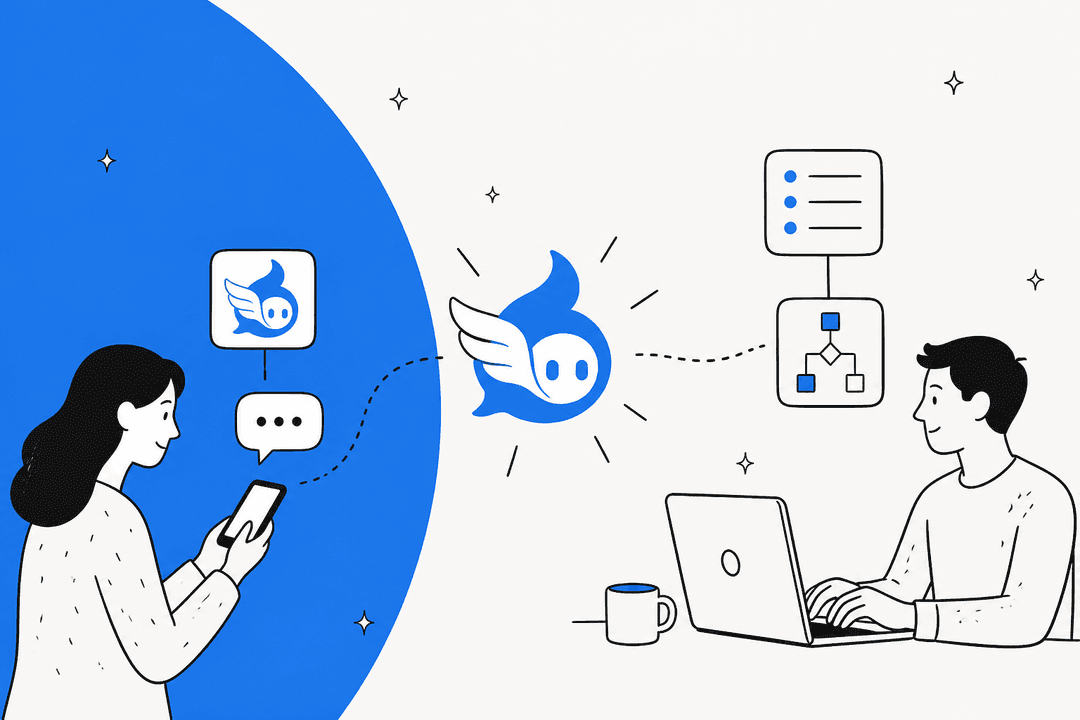
Town is an AI assistant you talk to like a person. When you sign up you name your assistant (Town calls it a "Townie"), and it gets its own email address, like bud@town.com. You can reach it by email, the web app, the iOS app, Slack, text messages, WhatsApp or Telegram, though WhatsApp and Telegram are inbound only, so it can't send or read those messages for you.
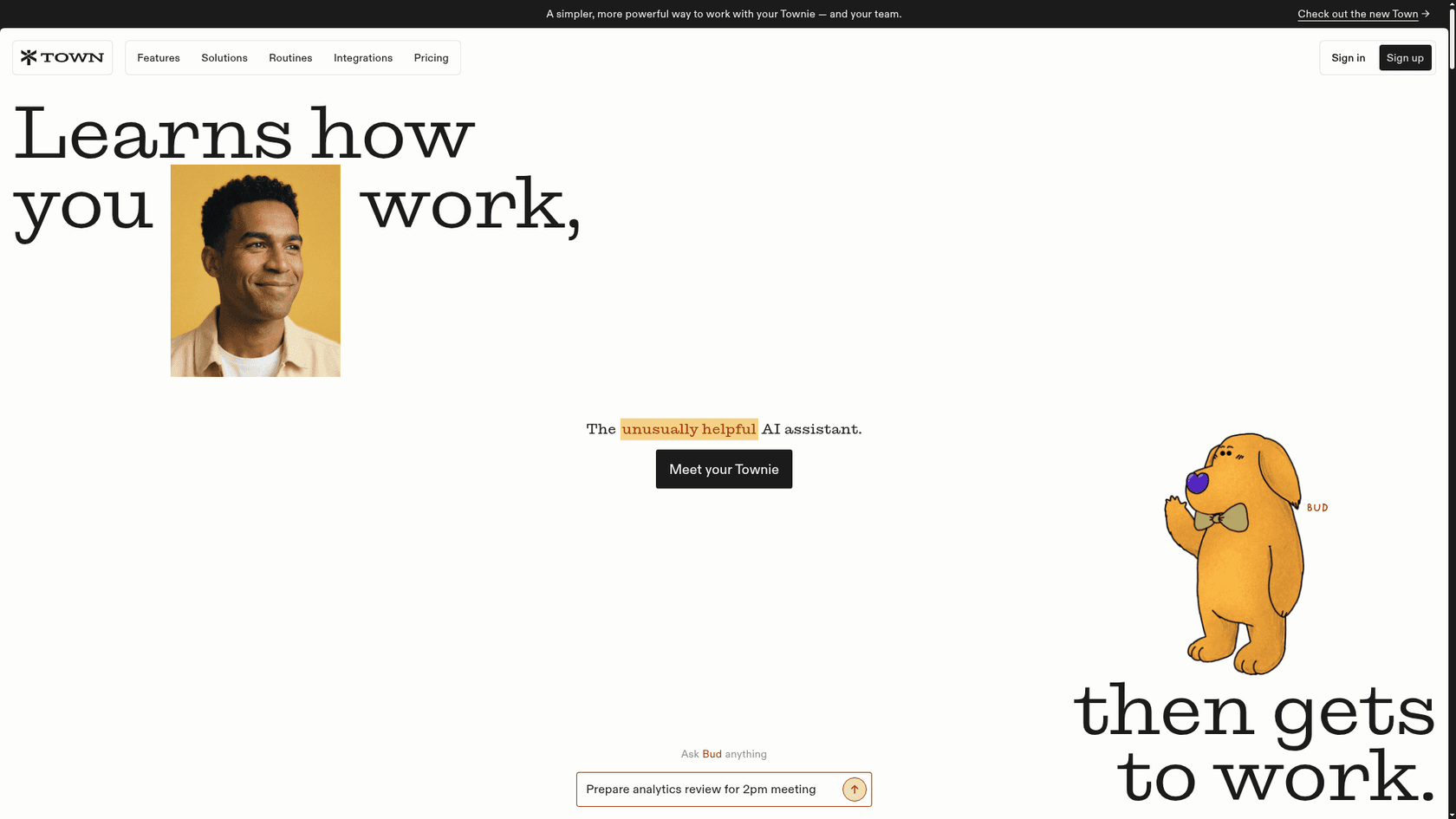
The company is in San Francisco. It was founded by Jean-Denis Greze, the former CTO of Plaid, and Tony Vincent, who ran applied AI product at Google, per Town's careers page.
Town came out of beta on June 3, 2026 with a $55M Series A led by a16z, and it shipped a big redesign on September 30.
I work eesel's support queue every day, so I read a tool like this with one question in mind: what will it do when nobody is watching? With Town the answer is "not much, on purpose", and I mean that as a compliment for most of its users. I went through Town's docs, its pricing and security pages, and every user post I could find, and this review is built from those. It's one of a wave of AI personal assistants launched this year, next to Instinct AI. Orchid is another one, built around iMessage.
How Town learns how you work
Most AI agents make you explain yourself first, so you write a prompt, describe your tone and list your key contacts. Town flips that. Its homepage says Townies learn from the work you've already done in Gmail, so there's "no learning curve".
What it learns lands in the Town Wiki: your profile, preferences, communication style, work patterns, goals and projects. It's refreshed every night. You can edit any line, leave a comment or rewrite a section, and a Recent Updates view shows what changed.
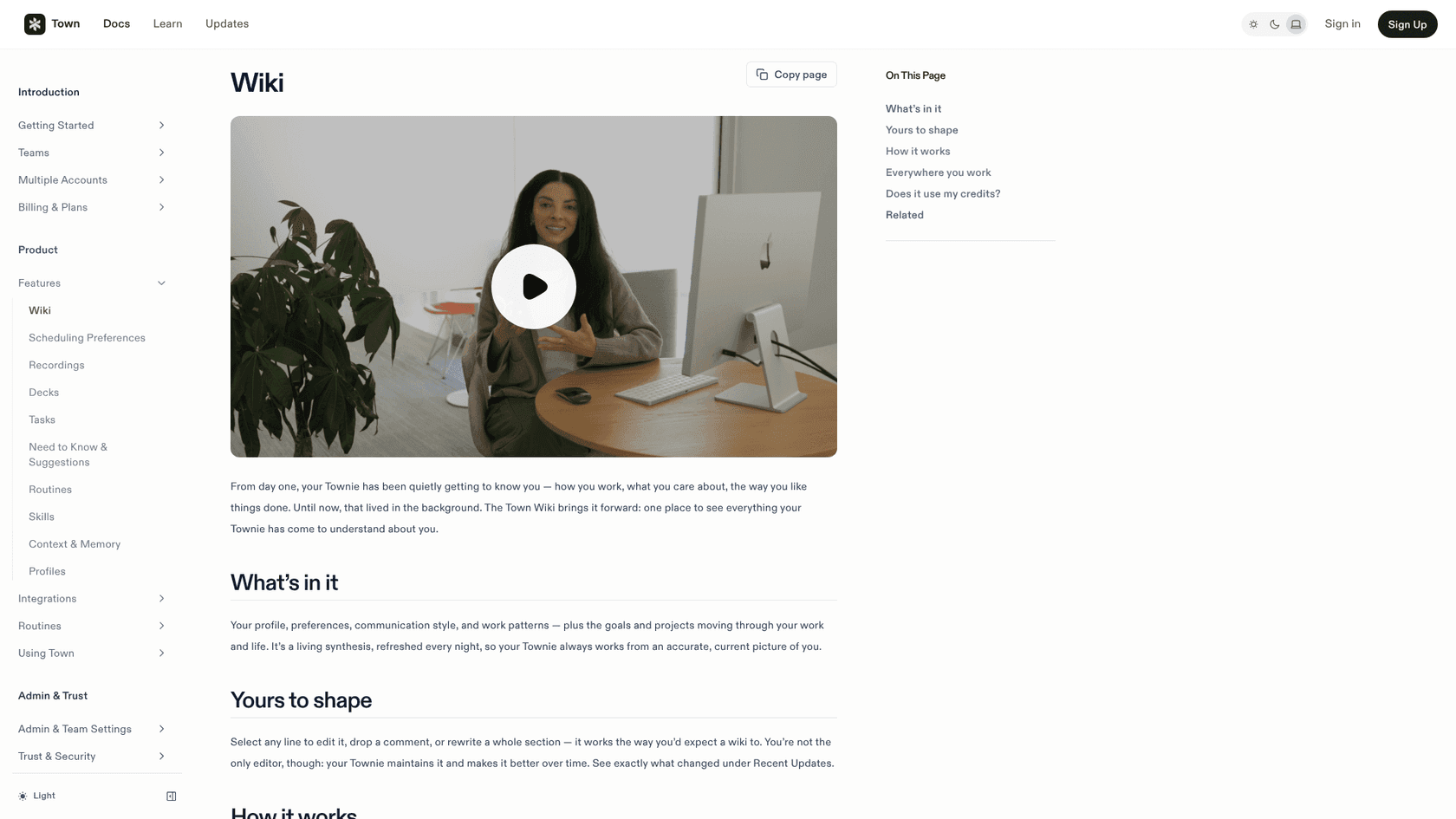
Two details stood out to me. First, the wiki doesn't use your credits: reading it, editing it and the nightly upkeep are free, per the Wiki docs. Second, it's visible. The scary part of any assistant that "knows you" is not knowing what it thinks it knows. Here you can read it and fix it.
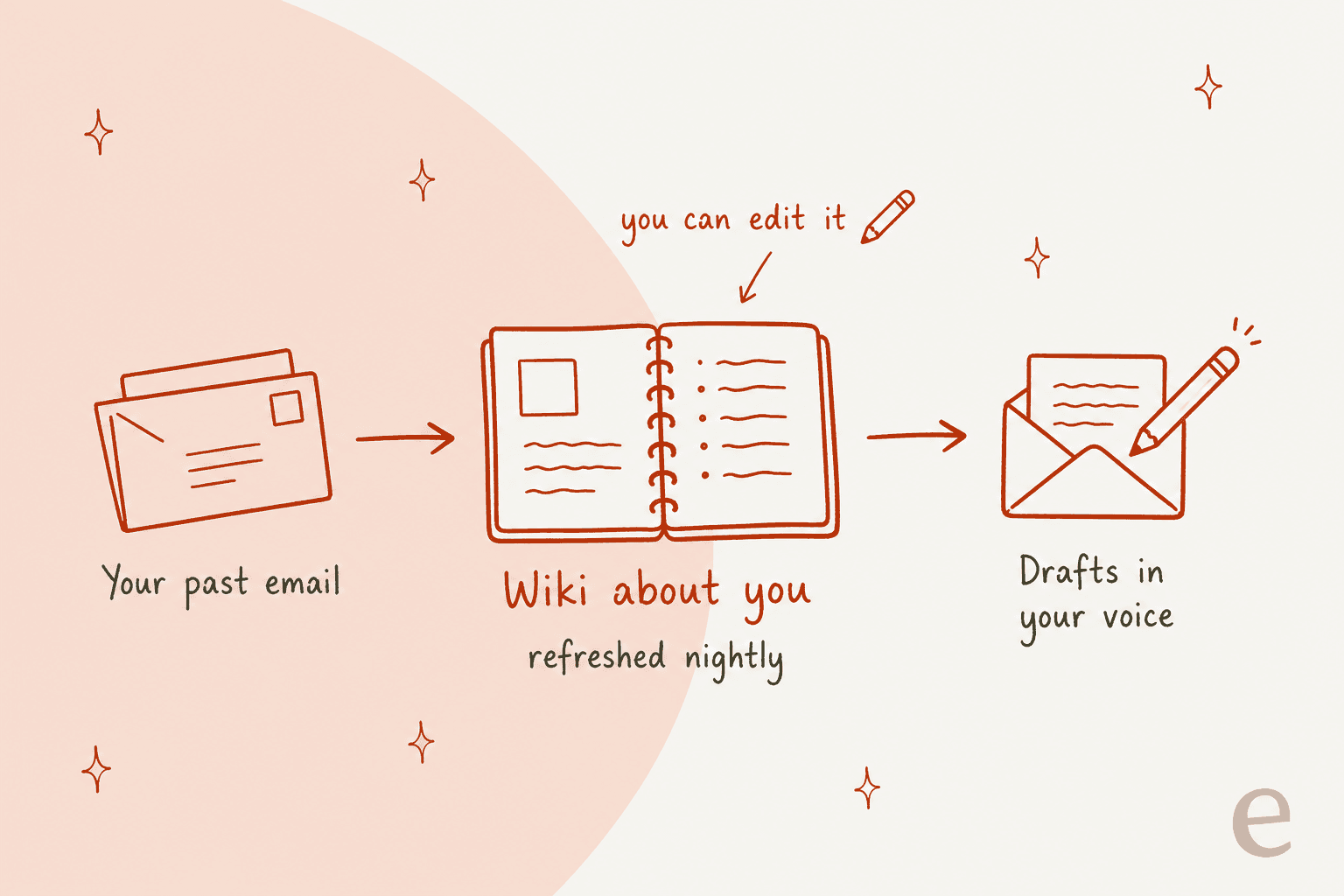
Around the wiki sit a few related pieces: Profiles with your role, key people and writing style, Scheduling Preferences for working hours and buffers, and Skills, which are reusable playbooks it pulls in on its own.
This is the same idea I'd push any team toward with AI, which is to train it on what you've already written and not on what you think you sound like. It's why eesel's AI teammates learn from the past tickets your agents already answered.
What a Townie does day to day
The day-to-day work comes in three shapes: things you ask for, then routines that run on their own, plus suggestions it brings to you.
Inbox triage with Auto-inbox
Auto-inbox is the routine most people turn on first. Per Town's docs, it checks whether a sender is a known contact, applies a label (new sender, awaiting reply, action needed, newsletters, orders, travel and so on), drafts a reply when one seems warranted, and can propose meeting times from all your connected calendars.
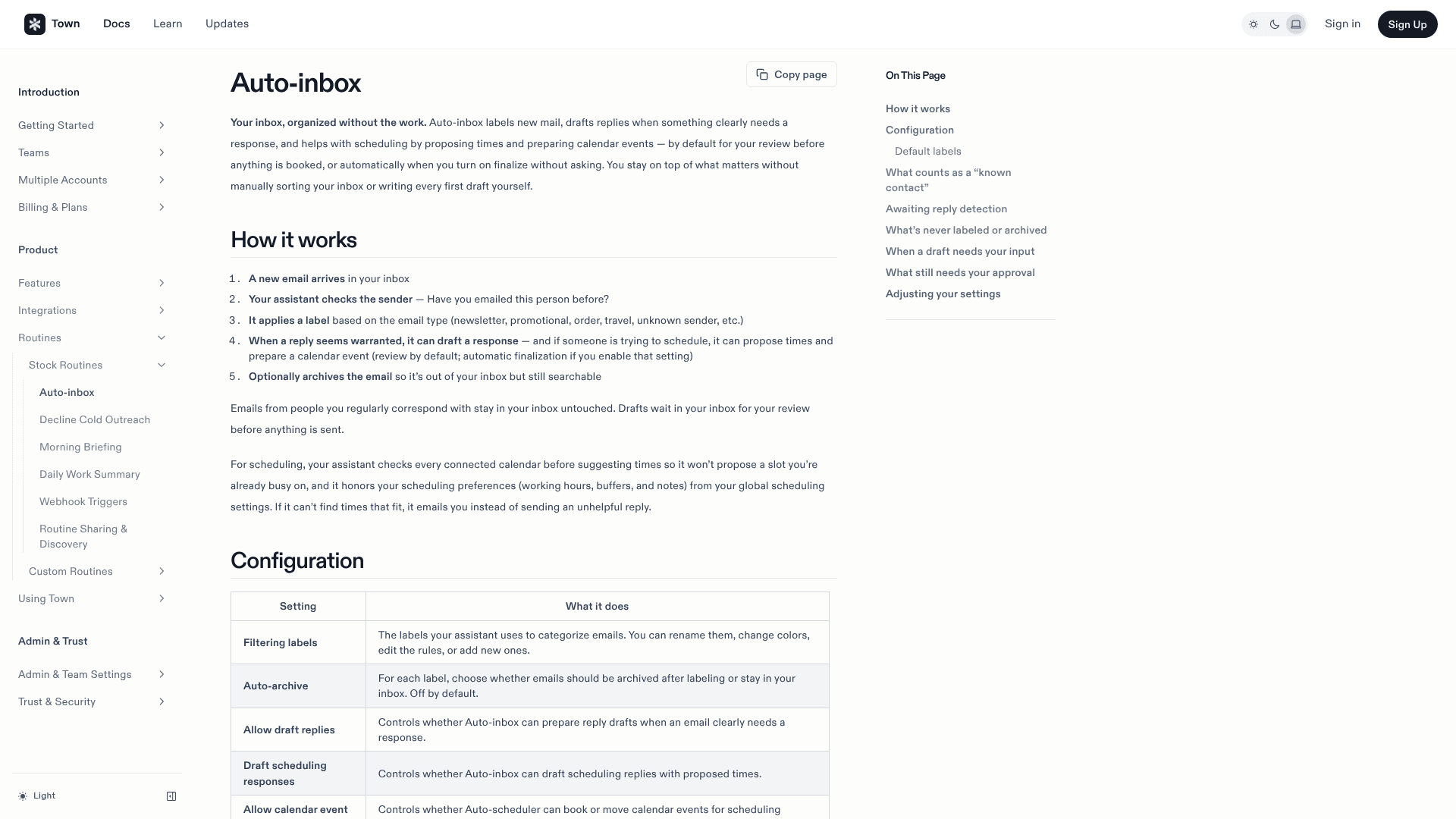
The defaults are careful. Drafts wait in your inbox for review, auto-archive is off, and so is finalizing calendar events without asking. Missing details become placeholders like [YOUR PREFERENCE: ...] instead of guesses, which I think is the right call. If you're comparing this with other AI email assistants Gmail users should also check what Gmail's own AI already covers.
One cost note: Town's credits docs call a routine that runs on every incoming email "the heaviest setup there is", and drafting costs more than labeling. If your inbox is a busy one, I would start with labels only.
Routines you describe in plain English
A routine is a job your Townie runs on repeat, and each one has a trigger, a set of instructions, some tools and a mode. Town ships stock routines you switch on with a click: Morning Briefing (with an audio version), Meeting Briefing, Schedule Optimizer, Deal Spotter, Competitive Intel Briefing, Contact Research Dossier, Relationship Reconnect, Loose-Ends Sweep and more.
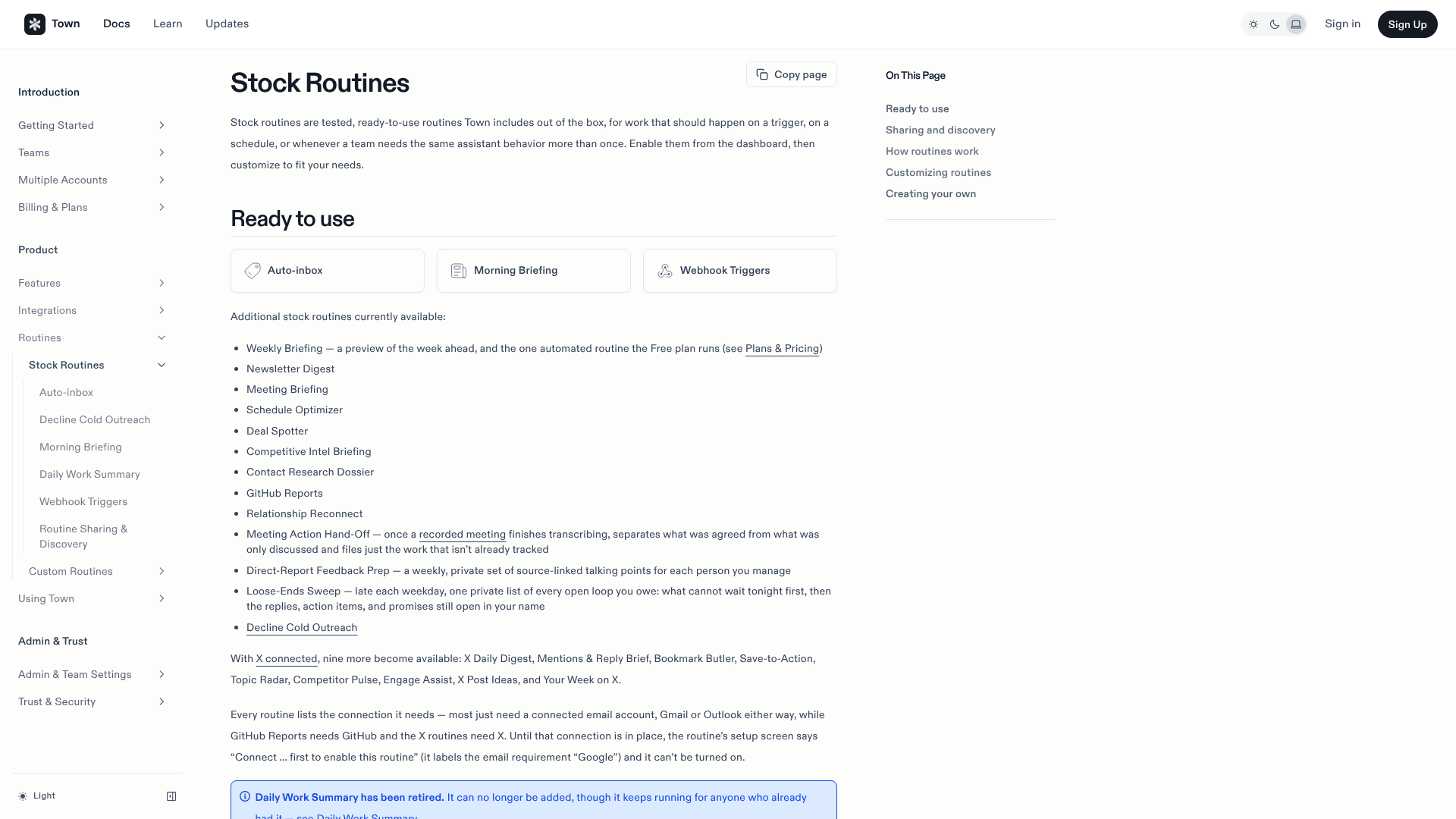
For anything else you write a custom routine by telling your Townie what you want, then it builds, tests and enables it. It's a lot like building a Zapier automation, except you never see a flowchart.
I covered the sales-flavored routines in Town for client follow-ups. If your deals live in a CRM, my Town for HubSpot guide shows what it can write there.
Plan gates matter here. Starter allows 2 custom routines, on a schedule of at most once a day. Pro and up get unlimited routines and every trigger type, per the plans docs.
Recent additions
Town ships fast. Its changelog shows, in September alone: Townies that can browse websites (even ones behind a sign-in), group chats where your Townie coordinates with other people's Townies, voice conversations powered by OpenAI's GPT-Live, and "CC your Townie", where you copy it on an email and ask for what you need.
Town 2.0: threads and other people's Townies
The September 30 redesign made Town look like a messaging app. You land in one main thread with your Townie, and small asks get done there. Bigger work, like researching a market or prepping a customer meeting, moves to its own thread, so it can keep on running while you do something else.
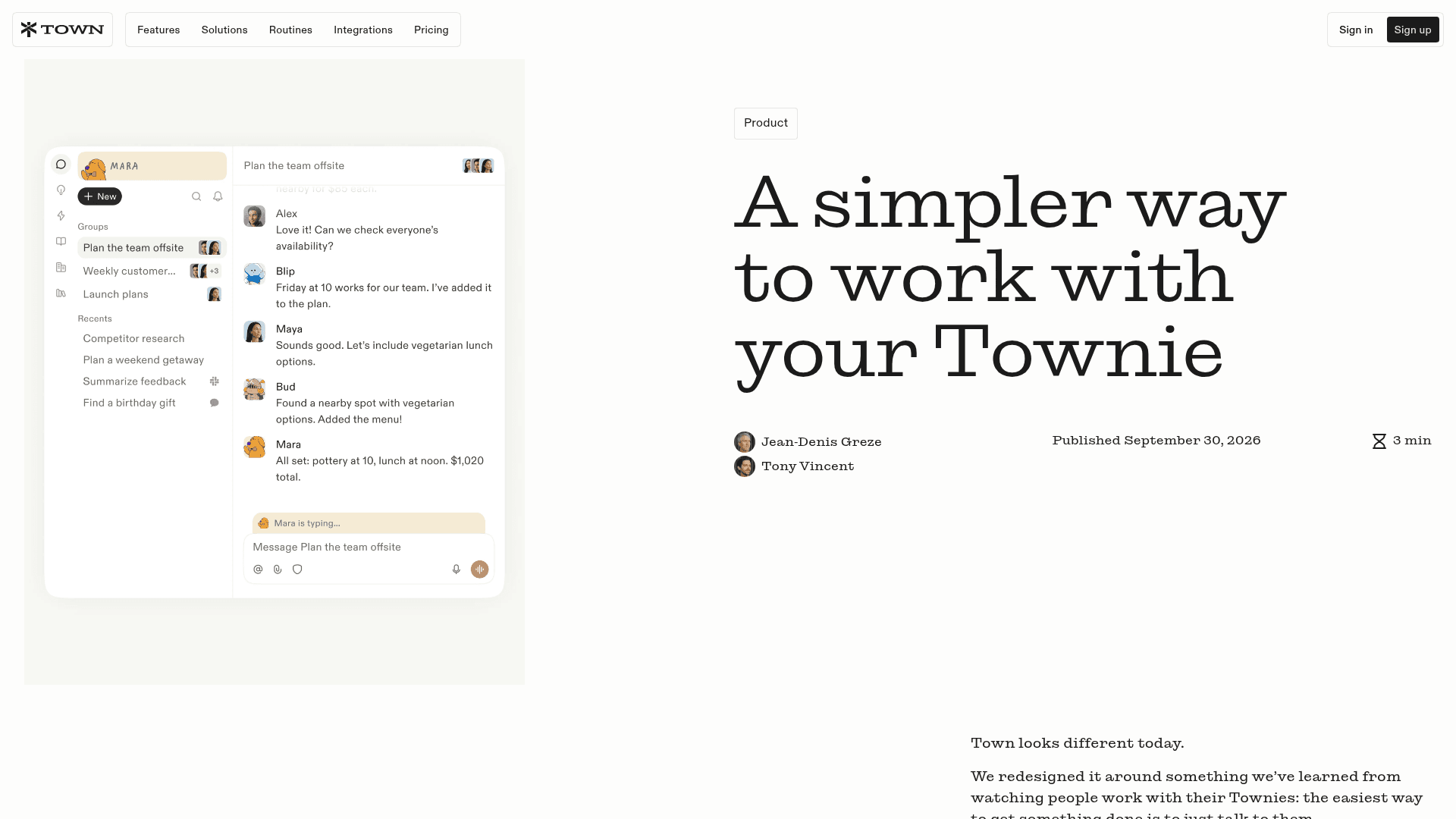
The bigger idea is multiplayer. You can bring a teammate into a thread, their Townie joins too, and you set how much access each one gets. Greze has said he thinks the moat is multiplayer, meaning assistants asking each other's Townies for answers. Assistant-to-assistant work is a Pro-and-up feature on the pricing page.
Integrations
Town lists 61 integrations, and all of them are included on every plan, Free too. The core is Google Workspace and Outlook, plus Slack, Notion, HubSpot, Salesforce, Linear, GitHub, Jira, Asana, Stripe, QuickBooks and meeting tools like Granola, Fathom and Fireflies. Anything missing can be added through MCP servers.
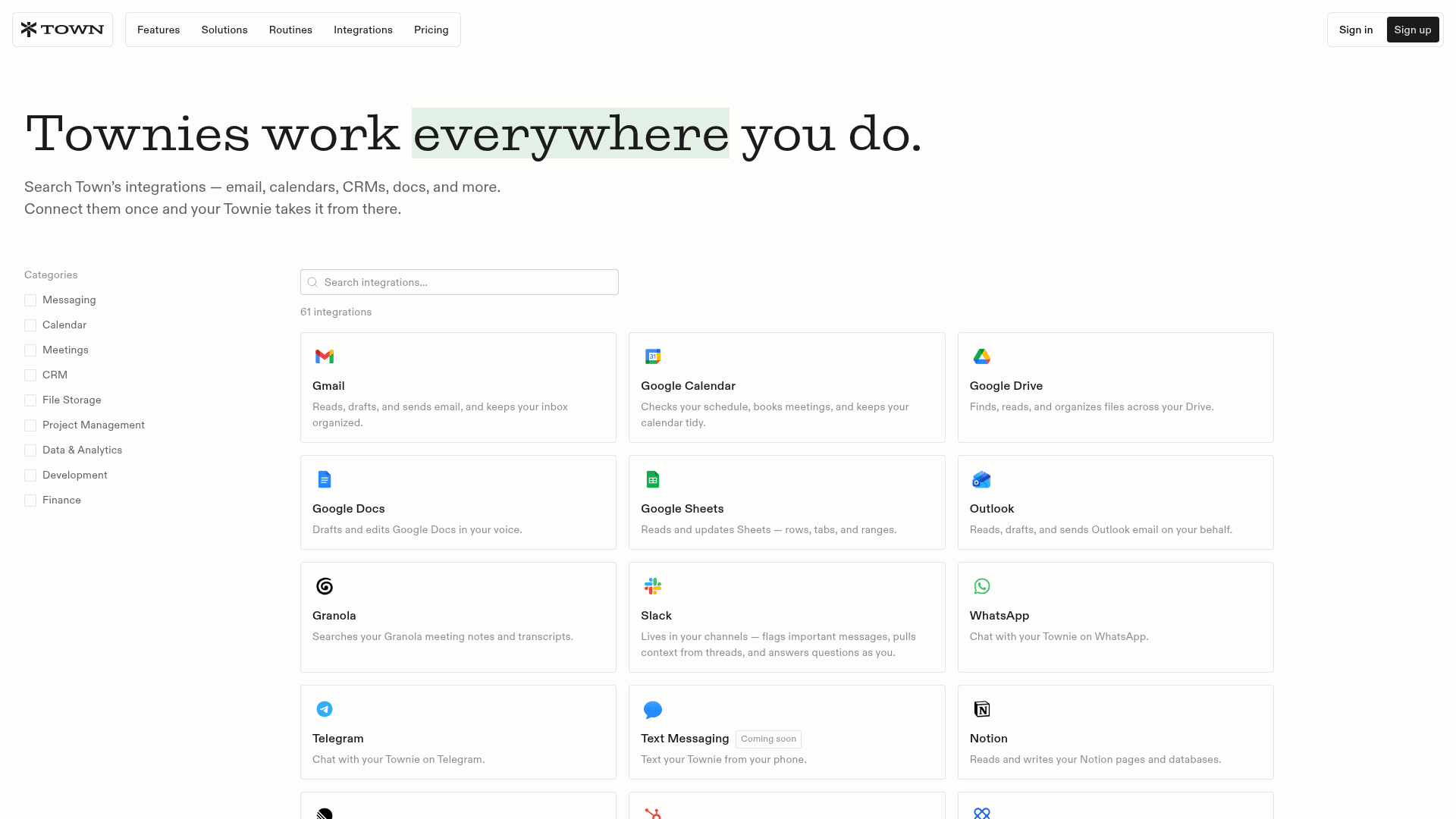
The meeting-tool connections are a kind of quiet strength. If you already record calls in a meeting notes app, your Townie can read the transcript and turn it into follow-ups, which is the place where most notes apps stop.
Safety and approvals
This is the part of Town that I'd point to if a cautious exec asked whether they should connect their inbox. Town is approval-required by default: nothing sends or changes unless you've said so.
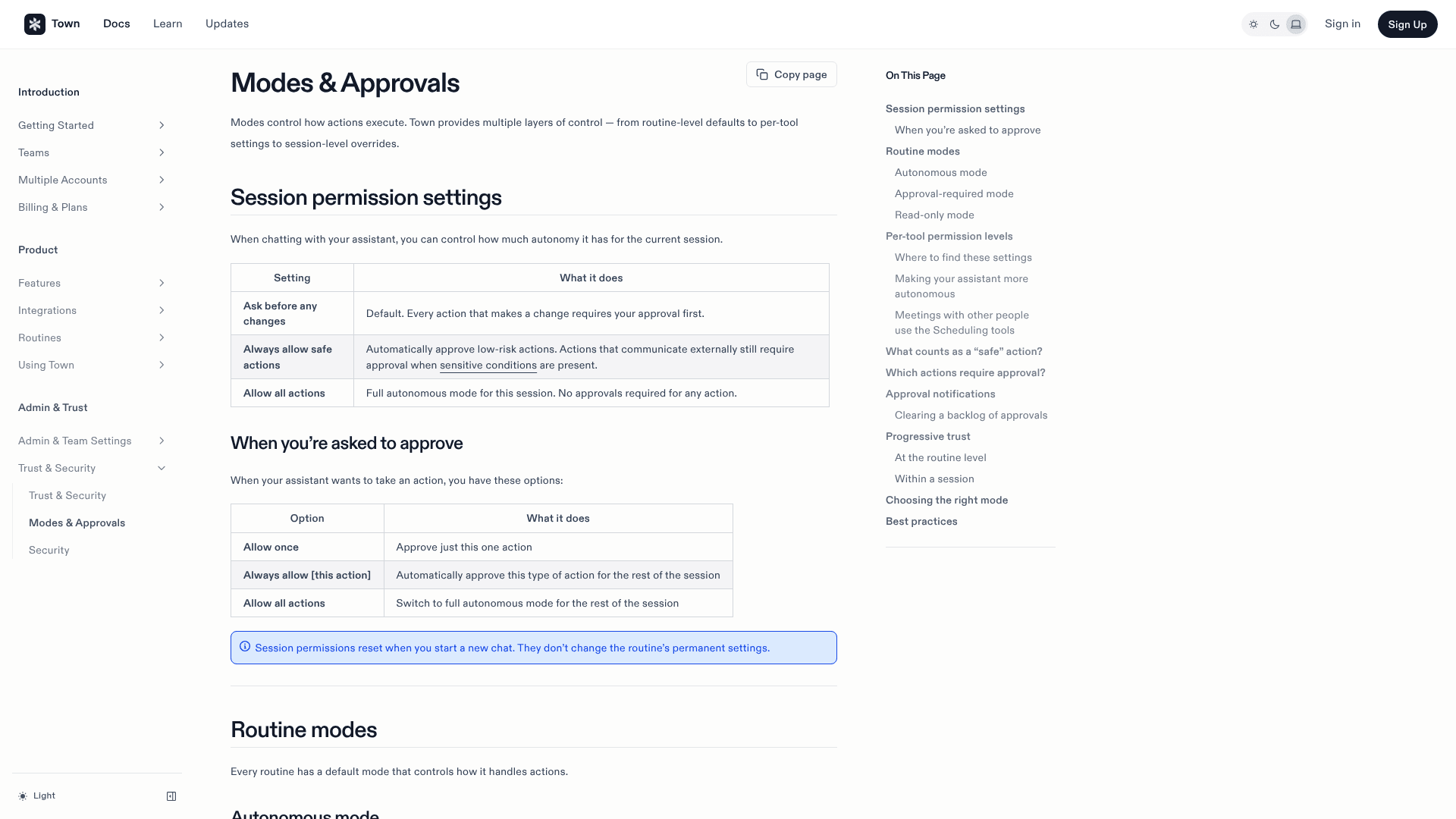
Per the Modes & Approvals docs, chats have three settings (ask before any changes, always allow safe actions, allow all actions), and routines run read-only, approval-required or autonomous, with per-tool overrides. Town's security docs also flag what it calls the "lethal trifecta": a routine that mixes private data, untrusted input like incoming email, and a tool that sends things out.
On compliance, Town says it's SOC 2 Type 2 certified, has completed a CASA assessment, hosts data on Convex and AWS in the US, and doesn't use Gmail, Calendar or Drive data to train models. Anthropic is its primary model provider. I found no HIPAA or ISO 27001 claim, and custom data residency is an Enterprise-only item.
What users say
Public reviews are thin. Town has no G2, Capterra or Reddit footprint that I could find, and its Trustpilot page is empty. The real user voice is on X, and it's warm:
"I've become a DAU of Town and it's surprising that I find it more valuable than Claude. I think Town is the only reason I stay on top of my email inbox."
The most interesting signal is how it spread inside a company, without anyone pushing it:
"i brought it into our company one day and a few weeks later was shocked to hear that it had just organically spread to @liamcbride and the rest of our team with no further hyping or enablement from me."
And from someone who used it during the beta:
"Town's email assistant has become part of my daily workflow"
First Round's Todd Jackson posted that 93% of the firm uses it. That's real usage, but First Round is a Town investor, so I would weigh it as friendly praise more than an independent review. What's missing is a critical voice. Nobody has written the "here's what annoyed me after three months" post yet, and this is normal for a product that left beta in June.
How much does Town cost?
Town runs on credits. Each paid plan is a monthly bucket, where chats and routine runs draw from it. Here are the plans from Town's pricing page:
| Plan | Annual billing | Monthly billing | Credits per month | Key limits |
|---|---|---|---|---|
| Free | $0 | $0 | 30 chat messages | Weekly briefing only, 1 email account |
| Starter | n/a | $15 | 1,250 | 2 custom routines (daily at most), no overage |
| Pro | $49 | $59 | 5,000 | Unlimited routines, all triggers, assistant-to-assistant |
| Power | $99 | $119 | 12,000 | Priority model routing, more concurrent routines |
| Power Plus | $199 | $239 | 40,000 | Unlimited person lookups, early access |
| Team | $59/seat | $71/seat | 6,000 per seat, pooled | Shared routines and integrations |
| Team Plus | $149/seat | $179/seat | 18,000 per seat, pooled | Adds priority routing |
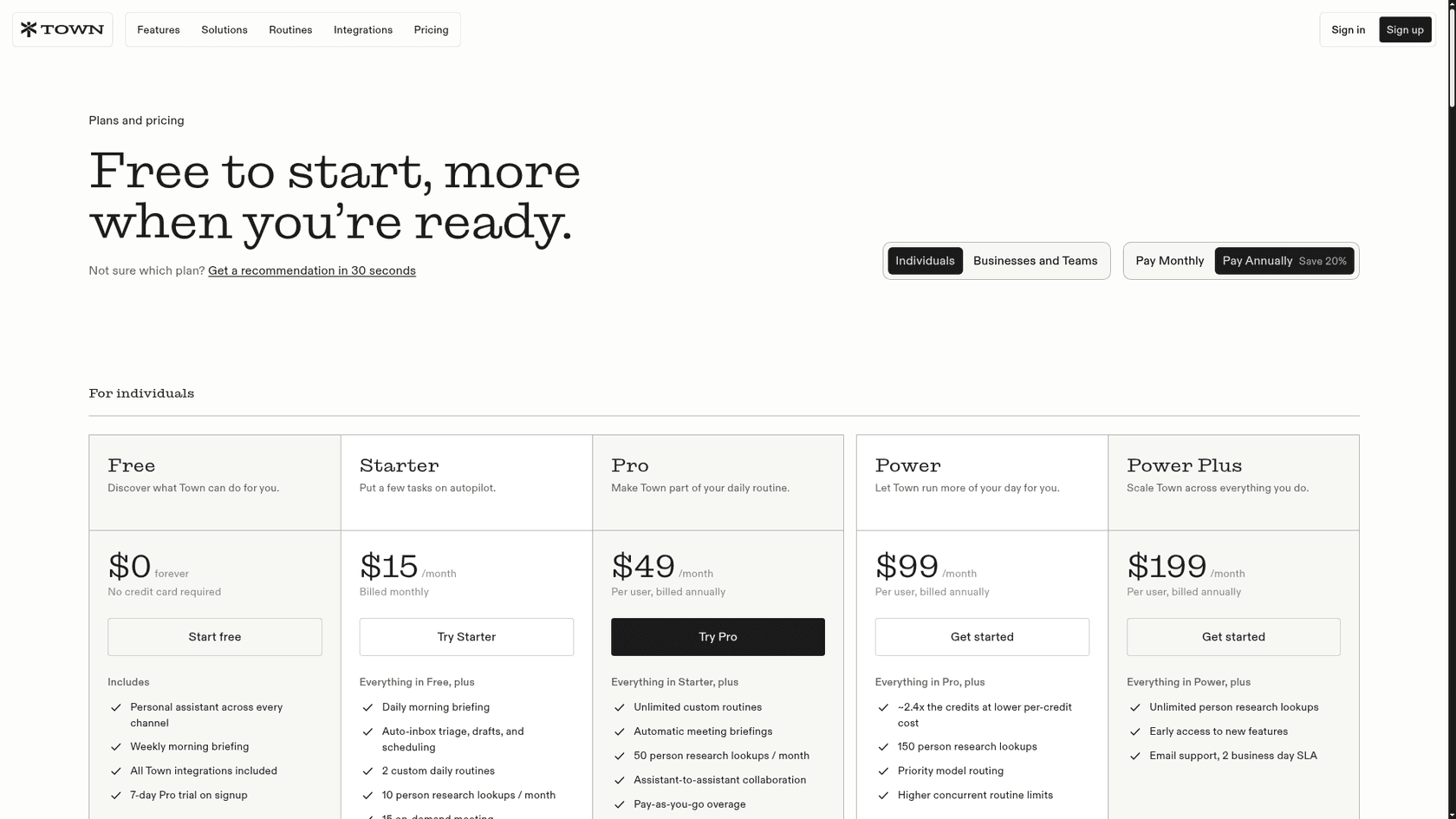
Two things are worth knowing before you pick. Town doesn't publish what a single action costs in credits, so your first month works as your forecast. And overage on Pro and up ($0.030 to $0.044 per credit) only kicks in after you raise a spend cap that starts at $0. My Town AI pricing post has the worked math, including where Power gets cheaper than Pro.
For context, this per-credit model sits closer to Lindy, and to the credit packs in Manus pricing, than to flat seat pricing like ChatGPT Plus.
Where Town falls short
Town does a lot well. These are the limits I'd want to know about before paying:
- No per-action credit cost. You can see usage after the fact (and there's an "Optimize credit usage" button that audits it), but you can't price a routine before you run it.
- Starter is narrower than it looks. Its headline feature is Auto-inbox, but Starter only allows schedule triggers at most once a day, and the plans docs put new-email triggers on Pro and up.
- Team pools have no per-member limits. Town's team billing docs say one heavy user can drain the shared pool.
- No refunds. Cancelling keeps access to the end of the cycle, then drops you to Free.
- Thin independent reviews. Every strong public opinion so far is positive, and several come from people close to the company.
None of these are dealbreakers for one person on Pro. They matter more for a team that needs a fixed budget.
Can Town handle a support inbox?
This is the question I expected to answer with "no", and the honest answer is "partly". In August Town added a Front integration through Front's official MCP server. Your Townie can search conversations, pull customer history into a call brief, surface threads that have been waiting, and draft replies for you to send.
The fine print is the thing that decides it. Per Town's own FAQ on that page, sending, saving a draft, assigning, tagging, changing status and adding a comment each wait for your approval, every time, even inside routines. And each teammate connects their own Front account. There's no shared team connection.
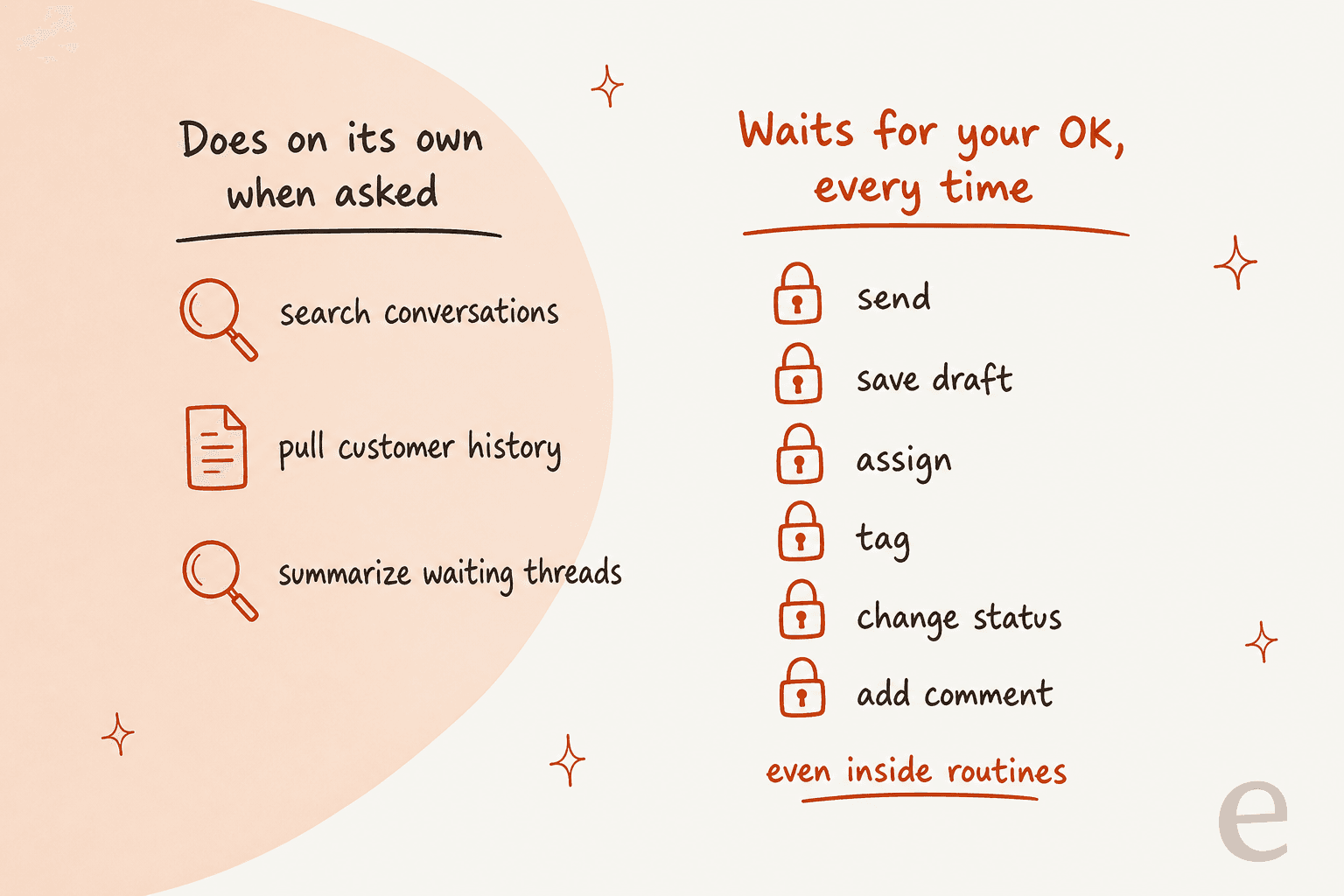
For a founder who answers a few customer emails between meetings, that's useful. For a shared inbox with a team behind it, it means every agent runs their own assistant, every reply still needs a human click, and nobody can turn on full automation for the easy tickets. On eesel's sales calls, the adoption pattern I hear most is to start with AI drafting replies for agents, then graduate to full automation once the team trusts it. With Town's Front setup, that second step doesn't exist.
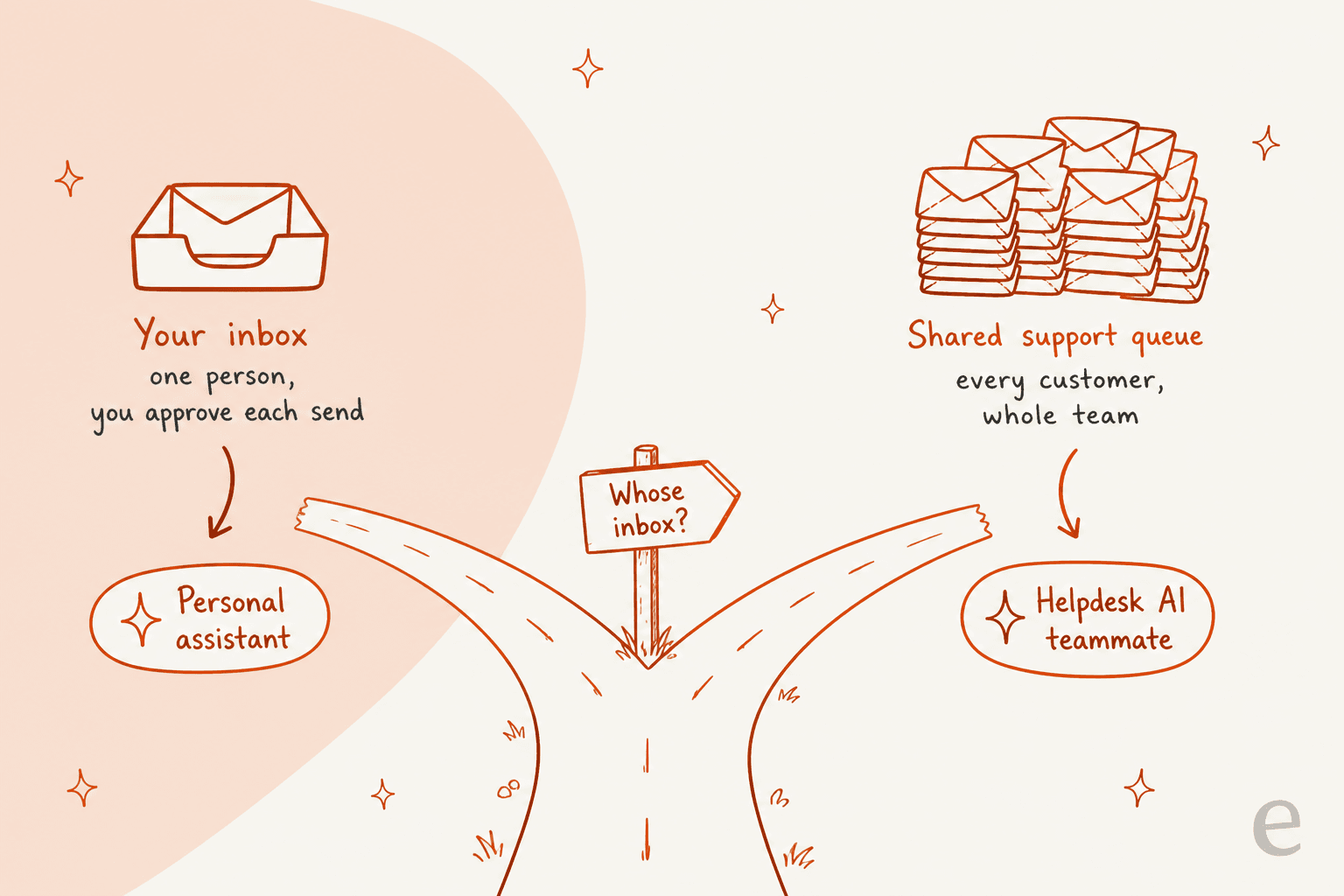
That's not a flaw in Town. It's a choice that suits a personal assistant. If your question is really about customer email, start with my take on Front AI. The Autopilot add-on is Front's own answer to full automation, and my MCP for support guide covers the plumbing.
Town AI review: my verdict
Town is the most thoughtful personal assistant I've looked at this year. The editable wiki solves the setup problem that sinks most agent tools, the approval defaults make it safe to hand over an inbox, and the routine library covers the boring work (briefings, follow-ups, inbox triage) that eats a busy person's day.
Pick Town if you're a founder, investor, recruiter or salesperson who lives in Gmail and your calendar, and you want an assistant that drafts in your voice without you writing prompts. Start on the Pro trial and watch the credit usage page for a week.
Skip it if you need a fixed monthly number for finance, you want an assistant that acts without asking (Town will, but you have to switch that on), or the inbox you want handled belongs to your customers rather than to you. For the first two, look at the best AI assistants roundup or Instinct AI alternatives. For the third, keep reading.
Try eesel for your team's support queue
Town is built to handle your inbox. If the inbox that's drowning is your customers', eesel's AI helpdesk teammate works the whole queue instead. It connects once for the whole team to helpdesks like Front, Freshdesk or Zendesk, learns from the tickets your agents already answered, and can draft for review or reply on its own as your team gains trust in it.

Pricing is easy to forecast: on the eesel pricing page, a ticket or chat is 1 credit, with 500 credits for $299 a month and a free plan with 100 credits. Run it on last week's tickets before you change anything live. Try eesel and see how much of your Front queue it would have handled.
Frequently Asked Questions
Is Town AI any good?
For one busy person, yes. Town learns from your past email, keeps an editable wiki about how you work, and runs routines like inbox triage and meeting briefings with approval-first defaults. Early users on X say it's the reason they stay on top of their inbox. Public reviews are still thin, so compare it with other AI personal assistants before you commit.
How much does Town AI cost?
Town has a free plan with 30 chat messages a month, then Starter at $15, Pro at $49, Power at $99 and Power Plus at $199 per month on annual billing. Team plans are $59 or $149 per seat. My full Town AI pricing breakdown covers credits and overage.
What does Town AI actually do?
Your Townie gets its own @town.com address and works across Gmail or Outlook, your calendar, Slack, docs and 61 integrations. It labels and drafts email, preps you for meetings, researches people and runs routines you describe in plain English. It's closer to a human assistant than a chat app like Claude Cowork.
Is Town AI safe to connect to my email?
Town says it is SOC 2 Type 2 certified, has completed a CASA assessment, hosts data in the US and doesn't train models on your Gmail, Calendar or Drive data. By default nothing sends or changes without your approval. For any AI email assistant, start in approval mode and widen access later.
Can Town AI answer customer support emails?
It can help one person with a shared inbox. Town's Front connection surfaces waiting threads and drafts replies, but each teammate connects their own account and every send waits for approval. A team-wide queue is a better fit for an AI helpdesk agent like eesel.
What are the best Town AI alternatives?
For a texting-first assistant look at Instinct AI or Orchid. For building your own agents, Lindy is the usual pick. For a support queue rather than a personal inbox, eesel's helpdesk teammate fits better.
Does Town AI have a free trial?
Yes. The Free plan costs nothing and needs no card, and new signups get a 7-day Pro trial that ends after seven days or when the trial credits run out. Use the trial to watch your credit usage on real email, the same way you'd test any AI assistant.


Article by
Riellvriany Indriawan
Riell is a designer and writer at eesel AI with about two years of experience researching CX platforms, AI chatbots, and helpdesk software. She combines her design background with a sharp eye for how these tools actually look and feel in practice — making her comparisons unusually visual and user-focused.