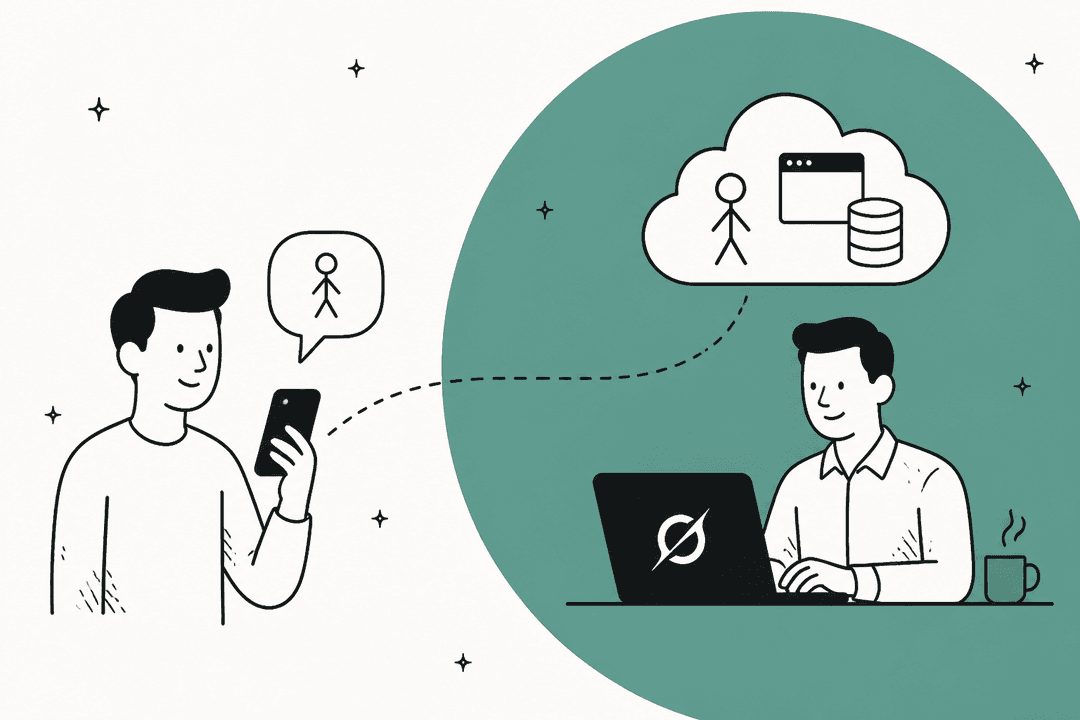
Why I'm comparing these two
I build AI agents at eesel, so I read assistants like these from the inside: where does the context come from, and who decides when the agent acts?
The context question matters more than people expect. In one eesel trial on real Zendesk traffic, agents sent only 12% of AI drafts as-is. The dominant pattern was "glance and rewrite", and about 65% of those rewrites were about length and tone, the kind of thing you fix by training on the team's own sent replies. That's why Town's pitch, learning from what you've already written, caught my attention. And it's why Instinct's pitch, an assistant that just gets things done without many questions, is a very different bet.
Both launched this year, both ship every week, and both now let your assistant talk to other people's assistants. They still feel nothing alike to use.
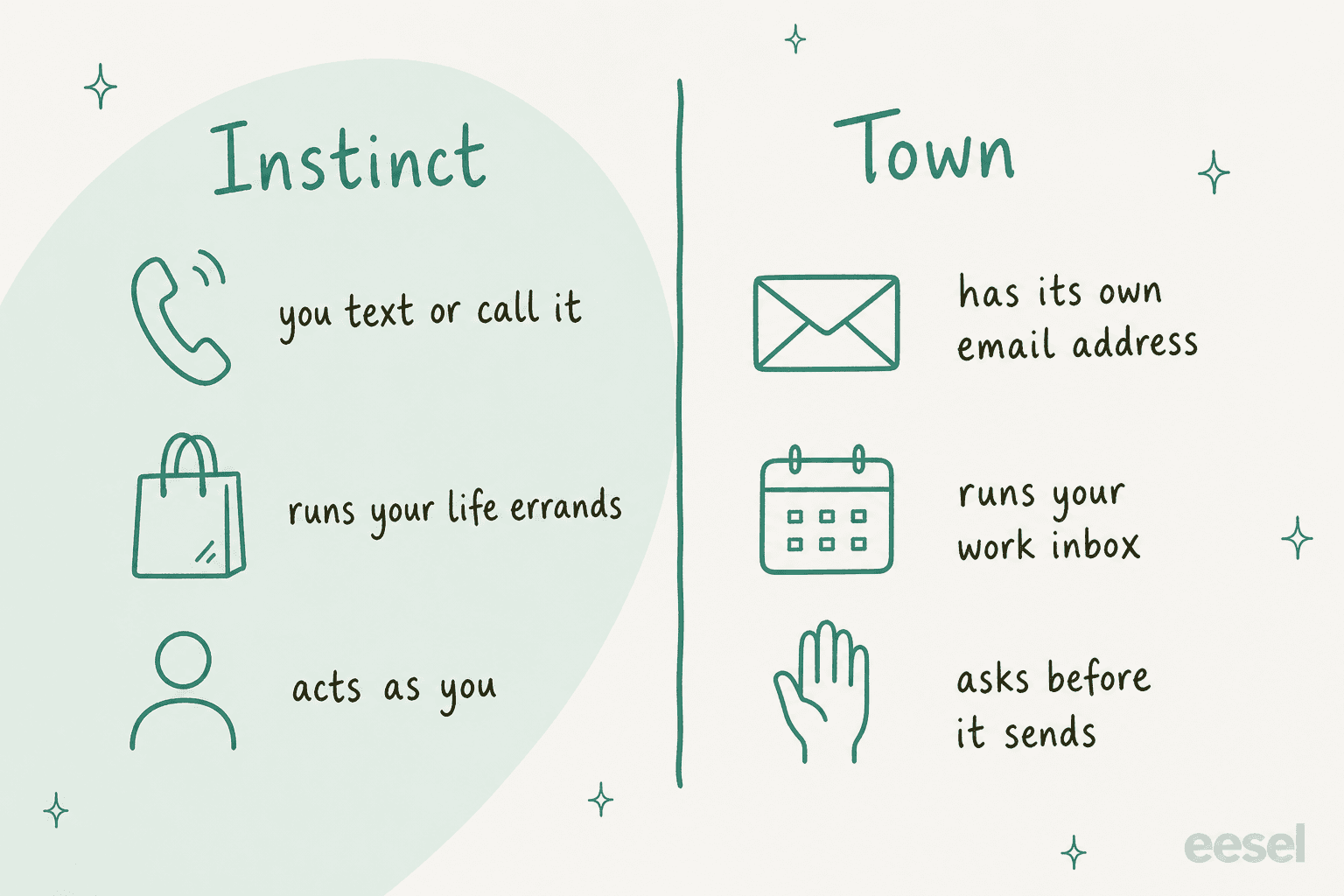
Instinct vs Town at a glance
| Instinct | Town | |
|---|---|---|
| Maker | Spear Street Technology, Inc. d/b/a Instinct | Town, San Francisco |
| Founders | Noah Shinn | Jean-Denis Greze and Tony Vincent |
| Launched | Public launch post Aug 26, 2026 | Out of beta June 3, 2026 |
| How you reach it | iMessage, WhatsApp, phone calls, a Mac app | Email, web app, iOS app, Slack, text messages |
| Built for | Personal errands and life admin | Work email, calendar, meetings, routines |
| Learns from | Your email, messages, screen, location and accounts | The email you've already sent, kept in an editable wiki |
| Access | Invite-only early access | Open signup, free plan |
| Price | No published price | Free, then $15 to $199/month; Team $59/seat |
| Default approvals | Safeguards "may" exist; you set limits in chat | Approval-required by default |
| Allowed use | Personal use only | Individual and team plans |
| Talks to other assistants | Instinct-to-Instinct network, group chats | Townie-to-Townie threads (Pro and up) |
| Calls businesses | Yes, via Instinct Concierge plus Sierra and Decagon agents | Not documented |
Sources for every row are linked in the sections below.
What is Instinct?
Instinct is a personal assistant you text or call. The pitch on instinct.com is that "there are no new interfaces": it uses a phone and a computer the way people do, connected to your email, messaging, screen, location and accounts. You message it in iMessage or WhatsApp, and there's a Mac app plus a web workspace for settings.
The founder, Noah Shinn, was an early Sierra employee and first author of the Reflexion paper on self-correcting agents. The jobs Instinct is good at are the small stuff of life, and the last two weeks show where it's heading:
- Flights, rebuilt on October 7 after more than 20% of users had Instinct help with their flights last month. It now books with one tap and handles lost bags, missed connections and cancellations (Noah Shinn, X).
- Customer service through partnerships with Sierra and Decagon. When your Instinct reaches a participating business, "the agents will be able to work together to solve your problem" without a phone call (Noah Shinn, X).
- Group chats from October 5. An Instinct joins the thread and works for the whole group, and your friends don't need Instinct to take part (Noah Shinn, X).
Earlier releases added a credential Vault, one-time Link cards for purchases, and Instinct Concierge for phone calls. My Instinct AI review walks through each one.
What is Town?
Town is a personal AI assistant you name and talk to like a person. Town calls it a "Townie", and it gets its own email address. It was founded by Jean-Denis Greze, the former CTO of Plaid, and Tony Vincent.
Town came out of beta with a $55M Series A led by a16z.
The core idea is that a Townie learns from the email you've already sent and stores what it learns in the Town Wiki: your profile, preferences, communication style, work patterns and projects, refreshed every night. You can read and edit every line. On top of that sit stock routines like Auto-inbox, Morning Briefing and Meeting Briefing, plus custom routines you describe in plain English.
Town ships fast too. Its changelog shows browser use and group chats with other Townies on September 3, voice conversations on September 10, "CC your Townie" on September 24, and a Town 2.0 redesign on September 30 that turned tasks into threads. My Town AI review covers the details.
How they differ: your life vs your work inbox
The simplest way to tell them apart is to look at what each one reads first.
Instinct starts from your life. The homepage examples are disputing a bill, sending birthday gifts, ordering groceries and booking a doctor. Users who buy through it spend over $1,300 a month, per the founder. It's built to take an errand off your plate and come back with "done".
Town starts from your work email. Its Auto-inbox routine labels new mail, drafts replies when one seems warranted, and proposes meeting times from your calendars. Its 61 integrations lean heavily toward work tools: Google Workspace and Outlook, Slack, Notion, HubSpot, Salesforce, Linear, Jira and meeting recorders like Granola and Fathom.
The way each handles a big pile of tasks follows from that. Instinct keeps everything in one text thread, which is what makes it feel effortless, and also what one heavy user found hard to track:
"while it can maintain context in one thread, i can't lol. my chat has a bunch of diff, unrelated stuff, and it's hard for me to quickly figure out the 'status' of each thing"
Town went the other way in its redesign. Small asks stay in your main thread, and bigger work like researching a market or prepping a customer meeting moves into its own thread so you can check its status later. That's a work-tool instinct, if you'll pardon the pun.
Who asks before acting?
This is the real dividing line, so here's what each one documents.
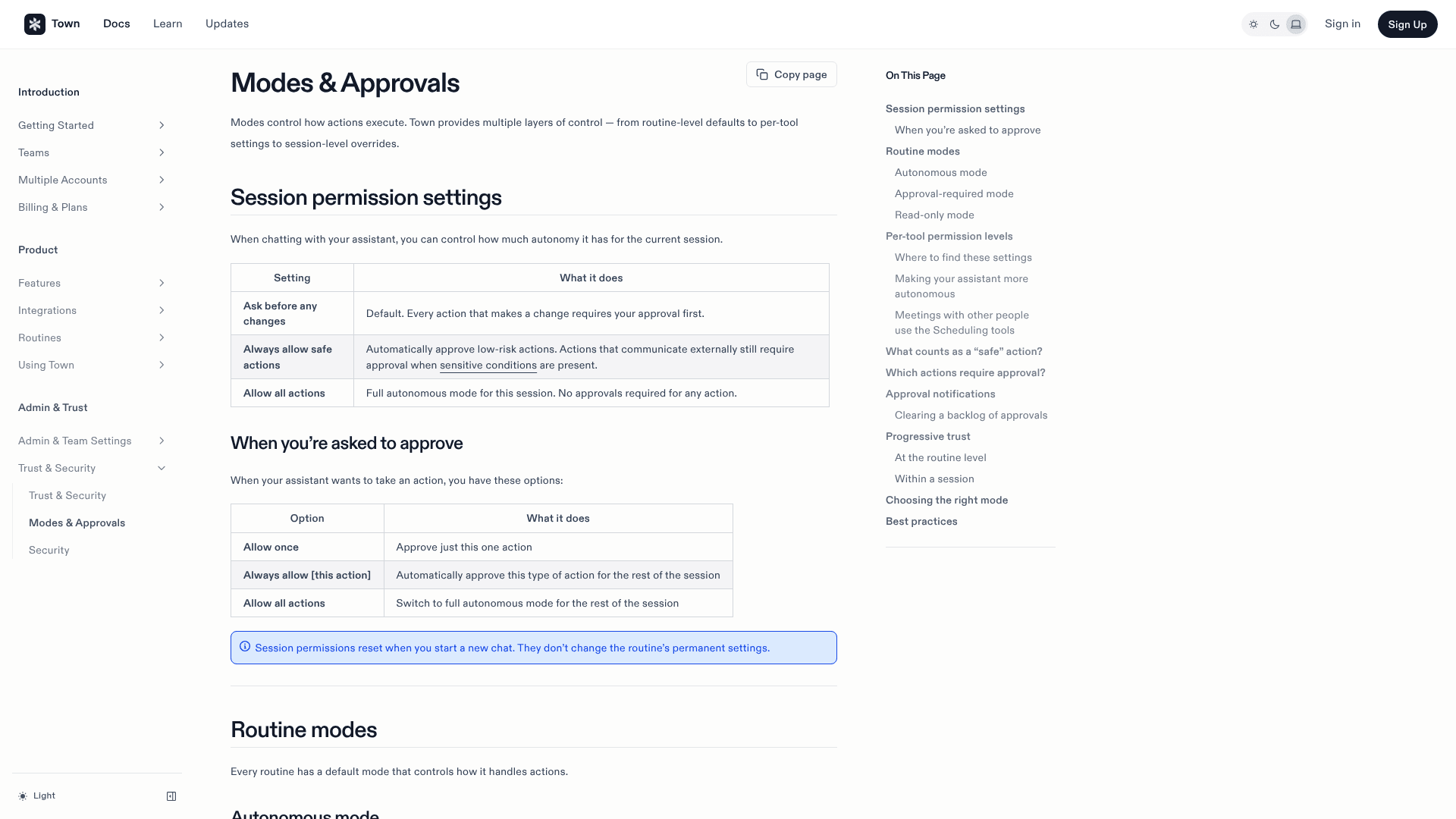
Town asks first. It's approval-required by default: nothing sends or changes unless you've said so. Per the Modes & Approvals docs, chats have three settings (ask before any changes, always allow safe actions, allow all actions), and each routine runs read-only, approval-required or autonomous, with per-tool overrides.
Auto-inbox follows the same rule. Drafts wait for review, auto-archive is off by default, and missing details become placeholders like [YOUR PREFERENCE: ...] instead of guesses.
Instinct acts as you. Its terms authorize it to take actions "on your behalf as the Services may deem are responsive to your Input" and appoint it "as your agent to enter into agreements, commitments or transactions on your behalf." The terms say Instinct "may implement safeguards, confirmation requirements, or other controls," with no promise of a fixed approval step. In practice you set limits by telling it, such as "always check with me before you buy anything."
Where Instinct does spell out permissions, they're specific and sensible. Purchases can run through one-time Link cards you approve, logins sit in a Vault, and in group chats your Instinct "asks before connecting with the group's Instinct" and holds pending replies when someone new joins (Noah Shinn, X).
Nathan Baschez put his finger on why Instinct feels magic: it is willing to take more risk and let the agent do more without step-by-step permissions. Brad Groux described what he'd want instead, and it reads almost like Town's settings page:
"I'd want to connect an inbox with read-only access, then approve specific permissions as needed. Sending emails, sharing files, making purchases, or accepting terms should require my approval through a control the agent can't bypass."
My read, as someone who builds approval flows: Town gives you settings, Instinct gives you a conversation. Settings are easier to trust because they don't rely on the agent remembering what you told it last week. The conversation is faster, which is the whole point of Instinct.
Pricing: free and invite-only vs credit plans
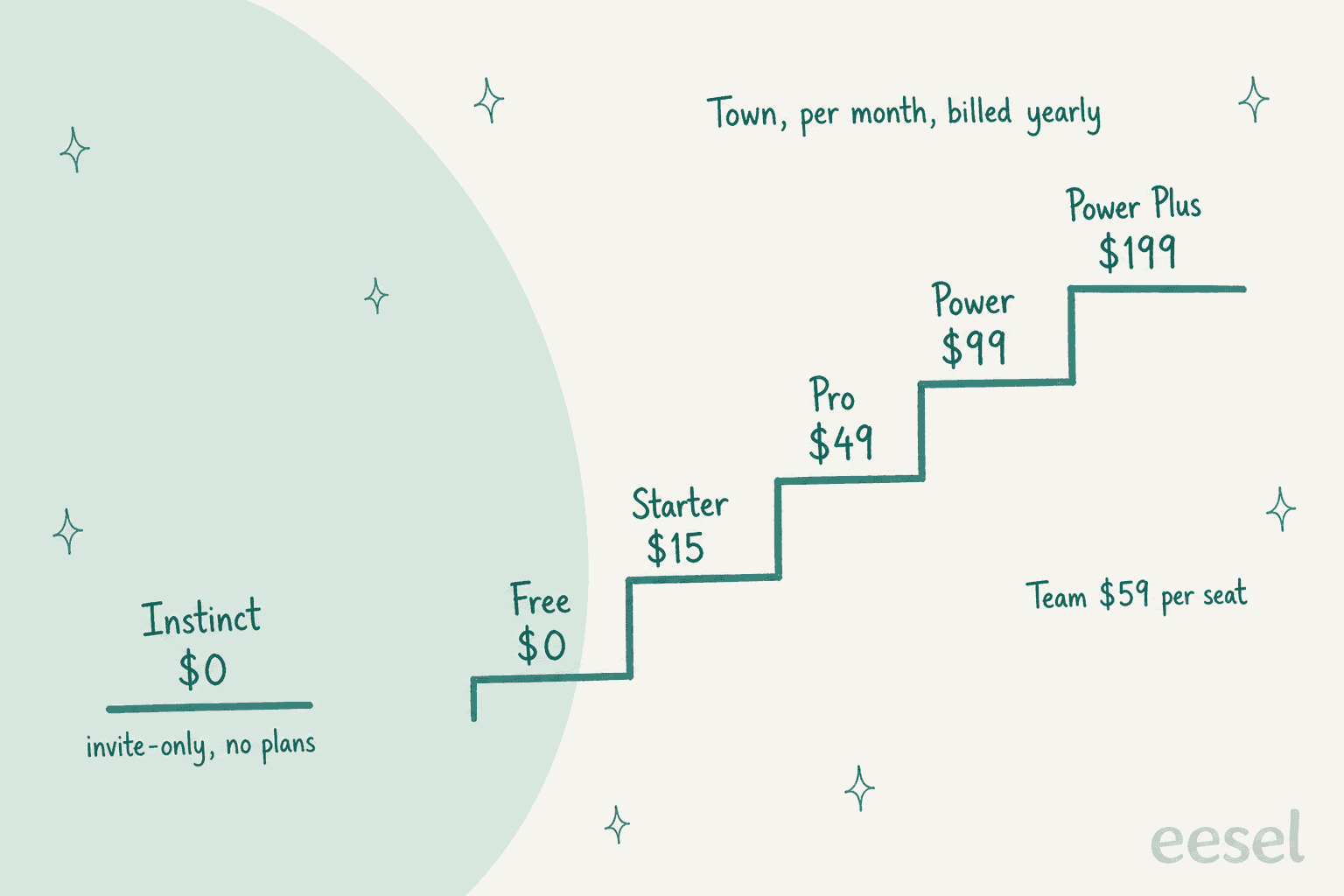
Instinct has no plans to compare. It's free while invite-only. After interviewing the founder, Patrick O'Shaughnessy wrote that "Instinct plans to take a cut of what users buy," and that Noah's "personal goal is to keep Instinct free for everyone for life" (Patrick O'Shaughnessy, X). My Instinct AI pricing post covers what that means for you.
Town runs on monthly credits. Here are the plans from Town's pricing page:
| Plan | Annual billing | Monthly billing | Credits per month | Key limits |
|---|---|---|---|---|
| Free | $0 | $0 | 30 chat messages | Weekly briefing only, 1 email account |
| Starter | n/a | $15 | 1,250 | 2 custom routines (daily at most), no overage |
| Pro | $49 | $59 | 5,000 | Unlimited routines, all triggers, assistant-to-assistant |
| Power | $99 | $119 | 12,000 | Priority model routing |
| Power Plus | $199 | $239 | 40,000 | Unlimited person lookups, early access |
| Team | $59/seat | $71/seat | 6,000 per seat, pooled | Shared routines and integrations |
| Team Plus | $149/seat | $179/seat | 18,000 per seat, pooled | Adds priority routing |
Two Town details to know. It doesn't publish what a single action costs in credits, and its credits docs call a routine that runs on every incoming email "the heaviest setup there is". Overage on Pro and up runs $0.030 to $0.044 per credit, but only after you raise a spend cap that starts at $0. My Town AI pricing post has the worked math.
So the honest version: Town costs $0 to $199 a month and you'll know your number after a month of real use. Instinct costs $0, and the thing to watch is what it spends for you.
Privacy and data
| Instinct | Town | |
|---|---|---|
| Model training | On by default; opt out at app.instinct.com/settings. Google Workspace and Vault data excluded | Gmail, Calendar and Drive data never used to train models |
| Model providers | Not named in the privacy policy | Anthropic primary; OpenAI, Google Gemini and others conditional |
| Certifications | None published | SOC 2 Type 2, CASA assessment |
| Credentials | Vault, never used for training | Integrations connected per account |
| After you disconnect | Disconnecting doesn't delete what was indexed | Not specified |
| Hosting | Not specified | Convex and AWS in the US |
Sources: Instinct's privacy policy and terms; Town's security page and model providers page.
On paper, Town documents a lot more, which fits a product that wants to sit inside company email. Instinct is a consumer product in early access, and its paperwork reads like one. If you connect Instinct, switch training off on day one and request deletion in your workspace if you ever disconnect.
What users say about each
Neither has a G2 or Capterra footprint yet, so the user voice lives on X and Hacker News.
Instinct gets credit for simply getting errands done:
"I use Instinct and I'm very happy with it so far. It has booked some restaurants for me, replied to some personal admin-related emails, and updates my progressive workout spreadsheet when i go to the gym. No real complaints so far."

Town gets credit for the inbox, which is exactly where it aims:
"I've become a DAU of Town and it's surprising that I find it more valuable than Claude. I think Town is the only reason I stay on top of my email inbox."
The other Town signal I find telling comes from swyx, who said it spread through his team "with no further hyping or enablement" from him. That's a work tool spreading the way work tools do. Instinct's spread looks different: friends pulled into group chats, and its Instincts had coordinated over 300k times with each other in the first week.
Instinct has also had one public scare. On September 23 a user thought it had shown someone else's financial document, and Shinn responded the same day that it was a hallucination, "not a data breach", and that the team had built a detection layer in 48 hours. Neither company publishes an accuracy number.
Which one should you pick?
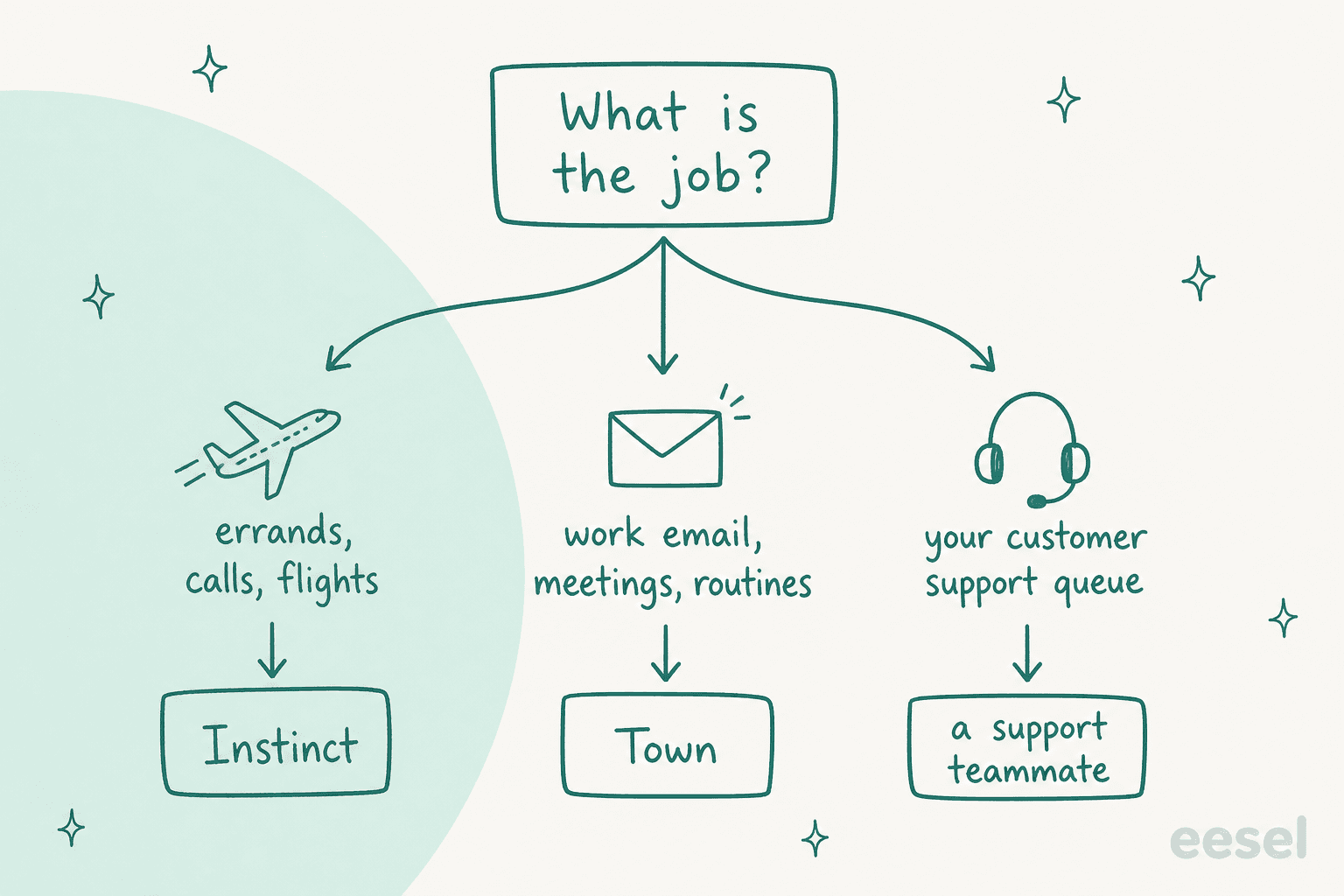
Pick Instinct if you want a human-feeling assistant for your own life: rebook a cancelled flight, chase a confusing bill, plan a trip in the group chat. You'll need an invite. Opt out of training in settings and tell it to check with you before any purchase.
Pick Town if email and meetings are eating your workday and you want drafts in your own voice without writing prompts. Start on the Pro trial, leave approvals on, and watch the credit usage page for a week. If your work runs on a CRM, my Town for HubSpot and Town for client follow-ups guides show what it can do there.
Use both if you're the kind of person who'd hire two assistants anyway. They don't overlap much: Instinct for the personal phone, Town for the work inbox. Just don't connect your work email to Instinct, since its terms allow personal use only.
Look elsewhere if neither fits. Meta Muse suits people who want to watch the agent work, Orchid is another texting assistant, and Grok Bot leans toward work.
My Instinct AI vs Meta Muse and Instinct AI vs Grok Bot posts cover those matchups, and the best AI assistants roundup has the wider field.
What this means for a support team
These two sit on opposite sides of a support conversation, which I find more interesting than any feature gap.
Instinct sits on the customer's side. It calls businesses through Concierge, and now hands problems straight to companies' AI agents on Sierra and Decagon. The tasks Shinn listed are classic tickets: a delayed package, a bill that went up, a confusing return policy. My guide to Instinct AI for customer support covers how to answer those messages well.
Decagon's side of this is its personal agent gateway, built for exactly these messages.
Town can sit on the agent's side, for one agent. It added a Front integration in August, and your Townie can search conversations, pull customer history and draft replies. But per Town's own FAQ, sending, assigning, tagging, changing status and commenting each wait for approval every time, even inside routines, and each teammate connects their own Front account. For a founder answering a few customer emails, that's useful. For a shared inbox, it means every agent runs their own assistant and every reply still needs a human click.
That gap is what eesel is for. eesel is an AI teammate platform where you hire ready-to-work teammates for specific jobs. The AI helpdesk teammate connects once for the whole team to Front, Zendesk, Freshdesk and the other helpdesks you already use. Like Town, it learns from what's already been written, in this case the replies your agents already sent, which is the fix for the length-and-tone rewrites I mentioned at the top.
Unlike Town, you can start it on drafts and move the easy tickets to full automation once you trust it, after running it against historical tickets to see how it would have answered.

The approval controls Town users like are there too, at team level: an activity log for every action and approvals you can hold for a person. If your team works in a terminal or with coding agents, the same teammate is reachable through the eesel CLI. eesel approvals list shows what's waiting on a human, eesel activity lists what the agent did, and write commands take --dry-run, so Claude Code, Codex or Cursor can drive it safely. My post on AI agent CLIs explains why that matters.
Try eesel
Instinct is a great errand runner for your life, and Town is a careful assistant for your own work inbox. If the inbox you actually need handled is your customers', eesel's AI helpdesk teammate plugs into your helpdesk in minutes, answers from your docs and past tickets for the whole team, and shows you how it would have replied on old tickets before it touches a live one. There's a free plan to start. Try eesel.
Frequently Asked Questions
What is the difference between Instinct AI and Town AI?
Is Instinct AI or Town AI cheaper?
Which is safer, Instinct AI or Town AI?
Can I use Instinct AI or Town AI for work?
Can Instinct AI or Town AI answer customer support emails?
Do Instinct AI and Town AI work with other people's assistants?
What are the best alternatives to Instinct AI and Town AI?


Article by
Kira
Kira is a writer at eesel AI with a Computer Science background and over a year of hands-on experience evaluating AI-powered customer service tools. She focuses on breaking down how helpdesk platforms and AI agents actually work so that support teams can make better buying decisions.