Which folk is this?
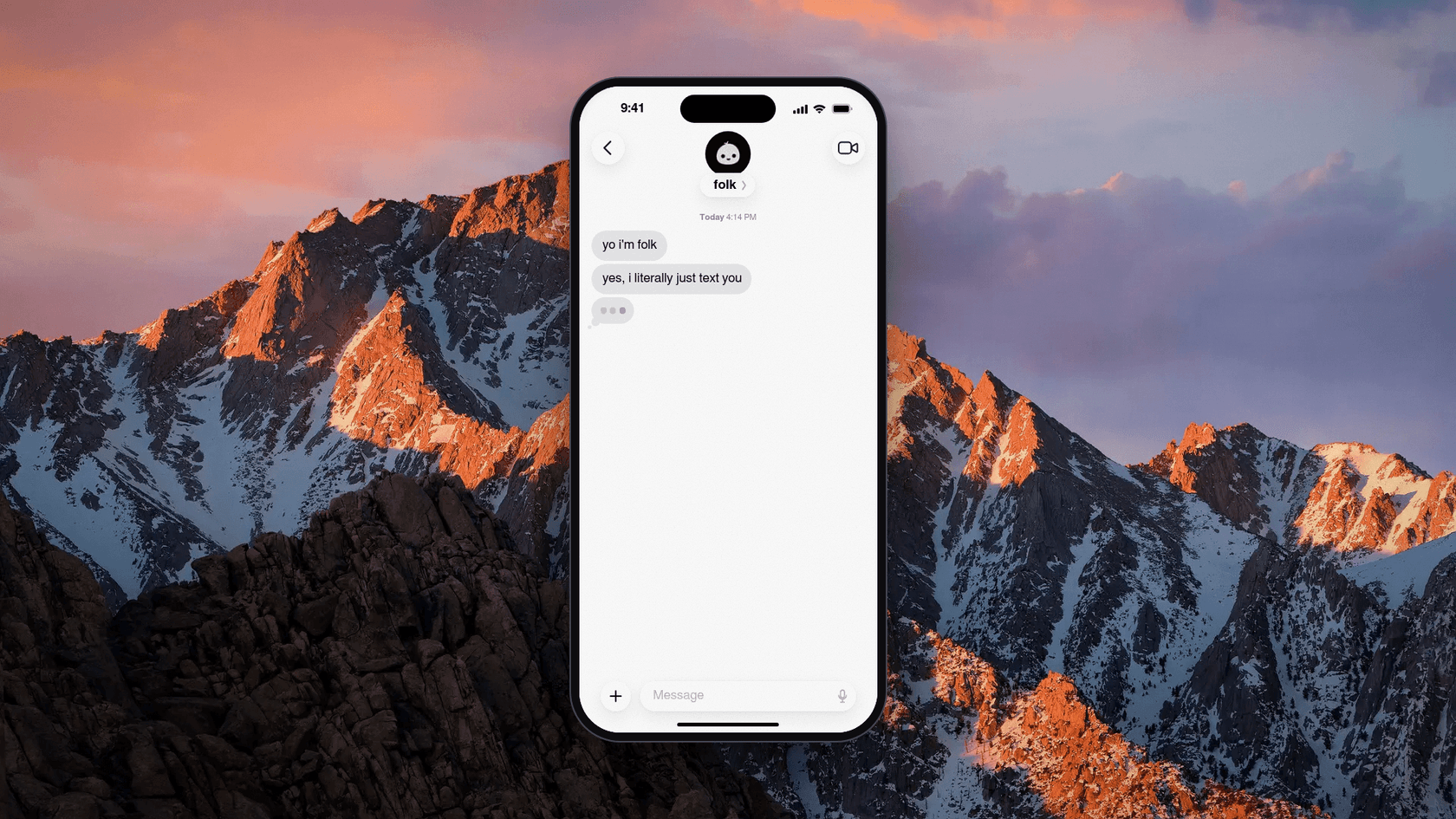
Start with the naming, because it trips up almost every search. The assistant lives at folk.com, and the old getfolk.app address now lands there too. folk.app is a different company that sells a sales CRM. So when you find a G2 or Trustpilot page called "folk," it is reviewing the CRM, not this assistant.
The folk in this review is made by Nozomio, Inc., which calls itself "a product lab solving context in AI." Nozomio says it raised a $6.2M seed led by CRV, with BoxGroup, LocalGlobe, Y Combinator and Paul Graham also backing it. The founder is Arlan Rakhmetzhanov, who announced the beta on May 11, 2026:
"introducing folk beta the personal ai that lives in your texts and quietly runs your life."
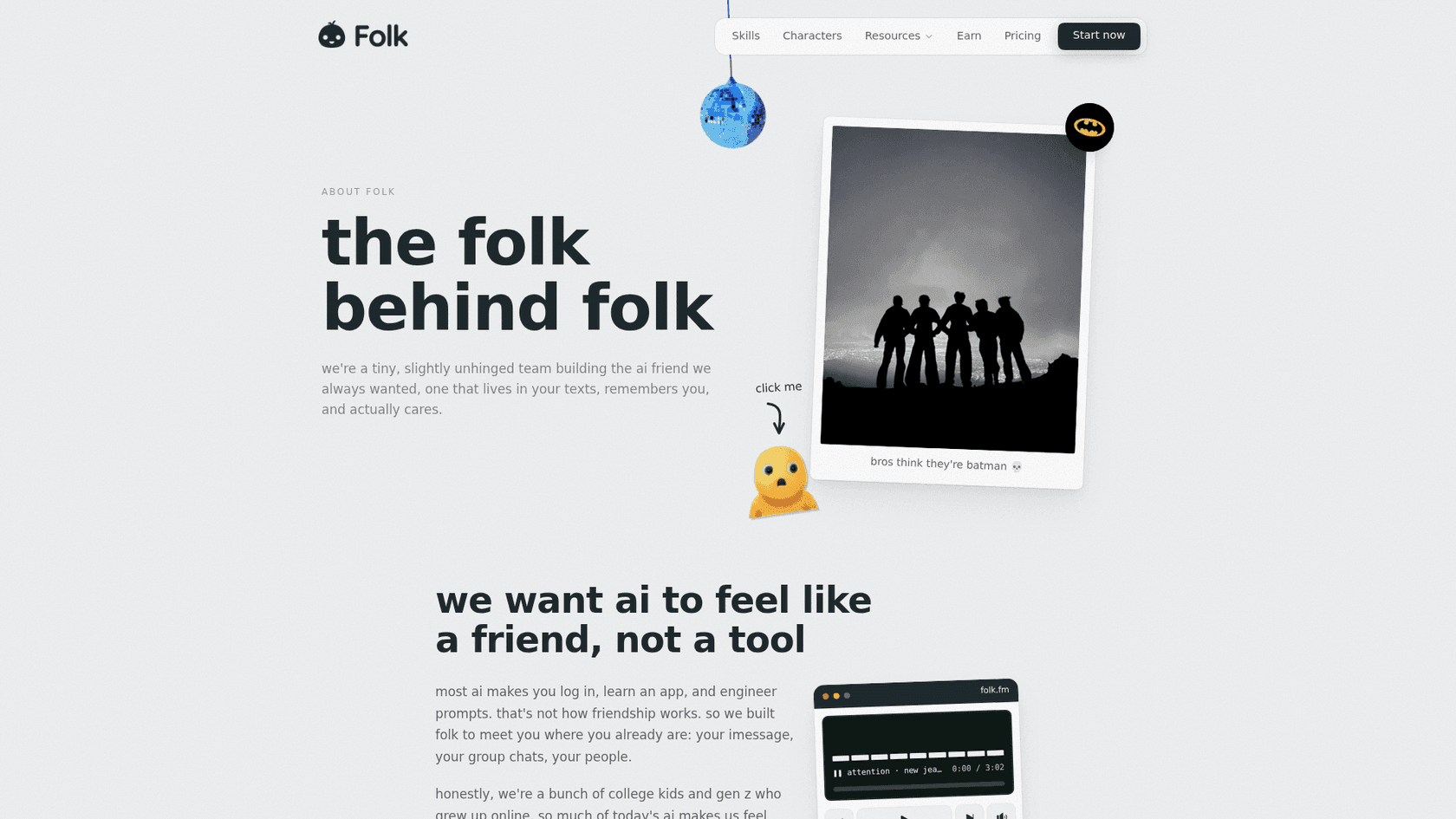
The about page describes a six-person team of "college kids and gen z" building an AI that feels "like a friend, not a tool." Under the hood, folk runs on Nia, Nozomio's own memory and context engine. Nia started as a context layer for coding agents, and its Launch HN post from the YC S25 batch picked up 131 points and 87 comments. That background matters: folk's real bet is memory, not just drafting.
Folk sits in the same new wave as Poke, Instinct and OpenClaw: assistants you message instead of open.
If you are new to the idea, my explainer on AI agents vs chatbots covers why "it acts in your accounts" is the real difference.
How folk handles your email
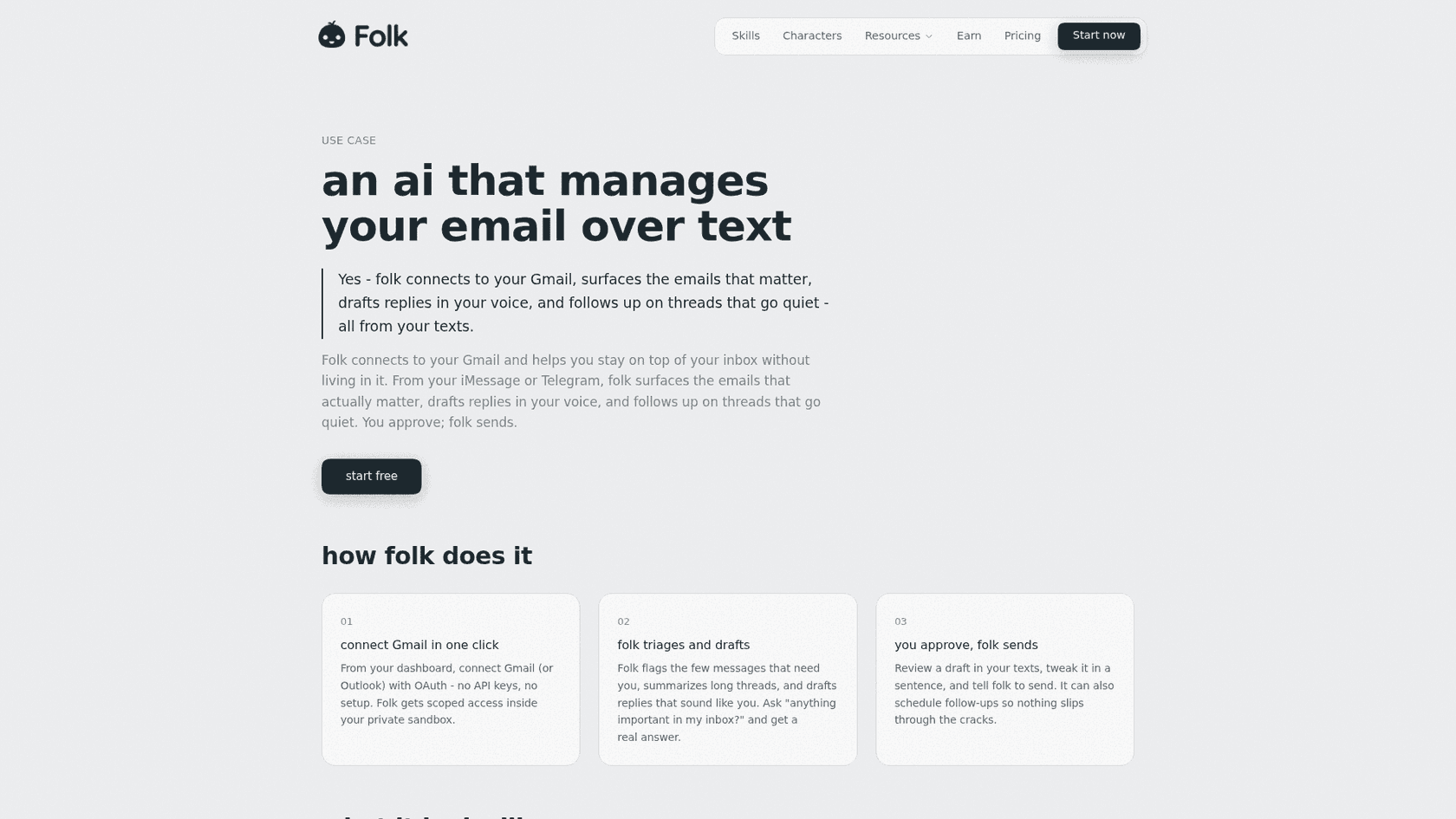
Email is one use case on folk's list, but it is the one most people search for. Folk's email page lays it out in three steps:
- Connect. From the dashboard, you connect "Gmail (or Outlook) with OAuth," with no API keys. Folk gets scoped access inside your private sandbox.
- Triage and draft. Folk "flags the few messages that need you, summarizes long threads, and drafts replies that sound like you." You can text "anything important in my inbox?" and get a real answer.
- Approve. You review the draft in your texts, tweak it in a sentence, and tell folk to send. It can also schedule follow-ups.
The example on that page is a good picture of the experience. You ask what is important, folk lists three emails (a lease renewal, a recruiter, an invoice) and calls the rest newsletters. You say "draft a yes to the landlord," and it drafts one and asks "Send it?"
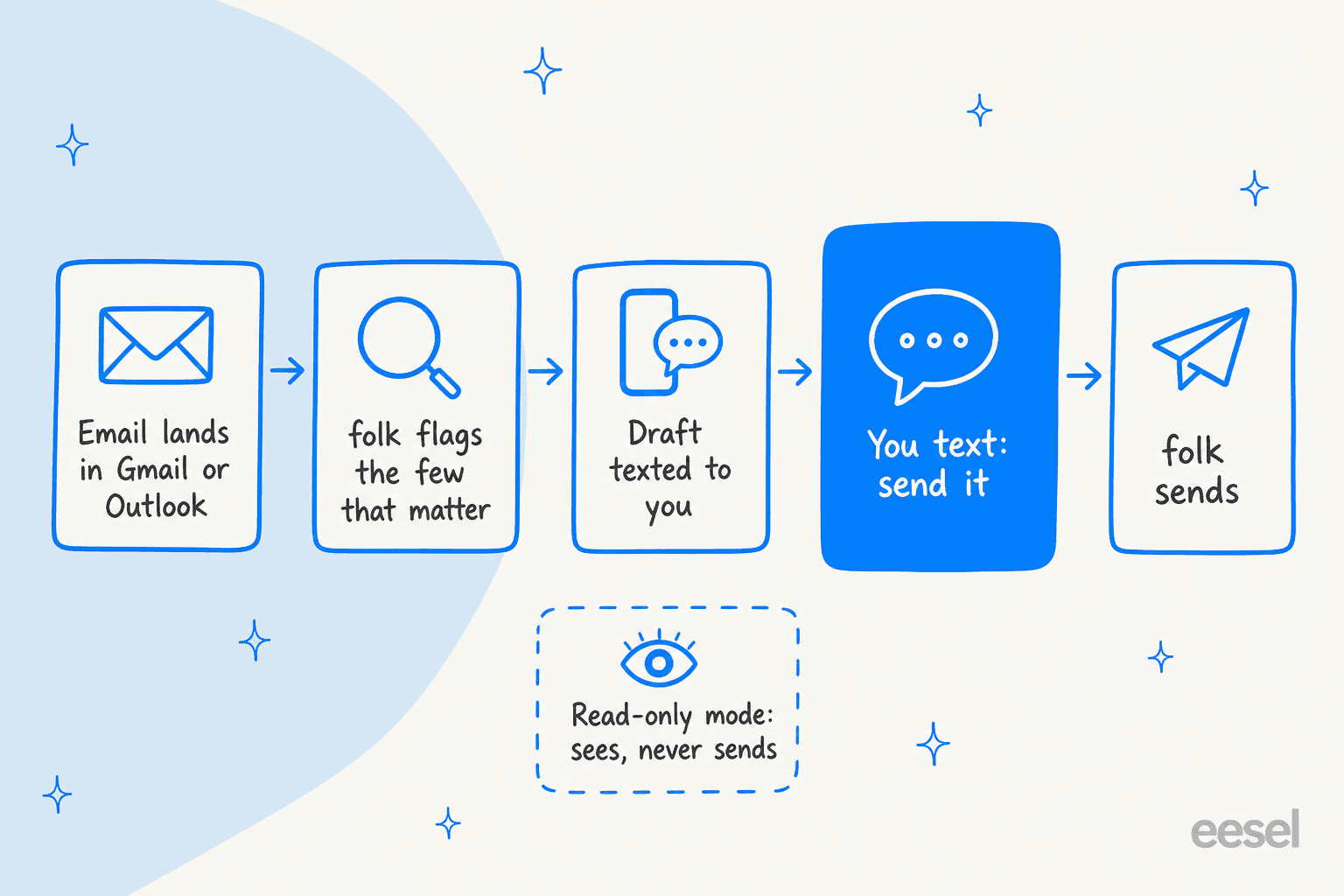
The step that matters is the highlighted one. Folk's FAQ answers "Does folk send emails without my permission?" with a plain "No." And the privacy policy adds an option I wish more tools had: when you connect Google apps, you can pick read-only access, so folk "can see but never send, edit or delete." That is a good starting point for anyone nervous about letting an AI near their inbox.
A few more email details worth knowing:
- Morning briefing. Folk can text you one message each morning with your calendar, the weather, inbox highlights and anything you asked it to watch.
- Voice is learned, not trained. Folk says drafts "sound like you." It builds that from its memory of you, and it does not train models on your mail.
- Disconnecting is clean. Disconnecting an app revokes access right away, but emails and notes folk already saved stay until you delete them.
If you mostly live in Gmail and want help inside the inbox rather than over text, Google's own Help me write covers some of the same ground. Gmail also has built-in follow-up nudges for threads that go quiet.
And if triage is the real pain, my guide to AI email triage shows how to set it up.
Folk is a life assistant first
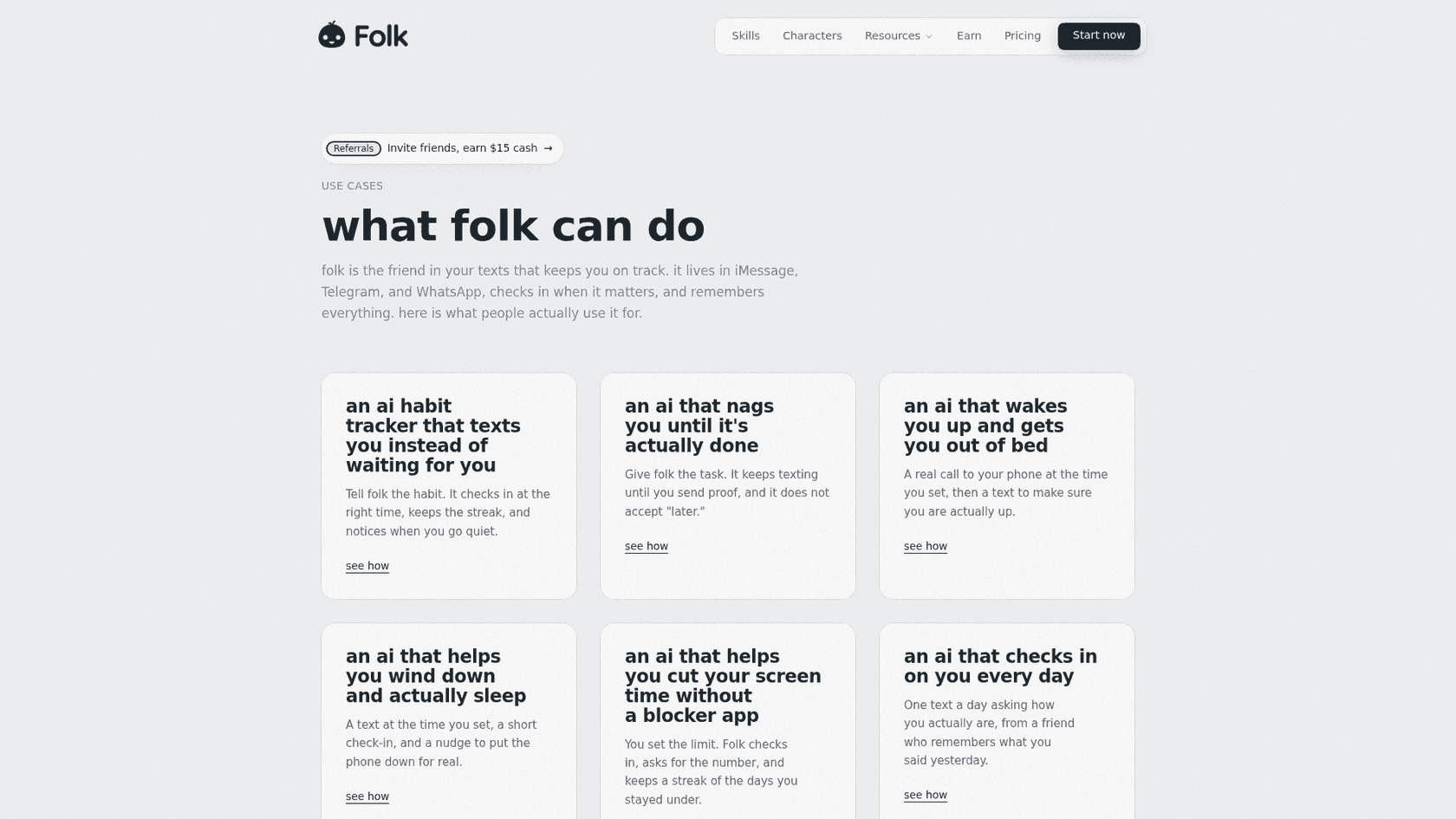
Here is the part that most "folk email assistant" searches miss. Open the use cases page and the first six cards are about habits, nagging, wake-up calls, sleep, screen time and daily check-ins. Email shows up much further down. Folk is built as an accountability friend that also does email, not an executive assistant that also does reminders.
What that looks like in practice:
- It texts you first. "Wake-up calls, streak check-ins, price drops, 'your flight moved.'" You decide how much it reaches out, and one text pauses anything.
- Its own computer. Each user gets "their own private cloud computer," so folk can browse, book tables, track flights, watch prices and even write code and open a pull request from your phone.
- Group chats. Add folk's number to an iMessage group and it plans the thing your group keeps talking about. It "stays quiet until someone tags it."
- Money questions. Link a bank through Plaid and folk gets read-only balances and transactions. The privacy policy says "folk can never move money."
- Characters. There is also a gallery of AI characters, which the terms limit to people 18 and older.
None of that is a knock. For a student or a busy parent, a free assistant that nags you to the gym and drafts your landlord a reply is a great deal. But if you came looking for an AI personal assistant that preps you for meetings, folk does not name meeting prep as a feature. Orchid or Lindy fit that job better, and my roundup of AI scheduling assistants covers calendar-first tools.
Folk AI pricing
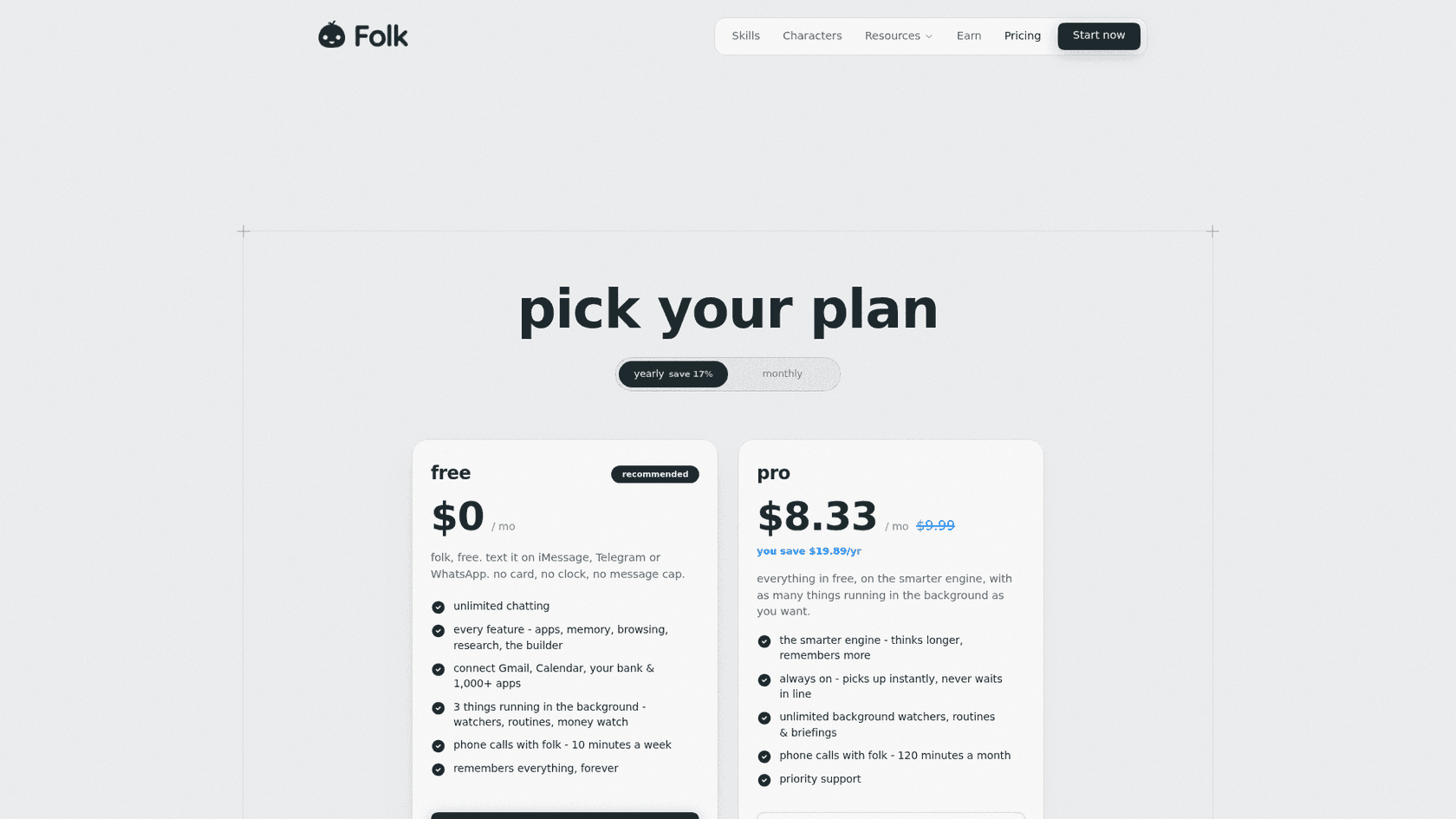
I checked folk's pricing page and its terms on October 7, 2026. Here is every plan:
| Plan | Price | What you get |
|---|---|---|
| Free | $0, no card, "free forever" | Unlimited chatting, every feature, Gmail, Calendar, bank and 1,000+ apps, 3 background tasks at a time, phone calls 10 minutes a week, "remembers everything, forever" |
| Pro | $9.99/mo, or $99.99/yr ($8.33/mo) | Everything in free, the "smarter engine," always on with no queue, unlimited watchers, routines and briefings, phone calls 120 minutes a month, priority support |
| Max | $99.99/mo or $799.99/yr on the US App Store | "The same, with higher usage capacity." Listed in the terms, not on the pricing page |
A few billing details from the terms:
- Trials. Pro includes a 3-day free trial for eligible new subscribers on iOS. On the web, first-time subscribers get a trial too, with a card collected up front.
- Refunds. No refunds for partial periods unless the law requires it. Apple purchases are refunded by Apple.
- Failed yearly payments. On web billing, if a yearly payment fails, folk may move you to the monthly price so the service keeps running.
- Referrals. You earn $15 cash for each friend who subscribes, and your friend starts with a free week of Pro.
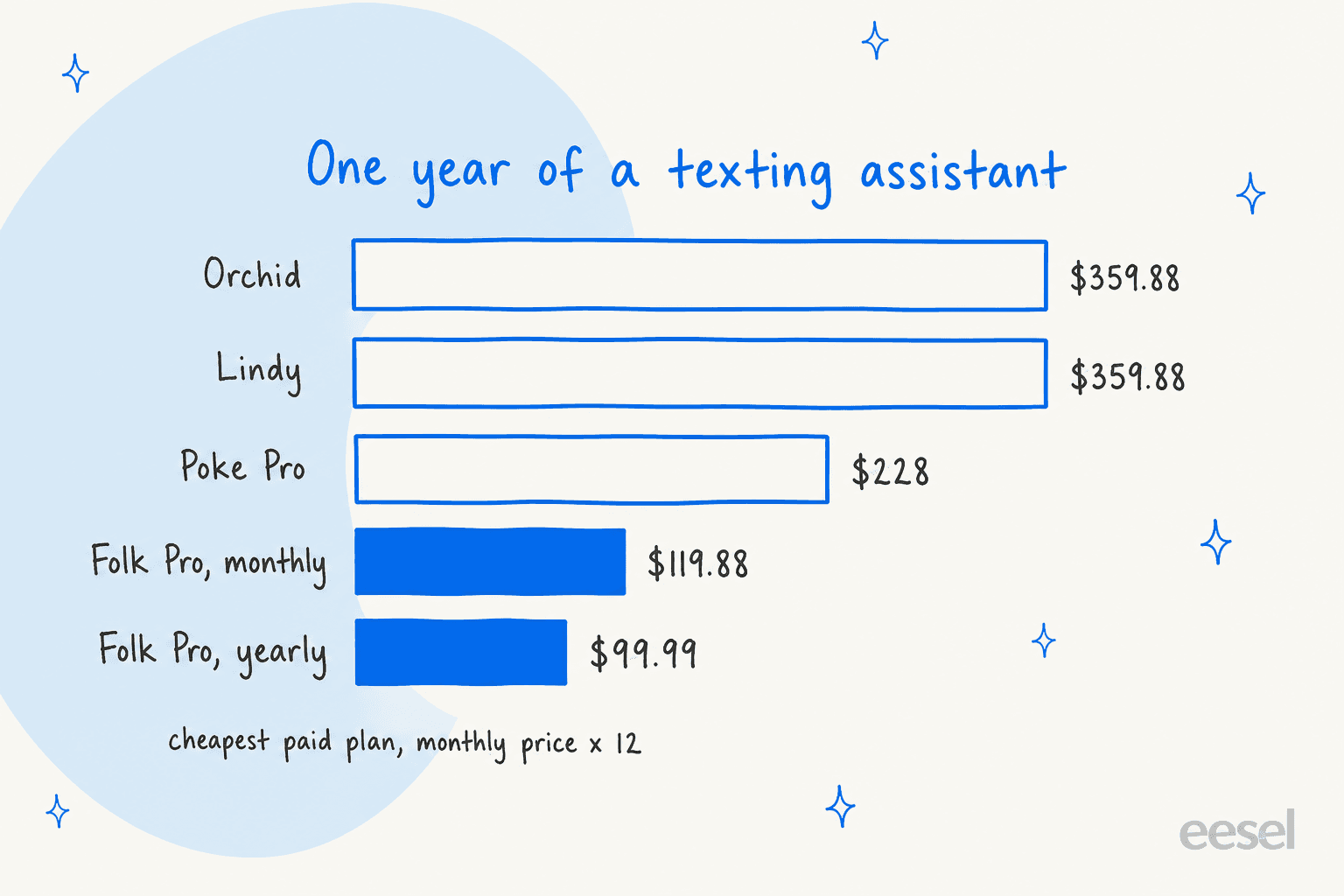
Put a year side by side and the gap is hard to miss. Folk Pro on yearly billing is $99.99 for the year. Poke Pro at $19 a month is $228, and Orchid and Lindy at $29.99 a month are $359.88 each. Lindy's price buys 3,000 credits a month and SOC 2 Type II, so it is not a like-for-like plan, but for one person's inbox, folk is the cheapest paid option in this group.
My honest read on free vs Pro: start free. Three background tasks covers a morning briefing plus two watchers, and every feature is included. Upgrade only if you keep hitting the three-task limit or want the faster engine.
The fine print on privacy and liability
Folk's privacy story is better than most in this category, and it is written in plain English. Here is what the privacy policy and terms actually say, both last updated September 8, 2026:
| Question | What folk says |
|---|---|
| Does it train AI on my data? | "We never use your data to train AI models." Google data follows Google's Limited Use rules |
| Where does my data live? | In "your own private cloud computer," separate from everyone else's, with app logins encrypted |
| Which AI models see my messages? | OpenAI and Anthropic models through OpenRouter, on paid API plans that bar training on inputs |
| Who else sees message content? | Langfuse, Lemma and Raindrop "record the messages folk exchanges with its AI models" to find broken replies, not for ads or training |
| Can it read my other texts? | No. Only your chat with folk, or group chats it was added to |
| What happens when I delete my account? | Memory and messages are deleted "within seconds," with leftover copies in encrypted backups for a short while |
| Security certifications | SOC 2, ISO 27001 and HIPAA are not stated on these pages |
| Liability | Capped at what you paid folk in the 12 months before a claim, so $0 on the free plan |
Two details I would flag for anyone connecting a real inbox. First, those three monitoring tools see message content, which is common practice for AI products but worth knowing. Second, if you let folk read your iPhone contacts, it matches their phone numbers as one-way hashes against other folk users to show who has joined. You can turn that off, but only by emailing support.
None of this is unusual for a consumer app, and the no-training promise is a real plus over Poke, whose privacy notice allows training unless you choose its Maximum Privacy mode. For a work inbox with client data in it, though, the missing security report is the deciding factor. My guide to AI agent data privacy lists the questions worth asking any vendor first.
What do real users say about folk?
Honestly, not much yet. Folk is only a few months out of its May 2026 beta, and I could not find independent long-form reviews on Reddit, Hacker News or LinkedIn. Watch out for review sites that mix it up with the folk CRM.
The launch post drew 347 likes on X, and one of the top replies was a fair question every buyer should ask:
"What are the things that can be achieved by folk but cannot be done by OpenClaw or Hermes? If there are a few useful things, I will consider to switch"
My answer to Jason: setup. OpenClaw and Hermes Agent are open-source agents you run and wire up yourself. Folk is a phone number you text, with the computer, memory and connections already handled. You trade control for convenience.
The fans are enthusiastic, if a little tongue-in-cheek:
"my bet is that folk will kill siri and then nozomio will acquire apple"
The founder knows the comparison problem too. In a June post, he wrote that "people might think of Folk as just another poke or openclaw, and that siri will eventually kill it" (Arlan Rakhmetzhanov, X). Folk's own site leans into it, with comparison pages against Poke, OpenClaw and ClawdBot.
Until more real users write about living with it, treat any star rating you see for "folk" with suspicion and test the free plan yourself. It costs nothing.
Folk vs other texting assistants
Folk lands in a crowded field. Here is how it compares on the things that matter for email, using each vendor's own pages:
| Tool | Lives in | Email providers | Sends without asking? | Free plan | Cheapest paid | Trains on your data |
|---|---|---|---|---|---|---|
| Folk | iMessage, Telegram, WhatsApp | Gmail, Outlook | No, you approve | Yes, forever | $9.99/mo or $99.99/yr | Never |
| Poke | iMessage, WhatsApp, Telegram | Gmail, Outlook | Not stated | Yes | $19/mo | Yes, unless Maximum Privacy |
| Lindy | iMessage, SMS, Slack, web | Gmail, Outlook | No, drafts wait | $50 in credits, 7 days | $29.99/mo | Never |
| Orchid | iMessage, SMS | Gmail only | No, by default | No | $29.99/mo | May train a personal model |
| Instinct | iMessage, WhatsApp, calls | Gmail | Acts as your agent | Invite-only | No public price | On by default, opt-out |
| Fyxer | Inside Gmail and Outlook | Gmail, Outlook | Never sends | Yes, no drafts | $49/mo | Not third-party models |
The pattern: folk wins on price and on its no-training stance, and ties Lindy on the approval-first default. It loses on business readiness, where Lindy's SOC 2 and Fyxer's inbox-native design are stronger. For the full field, my Orchid AI alternatives list goes deeper, and the Instinct alternatives roundup covers the agents that act on their own.
If you would rather compare beyond texting assistants, start with my guides to the best AI assistants overall. For inbox-native tools, see my picks for AI email assistants.
My verdict on folk
What I like:
- The free plan is real: unlimited chatting, every feature and email connected, with no card.
- Pro at $99.99 a year is the cheapest paid texting assistant I have looked at.
- Approval before sending is the default, and read-only Google access is an option.
- A clear, plain-English promise never to train models on your data.
What gives me pause:
- It leans consumer. Habits and wake-up calls come first, and meeting prep is not a named feature.
- No SOC 2 or other security report is listed, and liability is capped at what you paid.
- Very little independent feedback yet, and the folk CRM muddies every search.
- Calendar support named on its pages is Google Calendar and iPhone calendars, not Outlook Calendar.
Who should use folk: students, creators and anyone who wants one cheap assistant for life admin plus a tidier personal inbox. Who should skip it: anyone handling client data at work, or anyone who needs an executive assistant for meetings. The deciding factor: whether the email you want help with is yours, or your company's.
When your inbox is really a support inbox
This is the case I see most from the support side. A founder signs up for a personal assistant because "email is out of control." Then it turns out the mail is not personal at all. It is customers asking about refunds, logins and shipping, landing in the same Gmail account.
A personal assistant only half fits that job. Folk drafts in your voice from its memory of you, and waits for you to approve every reply. That is the right design for one person. A support inbox needs answers from approved knowledge, the same answer no matter who is on shift, and a clean hand-off to a human when the AI is not sure. It also needs to learn from how your team has answered before. The most requested feature across eesel's sales calls is exactly that: training the AI on your own past tickets.
If that sounds like your inbox, my guide to AI for email support is a better next read than any personal-assistant review. The walkthrough on automating email support shows the setup step by step.
For teams outgrowing a shared Gmail, see shared inbox vs ticketing and the best helpdesks for small businesses.
Try eesel
Folk is a personal assistant for your own life. eesel is a different kind of hire: an AI teammate platform where you bring on ready-to-work teammates for specific jobs. Today that is an AI helpdesk teammate for customer support and an AI blog writer for content.
If your support runs out of Gmail, the helpdesk teammate works right there. You connect the account, then describe in plain words which mail it should handle, and per eesel's Gmail docs it skips any mail you did not describe. Your personal threads stay yours. It learns from your help center and your team's past replies, so drafts sound like your team, not a generic bot.
The part I would point a folk user to is the testing. Before eesel answers a single customer, you can run it against your historical tickets and read what it would have said. Start in draft mode and switch on sending only when you trust it. Pricing is one fixed monthly price, from $299 for 500 credits, where a ticket is 1 credit, and the free trial includes 100 credits with no card. If customer email is what is really filling your inbox, try eesel on it.
Frequently Asked Questions
What is the folk AI assistant?
Is the folk AI assistant free?
How much does folk Pro cost?
Does folk work with Outlook?
Does folk send emails without asking?
Is the folk AI assistant safe for my email?
Are there real folk AI assistant reviews?
What are the best folk alternatives?


Article by
Riellvriany Indriawan
Riell is a designer and writer at eesel AI with about two years of experience researching CX platforms, AI chatbots, and helpdesk software. She combines her design background with a sharp eye for how these tools actually look and feel in practice — making her comparisons unusually visual and user-focused.