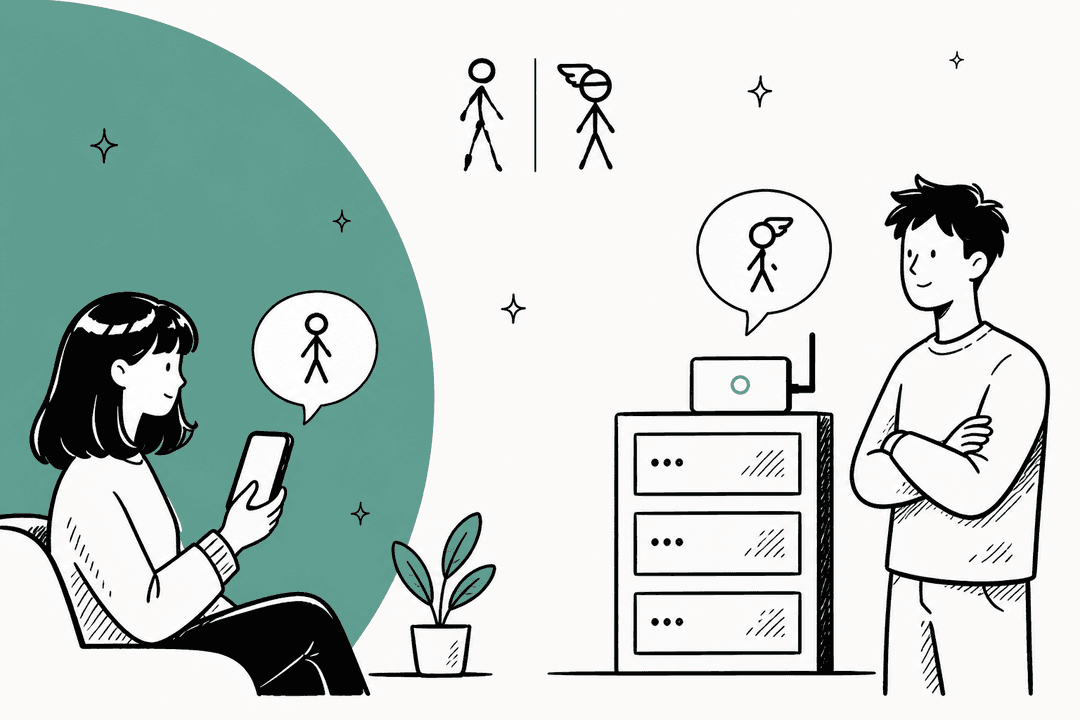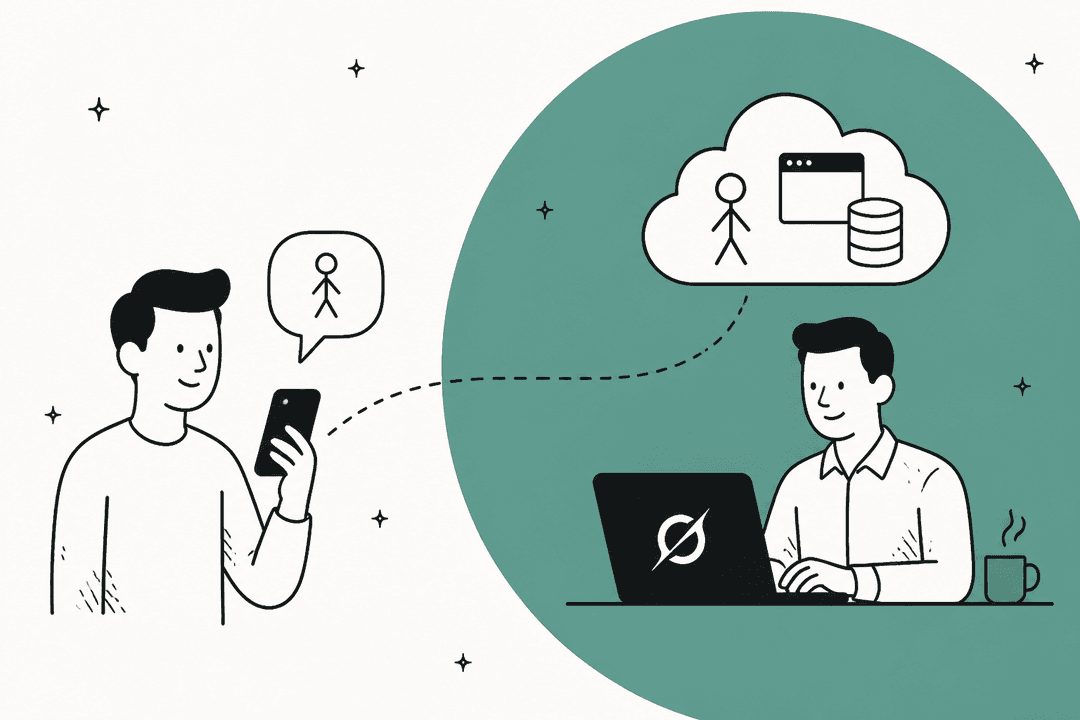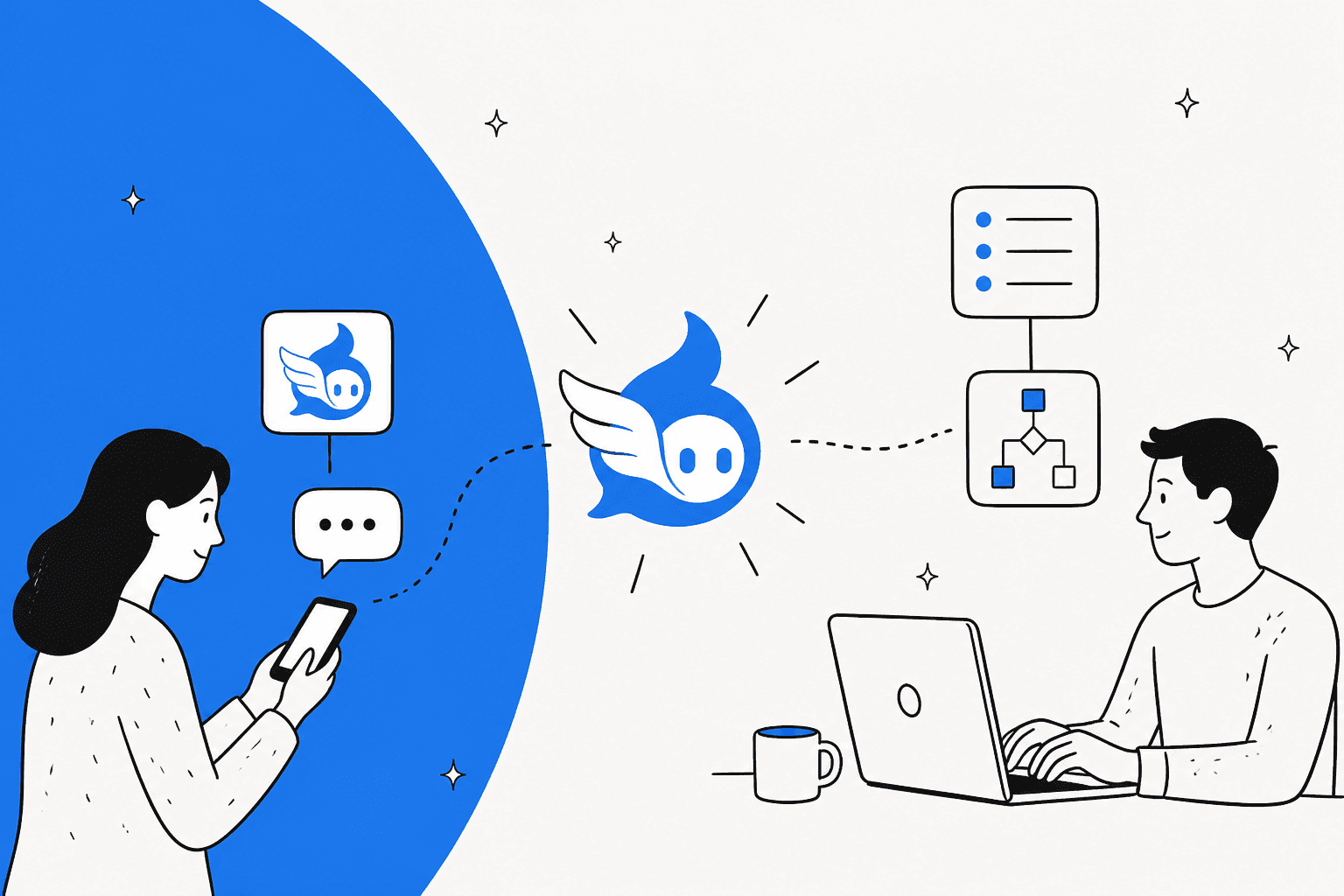
Same engine, two very different deals
I build integrations at eesel, which mostly means wiring an AI agent into somebody else's system and then finding out which assumptions break. When two products share one engine, I first check what each one switched off, because that usually says more than the feature list does.
Self-hosted Hermes is the original. You install it on your own machine, bring a model provider, and connect it to chat apps through its gateway. It has a built-in learning loop: it writes notes about you, turns repeated work into reusable skills, searches past sessions, and runs scheduled jobs.
It's one of the most talked-about open-source AI agents, alongside OpenClaw and lighter forks like ZeroClaw.
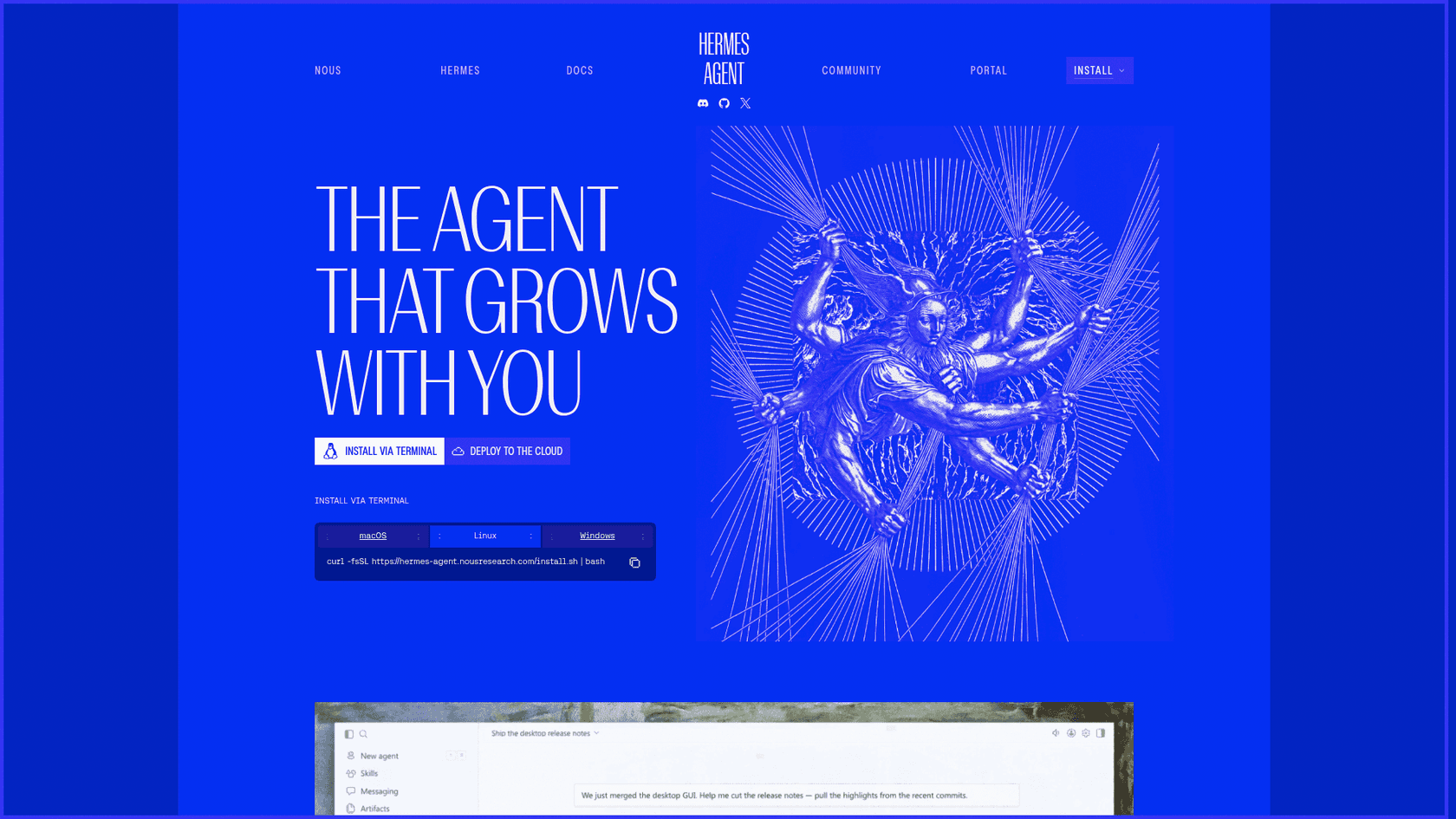
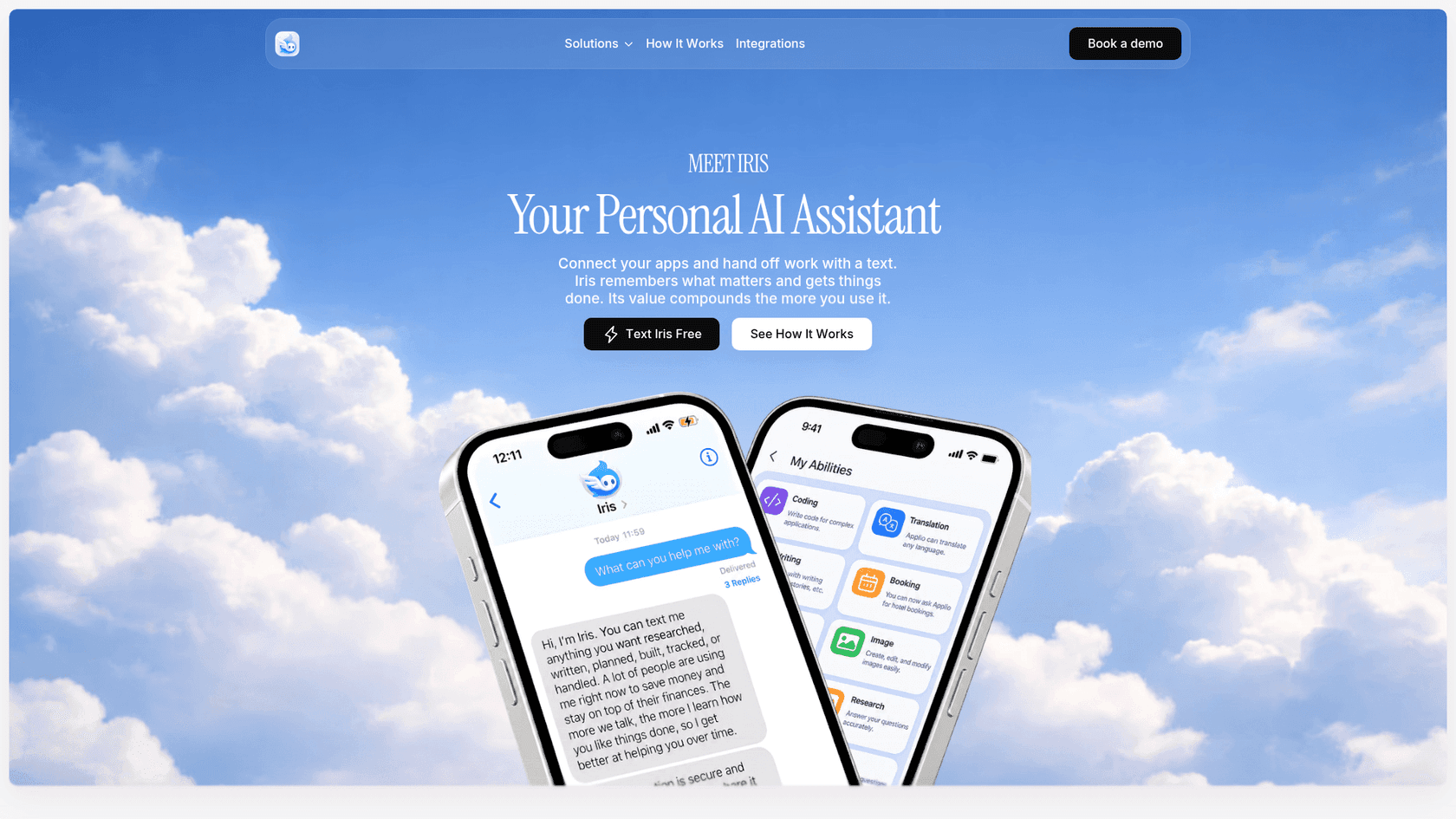
Iris (iris-agent.co) is Hermes as a service, which I covered on its own in my Iris Hermes Agent review. It launched on September 16, 2026 as iHermes, and its makers were upfront about who it's for. Dan Krieger, one of the team, said they wanted more people to get Hermes's value "without having to set up the whole thing themselves," then added the honest caveat:
"running Hermes yourself is still an option for people who want that level of control."
That's the whole comparison in one sentence. Everything below is about what "that level of control" buys you, and what you pay for it.
Iris vs self-hosted Hermes at a glance
Here's the full side-by-side first. The parts that matter most get their own sections after it.
| Iris | Self-hosted Hermes | |
|---|---|---|
| Who runs it | Iris, in its cloud | You, on your Mac, PC, server or VPS |
| How you talk to it | iMessage, built in | 20+ channels via the messaging gateway: Telegram, Slack, WhatsApp, Signal, Discord, iMessage via BlueBubbles, and more |
| Setup | Text a number, tap a connection link when a job needs an app | Install, pick a model provider, configure the gateway, authorize users |
| Native Hermes memory | Off on the consumer path | On: MEMORY.md and USER.md per profile |
| Session search and cron | Off on the consumer path | On |
| Skills | Saved personal skills, starter professional skills | Self-written skills plus the open Skills Hub |
| Model choice | Model-agnostic, no model picker documented | Any provider, including Nous Portal, OpenRouter, OpenAI |
| Connections | Gmail (read-only), Google Calendar, Linear, Slack, its own mailbox | Whatever you wire up, including any MCP server |
| Sending on your behalf | Preview and approval before anything consequential | Your rules: command approval, memory write approval, pairing codes |
| Price | Free, Plus at $15 or $19 a month | $0 license, plus models and hardware |
| Data location | Iris's cloud | Your machine |
| Export and delete | No self-serve export yet; deletion by email | Copy or delete the folder |
The table makes it look like a features race that self-hosting wins. It's not that simple. Most people reading this don't want to own a gateway; they want a reminder to fire and a meeting brief to show up, the same jobs covered in my AI scheduling assistants roundup. What you need to decide is whether the extra control is worth the work for you.
Setup: one text vs six steps and a Mac
This is where Iris earns its keep. You text a number, and when a task needs Gmail, Calendar, Linear or Slack, Iris sends a secure link for that one connection. Its founder page says it "asks for the smallest useful connection," and in practice you're up and running in roughly the time it takes to read this paragraph.
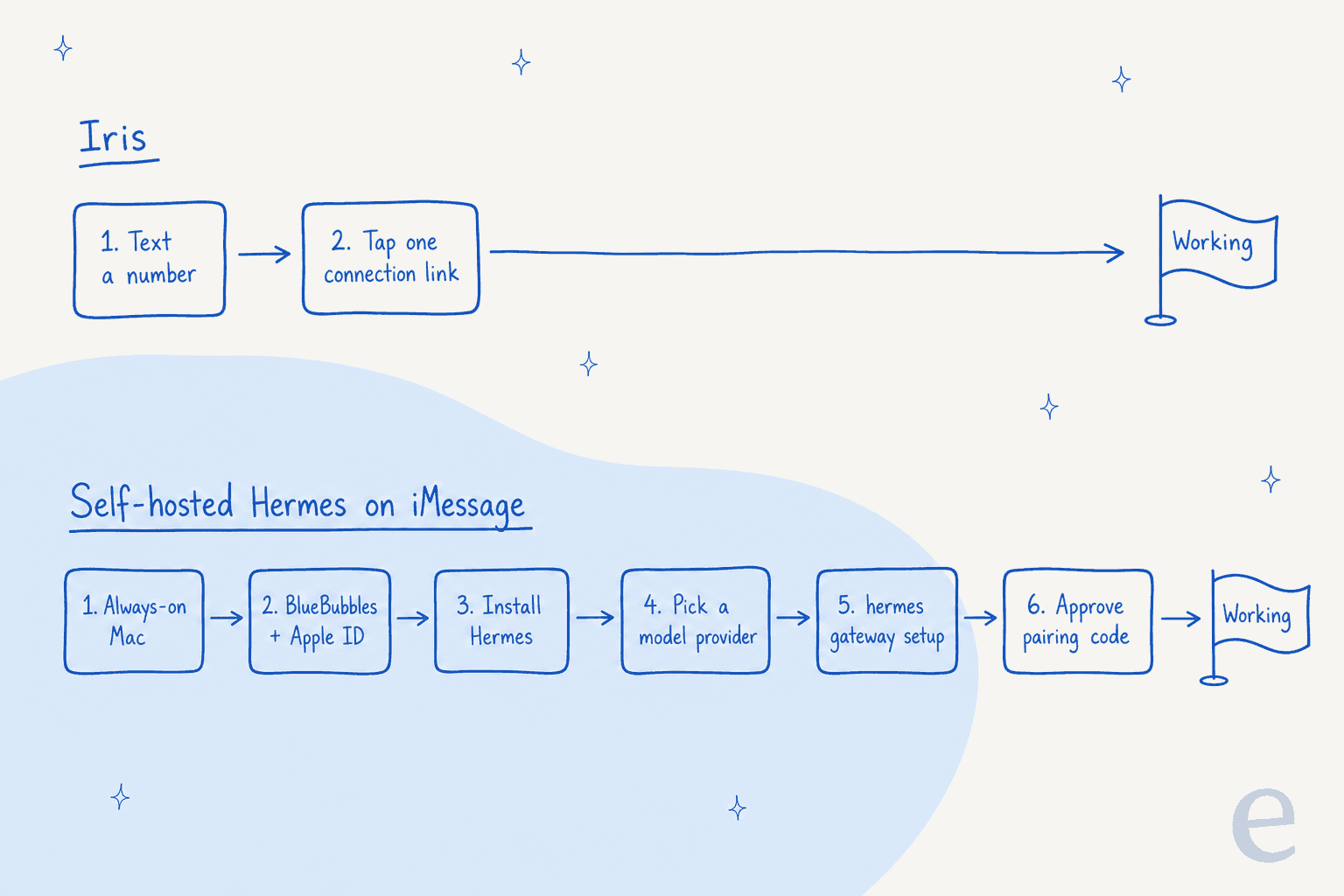
Self-hosting takes a different kind of afternoon. Installing Hermes itself is quick, a single installer or one curl command per the installation docs. The catch is iMessage. Apple doesn't offer an iMessage API, so Hermes reaches it through BlueBubbles, a free open-source macOS server. The prerequisites are blunt: "A Mac (always on)" with your Apple ID signed into Messages.
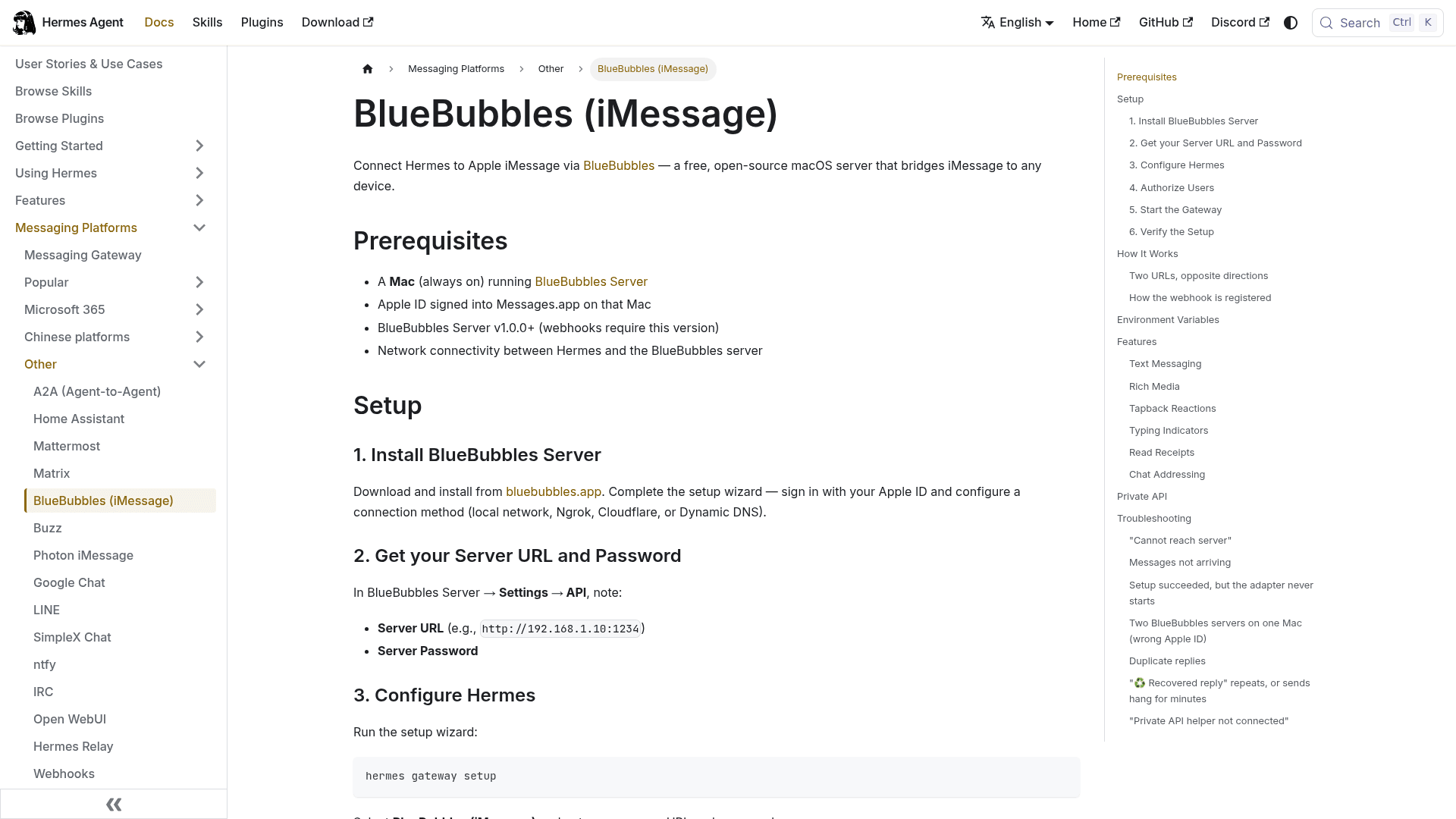
From there you run hermes gateway setup, enter the BlueBubbles server address and password, choose who's allowed in, and start the gateway. That part is straightforward. What would trip me up, having shipped a lot of integrations like this, is the troubleshooting section of the same doc:
- The silent disable. The setup wizard saves your credentials but doesn't flip
platforms.bluebubbles.enabledto true. If an old config saysfalse, "the wizard will report success and the adapter will still never start." - Duplicate replies. One contact can get split into two sessions, which the docs list as a known issue tracked in #30708.
- The sleeping Mac. Basic sending relies on Messages.app running in a logged-in user session. Leave the Mac at the login screen and sending fails unless you install BlueBubbles's Private API helper.
Bridges to closed platforms usually come with problems like these, and the docs are open about it. But it's the difference between "I tried an assistant" and "I now maintain one." If you don't need iMessage specifically, self-hosting gets much easier: Telegram authorization is a token and a pairing code, and one Hacker News user running it on Matrix called it "pretty simple to set up."
Memory is the real difference
Most write-ups miss this part. Self-hosted Hermes and Iris don't just differ on who runs the server. They handle memory in opposite ways, and memory is what makes either one useful after week two.
In stock Hermes, memory is two small files per profile: MEMORY.md for the agent's own notes (2,200 characters) and USER.md for what it knows about you (1,375 characters). Both get loaded into every session on that profile. That's simple and inspectable, and it's also why the docs carry this warning in a yellow box:
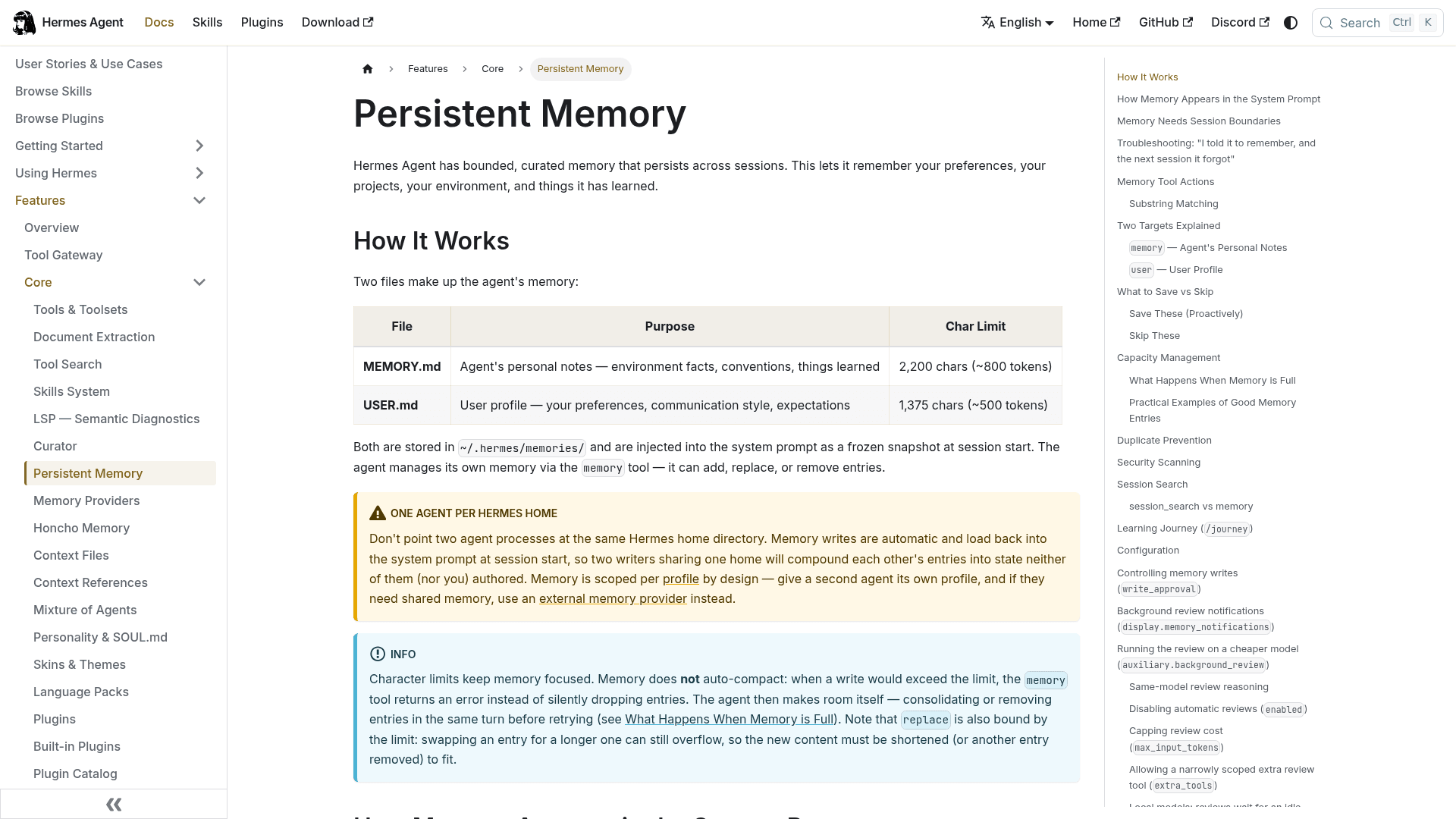
The docs say memory "is scoped per profile by design." If you're the only user on your own machine, that's exactly what you want. Your agent remembers your preferences, your server layout, your quirks, and nobody else ever reads that file.
Things change when thousands of strangers share one hosted service. That's the problem Iris had to solve, and its incident report explains how it went wrong first. During the beta, the hosted Hermes agent wrote user details into Hermes's own shared memory. When Iris moved to one tenant per phone number, the old shared memory wasn't fully deleted, and it surfaced in replies to other users: 5 beta accounts' details, 2 recipients, 7 replies, including names and employer references. A follow-up leak recurred the day after the first fix.
Iris's fix is the most important design fact in this whole comparison. Consumer Hermes profiles on Iris now run without Hermes-native memory, session search or cron. Each turn runs under a profile tied to your authenticated phone (user_{User.id}), and a missing or shared profile is rejected rather than used as a fallback. Your facts live in Iris's own per-phone store instead.
That's the right engineering call for a multi-user product, and it's the same lesson I've learned the hard way building support agents: isolation has to be a property of the system, not a promise the agent makes. It's the same reason AI hallucinations in support get caught in testing, not by asking the bot if it's sure. The report says it better than I can: "The assistant saying it verified durable memory is not evidence that it queried storage."
What this means for you is concrete. Iris still says it keeps "persistent memory" and "saved personal skills" on the Free plan, so you aren't losing memory. You just get Iris's version of it instead of Hermes's. If the reason you came to Hermes was its self-improving loop, the full native loop only exists when you self-host.
Self-hosting has its own memory sharp edges. One Hacker News commenter who tried it found the agent "damnably verbose" and said "it's all forgotten early in each session." Two small files only hold so much, and they don't auto-compact; when one fills up, the agent has to consolidate before it can write again. If you own your memory, you also end up curating it.
Who owns your Hermes? Iris's own test
I didn't expect this angle going in. Iris published a thoughtful post called Own Your Intelligence and Build Your Personal AGI, and it lays out exactly what "ownership" of an AI system should mean. The list is a good one. The post says a user should be able to inspect memory, review skill changes, export skills in an open format, choose models over time, delete the system, and move to private deployment.
It even takes a swipe at products that call themselves open source "while all of the user's actual working state remains trapped in a hosted database." Fair point. So I scored both options against Iris's own test.
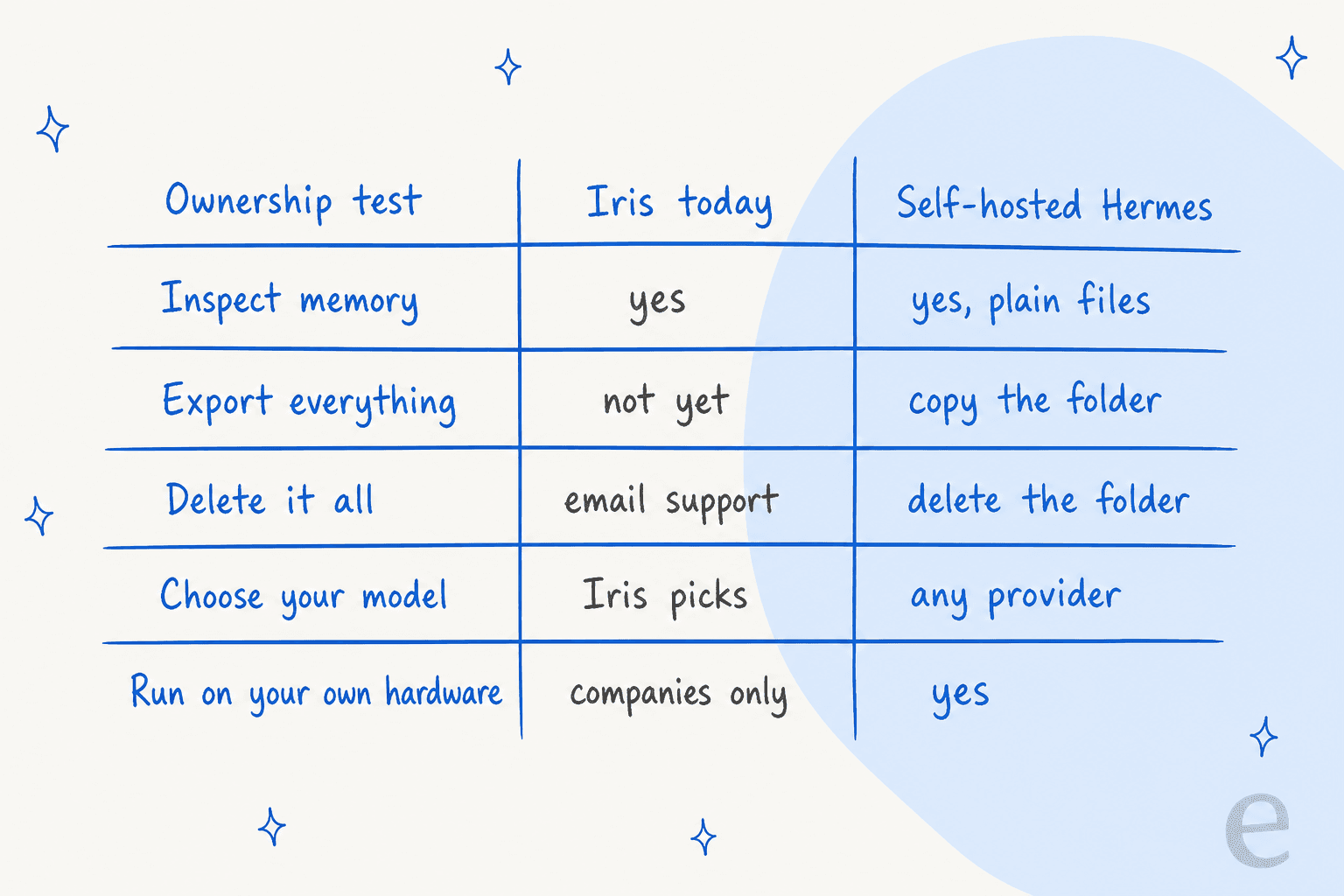
Where the Iris column comes from:
- Inspect memory: yes. Iris says you can "inspect, correct, or remove" what it remembers.
- Export: not yet. The incident report lists "Full conversation export" under things Iris doesn't provide self-serve.
- Delete: by request. Account deletion "is not yet a one-click product flow"; you email support and Iris confirms when it's done.
- Choose models: Iris calls itself model-agnostic, but I found no setting that lets a Plus user pick one.
- Private deployment: available, but through the separate demo-led "Iris for companies" product, not the $15 plan.
Self-hosted Hermes clears all five, mostly without you doing anything. Memory is text you can open. Skills follow the open agentskills.io format and live in ~/.hermes/skills/. You can swap model providers any time. Deleting your agent is deleting a folder.
To be fair to Iris, it's three weeks old and the report lists these gaps openly instead of hiding them. My guess is that export and self-serve deletion will ship. But today, if ownership is why you care about Hermes, self-hosting is the only option that delivers the definition Iris itself wrote.
What each option really costs
Looking only at cash, the two are closer than you'd think.
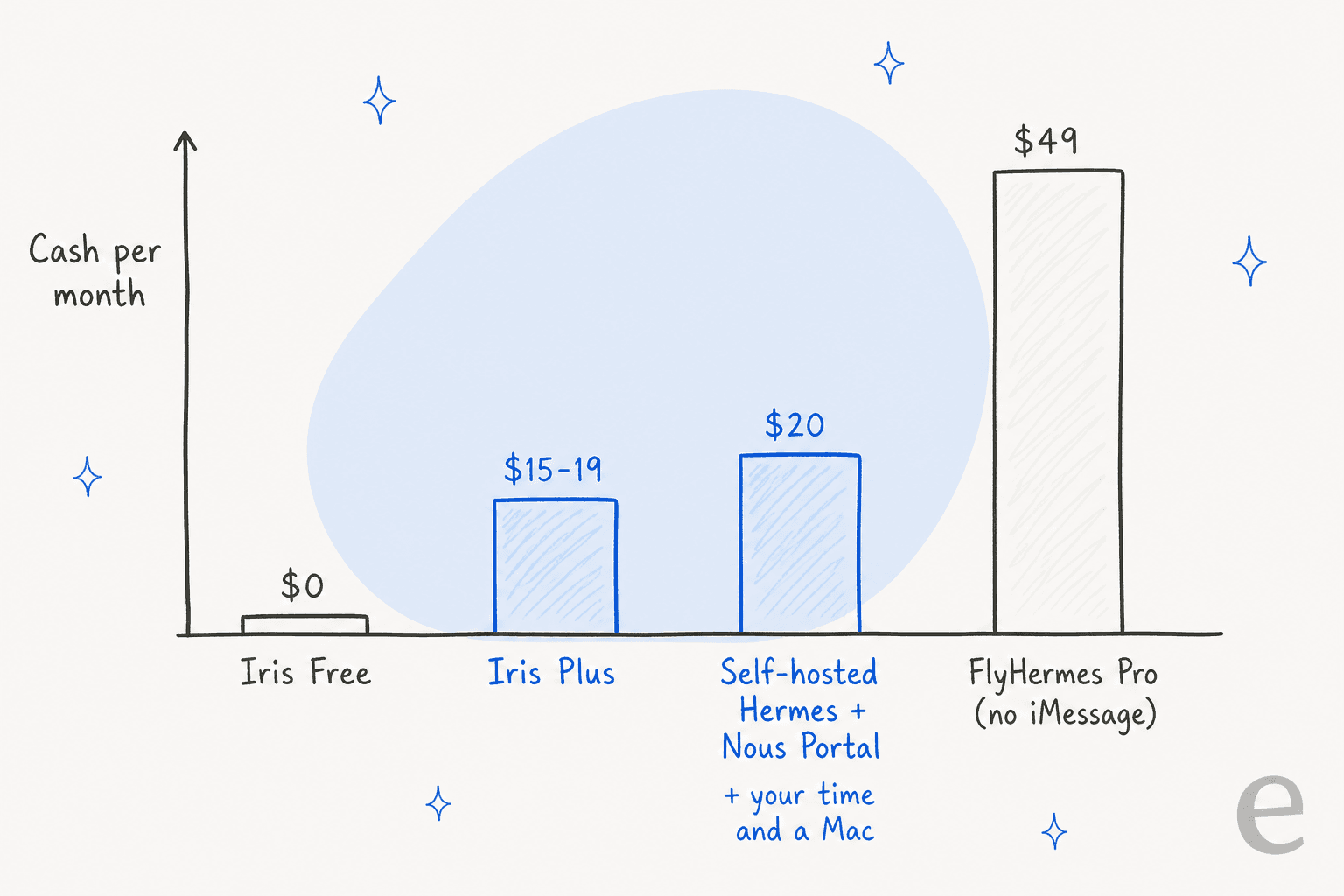
| Option | Monthly cash | What you get | What you supply |
|---|---|---|---|
| Iris Free | $0 | iMessage assistant, all supported connections, starter skills, persistent memory | An iPhone |
| Iris Plus | $15 on five pages, $19 on the personal assistant page | Higher usage limits (no number published), proactive and scheduled skills, larger files, priority processing | An iPhone |
| Self-hosted Hermes, free models | $0 | Full Hermes, limited to the free models on the Portal Free tier | A machine, your time |
| Self-hosted Hermes + Nous Portal | $20 | Full Hermes with $22 of monthly credits across 300+ models and the Tool Gateway, per Nous Portal | A machine, your time |
| Self-hosted Hermes on a VPS | about $5-6 server plus model tokens | Full Hermes on Telegram, Slack, WhatsApp and the rest; per the VPS guide, 1GB RAM is enough without a local model | Your time; still a Mac if you want iMessage |
| FlyHermes Pro (third-party host) | $49, or $39 billed annually | Hosted Hermes with model access included, on Telegram, Slack, WhatsApp and web chat, per FlyHermes | Nothing; no iMessage listed |
Two things stand out in this table.
First, iMessage quietly decides the hardware. The cheap VPS route is real, and Nous's README pitches Hermes as something you can "run on a $5 VPS." But a VPS can't sign into Messages. If iMessage is the point, you need a Mac running around the clock anyway, and at that point the Mac can host Hermes too. If you already own one, self-hosting costs about the same as Iris Plus. If you don't, Iris is far cheaper.
Second, the honest cost of self-hosting is labor. The unofficial hermes-agent.ai pricing page runs a calculator that puts self-hosting at $535 a month, but $455 of that is your own time at $30 an hour for 3.5 hours a week of upkeep. That page funnels into a paid host, so take the number with salt. The headline is still right though: "The software is free. Your time is not."
My rule of thumb: if you'd enjoy those 3.5 hours, self-host. If you'd resent them, that's what the $15 to $19 is for.
Security and access control
Both options take security seriously, but they put the guardrails in different places.
Self-hosted Hermes gives you the dials. Nobody gets in until you let them: for iMessage, Hermes sends a new contact a pairing code that you approve with hermes pairing approve, or you pre-list allowed numbers. Memory writes are scanned for injection and exfiltration patterns before they're saved, and you can turn on write approval so every memory change waits for your OK. Scheduled jobs fail closed if their model changes, so a background job can't quietly start spending on a pricier provider. The flip side: if you misconfigure it, there's no one else to catch it. One Hacker News reply summed up the community view: "Run it within a sandbox."
Iris gives you the defaults. Gmail is read-only, per its privacy policy, which puts it in the cautious camp among AI apps for Gmail, and nothing consequential happens without a preview and your approval. OAuth secrets are encrypted at rest, and Google data isn't used to train general models. Two things to know: when you first message Iris it "may send Meta a one-way hashed phone identifier" for ad measurement, and its liability cap is the greater of $100 or what you paid in the last 12 months.
For a low-stakes errand assistant, Iris's defaults are sensible and arguably safer than a hasty self-hosted setup. For anything that touches confidential data, I'd rather the data never leave my machine, and only one of these two options can promise that. It's the same question I'd ask about AI agent data privacy inside any helpdesk.
What people say about each
Iris is too new to show up on review sites yet, so there isn't much signal, and most of it comes from launch week. The most common reaction was relief at not installing anything:
"Surprisingly little setup for this. I especially like that there's no new app or dashboard to keep open."
Self-hosted Hermes has a longer track record on Hacker News, and the happiest users are the ones running it as a personal sysadmin or notetaker on a cheap server, close to the jobs in my Hermes for internal IT support post:
"it's been really good... having a competent agent with constant state has been good for memorializing and organizing important info. It's definitely both faster and a better documenter than I am."

The pattern is easy to see: Iris fans like that there's no work, while Hermes fans like what they built after putting the work in.
Which one should you pick?
How I'd decide depends on where you're starting from.
Pick Iris if:
- You live in iMessage and don't own a spare, always-on Mac.
- The jobs are reminders, meeting prep, research and draft replies, not confidential deal or legal work. If inbox triage is the main job, my AI email assistants guide is a better starting point.
- You want to know by tonight whether an AI assistant helps you at all. Start on Free, connect only Calendar and Iris's own mailbox, and add Gmail only if it earns it.
Pick self-hosted Hermes if:
- You already run a home server or keep a Mac mini on, and an evening of setup sounds fun.
- You want the full learning loop: native memory, session search, cron and self-written skills, which is what makes Hermes good at jobs like knowledge base upkeep.
- Your data is sensitive, or you want to swap models, export everything, or delete it all on your terms.
- You're happy on Telegram, Slack or WhatsApp. Then iMessage's Mac requirement disappears and a $5 server does the job.
Pick neither if you're on Android and want iMessage (Iris is iMessage-first), or you'd rather build agents visually than in a terminal, like Lindy or Claude Cowork.
My Hermes Agent alternatives post and Instinct vs Hermes comparison cover other routes.
Martin, Orchid and Instinct sit in the same text-your-assistant category as Iris.
For a wider menu, see my AI personal assistants test or the best AI agents list.
One more option worth knowing: you can start on Iris and graduate. Iris's own blog says its skills are designed to be portable through open skill formats, and Hermes skills use the open agentskills.io format, so the workflows you learn to describe on Iris are a reasonable rehearsal for writing your own later. Your Iris memory won't come with you until export ships.
Where both stop for support teams
People ask me about Hermes for support work more often than you'd expect. The honest answer is that neither option is built for a ticket queue. Iris's public pages never mention a helpdesk, and its connections are Gmail, Calendar, Linear and Slack. Self-hosted Hermes can be pushed into support, but you build everything yourself, which is exactly what a small-business owner on X found when he wired it into Front: the lookup step was "Unreliable right now," and the project had been "way harder than I expected," per his post. I walked through that path in my Hermes for customer support and Hermes for Freshdesk posts.
The memory story above is also why support buyers grill eesel so hard. On sales calls, the question I hear most from security-conscious teams is whether ticket data with personal details stays in their environment. One B2B team couldn't move past its internal security review until the team explained retention and redaction settings for regulated customers. Shared memory leaking across users is the consumer version of exactly that fear.

eesel's AI helpdesk teammate is one of the AI teammates you hire, closer to an AI employee than a chatbot, for a defined job rather than a general errand-runner. It joins Zendesk, Freshdesk, Gorgias and other helpdesks, learns from your help center and past replies, and keeps each company's knowledge in its own workspace.
The difference from a general AI chatbot is that it takes actions inside the ticket, like tagging, routing and escalating. That's why it sits in my roundup of the best AI helpdesk software.
If you like the terminal-first feel of Hermes, the eesel CLI operates the same teammate from the command line. You, a script, or a coding agent like Claude Code can check its status, edit its instructions, approve pending actions and read every run without opening the dashboard. Either way it's one workspace, so a change made in the terminal shows up in the UI. More on that pattern in my AI agent CLI guide.
Try eesel
Iris and self-hosted Hermes are both good ways to hand off your own to-do list. If what's actually piling up is customer tickets, eesel is the teammate for that job: it plugs into your helpdesk in minutes, answers from your docs and past tickets, and hands anything uncertain to a human with a clean handoff. Before it goes live, you can replay it over hundreds of your past tickets and read exactly what it would have said, so you find the gaps in a test rather than in front of a customer. Plans start free, then fixed monthly batches from $299 for 500 tickets or chats on the pricing page. Try eesel on last month's tickets and see.
Frequently Asked Questions
What is the difference between Iris Hermes Agent and self-hosted Hermes?
Is Iris cheaper than self-hosting Hermes?
Can self-hosted Hermes work in iMessage?
Is Iris Hermes Agent safe after the memory incident?
Which Hermes setup keeps the learning loop?
Can I export my data from Iris or Hermes?
Should a support team use Iris or Hermes for customer tickets?


Article by
Rama Adi
Rama is a software engineer at eesel AI with two years of experience writing about B2B SaaS, AI tools, and customer support technology. Based in Bali, Indonesia, he brings a developer's perspective to product comparisons — cutting through marketing copy to what the integrations and APIs actually do.