Why I'd frame Hermes as a KB maintainer, not a KB
I work eesel's support queue every day, and when an AI answer goes wrong, the model is rarely the culprit. It's the help article. One support manager at a bus-tracking service, doing 200 to 250 Zendesk tickets a month, realized on a call with us that their entire knowledge base was written for admins while the tickets came from riders. Every answer was technically correct and practically useless. Another team, a Danish solar-energy provider, saw a bot invent answers and send them to real customers whenever its knowledge base had no match.
So "can an AI agent manage my knowledge base?" is really two questions. Can it hold the knowledge, and can it keep it current? For Hermes Agent, the open-source agent from Nous Research, the honest answers are "no" and "yes, carefully."
Hermes is a self-hosted, MIT-licensed agent you run on your own machine or server, and one of the better open-source AI agents around. If you're new to it, my Hermes Agent review covers the basics.
The customer support and internal IT support guides cover the other two jobs people try to give it. This one is about the unglamorous work of knowledge base management: keeping articles accurate, findable and complete.
What Hermes actually knows (and where it keeps it)
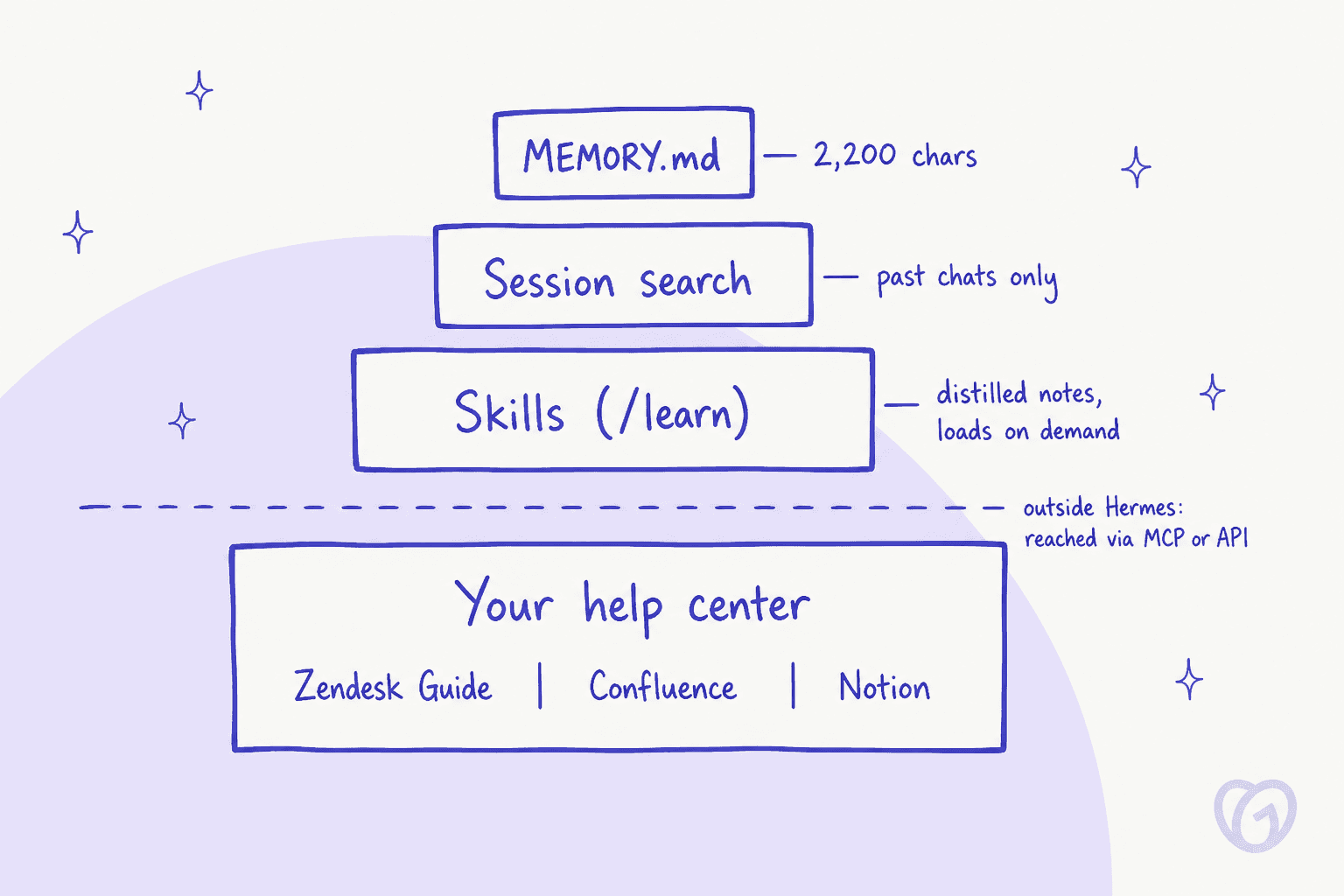
Hermes has four places knowledge can sit, and they're wildly different sizes. Most confusion about "Hermes as a knowledge base" comes from mixing them up.
Memory: small on purpose
Hermes' persistent memory is two files. MEMORY.md holds the agent's own notes at 2,200 characters (about 800 tokens), and USER.md holds your profile at 1,375 characters. That's roughly 8 to 15 entries. Both load into the system prompt as a frozen snapshot when a session starts, and memory doesn't auto-compact: a write over the limit returns an error and the agent has to make room.
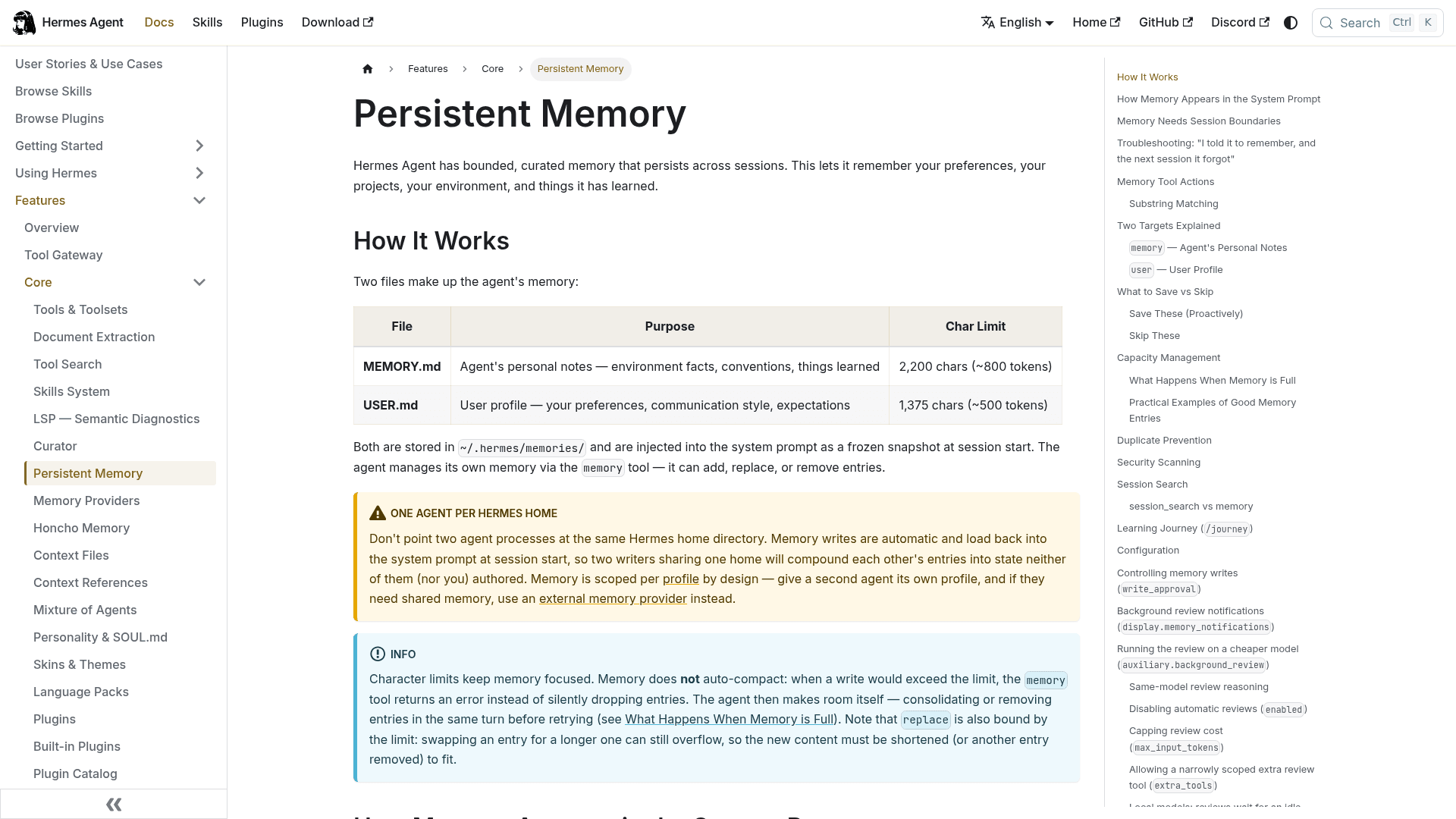
The docs are refreshingly direct about what doesn't belong there. "Raw data dumps" are on the skip list, and for anything the agent needs every run, the docs say a skill is "often the better home than a memory entry." One help article about your refund policy would eat a big slice of that budget. A help center won't fit, and was never meant to.
Session search: conversations, not documents
session_search runs SQLite full-text search over every past chat, at around 20ms a query, with no model calls. It's great for "did we discuss this last week?" It doesn't index files, docs or your help center. A doc only becomes searchable here if its text showed up in a past conversation.
Skills: the closest thing to a built-in KB
Skills are on-demand knowledge documents, loaded only when relevant. The /learn command turns a docs folder or URL into a "knowledge-base skill": a lean SKILL.md plus one distilled file per topic under references/. Re-running /learn on the same topic folds new material into the existing skill.
Two catches matter for KB work:
- It's a summary, not a mirror. The docs say the distillation "never reproduces passages of the source text." That's useful for teaching the agent your product, but it isn't a copy of your articles you can quote to a customer.
- Unused skills get archived. The curator marks agent-made skills stale after
14days unused and moves them to an archive folder after30. A knowledge skill you only touch during a quarterly audit will quietly disappear unless you pin it withhermes curator pin <skill>.
Your actual knowledge base: outside, reached by MCP or API
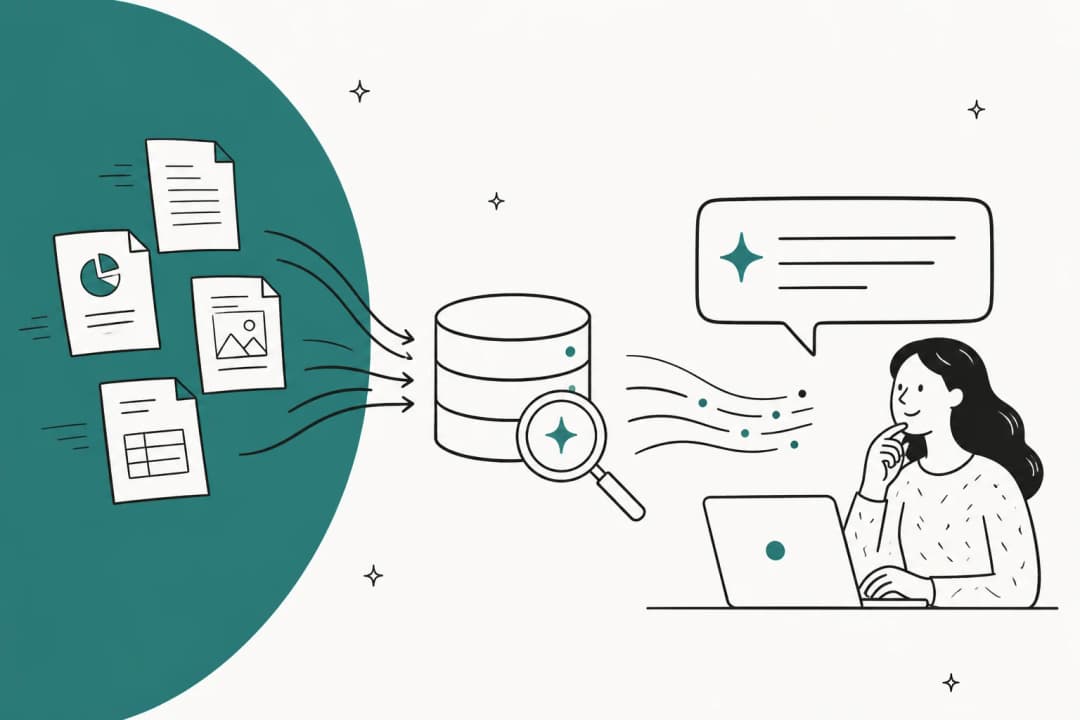
Hermes has no built-in RAG or vector search. Semantic search over documents means opting into something: an external memory provider (OpenViking and RetainDB are the two documented with document ingestion, and RetainDB costs $20/month), the optional qmd search skill, or a vector database skill you run yourself. Everything else lives in your real KB, which Hermes reaches through MCP, the plug-in protocol it uses for outside tools, or through plain API calls.
That split is the whole mental model. Your help center is the source of truth. Hermes is a worker that visits it, the same pattern I lay out for connecting AI to company knowledge.
The three KB jobs Hermes does well
Once you stop asking Hermes to be the knowledge base, it gets useful fast. These are the three jobs I'd hand it.
1. Weekly audits of a markdown wiki or docs repo
The bundled llm-wiki skill (based on Andrej Karpathy's LLM Wiki idea) builds an interlinked markdown knowledge base and comes with a lint pass. That lint checks for orphan pages, broken links, missing index entries, contradictions, source drift, pages over 200 lines, and stale content, defined as pages whose updated date is more than 90 days older than the newest source mentioning the same topics.
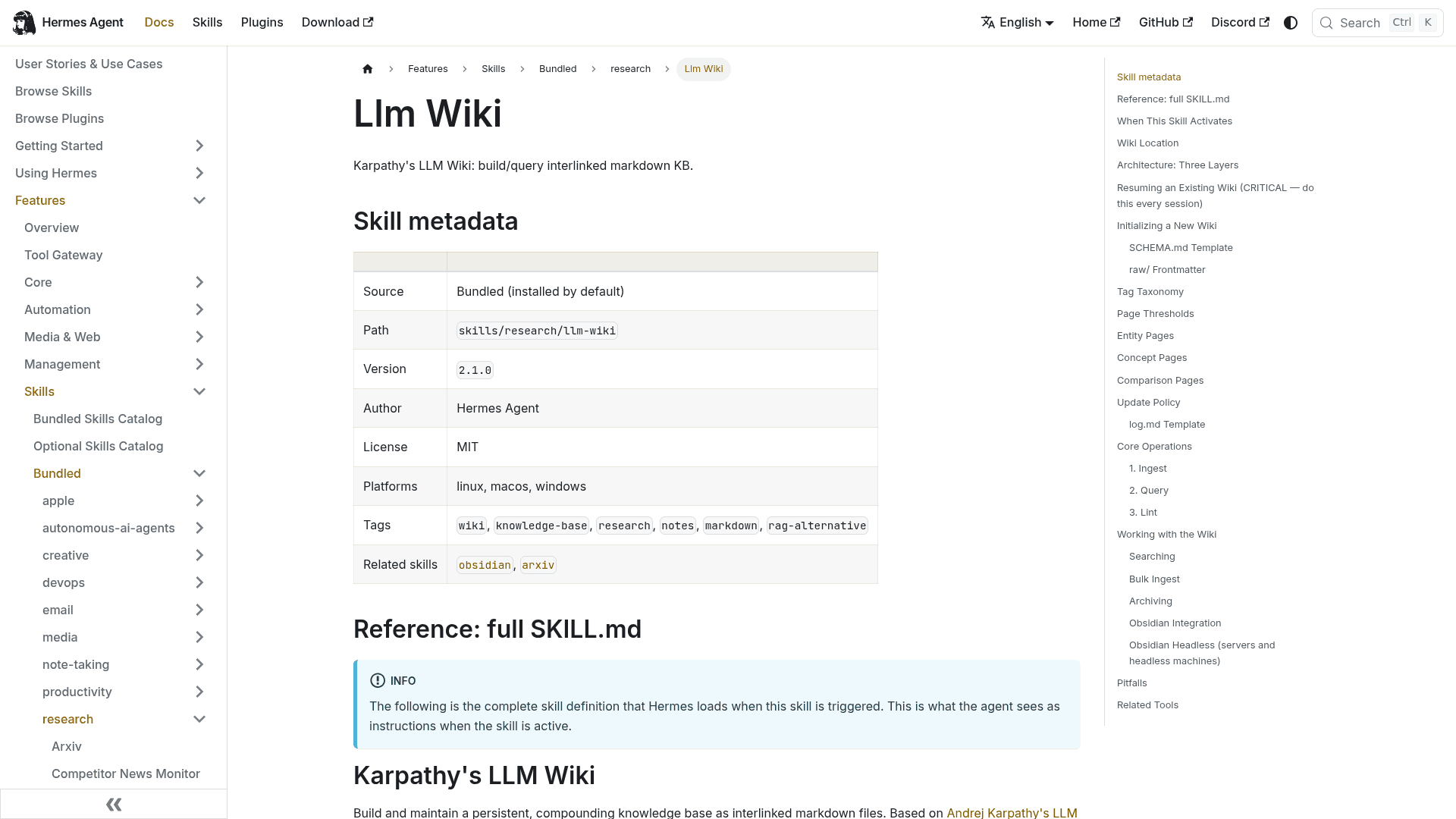
That's most of a support knowledge base audit for free, if your docs live as markdown. For docs-as-code teams, Hermes' file tools handle the rest: read_file pages through big files (truncating past about 100K characters), patch makes targeted edits and returns a diff, and search_files is ripgrep under the hood.
2. Drafting missing or outdated articles
Hermes can write articles in Notion, Confluence, Freshdesk, Help Scout and GitHub through each platform's MCP server or API. The pattern that works is "draft, don't publish": the agent writes a proposed article somewhere a human reviews it. One Zendesk admin on Reddit described the same loop built in Make.com years before agents were fashionable:
"If it can't it drafts me an article that would cover it, as well as tells me why."

That "tells me why" part matters. A draft with its reason attached gets reviewed in minutes. A draft without one sits in a queue. I cover more of the writing side in my guide to writing KB articles with AI.
3. Teaching itself your product before answering anything
Running /learn on your public help center gives Hermes a working model of your product before it touches anything else. That's handy if you're also using Hermes to draft replies elsewhere, and it's the same idea as training AI on your knowledge base. A Hacker News commenter runs exactly this setup:
"Hermes uses an llm-wiki [...] as a source of information when drafting suggested replies - I have a cronjob that feeds it all emails, slack messages, meeting minutes every single day."

Can Hermes write to your help center? It depends on the platform
This is where most setups go sideways, and it's the part no Hermes docs page covers, since none of them mention a customer-facing help center. Whether Hermes can safely propose a change depends far more on your KB platform than on Hermes.
Hermes' curated MCP catalog has 62 entries. Notion and Atlassian (Jira plus Confluence) are in it. Google Drive, GitHub and Zendesk aren't: GitHub is left out on purpose in favour of the bundled gh skill, Google Drive needs your own OAuth client, and Zendesk gets zero mentions anywhere in the docs.
Where does your knowledge base live?
Pick your platform to see how Hermes can reach it and the one setting that keeps it from publishing on its own.
Route: Help Center REST API from a Hermes skill or terminal call. Not in Hermes' MCP catalog, and Zendesk's own MCP server has no public docs yet.
Safe setting: give the agent's account a permission group without publishing rights, so it can only create articles with draft set to true.
Watch out: the draft flag works per translation. Setting it on a live article takes that article off your help center. Propose edits as a new draft article instead.
Route: Atlassian's MCP server, which is in Hermes' catalog. Its v2 lists 65 Confluence tools, including createConfluenceContent and updateConfluenceContent.
Safe setting: mark the server trust: untrusted in Hermes so every write asks first. Unattended runs need an API token an org admin has switched on.
Watch out: the MCP tools don't list a draft option, and the content status tool sets a review label, not a publish state. Write to a restricted holding space or leave a comment.
Route: Notion's hosted MCP server, in Hermes' catalog. Notion's own docs show the Hermes config and the hermes mcp login notion step.
Safe setting: include only notion-search, notion-fetch and notion-create-comment until you trust it, then add a Status property as your review gate.
Watch out: sign-in is OAuth only, with no headless token yet, and draft mode creates a private page with no parent.
Route: Freshdesk's official MCP server (generally available since 10 September 2026) has createSolutionFolderArticle and updateSolutionArticle.
Safe setting: create articles with status 1, which means draft. Status 2 publishes.
Watch out: every connected API key gets all tools, and MCP is metered: Growth includes 1,200 actions a year, then $15 per 1,000.
Route: the Docs API. Help Scout's MCP server is read-only for new connections and can't edit Docs articles.
Safe setting: the save-draft endpoint writes a draft over a live article "so that the published version will not be affected."
Watch out: your Docs API key needs the "Docs: Create new, edit settings & Collections" permission.
Route: Hermes' bundled github skill driving the gh command line, or GitHub's own MCP server.
Safe setting: write to a branch and open a draft pull request. Branch protection on main is your publish button.
Watch out: almost none. A personal access token works for unattended runs, unlike Notion's sign-in.
Here's the same picture as a quick reference:
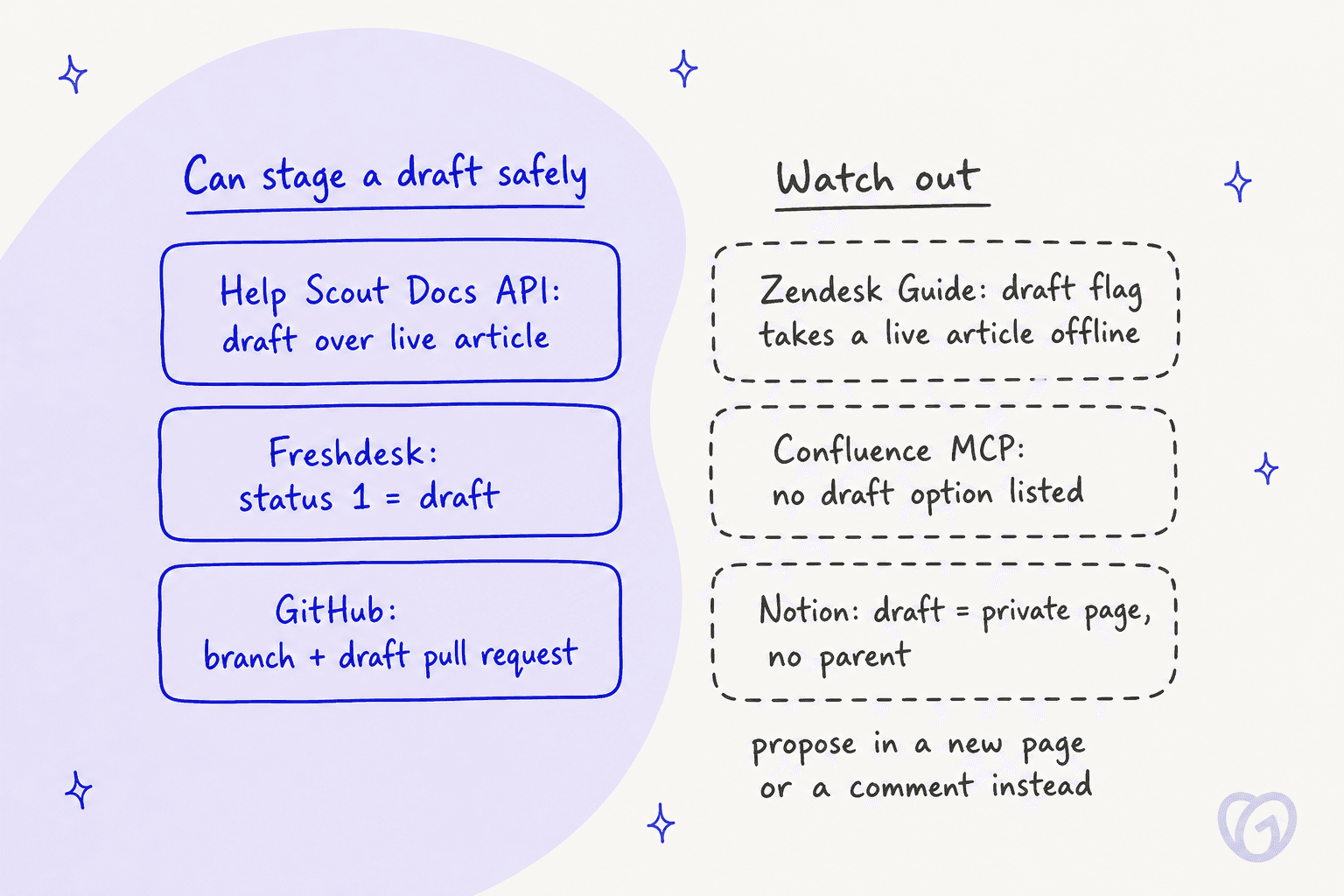
The Zendesk one surprises people the most. Per the Help Center API, the draft field "can be set when creating but not when updating," and updates go through the translations endpoint where draft applies to that whole translation. There's no separate "pending edit" object, so an agent flipping a live article to draft unpublishes it. The upside: the API also says that without publishing rights, "the article must be created using draft=true." That's a clean guardrail. My Zendesk Guide API post walks through the endpoints, and Freshdesk users can see the equivalent in my Freshdesk knowledge base API guide.
| Platform | How Hermes reaches it | Can stage a draft | Sign-in | Limits worth knowing |
|---|---|---|---|---|
| Zendesk Guide | REST API (not in catalog) | New articles only, draft: true | OAuth token or API token | 200 to 2,500 requests/min by plan |
| Confluence | Atlassian MCP (in catalog) | Not listed in MCP tools | OAuth 2.1, or admin-enabled API token | Writes free, enriched calls 1-10 Rovo credits |
| Notion | Notion MCP (in catalog) | Private page, no parent | OAuth only | 600/min Business+, 180/min others |
| Freshdesk | Freshdesk MCP | Yes, status: 1 | API key only | 1,200 actions/yr on Growth, then $15/1,000 |
| Help Scout Docs | Docs API (MCP is read-only) | Yes, draft over live article | Docs API key | 2,000+ requests per 10 min |
| GitHub docs repo | github skill or GitHub MCP | Yes, branch plus draft PR | OAuth or personal token | 80 content-creating requests/min |
Setting up Hermes for knowledge base management, step by step
Here's the setup I'd run for a support team, in the order I'd do it. Budget an afternoon for steps 1 to 4 if Hermes is already installed.
Step 1: Decide where the source of truth lives
Pick one system as the place a correct answer lives. If your help center is Zendesk Guide but half the real answers are in Confluence, Hermes will happily audit both and draft into whichever it reaches first. That's how two articles end up disagreeing. If your agents also keep a separate internal knowledge base, decide now which one wins when they conflict. One Reddit commenter in r/CustomerSuccess described where that leads:
"the two docs disagreeing thing is the scariest part, bot just picks whichever one it grabbed first and sounds totally sure about it"
Step 2: Connect read-only first
When you add an MCP server, Hermes probes it and shows a checklist, and only the tools you tick land in tools.include. Start with search and read tools only. For Notion, using the hosted server from Notion's own Hermes instructions:
mcp_servers:
  notion:
    url: "https://mcp.notion.com/mcp"
    auth: oauth
    trust: untrusted
    tools:
      include: [notion-search, notion-fetch, notion-create-comment]
Then run hermes mcp login notion once to finish the OAuth sign-in.
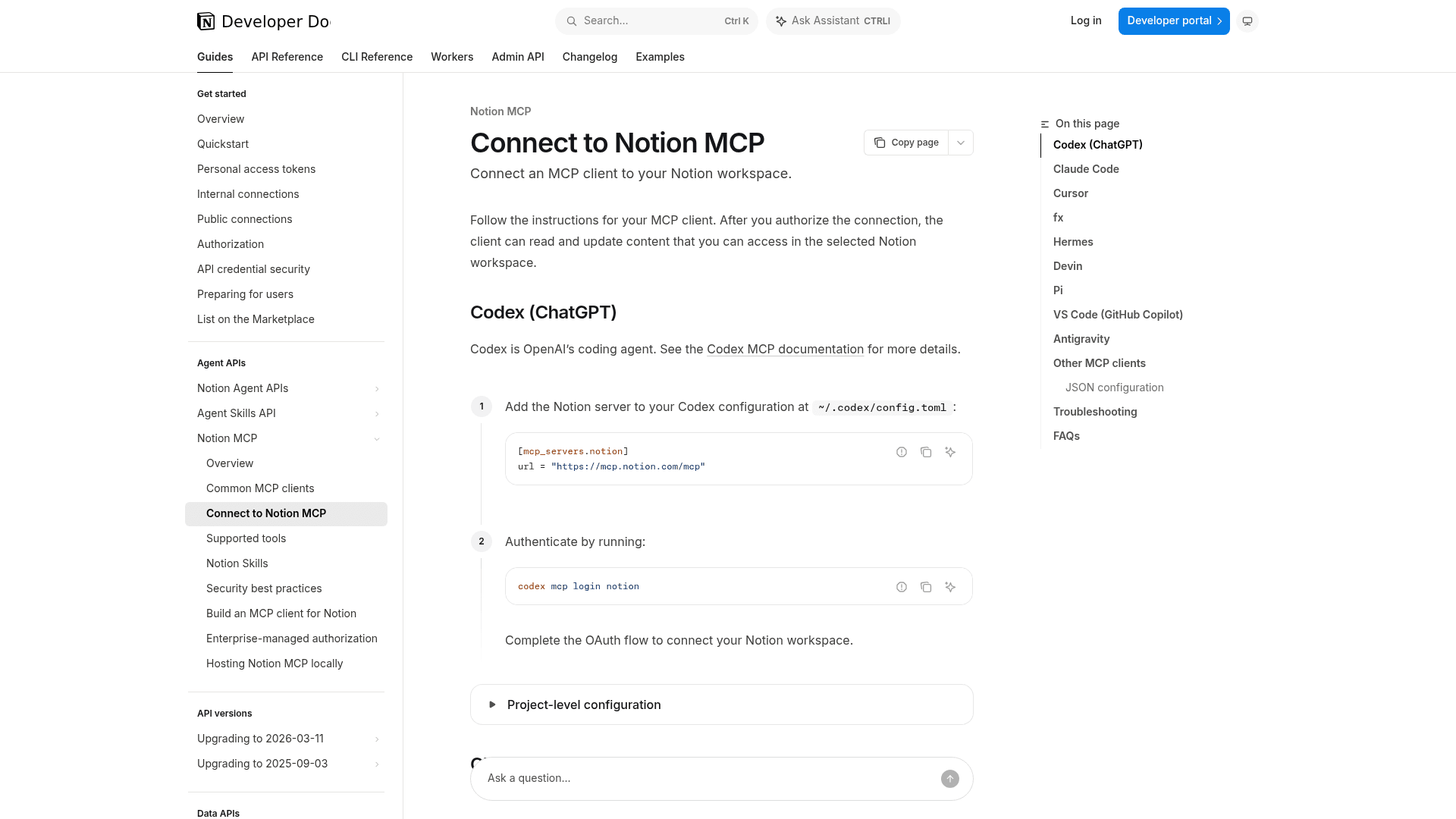
That trust: untrusted line does the heavy lifting. Per the MCP config reference, on an untrusted server "every write-capable tool call [...] requires user approval." The default is full, which means no prompt at all.
Step 3: Turn on the write gates Hermes leaves off
Hermes' approval story is uneven, so switch these on deliberately:
memory.write_approval: truestages memory writes for review with/memory pendingand/memory approve <id>.skills.write_approval: truedoes the same for skill changes, and/skills diff <id>shows the full diff.checkpoints.enabled: truetakes a snapshot before file writes, so/rollbackcan restore a markdown page. Checkpoints are opt-in.
Two things these don't cover. Plain file writes (write_file, patch) never prompt; the security docs say "there is no approval prompt," only a blocked-path list and an optional write sandbox. And checkpoints only snapshot local files, so a Notion or Confluence page changed through MCP relies on that platform's own page history to undo.
Step 4: Schedule a weekly audit
Hermes cron takes plain English schedules, can attach skills, and delivers to Slack. A first job might look like this:
hermes cron create "every monday 9am" "Lint the support wiki. List stale pages, orphan pages and contradictions with file paths. If nothing changed since last week, reply [SILENT]." --skill llm-wiki
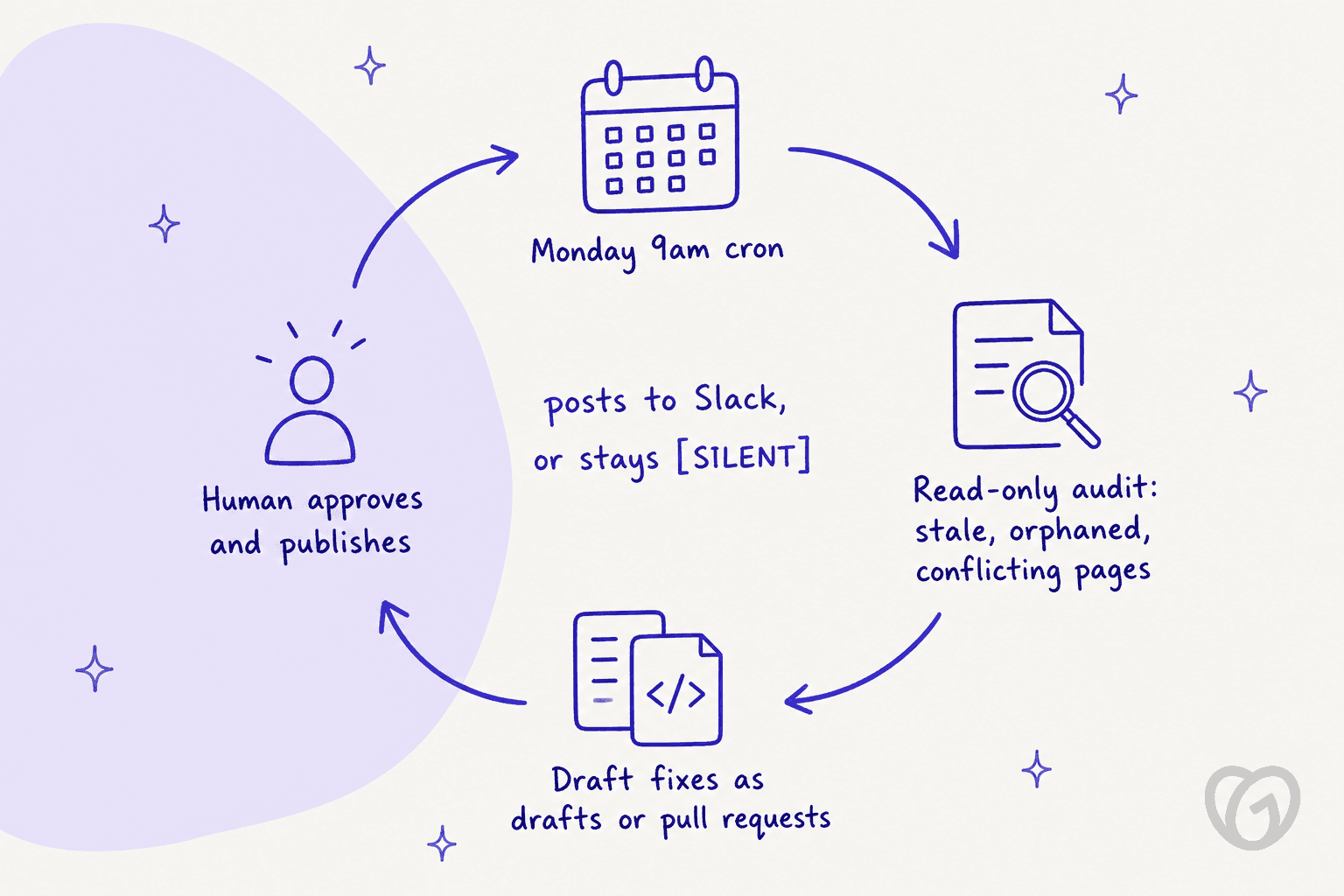
Cron behaves well for this. A reply containing [SILENT] suppresses delivery, so your channel only hears from it when something changed, while failed jobs always deliver. If a key, skill or MCP server doesn't resolve, the job is marked blocked_config, sends one alert and makes no model call. In cron, dangerous shell commands are denied by default. One quirk: each cron run starts a completely fresh session, so the prompt has to carry everything the agent needs.
Step 5: Add drafting once the audit is boring
Only after a few weeks of audits that match what you'd have flagged yourself would I let Hermes write. Add the write tool for your platform, keep the server untrusted, and point drafts at a review spot: a draft pull request, a Freshdesk draft, a Help Scout draft, or a comment on the Confluence page. Pin any knowledge skill the job depends on so the curator doesn't archive it mid-quarter.
Where agent-run knowledge bases go wrong
Nobody in the Hermes community reports running it against a customer-facing help center yet. Every story is about a personal or team wiki, usually an Obsidian vault. But the failure modes map neatly onto support KBs, and they're worth reading before you give an agent write access.
Unsupervised writes rot the whole wiki
This is the most-upvoted lesson in the r/hermesagent threads I read:
"Don't let the agent write the vault unsupervised. That's the one I wish I'd heard on day one. They will dump session recaps, fake "I remember" facts, and half finished incident notes into Obsidian like it's a trash can. Looks busy. A month later you don't trust a single file."
Hermes' own docs flag a related risk: with small local models, "a sentence like 'I've added that to my memory' is just text." The agent can say it saved something it never saved, which is why the docs add a file-mutation verifier and tell you to "trust the verifier over the model's summary."
Agents amend, they rarely delete
On a Hacker News thread titled "Agents don't need memory, they need documentation," one engineer described their company knowledge base growing into "a completely useless giant mess of stale, outdated, duplicated, or superfluous info," even with agents doing the reconciling (kaydub, Hacker News). Agents add a paragraph rather than cut one. For a help center, that means your audit prompt should ask explicitly for pages to archive or merge, not just pages to update. My outdated help center content guide has more on spotting those.
Writes fail quietly
"But the main problem is really that it can sometimes just not insert it."
That one was about Hermes pushing research summaries into notes. The fix is the same for a help center: verify the article exists on the platform after a write, and have the weekly report list what was actually created, not what the agent intended to create.
Personal scale works, company scale is harder
"There are a few successes on an individual level (I really like Hermes[0]) but nothing scales to a company level easily."
Hermes memory is scoped per profile, and the docs point you to an external memory provider for anything shared. For a single docs owner, that's fine, and it's also why support knowledge retention can't live in one person's agent. For a support team of 15 where everyone expects the same answers, the shared source has to be your help center, which brings you back to the platform table above.
It audits what's written, not what customers ask
This is the gap I'd weigh hardest as a support person. The llm-wiki lint finds stale and conflicting pages. It can't tell you that a run of tickets last month asked about a feature with no article, because nothing in Hermes reads your helpdesk tickets for that unless you build it. As one founder on r/startups put it, a big part of the work is knowing "which legacy articles are broken by a new feature" (u/19Vicus90, Reddit r/startups). Tickets are where that shows up first. My knowledge gap analysis post covers which helpdesks surface those signals natively.
Hermes vs a support-built option for KB upkeep
To be fair to Hermes: if your docs are markdown in a repo and you're comfortable owning a server, it's a flexible, free maintainer, and the llm-wiki lint is a thoughtful stale-page check for a markdown wiki. Where it costs you is the support-specific wiring that AI knowledge management for a support team needs.
| Hermes Agent | eesel helpdesk teammate | |
|---|---|---|
| Where knowledge lives | Your KB, reached by MCP or API you wire | Your KB, connected as a source (Zendesk, Confluence, Notion, Google Drive, website and more) |
| Finds gaps from tickets | Not built in | Reports show a Knowledge gaps card from real conversations |
| Drafts missing articles | Yes, via your platform's draft route | Update knowledge base skill drafts the missing articles |
| Stale page lint on markdown | Yes, llm-wiki | Not the focus |
| Review before publish | Opt-in (trust: untrusted, write approvals) | Actions go through approvals |
| Runs on | Your machine or server | Hosted |
| Cost | Free software plus model tokens and hosting | From $299/month for 500 credits, free tier of 100 credits |
eesel isn't a better pick for everyone. If your help center is a GitHub docs site and nobody files tickets about it, Hermes plus a draft pull request is a nicer loop. If your knowledge base exists to answer customers, the tickets are the best signal you have, and that's where I'd start. For a wider look, my Hermes alternatives and AI knowledge base tools roundups cover the field.
Try eesel for knowledge base upkeep
If you'd rather not run a server to keep your help center honest, eesel's AI helpdesk teammate plugs into the knowledge you already have. It connects Zendesk, Confluence and Notion as sources (up to 15,000 Notion pages per connection), answers from them with a citation on every reply, and logs each time it hit a question your docs couldn't answer.
Those show up in Reports as knowledge gaps, and the Update knowledge base skill drafts the missing articles for your team to approve. If that skill's tile says "Contact us" in your workspace, ask eesel to switch it on.
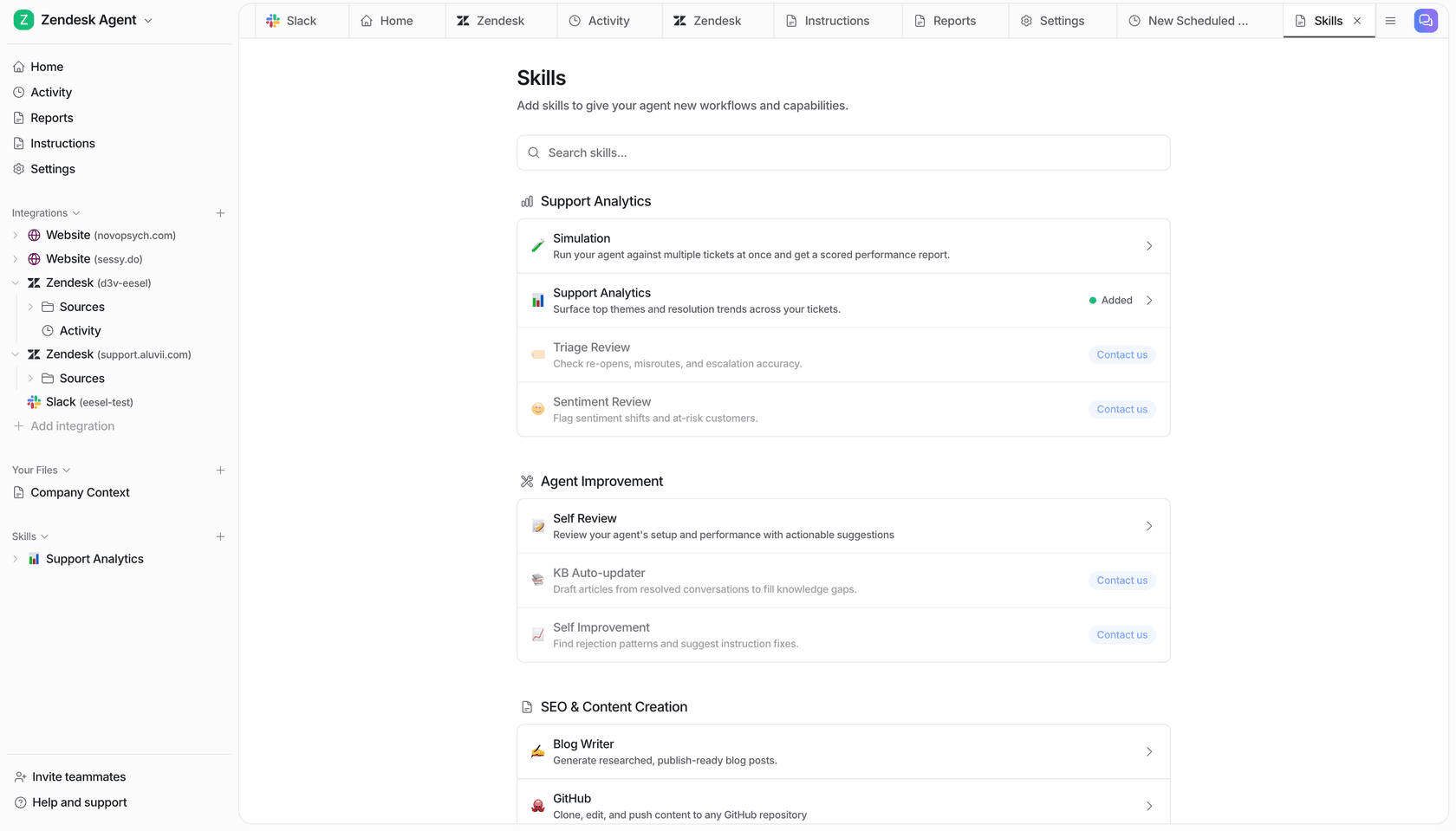
It also has a command-line tool, so if you liked the Hermes workflow, you or a coding agent like Claude Code can connect sources, read instructions and approve held actions from the terminal. You can start free with 100 credits and no card on the pricing page. Try eesel on your own help center and see which gaps it finds in the first week.
Frequently Asked Questions
Can Hermes Agent manage a knowledge base?
Does Hermes Agent have built-in RAG or vector search?
Can Hermes Agent write articles in Zendesk Guide?
How do I connect Hermes Agent to Notion or Confluence?
Is it safe to let Hermes Agent edit help articles on its own?
What does it cost to run Hermes Agent for knowledge base management?
Can Hermes Agent find gaps in my help center?


Article by
Riellvriany Indriawan
Riell is a designer and writer at eesel AI with about two years of experience researching CX platforms, AI chatbots, and helpdesk software. She combines her design background with a sharp eye for how these tools actually look and feel in practice — making her comparisons unusually visual and user-focused.