What "Meta Muse for knowledge base management" actually means
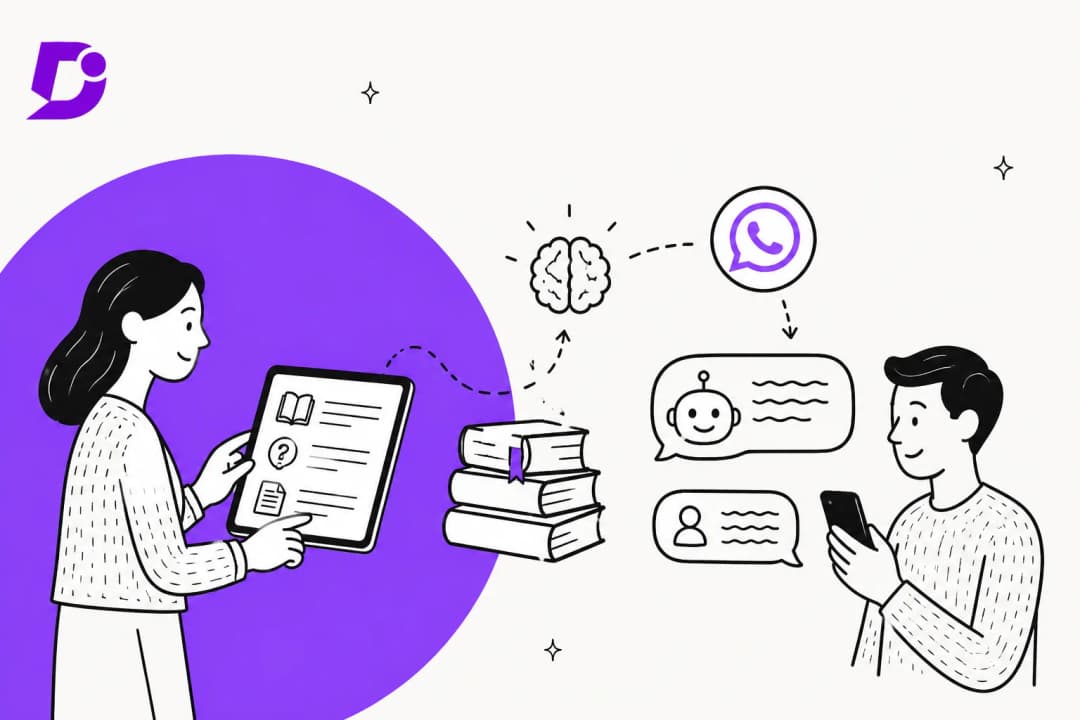
I build AI agents at eesel, and the part of that job nobody puts in a demo is knowledge upkeep. An agent that answered perfectly in week one starts quoting last quarter's return window by week ten, because someone changed a policy page and nobody told the bot. So when I read Meta's docs for this post, I skipped the launch copy and went looking for the boring parts: the update calls, the crawl schedule, and whatever tells you what the agent doesn't know.
First, the naming. "Meta Muse" points at three products, and only one of them answers customers from your knowledge base:
| Product | What it is | Role in knowledge base management |
|---|---|---|
| Muse | Meta's consumer personal agent, launched September 8, 2026 | None. It works for individuals |
| Meta Business Agent | Meta's business AI on WhatsApp, Messenger and Instagram, launched June 3, 2026 | Answers customers from the knowledge you give it |
| Muse Spark API | Meta's model, called from your own code (Muse Spark 1.3) | A model you'd wire to your own retrieval |
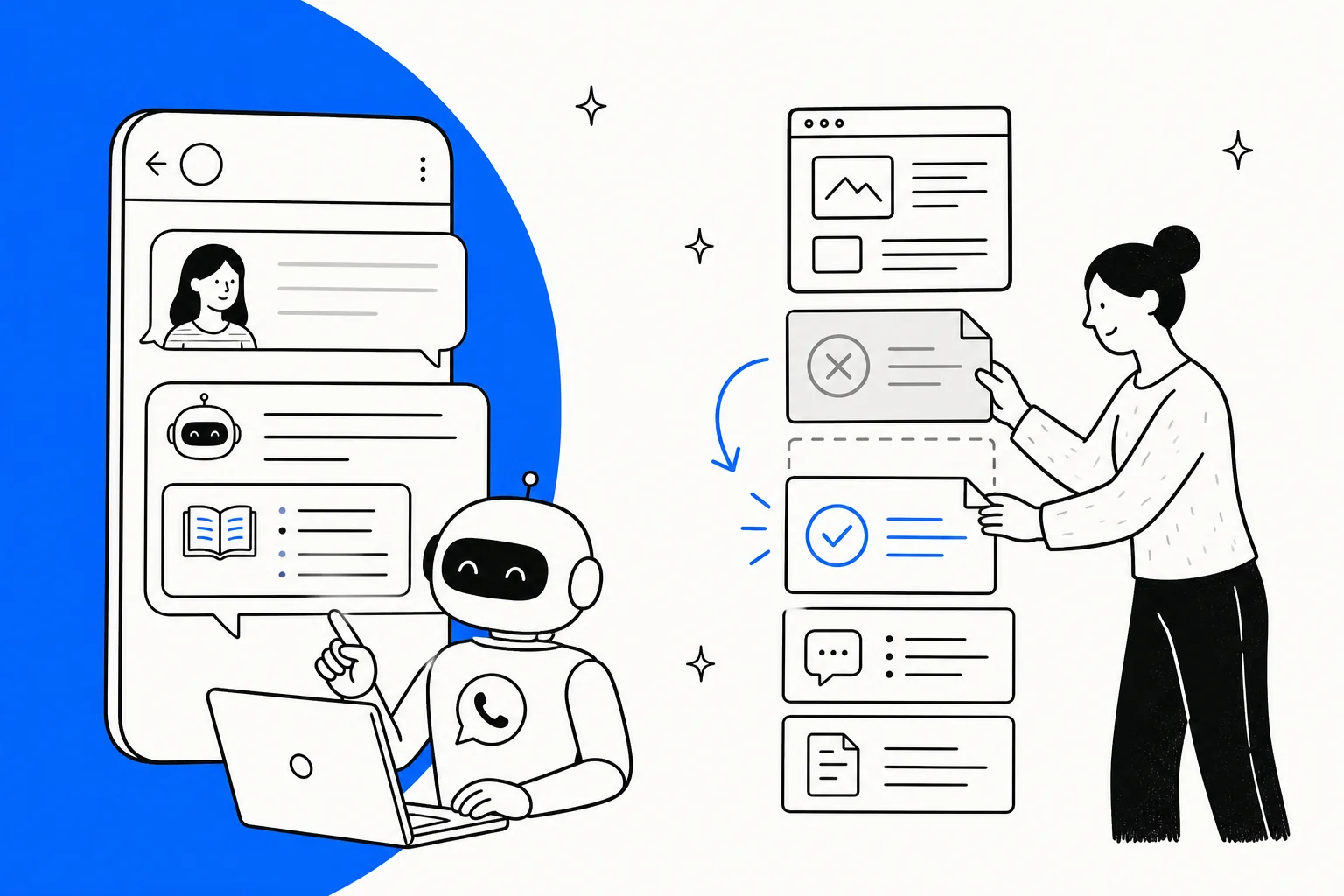
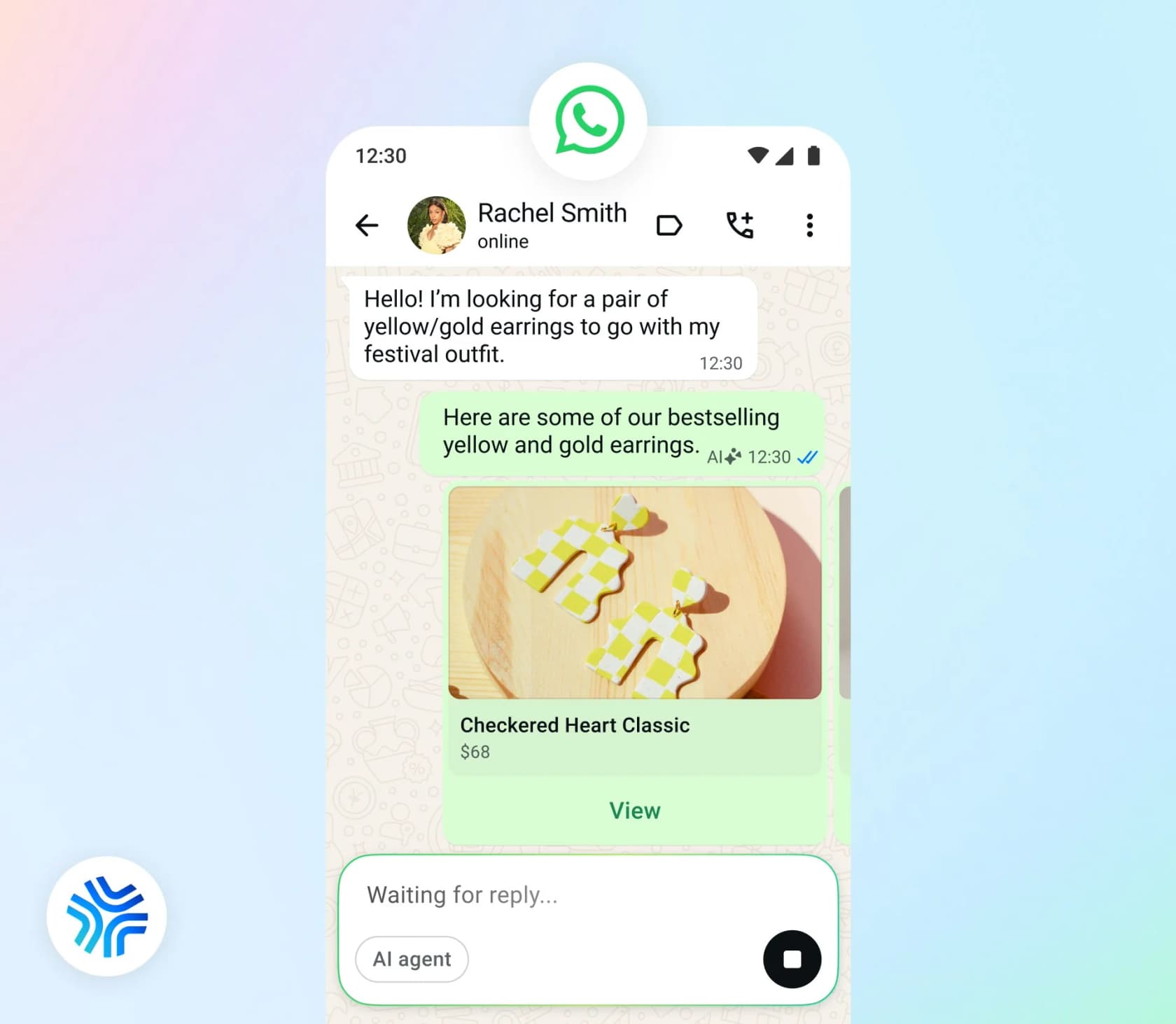
Meta says "more than one million businesses are already using a Meta Business Agent on WhatsApp and Messenger" (Meta Newsroom). It comes in two tiers. The self-serve tier lives in Meta Business Suite and the WhatsApp Business app. The Meta Business Agent Platform is the API version for businesses on the WhatsApp Business Platform. They manage knowledge very differently, so I'll take them one at a time.
For the wider product split, see my team's Meta Muse for customer support guide.
The four knowledge sources Business Agent reads
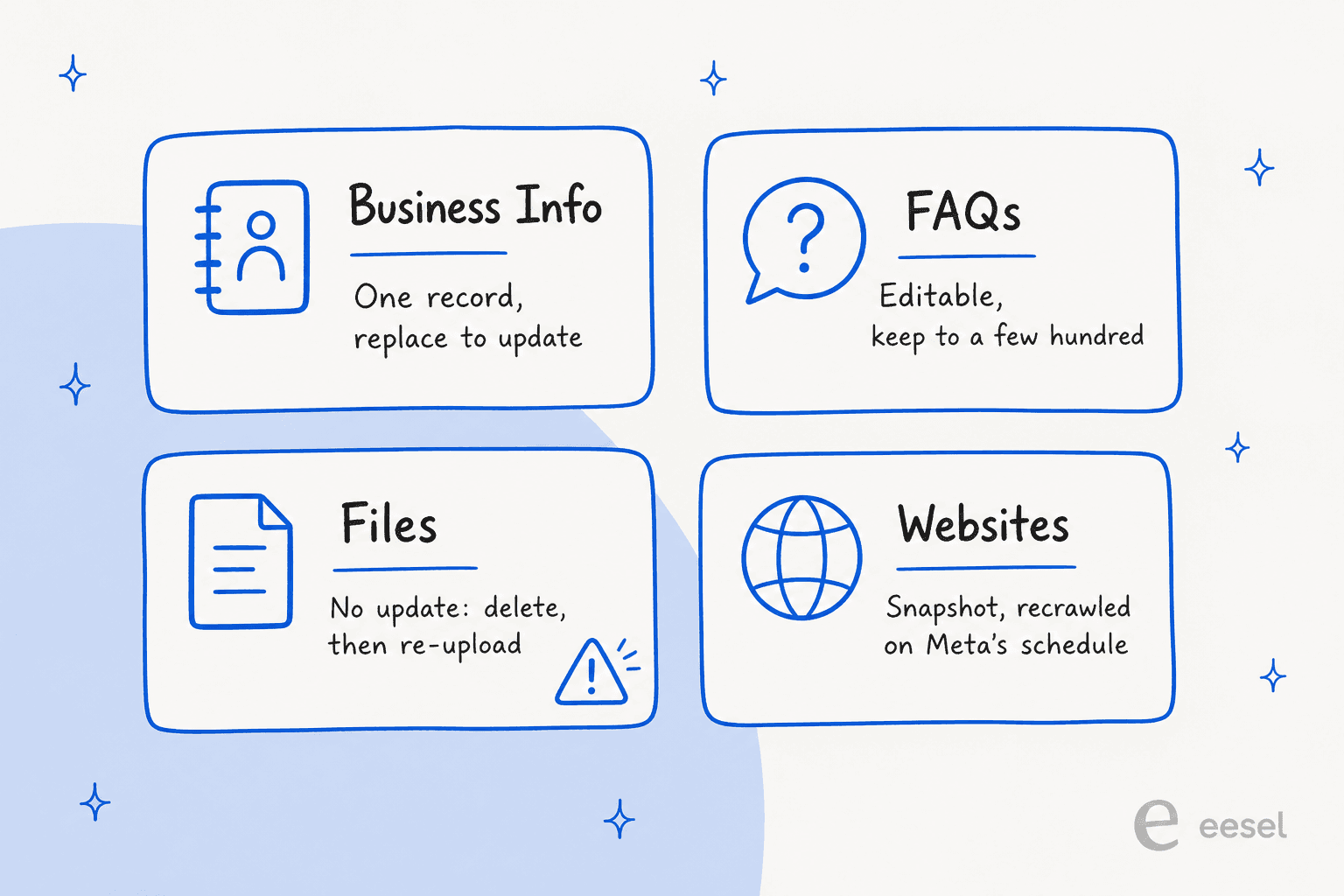
On the Platform tier, knowledge goes in through four endpoints, which Meta says exist "to ground Meta Business Agent in your business content, so it answers accurately and resolves more questions without handing off" (Capabilities). There's no importer for a help center, wiki or helpdesk. Everything arrives through one of these four:
| Source | What goes in | How you change it | Limits Meta documents |
|---|---|---|---|
| Business Info | Payment methods, returns, shipping, contact and location | One record per number; PUT replaces it | Singleton |
| FAQs | Question, answer, optional metadata | Edit in place with PUT | "Generally beyond a few hundred" degrades retrieval |
| Files | PDF, DOC, DOCX, PNG, JPG, plus CSV/XLSX if enabled | No update call: delete, then re-upload | 100 MB per file |
| Websites | Crawled public pages, scoped by subdomain and URL pattern | Periodic recrawl, no interval given | Snapshot at crawl time |
The limits come from each source's own reference page, such as the Business Info and Websites references. Each resource shares a budget of 1,000 requests per hour.
The order matters too. FAQs win over everything else. "The agent retrieves each entry independently and answers from it, rather than inferring an answer from your other knowledge sources" (FAQs reference). Files are the fallback: "The agent draws on file contents when no FAQ entry matches the customer's question" (Files reference). So your FAQ set is the part customers hit most, and it's also the part you'll edit most.
Language is the one place Meta saves you work. The agent "reads your knowledge sources in their original language and responds in the target language, so you do not need to localize your knowledge sources" (Capabilities). One FAQ set covers every locale, with English getting the strongest answers. That's a real advantage over the per-locale article sets in a multilingual help center.
Keeping each source current
This is the day-to-day of knowledge base management with Meta: four sources, four different ways to go out of date.
Files: the stale-policy trap
This is the one I'd tape to the monitor. Meta's own support guide says it plainly: "There is no update call. To replace a document, delete the old entry and upload the new one, otherwise the agent draws on both versions and can quote a term you have already withdrawn" (customer support guide).
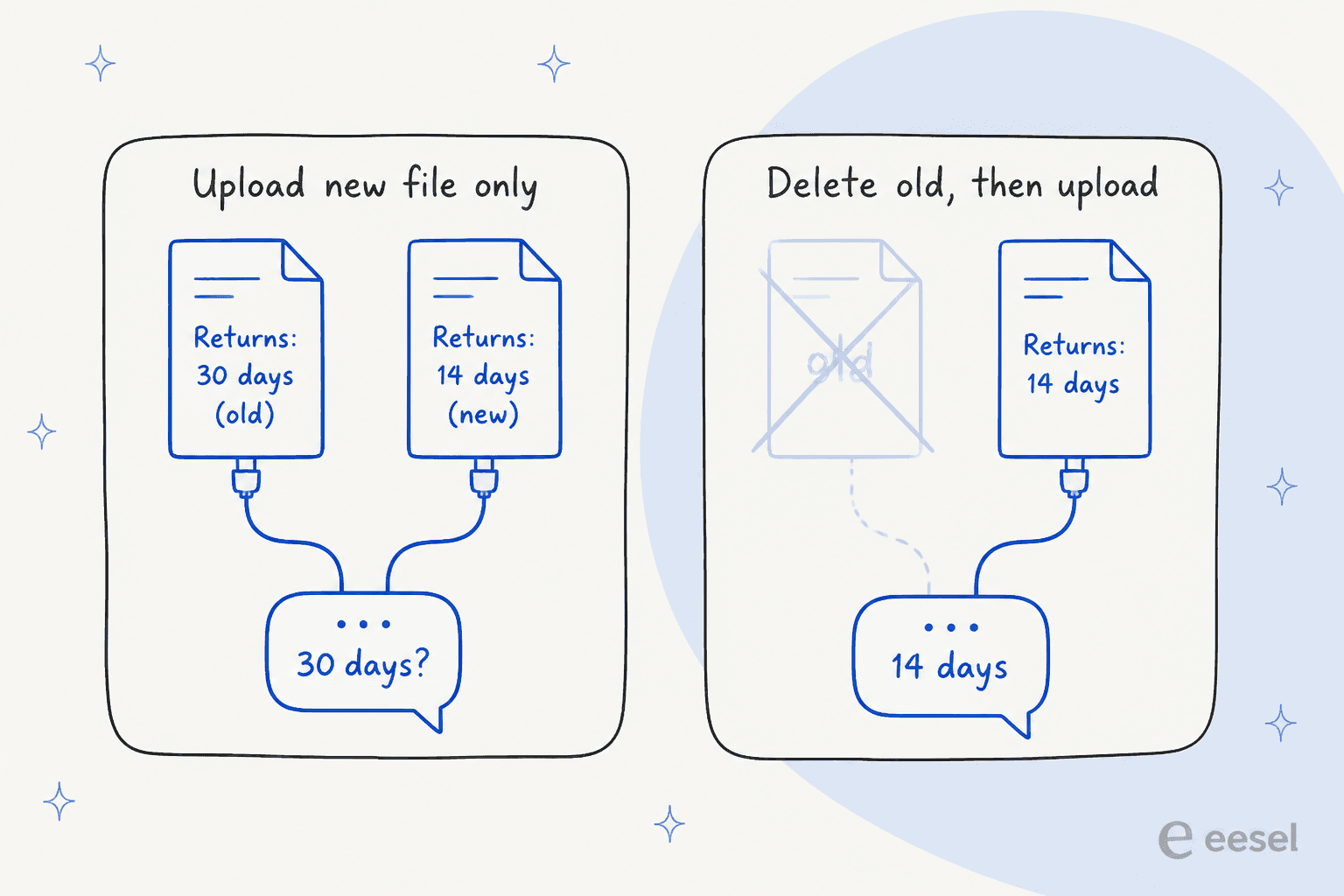
Picture it: you shorten your return window from 30 days to 14, upload returns-policy-v2.pdf, and move on. Both PDFs are now live. A customer asks how long they have, and the agent can answer from either one. The listing call doesn't help much either, since it returns only each file's id and file_name, "not its contents" (Files reference). If your file names aren't disciplined, you can't tell which upload holds which version.
The fix is a sync script that always deletes by file_id before it uploads. Meta also warns against volume: "a large document set makes the agent slower to find the right passage, and the questions that matter most are usually better served by a precise FAQ entry than by a page of terms" (customer support guide).
Websites: a snapshot, not a live link
Website knowledge "is a snapshot taken at crawl time" (customer support guide). Meta says sites are "periodically recrawled to ensure the agent's knowledge remains up to date" but gives no interval (Websites reference). You can poll crawl_status and last_crawled_at, but the endpoint table has no explicit "recrawl now" call. If you publish a price change at 9am, you don't know when the agent will see it.
Scope is the other lever. By default the whole domain gets crawled, and Meta warns that "crawling a whole retail site pulls in thousands of product pages, which dilutes the help content the agent should be answering from." Use included_url_patterns to point it at your help pages only. The crawler takes no credentials, so anything behind a login (an internal wiki, a gated partner portal) can't come in this way. My team covered that problem for Confluence and Document360 specifically.
FAQs: editable, but thin on bookkeeping
FAQs are the friendliest source. You can edit one in place, and "rewording the question changes which customer messages the entry is matched against; rewording the answer changes what the agent replies" (FAQs reference). A delete is clean: "The agent stops answering from it."
What's missing is everything a knowledge manager would call metadata. The response carries an id and created_at, but no updated_at, status or owner. The list call returns every entry as one array, with no filter or pagination. There's no bulk import, and no webhook when something changes. If you want to know which FAQ was last reviewed in March, write that date into the optional metadata field yourself.
Meta's advice on where the FAQ list should come from is telling: "Export the top reasons from your helpdesk, write one entry per reason in the shopper's words" (customer support guide). Meta assumes your contact-driver data lives in your helpdesk, not in Meta. I agree, and it matters later.
Business Info and instructions
Business Info is a single record per number that you replace wholesale. Behaviour lives in agent instructions (the API now calls them skills), capped at 20,000 characters each, and every new or edited one goes through an automatic review first. A blocked one "the agent never applies", "most often because the text asks for or refers to sensitive personal information" (Agent instructions reference). Check the status after every edit, or a policy change can sit unapplied without you noticing.
The self-serve tier: learning from your replies
The self-serve product works nothing like the API, and for a small business it handles knowledge better than you might expect.
The agent learns from "your Facebook Page, past chats, and website", and you can "upload product catalogs or price lists" (Messenger page). It also learns as you work: "When you message a customer manually in a chat in which Meta Business Agent is replying, the Business Agent may save messages that contain new information about your business" (teach and test help page).
The part I liked is that you can see what it learned. In Business Suite, go to Meta Business Agent, then Your info, and "Review any information under Other info to ensure your Meta Business Agent has accurately learned about other areas of your business." You can search it, open any item, and delete it. In the WhatsApp Business app, the agent's home screen lets you "check new knowledge your Business Agent has learned" (set up help page).
For fixing a bad answer, there's Improve AI response, in Test chat or on a live Inbox message. You write the correct answer or an instruction and save. Meta's caveat is worth reading twice: "It will not respond using your exact words. Existing responses will not be updated." And sometimes the agent asks you directly, messaging you from its official Page "to review or add knowledge that it should know."
That's a real review loop, and it suits the owner who answers customers from a phone. Two limits stop it scaling to a support team. The learned-facts list and learning from manual replies are documented only for self-serve; no Platform endpoint exposes them. And there's no list of the questions the agent couldn't answer. You find out when "you will be notified to take over the chat."
Finding what the agent doesn't know
This is the heart of knowledge base management, and the part Meta leaves most to you. Here's every gap signal Meta offers on the Platform tier:
| Tool | What it tells you | What it doesn't |
|---|---|---|
| Agent Test | The reply to one test message, plus handoff_reason. Test tokens "are not billed" | Which FAQ, file or page the answer came from. No batch mode; 500 calls per hour per number |
| Agent Eval | Scores simulated scenarios 1-5 with a judge model, returns top_failure_categories with recommended actions | Anything about real customers. Only a list-cases endpoint is documented, none to create one |
| Conversation insights | ai_threads (chats the agent replied in) and ai_handoffs (a live snapshot) | Topics, intents, unanswered questions, resolution |
| Conversation turns | Step-by-step trace for one customer | A way to list all conversations |
| Standby webhooks | The full transcript before a handoff | A reason attached to the handoff |
Agent Eval is the closest to a gap report, and it's a good tool. But it answers "how does my agent handle the scenarios I thought of?", not "what did customers ask last week that we had no answer for?" The questions that hurt are the ones nobody thought to write a scenario for.
Meta's own guide names the real risk: "the failures that matter are confident answers to questions it had no basis to answer" (customer support guide). A BSP consultant who tested the agent early saw exactly that:
"Consistency is a problem. I saw the same product come back at two different prices in two replies. If you don't ground it properly, it just makes things up."

Two prices in two replies is what a stale file sitting next to a fresh one looks like from the customer's side. We've seen the same failure at eesel. A Danish solar-energy provider's bot fabricated subscription claims and sent them to real customers when its knowledge base had no match, which is why every eesel agent now has a decline-to-answer fallback and gets simulated against past tickets before it goes live. For more on this failure, see my team's post on AI hallucinations.
A weekly knowledge routine for a Meta agent
If you're running Business Agent on the Platform tier, here's the loop I'd build. Meta covers one of its four steps.
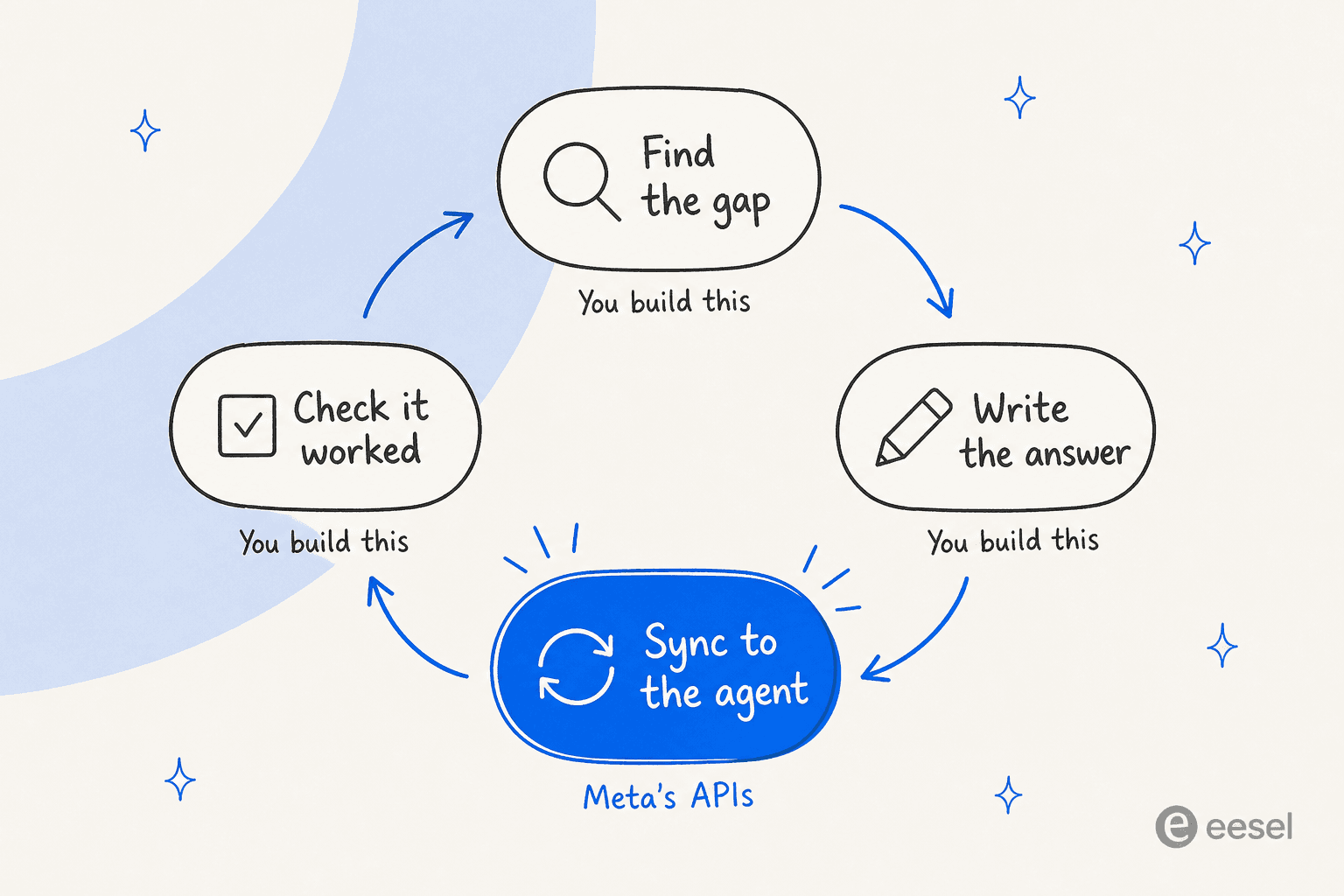
- Log every handoff. Subscribe to standby webhooks and store the transcript leading up to each handoff. This is your live gap stream, since low confidence is one of the three automatic handoff triggers (Capabilities).
- Cluster the week's handoffs by topic. Meta won't do this, so use your helpdesk's tags or a small classifier. The top five clusters are next week's writing list, the same idea as finding missing articles in a help center. My team's guide to knowledge gap analysis walks through the method.
- Write the fix as an FAQ first. FAQs are retrieved before files and edit cleanly. Keep each answer self-contained (my team's guide to writing KB articles with AI helps here), and put an owner and review date in
metadata. - Sync with delete-before-upload. For any changed file, delete the old
file_id, then upload. For website changes, checklast_crawled_atbefore you assume the agent has them. - Re-test the cluster. Loop the week's real handoff questions through Agent Test (free, 500 an hour) and read the replies. Anything that still hands off goes back to step 3.
For one person with a few dozen FAQs, that's an afternoon a week. For a team with thousands of tickets a month, it's a small internal tool, and one more system to maintain next to your helpdesk.
What knowledge base management on Meta costs
The knowledge APIs themselves carry no separate fee in Meta's docs. The meters sit on the conversations.
| Piece | Cost |
|---|---|
| Business Agent replies | $2.00 per 1M tokens on the WhatsApp Business Platform, about 4 to 5 cents a message (pricing) |
| Agent Test calls | Not billed |
| Human replies after a handoff | First 1,000 service messages per number a month free, then per message from October 1, 2026 |
| Your sync, logging and clustering | Your own hosting and engineering time |
The third row connects back to knowledge. Every question your knowledge can't answer becomes a handoff, and from October 1 every human reply past the free tier is a billable message. A knowledge gap now costs you twice: once in the agent's tokens, and again in your team's replies. The full rate history is in my team's WhatsApp API pricing breakdown.
Where Meta's stack falls short for knowledge base management
To be fair to Meta, Business Agent's knowledge model is clean. Four well-documented sources, FAQs that take priority, free test calls, and translation handled for you. For a WhatsApp-first shop with a tidy FAQ list, it's a sensible setup, and my team has written it up next to Zendesk and Freshdesk. For knowledge base management specifically, here's what I'd weigh:
- No live gap report. Agent Eval covers scenarios you wrote. Nothing lists the real questions it couldn't answer.
- No answer sources. Agent Test doesn't say which FAQ, file or page an answer came from, so you debug by guessing.
- Files don't update. Forget the delete step and two versions of a policy go live at once.
- No sync from anywhere. No helpdesk, wiki or help center importer, and no change webhooks. Every sync is a script you own.
- Past tickets aren't a source. Meta tells you to export contact drivers from your helpdesk and retype them as FAQs. Your team's thousands of solved tickets, the best record of what customers ask, stay outside the agent.
One more rule to plan around: a number runs one AI. "An active authorized-agent integration blocks Meta Business Agent" (overview), so you can't run Meta's agent and another AI side by side on the same number. Meta's wider stance is in my team's write-up of Meta's third-party AI policy.
The gap report is the knowledge manager
Here's the shift I'd want a reader to take away. Knowledge base management usually gets framed as a writing job: better articles, cleaner FAQs, fresher PDFs. In practice, writing is the easy part, and AI can draft articles now anyway. The hard part is knowing what to write, and that list lives in your tickets, not in your docs.
It shows up on eesel's sales calls constantly. One B2B SaaS team asked for an AI that answers across their user guide, Slack, internal KB and past tickets, and then drafts new articles from the gaps it finds. That's not a request for a smarter knowledge base chatbot. It's a request for the gap list.
That's also why I'd judge any AI agent's knowledge setup by one question: can it tell me, from last month's real conversations, which topics it would have gotten wrong? Meta's stack can tell you how many chats handed off. It can't tell you why.
The same pattern shows up when you try Meta for support QA or ticket triage. For a wider view of tools built around this, see my team's roundup of KB management tools, or the guide to detecting outdated help center content.
Try eesel for knowledge base management
eesel comes at this from the other end. It's an AI helpdesk teammate that connects to WhatsApp and works inside your helpdesk, and it learns from the places your knowledge already lives: your help center, past solved tickets, Google Drive, Confluence, Notion and uploaded files, with auto sync. File uploads take PDF, DOCX, TXT, Markdown, CSV, XLSX, HTML and more, and new files are "processed and indexed automatically" (uploading files).

The part that maps to this post is Simulation. It "replays your past tickets and scores its answers against what your team actually sent" (helpdesk docs), and returns "a scored report of how your agent handles a batch of real tickets, with the specific gaps and suggested fixes" (Reports docs). The benchmark is your team's own replies on your own tickets, not a scenario someone had to imagine. In practice it reads like "23 tickets last week asked about pro-rated refunds, but your docs only cover full cancellations." You add the doc, re-run, and watch that topic's coverage climb.
If you'd rather script it, the eesel CLI runs the same teammate and workspace from a terminal, and every command prints JSON. You or a coding agent like Claude Code can kick off a simulation after a docs change, read the gap report, and check the agent's activity for low-confidence answers, all without opening the dashboard. There's also a customer support agent API if you're wiring it into your own tools.
One honest note. If WhatsApp is your only channel, your knowledge is a tidy list of 50 FAQs, and one person reads every handoff, Meta's self-serve agent and its Other info review list are a reasonable, cheap fit. Because of the one-AI-per-number rule, you'd pick eesel or Meta Business Agent for a given number, not both. If your answers live across a help center, a wiki and years of solved tickets, and questions arrive by email as well as WhatsApp, a gap report built from real tickets saves you building the loop above yourself. Pricing is a fixed monthly credit plan, where a ticket or chat is one credit however many replies it takes.
Try eesel free, and run a simulation on last month's tickets to see your gap list before it goes live.
Frequently Asked Questions
Can I use Meta Muse for knowledge base management?
What knowledge sources does Meta Business Agent use?
How do I update a file in Meta Business Agent's knowledge base?
How often does Meta recrawl my website for the agent?
last_crawled_at after you change a page, and scope the crawl to your help pages so product listings don't crowd out answers. See detecting outdated help content for spotting stale pages.How many FAQs can Meta Business Agent handle?
Does Meta Business Agent show which questions it couldn't answer?
How much does Meta Muse for knowledge base management cost?
What's a good alternative to Meta Business Agent for knowledge base management?


Article by
Kira
Kira is a writer at eesel AI with a Computer Science background and over a year of hands-on experience evaluating AI-powered customer service tools. She focuses on breaking down how helpdesk platforms and AI agents actually work so that support teams can make better buying decisions.