Meta Muse for Zendesk: how Meta's support AI fits your queue in 2026

Rama Adi Nugraha

Katelin Teen
Last edited September 29, 2026
What "Meta Muse for Zendesk" actually covers
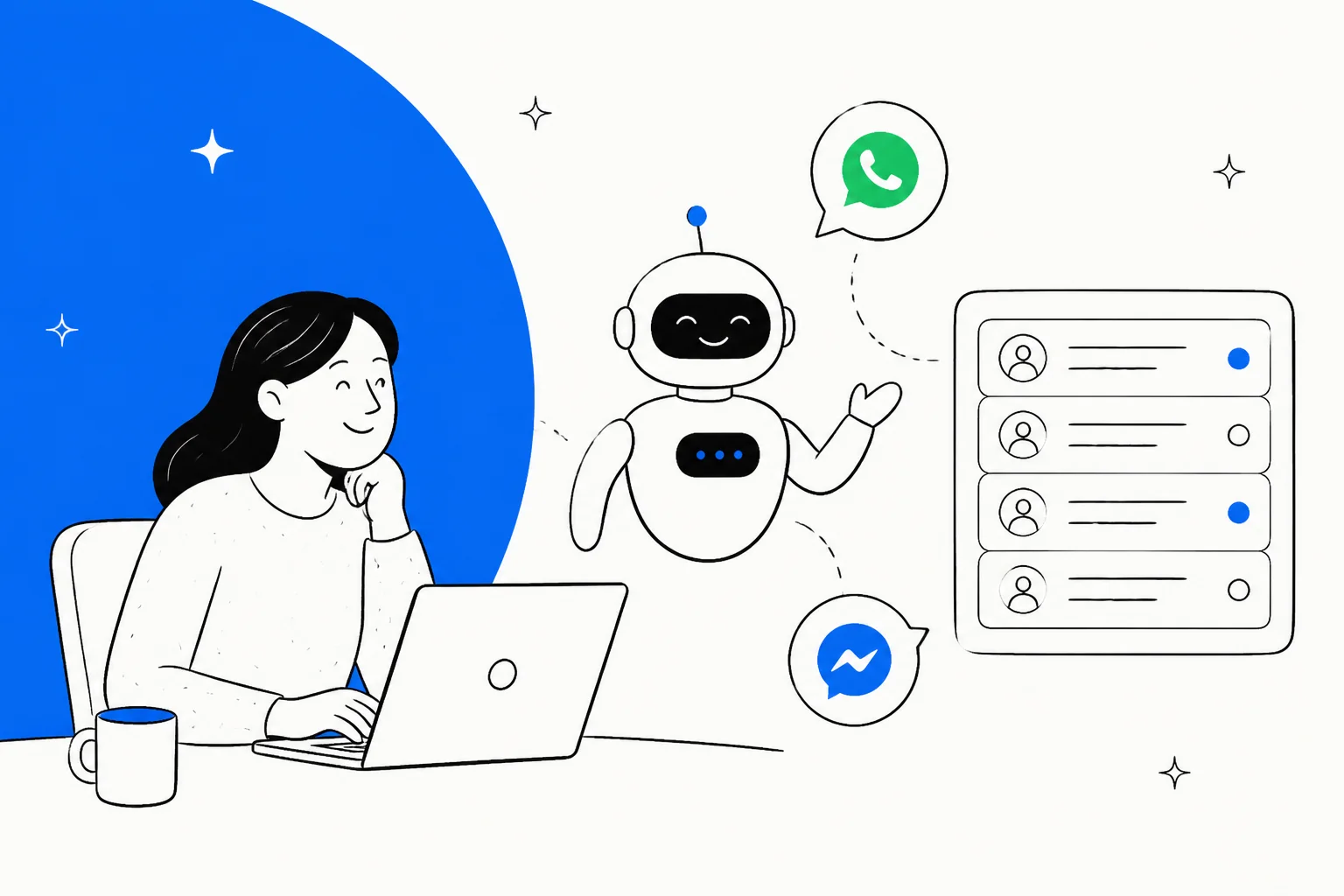
I build integrations at eesel, where the team has spent the last few years putting AI on live Zendesk queues. So when "Meta Muse" started to show up next to "Zendesk" in searches, I went through Meta's developer docs and Zendesk's help center, to see what is actually connecting. The short version is that it's less than the launch posts suggest, and it sits in a different place than you would expect.
Meta uses the Muse name for three separate things, which I break down in my Meta Muse for customer support guide:
| Product | What it is | Touches Zendesk? |
|---|---|---|
| Muse | Meta's consumer personal agent, launched September 8, 2026 | No |
| Muse Spark 1.3 | The model behind it, sold through the Meta Model API | Only if you call it from a custom action |
| Meta Business Agent | Meta's customer-facing support agent on WhatsApp, Messenger and Instagram | Yes, as the front door to your Zendesk WhatsApp channel |
Meta hasn't said which model runs Business Agent. Its capabilities page only refers to "the underlying AI model", so I'd treat Business Agent and Muse Spark as two separate routes, not as one product.
Route 1: Meta Business Agent in front of Zendesk
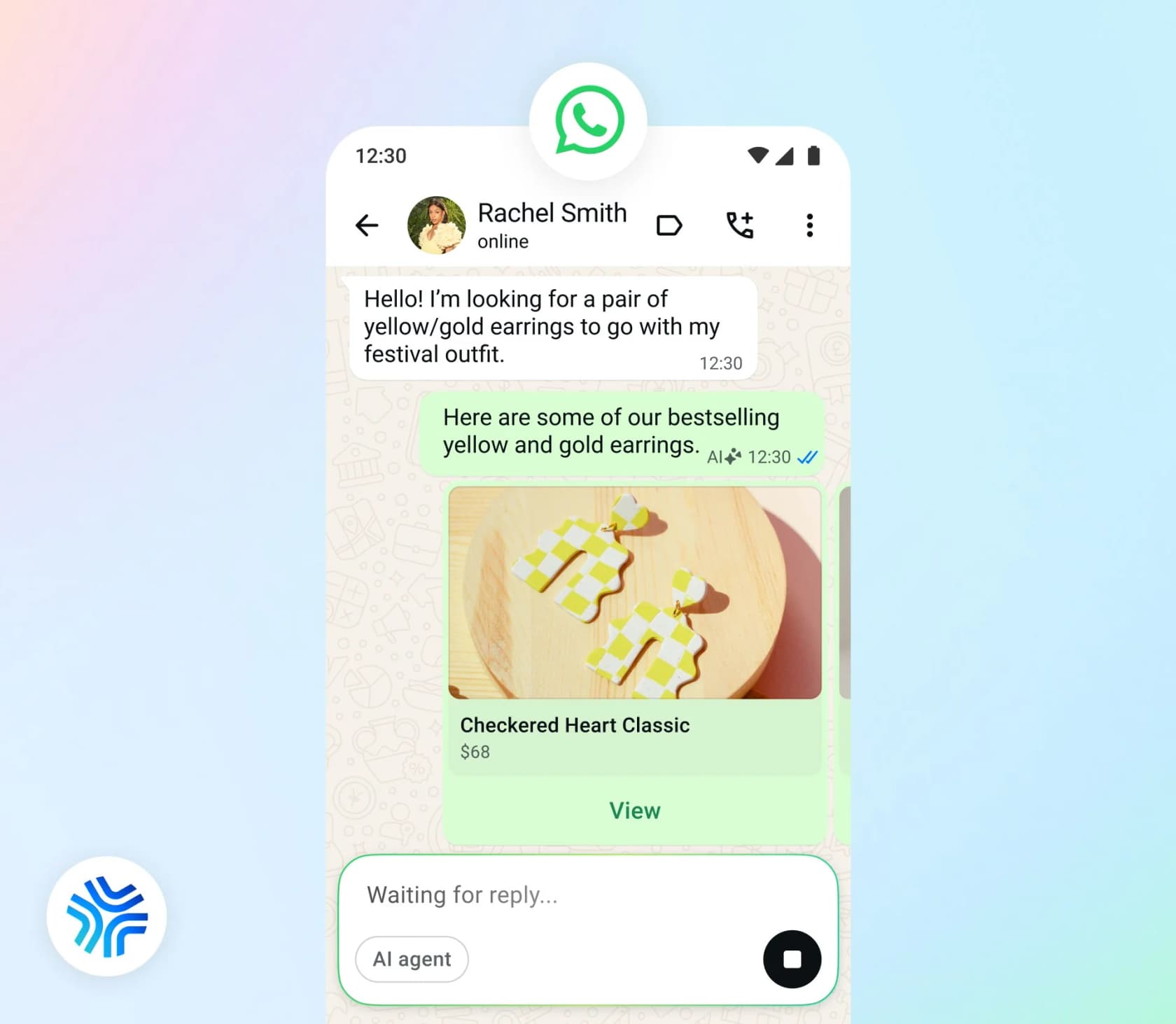
This is the route that people mean most of the time. You already run WhatsApp through Zendesk, and now Meta offers an AI which answers on that same number. Meta's June 3 launch post says it can "connect to a growing suite of hundreds of systems like Shopify, Zendesk, and Shopee", and an October 2025 post listed Zendesk among the platforms Meta was "actively partnering" with for handoff.
Here's how that looks once you actually open the docs.
Zendesk is already your WhatsApp provider
When you add a WhatsApp number to Zendesk, Zendesk becomes your BSP (business solution provider). The setup goes through Meta's embedded signup in Admin Center, while the WhatsApp Business Account stays in your own Meta Business Manager. It needs any Suite plan, or Support plus the Social Messaging add-on, and I cover the steps in my Zendesk WhatsApp integration guide.
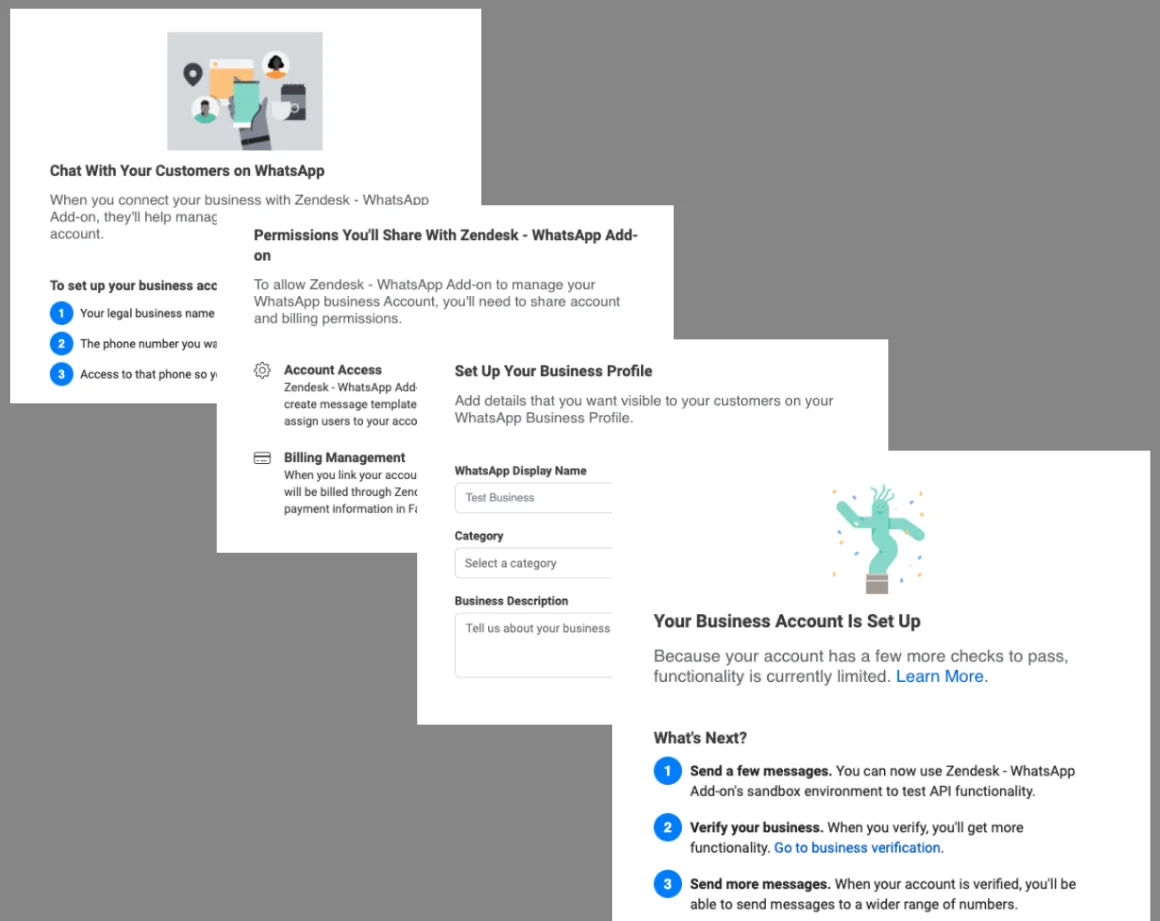
That setup is important for Business Agent, because Meta's platform overview only allows numbers on the WhatsApp Business Platform, "including one managed through a Solution Partner or Embedded Signup". A Zendesk-connected number fits that description, a number still on the WhatsApp Business app doesn't, and Zendesk's WhatsApp setup article still says a number can't sit on the app and the API at the same time.
Switching Business Agent on demotes Zendesk to standby
This is the one fact I'd put in front of any Zendesk admin before they flip the switch on it. Meta's Conversation Routing guide says that when you enable a Business Agent, "The agent becomes the sole primary for messaging entry points", and "Previous primary destinations move to standby so they retain context."
As a standby partner, Zendesk can still see the messages, but it's not meant to reply to them. Meta's routing overview defines one owner per thread, standby partners that "must not reply", and at most one escalation partner that "can take control of any thread". If you want your agents in Zendesk to be able to jump in, then Zendesk has to be that escalation partner.
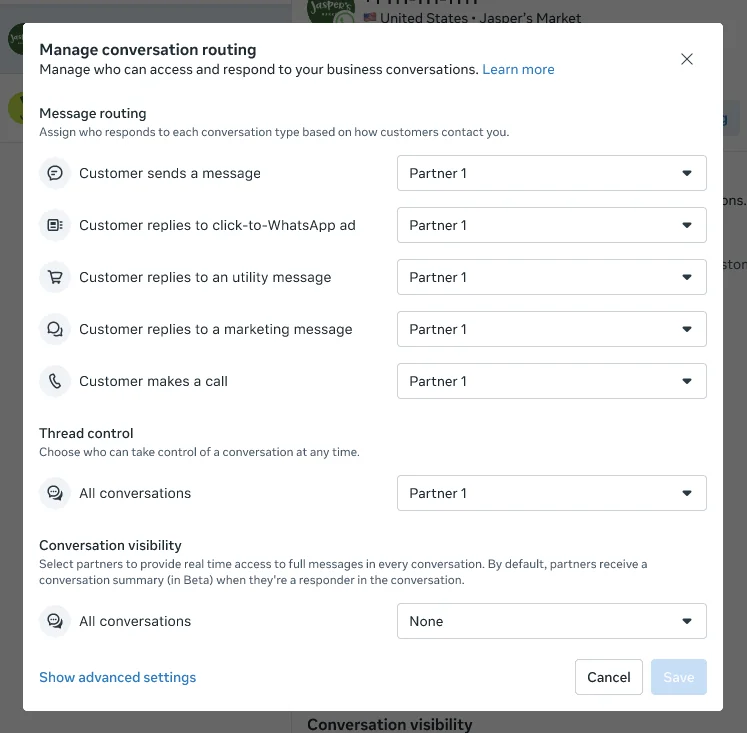
Three details make this harder than it sounds:
- It's UI-only. Meta says "Configuration is UI-only. There is no public API for configuring Conversation Routing." Someone who has admin access to your Meta Business portfolio has to set it in Business Suite.
- Only the business can accept the terms. Standby visibility, the escalation partner and thread control all need the business to sign the Meta Business Agents and Platform Terms. Zendesk is not able to do it on your behalf.
- The docs are brand new. Conversation Routing appeared in Meta's WhatsApp changelog on September 23, 2026, and Zendesk's WhatsApp article doesn't mention routing, standby or thread control at all.
Two layers decide who answers
Once Zendesk owns a thread, it has its own traffic cop as well. Its Switchboard routes a conversation between bot and agent systems, and "A conversation can only have one active switchboard integration at a time." So a single WhatsApp message now goes through two ownership decisions, and these are set in two different admin panels.
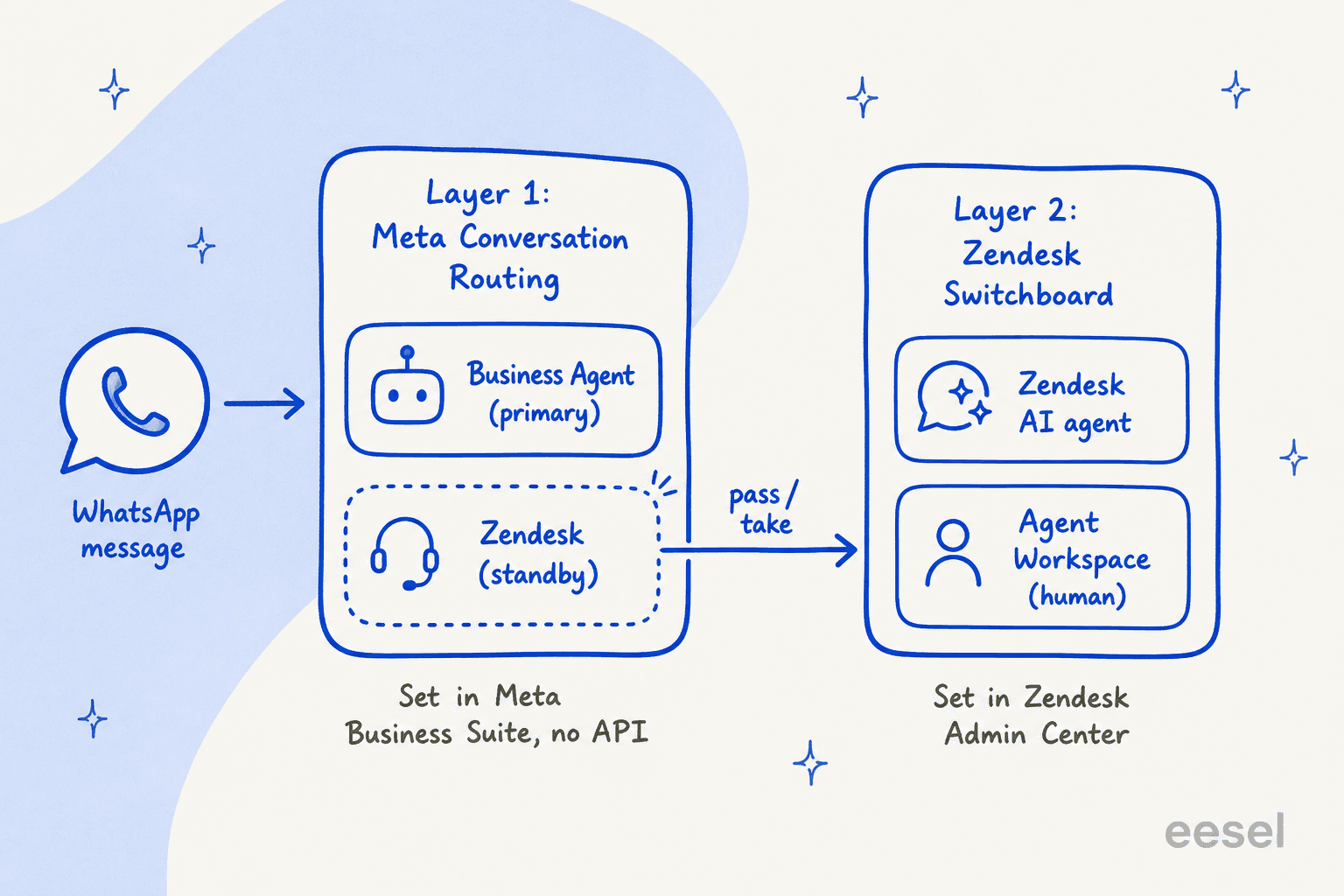
If you've used Zendesk Sunshine Conversations, the Switchboard part will feel familiar, the new part is Meta's layer that sits above it. On paper, the flow is Business Agent first, a pass to Zendesk as escalation partner, then Zendesk's Switchboard picks its own AI agent or a human. I couldn't find a Meta or Zendesk page confirming that Zendesk's WhatsApp channel handles a Business Agent handover today, so it's worth to test it on a staging number before you trust it with customers.
Meta also is the one deciding when the handoff fires. The capabilities page says the agent hands off on signals "such as low confidence, an integrity violation, or a customer asking for a human. You do not configure the triggers." If you're used to tuning escalation rules in Zendesk, that's a real change.
Creating Zendesk tickets is a connector you write
Meta's customer support agent guide lists "Ticket creation, with the conversation context attached" as something Business Agent can do. In practice, it's a tool that you define yourself. Meta's example is a create_support_ticket POST with a category, a summary the agent writes from the chat, and the shopper's phone number filled by a WHATSAPP_PHONE_NUMBER macro.
There's no prebuilt Zendesk connector in the Connectors reference. The only vendor in its examples is Shopify, as a sample value. So pointing it at Zendesk means you map Meta's flat body onto Zendesk's nested {"ticket": {...}} shape by yourself, and you handle the auth too.
Auth is the place where I'd expect the first afternoon to go. The Zendesk API uses Basic auth with an API token or OAuth. Meta lists BASIC in its enum but says "Currently, only OAUTH2_CLIENT_CREDENTIALS, API_KEY, and NONE are supported." My guess is that an API_KEY header with a Basic prefix would work, since the connector has a prefix field, but Meta doesn't document it for Zendesk and I haven't seen anyone confirm it. A small middleware service that you host yourself is the safer bet, in my view.
Meta's own guide flags why this tool deserves your best monitoring:
"A failed ticket is invisible: the agent has already said a colleague will be in touch, the shopper waits, and nobody finds out until they message again angrier."
What Zendesk says about it
Very little. The only Zendesk page that names Business Agent is its WhatsApp pricing notice, which calls it "Meta's AI product, separate from the AI capabilities available through Zendesk", with its own token pricing from August 1, 2026. There's no Business Agent app on the Zendesk Marketplace and no Zendesk setup guide for it.
People who build on WhatsApp are reading it the same way. One commenter, who says they're building a competing WhatsApp AI tool, put it bluntly:
"If you look at the current AI agent closely, it can only do things inside Meta, but nothing outside it."

Route 2: Muse Spark 1.3 inside Zendesk
The second route skips Business Agent and brings Meta's model into Zendesk's own automation. Muse Spark 1.3 is available on the Meta Model API at https://api.meta.ai/v1, which accepts OpenAI-style and Anthropic-style requests. That compatibility is the reason people assume it'll drop into Zendesk the way Claude or OpenAI do, which it doesn't, quite.
The built-in connectors can't reach it
Zendesk ships its own connectors for Claude, OpenAI and Gemini inside action flows. Each takes an API key and a model dropdown, and Zendesk's docs show no base URL field, so there's no documented way to aim one at api.meta.ai. They're also text utilities (send prompt, summarize, sentiment, keywords), not a customer reply. I compared these connectors more in depth in Claude for Zendesk and ChatGPT for Zendesk.
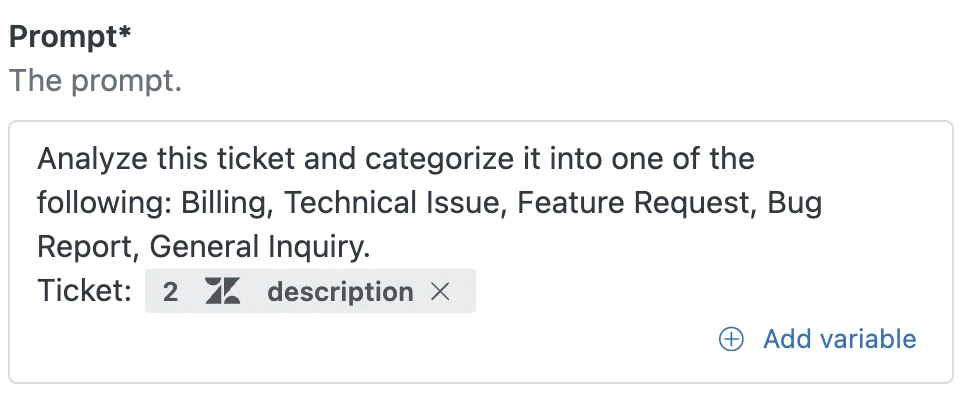
A custom action can, with a 10-second clock
What does work is a custom action, which calls any https:// endpoint with a Bearer-token connection and a JSON body. You can run one from action flows or AI agents, and from Copilot auto assist also. It's available on Suite Growth and above, and the limits on it are tight:
- "Custom actions have a timeout of 10 seconds."
- Responses must be JSON, up to 2 MB.
- There's a cap of 100 custom actions per account.
- Custom code steps can't make network calls, so the custom action has to be the thing that talks to Meta.
The 10-second limit is the one which bites the most. Muse Spark 1.3 at max reasoning is "very verbose": on Artificial Analysis it generated 170M tokens across the index against an 88M median. A long reasoning call on a messy ticket can run past 10 seconds, and then the action simply doesn't happen. I'd keep the reasoning effort low for anything in this path.
The other route is the classic one: a Zendesk trigger fires a webhook to a service you host, that service calls Muse Spark, and it writes the result back through the API. Webhooks time out at 12 seconds and retry up to five times, and you'll want to read up on Zendesk API rate limits before you point production volume at it. If you want a Muse-based bot as the first responder in Zendesk messaging instead, third-party bots need Suite Professional or above.
The pricing tier support tickets can't use
Meta's cheapest Muse Spark tier is the "Contributor" model, at roughly $0.10 input and $0.20 output per 1M tokens, per developers quoting Meta's price list on Hacker News. For support it's not an option, though. Meta's Terms of Service §6.2 says "You must not submit sensitive, confidential, or personal information to the Discounted Services", and a Zendesk ticket is full of names, emails and order numbers. Budget at the standard rate instead, which I break down in my Muse Spark 1.3 pricing post: $1.25 input and $4.25 output per 1M tokens, with $0.15 cached input.
Two more things are worth knowing before you build. The Meta Model API is still a public preview under "limited preview period" terms, and I found no SOC 2 or HIPAA attestation for it. And on the Chat Completions path, tool_choice only supports "auto", so you can't force the model to call an escalation tool.
Route 3, the baseline: Zendesk's own AI agent on WhatsApp
Before you build either Meta route, it makes sense to price out the option you already have first. Zendesk's AI agents answer on WhatsApp, Messenger and Instagram: you tick the channel under Brand and channels, then publish. Since May 11, 2026 there's no separate Essential and Advanced split, and the advanced features come with every Suite and Support plan.
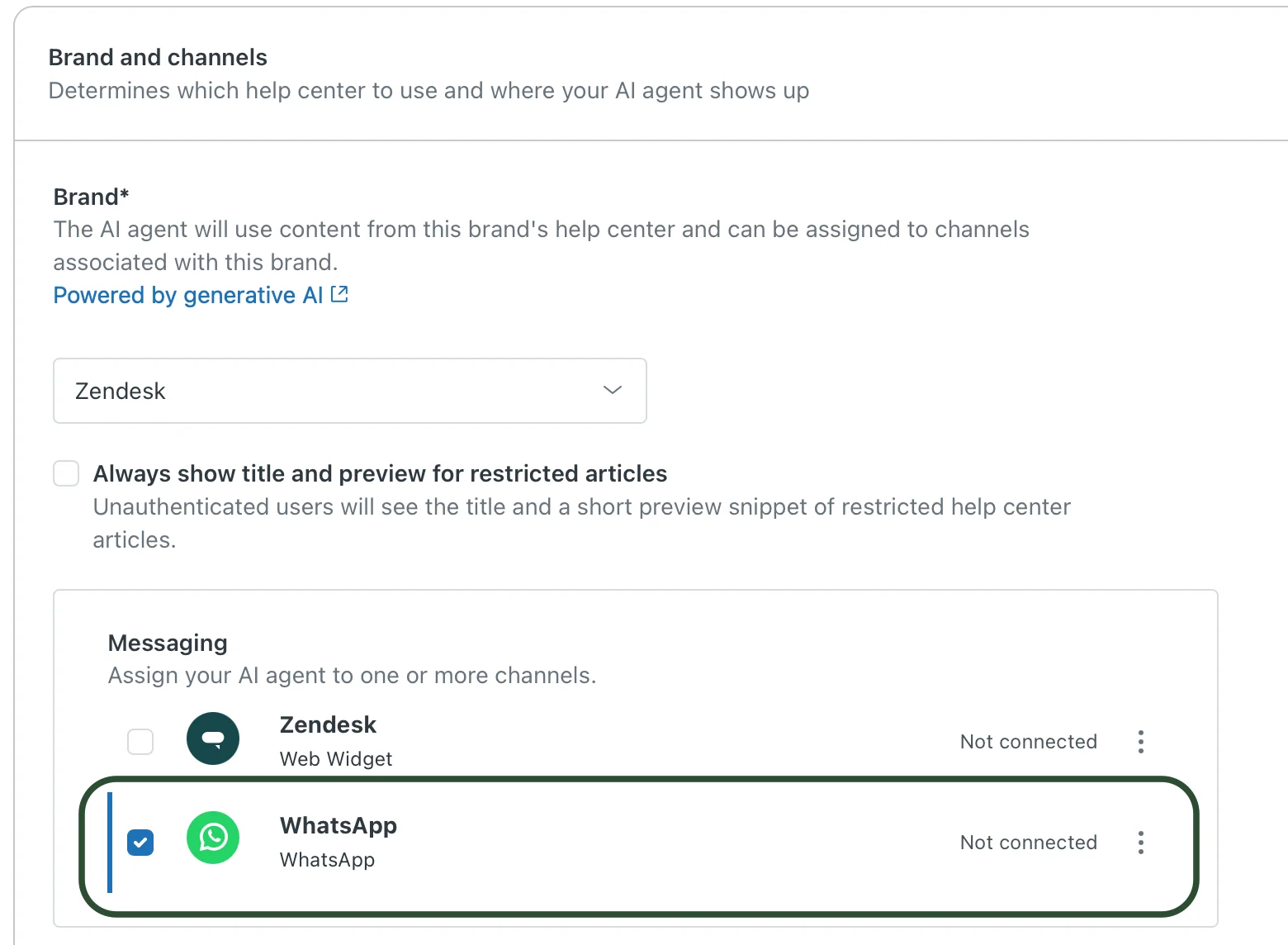
The upside here is that everything stays in one system. There's no Meta routing layer and no connector to maintain, and the same AI agent covers your web widget, Facebook Messenger and Instagram. The trade-off is on the price per resolution, and that's where the comparison gets interesting.
What each route costs per WhatsApp conversation
Meta and Zendesk bill in different units, so here they are put side by side. Meta charges Business Agent per token, and Zendesk charges its AI agent per automated resolution on its pricing page.
| Meta Business Agent | Zendesk AI agent | Muse Spark via custom action | |
|---|---|---|---|
| Billing unit | Tokens, $2.00 per 1M | Automated resolution | Tokens, $1.25 in / $4.25 out per 1M |
| Typical cost | ~4-5 cents per message, 16-20 cents simple chat, 40-50 cents complex chat | $1.50 committed, $2.00 pay-as-you-go | Depends on your prompt and reasoning effort |
| Included | Not free in the free entry point window | 5 per agent/month (Team), 10 (Professional), capped at 10k/year | None |
| Meta WhatsApp reply charge from Oct 1, 2026 | No, the token rate covers delivery | Yes, each reply is a service message | Yes, if replies go out through Zendesk |
| Zendesk seat needed | For your human agents only | $55/$115 per agent/month (Suite Team/Professional, annual) | Suite Growth or above for custom actions |
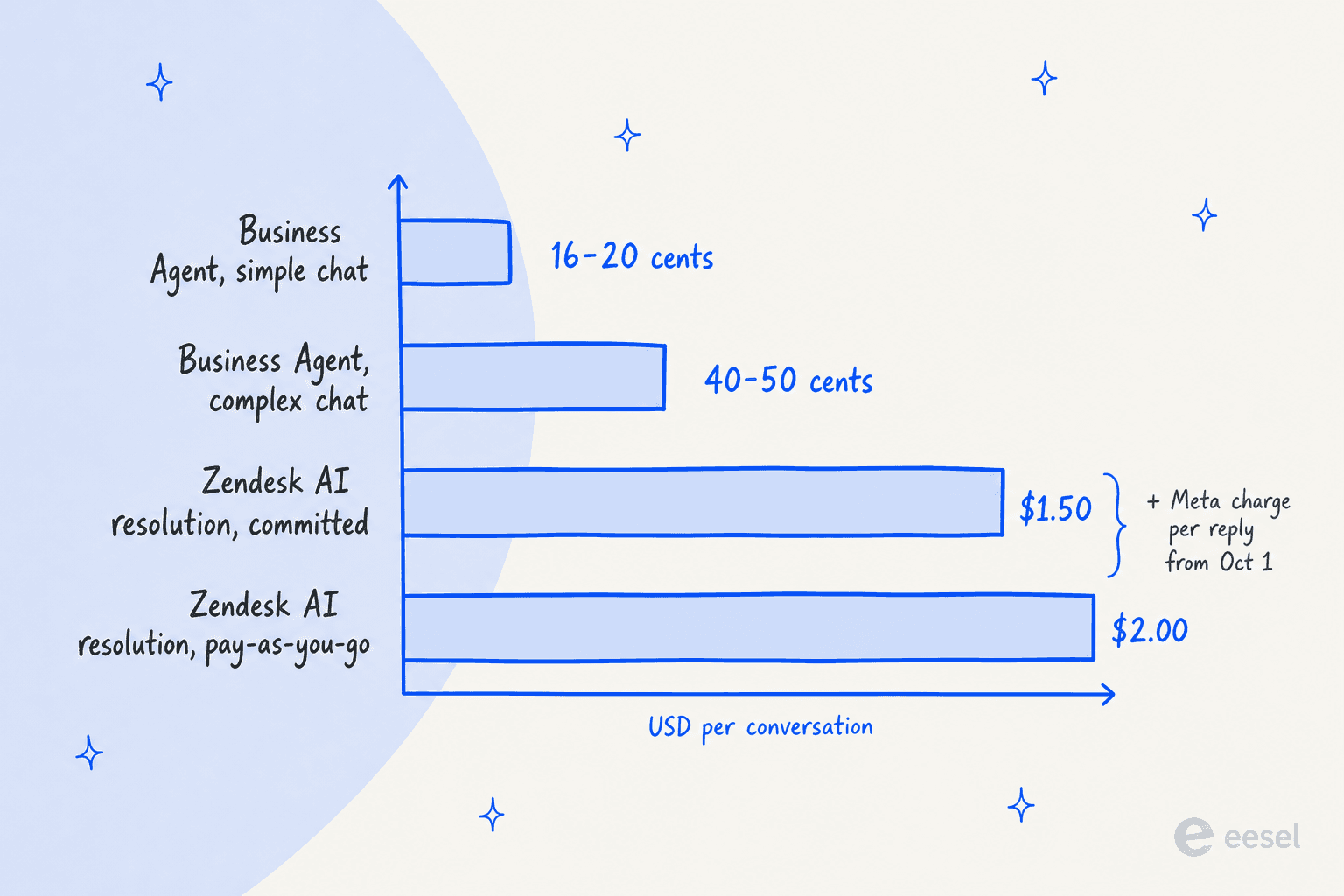
On raw price, Business Agent wins by a wide margin. A complex Business Agent chat costs about a quarter of one committed Zendesk resolution. Two things narrow the gap, though.
First, the October 1 change. Zendesk's pricing notice says "Starting October 1, 2026, Meta will charge per message for non-template replies sent during this window", which covers "messages sent by agents, bots, or automation flows". Meta's pricing docs give each number 1,000 free service messages a month, then charge at utility rates by market.
So a Zendesk AI agent on WhatsApp is now carrying two meters. I'd rerun the maths with my Zendesk AI pricing calculator and WhatsApp pricing guide side by side.
Second, Zendesk's billing unit got friendlier this year. Under the resolution tiers that started May 18, 2026, Zendesk says an assisted escalation and a contained resolution each "does not count against your resolution allowance". The way I read it, only verified resolutions draw down your allowance, while Meta bills every token whether the customer got an answer or not. My outcome-based pricing post goes further into that difference.
Zendesk admins feel the per-resolution meter too, which is why some of them are rationing it instead of chasing automation:
"My main concern is using up our AI resolution allowance on basic support questions that our team can easily handle. Ideally, I only want the AI Agent to respond when a customer specifically asks for a consultation about one of our products."
Where Meta's side stops
Business Agent is good at what it was built for: answering shoppers inside Meta's apps, cheaply, at huge reach. Meta says more than one million businesses already use it on WhatsApp and Messenger. For a Zendesk team, these are the limits I'd weigh before handing it the front door, and all of them come from Meta's own docs:
- Your Zendesk history isn't a knowledge source. Platform knowledge comes from Business Info, FAQs, Files and crawled websites. The support guide tells you to export your top helpdesk drivers and write FAQ entries by hand. Files have no update call, so a stale policy doc keeps getting quoted until you delete it.
- Testing runs on scenarios you write. Agent Test and Agent Eval cover scenarios you write yourself. None of the docs mention replaying past tickets.
- Some industries can't use it. Finance, government, health, alcohol, gambling, over-the-counter drugs and matrimony services are excluded on the Platform. That rules out teams like a US healthcare platform that told eesel's sales team it had found native Zendesk AI "inadequate and overpriced", and every fintech on Zendesk.
- One AI agent per number. "An active authorized-agent integration blocks Meta Business Agent", and Meta doesn't define the term. Neither vendor says whether a Zendesk AI agent on the number counts, so check the Agent Eligibility endpoint first. It returns a bare yes or no, with no reason.
- It only lives in Meta's apps. Email and your web form stay outside of it, and so does your help center widget. Meta says English gives the strongest response quality.
That split, Meta at the front and the helpdesk behind it, is how operators are already talking about it:
"When Meta ships the basic automation for free, SaaS value has to move up the workflow. The durable layer is cross-channel context, approval and exception handling, reporting tied to campaigns, and knowing when automation should stop and a human should take over."
Which route I'd pick
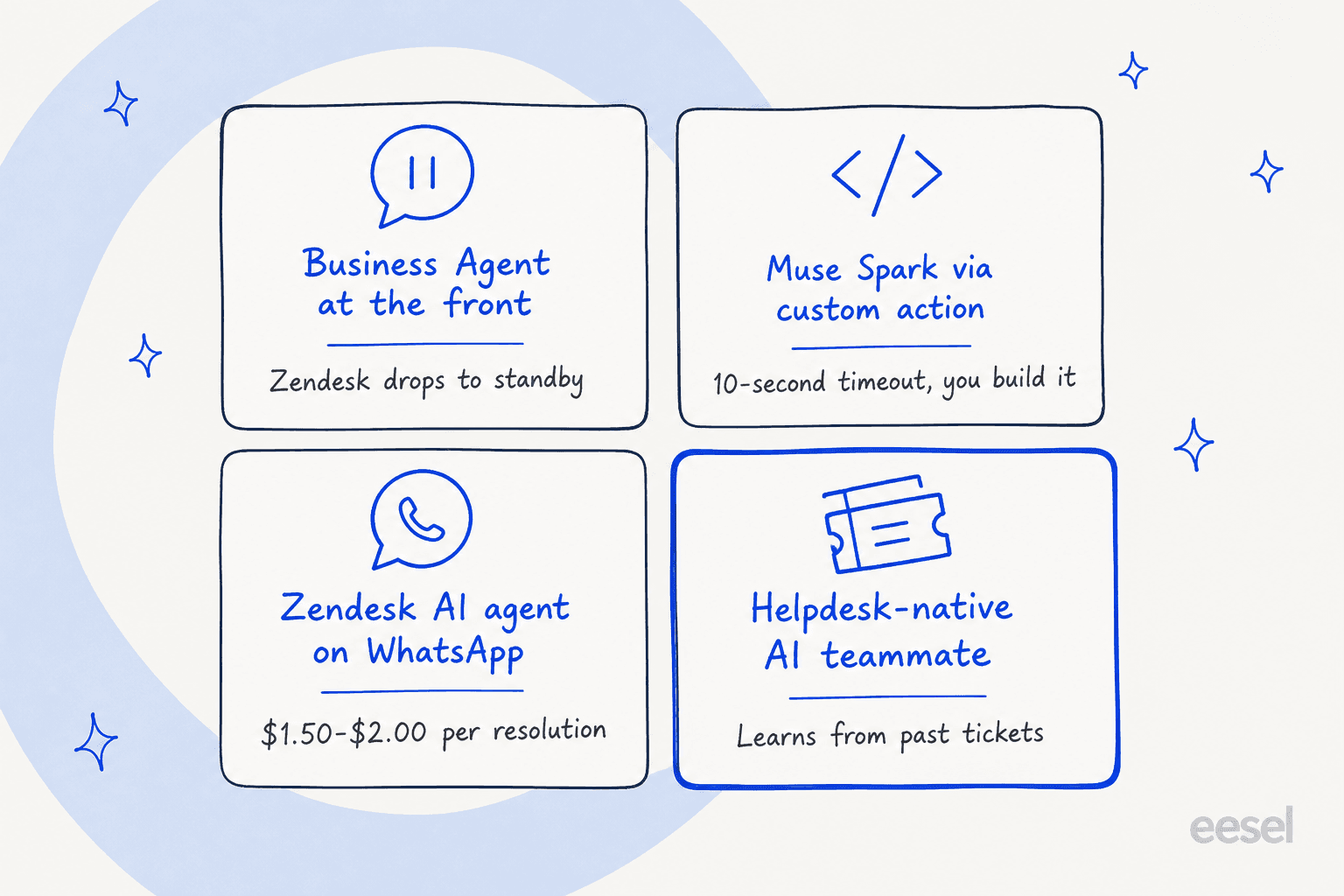
Here's how I'd make the call, depending on where you are:
- You're a small shop and most WhatsApp questions are hours, stock and shipping. Try Business Agent in front, with Zendesk set as escalation partner. At 16 to 50 cents a chat it's hard to beat, and your agents still see escalations in Zendesk. Run it on a second number first, until you've watched a handoff actually land.
- You have a developer and a narrow job for an LLM. A custom action calling Muse Spark is fine for triage labels, sentiment or summaries, where a 10-second budget and structured JSON output fit. I wouldn't build customer replies on top of it while the API is still in preview.
- You want one system and predictable ops. Zendesk's own AI agent on WhatsApp is the least moving parts, if the per-resolution price works at your volume after October 1.
- Your answers live in past tickets and macros. This is the spot where I've seen teams get stuck. A German multi-shop retailer that came to eesel ran Zendesk and Shopify and put WhatsApp near the top of its must-haves, with more than 8,000 documents behind its answers. Business Agent can take uploaded files, but it can't learn from Zendesk ticket history or keep old versions of a document from contradicting new ones. Keep the AI where the tickets are.
Whichever you pick, remember that Meta has already tightened its WhatsApp AI chatbot rules once. I'd build it in a way so the front door can change without rebuilding the queue behind it.
eesel for Zendesk
If the fourth scenario sounds like your team, that's the job eesel was built for. It's an AI helpdesk teammate that joins Zendesk and reads your help center, macros and past tickets. From there it drafts or sends replies, tags and routes tickets, then hands over with context when it should. Because it works inside Zendesk, there's no second ownership layer to configure, and any ticket Business Agent escalates into Zendesk gets worked like every other ticket in the queue.

Before it answers a single customer, eesel runs a simulation on hundreds of your past Zendesk tickets, so you get to see which ones it would get right, and you choose which ticket types it handles. Pricing is a fixed monthly credit plan where a ticket or chat is one credit however many replies it takes. If you'd rather script the setup, the eesel CLI lets you or a coding agent connect Zendesk and add knowledge, plus approve actions, all from a terminal.
Try eesel free with 100 credits and no card, and see how it handles your Zendesk queue next to whatever Meta puts at the front door. If you're weighing other options too, my Zendesk AI alternatives roundup and the eesel vs Zendesk AI comparison are good next reads.
Frequently Asked Questions
Can I use Meta Muse for Zendesk?
Is there a Meta Business Agent integration for Zendesk?
What happens to my Zendesk WhatsApp channel if I turn on Meta Business Agent?
How much does Meta Muse for Zendesk cost on WhatsApp?
Can Zendesk's Claude or OpenAI connector call Muse Spark?
Does Meta Business Agent learn from my Zendesk tickets?
Can I run Zendesk's AI agent and Meta Business Agent on the same WhatsApp number?
What is the best Meta Muse for Zendesk setup for a support team?



Article by
Rama Adi Nugraha
Rama is a software engineer at eesel AI with two years of experience writing about B2B SaaS, AI tools, and customer support technology. Based in Bali, Indonesia, he brings a developer's perspective to product comparisons — cutting through marketing copy to what the integrations and APIs actually do.