Zendesk AI vs eesel AI: pricing, resolutions, and the real cost in 2026

Riellvriany Indriawan

Katelin Teen
Last edited September 7, 2026
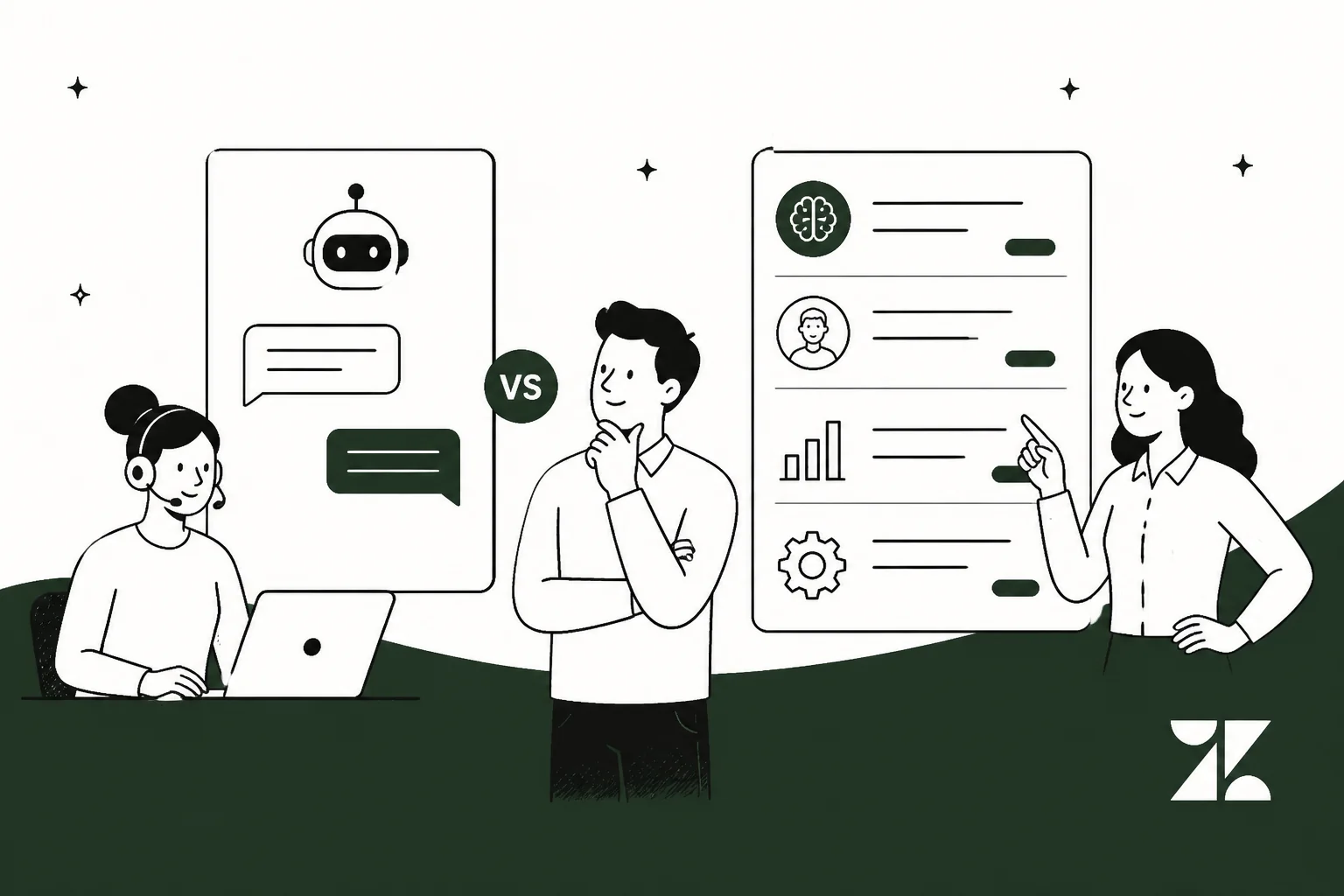
Two different bets on the same queue
I spend my days in a support queue, so I read AI-for-support pitches with a specific worry: what happens the week volume triples and the "smart" tool quietly starts guessing? That worry is exactly where Zendesk AI and eesel diverge, and it is not really a feature fight. Both can read a ticket, look up an order, draft a reply, and escalate. The real difference is what you are buying and how you pay for it.
Zendesk AI is the AI baked into the Zendesk Suite: AI agents that deflect tickets and a Copilot that assists your human agents, all sold as part of the platform you sit in. eesel AI is a teammate you hire for a job and drop into the helpdesk you already have. One is a bigger version of your current vendor; the other is a layer on top of it.
Here is the part that made me want to write this. Across sales calls, the line we hear most from teams already on Zendesk is some version of the same sentence. One CX lead at a US healthcare platform running around 500 Zendesk tickets a month put it bluntly: they had "kicked the tires" on native Zendesk AI and found it "largely inadequate and overpriced." That is not a knock on Zendesk's ticketing, which is genuinely mature. It is a signal that the AI layer, and specifically its bill, is where teams start shopping. So let us look at both honestly.
What Zendesk AI actually is
Zendesk splits its AI into two things, and it helps to keep them separate because they are priced separately.
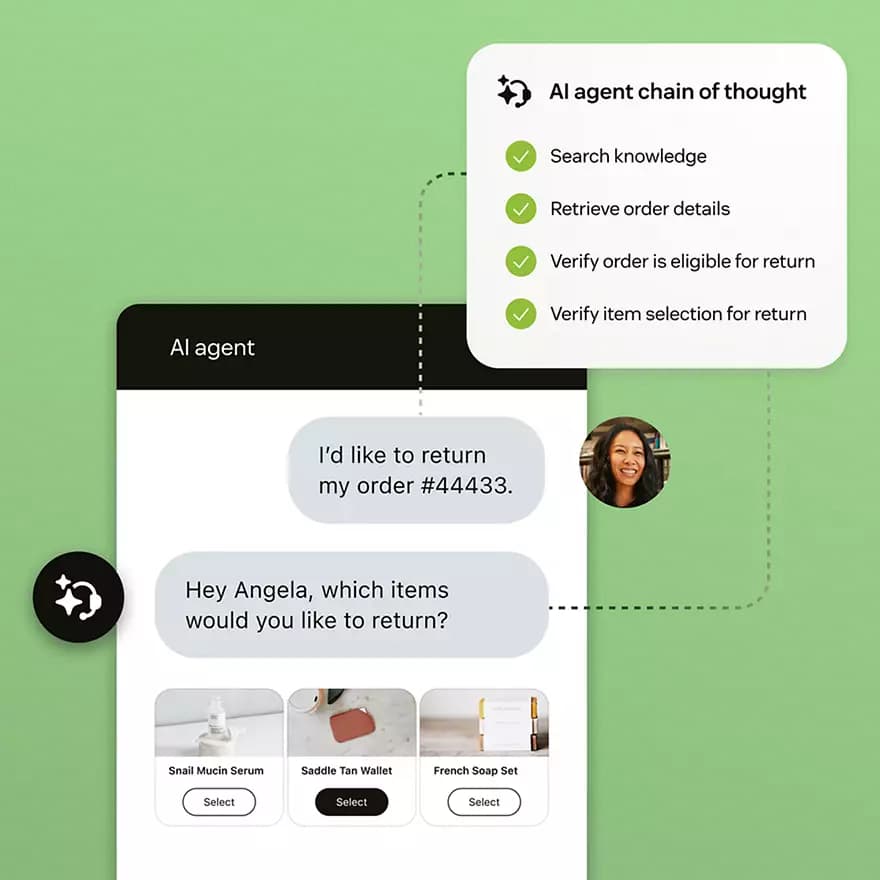
The first is AI agents, which Zendesk markets as "self-improving AI agents built for resolution." These are the autonomous bots that handle a conversation end to end across messaging, email, and voice, powered by what Zendesk calls the Resolution Learning Loop. They can ground answers in your help center, reason through multi-step requests, and take actions in connected systems. Zendesk names real customer results here: TeamSystem reports an 80% automation rate, and Hello Sugar reports 66% automation and $14k in monthly savings. When it works, it works.
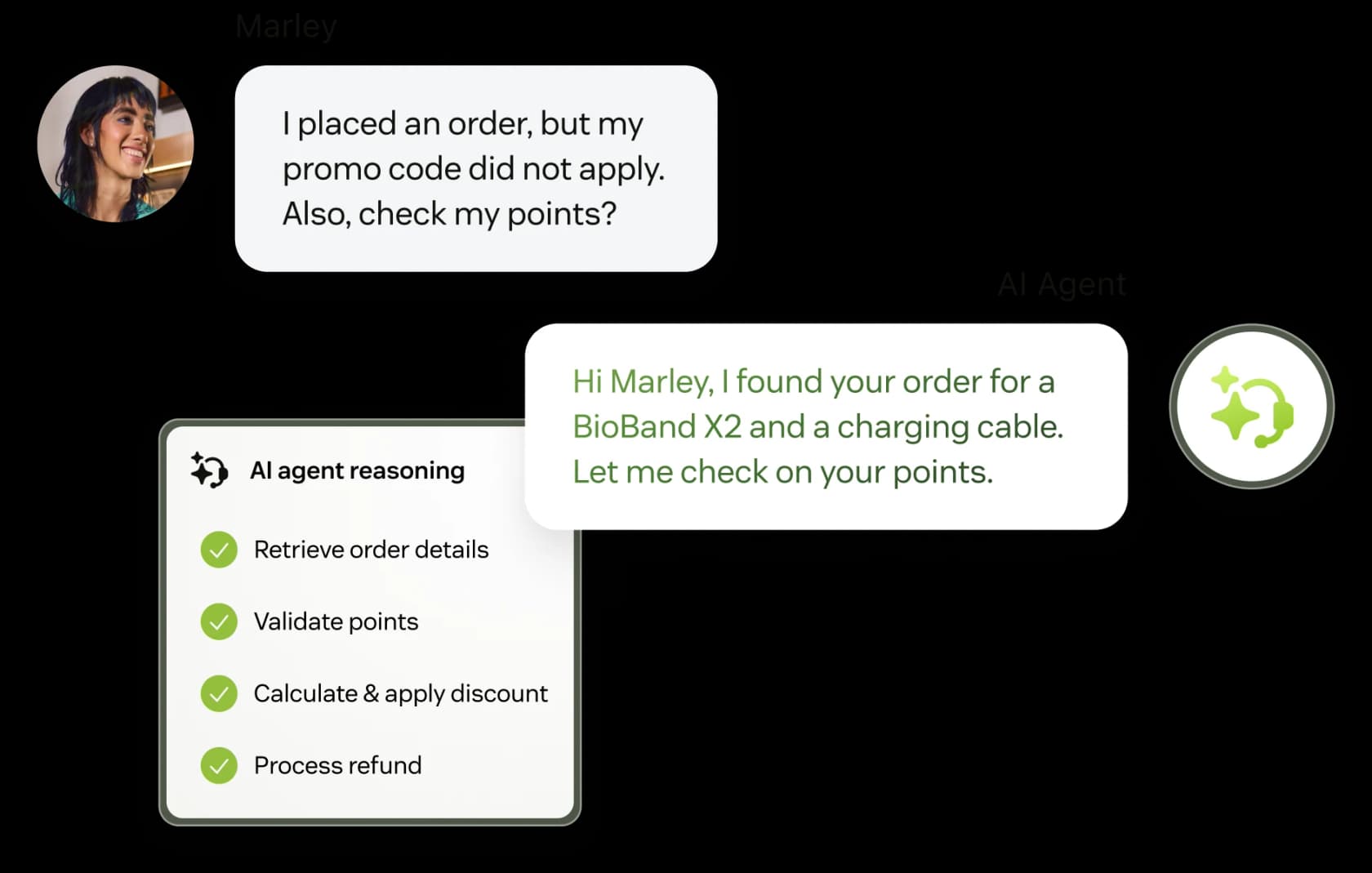
The second is Copilot, the assist layer for your human agents: suggested replies, ticket summaries, tone rewriting, and intelligent triage. Note that the older "Advanced AI" add-on is gone from the current pricing page. The AI add-on Zendesk sells today is Copilot, and Zendesk's own FAQ frames it that way. If you read an older comparison that quotes an "Advanced AI" price, it is out of date.
One recurring caveat from real users: the AI quality is gated by your knowledge base. As one Zendesk admin put it, the Copilot features are "decent, but we found its effectiveness really depends on having a perfectly curated Zendesk knowledge base, which... ours isn't, lol." That is a fair, universal truth about support AI, and it matters later when we get to testing.
How Zendesk AI is priced
This is the part that trips people up, so let us be exact. Zendesk pricing has three layers stacked on top of each other.
Layer one is seats. Per agent, per month, billed annually:
| Plan | Annual (per agent/mo) | Monthly (per agent/mo) | Included automated resolutions |
|---|---|---|---|
| Support Team | $19 | $25 | 5 per agent/mo |
| Suite Team | $55 | $69 | 5 per agent/mo |
| Suite Professional (most popular) | $115 | $149 | 10 per agent/mo |
| Suite Enterprise + Copilot | Talk to Sales | Talk to Sales | Quoted |
All figures are from the Zendesk pricing page. Anything above Suite Professional (Suite Growth, Enterprise, Enterprise Plus) carries no public price.
Layer two is the Copilot add-on, at $50 per agent/month paid yearly, and it only attaches to Suite Professional and higher. Without the add-on on Suite Professional, you get a pooled allowance of just 5 writing-tool uses per agent per month, capped at 500 uses per instance, even if you have 100+ agents. So the "real" agent-assist experience is the add-on, not the base plan.
Layer three is the per-resolution charge. Zendesk publishes a flat $1.50 per committed automated resolution and $2.00 pay-as-you-go, and the rate is identical across the three published plans. Your plan includes a small allowance (5 or 10 resolutions per agent per month, capped at 10k per year), and everything past that is billed.
The nuance worth understanding is what counts as a billable resolution. Since May 2026, Zendesk sorts every AI outcome into three tiers, and only one of them draws down your allowance.
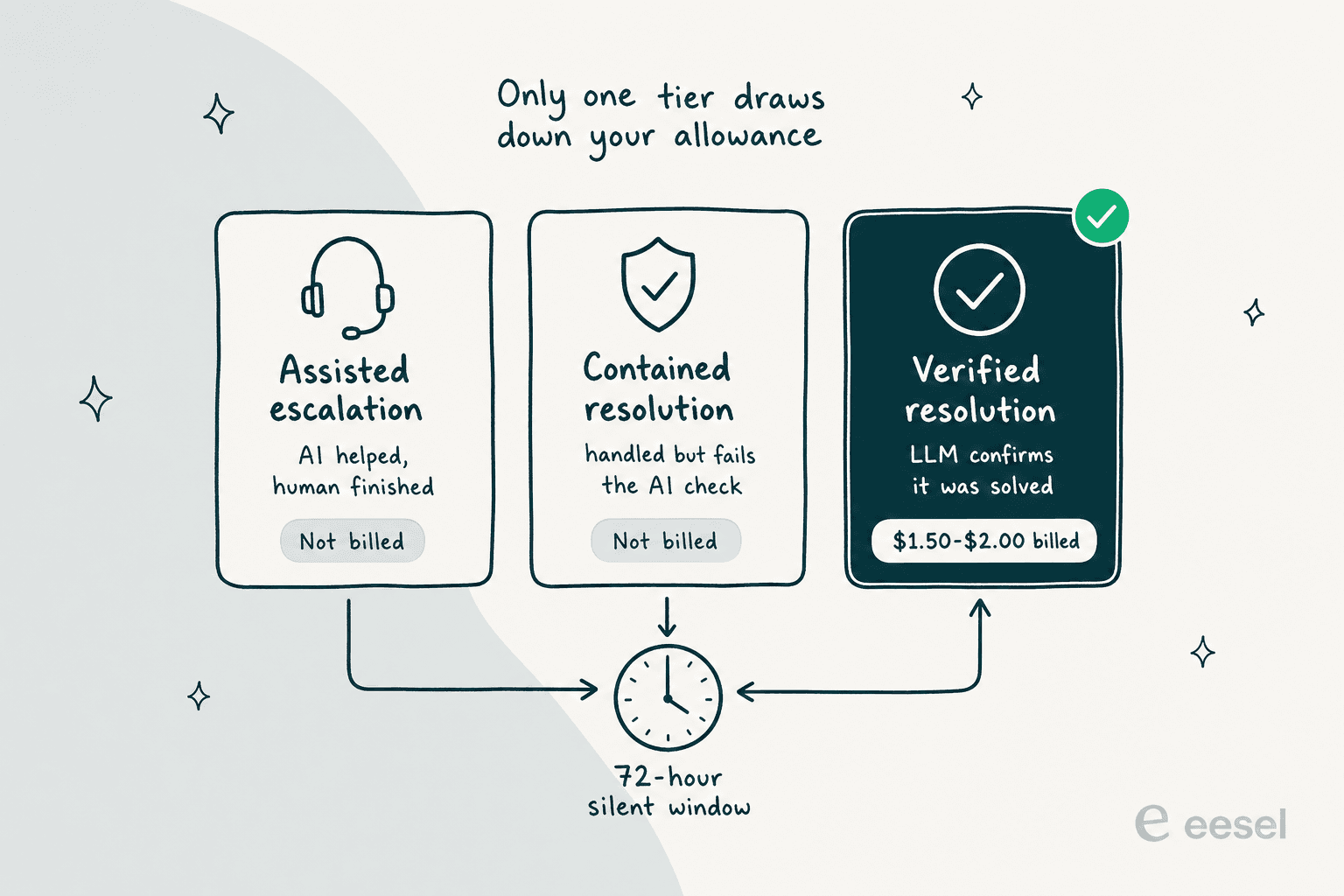
The verification runs after a 72-hour window with no customer follow-up: an LLM reads the conversation and decides whether the request was actually resolved. That is a genuinely fairer model than billing every deflection, and Zendesk deserves credit for it. But it is also where trust frays, because "resolved" is the AI's own call. Support teams have said so directly. As one operator put it on r/Zendesk: "who knows if the bot is just leaving the customer hanging and marking it as a resolution... they got agitated and abandoned the chat and it was considered a resolution."
The bigger structural issue is predictability. Per-resolution pricing means your bill rises exactly as your AI gets better and your volume grows. A team that ran the math landed on "$1.50 ~ $1.20 per resolution... if you have 500 AR per week, the bill blows out to be $650, where there wasn't a charge before." And that is before the seat and Copilot layers.
What eesel AI is, and why it sits on top of Zendesk
eesel AI is an AI teammate platform: you hire a ready-to-work teammate for a specific job, and it lives inside the apps you already use. For support, that teammate is the AI helpdesk agent, and its whole design premise is that you keep your helpdesk.
On Zendesk specifically, eesel joins as a real AI Agent inside your Zendesk account, not a separate chat widget or a second inbox. It reads Zendesk tickets, drafts and sends replies, adds internal notes, tags tickets, updates fields, and routes to groups, exactly like a human agent would. It respects your existing Zendesk triggers, SLA policies, and business-hour settings, so nothing you have already built gets thrown away.
Setup is a full OAuth connection: enter your Zendesk subdomain, authorize, and eesel automatically imports your help center articles, past tickets, and macros with no manual training. The integration page claims under 30 minutes to connect and 85%+ average tier-1 resolution out of the box within a week. That is a marketing stat, so treat it as a claim, but there is a matching customer voice next to it: Gridwise reports that in the first month, eesel resolved 73% of their tier-1 requests. At the top end, Smava runs a fully automated Zendesk agent processing 100,000+ German-language tickets a month.
The important architectural point: eesel trains on your past resolved tickets and macros, not just your published help center. That directly addresses the "your KB isn't curated" problem above, because the agent learns your team's actual voice and handling from tickets you have already answered.
The real difference: two routes to AI on your Zendesk
Once you strip away the feature lists, the decision is this. You have a Zendesk. You want AI on it. There are two ways to pay for that.
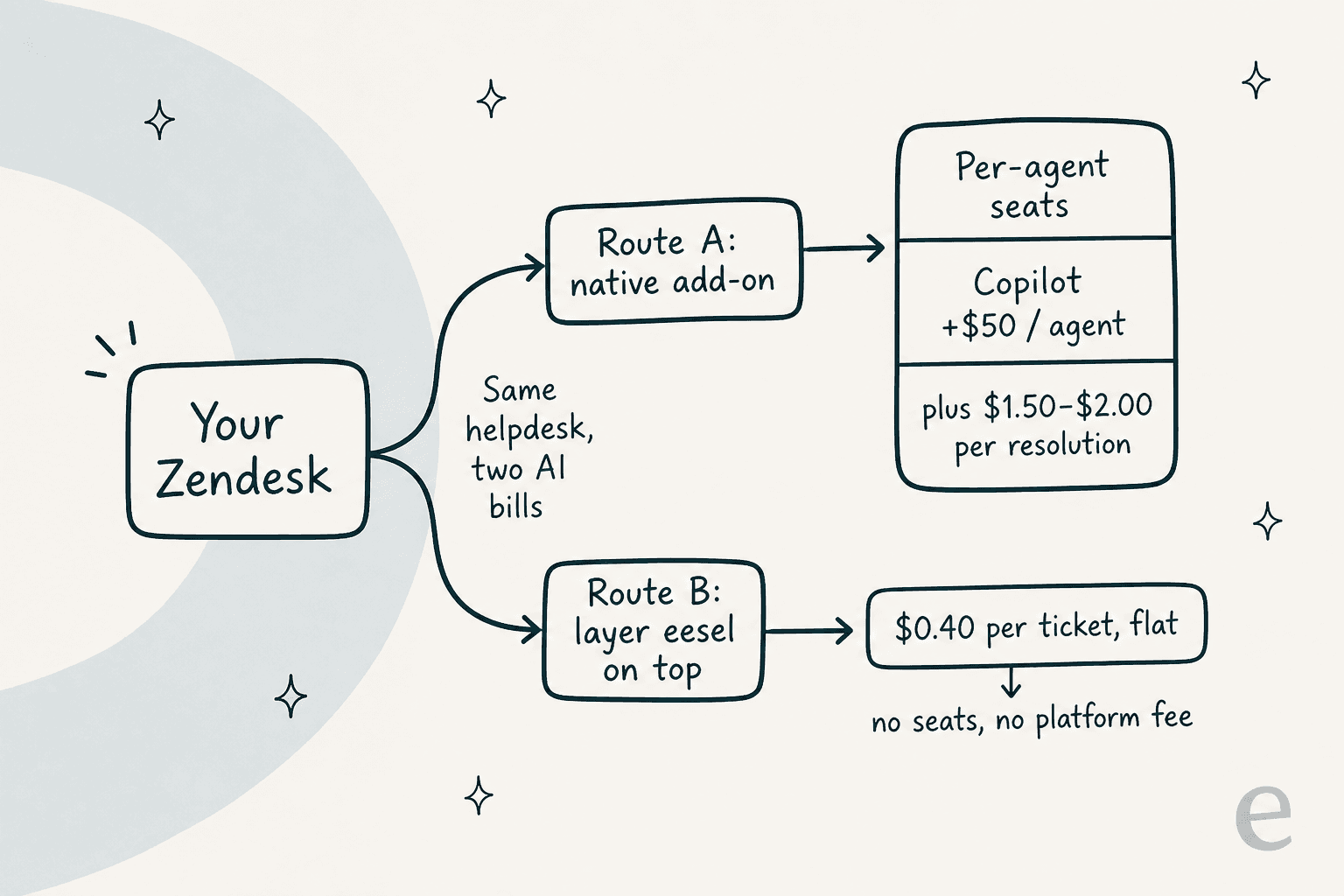
Route A stacks three meters: seats, the Copilot add-on, and per-resolution charges. Route B is a single fixed monthly price. eesel starts at $299/month for 500 credits, where one ticket is one credit no matter how many messages go back and forth, with no per-seat fee and no platform fee. There is also a free plan with 100 credits, no credit card needed.
There is a real conceptual difference hiding in "per resolution" versus "per ticket." Zendesk charges when the AI succeeds; eesel counts a credit when the AI handles a ticket, regardless of outcome. eesel is honest that this cuts both ways: the credit is used whether the answer was perfect or not. But it also means your cost is a function of volume you can see coming, not of a resolution rate that quietly climbs. One eesel cost analysis for a roughly 1,000-ticket-a-month store showed the tension cleanly: at an 80% resolution rate, a per-resolution model runs about $792 a month, and a Black Friday spike to 4,000 tickets pushes that to about $3,168, while a fixed monthly plan keeps the bill predictable, and any overage is capped at a limit you set. Plug your own numbers in:
The calculator strips out seats to keep it apples-to-apples on the AI portion, and it uses Zendesk's more generous committed rate. Even so, the shape is clear: the native add-on climbs with agents and resolutions, while the eesel line moves in fixed plan steps.
Testing before you go live
This is the difference I care about most as someone who has watched a confident bot give a wrong answer to a real customer. The scariest moment with any support AI is the switch from "drafting for review" to "answering live," and the two products handle that moment differently.
Zendesk lets you review AI behavior and run QA on conversations after the fact, and it has a flow builder for scripting escalation paths, though users describe that builder as rough to work in. What it does not do is let you dry-run the agent against your own ticket history before it ever touches a customer.
eesel's answer is simulation. Before go-live, it replays your past Zendesk tickets in a sandbox, scores each answer against what your team actually sent, and hands back the specific gaps and suggested fixes.
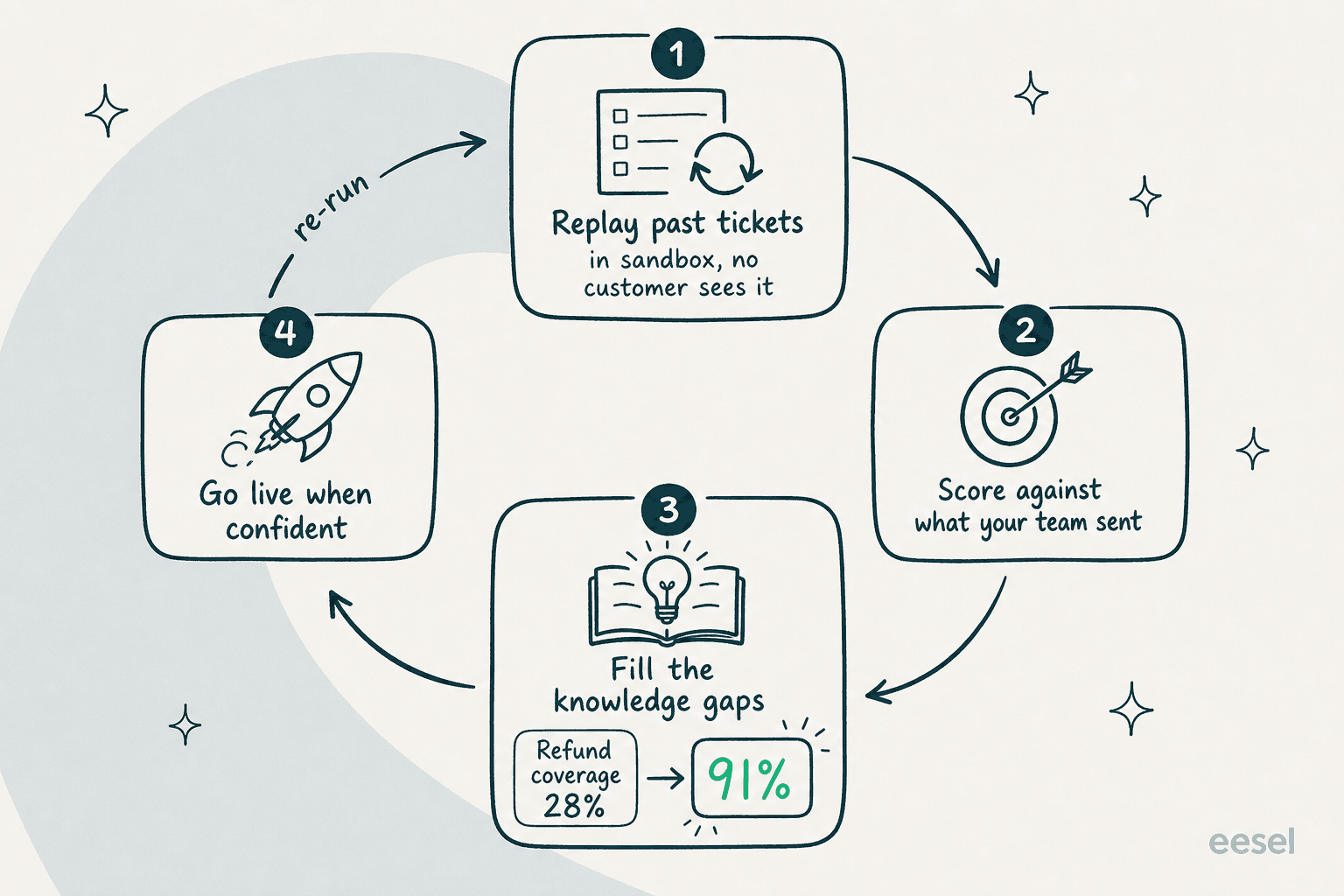
The output is a per-theme coverage report ("Refund policy: 28%", "SSO login errors: 35%"), and the fix is usually a documentation change, not a model change. You add the missing article, re-run, watch coverage climb, and only roll out when you are confident. Because nothing is live until you turn on a trigger, a simulation on a freshly connected helpdesk cannot leak a bad reply to a real customer.
For a team that found native Zendesk AI a black box, being able to prove out the numbers on your own tickets first is the whole point. It is also why the "your KB isn't curated" complaint is less scary here: the simulation tells you exactly which gaps to fill before they cost you.
What real users say
Sentiment on Zendesk's core product is solidly positive: 4.3 out of 5 across 6,964 G2 reviews and 4.4 across 4,079 on Capterra, with about 92% rating it four or five stars. The ticketing is mature and reliable. The friction, over and over, is the bill.
"Their pricing isn't transparent at all... Want automation? That costs more. Want their latest AI feature? Cost more... I would never suggest any company get stuck in the zendesk pricing trap."

That "pay more as you grow" theme is the single most common reason teams start shopping, and it is the exact pressure per-resolution AI billing adds to.
On the eesel side, the Zendesk-specific testimonials lean on speed and fit:
"In the first month, eesel is resolving 73% of our tier 1 requests. eesel offers easy Zendesk implementation and setup. Our team implemented and achieved results quickly during our 7-day trial... The platform even includes automations for ticket tagging, assignment, and status updates!"
Kim Simpson, Gridwise (eesel Zendesk integration page)
These are eesel's own first-party testimonials rather than independent review-site posts, so weigh them accordingly. The honest read across both: Zendesk's product is trusted, its pricing is not; eesel's pitch is speed-to-value and a bill you can predict, and the proof points are strong but vendor-published.
Which one should you pick?
Here is the call, without the hedging.
Choose Zendesk AI if you want a single vendor to own everything, your ticket volume is steady and forecastable, and you are already deep enough in the Suite that the seats are sunk cost. The AI is legitimately capable, the omnichannel coverage is broad, and if you can commit to a resolution volume, the $1.50 committed rate is manageable. The people happiest with it are teams whose bill does not move much month to month.
Choose eesel AI if any of these is true: you want to keep Zendesk but escape the per-resolution meter, your volume is spiky (retail, seasonal, launches), your knowledge base is not yet perfect and you want to test before you trust, or you simply want the AI bill to be a number you set rather than one that grows with your success. Layering it on is a sub-30-minute job, and you can run the whole thing in draft mode against real tickets before a single customer sees an AI reply.
The one thing I would not do is assume the native option is automatically the safe one because it is built in. "Built in" and "best value on your Zendesk" are not the same sentence, and the teams telling us native Zendesk AI felt "inadequate and overpriced" were not complaining about the ticketing. They were complaining about the AI layer and its bill.
Try eesel on your Zendesk
If you are on Zendesk and weighing the native AI add-on, the cheapest experiment is to run both in parallel. eesel AI plugs into Zendesk in a couple of clicks, trains on your past tickets and macros, and lets you simulate against your own ticket history before it goes live, so you can see the real resolution rate on your real tickets, not a demo. Pricing is a fixed monthly plan from $299/month for 500 credits with no seats and no platform fee, and the free plan includes 100 credits, so you can test it at no cost.

If Zendesk is not your only helpdesk, the same teammate also runs on Freshdesk, Gorgias, Help Scout, and more, so the decision is not locked to one platform. Try eesel and point it at your Zendesk to see the numbers on your own queue.