How to generate AI responses for Zendesk tickets

Riellvriany Indriawan

Katelin Teen
Last edited September 25, 2026
The two ways to get an AI response in Zendesk
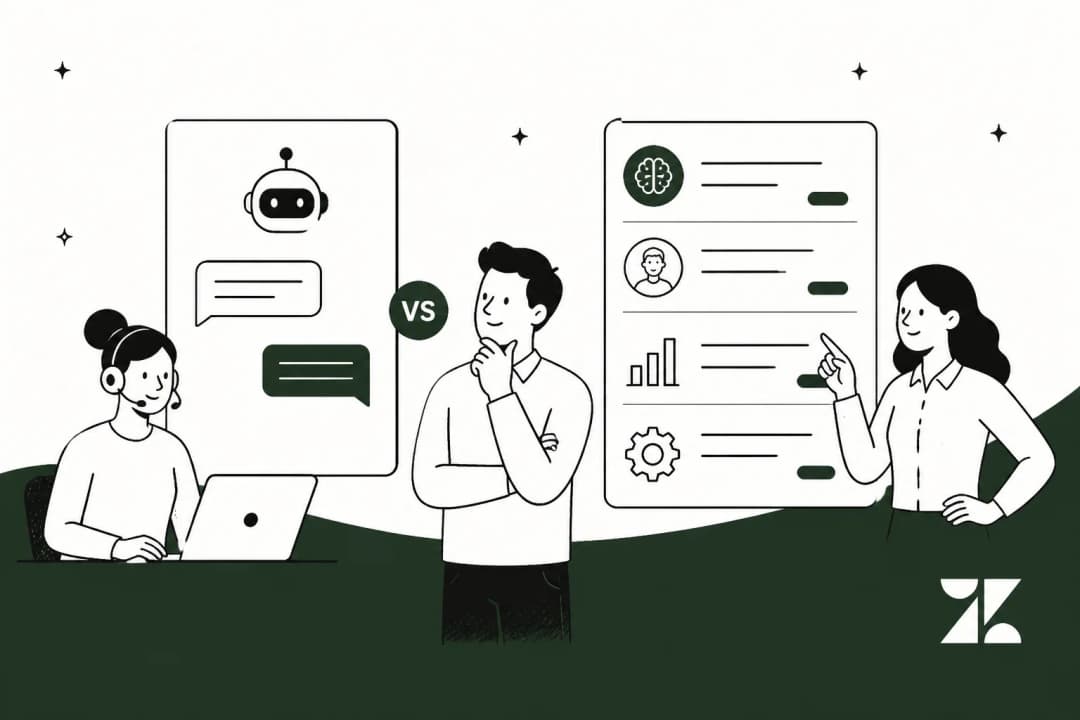
Before any setup, get the mental model straight, because Zendesk sells two AI things that sound similar and do opposite jobs. Zendesk Copilot is the assistant that sits next to a human agent. Zendesk AI agents are the autonomous bots that talk to the customer directly. Zendesk draws the line itself: "AI agents are designed to be the first point of contact... When a ticket requires a human touch, copilot steps in to assist the agent."
So an incoming ticket can branch two ways: Copilot drafts a reply your agent approves and sends, or an AI agent resolves it end to end without a human touching it.
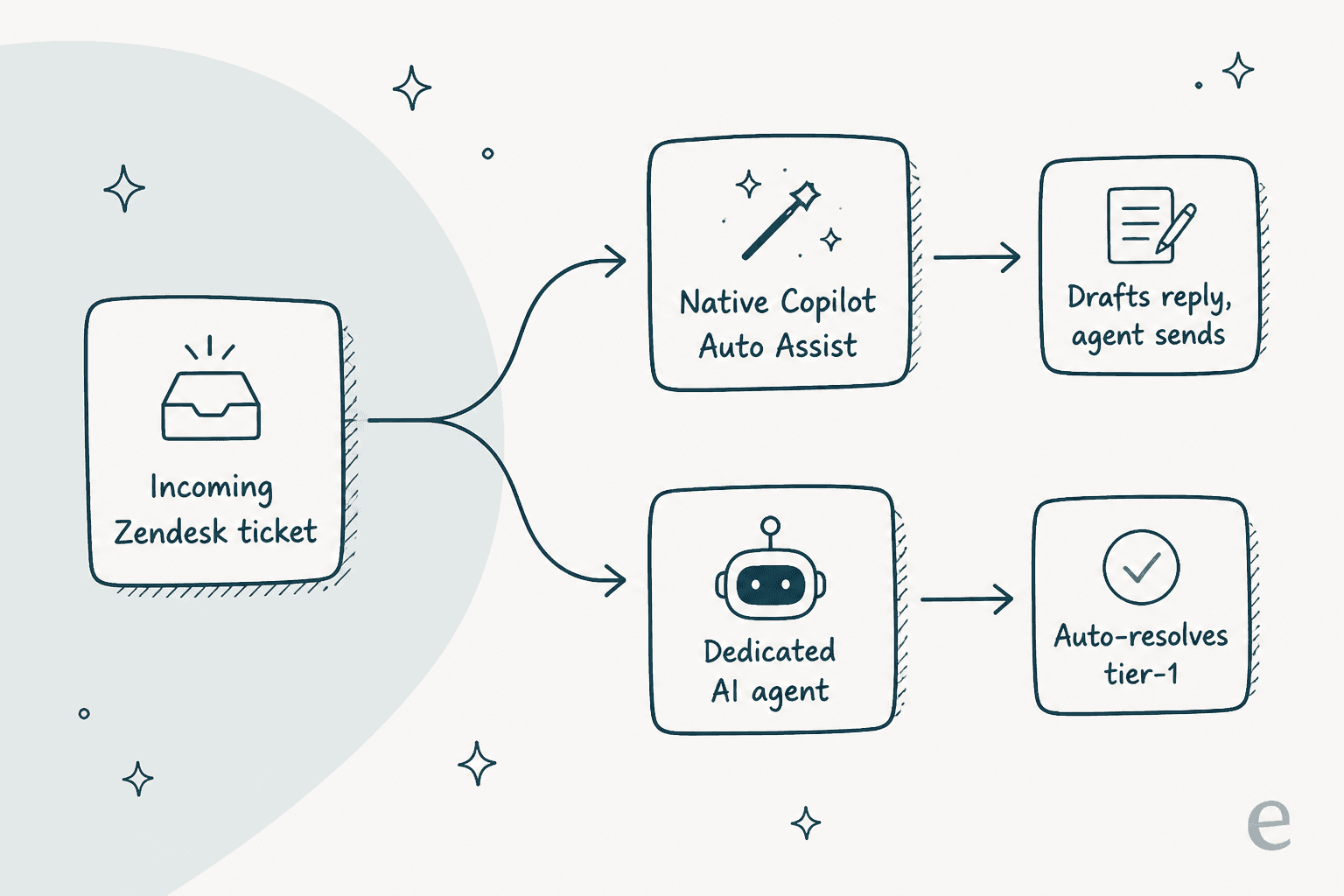
Which fork you want depends on the ticket, your risk tolerance, and honestly your budget. Here's a quick way to sort yourself before we get into setup.
Option 1: draft replies with Zendesk Copilot
The lowest-risk way to get an AI response into Zendesk is Copilot's Auto Assist. It lives inside the agent workspace and, in Zendesk's words, "suggests next steps, drafts responses, and executes approved actions based on your knowledge and procedures." The human is always the one who clicks send.
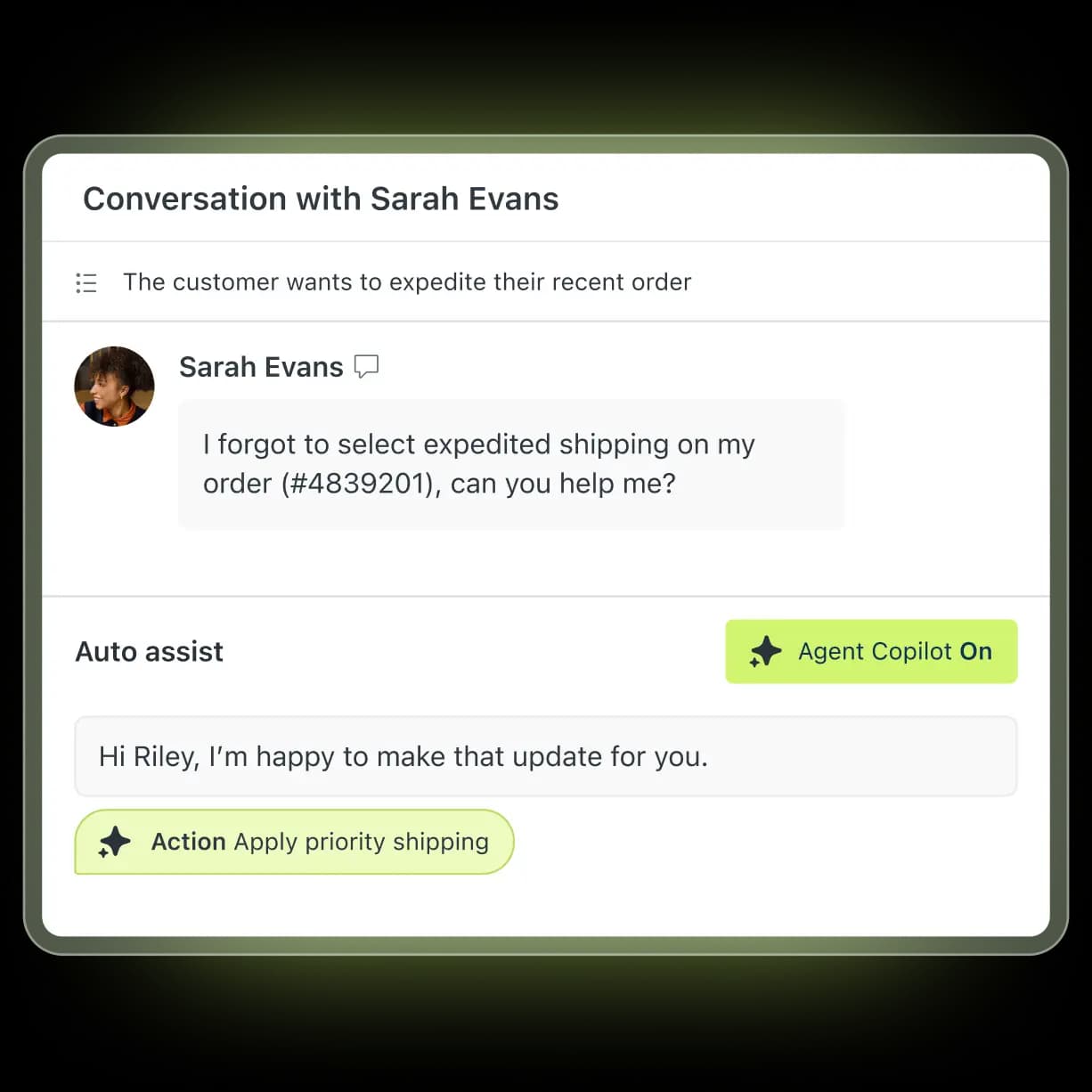
In practice you turn on Auto Assist for a group, and when a ticket lands, Copilot reads the conversation, pulls from your help center and macros, and drops a suggested reply into the composer. Your agent edits or approves it. It'll also surface a suggested action, like applying priority shipping, that the agent can run with one click.
The honest limitation: Copilot is grounded mostly in your published help center. If the answer to a question isn't written up as a clean article, Copilot has thin material to draw from and the draft gets generic. That's not a bug so much as a dependency, and it's the single most common complaint I see from real users. As one put it in a r/Zendesk thread on AI agents, when the knowledge isn't in tidy articles the assistant "doesn't feel like AI at all." So if you go the Copilot route, budget time for knowledge base cleanup first. Copilot is on the higher Suite plans, so check your plan before you count on it.
Option 2: hand tickets to an AI agent
If you want the AI to actually resolve tickets instead of just drafting, that's the job of a customer-facing AI agent. It answers the customer directly, calls out to your systems to check an order or cancel a subscription, and escalates to a human when it hits something it can't handle.
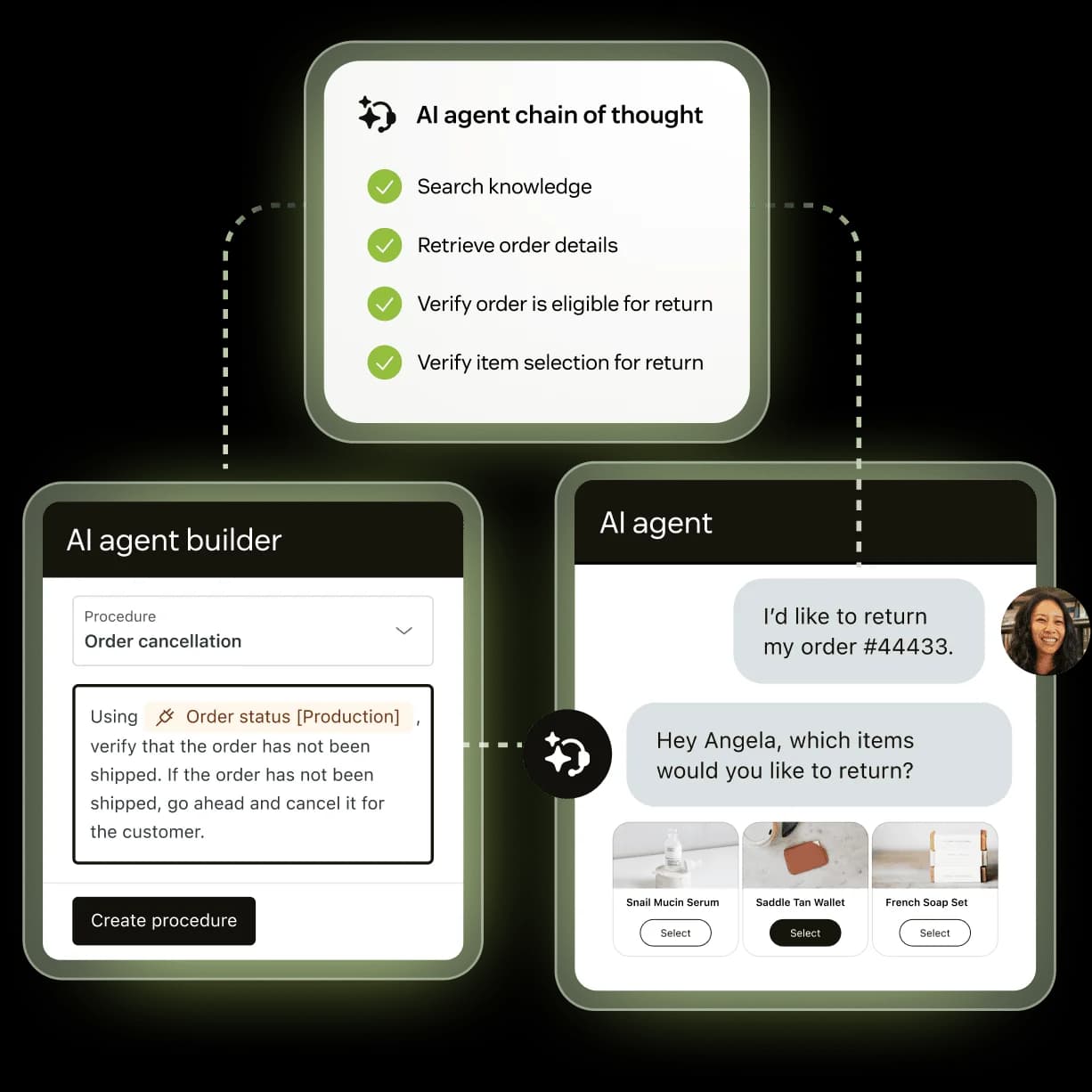
Zendesk's own agent works through a chain of thought (search knowledge, retrieve order details, verify eligibility) and you shape its behaviour with procedures in the agent builder. It's capable, and it's the same category of tool as third-party Zendesk chatbot vendors and ChatGPT-style integrations.
The thing to get right here is scope. Almost every team I talk to wants some version of what one support manager told us: they wanted AI to "handle 60% of the incoming Zendesk tickets and know when to pull a real person in." That "know when to pull a real person in" clause is the whole game. An agent that answers everything confidently, including the things it should have escalated, is worse than no agent. So you want an AI response setup where you can see, before launch, exactly which topics it should own and which it should hand off. Native Zendesk gives you monitoring after the fact; what it doesn't give you is a dry run over your own history.
What a good AI response is actually built from
Whichever route you pick, the quality of every AI response comes down to what the AI was allowed to learn from. This is the part teams underinvest in and then blame the model.
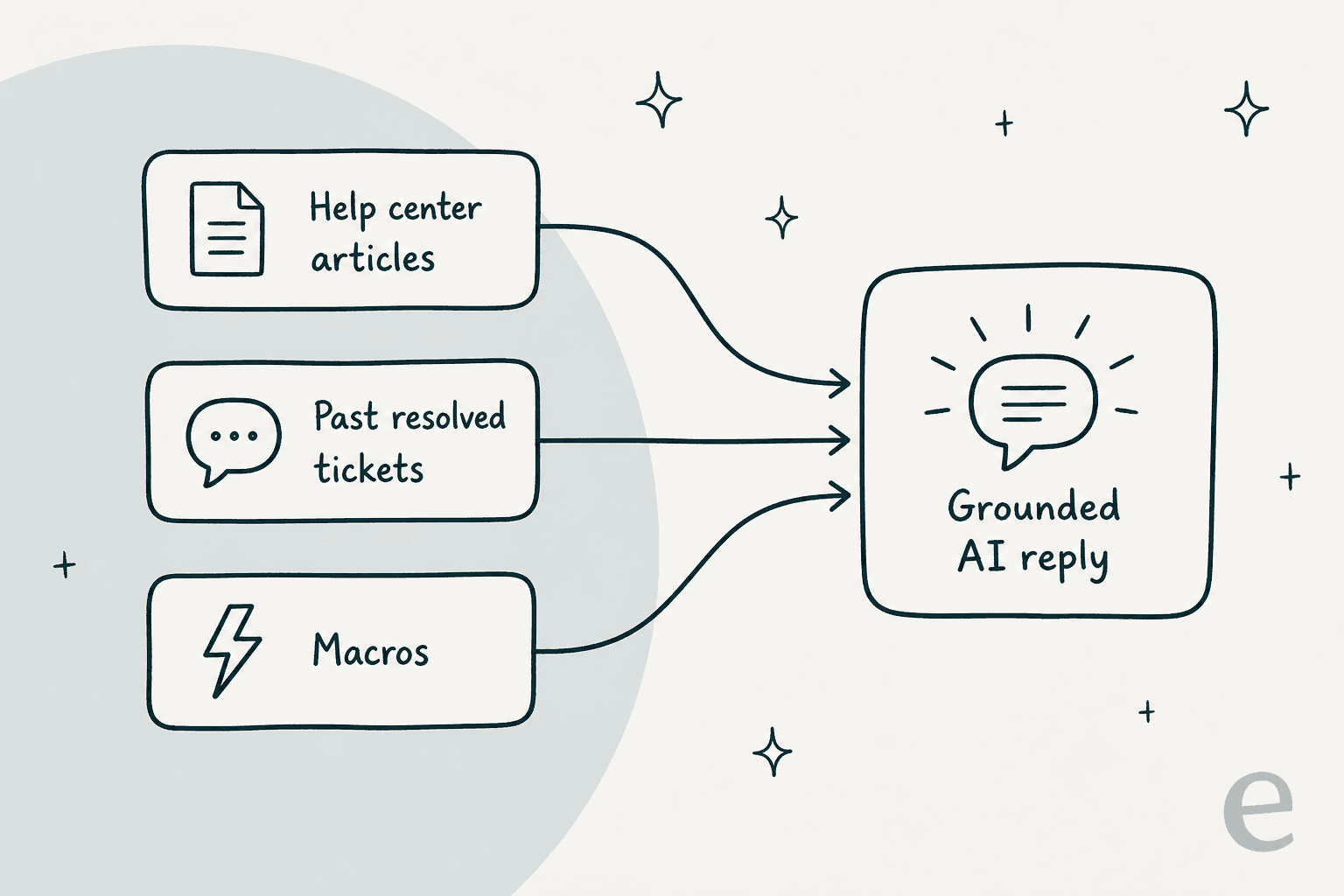
There are three sources worth wiring in:
- Help center articles teach the AI your policies and how-tos. This is table stakes and it's what native Copilot leans on hardest.
- Past resolved tickets teach it your team's actual voice and the edge cases that never made it into an article. This is the source that separates a stiff, article-quoting reply from one that sounds like your best agent.
- Macros teach it your canned structures for refunds, exchanges, and shipping so its drafts match the format your team already trusts.
Native Copilot draws heavily on the first bucket. A dedicated agent like eesel trains on all three: on connection it automatically imports your help center, your past Zendesk tickets (filterable by status and date, with optional PII redaction before anything is indexed), and your macros. That's the difference between an AI that can quote your docs and one that's genuinely learned how you answer.
Set it up: AI-drafted responses, step by step
Here's the workflow I'd actually recommend if you're starting from scratch and want AI responses live without a scary big-bang launch. This mirrors how a tool like eesel connects, but the shape holds for any serious AI ticketing setup.
- Connect to Zendesk. For eesel that's an OAuth connect from the Zendesk Marketplace or the dashboard, and it takes about two clicks. The docs spell out that OAuth is what unlocks triggers and actions; a help-center-only URL crawl is read-only.
- Import your knowledge. Pull in your help center, past resolved tickets, and macros. No manual training or data labeling. This is the step that makes every later reply sound like you.
- Write your handling rules in plain language. Tell the AI which tickets to touch, how to write, and when to escalate. This is where you encode that "know when to pull a real person in" instinct.
- Simulate over your real tickets. Before it replies to a single live customer, run it against thousands of your past Zendesk tickets and read the projected resolution rate plus the topic-by-topic coverage. eesel shows gaps like "Refund policy: 28%" and tells you which docs to fix.
- Go live in draft mode first, then autonomous. Start with the AI drafting for human review (same low-risk shape as Copilot), and once you trust it on a topic, flip that topic to fully autonomous. You expand coverage as your confidence grows, not before.

That simulate-then-widen loop is the part native Zendesk doesn't offer, and it's the single biggest reason teams reach for a dedicated agent: you get to be sure before your customers are the test.
Macros and triggers: the responses you don't need AI for
Not every ticket needs a language model. If a reply is truly identical every time (order confirmation, return address, business hours), a macro is faster, cheaper, and perfectly consistent. Pair it with a trigger and Zendesk fires the response automatically when conditions match, no AI billing involved.
The smart pattern is a hierarchy: macros and triggers for the deterministic stuff, then AI for everything that needs judgment. You can even lean on AI to keep the macros themselves sharp, with AI macro templates for refunds, exchanges, and shipping or AI-driven ticket tagging so the right macro surfaces on the right ticket. Getting triage and classification right upstream is what makes the AI responses downstream land on target.
What AI responses cost in Zendesk
This is where teams get surprised, so let's be concrete. Zendesk meters autonomous AI replies as automated resolutions (ARs), the billing unit for AI agent usage. Copilot drafting for a human is generally part of the seat, but the moment the AI resolves a ticket on its own, the AR meter runs.
| What you're paying for | Zendesk (native) | eesel |
|---|---|---|
| Billable unit | Automated resolution (AI resolves a ticket) | AI interaction, usage-based |
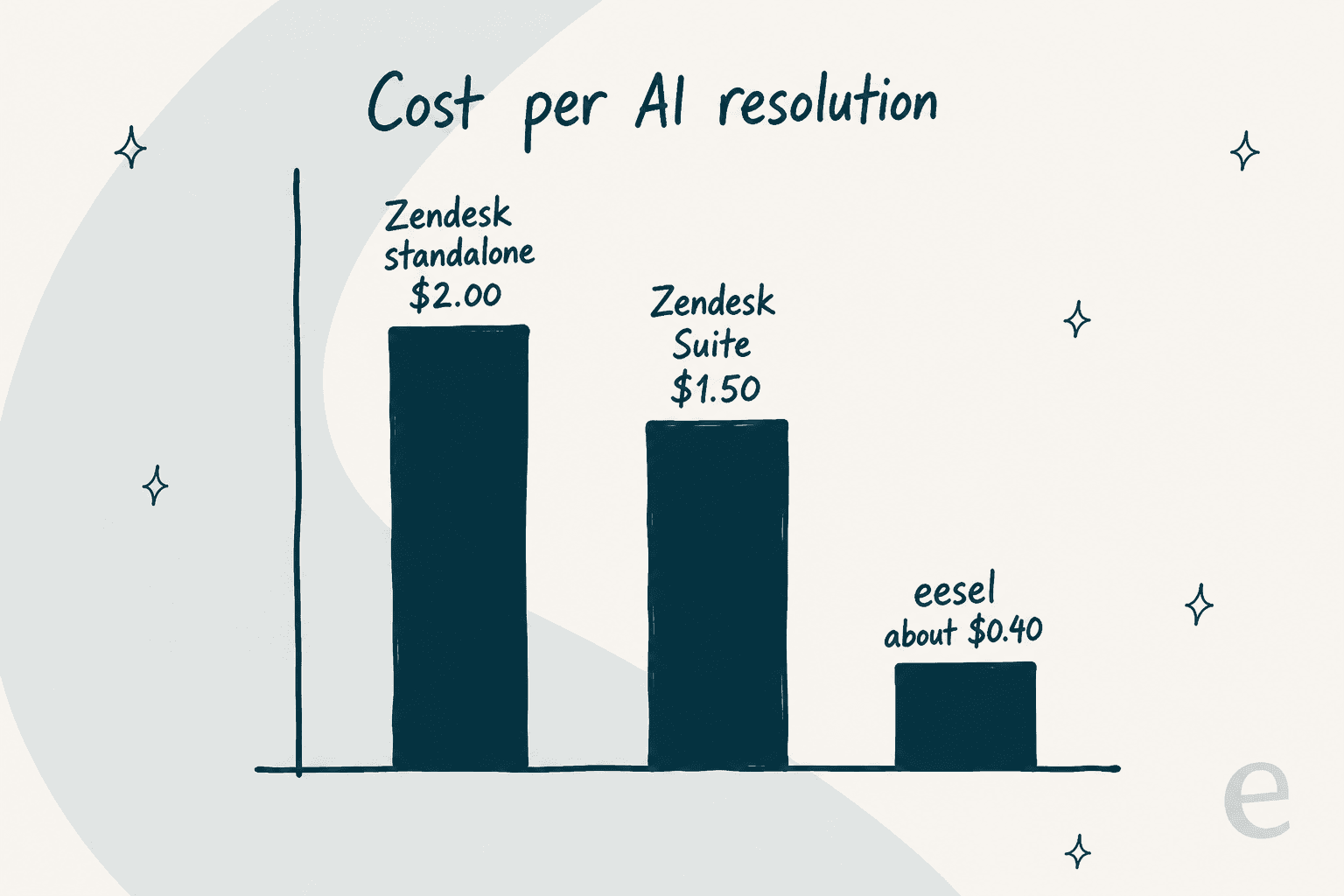
| Price per unit | ~$1.50 on a Suite plan, ~$2.00 without one | ~$0.40 per interaction |
| Human-agent drafts (Copilot) | Bundled into higher Suite seats | Included |
| Test before launch | Monitor after publishing | Simulation over past tickets |
| Trains on past tickets | Help center primary | Help center + tickets + macros |
The gotcha isn't just the sticker price, it's what counts as a "resolution." Zendesk's definition can be subjective, and users on G2 have flagged that an abandoned chat can still be billed as one. As one reviewer put it about planning for the AR model:
"Without a plan the AR is charged at $2 per resolution after overages. So it def pays to have a plan in place and forecast how much your monthly usage will be ahead of time."

At scale that adds up fast. If you're resolving a few thousand tickets a month, the difference between $1.50 and $0.40 per resolution is real money, which is why the total cost of a Zendesk AI setup is worth modeling before you commit.
Common mistakes to avoid
A few pitfalls I see over and over, all of them avoidable:
- Launching autonomous on day one. Start in draft mode. Let the AI suggest, let a human approve, and only widen to fully autonomous once you've watched it be right for a couple of weeks.
- Feeding it only help articles. An AI response trained purely on your knowledge base sounds like your knowledge base: correct but robotic. Add past tickets so it learns your voice.
- No escalation rules. Decide up front which topics the AI must hand to a human (billing disputes, angry customers, anything legal) and write those rules explicitly.
- Skipping the dry run. If your tool can simulate over historical tickets, use it. Guessing at resolution rates and finding out live is how you end up with the "doesn't feel like AI" reviews.
- Treating every ticket as an AI job. Keep macros and triggers for the deterministic replies. Don't pay per resolution for a response that never changes.
Get those five right and "AI response for Zendesk" stops being a scary switch and becomes a dial you turn up as trust grows.
Try eesel for your Zendesk responses
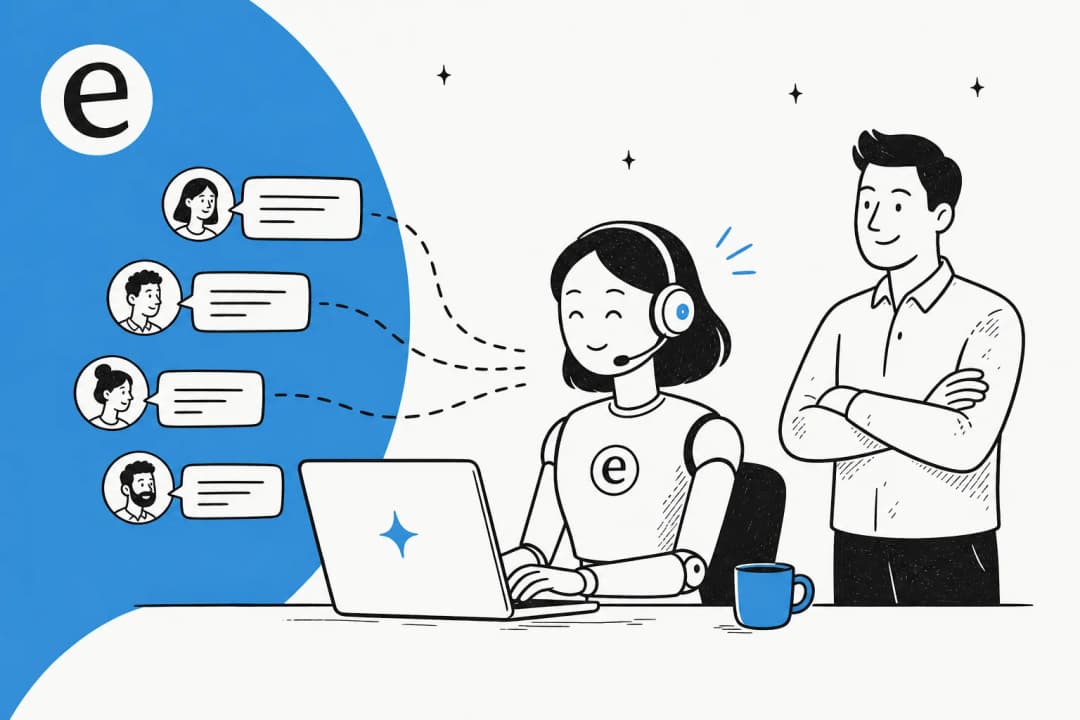
If the theme running through this guide, train on real tickets, test before you launch, pay closer to $0.40 than $2.00, sounds like what you're after, that's exactly the gap eesel fills. It joins your Zendesk as a real AI Agent, not a separate widget: it reads tickets, drafts and sends replies, adds internal notes, updates fields, and routes to groups, just like a human agent would. It imports your help center, past tickets, and macros automatically, and you simulate it against your history before it ever touches a live customer.
Setup is no-code and takes under 30 minutes, and you start with the AI drafting for review before you ever flip anything to autonomous. If you'd rather see the numbers on your own tickets than take my word for it, that's the whole point of the simulation, and it's free to try.
Frequently Asked Questions
How do I get an AI response for a Zendesk ticket?
Does Zendesk's AI train on my past tickets?
How much does an AI response cost in Zendesk?
Can I test an AI response before customers see it?
What's the difference between Zendesk Copilot and an AI agent?



Article by
Riellvriany Indriawan
Riell is a designer and writer at eesel AI with about two years of experience researching CX platforms, AI chatbots, and helpdesk software. She combines her design background with a sharp eye for how these tools actually look and feel in practice — making her comparisons unusually visual and user-focused.