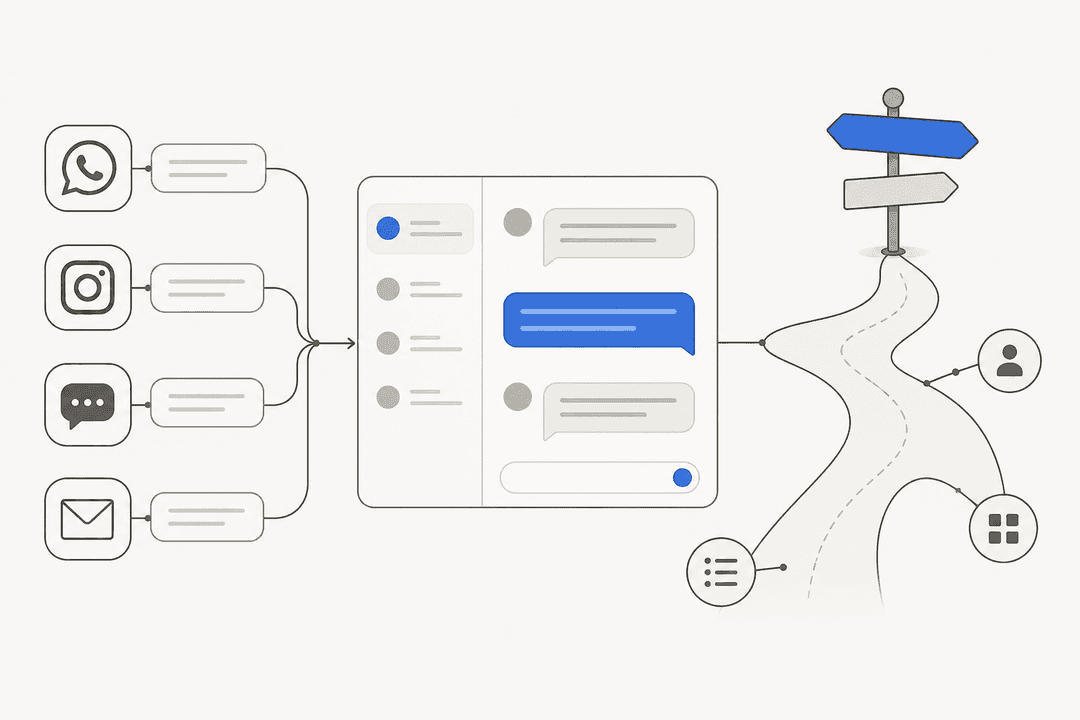
The 7 best LivePro alternatives for contact center knowledge in 2026

Riellvriany Indriawan

Katelin Teen
Last edited August 27, 2026

Why teams look past LivePro
I spend my days on a support queue, so I'll say the quiet part first: a knowledge base only helps if an agent can get the right answer out of it in the middle of a live chat. That is the exact promise LivePro has been selling since 2001, and to its credit, a lot of teams love it for it. It holds a 4.8/5 on G2 across 168 reviews and the same 4.8 on Capterra. Those are not the numbers of a bad product.
At eesel, we've spent the last three-plus years putting AI on live support queues, and the pattern we see over and over is that the knowledge is rarely the problem. Getting it to the customer fast is. One of our customers, Global Pay, told us they saw up to 80% time savings once their team could find specific answers across their documentation instantly, instead of hunting for them. That gap between "the answer exists somewhere" and "the customer has the answer" is where most contact centers actually bleed time.
So why do LivePro customers go looking? Three things come up.
The pricing is a black box. LivePro doesn't publish a single dollar figure. Its pricing page routes every plan (Flex, Premium, and Enterprise) to a "get a quote" button, and useful features are gated up the tiers: SSO and customer self-service start at Premium, and API access is Enterprise-only. Implementation is an extra charge on Flex and Premium. That's fine if you enjoy sales calls, less fine if you just want to compare options on a Tuesday afternoon.
Search is the recurring complaint. LivePro brands its search as "market leading," but its own review base disagrees. On G2, the most common negative tags cluster around inefficient and poor search. Reviewers who love the product still name it:
"...at times, it can feel overly structured and a bit rigid, especially when agents just need a quick answer and don't want to click through multiple steps or flows to get there."

The model is passive. This is the big one. LivePro is a place agents go to look things up. It does not join the queue and handle the ticket. Even its newer AI layer (Lightspeed Search, AI Overview, the Luna voice agent) is mostly about surfacing the answer faster to a human, not resolving the conversation. If you already have clean, well-governed content (and LivePro customers usually do), the next win isn't better search. It's letting an AI use that content to draft and close tickets on its own.
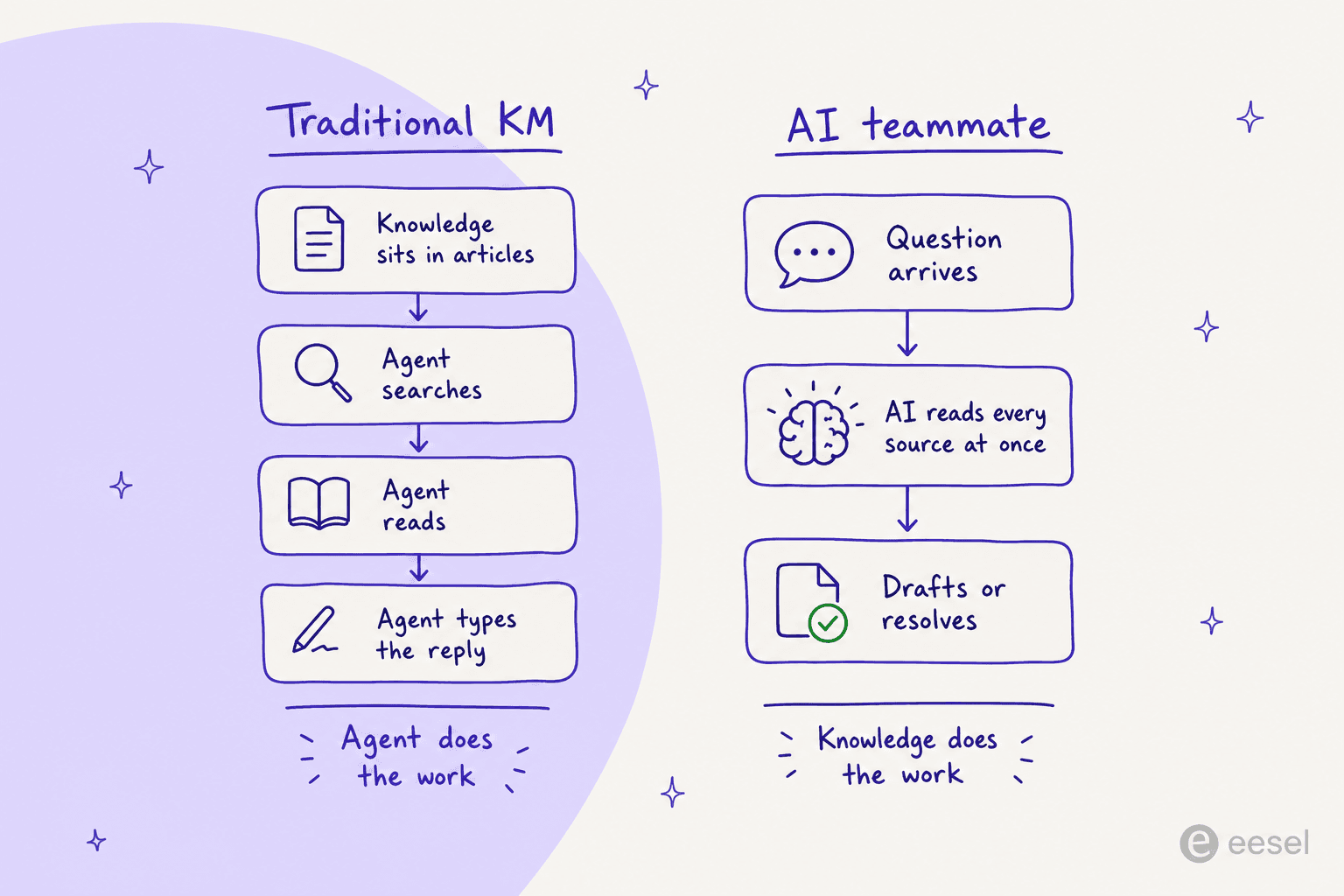
That reframe is the thread running through this whole list. Some of these tools are better versions of the thing LivePro already does. One of them changes what the knowledge is for.
How I picked these alternatives
I kept this to seven tools that a real contact center would actually consider, and I applied the same bar to each:
- It has to be built for support, not a generic wiki. A pretty internal docs tool is not a LivePro replacement, however good it is at knowledge management.
- It had to survive a look at real reviews, not just the marketing site. G2, Capterra, and community threads all fed the verdicts.
- Pricing transparency counts against or for a tool. If I can't see what it costs, I'll say so.
- I noted where each one lands on the passive-vs-active line above, because that's the decision that actually matters in 2026.
A quick housekeeping note on pricing: most of this category is quote-only, LivePro included. When I could only find a real number on a third-party marketplace, I've said so rather than passing it off as an official rate.
Here's the whole field at a glance.
| Tool | Best for | Starting price (public) | AI resolves tickets? | Decision trees | Free trial | Security | Review score |
|---|---|---|---|---|---|---|---|
| eesel | Turning knowledge into resolved tickets | Fixed monthly credit plans, published | Yes (drafts + auto-resolve) | Via AI logic | Yes | SOC 2 processors, GDPR, HIPAA (add-on) | 4.6 (G2) |
| LivePro | Governed KM for regulated contact centers | Quote-only | No | Yes (The Rocket) | No | SOC 2, HIPAA, data sovereignty | 4.8 (G2) |
| Guru | A governed layer under enterprise AI | Quote-only | Answers, not full resolution | No | Free tier historically | SOC 2 Type II, HIPAA, GDPR | 4.7 (G2) |
| Shelf | Cleaning content ROT before GenAI | ~$5/user/mo floor (AppExchange) | Via connected agents | No | SOC 2, GDPR | 4.7 (G2) | |
| Stonly | Interactive step-by-step self-service | Quote-only | AI Answers + process agents | Yes (guides) | SOC 2 Type II, GDPR, HIPAA | 4.8 (G2) | |
| Knowmax | Enterprise CX that lives in decision trees | Quote-only (~$15/user marketplace) | Ask AI answers | Yes (AI-Powered Flows) | Enterprise-grade | 4.6 (G2) | |
| Document360 | Public help centers and product docs | Quote-only | Eddy AI answers | No | SOC 2 Type II, ISO 27001 | 4.7 (G2) | |
| Helpjuice | A branded KB with transparent pricing | $249/mo, published | Swifty answers | No | SOC 2, GDPR | 4.7 (G2) |
Now the detail.
1. eesel: best for turning your knowledge into resolved tickets

Full disclosure: this is my team's product, so read the verdict with that in mind. I've kept the facts checkable.
eesel is the one tool here that isn't a knowledge base. It's an AI teammate you hire for the support queue. It connects to your help center, your past tickets, your internal knowledge base, and your macros, reads across all of them at once, and then drafts or fully resolves the ticket. The knowledge you already keep in a tool like LivePro becomes the training material; the difference is that a person doesn't have to be the one searching it.
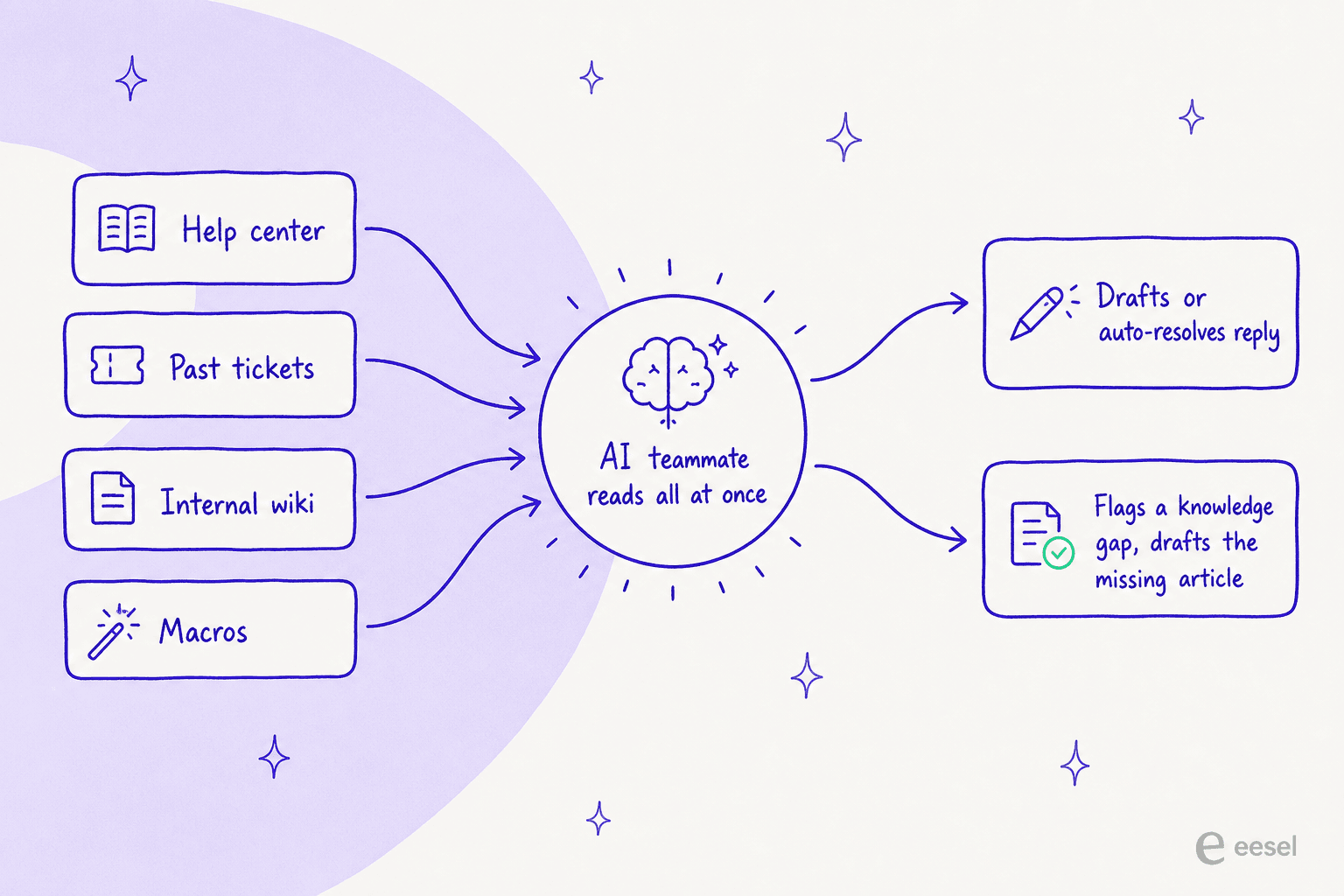
The part LivePro customers tend to appreciate most is what happens when the answer isn't in the docs. eesel treats a missing answer as a knowledge gap to fill, not a failure. Its Update knowledge base skill finds the questions your help center doesn't cover and drafts the missing articles. That closes the loop LivePro's "no result" search reports open but leave for a human to action, the same idea behind mapping search gaps with AI.
Key features
- Learns from past tickets, not just articles. Most tools, LivePro included, train on your help center. eesel also reads your solved ticket history, which is where the real answers usually live.
- Works across your stack at once. A single teammate can cover Zendesk, Slack, and your website together, drawing on all of them for one reply.
- Confidence-based control. Low-confidence questions become a draft for a human, not a live wrong answer. You can simulate against historical tickets before going autonomous.
- Fast setup. Most teams have their first agent live within 30 minutes, per the eesel homepage.
Pros
- The knowledge does the work; agents stop searching and start reviewing.
- Transparent, published pricing (from $299/month for 500 credits) you can read without a sales call.
- Real deployments at scale, like Smava's 100,000+ German tickets a month, fully automated.
Cons
- It's an AI layer, not a standalone authoring-and-governance suite. If you want a place to write and version long policy documents with review workflows, you still want one of the knowledge retrieval tools underneath (which eesel happily reads from).
- HIPAA is available as an add-on (talk to us), not on the base plan.
- If your documentation is genuinely thin, the AI has less to work with. It'll flag the gaps, but you still have to write.
Pricing
eesel publishes fixed monthly credit plans on its pricing page, from $299/month for 500 credits (1 credit per ticket or chat), with unlimited seats and a free plan of 100 credits you can start yourself. That alone puts it in a two-tool club for transparency in this category.
Verdict: Pick eesel if your knowledge is already decent and the bottleneck is getting it to customers. It's the wrong pick if what you actually need is a document authoring and governance system with no interest in automating replies. One customer, Gridwise, put the upside plainly:
"In the first month, eesel is resolving 73% of our tier 1 requests... Our team implemented and achieved results quickly during our 7-day trial."
2. Guru: best for a governed knowledge layer under enterprise AI
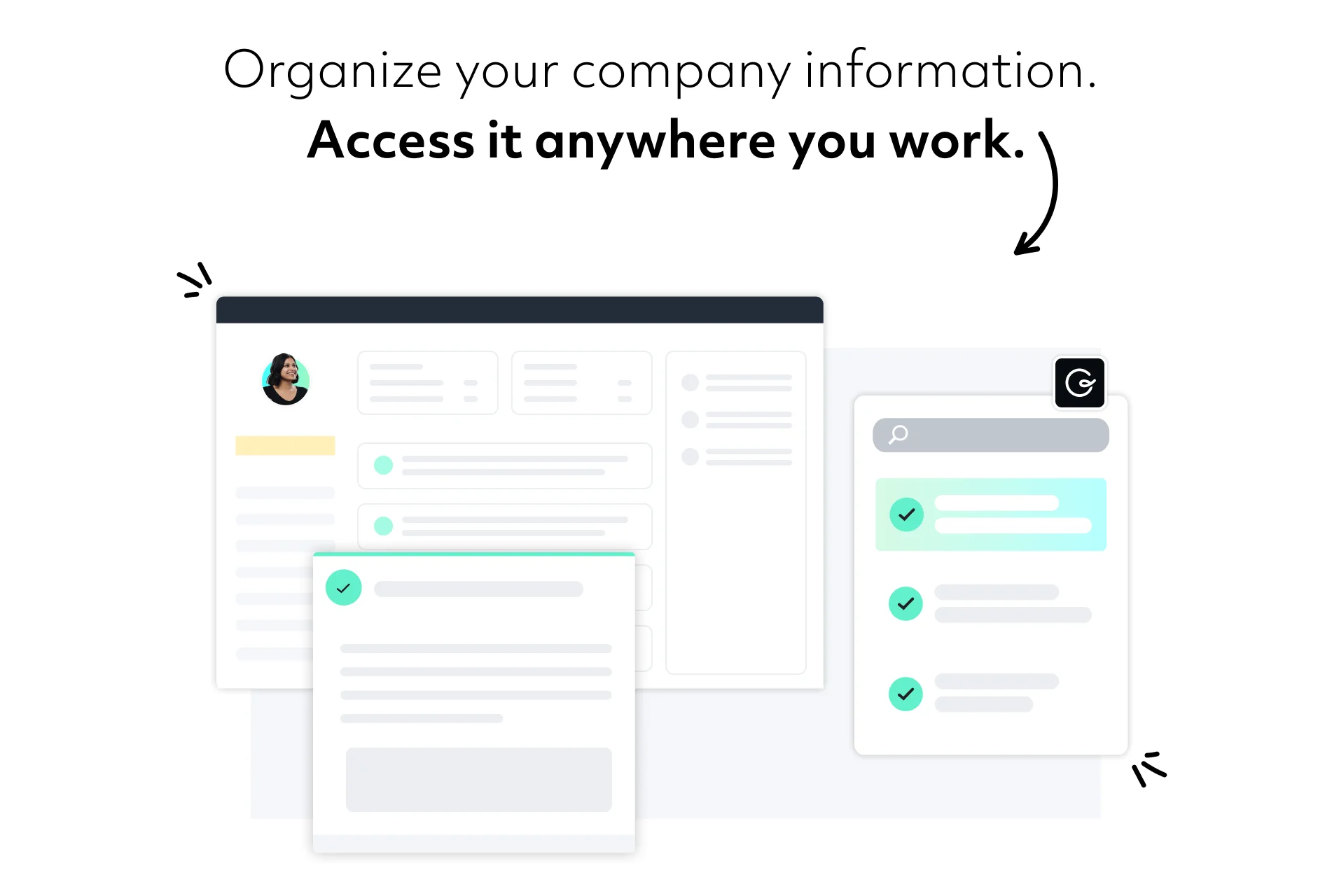
Guru has repositioned hard in 2026 from "internal wiki" to "the governed knowledge layer for enterprise AI," with a homepage line I genuinely like: "Stop running your business on confidently wrong AI." The idea is that Guru sits underneath your other AI tools (Copilot, ChatGPT, Claude) via an MCP server and feeds them verified, permission-aware knowledge, rather than being another bot in the stack.
That verification story is the strongest reason a LivePro customer in a regulated industry would look here. Guru claims it handles most of its content verification automatically through usage signals and content age, escalating to human experts only when needed. It's a genuinely different answer to the same governance problem LivePro solves with review workflows.
Key features
- Knowledge Agents deliver cited, permission-aware answers in Slack, Teams, and a Chrome extension.
- Verification workflows built on the classic Guru Card, each with an assigned expert and a review interval.
- 100+ connectors plus an MCP server so one correction propagates everywhere.
Pros
- Excellent trust and compliance stack (SOC 2 Type II, HIPAA, GDPR); it's used by 10,000+ companies.
- The "correct once, right everywhere" model is a real answer to knowledge sprawl.
- Strong reviews: 4.7/5 across 2,322 G2 reviews, and it holds up in a Guru vs Bloomfire comparison.
Cons
- Like LivePro, it surfaces answers to people; it isn't resolving support tickets end to end.
- The 2026 repositioning means pricing is now quote-only (older per-seat tiers are gone).
Pricing
Guru's pricing page no longer lists self-serve per-seat tiers; it now sells a custom-scoped platform-plus-expertise engagement, so you're booking a call. See our Guru pricing breakdown for the history. One G2 comparison sums up the appeal:
"Guru's content verification process ensures the reliability and accuracy of knowledge, a crucial aspect for organizations in industries with compliance or accuracy requirements."
Verdict: Guru is the pick if your problem is trust and governance across many AI tools, and you're happy keeping knowledge human-searched. If you want the knowledge to resolve tickets, it's a half-step. Our Guru review and Guru vs Confluence posts go deeper.
3. Shelf: best for cleaning content ROT before a GenAI rollout
Shelf has rebranded into a full agentic platform ("ShelfOS"), but its most concrete, differentiated product is still its contact center knowledge solution. The wedge is content quality: Shelf continuously scans your knowledge for ROT (redundant, obsolete, and trivial content) that causes "garbage in, garbage out" AI answers, and it's deliberately vendor-agnostic, sitting under whatever bot or agent assist you already run.
If you've ever watched a confident bot give a wrong answer because it read a three-year-old policy doc, you understand exactly why this exists. We've watched that happen too, which is why we simulate every rollout against historical tickets first. Shelf attacks the same risk from the content side.
Key features
- ROT detection and always-on governance that surface stale content in real time.
- Answer consistency checks across channels.
- API-first and agnostic, so it complements rather than replaces your agents.
Pros
- A sharp, specific job most KM tools ignore: auditing the knowledge that feeds other AI.
- Named enterprise logos (HelloFresh, Nespresso, Deliveroo) and outcomes like a telecom cutting 62% of content ROT.
- Recognition from Gartner (Cool Vendor 2025) and IDC.
Cons
- Reviewers flag a steep learning curve.
- It's enterprise-shaped; a small team may find it heavy.
Pricing
Mostly quote-only. The one public number is on the Salesforce AppExchange: a $5/user/month floor with a 25-user minimum and an annual contract, with a paid add-on required. Treat that as the entry point, not the whole bill.
Verdict: Shelf is the pick if you're about to (or already do) run GenAI in the contact center and the risk that scares you is bad answers from bad content. It's overkill if you just want a searchable KB. For the wider category, our content-decay guide covers the same problem.
4. Stonly: best for interactive step-by-step self-service
If the LivePro feature you rely on is The Rocket, Stonly is the most natural place to look. Its whole identity is the interactive guide: instead of a long static article, content branches into decision-tree paths that adapt to whoever's following them. Stonly says more than 20 million people have found answers through these guides, and it layers AI Answers and process agents on top.
Key features
- Interactive branching guides for both self-service and in-workflow agent guidance.
- AI Answers grounded in your structured Stonly content.
- Business Process Agents that can run multi-step resolutions.
- A no-code widget to embed guides anywhere.
Pros
- The best-in-class version of guided, branching help content.
- Strong reviews (4.8/5 on G2) and named results like an 80% ticket decrease at Anderson America.
- SOC 2 Type II, GDPR, and HIPAA compliance.
Cons
- Multilingual setup is fiddly; one reviewer flagged that mass-importing translations via CSV isn't possible, making multi-language widget setup slow.
- Guided content is more work to build and maintain than plain articles.
Pricing
Now effectively quote-only. Stonly's pricing page shows a Small Business plan (for under 100 employees, capped at 5 team members and 4,000 guide views) and a custom Enterprise plan, with no dollar figures and a "see it in action" CTA instead of a checkout.
Verdict: Stonly is the pick if branching, guided self-service is the heart of what you do. It's less compelling if you mostly need fast lookups, where all that structure becomes the same "click through multiple steps" friction LivePro reviewers describe.
5. Knowmax: best for enterprise contact centers that live in decision trees
Knowmax is arguably the closest like-for-like to LivePro: an AI-guided KM platform built specifically for CX and contact centers, whose signature is no-code cognitive decision trees (now branded "AI-Powered Flows"). It turns complex SOPs into guided next-best-action workflows, and it skews large-enterprise, with a roster including Vodafone, Tata, and Walmart.
Where it goes a step past LivePro is visual guides: Knowmax pushes picture-and-video how-tos to replace PDF manuals, which is a real edge for hardware-heavy support like telecom.
Key features
- AI-Powered Flows: CRM-integrated decision trees with guided next-best-action.
- Visual device guides that replace text manuals.
- "Ask AI" for fully-automated answers, plus a Chrome extension for in-workflow surfacing.
- A learning management module for agent training.
Pros
- Purpose-built for enterprise CX, with the decision-tree depth LivePro fans want.
- Vendor-published outcomes like ~40% less time to proficiency.
- Broad self-service and omnichannel reach.
Cons
- Reviewers note the newer AI features can feel early, and there are local-language gaps.
- Per-license pricing gave some buyers pause on the way in.
Pricing
Quote-only on knowmax.ai (everything routes to sales@knowmax.ai). Real per-seat numbers only surface on marketplaces: Capterra lists a starting price around $14.99/user, and Talkdesk AppConnect shows roughly $25.99-$33.99/user/month across two tiers with a 14-day trial. Present those as marketplace-listed, not official.
Verdict: Knowmax is the pick for a large, process-heavy contact center that wants a modern, AI-flavoured take on exactly what LivePro does. Smaller teams will find both the shape and the sales motion enterprise-heavy.
6. Document360: best for public help centers and product docs
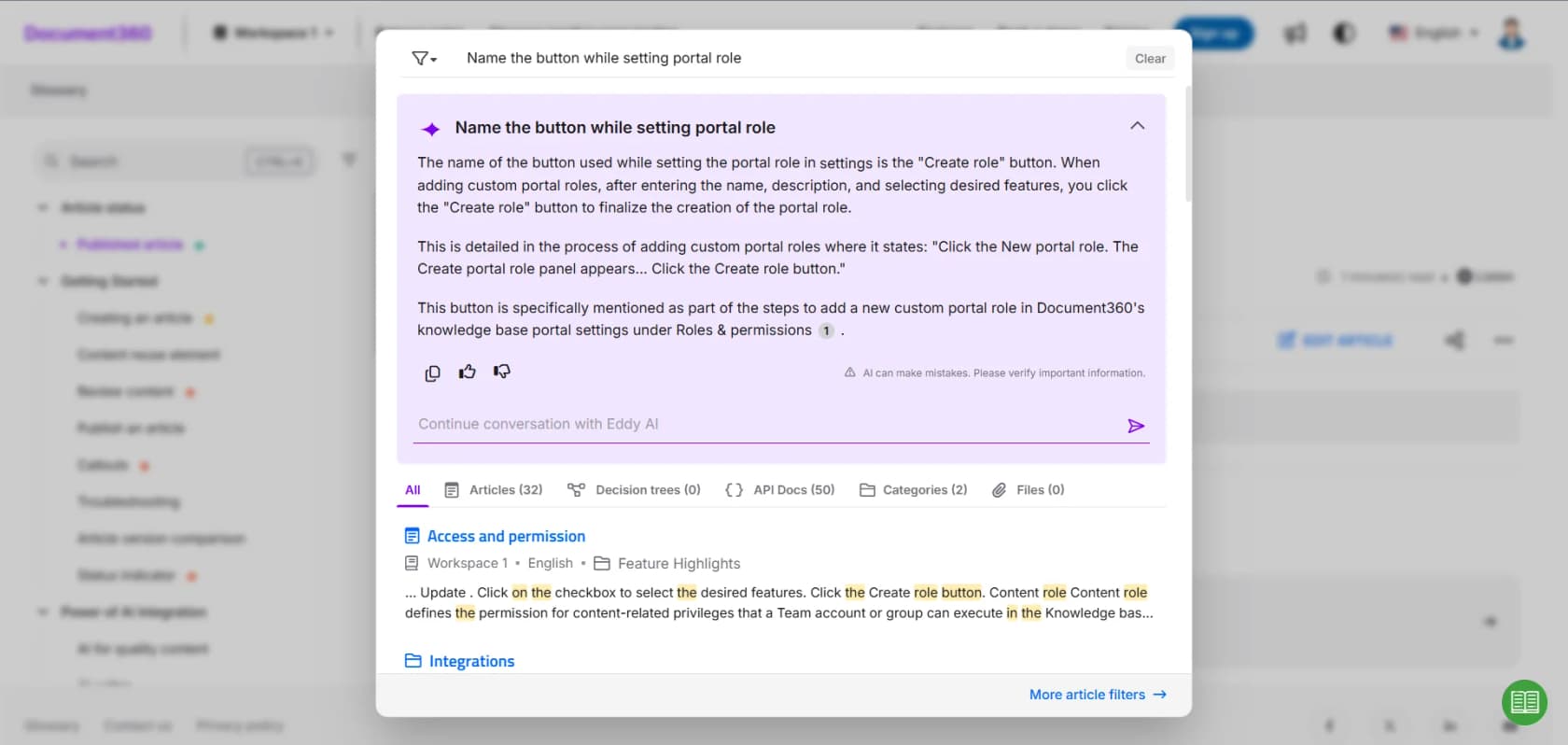
Document360 is less a contact-center KM and more a help-center-and-docs platform, but it's a real LivePro alternative if your priority is a polished, public knowledge base. Its AI, Eddy, does AI search, answer synthesis, FAQ generation, and duplicate detection, and it's used by names like McDonald's, NHS, and HP.
Key features
- Eddy AI for search, answers, and content generation, bundled in-plan.
- A strong WYSIWYG authoring editor with versioning and workflows.
- Analytics and localization for large, multi-language help centers.
Pros
- Best-in-class for building a genuinely good public help center.
- Serious security posture (SOC 2 Type II, ISO 27001:2022, GDPR).
- Broad review base (4.5-4.7/5 across 500+ G2 reviews).
Cons
- It's docs-first, not built to run a live agent queue.
- The dominant review complaint is cost, and that "new features need a separate license" (the AI Chatbot and AI Premium Suite are paid add-ons).
Pricing
Now quote-only. The live pricing page is a custom configurator calibrated to team accounts, workspaces, languages, security, and AI usage; the older $149/$299/$599 tiers you'll find on third-party sites are historical. Our Document360 vs Helpjuice comparison pits it against the next tool.
Verdict: Document360 is the pick when the deliverable is a public help center or product documentation, and the AI is a nice bonus. For a contact center whose agents need in-conversation answers, it's aimed at a slightly different job.
7. Helpjuice: best for a branded KB with transparent pricing
Helpjuice has been doing dedicated knowledge base software since 2011, and its two selling points are relevant here: a genuinely transparent price, and a hands-on "we'll handcraft your knowledge base design" service. Its AI layer, Swifty, covers AI search, a chatbot, and a helpbar, and it's trusted by Amazon, Hertz, and the WHO.
Key features
- Swifty AI (search, chatbot, helpbar) plus Wizardshot, an AI tutorial builder.
- A powerful editor with versioning, scheduled publishing, and content reuse.
- Handcrafted, fully branded knowledge base design as a service.
Pros
- The only tool here besides eesel that publishes its pricing outright.
- Flat-rate, with unlimited viewers, so costs don't spiral with traffic.
- Strong reviews (4.7/5 on G2) and free migration from Zendesk, Confluence, or Help Scout.
Cons
- Reviewers describe the UI as dated and the non-AI search as basic.
- The AI Suite and SSO are gated: the base plan has neither.
Pricing
Refreshingly public. Helpjuice's pricing page lists Knowledge Base at $249/mo (30 users, no AI), AI-Knowledge Base at $449/mo (100 users, SSO, full AI Suite), and Unlimited AI-Knowledge Base at $799/mo. There's a 14-day free trial with no card. Just note the AI you probably came for starts at the $449 tier.
Verdict: Helpjuice is the pick if you want a branded, well-supported knowledge base with a price you can see, and you don't need it to run your queue. It shares LivePro's core limitation, though: it's a place to store answers, not a system that resolves tickets.
Which LivePro alternative actually fits you?
The list above is a lot to hold in your head, so here's a quick decision tool. Answer one question and it points you at the closest match.
A note on what everything here actually costs
One pattern is impossible to miss once you compare all seven: almost nobody publishes a price. LivePro, Guru, Shelf, Stonly, Knowmax, and Document360 all route you to sales or a custom configurator. Only Helpjuice and eesel put real numbers on the page.
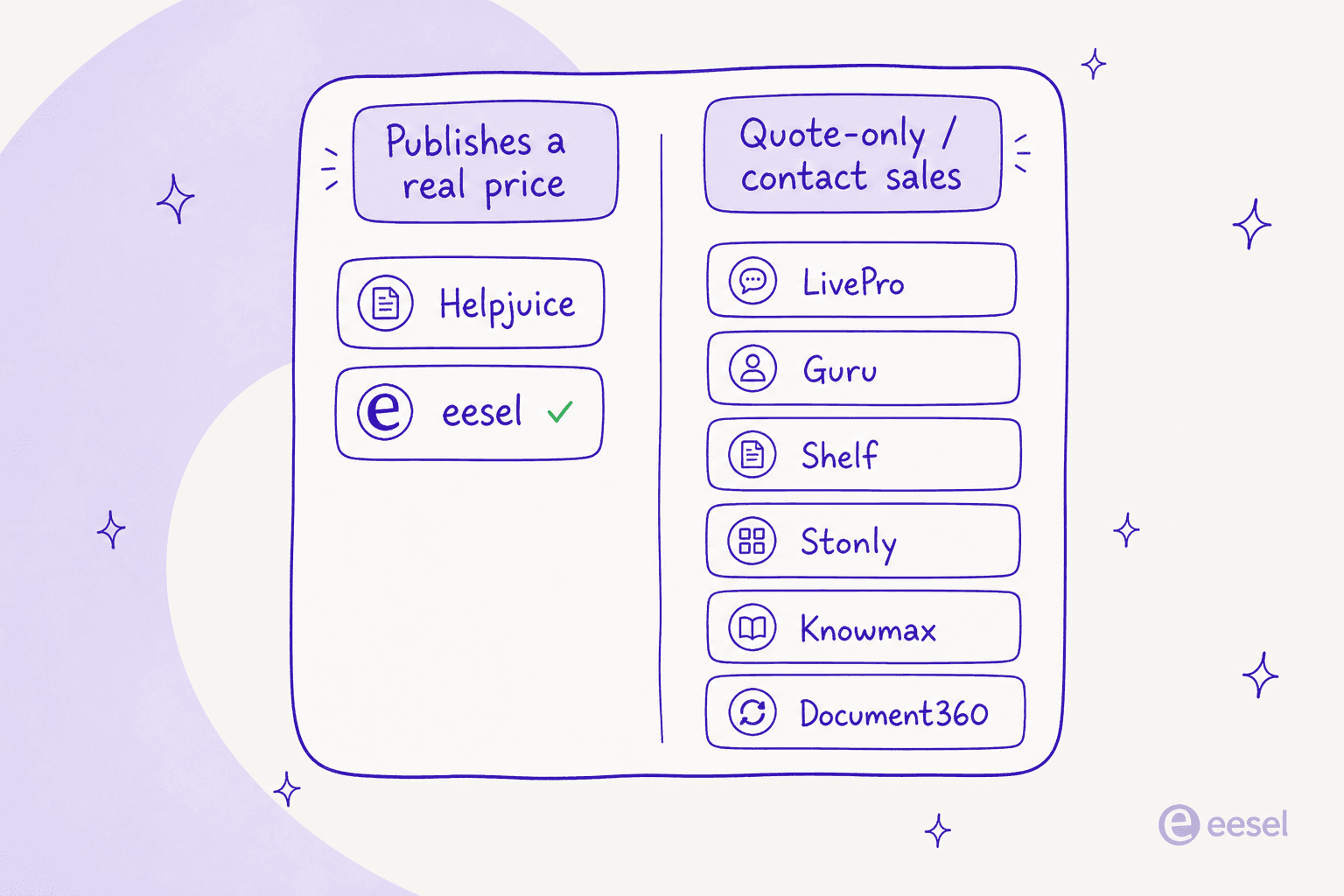
That's not automatically a knock, big contact-center deals are often genuinely custom. But it does mean that comparing this field honestly takes more sales calls than it should, and it's worth weighting transparency when two tools are otherwise close.
Try eesel for contact center knowledge

If you're shopping past LivePro because the knowledge sits there instead of doing the work, that's exactly the gap eesel was built to close. Point it at the help center and past tickets you already have, and it drafts and resolves support conversations in your existing helpdesk, flagging the gaps in your documentation as it goes so your knowledge actually gets better over time. It reads from your helpdesk and writes back to it, so there's no new data pipeline to build, and most teams are live within 30 minutes.
You don't need a quote to find out if it works for you. Start a free trial, or run it against your own historical tickets in a simulation first, and see the resolution rate before you commit a cent. If you'd rather keep authoring in a dedicated knowledge base, that's fine too, eesel reads from those, so it sits happily alongside whatever knowledge management setup you land on.
Frequently Asked Questions
What is the best LivePro alternative for a contact center?
How much does LivePro cost, and do the alternatives publish pricing?
Is there a free LivePro alternative?
What is the difference between LivePro and an AI helpdesk agent?
Which LivePro alternative is best for decision trees and guided workflows?


Article by
Riellvriany Indriawan
Riell is a designer and writer at eesel AI with about two years of experience researching CX platforms, AI chatbots, and helpdesk software. She combines her design background with a sharp eye for how these tools actually look and feel in practice — making her comparisons unusually visual and user-focused.