Claude for Zendesk: 4 ways to connect them in 2026 (and what each costs)

Rama Adi Nugraha

Katelin Teen
Last edited August 12, 2026

The state of play, honestly
I build eesel's helpdesk integrations, which means I have spent an unreasonable amount of my life inside the Zendesk API. I have also watched several customers leave us to build exactly what this post describes, straight on the Anthropic API. So this is not a "don't try it" piece. It is the map I wish someone had handed me.
The question comes up constantly, and it usually arrives attached to a price complaint:
"Is there any way to connect existing Claude, ChatGPT, or Gemini accounts to Zendesk, either directly, through something native in Zendesk, or via a third-party app? I've noticed that a lot of automated ticket-resolution services are extremely expensive, often around $1+ per ticket."

If you have already read our guide to the Zendesk ChatGPT integration, the shape here will feel familiar, though the details differ more than you would expect.
Start with the thing that is easy to get wrong. If you search the Zendesk Marketplace for Claude you will find listings, and it is natural to assume one of them is Anthropic's. None are. The Claude Anthropic connector carries a "Built by Zendesk" badge and lists Zendesk Customer Support as its support channel. The MCP Server app is published by Swifteq. Others, like FrontFoot, simply say in their description that Anthropic hosts the model doing the drafting.
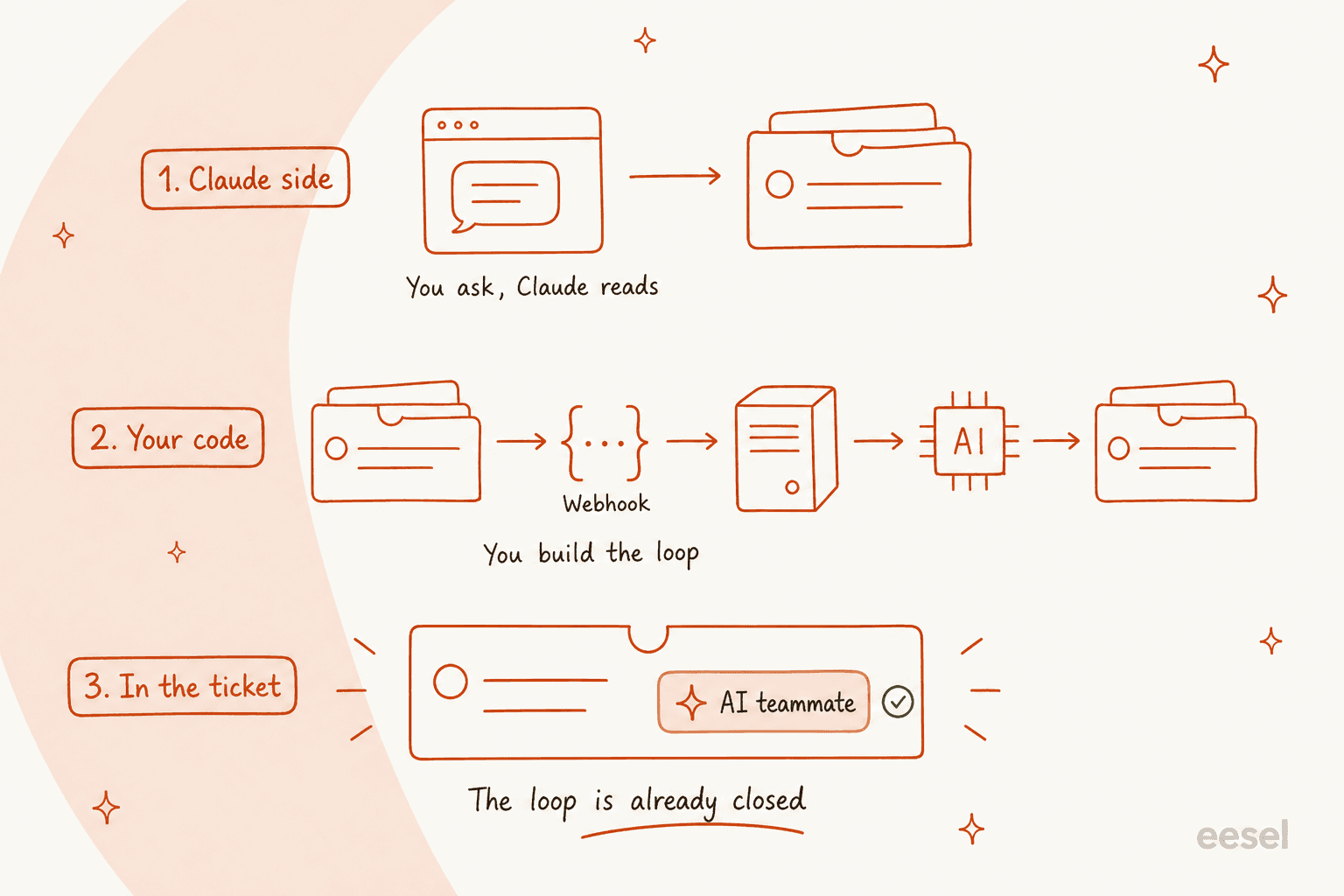
That leaves four distinct routes, and the useful way to tell them apart is asking where the work loop closes.
| Route | Who built it | Code required | The meter that moves |
|---|---|---|---|
| Claude connector in action flows | Zendesk | None | Action credits, plus your Anthropic bill |
| Trigger to webhook to your service | You | A backend service | Engineering time, then tokens |
| App in the ticket sidebar | You | A ZAF app | Per-agent app request limits |
| MCP into Claude Desktop | Third party or you | Depends | Nothing metered, but nothing automated either |
Route 1: the connector Zendesk built
This is the only no-code path, and for a first experiment it is the right one. Setup runs through Admin Center: create a key in the Claude Console, then go to Apps and integrations, then Actions, then Action flows, then under External actions click Claude and paste the key. The listing is explicit that Zendesk is not reselling inference here, so you pay Anthropic directly for every token.
Four actions ship with it: send prompt, summarize text, analyze sentiment, and extract keywords. That covers a useful band of work. Auto-summarizing a long thread before an agent picks it up is real value, and it is close cousin to what Zendesk AI summaries already do natively. Sentiment and keyword extraction feed straight into routing and support tagging, which is the same job as native ticket classification done with your own prompt.
Three things the listing does not put in bold.
The model list is a generation behind. The connector offers Opus 4.6, Sonnet 4.6, and Haiku 4.5. Anthropic's current line is Opus 5, Sonnet 5, and Fable 5, and the older models are filed under legacy in the platform docs. This is not only a quality question. Sonnet 5 launched cheaper than the model it replaced, at $2 in and $10 out per million tokens against Sonnet 4.6's $3 and $15.
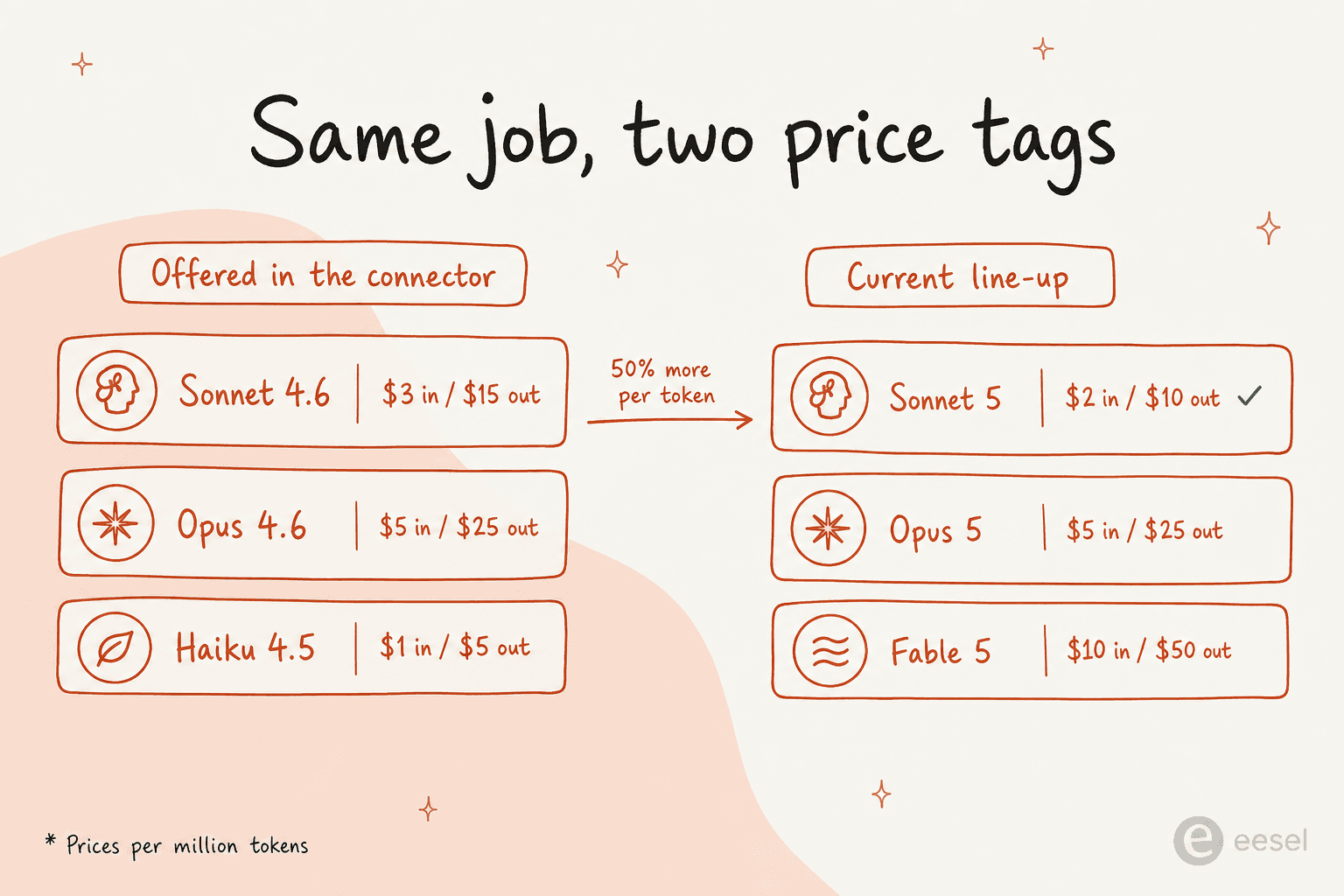
So on the connector's default Sonnet option you are paying 50% more per token for the previous generation. Worth knowing before you scale it to every ticket.
Action credits are the real meter. Because the connector plugs into action flows, the action builder's limits are its limits: 100 flows per account, 50 steps per flow, 10 executions per second outside bursts, and exactly one Anthropic connection per Zendesk account. Credits are consumed by most steps that create, read, update, or delete something. The included allowance runs 40,000 actions a month on Suite Team and Growth up to 400,000 on Enterprise Plus, with overage sold in blocks of 100,000 at a price Zendesk does not publish. A flow shaped as read ticket, call Claude, write comment burns roughly three credits a ticket, which puts a Suite Growth account somewhere around 13,000 tickets a month before it starts buying credits.
The plan gate is stated two ways on the same page. The connector details box says Guide Professional or above. The requirements list says all Suites and Support Team, Professional, or Enterprise. I am not going to pretend to resolve that for you; check with your rep before you promise anyone a launch date. The action builder itself is documented as Suite Growth and up.
Route 2: trigger, webhook, your service, Claude
This is the path most engineering teams reach for, and it is the one where the Zendesk webhooks documentation earns a careful read rather than a skim.
The shape is straightforward. A Zendesk trigger fires on ticket activity, calls a webhook, your service does the thinking, and you write back through the API. Note that ticket activity specifically has to go through a trigger or automation, not an event subscription, and you cannot change a webhook's connection method after you create it.
If you have not wired one before, our walkthrough of a ticket updated webhook covers the payload and the placeholders.
Then the constraints show up.
- A 12-second timeout, with five retries. This is the single most important number here. A synchronous handler that calls Claude and waits for the completion will blow through it on any non-trivial prompt. The correct shape is acknowledge immediately, queue, call Claude out of band, write back over REST.
- The payload caps at 16,000 characters. If you were planning to ship the full conversation history into the prompt via the webhook body, you are not going to. You will fetch it back over the API, which costs you a request.
- Ticket updates cap at 100 per minute account-wide. Even on Enterprise Plus, where the headline requests-per-minute number is 2,500, writes top out at 100 a minute, or 300 with the High Volume add-on. That quietly caps a "Claude drafts on every ticket" design more than anything else on the page.
- Incremental exports run at 10 requests a minute. That is the endpoint you would use to backfill history into a retrieval index, so plan the backfill as an overnight job, not an afternoon.
- Delivery is at-least-once, with no ordering guarantee. Zendesk says plainly that a webhook can fire twice for the same action or not at all. Use the
Idempotency-Keyheader on ticket creation, and remember the keys expire after two hours.
None of that is a reason not to build it. It is a reason to be honest about what you are building, because the API call is the visible tip of it.
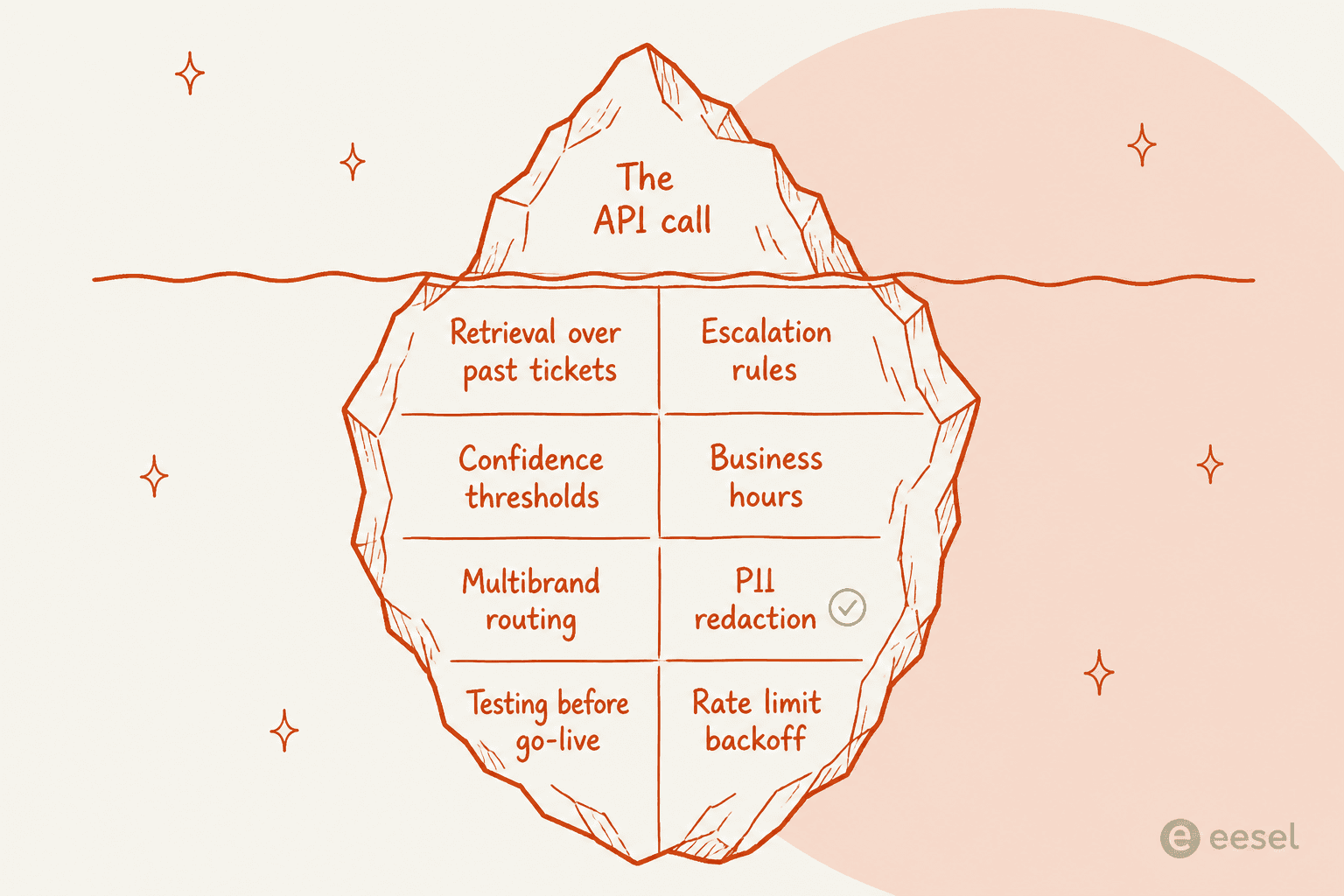
Every one of those blocks is a week of somebody's time, and most of them only reveal themselves in month two. If you want the full API surface first, our Zendesk API tutorial and the notes on OAuth scopes are the place to start.
Route 3: Claude in the ticket sidebar
If what you actually want is a copilot for human agents rather than an autonomous responder, the ticket sidebar app is the right surface. It renders in the right-hand panel of Agent Workspace, sees the ticket, and can call an external API. This is the surface behind most approaches to AI draft replies.
The security detail is the one people miss. External calls go through Zendesk's proxy via client.request(), and an API key dropped into an app is visible in dev tools by default. The fix is a "secure": true manifest setting plus a domainWhitelist, with the real value injected server-side by the proxy. Values cap at 1,024 characters, and secure settings cannot be tested on the local ZCLI dev server, which makes for a fun first deploy. Worth pairing with our notes on Zendesk AI data privacy before ticket text starts leaving the account.
Apps also get their own rate bucket: 100 requests per minute per user per app. So a sidebar app that fires a Claude call on every ticket open is metered per agent, which is usually fine and occasionally not, on a busy Monday.
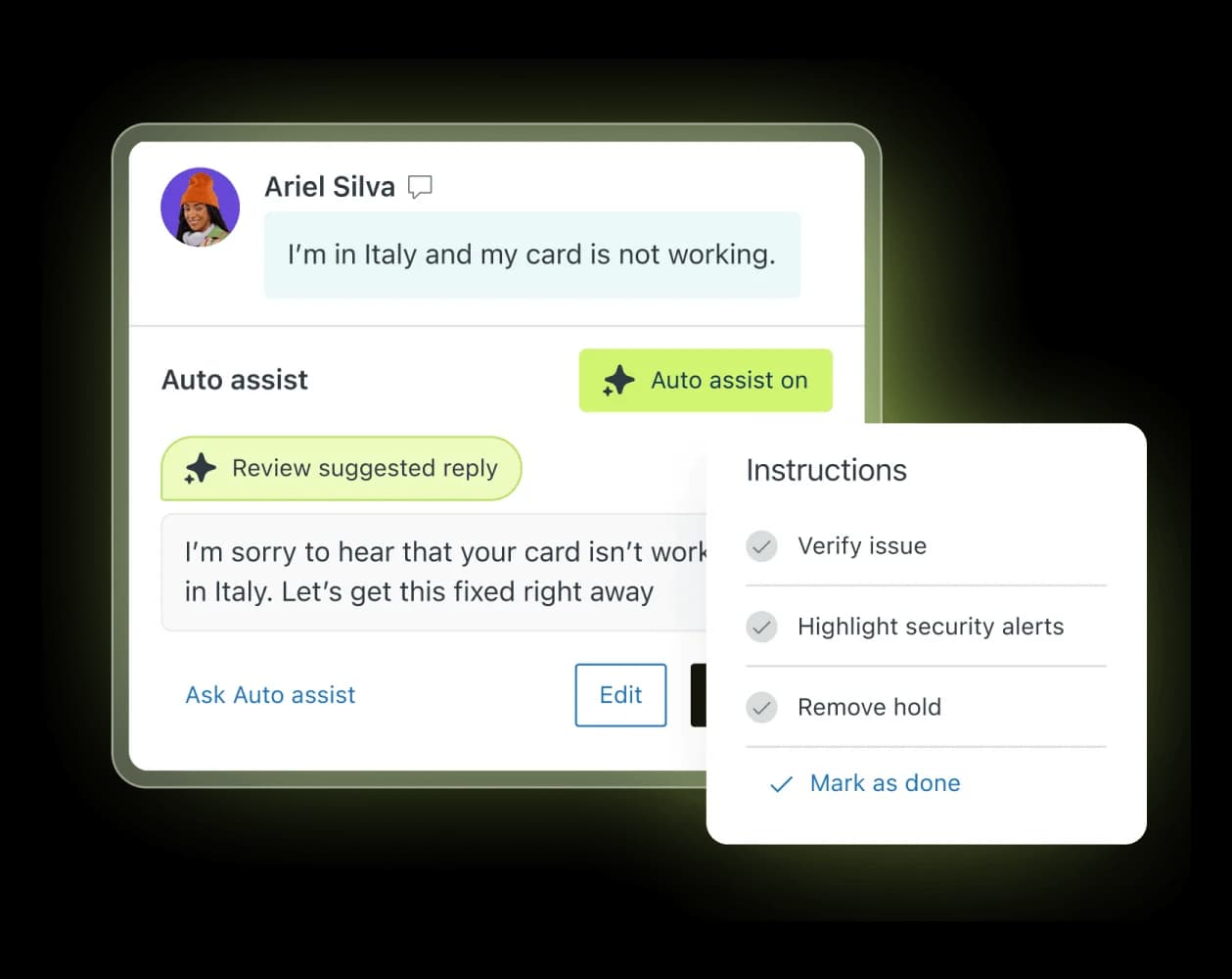
For context on what you would be rebuilding, Zendesk's own Copilot add-on sells at $50 per agent per month billed yearly, attachable to Professional and above. Without it, Suite Professional gives you intelligent triage classifications and pooled writing tools at five uses per agent per month, hard-capped at 500 per instance. Auto assist, suggested replies, and similar tickets all sit behind the add-on.
Route 4: MCP, and which way it actually runs
MCP is where the naming gets confusing, so here is the state of it as of today.
Claude's connector directory has no Zendesk entry. Zoho Desk, Freshservice, HubSpot, and Linear all have live connector pages; claude.com/connectors/zendesk returns a 404. Custom connectors are available across Free through Enterprise plans, with Free capped at one, and on Team and Enterprise an Owner installs the connector before each user authorizes it. Because Anthropic reaches your server from its own cloud, the server has to be on public HTTPS, so anything sitting behind a VPN will not connect.
Zendesk, for its part, has not published a general-purpose MCP server. What it shipped on 10 August 2026 is the mirror image: an MCP client, available on Suite Growth and up, OAuth-only, capped at 250 tools, and consuming action credits. That lets Zendesk call out to other people's MCP servers. It does not let Claude call into Zendesk.
So the practical options for pointing Claude at Zendesk data are Swifteq's marketplace app, which is free and hosted but puts a third-party service in the path, or the open-source zendesk-mcp-server project, which is Apache-2.0 and runs locally over STDIO, so it works with Claude Desktop and Claude Code but not with claude.ai. On the API side, the MCP connector takes an mcp_servers array behind a beta header, supports tool calls only, and is not eligible for zero data retention.
This route is excellent for analysis. Ask Claude to read last week's escalations and tell you what broke. It is not a route to automation, because nothing here fires on its own.
That read-side value is real, and people are already getting it:
"We have just connected up our internal zendesk, Jira, confluence, and github in Claude Code and it's incredible how useful it is to find information spread across different services in 1 minute instead of it personally taking me 15 minutes of manual search."

Note what that is and is not. It is an engineer searching across their own tools faster. It is not a customer getting an answer.
Which route fits you, and what it costs
The costs split into two buckets that behave completely differently, so pick your volume and look at both.
Two things jump out of that table.
Raw inference is almost free. Twelve dollars a month for a thousand tickets is not a budget line, it is a rounding error, and the current Claude pricing makes it cheaper again with each generation. Anyone telling you the API route saves money on tokens is right and is also answering the wrong question.
Someone in that same r/Zendesk thread ran the same arithmetic independently and landed within a rounding error of my numbers:
"raw api cost on a typical zendesk ticket (3-4k tokens in, 500 out) lands between $0.005 and $0.02 across the major models, two orders of magnitude under vendor pricing. what you're paying the rest for is the action layer (writing back to shopify, refunds, address changes), inbox plumbing, and the eval/guardrail loop."
That is the whole post in one comment, from someone with no reason to sell you anything.
And the gap between the DIY column and everything else is not margin, it is the wrapper. What you are buying in the other rows is retrieval over your own content, escalation logic, a place to see what the thing did, and someone to call when it stops working at 2am.
Where these builds actually break
They rarely break at the model. They break at the last mile, and this r/Zendesk post is the cleanest example I have seen of it:
"I built a 'ticket response drafter' with Claude that uses my knowledge base to draft responses to every customer ticket that comes in. I want my agents to be able to edit and then send that response to the customer instead of drafting each one from scratch. I know through the Zendesk API that I can send these drafted responses into the ticket as an internal message... but is there a way to acutally make the drafted response a DRAFT sitting in the ticket, so they don't have to copy/paste the draft response every time?"
The Claude part worked on the first try. The part that did not work is that a Zendesk draft lives in the agent's browser, not on the ticket, so an internal note or a custom field is as close as the API gets you. Every agent pays a copy-paste tax forever, and that is the kind of detail you find in week three, not in the planning doc.
Here is the part I can speak to directly, because it happened to us.
We have lost customers to this exact build. Several churned accounts named building in-house as the reason, and one of them, a DTC beauty brand, went straight to the Claude API. Another, a European hosting provider running Zendesk, left having built their own AI. When our team wrote up why, the verdict was blunt: much of their friction came from setup complexity around handovers, the Zendesk integration, and business-hours logic. That is not a list of model problems. That is a list of harness problems, and they are the same problems a from-scratch build inherits on day one.
One churned mid-market customer put the build-versus-buy instinct better than I could:
"We switched to a system that is working well at half the cost. But long term we will just build our own, which is so possible now with AI."
a mid-market brand that moved to a cheaper chatbot vendor and plans to build in-house
They are not wrong that it is possible. The question is whether it is the thing your team should be spending its quarters on.
The other failure mode is subtler and it is about trust. We have watched a confident-sounding bot give a wrong answer to a real customer, which is exactly why we now insist on simulating a rollout against historical tickets before anything goes live. In one trial on real Zendesk traffic at a German jewelry retailer running about 1,000 tickets a month, the numbers were encouraging and sobering at once: 93% triage accuracy and 100% spam detection with zero false positives, alongside a 7% factual error rate and only 12% of drafts good enough to send untouched. You want to find that 7% in a simulation, not in a customer's inbox.
Public sentiment on Zendesk's own AI pricing runs in a similar direction, mostly around what counts as a resolution:
"From what I can see in regards to this new 'Automated Resolution' pricing model, we'll be paying about $1.50 ~ $1.20 per resolution. And what Zendesk counts as a resolution can be ... subjective... If you have 500 AR per week, the bill blows out to be $650, where there wasn't a charge before."
To be fair to Zendesk, it has since tightened that definition. Since May 2026, only a Verified resolution draws down your allowance, confirmed by an LLM check after a 72-hour window with no follow-up. Contained resolutions and assisted escalations no longer bill. That is a real improvement and it addresses the abandonment complaint directly. Our full breakdown of Zendesk AI pricing walks the tiers, and the per-resolution model gets its own post.
The knowledge question nobody asks early enough
This is the difference that decides whether any of this works, and it has nothing to do with which model you picked.
Zendesk's AI agents connect to exactly two kinds of source: help centers, which search live, and external content pulled in by a web crawler or knowledge connector, which searches against the last sync, usually every 24 hours. Past ticket history is not one of them. Ticket history feeds the Knowledge builder, which generates articles you then publish, and the agent reads those articles. It is a real feature and it works, but it is a step removed from your archive. Our Zendesk AI agents guide walks the setup end to end.
The Claude connector is one step further removed again. Its four actions operate on the text you hand them. It has no knowledge layer at all, which is the point of it being four actions rather than a product.
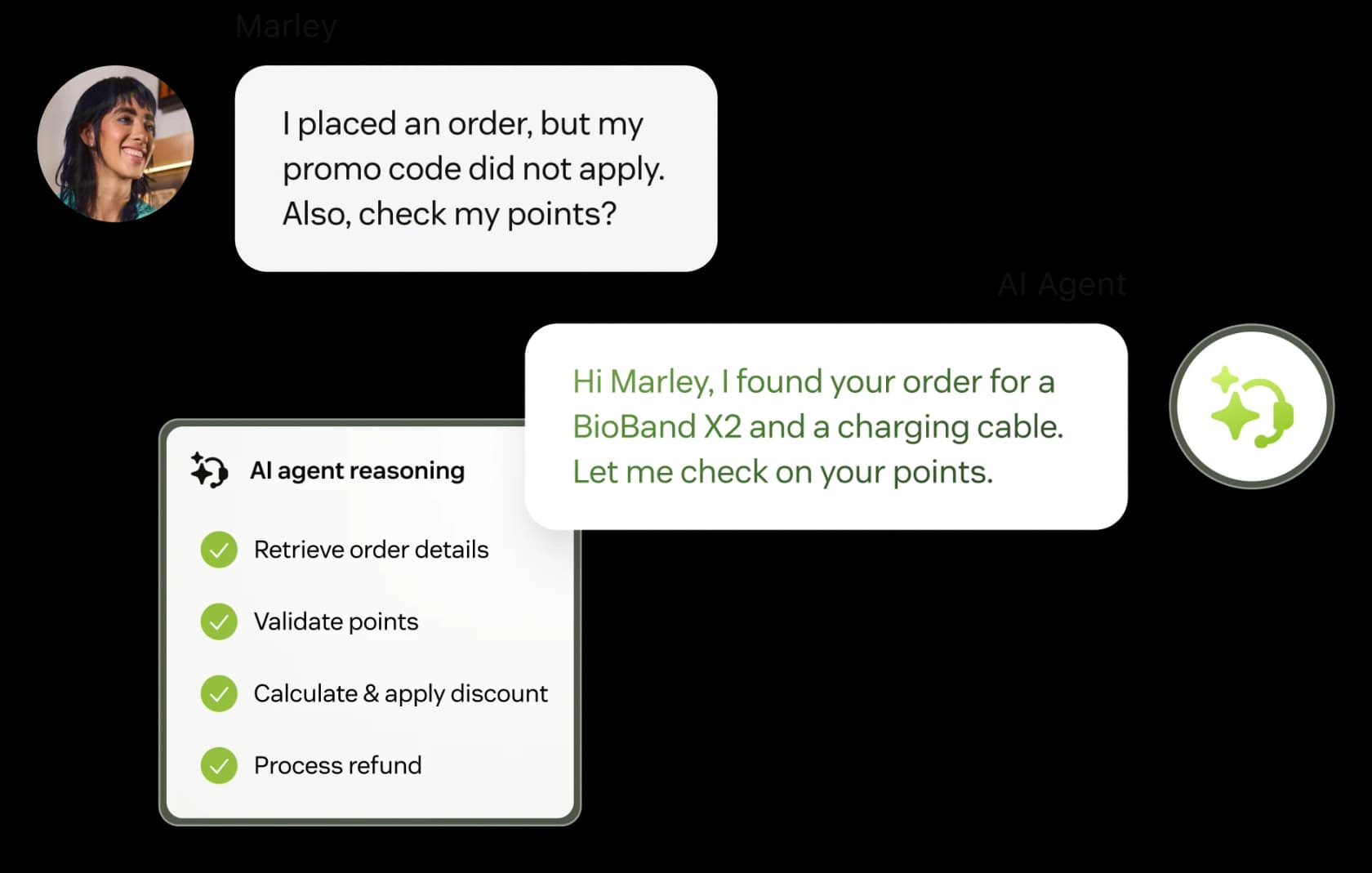
Testing is the same story. Zendesk documents three ways to test an AI agent: a sandbox environment, a test email trigger, and a Test AI agent button. All three are forward-looking. There is no documented dry run over your own past tickets, which means the first real evidence of how it handles your queue arrives after it is already handling your queue. Worth reading alongside our notes on Zendesk AI agent handoff, because the handoff rules are what catch the misses.
One more piece of housekeeping if you are on the native path: AI agents Essential went legacy in May 2026, loses support on 31 August 2026, and is removed on 10 December 2026, folding into a single agentic product alongside AI agents Advanced. If you built on Essential, that migration is now dated homework.
So what would I actually do
Depends where you are, and I mean that in a specific rather than hedging way.
Experimenting, one workflow, no budget. Use the connector. It is free, it takes twenty minutes, and summarize-then-tag is a real win. Switch the model dropdown deliberately rather than accepting the default, and mind your existing workflow automation so the new flow does not fight your old rules.
You have engineers and an unusual workflow. Build route 2, but scope it to one narrow job with a clear success metric, and design it async from the first line. If you find yourself writing an escalation state machine in week three, that is your signal that you have started building a product rather than a feature.
You want tickets resolved, not enriched. None of these four routes gets you there on their own. That is a harness, and buying one is almost always faster than building one. Our roundup of the best AI helpdesk software covers the field, including the tools I would put ahead of us for particular shapes of team.
If you are already deep in the native stack and weighing whether to stay, the Zendesk AI alternatives comparison is the more useful read than this one.
For the record, the thing I would not do is pick a route based on which model is fashionable this month. The gap between an AI agent and a rule-based chatbot has almost never come down to the model.
eesel AI for Zendesk
If what you actually wanted from "Claude for Zendesk" was a model that resolves tickets rather than four actions you wire together, that is the job eesel AI does. It connects over OAuth in under thirty minutes, joins as a real AI agent inside Zendesk rather than a separate widget, and trains on your past tickets, macros, and help center rather than published articles alone.
The differentiator I would point at is the one this whole post has been circling: you can run it against your own past Zendesk tickets before it ever replies to a customer, see per-topic coverage and the gaps, fill them, then go live. On the model question, Anthropic is one of eesel's named sub-processors alongside OpenAI and Google, and Enterprise plans support bringing your own model. Pricing is $0.40 per ticket handled, with $50 of free usage and no credit card to start.

One gig-economy analytics team on Zendesk put it this way after their first month:
"In the first month, eesel is resolving 73% of our tier 1 requests. eesel offers easy Zendesk implementation and setup. Our team implemented and achieved results quickly during our 7-day trial."
Kim Simpson, Gridwise, on the eesel AI Zendesk page
Where eesel is not the right call: if you need image analysis on customer screenshots or voice recording support today, those are real gaps we hear about from teams running visual-heavy queues, and I would rather you know that now than in week three.
Frequently Asked Questions
Is there an official Claude app for Zendesk?
How much does Claude for Zendesk cost?
Can Claude read my past Zendesk tickets?
Which Claude models does the Zendesk connector support?
Do I need a developer to use Claude for Zendesk?
Is Claude better than Zendesk's own AI agents?
Can I test Claude on my Zendesk tickets before going live?



Article by
Rama Adi Nugraha
Rama is a software engineer at eesel AI with two years of experience writing about B2B SaaS, AI tools, and customer support technology. Based in Bali, Indonesia, he brings a developer's perspective to product comparisons — cutting through marketing copy to what the integrations and APIs actually do.